#building-and-recc-chat
1 messages · Page 229 of 1
 crimson zinc
 mossy venture
You're good
crimson zinc
 plucky timber
What are you going to use the pc for
plucky timber
What are you going to use the pc for
I’m getting into 3D modeling and video editing for a few friends
plucky timber
sounds exciting
 lunar bone
Hello people. Is it worth going for the Jonsbo d31 mesh version instead of the normal one? Does it give better airflow or is it just for looks?
 weary galleon
lunar bone
Hello people. Is it worth going for the Jonsbo d31 mesh version instead of the n...
weary galleon
lunar bone
Hello people. Is it worth going for the Jonsbo d31 mesh version instead of the n...
I'm not seeing a non-mesh version
Looks like the default is the glass panel and a mesh piece ok the front
If there's a mesh side panel available, yes that will help with airflow
 tawny violet
lunar bone
Hello people. Is it worth going for the Jonsbo d31 mesh version instead of the n...
tawny violet
lunar bone
Hello people. Is it worth going for the Jonsbo d31 mesh version instead of the n...
considering it's a chimney-style case
there is probably advantage, but minimal
most of the airflow comes from the bottom
that being said
tawny violet
If it's not a lot more expensive I'd say get the mesh version (like ~5% price diff is fair)
mossy venture
If you're doing intake fans on the bottom, exhaust on the top and back, that's fine
tawny violet
there is basically no downside to getting the mesh
lunar bone
Alright thanks for the info. Wont be putting fans on the front but will get the mesh version just in case
tawny violet
lunar bone
Alright thanks for the info. Wont be putting fans on the front but will get the ...
You can angle the PSU so that the fans go to the mesh then
and let it draw in air from there (if you have the GPU clearance for it anyway)
do you wanna get the one with the screen?
mossy venture
tawny violet
You can angle the PSU so that the fans go to the mesh then
What?
lunar bone
Nah without
tawny violet
mounting it with the fan towards the outside
mossy venture
Why tho
lunar bone
.
tawny violet
I'd assume that's for the one with the solid front
lunar bone
Yeah
tawny violet
with the mesh front it can breathe through the mesh
but again the difference is going to be miniscule if it's even noticable
tawny violet
np
mossy venture
tawny violet
I'm not saying it's the best option
I'm so confused. Then why recommend it?
tawny violet
I think it's better but I don't have empirical data to back it up
mossy venture
Ah ok
Thought you were saying it was a possibility and then were saying it's worse to do it lol
Mb
tawny violet
Yeah I'd think the PSU breathing through the mesh and get fresh air is better
but I dunno if that would really affect anything
that's why I asked whether it's one with the screen or without
cuz the one with the screen I don't think can have the PSU breathe through the front
 potent portal
tawny violet
but I dunno if that would really affect anything
potent portal
tawny violet
but I dunno if that would really affect anything
Generally it doesn't but in certain cases where there's a lot more intake than exhaust, or vice versa, it can make a minor difference in noise or dust.
tawny violet
Yeah that's fair
Realistically it's gonna have a very minor impact if it does have any
And I can't vouch whether that impact will be positive or not
But logic would say that the PSU getting fresh air directly from the outside through the front mesh wouldn't hurt
 cyan ravine
@lunar bone you can angle the psu towards the front for mesh intake but it won't matter with the screen in front. Mesh basically makes no difference unless you mount an intake fan physically onto the front which isn't really needed
The full mini hdmi screen will obstruct all the same as if the case wasn't mesh to begin with
Basically:
- PSU can rotate to face the front mesh

- PSU can't it'll choke


Though with the screen, if the psu is mounted really low it's still possible not to be obstructed
But you lose a boatload of gpu space in doing so
Usually iirc config 2 or 3 is ideal, otherwise config 1 for say a 240mm aio

And really unless the psu is in config 1 or 2 there isn't really any room anyway for a front fan lol
 rustic linden
😍😍
 cyan ravine
Nice
 rough totem
Why is it that Nvidia cards only have one fan? or are there two more on the other side?
 pearl fjord
Hello-- anyone here that can help with Motherboard selection?
weary galleon
rough totem
Why is it that Nvidia cards only have one fan? or are there two more on the othe...
The FE cards have 2 fans, one on each side
 fossil cedar
pearl fjord
Hello-- anyone here that can help with Motherboard selection?
fossil cedar
pearl fjord
Hello-- anyone here that can help with Motherboard selection?
Whatcha looking for
rough totem
weary galleon
The FE cards have 2 fans, one on each side
Oh neat. Is that not better or worse, just different?
rough totem
Ha. Looks cool, though
weary galleon
A 3 fan card with a decent heatsink will probably be cooler/quieter
 pseudo pollen
But bigger
crimson zinc
3 fan cards >>>>>
pseudo pollen
Custom watercooling>>>
pseudo pollen
I mean, in terms of temps water is better
cyan ravine
rough totem
Oh neat. Is that not better or worse, just different?
Just different, they use a iirc axial design
cyan ravine
pseudo pollen
I mean, in terms of temps water is better
Not really on the high end now
My 4090 is worse on water than air
Better mem clock but worse temps
pseudo pollen
That's really weird
cyan ravine
pseudo pollen
That's really weird
It's just that big of a heatsink
fossil cedar
crimson zinc
3 fan cards >>>>>
mehh
cyan ravine
The thermal mass is greater than that of a good radiator
And excellent coldplate design
The XTX I have is very much in that same strain
Nitro+ cooler is very good too
fossil cedar
air cooling also has a lot of benefits too
cyan ravine
It does
fossil cedar
like no possibilty of pump failing etc
fossil cedar
max id do is an aio on the cpu but honeslty my d15 is handling my 13600k enough that i dont really wanna invest in one
fossil cedar
ryzen?
cyan ravine
AMD can be annoying af when broken but when it works it's solid
But I don't need water
I just want air
I can take fans out in 10 minutes
Run compressed air through my coolers
Done in an hour instead of half/full day
fossil cedar
yeah screw that
 shut rampart
https://pcpartpicker.com/list/6hfmWt
I have some spare parts list above and I want to build a pc that is for web surfing / light gaming any list
Part List - Radeon RX 5700 XT, Phanteks Eclipse G300A (1 Fan) ATX Mid Tower
cyan ravine
Is that ur spare stuff
shut rampart
yes
cyan ravine
So you want light gaming? Or full competency
shut rampart
light gaming
 vague oracle
cyan ravine
My 4090 is worse on water than air
vague oracle
cyan ravine
My 4090 is worse on water than air
Nah that’s just a skill issue
shut rampart
its for my mom and she doesn't play that games too much just web surfing thats all
fossil cedar
@shut rampart would do this
https://pcpartpicker.com/list/Bg98Xk
Part List - AMD Ryzen 5 5600, Radeon RX 5700 XT, Phanteks Eclipse G300A (1 Fan) ATX Mid Tower
fossil cedar
shut rampart
its for my mom and she doesn't play that games too much just web surfing thats a...
If it's only web browsing, then sell your 5700xt and get a 5600g then imo
vague oracle
If it’s mostly for web surfing, why not sell the 5700xt and buy like a 5600g or something with an iGPU
vague oracle
fossil cedar
If it's only web browsing, then sell your 5700xt and get a 5600g then imo
LOL
Beat me to it by less than a second
fossil cedar
Great minds think alike
crimson zinc
cyan ravine
My 4090 is worse on water than air
I’ve been looking for a high end fan to replace this for my 4090
 fossil cedar
Huh
vague oracle
Huh
cyan ravine
shut rampart
light gaming
https://pcpartpicker.com/list/mHCrWt
But I'd consider a new psu
Part List - AMD Ryzen 5 5500, Radeon RX 5700 XT, Phanteks Eclipse G300A (1 Fan) ATX Mid Tower
fossil cedar
 vague oracle
…that ain’t how gpu cooling works anymore
crimson zinc
Wait
vague oracle
Only gpu AIO I know of is that alphacool one
shut rampart
I think I tried to sell my gpu but someone offer like 100 - 200 for it
cyan ravine
crimson zinc
I’ve been looking for a high end fan to replace this for my 4090
That's a cpu aio sir
shut rampart
do u think thats a worth price
fossil cedar
Yep about 150 I'd say
cyan ravine
shut rampart
I think I tried to sell my gpu but someone offer like 100 - 200 for it
They're almost like a 6600xt
crimson zinc
cyan ravine
That's a cpu aio sir
Shut
vague oracle
Shame this ain’t 2022
cyan ravine
I'd keep
shut rampart
cyan ravine
https://pcpartpicker.com/list/mHCrWt
But I'd consider a new psu
I have some artic fans so I can use that
cyan ravine
Ez
vague oracle
crimson zinc
Shut
He’s right tho
vague oracle
Lolllll
cyan ravine
vague oracle
Nah that’s just a skill issue
It's better performing but worse temps
Not skill issue
vague oracle
cyan ravine
It's better performing but worse temps
Skill issue
Ahh wait, it’s cause you’re in Australia
All the water is in the cpu block
cyan ravine
Idk man
fossil cedar
cyan ravine
I'd keep
They said it's for their mom so basically 0 gaming
vague oracle

cyan ravine
49c to 51c is a regression
vague oracle
cyan ravine
49c to 51c is a regression
Get a better ambient
shut rampart
im going to check if I have another cpu cuz I remember I upgrade my cpu
fossil cedar
I'd just take the money and get a 5600g
vague oracle
35c 4090>>>
cyan ravine
fossil cedar
I'd just take the money and get a 5600g
Could do that
 vague oracle
cyan ravine
Mine idles at like 20 lmao
vague oracle
cyan ravine
Mine idles at like 20 lmao
Mine idles at 5
cyan ravine
Damn talk about better ambient
vague oracle
My ambient rn is below 0C
cyan ravine
Bro's living like 5 minutes from santa
Santa knockin on the door like "TURN DOWN UR PC FANS U PC PLEB FS"

vague oracle
Got 2 ACs that I modded to cool down to 40F
 vague oracle
Then my coolant delta dropped to a solid 0 after replacing the fans
vague oracle
Nah I run them at 50-60 and they’re fairly quiet
vague oracle
cyan ravine
change to B12's reeee
NAH
cyan ravine
I'll hvac u in a minute
cyan ravine
vague oracle
THEY AINT NO DELTAS
Pff practically are
vague oracle
I’m boutta B your 12 in a minute
cyan ravine
FWWEEEE
 vague oracle
cyan ravine
That sounds illegal
vague oracle
cyan ravine
That sounds illegal
😉
 vague oracle
I want to buy a MacBook so badly but I know I shouldn’t
mossy venture
@shut rampart on a budget I'd take a look at amazon warehouse for a mobo, there's some really nice deals there
And psus
Last I saw, $75 B tier 850w cooler master mwe gold v2
 lone flame
cyan ravine
Get a better 4090 pleb
lone flame
cyan ravine
Get a better 4090 pleb

 jagged ember
vague oracle
I want to buy a MacBook so badly but I know I shouldn’t
jagged ember
vague oracle
I want to buy a MacBook so badly but I know I shouldn’t
Apple refurbished can bring the price down
fossil cedar
mossy venture
Last I saw, $75 B tier 850w cooler master mwe gold v2
Gf1 850w is like 85$ or something atm
Owo
mossy venture
Looks like the 850 is oos but the 750 is still $80, also a great choice
https://pcpartpicker.com/product/x4hv6h/thermaltake-toughpower-gf1-2024-750-w-80-gold-certified-fully-modular-atx-power-supply-ps-tpd-0750fnfagu-p

Thermaltake Toughpower GF1 (2024) 750 W 80+ Gold Certified Fully Modular ATX Power Supply (PS-TPD-0750FNFAGU-P)
lone flame
mossy venture
Looks like the 850 is oos but the 750 is still $80, also a great choice
https:/...
will that actually be quiet under load
mossy venture
I dont see why not, unless Thermaltake used a cheap fan
fossil cedar
mossy venture
Looks like the 850 is oos but the 750 is still $80, also a great choice
https:/...

Thermaltake Toughpower GF1 (2024) 850 W 80+ Gold Certified Fully Modular ATX Power Supply (PS-TPD-0850FNFAGU-P)
Ah 90 sorry
mossy venture
Oh weird it didn't show up when I sorted by 650w+ and $0-$90


 runic spruce
crimson zinc
runic spruce
crimson zinc
Rule #1; don’t but used psus
 obsidian wigeon
probably missing cables
but it either has a problem or coil whine
or just missing cables (which adds cost anyway)
mossy venture
I just don't trust a used psu
I'd rather spend an extra $35-45 for something I know isn't faulty
$35 more gets you gf1 750
crimson zinc
There’s no reason to buy a used PSU
It is the sole component you need warranty on, and can’t do anything without
If it blows, your entire setup is toast
 leaden mauve
plucky timber
Sus
leaden mauve
plucky timber
Sus
how is that sus
leaden mauve
crimson zinc
Rule #1; don’t but used psus
used psus are usually fine, it's a case-by-case kind of thing.
crimson zinc
leaden mauve
used psus are usually fine, it's a case-by-case kind of thing.
Unless they have a transferable warranty, there’s no reason
Unless they’re easily replaceable parts
 strong raft
Plenty of deals around, even hws sometimes. I mean new, of course used can be cheaper.
leaden mauve
yea you can save money buying used, who wouldve thought.
leaden mauve
strong raft
Plenty of deals around, even hws sometimes. I mean new, of course used can be c...
literally
leaden mauve
and my power supply if i want to
buying used doesnt have to mean skimping out on quality 😂
crimson zinc
I’m not saying it is
leaden mauve
im not using this as an argument, but whats funny is the only PSU ive ever had problems with was new from the factory
and it literally blew up
crimson zinc
Why would you place your entire build in the hands of a PSU with no warranty
leaden mauve
because I know the PSU will work anyway.
and my judgement has almost always been correct on that sort of thing
crimson zinc
but if it blows, you’re not getting any money back to rebuild?
leaden mauve
yea the .0001% chance it explodes and destroys my whole PC 
crimson zinc
leaden mauve
and my judgement has almost always been correct on that sort of thing
Until your judgement is wrong and boom, you’re screwed over because you bought used
leaden mauve
like i said, buying used PSUs and determining if they're a safe buy is a case-by-case sort of thing
 dusky hearth
It is quite rare for a PSU to blow and kill the entire pc
crimson zinc
leaden mauve
like i said, buying used PSUs and determining if they're a safe buy is a case-by...
Or just don’t risk it in general
leaden mauve
im not saying always buy used, just thats it's a very valid option
bro isnt listening to what im saying
there is no risk when you know what to look for 😂
crimson zinc
 pseudo pollen
leaden mauve
there is no risk when you know what to look for 😂
pseudo pollen
leaden mauve
there is no risk when you know what to look for 😂
There is always a risk when buying anything, but it is substantially higher when you buy used
crimson zinc
Even if everything seems perfect
plucky timber
crimson zinc
There’s no reason to buy a used PSU
It is the sole component you need warranty o...
Flips
A used good psu is better than a cheap bomb psu
mossy venture
True, but a new good psu is a safer choice than either. I would 100% spend an extra $35-45 to assure the safety of my pc unless i have the lowest of low budgets
shut rampart
how much does a desktop weigh
plucky timber
What parts are inside the desktop?
We don't know the weight unless we know the parts
shut rampart
Part List - AMD Ryzen 7 5700X, Radeon RX 6700 XT, Phanteks Eclipse G360A ATX Mid Tower
plucky timber
I'm about to get on a plane so
shut rampart
should I buy a standing desk or a siting desk
plucky timber
Can't really help you out here
plucky timber
shut rampart
should I buy a standing desk or a siting desk
Personal preference
shut rampart
isn't standing more $
plucky timber
I mean
It depends on the use case
What are you using it for
Do you need a standing desk?
plucky timber
I don't think that's a desk issue
Ok so a standing desk is just an elevated desk...
Is this a scam lol
Sounds like an elaborate scheme to get people to pay for new desks
shut rampart
I will just go with the basic
leaden mauve
pseudo pollen
There is always a risk when buying anything, but it is substantially higher when...
case-by-case
shut rampart
alex draws and IDÅSEN or BEKANT
plucky timber
IKEA I persume
shut rampart
si
plucky timber
Do IKEA sell ones that can actually support the weight of a desktop?
I've had an IKEA desk that is just sagging where my desktop used to sit
plucky timber
Solution is to not put it on the desk
plucky timber
shut rampart
well I am using one siting desk and I can tell u its working
From IKEA?
shut rampart
yes
plucky timber
Do you need a new desk
shut rampart
yes
plucky timber
Not enough space?
shut rampart
my mom wants one
shut rampart
well
plucky timber
Get one with material that you know won't sag
Just to be on the safe size
Desktops can be very heavy
Depending on the configuration of course
Then again I had an whole Enthoo Pro 2 on it
That is a very heavy case
plucky timber
There is no average
shut rampart
welp
plucky timber
It is case by case
You're gonna have to add up all the weight of the individual components
Give or take a few hundred grams
Or just weigh the pc
When you have it
crimson zinc
mossy venture
True, but a new good psu is a safer choice than either. I would 100% spend an ex...
This
pseudo pollen
Alright, I need some help, I have a virus on my pc rn, and I'm trying to run TronScript to get rid of it, but it won't load. Nothing loads except wallpaper engine somehow (my ethernet cable has been unplugged so it won't spread). What should I do to get rid of the virus? Running windows 10 btw
crimson zinc
Avira is a decent malware detector
pseudo pollen
the thing is nothing loads
crimson zinc
pseudo pollen
the thing is nothing loads
Run windows defender
pseudo pollen
It found stuff, but it can't do anything about it
crimson zinc
Ask #general-chat for more info
mossy venture
crimson zinc
Avira is a decent malware detector
NO
NONO
The only anti virus you should pay for is malwarebytes. If Avira is the one I'm thinking of it's actively malware and is worse than win defender, but I could be thinking of the wrong one
pseudo pollen
Hmm
mossy venture
Wait im thinking of avast
pseudo pollen
 mossy venture
Avira might be fine idk
pseudo pollen
Windows broke
mossy venture
pseudo pollen
Try running cmd prompt as adming and running sfc/scannow
Then see if nothing will load still
And im assuming you tried a restart
pseudo pollen
This screen is a first for me
But I have tried restarting, but it just infinitely loads
mossy venture
You might just be stuck with doing a fresh install of windows honestly
pseudo pollen
Just spammed the keyboard and now it's back to normal?
mossy venture
You could try searching for the file location and deleting it
pseudo pollen
mossy venture
You might just be stuck with doing a fresh install of windows honestly
That's what I'm thinking
Just need to get data off of it
I have 3 drives though
Whenever I run Tron, I get stuck on this screen
 potent portal
Can confirm Avira is ok, but the free version isn't any better than windows defender. They do have a rescue CD I keep in my back pocket that lets you scan in offline mode, it helps dig out pesky rootkits.
pseudo pollen
Just gonna let it load for a while and see what it does
mossy venture
potent portal
Can confirm Avira is ok, but the free version isn't any better than windows defe...
Ah alright thanks, good to know
potent portal
The rescue cd is here https://www.avira.com/en/downloads#tab_a3_0
Seriously, it's good to keep on your ventoy multiboot usb drive. You never know when you'll need it.
pseudo pollen
Tron finally started running, gonna wait and see if it fixes it
potent portal
(it boots linux so near zero chance of the rescue being blocked/infected)
 limber oyster
https://custom.cablemod.com/437c2208d87c
I think this is all I need
pseudo pollen
pseudo pollen
Tron finally started running, gonna wait and see if it fixes it
Tron finished running overnight, it seems to have made my computer better, but I'm still running avira just in case
rough totem
I think I might return my 12900k and get a 14700kf
rough totem
But +4 cores
rough totem
Big games and maybe a little 3D modeling
fossil cedar
not a huge diff, a lil in 3d modelling maybe but unless youre compliling games or something its gonna make no diff there
13700k would be a single core improvemnt though
rough totem
Are there average temperature differences between the three 1700 CPU generations?
fossil cedar
iirc 13700k/14700k is a bit cooler than 12900k
but if you check reviews youll find that out quickly
vague oracle
Barely, 14700k still runs fairly hot
I wouldn’t bother with swapping 12900k to 14700k just for gaming
Even in 3d modeling barely, unless you’re already maxing out your CPU, not much point
rough totem
But, I'd be returning the 129, not selling it
vague oracle
If you need to pay extra on top of the return , not worth it
rough totem
Is that a possibility for a used return, even within the hassle-free return window?
mossy venture
rough totem
But, I'd be returning the 129, not selling it
13600k/13700k/14600k are good options too btw
How much did the 12900k cost? $350?
mossy venture
That's pretty decent
13600k all around is the same/better tho, I think is $280 rn?
mossy venture
Yeah sorry
But look down further at single thread
Theyre near identical for that, and multi thread 13700k pulls ahead, as well as a good bit better single thread
13700kf is $350 tho
rough totem
Newegg has it for 330 right now
mossy venture
Oh nice
 proper oxide
Why can't I upload pictures 😭😭
 lyric thistle
Keep talking and you will be able to 
potent portal
proper oxide
Why can't I upload pictures 😭😭
Anti spam measures. Once your name turns green you can.
rough totem
I should maybe only look at benchmarks, but the RAM speed stats between 12th and 13/14th gens bother me
potent portal
The motherboard matters more than the CPU for RAM speed honestly
I've seen a 12600k run at 7800 mt/s with nothing extra on the memory or cooling
But it was on a good Z790 board
mossy venture
rough totem
I should maybe only look at benchmarks, but the RAM speed stats between 12th and...
13th and 14th gen like ddr5 a lot, they lost up to ~10% performance on ddr4 compared to a decent ddr5 cmp. A decent z790 and a hynx kit and you'll see a pretty big improvement in performance
Or a b760 if you don't plan to tune ram too much
rough totem
My board is a z690
mossy venture
What model?
rough totem
Asus TUF Gaming Wifi
mossy venture
That's mediocre
Won't be able to tune beyond like 6800mhz (i dont think, dont quote me on that) but you could definitely do 6000c30
potent portal
mossy venture
13th and 14th gen like ddr5 a lot, they lost up to ~10% performance on ddr4 comp...
15% in a lot of games
potent portal
That's anything 12600k/13400 or higher
mossy venture
It's 3600c16 at least now
rough totem
I needed to do more research before pulling the trigger on this build. I'd been out of the loop on computer parts for a while
crimson zinc
rough totem
I needed to do more research before pulling the trigger on this build. I'd been ...
Feel free to ask for builds. Or just advise.
Give us your current idea of what you want.
A pcpp list
mossy venture
rough totem
I needed to do more research before pulling the trigger on this build. I'd been ...
What do you already own
And what is your budget
rough totem
Here in pcpp form is my current build
https://pcpartpicker.com/list/Jc9RHG
Part List - Intel Core i9-12900K, GeForce GTX 1080, Corsair 4000D Airflow ATX Mid Tower
mossy venture
Ok, and what is returnable and what are you looking to upgrade
rough totem
The PSU is an expy, PCPP doesn't have SAMA brand in its database
Same wattage and rating, though
and modularity
mossy venture
Wait what model from sama?
Model is super important with psus especially
A bad psu can kill a pc, and the 80+ rating doesn't mean much
rough totem
I meant they're both platinum
rough totem
Dang
Anyway, it's this
https://www.newegg.com/p/1HU-02S6-00015?Item=9SIB41TJD39002
Wait
mossy venture
It's atx 3.0 so it's likely not terrible, how much was it?
And is it returnable or nah?
Oh also how much were the ssds
rough totem
10 days left on return, and I got it for $120
mossy venture
Ah alr, I'm putting a list together rn of what I'd personally do, and you can choose what you want to swap out. I also don't know what prices you paid for everything in there, so that also affects it
rough totem
1tb Samsung - $80
4tb Western Digital - $230
I could go back and manually type in all the prices
rough totem
RAM was $210
mossy venture
Alr, this with the ram you already have
https://pcpartpicker.com/list/LYMyyg
Part List - Intel Core i7-14700KF, Corsair 4000D Airflow ATX Mid Tower
Thats my opinion, and gpu you can fill in as you want. That psu can handle a 4090, so literally whatever you want to go for.
rough totem
Exactly why I went for it. Didn't want to have to worry about it, and the price was good
mossy venture
Or there's this, which is also a decent bit better than the Sama one
https://pcpartpicker.com/product/YDJp99/thermaltake-toughpower-gf-a3-tt-premium-edition-1200-w-80-gold-certified-fully-modular-atx-power-supply-ps-tpd-1200fnfage-h
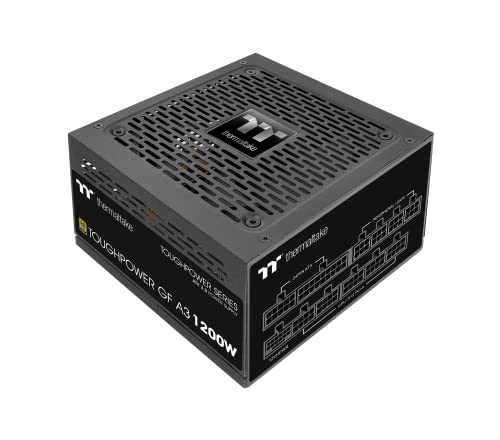
Thermaltake Toughpower GF A3 - TT Premium Edition 1200 W 80+ Gold Certified Fully Modular ATX Power Supply (PS-TPD-1200FNFAGE-H)
crimson zinc
The 4000D looks so weird without any colour in it
mossy venture
It looks like the Sama XF, the older version, is B tier on the tier list in #cases-psu-and-cooling
The XP hasn't been reviewed yet since it's so new, so I don't know if it's good or bad.
Personally it's a gamble, especially with a psu I would rather be certain, but it isn't my pc nor my money
rough totem
Imagine using reviews instead of looking at stats
rough totem
I'm being facetious
rough totem
Are newegg user reviews not to be trusted?
mossy venture
Eh, they tend to be very skewed
The tier list is put together by a few very well known names, aris and Luke (I forget their full internet names but it says it on the list I think), and I think a third person as well. There's a good few of them out there, Linus has one as well but I trust this one more.
Luke has been in this server for a bit (might still be idk) and I've had some conversations with him. He's very intelligent and knows what he's talking about
rough totem
I got a 240mm radiator because I thought a 360 wouldn't fit in the roof of the 4000D
mossy venture
It fits front mount I believe, not top
If you go for a 240mm you might as well just go for a good dual tower, like phantom spirit
$35, just as good, lasts much longer
Could also do a 280mm, not sure if 4000d airflow can fit a top mount 280
rough totem
It would be a tight fit against the ram sticks, I've read
mossy venture
Ah alr
rough totem
It seems like the Sabrent drive you recommended is slower than my Samsung?
mossy venture
The speed doesn't really matter for most people, 3d modeling and gaming aren't one of the few tasks that benefit from higher write speed. Random write speeds are what's more important, but comparing between a gen 3 and gen 4 drive in gaming you don't see a difference.
The rocket is just similar tier and $20 less while providing the same experience
rough totem
What about Windows?
mossy venture
Gen 3 or slow gen 4 compared to something like that you'd see a bit of a difference, but not between the rocket and the Samsung drive
rough totem
I'm using the 1tb for my windows drive. Is that wrong?
mossy venture
I mean you could easily just have the 4tb drive as your only drive. Would just want to leave ~300gb free at all times at least
crimson zinc
Would suggest 2 separate drives(but that’s just be being a paranoid lil weenie)
mossy venture
The having two separate drives thing comes from having a boot ssd and a secondary hdd, but ssds are so cheap now you don't really need hdds unless you need tons and tons of storage
rough totem
I can't believe we're up to 22 gb now
mossy venture
64gb ram also likely isn't required, could do a 48gb kit around $160-170
rough totem
yes, but, big number go up good
mossy venture
I mean more ram can potentially cause lower performance, like with ram tuning a 48gb kit would likely tune better
But unless you're super into ram tuning it's not a big deal here
As long as you don't use 4 sticks or 1 stick, you're good
rough totem
Yeah, I returned a second kit of these after reading about that kind of trouble
mossy venture
Ah good
Also you could do a few different routes with monitor
Ima link some options
rough totem
The return deadline for the monitor has already passed, but I'm still listening
Is the curved style a scam?
mossy venture
Ah alr, then there's no point in replacing it but if you want to see the options I already have some links pulled up
rough totem
Yeah, go ahead
mossy venture
Eh, curved normally means a VA panel, which is typically inferior to IPS especially for image quality
VA has some strengths but IPS overall is better
rough totem
I do remember reading all about the difference there
mossy venture
https://pcpartpicker.com/product/W6QKHx/msi-g272qpf-270-2560-x-1440-170-hz-monitor-g272qpf
https://pcpartpicker.com/product/k8GnTW/gigabyte-m27q-270-2560x1440-170-hz-monitor-m27q
https://pcpartpicker.com/product/Lv4Zxr/acer-acer-nitro-xv272u-w2bmiiprx-270-2560-x-1440-240-hz-monitor-umhx2aa201

MSI G272QPF 27.0" 2560 x 1440 170 Hz Monitor (G272QPF)

Gigabyte M27Q 27.0" 2560 x 1440 170 Hz Monitor (M27Q)

Acer Acer Nitro XV272U W2bmiiprx 27.0" 2560 x 1440 240 Hz Monitor (UM.HX2AA.201)
rough totem
A long time ago, anyway, but I hadn't forgotten
mossy venture
And then there's the 34" one in the pcpartpicker list I linked earlier
rough totem
What about OLED vs IPS?
mossy venture
Oled is great, prices on OLEDs are said to be coming down this year too.
Right now there's a sale for one for $600, but the question is is it really worth almost 3x a solid 1440p 170hz IPS monitor
Ah nvm that sale ended
Lemme check what the cheapest is rn

Fasten your seatbelt: Infused with the latest eye care technologies and a blisteringly fast 240Hz refresh and up to 0.01ms pixel response time. The Predator X27U delivers you a WQHD (2560 x 1400) OLED. Add AMD FreeSync Premium to the mix and your gaming experience will be unbeatable! This 27-inch...

LG 27GR95QE-B 26.5" 2560 x 1440 240 Hz Monitor (27GR95QE-B)
The model of monitor doesn't really matter when it comes to OLED, there's only two oled panels atm, one from LG one from Samsung, and both are great.
That's likely changing this year tho
rough totem
mossy venture
Oled>
Nano ips not worth it over IPS at that price diff
Oh also the dudes name is Luke savenije
rough totem
@mossy venture Do you think there's much difference between my cooler and your reccomendation?
mossy venture
rough totem
<@654444344274845698> Do you think there's much difference between my cooler and...
Yes, on a 14700k or a 12900k it would be a major difference
They are hot cpus
A 280mm would also be fine
rough totem
What idle temps would you expect the two to have?
mossy venture
Anywhere from 20-38c or something like that idk
It varies a lot
Idle Temps don't mean much typically unless it's really high, like 80c+
rough totem
What about in benchmark software? Or some other stress test?
mossy venture
It still varies a lot, but the 12900k is pretty toasty, id imagine in the high 70s at least in a multi core stress test, gpu like 60s- low 80s depending on model
rough totem
Celcius?
obsidian wigeon
Yes
 manic cloak
13600k idle on a z690 ddr4 tuf gaming wifi with a pa120 se on it is around 28-30C
Lian li 205 Mesh type C case on 35% ram speed btw
If that helps you
Imo, the 12900k is gonna run just as hot as the 13600k on a pa120 se. I don’t worry about my CPU temps cause I know they stay cool, unless I hear and see my pc throttling
As if something’s going on. Which never happened to me before, and the PA120 SE has always kept it at good temps under 100% loads
rough totem
mossy venture
It still varies a lot, but the 12900k is pretty toasty, id imagine in the high 7...
This 240mm Deepcool has been keeping my 12900k it down around that much. I Guess I should have asked if a Deepcool 360mm would compare to the one you recommended
manic cloak
rough totem
This 240mm Deepcool has been keeping my 12900k it down around that much. I Guess...
Do you have a 12900k with the LS520 se?
rough totem
manic cloak
Do you have a 12900k with the LS520 se?
Yes
Wait. is the SE the one I have?
I don't think mine is the SE
manic cloak
Idk, but honestly if your CPU is at good temps I wouldn’t really worry about upgrading to a 360mm
Or even 280mm tbf
rough totem
That's what I was getting at
manic cloak
The best you could do is repaste some good thermal paste on your CPU and get the thermaltake cpu block thingy
Which stops the “cpu from bending” (I’ve never seen it happen) and actually helps cool down the cpu by a few degrees, only 10$ too
mossy venture
rough totem
This 240mm Deepcool has been keeping my 12900k it down around that much. I Guess...
Yes it would
But yeah what skyheva said
limber oyster
Question. Is there a kit to where I can make my own custom length PSU cables using the OEM cables?
dusky hearth
limber oyster
Question. Is there a kit to where I can make my own custom length PSU cables usi...
I dont think that there is a kit that you can just buy, but all you need is
- wire strippers and cutter
- 5557 pin removal tool
- new 5557 pins
- crimper for 5557/5559 pins
you can reuse the terminal housing from the oem cables since it sounds like you plan on using those
⚠️ Warning: Make sure to connect all wires the same way as OEM for your psu or you will risk damaging your hardware and/or causing a fire
multimeter and ruler are good things to have as well to verify that all your pins are connected and crimped properly, and the ruler should help with keeping your cuts even
limber oyster
Hm...no soldering iron?
Sounds like all I need is the pin tool, pins, and a crimper
Is the crimper specific to those pins or can I use a regular wire crimper
cyan ravine
Just get extensions and repin them
Do NOT put together new cables by attaching your old ones together
It's $20
$20 is not worth a house fire
limber oyster
I see. I was originally gonna go through cable mod, but I didn't know if it's be cheaper and worth the hassle to do it myself
dusky hearth
cyan ravine
$20 is not worth a house fire
but that's the fun part 
cyan ravine
limber oyster
I see. I was originally gonna go through cable mod, but I didn't know if it's be...
It's worth repinning existing cables imo, but making new cables takes a looonnnggg time
And ultimately may even cost more with all the tools
dusky hearth
true, you dont want to buy the cheapest tools because that would just make it hell lmao
cyan ravine
Go get like, ezdiy-fab 16awg extensions and repin them imo
dusky hearth
so you're going to be spending more than just 20 bucks
dusky hearth
just the tools would probably be like 40 lmao
cyan ravine
If you need them to be shorter then yeah go order from like, moddiy or cablemod
The former is cheaper
It's just a LOT of work and I'm guessing this is for managing the little itx box
limber oyster
cyan ravine
Even repinning can take hours
limber oyster
This is what I'm looking at
limber oyster
cyan ravine
It's just a LOT of work and I'm guessing this is for managing the little itx box
Yeah
limber oyster
How's the quality compare?
cyan ravine
As good
limber oyster
Ok
limber oyster
I mean, I'm not running a 4000rtx so...
limber oyster
I meant quality wise
cyan ravine
Ye I said as good
limber oyster
Im not using a 12VHPWR THINGY
cyan ravine
They have 12vhpwr if you did need it tho
dusky hearth
you could have the highest quality 32 gauge wire in existence and that would not be able to handle a 4090 tbf
what matters more is just wire gauge; though i guess the nvidia power connector does suck lmfao
cyan ravine
It's really just the connector
Any half decent 2x8 pin will do 600w and that's what most 12vhpwr adapters are
Just 16 pins from pcie
limber oyster
Yeah, it's an over complicated fancy Nvidia proprietary connector
cyan ravine
I would make the case cablemod isn't the best quality imo anyway
I have really liked the ezdiyfab ones
They're very thick cables
Use those with custom metal combs they look great
Much more full look than cablemod
They're thicker gauge is why
limber oyster
Oohhh moddiy does 4" connectors
cyan ravine
Yes
They do custom lengths
And the price isn't terrible
They also do specific adapters for cards
cyan ravine
I don't really remember how much I normally pay but I definitely remember it's less than cablemod
limber oyster
Moddiy does 10cm minimum
I think I need like 6"...maybe
Im sure it's more than 4" but less than 8"...
I have measuring to do
Should I do hd sleeve?
 dusky hearth
silicone would help with cable management
very flexible
on a different note, if you have a multimeter, definitely upgrade to silicone test leads because the included pvc ones for most multimeters are stiff and are bad
well, not "bad" as in it doesnt work, but bad as in it's just not as good
also it melts if you have anything hot
it melts at 70 degrees
limber oyster


My multimeter is an automotive standard multimeter
Spent $300 on the multimeter kit
dusky hearth
does it include pvc leads or silicone leads?
limber oyster
Idk, but it's made for up to 240V
dusky hearth
that is..... very low lmao
usually they can handle up to 600v
most on the market are for 600v at least, since that's a higher voltage than most people would ever encounter
anything higher is usually like, bench multimeters for labs and such
i cant say i've ever seen a multimeter that maxxes out at 240v though since 480v is realistically the highest voltage (well, 485 to give some headroom for voltage fluctuations) you will ever see as an electrician (working in the commercial space, not the power distribution space)
480v 3 phase is the highest voltage i see being used for machines in canada
generally only 240v though
rough totem
How about this motherboard?
https://pcpartpicker.com/product/8ybTwP/asus-rog-strix-z790-h-gaming-wifi-atx-lga1700-motherboard-rog-strix-z790-h-gaming-wifi

Asus ROG STRIX Z790-H GAMING WIFI ATX LGA1700 Motherboard (ROG STRIX Z790-H GAMING WIFI)
obsidian wigeon
too much money
rough totem
But it has heat sinks and usb ports!
obsidian wigeon
most cheaper z boards have less but there's definitely enough

MSI PRO Z790-P WIFI ATX LGA1700 Motherboard (PRO Z790-P WIFI)
something like this
limber oyster
dusky hearth
i cant say i've ever seen a multimeter that maxxes out at 240v though since 480v...
I'll have to double check. I haven't used it in ages
limber oyster
rough totem
How about this motherboard?
https://pcpartpicker.com/product/8ybTwP/asus-rog-str...
I like Asus myself
But MSI is good. Better than gigabyte
 burnt spruce
anyone can help me fix this ? my alt + tab suddenly looks like this.

 rain carbon
I saw this on pcbuilder just lookin around at parts and found this, am i wrong to think this is horribly budgeted or?

My first PC build! by AU5T1N - AMD Ryzen 5 5600X, GeForce RTX 3070 Ti, Phanteks Eclipse P200A DRGB Mini ITX Tower
1600 with a 3070ti 😭
strong raft
 \
\

 strong raft
CAD, and perhaps around covid peak or something
rain carbon
Oh shoot i didnt even realize it was in cad
Still tho
Thats almost 2k on something that could easily be outperformed at a lower price
limber oyster
Amazon prices
 deep raven
strong raft
<:FeelsStrongMan:907466716475449365> \
deep raven
strong raft
<:FeelsStrongMan:907466716475449365> \
That secondhand GTX 1080 Ti with 11G of VRAM looking real good right now
actually nevermind
I thought secondhand 1080 TIs were cheaper than what they're actually being listed at
Damn

 olive cypress
Can someone help me identify case, motherboard and gpu?

 olive cypress
Ok, I'm a bit interested in these parts as I may get them for €40, looking at that PSU mostly
olive cypress
Ok, thanks for the help. I'll see if such purchase would make sense
burnt spruce
obsidian wigeon
you pressed win+tab instead
Already okay thank you .
 upper condor
Not sure where to put this. I’m bringing down a friends PC and monitor for him and it’s around 16 degrees Fahrenheit here. I was gonna leave it in the car cause I have to do some stuff, but I’m unsure if that temperature is unsafe
It’s packed up in like a towel and moving mats but it’d be in the cold for like 2h30m and just wanna make sure that won’t cause permanent damage.
Not sure if specs matter
dusky hearth
upper condor
Not sure where to put this. I’m bringing down a friends PC and monitor for him a...
if it's off, then yes, you can store it in quite cold enviroments without damage
however, after bring it into the house or whatever, anywhere warm really, you need to keep the computer off and unplugged for... at least 2 hours i guess
as condensation may short some components
i would leave it to warm up to ambient for 6 hours to be safe
you should be able to safely store your pc in up to -40c/f
(i just found out that -40 is the same in both scales 💀)
 upper condor
Alright sweet thanks
 languid nimbus
dusky hearth
(i just found out that -40 is the same in both scales 💀)
languid nimbus
dusky hearth
(i just found out that -40 is the same in both scales 💀)
They couldn’t have made it easy and 0 been the same
Someone just haaaad to be cute and make 32°F 0°C
vague oracle
The damn British just had to keep the US using the imperial system
dusky hearth
languid nimbus
Someone just haaaad to be cute and make 32°F 0°C
Apparently 0f is the freezing point of brine
tawny violet
Which is honestly meh
What specific brine?
How much salt to how much water? in gaming communities, usually way too much salt to nowhere near enough water for a shower
weary galleon
Probably water fully saturated with salt
rain carbon
It aint the US if it aint pointless measurement systems on oddly specific things
 covert vapor
It was set to the lowest possible temperature at which brine froze or in other words, various mixtures of a specific salt and water were created until the salt stopped dissolving and then the lowest temperature at which the mixtures containing only dissolved salt froze became 0
And isn't technically set to that anymore as that temperature was later found to be 4 degrees F
dusky hearth
💀
potent portal
Surprise! Old measurement devices were inaccurate! Who could have guessed?
weary galleon
While it doesn't make sense scientifically, Farenheit does work well for weather
0: really cold
100: really hot
Under 50 almost everyone considers to be at least somewhat cold
Over 60 somewhat warm
 last fractal
whats the best prebuilt under 1300 (can be a little over)
mossy venture
last fractal
whats the best prebuilt under 1300 (can be a little over)
First option, I'm gonna link more just give me a bit
Check this out on @Newegg:Lenovo Gaming Desktop Legion T5 26IRB8 90UT000NUS Intel Core i7 13th Gen 13700F (2.10GHz) 8GB DDR5 512 GB PCIe SSD NVIDIA GeForce RTX 3060 Ti Windows 11 Home 64-bit https://www.newegg.com/lenovo-90ut000nus-legion-t5-26irb8/p/1VK-0003-1N353?Item=1VK-0003-1N353&Source=socialshare&cm_mmc=snc-social-_-sr-_-1VK-0003-1N353-_-01202024
This is pretty solid https://www.ebay.com/itm/234935686884?mkcid=16&mkevt=1&mkrid=711-127632-2357-0&ssspo=GEZuugFwQwS&sssrc=4429486&ssuid=r8em-zv_qyc&var=&widget_ver=artemis&media=COPY

eBay
AMD Ryzen 7 5800X 3.8GHz (4.7GHz Max Boost) CPU Processor. Processor: AMD Ryzen 7 5800X 3.8 GHz (4.7GHz Max Boost) CPU. Leap forward into the Skytech Blaze 3.0 series with the newest architecture. Free Gaming Keyboard and Mouse.
last fractal
mossy venture
First option, I'm gonna link more just give me a bit
Check this out on @Newegg:...
the model of 3060 or 4060ti
last fractal
mossy venture
First option, I'm gonna link more just give me a bit
Check this out on @Newegg:...
any other pcs ???
mossy venture
last fractal
the model of 3060 or 4060ti
3060 ti, and I don't know the model
crimson zinc
last fractal
whats the best prebuilt under 1300 (can be a little over)
Are you able to build your own?
last fractal
crimson zinc
Are you able to build your own?
no its a gift
mossy venture
And I said I'm still looking give me a few. Here's one more options, and I'm going to DM you the screenshots of parts I would change to with the "customize" feature
https://www.cyberpowerpc.com/system/Daily-Deal-4060

Daily Deal 4060 - Intel® Core™ Processor i7-14700K - 16GB (16GBx1) DDR5/6000MHz Memory - MSI PRO Z790-P WIFI DDR5 Motherboard - 1TB WD Blue SN580 M.2 PCIe SSD - Windows 11 Home
Just dmed you
 little osprey
hi my pc keeps rebooting when playing games and when it reboots my bluetooth disappears
i know how to fix this by unplugging for 5 min then repplugging
mossy venture
little osprey
hi my pc keeps rebooting when playing games and when it reboots my bluetooth dis...
What power supply, gpu, and cpu do you have
little osprey
mossy venture
What power supply, gpu, and cpu do you have
650 watt gold, 6700xt, 5600x
mossy venture
What model psu
little osprey
cooler master
mossy venture
Mwe gold v2?
mossy venture
Alr good psu, so I'd try some other things first
What happens when it reboots?
Does anything pop up?
little osprey
mossy venture
What happens when it reboots?
everything seems to work except my bluetooth goes away
little osprey
mossy venture
Does anything pop up?
no
mossy venture
It just shuts off, and then immediately turns back on?
mossy venture
My immediate thought there is psu, id try checking all of your connections
little osprey
okay 👍
mossy venture
Can also check windows event viewer after a reboot like that and see what's possibly causing it
little osprey
i don’t know if my psu is modular or not
mossy venture
I believe it's semi modular, let me check
It looks like there are a lot of mwe gold psus and some are, and some aren't
If you look at the psu you could tell
 mossy venture
Non modular
Fs
Also if the rest of your pc is that dusty I would recommend dusting it
little osprey
okay
mossy venture
Oh it could also be temperatures
little osprey
nah
mossy venture
I'd check cpu and gpu Temps under gaming load
little osprey
i monitored them
mossy venture
Whatd you use?
little osprey
playing rust at ultra
nothing higher than 74 for gpu
and nothing higher than 70 for cpu
mossy venture
What softwares did you use?
little osprey
amd adrenalin
mossy venture
Ah alr
little osprey
so, i replugged my gpu
mossy venture
Can you send a pic of it top down?
The gpu is normally annoying and the 2pin on the side doesn't always go in fully
little osprey
mossy venture
Can you send a pic of it top down?
 mossy venture
Sorry i meant at the gpu and its power cable
lyric thistle
6 pin looks like its clasp is a little elevated
little osprey
oh
mossy venture
That's very possibly the issue
little osprey
okay
mossy venture
One sec I'm gonna check the tier list
mossy venture
C tier 650 is generally the base line for a 6700xt
little osprey
yea
i used several different wattage calculators and they said i have more than enough
same with people in the linus tech tips discord
mossy venture
Wattage calculators aren't great, and wattage isn't really the most important thing
little osprey
what is
mossy venture
The actual quality of a psu, it's hard to tell from the actual specs. There's 750w 80+ gold psus that will cause a house fire on a 6700xt
little osprey
well i’ve had the 6700 xt for a while with my 5 3600
mossy venture
The tier list isn't foolproof, but it provides a general idea. The mwe white is low priority C tier from what I can tell, id recommend replacing it honestly
little osprey
okay, do you have a short term fix?
mossy venture
little osprey
well i’ve had the 6700 xt for a while with my 5 3600
You've had the gpu with this psu running for a while, issue started recently?
little osprey
cuz i can’t spend any more money
little osprey
mossy venture
You've had the gpu with this psu running for a while, issue started recently?
yes
mossy venture
Also hm, alright. Did you update bios?
little osprey
yes
mossy venture
What mobo?
mossy venture
That should be fine with a 5600x, doubt it's vrm Temps that's the issue
little osprey
yea
mossy venture
Ram issues wouldn't cause crashes like that
I dont think cpu would either honestly
mossy venture
Try power limiting the gpu and see if it continues
mossy venture
Could also try undervolting the cpu
little osprey
which will reduce the least performance
mossy venture
Yes, just try it for now to see if it's the issue or not
little osprey
okay
mossy venture
Undervolting actually often helps performance
little osprey
oh cool
mossy venture
With amd adrenalin you could just undervolt core as far as it goes and overvolt vram as high as it goes, should be 150 each way? Aside from that, try like a 70% power limit
Typically I'd say higher than that, but just gives a good idea if it's the issue
Then try a game and see what happens
little osprey
there’s an auto undervoltung feature would that work
mossy venture
Sure
little osprey
mossy venture
Sure
also, if i use ethernet do i need the wifi antennas?
or will that mess up bluetooth
 strong raft
If you use the mobo BT, yes the antennae stay.
lyric thistle
Not much reason to take it off imo
little osprey
lyric thistle
Not much reason to take it off imo
where do i download prime95?
lyric thistle
Wikipedia tells what the official site is
But I guess you could also download from techpowerup and guru3d those are both reputable sites iirc
little osprey
thanks
little osprey
lyric thistle
But I guess you could also download from techpowerup and guru3d those are both r...
i ran prime95 after undervolting and on adrenaline software it kept having my clock speed at 0mhz
nothing seems wrong though
gpu
little osprey
mossy venture
Sure
happened again
little osprey
mossy venture
With amd adrenalin you could just undervolt core as far as it goes and overvolt ...
so i’m able to load into a game
but when i play for a little it crashes
i didn’t undervolt because it seems to crash more
instead of my pc rebooting now the adrenaline program crashes from driver timeout during stress test
mossy venture
little osprey
i didn’t undervolt because it seems to crash more
Try driver uninstalling
And reinstalling
Could also do
?ddu
 jolly riverBOT
DDU (Display Driver Uninstaller) Guide by Pato
https://github.com/NeweggTechie/Graphics-cards/wiki/How-to-use-DDU

GitHub
Contribute to NeweggTechie/Graphics-cards development by creating an account on GitHub.
mossy venture
little osprey
so i’m able to load into a game
Either one btw, not both
limber oyster
What is the difference between sfx and sfx-L
 vivid copper
 ashen panther
looking for some help with a recent upgrade since newegg doesnt have a tech support...ordered a new cpu ram and motherboard and am experiencing micro stutters very specifically in league of legends, the only thing i keep coming back to is the ram they sold me thru the bundle deal is not listed as compatable on the manufacturers website
i9-14900k, gigabyte aorus elite ax, corsair vengeance 64gb are the new products in question
cyan ravine
@ashen panther send me a pic of the sticker on the back of the ram stick
There are only like, 5 different chips they can use for ddr5, so practically all motherboard website qvl's are a joke
They'll have like 50 different kits but you'll have all 5 different kinds in there so it should be more than fine
What would be an issue is if you're doing say
4 sticks
Or they're high frequency ddr5
ashen panther
its just 2
CORSAIR Vengeance RGB 64GB (2 x 32GB) 288-Pin PC RAM DDR5 6400 (PC5 51200) Desktop Memory Model CMH64GX5M2B6400C32
i would have to take them outto get a pic gimme a few min
cyan ravine
What specific motherboard is it
Wait don't worry
I already know what it is
Lol
They're 5h16m or 5h16a
They're decent sticks
ashen panther
im not even sure its the ram thats causing the issue but im just kjinda stumped at this point
cyan ravine
So which motherboard specifically
ashen panther
gigabyte z790 aorus elite ax
ashen panther
ok
cyan ravine
It's just stuttering in games ye?
ashen panther
specifically league of legends
ashen panther
3080ti ftw3
jolly riverBOT
DDU (Display Driver Uninstaller) Guide by Pato
https://github.com/NeweggTechie/Graphics-cards/wiki/How-to-use-DDU
GitHub
Contribute to NeweggTechie/Graphics-cards development by creating an account on GitHub.
cyan ravine
^try this first
If that doesn't work
Look up "Process lasso"
And download the free version (all you need)
And look up a tutorial on how to use it
It allows you to shove all things onto e cores and allocate your games to p cores
What can sometimes happen is
When playing really really lightweight games, the cpu won't allocate to p cores properly?
So it's flicking them onto e cores for most of what's happening
And they can be quite annoying for games
Can lead to some stuttering in a lot of cases it happens
Intel's also got APO for 14th gen so look into that too, similar thing
ashen panther
one other question that i cant seem to get a solid answer anywhere for is should i update my bios? some say absolutely for 14th gen and others say absolutely not
cyan ravine
It depends
If APO interests you then yes I would
But if it's working, then, it's working
Like
You don't need to
But for gigabyte it might come with slight memory stability improvements
It wasn't until gigabyte X, which is the mobo gen after yours that they got ddr5 really worked out
ashen panther
ya i definitely skimped on the motherboard a bit spent too much elsewhere lol
cyan ravine
Lol it's all good
Luckily all z690/790 save for like
3 boards
All handily capable of a 14900k
mossy venture
Ye what mobo is it?
ashen panther
gigabyte z790 aorus elite ax
mossy venture
Oh you're more than fine
Spending more than like 220 on a board is just stupid for 99% of people
There's $130 b760s that are fine with a 14900k
cyan ravine
Either way my first suspicions here aren't the ram yet
I just remembered that bin of ram is specifically 5h16a
Which is like
The best ram you can have
Save for 5h24m which doesn't come in 16 or 32gb
mossy venture
5h24m sounds like a cooking time
cyan ravine
If there's any chance of running 64gb at that speed, you have the right sticks for it
cyan ravine
mossy venture
5h24m sounds like a cooking time
Nah 24gbit I believe is way better
ashen panther
ive had some strange occurences with this build already, i was getting some BSOD b4 i reinstalled windows so ya idk whtf is going on
vague oracle
ashen panther
specifically league of legends
@earnest olive any ideas? I know you grind league
cyan ravine
Oh yeah bsod codes would help
ashen panther
i dont remember tbh it was when i first put it together prob over a month ago
cyan ravine
Has it happened since?
ashen panther
no
 earnest olive
vague oracle
<@122901618369757184> any ideas? I know you grind league
earnest olive
vague oracle
<@122901618369757184> any ideas? I know you grind league
i haven't played in like 6 months
but also
cyan ravine
Then good
mossy venture
Do you have xmp enabled? Felix prolly already asked
ashen panther
yes
earnest olive
you can run league at 150 fps on a $20 pc so idk man
cyan ravine
Ye
manic cloak
Part List - AMD Ryzen 5 7600X, Asus Prime AP201 MicroATX Mini Tower
earnest olive
gotta be something unstable
mossy venture
manic cloak
https://pcpartpicker.com/list/QRbfkJ
W
manic cloak
I could probably get an up to date build
cyan ravine
Guys i gotta go, can you help him if he needs it, with ddu and process lasso?
mossy venture
I posted ram in tech deals if you want to use that kit for it
mossy venture
Not hynix tho
cyan ravine
Then take him through like ram tests
manic cloak
I don’t think tiktok is doing anymore coupons tho
mossy venture
Got it felix
manic cloak
Just like 5$ off
cyan ravine
Thx
mossy venture
manic cloak
I don’t think tiktok is doing anymore coupons tho
Ye they are
ashen panther
got it so ddu then project lasso if that doesnt wokr
mossy venture
I've had 15% off recently and seen 35% off
manic cloak
Oh
cyan ravine
I'm about to get a taxi lol
manic cloak
I haven’t gotten any 😭😭
mossy venture
ashen panther
got it so ddu then project lasso if that doesnt wokr
Also try "memtest64"
manic cloak
I might reinstall bluestacks tbh
earnest olive
inb4 league is such a light game that it's going on ecores
mossy venture
I think that's the name of it
cyan ravine
earnest olive
inb4 league is such a light game that it's going on ecores
Exactly what I was thinking
Which would make perfect sense
earnest olive
then again
cyan ravine
Good luck guys I'm out
earnest olive
the ecores should be able to run the game without stuttering lol
league runs smooth on my test bench with my r5 1500x, 8gb single channel, and 1gb r5 240
game was designed to run on potatoes in 2007
mossy venture
ashen panther
got it so ddu then project lasso if that doesnt wokr
Btw are you on windows 10 or 11?
mossy venture
If all else fails could try going to w11
ashen panther
ddu finished reintalled drivers gonna try out a game see how it goes
someone else asked me which slots i had my ram in and i remembered something strange, i have them in the 2 and 4 slots because if i put them in the 1 and 3 i get no video output is that normal?
ya its still stuttering
mossy venture
manic cloak
Oh
Yo for that list you posted earlier, check tech deals
manic cloak
mossy venture
Yo for that list you posted earlier, check tech deals
I saw that and I was like eh…
Great card for price, you know beating the 7700xt and all
mossy venture
It's pretty solidly priced
manic cloak
But I wouldn’t really put it in with the build up above imo
I mean it matches perfectly with the price but consider it a dying gen card, I’d rather spend the extra 70$ for the 7800xt for better performance and the things it can do
Or honestly I heard a lot of good things with the 7600xt
Question is what’s good fan placement in an ap201 with a 360 radiator
mossy venture
7800xt doesn't really have better perf, but I understand it
I'd rather go for an open box 4070 then tho
manic cloak
manic cloak
Or honestly I heard a lot of good things with the 7600xt
dropping in 4 days and price of a 6700xt
manic cloak
mossy venture
I'd rather go for an open box 4070 then tho
True
I’d rather do that too because it’s newer gen and similar to better performance than the 6800xt
Idk how good this 7600xt is though
It seems so promising
mossy venture
It's not
It's 7600 with extra vram
It's 4060 ti 16gb
But amd (and worse Performance)
mossy venture
Yeah im hoping nvidia releases a 4060 super sometime this year
That's 3060 ti performance and like $300
manic cloak
Tbh, idk what’s going on with nivida anymore
Cause the performance and price is everywhere
I’ve heard buy a 4060, don’t buy it, buy a 3060ti, etc
mossy venture
Yes 4060, 4060 ti, 7600xt, and 7700xt are pretty ass value
4070 ti super at $800 4080 super at 1k are nice
4070 super if it was a bit cheaper would be good
ashen panther
do i need to anything other than disabling e cores on league in project lasso?
cyan ravine
Allocate everything else you can to e cores
It won't be truly everything
Then allocate your game to p cores
G2g again ✌️
manic cloak
What’s the commands for windows to fix corrupt window files
It’s the command prompt and?
mossy venture
manic cloak
What’s the commands for windows to fix corrupt window files
Sfc/scannow