#building-and-recc-chat
1 messages · Page 215 of 1


 weary galleon
 low path
Uh is that the sticker the heat sink
low path
Uh is that the sticker the heat sink
The sticker on the SSD does act as a bit of a heatsink/spreader
low path
weary galleon
The sticker on the SSD does act as a bit of a heatsink/spreader
Fr? Someone told me to take it off
Bc my Mobo comes with heat sink
Also I think I messed up
low path
weary galleon
The sticker on the SSD does act as a bit of a heatsink/spreader

I’m watching a yt tutorial but this screw isn’t coming off
weary galleon
low path
Fr? Someone told me to take it off
I'm fairly sure you leave it on, the motherboard heatsink goes on top of it
low path
For my SSD
weary galleon
I'd refer to the motherboard manual
low path
Idk it came out with the heat sink
Bro these SSD heat sinks are so confusing
So they gave me 2 SSD screws in bags but my mobo had them on the heart sinks already?
 gentle pollen
low path
So they gave me 2 SSD screws in bags but my mobo had them on the heart sinks alr...
gentle pollen
low path
So they gave me 2 SSD screws in bags but my mobo had them on the heart sinks alr...
I think the screws were backups.
 fossil cedar
Btw looks like they're gonna be out in late January
 limber oyster
Got my itx to boot


 crimson zinc
MrBeast is running a “request a gift” promo
I’m taking my chances

 cyan ravine
low path
Gatta love when my PSU doesn’t work with my case
cyan ravine
low path
Gatta love when my PSU doesn’t work with my case
Wrong way around
Flip it upside down
crimson zinc
 vague oracle
Mmm <@101107951401455616>
vague oracle
Mmm <@101107951401455616>
You best be giving him that survey>:(
 low path
Anyone have a idea where these 3 go


 vague oracle
GODDAMNIT
 crimson zinc
low path
Anyone have a idea where these 3 go
crimson zinc
low path
Anyone have a idea where these 3 go
Probably somewhere /s


 low path
Oh my
 vague oracle
And it’s done

 minor garnet
Hi I upgraded my GPU and everytime I play the finals or iracing the game randomly drops to 10 FPS from 200 and my mouse cursor starts lagging around when I move it for like a minute and then it goes back to normal? Help? Xmp is disabled tried ddu multiple times no luck. Even uninstalled geforce nothing working.
 open jungle
open jungle
open jungle
@leaden mauve
 leaden mauve
Baller
 plucky timber
minor garnet
Hi I upgraded my GPU and everytime I play the finals or iracing the game randoml...
plucky timber
minor garnet
Hi I upgraded my GPU and everytime I play the finals or iracing the game randoml...
most likely drivers
?ddu
 jolly riverBOT
DDU (Display Driver Uninstaller) Guide by Pato
https://github.com/NeweggTechie/Graphics-cards/wiki/How-to-use-DDU

GitHub
Contribute to NeweggTechie/Graphics-cards development by creating an account on GitHub.
minor garnet
plucky timber
most likely drivers
trid ddu like 5 times no luck, tried uninstalling geforce no luck im lost
tried reseating gpu 10x
tried disabling xmp no luck
treid re plugging all psu cables no luck
triend underclocking gpu no luck
tried bios update no luck
dried using another dp cable no luck
tried reinstalling game no luck
no lucj
k
 flint sapphire
minor garnet
trid ddu like 5 times no luck, tried uninstalling geforce no luck im lost
flint sapphire
minor garnet
trid ddu like 5 times no luck, tried uninstalling geforce no luck im lost
Any chance you bumped your cpu cooler or something? The weird behavior is pretty similar to temperature throttling;
Eh it probably isn’t but who knows
minor garnet
flint sapphire
Any chance you bumped your cpu cooler or something? The weird behavior is pretty...
well i did do case swap when i upgraded gpu but i dought its the problem
flint sapphire
minor garnet
well i did do case swap when i upgraded gpu but i dought its the problem
Check your cpu temps just in case
minor garnet
flint sapphire
Check your cpu temps just in case
Bad PSU u think randomly dropped to 90w and temp went fro 70 to 50 for couple seconds cause stuttering than went back to normal

 minor garnet
 cursive wharf
minor garnet
Bad PSU u think randomly dropped to 90w and temp went fro 70 to 50 for couple se...
cursive wharf
minor garnet
Bad PSU u think randomly dropped to 90w and temp went fro 70 to 50 for couple se...
Nigh impossible for a bad PSU to cause frame stutters. Power issues stemming from the PSU means instant shut off usually.
Might kinda be worth checking to see if it's CPU or GPU causing a framespike using PresentMon. Tho that only barely helps diagnosing the issue. For example there can be lag spikes at the DX/Vulkan/OpenGL/etc API layer where it's still doing CPU work. Could also have CPU lag spikes from the game.
PresentMon: https://github.com/GameTechDev/PresentMon
PM setup: https://www.techspot.com/article/2723-intel-presentmon
Due to being rather hard to find what specific software bug is happening, your best bet is to likely reinstall Windows using the Media Creation Tool. Tho you can check to see if it's just a corrupted Windows install. Make sure that RAM is set to default JEDEC speeds (not XMP) and run SFC /scannow && DISM /Online /Cleanup-Image /CheckHealth && DISM /Online /Cleanup-Image /ScanHealth && DISM /Online /Cleanup-Image /RestoreHealth && SFC /scannow in admin CMD.
 primal linden
Anybody know a psu under $100 for a RX 6800
 mossy venture
primal linden
Anybody know a psu under $100 for a RX 6800
mossy venture
primal linden
Anybody know a psu under $100 for a RX 6800
are you open to tiktok shop or nah
without tiktok, prolly 850 pmd https://pcpartpicker.com/product/pjZXsY/deepcool-pm850d-850-w-80-gold-certified-atx-power-supply-r-pm850d-fa0b-us

Deepcool PM850D 850 W 80+ Gold Certified ATX Power Supply (R-PM850D-FA0B-US)
with tiktok, rm750e or seasonic focus gx 850
primal linden
Ty

 potent portal
That's your nvidia driver that it's naming as the cause.
Either the driver or the video memory is bad.
crimson zinc
it’s probably cuz I forgot to install drivers when I reset this pc
mossy venture
potent portal
That's your nvidia driver that it's naming as the cause.
Either the driver or th...
Weirdly, it can also be ram
crimson zinc
mossy venture
Weirdly, it can also be ram
I’ve done nothin with my ram in 3 years
I should be able to fix by just installing recent drivers right
potent portal
mossy venture
Weirdly, it can also be ram
Is there anything that couldn't be RAM though? The key question is whether it's the same code every time
crimson zinc
Yes
potent portal
Then probably not RAM because it's a little more, well, random
 mossy venture
potent portal
Is there anything that couldn't be RAM though? The key question is whether it's ...
mossy venture
potent portal
Is there anything that couldn't be RAM though? The key question is whether it's ...
Yeah fair point lol
crimson zinc
Update, my pc is dying
Installed new drivers, game was fine, started losing frames badly
Game died, now I’m getting 16 frames in the tower in d2
90+ in menu
 serene onyx
Hey guys
I just built a pc
AND it says cpu fan error
But the cpu fan is spinning
AND it's working
Do I just ignore the error?
@mossy venture
@potent portal
 potent portal
Something needs to be plugged into the CPU fan header and it'll go away
serene onyx
Oh ok
Alright
Well it is?
Ohhh it's cause I think I plugged it into cpu fan header 2
Ight
I got it
potent portal
I'd be a little more concerned about the GPU not having uefi enabled, that could be just a bios update needed but that typically happens on very old GPUs (nvidia 600 and older)
serene onyx
potent portal
I'd be a little more concerned about the GPU not having uefi enabled, that could...
It's a rx 6600
potent portal
Hopefully the uefi error goes away on its own or with a bios update
Otherwise you won't be able to use resizable bar
serene onyx
Wdym
potent portal
Rebar is basically free performance on modern systems
serene onyx
Oh
potent portal
It's enabled by default a lot of the time for things that support it
potent portal
Update your bios
serene onyx
How so
potent portal
Then it'll have tpm and such enabled by default so it'll pass the compatibility check
serene onyx
How do I do it, I don't have another laptop or pc on hand
potent portal
You just need to extract the bios update to a USB drive somehow, a phone works even with the adapter
potent portal
Even better
serene onyx
I just do it using the USB right
potent portal
Yep, then once it's on the drive you go into the bios and select the update file
Easy peasy
serene onyx
Bet
Ok so
I have the files and stuff on the usb
Is there a specific way they have to be in the us
Usb?
@potent portal
primal linden
https://pcpartpicker.com/product/RTxbt6/cooler-master-masterbox-pro-5-argb-atx-mid-tower-case-mcy-b5p2-kwgn-03 is this a good case

Cooler Master MasterBox Pro 5 ARGB ATX Mid Tower Case (MCY-B5P2-KWGN-03)
potent portal
serene onyx
Is there a specific way they have to be in the us
No, as long as they're extracted and the USB is fat32 format (usually the default except in very large drives)
 potent portal
Yeah you don't have anything to back up lol
serene onyx
Ur right
potent portal
primal linden
https://pcpartpicker.com/product/RTxbt6/cooler-master-masterbox-pro-5-argb-atx-m...
The mesh version is ok, nothing too special, but the solid panel version is pretty toasty
serene onyx
It's saying that there is no bios update on the usb?
I put the 2 files onto the usb

Do I delete the renamer?
Or what
Or should it automatically work
This is weird
potent portal
Doesn't matter
When you go to select the bios file in the flash menu you'll just pick that second file
serene onyx
I did
potent portal
You can delete them both after
serene onyx
BUT it's not a proper bios
It keeps saying "file selected is not a bios"
But I downloaded the bios update from the site
potent portal
What's the file extension
serene onyx
.cap
potent portal
That should be right
serene onyx
Hm
potent portal
Is it the exact match to your motherboard model? WiFi and non WiFi models for example use different versions.
serene onyx
Alright
I'll try that
Ok I think I found the right one
How do I make a w11 USB on a chrome book.
I alr had the w11 thing ready
But I had to delete it all to make the bios usb
Kms
@potent portal
serene onyx
What's a good GPU to go with a i5-2400
😭
Can anything over a rx 570 work with it
 mossy venture
serene onyx
Can anything over a rx 570 work with it
mossy venture
serene onyx
Can anything over a rx 570 work with it
Work with it sure
The i5-3470 limits even a 1030 gddr5 at times
serene onyx
Oh lord
So what can I upgrade too
To make it better
Or will I have to get a better cpu
mossy venture
Better cpu 100%
I would do used 10th gen and newer i5s, 8th gen and newer i7s, 3600 and above, and 5000 series (and better ofc, just depends on what you want to spend)
For new, 12100f, 5600, 7600, 12600k/13600k etc
And matching mobo/ram
 hollow crag
WHY DOES MY PC KEEP RESTARTING IN GAMES!!!
randomlyyy
i tried undervolting i tried this i tried that
THIS THING BRANd new
serene onyx
Bro
The pc doesn't meet the requirements for w11
😐
I update bios and everything
AND it still syas
Doesn't meet the requirements
THE MOBO SAYS W11 READY
😭😭
Help 😭
@mossy venture can u help
😔
@potent portal
I need help guys
Why does it keep doing this 😭
Guys.
🧍🏽♂️
This is making me angry
@obsidian wigeon
Help
It keeps doing the same thing
I even turned on secure boot
My pc meets all the requirements listed on the windows website

Simply and very #Shorts video how to install Windows 11 on unsupported PC using flash drive.
If you have error, This PC can't run Windows 11.
regedit
HKEY_LOCAL_MACHINE\SYSTEM\Setup
LabConfig
BypassTPMCheck
BypassSecureBootCheck
I did this youtube video thing and it worked
But I wanna make sure it's not gonna mess up anything before I press continue
Guys ☹️
Will this mess up anything on the pc in the future?
@mossy venture what do u think?
Fawk it
mossy venture
Sorry I just saw this
I'm very out of it and don't think I understand what is going on
plucky timber
Ping fest
potent portal
serene onyx
Will this mess up anything on the pc in the future?
Sorry for the delay. Just got home.
It'll work fine once it's installed. The only possible problem would be when windows 12 comes out and you try to upgrade, and you have to bypass it again.
serene onyx
potent portal
Sorry for the delay. Just got home.
It'll work fine once it's installed. The onl...
Alright, thank you
crimson zinc
Judge Newegg’s prebuilt enthusiast build
 potent portal
The AIO is trash, they've had recall after recall over that pump in that series.
ITX board in a 5000X is definitely a decision.
I hope they tested that 6400 memory thoroughly with synced UCLK.

 potent portal
1700 for a 7800X3D and 3070 hurts me deeply
They're really pushing those RMx units aren't they
crimson zinc
plucky timber
What are these lists
I was curious as to what new egg’s official “ready to build” lists were on their pc builder shortcut
Turns out
They are hot garbage
cyan ravine
I bet they could hire any of the few regulars here and those lists would look 1000x better regularly
plucky timber
This just shows the lack of research with most of the pc space
people just throw together parts
without seeing if it's actually good value
potent portal
cyan ravine
I bet they could hire any of the few regulars here and those lists would look 10...
Really though, ask anyone here with a techie tag and we'll make a list for free. They can even add restrictions like "must be on newegg" and "no third party" and we accommodate. What they do with the list after, who cares.
plucky timber
lol
meanwhile the average LTT pc lists:
here's something stupid
are there any psus that can power 2 systems?
plucky timber
is it safe tho
potent portal
Sure
Not a lot goes through that 24 pin, the majority of the current is in the EPS cables
cyan ravine
1600w units can definitely do dual system
potent portal
Yep they'll have all the extra cables you need
plucky timber
I am having X99 itch
cyan ravine
iirc some come with two mobo output
plucky timber
ahhhh I don't need X99
crimson zinc
plucky timber
ahhhh I don't need X99
You need to make an entire pc build shaped like a Roomba
crimson zinc
If someone ever made me a build inside a Roomba
I’d use that for life
Idc what games come out
I’ll use that till I die
plucky timber
do you want the roomba functions
crimson zinc
No
Must be inanimate
plucky timber
ok
crimson zinc

crimson zinc
But make it able to play modern games
potent portal
NUC can do that
crimson zinc
Let me be able to play d2 on max
crimson zinc
plucky timber
duct tape a sfx psu and a 4090 on top
Modern pc building
potent portal
plucky timber
can't you run egpus on a nuc?
No need, they have actual PCIe slots
plucky timber
oh they do?
cyan ravine
minisforum....
potent portal
 plucky timber
damn
potent portal
That's the NUC 13 extreme
Full x16 gen 5 slot
And it fits in a shoebox
And no that's not a laptop 13900k either, that's the full fat desktop model
plucky timber
what's this pcpp connection authentication thing
It's getting annoying
doesn't work on my phone for some reason
potent portal
The captcha? It comes up if there's either sus activity from your (shared, public) IP or if you do things too fast
plucky timber
it gets stuck in a loop if i go on my data
potent portal
Someone on your carrier probably triggered the cloudflare protections
plucky timber
that's annoying
potent portal
Keeps people from DDoS'ing sites so it's a necessary evil
crimson zinc
Ah I knew I wasn’t awake enough
There’s a black mouse in there
 crimson zinc
Idk
I clicked on something this morning
plucky timber
newegg please
🤮
this value man
and this is the entry level
It just goes to the default page for me
crimson zinc
cyan ravine
isn't this the same list I fixed the other day
Did I make the same one
God I can’t think
plucky timber
ok i think my newegg is just broken
cyan ravine
crimson zinc
Did I make the same one
"He doesn't want to change the psu"
cyan ravine
lol
crimson zinc
I have a “crap” ton of lists in my Newegg
I’m gonna sift through them then send the build I meant to
plucky timber
Are there any platforms where I can get cheap high core count cpus that's newer than X99?
potent portal
Define high core count
crimson zinc
Shared List https://newegg.io/a5848418
What the heckerino did I make this for
plucky timber
more than 8 cores
crimson zinc
Did I even make this
potent portal
AM4 does 12-16 cores
crimson zinc
@cyan ravine am I on something
crimson zinc
Who is SQUIRET
 cyan ravine
crimson zinc
<@101107951401455616> am I on something
cyan ravine
crimson zinc
<@101107951401455616> am I on something
I can definitely do this better
crimson zinc
Do you make builds you have no idea why or when you made them for
cyan ravine
yes
I get messages like 2 or 3 weeks after some people build theirs
and their like "thanks" and I'm thinking "who the hell are you"

crimson zinc
I’ve decided that I’m gonna start my Newegg and pcpp build lists over
New year new pc mental issues
plucky timber
There's this one guy who was dming me for help... in a period while i was inactive on newegg
I was so confused
apparently he was dming everyone
potent portal
I'd say I've done about 69 lists that I don't remember who or why they were for
 plucky timber
and every single time i just told him to ask on the server
crimson zinc
Probably one for me before my Autism did a deep dive into pc learning
plucky timber
because I'm not the best person to help with his problem
I don't think he understood that it's just rude to just dm everyone
- it's not the most effective way to get help
crimson zinc
Multiple peoples inputs ensure product bias doesn’t completely take over
cyan ravine
crimson zinc
Shared List https://newegg.io/a5848418
What the heckerino did I make this for
Part List - Intel Core i9-13900K, GeForce RTX 4080, Phanteks Eclipse P400A Digital ATX Mid Tower
plucky timber
crimson zinc
Multiple peoples inputs ensure product bias doesn’t completely take over
i hate product bias
brand bias in particular
"It's corsair surely it's good???"
"Asus is a big brand they don't make anything bad"
potent portal
I'll shill logitech and AMD processors and I'm not ashamed to admit it lol
cyan ravine
and if going only through newegg is the choice here then I wouldn't do only newegg for $1000 difference lol
crimson zinc
cyan ravine
https://pcpartpicker.com/list/YTnV28
Heh heh
potent portal
Which is why it's good for other people to see what I put in to make sure it's not a bad suggestion
plucky timber
my case selections are biased towards phanteks and fractal so I'm guilty too
crimson zinc
plucky timber
brand bias in particular
I’ve used EVGA stuff nearly the entire time I’ve had a pc
But everyone I’ve talked to hates it and everything about it
crimson zinc
Lemme find my first pc build
Hold
Part List - AMD Ryzen 3 1300X, GeForce GTX 960, Deepcool MATREXX 70 ATX Mid Tower
This is what I was working with 3 years ago
crimson zinc
This was all free
plucky timber
well I guess the more odd part is the fact that it's 2 2x8GB kits instead of one 2x16GB kit
crimson zinc
So he just gave me it and it’s been banging away ever since
plucky timber
I guess it's not bad for 2020
crimson zinc
The pc I think only cost a total of $140 to build
crimson zinc
Everything was donated or got off fb marketplace
potent portal
crimson zinc
One accidentally bought the wrong ddr of ram
Happens all the time lol https://media.discordapp.net/attachments/1077777664254947378/1185407630127157338/image.png
 crimson zinc
I soon upgraded to a ryzen 5 4500
And a 1080
plucky timber
potent portal
Happens all the time lol https://media.discordapp.net/attachments/10777776642549...
what even is the usecase
crimson zinc
Until I get my new build
I think this is my current?
Part List - AMD Ryzen 5 4500, GeForce GTX 1080, Deepcool MATREXX 70 ATX Mid Tower
I don’t know what I’ve taken out or replaced since I made that list
potent portal
This was this week. No one should be buying a TR 3990X today. Especially not with 2 channels of DDR5.
And I don't even think that air cooler will fit
plucky timber
yeah that's AM4/115X/1200
and ON A THREADRIPPER
that thing will not cool a threadripper
potent portal
That would barely cool a 12400
plucky timber
I've seen better coolers at the same price
potent portal
I've seen better everything at the same price
 manic mango

 lyric thistle
Cool
leaden mauve
what is it calculating
cyan ravine
your death
 cyan ravine
"should we kill far?" the complex answer that still leads to "yes"
potent portal
Should we though? He'll die soon anyway in a cosmic sense
We all will
We're just blips
It's 5AM and I've had 3 hours of sleep
 potent portal
I wouldn't doubt it either
cyan ravine
the level of jank
that comes from that old stuff
like us discovering microplastics decades later after the damage is done
potent portal
Just like the asbestos and lead poisoned generations before us

 lethal tapir
Yeah except we always knew that asbestos causes lung problems since at least the Romans
And lead too come to think
People are just dumb and fragile
potent portal
"Let's put lead in the paint, which has the side effect of making it taste sweet, what could go wrong"
Asbestos also happens to be a really decent extinguishing agent, so let's aerosolize it
 analog hearth
potent portal
"Let's put lead in the paint, which has the side effect of making it taste sweet...
analog hearth
potent portal
"Let's put lead in the paint, which has the side effect of making it taste sweet...
"It can also create boomers who pause for five years when you ask them a single question"
 severe hull
Good morning all !
I purchased a pc for my youngest. It has an integrated GPU . I am upgrading my oldest son's pc for Christmas so I will be taking his old GPU 1650 and hoping I can put it in my youngest pc ! Possible ?
mossy venture
cyan ravine
I bet they could hire any of the few regulars here and those lists would look 10...
They could give me $20 a day and I'd make them lists for each budget 10x better
Theyre really just causing their own problems
mossy venture
severe hull
Good morning all !
I purchased a pc for my youngest. It has an integrated GPU...
Yep! Perfectly fine
Just make sure you
?ddu
jolly riverBOT
DDU (Display Driver Uninstaller) Guide by Pato
https://github.com/NeweggTechie/Graphics-cards/wiki/How-to-use-DDU
GitHub
Contribute to NeweggTechie/Graphics-cards development by creating an account on GitHub.
mossy venture
For both pcs when you swap gpus
mossy venture
severe hull
Just saved the link
One thing to check though, psu in the igpu build
Almost gaurabteed it'll work since 1650 is a 75w gpu
severe hull
So that's actually next for my oldest pc so I will have a spare
If I'm looking at it right its a 650
But probably a cheap one

 stark hedge
Hello got a question would a i7-11700F go perfectly well with my 4080?
im ready if i need to get a better cpu
cyan ravine
Unless you're at 4k no, you'd be leaving performance on the table with an 11700
mossy venture
Likely a lot of it
No cpu on that platform is good enough for an xtx/4080/4090
Maybe an oced 10900k would be alright with a 4080/xtx at 1440p, im not completely sure
 burnt stratus
mossy venture
Maybe an oced 10900k would be alright with a 4080/xtx at 1440p, im not completel...
burnt stratus
mossy venture
Maybe an oced 10900k would be alright with a 4080/xtx at 1440p, im not completel...
i wouldn't do that
i'd say grab some 12th gen chip
or 13th gen i5 13600k i think is quite good for the price..?
mossy venture
Oh no I wouldn't go from an 11700 to a 10900k
low path
thinking about building a pc for my brother budget 1k
maybe less if possible, rgb doesnt matter
crimson zinc
@low path any guidelines for it?
Peripherals needed, cpu preference, etc etc
low path
crimson zinc
<@511256003485106177> any guidelines for it?
Peripherals needed, cpu preference...
gaming 1080p
only gaming
he mainly plays fps games, some anime games KEK
crimson zinc
I’m assuming you already have a monitor/mouse/etc for him?
mossy venture
low path
thinking about building a pc for my brother budget 1k
Threw this together rq, can do cheaper with tiktok shop
https://pcpartpicker.com/list/JVZbRK
Part List - AMD Ryzen 5 5600, Radeon RX 6700, Phanteks Eclipse G300A (3 Fan) ATX Mid Tower
low path
mossy venture
Threw this together rq, can do cheaper with tiktok shop
https://pcpartpicker.co...
what parts should i get from tiktok shop
mossy venture
5600, b550m pro se, 32gb ddr4 possibly, 670p mp33 or mp34, or whatever other decent 1tb ssd, rm750e
burnt stratus
none
mossy venture
Case whatever with a mesh front
mossy venture
Anything I recommend on it is shipped and sold by newegg.
burnt stratus
yeah
mossy venture
It's perfectly fine as long as it is
mossy venture
Mhm
Could also do b760 pg sonic wifi with an lga 1700 chip or a b650
With an am5 chip
12600kf is cheap
And better than 5600
low path
on tiktok shop? or just change it in general
mossy venture
Could also do 6600 off tiktok
mossy venture
low path
on tiktok shop? or just change it in general
Tiktok
There's also other options those were just off the top of my head
If you did 6600, you can do this for case+ psu

Or 6600xt/6650xt
6700 I'd spend the extra for better case/psu
low path
mossy venture
If you did 6600, you can do this for case+ psu
any fans in that case?
mossy venture
Believe an exhaust, not sure about otherwise.
Airflow wise it's ass, but for $50 it's a case and a power supply
low path
ill prolly stick with that other case bc he plays fps games like cod so airflow is needed
low path
mossy venture
Could also do b760 pg sonic wifi with an lga 1700 chip or a b650
which one should i get
mossy venture
Just look around, if you see one you like feel free to ask me
Imo b760 pg sonic wifi with 12600kf and a cheap tower cooler is the beat choice
low path
deep cool ak400 zero work?
mossy venture
That, 214xt, ag200, basically anything
Could spend some extra for a dual tower, $10 extra or so
low path
which one?
mossy venture
Literally any dual tower from thermalright lol
I normally go for cheapest that isn't part of the silver soul line
mossy venture
5600 is still a solid choice though, it should be like $20 cheaper than the 12600kf, comes with a cooler, and cheaper mobo options
Ak620 is great but $63 is a bit much
low path
mossy venture
5600 is still a solid choice though, it should be like $20 cheaper than the 1260...
but for cod i think the 12600kf is bet ter
mossy venture
Phantom spirit is just as good for $35
mossy venture
https://pcpartpicker.com/product/hYxRsY/thermalright-peerless-assassin-120-se-6617-cfm-cpu-cooler-pa120-se-d3
https://pcpartpicker.com/product/MzMMnQ/thermalright-phantom-spirit-120-se-argb-6617-cfm-cpu-cooler-ps120se-argb

Thermalright Peerless Assassin 120 SE 66.17 CFM CPU Cooler (PA120 SE-D3)

Thermalright Phantom Spirit 120 SE ARGB 66.17 CFM CPU Cooler (PS120SE ARGB)
This is also fine, good bit worse https://pcpartpicker.com/product/Lvytt6/thermalright-silver-soul-110-54-cfm-cpu-cooler-ss110-black
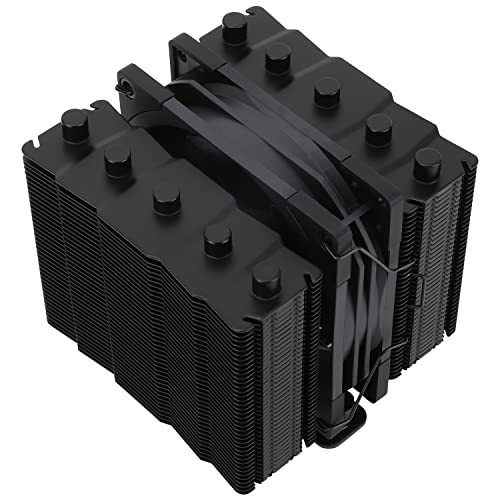
Thermalright Silver Soul 110 54 CFM CPU Cooler (SS110 BLACK)
low path
mossy venture
https://pcpartpicker.com/product/hYxRsY/thermalright-peerless-assassin-120-se-66...
oo i was lookin at tiktok shop for these lol but yea cheaper on newegg ig
 weary galleon
It's wild what thermalright has done in the past year or two
mossy venture
It really is, theyre dominating the cooler space except for high high end
weary galleon
$35 dual tower cooler with RGB, 7(?) heatpipes, and black colored top surfaces
*And decent fans
mossy venture
low path
Can also do ram, case, and psu on tt
And ssd
Also 12600kf shows $123 for me
Not 140
Try a diff account
low path
Shows 135 still for me
 manic cloak
How does the 7800xt like get the weirdest stats during benchmarks?
mossy venture
Hm
manic cloak
Like I see it beat the 6950xt or even 3090, but when it plays some games it’s under the 6950xt and runs way hotter
mossy venture
Just different architecture
manic cloak
Ah
mossy venture
If k is cheaper go for it
low path
cheaper than the 5600 u mean or
low path
mossy venture
If k is cheaper go for it

eBay
Smashing through ceilings in a robust 34 L chassis, the Legion Tower 7i is accented by over 16 million colors via an ARGB lighting system with transparent side panel. NVIDIA GeForce RTX 3070 8GB GDDR6.
theres this prebuilt for 750
nvm ill jst build him one
the 5600 is 116 on tiktok
mossy venture
low path
https://www.ebay.com/itm/155686069939
Thats pretty nice
Less upgradability, but easier
Lenovo is pretty good pre built wise
low path
its out of stock gg
low path
ill prolyl go with a custom one bc upgradeable
mossy venture
Ye
For gpu, you can do anything from 6600xt-7800xt for $1000 and under
Its your choice on what exactly, could even do a used 3080/6800xt or better
low path
ye i might buy a used nvidia card or amd card from hardware swap jsut to save some money maybe but idk
low path
what do u recommd for that build u gave me? anything i should change if i get a 3080
budget is 1k
in total for the pc build
mossy venture
Yes 100%
6800, 6800xt, 6900xt, 6950xt, 3080/12gb/ti/3090, anything along those lines
Though def get rm750e from tiktok then, or seasonic 850
Gives you the ability to run basically any gpu you want for both of them
low path
bet
potent portal
mossy venture
It really is, theyre dominating the cooler space except for high high end
PA120 is comparable to the NH-D15 noise normalized on a 13900K at 253W and it doesn't get much more high end than that

Noctua noise/performance for $40, insane
 south cliff
What are some really good 360mm aios I’m going to get one for Christmas
manic cloak
hmm
potent portal
For LGA1700, LT720 or LS720
potent portal
Yes but I've seen a greater than normal number of people complaining about pump failure on those so I don't trust them
south cliff
Is the ls720 se good?
manic cloak
manic cloak
btw B760 Sonic or z690 Velocita for a mobo?
pairing with a 12600kF
manic cloak
south cliff
Is the ls720 se good?
that is I believe
potent portal
Do you plan to overclock the processor
manic cloak
uhhh he was asking me lmao but hit or miss on that tbh.
south cliff
And 87.99
potent portal
If you might in the future then a Z board now would save you changing it later
south cliff
potent portal
If you might in the future then a Z board now would save you changing it later
Wdym
south cliff
Oh my bad
potent portal
I should use the pings to avoid confusion lol
potent portal
south cliff
Is the ls720 se good?
Yes it's the same but with a slightly different pump block cover
south cliff
Is there a rgb version of the lt720?
potent portal
But it's easy to swap fans
south cliff
Does the se have the same performance as the lt720?
potent portal
Yes, the only differences are cosmetic
south cliff
Then I might just get the se my kraken x73 did me good
mossy venture
potent portal
PA120 is comparable to the NH-D15 noise normalized on a 13900K at 253W and it do...
Oh mainly meant high end of aios, but thats still incredible
south cliff
But I have had a cat puke on it and spilled wax on it
potent portal
south cliff
Is there a rgb version of the lt720?
Swap fans if you want https://pcpartpicker.com/product/vq6p99/thermalright-tl-c12c-s-x3-6617-cfm-120-mm-fans-3-pack-tl-c12c-s-x3-d6
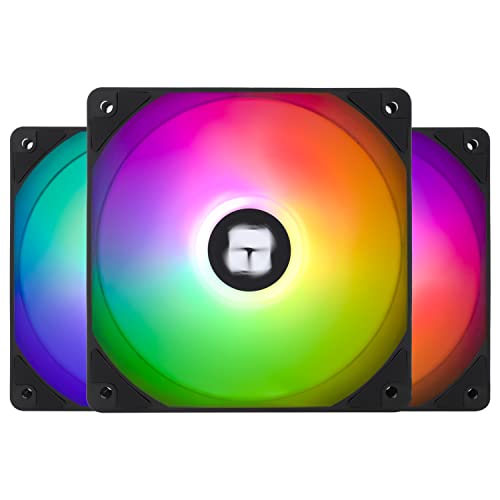
Thermalright TL-C12C-S X3 66.17 CFM 120 mm Fans 3-Pack (TL-C12C-S X3 D6)
potent portal
Keeping in mind these do include overclocked results so there's a few percent variance in the results
manic cloak
potent portal
As a rough comparison https://www.videocardbenchmark.net/compare/4919vs4314vs431...
I don't believe the 7800xt loses to the 6800xt in direct 10-12
potent portal
Which is why it's a rough comparison
manic cloak
true
plus you gotta include driver updates and etc
but i'm surprised 7700xt is worse than the 6800
manic cloak
potent portal
Which is why it's a rough comparison
would you recommend a 6800 buy or a 7700xt? paired w 12600kf and ddr5.
potent portal
Slightly more reliable data
 potent portal
6800 XT and 7800 XT are nearly identical, and so are the 7700 XT and 6800. The 7700 XT has newer features like hardware AV1 encoding but otherwise isn't worth the increase in price.
manic cloak
alright
manic cloak

Uhh…
Do I retire my razer kraken tournament edition for this 💀
Although I hate razer so much, it’s literally my mouse n headset that’s razer, plus my headset has a good mic
minor garnet
 cyan ravine
manic cloak
Do I retire my razer kraken tournament edition for this 💀
cyan ravine
manic cloak
Do I retire my razer kraken tournament edition for this 💀
It's a definite upgrade yes.
But it's still mid by headphone standards
lyric thistle
minor garnet
Drip
analog hearth
bro in #build-pics got an iBuyProblems
mossy venture
manic cloak
How do these compare?

 upper condor
Hey was helping my friend build a PC yesterday(and going back today) to fix a few issues. We turned it on and fans turned on, rgb etc etc but the GPU wasn't moving at all and the MOBO had none of the debug lights on.
I'll send the parts list real quick
Part List - AMD Ryzen 7 7800X3D, Radeon RX 7900 XTX, Lian Li LANCOOL III ATX Mid Tower
potent portal
How long did you let it sit
It can take 5-10 minutes to do the first boot, longer with more memory
upper condor
That's what I said but I had to get going. Everything seemed fine besides no RGB or fans on the GPU
I'm heading over in a few but just wanted some ideas for before then
upper condor
I like triple checked all those and I think they're good but you never know
potent portal
Also update the bios using flashback if you haven't yet
lethal tapir
Updated bios yaaaaa
upper condor
Ah true good idea!
And the last thing was for the AIO; does it matter if the tube is like this or should I put it other way around? Was kinda a rushed job
 potent portal
I think on those boards you just rename the update file to MSI.ROM
Tubes don't matter much
As long as it's not kinked
upper condor
Alright I figured just looks a little awkward
Those huge cases with the metal panels in the back for cable management are so nice
 pseudo pollen
mossy venture
How do these compare?
pseudo pollen
mossy venture
How do these compare?
Bro I got a $5 Corsair headset a while back
 chilly pilot
Can someone help me, I’m having trouble with my pc. It has power but not turning on.
potent portal
Is this a new build or just a new problem
 subtle halo
pseudo pollen
Bro I got a $5 Corsair headset a while back
subtle halo
pseudo pollen
Bro I got a $5 Corsair headset a while back
xD the logo cost u 4 bucks
pseudo pollen
Brand new tho
chilly pilot
New problem, was running good about a week ago. I opened the back and started messing with some wires to put in a new HDD in two days ago, tried to game yesterday and it won’t turn on.
potent portal
Probably a loose cable somewhere then
You can start unplugging things one by one to find the culprit
subtle halo
upper condor
And the last thing was for the AIO; does it matter if the tube is like this or s...
isnt the tube should be pointing below
chilly pilot
Made shire I did that before started to ask for help
Took all the wires out and put them back in
I hit the bios button and a red light turns on
potent portal
I'd try with nothing except the 24 pin, CPU power, and GPU power plugged in
If you can get into bios then it's a loose/bad cable, if not then it's a deeper issue
chilly pilot
Could it be the motherboard?
lethal tapir
Can you smell burnt plastic
chilly pilot
No
potent portal
The next thing to try with only the minimum power connections would be a cmos clear
?cmos
jolly riverBOT
How to clear CMOS (works for AMD and Intel)
https://www.intel.com/content/www/us/en/support/articles/000025368/processors.html
Intel
Defines CMOS technology and how to clear CMOS using the jumper or battery methods.
chilly pilot
No
lethal tapir
It won't even post to bios?
lethal tapir
Could be the power supply
Worked fine for a while and then one cheap component pops? -this is conjecture
chilly pilot
It’s a 650w 80+ gold
potent portal
That means literally nothing as far as quality, that's just an efficiency rating
lethal tapir
Who made it
potent portal
There's gold rated units that explode under load, as in POP and smoke
potent portal
It's at least C tier then, so that's good
lethal tapir
I guess that does leave the mobo
potent portal
How is the cmos clearing going
manic cloak
mossy venture
How do these compare?
Not a headphone expert :(
chilly pilot
I took out the battery out of my mother board but it is amd, need to look at the instructions on manual
mossy venture
?cmos
jolly riverBOT
How to clear CMOS (works for AMD and Intel)
https://www.intel.com/content/www/us/en/support/articles/000025368/processors.html
Intel
Defines CMOS technology and how to clear CMOS using the jumper or battery methods.
mossy venture
Oh was already done, mb
potent portal
chilly pilot
I took out the battery out of my mother board but it is amd, need to look at the...
It's the same instructions for all motherboards, the only thing that varies is which features your board has. Most modern ones will have the jumper at least. The only thing you'd need to check is the location of it.
chilly pilot
Sorry, read that when I sent my last message
Didn’t work
I’m gonna try taking it all apart and putting it back together again
 lethal tapir
The crucial 1tb ssd but I bet you could get it new for that price too
chilly pilot
Didn’t work
If I have an rgb mouse that turns on if you click one of the buttons could that fry the mother board?
And or psu?
chilly pilot
I wonder why my pc won’t turn on then
subtle halo
Computer Hardware Chart
use browser to zoom in. or plugins maybe.. very nice
 subtle halo
Computer Hardware Chart
use browser to zoom in. or plugins maybe.. very nice
pseudo pollen
subtle halo
subtle halo
Computer Hardware Chart
use browser to zoom in. or plugins maybe.. very nice
pseudo pollen
Older list it seems, only goes to ddr3
leaden mauve
yea its still a nice reference though iirc some stuff on there was blatantly wrong... though that mightve been another old list i had saved
yea that list is fine
"future" lmao
 subtle halo
xD yeah
this is from 2016 sadly someday we get 2024
if someone here is a good collector
leaden mauve
no thats from before 2009
subtle halo
leaden mauve
no thats from before 2009
the image i mean
 potent portal
Socket 7... back in the day that AMD and Intel used the same socket.
leaden mauve
potent portal
Socket 7... back in the day that AMD and Intel used the same socket.
teamwork makes the dream work
chilly pilot
@potent portal and the others who helped me to try and fix my problems with my pc, it was a bad psu, thankyou and I appreciate all of your help
subtle halo
nice
low path
https://pcpartpicker.com/list/JVZbRK this a good build?
Part List - AMD Ryzen 5 5600, Radeon RX 6700, Phanteks Eclipse G300A (3 Fan) ATX Mid Tower
 dusky hearth
subtle halo
i wonder how this thing not melting
dusky hearth
subtle halo
i wonder how this thing not melting
Depends on polymer
A notable example is bakelite (this plastic isn't really used anymore since it's really old) and it can go over 200c for several hours without any significant degradation
low path
Building it for my brother
pseudo pollen
low path
https://pcpartpicker.com/list/JVZbRK this a good build?
I'd do this https://pcpartpicker.com/list/gwjwmD
Part List - AMD Ryzen 5 5600, Radeon RX 6700 XT, MagniumGear NEO AIR (2023) ATX Mid Tower
cyan ravine
@low path just change psu to one of these
https://pcpartpicker.com/product/dbCZxr/msi-mag-a750gl-pcie5-750-w-80-gold-certified-fully-modular-atx-power-supply-mag-a750gl-pcie5
https://pcpartpicker.com/product/xLtKHx/apevia-prestige-600-w-80-gold-certified-atx-power-supply-atx-rp600w

MSI MAG A750GL PCIE5 750 W 80+ Gold Certified Fully Modular ATX Power Supply (MAG A750GL PCIE5)

Apevia Prestige 600 W 80+ Gold Certified ATX Power Supply (ATX-RP600W)
Other than that the list is basically point for point what I'd do
So it's a good list
Oh maybe change case again cos it's no longer 35$
But it does go on sale pretty cheap if you wait
cyan ravine
the one you linked is yes
and is fine
any normal pc doesn't really require full atx anymore
low path
is that a similar mobo that isnt micro
cyan ravine
if you want cheap
cheap and full atx don't really go hand in hand
it's cheaper to just go with an matx case
low path
is there a board thats like 100$ that isnt micro?
cyan ravine
why do you need a non micro board
low path
You said that’s a cheap board isn’t it?
cyan ravine
?
there are atx boards but like
the point being you will end up coming closer and closer to a higher tier with every dollar at the low end
just get matx
it's easier
potent portal
"Cheap" does not equal "bad"
Micro boards have all the same features, minus extra PCIe slots and possibly minus one M.2
plucky timber
matx is just a form factor
I actually prefer matx over itx
Cost effective for smaller builds
low path
cyan ravine
it's cheaper to just go with an matx case
whats a good matx case then
low path
potent portal
"Cheap" does not equal "bad"
Micro boards have all the same features, minus extr...
oo okay
 vivid copper
low path
https://pcpartpicker.com/list/JVZbRK this a good build?
vivid copper
low path
https://pcpartpicker.com/list/JVZbRK this a good build?
I would say this needs some work...what's your total budget for a build?
low path
vivid copper
I would say this needs some work...what's your total budget for a build?
It’s for my brother around 700
vivid copper
low path
It’s for my brother around 700
https://pcpartpicker.com/list/6sf6N6 That would be my take..unless you want to stick with bottom of the barrel parts to try to squeeze in a better GPU. That board just went out of stock. But MSI's own website has it for $99 bucks still. And i personally wouldn't downgrade to any lesser boards to save 10 or 20 bucks as the VRMs and upgradability of that board will trump any mATX sub 100.
Part List - AMD Ryzen 5 5600, Radeon RX 6650 XT, Montech X3 Mesh ATX Mid Tower
vivid copper
low path
Why the 6650xt?
i was keeping you under $700, that's why i asked you what the budget was....but yeah you can substitute for a 6700xt if that's what you want....so if you feel $60 is worth about 20 or so more frames...go for it....
 mossy venture
Differences in frames doesn't really make sense
It's about a 20-25% difference
In some games that can be 60 fps, in others that might be 10
B550 a pro is nice but also doesn't have wifi, the ds3h isn't the best mobo but it's perfectly fine for a 5600
vivid copper
that's why it's an average...not one specific game....
mossy venture
And can easily handle an upgrade to the 5800x3d
mossy venture
vivid copper
that's why it's an average...not one specific game....
Yes but people play a lot more than those 12 games. It makes more sense to just give a % diff or have them look at benches for games they plan to play
As a general performance difference that graph is good
vivid copper
i disagree a set percentage is very vague...saying a GPU is X% amount of better than another is a slippery slope....that's why we have plenty of reviewers and benchamarks....
that's why we don't take sites like userbenchmark serious
mossy venture
We don't take ubm seriously because it bases its performance comparisons on things beyond just performance
Passmark gpu/cpu comparison is a great tool, though not so much for comparing amd to nvidia
A % makes sense because its a % more performance in a game. Like 6700xt on average will get 20-25% more fps than the 6650xt
vivid copper
we can agree to disagree, i just have a different take.... 20% - 25% percent sounds cool on paper but going from 110 to 130 in frames is not a game changing experience as a normal everyday user will not notice the difference....so the percentage makes it sound more dramatic than what it really is...welcome to marketing 101.....
mossy venture
That's true, but it also isn't just fps it's being able to turn graphics settings higher at same fps
Also extra vram will let the 6700xt keep up a bit longer
low path
vivid copper
https://pcpartpicker.com/list/6sf6N6 That would be my take..unless you want to s...
so this list ill get but with the 6700xt
vivid copper
low path
so this list ill get but with the 6700xt
sounds solid....
low path
bet
mossy venture
low path
so this list ill get but with the 6700xt
If you need wifi would need a separate adapter
low path
mossy venture
If you need wifi would need a separate adapter
He’s gonna be hard wired
 novel parcel
My fan has 3 pin and molex. Can I just connect 3 pin to 4 pin on motherboard and leave the molex hanging off
vivid copper
novel parcel
My fan has 3 pin and molex. Can I just connect 3 pin to 4 pin on motherboard and...

 vivid copper
 left urchin
For a build in 2023/2024 Those parts at those prices don't make any sense at all.....2060 super for 430? I think not...lol.....
What your budget my guy?
vivid copper
we can do a million times better for 1.5K
left urchin
Lol hopefully
vivid copper
why no AMD......or do i even want to know?
left urchin
I stay away from AMD in my experience ive had 3 cards fail on me and they run so hot
left urchin
Ah well i stay with intel jus bc its normally easier to build off them motherboard wise
Lol ur good
And i don't want to deal with pins on a CPU
And the new one without the pins are hella expensive
vivid copper
welp you're in luck AMD doesn't have pins on the CPU anymore....both platforms are now LGA sockets
left urchin
Yea but the lga ones be expensive lol a i5 12th gen should be enough for most uses
vivid copper
they're about the same cost wise...an B650 board and a 7600x is cheaper and peforms better than what you had in your Amazon cart by miles but we'll do Intel if that's what you're comfortable with
but i would advise you do some research and catch up to where things are right now...the market and prices have changed
left urchin
Well i do im jus trynna build a near copy of my build for my buddy bc ik mines good for now except the GPU is a little low
But for the most part its always upgradeable in the future
vivid copper
left urchin
About 1500
https://pcpartpicker.com/list/zmTXVW Well that's under 1.5K and that's with a 4070 and a 280hz 1080p monitor....could also do 1440p as well instead....
Part List - Intel Core i5-12600KF, GeForce RTX 4070, Corsair 4000D Airflow ATX Mid Tower
left urchin
Thanks my man🫡
 pseudo pollen
vivid copper
https://pcpartpicker.com/list/zmTXVW Well that's under 1.5K and that's with a 40...
pseudo pollen
vivid copper
https://pcpartpicker.com/list/zmTXVW Well that's under 1.5K and that's with a 40...
oh please no
why 4070
vivid copper
They specifically stated they weren't interested in an AMD GPU
vivid copper
and if they aren't interested in an AMD and not the 4070 they'd have to find a used 3080ti or higher to get the same relative performance....
vivid copper
it's better than a 3080 at 1080p
 pseudo pollen
Part List - Intel Core i5-13600KF, GeForce RTX 4070 Ti, Phanteks Eclipse G300A (1 Fan) ATX Mid Tower
vivid copper
if we wasn't including a monitor the 70ti is the no brainer....but i see yall subscribe to the min-max build philosophy around here...lol....
mossy venture
left urchin
About 1500
Can damn near fit an xtx in that budget
mossy venture
left urchin
Thanks my man🫡
I would do this https://pcpartpicker.com/list/CgvHqR
Part List - Intel Core i5-12600KF, GeForce RTX 4070 Ti, Phanteks Eclipse G300A (1 Fan) ATX Mid Tower
Well I would do 7800xt or 7900xt, but if you refuse to go amd there you go
Part List - AMD Ryzen 5 7600, GeForce RTX 4070, Phanteks Eclipse G300A (1 Fan) ATX Mid Tower
 quaint ledge
worth $1800?
 mossy venture
Or https://pcpartpicker.com/list/jr4Ksh
mossy venture
mossy venture
Or https://pcpartpicker.com/list/jr4Ksh
Unless you play first person shooters competitively, 1440p180hz would likely be better than 1080p280hz
mossy venture
quaint ledge
worth $1800?
If you'd build your own, no
If you're exclusively looking for a pre built, I dont think you could do better
quaint ledge
alright
mossy venture
quaint ledge
alright
What I'd do for custom https://pcpartpicker.com/list/XF7kHG
Part List - AMD Ryzen 7 7800X3D, Radeon RX 7900 XTX, Phanteks Eclipse G360A ATX Mid Tower
For 4080, but this is much worse value https://pcpartpicker.com/list/jQpqrv
Part List - AMD Ryzen 5 7600, GeForce RTX 4080, Phanteks Eclipse G360A ATX Mid Tower
You get a bit worse gpu, worse cpu, for basically the same price
quaint ledge
whens the 4070 ti super release?
mossy venture
It likely won't be a thing
4070 super and 4080 super, possibly 4080 ti
Maybe 4060 super but I doubt it
For those, I think we're looking at a January launch but im not certain on that
vivid copper
quaint ledge
whens the 4070 ti super release?
 vivid copper
i think the 4070 msrp stays the same as the super will probably be priced in between the current 4070 and 70ti...i think the 70ti super replaces the 70 ti and those get cheaper or discontinued
but those are my guesses....we'll find out in a couple of weeks i guess...best advise is if you are dead azz serious on getting one of those cards you might want to wait
quaint ledge
discontinued so that means no more driver updates?
vivid copper
no it just means they won't be making new ones
potent portal
vivid copper
This doesn't make a lot of sense, and it even has an error in the "article" where it says 7 dates and lists 8.
vivid copper
it says 7 embargo's....the announcement doesn't count as an embargo
not sure what else wouldn't make sense
 strong raft
Fal might've missed how there's 2 on Jan 8th. What's up Meezy.
vivid copper
@strong raft What up!?
potent portal
strong raft
Fal might've missed how there's 2 on Jan 8th. What's up Meezy.
Ah yeah missed that
strong raft
70 Ti Super kind of is a bit laughable of a name, perhaps it's just me.
vivid copper
I'm pretty sure reviewers will start getting these soon...might be getting them already....
70ti super duper extreme max ultimate tournament edition
potent portal
Reviewers get them about 3 days to a week before launch
gentle pollen
My ram finally arrived!

First kit I ordered was deemed undeliverabler by sender and this kit got marked as delivery attempted right as I noticed the Amazon car was leaving and chased after it.
Going to buy a USB stick then upgrade.
south cliff
gentle pollen
My ram finally arrived!
nice
left urchin
mossy venture
I would do this https://pcpartpicker.com/list/CgvHqR
Appreciate it but ive had nothing but lemons and duds with AMD so ill stick with Nvidia i wanna go with Intels Arc but theres not much field testing done for them rn
mossy venture
left urchin
Appreciate it but ive had nothing but lemons and duds with AMD so ill stick with...
Arc is worse quality than and gpus, they have gotten better since launch though
left urchin
Yea thats why im waitin lol
mossy venture
But if you know they're worse than amd gpus, why-
left urchin
Bc im waitin for them to get better
mossy venture
I'm not going to nvm
gentle pollen
Where do I install windows ISO?
vivid copper
gentle pollen
Where do I install windows ISO?
it's generally easier to just make a bootable USB using the MS media creation tool https://www.microsoft.com/en-us/software-download/windows11
an iso file is basically like having a disk without having a physical disk..you have to mount it and open it on already running OS
or using command prompt
gentle pollen
Could someone guide me on what to install on my USB stick for fresh install of windows on new pc?
vivid copper
gentle pollen
Could someone guide me on what to install on my USB stick for fresh install of w...
Click on the link i just gave you, but it must be done on another PC with windows....the second option says "create windows 11 installation media" you download the tool insert the USB and it will format the drive and will do everything for you........if you need more detailed instructions watch this video

How to install Windows 11 for beginners! This step by step guide shows you the full windows 11 installation process for your gaming PC or laptop, showing how to boot into windows, license keys, windows 11 vs windows 10 and more! Join PC Centric! ⭐ Get Your PC Centric Mousemat! https://pccentric.junipercreates.com/ ⭐ MSI RTX 4080 Gaming X Trio: h...
gentle pollen
Thank you.
Should I flash bios? X670-P mobo from MSI.
7950x3D is the cpu, is bios flash as easy as just pressing the bios flash button once mobo has internet access and power?
vivid copper
I personally update the bios to the latest version every time i do a new build....considering the agesa updates and memory updates AM5 has received over the past year or so i'd say your best bet for stability will be using the most current bios
gentle pollen
Alright, how do I flash bios? Is it easy or do I gotta go through a series of USB shananigans?
vivid copper
gentle pollen
7950x3D is the cpu, is bios flash as easy as just pressing the bios flash button...
no, you have to flash the bios using a USB drive as well
there are two different ways using M-Flash in the bios or by using the bios flashback button
gentle pollen
The MSI board has a flash button, so what will I need to do?
vivid copper

Got an MSI motherboard with a Flash BIOS button on the rear I/O? Here's a step-by-step guide on what you will need and how to use the Flash BIOS button.
Chapters:
0:00 BIOS Flash Button Tutorial Intro
0:25 What You'll Need
0:29 Creating the USB stick to flash the BIOS
0:49 Formatting the USB stick
1:14 Downloading the BIOS from us.msi.com
1:43 ...
In this demonstration, we'll show you how to update BIOS using M-FLASH ?
Take your pick....
gentle pollen
Either way I need to get my pc up and running first right?
vivid copper

PRO series motherboards, tuned for better performance by 14 Duet Rail Power System, DDR5 memory with Memory Boost, Lightning Gen5 M.2, Extended Heatsink, Double-sided M.2 Shield Frozr, Wi-Fi 6E, USB 3.2 Gen 2x2
Yes, i'd advise to do the bios first before you install windows, but that is your choice....
vivid copper
nope you'll be fine
gentle pollen
Aight, windows first then haha.
vivid copper
don't activate windows tho until after you flash the bios
gentle pollen
Hopefully my board and cpu can handle 6000cl32.
gentle pollen
vivid copper
don't activate windows tho until after you flash the bios
Gotcha, thanks for the notice. Any particular reason?
vivid copper
gentle pollen
Gotcha, thanks for the notice. Any particular reason?
because alot of times windows will treat a bios flash as installing new hardware....almost like you've swapped to a new motherboard, so it will prompt you to re-activate windows....and depending on your windows license this can cause issues re-activating windows using the same key
gentle pollen
Does the windows media install automatically format my usb drive? I kinda forgot to do that if not.
vivid copper
yes it will automatically format and erase everything on the drive
gentle pollen
okay good.
gentle pollen
vivid copper
because alot of times windows will treat a bios flash as installing new hardware...
Gotcha. Good to know for the near and future future.
How much thermal paste should I use?
I hear X is usually the preferred pattern but idk how much.
vivid copper
Pea sized amount in the middle of the IHS...once you tighten down your cooler it will spread the thermal paste across the IHS so no need to overdo it....what cooler do you have? I'd assume you'd have an AIO with a 7950x3D?
gentle pollen
vivid copper
Pea sized amount in the middle of the IHS...once you tighten down your cooler it...
LS720 in push/pull config using P12s
vivid copper
gentle pollen
LS720 in push/pull config using P12s
LS720 has pre-applied thermal paste already if i'm not mistaken....if it's new that is....
cyan ravine
Yes it does
Also pea is fine on AM5, just make sure it's an actual pea
Not like, baby pea
gentle pollen
vivid copper
LS720 has pre-applied thermal paste already if i'm not mistaken....if it's new t...
I am re-applying.
Reusing the cooler from existing build.
cyan ravine
Line, cross or spread for lga1700
gentle pollen
Would cross be better?
vivid copper
gentle pollen
I am re-applying.
gotcha...pea size is enough....
cyan ravine
So more paste doesn't do much for perfect contact
Much like an aio does basically nothing over a dual tower
Because of the ihs
gentle pollen
AM4 and AM5 use the same cooler?
cyan ravine
Mhm
gentle pollen
Okay good wanted to confirm.
gentle pollen
Okay am I doing something wrong? I installed M.2 Q-Latch from MSI but it won't swing on top of the drive.
Am I supposed to snap these legs off?
 gentle pollen
potent portal
If the board is in correctly then they won't be in the way
gentle pollen
potent portal
If the board is in correctly then they won't be in the way
The Q-latch?
gentle pollen
potent portal
no
Is this in reference to the USB cover?
weary galleon
gentle pollen
Am I supposed to snap these legs off?
Nope, they're there to ground the io ports
gentle pollen
Oh okay.
cyan ravine
gentle pollen
Okay am I doing something wrong? I installed M.2 Q-Latch from MSI but it won't ...
It will
It has to or it won't fit properly
gentle pollen
Will deal with the latch later first getting the board ready.
This enough paste?
 gentle pollen
About yeah.
cyan ravine
Then try it
Normally I'd suggest spreading but* AM5 is that whack it probably makes no difference
gentle pollen
Alright.
gentle pollen
gentle pollen
Am I supposed to snap these legs off?
How is this supposed to attach?
Am I really supposed to leave the legs on? It won't attack to the board.
potent portal
Air cooler, yes
gentle pollen
Aio.
cyan ravine
Board in, then aio, but you've put paste on, so aio then board in
potent portal
There's less to get in the way with an AIO
Put the 8 pin CPU power in before the board
gentle pollen
Hmmm gonna redo fan order on my aio first real quick.
gentle pollen
Any tips on organizing fan cables?
potent portal
Zip ties and velcro are your best friends
cyan ravine
Zip ties cheap and good
Velcro if you feel like changing 100 things instead of only once
Cable ties also nice from new stuff in boxes
gentle pollen
The way I am currently routing it from the start.


That a good way to keep the start organized?
gentle pollen
Gosh I hate these cables.....
potent portal
Preach brother

 gentle pollen
potent portal
Preach brother
gentle pollen
potent portal
Preach brother
How's this look?
 potent portal
Coming along nicely
gentle pollen
Two sets of 3xARGB and fan headers.
Do I mount my board before putting the cooler on or?
Also for some reason I only have 2 mounting screws for my mobo....
potent portal
Odd but really that's fine
Most cases give you one guide peg, and put the screws on opposite corners
gentle pollen
Opposite corners on the top or top left and bottom right?
potent portal
Like top left/bottom right or top right/bottom left
Probably top right now that I think about it, just in case you need to pull the 24 pin
gentle pollen
Found a 3rd screw
potent portal
Pick another corner then
gentle pollen
Those darn legs on the io cover is getting in the way.
Is there any use for those? If not I am yanking them
potent portal
Yes they keep the devices from contacting the case when you plug them in, potentially preventing a short. It's rare but it happens.
potent portal
I like to set the case in at an angle and line up the top row on the IO plate first, then set it onto the guide peg