#building-and-recc-chat
1 messages · Page 208 of 1
 low path
 earnest olive
oh the list has an id-cooling se-214-xt
low path
yea i wrote next to it the phantom spirit from thermalright cpu cooler xD
and im getting a gigabyte mobo
earnest olive
phantom spirit probably fine
low path
gigabyte b650m Gaming x mobo
earnest olive
think it's a little higher end than the pa120 actually but not sure
earnest olive
low path
gigabyte b650m Gaming x mobo
why?
earnest olive
better in what way
low path
tiktok has a coupon for that gigabyte so thats why im getting it
earnest olive
how much
low path
earnest olive
better in what way
so stick with the one in the list or get gigabyte
earnest olive
well how much is the gigabyte one lol
looking at pcpp prices the gigabyte board is not worth $35 more
but i can't tell you without knowing the prices
earnest olive
and to be clear is it the gaming x ax?
low path
yes
earnest olive
b650m gaming x doesn't exist as far as i can see
low path
earnest olive
and to be clear is it the gaming x ax?
Yea the x ax
earnest olive
well if it's cheaper then sure get it
they're pretty much the same quality of board though
low path
Oh
earnest olive
both 6 layer 2dpc boards with 8+2+1 vrm phases
low path
oo okay. the one eon my list is only 109 on the tiktoik shop
earnest olive
the gigabyte one has more expandability due to the atx form factor
so if the prices are close enough might as well get that
oh interesting
the asrock b650m supports gen 5 nvme and the gigabyte b650 doesn't
not really something important to care about though
same number of m.2 slots on each
 little osprey
Alright so I'm averaging about 75c in temp majority of the time on Siege
earnest olive
but the gigabyte board has an additional pcie slot
earnest olive
 royal lotus
anyone know anything about this case
royal lotus
anyone know anything about this case
i mean what information are you looking for that isn't here
low path
earnest olive
but the gigabyte board has an additional pcie slot
So get gigabyte or
little osprey
what cooler would yall recommend me getting for the R7 5800x3D
earnest olive
low path
So get gigabyte or
up to you lol
do you want to pay $3 for an extra pcie slot and lose gen 5 nvme support
they're both fine
earnest olive
little osprey
what cooler would yall recommend me getting for the R7 5800x3D
75c is fine
little osprey
....it wasn't like that tho
I mean obv I shouldnt be surprised about a temp rise on a new CPU but still
earnest olive
what cpu did you upgrade from
little osprey
R5 5600x
earnest olive
you moved to a denser cpu with a 3d v-cache on it
75c is fine
you do not need to upgrade
little osprey
Fair enough, but then again....if Siege is getting those temps......what about all the other more powerful games?
little osprey
Cause as much as I should be able to run them, the temps might be a problem. but idk
little osprey
........what about VRChat using PCVR?
earnest olive
try it
little osprey
 plucky timber
Have you tried stress testing the cpu thermals?
plucky timber
Have you tried stress testing the cpu thermals?
idk how to
little osprey
earnest olive
try it
about to
earnest olive
the worst that can happen is that you get thermal throttling
doesn't hurt to try it
plucky timber
Get any cpu stress test
earnest olive
you can also use CO on the 5800X3D to lower temps, it's pretty easy to do so
plucky timber
And if it doesn't throttle under a stress test then it's not going to throttle under gaming workloads
little osprey
earnest olive
you can also use CO on the 5800X3D to lower temps, it's pretty easy to do so
how do
earnest olive
if you want the heaviest one go prime95
plucky timber
^
earnest olive
i get like 50c-60c in the heaviest games, prime95 makes my cpu hit 100c and start throttling within 1 second
lol
plucky timber
And btw if it throttles in the stress test it doesn't mean it'll throttle in the game
little osprey
alright. but i've never used a stresstester so I'm not sure if I need to stop the test myself oooooor
earnest olive
testing with prime95 is kinda pointless if all you're gonna do is game on a stock system
little osprey
like how does it work
plucky timber
It's a game-by-game basis
plucky timber
ok
plucky timber
^
earnest olive
doesn't matter what you get in stress tests if it won't happen in reality
little osprey
bouta check rn
earnest olive
stress tests are more for overclocking or diagnosing hardware
royal lotus
would a matx board look dumb in an air 903 max
 south cliff
 plucky timber
There's going to be a lot of hardware on top of the motherboard anyways
plucky timber
plucky timber
There's going to be a lot of hardware on top of the motherboard anyways
So you're not going to notice it that much
south cliff
Which kinda sucks
royal lotus
plucky timber
So you're not going to notice it that much
ok
little osprey
alr so to my surprise I'm getting less temps on VRChat with PCVR
and a better performance thank goodness
not lower than before.....I think (I can't remember) but lower than Siege
plucky timber
Makes sense
Besides 75c isn't high tbh
It's kinda average
Still got a bit of room to move before it throttles
south cliff
When I went to separate 8 pins my power limit went from 107 to 119
W
Max with pig tails was 420 watts now it’s going to 467
 mellow meteor
is this pc build good? https://pcpartpicker.com/list/rv3Bh3
south cliff
undervolt it and about 350 -360 watts and about 61 degrees
 mossy venture
mellow meteor
is this pc build good? https://pcpartpicker.com/list/rv3Bh3
mossy venture
mellow meteor
is this pc build good? https://pcpartpicker.com/list/rv3Bh3
I would change it up a bit
mellow meteor
what would you change?
mellow meteor
south cliff
undervolt it and about 350 -360 watts and about 61 degrees
idk what that means im pretty new to pc stuff
mossy venture
One sec I'll make the changes I'd do and send it
Part List - Intel Core i5-12600KF, Radeon RX 6800 XT, Montech AIR 903 MAX ATX Mid Tower
You don't need extra fans but if you want them, c12c 3 pack for $13
Could also still do phantom spirit for the cooler, it's just not needed
And if you'd be willing to buy parts off of tiktok shop, could do a better psu for less, 2tb p41 plus for $62, 32gb ddr4 3200c16 for $35 (vulcan z or geil orion)
Also same mobo is $72 on tiktok shop
All of those shipped and sold by newegg
@mellow meteor
south cliff
mellow meteor
idk what that means im pretty new to pc stuff
i was talking about my gpu
mellow meteor
south cliff
i was talking about my gpu
oh mb
mellow meteor
mossy venture
Also same mobo is $72 on tiktok shop
tiktok shop is kinda sketchy though
everything is really cheap
its like temu
 dreamy obsidian
mellow meteor
mossy venture
You don't need extra fans but if you want them, c12c 3 pack for $13
dreamy obsidian
mellow meteor
mossy venture
You don't need extra fans but if you want them, c12c 3 pack for $13
would there be a big difference if i added those 3 extra fans
 south cliff
mellow meteor
tiktok shop is kinda sketchy though
south cliff
mellow meteor
tiktok shop is kinda sketchy though
no get it through the newegg offical store
mellow meteor
mossy venture
https://pcpartpicker.com/list/pYwpmD
do i need anything else if im building this? like thermal paste or anything like that
mellow meteor
south cliff
no get it through the newegg offical store
yeah thats why i said tiktok shop is sketchy
its probably low quality
thats why its so cheap
mellow meteor
yeah but a lot of the products on tiktok shop are low quality or fake
 manic cloak
And tiktoks the one paying for the coupons
manic cloak
mellow meteor
yeah but a lot of the products on tiktok shop are low quality or fake
Ya from other sellers which 90% of the time are fake
There’s some that have their own page and like dedicate their page for the business
Showing it’s not some AI reading a script
south cliff
mellow meteor
yeah thats why i said tiktok shop is sketchy
not how it works
mossy venture
mellow meteor
tiktok shop is kinda sketchy though
It's sold and shipped by newegg
 jade kestrel
can someone help me
low path
earnest olive
doesn't matter what you get in stress tests if it won't happen in reality
have u heard of powergpu or nah
 potent portal
jade kestrel
can someone help me
potent portal
jade kestrel
can someone help me
With what?
low path
Bro this pc build company called my list parts bad LOL
Part List - AMD Ryzen 7 7800X3D, Radeon RX 7900 XTX, Phanteks Eclipse G360A ATX Mid Tower
this list
im dead
 mossy venture
I'm assuming they're talking about mobo, gpu, and ram
Ram I can understand, they prolly don't know about hynix tuning
Mobo, people think reseonably priced means bad
mellow meteor
mossy venture
All of those shipped and sold by newegg
where do you find some of the parts on newegg?
some of them only have amazon as a choice
mossy venture
mellow meteor
where do you find some of the parts on newegg?
On tik tok shipped and sold by newegg, is what that meant
potent portal
mossy venture
Mobo, people think reseonably priced means bad
Yes if you're not spending at least as much on the motherboard as you are the CPU then you're wrong and deserve the board catching fire from overheating ||/s||
low path
potent portal
Yes if you're not spending at least as much on the motherboard as you are the CP...
so is my build good though xD
low path
potent portal
Yes if you're not spending at least as much on the motherboard as you are the CP...
or do i change it?
potent portal
It's perfect how it is unless you want to spend more on looks
As it is, it's almost perfectly min/maxed for performance
low path
for preformance wise its really good? ez
ill order the aprts rn
parts
Btw im getting the phantom spirit cpu cooler i just forgot to chaange it
earnest olive
low path
have u heard of powergpu or nah
no, why?
low path
thatswhat im thinking lol
 austere condor
https://pcpartpicker.com/list/frPLwg
anything worth improving on? specific models im not attached to, but im wanting to stay around the same price
Part List - AMD Ryzen 7 7800X3D, GeForce RTX 4080, Phanteks Eclipse G360A ATX Mid Tower
mossy venture
If cooler doesn't have to be rgb, phantom spirit but that's about it
austere condor
havent paid attention to specific models for a few weeks, just wanted to double check on like, ram, ssd, etc
mossy venture
P41 plus might be better I'm not sure
austere condor
id prefer the RGB, would be nice to keep. i was gonna go with the PA120SE, but the black RGB version is expensive
 obsidian wigeon
there's cardea z44l for similar kind of perf to p41 plus
 brittle tinsel
how do you install an older AMD driver?
I used this link here: https://www.amd.com/en/support/graphics/radeon-500-series/radeon-rx-500-series/radeon-rx-570
but when I try to run it, it says I dont have a valid AMD driver and I just installed the GPU so am I in an endless loop?
AMD Software: Adrenalin edition. is what im having issues with on the drvier site
 knotty drum
I have experienced similar issues with my gpu driver. I had to erase my gpu driver and start over
I forgot how tho
brittle tinsel
Will DDU work?
I had already done that before swapping the cards but I can try again
obsidian wigeon
you could run ddu
knotty drum
Ah yes that. I did DDU thing
brittle tinsel
could be because I still had the Nvidia card in after running DDU
knotty drum
It happens when you have two drivers installed by error
I think if I remember correctly
knotty drum
Good advice
brittle tinsel
alright, will give that a go
austere condor
obsidian wigeon
there's cardea z44l for similar kind of perf to p41 plus
legend 850 is better than the Z44L
obsidian wigeon
alright
 spare vale
Does anyone know of any good 850w PSU?
 tardy pebble
Part List - AMD Ryzen 7 7800X3D, GeForce RTX 3060 Ti, Fractal Design North ATX Mid Tower
Does this look alright? It's been 8yrs since I've built a PC so I'm a little out of the loop on current parts. Is there any good reason I shouldn't go for a 650w PSU instead of the 850 one I have selected there?
tardy pebble
The GPU I've already owned for a year and is in my current build
tardy pebble
Outside of that my budget is ~1k USD give or take 100 or 200
 vague oracle
Purpose of the PC?
tardy pebble
I also already own the listed 2tb M.2
tardy pebble
vague oracle
Purpose of the PC?
Just for gaming really
I might upgrade the GPU in 3yrs or so when the 3000 series starts showing its age more, but for now it cleanly runs every game I mainly play at 1440p high settings above 60fps so im not worried about replacing it quickly
Everything in my current build aside from that GPU is ancient though haha
vague oracle
Honestly, that list is pretty good, i just swapped out the ram https://pcpartpicker.com/list/GQh84M
Part List - AMD Ryzen 7 7800X3D, GeForce RTX 3060 Ti, Fractal Design North ATX Mid Tower
If you have a microcenter by you I’d get this https://www.microcenter.com/product/5006599/amd-ryzen-7-7800x3d,-msi-b650-p-pro-wifi-ddr5,-gskill-flare-x5-series-32gb-ddr5-6000-kit,-computer-build-bundle
tardy pebble
Oh man that's such a good deal 😢 Sadly in Oregon so the nearest one is a whole state down.
tardy pebble
me after my 17hr one way trip to Tustin 
vague oracle
But yeah that list looks pretty solid imo
vague oracle
tardy pebble
me after my 17hr one way trip to Tustin <:playdead:286619073226342400>
Get yourself a good playlist, it’ll make it seem like 17 minutes
tardy pebble
lmao true
ive actually done that drive before and it really wasn't terrible with a good variety of music and different podcasts
What's the diff between the Gskill Z5 and Z5 Neo btw? they're similar in price either way so it's no issue
oh nvm i found a thread explaining the diff, okay noted 🙏
vague oracle
Z5 neo is meant for AMD so you’ll have better compatibility
And 6000c30 has a better IC than 6000c36 so you’ll be able to get better performance out of it if you ever choose to manually overclock it
The CL latency being 30 vs 36 doesn’t make much difference in performance
tardy pebble
For only a ~$10 difference in price I'll take those little advantages
vague oracle
100% worth it imo
 cursive wharf
low path
Bro this pc build company called my list parts bad LOL
cursive wharf
low path
Bro this pc build company called my list parts bad LOL
Well of course. According to UserBenchmark, Core2 Dou easily beats that crabby AMD 7800X-3-TURD. Why would you ever purchase such trash ||/s||
mossy venture
tardy pebble
https://pcpartpicker.com/list/C7MgQP
If you're just gaming I'd swap this around, unless you alr have the gpu
Cooler phantom spirit, ssd p41 plus, case is fine if you really like it but personally I'm not a fan of the north, but its not bad airflow wise
And teamgroup has some rgb 6000c30/c32 kits around $90-100, and the trident heatspreader has been known to fall off of the ram stick from what I've been told
 minor garnet
i just ordered a new monitor and was wondering if i should upgrade gpu or wait?
mossy venture
minor garnet
i just ordered a new monitor and was wondering if i should upgrade gpu or wait?
What gpu do you have and what monitor did you get
minor garnet
mossy venture
What gpu do you have and what monitor did you get
rtx 3080, samsung odysey 49inch g9 oled
mossy venture
4k?
 mossy venture
You're likely going to want a new gpu
minor garnet
damn
mossy venture
I would say wait and see how your experience is
minor garnet
cause i use a 27inch 4k screen rn and its fine
minor garnet
if i were to upgrade i was looking at the rx 7900xtx nitro
mossy venture
Xtx is nice around 910-950
mossy venture
I would just recommend the cheapest one at the time of buying
Rn that would be https://pcpartpicker.com/product/gCBG3C/asrock-phantom-gaming-oc-radeon-rx-7900-xtx-24-gb-video-card-rx7900xtx-pg-24go

ASRock Phantom Gaming OC Radeon RX 7900 XTX 24 GB Video Card (RX7900XTX PG 24GO)
mossy venture
minor garnet
just idk if i should just wait for 8k series
If the 3080 is enough for you, then yes
minor garnet
i just would prefer nitro as i want it to be as quiet as possible
i think its the best cooler
but i could be wrong
mossy venture
How much is it?
Pcp says almost $1200
Which is not worth it in any way shape or form
minor garnet
that in usd?
mossy venture
Yes
minor garnet
yeah pretty much the same
mossy venture
What country are you in?
minor garnet
au
little osprey
Shoot okay NVM
When you get the chance Bacca, got a buddy who’s in Romania who has a budget of about 4,500-5,000 Lei and is wanting to build a PC
little osprey
little osprey
When you get the chance Bacca, got a buddy who’s in Romania who has a budget of ...
Needs wifi, he doesn’t care for looks if it’s basic, and it’ll be for gaming
minor garnet
mossy venture
Atp waterblock the hellhound
sounds expensive to water block
mossy venture
minor garnet
sounds expensive to water block
Pretty sure you can do it with an aio, so unless you did a custom loop it'd end up about the same price as just the nitro+
$300 for a little bit quieter is just silly though
minor garnet
mossy venture
Pretty sure you can do it with an aio, so unless you did a custom loop it'd end ...
what about the pulse?
mossy venture
Waterblock around $150, aio depends, but I'd do your own research on it
minor garnet
mossy venture
Waterblock around $150, aio depends, but I'd do your own research on it
itx case no muhc room )P
little osprey
Part List - AMD Ryzen 5 5600, Radeon RX 6600, Deepcool MATREXX 40 3FS MicroATX Mini Tower
Well kinda undershot, I didn’t know how to go about this
Initially I tried to cram a 7600 and 6800, that didn’t work with the budget (4,500-5,000 Lei)
Any ideas how to improve this?
mossy venture
little osprey
https://ro.pcpartpicker.com/list/ZzMxbL
Part List - AMD Ryzen 5 5600, Radeon RX 6650 XT, Deepcool MATREXX 40 3FS MicroATX Mini Tower
Can also do abn 650 for psu and 6700/xt for gpu
little osprey
mossy venture
Can also do abn 650 for psu and 6700/xt for gpu
Could probably cram the 6700 XT
But I don’t wanna leave him in the same spot as now
He’s on a 8400 and 1050 Ti, so I wanna leave a little room to upgrade
mossy venture
I mean
What would he value more
Better performance now, so less time till upgrade
Or worse performance with more upgradability
little osprey
I suppose that’s a fair point
mossy venture
No I mean like ask him which he'd rather have
Part List - AMD Ryzen 5 7600, Radeon RX 6700, Deepcool MATREXX 40 3FS MicroATX Mini Tower
Can change psu to udgm 750 too, it's B tier for like 60 Lei less or so
little osprey
Part List - AMD Ryzen 5 5600X, Radeon RX 6700 XT, Deepcool MATREXX 40 3FS MicroATX Mini Tower
little osprey
mossy venture
Can change psu to udgm 750 too, it's B tier for like 60 Lei less or so
He was insistent about AM4 and to be fair if he’s still on that old hardware and only now getting irritated I suppose better performance is gonna be the route
little osprey
little osprey
https://ro.pcpartpicker.com/list/DqHjN6
Couldn’t figure out a board with enough RGB headers
mossy venture
Then that's fine, 5600 over 5600x though
It's a 200mhz difference
Imo the 7600 list is very worth it, could throw in a much better cpu in 5 years instead of having to upgrade the whole platform
little osprey
mossy venture
Imo the 7600 list is very worth it, could throw in a much better cpu in 5 years ...
That’s what I was thinking as well
Alright I’ll send him the list you sent
little osprey
Possibly but the parts were already strained enough looking new
south cliff
are cable extentions fine for the 3090?
 cyan ravine
Yes
south cliff
what are some good sets of extentions?or brand
 shut rampart
https://pcpartpicker.com/list/9pjDkJ
I need a new Monitor + a monitor stand I prefer 24 inch or less but if not its alright I'm sure the monitor stand could save me some space
I also need 1 m.2 ( 1T ) since I don't download much games / play them
Part List - AMD Ryzen 7 5700X, Radeon RX 6700 XT, Phanteks Eclipse G360A ATX Mid Tower
maybe 1 more upgrade to the pc but depends really I dont need anything pc upgrades
potent portal
Looks ok to me, assuming you chose Nvidia for a reason and not just the brand.
USB yes, the rest is optional. The cooler comes with paste, and I haven't used an anti static band in years. I can show you how little ESD matters if you like.
Whichever model is cheaper, the OC model just has a very small (like 1-2%) factory overclock, which you can do yourself in 2 minutes.
south cliff
for some reason after i put in the extra 8 pin my gpu got cooler by alot
obsidian wigeon
looks decent ya
potent portal
I'd still get a 7800 XT over the 4070 personally, unless your favorite game is one that heavily favors Nvidia.
The 7800 XT is still faster even when you factor in ray traced titles
On average
obsidian wigeon
amd cards are fine mow too
potent portal
About 5% on average

This is counting ray tracing on ultra for cyberpunk, which heavily tilts the scale towards the 4070
Here's the vid if you want more on that https://www.youtube.com/watch?v=J0jVvS6DtLE
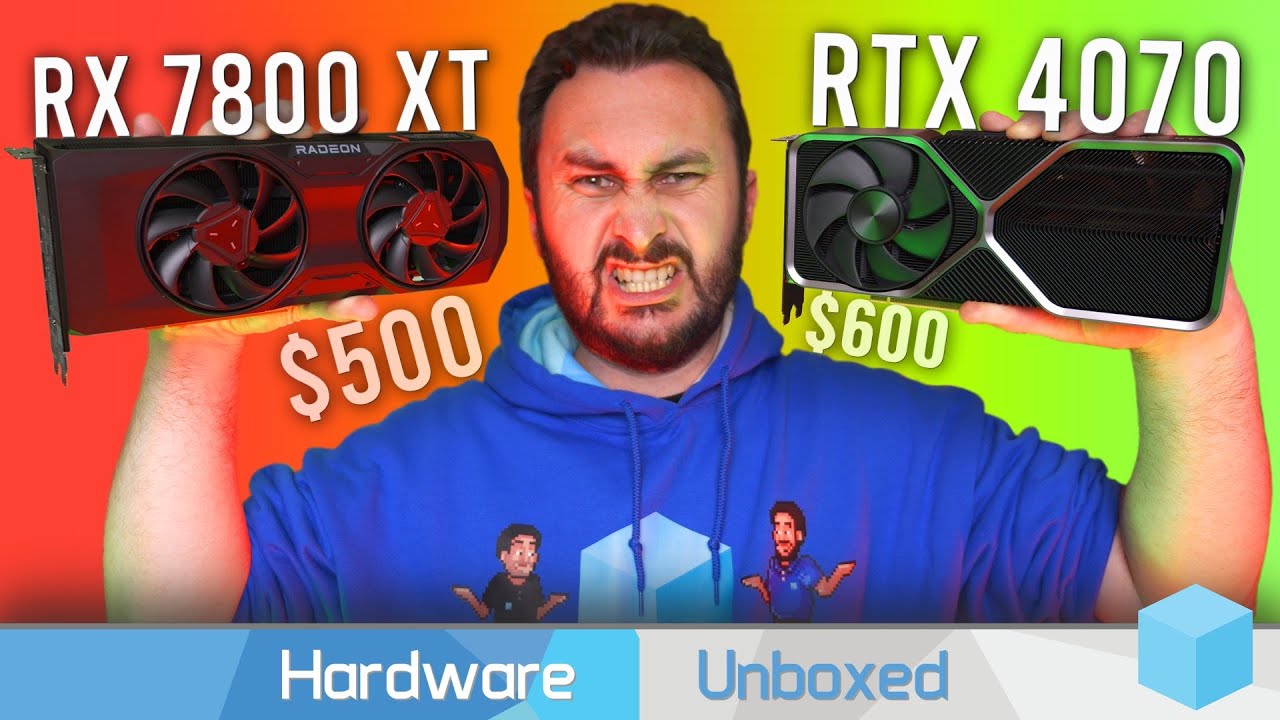
Check out Ugreen's 1st Nexode 300W GaN Charger using the links below.
Amazon ($70 OFF during 9.12-9.18): https://bit.ly/3Zd4tmk
Official Store ($70 OFF during 9.12-9.18): https://bit.ly/482JmXE
Support us on Patreon: https://www.patreon.com/hardwareunboxed
Join us on Floatplane: https://www.floatplane.com/channel/HardwareUnboxed
Buy relevant p...
 torpid raven
Hey, was wondering if anyone can help me with my friends pc. Everything works. Pc just boots to bios first.
obsidian wigeon
torpid raven
Hey, was wondering if anyone can help me with my friends pc. Everything works. P...
is this a brand new build?
torpid raven
obsidian wigeon
is this a brand new build?
Yes
obsidian wigeon
torpid raven
Yes
any os installed yet?
if not that's normal
the pc is working, and it doesn't have any os installed yet
torpid raven
Yeah, it has windows
obsidian wigeon
alright
is a usb drive used for installing windows still plugged in?
make sure it's not plugged in
torpid raven
No it’s not primary boot is the ssd where windows is installed
minor garnet
if price wasnt a factor would you rather go fro a 7900xtx or 4080
minor garnet
why so
obsidian wigeon
faster raster perf
unless you need cuda, there's no need for nvidia
frame gen and rt is just gimmicky stuff
tho fsr 3 can do the same thing anyway
even then amd has rocm to let you use cuda on radeon
potent portal
XTX is still faster even when you factor in ray tracing. There's only a few notable exceptions like cyberpunk.
little osprey
When will I get my 7800 GRE
 lone flame
little osprey
When will I get my 7800 GRE
lone flame
little osprey
When will I get my 7800 GRE
why would you want that
little osprey
lone flame
why would you want that
Because it’s silly
little osprey
I would pay for a 7700 XTX
mossy venture
Depends on price
Not really any room between 7700xt and 7800xt price wise, maybe performance wise. If 7700xt dropped to like 380-400 7700xtx could be $450
little osprey
Main Rig (rev. 1.0) - Intel Core i5-13600K, Radeon RX 7800 XT, Phanteks Eclipse G300A (1 Fan) ATX Mid Tower
Alright well I’ve come to a conclusion I don’t spend nearly as much time as I would’ve liked to with my main rig
So I’m probably gonna sell it
Could I get a rough estimate of its value used?
Most likely gonna list it on Facebook Marketplace
I’m planning move to a laptop because running games like War Thunder and CS2 on 7800 XT at 1080p is overkill and ultimately I just find myself pouring money into an endless pit because it always seems I need to upgrade or change something
 lethal tapir
It's the base 7800xt model?
little osprey
Yeah probably gonna draw from the value unfortunately
lethal tapir
Maybe a little
little osprey
I just don't wanna dip below $1,000 when selling this
I got the card earlier this month IIRC
I could technically do a part out but would much rather get it gone as a whole
lethal tapir
I think like 1100-1250 is a good place to think from
Chops a bit of value but it's pre-built and ready-to-use beefy boi PC
Even if it's a base model card, it just came out
little osprey
It's a little dusty just because it's a few months old but nothing that sticks out like a sore thumb
lethal tapir
If the case ain't cracked and the cables are at least B grade managed it's probably fine as is
little osprey
I could list it for $1,250 and maybe say price is negotiable
little osprey
lethal tapir
If the case ain't cracked and the cables are at least B grade managed it's proba...
One sec I have a pick with the new card in it

Probably not gonna list it with the anime figure but I think I did an okay job
little osprey
I mainly went for cooling
Thermalright had these fans with near exact same Noctua's A12x25
Then snagged a B-stock 360mm Liquid Freezer II for $75
An obviously the Phanteks case because I BELIEVE it's airflow is above average
lethal tapir
Part List - Intel Core i3-12100F, Radeon RX 6600, Deepcool MACUBE 110 MicroATX Mini Tower
I was curious to see how mine stacked up and it's pretty close price wise
I had to pad it with all the accessory items but still...
little osprey
Yeah, I wanna lowball it so I can get rid of it but even then it's gonna be hard just because of the market aroud me
A lot more farm equipment and vehicles for sale than PC's
Phones and consoles are just more common
lethal tapir
Yeah but farmers have kids and are loaded
At least one high schooler around will convince a relative to buy it, especially as a local buy
 tepid crater
Real fast. What would an ssd show up as in bios? Sata or m2?
Trying to figure out how to switch from my HDD to my SSD
 stoic island
If you have an m.2 ssd, it'll show up as an m.2 ssd
if you have a 2.5in sata ssd, it'll show up as a sata ssd
tepid crater
Apparently my HDD is showing up as sata
potent portal
As would be expected, most of them are either sata or sas
If you can't find the SSD in bios you might need to manually set the PCIe version of the slot
tepid crater
Oh no it's showing up now for some reason.
tepid crater
tried to boot from the SSD. got spinning dots. screen went blank. PC rebooted and defualted to the SSD
aaaaaaand now mt pc isnt recognizing it again...yeah id say that ssd is chalked
stoic island
installed windows on the ssd?
directly copying everything over doesn't always leave windows intact
tepid crater
it wont even let me copy things over. says i dont have admin permissions..which i do...
potent portal
Did you just try to copy paste? Because that doesn't work
You need a program like macrium reflect to copy windows properly
tepid crater
i tried copy paste. drag and drop..
i dont wanna copy windows i just want the files
like my image files and game data files
royal lotus

ASRock B650M PG RIPTIDE WIFI Micro ATX AM5 Motherboard (B650M PG RIPTIDE WIFI)
am i going to need pwm splitters for this mobo
potent portal
I see 4 fan headers on it including CPU fan, how many do you need?
royal lotus
potent portal
I see 4 fan headers on it including CPU fan, how many do you need?
do you think 4 fans is sufficient enough?
mossy venture
Yes
royal lotus
thats what comes with my case
potent portal
Usually
royal lotus
ok
potent portal
tepid crater
i dont wanna copy windows i just want the files
Ok I think I understand what you're doing. The SSD started acting up so you installed windows on the HDD to try to get your stuff off, but it's not letting you saying you need permission. Is that somewhat close to what's going on?
tepid crater
Pretty much
potent portal
tepid crater
Pretty much
I have a file that can help, it automatically changes the owner of a selected folder and all files inside to your current user. It requires admin access, and can be dangerous when used on the wrong folders.
Once you open the add_take_ownership file you'll get a new item in your right click menu that says "take ownership" with the UAC logo next to it. It'll open a command window and take a couple minutes to process, or longer for folders with lots of files. Then you will be able to copy whatever you like.
It's actually kind of crazy how long I've had this and how it still works perfectly. I got it before windows 7 ever had a service pack lol.
tepid crater
Can you dm that to me?
 glad swallow
what are the best 1440p gaming monitors for $300-$400
27in prefered and its for a dual setup
 teal dome
glad swallow
27in prefered and its for a dual setup
teal dome
glad swallow
27in prefered and its for a dual setup
Pretty sure every 1440p monitor is 27inch and also you can get a 1440p monitor for like 150-200 165 hz or some
potent portal
glad swallow
what are the best 1440p gaming monitors for $300-$400
This is about the most you need to spend to get a great gaming experience. https://pcpartpicker.com/product/mQbTwP/gigabyte-m27q-p-270-2560x1440-170-hz-monitor-m27q-p

Gigabyte M27Q-P 27.0" 2560 x 1440 170 Hz Monitor (M27Q-P)
The next major feature would be either better HDR or OLED and those monitors start around $700
potent portal
Gigabyte? Yeah they're one of the better brands for both quality and features, at a reasonable price.
glad swallow
no asus
potent portal
Oh, some of the tuf monitors are good but it's hit or miss
little osprey
Model > Brand
glad swallow
ips?
little osprey
Panel type
potent portal
It's good but it's not better than the gigabyte
glad swallow
also might help i have a 4070 not sure if the amd monitors are compatible too but
potent portal
Most of the time Gsync is just a rebranded Freesync, they're intercompatible
little osprey
Hey well while you guys are here I got a few questions about selling my PC
potent portal
The M27Q-P is an improved model over this one https://www.rtings.com/monitor/tools/compare/lg-27gl83a-b-vs-gigabyte-m27q-rev-1-0/1627/19668?usage=3623&threshold=0.10

RTINGS.com
The Gigabyte M27Q (rev. 1.0) and the LG 27GL83A-B are quite similar as they're both 27 inch IPS gaming monitors with a 1440p resolution. In terms of gaming performance, the main difference is that the Gigabyte has a higher refresh rate of 170Hz compared to the LG's 144Hz, but it has a slightly slower response time. The Gigabyte is better for con...
little osprey
Would it be beneficial to run some benmarks and include those with the listing?
glad swallow
lol is 240hz necessary thats crazy
little osprey
Like Cinebench and CrystalDiskInfo
glad swallow
yeah
potent portal
Nah 240hz isn't for most people
glad swallow
from a buyers perspective it shows them how the pc will run if they dont know about what parts
potent portal
little osprey
Would it be beneficial to run some benmarks and include those with the listing?
You could do a time spy run and put it in the pictures
little osprey
potent portal
You could do a time spy run and put it in the pictures
The end result?
potent portal
Yeah
little osprey
Anything else?
potent portal
Performance-wise that's what people care the most about
little osprey
Also should I wipe the SSD and reinstall Windows or just leave it blank?
potent portal
"How many fps does it get"
glad swallow
ah the gigabyte is better
potent portal
You can do a PC reset deleting all files. It's easier than reinstalling.
little osprey
Does that leave it open for a new user to enter their own stuff?
glad swallow
acer any good?
little osprey
Like can I leave it without having to set it up and it's straight forward enough for someone to figure it out?
potent portal
yes
glad swallow
whats better ips or va?
little osprey
IPS
 clever rivet
Hey, does anyone know if an additional RGB controller is needed if I’ve purchased the Lian Li Galladad II Cooler along with a bunch of solo fans from Lian Li?
potent portal
glad swallow
acer any good?
The issue with Acer is they have some diamonds hidden in the turds, and they know it. They have intentionally confusing model names. Like the "Acer Predator X27 Pbmiphzx" and the "Acer Predator X27 bmiiphzx" are different monitors with similar specs, but one is garbage.
glad swallow
does gigabyte have any curved 1440p 27in in a ips panel all im seeing are va
potent portal
glad swallow
so would this be a good buy?
Yes that would be good. The main complaint about it is the pixels are arranged as BGR instead of RGB so you need to run the windows cleartype tool to make text look good. The M27Q-P model doesn't have that flaw.
potent portal
glad swallow
does gigabyte have any curved 1440p 27in in a ips panel all im seeing are va
Curved IPS is a myth, they're all VA
At least, under $1000 it's a myth
glad swallow
is running the windows tool difficult?
potent portal
No
It walks you through and asks simply "which text looks best to you" a few times
glad swallow
other there any other options with similar specs to the one i listed
potent portal
clever rivet
Hey, does anyone know if an additional RGB controller is needed if I’ve purchase...
Which fans specifically, and which galahad model exactly?
glad swallow
im not liking these reviews and if im about to drop 500$ id want to like the reviews
potent portal
Wait which one was 500?
potent portal
Ohh
As a general rule I don't listen to user reviews. They're too easy to fake, and brands have been caught paying people to write negative reviews on competitors before.
potent portal
What things are you seeing? A lot of the time it's user error or they don't know about some tool or another like cleartype
glad swallow
just calibrating
- Had some strange power cycling of the monitor occur when using KVM.
- Online description indicates a 0.5ms response time, however the box indicates a 1ms.
- Does not pivot side to side.
clever rivet
potent portal
Which fans specifically, and which galahad model exactly?
I’ve purchased the LIAN LI Galahad II Trinity SL-INF 360 GA2T36INB Liquid / Water Cooling, along with 6 SL-INF Reverse fans and 1 regular SL-INF fan
potent portal
glad swallow
- Had some strange power cycling of the monitor occur when using KVM.
- Online d...
Response time is just marketing, don't pay attention to it. The KVM issue could be a problem but only if you're using multiple computers on one set of monitors and keyboard/mouse.
potent portal
I'd jump on it. It doesn't get that low in price often and when it does it sells out.
potent portal
clever rivet
I’ve purchased the LIAN LI Galahad II Trinity SL-INF 360 GA2T36INB Liquid / Wate...
So a total of 10 infinity fans, you'll need a total of 3 controllers since each can handle 4 fans. The 3 packs of fans should come with 1 controller each, and the AIO comes with 1 as well.
clever rivet
They only sell the reverse fans in singles, so there isn’t any controllers with them. I thought the infinity fans daisy chain together so you don’t need as many controllers ?
potent portal
Kinda, but when you have that many fans you do need the additional controllers since they interconnect to use only one of each type motherboard header. Or at least that's how the old controllers worked, I'm not sure if they changed it for the infinity controller.
At any rate you'll have everything you need
glad swallow
@potent portal should i pull the trigger on the one i linked?
potent portal
Yeah go for it. That model shouldn't need the cleartype fix too.
glad swallow
perfect, would you reccomended a arm mount? ive never used one but theyre cheap so why not try it
potent portal
I don't do arms, can't help you there personally
 south cliff
glad swallow
perfect, would you reccomended a arm mount? ive never used one but theyre cheap ...
south cliff
glad swallow
perfect, would you reccomended a arm mount? ive never used one but theyre cheap ...
100%
should get a arm mount
looks better
can vertical mount monitor
cable management
can make it look like its kinda floating
glad swallow
ok\
 formal sparrow
hi i have a quick question i have just received my pc it’s and amd ryzen 5 4500.. ima trying to buy a network card that has bluetooth and wifi.. I found one on amazon for a good price but it says intel on it in the picture would this part be compatible or can i use any network card i will attach a few i’m looking at
TP-Link WiFi 6 AX3000 PCIe Card (Archer TX3000E), Up to 2400Mbps, Bluetooth 5.2, 802.11AX Dual Band Wireless Adapter with MU-MIMO,OFDMA,Ultra-Low Latency, Supports Windows 11, 10 (64bit) only
Cudy AX5400 Wireless WiFi 6E PCIe Card for PC, Bluetooth 5.2, AX210 Module Inside, Bluetooth 5.2/5/4.0, 802.11ax/ac/a/b/g/n, Windows 11,10, WE3000S V2
this one ☝🏽 says intel on the pictures
does it matter if it’s amd or intel for this part ?
just found a few more on neweggs website
potent portal
formal sparrow
hi i have a quick question i have just received my pc it’s and amd ryzen 5 4500....
The "Intel" part refers to it using an Intel WiFi chipset. It'll work on any motherboard no matter the brand.
formal sparrow
potent portal
The "Intel" part refers to it using an Intel WiFi chipset. It'll work on any mot...
dude you’re a real one i appreciate you and i found out i only have one slot from yesterday convo so i order a heat sink and a 1tb from new egg as well i will be installing once they arrive thank you again mane 🙏🏼
 hollow crag

Why do the things on the bottom unclip but the ones on the top don’t(for ram)
It’s a asrock b650 hdv-m.2 mobo
First time building
obsidian wigeon
asrock boards does that
obsidian wigeon
you only need one clip down
hollow crag
On the bottom
obsidian wigeon

 obsidian wigeon
that's not installed
try to not angle the ram in
you have to slot it in straight
hollow crag
Okay
hollow crag
It won’t push downn 
 flint sapphire
It should be able to push down, double check both clips are in the open position
cyan ravine
is the notch lined up in the middle
flint sapphire
*nvm it’s a single latch just kinda slightly rock it into place
hollow crag
flint sapphire
*nvm it’s a single latch just kinda slightly rock it into place
Slightly rock it?
flint sapphire
 like a 4degree angle
cyan ravine
it's designed not to go in if it's backwards
 hollow crag
cyan ravine
it's designed not to go in if it's backwards
hollow crag
cyan ravine
it's designed not to go in if it's backwards
I tried flipping it both ways
Still not working
Do I hammer it
hollow crag
Okay retry
flint sapphire
Triple check that it’s lined up
Then press down with your thumbs on the top
Either side of the stick
Might feel a little crunchy (ik it’s a weird way to describe it)
Press until you hear the click of the latch… latching
hollow crag
Maybe it’s not lining up by a little centimeter I can’t tell
hollow crag
Yea I am having her look at it too
flint sapphire
Quadruple check the alignment and have her press down on either side 
flint sapphire
No it’s just kinda nerve racking the first time tbh
hollow crag
How much pressure am I suppose to be putting on it
flint sapphire
Like
hollow crag
I’m putting like a lot
flint sapphire
Quite a bit
But if it isn’t going in take a break
Come back to it after looking at someone put a stick in online
flint sapphire

How to Build a Gaming PC and Install new DDR5 or DDR4 Memory onto your Motherboard
✅ TEAMGROUP T-Force Delta RGB DDR5
Amazon - https://amzn.to/3U9eVr4
Ebay - https://ebay.us/o1jDWk
✅ Twitter - https://twitter.com/SuperDan_YT
✅ Instagram - https://www.instagram.com/superdanyt/
My Amazon Store
✅ https://www.amazon.com/shop/superdan
My Amazon V...
Check the stickers side
hollow crag
DID IT
he put a lot more pressure so I put my mobo on a desk and did it
Time to install the rest of the stuff
flint sapphire


shut rampart
https://pcpartpicker.com/list/9pjDkJ
I need a new Monitor + a monitor stand I prefer 24 inch or less but if not its alright I'm sure the monitor stand could save me some space
I also need 1 m.2 ( 1T ) since I don't download much games / play them
Part List - AMD Ryzen 7 5700X, Radeon RX 6700 XT, Phanteks Eclipse G360A ATX Mid Tower
flint sapphire
You could get away with away cheaper cooler
shut rampart
my build?
flint sapphire
Ye
 lyric thistle
use 15 year old incel stock cooler
flint sapphire
Ah gotchya I’m twinning with you anyways 
flint sapphire
P41 is pretty cheap all the time, don’t know if it’s still on promo on the tiktok store
What’s your budget on the monitor?
shut rampart
I was thinking of buying two of the same monitor tbh
I just like matching
but 300 ish for 1
flint sapphire
You could do dual 1440p’s but they’d be a little hard for your gpu to drive
And they’d be 27in
shut rampart
I was thinking of maybe getting 24 inch or less cuz I have little to no space
unless I install monitor stand tho that prob going to save me like 1 inch or less
This?
 flint sapphire
https://www.amazon.com/gp/product/B097S9SYM5? Here’s rtings best budget 1080p monitor

Engineered for gaming, the ViewSonic® XG2431 is a 24” Full HD monitor that features the perfect blend of speed, control and color. An ultra-smooth 240Hz refresh rate pushes FPS gaming into new territory, enabling games to run at higher frames for incredible graphic performance. AMD FreeSync™ Prem...
And here’s my 1440p recommendation
shut rampart
This is my setup for now but 27inch that going to just one monitor maybe two if I’m lucky
 flint sapphire
Could always just replace one of the monitors with the viewsonic Omni
shut rampart
but I like matching lol
but true I could
could I just buy a mointor stand it " save space " right but I dont know how since its not really saving any space other then the stand
plus I built this ikea desk wrong and have not enough space to mount it on my desk back end
flint sapphire
Could get a single arm mount, flip one of your 1080ps vertical and grab the 1440p for the main
shut rampart
I dont like vertical
shut rampart
I will prob just get the ssd and omni its going to be 1 inch wider its alright better hz i guess for gaming
hollow crag
I don’t know how to install fans
At all
So confusing
Instruction manual does not help
flint sapphire
hollow crag
I don’t know how to install fans
The side with nothing blocking the actual fan is pull  <-
<-
Basically wanna put the cable towards the back of the case/towards the motherboard
hollow crag
flint sapphire
Basically wanna put the cable towards the back of the case/towards the motherboa...
Yea but the thing is the screws don’t even fit in the fan when i try screwing them on
I have no idea why
Are they suppose to screw in all the way?
flint sapphire
hollow crag
Yea but the thing is the screws don’t even fit in the fan when i try screwing th...
So most fans aren’t pre threaded, you kinda make your own threads 
Aka they are very hard to screw at first
hollow crag
flint sapphire
So most fans aren’t pre threaded, you kinda make your own threads <:KEKNervous:1...
Jeeeee
Welp always got tomorrow
Gonna look up how to thread a fan
flint sapphire
hollow crag
Gonna look up how to thread a fan
Just screw it in hard
minor garnet
is it worth upgrading from 30 series to 40 series gpus? or should i just wait for 50 series release
flint sapphire
wait imo
obsidian wigeon
id wait
little osprey
10 series
 weak flint
wait for 60 series and upgrade to 30 series
earnest olive
minor garnet
is it worth upgrading from 30 series to 40 series gpus? or should i just wait fo...
I mean… depends
3060 to 4080? yeah
3070 to 4060ti? lol no
little osprey
What’s the best way to run external storage on a laptop?
I’m planning on storing some files but won’t be actively using them
I just plan on setting up a docking station for a laptop in general with a monitor and charger
stoic island
you want like 1tb or 10tb
just a regular external ssd is generally fine unless you want a nas or smth
little osprey
stoic island
you want like 1tb or 10tb
Probably just like 2TB-4TB
Because I dunno how much storage the laptop I’m getting is gonna have
I would like to setup a NAS if I can put files from my laptop onto a SFF PC that displays on a TV
I don’t have any smart TV’s unfortunately
tepid crater
So I just swapped my PSU...and I have 2 spare cables left over? One says cpu on it even though I have another labeled cpu already plugged in
lyric thistle
Does your motherboard have two CPU power
tepid crater
Not that I'm seeing
lyric thistle
If not then you can just leave that in the box
tepid crater
Gotcha. Thinking the other spare cabled if a gpu cable
Big 4 prong. And there's not plug ins like that in my pc
lyric thistle
Yeah, only need as many cables as the hardware needs
tepid crater
Hmmm. Guess it's time to fire it up then
Oh wait I have a 3rd spare. 2 plug ins that say type4?
 weary galleon
tepid crater
Oh wait I have a 3rd spare. 2 plug ins that say type4?
weary galleon
tepid crater
Oh wait I have a 3rd spare. 2 plug ins that say type4?
If you send pics of the connectors we can more easily tell what they're for
tepid crater
Also I have 3 ssd ports in this motherboard. But one is supposedly disabled, I know one works. Dunno bout the last one
 weary galleon
Yeah those are pcie power cables, either for extra cpu or gpu power. If you've already plugged in the motherboard and gpu you don't need those right now
tepid crater
Sweet. Any input on the SSD port situation?
It's steel legend B560 motherboard with an I5-105000
Cpu
weary galleon
Installing an nvme drive sometimes disables 1-2 sata ports
The motherboard manual should tell you which ones get disabled
tepid crater
Nvme=HDD?
weary galleon
No, different form factor of ssd
tepid crater
Gotcha. I have no idea how to tell
weary galleon
 tepid crater
 weary galleon
It gets installed directly on the motherboard
weary galleon
Depends on the motherboard
I'd assume a b560 board should have at least 2 nvme slots
weary galleon
If there's an SSD section id go there
tepid crater
Yeah I'm looking at it but I'm not seeing where it's talking about what ports get disabled. Just says to match the slot to the side of the ssd
weary galleon
Just to clarify, in addition to those 2 nvme drives you also have data drives you want to use?
tepid crater
Data drive?
Sorry I'm not fluent in this stuff 😅
This is my first time doing this
tepid crater
Yeah I have one of those. It's what I started with and i use it as a backup
weary galleon
tepid crater
Sorry I'm not fluent in this stuff 😅
No worries, we all had to learn at some point
weary galleon
tepid crater
Yeah I have one of those. It's what I started with and i use it as a backup
Yeah so I'd install both nvme drives and just choose one sata port for the 2.5in drive. If it doesn’t show up once you get the pc running just shut down, swap the port and try again
tepid crater
I know which SSD port for sure works. And I know the HDD works. I just put the new ssd in the slot under the heat sink, idk if that ls the one that's disabled or not but we gonna find out lol
weary galleon
The nvme slots shouldn’t be disabled
tepid crater
Someone I talked to in here before said one was caus eof the Gen or cpu or something
weary galleon
Oh gotcha
I would think a 10500 could support 2 nvme. Doesn't hurt to just try. A disabled slot won't harm the drive
tepid crater
Well done something right atleast. It's all lit up now. That's a start
Hmm...it's not showing the ssd..
Is there a separate power plug for the ssd slots?
Aaaand now my pc has just shut off entirely
On its own
weary galleon
tepid crater
Is there a separate power plug for the ssd slots?
Nvme drives on the motherboard dont need any power pluga
tepid crater
Ok so now it's booted back up but still not recognizing the new ssd....there no way all my ssd ports are fried right?
I swear if I need a new motherboard...
 wind flax
tepid crater
wind flax
tepid crater
Yo I got my Solidigm P44 today Lets go Solidigm Gang
tepid crater
@wind flax I'd be more hyped if my pc was recognizing it lol
wind flax
is device manager recognizing it?
tepid crater
It's not showing in my my computer as available storage. Trying ti boot to bios currently
Ok bios sees it
Oh excuse me I have an I5-10600 cpu
wind flax
can you not send me a pic. the only way I got my computer to use my new drive is I cloned my old drive to it and the computer finally recognized it
wind flax
tepid crater
And a pic if what exactly
don't need a pic if your bios recognizes it
@tepid crater are you watching the video?
 strong raft
Just to confirm, top slot isn't enabled when a 10th gen cpu is used in 500 series mobos. If you don't clone an os drive to a "new" drive, you would otherwise have to fresh installl windows to the new drive if it's replacing another drive. You can always hook an old drive back up to access stuff on it.
wind flax
strong raft
Just to confirm, top slot isn't enabled when a 10th gen cpu is used in 500 serie...
oh that's bonkers is there a way he can activate top slot?
tepid crater
@strong raft that's the info I needed on which drive is disabled...which sucks cause that's the one with the heat sink but all well ig....
wind flax
tepid crater
<@742588277898608713> that's the info I needed on which drive is disabled...whic...
just did some googling you can't activate it
strong raft
400 series was made for 10th gen. 500 series needs an 11th gen (provides pcie gen 4 and such)
wind flax
but both the other slots he can use
tepid crater
So it seems
wind flax
Could someone help me with my problem
 tepid crater
I just wish I could get my files off my old sdd since it's seemingly gone bad or gotten corrupted
Ssd*
wind flax
weary galleon
Maybe
ok so I bought a new ssd and I cloned it but now I have 22 gbs of space unallocated and I want to add that back to the main partition can anyone point me into the right direction for help like another discord server or can anyone here help?
and diskpart won't work
weary galleon
#storage-devices is the more specialized chat though you might get an answer here as well
tepid crater
And now my pc is making a Mario sound when it boots...interesting
weary galleon
I personally don't know
tepid crater
Yeah the ssd is being recognized in bios but not in devices and drives
Ok, so next question. How do you setup a new ssd as the storage device to boot your pc from? Lol
wind flax
tepid crater
Ok, so next question. How do you setup a new ssd as the storage device to boot y...
I sent you a video did you watch it?
wind flax
tepid crater
apprecieat the help
Np
potent portal
It's pretty average. Nothing amazing and nothing terrible. Much like other 600 chipsets don't expect to run memory at 7000+ without lots of work.
The GPU bracket is a nice touch
And the post code display

 wind flax
hollow crag
So that 4 pin thingy goes into this?
wind flax
hollow crag
So that 4 pin thingy goes into this?
looks good to me
hollow crag
Okay
wind flax
hollow crag
Okay
wait is that an exhaust fan or?
manic cloak
potent portal
It's pretty average. Nothing amazing and nothing terrible. Much like other 600 c...
Max I’m running is gonna be 6000/6400 if it’s cheap tbh
Nothing crazy like 7000s w my 13600k and 7800xt
Which I’m waiting till next weeks saturday possibly for it :(
potent portal
It'll be just fine with those specs then

 potent portal
argb
It can be called a few different things based on brand
Addr_rgb is one I've seen for example
hollow crag
potent portal
Addr_rgb is one I've seen for example
On the mobo?
potent portal
yeah
potent portal
Lucky for you that's the 3 pin, which you can't plug in wrong by design
If it was the 4 pin it's a little trickier
potent portal
Which model, I'll check
hollow crag
Asrock b650m hdv/m.2
manic cloak
potent portal
It'll be just fine with those specs then
Hmm what about b760s?
mossy venture
manic cloak
Hmm what about b760s?
I mean this is same price as velocita https://pcpartpicker.com/product/8ncG3C/gigabyte-z790-ud-ac-atx-lga1700-motherboard-z790-ud-ac

Gigabyte Z790 UD AC ATX LGA1700 Motherboard (Z790 UD AC)
manic cloak
mossy venture
I mean this is same price as velocita https://pcpartpicker.com/product/8ncG3C/gi...
Uhh idk if wifi 5 makes a diff
mossy venture

ASRock Z790 PG LIGHTNING ATX LGA1700 Motherboard (Z790 PG LIGHTNING)
potent portal
Asrock really needs to have better consistency. Their pictures show one on the product page but the manual doesn't acknowledge it's existence at all. Then there's an illustration that shows a 4 pin RGB header that isn't mentioned anywhere else.
mossy venture
manic cloak
Uhh idk if wifi 5 makes a diff
Wifi 5 kinda mid
wind flax
Roast my set up
potent portal
Most people don't have wifi 6E routers anyway
manic cloak
mossy venture
Wifi 5 kinda mid
Ya the gigabyte had wifi 5 on it.. for a z790
mossy venture
For b760, unironically https://pcpartpicker.com/product/ggddnQ/asrock-b760m-pg-sonic-wifi-micro-atx-lga1700-motherboard-b760m-pg-sonic-wifi

ASRock B760M PG SONIC WiFi Micro ATX LGA1700 Motherboard (B760M PG SONIC WiFi)
manic cloak
potent portal
Most people don't have wifi 6E routers anyway
I do cause Best Buy had open box for 100$ ☺️
mossy venture
4 m.2s and wifi 6e to boot
manic cloak
mossy venture
Also https://pcpartpicker.com/product/MDGbt6/asrock-z790-pg-lightning-atx-lga170...
Newer gen just same listed speeds w/o wifi as velocita
hollow crag
potent portal
Asrock really needs to have better consistency. Their pictures show one on the p...
Really bad for a beginner here like me
potent portal
No kidding
manic cloak
mossy venture
For b760, unironically https://pcpartpicker.com/product/ggddnQ/asrock-b760m-pg-s...
This is really good
hollow crag
So I can just Go no rgb since there is no connecter for it and just leave the rgb ones unplugged that’s fine right?
mossy venture
Yeah its a really good mobo, especially at $130
potent portal
hollow crag
So I can just Go no rgb since there is no connecter for it and just leave the rg...
Yes you can leave it unplugged, or get a controller
mossy venture
Yeah the b760 is
manic cloak
30% off max of 20$ @mossy venture
hollow crag
potent portal
Yes you can leave it unplugged, or get a controller
Thanks
manic cloak
What abt msi gaming pro z790
vague oracle
Meh
mossy venture
It's ntb, not great
The pg sonic is better value, but i don't know what the differences would be tuning wise
manic cloak
Fr
Plus
Pro rs has no pcie 1
Which I’ve heard is better than 2230 wifi adapters
Considering the pro rs has no wifi
vague oracle
There’s a wifi version of the pro rs iirc
potent portal
manic cloak
Which I’ve heard is better than 2230 wifi adapters
It's... the same. The M.2 ones are even potentially faster. Who said that?
manic cloak
potent portal
It's... the same. The M.2 ones are even potentially faster. Who said that?
R/Buildapc losers
potent portal
Ah well that explains it
manic cloak
Ya they gave me a ryzen 3600 and 6800xt for a 1000$ build a year ago 😭
I told them nah no thanks
potent portal
Sometimes reddit is helpful... sometimes it's a cesspool of people that don't know what they're talking about
manic cloak
Some guy just tagged me that most z790s aren’t over 200$ 💀
And told me for example, the U.S
I have USD in my name for that server.
there’s no way he can be THAT blind.
potent portal
Mmm yes, most. But only if you only look at the cheapest 10 boards. Forget the other 75.
manic cloak
Fr
They’re making such pointless statements
Istg brain dead sometimes, I’ve stayed try finding a real good z790 mobo for under 200, linked me the z790 udac twice, sure you can get a 2230 adapter for 20$ which is good
But they linked me the z790 lightning which is 200$ itself, at that point i could just buy the 220$ z790s with preinstslled wifi and call it a day 💀
vague oracle
Under $200 you ain’t going to find a Z790 that’s real good
manic cloak
Ya ik
That’s why from the start I told them there’s not many good z790 mobos under 200$

Like 😭
potent portal
These might meet that criteria https://pcpartpicker.com/products/compare/mYnypg,MMV2FT,WDMMnQ
Gigabyte Z790 GAMING X AX ATX LGA1700 Motherboard vs. MSI Z790 GAMING PRO WIFI ATX LGA1700 Motherboard vs. ASRock Z790 Lightning WiFi ATX LGA1700 Motherboard
All wifi 6E
lyric thistle
charge your phone
potent portal
manic cloak
Bros all forgot you can't overclock X3D, but the AIO is still good for the 5800X3D because it's just that hot
manic cloak
lyric thistle
charge your phone
Nah 
manic cloak
potent portal
Bros all forgot you can't overclock X3D, but the AIO is still good for the 5800X...
Sometimes people think about what they shouldn’t say and say it
vague oracle
BCLK exists for the 5800X3D iirc
potent portal
Yes but it's not stable at all
manic cloak
@potent portal quick question, I know there’s a usual difference between b760 and z790 or b660 and etc, but what is it exactly? I remembered something about timings
hollow crag
Where would the smaller sata cable come from
 strong raft
Z = overclock the K sku cpus os about it. Sometimes a few better features vs their B counterpart.
hollow crag
hollow crag
Where would the smaller sata cable come from
I got it a while ago and don’t know if I left it in my old Pc or if it comes with the power supply
strong raft
1-3 sata data cables come w/ 99% of mobos.
 hollow crag
Thank you thank you thank you!
potent portal
manic cloak
<@396513761550270464> quick question, I know there’s a usual difference between ...
What chillin said. Z boards can overclock K CPUs. That's it.
manic cloak
Hmmm
I should be able to oc with a 13600k and 7800xt right? I mean pcpp says around 576w (isn’t accurate but give or take around 100w or so)
 leaden mauve
is this where i plug my nvme ssd
 potent portal
If you get a Z690 or Z790 board you can overclock the CPU yes.
B660 and B760 can overclock memory still.
leaden mauve
hollow crag
Thank you thank you thank you!
W pfp btw
manic cloak
potent portal
If you get a Z690 or Z790 board you can overclock the CPU yes.
B660 and B760 can...
Ngl the Velocita with the built in gpu bracket is such a selling point for me
Personally don’t have a heavy card
But it’s cool if I did
Only thing is I think it has a debug screen error codes instead of lights
Maybe it’s useful?
potent portal
Yes error codes are much better than lights
Lights only tell you generally where it thinks the problem is, codes tell you exactly what it is and you can fix it easier
 manic cloak
I see I see
hollow crag
Wow my mobo only has 3 connectors I think and I have 4 fans in my case
Is 3 fans enough for a 6800?
hollow crag
leaden mauve
W pfp btw
Thank you
flint sapphire
The fans aren’t really required, it’s just to get slightly better airflow in your case… (the ones that come with your coolers are pretty necessary)
You could also get a fan splitter or hub if you need more fans
hollow crag
The power sw goes into the “panel 1” on my mobo?
wind flax
hollow crag
The power sw goes into the “panel 1” on my mobo?
what are you building?
flint sapphire
hollow crag
The power sw goes into the “panel 1” on my mobo?
So those front panel headers should probably go into panel 1, there should be a tiny silkscreened diagram next to it
hollow crag
Thanks
hollow crag
wind flax
what are you building?
I was working on the case
Now I’m doing the power supply
wind flax
hollow crag
I was working on the case
no like do you have a link with all your specs?
hollow crag
Part List - AMD Ryzen 5 7600, Radeon RX 6800
wind flax
That's a sick set up Can't wait to see pics.
hollow crag
wind flax
That's a sick set up Can't wait to see pics.
Yup I’ll send some, it’s not the most aesthetically pleasing tho bc I don’t really know what I’m doing
wind flax
hollow crag
Yup I’ll send some, it’s not the most aesthetically pleasing tho bc I don’t real...
you could always stream it and have someone help. (stream off a phone if you are comfortable doing that)
hollow crag
I’m almost done anyway but next time for sure(if I do build another)
wind flax
hollow crag
I’m almost done anyway but next time for sure(if I do build another)
Dang fam you got it like that I see you
wind flax
hollow crag
Idk what to do
can you send pics?
wind flax
hollow crag
I don’t think my gpu fits.
is the case to small or is the MOBO in the way?
hollow crag
Are you suppose to try fitting it in the bracket?
In this

I find this cable being the most in the way but when I try unplugging it feels like it’s gonna break
 wind flax
hollow crag
wind flax
hollow crag
ok from what I can see is your case is oddly shaped.. oh yea you have a 340mm GPU and that cable is in the way. that cable looks like it might have a clip on the other side?
wind flax
hollow crag
It’s the one that comes with the front panel btw if that helps
buddy you have a Micro ATX motherboard with gargantuan GPU
flint sapphire
That’s a usb 3 cable, you just won’t be able to use the front usb port/ports
It doesn’t have a clip
Just a little blue notch
wind flax
is your case small?
wind flax
ilts odd I just compared his MOBO to mine and he should have this problem
hollow crag
flint sapphire
It’s probably a p300a
G300a
So more room for gpu supposedly
SUPPOSEDLY.
wind flax
hollow crag
Move that cable up
wind flax
hollow crag
It’s so stiff
you can do it google a video trust me you won't break nothing
wind flax
oh no I hate when there is a but
hollow crag
I’m a little confused with the gpu bracket thing
Is the bracket looking thing suppose to go like
wind flax
hollow crag
Is the bracket looking thing suppose to go like
If I unplug everything to show you. you will have to wait for a minute do you want me too?

 hollow crag
Okay
wind flax
And really push on it. You should hear a click then pull on it slightly if it lifts from the middle it didn’t seat properly
I powerd down my rig ready to pull it apart to help you
hollow crag
wind flax
I powerd down my rig ready to pull it apart to help you
No no it’s fine, it’s getting super late and I got a state game for football in the morning
I’m gonna give it another attempt but if it doesn’t work I’ll continue at 3 am tmr
wind flax
What’s it doing
hollow crag
It’s getting super close to the connecter
wind flax
The usb connection?
hollow crag
No the gpu
wind flax
Pic if possible
hollow crag
ITS IN
wind flax
wind flax
hollow crag
It does tilt A little when slightly rocking it up and down but I think that’s fine
wind flax
NP
flint sapphire
Be a bit careful with those clips they occasionally shatter
wind flax
Goodnight and good luck at the game
wind flax
hollow crag
It does tilt A little when slightly rocking it up and down but I think that’s fi...
wind flax
little osprey
Facebook Marketplace listing has been created
whatcha sellin?
little osprey
wind flax
whatcha sellin?
wind flax
little osprey
https://discord.com/channels/500085440221806603/574740748801540107/1179566322909...
Sorry I knew I seen your name somewhere
little osprey
Huh? You’re entirely fine no see to apologize
wind flax
little osprey
Huh? You’re entirely fine no see to apologize
Mind if I ask why you're selling. that's a nice computer
little osprey
wind flax
Mind if I ask why you're selling. that's a nice computer
Don’t have a 1440p monitor and ultimately just an overkill rig for my games (Stuff like CS2, War Thunder, and other eSports junk)
Been a money pit for the most part part and I feel I’d get the same of what I have on a laptop with a docking station
I just don’t spend enough time at home to justify it either
I need the money for a new truck too
wind flax
little osprey
Don’t have a 1440p monitor and ultimately just an overkill rig for my games (Stu...
I quit playing War thunder last year and from what I remember that game is getting to be quite the resource hungry monster. I say keep it. 1 it will last way longer than a laptop 2 easy upgradabiltiy unless you are getting an equally expensive Laptop 3 do you even travel? if not that laptop is going to be a nightmare. ( I only had 1 previous desktop and I was 11-13 years old it was a dinosaur for 10 years I gamed on laptops I don't miss it)
little osprey
wind flax
I quit playing War thunder last year and from what I remember that game is getti...
Well I don’t travel a lot but a majority of my day is spent away from home
Work and school
And yeah War Thunder is still clinging on somehow as a modern game
I’m not too concerned about upgradability either since I’m gonna be in the Army here in a year or so
Won’t have any time for games until I finish basic training and AIT
wind flax
little osprey
Won’t have any time for games until I finish basic training and AIT
My best friend is in the army he is over seas as we speak he only buys a laptop for when he is over seas but he had me build his Desktop and he prefers it. but here is the crazy thing you can always build a new one right. so I'm just suggesting you keep it.
little osprey
I would but I just need the money for other stuff like a truck
I just don’t need 500+ FPS on War Thunder when my monitor is only 165Hz
I’m pretty basic when it comes to games as I’ve been playing the same stuff for well over three years now
Mainly games pre-2018
wind flax
little osprey
I’m pretty basic when it comes to games as I’ve been playing the same stuff for ...
you are looking to the past look towards the future
little osprey
Well I still wanna give the laptop route a try and see how that goes, if that doesn’t work out I’ll do a 1080p rig properly and not build it as a 1440p rig
I’m young so these choice’s aren’t anything major yet
wind flax
little osprey
I’m young so these choice’s aren’t anything major yet
if you get a laptop look for one with the best thermals I swear those things heat my room up more than my Desktop
obsidian wigeon
many modern laptops have adequate cooling nowadays
with a few crappy exceptions
or unless you go stupidly high end
wind flax
I can only remember my last two laptops they were both MSI and man those suckers blasted out the heat
little osprey
Yeah MSI’s current gen stuff is still pretty ehhh from what I’ve heard
obsidian wigeon
big avoid lol
little osprey
I’m definitely gonna try to find something non-soldered but that’s about it
wind flax
little osprey
Yeah MSI’s current gen stuff is still pretty ehhh from what I’ve heard
Those two were super reliable for 7 years I never had a malfunction or tech issue 10/10 would recommend
obsidian wigeon
but this gen of msi laptops, the reasonably priced ones are pretty sad
obsidian wigeon
little osprey
I’m definitely gonna try to find something non-soldered but that’s about it
loq is usually cheap option
im sure 3050 6gb is ok at 1080p
wind flax
obsidian wigeon
im sure 3050 6gb is ok at 1080p
atleast go with a 3060 GPU
or equivilent
obsidian wigeon
don't think he needs more considering he mainly plays war thunder
wind flax
obsidian wigeon
don't think he needs more considering he mainly plays war thunder
Depends on his preferred settings
I can say maxxed out my 3060 12 gig was hovering around 80 at 1440p with a 12600KF