#building-and-recc-chat
1 messages · Page 193 of 1
 little osprey
 mossy venture
Do you want an aio?
mossy venture
little osprey
BOMB BOMB BOMB
Udgm not pgm
 minor cypress
mossy venture
Do you want an aio?
minor cypress
mossy venture
Do you want an aio?
Yes 😃
mossy venture
minor cypress
Yes 😃
Rgb?
minor cypress
mossy venture
Rgb?
Yes 😃
mossy venture
minor cypress
Yes 😃
Everything but gpu white for option A https://pcpartpicker.com/list/LPcMVW
White gpu option B https://pcpartpicker.com/list/97dFsh
Could fit a 4090 in budget potentially but would have to abandon a lot of aesthetics and QOL
minor cypress
@mossy venture ohhhh those are both nice. Thank you I’m going to save both. I’m excited cause this will be my first ever gaming Pc !
little osprey
Sick
mossy venture
That's great! Do you have a monitor already?
minor cypress
mossy venture
That's great! Do you have a monitor already?
I have a 1080p monitor I’ve used for my PS5 for the past 2 years 😅
mossy venture
Yeah I'd get an upgrade with how much you're looking to spend lol
Do you want some suggestions?
minor cypress
I have one I was looking at lmk what you think gimme sec
mossy venture
Btw you could also save money on the lists by switching cpu to 7600, if you decide to
It's still a fine pairing with an xtx
minor cypress
@mossy venture what do you think about this one? It’s on sale
 mossy venture
I wouldnt recommend it
Oled is nice but imo it's kinda silly until you're getting top, top of the line components. Especially with this being your first pc I'd go for something cheaper
Do you want a big monitor, 32-34"?
I prefer 27" personally but everyone's different
minor cypress
mossy venture
Do you want a big monitor, 32-34"?
Yes that sounds like a nice size, whatever you recommend 😃 I don’t mind 27”
mossy venture
War pig likes his 49" Samsung monitor
Kk sounds good, I'll grab you a few suggestions then I gotta run
Alright so first, 1440p 240 hz suggestions
minor cypress
That first option looks nice
mossy venture
All of those are great choices, I gotta run though but if you'd like me to in a little bit I can give a rundown of the differences between the options
minor cypress
@mossy venture thank you bacca! I’m gonna add you if you don’t mind in case I have future questions
mossy venture
minor cypress
<@654444344274845698> thank you bacca! I’m gonna add you if you don’t mind in ca...
For sure, sounds good
 flint sapphire
Sec lemme trim tht mb https://www.newegg.com/p/N82E16824160507
mossy venture
Atp I'd rather just go 4k
Could go absolutely massive
https://pcpartpicker.com/product/BcYRsY/samsung-odyssey-neo-g7-430-3840-x-2160-144-hz-monitor-ls43cg702nnxza
But for sane monitor sizes
https://pcpartpicker.com/product/Fm7G3C/gigabyte-m32u-315-3840x2160-144-hz-monitor-m32u
 round cloud
New PC has been crushing it 👍🏻
Might start eyeing an upgrade from my acer 1440
mossy venture
round cloud
New PC has been crushing it 👍🏻
Might start eyeing an upgrade from my acer 144...
Glad to hear replacing the mobo fixed your issues
What would you be upgrading to?
4k?
round cloud
Not sure, in no rush. I’d like 4K for single player games and stuff. But still want a good non massive monitor for gaming.
Curious to how much more perceived quality I can get while staying at 27”
mossy venture
4k at anything less than 31.5 in is silly imo, but lemme find you some options
round cloud
https://store.acer.com/en-us/27-gaming-monitor-xg270hu I have this and feel like the colors aren’t 100 percent accurate
mossy venture
I'd say the best options for 4k are m28u and m32u right now
 golden forge
Is there any reason to wait another month or two to get a 4080 GPU? Price wise, that is (holiday season). I’d be upgrading from a 2080ti.
No word on 5000 series, right?
mossy venture
5000 series I think is late 2024 early 2025
 manic cloak

 pseudo pollen
I'd say no, but personal preference
 viral horizon
i was thinking of getting a optical drive, or a dvd drive for my gaming pc
could it be possible to connect the dvd drive of a playstation or xbox and put it in your gaming pc to play playstation or xbox games on pc?
 plucky timber
viral horizon
could it be possible to connect the dvd drive of a playstation or xbox and put i...
plucky timber
viral horizon
could it be possible to connect the dvd drive of a playstation or xbox and put i...
You can rip the isos and run them in an emulator
If there's an emulator for your console
viral horizon
i just dont wanna have to rebuy all of them for pc
plucky timber
What console?
viral horizon
a playstation
plucky timber
Which
plucky timber
No way
viral horizon
damnit
plucky timber
You're gonna have to either use the ps4 or re buy the games
viral horizon
yeah ill just use the ps4
also my family uses it too
so ill just rebuy the games
besides its not that many
viral horizon
steam is pretty generous with those
plucky timber
The cost of migrating to pc will be offset overtime with pc sales
Look on humble bundle too
Sometimes they have really good deals
In the long run it'll be cheaper than owning a console
viral horizon
but hey whats spiderman or god of war worth it if i can play 5x faster and better
plucky timber
But still since you got the ps4 you can still play those games
So
You're not losing out
plucky timber
viral horizon
but hey whats spiderman or god of war worth it if i can play 5x faster and bette...
I think spiderman is on steam
viral horizon
besides i can use xbox due to my os being windows
viral horizon
plucky timber
I think spiderman is on steam
really?
crap i guess ill get it sometime
plucky timber

Developed by Insomniac Games in collaboration with Marvel, and optimized for PC by Nixxes Software, Marvel's Spider-Man Remastered on PC introduces an experienced Peter Parker who’s fighting big crime and iconic villains in Marvel’s New York. At the same time, he’s struggling to balance his chaotic personal life and career while the fate of Marv...
Price
$59.99
Recommendations
55090
viral horizon
thanks man
plucky timber
Yeah there's a lot of ps4 exclusive being ported to pc
 sterile path
hey anyone can give me feedback on this build, the weird price are because a lot of componant are in bundle, the motherboard, ram and CPU are togehter and the PSU, case and cooler are in an other https://ca.pcpartpicker.com/list/XvNvjH
mossy venture
sterile path
hey anyone can give me feedback on this build, the weird price are because a lot...
Just as good of case, better aio, same quality psu https://pcpartpicker.com/list/gGHRKX
Also what are you using the pc for
Bc if you're gaming you can do a lot better for the price
sterile path
mossy venture
Just as good of case, better aio, same quality psu https://pcpartpicker.com/list...
we're dealing in canadian, thats 100$ more
mossy venture
Ahh ca.pcpartpicker
When using pcpartpicker I just assume US for the most part
That looks good then
Wait you did use ca.pcparpticker
I'm just blind lmao, mb
sterile path
mossy venture
Bc if you're gaming you can do a lot better for the price
well im open to better proposition for the same price
mossy venture
Nah I thought that was USD
sterile path
hahah ok
mossy venture
Which you could do 7900xtx 7600 for $1600 something usd
sterile path
the lowest 7900xtx is 1120$ cad

compare to the current 740$ card, i couldve gone with a 716$ red devil 7800XT but the perf gains are slight and NVIDIA got better AI thingy imo, like raytracing and waht not
sterile path
little osprey
Evangelion fan
u have evangelion as banner 
little osprey
But in all seriousness that Nvidia frame gen BS is just a joke
mossy venture
For $200 less you could do https://ca.pcpartpicker.com/list/VvvbL9
sterile path
little osprey
But in all seriousness that Nvidia frame gen BS is just a joke
yes but the diffrence in raytracting performance between AMD and NVIDIA isnt
little osprey
RT means nothing for eSports
mossy venture
But either is good
 teal dome
@mossy venture got ram today, ordered apevia psu and montech air 100 case
mossy venture
teal dome
<@654444344274845698> got ram today, ordered apevia psu and montech air 100 case
Nice
 south cliff
Ok I got my nv5 built it
Got everything working but the light bar at the bottom isn’t working
pseudo pollen
make sure it's plugged in
 rustic linden
hey guys, just had a question and wanted a second opinion. I bought a case that i didnt realize uses molex fan cable instead of the normal fan header that goes into your motherboard. In this case was this the correct things to buy for it? https://www.newegg.com/p/1W7-003E-00027?Item=9SIACJF6N99514
pseudo pollen
The molex should come with your psu, but most don't. I'd reccomend just getting some cheap replacement fans if you can that are pmw
rustic linden
it is a nonmodular psu
so is that newegg product the correct transfer cable from molex to fan header?
pseudo pollen
It wouldn't work, since it's a male connector that's meant to plug into a psu
actually, that's meant to convert molex into an 8 pin gpu plug
rustic linden
so it wouldn't work?
pseudo pollen
Yeah, it's the wrong usage
pseudo pollen
so you want to get molex to power your fans, correct?
pseudo pollen
to plug into the mobo? how many fans do you have
south cliff
Nvm it’s working
rustic linden
pseudo pollen
to plug into the mobo? how many fans do you have
4
south cliff
Bro I got blood on my psu cables
pseudo pollen
rustic linden
4
Okay, something like that would be weird to use and probably bad quality
pseudo pollen
I suggest just getting some cheap fans off amazon like these https://www.amazon.com/Thermalright-TL-C12CW-S-Computer-Included-Quantities)/dp/B0BKKFBR9R/ which are already 4 pin pwm

Thermalright TL-C12C-S X3 CPU Fan 120mm ARGB Case Cooler Fan, 4pin PWM Silent Computer with S-FDB Bearing Included, up to 1550RPM Cooling Fan(3 Quantities)
so you don't have to get some janky adapters that would probably cause a fire
rustic linden
alr
so there isnt any use for these fans that have a molex cable?
unless i use a modular psu?
mossy venture
Just depends on the psu
Some non mod psus have molex connectors
Molex is just kinda dead tech atp though
pseudo pollen
well, there are uses, and you can get them to run, but they'll be at basically max speeds all the time.
rustic linden
i bought the case with them pre installed
pseudo pollen
plus in your use case, with no direct molex connection, you'd have to get a bunch of adapters, which would cost as much as just getting new fans
pseudo pollen
rustic linden
i bought the case with them pre installed
Yeah, for your next case, make sure that they're pwm
rustic linden
alr thx
pseudo pollen
change fan curve
pseudo pollen
mine did that at first, you just need to adjust some settings
pseudo pollen
south cliff
i just put it on silent
manually change fan curve
south cliff
in what
pseudo pollen
signal rgb or something like that
south cliff
alr
pseudo pollen
motherboard software works too
south cliff
it doesent show
pseudo pollen
is it connected to mobo?
south cliff
ye
pseudo pollen
weird
pseudo pollen
yeah
pseudo pollen
alr
 lone flame
Going to ask here aswell:
Thoughts on this card and XFX as a whole? They by far make the coolest looking cards imo
https://www.newegg.com/xfx-radeon-rx-6950-xt-rx-695xatbd9/p/27N-0002-00172
mossy venture
Xfx tends to be pretty good, I wouldn't spend that much for it when 7800xt can be had $500 (or lower with tiktok shop)
south cliff
alright the fan curve thig didnt help
lone flame
mossy venture
Xfx tends to be pretty good, I wouldn't spend that much for it when 7800xt can b...
Not a worthwhile upgrade to the 6700 XT though is it?
As in just raw gaming performance
south cliff
lone flame
Not a worthwhile upgrade to the 6700 XT though is it?
it will get fsr 3.0
lone flame
Doesn’t anything get fsr 3 now
lone flame
They said it was backwards compatible
lone flame
south cliff
might just be for the 7000 series
I’m going to say that’s not true
I’m not sure myself tbh
mossy venture
Believe so yeah
With 6950xt at $630, it's not a worthwhile upgrade from 6700xt
7800xt would honestly be better
 potent portal
lone flame
Doesn’t anything get fsr 3 now
potent portal
lone flame
Doesn’t anything get fsr 3 now
6000 and 7000 series, and only in a few games so far. It's still a preview tech.
Plans are for it to work as far back as the 10 series nvidia and 5000 series AMD iirc
lone flame
potent portal
Plans are for it to work as far back as the 10 series nvidia and 5000 series AMD...
i remembered they said smth like that
teal dome
https://pcpartpicker.com/list/yFw7RK final build, updated prices, w deals from tiktok lol. I just hope i dont mess up when im building it my last part will arrive on tuesday.
mossy venture
teal dome
https://pcpartpicker.com/list/yFw7RK final build, updated prices, w deals from t...
All including tax?
teal dome
mossy venture
All including tax?
yes sir
teal dome
Yeah
teal dome
mossy venture
So prolly closer to $425 before tax?
You gotta help me build it, imma ping you
First time building so I’m nervous
teal dome
Alright
mossy venture
But I'll answer any questions I can, if you have any
teal dome
Aight
mossy venture
I've not really built much, so some things with building I can't really answer
teal dome
I might need help during me putting my motherboard and everything in the case honestly
I’m just kinda nervous rn because I don’t know what screwdrivers I need for my motherboard and case
mossy venture
Just a Philips head is fine
Might need a really small one for your m.2, but could use like a paperclip or smthn if you don't have one
teal dome
mossy venture
Might need a really small one for your m.2, but could use like a paperclip or sm...
I don’t have any screwdrivers
I need to buy
Or ask friend
mossy venture
If you need to buy could probably find one for like $5-10
Or be boujie and buy an electric screw driver (not a drill) for $20 or so
teal dome
Yeah probably I need to go to my hardware store near my house
I need your opinion.
Should I build it with the psu? Which comes on Sunday or wait until Tuesday for the case
So annoying all the cases have huge delivery times
Also I don’t have a band or something to ground myself, what surface should I use to build
mossy venture
teal dome
Should I build it with the psu? Which comes on Sunday or wait until Tuesday for ...
Eh, whichever you're comfortable with
As long as you're safe it's fine to do it w/o the case
mossy venture
teal dome
Also I don’t have a band or something to ground myself, what surface should I us...
Tables fine
teal dome
mossy venture
Eh, whichever you're comfortable with
Idk cuz my table don’t got too much space to have the pc on
potent portal
teal dome
Also I don’t have a band or something to ground myself, what surface should I us...
ESD is extremely unlikely to hurt anything. I built my last computer on carpet with me wearing socks and no static band. https://youtu.be/nXkgbmr3dRA?si=YNq461FBXGLPFYVT

Thanks to Seasonic for sponsoring this video! Learn more about Seasonic products:
On Amazon (PAID LINK): https://geni.us/q4lnefC
On Newegg (PAID LINK): https://lmg.gg/8KV3S
Just how dangerous is static electricity to your PC? Are ESD wrist bands just a "big tech" scam, or are they a necessity to protect your much-loved gaming rig? Linus and Ele...
teal dome
Imma remove the old monitor
 teal dome
potent portal
ESD is extremely unlikely to hurt anything. I built my last computer on carpet w...
teal dome
potent portal
ESD is extremely unlikely to hurt anything. I built my last computer on carpet w...
Alright I’ll prob do it on my table then
Is that space enough to build@it on
potent portal
How big is the table
teal dome
potent portal
How big is the table
Image loading
Ignore the mess

My current setup 💀
So ass
I’ll prob clear all that
potent portal
If the case isn't too huge yeah that should be fine, assuming it's cleared
teal dome
potent portal
If the case isn't too huge yeah that should be fine, assuming it's cleared
It’s a matx so it’s shouldn’t be too big
teal dome
potent portal
If the case isn't too huge yeah that should be fine, assuming it's cleared
Is the surface alright?
Of the table
teal dome
I have magnets lmao
potent portal
Perfect
 potent portal
A standard philips #2 is usually all you need
As for the M.2 screw, I've done that one with just my finger before
teal dome
potent portal
As for the M.2 screw, I've done that one with just my finger before
lol I might do that as well
YO LETS GOO
ITS ph1 and ph2
potent portal
It's not like it needs to be super tight, it just needs to hold the drive down
teal dome
I should be chilling on the screwdriver
Any else should I buy or have?
My case comes with Velcro for cable management
potent portal
Cool so no zip ties required
teal dome
So that’s about it?
W
Thanks falcie and bacca
I should be able to build it around Tuesday or Monday if it arrives early
I’m excited and nervous at the same time
potent portal
Yep PCs don't need special tools really. It's meant to be as accessible and easy as possible.
Cabling is another story, but the actual components are easy
teal dome
Yeah
south cliff

I should prolly remove the glass before I took the picture but it’s fine
I might buy rgb fans but I don’t think it Willis be worth it
It looks a lot brighter for some reason on my phone it’s a lot darker
mossy venture
south cliff
I might buy rgb fans but I don’t think it Willis be worth it
C12c 3 packs are $13 for black rgb if you wanted it
So to fill all 8 of those, would be $39
teal dome
@mossy venture any good 1080p monitors that are good deals under 100
mossy venture
teal dome
<@654444344274845698> any good 1080p monitors that are good deals under 100
The BenQ one and msi one from #old-monitors-and-tv we were talking about the other day
Still showing same prices for me
teal dome
mossy venture
The BenQ one and msi one from <#500102748629630996> we were talking about the ot...
I bought a acer monitor refurb on eBay
mossy venture
Ah alr
teal dome
mossy venture
Still showing same prices for me
The benq one is 90 for me now
teal dome
mossy venture
Ah alr
Lemme send you link
mossy venture
Oh weird
teal dome

eBay
Find many great new & used options and get the best deals for Acer KG241Y S - 23.8" Monitor FullHD 1920x1080 VA 16:9 165Hz 1ms VRB HDMI 250Nit at the best online prices at eBay! Free shipping for many products!
mossy venture
Looks decent
mossy venture
teal dome
should i update bios before or after installing windows?
Its not super important, atleast not unless issues are present, but its not a bad idea
teal dome
mossy venture
Its not super important, atleast not unless issues are present, but its not a ba...
also what about drivers for the motherboard
like bluetooth drivers and all that
mossy venture
That I've no clue
I just carried over ssds for both of the builds I did, so I don't really know
teal dome
mossy venture
I just carried over ssds for both of the builds I did, so I don't really know
oh damn alright
minor cypress
Where do I find the TikTok shop everyone talking about???
 obsidian wigeon
make an account in tiktok app
minor cypress
obsidian wigeon
make an account in tiktok app
Ahh, nevermind then. I hate tiktok lol
Question for anyone. The Lian Li strimer cables comes in a 8 pin and a 24 pin. I’m new to this pc gaming world and working on building my pc to have those nice RGB looks.
Do I need to buy both then?
obsidian wigeon
yes
minor cypress
I know there are regular cables but I like the way those Lian li cables look
 lyric thistle
minor cypress
Ahh, nevermind then. I hate tiktok lol
lyric thistle
minor cypress
Ahh, nevermind then. I hate tiktok lol
Can't imagine what you expected 
minor cypress
lyric thistle
Can't imagine what you expected <:peepoSadSip:641081095479361536>
Yeah lol. I never used TikTok before but I like to watch the random videos. I didn’t even know you could shop in there 🤯
lyric thistle
I've used tiktok exclusively to help my girlfriend delete tiktok 😭
 cyan ravine
minor cypress
Question for anyone. The Lian Li strimer cables comes in a 8 pin and a 24 pin. I...
cyan ravine
minor cypress
Question for anyone. The Lian Li strimer cables comes in a 8 pin and a 24 pin. I...
? For pcie?
Just the 24 pin
minor cypress
cyan ravine
? For pcie?
Hi again Felix!
minor cypress
I went with plan C bro! I just bought all the parts just now
cyan ravine
Ooo ok
minor cypress
cyan ravine
Ooo ok
cyan ravine
So taichi is 3x8
minor cypress
That’s plan C you gave me 😊
cyan ravine
Motherboard is straight 24
However lian li have a 3x8 strimmer for gpu
As well as a 24 mobo strimmer
minor cypress
Kk, so definitely buy the 24 pin then? 🤔
cyan ravine
If you want yea, they click on to the end of your normal psu cables
But make sure they're the right ones
minor cypress
Kk, I’ll probably hold off on buying the strimer cables til I assemble my PC and can tell in person which kind
@cyan ravine oh another question
cyan ravine
Sure
minor cypress
How many fans should I buy? I was looking at the Lian Li unifans V2
teal dome
minor cypress
How many fans should I buy? I was looking at the Lian Li unifans V2
Depends on your case no?
minor cypress
Lian Li O11 dynamic Mini @teal dome
cyan ravine
minor cypress
How many fans should I buy? I was looking at the Lian Li unifans V2
So I'm in two minds about the unifans
minor cypress
Snow edition
teal dome
Also if you’re looking for good aesthetics I recommend a aio, but I don’t think you need it
cyan ravine
They look good
But on the other hand
They're expensive and performance is meh at best to terrible at worst
Fans don't need to be 30$ a piece
minor cypress
Ahh ok, which do you recommend 🤔
That can still give me the white look with RGB at least
cyan ravine
Thermalright TL-C12C-S white. 3 pack for 12.59
And a cooler master masterfan pwm and rgb hub
minor cypress
I been hearing thermalright is really good from a lot of people!
cyan ravine
Yes
teal dome
Yeah
cyan ravine
They're the new goats around town rn
minor cypress
And price is cheap too
cyan ravine
The strimmers I think are ok, if you want max rgb I say go for it
But a good custom kit can cost the same or less albeit no rgb
Food for thought anyway
teal dome
Asia horse cables are no rgb for around 20$
minor cypress
cyan ravine
The strimmers I think are ok, if you want max rgb I say go for it
What’s a cooler master fan pwm?
cyan ravine
Ye or ezdiy-fab 16awg cables
cyan ravine
minor cypress
What’s a cooler master fan pwm?
It's a fan controller
Cos you'll have a lot of fans lmao
minor cypress
Ahh
cyan ravine

The new MasterFan ARGB and PWM HUB is capable of connecting up to 6 sets of Addressable RGB (3-pin) headers and PWM headers simultaneously. It enables users to expand cooling capability and enjoy greater system performance. Its small and compact design allows you to control your PWM ARGB fans in high efficiency while still can keep your cables...
Boop
minor cypress
I was just about to ask lol
cyan ravine
Amazing hub, requires no software
 fossil cedar
cyan ravine
Amazing hub, requires no software
fossil cedar
cyan ravine
Amazing hub, requires no software
I'll pwm hub you in a minute
teal dome
@cyan ravine I’m getting the montech air 100, it has 4 fans. 3 in front and one in back. Should I leave the layout like that or change them around?
fossil cedar
Good layout no need to change
cyan ravine
@minor cypress E.g
https://www.amazon.com/Asiahorse-Extension-1x24-PIN-2x8-PORT-3x8-PORT/dp/B08KD9T7SG/

Asiahorse 16AWG Pro Sleeved Cable for Power Supply Extension Cable Wire Kit 1x24-PIN/ 2x8-PORT (4+4) M/B,3x8-PORT (6+2) PCI-E 30cm Length with Combs(Dual EPS White)
minor cypress
@cyan ravine that link you sent for cooler master. I can buy the fans from there you mentioned with the controller as well?
cyan ravine
I think both are on amazon

The new MasterFan ARGB and PWM HUB is capable of connecting up to 6 sets of Addressable RGB (3-pin) headers and PWM headers simultaneously. It enables users to expand cooling capability and enjoy greater system performance. Its small and compact design allows you to control your PWM ARGB fans in ...

Thermalright TL-C12CW-S X3 CPU Fan 120mm White ARGB Case Cooler Fan, 4pin PWM Silent Computer Fan with S-FDB Bearing Included, up to 1550RPM Cooling Fan(3 Quantities)
teal dome
cyan ravine
I think both are on amazon
Crazy idea but you should do a full noctua build
cyan ravine
That's what I'd do anyway, those three things
cyan ravine
teal dome
Crazy idea but you should do a full noctua build
No
Thermalright make noctua fans
I'd do a thermalright build
teal dome
Do it
teal dome
Me no money 
teal dome
cyan ravine
I don't need more pc's lol
lol
 minor cypress
@cyan ravine thank you again 😊
flint sapphire
cyan ravine
I'd do a thermalright build
Do a phanteks t30 build 
 lunar vortex
hiya people, is someone able to help me with a build?
mossy venture
lunar vortex
hiya people, is someone able to help me with a build?
Sure, what do you need help with?
lunar vortex
I just wanted a look over on the parts that I’m íntially wanting to get, this will be brought over a space of a year
lunar vortex
mossy venture
Sure, what do you need help with?
I just don’t know if the parts I picked are compatible with each other or not, so I’m happy with any changes, however i would love to keep the case I chose (snowblind s) unless there’s recommendations for any other cases that do the same
mossy venture
lunar vortex
I just wanted a look over on the parts that I’m íntially wanting to get, this wi...
Do you have a pcpartpicker list?
If you have a list on pcp, can just post the link here
If not either say the model names, or send me screenshots in dms
lunar vortex
yeah i have a list, will just log into my fiancés pc and send it over, thank you so much
mossy venture
Yeah np, and sounds good
 vague oracle
cyan ravine
I don't need more pc's lol
vague oracle
cyan ravine
I don't need more pc's lol
Yes you do
 hazy surge
cyan ravine
I don't need more pc's lol
hazy surge
cyan ravine
I don't need more pc's lol
The more the merrier
lunar vortex
mossy venture
Yeah np, and sounds good
sorry i took so long :)
https://uk.pcpartpicker.com/list/4yjBL9 heres the list
fossil cedar
lunar vortex
sorry i took so long :)
https://uk.pcpartpicker.com/list/4yjBL9 heres the list
This is horrible, what's their budget
That processer is actually 5 years old and would be outclassed by a 100£ i3 from this gen
fossil cedar
fossil cedar
This is horrible, what's their budget
Assuming all new anyway*
lunar vortex
i want to say i dont have a budget, as ill be getting the parts overtime however i do not want to spend money on extremely expensive stuff aha
i picked the i7 as thats the one my partner has (hes due to upgrade everything) and ive had no problem with it :)
i did check for i9 however theyre a bit expensive for me right now, however im open to any suggestions
fossil cedar
lunar vortex
i did check for i9 however theyre a bit expensive for me right now, however im o...
It may be fine but it's horrible for the price, cheaper newer parts do better than it, what is your budget tho because everyone has one, i see you want it all white, so I'll keep that in mind
lunar vortex
thank you :) and between 1350 - 2000 at most :)
but i do understand it can go over
max ssd - 15-18tb
mossy venture
Yeah I second what pato said, while the performance is fine its really overpriced
8700k loses to the 12100f in gaming, which is sub 100 pounds
lunar vortex
i was thinking that, i did see alot of newer parts that were cheaper however i dont want to risk overpaying or buying really bad parts
fossil cedar
lunar vortex
thank you :) and between 1350 - 2000 at most :)
Would you be able to narrow it down?
fossil cedar
lunar vortex
max ssd - 15-18tb
What kind of server would you be running needing that much storage jesus?
round cloud
Considering cramming my 2070 and i7 8700 into a fractal Terra. I’m very happy with the new PC but now I need something else to tinker with
lunar vortex
ill be having alot of games on there, plus quite a bit of education work and ill be streaming too ahh
i guess when it comes to storage i am a bit extra xD
fossil cedar
Idk how you'll use that much but okay
Also honestly
No point buying just a tiny bit more than you'll use atm
Since storage constantly gets better and cheaper
So I'd consider less now and upgrading later and you'll save money and or get better storage
lunar vortex
fossil cedar
Idk how you'll use that much but okay
i used 10tb on games, work and mods xD
ooo thank you!
mossy venture
Do you prefer rgb or no rgb
lunar vortex
my budget is 1850
mossy venture
Or don't care
lunar vortex
rgb please :)
lunar vortex
lunar vortex
my budget is 1850
however if it does go over i have no problem
mossy venture
This is one option https://uk.pcpartpicker.com/list/dzzh34
7800xt beats the 3080, it's like 60-70% faster than the 3060
Maybe more, I'm just estimating
For cheaper https://uk.pcpartpicker.com/list/Dsyt7R
lunar vortex
oh thank you
is there a way to incorporate the case i originally chose, as i really do like it :)
mossy venture
Yes but I wouldn't really recommend it, cases with a solid front panel that don't have some type of alternative tend to have really bad airflow
Could I find some alternatives and see if there's any you like?
lunar vortex
yes sure
i liked that the case was able to have an led animation on the glass through wallpaper engine
mossy venture
https://uk.pcpartpicker.com/product/jNCFf7/corsair-icue-4000x-rgb-atx-mid-tower-case-cc-9011205-ww
https://uk.pcpartpicker.com/product/FP3mP6/phanteks-eclipse-p400a-digital-atx-mid-tower-case-ph-ec400atg_dwt
https://uk.pcpartpicker.com/product/gY26Mp/phanteks-nv5-atx-mid-tower-case-ph-nv523tg_dmw01
https://uk.pcpartpicker.com/product/F96p99/fractal-design-pop-air-atx-mid-tower-case-fd-c-poa1a-03
There's other options too I just don't want to spam too much
If you'd like to take a look, g360a, o11 air mini, Lian li ii mesh c, fractal design pop xl air
lunar vortex
okay thank you :)
mossy venture
H5 flow and h7 flow as well, though I'd put that at the lower priority end between the cases I listed
But if you like the look of them the most, they're acceptable
lunar vortex
thank you :)
 amber spear
Ok so maybe I can get opinions.
I have this as my build :
Fractal design north atx mid tower pc case , Gigabyte z790 aorus pro x lag 1700 intel z790 x atx mother board , with ddr5 m2 , MSI ventus GeForce etc 4070 12gb gddr6x pci express video card, intel core i9 13th gen processor Corsair vengeance 64 tv ( 2x32) 288 pin pc ram ddr5, Ed black sun 850x m.2 2280 4tb pci express 4.0 ssd, windows 11, cooler master hyper 212 eco v2 air cooler and sea sonic focus gx1000 1000 w 80+ gold power supply Anything missing or could improve ?
mossy venture
lunar vortex
thank you :)
Oh also since it seems like something you'd appreciate (and I'm assuming that's why you had the corsair aio), this aio has an lcd display over the cpu you can put whatever you want on it
https://uk.pcpartpicker.com/product/cxxxFT/thermalright-frozen-magic-scenic-v2-1104-cfm-liquid-cpu-cooler-frozen-magic-280-scenic-v2
Corsair aios just suck lol
lunar vortex
thank you so much! i really appreciate this :)
mossy venture
amber spear
Ok so maybe I can get opinions.
I have this as my build :
Fractal design nort...
4070 is the limiting factor in every way shape and form in this build
Also I believe pato is about to link a list or two
fossil cedar
@lunar vortex if you want a white gpu too (also don't pay for windows it's free)
https://uk.pcpartpicker.com/list/Zmyt7R
mossy venture
Yep right on time lol
mossy venture
Any of those lists, or a mixture thereof, would be great
fossil cedar
@lunar vortex if you're okay without white gpu, you get better
https://uk.pcpartpicker.com/list/VJvdHG
mossy venture
Xtx pog
lunar vortex
if i wanted to put an i9 for optimal perfomance would i be able to? or an amd ryzen 9?
mossy venture
List with all the bells and whistles, with xtx https://uk.pcpartpicker.com/list/7wM4MV
mossy venture
lunar vortex
if i wanted to put an i9 for optimal perfomance would i be able to? or an amd ry...
The i9 and ryzen 9 branding doesn't mean much
lunar vortex
thank you both so much, i honestly appreciate the feedback and help :)
and oh okay understood
mossy venture
Just the higher the i_ or ryzen _, the more cores it has, which doesn't matter too much for gaming
lunar vortex
okay got it
mossy venture
The 13600k and 7600 perform within 5% of 7950x and 13900k in most games
However you could go for the 7800x3d
fossil cedar
lunar vortex
if i wanted to put an i9 for optimal perfomance would i be able to? or an amd ry...
It would be a waste of money, most I'd recommend going is the 7800x3d but that would put you over budget requiring less storage or gpu
mossy venture
Then xtx doesn't fit in the list though, atleast not with all the aesthetics, aio, and 10tb hdd
With white gpu, still 25 pounds over total budget https://uk.pcpartpicker.com/list/yr9289
I'd say either 7600 7900xtx, 7600 4070 ti, or 7600 7800xt would make the most sense for what you're looking for
fossil cedar
If going 7800xt tho didn't get the asrock one
There's a sapphire white one for like 100 less
Honestly the aio isn't needed at all
mossy venture
fossil cedar
Honestly the aio isn't needed at all
Ye I think they just want one for the lcd display
Focusing cpu/gpu perf while keeping same aesthetic and storage, https://uk.pcpartpicker.com/list/PKPQPF
 shut rampart
I want a white pc
fossil cedar
mossy venture
Ye I think they just want one for the lcd display
Btw used the tr cooler in my list because

Pcpp dumb
mossy venture
Ahh
fossil cedar
@lunar vortex forgot to put a ssd in my lists woops, updated
https://uk.pcpartpicker.com/list/FRpz6D
https://uk.pcpartpicker.com/list/VJvdHG
amber spear
So is it that it’s 4070 and not 4080 or 90 ? Because the price difference is drastic. Would MSI gaming GeForce rtx 4070 12gb gddr6x pci express 4.0x16 atx video card gaming x slim 12g
Be a better option in my listed build ?
little osprey
amber spear
So is it that it’s 4070 and not 4080 or 90 ? Because the price difference is ...
What kind of stuff are you gonna be doing with your PC
amber spear
MMORPG. Games mostly
little osprey
Hmmmmmmmmmm
I could do two things right now
Call in the Nvidia shill or someone who'll help you
@fossil cedar, your knowledge is requested
mossy venture
amber spear
So is it that it’s 4070 and not 4080 or 90 ? Because the price difference is ...
Do you own any of the parts you listed
amber spear
I mean I’ve been playing on a desktop from 2017. And it’s functional. But getting slow as the drive is near full and obviously the video card and everything else is old
mossy venture
If not, what do you use the pc for, what's your budget, country, and personal preferences
little osprey
amber spear
MMORPG. Games mostly
@mossy venture
amber spear
No. I built that. With guys here in my office on the new egg website. Haven’t bought it yet
mossy venture
Like aesthetic, size preferences, storage needs, do you want an aio, etc
mossy venture
amber spear
No. I built that. With guys here in my office on the new egg website. Haven’...
Alright, then the build you listed is very imbalanced. The 13900k games at most 5% better than the 7600, for over 2x the price
And other things like that where budget reallocation would help you a lot
amber spear
What’s important to me is memory. I do not want to deal with drives getting full. I still use iTunes as I have over 6200 songs and 90 movies in there. Budget. 2k-3k
mossy venture
For that budget you can do a full 4090 build
Are you set on nvidia for gpu, or open to amd?
Xtx matches/beats 4080 for over $100 less
amber spear
I’m open. I just want something fast, smooth and has a lot of memory. The deal on the ssd drive is amazing. So I’d like to stay with that. Other options fully open
mossy venture
What's the ssd deal? There's a lot of really good prices right now
2tb drives around $65-70, 4tb around $140-170
mossy venture
amber spear
I’m open. I just want something fast, smooth and has a lot of memory. The dea...
And do you care about looks?
Or just whatever functions best
amber spear
No. Don’t care about looks function > looks all day for me.
mossy venture
Perfect, my favorite type of list to make lol
Do you actively dislike rgb, or just don't have a preference
amber spear
The ssd deal is wd black sn 850x nvme m2 2280 4tb ssd. $309. Normally $699
mossy venture
Bc for things like case there's good priced cases that just happen to have rgb
obsidian wigeon
$309 for a 4tb is insane price tho
mossy venture
amber spear
The ssd deal is wd black sn 850x nvme m2 2280 4tb ssd. $309. Normally $699
It's not really worth $700, at most $250 now
4tb you can get much cheaper now
mossy venture
250 not 350, sorry
obsidian wigeon
It's double the price of budget 4tb nvme ssds
amber spear
Ah ok. Well. I’m not set on any brand. I just would prefer at least 4 tb. Over 2
Lol well this is why I’m here. I know what’s important to me and my budget but I have no idea what’s good or not. For the price
mossy venture
6tb of storage on here for you https://pcpartpicker.com/list/3HxxHG
mossy venture
amber spear
Lol well this is why I’m here. I know what’s important to me and my budget but...
You have no idea how many people know what they want and think what they decide on is best and insist on what they found with no basis behind it, so it lowkey makes me happy when people that are just genuinely looking for help and not a pat on the back come by
Also, if you'd like you could switch to a 4090 in that list
But it's $700 more for like 25% difference?
And ofc better rtx, but rtx bleh
amber spear
Well that would be me. In my world ? ( mechanical engineering ). I absolutely am an expert. But computers ? I know what works for me and what I like. Which is speed , functionality and quality. How I get there or what it takes to get there ? I am all ears and WANT to ask those who know
mossy venture
That is the perfect outlook
amber spear
Well. Given that I’m playing on a system that is almost 8. Years old will I notice the difference in a $700 vid card upgrade ?
Meaning would that really be worth the money?
mossy venture
Nah, you'll be so surprised with the difference already
I'm assuming you'll be looking for a monitor upgrade too?
amber spear
That’s kinda what I thought.
Well. That’s the next question. The monitor is old too. So I’m guessing the comp upgrade would be limited by the monitor ? Or no ?
obsidian wigeon
Yes
mossy venture
Most likely yeah, minimum specs on a monitor I'd go for with an xtx is 1440p 144hz
Preferably 4k 144hz or 1440p 240hz
obsidian wigeon
Depending on your monitor's specs, you might not even need top tier gpus
amber spear
So that’s the next area I have no clue about. What kind of monitor / prices would fit the linked build you sent ?
mossy venture
There's a good few options, one minute
amber spear
That would be great. So you linked a built that is better and has a better monitor and total is STILL les than what I put together ? ( which was like $2576 )
- build
mossy venture
Alright so I put 4 different options in here and I'll explain the differences https://pcpartpicker.com/list/6KZXkJ
So the g27q would be the bare minimum I'd go, it's a really nice monitor but 1440p 144hz is easily doable on gpus worse than a 7900xtx, like 7900xt/4070 ti etc
The two 1440p 240hz options are both better, the acer panel is a bit lower quality than the g27q but not by far
In addition to having the benefit of higher refresh
The msi 240hz option has a higher quality panel, which means better color accuracy, brightness, blurring, potential for issues, just monitor quality really
Then the m32u is nicer than all the others, but also twice as expensive
4k means lower fps than 1440p, since the gpu is rendering more pixels
But it also has better detail, won't see pixels at closer distances, and the panel is also better on the m32u
With that info it's really up to you though, any of them are fine choices
Could also go 1440p at 32", if that's what you'd like
Could find a link for that
amber spear
I think the gigabyte m32 would be the way to go. I do t upgrade often so if I’m making such a drastic jump. I think it makes sense to spend more on what I will see every day
mossy venture
Sounds good, m32u is the best priced 4k monitor for what you get
Gigabyte has been doing very well in the monitor market the last couple years
amber spear
Thank you very much for your time and expertise ! From a novice ‘s point of view I can’t tell you how much I appreciate it !
mossy venture
Happy to help! If you have any questions feel free to ping or dm me
amber spear
I’m gojng to go with the build you linked along with the monitor ! (And I will Ping/dm) Thank you again !
south cliff
My keybol;'dafghjks
My keyboard types randoms letters if i hit the A, Q, and 1 key
And my windows key dosent work
cyan ravine
Macro?
vague oracle
Does it happen with other keyboards?
south cliff
Im not sure
it just h
RNDOMLY HPPENED
its apex 7 TKL keybord
i fctory reset it reinstlled drivers
nothing seems to work
obsidian wigeon
dying switches
south cliff
oh dng
cyan ravine
Try it in another computer
south cliff
i need to get new keybord?
obsidian wigeon
you can probs do some soldering since that board isn't hotswap
south cliff
Ill see wht i cn do
obsidian wigeon
but do some basic stuff like felix said first
south cliff
ok
so i got another keybord and it works
a
q
1
I will go plug it into another pc
south cliff
No I dont have any macros setup
cyan ravine
It's easy enough to record by mistake
cyan ravine
Ah idk then
south cliff
well i dont have another computer so i cant test it but I will assume its broken and get a new keybord
Unless my brother know how to fix it
 strange glade
Got my pc parts, built my pc. But I am stuck on this windows 11 screen that says Let’s connect you to a network. I connected my Ethernet into my computer, however my network still won’t come up. What do I do?
mossy venture
strange glade
Got my pc parts, built my pc. But I am stuck on this windows 11 screen that says...
Need Lan drivers probably
strange glade
Do I install them on an external usb stick and then plug it into my computer? Will that then install them for me?
My MSI motherboard came with a msi usb stick, so I can probably use that
 desert gulch
What phone do you have?
mossy venture
strange glade
Do I install them on an external usb stick and then plug it into my computer? Wi...
Yeah I believe so, or like have to open them in file explorer or smthn like that, I've never had to do it
Could prob find a tutorial on YouTube
desert gulch
Just tether your phone and plug it in via a cable
It'll let you get past that at least
I literally went thru the same thing on my g14 when I clean installed and that worked for me
potent portal
strange glade
Got my pc parts, built my pc. But I am stuck on this windows 11 screen that says...
You can either install the network driver when you install windows, or you can bypass the network requirement and install the drivers later.
https://www.makeuseof.com/windows-11-set-up-without-internet-connection/

MUO
Windows 11 Home forces you to connect to Microsoft's services on setup, but what if the internet is down? Here's how to set up Windows 11 offline.
desert gulch
A bunch of the workarounds have been patched from my recent experience
potent portal
Including the OOBE\BYPASSNRO one?
desert gulch
Not sure if I tried that one
I just tethered wifi with phone because it's by far the easiest and fastest
potent portal
Easy for some, but it's also fast and easy to open a command window, type one command, and reboot.
desert gulch
Sure
potent portal
You have to hit back before you shift f10
strange glade
Do I just connect that into my motherboard with the charger
Wdym I have to hit back?
Like the delete key?
potent portal
The back button on the screen
So it goes back to the screen just before it tries to connect
strange glade
I don’t have a back button on my screen
I would send a pic but I can’t in this chat
potent portal
You can DM it to me
strange glade
Alr
Ya, nothing is working
I might have to instal new drivers because I can’t leave that screen or anything. Can’t even get to my bios
potent portal
So if they disabled shift+f10 on install I know a lot of network admins will be unhappy when they get forced to move to 11 in 2 years.
You'll have to install the driver when you're doing the initial installation of Windows if you're going that route. When it asks where to install windows, you tell it to load a driver and point to the folder it's in.
You should still have the option for tethering if you have that on your phone plan. You'll just need to enable it in your iphone settings when you plug in via USB.
Apple Support
Share a cellular internet connection from iPhone.
south cliff
Well my keyboard fixed itself
 maiden plover
Hello everyone, I’m having issues with my pc and I can’t seem to fix it. Maybe someone here can help me, it has to do with Bluetooth, I’m on windows 10
teal dome
maiden plover
Hello everyone, I’m having issues with my pc and I can’t seem to fix it. Maybe s...
Only Bluetooth?
maiden plover
Yeah, it’s happened before and I had to pay someone to fix it for me, basically my pc is telling me Bluetooth is turned off. And there’s no option to turn it back on.
Really annoying for me because for some games i can’t play with keyboard and mouse, I’m terrible with it
I was playing elden ring a few minutes ago with my ps4 controller, then it disconnected. I tried to reconnect it and it wouldn’t connect and I already knew what happened.
mossy venture
What are you using to connect your Bluetooth, like is it built into the mobo, is it a dongle, etc
maiden plover
It’s built into the motherboard I assume as I don’t use a dongle for Bluetooth.
mossy venture
Then I'd try using a USB dongle, can just search USB Bluetooth on amazon
Should be like $10
maiden plover
Appreciate it🤙
 cursive wharf
maiden plover
Yeah, it’s happened before and I had to pay someone to fix it for me, basically ...
cursive wharf
maiden plover
Yeah, it’s happened before and I had to pay someone to fix it for me, basically ...
Option 1; Turn off "Fast Startup" in Windows.
-Settings > Power & Sleep > Additional Power Settings > Choose what the power buttons do > Change settings that are currently unavailable
-Then disable Turn on fast startup
-Reboot
Option 2; Reinstall bluetooth drivers:
-Device Manager > Network Adapters > find WiFi controller (doubles as bluetooth controller) (ex: Intel(R) Dual Band Wireless-AC 8265)
-Download the bluetooth drivers for the controller
-Double check that you do have the bluetooth drivers for the correct device
-Device Manager > Bluetooth > right click device that shows up > properites > driver > uninstall device
-Install bluetooth drivers with the driver you previously downloaded
Option 3; Reset BIOS settings:
-Restart PC and watch what it tells you to enter BIOS/setup
-Restart PC again and spam that key (ex: f2 or f11 or f12 or del), or spam it on the first reboot if you're fast enough
-Goto whatever tab resembles "Save and Exit"
-Reset settings to default
-When exiting the BIOS via "Save and Exit" it should confirm whether you want to save and exit. With that prompt it should also tell you want settings are being changed, make sure to take a picture of all settings being set to default.
obsidian wigeon
sinfully overpriced
little osprey
obsidian wigeon
sinfully overpriced
Sooo, what did I do wrong?
obsidian wigeon
mobo n cooler
obsidian wigeon
b650m pro rs and cooler to frozen notte
dis better
and case to pop air xl white
teal dome
@maiden plover same thing happens to my laptop, I just reinstalled Bluetooth drivers and updated bios
 quasi blade
obsidian wigeon
mobo n cooler
quasi blade
obsidian wigeon
mobo n cooler
nah lt720 for 110 is a steal
obsidian wigeon
it isn't anymore when frozen notte white exists for almost half the money
quasi blade
obsidian wigeon
it isn't anymore when frozen notte white exists for almost half the money
$30 less isnt half the money
80 vs 110
quasi blade
yeah idk why youd spend 120 on that case and settle for a notte
@obsidian wigeon lfa or viper
mossy venture
quasi blade
$30 less isnt half the money
Could also do thermalright scenic v2 for aio
240/280 white options and cheaper
obsidian wigeon
them new aios keeps poppin up from thermalright
obsidian wigeon
i can't keep up anymore
quasi blade
good 360s are so cheap now
obsidian wigeon
tbh using an aio on 7800x3d is pointless
it can straight up be cooled fine on a single tower
mossy venture
quasi blade
280 is kinda lame imo
How
quasi blade
obsidian wigeon
tbh using an aio on 7800x3d is pointless
not rlly its just not economical
mossy venture
A 240 is already overkill on a 7800x3d
obsidian wigeon
dual tower is plenty
mossy venture
Single tower is plenty for all of am5
quasi blade
mossy venture
A 240 is already overkill on a 7800x3d
the difference is so marginal over a dual tower theres no point imo
go big or go home if youre going aio on a 7800x3d
mossy venture
quasi blade
the difference is so marginal over a dual tower theres no point imo
Then with that logic, there's no point to an aio on am5
mossy venture
Because they're limited by the ihs, a 7800x3d on a $20 air cooler and a 360mm aio is no different
obsidian wigeon
buildzoid ran it on an amd stock cooler
mossy venture
Yes it is, am5 has a very thick ihs
obsidian wigeon
and it didn't have problems lel
mossy venture
And cannot exceed thermal transfer limits it has
quasi blade
obsidian wigeon
buildzoid ran it on an amd stock cooler
that was with an eclk oc too
quasi blade
mossy venture
Yes it is, am5 has a very thick ihs
yeah im not seeing any tests
have you seen any or?
mossy venture
Yes, felix has shown me some comparisons
quasi blade
do you know who did them
obsidian wigeon
he has 7950x3d too
maiden plover
cursive wharf
Option 3; Reset BIOS settings:
-Restart PC and watch what it tells you to enter ...
For option 3, when I start up my pc it gives me the following options: F2 for UEFI setup F6 for instant flash F11 for boot menu and tab to switch screens. Which button refers to the bios
maiden plover
Thank you!
 dusty coyote
I have two 13900K’s and I can’t for the life of me figure out why neither of them will let the motherboards turn on. I’ve tried with multiple motherboards but it refuses to let them turn on. I can understand one cpu being bad but the chances of both? Any ideas? As soon as the cpu is in the socket, it won’t turn on at all. But it will without it.
maiden plover
To reset settings to default, should I click load uefi defaults?
potent portal
Yes
That's one way
It's generally enough for most issues, but if your problem persists you can try a CMOS clear
?cmos
 jolly riverBOT
How to clear CMOS (works for AMD and Intel)
https://www.intel.com/content/www/us/en/support/articles/000025368/processors.html
Intel
Defines CMOS technology and how to clear CMOS using the jumper or battery methods.
maiden plover
I did all that and my pc still says Bluetooth is turned off :/ time to try clear CMOS
potent portal
dusty coyote
I have two 13900K’s and I can’t for the life of me figure out why neither of the...
Try running with the barest minimum you can to boot. In your case, that's motherboard, CPU, RAM, PSU, keyboard, and mouse. No GPU, case, or drives.
If that still doesn't work, try another power supply and/or RAM.
quasi blade
dusty coyote
I have two 13900K’s and I can’t for the life of me figure out why neither of the...
how are you attempting to turn the pc on
flint sapphire
cyan ravine
<@456226577798135808> b12's
Make a t30 build already 
dusty coyote
potent portal
Try running with the barest minimum you can to boot. In your case, that's mother...
That’s what I’ve been trying but I haven’t tried another power supply yet so I’ll give that a shot next, thank you!
dusty coyote
quasi blade
how are you attempting to turn the pc on
I was using a screw driver to turn it on because I was testing out of the case but I decided to plug the power switch in from the case to make it easier. It works without the cpu but doesn’t work with it. Very strange. I’m going to try another power supply next.
cyan ravine
flint sapphire
Make a t30 build already <:P_angeryWut:872256339135561738>
B12 butterrrrrr

 flint sapphire
cyan ravine
https://tenor.com/view/radar-searching-looking-checking-checking-the-radar-for-s...
flint sapphire
cyan ravine
https://tenor.com/view/radar-searching-looking-checking-checking-the-radar-for-s...
 cyan ravine
flint sapphire
https://tenor.com/view/bozo-detected-bozo-detected-bozo-found-found-gif-23176259
cyan ravine
flint sapphire
https://tenor.com/view/bozo-detected-bozo-detected-bozo-found-found-gif-23176259
Yeah u
It's pretty accurate
flint sapphire
cyan ravine
Yeah u


 quasi blade
cyan ravine
B12 butterrrrrr
quasi blade
cyan ravine
B12 butterrrrrr
t30 better
little osprey
would buying a 12900k and z690 e strix for 500 with free ram be a waste
quasi blade
yes
mossy venture
little osprey
would buying a 12900k and z690 e strix for 500 with free ram be a waste
If you're gaming yes
If you're doing multi core tasks it could be ok
little osprey
what intel would u recommend for friend
mossy venture
13600k same multi core better single core for $300, mobo for $120-150, ram for $82 6000c32 kit
If he's gaming I would 100% recommend a 7600, but I'm assuming by your phrasing he won't go for amd
Which is completely not based in fact but whatever, not my issue
mossy venture
Does he need wifi on mobo
little osprey
i was looking at the B650E Asrock
mossy venture
B650m pro rs wifi is $125 and can handle a 7950x3d
little osprey
itx board
mossy venture
Does he want an itx build?
little osprey
he wants to keep it small i just asked
mossy venture
Does he need wifi
little osprey
yes
mossy venture
Intel MATX https://pcpartpicker.com/list/8VN289
Intel mitx https://pcpartpicker.com/list/Qrkz6D
Amd matx https://pcpartpicker.com/list/x3JkdH
Amd mitx https://pcpartpicker.com/list/MgHsL9
little osprey
ty
quasi blade
mossy venture
13600k same multi core better single core for $300, mobo for $120-150, ram for $...
or could go for a 5600 jedec kit
quasi blade
mossy venture
If he's gaming I would 100% recommend a 7600, but I'm assuming by your phrasing ...
lol why
7600 significantly worse in games
is it way cheaper now or smth?
mossy venture
7600 is $70 cheaper than 13600k and has cheaper mobo options
And potential for upgradability, which is more a bonus than a selling point
Unlock pl limit and its within a few % of a 13600k
quasi blade
if he has the money idk why youd recommend something much much worse for upgradability
mossy venture
Also doesn't need an agter market cooler
mossy venture
quasi blade
if he has the money idk why youd recommend something much much worse for upgrada...
How is it much much worse lol
little osprey
Dissing the 13600K behind my back 😭
mossy venture
13600k is $50 less than a 7800x3d
It makes no sense atp unless you're doing multi core tasks
little osprey
Nah they got a point
AM5 is kinda the go to socket right now
Unless you have work station needs
quasi blade
mossy venture
How is it much much worse lol
because it performs much much worse in every way lol
mossy venture
7600 is not far behind for $70 less, 7800x3d is far better for $50 more
mossy venture
quasi blade
because it performs much much worse in every way lol
K.
You believe that
quasi blade
it is the truth
little osprey
No
mossy venture
👍
little osprey
I'm literally running a 13600K right now
quasi blade
yes lol
mossy venture
little osprey
No
Hes been consistently wrong every time I've seen him having a conversation here, im not bothering with this one
little osprey
And unless you're doing some crazy OC you're not gonna get much different for gaming
quasi blade
Mittwoch, 26. Oktober 2022 / von Leonidas Mit der inzwischen 13. Core-Generation unter dem Codenamen "Raptor Lake" versucht Intel im harten Wettstreit mit AMD zu alten Höhen zurückzufinden. Während AMD hierfür vor kurzem
believe what you want
quasi blade
little osprey
I'm literally running a 13600K right now
have you run a 7600x as well
little osprey
7600X and 7600 are essentially the same
And yes there have been people here who've run both
quasi blade
mossy venture
Hes been consistently wrong every time I've seen him having a conversation here,...
yeah its hard to engage in arguments indeed
quasi blade
little osprey
And yes there have been people here who've run both
but not you
little osprey
quasi blade
http://www.3dcenter.org/artikel/launch-analyse-intel-raptor-lake
Is this some German UBM 💀
quasi blade
so why bring it up lol
quasi blade
little osprey
Is this some German UBM 💀
nope
they averaged 28 diff reviews
go read it
little osprey
Do they source the reviews?
quasi blade
yep
little osprey
Also averaging reviews isn't really a good idea
mossy venture
https://pcpartpicker.com/list/x3JkdH
https://pcpartpicker.com/list/LzJTYN
Both with cheapest wifi board
quasi blade
little osprey
Also averaging reviews isn't really a good idea
bigger sample size
mossy venture
And 13600k also needs another minimum $30 for cooler
little osprey
MF one sec
mossy venture
Looking at customer reviews period is a terrible idea lmao
little osprey
Not all reviewers are good sources
Like the LTT incident not too long ago, benchmarks were entirely off
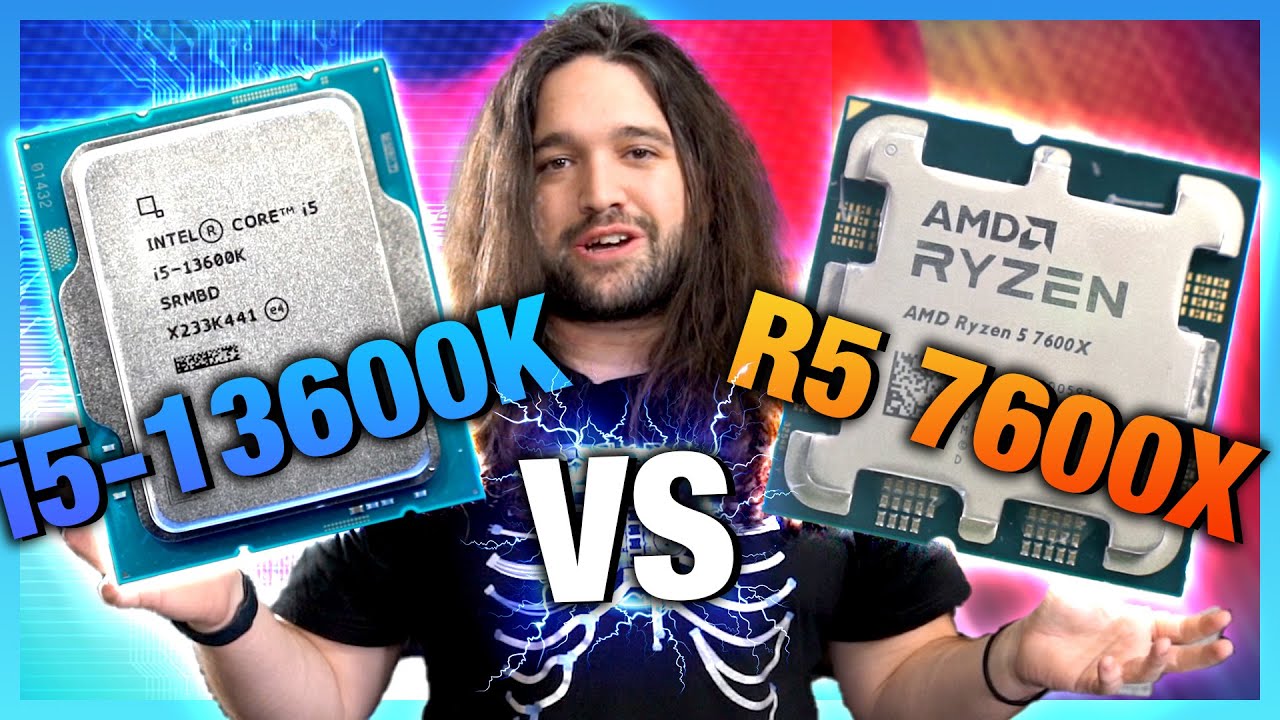
Sponsor: Buy the be quiet! Silent Wings 4 Pro fans on Amazon https://geni.us/pFkP
This review looks at the Intel i5-13600K CPU vs. the AMD Ryzen 5 7600X, Intel i9-13900K, and older Intel and AMD CPUs. Our 13600K benchmarks include power, gaming, production, and more. Intel's Core i5-13600K should already be released, with pricing more closely ti...
Anyways
quasi blade
little osprey
Like the LTT incident not too long ago, benchmarks were entirely off
yeah
thats why its best to look at a bunvh
rather than one or two
mossy venture
mossy venture
https://pcpartpicker.com/list/x3JkdH
https://pcpartpicker.com/list/LzJTYN
Both ...
quasi blade
little osprey
https://www.youtube.com/watch?v=todoXi1Y-PI
why would you look at a single bench rather than 28?
little osprey
quasi blade
rather than one or two
I'd rather trust an experience and reliable source more than anything
quasi blade
you can read the sources
little osprey
quasi blade
why would you look at a single bench rather than 28?
Because GN has been doing this for over a decade
mossy venture
The price difference is negligible, the 13600k makes absolutely no sense
quasi blade
little osprey
Because GN has been doing this for over a decade
so has ltt
mossy venture
Ltt has been doing this wrong for over a decade
little osprey
Yes and LTT is entertainment not informational
mossy venture
And has consistently spread misinformation
quasi blade
little osprey
Yes and LTT is entertainment not informational
they provide benches
yes?
mossy venture
They provide skewed benches
little osprey
There's a reason GN specifically called them out
quasi blade
for a long time
mossy venture
Ok
quasi blade
i wouldnt trust their cs2 bench
quasi blade
they didnt adequately correct the cs2 bench, no
they didnt take down the badly done original video
they literally ran an fps cap in a "benchmark"
quasi blade
mossy venture
This is just stupid
i agree
little osprey
You know what buddy, enjoy your sinking ship
 mossy venture
Mfw 7800x3d is $12 more than 13600k with cooler, mobo, and ram included in prices
quasi blade
little osprey
So we can confirm he's not an Nvidia shill
can you not engage with arguments without trying to put someone in a box?
yes or no
little osprey
Why ask me
quasi blade
to see if youre honest
little osprey
mossy venture
Mfw 7800x3d is $12 more than 13600k with cooler, mobo, and ram included in price...
Legit worth the extra gaming performance
little osprey
quasi blade
to see if youre honest
I've been giving my honest opinion for the entire time I've been in this chat
I don't know what else you'd want
mossy venture
little osprey
Legit worth the extra gaming performance
Like 10-15% better fps wise, paying $1 per percent
quasi blade
little osprey
I've been giving my honest opinion for the entire time I've been in this chat
not that
little osprey
Womp womp
mossy venture
little osprey
Womp womp
I like how he didn't respond to anything about the 7800x3d
 jagged ember
Oh he trusts LTT benchmarks LOL
quasi blade
mossy venture
I like how he didn't respond to anything about the 7800x3d
i dont care about it
seems like a fine deal
jagged ember
Yeah he's beyond saving then they literally only just started using the lab buddy
quasi blade
didnt click on your links
quasi blade
jagged ember
Oh he trusts LTT benchmarks LOL
what
mossy venture
quasi blade
i dont care about it
But you care about 13600k for $95 more than the 7600
jagged ember
So a decade worth of benchmarks up until then have been skewed and not for reference
 mossy citrus
little osprey
Legit worth the extra gaming performance
mossy citrus
little osprey
Legit worth the extra gaming performance
Depends on if the user is doing gaming only or not
little osprey
mossy citrus
Depends on if the user is doing gaming only or not
That's what I mentioned before
mossy venture
mossy citrus
Depends on if the user is doing gaming only or not
Oh yeah fs, we talked about that
little osprey
I only see the 13600K as a OC chip
quasi blade
whoops
mossy venture
13600k is great for gaming and workstation tasks
But when just gaming 13th gen makes no sense
quasi blade
mossy venture
13600k is great for gaming and workstation tasks
and scalability
mossy venture
The choices are 5500, 12400f, 12600k, 7600, 7800x3d
Nothing else makes sense with current pricing
quasi blade
6p 8e will last a lot longer than 6c
little osprey
If you're running stock on both chips you're not really gonna notice much of a difference while gaming
quasi blade
mossy venture
The choices are 5500, 12400f, 12600k, 7600, 7800x3d
and 13900k if youre cool
quasi blade
little osprey
If you're running stock on both chips you're not really gonna notice much of a d...
depends
quasi blade
what lol
mossy venture
Not exactly
mossy venture
But without tuning it still loses to 7800x3d
quasi blade
i significantly beat x3ds in lows on all stock clocks except ring
mossy venture
12900k makes no sense
mossy citrus
mossy venture
But when just gaming 13th gen makes no sense
Id take a 12600k/13400F over a 7600 any day
quasi blade
real
mossy citrus
Even a 7700/X
quasi blade
esp 12600k cuz funsies
mossy venture
mossy citrus
Id take a 12600k/13400F over a 7600 any day
Why
7600 beats both in single core
mossy citrus
quasi blade
what about a 7700k
Yes
quasi blade
mossy venture
7600 beats both in single core
in what
little osprey
I can see 13400F but not 12600K
mossy venture
little osprey
I can see 13400F but not 12600K
With 12600k pricing right now it's good
$155
mossy citrus
Ok damn
little osprey
Isn't that KF?
mossy venture
Maybe idk
little osprey
Hm
mossy citrus
Both are better value and outperform in multithreaded stuff
mossy venture
If you're using your pc for more than gaming sure
mossy citrus
Id pick 12600k over 13400f
little osprey
MFW BCLK
mossy citrus
Not even cuz of that its because RPL perfers D5 for multi threaded stuff and ADL doesnt care
mossy venture
mossy citrus
Not even cuz of that its because RPL perfers D5 for multi threaded stuff and ADL...
Yeah rpl sees up to a 15% gain with xmp ddr5 compared to xmp ddr4
More often closer to 10%
mossy citrus
Yeah
mossy venture
I say as I'm running a 13600k with xmp ddr4
quasi blade
creenge
mossy venture
Rev e too I just haven't gotten around to tuning it still, since I don't really need to. My gpu is so underkill for the 13600k it doesn't matter atm
mossy venture
Itd help with 1% lows but meh
quasi blade
mossy venture
Rev e too I just haven't gotten around to tuning it still, since I don't really ...
3050 user?
mossy venture
3060 ti at 1440p
And my 3600 with the 3060 ti at 1080p was already more than what the gpu needed
quasi blade
mossy venture
Itd help with 1% lows but meh
lows are all that matter 🥱
vague oracle
JEDEC DDR5 💀
 gentle pollen
Why 13600k then?
quasi blade
mossy venture
3060 ti at 1440p
poor thing
quasi blade
vague oracle
JEDEC DDR5 💀
only the best
i was on mildly tuned 8000 but i updated my bios
mossy venture
quasi blade
lows are all that matter 🥱
Considering I mainly play games that my fps don't drop frames at all below what I have it set to, it doesn't really matter
quasi blade
forgot what voltages i use
vague oracle
What board?
quasi blade
mossy venture
Considering I mainly play games that my fps don't drop frames at all below what ...
you can still feel the diff though
but yeah
quasi blade
vague oracle
What board?
z690 dark
gentle pollen
$$$
quasi blade
it got cheap
gentle pollen
What's your setup if you don't mind me asking?
quasi blade
gentle pollen
What's your setup if you don't mind me asking?
13900k, a 6400 xmp trident z5 a die kit, z690 dark, kraken x63 on cpu and looped gpu (gonna loop everything else soon), 6900xt oc formula, rm1000x, nzxt h510
quasi blade
gentle pollen
Thought you paid the full $699
nah i paid like 530
id never spend $700 on a mobo except maybe an apex idk
gentle pollen
Neat setup.
mossy venture
quasi blade
poor thing
The poor thing gets 100 fps at high settings in wz2, without dipping below 90
H510 💀
quasi blade
mossy venture
The poor thing gets 100 fps at high settings in wz2, without dipping below 90
isnt that low
idk how wz2 runs
mossy venture
No?
quasi blade
oh
mossy venture
Wz2 is terribly optimized
mossy venture
Wz2 also really likes 13th gen I believe
quasi blade
prob
mossy venture
Very cpu focused game