#building-and-recc-chat
1 messages · Page 188 of 1
 cyan ravine
 round cloud
MicroCenter been hitting my social media algorithms hard lol
cyan ravine
Lol
round cloud
cyan ravine
So $70 for the SE?
Yea
 lone flame
720 dollar 7900 XT…….
cyan ravine
Have you opened the aio yet
round cloud
Yea lmao like a child
round cloud
Yea yolo
round cloud
I do, I’ll take the Samsung back, get the p41, and maybe the $720 7900xt in one go.
cyan ravine
Yeah that would be solid
Lets see if we can save a little more
Did you buy the sata ssd?
round cloud
I got it in March
cyan ravine
Ah ok
So that really leaves the aio then
You could try return it? They might still take it
round cloud
Nah
 dusky hearth
Esp if unopened
round cloud
Unless I’m upgrading I’m not gonna bother tbh
cyan ravine
They do no questions returns often
round cloud
Then I’d have to wait for the other one to get here
cyan ravine
Oh I mean, just thinking about making up the gap to the 7900xt
How much was your 7800xt
cyan ravine
So you'd be $150 net down
round cloud
Jk it was $520.
cyan ravine
170 then
dusky hearth
I was gonna say zamn but then I realized that most people don't live in Canada
cyan ravine
Are you dead set on the 7800x3d?
round cloud
cyan ravine
Are you dead set on the 7800x3d?
Yea
cyan ravine
How much was it
round cloud
$385 with starfield
cyan ravine
Ah ok
Yeah I can't see much improvement here
Nothing really noteworthy
The 7900xt would be worth it if you want to jump up
720 is about as good as it'll ever be
round cloud
I was eyeing the other one
lone flame
cyan ravine
The 7900xt would be worth it if you want to jump up
I love how low the 7900 XT has been going it should of been like 799 from the start instead of 899
cyan ravine
round cloud
I was eyeing the other one
Which?
round cloud
Newegg has for $765 with promo, maybe they would price match. Not sure if OC is worth
cyan ravine
Nah they have one for 720 rn
 cyan ravine
It fits
Yeah I just wanted to be sure
These cases can't take some of the bigger psus
Part List - AMD Ryzen 7 7800X3D, Radeon RX 7900 XT, Asus Prime AP201 MicroATX Mini Tower
Pretty solid
The psu is very overkill tho, but one of the better things to have overkill tbh
round cloud
Damn, the mobo price dropped $25 since I ordered
round cloud
I bet Newegg would refund difference. Especially since I could prob cancel and reorder anyway
cyan ravine
What's the bot again
@fresh garden yeah this is them
Dm them and ask to cancel
Then reorder at the better price
round cloud
Ya, I’ll contact them.
Other than that sounds like I just swap drives, bite bullet and go with that 7900xt
Tyvm
 terse jackal
Best CPU for streaming?
 mossy venture
7950x3d
Cpu doesn't really matter for streaming though, gpu encoding is so much better than cpu encoding
terse jackal
Best GPU for streaming then
mossy venture
Any semi recent nvidia gpu or 7000 series nvidia has a very good video encoder
terse jackal
What motherboard do I need with a Intel® Core™ i7-10700K Processor
Like what chipset
terse jackal
Any motherboard recommendations for that chipset?

MSI MPG Z490 GAMING EDGE WIFI ATX LGA1200 Motherboard (MPG Z490 GAMING EDGE WIFI)
 stoic island
terse jackal
What motherboard do I need with a Intel® Core™ i7-10700K Processor
stoic island
terse jackal
What motherboard do I need with a Intel® Core™ i7-10700K Processor
Do you already own the 10700k?
terse jackal
https://www.microcenter.com/product/665218/asus-nvidia-geforce-rtx-4070-dual-dual-fan-12gb-gddr6x-pcie-40-graphics-card?lat=33.070322000000004&long=-97.012585
or
https://www.bestbuy.com/site/gigabyte-nvidia-geforce-rtx-4070-windforce-oc-12g-gddr6x-pci-express-4-0-graphics-card-black/6539986.p?skuId=6539986

Best Buy
Shop GIGABYTE NVIDIA GeForce RTX 4070 WINDFORCE OC 12G GDDR6X PCI Express 4.0 Graphics Card Black at Best Buy. Find low everyday prices and buy online for delivery or in-store pick-up. Price Match Guarantee.
mossy venture
terse jackal
https://www.microcenter.com/product/665218/asus-nvidia-geforce-rtx-4070-dual-dua...
Either is fine, it won't make a difference
Like mr111 said I wouldn't buy a 10700k, there's a lot of cpus that are cheaper and perform better
12600kf is $155 rn and beats a 10900k
terse jackal
stoic island
Would recommend like a 13600k then
@mossy venture would you recommend this CPU?
stoic island
oh damn 65$ off
mossy venture
terse jackal
<@654444344274845698> would you recommend this CPU?
What's your total budget for the build?
And I'll BRB I gotta drive
stoic island
mossy venture
Ehh, id take a 7600 over 13600k
I had quick sync in mind lol
dusky hearth
Text and drive real
stoic island
but when it's that much cheaper I'd just take that
lone flame
For a 7900 XT/XTX would a 750w psu still be fine, along with a r5 7600 at 1440?
If so that’s going to be my next upgrade in the future
mossy venture
lone flame
For a 7900 XT/XTX would a 750w psu still be fine, along with a r5 7600 at 1440?
Yes, depending on the model
 earnest olive
dusky hearth
Amd says to use a 800w psu
earnest olive
dusky hearth
Amd says to use a 800w psu
but they have to make that recommendation assuming you’re running a 13900K at asus AI suite voltages in prime95 while also running furmark and your “800w” is a thermaltake smart or something
 pseudo pollen
technically you could use something like a 550w psu if it's a good model, but it's not recommended
earnest olive
technically could get away with less lol
pseudo pollen
uses a 220w oem dell psu
dusky hearth
Fair
lone flame
i have a corsair 750e i think
lone flame
RM750e is the full title i think
pseudo pollen
👍
mossy venture
lone flame
i have a corsair 750e i think
Yeah you'll be fine with an xtx
Could run an xtx or 4090 on that with a low wattage cpu like the 7600 fine
7800x3d too
lone flame
could i get away with an AIO and some nice fans with it
thats what i plan to upgrade to within the next yearish i think
mossy venture
Yes
Though a lot of "nice" fans are kinda pointless, if you like the look of c12c rgb those are really nice for 3 for $13
 mossy venture
Those are like what, $40 a fan?
lone flame
overkill for no reason
mossy venture
$30?
lone flame
but they look so nice
im not even a big rgb guy
thats them in #build-pics isnt it
they look so nice
 manic cloak
@mossy venture
4070ti for 500$ supposedly brand “new” 😭
You think it’s worth
If you close your eyes while listening it’s just.. 💀
dusky hearth
It's definitely not brand new
But it's like new at least
Assuming that it still works lmfao
manic cloak
 dusky hearth
If you go with a friend you should be fine but hmm
Why did they buy it if they can't use it 💀
 primal linden
(slim) shady
 strong raft
Yep. Already got some grimy fingers on it. Thnx but no thnx.
primal linden
shoulda been open box
dusky hearth
^
earnest olive
pseudo pollen
*uses a 220w oem dell psu*
with sata to 8 pin 💀
earnest olive
have you seen my setup when I was buying a gpu at starbucks
primal linden
Grande GPU with extra creamer
 primal linden
holy
primal linden
crayzy
earnest olive
made more than $750 off of it so it was worth it 8)
but yeah
starbucks is chill the employees don’t care
sometimes if it’s slow enough they’ll even come out from behind the counter to look at wtf I’m doing
LOL
I was buying a 3070ti and the barista came out and complained about not being able to find a 3070
primal linden
did you have the 3070ti in your hands
earnest olive
not quite
I was buying a full prebuilt that came with the 3070ti in it
the price was right lol
primal linden
noice
earnest olive
the second time I bought a whole prebuilt just for the gpu
primal linden
was the value that good
earnest olive
dude wanted 1200 for this 10600K 3070ti nzxt prebuilt
back when 3070ti was like 950 on average
the first time someone wanted 800 for a 3700x 5700xt cyberpower prebuilt
 potent portal
If you could even find one in stock
earnest olive
when 5700xt was 800 on average
primal linden
did you sells the other parts
earnest olive
potent portal
If you could even find one in stock
well 950 was the scalper price
earnest olive
primal linden
did you sells the other parts
I actually ended up flipping it mostly intact to a former customer who wanted an upgrade
just swapped the case and cooler
to what he wanted
then used the case and cooler that came with the prebuilt to build a budget flip using that customer’s old stuff
offered to buy his old hardware off of him as part of the payment for his upgrade
in total off the two transactions I think I profited like $900
primal linden
noice
earnest olive
and put in about 3 hours of work
he actually wanted me to reuse the case and cooler he already had so I was basically just swapping parts between the two pcs lol
3 hours of work including meetups and negotiations and stuff
actual swap maybe 30 mins
love doing upgrades for people bc a lot of the time they'll just sell you their old stuff for a killer deal so they don't have to deal with it
 little osprey
i really hate my ocd on worrying my asrock Tiachi build and 7900xtx will have hotspot problems after reading a couple of reviews 😦 this kills me. I read them on newegg it was like 3-4 of them out of 41 reviews
mossy venture
Customer reviews really don't mean much
For all we know it could be in an h510 elite
little osprey
also i would assume they sold tons of the 7900xtx taichi and 41 reviews is a small amount
little osprey
mossy venture
Customer reviews really don't mean much
its like only 4 reviews showed 110 and 108c
 teal dome
@mossy venture what’s that subreddit again? For the pc deals?
primal linden
r/buildapcsales
teal dome
Thanks
earnest olive
little osprey
its like only 4 reviews showed 110 and 108c
are they older reviews?
many 7900xtx were having hotspot issues at launch
should be resolved these days
not just taichi
 nova apex
what’s easiest way to get thermal paste off. and what’s the best method to reapply (also do i apply thermal paste to cooler or cpu)
potent portal
I'll do an X if I'm feeling lazy but technically the best is to pre spread it
little osprey
nova apex
also what do you use to prespread
Some thermal paste tubes will come with a spatula
It’s like forty cents extra on MX-4
nova apex
but doing an x will do just fine?
mossy venture
Yes
Spreading it doesn't really affect much, if it does its normally less than a few degrees
dusky hearth
it will just evaporate
alcohol's boiling point is like 60c, but evaporates at much lower (same with water)
oh it was 82.6°c
isopropyl alcohol is not miscible with salt solutions and can be separated from aqueous solutions by adding a salt such as sodium chloride.
oh hey we can fairly easily make pure isopropyl
 dim forge
nova apex
what’s easiest way to get thermal paste off. and what’s the best method to reapp...
dim forge
nova apex
what’s easiest way to get thermal paste off. and what’s the best method to reapp...
I just use toilet paper or a kitchen paper towel with a bit of alcohol
as long as the towel is not dripping alcohol it'll evaporate quick af and do the job just fine 
 strange glade
How do I know if my PC will be able to connect to the Ethernet?
dusky hearth
wdym?
strange glade
After I build a PC, it will either be connect to the internet via ethernet or through like bluetooth right?
you know what i mean?
I'm new to this building thing so I prob sound dumb
dusky hearth
no bluetooth, only ethernet
the wired connection normally works with the generic drivers windows includes (on some rare occasions it doesn't, so you'll have to download the drivers onto a seperate device then transfer it via usb or dvd or whatever)
mossy venture
strange glade
How do I know if my PC will be able to connect to the Ethernet?
Motherboards all are able to use ethernet
strange glade
alr bet
mossy venture
If they say ax, ac, or wifi in the name, they can use wifi or ethernet
Well actually
strange glade
Okay, my motherboard says wifi thats why I was confused
mossy venture
Any mobo can use wifi, but those mobos come with a wifi card
strange glade
I ordered my parts and monitor so I am just waiting for them to arrive
mossy venture
But if it doesn't come with wifi you just need to add a wifi card
dusky hearth
you'll have to install the drivers first for wlan, i don't really ever see any wlan cards that work with the generic drivers if there even are any
strange glade
So I have to install drivers for my pc to be able to connect to the wifi
I gotta watch hella vids cause I didn't know that
dusky hearth
yes
strange glade
You got any reccomendations for videos to watch?
dusky hearth
your mobo or wlan card should include the download link in their websites
if they don't you can come back here and ask, but usually the drivers from the chip manufacters work, so like from intel
it's very straightforwards and i don't really think you'll need a video
most installers are basically just download, and run the executable
strange glade
ya, my cpu is intel
Is there a way to test how good the parts will run in games
or do I just have to test it once I built it?
dusky hearth
well, for an accurate representation, you'll have to test it yourself
dusky hearth
for an approximate, which will probably be close to the result you'll get, go on youtube and search for your cpu and gpu
strange glade
When I buy my parts off Newegg, does it come with all the cables I need?
dusky hearth
depends
buying a sata drive usually doesn't include any cables, you'll have to use the cables that may be supplied with the mobo
nova apex
i’m so upset, this coolers bracket came broken wtf
dusky hearth
but other than that, basically all the cables you need should be included
strange glade
alr bet thanks
Does thermal paste matter because i am getting this (Arctic Silver 5 High-Density Polysynthetic Silver Thermal Compound AS5-3.5G). This should be okay right?
earnest olive
seems pointless to buy that
very old formula
probably not better than whatever paste is included with your cooler
potent portal
Arctic silver 5 used to be the budget option, now the budget option is MX-4
terse jackal
I know this might sound stupid but you know how some mobos come with a second m.2 slot. Mine does but doesn’t have heat sink for the second slot. Should I buy one to add into it?
 leaden mauve
terse jackal
I know this might sound stupid but you know how some mobos come with a second m....
leaden mauve
terse jackal
I know this might sound stupid but you know how some mobos come with a second m....
could you rephrase this
you dont mean if you should buy another m.2 drive for a 2nd slot you dont have?
terse jackal
I mean that it doesn’t come with a heatsink cover like the first slot does on my motherboard
If i do decide to purchase a second m.2 should I look for one that has a heatsink built into the drive or at least purchase an external one?
Or will the m.2 be fine?
cyan ravine
Depends on the drive
Some use enough power to need it, others don't
I would say the only times it's worth buying a drive with a heatsink is if it's like, 5-10$ more?
Otherwise just buy one separate
Like an ek m.2 heatsink is very good and quite low profile
There are other aftermarket options with rgb as well (if you're into that sort of thing)
cyan ravine
Something useful from Jay for once
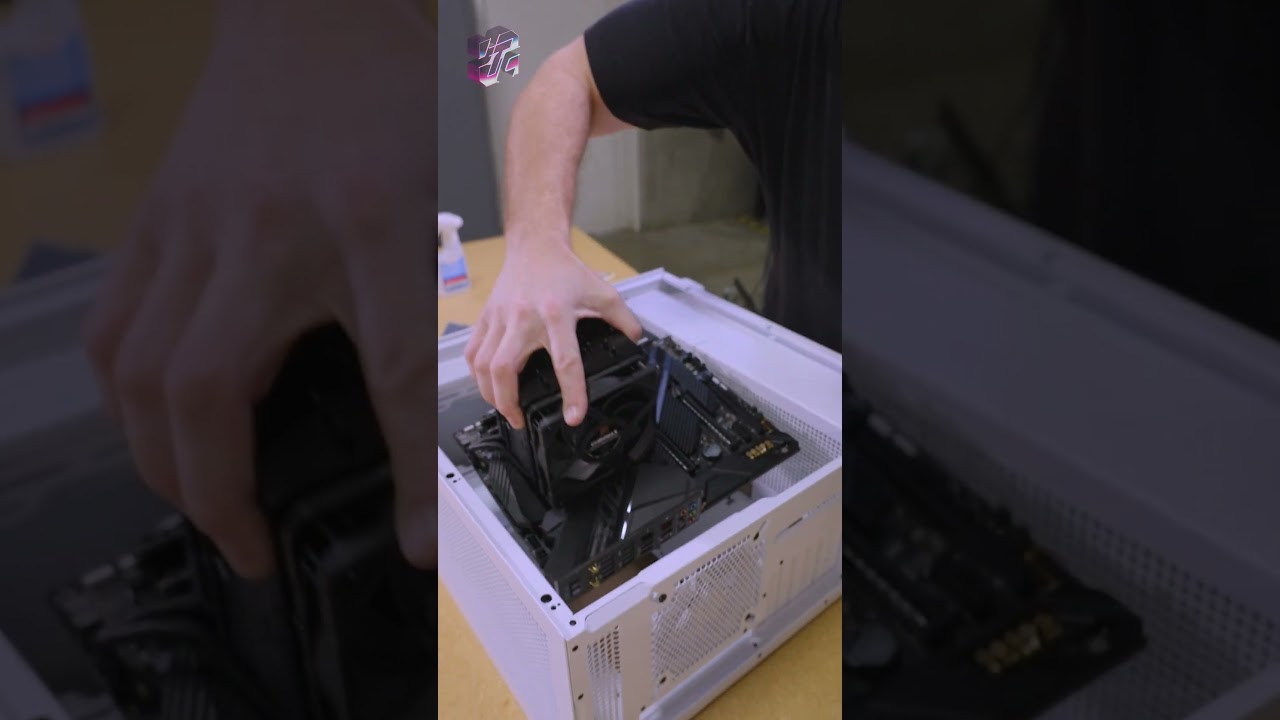
Don't forget your thermal paste!
Get your JayzTwoCents Merch Here! - https://www.jayztwocents.com
○○○○○○ Items featured in this video available at Amazon ○○○○○○
► Amazon US - http://bit.ly/1meybOF
► Amazon UK - http://amzn.to/Zx813L
► Amazon Canada - http://amzn.to/1tl6vc6
••• Follow me on your favorite Social Media! •••
Facebook: http://ww...
Gonna post this from now on lol
 lyric thistle
Fr
 untold vessel
Everyone, for Strictly Gaming PCs paired with a 4090, what would the differences in performance be when using an i5-13600K vs an i9-13900K?
cyan ravine
If you tune the cpu properly, maybe 1 or 2%?
untold vessel
I did a little bit of crappy self-research and found that for gaming, the differences were... negligible? How would the differences be if my goal is to play 4K Cyberpunk at the absolute MAXIMUM framerates I can upgrade?
untold vessel
Even for 4k10,000hz? ( )
)
cyan ravine
You pull both out and push them as hard as they'll go the differences will only be small due to downbinning
dusky hearth
most games don't care about cpu too much asides from like
clock speeds
and that's only if you're playing at like lower resolutions at like several hundreds of fps
cyan ravine
Yeah 
untold vessel
Oh jeez
dusky hearth
cyan ravine
Cos you're supposed to overclock a K cpu
i will run the 14900ks at 1 gigahertz and you cant stop me
cyan ravine
And additionally, very few games if any use more than 8 threads
On a 6 p core cpu? It'll handle it
untold vessel
So in what world would PC builders ever spend TWICE the money on a cpu for 1% more performance?
cyan ravine
Cos they're not that witty my guy
untold vessel
I see so many "God" builds but never understood the logic
dusky hearth
or they have a use for the cpu
cyan ravine
Why do you think I lecture people constantly here lol
dusky hearth
or they want to flex
cyan ravine
Cos people overspend way too often for pc gaming
untold vessel
What would be the absolute best build price-wise for Cyberpunk, especially with the new update?
cyan ravine
untold vessel
What would be the absolute best build price-wise for Cyberpunk, especially with ...
Do you mean value for money wise?
untold vessel
I know you and Pato had to slap the Nvidia out of me with the $600 price difference
untold vessel
cyan ravine
Do you mean value for money wise?
Yes!!
untold vessel
untold vessel
I know you and Pato had to slap the Nvidia out of me with the $600 price differe...
More on this, 7900 XTX vs 4090
untold vessel
cyan ravine
Would you run RT or no
Abosolutely
cyan ravine
Ok
untold vessel
cyan ravine
Would you run RT or no
I had to choose between Ray Tracing Medium at 4k or Ray Tracing Overdrive at 1080p and I finally choose Overdrive at 1080p for those sweet sweet Path tracing rays
dusky hearth
if you want to run ray tracing at max settings or such, then nvidia still has the best currently for rt
for best value, it'll have to be like the 7900xtx or smth like that, which afaik also has pretty good rt now? i havent been keeping up with the gpu game recently ngl
untold vessel
untold vessel
I had to choose between Ray Tracing Medium at 4k or Ray Tracing Overdrive at 108...
To get over being spoiled by my 4k-only mentality, though, I had to move to play on my TV rather than in front of my monitor
untold vessel
dusky hearth
if you want to run ray tracing at max settings or such, then nvidia still has th...
I'm sincerely gunning for the 5090 whenever it comes out
untold vessel
untold vessel
I'm sincerely gunning for the 5090 whenever it comes out
I just hope it isn't $2,500 or something stupid
potent portal
untold vessel
I'm sincerely gunning for the 5090 whenever it comes out
*if
untold vessel
potent portal
*if
Oh? Do tell!
potent portal
Nvidia's not putting as much resources into gaming, they're putting everything into AI
untold vessel
Think they'll ditch Gaming for good?
potent portal
Nah just until the AI bubble bursts
potent portal
AMD is doing the same
untold vessel
Oh crap
then who will fill the gap?
Battlemage? Is that ever seriously coming out?
cyan ravine
untold vessel
I had to choose between Ray Tracing Medium at 4k or Ray Tracing Overdrive at 108...
Probably this as to reach the scope of what you're curious about
Part List - AMD Ryzen 7 7800X3D, GeForce RTX 4090, Phanteks Eclipse G300A (1 Fan) ATX Mid Tower
untold vessel
cyan ravine
Probably this as to reach the scope of what you're curious about
Oh wow, thank you, thank you!
cyan ravine
It's extreme but like, extreme without making extra spending for pointless improvement
potent portal
And nvidia lost 25% market share on their last investor report but they still called it a win because AI sales waaaaay outstripped it
dusky hearth
i wonder
is the ROI for gaming not that great
cyan ravine
Like for example, 13900k for games
cyan ravine
dusky hearth
i wonder
is the ROI for gaming not that great
Million dollar question
dusky hearth
though like everyone seems to be pumping a crap load of money into ai currently which probably is going to make more money, at least in the short term
potent portal
dusky hearth
i wonder
is the ROI for gaming not that great
They can charge whatever they want for AI and people will have to pay it
untold vessel
cyan ravine
It's extreme but like, extreme without making extra spending for pointless impro...
That is PRECISELY in words what my mindset is for PC gaming!
untold vessel
cyan ravine
It's extreme but like, extreme without making extra spending for pointless impro...
Would a 13600K work too? Or is the platform cost simply too much for negligible gains?
potent portal
You'd have to overclock the 13600k and tune the memory to match the 7800X3D
Which is easy enough
cyan ravine
Something like this
https://pcpartpicker.com/list/8BxNcH
Part List - Intel Core i5-13600K, GeForce RTX 4090, Phanteks Eclipse G300A (1 Fan) ATX Mid Tower
potent portal
But comparing costs, you can slap the X3D onto an A620 motherboard that costs half what you'd pay for Z790
cyan ravine
And yes, you overclock both 13600k and ram (a die)
cyan ravine
potent portal
But comparing costs, you can slap the X3D onto an A620 motherboard that costs ha...
Sir you have forgotten the mighty pg riptide
Bclk oc go brr
Glorious $130 greatness

But the short stick is he's right
You want a ridiculously good z board
And they aren't cheap
At least to match a 7800x3d
That is
Apex or kingpin are the hot choices for pushing a 13th gen chip to go faster than 7000X3D
However in a drag race? The results would be very similar in most games, almost unnoticeable
You'd be easily within 5% with a riptide instead
untold vessel
cyan ravine
It's a bit more tricky
Here's my current situation. I'm running the $1,000 i5-11400 ABS Prebuilt that you two (@potent portal) & Pato helped me decide on about 2 years ago. I swapped its 3060 for an EVGA 3070 FTW, and am currently getting a stable 55fps at 1080 with Everything, EVERYTHING maxed out in settings.
Here are the two problems:
-I can't play Cyberpunk at 4K max settings without the crutch of DLSS
-I need a new motherboard anyway, because my current one can't detect my new expensive Wireless keyboard that I bought-- More on that, if I get a new motherboard, I might as well get a new CPU-- no? (I tried to fix my bluetooth issues at a help store, but they quoted me $100 to even diagnose the issue, and the further charges on whatever they have to buy to fix it (As in, the price of a new motherboard anyways)
untold vessel
What's the dongle?
cyan ravine
The little usb that wireless keyboards normally have
untold vessel
Thinking back I probably just should have asked you guys for help on the bluetooth issue
dusky hearth
untold vessel
Here's my current situation. I'm running the $1,000 i5-11400 ABS Prebuilt that y...
yeah that sounds about normal
cyan ravine
Hmmm
untold vessel
Kind of bugged about that
dusky hearth
keychron should have a usbc port huh
untold vessel
But hey, I did my research and got it for a good price
untold vessel
dusky hearth
keychron should have a usbc port huh
Well yes, but I'd really, really like to use it wirelessly
cyan ravine
Does the pc connect to your phone over bluetooth?
dusky hearth
there's no dongle but you'll have to use it wired for best
untold vessel
cyan ravine
Does the pc connect to your phone over bluetooth?
I don't think my pc can detect ANYTHING over bluetooth
dusky hearth
oh
cyan ravine
Hm
dusky hearth
you probably dont even have a wifi/bt chip
untold vessel
I then tested some headphones and also the same keyboard with my laptop
cyan ravine
Did you install the antenna
untold vessel
Worked completely fine
dusky hearth
does your mobo have wifi
untold vessel
cyan ravine
Did you install the antenna
I don't think it came with any atennae
untold vessel
dusky hearth
does your mobo have wifi
It does!
untold vessel
Which is the kicker
untold vessel
Bluetooth shows up in the taskbar completely fine
It just says "no devices detected"
cyan ravine
Ah ok so it is turning on
cyan ravine
untold vessel
I don't think it came with any atennae
This will be your problem then probably
untold vessel
Yup!
cyan ravine
You should have two antenna sticking out the back of your pc
untold vessel
cyan ravine
This will be your problem then probably
Well I did try putting on my brother's antenna from the Homebrew PC you also helped me design & build for him, but no changes happened
cyan ravine
Do you see like, two gold knobs sticking out of the motherboard?
dusky hearth
tbh ideally you have the antenna on those wires to put like above your desk if it is like under the desk or smth
untold vessel
Yes! I am very familiar with the golden antenna-attachments!
cyan ravine
Hmm
untold vessel
Wait
cyan ravine
Yeah I reckon it's still a range thing
untold vessel
Do i have to do any software or clicking
Or do i just twist on the antenna and bluetooth should work
cyan ravine
Without those antennas bluetooth has basically no area of effect
dusky hearth
it should theoretically be preinstalled if it's from abs
untold vessel
because I did the latter
untold vessel
dusky hearth
it should theoretically be preinstalled if it's from abs
I guess mine slipped through, perhaps?
dusky hearth
i mean the drivers
dusky hearth
the antenna you probably should have reached out to support when you noticed that it wasnt included
untold vessel
Don't know what I'm doing at all
dusky hearth
ah, resetting pc, so you'll need to reinstall the drivers
untold vessel
dusky hearth
the antenna you probably should have reached out to support when you noticed tha...
Ah, I agree. I didn't know anything about anything back then, however, sadly
It's a specially gigabyte model
dusky hearth
does abs include a packlist of parts that should be included
cyan ravine
I'd try the antennas again tbh
dusky hearth
they should probably include that
(as in like, if they don't, they should consider putting a pack list in the package as well)
cyan ravine
Antennas are like, $10 off amazon?
untold vessel
cyan ravine
I'd try the antennas again tbh
I'll give it a go; What should I do? Just screw them on, and then Bluetooth should pick things up?
cyan ravine
Should ye
untold vessel
Alright, I think I can try it
cyan ravine
Maybe takes some funny poses or angles
dusky hearth
you need to make sure that you get the right antennas with the correct antennas for your mobo though
cyan ravine
 dusky hearth
generally they use the same but if on the off chance they're different, then that would be a pain
untold vessel
Another thing the help store told me was that the Bluetooth card was broken? was I getting punked like a lady asking for an oil change?
cyan ravine
dusky hearth
you need to make sure that you get the right antennas with the correct antennas ...
Wait this is a thing?
dusky hearth
untold vessel
Another thing the help store told me was that the Bluetooth *card* was broken? w...
that's basically what they do
cyan ravine
untold vessel
Another thing the help store told me was that the Bluetooth *card* was broken? w...
They're dumb LOL
untold vessel
AH, NOOO HAHA
cyan ravine
Bluetooth card is your wifi card
dusky hearth
cyan ravine
Wait this is a thing?
yeah there are several different types of connectors
some more obvious than the other
untold vessel
Oh yeah wifi card
cyan ravine
Your wifi works
untold vessel
they did say that
yeah my wifi works
are the wifi card and bluetooth "card" one in the same?
untold vessel
because if my wifi works, bluetooth should too, no?
dusky hearth
wifi and bluetooth are completely different
cyan ravine
dusky hearth
yeah there are several different types of connectors
some more obvious than the...
Smh I'm learning
dusky hearth
but often built into the controller chip for the wlan
so you see wlan cards
and wlan+bt cards
cyan ravine
Typically your motherboard should have both wifi and Bluetooth
dusky hearth
^ (assuming that it has wlan)
untold vessel
They did point to a smaller green looking board that was slightly attached to my motherboard- were they actually on to something?
cyan ravine
Mm
dusky hearth
send pics
cyan ravine
My battery gonna die
untold vessel
dusky hearth
send pics
In class right now; Just a moment-- I get out soon
dusky hearth
goodbye forever
untold vessel
Alright alright; So before I go spending $400 that could've gone towards my 4090 on a Motherboard-CPU-RAM combo deal, is there a cheaper solution to get my bluetooth keyboard to work?
I honestly think I'm blowing this out of proportion and might end up spending $400 for a 13% performance upgrade
dusky hearth
first try just buying an antenna set for your mobo
untold vessel
dusky hearth
first try just buying an antenna set for your mobo
Sure thing! Let me get my motherboard model; one sec
dusky hearth
if that doesnt work (also remember to install your bluetooth drivers) you can buy a usb bluetooth trancever that just plugs into an external usb port on your pc
cyan ravine

dusky hearth
(which will also likely need drivers to be installed)
cyan ravine
👋 fr
untold vessel
Okay okay okay
Got thihs
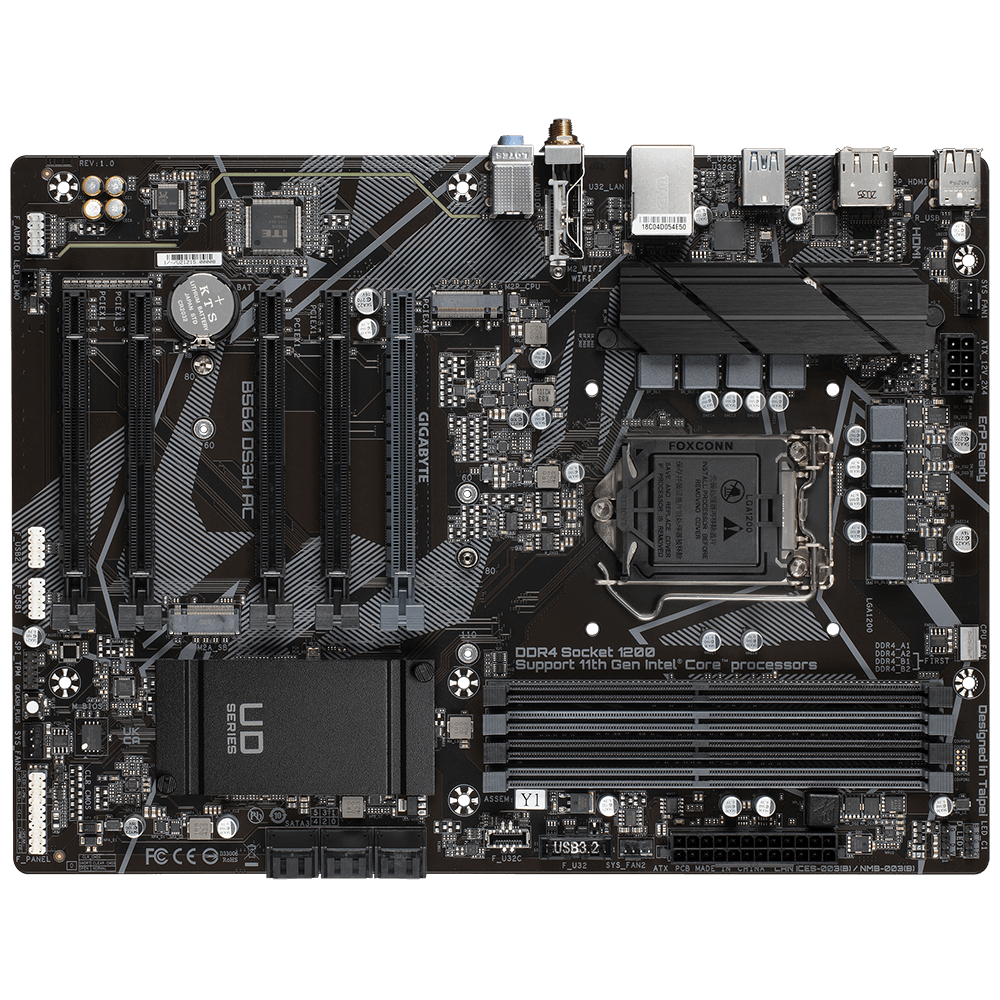
GIGABYTE
Lasting Quality from GIGABYTE.GIGABYTE Ultra Durable™ motherboards bring together a unique blend of features and technologies that offer users the absolute ...
dusky hearth
yeah those 2 drivers
untold vessel
But I don't have this model, I have the special version that computer builders get to buy
it adds a dash and one letter to the end of the name, or something; Can't remember
dusky hearth
assuming those ones use the same connector (fairly likely), you're going to need to buy SMA antennas
lone flame
@fringe iris that color scheme in #build-pics is so cool
untold vessel
I'll be home in about 5 minutes to give you more info
untold vessel
dusky hearth
assuming those ones use the same connector (fairly likely), you're going to need...
SMA antennas?
What are those
dusky hearth
that's the connector
 obsidian wigeon
it's the type of connector
dusky hearth
"SubMiniature version A"
you'll need 2 of them
(often you'll find them sold in pairs of 2)
brb
 fringe iris
lone flame
<@766182852986798091> that color scheme in <#574740748801540107> is so cool
fringe iris
lone flame
<@766182852986798091> that color scheme in <#574740748801540107> is so cool
Thank you! I really like the teal and white and orange and white looks..
lone flame
fringe iris
Thank you! I really like the teal and white and orange and white looks..
those are lian li fans right
lyric thistle
Peepee poopoo
dusky hearth
Balls
lone flame
what'd you use for rgb control
earnest olive
🙂
lone flame
huh
teal dome
Banned
fringe iris
lone flame
what'd you use for rgb control
I just use the lian li one and thats it, gigabyte software for gpu and nzxt for the display on the kraken.. i got annoyed using aio rgb because it kept detecting some and not all and then wasnt consistent with colors
earnest olive
I use openrgb for my fans, openrgb for my gpu, openrgb for my aio, and wallpaper engine for my internal display

fringe iris
I tried signalrgb but for some reason it would work perfectly for my razer mouse and keyboard and then the coloring would be off on my gskill ram and the rest… i kept trying to fix it but i had to like enable and disable stuff everytime i started up.. it was irritating lol..
earnest olive
openrgb worked great on every rgb ram kit I tried with it
but now I have something that looks better than rgb
ddr3 heatsinks
fringe iris
😂 ill have to try openrgb then and see if it detects and keeps everything.. with a restart too
earnest olive
you can set it to load a profile at startup
fringe iris
Ill have to try that then thanks
 limber oyster
Question. I'm looking for like a reddish orange coolant for my build. I already have red. Can I partially drain and add yellow of the same brand or should I fully drain and add new?
 hot monolith
is there a channel I could get help in with my RGB issues
dusky hearth
You can just ask here
hot monolith
alright
well at default RGB settings both my CPU cooler and LED strip (came with the case) are flickering (cooler on the top left, strip right at the end), and when I change my rgb settings using armoury crate, certain rgb modes like breathing cause everything to spazz out and erratically change colours
not sure what could be the issue
earnest olive
are they hooked up to the same controller/header?
try checking if the connection is good
hot monolith
earnest olive
are they hooked up to the same controller/header?
yea, same header, I've tried reseating both the cable connected to the header and the sata power cable for the fans
nova apex
https://a.co/d/cBEFRPj is this a good cpu cooler? also does it fit my cpu and board
cpu: intel i5 12400f
mb: ASRock B660M Pro RS Micro ATX LGA1700

i71C is a newly designed air cooler that compatible with Intel LGA 115X sockets. Compact design perfectly fits All in One systems or limited form factor cases. Anodized Black Aluminum fins stacked with copper provide excellent heat dissipation. 120mm diameter RGB fan with long life expectancy, du...
earnest olive
maybe it’s just struggling to supply enough amperage?
if you’re chaining a lot to it
idk how many leds are in that led strip
cyan ravine
nova apex
https://a.co/d/cBEFRPj is this a good cpu cooler? also does it fit my cpu and bo...
Se-214 XT is $18
 cursive wharf
limber oyster
Question. I'm looking for like a reddish orange coolant for my build. I already ...
cursive wharf
limber oyster
Question. I'm looking for like a reddish orange coolant for my build. I already ...
Depends on dye. It's likely work tho.
cyan ravine
Or is it SE 224XT? I can't remember
nova apex
came broken last night, and it was honestly so confusing to put in
hot monolith
earnest olive
idk how many leds are in that led strip
according to my motherboards manual, that specific header should support 500 leds - would 4 fans and a strip typically exceed that?
cursive wharf
earnest olive
idk how many leds are in that led strip
Doubtful, that'd be an insane default LED count
cyan ravine
nova apex
came broken last night, and it was honestly so confusing to put in
Didn't return it cos it was broken??
nova apex
i couldn’t get the screws to fit inside the holes on brackets
i returned it dw
but i need one now and the one i sent just clips in like the intel cooler i have which is easier
hot monolith
earnest olive
but can it power 500
my PSU is 750 watts, GPU 6700xt and CPU 5600 - back when i built the pc I think most website showed that I had 200 or so watts to spare, so I think it should have enough power
cursive wharf
2a is standard iirc
hot monolith
oh
cursive wharf
maybe it is 1a tho
hot monolith
if 1 RGB item in the "circuit" is faulty or not working properly, could it affect other ones?
earnest olive
2A should be able to handle what you’re doing
maybe it varies by board
try unplugging the led strip and see if the cpu cooler still has issues
hot monolith
how would I go about unplugging the led strip? I didn't touch any of the RGB stuff that was already in the case
cyan ravine
nova apex
i returned it dw
Oh good
hot monolith
I think the controller that's on the front of the case (my case is a g360a) Although im not sure since I haven't messed with any of that stuff
cursive wharf
earnest olive
maybe it varies by board
I think ARGB standard is 2a - 3a. RGB standard is like 1a.
earnest olive
ah, phanteks
idk, I’ve definitely hooked up more than that to g360a controller before
something else is wrong
what software you using? maybe try openrgb
cursive wharf
Hook up RGB directly to mobo? This way you're only testing one device rather then three (two RGB devices and one controller/hub).
hot monolith
everything is already connected to the motherboard - I don't have any extra fans besides what came with the case, and I've only added the CPU cooler into the daisy chain for the 3 case fans, so in total there's 4 fans and 1 led strip going into the motherboard on the same header
ok well I just noticed a few things
led strip never changed colour
changes
when I change all the RGB colours
very light blue causes no flickering on the CPU cooler but the led strip remains unchanged, red causes CPU cooler to flicker
cursive wharf
And you want to test each thing individually at this point IMO. Really looks like a defective RGB device doing something. That or two+ processes are writing to the RGB controller at once.
 golden forge
Is there a legitmite way to know if a CPU and GPU combo will have a bottleneck? A bottleneck that will hinder performance more than a few percentage points, that is. I don't trust any of these bottleneck calculators. I am specifically looking at the 5800x 3D and 7900 XTX.
mossy venture
golden forge
Is there a legitmite way to know if a CPU and GPU combo will have a bottleneck? ...
There will be a bottleneck, but not a huge one at 1440p
Nothing noticeable at 4k
cyan ravine
golden forge
Is there a legitmite way to know if a CPU and GPU combo will have a bottleneck? ...
1440p slight bottleneck
mossy venture
I wouldnt worry about it personally
cyan ravine
7900xt is a better match
dusky hearth
golden forge
Is there a legitmite way to know if a CPU and GPU combo will have a bottleneck? ...
it is impossible to have no bottlenecks btw
there's always one somewhere
golden forge
dusky hearth
it is impossible to have no bottlenecks btw
Right, I know. Thats why I said more than a few percentage points.
cyan ravine
Iirc in synthetics it's about 5-10%
It's not true for all games
And not truly representative
earnest olive
golden forge
Is there a legitmite way to know if a CPU and GPU combo will have a bottleneck? ...
I’m glad you don’t trust bottleneck calculators because you shouldn’t lol
cyan ravine
But it is pushing the limits of the cpu a bit
dusky hearth
as long as you arent gaming with a epyc and 1650
earnest olive
well are you gonna use that xtx at 1440p or 4k
cyan ravine
So either one wouldn't be a bad idea
earnest olive
don’t say 1080p
cyan ravine
Lol
dusky hearth
one thousand and eighty progressive
cyan ravine
Yeah everything I'm saying is for 1440p btw
earnest olive
5800x3d + 7900xtx at 1440p is probably fine honestly
cyan ravine
1080p is a huge bottleneck
earnest olive
look at how crap all the new games run at 1440p anyways
cyan ravine
4k is basically nill
golden forge
cyan ravine
It's not true for all games
Right. Thats why I was aking if there was a way to find that info out. Other than actually playing each game or doing specifically CPU and GPU heavy tasks separately to find any potential bottleneck issues. ITs not like I am using a Ryzen 3 4100 with a 4090 GPU, lol.
cyan ravine
golden forge
Right. Thats why I was aking if there was a way to find that info out. Other tha...
Knowing people
There's no easy answer there unless you go straight for the gullet
Comb benchmark scoreboards
Find people
dusky hearth
cyan ravine
Yeah everything I'm saying is for 1440p btw
one thousand four hundred and fourty progressive scan gaming gang
earnest olive
wish I still had my i3-12100 and i7-4790K to test with my 4080 lol
cyan ravine
Every reviewer has a different answer to your question and it's often through wildly different test methods
hot monolith
how do I get rid of open rgbs settings? Like make it go back to factory default
earnest olive
my i7-4790K put up a shockingly good fight with a 3080
overclocked ddr3 putting in work
cyan ravine
You won't get a totally clear answer out of what is essentially "gpu busy" being at full tilt without someone else running basically identical hardware telling you it does or not lol
And with so many combos for reviews it goes all.over the place
Especially for mid range
golden forge
earnest olive
don’t say 1080p
I have four monitors. One of them being 4K and one being 1920x1080. On the 1080 monitor (24.5 in, 240 hz), I play competitive games and when I play somehting like Assassins Creed or single player/story mode games, I will play on the 4k screen. When looking at the GPU, I wanted to go for the XTX mainly for future proof. I have been going back and forth between just upgrading to a AM5 based system, but that means a new mobo, CPU, and Ram... plus the GPU. So right now I am just looking at upgrading the CPU on AM4 and the GPU. The 4080 is out of the running because of its atrocious pricing.
earnest olive
at 4K you're gonna have no meaningful bottleneck
the 7900xtx is gonna be asleep in esports but I'm sure you already know that
even your 2080ti is so laughably overkill for esports
earnest olive
I mean...
you can definitely bring the 2080ti to its knees at 1080p
just not in esports
maybe if it's one of the heavier ones like apex
earnest olive
don't think the 2080ti maintains 240 fps 1% lows in apex at 1080p max
cyan ravine
Lol
earnest olive
but if you cared that much you wouldn't be running max settings anyways
meanwhile my 1660ti pushed 1214 fps in 1440p val
golden forge
Rarely any of the games I play, even at lowest settings, will go to 240 fps (240 hz monitor). Hmmm. It could just be that the games are mor eCPU intensive. Usually my GPU is running at 100%, both in Task Manager and HWMonitor. So I assumed my GPU would need the upgrade. I'll upgrade to the 5800x 3D first and see what that does before doing anything with my GPU. Maybe its a CPU "issue".
And the 5800x 3D just dropped to $359 on Newegg, so I am picking it up for sure.
cyan ravine
359??
 cyan ravine
I see 323 on amazon
https://pcpartpicker.com/product/CZ3gXL/amd-ryzen-7-5800x3d-34-ghz-8-core-processor-100-100000651wof

AMD Ryzen 7 5800X3D 3.4 GHz 8-Core Processor (100-100000651WOF)
golden forge
All AMD chips just dropped, it seems
cyan ravine
How much is a 7600, I wonder...
Consider this for 428
https://pcpartpicker.com/list/Lvfc2m
Part List - AMD Ryzen 5 7600
It's faster than a 5800x3d
But you also get ddr5 and am5
Kinda worth it
I mean if you're happy to spend 359 and flip a cpu, you could def spend $69 more and flip your am4 mobo and ddr4 as well
You'd break lower overall and save money tbh
Bit more of a hassle but you get the creases out of the build a little earlier
And you save money doing it
golden forge
I am looking over the builds you made me the other day. Decisions decisions.
cyan ravine
I completely forgot until you wrote decisions decisions

I'm guessing I had something similar
nova apex
cyan ravine
Oh good
so would the one i sent be good?
cyan ravine
I've seen that cooler before
Can't say I'm a big fan of it
It's a big fan, though
It probably works for 12400? But no promises
Definitely single tower worthy* that cpu is
golden forge
If I go the the AM5 route, would it just be worth it to build a new PC? At the end of the day, I am upgrading my CPU, RAM, Motherboard, and GPU. If I want to sell my AM4 systems, I would think it would be easier to sell as a whole PC instead for parts.
cyan ravine
I mean you could go either way tbh
Selling the whole pc kinda worth but I'd take the storage out and bring it along
earnest olive
if you're willing to put in the work of setting everything up again then full new pc is a good idea
storage is super cheap now
you can often get a premium for selling a full working machine compared to parting it out
golden forge
earnest olive
if you're willing to put in the work of setting everything up again then full ne...
I currently have a 8tb m.2, 4tb SSD, and 8 TB HDD. I would just leave the HDD (and maybe the SSD) in the AM4 build and buy a 2 TB SSD for windows and general stuff. I currently use my m.2 for games. You may laugh at that, but I am already using 5/8 TB on that drive. I also used to work in real estate and other film jobs, so I had a lot of storage, lol.
earnest olive
okay 8tb m.2 is still not cheap to replace
but the rest is very cheap
4tb m.2 is sub 150 these days i think
mossy venture
I think they have been sub 140 but they're not consistently
earnest olive
neat
mossy venture
Cheapest worth it is mp34 at $162 rn
golden forge
How's this looking? I didn't include the GPU because I will use my 2080ti. https://pcpartpicker.com/user/Lukeman7223/saved/WHcw3C
AM5 upgrade build - AMD Ryzen 9 7900X3D, Fractal Design Define R6 ATX Mid Tower
obsidian wigeon
massively overkill and overpriced ngl
obsidian wigeon
golden forge
How's this looking? I didn't include the GPU because I will use my 2080ti. https...
what is the purpose of this build?
like use case
asking because i need to figure out how to recommend you to the right parts
 fleet heron
Yea that's unnecessarily expensive
cyan ravine
Most of that he owns guys
golden forge
There is a whole convo above, but in simple terms, its if I upgraded to an AM5 setup. This is just what the cost would be if I just made a new PC altogether. Not including the GPU.
 tawny violet
Wait you have a 7900X3D?
cyan ravine
Case psu ssd cooler
tawny violet
Wryyyyy
tawny violet
If you wanna game
7800X3D
if you wanna do other stuff
7950X
obsidian wigeon
A few parts are bought, like case and ssd?
potent portal
tawny violet
Wait you have a 7900X3D?
He'll be gaming and using multi threaded applications
tawny violet
7900X3D to me feels really underwhelming
cyan ravine
7900x3d is kinda good tbh
obsidian wigeon
it's a decent in-between for gaming and workstation
cyan ravine
Where's the lists
Hold on
Part List - AMD Ryzen 9 7900X3D, Radeon RX 7900 XTX, Fractal Design Define R6 ATX Mid Tower
potent portal
You can mark parts as purchased with the little cog wheel by the price
cyan ravine
Here
tawny violet
I don't really like the other X3D chips honestly
cyan ravine
@golden forge if you don't own the 980 pro I strongly advise against buying one
Idk if we ever talked about that
Message trail for everyone else
#tech-deals-discussion message
obsidian wigeon
thx
tawny violet
cyan ravine
<@246871230789976064> if you don't own the 980 pro I strongly advise against buy...
Is it bad now or something?
obsidian wigeon
just bad value
golden forge
My main question was do I stay with AM4 or go to AM5. So if I upgraded to AM5, I would be replacing the CPU, Ram, and Motherboard. I am also looking to replace my 2080 ti, but I am fine with keeping GPU for now. However, I am also looking at the re-sell value of selling the parts separately vs as one full PC. So the build I posted above is what the estimated cost would be for a new build, not including the 2080ti. But I have to sit down and do the math. What is easier may not be in my best interest.
cyan ravine
It's always been poor value pretty much
cyan ravine
cyan ravine
It's always been poor value pretty much
But nowadays it's worse cos of the firmware scandal
Cupler how's this
https://pcpartpicker.com/list/t6BW4M
Part List - AMD Ryzen 9 7900X3D, Radeon RX 7900 XTX, Fractal Design Define R6 ATX Mid Tower
If you want a totally new build I could swap some things, I'd keep the case, cooler and psu tho tbh
Use those yourself
For your old build, maybe even keep the new cooler for the new pc and use these
https://pcpartpicker.com/list/mZQxsh
Part List - Phanteks Eclipse G300A (1 Fan) ATX Mid Tower
Idk, up to you tbh
cyan ravine
golden forge
My main question was do I stay with AM4 or go to AM5. So if I upgraded to AM5, I...
Personally I see you making some decent money back on the motherboard, ram and cpu
But the others not really, those are kind of worth keeping
Gpu you could go either way
golden forge
obsidian wigeon
A few parts are bought, like case and ssd?
This is my current build: https://pcpartpicker.com/user/Lukeman7223/saved/#view=D4WN6h
Saved Part Lists
lone flame
golden forge
This is my current build: https://pcpartpicker.com/user/Lukeman7223/saved/#view=...
They made gpus with 11 gbs of memory?
mossy venture
yeah 1080 ti and 2080 ti
 flint sapphire
Hey Felix make a mid range gaming pc but sff
mossy venture
flint sapphire
Hey Felix make a mid range gaming pc but sff <:pepehmmm:903335097305034783>
what budget
mossy venture
Part List - AMD Ryzen 5 7600, GeForce RTX 4070, Thermaltake Core V1 Mini ITX Desktop
flint sapphire
Oooo very fancy
mossy venture
you could do a bit cheaper https://pcpartpicker.com/list/3W8C6D
Part List - AMD Ryzen 5 5600X, GeForce RTX 4070, Thermaltake Core V1 Mini ITX Desktop
5600 is $1 more than 5600x now
earnest olive
but it's worth more because it's more power efficient obviously /s
can't have that 5600x hitting such dangerous temperatures like 70c
 desert gulch
earnest olive
but it's worth more because it's more power efficient obviously /s
desert gulch
earnest olive
but it's worth more because it's more power efficient obviously /s
Nuh uh they obviously both use the same power because they both have a 65w tdp
Dummy
earnest olive
but my friend said his 5600x was overheating to 60c in fortnite under his hyper 212 and after upgrading to 5600 it only hits 59c
smh my head
desert gulch
Must've been due to replacing the paste smh
cursive wharf
X is 10, 5600x means 5600 times 10. So 5600x is 600c when 5600 is 60c.
mossy venture
cursive wharf
X is 10, 5600x means 5600 times 10. So 5600x is 600c when 5600 is 60c.
no x isn't a roman numeral, you have to solve for x
 jagged ember
Guys I found the x

 terse jackal
Wanting to have some better builders take a look at this build for a friend - he’s wanting to stream and definitely needs an upgrade. He’s used to AMD graphics and CPU. Switching to Nvidia and Intel.
https://pcpartpicker.com/user/ToastedNuggets/saved/#view=NfQkD3
Saved Part Lists
Any suggestions?
Yes the mobo is overkill he’s not worried about the money necessarily as far as me trying to talk him down in that department
mossy venture
terse jackal
Wanting to have some better builders take a look at this build for a friend - he...
total budget?
does he care about looks, and if yes what aesthetic does he want
terse jackal
He didn’t name an aesthetic but said he cares about RGB. He doesn’t really wanna go over $1,600
mossy venture
Part List - AMD Ryzen 5 7600, Radeon RX 7900 XTX, Phanteks Eclipse G300A (1 Fan) ATX Mid Tower
for black and white
hot monolith
after tinkering around with RGB flickering issues
I found out that for some reason
if I press my case controls
for the rgb
2 buttons, my RGB slightly changes but only on the CPU cooler and RGB strip
The 3 front fans are unaffacted
Those buttons should be disabled, considering I plugged in an RGB cable into the motherboard
Anyone have any idea what this means? Why are the case buttons not disabled?
mossy venture
mossy venture
https://pcpartpicker.com/list/KXTqmD
@terse jackal
for nvidia best you could do is 4070 ti, which loses to the 7900xt, let alone xtx
hot monolith
dusky hearth
maybe see that
it says d-rgb control buttons are deactivated if connected to a motherboard
dusky hearth
hmm
wait
what are the cables to the case
is there like
one molex or sata, and one argb?
if there is a power connector in your case, try disconnecting that
mossy venture
mossy venture
https://pcpartpicker.com/list/KXTqmD
@terse jackal
hot monolith
dusky hearth
one molex or sata, and one argb?
not really sure, think I remember seeing a molex. I connected the sata to the PSU, the argb from the case I connected to my CPU cooler in a daisy chain (and the CPU cooler into the motherboards argb header)
tomorrow I will try disconnecting all the fans from the daisy chain and going through them one by one
dusky hearth
hot monolith
not really sure, think I remember seeing a molex. I connected the sata to the PS...
disconnect the molex and it should theoretically fix it
im assuming that you have the molex plugged in which is sending power to the case's rgb controller, so its making the rgb flicker
hot monolith
dusky hearth
im assuming that you have the molex plugged in which is sending power to the cas...
I don't have the molex (if there is one) connected
built the pc a while ago - forgot what if there was a molex so I most likely didn't touch it
dusky hearth
hmm
hot monolith
Could it be a compatibility issue between the case's controller and my motherboard?
manic cloak
anybody here know how to remove the autofill stuff
on chrome btw. I've done a few video guides and it keeps saving my info no matter what I try, google just being google
earnest olive
hot monolith
I don't have the molex (if there is one) connected
it's sata
teal dome
Should I get this bundle?
In microcenter store
Also should I pick this up?

i bought new pc and i upgrade the radiator so no need for this one
nova apex
where does this fan go i’m so confused
 teal dome
On the cooler lol
Like there should be clips so you can put on the cooler
It came with the cooler right?
nova apex
right but how, instructions doesn’t have anything abt putting the fan on
yes came with cooler
214 cr
teal dome
Check manual
nova apex
did, doesn’t say anything
teal dome
@earnest olive
teal dome
nova apex
did, doesn’t say anything
Like there should be a video on it online I think lol look up the model. ( I never built a pc so I’m not sure either)
mossy venture
teal dome
https://www.microcenter.com/product/5006463/amd-ryzen-5-5600x,-gigabyte-b450m-ds...
It's ok
teal dome
mossy venture
It's ok
I mean I could buy the 5600 for 120 in TikTok shop and the A520 board for 99 on Amazon
So like around 220
manic cloak
is the 12600kf on sale on tiktok shop
mossy venture
teal dome
I mean I could buy the 5600 for 120 in TikTok shop and the A520 board for 99 on ...
How much is the 5600x3d bundle?
manic cloak
nope it isn't
teal dome
mossy venture
How much is the 5600x3d bundle?
300 with ram
teal dome
Is that worth
teal dome
92
mossy venture
It's $80 before the new user coupon rn
teal dome
With taxes
mossy venture
Idk if the coupon works tho
teal dome
It’s 92 with taxes
teal dome
mossy venture
Idk if the coupon works tho
Works I checked
It’s 5 dollar shipping
How do I remove shipping
teal dome
mossy venture
$65 for a 5500 is pretty nice
I mean it is 92 with shipping for 5500
Is that worth?
99 on Amazon
Without taxes and all that
teal dome
teal dome
https://www.microcenter.com/product/5006463/amd-ryzen-5-5600x,-gigabyte-b450m-ds...
So this bundle not worth?
mossy venture
teal dome
I mean it is 92 with shipping for 5500
Ah no
mossy venture
teal dome
So this bundle not worth?
I'd spend the extra for the x3d imo
teal dome
mossy venture
I'd spend the extra for the x3d imo
I mean it’s 300 tho 😢
Don’t got that much rn plus I don’t need all that for 6700xt
mossy venture
That's fair, the 5600x would be more worth than the 5500 then
teal dome
mossy venture
That's fair, the 5600x would be more worth than the 5500 then
Like the microcenter deal?
I mean I want the best budget honestly
mossy venture
Yeah
teal dome
The motherboard kinda mid no?
Is it alright

The ASUS TUF GAMING A520M-PLUS WiFi comes battle-hardened with game-ready features and proven durability. Engineered with military-grade components, an upgraded power solution and a comprehensive set of cooling options, this motherboard delivers rock-solid performance and unwavering gaming stabil...
This is what I was gonna go originally
mossy venture
You can do a 12100f on tiktok shop potentially
teal dome
i3?
mossy venture
Yeah
teal dome
What do you suggest ?
mossy venture
$77
mossy venture
Ah
teal dome
But wouldn’t I pay more for the lga motherboard?
teal dome
True
teal dome
teal dome
https://www.facebook.com/marketplace/item/822207293147298/?mibextid=6ojiHh
@mossy venture what about this?
Aio one fan
teal dome
Aight
teal dome
obsidian wigeon
nope
I need an opinion
There’s TikTok where I can get cpu for pretty cheap
120 for 5600 and 95 for 5500 with shipping and all that
And there’s also a microcenter deal for mobo and 5600x for 200
Idk what should I buy?
round cloud
It’s time
 lone flame
round cloud
It’s time
lone flame
round cloud
It’s time
XTX 
teal dome
round cloud
It’s time
W
round cloud
Nah I did it all my self
Jk
I’m stuck lol
Not sure about the m2 and heat sink

Oh
leaden mauve
baller
terse jackal
@mossy venture after looking over the list you sent - I’m just asking if there’s anything inherently wrong with this build. He picked these parts he wants these parts. https://pcpartpicker.com/user/ToastedNuggets/saved/#view=NfQkD3
Like - anything out of place, incompatible, or ridiculously bad for the price
Saved Part Lists
obsidian wigeon
overpriced is what i'd say
obsidian wigeon
underperforming gpu for the price
terse jackal
4070ti then?
obsidian wigeon
overspending on aio
obsidian wigeon
12600kf doesn't need 360mm
terse jackal
Okay for the GPU what alternative
obsidian wigeon
it has rgb so he might like it
terse jackal
obsidian wigeon
240mm frozen notte is like $60 i believe
Yeah it’s like $53 so good for the price
I just installed it in my rig
obsidian wigeon
lemme make a new list but keep the parts your friend wants
obsidian wigeon
https://pcpartpicker.com/list/Tsh8rv @terse jackal
Part List - Intel Core i5-12600KF, Radeon RX 6950 XT, Fractal Design Pop Air ATX Mid Tower
See what he thinks about radeon gpu
6950xt matches 4070ti in perf
But $200 less
terse jackal
Yeah no i totally agree about the GPU but he really wants nvidia
obsidian wigeon
Case I swapped for pop air
terse jackal
Like how can i convince him
obsidian wigeon
Tell him that he will have to spend a good amount more just to achieve same performance amd offers
obsidian wigeon
Part List - Intel Core i5-12600KF, GeForce RTX 4070 Ti, Fractal Design Pop Air ATX Mid Tower
cuz this is what a 4070ti build looks like
shame your friend wouldn't budge on board
otherwise
he could go amd am5
and have better gaming experience
Part List - AMD Ryzen 5 7600, Radeon RX 6950 XT, Fractal Design Pop Air ATX Mid Tower
just took almost 100 off going amd lol
cyan ravine
Wth is that mobo
https://pcpartpicker.com/list/9MFMbL
https://pcpartpicker.com/list/zyxjZJ
@terse jackal I'd pick one of these
Part List - AMD Ryzen 5 7600, Radeon RX 7900 XTX, BitFenix Nova Mesh M ARGB MicroATX Mini Tower
Part List - Intel Core i5-12600KF, Radeon RX 7900 XTX, Phanteks Eclipse G300A (1 Fan) ATX Mid Tower
And if the lad is after ray tracing link him this video, one sec

Asus ROG Swift OLED PG27AQDM: https://rog.asus.com/au/monitors/27-to-31-5-inches/rog-swift-oled-pg27aqdm/
Support us on Patreon: https://www.patreon.com/hardwareunboxed
Join us on Floatplane: https://www.floatplane.com/channel/HardwareUnboxed
Buy relevant products from Amazon, Newegg and others below:
GeForce RTX 4090 - https://geni.us/puJry
G...
RT

Non-RT (To quote the video "Would have been significantly faster overall if we ignored DX11 fortnite")

Vs. A 4080, not 4070 TI
4070 TI is like a good, 20%? Slower
So it's hardly any competition to an XTX
This video came out today so it's very relevant
teal dome
Is 4x8 gb good for ddr4?
teal dome
I’m buying used
cyan ravine
It's fine then
cyan ravine
That's the same as new
teal dome
Is the corsair one
teal dome
Ok
cyan ravine
teal dome
I can prob talk it down or some
cyan ravine
Corsair ddr4 was arguably corsairs worst run with ram
teal dome
What about t force Vulcan 16 Gb for 30
teal dome
What if I talk it down to 20?
teal dome
Ok I will ask
cyan ravine
16gb for 20 also good
teal dome
Yeah rather b uy that ong
cyan ravine
That's a terrible deal they're offering
teal dome
cyan ravine
That's a terrible deal they're offering <:kekw:741678350791081994>
I mean it is rgb
New is 80 I think