#building-and-recc-chat
1 messages · Page 186 of 1
 cyan ravine
but if you do get sudden restarts
then the psu couldn't handle the 3080 transients
 lyric thistle
If the tabs on either end are engaged then it's in
cyan ravine
it's a bit...on the line tbh
 terse jackal
It’ll be 2 separate cords though right?
terse jackal
That shouldn’t be bad just on the line
cyan ravine
cos 3 plugs
terse jackal
I have no clue how to do that
cyan ravine
the daisy will be the middle plug
terse jackal
Video time!
terse jackal
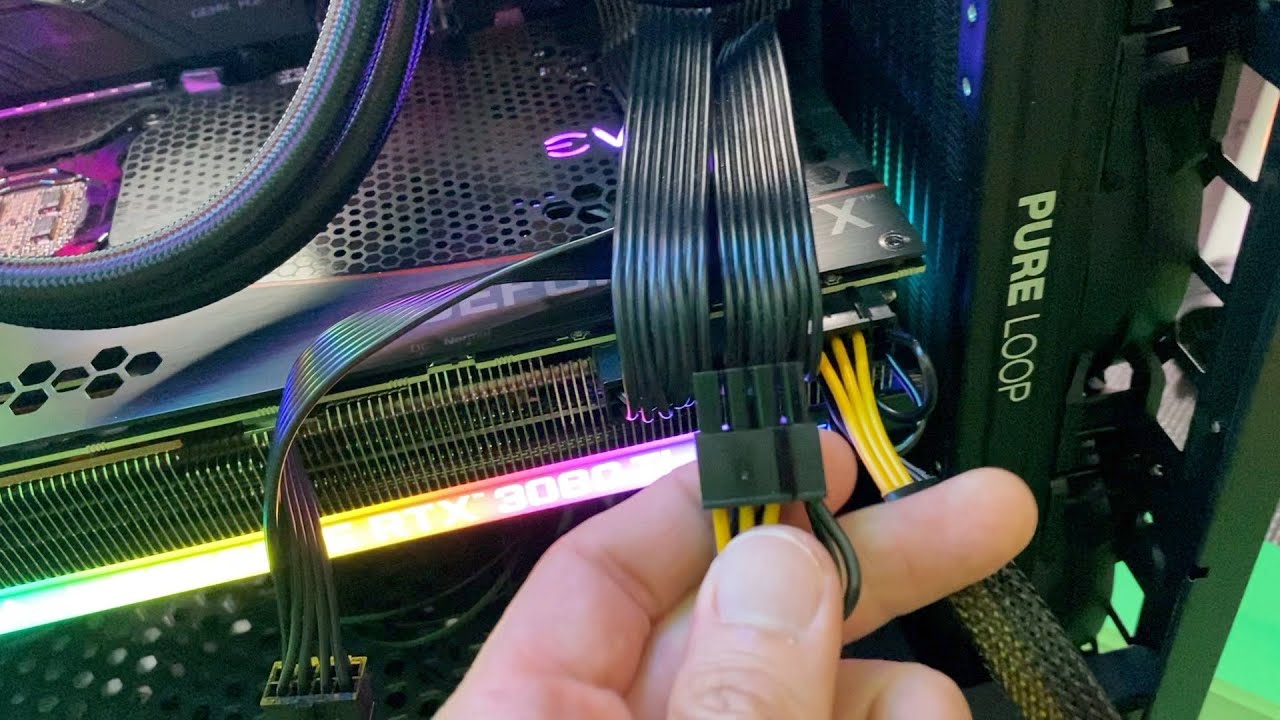
https://youtu.be/she0-RblpIk?feature=shared like this?
On SALE: https://amzn.to/3Ivlsb4 (Affiliate Link)
If you just need a PCIe SPLITTER: https://amzn.to/3auACkd (Affiliate Link)
HOT DEAL on RTX 3080Ti: https://amzn.to/3c5Yxae (Affiliate Link)
As an Amazon Associate I earn from qualifying purchases.
More Cool Stuff:
https://c8ke.com/utechpia
https://www.UTECHPIA.com
"CONTACT ME" via https://www.U...
cyan ravine
 manic cloak
There’s sapphire gigabyte or asrock
manic cloak
There’s sapphire gigabyte or asrock
in a vacuum sapphire
terse jackal
Will the psu provide the cables i need
cyan ravine
terse jackal
Will the psu provide the cables i need
yes
manic cloak
cyan ravine
in a vacuum sapphire
?
terse jackal
So it’ll have the PCIE 3 male connectors?
cyan ravine
yes
terse jackal
Okay. Ty Ty
manic cloak
Wtf is a vacuum sapphire 😭
cyan ravine
the phrase "in a vacuum"
meaning like
all other variables removed
I'd pick sapphire
manic cloak
Wait pulse isn’t 499.99
manic cloak
cyan ravine
ref if you need form factor
?
manic cloak
@cyan ravine I actually can’t get it cause it’s backordered so no downplay
Pay*
I have to get the gigabyte model
This is killing me
 cyan ravine
I don't know if that's available for teens tbh
If it works like any other periodic loan I'm familiar with anyway lol
 little osprey
cyan ravine
I don't know if that's available for teens tbh
little osprey
cyan ravine
I don't know if that's available for teens tbh
Disappointing
Paying $500 up front is a lot for me unfortunately
That’s like an entire month’s pay for me
cyan ravine
yes but at the same time that's a lot in general for your age lol
you could ask paypal support about it
they might give you a clear answer
 jade badger
Personally, I wouldn't recommend buying a GPU on credit. You will more than likely end up paying up to 2x the amount they typically cost 😦
cyan ravine
if you pay it back fast no
but you shouldn't anyway
if something happens
then all bets are off
jade badger
cyan ravine
if you pay it back fast no
This is true. Some places allow ninety days same as cash option.
cyan ravine
yea
pay as you go they call it here
or more old fashioned would be lay buy
(they keep until you pay it off)
but short term loans def bad, they do charge like, APR
and it can be gross
jade badger
cyan ravine
or more old fashioned would be lay buy
Where are you at? its layaway where I'm at! 🙂
cyan ravine
australia
it's been a while since I had a look at a loan, so I forget the terminology
jade badger
cyan ravine
it's been a while since I had a look at a loan, so I forget the terminology
US here so its very likely we have different terms.
I got stuck paying for a PC back before i knew anything about how to build, and it was outdated before I could pay it off. Pay-as-you-play sounds good on paper, but its honestly much better to just buy right out.
cyan ravine
interesting
 brittle tinsel
thank you bro. Idk what I would have done without that link. never heard of cable mod but I may rewire my pc with that, those are sick
brittle tinsel
 lone flame
since they are all over msrp rn
lone flame
since they are all over msrp rn
gpu crisis again?
little osprey
lone flame
since they are all over msrp rn
The ASRock one is exactly $499.99 USD right now
cyan ravine
brittle tinsel
thank you bro. Idk what I would have done without that link. never heard of cabl...
probably the most well known custom cable group in the business rn
brittle tinsel
cyan ravine
probably the most well known custom cable group in the business rn
are they the priciest? $29.90 USD for a PCIE cable, imagine it wont be cheap to redo the entire pc
cyan ravine
brittle tinsel
are they the priciest? $29.90 USD for a PCIE cable, imagine it wont be cheap to ...
they can be pricey yes, but you want an exact match
only other place I could think of that maybe does it is moddiy but no idea if they have your specific psu
manic cloak
💀
terse jackal
@cyan ravine you got me worried now that my power supply won’t be able to power my PC build, what can I do to be sure before the parts arrived (they’ve already shipped)
Also what’s the difference in cards from a 3080 FE and a 3080 EVGA FTW3
 limber oyster
https://pcpartpicker.com/list/9tnTn6
What wattage psu should I look for? 650w? 750w?
Part List - AMD Ryzen 5 3600, GeForce RTX 4060 Ti
cyan ravine
terse jackal
<@101107951401455616> you got me worried now that my power supply won’t be able ...
You'll likely be fine but keep an eye out for the pc suddenly restarting in the middle of the game
like click turns off, turns on again
 mossy venture
limber oyster
https://pcpartpicker.com/list/9tnTn6
What wattage psu should I look for? 650w? ...
mossy venture
limber oyster
https://pcpartpicker.com/list/9tnTn6
What wattage psu should I look for? 650w? ...
If you're gaming I'd change that list, but as low as 450w would be fine, over 750w would be silly
Part List - AMD Ryzen 5 5600, Radeon RX 6700 XT
Cheaper with a good bit better gaming perf
terse jackal
@mossy venture what are your thoughts https://pcpartpicker.com/user/ToastedNuggets/saved/#view=4gJK7P
750w or 850w
Saved Part Lists
mossy venture
Gotta unprivate the list I can't view it
But for 3080, I'd say an A or good B tier 750 would be fine
Cxm like you said earlier I don't think could handle a 3080s trasnient spikes
Though you could undervolt or power limit the 3080 a bit, it wouldn't be too hard
Then you'd be fine
cyan ravine
^^Pretty much this
It's like, odds are you're totally fine and we're overthinking it
but if not? you could return the psu and swap to a cheap 850w
like say, udgm
I'd definitely try first though
cos $60 for a decent 750W is not bad tbh
mossy venture
Udgm not worth anymore it's back at $100, but yeah what felix said
cyan ravine
ah sadge
mossy venture
My autocorrect really does not like me
cyan ravine
my own brain has worse autocorrect so don't worry lmao
limber oyster
mossy venture
If you're gaming I'd change that list, but as low as 450w would be fine, over 75...
It's for Warframe, cyberpunk, starfield, and Forza horizon 5 at 1080p medium to high graphics, 60fps max
mossy venture
6700xt would beat the 4060 ti for that
cyan ravine
^^ for all but cyberpunk 1000%
mossy venture
At the very least match
For $100 cheaper
If you want nvidia, you can get an open box 3080 for $420 from zotac
Or 3060 ti for $255
limber oyster
I was told 3060ti would struggle on cyberpunk
mossy venture
https://www.ebay.com/itm/385898345820?mkcid=16&mkevt=1&mkrid=711-127632-2357-0&ssspo=_WbF24AfQmC&sssrc=4429486&ssuid=r8em-zv_qyc&var=&widget_ver=artemis&media=COPY 3060 ti link (im on mobile and im not putting the effort in to shorten it)

eBay
Find many great new & used options and get the best deals for ZOTAC Gaming GeForce RTX 3060 Ti Twin Edge Graphics Card (Open Box) at the best online prices at eBay! Free shipping for many products!
mossy venture
limber oyster
I was told 3060ti would struggle on cyberpunk
4060 ti performs the same as 3060 ti
limber oyster
Ahh
mossy venture
Its stupid but true
mossy venture
Yeah at $420 there's far better options than 4060 ti

eBay
Find many great new & used options and get the best deals for Zotac GeForce RTX 3080 10GB Trinity GPU | 1yr Warranty, Fast Ship! at the best online prices at eBay! Free shipping for many products!
cyan ravine
3080 for 420 really is the only nvidia gpu up until 4070ti that anyone should think about
then 3060 ti for 255
anything else just, plain sucks rn
even used you're still competing with new AMD
mossy venture
Yeah only current gen gpus I'd pay any mind to are 7600, 7800xt, 7900xtx, and 4090
mossy venture
7800xt isn't even good compared to 6000 series, this gen has just been so bad it makes it look good lol
I'm really hoping this isn't the new trend for gpus and it'll just be this generation
If it is I'm never buying a new gpu again lmao
I'll wait for 50 and 8000 series to be out and buy a used 7900xtx
mossy venture
Yeah definitely
cyan ravine
but at least AMD technically had a perf/value increase
once the market empties of last gen, amd is gonna look really good
cyan ravine
6700xt is gonna be solid for a good while longer
mossy venture
Once it's gone 7600 will be the goto ig
cyan ravine
it still runs 1080p max
limber oyster
I wanted to reuse my Strix 3080 RTX from my main pc when I get a nitro+ 7900xtx, but the strix is JUST too big for the case I'm getting
cyan ravine
oh mb
cyan ravine
limber oyster
I wanted to reuse my Strix 3080 RTX from my main pc when I get a nitro+ 7900xtx,...
what case?
mossy venture
limber oyster
I wanted to reuse my Strix 3080 RTX from my main pc when I get a nitro+ 7900xtx,...
Can't change case?
limber oyster
Would rather not
mossy venture
What case you going for?
There might be something similar that works for you
Or you could just trade the 3080 for a different 3080 on r/hardwareswap

 cyan ravine
what about a lian li tu150
mossy venture
I'm assuming this would be too tall/heavy, but as an option https://www.newegg.com/p/2AM-0319-00099?Item=9SIBFGVK1R7414&Source=socialshare&cm_mmc=snc-social-_-sr-_-9SIBFGVK1R7414-_-09292023
cyan ravine
this is so perfect
 mossy venture
LMAO
cyan ravine
yeah that case looks good
mossy venture
I didn't even see that
cyan ravine
like a D31 with a handle
I agree with bacca's suggestion more
those cases are good
 cyan ravine
then fractal terra
and if you're gonna say "but I want a handle" then make one with a piece of leather, a needle and 2 screws and 2 bolts
Lol
find a way to use your 3080
 potent portal
Any case can have a handle if you're determined enough
cyan ravine
don't buy a new 3080 or equivalent cos the case isn't the right fit
find a way to make the 3080 fit
it's the most expensive part of your equation
mossy venture
mossy venture
Or you could just trade the 3080 for a different 3080 on r/hardwareswap
.
Would also be worth looking into
mossy venture
True, but still better to take a 1:1 trade than buying a whole new gpu
cyan ravine
find a founders and offer a swap plus 100
limber oyster
Tbf, the strix does have a water block too rn so...
potent portal
240mm?
limber oyster
 potent portal
Oh custom looped
I hope you kept the original shroud if you wanted to reuse or trade that
little osprey
potent portal
Any case can have a handle if you're determined enough
I put a handle on my boot 🙄
 round cloud
What happens if my AIO pump fails? Will I even notice at first? Will I experience throttling in games, or will I unknowingly fry my CPU?
potent portal
round cloud
What happens if my AIO pump fails? Will I even notice at first? Will I experienc...
There's thermal protections to keep it from damaging itself. It'll throttle down which you'll notice as reduced performance, and may shut itself off if it gets critical.
round cloud
Ok, cool. I’m willing to have to possibly replace it. Just don’t want my rig to get toast!
mossy venture

BitFenix Prodigy M 2022 mATX/Mini-ITX High Airflow Mesh Gaming PC Case 3xARGB Fans GPU Length Support 339mm(13.3inch) Vertical GPU and Water Cooling Mounting Tempered Glass USB Type C, White
Sorry for long ahh link, mobile and don't feel like fixing it
mossy venture
Wait wrong person, sorry
@limber oyster
For some reason i thought it was you in here earlier night, mb
 marsh kiln
All good
 teal dome
mossy venture
<@409867905883308053> would this work?
https://www.amazon.com/BitFenix-Mini-ITX...
teal dome
mossy venture
<@409867905883308053> would this work?
https://www.amazon.com/BitFenix-Mini-ITX...
That’s nice, I could prob fit a matx motherboard which are cheaper then itx mobos
Idk about psu tho
Part List - AMD Ryzen 5 5600, Radeon RX 6700 XT, BitFenix Prodigy M 2022 ARGB MicroATX Mini Tower
What are the notes?
What are the adapters?
mossy venture
Dw about them, it's not really relevant
teal dome
Is building in a itx harder?
The case is nice I might get this case for itx since I can save on psu and mobo prices
mossy venture
teal dome
Is building in a itx harder?
Generally yeah
A lot less room for cable management, everything's really close together so less room to work with
And that case might not fit both an matx mobo with a regular sized psu
I'd do some research on it
Pcp doesn't check for all compatibilities it might be missing something
teal dome
mossy venture
A lot less room for cable management, everything's really close together so less...
So it’s better to get a modular psu?
mossy venture
Potentially
mossy venture
For an sfx psu this would be a good choice rn https://pcpartpicker.com/product/N3wmP6/phanteks-revolt-sfx-650-w-80-gold-certified-fully-modular-sfx-power-supply-ph-p650gsf

Phanteks Revolt SFX 650 W 80+ Gold Certified Fully Modular SFX Power Supply (PH-P650GSF)
teal dome
Thank you
mossy venture
Np
teal dome
I want to get a setup that can be moved around
So I might go for itx
And a portable monitor maybe
mossy venture
Wouldn't recc a portable monitor for anything but a laptop
Unless you're moving the pc outside of your house
If between two houses or in the same house a regular monitor is a much better experience
Speaking of there's a lot of good monitor deals rn
There's 250hz 1080p ips 24" for like $140-150 on amazon
teal dome
mossy venture
There's 250hz 1080p ips 24" for like $140-150 on amazon
Oh nice
Also can you give me a suggestion for office use monitor just for work for my friend
mossy venture

In competitive gaming, every frame matters. Introducing Acer's XFA253Q gaming monitor - the Full HD (1920 x 1080) resolution monitor that can keep up with your game play. Through AMD FreeSync Premium technology, the game’s frame rate is determined by your graphics card, not the fixed refresh rate...
mossy venture
teal dome
Also can you give me a suggestion for office use monitor just for work for my f...
Cheapest 1080p or 1440p 21-24.5 in 60-75h, VA or IPS panel
mossy venture
This would be fine https://pcpartpicker.com/product/KjTp99/lg-24ml44b-b-238-1920x1080-75-hz-monitor-24ml44b-b

LG 24ML44B-B 23.8" 1920 x 1080 75 Hz Monitor (24ML44B-B)
Fbm could find one as cheap as $20-40
mossy venture
teal dome
Aight

The PX243 is the perfect entry-level gaming monitor for you. At 24 inches, 1080p, and a 165Hz refresh rate, elevate the way you game without sacrificing too much. The slim, bezel-less design also provides a space-saving solution for all your viewing needs. The PX243 is a premier eSports gaming mo...
 atomic epoch
Part List - AMD Ryzen 7 7800X3D, Radeon RX 7900 XTX, Corsair 4000D Airflow ATX Mid Tower
mossy venture
atomic epoch
https://pcpartpicker.com/list/btQ789
Overall this list isn't bad but there are some major things I'd change
atomic epoch
please lmk this one is for a friend
mossy venture
I'll change it around, give me a few
mossy venture
Have they had a windows device before?
atomic epoch
yes
mossy venture
If so they don't need a windows license, they can just download windows to a USB drive and then sign into their Microsoft account
atomic epoch
gotcha
mossy venture
Alright so I'm gonna give a few monitor options, first is in the list https://pcpartpicker.com/list/RPK8rv
Part List - AMD Ryzen 7 7800X3D, Radeon RX 7900 XTX, Corsair 4000D Airflow ATX Mid Tower
1080p on a 7900xtx should be illegal, 1080p is silly on anything over a 6800 atp
I figured they wanted a bigger monitor, so went with I think 32" that one is
atomic epoch
he's looking for a curved monitor
mossy venture
Alr sorry trying to find a link to something
Well this isn't curved but I spent like five minutes looking for it so I'm mentioning it anyways lol
https://www.amazon.com/dp/B0C63HDHPR/

The UltraGear 27GR83Q gaming monitor is a battlestation centerpiece that combines outrageous speed, performance, and loads of gaming-centric features. Gameplay looks amazing on the large 27” QHD (2560 x 1440) IPS display showcasing vivid color and contrast with up to DCI-P3 95% (Typ.) color gamut...
mossy venture
atomic epoch
he's looking for a curved monitor
Is he fine with 27"? Or does he want 30+
mossy venture
mossy venture
Well this isn't curved but I spent like five minutes looking for it so I'm menti...
Also I'd say this is the best 1440p monitor right now worth buying around this price, $350 for ips 240hz 1440p with this good quality is very nicr
atomic epoch
I think he wants 30+ but I could suggest either to him. it might not make a huge difference it'll be his only curved monitermonitor
mossy venture
God curved options suck right now
I'm trying to find a couple rn
Alr so option 1 for curved https://pcpartpicker.com/product/dt92FT/dell-s3222dgm-315-2560x1440-165-hz-monitor-s3222dgm
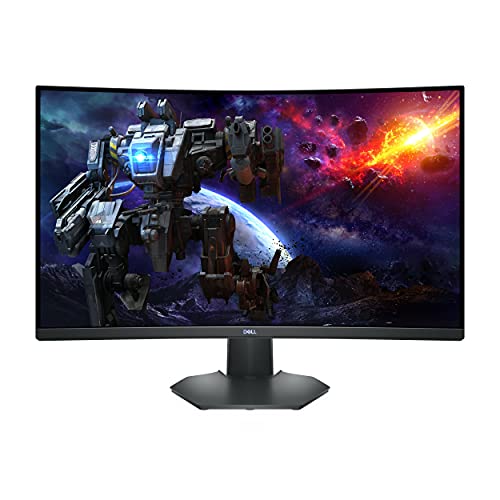
Dell S3222DGM 31.5" 2560 x 1440 165 Hz Curved Monitor (S3222DGM)

ASRock PG27Q15R2A 27.0" 2560 x 1440 165 Hz Curved Monitor (PG27Q15R2A)
teal dome
mossy venture
Oh also https://www.amazon.com/gp/aw/d/B09QW2G35J/ref=pd_homepage_sspa_mw_gatewa...
Are there bigger size?
atomic epoch
awesome, appreciate it
mossy venture
And 3 https://pcpartpicker.com/product/wzKscf/aoc-g2-cq32g2s-315-2560-x-1440-165-hz-curved-monitor-cq32g2s

AOC G2 CQ32G2S 31.5" 2560 x 1440 165 Hz Curved Monitor (CQ32G2S)
mossy venture
teal dome
Are there bigger size?
Over 24" you'd want 1440p
teal dome
Oh ok
mossy venture
atomic epoch
awesome, appreciate it
Btw if your friend has any questions about the list/monitors feel free to dm me or ask here
 frigid echo
So I just got some new RAM and am wondering can I just power off, unplug pc, then put in the new RAM or do I have to do more than that?
mossy venture
frigid echo
So I just got some new RAM and am wondering can I just power off, unplug pc, the...
Yep that's fine, just make sure to put it in the same slots the current ram is in (assuming you have more than 2 slots)
Or if you only have 1 ram stick, if the stick is in the 2nd slot put the second stick in the fourth slot
Then make sure you enable xmp/docp in bios
frigid echo
Ok so wait
I have 2 new ram sticks and I was just planning to put that in the current slots I'm using and shift the other 2 to the remaining slots
mossy venture
Sorry yeah my wording wasn't the best in my explanation lol
frigid echo
No you're good just want to understand
mossy venture
frigid echo
I have 2 new ram sticks and I was just planning to put that in the current slots...
Oh if you're adding and not replacing then just fill the slots
Are they identical sticks?
frigid echo
No I bought 2 16gb and have 2 8gb in there
mossy venture
Gaming?
frigid echo
Otherwise I believe they're identical
frigid echo
mossy venture
Gaming?
Yeah and also looking into game design with unreal engine if that makes a difference
mossy venture
It should be fine just to add them then
As long as they're identical aside from capacity it shouldn't cause any issues
frigid echo
Ok I just know there's the "primary slots" and didn't know if i should throw the bigger ones in there
mossy venture
Nah you're good, primary slots are just for if you're not filling all slots
frigid echo
Kk thank you
mossy venture
Np
mossy venture
frigid echo
Kk thank you
Also agreed, zoro>
I'm watching it rn, I just finished skypeia
frigid echo
Ayyyy that's awesome I'm glad people are still willing to start watching
teal dome
mossy venture
Also agreed, zoro>
Boa >>
frigid echo
Lmao that also fair
But I happen to have an issue @mossy venture
I did plug it in and when I turn it on nothing is displaying to the screen and my mobo has an orange light on
mossy venture
frigid echo
I did plug it in and when I turn it on nothing is displaying to the screen and m...
Give it like 5 min or so
frigid echo
Kk
mossy venture
If that doesn't work, hold power button to turn pc off and make sure ram is all the way in the slots
If they are maybe try swapping them, 8gb with 16gb sticks. It shouldn't matter but can't hurt to try
mossy venture
Ah yeah that'd do it
frigid echo
So my webpages are now having issues loading and it keeps throwing this at me
 frigid echo
mossy venture
Ah yeah that'd do it
frigid echo
mossy venture
Ah yeah that'd do it
Is that something you'd know how to fix?
It did the super bad screen
It blue screened and the screen was full of broken blocks
Someone please help lmao
frigid echo
First before that was there settings in my bios I needed to change?
little osprey
frigid echo
First before that was there settings in my bios I needed to change?
Clear the CMOS battery
Could be saving the old settings
frigid echo
How do I do that?
little osprey
It’s high advised against mixing RAM kits due to instability
frigid echo
Ah well damn
little osprey
frigid echo
How do I do that?
Just unplug the PC and remove the CMOS battery for like a minute
Then put it back in and power own
frigid echo
I don't hate having 32 gb but figure if I have it I may as well use it
little osprey
Speeds and IC can vary
frigid echo
So would I still need to do so if I just use the 2 sticks?
The speeds are the same
They're both 3600 cl 16
little osprey
Speeds would be automatically adjusted to that then
mossy venture
Oh what cpu do you have?
little osprey
Oh yeah
frigid echo
R7 3700x
little osprey
Some IMC’s handle stuff like this better than others
mossy venture
It might just not like 4x3600mhz
Either way though, I'd just run the 32gb
It'll still be plenty for what you're doing
little osprey
I’m betting it’s two different brands
frigid echo
Yeah
 dusky hearth
little osprey
It’s high advised against mixing RAM kits due to instability
dusky hearth
little osprey
It’s high advised against mixing RAM kits due to instability
jedec 
mossy venture
I think they said it's the same kit earlier
frigid echo
I thought I bought the same and then realized they're not
frigid echo
mossy venture
I think they said it's the same kit earlier
No that was my bad
mossy venture
Ahh that'd do it too
little osprey
Without knowing the IC I can’t really say
frigid echo
I thought they were till I looked
mossy venture
Mismatching dies is bad
little osprey
Yeah
little osprey
dusky hearth
jedec <:WICKED:855060440547590185>
Cope
mossy venture
I did that and didn't notice that that's what was causing blue screens and left the two kits in for like a month
And ended up corrupting my windows install beyond recovery
frigid echo
So just stick with the 2 and if I feel the need just buy a second set of the same?
mossy venture
Yeah I'd say so
Also teishi, sometimes ram issues can cause issues with windows, its easily fixable but once you're back in windows follow these steps
In windows search bar type "cmd" and run command prompt as administrator, and then type in "sfc/scannow"
That'll scan your windows install for any corrupted files and repair them, and then you'll be all set to go
frigid echo
Ok
When swapping to the new sticks do I need to do anything?
Like bios or something?
mossy venture
Nope, should be all set
little osprey
CMOS reset if it’s still giving you issues
mossy venture
Actually you might have to enable xmp
To make it run at 3600c16 instead of the default speed, jedec
But just check task manager once you're in windows, and it'll say either a speed in the 2000s or 3600
If its 3600 you're all set
If its in the 2000s you gotta enable xmp
Sorry for word vomit I don't explain well
mossy venture
Just boot to windows and check task manager
If you've not done it before, once you open task manager gotta click the lil arrow thingy at the bottom left that says more details
And then click performance, then ram
And top rightish or bottom rightish should show ram speed
frigid echo
So it immediately booted into recovery
 primal linden
m
mossy venture
What're the options it shows?
frigid echo
Trouble shoot, continue, or restart
mossy venture
Could try continue but it'll likely bring you back to recovery
potent portal
If it fails to boot 3 times it'll bring that up no matter what
mossy venture
If it does then trouble shoot
mossy venture
Alright then do the sfc/scannow thing I mentioned
I'm gonna give you one other command to run too, one sec
Well I guess a series of commands, but you can just copy and paste them into command prompt and it'll run them all in a row
frigid echo
It says I must be an administrator running a console session to do so
mossy venture
It does a similar thing to the sfc/scannow one, just to cover all bases to make sure nothings wrong
Ah, when you search cmd in windows search bar on the right it'll say run as administrator
mossy venture
Yeah
Here's the other commands, just copy and paste once the sfc/scannow finishes
DISM /Online /Cleanup-Image /CheckHealth DISM /Online /Cleanup-Image /ScanHealth DISM /Online /Cleanup-Image /RestoreHealth
frigid echo
I can copy and paste all 3 at once correct?
Oh wait hold on I made a blunder
One slot wasn't seated correctly
mossy venture
Yeah
mossy venture
Nah you're good, one stick not being fully slotted wouldn't cause any windows issues
As long as you ran the sfc and dism you're all set
Could run chkdsk if you want to, doesn't take long
Chkdsk checks drive partitions, but those shouldn't have any issues relating to ram
frigid echo
Yeah I ran that and it said no errors detected
frigid echo
mossy venture
`DISM /Online /Cleanup-Image /CheckHealth
DISM /Online /Cleanup-Image /ScanHealt...
With that I shouldn't have to run the second and third on of these correct?
mossy venture
Nope, if you copy and pasted them all then it ran all three in a row
frigid echo
I just ran the one cause all three weren't running in a row
mossy venture
Oh I'd run the other two then just to be safe
When it comes to windows I always try to play it safe, bc if something goes unfixed it could lead to bigger issues down the road
frigid echo
Yeah that's definitely very true
round cloud
when i plug my current SSD into my new PC, will Windows want me to activate again?
mossy venture
Are you replacing the drive or adding a drive
round cloud
Entirely new build, dont have the parts yet
Will prob get an NVME drive as well. Cuz i eventually want the OS on it
but curious if i can just boot up from my SSD and game right away
mossy venture
Oh so you're moving your ssd to the new build?
Nah you're good, but I would reinstall windows when you switch mobos
round cloud
mossy venture
Oh so you're moving your ssd to the new build?
weighing my options, but probably?
mossy venture
Also the m450 is $28 rn for a 1tb nvme, after a $10 rebate
round cloud
I dont see why i wouldnt tbh
mossy venture
Yeah there's no reason not to
round cloud
is it good?
round cloud
Hmm lemme look
round cloud
hm
frigid echo
mossy venture
When it comes to windows I always try to play it safe, bc if something goes unfi...
All of that went smoothly so if something happens I'll be back and ping you provided you don't mind but I'm gonna start using it and make sure things work
mossy venture
frigid echo
All of that went smoothly so if something happens I'll be back and ping you prov...
Ofc not, and sounds good!
If I don't respond tonight I definitely will in the morning
frigid echo
Thank you so much for the help!
mossy venture
Happy to
frigid echo
mossy venture
If I don't respond tonight I definitely will in the morning
Yeah that's fair
Ok so bad news
I said that and then it did the screen of death
 jolly riverBOT
How to clear CMOS (works for AMD and Intel)
https://www.intel.com/content/www/us/en/support/articles/000025368/processors.html
Intel
Defines CMOS technology and how to clear CMOS using the jumper or battery methods.
frigid echo
Kk
So is there any harm is just unplugging my gpu?
I need to do so to get to the battery
@mossy venture
 stoic island
Turn it off and then unplug it
potent portal
If the PC is off you can take anything out
mossy venture
Oh you gotta wedge it out with something like a flat head screw driver
I would not recommend it, but when I did it I used a Swiss army knife
 leaden mauve
no you can use your fingernail.
just push the little latch thing sticking up to the side then the battery will pop up.
mossy venture
I forget that that exists, my old mobos one broke off lol
stoic island
Yes, unplugged from wall right?
mossy venture
I'd first boot back to windows and see if you have issues, if everything's good then to bios and enable xmp, then back to windows again
Then if everything's good, while annoying I'd run the commands from earlier again
Or atleast the sfc/scannow
frigid echo
Ok so xmp is the same as docp correct?
And if so do I just flip that to profile 1 or are there settings to be tweaked with?
dusky hearth
yeah docp is the name i believe asus? made for amd's "xmp"
don't enable xmp/docp until you know that it isn't the cause for your issues
just run at jedec
(aka just leave it at default)
frigid echo
Ok
mossy venture
Yeah play around with windows a bit, see if anything happens at jedec
Maybe run a game or smthn
(Could run an actual stress test but with how it's been presenting I don't think that's needed)
And then if it's all good, enable docp
Then see if there's any issues. If there aren't, great, if anything pops up in the next few days I'd consider ram first
If there are issues, ram is likely faulty and I'd return it
mossy venture
Ye
manic cloak
483.83 for a 7800xt? 🤔
dusky hearth
strangely low price
wait
nvm
$500 msrp
(it's nearly $700 in canadian dollars)
over 700 actually
 rough loom
frigid echo
mossy venture
Ye
rough loom
frigid echo
mossy venture
Ye
Well, thank you so much for the help. it's working now and I'm turning in but I hope you have a good one!
mossy venture
frigid echo
Well, thank you so much for the help. it's working now and I'm turning in but I ...
Likewise, glad it's all finally working
manic cloak
ngl

PowerColor Red Devil Limited Edition AMD Radeon RX 7800 XT 16GB GDDR6 Graphics Card
sick card
but price is crazy
is it even any better than a base 7800xt or is it some oc ver
stoic island
Just aesthetics
 weak flint
Part List - Intel Core i9-13900KS, GeForce RTX 4090, NZXT H9 Flow ATX Mid Tower
cyan ravine
Idk if you were trying to spend more money or not here
Maybe the ram? Maybe the ssd? It's not faster tho
 languid nimbus
Majority of that crap is way over priced
 upper condor
Damn I'm at the point in my build that there's really nothing for me to upgrade but I have the itch to do so. Any nifty accessories that are useful/cool even if slightly useless?
lyric thistle
New computer
 vague oracle
cyan ravine
Idk if you were trying to spend more money or not here<:kekw:741678350791081994>
vague oracle
cyan ravine
Idk if you were trying to spend more money or not here<:kekw:741678350791081994>
It’s almost my build 
little osprey
upper condor
Damn I'm at the point in my build that there's really nothing for me to upgrade ...
Got any drive bays in your case?
upper condor
little osprey
Got any drive bays in your case?
I already have like 7 tb of space 😭
Think theres two bays in the bottom, only using one
little osprey
upper condor
I already have like 7 tb of space 😭
I meant like 5.25in drive bays
Not hard drive
mossy venture
upper condor
I already have like 7 tb of space 😭
Not enough never enough
Get 6x18tb hdds
upper condor
little osprey
I meant like 5.25in drive bays
Nah, don't think so
little osprey
Unfortunate
upper condor
mossy venture
Not enough never enough

little osprey
I was gonna say get a floppy disk drive bay
Hmmm
Maybe make some sort of docking station for USB stuff or whatever and rig it up to your desk
Always something I wanted to do
upper condor
Yeah, might just work on my setup instead of my PC. Only thing left at this point is a keyboard but I've heard a lot of the consumer brands like steelseries corsair etc aren't that good
cyan ravine
#peripherals-and-displays would be a good place to ask about that stuff
I'm a bit out of touch
mossy venture
upper condor
Yeah, might just work on my setup instead of my PC. Only thing left at this poin...
Keychron pog
Could build your own
upper condor
mossy venture
Could build your own
Been thinkin about it but prices seem really wild. Not sure if it's worth building if I wanna spend less than like 400 dollars lol
 weary galleon
upper condor
Yeah, might just work on my setup instead of my PC. Only thing left at this poin...
weary galleon
upper condor
Yeah, might just work on my setup instead of my PC. Only thing left at this poin...
They're not great compared to a custom built board but they're also a lot cheaper, especially if you get them on sale
At this point I've used a redragon k589, EVGA z20, and a GMMK barebones kit + EVGA silver switches
Bought all of them on deep sales, not sure if I would recommend them at msrp
mossy venture
upper condor
Been thinkin about it but prices seem really wild. Not sure if it's worth buildi...
You could def build for a lot less than that
upper condor
Yeah I have steelseries apex 7 tkl or something, gets way too dirty and doesn't feel amazing to type with. Was thinking of GMMK but don't know their reputation
upper condor
mossy venture
You could def build for a lot less than that
Ill move this to #peripherals-and-displays rq
 fleet heron
Yo how should I dry my mousepad
I was using a towel but like the pores or whatever kept making the mousepad dirty
potent portal
I just air dry
fleet heron
That's what I'm doing right now I was just thinking if there's a faster way
potent portal
Or an iron on low
fleet heron
My iron is broken sadly lol
 limber oyster
mossy venture
Wait wrong person, sorry
limber oyster
mossy venture
Wait wrong person, sorry
I have that already. Too big and heavy
Also, I just remembered I have a 7 3700x at home. Imma use that and get a 7800xt for my GPU
potent portal
 jaunty nacelle
what can i do
jaunty nacelle
what can i do
If I remember right you had an AMD card that you got relatively recently, and you already tried DDU and a few driver versions.
Next thing I'd say is to reinstall Windows. That fixes a lot of those AMD issues lately.
 thick kernel
Could I get an opinion on a build?
Part List - AMD Ryzen 7 7700X, Radeon RX 6950 XT, NZXT H7 Flow ATX Mid Tower
Aiming for a future proofish gaming rig.
mossy venture
thick kernel
https://pcpartpicker.com/list/s8tpHG
What are you using the pc for and what's the budget including monitor?
And do you have a microcenter nearby?
Aio isn't needed but I figured you wanted the aesthetic of one, there's a 360mm version for $73
https://pcpartpicker.com/list/wBsk9c
Part List - AMD Ryzen 5 7600, Radeon RX 7900 XTX, NZXT H7 Flow ATX Mid Tower
Also cheaper case options but same thing
4000d airflow for the blackout aesthetic, g360a or pretty much any fractal design case with a mesh front
And if you want 32" https://pcpartpicker.com/product/Rcwypg/lg-32gp750-b-315-2560x1440-165-hz-monitor-32gp750-b

LG 32GP750-B 31.5" 2560 x 1440 165 Hz Monitor (32GP750-B)
 nova apex
how much force should i be using when i’m lowering the lever

it feels like so much when i’m lowering it which is why i’m scared to
the little tabs on the outer part is pushing down on the cpu and it causes a lot of force to be needed to be pushed down
help a brother out😭
dusky hearth
nova apex
how much force should i be using when i’m lowering the lever
More than you think
The uhh
Cpu clasp? Or whatever it's called again has so much mounting pressure that it literally bows the cpu very very slightly
By design
The problem with this is that the cpu cooler has less than optimal contact because of that
So using a contact frame (which will void your warranty) makes your cpu run several degrees cooler
But unless you're an overclocker, you don't need to worry about that
nova apex
okay
so now wb the fan
cause there aren’t screws just wobblt things
wobbly
i don’t wanna mess up
it’s scary
expensive parts
plz😭
nova apex

corner things are wobbly
if i’m supposed to snap on, how much pressure do i do
snap on to mother board?
think i got it?
nova apex
i got it
another prob, my mb had 4 pins for every fan port, but the case fans only are 3 pins, could i plug those 3 pins in the 4 pins?
or would it not work
dusky hearth
yeah
nova apex
thank god
dusky hearth
just line it up with the clip
4 pin is pwm, 3 pin is dc
the headers work with both
 viral horizon
how do you tell if something is bottlenecking/overclocking?
stoic island
Overclocking is something you do, you find your bottleneck in whatever specific task you're doing by monitoring usage
 plucky timber
Bottleneck isn't really that big of a deal
dusky hearth
unless it is
viral horizon
alright, thank you
hey when i get my main pc all set up
i was thinking of upgrading my non essential accessories (monitor, keyboard, mouse)
would this be a good monitor for the price it is?

MSI Optix G24C4 23.6" 1920 x 1080 144 Hz Curved Monitor (Optix G24C4)
nova apex
so first book, lights on mb turn on but pc does nothing
psu is on, hdmi is in
so has to be cable somewhere
any help would be appreciated
plucky timber
CPU power connector?
dusky hearth
nova apex
psu is on, hdmi is in
In gpu? Or mobo
nova apex
yeah yeah
i can’t find my hdd aud tho…
i couldn’t find it earlier but i didn’t know that i should have it
dusky hearth
Hdd aud?
 dusky hearth
OH hd audio
nova apex
i mean idk
dusky hearth
It's the front panel audio connector for the 3.5mm jacks
mossy venture
viral horizon
https://pcpartpicker.com/product/k33mP6/msi-optix-g24c4-236-1920x1080-144-hz-mon...
Nah not at all
nova apex
the one i’m missing is supposed to go to the port that has power sw
mossy venture
There's better monitors for $130-150
dusky hearth
Power sw is the thing that turns on your pc
dusky hearth
nova apex
yeah yeah
Which one btw
mossy venture
mossy venture
There's better monitors for $130-150
I'll dm you the two I'd consider
nova apex
i have power led, power sw, reset switch BUT no audio that goes into that same panel
dusky hearth
Separate header, but it doesn't matter
Do you have your monitor connected to your gpu, or do you have it connected to the motherboard
nova apex
gpu
dusky hearth
Any debug leds on
dusky hearth
Yes, your motherboard may have 4 leds for debugging, labeled cpu, ram, boot, and vga
nova apex
i mean there are rbg, but as far as on the motherboard itself, no don’t see any
nova apex
Part List - Intel Core i5-12400F, GeForce GTX 1660 SUPER, Corsair 4000D Airflow ATX Mid Tower
i’ve checked with other people
all said it’s good and a well made build
dusky hearth
Nah I wanted it to see your mobo and cpu
nova apex
gotchya
dusky hearth
Your debug leds on the mobo is right next to the bottom pcie slot
Is anything lit there
nova apex
can u send me a pic of the mb itself and where it would be?
can’t find anything lit if i’m in the right area
dusky hearth
 nova apex
found it, nothing is lit
dusky hearth
Ok, can you make doubly sure that you have the monitor plugged into the gpu
Your cpu is a F type cpu so it doesn't have an igpu in it, so you need to be plugged into the gpu for it to display
Also make sure that your display is plugged into power, and that it's turned on
nova apex
no fans run… so it wouldn’t show whether or not my monitor was plugged in correctly, or am i wrong
dusky hearth
Hmm
nova apex
i’ll check rq while u respond
dusky hearth
Fans not running could just be the default, but you said that motherboard rgb is running
plucky timber
What about the cpu power connector
dusky hearth
I feel like cpu debug led would be on if they didn't have that plugged in?
nova apex
dusky hearth
Fans not running could just be the default, but you said that motherboard rgb is...
correct
plucky timber
hmm
dusky hearth
Oh yeah also do you have your gpu power connected
nova apex
to the psu right?
dusky hearth
Though the vga debug should have come on as well... hmm
Send a picture of your build and where you plugged your display
nova apex
 dusky hearth
Hmm ok yeah that's correct
How's the inside
nova apex
cable management is booty

plz do not mind the cpu fan, i get a new fan soon so that will be swapped
dusky hearth
asides from the terrible cable management, I don't see anything that screams to me that you did wrong
dusky hearth
Send a picture of the connectors that are at the bottom of the mobo
nova apex
 dusky hearth
I mean, you could sleep and work on it the next day
Hell, I'm half asleep currently lmao
nova apex
if you wanna sleep go ahead, i’ll figure it myself
also no, not gonna sleep, i’ve been procrastinating buying parts for this build well over a year and i finally have it all
 plucky timber
What's that header?
dusky hearth
But that doesn't look like usb wires
cyan ravine
Yeah what is that
nova apex
power switch stuff
plucky timber
But what does the header aay
nova apex
usb………..
cyan ravine
Ok that's not supposed to be there
nova apex
crap.
cyan ravine
Lol
plucky timber
lol
nova apex
what header
cyan ravine
Bottom right
cyan ravine
Far far right
plucky timber
Check the motherboard manual
nova apex
moving them
plucky timber
Every motherboard have the headers in different places
nova apex
i’m so sorry
plucky timber
This autocorrect is starting to piss me off brb
nova apex
okay let’s hope and pray
cyan ravine
nova apex
i uh watched tech source
If they're telling you to do that then ima blacklist them from this server like ubm LOL
plucky timber
Gonna turn off autocorrect
dusky hearth
It's all good lmfao
dusky hearth
plucky timber
This autocorrect is starting to piss me off brb
Virginia moment
plucky timber
I mean
nova apex
cyan ravine
If they're telling you to do that then ima blacklist them from this server like ...
i watched techsource and he prob said the right thing, just probably me plugging in wrong
let’s hope that’s the issue
plucky timber
I think it's just a tech build video with a different motherboard
That's why the header is in the wrong place
cyan ravine
Pressing the power button and it shorts the board into turning on via usb? I could believe it tbh
dusky hearth
nova apex
i watched techsource and he prob said the right thing, just probably me plugging...
Btw the pcb and manual has the correct places to plug, motherboards may vary in pinouts
plucky timber
Some boards don't say which pin is which
cyan ravine
Yes look carefully before plugging
nova apex
dusky hearth
Btw the pcb and manual has the correct places to plug, motherboards may vary in ...
i just didn’t really think of that
plucky timber
It's not just paper
dusky hearth
Probably won't break anything but you just might not have things work like they should
cyan ravine
I reckon nothing is buggered here
plucky timber
Yeah i plugged a floppy power connector into a fan connector in my first build
cyan ravine
Msi pros aren't made like paper
dusky hearth

plucky timber
💀
dusky hearth
plucky timber
Yeah i plugged a floppy power connector into a fan connector in my first build
You mean molex?
nova apex
tysm guys
plucky timber
No
dusky hearth
Or like floppy power connector like it's....
 plucky timber
Why do those exist
dusky hearth
You vs the guy she tells you not to worry about
plucky timber
Gigachad molex vs virgin sata
lyric thistle
I'm not worrying about either of them
plucky timber
Molex can blow up your gpu
I mean to be fair the adapters are the thing that kills gpus
Cheap sweatshop adapters
💀
cyan ravine
Molex to sata to pcie to 12vhpwr
dusky hearth

lyric thistle
Real
cyan ravine
Boys r u red eye for dis
dusky hearth
Pink eye
plucky timber
The human body is a good conductor
 plucky timber
Apple lightning powered gpu
cyan ravine
*gets banned by EU *
nova apex
which one?

 obsidian wigeon
hm
nova apex
i have both ssd and hs
obsidian wigeon
which one is the hdd?
nova apex
ssd 1tb , hd 2tb
obsidian wigeon
alright
nova apex
i’m not sure why their in gb
obsidian wigeon
then drive 1 partition 3
a thousand gb is 1 tb basically
to put it very simply


 nova apex
where are my bios
nova apex
while it’s booting up do that?
also nother question, how do i correctly turn off pc when like for example im going to sleep
bc i heard it’s safe to do so
obsidian wigeon
nova apex
also nother question, how do i correctly turn off pc when like for example im go...
just shut down in windows like you normally would
nova apex
where’s my ssd and hard drive
 nova apex
obsidian wigeon
just shut down in windows like you normally would
nova apex
obsidian wigeon
just shut down in windows like you normally would
didn’t know if there is a safe and unsafe way sorry, new to this
obsidian wigeon
you haven't formatted your hdd
go to disk management by right clicking start icon
that windows logo on your taskbar
lone flame
obsidian wigeon
that windows logo on your taskbar
the day you get an actual desktop you will be unstoppable
with how much you know now
obsidian wigeon
nah i never will
i love laptops too much lol
they're easy to chuck around to places
lone flame
 plucky timber
I replaced my desktop with a laptop
Laptop these days are a lot better than they used to be
My laptop outperforms my old desktop
potent portal
But a desktop for the same price as that laptop will be better
plucky timber
I mean
I use my laptop as a work pc
And a gaming pc
And i have to bring it around
It really does come down to portability
plucky timber
nova apex
where do i plug my second hdmi in…
Gpu
nova apex
gpu only has 1
 plucky timber
You'll need an adapter
nova apex
make sure i get correct
potent portal
nova apex
where can i find one and how much

DisplayPort to HDMI, Benfei Gold-Plated DP Display Port to HDMI Adapter (Male to Female) Compatible for Lenovo Dell HP and Other Brand
plucky timber

This 4K displayport to hdmi adapter supports resolution up to 4K@60Hz and is compatible with laptops (HP ProBook EliteBook, Lenovo ThinkPad), desktop tower (HP, Dell, Lenovo), graphics card (AMD, NVIDIA) and other devices with a DisplayPort. Latches-free connector can avoid damaging ports if forg...
nova apex
wait so how does it work
potent portal
It takes a displayport signal
And converts it to something HDMI can see
potent portal
Both are digital signals so it shouldn't matter
plucky timber
hmm
nova apex
so i can connect two monitor hdmi ports to a gpu, correct
potent portal
If you have one DP port already and one HDMI you can use of those adapters to use 2 HDMI ports yes
plucky timber
I always have a few dp to hdmi adapters lying around
potent portal
DP is higher bandwidth than HDMI in general so it should support higher refresh and resolution, in general
plucky timber
They're handy to have considering most high end gpus these days only have 1 hdmi for some reason
At least that's what my 5700XT had
potent portal
Because DP is superior to HDMI
plucky timber
I mean it's a good thing yeah
potent portal
You can also use DP to HDMI cables
potent portal

Feature 6 feet long cable and connects DisplayPort (DP, DP++, DisplayPort++) equipped computer laptop to an HDTV, monitor, or projector with HDMI input.Mirror audio and video from your computer to an HDMI-enabled HDTV and configure your monitor for an Extended Desktop or Mirrored Displays .Suppor...
plucky timber
And then plugging the hdmi end into a hdmi to dp adapter
And then plugging that into my gpu
My second monitor was DVI
nova apex
would this be both my ssd and hard drive or one of them
 nova apex
2 tb hard drive and 1 tb ssd
nova apex
okay good
nova apex
so i know which one to name
plucky timber
C:/ is the ssd
nova apex
i just never named it lol
plucky timber
Boot drive is always C:/
nova apex
skipped that all
potent portal
A: used to be reserved for floppy drives but it's fine to use now
Who uses floppies these days after all
plucky timber
Nerds

 plucky timber
Yes
nova apex
ty ty
plucky timber
Drive letter still irritates me
potent portal
It's technically fine
plucky timber
But it doesn't matter
nova apex
it doesnt bother me
potent portal
You can change the drive letter in disk management
nova apex
heck ill make it z
potent portal
Right click start
obsidian wigeon
mhm
plucky timber
Nerds be like
 dusky hearth
potent portal
A: used to be reserved for floppy drives but it's fine to use now
dusky hearth
potent portal
A: used to be reserved for floppy drives but it's fine to use now
A:\ and B:\ if I remember correctly
Also smh imagine not using floppy drives in 2023
 analog hearth
I never use A and B

 fossil cedar
Yep you can get windows to use a and b but eh
terse jackal
For the Notte 240 TheralRight how do you set the RGB fan colors and such
mossy venture
Open rgb should work
thick kernel
Thx @wooden rock
 wooden rock
you’re welcome
cyan ravine
 golden forge
Is the 5800x3D still considered the "best" option to pair with the 4080 GPU on an AM4 mobo platform? In regards to gaming (playing games and using OBS), that is. I currently have a 3900x and 2080ti, and am looking to upgrade. I am pretty sure I want to stay on the AM4 platform of mobo (so I don't have to upgrade mobo and ram), so I am looking at 5000 series AMD chips.
potent portal
The 5800X3D is still the best gaming chip on AM4
round cloud
So my new gaming rig is in the works. Thinking about using my i7 8700 and 2070, grabbing an itx board, an sfx psu, and a fractal terra
For a 2nd mobile rig
mossy venture
Alright so, do you care about aesthetics and do you need wifi?
If yes to the first one, what looks do you value?
 static parcel
mossy venture
Alright so, do you care about aesthetics and do you need wifi?
static parcel
mossy venture
Alright so, do you care about aesthetics and do you need wifi?
Yes I care about aesthetic and do need WiFi
static parcel
mossy venture
If yes to the first one, what looks do you value?
I’m looking for a white build and a 1 colour way rgb I’m not into rainbow it’s way to chatoic
static parcel
mossy venture
And do you care about the size of the build?
Not really
mossy venture
Alr sounds good, few min
static parcel
static parcel
I’m looking for a white build and a 1 colour way rgb I’m not into rainbow it’s w...
If this makes sense
static parcel
mossy venture
Alr sounds good, few min
Alr thank you
mossy venture
Oh wait I lied one more question, do you need more than 2tb of storage?
static parcel
mossy venture
Oh wait I lied one more question, do you need more than 2tb of storage?
No 😂
mossy venture
Kk
mossy venture
static parcel
No 😂
Do you have a microcenter accessible?
 real crown
hey guys so i recently got a i5-12600k with a votac 3070 and i’m wondering if there’s any good builds to finish it out with like 400$ remainng for the rest of build
mossy venture
If not, this is the first option
https://pcpartpicker.com/list/NpTMbL
Part List - AMD Ryzen 5 7600, Radeon RX 7800 XT, Fractal Design Pop Air ATX Mid Tower
Gpu you change as you want
You could go for a 7900xtx, but that brings it closer to 1700 than 1500
static parcel
mossy venture
Do you have a microcenter accessible?
Nope, I’m currently in the uk but I will be hopefully going to us, Indiana heard they opened a micro centre there I just hope if I was to travel back to the uk
The pc still works
All the plugs and that or sum
mossy venture
I could also make you a list for UK but it'll be a bit I gotta do a few things first, I'll be back in like 10min
I'm not sure about the plugs, you could ask about that in #cases-psu-and-cooling
static parcel
mossy venture
I could also make you a list for UK but it'll be a bit I gotta do a few things f...
Ye no worries
static parcel
mossy venture
I'm not sure about the plugs, you could ask about that in <#500102568408776724>
Alr
Ye could you think about adding h5 flow
I love that pc case looks so clean
Hopefully if it fits
real crown
@mossy venture could you check dms maybe
mossy venture
static parcel
Thinking about a 4070ti heard it’s really good
4070 ti is really bad value atm
mossy venture
Alr ima make you a UK list now
static parcel
mossy venture
Alr ima make you a UK list now
Preciate it
With the h5 flow 🙏🏿
I got an update on that question. I asked early apparently I have to get a kettle lead instead of the US 2 pin
mossy venture
Part List - AMD Ryzen 5 7600, Radeon RX 7800 XT, NZXT H5 Flow ATX Mid Tower
static parcel
mossy venture
For uk https://uk.pcpartpicker.com/list/YJcxsh
Alr thz g do Yk any benchmark videos?
I tried looking for em but I can’t find any
And erm did you switch the Gpu? From the sapphire white one
That one looked like it would be right for the build
Unless it’s to big
dusky hearth
static parcel
I got an update on that question. I asked early apparently I have to get a kettl...
Iec320 c13 or smth
Also if you buy parts in Europe, you should get the cord for your region
If you import from a diff country, then it might not have the correct cord
static parcel
dusky hearth
Also if you buy parts in Europe, you should get the cord for your region
Ye but I’ll be building the pc in us and I live in the uk
dusky hearth
Ahh
potent portal
Or just go to a local thrift store in the area you want to use the device and they'll have the standard cable for the region for a buck
static parcel
So the cords gonna be different
dusky hearth
Just the end that you connect to mains
potent portal
Same cord, just a different plug to the wall
static parcel
dusky hearth
Just the end that you connect to mains
Alr
dusky hearth
Side to psu is iec320c13
mossy venture
static parcel
That one looked like it would be right for the build
Pricey in the UK
static parcel
potent portal
Same cord, just a different plug to the wall
Only for the power cord?
static parcel
mossy venture
Pricey in the UK
How pricey?
mossy venture
590 iirc
dusky hearth
Modern psus work in both 110-240
potent portal
Yes that's the only one you'll need to change is the power cord