#building-and-recc-chat
1 messages · Page 151 of 1
 obsidian wigeon

 cyan ravine
Part List - AMD Ryzen 7 7800X3D, GeForce RTX 4090, Fractal Design Focus 2 RGB ATX Mid Tower
Second monitor can just be some old cheapie
As long as it's hdmi it won't matter
Oh oops forgot to change the psu back
There we go
 simple moon
I have a game that requires a good sound card
 potent portal
What game is that
cyan ravine
Mobos come with sound cards
simple moon
potent portal
What game is that
Rocksmith 2014
potent portal
A DAC would be much better in that case
cyan ravine
$5 apple dac
simple moon
cyan ravine
Like list all of them
Minecraft (WITH SHADERS)
Fortnite
The Counter Strike series
A Plague Tale series
Cyberpunk 2077
Starfield
Final Fantasy series
FFXV Windows Edition
Halo: Master Cheif Collection (so all Halo games ig)
Halo Infinite
Fall Guys
Elden Ring
Rocksmith 2014
Black Ops III
Modern Warfare II
StarCraft II
StarCraft Remastered
World of Warcraft
State of Decay
Overwatch 2
Forza Horizon 4 and 5
Ghostrunner
Stardew Valley
Terraria
Phasmophobia
Rayman Raving Rabids
The Elder Scrolls V: Skyrim
What remains of Edith Finch
Destiny 2
EVE Online
Apex Legends
Asphalt series
Splitgate
Pinball FX3
DiRT series
Emulated games (alot of those)
cyan ravine
Chad actually made a huge list
cyan ravine
Not gonna lie I was not expecting the detailed answer 
But I appreciate it so we have a lot more context
Yeah if you want to invest in good soundz get a dac+amp
The list I sent you had a sennheiser set with good neutral sound
But they're also very usable for multiplayer
Something like a schitt stack dac+amp combo, or topping dx3+ pro
Or apple dac
 flint sapphire
Did someone say schitt stack?
cyan ravine
Buying a sound blaster in 2023 is a very dated recommendation
By a good few years
Lol
Same with the blue yeti, c920, steelseries keyboard etc, but I digress
All of those are real like, 2018 suggestions to me 
The game has stepped up severely in the peripheral world
potent portal
Wasn't blue yeti just discontinued even? It's that old
cyan ravine
Ya, I nearly bought one 5 years ago
And it has a horrible like, audible distortion to it
Imo it's worse than some headset mics
Think it like someone stuck a cup over the microphone and you were speaking into the cup
simple moon
What keyboard and mic would y'all recommend?
I'm not worried about the webcam but the mic and keyboard are important for me and I don't want to make the wrong choice.
cyan ravine
See the list
cyan ravine
cyan ravine
https://pcpartpicker.com/list/73k8hk
Here^^
I covered both of those and plenty more in that 3.5k budget
We could trim it a bit to fit a good dac+amp, or you grab the $5 apple dac and an old monitor you already have to run with all the parts in that list
Frankly it'll be best performance possible and 4K at that
You might consider spending another say, $40 on a better case if anything (the one linked is excellent tho)
potent portal
Nothing comes close to the 4090 so if that fits in the budget with a good CPU, that's the best and only option. And the 7800X3D is literally the best gaming CPU.
simple moon
cyan ravine
You might consider spending another say, $40 on a better case if anything (the o...
The reason I chose the case I chose is because it has an optical drive bay
simple moon
Less external cable management
cyan ravine
In turn for having a much worse case? No, I wouldn't do it
You won't be using cd's all the time, just get an external one
You can use it with other pc's as well if you do that
potent portal
Or get the fractal pop xl
cyan ravine
XL has an optical drive bay?
simple moon
cyan ravine
In turn for having a much worse case? No, I wouldn't do it
What wrong with the case I chose?
cyan ravine
Meh, I'd still get an external drive
You can use that with a laptop
Very very handy
simple moon
If I get a tablet/laptop, It will be to remote control the PC when im away. I dont really ever want to experience the laptop gaming experience once im done with this laptop
 little osprey

Thermaltake TOUGHPOWER GF A3 750 W 80+ Gold Certified Fully Modular ATX Power Supply (PS-TPD-0750FNFAGU-L)
What tier is this PSU?
simple moon
also, not nvidia, coz what if i want to dualboot arch? The open source official Nvidia driver are still in alpha
cyan ravine
Not saying to, but spending $70 more just to have a fixed optical drive is excessive
Running amd is fine, we can change that
potent portal
simple moon
also, not nvidia, coz what if i want to dualboot arch? The open source official ...
AMD's best offering is the 7900 XTX and it's a solid 25% worse than the 4090
(So is the 4080 for that matter)
potent portal
Is the option to dual boot worth sacrificing gaming performance though
cyan ravine
Some people live and die by linux, that's not my call lol
Part List - AMD Ryzen 7 7800X3D, Radeon RX 7900 XTX, Fractal Design Focus 2 RGB ATX Mid Tower
simple moon
potent portal
Is the option to dual boot worth sacrificing gaming performance though
Itll sstill be better than my current specs
cyan ravine
XTX is good value anyway
potent portal
Fair enough. XTX is an excellent deal right now yeah.
4080 performance for 3/4 the price
cyan ravine
Yeah no getting an internal optical drive makes no sense imo
You can get good external ones for $25
simple moon
Also, I can save money by not purchasing a mouse and headset, because I already have a good mouse and headset
potent portal
little osprey
What tier is this PSU?
Presumed B tier
simple moon
Well I dont always plan on using a headset, just when Im gaming and need surround sound
cyan ravine
You could stick a modmic onto the headset
Keep the good headset and then have an excellent mic to go with it
potent portal
Headset surround is a joke anyway
To get a real surround experience you need multiple drivers. Very few headsets actually do that. So they do "surround" by changing the L/R balance.
cyan ravine
If you want good sound to boot, the FV43U has better built-in downfires than a separate set of speakers
I mean, may as well get something verified decent to go with a more massive display imo if you must have external sound
Part List - AMD Ryzen 7 7800X3D, Radeon RX 7900 XTX, Fractal Design Focus 2 RGB ATX Mid Tower
$80 extra for much better sound than the z200's and you also get 11 more inches of screen

Gigabyte AORUS FV43U 43.0" 3840 x 2160 144 Hz Monitor (AORUS FV43U)
Otherwise I'd look at something like a sound bar
potent portal
A couple of satellite speakers would go a long way for surround if you needed that. There's good wireless ones now.
 little osprey
Well since the Hydro G Pro is out of stock should I wait for the coming sales or grab a RM750e?
 fleet heron

Should I just restart it myself? Or let it do its thing because it's been like 5 mins
 hallow egret
is windows 11 worth it
 late fjord
hallow egret
is windows 11 worth it
late fjord
hallow egret
is windows 11 worth it
Yes.
potent portal
fleet heron
That's normally a memory or storage error. Go ahead and reboot but if you keep getting errors try running with one stick of memory.
 mossy venture
hallow egret
is windows 11 worth it
mossy venture
hallow egret
is windows 11 worth it
Depends person to person
Iirc windows 11 doesn't play well with am5, but I'm not sure if that was fixed
If you have a 12th or 13th gen cpu with e cores, you should go w11
Aside from that, whatever
 jagged hill
i think linux is more useful for lower end devices
but higher end stuff should be running windows for games
 dusky hearth
what's a good laptop for under 1k, for a cybersecurity boot camp? i'd assume that they'll be running some vms, so more ram, a slightly better processor, and maybe no dedicated graphics would be fine? at least it isn't very graphics critical
they say that they will be running linux as the os
longer battery life may also be ideal
obsidian wigeon
consider looking at vivobook pros and such
the thin and light laptops, especially with zen 3 and newer
 fluid sail
My friend is currenty looking for a gaming laptop, His budget is around 1100 CAD (he said his max is 1300 CAD) What would be the best option for him?
 calm tinsel
@obsidian wigeon hello foxxy 👋 Still out here helping us noobs with hardware?
little osprey
calm tinsel
<@214044000556941312> hello foxxy 👋 Still out here helping us noobs with hardwa...
I can help ya
What’s up?
 mossy venture
Contact customer support
 bold stone
mossy venture
Contact customer support
bold stone
mossy venture
Contact customer support
We called yeah dw
@mossy venture is there anything stupid I could do to ruin the pc physically
obsidian wigeon
Well, a pc is fairly resilient to stuff but don't be banging it around or something
potent portal
Hammers and other metal objects also don't get along with them
mossy venture
potent portal
Hammers and other metal objects also don't get along with them
I actually love to hit my gpu with a 10lb sledge
It makes it scared of me so it runs better
potent portal
That worked for my old PC too, but my current one already has a healthy fear of me after seeing what I do to the other hardware
mossy venture
That's understandable
I've heard creating a saw style trap for your computer parts helps
obsidian wigeon
Powered by fear
 fossil cedar
Could be not used to it, your hand doesn't like the shape of the mouse, weird grip on the mouse, hard surface that you're using the mouse on etc
bold stone
fossil cedar
Could be not used to it, your hand doesn't like the shape of the mouse, weird gr...
So not carpal tunnel?
fossil cedar
Carpel tunnel takes a long time to develop
bold stone
fossil cedar
Carpel tunnel takes a long time to develop
Maybe from controller
little osprey
Hey, I am really concered here well nervous. I am running a Open Air Case so the only Fans are from the GPU and CPU Cooler (Noctua) I am running the B650i Aorus motherboard with 2 M.2.
My concern is that the bottom M.2 idles at 56-58 and when running peak performance which i assume which is what the max would be on the drive i am getting 68c is this normal considering there is no airflow over the m.2 heatsink since its open air. Drive is a 970 Evo Plus and this is the bottom m.2 since its a stacked m.2 riser.
Thanks
potent portal
68C is perfectly acceptable for a NVMe drive
little osprey
thats my build

i would assume the higher idle temps are from there being no airflow over the m.2?
potent portal
Probably. There would be a little passive airflow from the GPU when the fans are running, though.
potent portal
68C is hot to us but that's pretty frosty for most PCs
Your caution is understood but unwarranted in this case
little osprey
potent portal
68C is hot to us but that's pretty frosty for most PCs
Lol figured it out i have one of those fans on the top of the heatsink its set really low so no air over it: now its at 51 idle.
How long can those tiny fans last
potent portal
Depends on the bearing
little osprey
they must be long lasting if they put it on it lol
potent portal
Could be anywhere from 5000 hours to 100000 hours, there's a lot of variance
little osprey
i also got to remember the pch chipset is under it to which could heat up the m.2
potent portal
Ah yeah that would contribute
little osprey
i mean its literly right above it and with no airflow but as long as i dont have to worry like your said then all good
Like i said i ran CrystalDiskMark at Peak Performance (which ill never see in every day use) it never went above 68c
Thanks for the help
potent portal
No problem, it's why I hang out here
little osprey
If i wanted to attach a 40mm fan could i put it ontop of my GPU? How would i attach it to my GPU is Thermalpads have enough stickyness to them to hold something in place
potent portal
I do twistys like the ones that come on cables
I have a fan dangling over my ram like that lol
little osprey
i have no clue where i would tie it to lol
potent portal
It wouldn't need to be directly on it, as long as it's blowing in the general area
fluid sail
fluid sail
My friend is currenty looking for a gaming laptop, His budget is around 1100 CAD...
anyone ?
little osprey
Is this a good brand to get?

Kingston NV2 2 TB M.2-2280 PCIe 4.0 X4 NVME Solid State Drive (SNV2S/2000G)
mossy venture
P41 plus cheaper and is better
Or a60 is cheaper and will game just as good if not better
little osprey
what brand
obsidian wigeon
solidigm p41 plus and silicon power a60
fleet heron
I feel like this the most relevant server for me to ask my question in so now I'm here, let's say theoretically If my parents possibly put a restriction on my wifi Is there any way I can get access to wifi without them knowing? Like could a VPN or like a setting make me get access to the wifi?
Totally asking for a friend 😶
Wifi restrictions as in I'm connected but wifi doesn't work, and I'm certain they did it
 leaden plume
fleet heron
Wifi restrictions as in I'm connected but wifi doesn't work, and I'm certain the...
leaden plume
fleet heron
Wifi restrictions as in I'm connected but wifi doesn't work, and I'm certain the...
I dont think theres a fix to that
Im sure they didnt restrict it only to your computer
fleet heron
leaden plume
Im sure they didnt restrict it only to your computer
They can and I'm pretty sure they did
leaden plume
fleet heron
They can and I'm pretty sure they did
Oh idk then
potent portal
fleet heron
I feel like this the most relevant server for me to ask my question in so now I'...
It depends on how they blocked you. If they did Mac filtering you can toggle the "randomized Mac address" option from the adapter settings.
If they have new device alerts turned on there's no way around that
fleet heron
Mac filtering, got it I'll look more into that and see if they got it on tomorrow
Crazy how you know all this stuff, if you remember you helped me deal with that blue screen I had earlier this week
Thanks again!
potent portal
I literally need to know this for my job lol. I run the network at work so I need to know different ways to bypass things, so I can block those too lol.
 weak flint
i have a question my cg560 has a 3 pin 140mm that isnt connected to the fan controller and deep cool on their youtube say to connect it to the psu
not sure how this works
any help?
seems like its normal like this should i just connect this to my mb?
 earnest olive
take a picture of the connector
3 pin sounds like it's the argb connector?
but I think deepcool uses some nonstandard connectors sometimes
so idk
weak flint
aight
weak flint
earnest olive
3 pin sounds like it's the argb connector?
the 140mm doesnt have rgb
damn my internet is bad

here
so i should connect it to my 3 pin on my mb?
idk the deepcool video on yt said to connect it to the psu it was weird
weak flint
yeah thnx suspected that
weak flint
no
earnest olive
oh no cg560 is a case oops
so it's a case fan
yeah just plug it into any of your mobo's fan headers
weak flint
im using 7700 provided cooler lmfao
earnest olive
pick whichever one looks best for cable management
unless you don't care then just any
earnest olive
weak flint
im using 7700 provided cooler lmfao
i7-7700 stock cooler?
weak flint
no ryzen 7 7700
earnest olive
I didn't even know that it came with a cooler
weak flint
earnest olive
I didn't even know that it came with a cooler
all non x 7000 come with coolers
earnest olive
good to know
dusky hearth
help i accidentally built a shelf
 languid nimbus

 cunning spade
Can some one help me pick my build out pleass.
mossy venture
cunning spade
Can some one help me pick my build out pleass.
Sure
Budget, country, use case, what you need included in budget
cunning spade
1200$, us
cunning spade
No
mossy venture
Building yourself?
cunning spade
Yeah
mossy venture
cunning spade
Yeah
Do you need wifi?
Or using ethernet
Oh last question, do you care about looks?
cunning spade
mossy venture
Oh last question, do you care about looks?
No
cunning spade
Alr
mossy venture
Option a https://pcpartpicker.com/list/JgfZnt
Option B https://pcpartpicker.com/list/2Jd2qm
Option C https://pcpartpicker.com/list/szrQjZ
Could go for a 2tb a60 for the ssd in any of the lists if you want more storage
Also lastly I'm gonna make you one for cheaper
cunning spade
Okay
mossy venture
Here we go https://pcpartpicker.com/list/4NmZnt
cunning spade
Witch one do you perfer?
mossy venture
Oh idk why I didn't think of this
7600 is same price as 12600k and 13400f and has cheaper mobo options than a ddr5 mobo for either of the above
Part List - AMD Ryzen 5 7600, Radeon RX 6950 XT, Cougar MX331 MESH-X ATX Mid Tower
That would be my choice out of any of them, could also change gpu to 6800xt and storage to a60 2tb
Won't make a difference
Can also change out case as wanted, just use the same site with that list to make sure the case will be compatible
mossy venture
You could, one sec
cunning spade
Okay
mossy venture
These are decent and cheap
https://pcpartpicker.com/product/vq6p99/thermalright-tl-c12c-s-6617-cfm-120-mm-fans-3-pack-tl-c12c-s-x3-d6

Thermalright TL-C12C-S 66.17 CFM 120 mm Fans 3-Pack (TL-C12C-S X3 D6)
mossy venture
Are you planning to change the case or get the one in the list?
mossy venture
I wouldnt say they're required but for $15 I'd say it's worth
cunning spade
Can you add it to the list?
 hollow cloud
apologies if this is in the wrong place or this has been answered a thousand times, but! I'm looking at building my first PC, because I need a new computer, have a need for something that's decently powerful for CPU & a lil less so for gpu, and have current budget restrictions now but might need even better than I can afford later. it seems like building something is the best way to get a powerful budget build now and especially less expensive to upgrade later as/if needed. but like... I have no knowledge of building a pc. I've been watching tutorials on picking parts and how to build and they both make me think it's possible but also deeply confuse me and often assume a lot of knowledge I don't have. am I crazy to think this is possible or a way to have a new computer within a couple weeks if I make quickish build parts decisions?
mossy venture
hollow cloud
apologies if this is in the wrong place or this has been answered a thousand tim...
Yes, and I could make you a build list for you
I just need to know what country you're in, what your budget is, what you're doing with the pc, and any preferences you may have for asthetics and such
If you need a lot of storage, wifi built in to the pc or if you're using ethernet, etc
Though I might be busy by the time you respond so either my response will be delayed or someone else will make you a list
hollow cloud
mossy venture
Yes, and I could make you a build list for you
that would be absurdly incredible.
country: US
budget: $700-$1k preferring to keep it on the lower end if doable to meet immediate needs.
use: it'd mostly be for working. I generally multitask a lot with a bunch of tabs open while also sometimes working in Zoom or other video meetings, Photoshop, Premiere Pro, Illustrator, InDesign, or on rare occasions After Effects. as video editing is one of the big factors as I understand it to be specific I'm not usually but occasionally may be editing 4k but I tend to be making something at most 5 minutes not like feature length movies or anything like that. I also often work on decently sized data sets in excel, sheets, and/or airtable, with the usual high end of that being like 120kish rows with 20ish columns of data but on rare occasions have needed to be able to open and work with something as large as like 1million rows and 50columns of data in excel though mostly just to sort and find the relevant 100kish records in it to cut it down to - tho maybe I just need to learn SQL or something for anything at this scale not buy a device with this criteria?😅 lastly I occasionally play DND with friends over Foundry which has some basic graphics needs.
also like my understanding is working in after effects, heavier video editing, and 4k video needs push up to GPU cost a bit and I wouldn't say this is nearly as fundamental to immediate needs as the other stuff, and is happily a place to compromise for cost if needed. part of why building a pc seemed a good way to go is it seemed like with some parts I could have extra slots and add more juice to the rig later as possible/needed and obviously way better an approach than my past approach of like "buy whole computer, use til too slow, buy new whole computer"
storage I think 1TB is probably great but 2TB would be fairly future proof long-term, especially since I try to keep most video file storage on an external hd.
internal wifi not needed I can hook onto Ethernet easy.
aesthetics: not critical but the clear panels on one side are really cool and so does the RGB stuff I've seen people do but like that isn't my biggest priority
 paper summit
bruh
 vague oracle
TLDR plz?
mossy venture
hollow cloud
that would be absurdly incredible.
country: US
budget: $700-$1k preferring to k...
I'd do this with a used gpu, if you're fine with that, if you're lucky could get a 3080, more likely a 3070/ti though https://pcpartpicker.com/list/c9TfKp
Part List - AMD Ryzen 5 7600, Cougar MX330-X ATX Mid Tower
If you're not fine with a used gpu, 3060 ti for $320 or $275 when in stock on best buy for pny whatever
little osprey
mossy venture
If you're not fine with a used gpu, 3060 ti for $320 or $275 when in stock on be...

The GeForce RTX™ 3060 lets you take on the latest games using the power of Ampere—NVIDIA’s 2nd generation RTX architecture. Get incredible performance with enhanced Ray Tracing Cores and Tensor Cores, new streaming multiprocessors, and high-speed G6 memory.
RGB PNY 3060 Ti for $300
Nothing huge but thought it might be worth pointing out
Renewed ones are $275
mossy venture
That's a 3060
Not ti
Which is also an option, id just buy one used
New prices suck
little osprey
mossy venture
New prices suck

PNY GeForce RTX 3060 Ti 8GB XLR8 Gaming Revel Epic-X RGB Dual Fan Graphics Card LHR (Renewed)
Yeah, it's renewed
hollow cloud
y'all are incredible, and yes I'm sorry to be long and wordy about it I'm very good at overthinking things which relatedly is a big part of why i so deeply deeply appreciate the help bc this list would've taken me forever to figure out
mossy venture
little osprey
https://www.amazon.com/PNY-GeForce-Gaming-Graphics-Renewed/dp/B0BKR2VKKC/ref=mp_...
Nice find
mossy venture
hollow cloud
y'all are incredible, and yes I'm sorry to be long and wordy about it I'm very g...
Happy to help!
little osprey
hollow cloud
y'all are incredible, and yes I'm sorry to be long and wordy about it I'm very g...
No problem man, feel free to shoot any other questions that come to mind
Here to help
little osprey
mossy venture
Nice find
Just realized it comes with warranty so that's nice
hollow cloud
am I correct in assuming you left out a CPU cooler bc the internal CPU cooler should be sufficient? or should I get one of those as well?
little osprey
hollow cloud
am I correct in assuming you left out a CPU cooler bc the internal CPU cooler sh...
Stock cooler should be fine for the 7600
hollow cloud
ty!!
hollow cloud
parts ordered!! it's happening. @mossy venture you're a mensch, you saved me like 2-3 panic attacks on my path to figuring out something like this. tysm. likewise @little osprey 🙏
little osprey
hollow cloud
parts ordered!! it's happening. <@654444344274845698> you're a mensch, you saved...
Good luck man, hope the build turns out!
 sharp temple
@potent portal a friend of mine wanted the PC so here's what i have everything but the psu.
 cunning spade
I need help some one 🤦♂️
Where do i get the screws for the motherboard if the motherboard didnt come with any?
 frigid night
cunning spade
Where do i get the screws for the motherboard if the motherboard didnt come with...
frigid night
cunning spade
Where do i get the screws for the motherboard if the motherboard didnt come with...
Should have came with your case.
cunning spade
I didnt see any
frigid night
Rip. Can order them off amazon
 frigid night
cunning spade
frigid night
cunning spade
Alright. Look around for M3x5 screws
frigid night
cunning spade
Thats the only screws
Actually. What case do you have?
cunning spade
Eclipse g360a
frigid night
cunning spade
Eclipse g360a
Weird. The manual says it comes with 22 screws for the mobo/ssd
cunning spade
Soo
It had srews already in it
Not for the motherboard . Only the cpu
And the ssd
frigid night
cunning spade
It had srews already in it
In the back of your case, there should be SSD drive bays being held in by screws. They should be the same ones you'd use for your mobo.
If you aren't using sata SSD, you can just yoink 9 of those for your mobo.
 swift widget
can someone see if this is a good pc build https://newegg.io/a5068752
cunning spade
Will not come out ☠️
 frigid night
cunning spade
Will not come out ☠️
frigid night
cunning spade
Will not come out ☠️
Oh. That box will have your mobo screws in it
Those 2 clips on either side. Push them in as best you can and slide it out.
Might need to lift the box up from the bottom a bit to get the clips to squeeze together more.
Check and see if there are any screws holding it in as well, but there shouldn't be.
potent portal
It's a major US holiday. A lot of people are busy with family. Like me, I just popped in for a few minutes.
 heavy atlas
can someone help me with my psu?
potent portal
What about it?
mossy venture
swift widget
can someone see if this is a good pc build https://newegg.io/a5068752
No not really
weak flint
Are Azza psu's good?
 dry rampart
If I were to share my current build, will some one drive me in the correct direction on what to buy that will hold up to the new and upcoming games, software, and ect.
potent portal
weak flint
Are Azza psu's good?
Which one? They've only got a couple models but the gold one is a low C tier (passable for lower or midrange parts depending on wattage) and the bronze is E tier (avoid if possible)
weak flint
yeah crap then
potent portal
dry rampart
If I were to share my current build, will some one drive me in the correct direc...
Sure. It's easiest for everyone if you put your parts into https://pcpartpicker.com/list/
Choose Your Parts
dry rampart
@potent portal Thanks for repsonding, here is what is in my current build. https://pcpartpicker.com/list/csDRfv
potent portal
Ok. What would your budget be for an upgrade? I'd probably do a platform upgrade and do a new CPU, motherboard, and memory.
swift widget
can someone show me what parts to get for a high end pc build with a 5k budget
potent portal
swift widget
can someone show me what parts to get for a high end pc build with a 5k budget
A few suggestions. Anything over about 3k is all aesthetics. This is the best current GPU and CPU. https://pcpartpicker.com/list/8CbMPX
Yes it says the memory isn't compatible. It is now as of BIOS update F6. Current is F8a.
Part List - AMD Ryzen 7 7800X3D, GeForce RTX 4090, Fractal Design Torrent RGB ATX Mid Tower
mossy venture
Great list, would recommend
Though 48gb doesn't run well on either amd or Intel, I don't remember which
swift widget
thank you
potent portal
mossy venture
Though 48gb doesn't run well on either amd or Intel, I don't remember which
It was AMD. Recent bios updates have helped on many models. Not all of them support 24/48GB yet, but this one specifically has a couple 48GB kits on the QVL now.
Seby got 11,159 MT/s with 24GB during the G.skill competition so Intel likes it just fine lol
mossy venture
Ah nice
dry rampart
iIhave a good computer, im looking to upgrade parts on what I have, not build a brand new one.
dry rampart
false, i bought it all brand new in 2017
potent portal
That doesn't change the fact the 4790k is 10 years old
dry rampart
ok we get a new processor, do i have to have a brand new mother board, tower, power supply, again im not trying to be rude, im asking for info and a reasonble build
potent portal
You'd need a new CPU, motherboard, and memory
You're running DDR3 memory right now, we're at the point where DDR5 is affordable. About $250 would get you a decent upgrade to 12th gen Intel, last year's model.
Everything else is fine for now. The 1070 for example still meets the minimum spec for almost everything.
potent portal
dry rampart
ok we get a new processor, do i have to have a brand new mother board, tower, po...
Cheapest option that allows for further upgrades later https://pcpartpicker.com/list/hYys8r
My personal recommendation, DDR5 would be good for future proofing https://pcpartpicker.com/list/ckbYpH
Part List - Intel Core i3-12100F
Part List - Intel Core i3-12100F
dry rampart
give me a $1000 upgrade with what I have and I will be so grateful
mossy venture
dry rampart
give me a $1000 upgrade with what I have and I will be so grateful
Part List - Intel Core i7-12700KF, Radeon RX 6950 XT, Corsair Crystal 570X RGB ATX Mid Tower
mossy venture
 static parcel
I would prefer the Gpu to be Nivida
static parcel
I would prefer the Gpu to be Nivida
One sec
mossy venture
static parcel
I would prefer the Gpu to be Nivida
Bit over budget, if you can https://pcpartpicker.com/list/3fws6r
Part List - AMD Ryzen 5 7600, GeForce RTX 4070, Phanteks Eclipse G360A ATX Mid Tower
little osprey
mossy venture
Bit over budget, if you can https://pcpartpicker.com/list/3fws6r
What tier is that PSU?
mossy venture
Think it's b tier iirc?
obsidian wigeon
it's probably b tier
but i wouldn't fully trust that since it's thernaltake
that variant has no entry in tier list rm
little osprey
obsidian wigeon
that variant has no entry in tier list rm
So RM750e is still the best bang for the buck RN?
little osprey
Unless they do sales on PSU's for the upcoming stuff?
obsidian wigeon
ye
little osprey
I really wanted that Hydro G Pro
obsidian wigeon
hydro g pro gone now
little osprey
Yeah
obsidian wigeon
not just back to normal price out of stock too
little osprey

TEAMGROUP T-Force Vulcan alpha 32 GB (2 x 16 GB) DDR5-5600 CL40 Memory (FLABD532G5600HC40BDC01)
obsidian wigeon
if you want 850w there's cooler master gold
little osprey
This kit fine for RAM tuning?
little osprey
obsidian wigeon
if you want 850w there's cooler master gold
Meh, don't really care that much about wattage
obsidian wigeon
cooler master gold is only $119
little osprey
More concerned about it being modular and tier
obsidian wigeon
19 extra for also an a tier psu
little osprey
Black if possible as well
little osprey
Might have to look into it
mossy venture

TEAMGROUP T-Create Classic 32 GB (2 x 16 GB) DDR5-5600 CL46 Memory (CTCCD532G5600HC46DC01)
little osprey
Would be cool to get one of those wattage display PSU's
obsidian wigeon
expensive
mossy venture
little osprey
Would be cool to get one of those wattage display PSU's
Those aren't accurate iirc
little osprey
Probably cost a fortune though and my case wouldn't show that
obsidian wigeon
those psus at least
obsidian wigeon
people also be getting white psus when their cases are gonna block em from view anyway 
little osprey
mossy venture
https://pcpartpicker.com/product/qk9wrH/teamgroup-t-create-classic-32-gb-2-x-16-...
Appreciate it
mossy venture
Would that 5600c46 kit and the g.skill 5600c28 kit oc any different?
obsidian wigeon
just buy extension cablws rather than paying white fee
obsidian wigeon
mossy venture
Would that 5600c46 kit and the g.skill 5600c28 kit oc any different?
if same die then no
it's up to the board
and your luck
mossy venture
little osprey
Appreciate it
Btw
little osprey
?
mossy venture
12700kf down to $220
little osprey
Oh deadass?
mossy venture
And that d5 b760 back to $120
little osprey
I'm gonna grab a Z690/Z790 for memory tuning purposes
mossy venture
Ah alr
little osprey
B660/B760 chipset doesn't seem to handle that stuff well enough from what I've heard
little osprey
mossy venture
12700kf down to $220
If the extra two cores make it's lifespan a little longer I'm willing to pay the $20
mossy venture
12600k is down to$190 too
little osprey
mossy venture
12600k is down to$190 too
Are their IMC's the same?
mossy venture
I think so
 zenith cargo
@potent portal bruh in gameplay, my cpu frequency is stuck at 4.2
it wont go past that
mossy venture
Pretty sure imc only changes per gen, not cpus in the same green
zenith cargo
it used to go to 4.6
obsidian wigeon
it depends on the load
zenith cargo
r7 5800x
mossy venture
Are you overclocking?
obsidian wigeon
yeah that looks about normal boosting range
mossy venture
And what are your temps
mossy venture
Yeah thats normal
obsidian wigeon
5800x hovers at those clocks with loads higher than one core
The absolute highest boost is only achieved with single core load
Which is very rare anyway
zenith cargo
😐
obsidian wigeon
I wouldn't worry too much lol
zenith cargo
u think a 5800x3d can decrease the bottleneck
 obsidian wigeon
what gpu and what res?
zenith cargo
6900xt 1080p
obsidian wigeon
sounds normal
mossy venture
I'd go 1440p instead of cpu upgrade personally
obsidian wigeon
upgrading to 5800x3d helps, but ya know using it as is doesn't cause issues
zenith cargo
wym
mossy venture
What battle Royale
zenith cargo
warzone 2
mossy venture
Wz2 would benefit from a cpu upgrade
zenith cargo
is their a site where I can check the current prices on pc parts?
obsidian wigeon
pcpartpicker
mossy venture
^
obsidian wigeon
5800x3d has fallen in price quite a bit also
mossy venture
I'd probably just buy one used personally
obsidian wigeon

AMD Ryzen 7 5800X 3.8 GHz 8-Core Processor (100-100000063WOF)
mossy venture
Or wait for prime day/fantastech sales
obsidian wigeon
$228
mossy venture
That's a regular 5800x
mossy venture
Lol
obsidian wigeon
https://pcpartpicker.com/product/CZ3gXL/amd-ryzen-7-5800x3d-34-ghz-8-core-processor-100-100000651wof

AMD Ryzen 7 5800X3D 3.4 GHz 8-Core Processor (100-100000651WOF)
that's more like it
$329
mossy venture
$330 is just expensive, at that point I'd sell cpu mobo and memory and buy a 7600 at $220
obsidian wigeon
used or sales better tho
little osprey
Any recomended thermal paste for a 12700K/12600K?
Probably just use the spare stuff for overclocking
zenith cargo
mossy venture
I'd probably just buy one used personally
thats wat im going for but they still range from 290-350
mossy venture
little osprey
Any recomended thermal paste for a 12700K/12600K?
A contact frame might be worth it for you if you plan to oc
Can always add it later though
little osprey
mossy venture
Can always add it later though
Ah, more so on AM3 and FM2+ 😅
Though I am grabbing a AIO for the CPU, only 240mm though
Unless a 360mm is worth it for an extra $15
zenith cargo
ppl be lowballing my 5800x
I set the price to 180
the I lowered itr to 160
but ppl want less
its crazy
little osprey
It's basically a 5700X but with worse thermals
Let alone when AM4 is a dead socket now
zenith cargo
am5 is expensive upgrade tho
id rather just sell my pc
but ive had it for a year and 3 months now
little osprey
People just don't wanna drop that much money on a chip and platform like that now
obsidian wigeon
pc parts be like that
little osprey
Does Noctua make any thermal pastes that are worth it for the price?
Or is it all just overpriced?
potent portal
Anything more than MX4 is not worth the price imo
potent portal
I got an 8g tube of MX4 for $8. Hard to beat that.
little osprey
Was considering 4g of MX-6 since it's gonna go on my daily
obsidian wigeon
anyway i hate asus slapping i9 into 4050 strix
potent portal
MX6 would technically be better, but only by like 2-3 degrees
Only really worth it if you're on an extreme heat processor and that would mean the difference between throttling or not
obsidian wigeon
13980hx with 4050
meme as usual
makes the price go through the stratosphere lmao
1.5k just for 4050
if they had put 13500hx it would've made sense
potent portal
For people that need to compile code on the go I guess
 serene onyx
@obsidian wigeon I wanna buy like 2 extra fans for my pc
So, do u think I should buy the same fans as my case?
Or the same fans as my cpu cooler
🤔
mossy venture
It doesnt matter, p12s are good for cheap
serene onyx
Ok bet
mossy venture
Or these are dirt cheap and decent https://pcpartpicker.com/product/vq6p99/thermalright-tl-c12c-s-6617-cfm-120-mm-fans-3-pack-tl-c12c-s-x3-d6
Thermalright TL-C12C-S 66.17 CFM 120 mm Fans 3-Pack (TL-C12C-S X3 D6)
$15 for 3
serene onyx
Thanks
 urban trellis
Someone help me out rq
serene onyx

ID-COOLING XF-12025-ARGB-TRIO 120mm Case Fan ARGB 3 Pack RGB Fans 5V 3-PIN Connector MB Sync Internal Fans Cable Management Silent Fan PWM Fan for CPU Cooler/Radiator/PC Chassis
Are these ones good too?
mossy venture
Not a clue
mossy venture
urban trellis
Someone help me out rq
What with
serene onyx
223 reviews 4.6 star rating
mossy venture
Ratings don't really mean much on the page
Third party reviews would be worth looking at if its important to you
serene onyx
Makes sense
urban trellis
mossy venture
What with
Check #overclocking
 charred fern
if im getting a Boot Device Selection (BDS) phase is started is that good?
how long should I wait lol
the error code just keeps going up
now its on driver connector is started
PCI Bus initialization is started
obsidian wigeon
I would wait for like 10 mins maybe
charred fern
obsidian wigeon
I would wait for like 10 mins maybe
its it normal to get a motherboard power connetcs are not plugged in fully and then after a few seconds that goes away?
charred fern
obsidian wigeon
I would wait for like 10 mins maybe
This looks on right? I’m also getting a boot LED

 obsidian wigeon
It's receiving power so it should be fine
charred fern
like all my rgbs are on
charred fern
obsidian wigeon
It's receiving power so it should be fine
any ideas about the boot led light?
obsidian wigeon
boot led means it's booting
charred fern
but not an error, its just in the process of booting? How long does this normally take for the first boot?
charred fern
ok so ill wait it out, error code is going from 90 up
obsidian wigeon
This is a brand new build or?
charred fern
yeah
obsidian wigeon
Yeah that sounds about right
charred fern
i took one RAM stick out cause i thought that was the issue should I power down and put it back in?
obsidian wigeon
yeah you should
earnest olive
serene onyx
Are these ones good too?
i have 8 of them
though i bought them at a pricing error for $10 per 3-pack
they're solid
2 of them are starting to have rgb issues after about 15k hours of power-on time, rgb off for maybe 6k out of 15k hours
that's not bad
i had my pc powered on 24/7 for about 1.5 years with rgb off at night
generic rgb fans
they get the job done for cheap
they look like this

nothing special but good value
@mossy venture for your reference as well
mossy venture
Ty
charred fern
obsidian wigeon
yeah you should
hey should the led code thing be cylcing thrugh all error codes
charred fern
i powered down GPU started making very weird noises
like the fans where hitting something
charred fern
obsidian wigeon
yes
but like slowly, 30sec + for each
obsidian wigeon
uh well you shouldn't be interrupting the first boot alsp
it'll just waste your time
no harm is done but it'll have to redo everything
serene onyx
earnest olive
i have 8 of them
Oh wow
charred fern
obsidian wigeon
no harm is done but it'll have to redo everything
Umm
obsidian wigeon
that's a fault with the aio
potent portal
Is there maybe something caught in the fan?
obsidian wigeon
^
charred fern
let me get my air duster
potent portal
I had a fan make a VERY similar noise, and it turned out my kids got a little piece of paper caught under the motor. Blower took care of it.
charred fern
potent portal
I had a fan make a VERY similar noise, and it turned out my kids got a little pi...
when i stop it from spinning with my hand it still makes the noise
potent portal
Brand new right?
charred fern
yeah
charred fern
no case yes
potent portal
Make sure the radiator is above the pump at least
charred fern
ok it stopped
potent portal
Tip the whole assembly around with it off to help work out the worst of it, then with it on do it again. It took about a week for mine to stop with the gurgles
Oh good
potent portal
Definitely air locked then, and shifting it dislodged the bubble
charred fern
i dont need PD_PWR for it to boot right?
potent portal
charred fern
i dont need PD_PWR for it to boot right?
Correct, that would just be supplemental power for the USB C port so it can power other devices.
 lone flame
can someone explain AIOs and radiators
charred fern
im stuck on Post-Memory System Agent initialization is started and there is a yellow boot LED. I should add this is after reflashing the bios and clearing CMOS
code 37
potent portal
charred fern
im stuck on Post-Memory System Agent initialization is started and there is a ye...
Reseat your memory, and if that doesn't work reseat the CPU
charred fern
ill do the mem now, if not i want to sleep so I will do the cpu in the morning
potent portal
lone flame
can someone explain AIOs and radiators
What about it exactly? That's a very broad subject
charred fern
potent portal
Reseat your memory, and if that doesn't work reseat the CPU
is it worth trying just one stick?
potent portal
Sure
lone flame
potent portal
What about it exactly? That's a very broad subject
supposedly they cool but like how
i hear terms like watercooled thrown around but i thought that was just like the pipes
potent portal
The heat from the CPU gets passed to the water block, where the water is pushed through the jet plates and it absorbs as much of the heat as it can.
That heated water is pushed through the tube to the radiator, where the same thing happens in reverse. The water releases the stored heat into the radiator, and the fans blow it away.
lone flame
interesting
perhaps i need to upgrade to something like that in the future
my room heats up so quick
potent portal
It's still ambient cooling. If anything, removing the heat more effectively means the room heats up more.
Especially since a cooler running CPU may boost higher and longer, using more power, generating even more heat
potent portal
You can undervolt your parts so they use less power, therefore generating less heat. If you do it right you shouldn't lose much, if any, performance.
Something I find fun to point out is for the cost of a custom water loop, you can get a window AC unit lol
AIO is cheaper ofc but not as good
fleet heron
Aios are superior unless your going for aesthetics
potent portal
Air cooling has caught up a lot recently actually. A $45 air cooler can compete with a decent 240mm AIO.
And the AIO costs more than double
 runic spruce
lone flame
is there a way to just prevent heat like in general
runic spruce
lone flame
is there a way to just prevent heat like in general
It might be a bit extreme but u could get an ac unit to bring cool air into your room so it doesn’t get hot
 lone flame
runic spruce
It might be a bit extreme but u could get an ac unit to bring cool air into you...
lone flame
runic spruce
It might be a bit extreme but u could get an ac unit to bring cool air into you...
Honestly I’ve really thought about it
But most of them need a window or smth to vent and my desk is up against my window
runic spruce
yea youll need a window vent most of the time for these
i have one of them installed and the window vent isnt that big, but it mightt be worth moving your desk if the heat really bothers u
 warm cave
Is there any point in getting an HDD anymore?
obsidian wigeon
not really, unless you really want mass storage for cheap
warm cave
That's fair. That's what made me ask, tbh. IT would be nice having a 20tb drive. But I don't totally trust it not to fail, plus read/write is of course slower.
cyan ravine
I'd consider 20tb when you genuinely know you need 20TB
potent portal
If you have a legitimate use for a 20TB drive like a plex server or something, there's this for $288 right now. $14.40 per TB is not bad at all. https://www.newegg.com/seagate-exos-x20-st20000nm007d-20tb/p/N82E16822185011
warm cave
cyan ravine
I'd consider 20tb when you genuinely know you *need* 20TB
I'm building a biggole texture library
It would basically be my CGI drive. Where I keep all my resources and projects.
But that also scares me in case of failure
potent portal
HDD failure is less scary than SSD failure tbh. When a HDD is about to fail, you can often tell beforehand. It'll throw errors, maybe start making noise. If a SSD fails, it's gone before you have a chance to back it up.
warm cave
That's lovely. I never actually knew that. My current stuff is on a SDD, but it's just not enough. And I could get like.. a 4 tb SSD, but space for space, the HDD beats it out.
I should also probably check if I have drive bay space.
potent portal
Another use for that 20TB drive. Backup space for your SSDs lol
warm cave
Ayy, that's also true lmao.
obsidian wigeon
when an ssd fails it's usually impossible to recover data
hdds being mechanical has lots of signs before they really fail
warm cave
Thanks for the advice.
I may not go as high as 20tb.
But I def want to build a biggole asset/texture library.
obsidian wigeon
i have a half dying seagate hdd that still works
still have data in it, just no stuff to retrieve from it lmao
charred fern
potent portal
Reseat your memory, and if that doesn't work reseat the CPU
I reseated ram and am now getting 65: CPU DXE initialization (CPU module specific). Its been stuck for around 20 - 30 minutes. Should I reseat cpu?
also i still have yellow boot led
potent portal
Yeah I would reseat the cpu now
runic spruce
charred fern
code 37
Look at the manual if u haven’t
Says what the post code means
Or u can google it with the board
charred fern
why would it be saying 40: System is waking up from the S4 sleep state
nows its 41. I started at 37 and keeps going up
now its 42
technically on the mobo website the storage drives and RAM I have are not supported? Could this be why?
potent portal
Nah
RAM maybe but that's super rare. Usually limited to things like the new 24GB sticks on older bios versions.
charred fern
potent portal
RAM maybe but that's super rare. Usually limited to things like the new 24GB sti...
i have f5-6000j3040G32GX2-Tz5N and it says it supports f5-6000j3040G32GX2-Tz5NR which appears to be the same stick but with RGB. Any ideas on how to troubleshoot?
static parcel
mossy venture
Bit over budget, if you can https://pcpartpicker.com/list/3fws6r
do you have any good benchmark videos on this i can look at?
charred fern
now the code is 43. Are these even real error codes?
static parcel
static parcel
do you have any good benchmark videos on this i can look at?
also do you have any other cases more simplistic and better airflow possibly?
potent portal
static parcel
do you have any good benchmark videos on this i can look at?
What resolution will you be playing at?
static parcel
potent portal
What resolution will you be playing at?
1080p
potent portal
charred fern
now the code is 43. Are these even real error codes?
Are you sure it's not a model of motherboard that uses the post code readout to display cpu core temp when it's done posting?
charred fern
potent portal
Are you sure it's not a model of motherboard that uses the post code readout to ...
ya know it probably is, but im getting nothing on the display and a boot led, Per the manual boot LED Indicates the booting device is not detected or fail
potent portal
Is the OS installed
charred fern
potent portal
Is the OS installed
no, but shoudnt it take me to a boot screen to get to bios?
potent portal
It would give you a splash screen but if there's no OS it'll pop that light on
charred fern
the boot light?
potent portal
And the display is on the right input?
charred fern
yes
charred fern
potent portal
And the display is on the right input?
thats funny, thank you 🙂 🙂
potent portal
Sometimes it takes another brain lol
potent portal
static parcel
1080p
You'll be mostly CPU limited so this would be fairly accurate https://youtu.be/ghZaQ3T0CRg

Mwave - https://www.mwave.com.au/catalog/rtxsupercustompcs
PLE - https://www.ple.com.au/AORUS/GameUpRTXOn
Support us on Patreon: https://www.patreon.com/hardwareunboxed
Join us on Floatplane: https://www.floatplane.com/channel/HardwareUnboxed
Buy relevant products from Amazon, Newegg and others below:
AMD Ryzen 5 7600: https://geni.us/qGJVbZ7
...
charred fern
i assumed a $1000 + monitor would default to the input that reciving signal but guess not
potent portal
 weak flint
where is the 7950x
potent portal
charred fern
i assumed a $1000 + monitor would default to the input that reciving signal but ...
The issue there is even if it did have auto switching, you might need to enable that and it might not even detect since the bios splash is only a few seconds long
potent portal
weak flint
where is the 7950x
It wasn't the focus of this review. They have tons of processors on the chart already and didn't want to crowd it more than it is already.
Here's from their 7800X3D review, a bit more recent
 weak flint
nice to see 7700x higher than a 13600k
potent portal
Margin of error difference basically but yeah lol
cyan ravine
I mean, yes but also 13th gen scales better with OC if you have the option
weak flint
yeah but expensive mb
weak flint
huh
cyan ravine
Bclk oc ftw
cyan ravine
OC safe

Manu just don't wanna assure the dummies sticking 2v into their cpus
Lol
weak flint
lmfao
idk should i oc my 7700?
ah my capacitor responses suck hope they were better but ig i have to stick with it
cyan ravine
7700 will scale a tiny bit with pbo but you want more than a stock cooler, but will scale a LOT with ram oc if you are smart
weak flint
amd expo ?
cyan ravine
Buildzoid ez am5 timings goes a long way
Expo is blah
It just changes a couple more timings, doesn't push limits
weak flint
yo btw the teamforce rams you told me to get still havent gotten them 💀 i figured i would wait for these sales
cyan ravine
I tell a lot of people to get those vulcans
weak flint
no but i have a reason
cyan ravine
I don't remember this suggestion 💀
weak flint
yeah i changed pfp and username prob dont recall
cyan ravine
weak flint
yo btw the teamforce rams you told me to get still havent gotten them 💀 i figur...
They had a sale a few days ago where they were all $53 for 32gb
They shipped too
So it was legit
weak flint
it turned out 150$ 5600mhz cl32 saw some gskill for 170$ 6000mhz cl30
cyan ravine
$150?
weak flint
cyan ravine
They had a sale a few days ago where they were all $53 for 32gb
yeah we canadians get non of that stuff
weak flint
i could get it from us but like have to wait a whole lot of time for it to arrive 💀
prob black friday till then
cyan ravine
weak flint
it turned out 150$ 5600mhz cl32 saw some gskill for 170$ 6000mhz cl30
$20 difference gets you a slightly better ram kit but am5 is not in any position to benefit from that
Also those xmp's aren't dramatically different
charred fern
do u think 45C idle in bios for 7800x3d is hot? Should I add more paste?
weak flint
what brand should i get for that extra juice
cyan ravine
charred fern
do u think 45C idle in bios for 7800x3d is hot? Should I add more paste?
Seems fine
charred fern
lf II 420 tho
cyan ravine
weak flint
what brand should i get for that extra juice
The cheapest hynix kit which is most likely the vulcans
cyan ravine
charred fern
lf II 420 tho
The chip runs on a stock cooler. It runs hot cos of the thick ihs
More cooling ≠ more better for x3d
charred fern
ahh ok, if its too hot i can always add more later
potent portal
charred fern
do u think 45C idle in bios for 7800x3d is hot? Should I add more paste?
BIOS is not idle
cyan ravine
It has thermal transfer issues
charred fern
where would i find my m2 on the pcie x16 in bios
potent portal
All the power saving features are turned off in bios, and it's also running all the sensors when you're not looking at them as well as doing other things you can't see. So BIOS is not idle.
charred fern
got it
potent portal
charred fern
where would i find my m2 on the pcie x16 in bios
You have an expansion card or something?
potent portal
You might need to change the operating mode of the slots if you have more than one m.2 on the pcie
charred fern
potent portal
You might need to change the operating mode of the slots if you have more than o...
if i have an 4.0 gpu in the x16 does that mean I cant also have 5.0 in the 16 running in x4
potent portal
No they're independent of each other
But unless you've got a top tier board I doubt a lower PCIe x16 slot will be 5.0 capable
There's a lot of signaling issues that make that very expensive
 celest horizon
Surprisingly, putting 4 mixed 3.0/4.0 drives in a 4x x4 riser let them each run at their rated speed when bifurcated
potent portal
Yes but you'll lose performance that way
They'll only be as fast as the slower drive x2, minus some overhead
charred fern
it clearly states that PCI_E3 Gen PCIe 5.0 supports up to x4 (From CPU) but only gives me auto and gen 1 - 4
celest horizon
Very few people should be raid0'ing their drives either in bios or windows these days
potent portal
Yeah the ace qualifies as top tier
charred fern
should I not raid0?
potent portal
You won't get any benefit from it at all unless you're planning on doing huge 8k video rendering
charred fern
i saw a video that shows it improves load time slightly
but then again on gen 5 is that really needed?
potent portal
Load times for what
potent portal
There's about a 0.1 second difference going from gen 3 to gen 4 in most games
charred fern
but going from gen 3 to raid gen 5 ehhh
potent portal
0.2 seconds in that case
charred fern
LETS GO
potent portal
Assuming the extra latency from raid doesn't hurt it
charred fern
it showed that raw mb/s was faster but they didnt show actual load times for some reason
charred fern
ahh ok
so no raid0 for me. Although I do want to see if I can get my 2nd drive on gen 5
maybe the m1 slot takes some pcie lanes from the cpu?
potent portal
Normally the top M.2 slot feeds off the CPU
charred fern
but idk why its not letting me put pcie_3 slot on gen 5
potent portal
Is your expansion card 5.0 rated
potent portal
"Auto" usually sets it to the max, you can see when you install windows
charred fern
ok ill give it a shot, cheers!
 ornate solstice
can someone send me a list of parts to upgrade my pc
r7 3700x
msi rx 5700xt
asrock b550m pro4
antec neo eco 600w 80plus gold
16gb ddr4
cougar mx 330 (not mesh)
price limit 1.5k-2k
potent portal
Are you near a microcenter?
ornate solstice
sadly no
potent portal
Dang so no 5600X3D
mossy venture
Part List - AMD Ryzen 7 5800X3D, Radeon RX 7900 XTX, Cougar MX330 ATX Mid Tower
potent portal
I had a very similar idea https://pcpartpicker.com/list/KpHPbK
Part List - AMD Ryzen 7 5800X3D, Radeon RX 7900 XTX
I think the memory was the only difference lol
I know 3600 doesn't really do much on the X3D over 3200 but still, it's only a few bucks more
mossy venture
Yeah either is a great choice
Tbh new case wouldn't be a bad idea, I dont think you'll be able to fit front case fans in the mx330 with that gpu, but I could be wrong
little osprey
Between these two boards, what would y’all recommend?

Still waiting on the Amazon credit from my return, so it’s possible I’ll get it a little bit before Prime Day
But until then I have my eyes on these two boards
static parcel
potent portal
You'll be mostly CPU limited so this would be fairly accurate https://youtu.be/g...
thank you g
static parcel
potent portal
You'll be mostly CPU limited so this would be fairly accurate https://youtu.be/g...
gaming related?
like any videos mostly gameplay?
potent portal
static parcel
like any videos mostly gameplay?
What games?
static parcel
potent portal
What games?
Apex legends, miles moralise, valorant
Etc
Maybe fortnite
potent portal
This one covers all of those https://youtu.be/tKraYHUMm4k

◽️ Benchmarking the RTX 4070 12GB GPU paired with the new AMD RYZEN 5 7600 tested in 16 Games at 1440p
◽️ I will be benchmarking the Nvidia RTX 4070 with many more Games and CPU's, so stay tuned and press the Subscribe button
🔧 SPECS 🔧
◽️ AMD Ryzen 5 7600 (Nox-X) https://amzn.to/3WSFwcX
◾️ Zotac AMP NVIDIA GeForce RTX 4070 12GB https://am...
This one is a lot more broad but also more detailed https://youtu.be/TsWBTPYmr4U
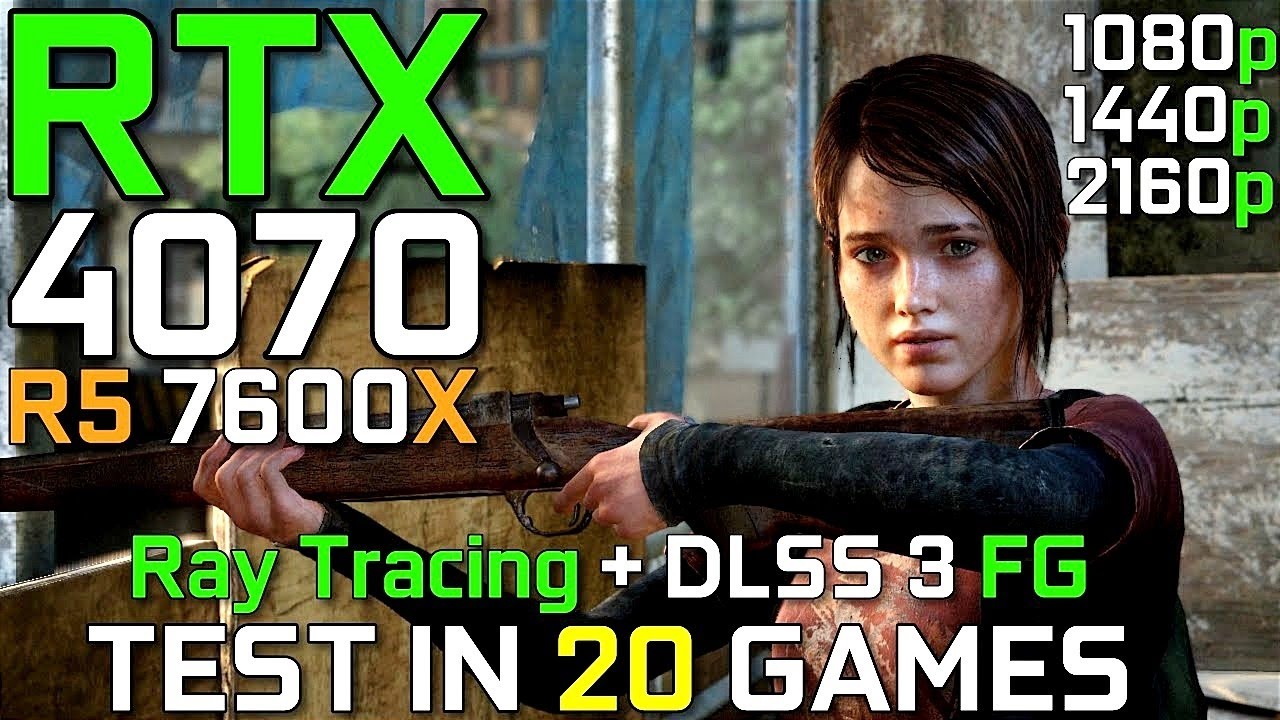
● 00:00 Specs
● 00:03 Resident Evil4 1080p
● 00:30 Resident Evil4 1440p
● 01:01 Resident Evil4 4k
● 01:31 Resident Evil4 4k FSR Quality
● 02:01 The Last Of Us Part1 1080p
● 02:31 The Last Of Us Part1 1440p
● 03:01 The Last Of Us Part1 1440p Dlss Quality
● 03:31 The Last Of Us Part1 4k
● 04:01 The Last Of Us Part1 4k Dlss Quality
● 04:31 Hogwarts...
(7600 = 7600X effectively)
Most people testing with these specs do so at 1440p or 4k since those are more relevant to the 4070
static parcel
Alr thx
mossy venture
little osprey
Between these two boards, what would y’all recommend?
For price difference, first
mossy venture
little osprey
Between these two boards, what would y’all recommend?
This is also an option, iirc z790s handle memory oc better than z690s https://pcpartpicker.com/product/xXxRsY/gigabyte-z790-ud-ax-atx-lga1700-motherboard-z790-ud-ax

Gigabyte Z790 UD AX ATX LGA1700 Motherboard (Z790 UD AX)
vague oracle
Gigabyte board for ram OC 
The amount of times I set 7400 MT/s in bios and then go into windows and run ycruncher VST and other tests and says it’s stable after a 2 hour run
Only for it to not actually set 7400
Or not setting timings to what I set them to
And RTTs maxing out at 160 and not 240
sharp temple
I just bought one Deepcool performance fan fc120. Does it need the sata cable to work?
Because it has a pwm and rgb connection.
sharp temple
Sata isn't only needed for storage sometime it is used to carry power to other devices. I am wonder8ng if it's needed to run the fan.
mossy venture
no
 noble sinew
Guys did I put too much paste?
 sharp temple
mossy venture
no
sharp temple
mossy venture
no
Then why does it have a sata power connection
mossy venture
i think for a fan hub?
sharp temple
noble sinew
Guys did I put too much paste?
If you add too much the only thing that goes bad is if you ever need to remove the cpu there will be lots of thermal paste to clean up
noble sinew
sharp temple
If you add too much the only thing that goes bad is if you ever need to remove t...
Ahh i was scared it’ll somehow fill the cpu and damage it 😅
I took only a little out but I think it’ll be fine now
sharp temple
mossy venture
i think for a fan hub?
Nope
charred fern
noble sinew
Ahh i was scared it’ll somehow fill the cpu and damage it 😅
if its conductive it can. But this is thermal paste, not liquid metal, so unless it says its conductive, ur fine
i got some paste on my cpu pads somehow, 99% isopropl alc ftw!
noble sinew
Guys, so my msi b450 gaming plus max motherboard doesn’t support argb, what would be the cheapest hub to get it working for 1 fan? And what poet would I plug that hub into?
little osprey
mossy venture
This is also an option, iirc z790s handle memory oc better than z690s https://pc...
Was eying that board NGL
Do you think 13600K/13700K are gonna drop in price by a bit for Prime Day or Newegg’s thing?
mossy venture
13600k or kf maybe
little osprey
mossy venture
13600k or kf maybe
Is it much better than the 12600K/12700K?
little osprey
mossy venture
good bit

13th Gen Intel Core i5-13600KF desktop processor, without processor graphics. Featuring PCIe 5.0 & 4.0 support, DDR5 and DDR4 support, unlocked 13th Gen Intel Core i5 desktop processors are optimized for gamers and productivity and help deliver high performance. Discrete graphics required. Therma...
$290 right now
What would you think it'd drop to if it were on sale?
mossy venture
260
charred fern
little osprey
https://www.amazon.com/dp/B0BCF5CZ16
https://pcpartpicker.com/product/GVM48d/intel-core-i5-13600kf-35-ghz-14-core-processor-bx8071513600kf its was at $260 about a month ago

Intel Core i5-13600KF 3.5 GHz 14-Core Processor (BX8071513600KF)
little osprey
mossy venture
260
Worth spending the extra bit for it if the opportunity comes around?
mossy venture
yeah imo
little osprey
I'll have to see
mossy venture
I'd say worth $40 over $220 12700kf
mossy venture
yeah, 4 extra e cores over 12600kf
noble sinew
Woah this aftermarket cpu fan is amazing. I went from 85-92C under load to 64-70C under load 100%
I’ll never go stock ever again since ik about the Thermalright Assassin X120 now
little osprey
Is 64GB of DDR5 overkill for a 12700K and 3060 Ti/2080 Ti system?
potent portal
Yes. That's at the point where having that much memory actually hurts performance.
little osprey
potent portal
Yes. That's at the point where having that much memory actually hurts performanc...
Wait that can happen?
potent portal
Yes. More memory means more work for the memory controller, which means slower memory.
little osprey
Also why are 64GB kits $210 minimum when a decent 32GB kit can be found for $70-$80?
potent portal
Higher density chips
Go for 48GB if you feel you need more than 32GB
2x 24GB kits will run about as fast as 2x 16GB
Seby showed the world that at the g.skill competition when he got a 24GB stick to run over 11,000 MT/s
little osprey
potent portal
Go for 48GB if you feel you need more than 32GB
I have no clue
I just like to run Spotify and Discord in the background
I think the 64GB kit was purely out of curiosity
potent portal
32GB is more than most people need still
You could still get away with 16GB on DDR5 but it's worse memory so we don't recommend it
little osprey
potent portal
Yes. More memory means more work for the memory controller, which means slower m...
So for a 7800X3D gaming build it'd be unproductive, but with something like the 13900KS or something it'd be useful?
little osprey
potent portal
You could still get away with 16GB on DDR5 but it's worse memory so we don't rec...
I'm gonna try to learn how to memory tune with that Team Group T-Create kit
potent portal
If that KS is being used for production workloads that use a ton of memory, like huge blender renders, then yeah
little osprey
Hmmm okay
potent portal
But 48GB is still the limit of capacity/performance ratio
little osprey
Do they come in two 24GB sticks or what?
little osprey
Yikes

G.Skill Ripjaws S5 48 GB (2 x 24 GB) DDR5-5600 CL40 Memory (F5-5600J4040D24GX2-RS5K)
Not cheap either
At least compared to some other decent stuff
potent portal
Cost/performance 32GB is still best
little osprey
Yeah would've thought so
Don't think I've ever heard of 24GB DIMM's before
So I'm assuming they're still being refined
mossy venture
its new to ddr5
potent portal
They're new as of this year. And they're actually pretty decent
mossy venture
but it works well
potent portal
DDR5 in general is still being refined. The jedec spec technically goes up to 8000 but nothing runs that out of the box.
noble sinew
I wonder if DDR6 is really coming out in 2025
obsidian wigeon
yes, only in terms of specs
but not actual release of mass production
ddr5 existed long before 2022 actually, just in the form of early specs and evaluation
noble sinew
Hmm, maybe when I build a pc in 2030, ddr6 may have been mass produced already
potent portal
I give it til 2027 actually. It's been about a 5-6 year cycle historically.
 leaden mauve
@static parcel I APPROVE OF YOUR PFP BROTHER 
ornate solstice
potent portal
I had a very similar idea https://pcpartpicker.com/list/KpHPbK
Thank you both for the help @mossy venture
will my mobo work with this as well or would i need to change it
cyan ravine
Depends on the price of a 6700xt
little osprey
 manic cloak
329.99
manic cloak
329.99
this is the pice that the 6700xt is at my country
static parcel
leaden mauve
<@1056052218521993306> I APPROVE OF YOUR PFP BROTHER <a:JJKGojoYes:8153576327221...
YEEEEE!!!
mossy venture
ornate solstice
Thank you both for the help <@654444344274845698>
will my mobo work with this a...
Mobo will work
 trail flame
After I complete my new computer I am not certain what I will do to my old laptop. Would rather sell it so someone who would use it rather than put it in an E-waste bin.
I have the original box it came in too.
Not that anyone wants that
little osprey
trail flame
Not that anyone wants that
Wipe the drives, give the laptop a good cleaning, take some nice photos, and then list it at a reasonable price
 burnt spruce
is the temp heat of 76750 xt gigabyte is okay ?
I saw in youtube it hits around 70c
trail flame
little osprey
Wipe the drives, give the laptop a good cleaning, take some nice photos, and the...
Yeah it has a gtx 1060 and 16gb of ram so im sure someone would want it.
mossy venture
burnt spruce
is the temp heat of 76750 xt gigabyte is okay ?
70c is more than safe
 frigid carbon
Thinking about purchasing a Corsair hx1000 on hardware swap for $75. Is it safe?
cyan ravine
Depends how old
runic spruce
Isn’t there like PayPal buyer protection or something
frigid carbon
Pmd for condition but still waiting on reply
burnt spruce
Is 6750xt better than 3060ti?
little osprey
burnt spruce
Is 6750xt better than 3060ti?
Yeah no question about it
For gaming at least
It's VRAM is nice
12GB compared to 8GB
little osprey
Well I was about to say yeah
One will offer more than the other depending on the price
burnt spruce
little osprey
One will offer more than the other depending on the price
Asus tuf 3060 ti 3 fan 436usd
Gigabyte 6750xtis 406usd
little osprey
burnt spruce
Asus tuf 3060 ti 3 fan 436usd
Gigabyte 6750xtis 406usd
Those are horrible prices
Like you can get those cheaper brand new
burnt spruce
Ya its bnew . Its expensive in my country. I'm not from US
little osprey
Ooooooh
That explains it
Well to cause less confusion it'd be better for you to use your local currency
burnt spruce
So still get 6750xt right?
burnt spruce
little osprey
Well to cause less confusion it'd be better for you to use your local currency
Its fine
cyan ravine
burnt spruce
So still get 6750xt right?
Between those ye
6700XT would be way better if it's way cheaper
runic spruce
Maybe try getting a 7900xt
weak flint
Part List - AMD Ryzen 5 7600, Radeon RX 7900 XT, NZXT H5 Flow ATX Mid Tower
if you could get like £50 off or spend it you could also go for the 2TB ssd
you get a good enough cooler with the non x besides its not that much of a performance boost
cheaper better psu
the ram cl32 is still hynix made so its good enough
and better gpu
cyan ravine
Dis mans is smart
Here's a slight adjustment to that to fit the 2TB. The list above is really good though
https://uk.pcpartpicker.com/list/P7w9xs
Part List - AMD Ryzen 5 7600, Radeon RX 7900 XT, Phanteks Eclipse G300A (3 Fan) ATX Mid Tower
Or this for white/wifi
https://uk.pcpartpicker.com/list/WL7fKp
Part List - AMD Ryzen 5 7600, Radeon RX 7900 XT, BitFenix Nova Mesh M ARGB MicroATX Mini Tower
 serene onyx
So excited
Thanks
I'm still waiting for my ram, and ssd to arrive. They get delivered later today
weak flint
niceee
serene onyx
Oh yeah
weak flint
first time ?
weak flint
oo nice you can watch some tips on yt till your ssd and ram arrive
serene onyx
I need too
weak flint

Check prices on Amazon below
Intel i5-11400F: https://geni.us/ncsr
AMD Ryzen 5600X: https://geni.us/mU1J
RTX 3060 Ti: https://geni.us/q9h0NAB
RTX 3070: https://geni.us/pLAgO
B550 Motherboards: https://geni.us/yFXM06
B560 Motherboards: https://geni.us/iBzZ5yL
Gaming channel: https://www.youtube.com/channel/UCovpbOTYpkZnv1MXgCdkD0w
GPU undervolt...
weak flint
optimum tech very good youtuber
serene onyx
Ima binge watch the videos
weak flint
write anything down if you feel it will help dont wanna finish it and realize you missed somethin 😅
weak flint
serene onyx
If my pc has wifi, do I still need to I stall windows using a usb
yes you still need to install windows from a usb
weak flint
Why?
weak flint
damn
serene onyx
I'll see if I can use my jobs laptop for this
weak flint
you can flash iso files from your phone but you'd need a usb-c flash or a usb-c dock
i cant garentuee windows though since its a bit funky with how they have their iso flashing
weak flint
walmart should have a disk or flash drive for windows.