#building-and-recc-chat
1 messages · Page 149 of 1
 pseudo pollen
 leaden mauve
It makes more sense to get a single more powerful GPU over 2 lesser ones, generally
pseudo pollen
Makes sense, I just thought it would be fun to do something new and experiment
leaden mauve
ah they're 2696v3's not 99v3's thats good
leaden mauve
yea, but the 96v3 has higher boost clocks by like 100MHz on a couple cores iirc
leaden mauve
I always recommend against buying the chinese boards for people in the US, but for the price of this combo, it's just too alluring 
pseudo pollen
I was looking on ebay for similar deals, but I couldn't find any
leaden mauve
Yea
pseudo pollen
So most of the list is fine?
leaden mauve
I'm not familiar with the m.2 drive or PSU, but I'd suggest looking at the more commonly recommended ones.
As for the PSU, you wouldn't need a 1kW unit. ~700W or so (depending on which GPU you end up getting) will probably suffice.
I don't know if that m.2 drive is good, or good value, but considering you want to edit off of it, I'd consider getting one of the more popular drives. I forget which those are but someone like @potent portal would probably remember
pseudo pollen
The m.2 is a decent drive, and pretty fast as well, but I wanted to take a risk on a aliexpress drive
leaden mauve
aliexpress deal hunting can be fun yea lol
pseudo pollen
And the psu is just the cheapest decent one around, unless I wanted to get a 600w of the same model
 dawn iron
what is a good monitor for about $300-$400
pseudo pollen
pseudo pollen
leaden mauve
I'm not familiar with the m.2 drive or PSU, but I'd suggest looking at the more ...
I'm pretty sure he said that this drive would be fine, S tier if it works and it's not a firmware hacked drive https://www.aliexpress.us/item/3256805031595721.html
 dusty coyote
Okay I finally got my PC built but now I have some drivers that I have no clue how to update. They are as followed under the “other devices tab” PCI Device, PCI Device, PCI Device, PCI Device, RAID controller, SM Bus Controller, and unknown device. Any idea how I figure out how to update these?
dusty coyote
Ignore that last question. I finally figured it out. Any idea why my 4070 Ti GPU led fans are flickering then going on and then randomly flickering every so often.
 frigid night
dusty coyote
Ignore that last question. I finally figured it out. Any idea why my 4070 Ti GPU...
frigid night
dusty coyote
Ignore that last question. I finally figured it out. Any idea why my 4070 Ti GPU...
What brand GPU do you have?
dusty coyote
frigid night
What brand GPU do you have?
It’s a Gigabyte
frigid night
dusty coyote
It’s a Gigabyte
Are you using any RGB software?
dusty coyote
frigid night
Are you using any RGB software?
I was just trying to get the Asus software to recognize it but it wouldn’t so I downloaded the RGB Fusion app to make it work
frigid night
dusty coyote
I was just trying to get the Asus software to recognize it but it wouldn’t so I ...
The flickering could be caused by some sort of incompatibility. I would uninstall RGB fusion and any other RGB software you have. Download OpenRGB and run as admin the first time and see if that fixes your issue.
https://openrgb.org/releases/release_0.8/OpenRGB_0.8_Windows_64_fb88964.zip
frigid night
frigid night
The flickering could be caused by some sort of incompatibility. I would uninstal...
You'll want to unzip the entire contents to its own folder before running.
dusty coyote
frigid night
You'll want to unzip the entire contents to its own folder before running.
Thank you so my for your help!! I’ll try that in just a bit!
 lone flame
never thought to check before but this is what is in my 5 year old prebuilt

 potent portal
That doesn't meet the minimum spec on a lot of recent games
If you're not playing modern high graphics games it's probably ok though
lone flame
potent portal
That doesn't meet the minimum spec on a lot of recent games
yeah no kidding
ive finally taken intrest in building my pc
i am thinking of biting the bullet and ordering the parts this week
potent portal
The good news is you can probably upgrade to a 5600 without changing anything else, as long as the bios gets updated to support it.
Or a 5700X if you really need the extra cores, 5800X3D if you really want the best that AM4 can give you.
lone flame
potent portal
Or a 5700X if you really need the extra cores, 5800X3D if you really want the be...
https://pcpartpicker.com/list/VRxvzf
this is my part list a couple in here helped me come up with
Part List - AMD Ryzen 5 7600, Radeon RX 6700 XT, Montech AIR 100 ARGB MicroATX Mid Tower
i know like nothing about pc building
just the very basics
so all these parts you're listing are basically gibberish lol
potent portal
Ah jumping straight to AM5, that works too. The 7600 would be about equal to the 5800X3D in a lot of games.
The main advantage being future upgradability on the new platform.
lone flame
potent portal
The main advantage being future upgradability on the new platform.
are you talking about that list i just sent
potent portal
Yes
That's a new platform so it'll have a few more generations of CPU you can upgrade to later if you need/want.
lone flame

ASIAHORSE 16AWG PSU Cable Extension Power Cords, Customized Power Supply Mod Sleeve Extension Cable, ATX/EPS/8-pin PCI-E/6-pin PCI-E for PSU Cable
lone flame
potent portal
That's a new platform so it'll have a few more generations of CPU you can upgrad...
eventually i'd love to watercool a pc in the distant future
but somewhat shortterm upgrades would be nice
getting a build under my belt should def help me understand this stuff better
 manic cloak
hmm is there any power cables to be looking at? like that would likely be on sale during prime day or fantatech/deals
 desert gulch
Power cables? For what?
manic cloak
power supply cables*
 mossy venture
Power supply cables are specific to your power supply. Unless you mean extensions, risers, etc
frigid night
anyone here use a KVM switch for hdmi?
potent portal
Yeah, what did you want to know?
frigid night
potent portal
Yeah, what did you want to know?
I'm looking to hook my 4k tv to my pc so I can watch yt and whatnot when going to bed. Problem is, I'm already at my max outputs. While I know a KVM will solve this issue, I am wondering if there is a way that when I switch the display to my TV, that all other displays will stop displaying. If that makes sense.
potent portal
That's easy enough to do without anything extra. Just switch the PC from "extended" mode to single output mode. Windows 11 even remembers where everything goes after you switch back.
I'm guessing it's not a smart TV if it doesn't have youtube
frigid night
potent portal
I'm guessing it's not a smart TV if it doesn't have youtube
It is a 4k samsung tv. I'm just limited by certain.. restrictions with wifi
I use my phones data for my internet (has worked amazing the last 2 years) however, I have to be tethered to my pc because I have to use a couple lines in cmd to treat the traffic as if it's coming from my phone vs my pc.
potent portal
Well, you can find the multiple display toggles in display settings
frigid night
So what you are saying is once I switch over to the tv for the first time.. set it to only display on TV and it'll turn rest of displays off and when I switch back to the original monitor, all other monitors will display again in their original positions?
potent portal
You might need to get back into settings and switch it back to the extended desktop mode
But yeah it's pretty good about remembering where everything goes
frigid night
Ok, that's cool. I wonder if there is a way to do so from cmd/ps so just in case I can just double click an icon xD
Thank you Fal, I appreciate you.
potent portal
frigid night
Ok, that's cool. I wonder if there is a way to do so from cmd/ps so just in case...
Actually there is. displayswitch.exe can be called via command line.

Stack Overflow
I would like to be able to set "Extend my Windows desktop onto this monitor" via code. A PowerShell script would be ideal. WMI seems the way forward but I have zero knowledge in WMI.
frigid night
potent portal
https://stackoverflow.com/questions/275063/extend-my-windows-desktop-onto-this-m...
ok cool. It looks like I'll need a copy of win10 displayswitch.exe
potent portal
It's on 11 too
 potent portal
I'd test it myself but I'm only on one monitor right now. Kids smashed the secondary.
frigid night
rip
I'll test it rq
nope, it just pulled up windows+P
It's fine though. I'll just pull a the exe off my win10 pc
I have one more question though.. What would be a good inexpensive switch?
frigid night
potent portal
Bonus points if you hotkey the batch file
yeah that's what I plan on doing
This is the one I was looking at.
https://www.amazon.com/Switcher-Benfei-Bi-Direction-Hub-HDCP-Passthrough-Supports/dp/B07DNB98HH

Benfei HDMI switch provides a cost-effective and bi-directional switch solution, is easy for different connection topology and scenario, up to 3840*2160@60Hz resolution ensure the high quality image and user experience. Switch between HDMI source: switch the HDMI signal to 1 monitor between 2 dif...
frigid night
potent portal
How fast do you need it to go?
my tv is 60hz
potent portal
Oh you mean KVM switch, I thought you meant ethernet switch so you can share the internet connection off the PC to the TV
frigid night
potent portal
Oh you mean KVM switch, I thought you meant ethernet switch so you can share the...
oh, no sorry
frigid night
potent portal
Oh you mean KVM switch, I thought you meant ethernet switch so you can share the...
but wait.. what?
I can ethernet from my pc to the tv?
potent portal
Yeah, plug an ethernet cable from one to the other and turn on sharing
frigid night
nvm, that'll end up creating a hop that'll tip that I'm using tethering
hm
I'm gonna test it out
That's cool
alright, in the event that it doesn't work out the way I need it to.. does the kvm switch I linked seem good?
I am totally gonna try the ethernet out though because that seems wayyy better
potent portal
If that has enough bandwidth for both the monitor and TV, yes
frigid night
potent portal
If that has enough bandwidth for both the monitor and TV, yes

I suck at bandwidth stuff so I'm not sure tbh
potent portal
I know the TV is 4k60 but what about the monitor
frigid night
1080p60
frigid night
sweet
potent portal
Here's this to test the connection sharing. Instead of wifi you'll be sharing your phone modem. It connects through the PC still so there's a decent chance it works fine.
https://www.makeuseof.com/windows-internet-connection-sharing-tool-guide/

MUO
Wondering what the Windows Internet Connection Sharing tool can do for you? We have all the answers.
frigid night
potent portal
Here's this to test the connection sharing. Instead of wifi you'll be sharing yo...
oo, I'll give this a try right now. I'll know instantly if it's being throttled.
I could possibly just set my hop up 1 more as well and see what happens
frigid night
potent portal
Here's this to test the connection sharing. Instead of wifi you'll be sharing yo...
yeah it's throttling me when using my tv. speeds on pc are still fine though
PC

TV

 potent portal
Happy to help
 languid nimbus
frigid night
languid nimbus
frigid night
Does it matter that your ip is showing?
 runic spruce
Probably but I doubt anyone here would know or care about doing anything with it
potent portal
People here know what can be done with it. Me for one.
Unless you're being targeted for some reason I don't see anyone caring, though.
 obsidian wigeon
oh no
 cyan ravine
Suprise MOTHERF-
potent portal
Hey want to join my private discord server that totally won't track your IP?
cyan ravine
 frigid night
languid nimbus
Does it matter that your ip is showing?
frigid night
languid nimbus
Does it matter that your ip is showing?
It changes. I use my phone for internet
Before I reinstalled windows a couple weeks ago, I think I was up to like network 340
languid nimbus
Ahhh gotcha gotcha
leaden mauve
cyan ravine
https://tenor.com/view/megumin-konosuba-explosion-meledak-ledakan-gif-12327270
 lone flame
Planning on ordering parts for my first build this week. Been watching videos and stuff. How big of an issue is static electricity when building?
cyan ravine
leaden mauve
https://media.discordapp.net/attachments/1086145858359267350/1094812902877315152...

 little osprey
lone flame
Planning on ordering parts for my first build this week. Been watching videos an...
little osprey
lone flame
Planning on ordering parts for my first build this week. Been watching videos an...
Not bad
 untold badger
I'm new here and don't know much. I am not even sure if this is the right place to ask this.
I am buying a ASUS ROG Strix SCAR 18 (2023)
I want to upgrade the RAM and run two SSD in RAID 0
I'm trying to see if these components are compatible right out of the box:
ASUS ROG Strix SCAR 18 (2023) Gaming Laptop, 18" Nebula Display 16:10 QHD 240Hz/3ms, GeForce RTX 4090, Intel Core i9-13980HX, 32GB DDR5, 2TB PCIe SSD, Wi-Fi 6E, Windows 11 Pro, G834JY-XS97
G.SKILL Ripjaws SO-DIMM 64GB (2 x 32GB) 262-Pin DDR5 SO-DIMM DDR5 5600 (PC5 44800) Laptop Memory Model F5-5600S4040A32GX2-RS
Two of these to replace the two 1TB SSD the laptop ships with:
WD_BLACK SN850X NVMe M.2 2280 2TB PCI-Express 4.0 x4 Internal Solid State Drive (SSD) WDS200T2X0E
Also, if it were you and you wanted 64gb of DDR5 and two 2TB SSD what would YOU buy? 🙂
Thank you for your help.


 dim forge
the monitor's price is okay-ish. Have you checked amazon? the tower is a bit overpriced considering it's an entry board and a 5500.
 bold stone
dim forge
the monitor's price is okay-ish. Have you checked amazon? the tower is a bit ove...
bold stone
dim forge
the monitor's price is okay-ish. Have you checked amazon? the tower is a bit ove...
Sales tax is the product's price here
Btw what does overclocking to 165hz mean?
Will it not run 165 hz?
mossy venture
bold stone
Is it good....
Depends on price compared to the one you were going to buy previously

 mossy venture
If 3050 build is within 50 jod , go for it.
 serene onyx
bold stone
They released this
serene onyx
bold stone
They released this
I just bought the monitor in the first pic, and it arrived today
It's pretty good ngl
Really worth it
Sad thing is, no built in speakers
 livid shadow
Hey there folks, is there something I should be out on the hunt to upgrade in the near future besides storage?


 potent portal
Looks pretty good to me. The memory could be a bit faster, Ryzen likes between 3600 and 3800 typically which lets you run the infinity fabric faster. That's how the cores communicate with each other.
You could probably just overclock what you have. Let us know if that's something you want to do.
Besides that your next upgrade would be a stronger GPU and maybe PSU if what you have isn't enough. Used 3080s have been around $500.
cyan ravine
That would be the play
400MHz isn't worth a new kit any day of the week anymore
So overclocking would be the way to go
livid shadow
potent portal
Looks pretty good to me. The memory could be a bit faster, Ryzen likes between 3...
It should be running at 3200 which is weird why is it 1600
livid shadow
Ah, because dual channel
livid shadow
potent portal
Besides that your next upgrade would be a stronger GPU and maybe PSU if what you...
Already have a 1000W~ PSU
bold stone
serene onyx
I just bought the monitor in the first pic, and it arrived today
Aight im getting it ig
bold stone


Are these goof
Good
@earnest olive ?
Sorry for pinging yall but I'm ordering now
 bold stone
Better keyboards you thunk?
bold stone
bold stone
Better keyboards you thunk?
@obsidian wigeon

 earnest olive
bold stone
<@122901618369757184> ?
earnest olive
bold stone
<@122901618369757184> ?
why me
i don't use prebuilt keyboards
if you're going to ping me at least ping me about something i know something about
all i know is that prebuilt keyboards are bad
 bold stone
obsidian wigeon
that's all i can say
bold stone
obsidian wigeon
that's all i can say
I mean if it works it works ig
So buy you reckon?
bold stone
@obsidian wigeon is the case enough
For a WiFi adapter,mouse and keyboard,and this headset which only works on USB
 obsidian wigeon
yes it will be


 obsidian wigeon
nope
obsidian wigeon
not sure lol
bold stone
Hmm
obsidian wigeon
just don't worry about it, they'll play sounds and stuff fine

 languid nimbus
 cyan ravine
Probably the hotswap one cos then you can buy cheap switches if the stock ones suck
 obsidian wigeon
Eh
It should be decent
There's no reviews but looking at a different one with VA panel this one should be good
 vague oracle
obsidian wigeon
k552 is that popular hotswap one isn't it
vague oracle
obsidian wigeon
k552 is that popular hotswap one isn't it
K552 ain’t hotswap
And the few that are hotswapable are only compatible with outemu switches
obsidian wigeon
it depends on the revision
if you have the newer version, k552 is hotswap
akko has switches that are 3 pin
so that's not too bad
vague oracle
They started making them hotswap again?
obsidian wigeon
yeah
vague oracle
Actual hotswap or just the outemu hotswap?
 bold stone
obsidian wigeon
It has to say wifi, ac, or ax
bold stone
obsidian wigeon
It has to say wifi, ac, or ax
So it has no WiFi nor Bluetooth

This one
bold stone
Bluetooth?
obsidian wigeon
also no obviously
all wifi boards has bluetooth too lol
it's an expected combo
 frail valve
obsidian wigeon
K552 is hotswap these days
frail valve
obsidian wigeon
K552 is hotswap these days
Wait really?
 edgy jasper
anyone know wherei plug in vdg cable on PRIME B660M-A AC D4 motherboard?
obsidian wigeon
frail valve
Wait really?
yems
frigid night
How does this build look? The things listed as purchased are what I already have.
Part List - Intel Core i3-12100F, Radeon RX 6600, Corsair 4000D Airflow ATX Mid Tower
mainly games like valorant will be played.
 weary galleon
for $30 more you could get a 6650xt
price/perf might actualy be pretty similar there, not sure
frigid night
yeah, honestly I'd prefer a 5700xt because cheaper, but better. However, I want to make sure it's a new gpu with a warranty for this customer.
frigid night
weary galleon
for $30 more you could get a 6650xt
I was mainly concerned about the PSU though. Will 650w be fine?
weary galleon
650 will be more than enough for that build
can't speak for the quality of the unit though
weary galleon
frigid night
oops I meant 600
still plenty
frigid night
weary galleon
still plenty
Thank you ❤️
weary galleon
60w cpu and <150w gpu
 zenith cargo
 frigid night
now I just gotta remember what cpu cooler I had in mind
obsidian wigeon
zenith cargo
what cpu and what are you trying to do
weary galleon
frigid night
now I just gotta remember what cpu cooler I had in mind
thermalright assassin line is solid
zenith cargo
nvm im good yall
 frigid night
weary galleon
thermalright assassin line is solid
frigid night
weary galleon
thermalright assassin line is solid
yeah that's the one I got last time. I just had to look through my amazon order history 😛
frigid night
weary galleon
thermalright assassin line is solid
This is the new list. I remembered I had some cheaper ram I could use as well as added the cpu cooler. What would you consider a fair price for this build? All parts are brand new or used less than 40 hours.
weary galleon
frigid night
This is the new list. I remembered I had some cheaper ram I could use as well as...
link doesn't work
frigid night
weary galleon
link doesn't work
Part List - Intel Core i3-12100F, Radeon RX 6600, Corsair 4000D Airflow ATX Mid Tower
weary galleon
frigid night
This is the new list. I remembered I had some cheaper ram I could use as well as...
I would charge the price of components + the cost of your labor to build/test/ship
frigid night
weary galleon
I would charge the price of components + the cost of your labor to build/test/sh...
Alright, thank you. Luckily he's local so I won't have to ship it.
weary galleon
that's nice
zenith cargo
bro
weary galleon
there is an asrock 6600 for $20 cheaper but if set on the eagle $200 isn't bad
frigid night
weary galleon
there is an asrock 6600 for $20 cheaper but if set on the eagle $200 isn't bad
yeah, I'm wanting a 3 fan card. This is a 19 year old who just got his first job and wants a good looking pc. I think a 3 fan card will make him happy.
 frigid night
yeah ew lol
cyan ravine
Eagle is the overkill 6600
Nothing wrong with either but yeah $20 for aesthetics is ok
potent portal
zenith cargo
ITS STUCK AT 4.2
What is? The CPU should only be boosting to its max when a single core is moderately active
little osprey
weary galleon
yeah the eagle will look much nicer than the asrock challenger
I took that personally
serene onyx

The CORSAIR H60x RGB ELITE liquid CPU cooler combines brilliant cooling and refined aesthetics, equipped with a CORSAIR SP120 RGB ELITE Series PWM fan that delivers powerful airflow with AirGuide technology. With a modern pump head design and stunning RGB lighting effects, the H60x RGB ELITE matc...

COOLER MASTER MasterLiquid ML120L RGB V2 is a refreshed design from the popular MasterLiquid Lite Series that elevates the exterior design elements The Pump of the ML120L RGB V2 has been enhanced with the newly designed 3rd Gen Dual Chamber Pump that improves the overall cooling efficiency of the...
Do yall think I should go the liquid cooling route?
If so, which one would be better for me to get
serene onyx
Ur so right
So stick to air? 💀
MY CASE ARRIVES TODAY
Now I gotta wait till my check hits Friday, then I can buy all the parts 🥱
obsidian wigeon
ye stick to air cooler
serene onyx
Ight
Friday, will be the day
I am so ready for this
I'm boutta go on a spending spree Friday, might even buy speakers or a sound bar or something for my pc
serene onyx
obsidian wigeon
ye stick to air cooler
U sure the 20$ cooler will work? Cause I'm a Lil bit worried about it
little osprey
serene onyx
https://www.amazon.com/CoolerMaster-MasterLiquid-Close-Loop-Cooler-SickleFlow/dp...
120mm AIO 💀
obsidian wigeon
yes i am
little osprey
What chip?
serene onyx
Ryzen 5 7600 6 core
little osprey
Yeah you'll be fine
serene onyx
Ok bet
mossy venture
120mm aios are pointless
if you want a better cooler, get pa120 se, ft120, ft140, and if you really want an aio thermaltake frozen notte is cheap
or felix what's that thermalright aio
mossy venture
isn't that the thermaltake one?
mossy venture
ah ok
 unreal vale
Any obvious critiques? Kinda just threw it together
 mossy venture
unreal vale
Any obvious critiques? Kinda just threw it together
mossy venture
unreal vale
Any obvious critiques? Kinda just threw it together
yes a lot, what are you using it for?
for $73 more, you can get a cpu with the same performance, and a gpu thats between the 3080-3090, varies game to game https://pcpartpicker.com/list/g999xs
Part List - AMD Ryzen 5 5600, Radeon RX 6800 XT, BitFenix Nova Mesh M ARGB MicroATX Mini Tower
or for $100 less, cpu with the same performance and gpu with 3070 performance https://pcpartpicker.com/list/mVnQjZ
Part List - AMD Ryzen 5 5600, Radeon RX 6700 XT, BitFenix Nova Mesh M ARGB MicroATX Mini Tower
unreal vale
Only reason I’d be using the 3060 is because I can get it for $150 used from a friend. It’d only be fore gaming
mossy venture
unreal vale
Only reason I’d be using the 3060 is because I can get it for $150 used from a f...
then the list i made with the 3060, apevia prestige for the psu
unreal vale
Thank you!


 little osprey
bold stone
little osprey
bold stone
I think that Razer desk mat is pre-2016 because of the logo
bold stone
little osprey
I think that Razer desk mat is pre-2016 because of the logo
It was 7 dollars from the store I got the keyboard from
It looks clean tho so I'm not complaining at all
bold stone
Oh lol
It was this or a reddragon black one
The logo on bottom right corner
But like k552 is rainbow so it'd make more sense to take the razer one becuase the mouse has green lights
little osprey
https://pcpartpicker.com/list/GbPysL
So this is what I’m currently getting and I also have a 600 gb 80+ gold psu, what gpu do i get? I know to get at least 8gb or more but idk what kind to go for. Either a gpu I have to get or an idea of what kind to get
Part List - AMD Ryzen 5 7600X
mossy venture
little osprey
https://pcpartpicker.com/list/GbPysL
So this is what I’m currently getting and...
what's your budget for your gpu
also this mobo is better https://pcpartpicker.com/product/kvWJ7P/asrock-a620m-pro-rs-wifi-micro-atx-am5-motherboard-a620m-pro-rs-wifi

ASRock A620M Pro RS WiFi Micro ATX AM5 Motherboard (A620M Pro RS WiFi)
and comes with wifi
little osprey
I’m using Ethernet
little osprey
mossy venture
what's your budget for your gpu
Don’t really have a budget because everything on that is being new, yk what I honestly didn’t think of this my bf has a gpu he’s giving me but idk if it’ll work with my stuff
Idk if he has a ddr5 or not tho
I’m gonna buy the gpu in 2 weeks anyway
He has a Msi 6500 xt @mossy venture
little osprey
little osprey
He has a Msi 6500 xt <@654444344274845698>
Not a good card
I’d stay away from that
Why? What’s wrong with it?
Which one would I get then?
little osprey
little osprey
Why? What’s wrong with it?

On par with a 5500/5500 XT which are both previous generation and those are horrible cards as well
Ahhh
Okay
little osprey
little osprey
Which one would I get then?
6600/6600 XT used or new
Or if you’re willing to spend a bit more probably a 6700 XT used or new
Any brand fine? Does it matter?
little osprey
little osprey
Any brand fine? Does it matter?
Stay away from MSI Ventus 2X/3X and Asus Dual cards, outside of those cards you’ll be fine
Model > Brand
So this is a no?

Just so I learn what I’m looking out for
And I do have a gpu now but idk if it’ll be compatible with running everything, it’s a Evga gtx 1060 8gb gddr5x
mossy venture
little osprey
He has a Msi 6500 xt <@654444344274845698>
It'll work but it's low end
It would struggle with a lot of newer titles
little osprey
Ooo
mossy venture
I'd go for a 6700xt at $310, if that isn't too expensive
https://pcpartpicker.com/product/CCJp99/asrock-challenger-d-oc-radeon-rx-6700-xt-12-gb-video-card-rx6700xt-cld-12go

ASRock Challenger D OC Radeon RX 6700 XT 12 GB Video Card (RX6700XT CLD 12GO)
mossy venture
little osprey
So this is a no?
That's OK, but 6650xt is a bit better and similarly priced

ASRock Challenger D OC Radeon RX 6650 XT 8 GB Video Card (RX6650XT CLD 8GO)
So I'd get either the 6700xt or 6650xt for you
little osprey
Awesome, thank you so much I appreciate the help!
mossy venture
Happy to
little osprey
just to check to see if I can save some money, he has ram sticks. PNY (2x8gb) 3200 mhz ddr4 Xlr8
lone flame
what thermal paste should i use for this build
Part List - AMD Ryzen 5 7600, Radeon RX 6700 XT, Montech AIR 100 ARGB MicroATX Mid Tower
idk how much brand matters
i dont want to be spending like 30 bucks on it tho
 jagged ember
Mx4, mx5, nth1, nth2
mossy venture
little osprey
just to check to see if I can save some money, he has ram sticks. PNY (2x8gb) 32...
That doesn't work with the 7600
You could get a 13400f with a b760 on ddr4, and reuse the ram
mossy venture
lone flame
https://pcpartpicker.com/list/VRxvzf
The cooler comes with some, that will be fine
I'd rather get a better cooler than get better paste, like the pa120 se for $35
mossy venture
little osprey
just to check to see if I can save some money, he has ram sticks. PNY (2x8gb) 32...
https://pcpartpicker.com/list/BtZwbK this would work with that ram
Part List - Intel Core i5-13400F
It is worse than the 7600 though
little osprey
Well ion really wanna stick with Intel, been having a few lil problems with it because it’s expensive af to upgrade them
little osprey
little osprey
Well ion really wanna stick with Intel, been having a few lil problems with it b...
Hm?
How so?
potent portal
Every time you upgrade you need a new motherboard too
little osprey
As of right now LGA1700 has some of the best price to performance chips
Well
Somewhat
When I was looking at upgrading with Intel because I have one rn it seems to be like $100 more than some amd
AM4 is a dead socket
So unless you're gonna get AM5 I'd recomend LGA1700 for the time being
13100F or 13400F would be fine
potent portal
13100 is just a slightly overclocked 12100
little osprey
Isn't 12100F like $90 brand new?
potent portal
Yeah
lone flame
mossy venture
I'd rather get a better cooler than get better paste, like the pa120 se for $35
So should I switch the cooler? Id like to try and keep it under 1k if possible
mossy venture
lone flame
So should I switch the cooler? Id like to try and keep it under 1k if possible
I'd either keep the 214xt and just use the paste that comes with it, or get the pa120 se
Because the difference in price will be very similar to 214xt+ new paste
And the pa120 se would be far better than 214xt with better paste
mossy venture
little osprey
Well ion really wanna stick with Intel, been having a few lil problems with it b...
Then only choice is am5 with ddr5
little osprey
That’s fine!
potent portal
The 7600 comes with a stock cooler that's good enough https://pcpartpicker.com/list/4NPs6r
Part List - AMD Ryzen 5 7600
That's the lowest cost AM5 processor currently, unsure if there will be anything below it later
little osprey
Okay sounds good! Thank youuu
manic cloak
https://www.amazon.com/TEAMGROUP-T-Create-overclocking-3200MHz-Desktop/dp/B09GX8KPH8/ref=asc_df_B09GX8KPH8/? for two cents more

TEAMGROUP T-Create Expert overclocking 10L DDR4 32GB Kit (2 x 16GB) 3200MHz (PC4 25600) CL16 Desktop Memory Module Ram - TTCED432G3200HC16FDC01
I think this might be worse though.
 untold vessel
Everybody, I need your help and expertise.
For a $2.05 more than the cost of 2 Sets of next option, would this 64GB (32 x 2) Set of 3200Mhz 16-18-18-38 RAM:
https://www.newegg.com/mushkin-enhanced-64gb/p/N82E16820226984?Item=N82E16820226984
...be better than everybody's favorite set of RAM, the classic 32GB (16 x 2) Set of 3200Mhz CL16-18-18-38 RAM from Silicon Power?:
https://www.amazon.com/dp/B092ZCVHS8?ref=ppx_yo2ov_dt_b_product_details&th=1

Render in higher resolutions. Witness realistic pictures and smooth transitions. End choppy animation and catastrophic lag. Handle complex tasks with ease. Browse unlimited tabs and multitask like a pro. Do what you love faster with confidence. Sound like a dream? The new XPOWER Gaming DDR4 makes...
manic cloak
untold vessel
**Everybody, I need your help and expertise.**
For a $2.05 more than the cost o...
well uh... why would you need 64gb of ram and like, what's the build for?
 stoic island
The 2x32 option should be a better choice.
mossy venture
untold vessel
**Everybody, I need your help and expertise.**
For a $2.05 more than the cost o...
if you need 64gb, 2x32
if youre just gaming, 2x16
serene onyx
@obsidian wigeon THE CASE IS HERE, NOW WE WAIT FOR THE PARTS RAAAHHHH


 manic cloak
worth?
 stoic island
Yea
mossy venture
seconded
obsidian wigeon
worth, very
little osprey
I have a question I have a open air case no fans and my m.2s are on a stack heatsink and the bottom one idles at 58c and never goes above 67 during benchmark crystalmark
Is this ok
It's a windows 11 drive and apps. No games or anything those are on other drive
untold vessel
mossy venture
if you need 64gb, 2x32
For what reason would 64GB ever be necessary? Can 64 gigs even be fully utilized in games?
 paper summit
64gb could actually hurt performance lol because most of the time its slower if you're gaming
mossy venture
untold vessel
For what reason would 64GB ever be necessary? Can 64 gigs even be fully utilized...
No
32gb is plenty for games. 64gb could be used for some workstation tasks, music creation (possibly? Not sure.) Virtual machines, and some other stuff I don't have a clue about
runic spruce
I’d guess 64gb is mainly used for high res video editing and maybe a small data server
And ofc Minecraft with shaders
paper summit
@austere condor Please tell me the ram isnt running at 1600
 austere condor
thats default DDR3?
paper summit
austere condor
thats default DDR3?
Sorry im adicted to overclocking
austere condor
would be like calling DDR4-3200 so slowwwww
paper summit
lmfao
vague oracle
Danny is just a bit special
paper summit
vague oracle
Danny is just a bit special
Maybe to you I am LMAO
jagged ember
austere condor
would be like calling DDR4-3200 so slowwwww
It do only be xmp
potent portal
Quad channel DDR3 would have the same bandwidth at that speed as dual channel 3200 DDR4 too
But better latency
lone flame
@cyan ravine whats the cheapest 16x2 ram i can get thats good and compatable
Part List - AMD Ryzen 5 7600, Radeon RX 6700 XT, Montech AIR 100 ARGB MicroATX Mid Tower
decided the white with rgb isnt worth the extra money
potent portal

TEAMGROUP T-Force Vulcan 32 GB (2 x 16 GB) DDR5-5600 CL32 Memory (FLBD532G5600HC32DC01)
lone flame
potent portal
https://pcpartpicker.com/product/6JLFf7/teamgroup-t-force-vulcan-32-gb-2-x-16-gb...
thats still like 80 bucks
how cheap can u go with 16x2
2x16*
potent portal
If you don't mind a little manual tuning you can get a bit cheaper
lone flame
potent portal
If you don't mind a little manual tuning you can get a bit cheaper
uhh
wdym
potent portal
Well just about any kit of DDR5 48GB or less can get to 6000 pretty easily if you overclock it
lone flame
you are speaking gibberish to me this is my first build
potent portal
This is probably a samsung b die kit and it's limits are very well known.
You can copy someone else's tuning and it'll probably work.
https://pcpartpicker.com/product/qk9wrH/teamgroup-t-create-classic-32-gb-2-x-16-gb-ddr5-5600-cl46-memory-ctccd532g5600hc46dc01

TEAMGROUP T-Create Classic 32 GB (2 x 16 GB) DDR5-5600 CL46 Memory (CTCCD532G5600HC46DC01)
Take that kit, plug in a few numbers into bios, and boom your $73 kit performs like a $120 kit
lone flame
idk if i want to do that for a first build
potent portal
Then for just running a profile and it working with little effort the first one I sent is the one to get
lone flame
ok'
ok
my psu is out of stock i was about to order it
crap
i just ordered my gpu
😄
potent portal
If you don't mind non-modular and the ketchup and mustard cables there's this https://pcpartpicker.com/product/RXCFf7/apevia-prestige-1000-w-80-gold-certified-atx-power-supply-atx-pr1000w

Apevia Prestige 1000 W 80+ Gold Certified ATX Power Supply (ATX-PR1000W)
lone flame
potent portal
If you don't mind non-modular and the ketchup and mustard cables there's this ht...
i was planning on getting white cable extentions
but what does non modular mean
potent portal
It means you can't take the extra cables you don't need off the power supply, it just takes up a little more room really
If you prefer having that flexibility you can get this one https://pcpartpicker.com/product/x96p99/corsair-cx650m-2021-650-w-80-bronze-certified-semi-modular-atx-power-supply-cp-9020221-na

Corsair CX650M (2021) 650 W 80+ Bronze Certified Semi-modular ATX Power Supply (CP-9020221-NA)
lone flame
so do these cables show up front at all

i wanted to have white asia horse ones plugged into the gpu and stuff
potent portal
The 8 pin (4+4) for the CPU is usually well hidden at the top left but the main 24 pin would be showing
obsidian wigeon
extensions eliminates the visibility of the original cables however
you just keep the original cables behind the case, or inside psu basement
lone flame
ok
potent portal
Since it's corsair there's always the option of replacing the original cables with white anyway
lone flame
omg i did it again
sorry hold on
Choose Your Parts
omg i am fumbling
Part List - AMD Ryzen 5 7600, Radeon RX 6700 XT, Montech AIR 100 ARGB MicroATX Mid Tower
there we go
potent portal
That's a higher quality PSU so yeah if it's in stock go for it
potent portal
That is an excellent lesson to learn, hopefully not the hard way
lone flame
potent portal
That is an excellent lesson to learn, hopefully not the hard way
no, just lots of tutorials and advice
lol
luckily not the hard way
psu has been ordered
potent portal
It's only the backbone of the entire computer, why should it be high quality? lol
lone flame
@potent portal @obsidian wigeon should i go with the case https://pcpartpicker.com/list/VRxvzf
Part List - AMD Ryzen 5 7600, Radeon RX 6700 XT, Montech AIR 100 ARGB MicroATX Mid Tower
i read a review that said the fans might be iffy
cyan ravine
You can buy more fans for $15
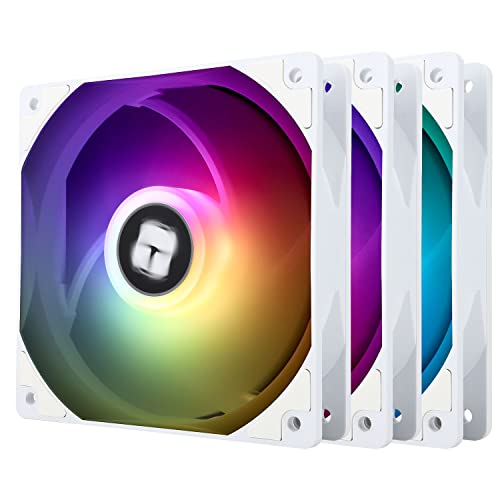
Thermalright TL-C12C-S 66.17 CFM 120 mm Fans 3-Pack (TL-C12CW-S X3 D6)
Not that they'd add any performance but if you want them anyway they're pennies and quite good for the pennies spent
lone flame
perhaps in the future
case, gpu, and psu have been ordered, will order remaining parts within the next 1-2 days @cyan ravine @obsidian wigeon @potent portal, ty for your help
 dusty cedar
@analog hearth the pic you posted reminds me of the "are ya winnin yet son" meme with where everything is placed
 noble sinew
Hi guys, I am asking questions about the phanteks case g360a, asus 450M-II Micro ATX motherboard, Thermalright Peerless Assassin 120 SE ARGB 66.17 CFM CPU Cooler, and Silicon Power XPOWER Zenith RGB Gaming 32 GB (2 x 16 GB) ddr4 ram.
I am not sure how phanteks’ fans work, but I would like to buy one more. However, to use the pwm function, does all 4 fans have connections to my motherboard or would I have to connect them through splitters?
Also, does the current rgb hub or what phanteks use for it have enough slots for 4 total fans?
One more thing, will a 155mm cpu dual fan fit?
Even if the fans have to be raised a little for the ram clearance?
Here is my build list. I specifically asked about the ram because I might just go non rgb since I feel like the cpu cooler might block the ram sticks from view
 ornate solstice
Hey guys I need 3 build lists, 1k 1.5k and 2k usd please send them. It will be used for mainly gaming but also want to try and start streaming. I trust y’all
mossy venture
noble sinew
Here is my build list. I specifically asked about the ram because I might just g...
https://pcpartpicker.com/list/hBmkk9 I'd do this instead, and if you don't have a cpu to update the bios for the motherboard, go for the a520m plus wifi
Part List - AMD Ryzen 7 5700G, Phanteks Eclipse G360A ATX Mid Tower
Can definitely do without the second nvme drive
mossy venture
ornate solstice
Hey guys I need 3 build lists, 1k 1.5k and 2k usd please send them. It will be u...
https://pcpartpicker.com/list/FwPVtn
https://pcpartpicker.com/list/KqkXXy
https://pcpartpicker.com/list/Mr7XXy
Part List - AMD Ryzen 5 5600, Radeon RX 6800 XT, Phanteks Eclipse G300A (1 Fan) ATX Mid Tower
Part List - Intel Core i5-13400F, Radeon RX 7900 XTX, Phanteks Eclipse G300A (1 Fan) ATX Mid Tower
Part List - Intel Core i5-13600KF, Radeon RX 7900 XTX, Phanteks Eclipse G300A (1 Fan) ATX Mid Tower
unreal vale
mossy venture
then the list i made with the 3060, apevia prestige for the psu
https://pcpartpicker.com/list/TL2Vtn ah hey figured out the actual GPU that my buddy is selling lol. He’s also selling that PSU for $50 so $200 for the GPU and PSU ain’t all that bad. Won’t work in a mini unfortunately lol.
Part List - AMD Ryzen 5 5600X, GeForce RTX 3060 12GB, Lian Li PC-O11 Dynamic ATX Full Tower
Still have to change everything else up of course
Trying to save money where I can if I end up buying and building for my other friend.
mossy venture
unreal vale
https://pcpartpicker.com/list/TL2Vtn ah hey figured out the actual GPU that my b...
Yeah the gpu and psu is a good deal
Mobo is super overpriced, cpu is 5600 performance for extra money, ram is $15 more than a silicon power kit of the exact same specs, and storage is super overpriced
M450 1tb plus a60 2tb
unreal vale
mossy venture
M450 1tb plus a60 2tb
You’re a damn magician 🥹
Could you recommend a decent MOBO that could leave room for upgrading?
Mobo’s are where I really start getting lost on whats what lol
cyan ravine
All 3 motherboards are mighty fine for upgrades from what's been suggested
unreal vale
Oh the ones above just saw that
cyan ravine
You don't need anything crazy like x570s
That's for people that need to plug in lots of stuff
Like multiple gpus, raid cards, nics etc
If you don't know what these things are then you don't need the extra features of the higher end boards
unreal vale
No no I do lol. I doubt he’d be doing all of that, this is just something I may build over the next year for a buddy of mine.
He just needs a decent rig to be brought up to todays gaming, he’s stuck pretty much playing older titles right now with a very old PC
cyan ravine
For new gaming a b760m or a520m is fine
The one's we've suggested are plenty fine for that
 near spruce
Hello, im not new to the labor of building but i am to part selection and i know there are genius's here that i wont find anywhere else! If you have any recommendations or changes please just DM them to me directly feel free to open the list make the changes and just copy that over as well! I am always open to finding better solutions for efficency and pricing! Primary purpose is Gaming right now i spend all my time on FF14 lol https://pcpartpicker.com/list/RYmHY9
cyan ravine
near spruce
Hello, im not new to the labor of building but i am to part selection and i know...
Hello mate. I can do you a far better gaming list for the same price
4090 instead of 4070ti, interested?
untold vessel
near spruce
Hello, im not new to the labor of building but i am to part selection and i know...
I'm loving where you're starting! There's a lot of improvements that we can make to your PC here
near spruce
yes im down!
untold vessel
cyan ravine
Hello mate. I can do you a far better gaming list for the same price
I don’t know much about DDR5 RAM, but based off this build, I think we can definitely get him A 4090, a 4TB nvme SSD, a far nicer and larger motherboard, and perhaps a premium case. What’re your thoughts?
untold vessel
near spruce
yes im down!
Hey, Nice! Your budget is incredible. Let’s do this!
cyan ravine
@near spruce this
https://pcpartpicker.com/list/8DNPbK
Part List - AMD Ryzen 7 7800X3D, GeForce RTX 4090, Asus Prime AP201 MicroATX Mini Tower
untold vessel
Let’s run some major fixes for now, and then afterwards, we’ll fine-tune the choices for specific games and resolutions
near spruce
i also see the note where it says i might need a connection adapter for the CPU cooler and if that can be found for a just incase id appreciate it
im going for micro motherboard for keeping it cool in a mid tower
obsidian wigeon
4tb is still too expensive tbh
cyan ravine
cyan ravine
<@296812411741274113> this
https://pcpartpicker.com/list/8DNPbK
Could save a few $ on case and ram but this is about as good as it gets
Maybe another $30 for a 2tb ssd instead
near spruce
sure thing felix i appreciate it!
 obsidian wigeon
felix doing gud
near spruce
ty foxy~
untold vessel
cyan ravine
<@296812411741274113> this
https://pcpartpicker.com/list/8DNPbK
Can’t can’t much better than this! Going all in on the GPU is definitely what I wish I’d done in the past
cyan ravine
It's peak gaming performance
near spruce
i mean technically anything is un upgarde at this point lol
im rockin a 1050ti right now
and an i5 intel
untold vessel
Not quite sure how much he wants massive storage, so in that case, let’s go all in with the GPU & CPU
cyan ravine
Same as 13900K stock but less power and easier platform to tease the best parts out of
And then the 4090
untold vessel
cyan ravine
Same as 13900K stock but less power and easier platform to tease the best parts ...
Not to mention those sweet sweet discounts
cyan ravine
The ssd is really the only thing, I would suggest a 2tb intel 670p if you want a bit more storage
untold vessel
near spruce
im rockin a 1050ti right now
Let’s get you the massive performance you deserve
cyan ravine
But 1tb is manageable
near spruce
true
cyan ravine
4090 will also run any monitor today
It's recommended for 4k tho
4k 120hz+
If you want to stick to something a bit less overkill we could dial things down a notch and save quite a bit of money
untold vessel
cyan ravine
But 1tb is manageable
Agreed. I have 20+ AAA titles and never play more than 3 at any given time. Most are even forgotten about, so it’s better to save some money and just do the work of swapping in and swapping out titles
cyan ravine
untold vessel
Agreed. I have 20+ AAA titles and never play more than 3 at any given time. Most...
Ye 2tb is more of a convenience thing
near spruce
i like the idea OF overkill but on the list you provided i was wondering what the "frame of life" looks like on that ryzen 7 being only 8 core which is great for today but like 8 years from nowits obsolete?
cyan ravine
So realistically scaling won't be much different
near spruce
diablo4 for example is almost maxing my memory right now
clocking it over 85% when i have like 1 google tab and discord running
where as in other games it is barley even scratching 50%
cyan ravine
Sounds like 16gb lol
unreal vale
cyan ravine
The one's we've suggested are plenty fine for that
Y’all are awesome thank you!
lone flame
cyan ravine
Sounds like 16gb lol
@cyan ravine
near spruce
cyan ravine
So realistically scaling won't be much different
oh wanted to talk about fan cooling too just to make sure "case fans" where enough i was a victim of heat damage once upon a time so i try to make sure
cyan ravine
lone flame
<@101107951401455616>
Hi
cyan ravine
near spruce
oh wanted to talk about fan cooling too just to make sure "case fans" where enou...
Should be fine
Ap201 is a unique case but it's mostly mesh
And the cpu and gpu inside run innately very cool anyway
7800x3d can run on the most basic of coolers and 4090's were built to run a good 40-50% more power than they do
So both are running overkill cooling
lone flame
cyan ravine
Hi
That psu is out of stock
I just got an email that said they couldn’t ship it
Idk what I do now
what should i use in place of it https://pcpartpicker.com/list/VRxvzf
Part List - AMD Ryzen 5 7600, Radeon RX 6700 XT, Montech AIR 100 ARGB MicroATX Mid Tower
cyan ravine

Thermaltake Toughpower Grand RGB 650 W 80+ Gold Certified Fully Modular ATX Power Supply (PS-TPG-0650FPCGUS-R)
Not quite as good, I'd probably wait for the other psu to be back in stock if they have an estimated time
There's also this
https://pcpartpicker.com/product/pG6qqs/thermaltake-toughpower-gx2-600-w-80-gold-certified-atx-power-supply-ps-tpd-0600nnfagu-2

Thermaltake Toughpower GX2 600 W 80+ Gold Certified ATX Power Supply (PS-TPD-0600NNFAGU-2)
But I kinda feel like you'd want better for a 6700xt
Not so much the power but quality wise
little osprey
Main Rig (rev. 1.0) - Intel Core i5-12600K, GeForce RTX 3060 Ti, Phanteks Eclipse G300A (1 Fan) ATX Mid Tower
The RAM kit on this is fine for gaming, yes?
paper summit
Wayyyy too much lol
little osprey
Newegg supposedly has a deal running too where you get a free 64GB micro SD card with it
paper summit
unless u really want the tridents lmfao
little osprey
paper summit
unless u really want the tridents lmfao
Not really, just like the slick black and RGB
I can go look at some different heat spreaders RQ
@paper summit https://pcpartpicker.com/product/P7RYcf/team-t-force-delta-rgb-32-gb-2-x-16-gb-ddr4-3600-cl18-memory-tf3d432g3600hc18jdc01

TEAMGROUP T-Force Delta RGB 32 GB (2 x 16 GB) DDR4-3600 CL18 Memory (TF3D432G3600HC18JDC01)
The other kit that I had my eyes on
Though the Trident Z's just look more slick

G.Skill Trident Z RGB 32 GB (2 x 16 GB) DDR4-4000 CL18 Memory (F4-4000C18D-32GTZR)
4000CL18
$100 though for only 32GB
little osprey
I have a question and need some info. My build motherboard is the B650i Aorus and has the stacked M.2 with heatsink. I am running a open air case with no fans and the bottom drive idles around 58c-60c and never goes above 67-68c. Remember this is a open air case with no airflow over the M.2 is that safe. I have ran crystal benchmark and it bever gets above 70c
Am i ok with the m.2 or will i run into problems
Thanks in advance
little osprey
manic cloak
also I thought you bought an air cooler 😭 <@456226577798135808>
Frozen Notte is surprisingly good for the price
I just tossed my Phantom Spirit on my 12100F
(Overkill IK)
little osprey
One second
manic cloak
nothing wrong with a 240 cooling a 13600k, 280's just have better plates for cooling the 13600 from what I heard
also war thunder grind 💪
little osprey
manic cloak
nothing wrong with a 240 cooling a 13600k, 280's just have better plates for coo...
 little osprey
manic cloak
also war thunder grind 💪
little osprey
manic cloak
also war thunder grind 💪
Yeah, somehow always draws me back
little osprey
I'd have to find the benchmarks
But for $53 a 240mm AIO that's actually competent is really nice
Also looks really cool too

@manic cloak, forgot to mention the 360mm version of the Frozen Notte is only $66
manic cloak
little osprey
<@364936187623768076>, forgot to mention the 360mm version of the Frozen Notte i...
I got a 205 mesh type c
280 max rad for front or top 
little osprey
Still a sexy looking case
manic cloak
fr
I want a case that's small but supports 360, still atx though. I can look for myself but I don't need to atm
little osprey
I would've grabbed a 280mm if it didn't look weird on the front of my G300A
manic cloak
wait they have a 280mm?
little osprey
G300A can support 360mm on the front and 240mm on the top
$70
Basically an improvement of the P300A which I have right now
G300A has the boxy shape that I really want, but still has it's charms
Phanteks is just my go to for cases
P400A, G360A, or whatever
manic cloak
they don't have a 280mm of it do they
little osprey
manic cloak
they don't have a 280mm of it do they
P400A

G360A

I think you can tell now I'm a Phanteks shill
paper summit
little osprey
G360A
HEY I HAVE THAT CASE
little osprey
Their stuff is pretty well priced TBF, not crazy expensive but not dirt cheap either
Notable build quality and a good work room
paper summit
 little osprey
That reminds me when I get my paycheck next week I gotta grab those cable extensions
Gonna grab those, and the Hydro G Pro if that's still on sale for $85
Motherboard is supposed to get here July 5th
If not sooner if it gets in town a bit before the 4th of July
manic cloak
little osprey
P400A
nonono I mean the AIO
little osprey
little osprey
If it can cool a 13900K enough to get a good score on some benchmarks I think it'd be fine
 molten grotto
Yo, anyone able to help with a custom cpu loop
I’m doing this p blind, need some guidance
little osprey
can anyone provide help
little osprey
little osprey
can anyone provide help
With?
lone flame
@cyan ravine
does this ram and psu work https://pcpartpicker.com/list/mBRvLs
Part List - AMD Ryzen 5 7600, Radeon RX 6700 XT, Montech AIR 100 ARGB MicroATX Mid Tower
mossy venture
lone flame
does this ram and psu work https://pcpartpicker.com/list/mBRvLs
I'd switch to fsp g hydro 750
Cheaper for same tier
lone flame
mossy venture
I'd switch to fsp g hydro 750
thats what i was gonna go for originally but uh
mossy venture
If you want the ram to match the white them there's this
https://pcpartpicker.com/product/bbJgXL/teamgroup-t-force-delta-rgb-32-gb-2-x-16-gb-ddr5-5600-cl32-memory-ff4d532g5600hc32dc01

TEAMGROUP T-Force Delta RGB 32 GB (2 x 16 GB) DDR5-5600 CL32 Memory (FF4D532G5600HC32DC01)
mossy venture
lone flame
thats what i was gonna go for originally but uh
https://www.newegg.com/p/1HU-0...
Oh damn, shows in stock on pcpartpicker, mb
Looks good then
little osprey
@mossy venture https://pcpartpicker.com/product/pdfnTW/gskill-trident-z-rgb-32-gb-2-x-16-gb-ddr4-4000-cl18-memory-f4-4000c18d-32gtzr
G.Skill Trident Z RGB 32 GB (2 x 16 GB) DDR4-4000 CL18 Memory (F4-4000C18D-32GTZR)
$100 for 4000CL18
I'm sure there's better or others, just looking for a black heat spreader and RGB
 terse pebble
Just want to ask. If one of my desktop fan goes brrrrr sometimes, is it the fan faulty or something wrong on the motherboard?
mossy venture
little osprey
<@654444344274845698> https://pcpartpicker.com/product/pdfnTW/gskill-trident-z-r...
Meh
little osprey
mossy venture
Meh

G.Skill Trident Z RGB 32 GB (2 x 16 GB) DDR4-3200 CL16 Memory (F4-3200C16D-32GTZR)
frigid night
terse pebble
Just want to ask. If one of my desktop fan goes brrrrr sometimes, is it the fan ...
Which fan is going brrr?
little osprey
Well this is the other one I was looking at
manic cloak
hydro fsp out of stock :(
terse pebble
frigid night
Which fan is going brrr?
Desktop fan 140mm. Set it up as exhaust.
little osprey
manic cloak
hydro fsp out of stock :(
Actually?
manic cloak
check it out
little osprey
manic cloak
check it out
The 750W one is still in stock
Actually NVM
PC Part Picker lying to me again
weary galleon
terse pebble
Just want to ask. If one of my desktop fan goes brrrrr sometimes, is it the fan ...
It could be a faulty fan but it could also be the fan motor is trying to accelerate too fast
If it's a fixed speed fan it's most likely a bad bearing or something
little osprey
manic cloak
ye <@456226577798135808> lol
Man that sucks
I was gonna order it next week
I guess I'm just gonna get cable extensions and RAM
manic cloak
@little osprey think.. if the 2 of the biggest online retailers do a sale on most of their items..
manic cloak
no 💀
little osprey
But yeah there'll be other PSU's I'm sure
manic cloak
ye
little osprey
Maybe RM750e will be at a good price
All I want is a black fully modular PSU that's a tier A or B
Wattage isn't a huge concern since I don't plan on using it on future builds
 obsidian wolf
Part List - AMD Ryzen 5 7600, Radeon RX 6800, Phanteks Eclipse G360A ATX Mid Tower
What should I switch
My friend has 1500$ for budget for a pc as an overall where he wants to get also the monitor, mouse and keyboard
he also wants rgb so the ram price plays the value in there as well
 fossil cedar
That rams not gonna run at those speeds on ryzen, also the psu suck
mossy venture
obsidian wolf
https://pcpartpicker.com/list/vVWtXy
Part List - AMD Ryzen 5 7600, Radeon RX 6800 XT, Phanteks Eclipse G360A ATX Mid Tower
fossil cedar
obsidian wolf
https://pcpartpicker.com/list/vVWtXy
Id do this instead
https://pcpartpicker.com/list/GrcHVw
Part List - AMD Ryzen 5 7600, Radeon RX 6800 XT, Phanteks Eclipse G300A (1 Fan) ATX Mid Tower
mossy venture
With monitor https://pcpartpicker.com/list/BbwgY9
Part List - AMD Ryzen 5 7600, Radeon RX 6800 XT, Phanteks Eclipse G360A ATX Mid Tower
fossil cedar
fossil cedar
Id do this instead
https://pcpartpicker.com/list/GrcHVw
Or if they wanted a tower cooler (not needed) the id cooling se 214xt
mossy venture
The fsp g hydro isn't in stock pato, pcp is being stupid
mossy venture
Yeah, cxm is $90 or rme is $100
potent portal
fossil cedar
That rams not gonna run at those speeds on ryzen, also the psu suck
It might with a bit of luck and tweaking
mossy venture
It's among the cheapest coolers that's equal to or better than a stock cooler
And looks nice
fossil cedar
potent portal
It might with a bit of luck and tweaking
Ehh would almost basically need to lower speed of the ram plus not worth 40$ more anyway
mossy venture
Next cooler I'd get over it is pa 120 se at $34-$45, depending on if rgb version and sales
Or ps120
fossil cedar
mossy venture
It's among the cheapest coolers that's equal to or better than a stock cooler
It's definitely better but the stock cooler is not needed at all for the 7600
potent portal
mossy venture
Yeah, cxm is $90 or rme is $100
This too, presumed C tier but not modular if that matters https://pcpartpicker.com/product/RXCFf7/apevia-prestige-1000-w-80-gold-certified-atx-power-supply-atx-pr1000w
Apevia Prestige 1000 W 80+ Gold Certified ATX Power Supply (ATX-PR1000W)
mossy venture
Yeah that'd do fine with a 6800xt
potent portal
fossil cedar
Ehh would almost basically need to lower speed of the ram plus not worth 40$ mor...
Agreed it's not worth it, especially since if you're needing to tweak anyway you might as well get the cheaper kit that overclocks almost as good
fossil cedar
Yep
frigid night
terse pebble
Desktop fan 140mm. Set it up as exhaust.
Is it on its own fan header?
frigid night
potent portal
This too, presumed C tier but not modular if that matters https://pcpartpicker.c...
I like this PSU.
So far they are pretty solid ime with 2 of them.
potent portal
It's got enough overhead that the tier doesn't really matter as much too, not bad for the price
bold stone

If I don't over clock it
What's its hz
I'm scared to ruin smth while overclocking or the overclocking itself ruins the monitor long term
 bold stone
Oh lmao
bold stone
Amazing
mossy venture
It's probably 144 hz over hdmi, 165 over dp
potent portal
That could be what they mean, a lot of the time it's a poor translation of a translation
mossy venture
Doesn't really make a difference either way though
bold stone
Btw what should I upgrade next year? Lemme send pics
mossy venture
That 21hz won't be seen
bold stone


 mossy venture
Gpu
bold stone
Oh also will the case look like the pic? I'm very very very confused cause on yt I can find blue lights only
mossy venture
5500, while disliked, is fine with a 3080/4070/6800xt at 1440p
First though I'd upgrade psu
bold stone
I'm so confused
mossy venture
Or same time as gpu
bold stone
I thought 5500 is worse than the gpu
bold stone
mossy venture
First though I'd upgrade psu
How urgent is it?
mossy venture
Nah, 3050 is 1660s perf, or thereabouts
obsidian wigeon
I would change psu first tho
bold stone
mossy venture
Nah, 3050 is 1660s perf, or thereabouts
Wait which one is better actually💀
potent portal
The 5500 is like a 3600 without PCIe 4
mossy venture
I'd imagine it'll be fine with the 250w or so that'll pull
obsidian wigeon
The psu is like d tier
mossy venture
bold stone
Wait which one is better actually💀
3050
bold stone
obsidian wigeon
The psu is like d tier
Which means?....
bold stone
Oh good
obsidian wigeon
It's not good, but not a fire hazard
mossy venture
I'd upgrade it when you upgrade your gpu
bold stone
How about this,upgrade psu and 1 extra tb of ssd next year
Then in 2025 upgrade gpu or whatever breaks
obsidian wigeon
Up to ya
mossy venture
That would be a good plan
obsidian wigeon
3050 can run a lot of stuff decently enough
bold stone
mossy venture
That would be a good plan
Amazing....
bold stone
obsidian wigeon
3050 can run a lot of stuff decently enough
I mean i hope
mossy venture
3050 can run any game that currently exists, afaik
Just will have to turn settings down
obsidian wigeon
Eh it's just two years from now, not like it's gonna get unusable by then
bold stone
My brother is abit too annoying but he keeps asking and I don't know,can he do things on unreal engine 5 with this set up?
obsidian wigeon
Yes lol
mossy venture
I dont see why not
obsidian wigeon
Of course he can
bold stone
Oh why did I think the pc will explode in my face if he turns it on
obsidian wigeon
But not extreme graphics stuff
potent portal
mossy venture
3050 can run any game that currently exists, afaik
Might have to drop a couple down to 720p or use DLSS but yeah
bold stone
I mean he is 9 I doubt he will use it for more than 1 week
mossy venture
(It will, siblings and pcs are explosive when around eachother)
obsidian wigeon
lmaooo
bold stone
mossy venture
(It will, siblings and pcs are explosive when around eachother)
I am not letting him touch Any thing without my supervision lmao
obsidian wigeon
Talking about that my bro helped me unbox my new laptop
bold stone
I've banned food from being near the desk from now lmao
obsidian wigeon
Almost dropped it
mossy venture
That would also be a good plan, lol
obsidian wigeon
He almost did a linus 
bold stone
And im forcing him to wash his hands before using the keyboard
mossy venture
obsidian wigeon
Almost dropped it
Sounds about right
obsidian wigeon
I have a twin bro
obsidian wigeon
So he's same age as I am
mossy venture
I did not know this
obsidian wigeon
lol
mossy venture
Hell I didn't even know you had siblings lol
mossy venture
bold stone
I can't stop imagining rhe pc just falling over lmao
"DO A FLIP"
obsidian wigeon
Less likely with a whole ass pc being in a box
bold stone
Btw the case is 42cm and I have 44cm space... I should do smth to make more space right?
obsidian wigeon
My heart sank when he almost dropped my laptop lol
bold stone
obsidian wigeon
My heart sank when he almost dropped my laptop lol
I have an armoured tank on my phone,yet when I drop it on my bed I freak out lmao
bold stone
mossy venture
"DO A FLIP"
Today I'm gonna bottle flip using my life savings
mossy venture
mossy venture
"DO A FLIP"
I just realized I made a reference from American media to two non Americans
God I'm smart
potent portal
Nah that's a pretty common cultural slip up
bold stone
Abd my other friend will order the same mouse I got
LMFAOOOO
And my other friend has a 3050 and the mouse friend has a ryzen 5 5500
Might aswell just copy their set ups next time
Oh also my friend has a keyboard which is like mine but just bigger
Its funny af
earnest olive
mossy venture
5500, while disliked, is fine with a 3080/4070/6800xt at 1440p
I disagree with this
as someone who dailied a 3600x with a 3080 at 1440p
it was a pretty heavy bottleneck in anything except pure raster
mossy venture
My 3600 was fine with my 6800xt, definitely limited it but it wasn't terribly noticeable to me
bold stone
Can yall send me how you position your fingers on a keyboard
I am struggling with that... yeah I have a journey ahead
lone flame
@potent portal boo
me again
Part List - AMD Ryzen 5 7600, Radeon RX 6700 XT, Montech AIR 100 ARGB MicroATX Mid Tower
i changed the psu since the other one was out of stock
thoughts
potent portal
Looks good. If you wanted to save $25 there's another PSU you could get.
But it won't be as pretty
There's also a white kit of memory with the same specs and price
bold stone

Ffs
Someone said on youtube it had no audio so I just went with it
And got these speakers
Which I can't cancel
Ffs

Are they atleast good
potent portal
potent portal
There's also a white kit of memory with the same specs and price
https://pcpartpicker.com/product/jZD7YJ/team-t-force-delta-rgb-32-gb-2-x-16-gb-ddr5-6000-cl38-memory-ff4d532g6000hc38adc01
Or https://pcpartpicker.com/product/bbJgXL/teamgroup-t-force-delta-rgb-32-gb-2-x-16-gb-ddr5-5600-cl32-memory-ff4d532g5600hc32dc01
TEAMGROUP T-Force Delta RGB 32 GB (2 x 16 GB) DDR5-6000 CL38 Memory (FF4D532G6000HC38ADC01)
TEAMGROUP T-Force Delta RGB 32 GB (2 x 16 GB) DDR5-5600 CL32 Memory (FF4D532G5600HC32DC01)
potent portal
bold stone
Are they atleast good
Better than the monitor speakers at least
And you can make it into a pseudo-surround setup if you wanted too with the 4 speakers
bold stone
They are 2 speakers
potent portal
Yes, 2 on the monitor and 2 separate
bold stone
Yeah but like
How can I confirm if it has audio or not
Idk how to cancel smth in the order omfg
I'll try calling them on Sunday
potent portal
bold stone
Is it this monitor?
bold stone
Yes
potent portal
What's the exact model name because it doesn't say in that image
potent portal
I got KG242Y but there's an extension like bmiipx
dusty cedar
so i cant figure this out and thought it was an audio driver issue before. its not that. my optical port for my audio just randomly switches from the spdif to a usb source and when i switch back to the spdif source, there's no audio being sent to it until i do a full restart on my pc. any fix to this?


 potent portal
pbmiipx ok
bold stone
So it has or not?
potent portal
Yes it has speakers
Acer names are stupid, it takes forever to decode
pbmiipx has audio but bmiipx doesn't, I hate acer so much
lone flame
potent portal
There's also a white kit of memory with the same specs and price
could you make an edited list with those parts and send it my way?
😄
the gpu should be here tmr
potent portal
Part List - AMD Ryzen 5 7600, Radeon RX 6700 XT, Montech AIR 100 ARGB MicroATX Mid Tower
It's non-modular and has ketchup and mustard cables so it's not so pretty, but it's cheap and will get the job done
(plus if you want to use extensions you won't see the cables)
lone flame
potent portal
(plus if you want to use extensions you won't see the cables)
can I dm rq
potent portal
Sure
bold stone
I need help
Jts 4am
And this thing popped up and I can't sleep
And the store is closed gill Sunday

Did I understand correctly?
I can return the speakers if I don't open the box
That's if they don't let me remove it from the order
obsidian wigeon
That's basically it
bold stone
Yeah aight
obsidian wigeon
Can return only if it's untouched
bold stone
Only a public execution from my parents
Not bad
I'm calling them 8am sharp Sunday
To avoid any excuses from them
And I messaged them on whatsapp
obsidian wigeon
Defective products are still under 7 days rma window tho
bold stone
obsidian wigeon
Defective products are still under 7 days rma window tho
What does that mean
dusty cedar
dusty cedar
so i cant figure this out and thought it was an audio driver issue before. its n...
any help/ideas?
obsidian wigeon
But you don't get your money back, instead they'll perform repairs or replacements
Defective aka dead on arrival
Or damage caused by shipping
Not caused by user
obsidian wigeon
It does, but this is an immediate rma window
bold stone
obsidian wigeon
It does, but this is an immediate rma window
So after 7 days they will pretend I don't exist?
obsidian wigeon
Once that rma window is gone, you'll have to rely on manufacturers of the parts installed in the rig for warranty
obsidian wigeon
Cause in the end it's not a branded pc, it's just a prebuilt
No that's normal
It's not stuff like an asus, acer or branded stuff
obsidian wigeon
Those have branches all over the world, I doubt they don't exist in jordan
At least their service centers
As for cpu warranty, honestly it's basically non existent unless you know where you exactly bought the cpu from
Not like cpus die commonly anyway
Exceedingly rare for a cpu to die by itself
obsidian wigeon
RMAs, repairs and stuff
bold stone
Cause they do have one my friend's brother said
obsidian wigeon
But no refunds
bold stone
And a random Facebook reply
bold stone
obsidian wigeon
RMAs, repairs and stuff
So they repair it for free for the duration of the warranty
obsidian wigeon
Yes
obsidian wigeon
Yeah
bold stone
Like 12jd speakers give me 12jd back
Oh ok less of a public execution,more of a private one
obsidian wigeon
Just don't worry too much
Also try not to bypass the filter lol
Anything can happen but try to calm down and be positive
It's more likely you get them working than them not working
bold stone
obsidian wigeon
Anything can happen but try to calm down and be positive
I'm only scared from my parents tbh
Especially that it's 4 20 am and I'm tired lmao
earnest olive
mossy venture
My 3600 was fine with my 6800xt, definitely limited it but it wasn't terribly no...
well you were probably using raster
if I used rt or dlss the cpu bottleneck would become like 40%
even with pbo and manually oced 3800 ram
in raster it was 0-10%