#building-and-recc-chat
1 messages · Page 85 of 1
 main cedar
 edgy hazel
Good morning all
I need a little help?
I'm trying to change the Secure Boot State to ON on a Gaming PC I just built for my son and Im not seeing how to do it?
Motherboard
ASRock Z690 Pro RS ATX LGA1700 Motherboard
ASRock Z690 Pro RS ATX LGA1700 Motherboard
yes
He is trying to play Valorant, it come up asking to check that in MSINFO32 and in there it says off
ok
there
ok
 dim forge
edgy hazel
He is trying to play Valorant, it come up asking to check that in MSINFO32 and i...
dim forge
edgy hazel
He is trying to play Valorant, it come up asking to check that in MSINFO32 and i...
uh that thing sucks, I had to like restart my laptop 50 times because secure boot wouldn't work even tho it said it was enabled


 toxic nacelle
Hi guys im new here and i need some help with a compatibility item
I has a MOBO AsRock x570 Phantom Gaming 4 and a CPU Ryzen 5 5600 and i need to know if this Rams is compatible i will not have problems
G.SKILL Ripjaws V Series 32GB (2 x 16GB) 288-Pin PC RAM DDR4 3600 (PC4 28800)
Ok, thank you very much man
Happy New Year to everyone ❤️
 strong raft
I'll say it in 13 hrs. 


 cyan ravine
 fossil cedar
https://tenor.com/view/discord-user-good-morning-time-zone-gif-25330262
fossil cedar
https://tenor.com/view/discord-user-good-morning-time-zone-gif-25330262
Good morning
fossil cedar
cyan ravine
Good morning
Good morning
 mossy venture
good morning
 potent portal
Guten morgen
 jagged ember
Morning good
 analog pulsar
Good morning
 upper condor
is 550 used a good price for a 3080?
 earnest olive
upper condor
is 550 used a good price for a 3080?
earnest olive
upper condor
is 550 used a good price for a 3080?
if you have to pay tax on that (eg. ebay), it's a bit on the high end
if you don't have to pay tax on that (eg. hws, fb marketplace), it's fair/average
 desert minnow
Im going from a evga gtx 1070 8gb to a rog rtx 2080 super is that a good upgrade?
potent portal
That'll be about a 75% increase in fps give or take, assuming the cpu can keep up too
upper condor
earnest olive
if you have to pay tax on that (eg. ebay), it's a bit on the high end
if you don...
It’s on Facebook marketplace or Craigslist I believe
Evga ftw3 ultra gaming I believe
potent portal
Should be ok, especially if you've overclocked it at all
earnest olive
upper condor
It’s on Facebook marketplace or Craigslist I believe
as long as it's 550 final price it's fair
analog pulsar
@earnest olive did you see the pic that tomie pinged you on
earnest olive
no
upper condor
earnest olive
as long as it's 550 final price it's fair
At 500-600 3080 is best choice right
Just to be sure
earnest olive
depends on your use case
you can find some 6900xt/6950xt at that price range
saw a 6950xt sell for 550 a few days ago
upper condor
Just gaming and light video editing
analog pulsar
earnest olive
no
Single error = bad??
 earnest olive
oh
yeah i saw that but didn't respond because other people responded already
yes, 1 error is a fail
analog pulsar
Sad
potent portal
Yep memory is the one thing that needs to be totally stable or else you get tons of weird issues
A couple errors might be fine for competitive overclocking as long as you can pass the benches but not for daily use
earnest olive
not even worth running mem tests for competitive oc
just run the bench and see if it finishes or not
 earnest olive
what's the xmp profile
analog pulsar
earnest olive
what's the xmp profile
3600 CL16 everything auto
earnest olive
interesting
analog pulsar
It won't even run G2
earnest olive
did it work fine with your old cpu?
analog pulsar
I plugged that in and I started to have issues
earnest olive
plugged what in
analog pulsar
Cpu
analog pulsar
It's G.skill
earnest olive
that's not what known good means
analog pulsar
Oh
earnest olive
has the ram been tested to work with a different system
analog pulsar
Oh idk
I just got it off newegg
The ram did run 3500 CL15 on my i3 processor but when I switched out my cpu and put in my i5 then I started to run into issues
Then ram started to not work with i3
earnest olive
what is your SA set to
earnest olive
try setting it to 1.25
analog pulsar
I can try that when I set up my brother's pc but I ordered DDR5 for myself
earnest olive
1 error in 20 minutes is more likely to be an unstable oc than defective hardware
analog pulsar
earnest olive
1 error in 20 minutes is more likely to be an unstable oc than defective hardwar...
Well it was 1 in 19 mins then 2 in 20 mis tomie said
I was not home when she ran the test
earnest olive
i have a defective ddr4 module
analog pulsar
But there was no errors with non xmp
earnest olive
it throws 587 errors in 1 second
analog pulsar
Omg
analog pulsar
Omg
I even tried 3500 G1 on processor and no boot
But what I told Felix a while is when I turn xmp and leave bios my cpu and ram stick light up and turn off and on and never boots into windows but if I turn pc off and turn pc on it boots into xmp but seems to habe erroes
 grand yew
Do you think I could fit a H60I pro xt cooler in a Corsair SPEC-DELTA case
potent portal
You really don't want a 120mm AIO, they're worse than cheap tower coolers
potent portal
What CPU is it?
grand yew
and would work ok
grand yew
potent portal
What CPU is it?
I5 9400F
potent portal
USA?
grand yew
Uk
potent portal
One sec my VPN is acting up so I can't see what's in stock
grand yew
Ok
potent portal
In the meantime see if this is in stock https://uk.pcpartpicker.com/mr/amazonuk/Zr8bt6

ID-COOLING SE-214-XT ARGB CPU Cooler 4 Heatpipes CPU Air Cooler Addressable RGB Light Sync with Motherboard(5V 3-PIN Connector) CPU Fan for Intel/AMD, LGA 1700 Compatible
grand yew
Yea it is
potent portal
That'll do then. 9400 is a pretty low power chip.
grand yew
Mhm
potent portal
It'll definitely be better than the stock cooler too
grand yew
Is the fan swappable?
potent portal
Yes
grand yew
Ok
potent portal
It also comes in white
grand yew
My system is black
grand yew
potent portal
It also comes in white
https://www.amazon.co.uk/Corsair-fan-LL140-single-pack/dp/B075VHBC4S?ref_=ast_sto_dp&th=1 would this be compatible?
potent portal
Yes
grand yew
potent portal
Yes
What thermal paste could you recommend to go with this?
potent portal
It should come with some but if you want better you can get Arctic MX-4
 hollow steeple
Is asus prime b450m compatible with deep cool matrex 40
 little osprey
Looking for a 1 and 2TB M.2 NVME for my X670E Hero 7700x gaming build
any suggestions?
mossy venture
little osprey
Looking for a 1 and 2TB M.2 NVME for my X670E Hero 7700x gaming build
budget and country
mossy venture
https://pcpartpicker.com/product/DyhFf7/western-digital-black-sn850x-1-tb-m2-2280-nvme-solid-state-drive-wds100t2x0e
https://pcpartpicker.com/product/C3xbt6/team-mp33-2-tb-m2-2280-nvme-solid-state-drive-tm8fp6002t0c101

Western Digital Black SN850X 1 TB M.2-2280 PCIe 4.0 X4 NVME Solid State Drive (WDS100T2X0E)

TEAMGROUP MP33 2 TB M.2-2280 PCIe 3.0 X4 NVME Solid State Drive (TM8FP6002T0C101)
little osprey
Anyone here Run a X670E Hero motherboard. I am curious do they include those rubber plates to push up the single sided M.2 Drives?
Any help would be great
Thanks
fossil cedar
would highly recommend not buying that motherboard btw
 upper ore
Okay what are somethings that will happen if there is air in my liquid cooler?
Is it really bad for it or is it just the sound?
potent portal
Depends on where that air is. Normally just a little gurgling sound, but if it gets into the pump because the radiator got put too low below it then it can damage the pump and air lock it.
upper ore
potent portal
Depends on where that air is. Normally just a little gurgling sound, but if it g...
It started happening after i was adjusting the setting in my fan controller. I had to crank it up high because my cpu temps were getting pretty high in some of my games. It just sounds like a little gurgling occasionally
That's how it's setup in my case if you need to know.
 potent portal
Gurgling is normal. It can be a little unsettling I know.
Your setup is pretty ideal all things considered
Hey I still get gurgling with that too
 upper ore
potent portal
Gurgling is normal. It can be a little unsettling I know.
upper ore
potent portal
Gurgling is normal. It can be a little unsettling I know.
What will it sound like if the worst happens?
potent portal
Silence
That means the pump stopped
Think of the gurgling as a reminder it's working lol
upper ore
potent portal
That means the pump stopped
Wouldnt the temps sky rocket aswell?
potent portal
Yes and it would probably shut down
upper ore
potent portal
Yes and it would probably shut down
Well ill just watch the temps then lol
analog pulsar
If pcpartpicker list says 700W estimate for power is 850W okay to use
potent portal
You could use 1800W if you wanted it would just be overkill, but don't pay attention to those calculators
desert minnow
Is a upgrade from a 1070 to a 1080 a big difference?
 stoic island
Not really considering the other options
desert minnow
stoic island
Not really considering the other options
Thx
 limber oyster
God I hate looking into desks
 bold prism
Any good 3060 laptop under 1k?
analog pulsar
potent portal
You could use 1800W if you wanted it would just be overkill, but don't pay atten...
Welp 💀 I was just asking bc someone said i5 and 4080 needs 1000W
cyan ravine
bold prism
Any good 3060 laptop under 1k?
My info is dated but
Gigabyte A5/G5 K1?
Asus Tuf Gaming dash F15
Msi GF65 Thin 10ue/11ue
Legion 5/5i pro
(legion a bit meh tho)
strong raft
cyan ravine
They're dark inside
Dad joke level reply of the day goes to Felix.
potent portal
analog pulsar
Welp 💀 I was just asking bc someone said i5 and 4080 needs 1000W
Don't listen to that person then. 40 series doesn't spike as high as 30 series, and the 4080 uses less power than the 3090. The 3090 was fine on a good 850W so logically the 4080 would be more than happy.
analog pulsar
potent portal
Don't listen to that person then. 40 series doesn't spike as high as 30 series, ...
Yea
What about other stuff like mobo or fans
potent portal
You've seen my computer right?
Giant fans, decent amount of RGB, high power parts, and it's fine on 850W.
analog pulsar
Oh okay
potent portal
I even have my GPU overclocked, it peaks at 450W
 flint sapphire
Meanwhile my 3080ti and 5800x3d is sipping on 750watts
cyan ravine
10850K and 3090 fine on 850
bold prism
What’s a good price range for a 3070 laptop? I don’t wanna get ripped off
bold prism
Oh wow that is like my price range. Any good 3070 laptop that come to mind?
cyan ravine
Last good one I saw was the best buy strix g14 for like, 1100 a little while ago, but not recently
 frigid night
cyan ravine
They're dark inside
frigid night
cyan ravine
They're dark inside
You just gave me an idea to attach motion leds inside my desk drawers.
 bold prism
Can someone help me pick the better laptop? I don’t know much about specs and stuff so. https://www.bestbuy.com/site/asus-rog-zephyrus-14-wqxga-120hz-gaming-laptop-amd-ryzen-9-16gb-ddr5-memory-amd-radeon-rx-6700s-1tb-pcie-4-0-ssd/6494638.p?skuId=6494638 vs https://www.bestbuy.com/site/gigabyte-aorus-15-6-ips-gaming-laptop-intel-i7-12700h-16gb-memory-nvidia-geforce-rtx-3070-512gb-ssd/6499110.p?skuId=6499110
Both around the same price
little osprey
I love my g14
If i were to choose between those two I would go with the asus one
More storage and i personally like 14 inches better than 15
But i’m a little biased towards the asus so maybe don’t make your decision based on what i said lol
 desert gulch
little osprey
More storage and i personally like 14 inches better than 15
desert gulch
little osprey
More storage and i personally like 14 inches better than 15
Ayo 😳
mossy venture
cheapest one, aside from maybe ventus 2x
even that one's viable if the price difference is big enough
mossy venture
it's fine
 uneven goblet
so all models are fine besides msi ventus 2x
fossil cedar
Even then depends on the price diff from the other models like ventus 2x will do okay just be pretty loud
uneven goblet
asus dual mini and msi ventus 2x are same pricce
mossy venture
asus dual

 vivid pilot
Sony a80j or lg c2 for a Playstation 5? Help
potent portal
C2, just make sure you've got it set to auto dim after 5 minutes or less in the PlayStation settings
Burn in isn't as much of a problem as it used to be but it's still there
 paper summit
Fr despicable
 empty pollen

 dawn iron
does anyone know the best ssd under $100 that would fit this
Part List - AMD Ryzen 5 5600, Radeon RX 6750 XT, Fractal Design Focus 2 RGB ATX Mid Tower
fossil cedar
dawn iron
https://pcpartpicker.com/list/bZsBpH
very little point getting a better SSD and instead id just save a tiny bit more for the 2tb version, its a good ssd and the up to speeds you see on ssds youll only get close to when downloading things or moving items between drivers
dawn iron
i would prefer a 2tb ssd and then in the future get hard drives if needed but i was just asking for a recommendation
fossil cedar
yeah the 2tb team mp33 is 110
upper ore
Holy crap why is Elden ring so easy to run on max settings? My temps for everything are extremely low. Never would have guessed
potent portal
Isn't it 60 fps locked?
That would be part of why then
DLSS on? That would be the other part
upper ore
I had no idea it was locked at 60
potent portal
A lot of console games will be locked like that for consistency, and souls-like games would do it to avoid stutters
upper ore
potent portal
DLSS on? That would be the other part
I cant even find the option for DLSS
potent portal
Oh wait I don't know if it's in that game
upper ore
potent portal
A lot of console games will be locked like that for consistency, and souls-like ...
Damn i was hoping i could run some tests with my new pc since it is a good looking game.
potent portal
Sometimes you can uncap the fps, let me see if there's an easy way
Yep easy way https://www.nexusmods.com/eldenring/mods/216

Nexus Mods :: Elden Ring
Unlocks the FPS and lets you set a custom FPS limit (default is 300 FPS).
upper ore
potent portal
Sometimes you can uncap the fps, let me see if there's an easy way
What are some good test games besides Cyberpunk?
potent portal
Depends on what you're testing and at what resolution
upper ore
potent portal
Depends on what you're testing and at what resolution
Cpu performance and the temps
potent portal
CPU testing is a bit tricky, you can try esports games but it's hard to get consistent results
upper ore
potent portal
CPU testing is a bit tricky, you can try esports games but it's hard to get cons...
Why does ark always push everything to its max? lol
potent portal
Badly optimized
upper ore
Like ik its a resource hog but damn
upper ore
potent portal
Badly optimized
Clearly lol
upper ore
potent portal
Badly optimized
Is that why i keep crashing non stop when i try playing?
potent portal
That's just bad programming, it hates me too
They won't though, they'll just launch Ark 2
 languid nimbus
Isn’t ark 2 gonna be in unreal engine 5?
potent portal
yes
languid nimbus
family
upper ore
potent portal
That's just bad programming, it hates me too
It just sucks that it just started happening after i built this new pc
potent portal
Wait so Vin Diesel wasn't just in the trailer, he's a producer? wtf
upper ore
So now that i can play it at higher settings it crashes like crazy
languid nimbus
Game is gonna be….interesting
potent portal
upper ore
So now that i can play it at higher settings it crashes like crazy
Welcome to high end gaming, where consoles dare not tread and game devs don't give a flip
upper ore
potent portal
Welcome to high end gaming, where consoles dare not tread and game devs don't gi...
Do i just drop back down if i want to play?
upper ore
Like hell even one of the buggiest games like cyberpunk i can run on the highest setting with no bugs or crashing
upper ore
potent portal
How much ram do you have?
32
upper ore
Hell i think cyberpunk is one of my most stable games rn lol
upper ore
potent portal
I've gotten less crashes after I upgraded to 32
Oh i crash now more then when i played on my old pc at lower settings lol
potent portal
Some poorly optimized games will reserve far more memory than they really need, I had some trying to reserve 20gb in addition to my system using 4gb
Even though they only used 8gb physical memory
upper ore
potent portal
Some poorly optimized games will reserve far more memory than they really need, ...
How do you reserve ram for ark?
potent portal
Windows and the game do a handshake on that
Nothing you can do but make sure there's enough virtual memory space, which you do
little osprey
yeah it says his name on the ark main menu too
strong raft
Mainly more pcie lanes.
uneven goblet
strong raft
Mainly more pcie lanes.
pcie 4 lanes?
potent portal
X570 has a couple extra features that few people need like hardware RAID
B550 has 4.0
 leaden mauve
Hardware RAID 
potent portal
Yeah no one in their right mind outside of servers would use that
little osprey
Omfg...
leaden mauve
Servers don't really use that anymore
uneven goblet
wtf is raid?
little osprey
I used some intel RAID controller for raid and that was probably the biggest mistake of my pc career
leaden mauve
And hw raid on consumers boards is usually pretty bad anyway
leaden mauve
But I still use HW raid LOL
potent portal
uneven goblet
wtf is raid?
Makes multiple drives show up as one
strong raft
Redundant array of* individual drives, basically
potent portal
You can easily do it with software too
uneven goblet
potent portal
Makes multiple drives show up as one
do i need that or is it waste of money
uneven goblet
potent portal
You can easily do it with software too
bru
leaden mauve
uneven goblet
do i need that or is it waste of money
Depends on use-case. But almost always no for normal users
potent portal
uneven goblet
do i need that or is it waste of money

How To Build Gaming Computers
What are the differences between the X570 and B550 chipsets? Which has better VRMs for overclocking? Are the extra features of X570 worth it? We break it all down in simple language.
strong raft
Also has a fan on the chipset usually.
uneven goblet
potent portal
https://www.build-gaming-computers.com/b550-vs-x570.html
thanks
potent portal
strong raft
Also has a fan on the chipset usually. <:kek:585582975136301077>
Unless it's X570S but those are expensive AF
uneven goblet
what S stands for?
strong raft
Dang you I was gonna edit to mention that, haha. S means silent... (fan on mobo feels like 15+ yrs ago stuff)
uneven goblet
strong raft
Dang you I was gonna edit to mention that, haha. S means silent... (fan on mobo ...
ty
fossil cedar
uneven goblet
what S stands for?
Silent?
potent portal
100%
uneven goblet
ty
potent portal
Funny thing is B550 tends to be better for overclocking too
potent portal
AM4 is a dead platform, that's the last generation of boards with that socket
uneven goblet
ty
potent portal
AM5 (B650, X670) will be supported for about 4+ years from now
But it's also more expensive to buy into
potent portal
Yep that's part of the more expensive part
strong raft
Another option is Intel. could do 13600k w/ your ddr4, or temporarily save a lot w/ 12600k or even 12400(F)
uneven goblet
do you have any b550 models reccomendations
fossil cedar
strong raft
Another option is Intel. could do 13600k w/ your ddr4, or temporarily save a lot...
If waiting a week or so, 13400 should come out at CES
uneven goblet
stoic island
For what CPU?
5 5600 or 5 5600x ,
i would like to have wifi if its not big price diffrence
bold prism
Could you guys take a look and give me an opinion on this. I don’t know much about specs and stuff so. https://www.bestbuy.com/site/asus-rog-zephyrus-14-wqxga-120hz-gaming-laptop-amd-ryzen-9-16gb-ddr5-memory-amd-radeon-rx-6700s-1tb-pcie-4-0-ssd/6494638.p?skuId=6494638 vs https://www.bestbuy.com/site/gigabyte-aorus-15-6-ips-gaming-laptop-intel-i7-12700h-16gb-memory-nvidia-geforce-rtx-3070-512gb-ssd/6499110.p?skuId=6499110
stoic island
Board prices are pretty bad rn, it's probably worthwhile checking microcenter if there's any near you
stoic island
bold prism
Could you guys take a look and give me an opinion on this. I don’t know much abo...
Spec wise, second should be just better
Although a smaller drive
strong raft
fossil cedar
If waiting a week or so, 13400 should come out at CES
Not hard to skip the used 12700k I see lately, & 12600k is kinda bad price too. On the 12400T & b660 I made about $20 overall so that's cool. ---ok , itching to see CES*. 13400 locked SA I suppose? Wonder if gear 1 is any better than it's predecessor. Plus is it rpl or adl. It fighting 12600k will be interesting (in gaming)
uneven goblet
stoic island
Board prices are pretty bad rn, it's probably worthwhile checking microcenter if...
nop
no microcentar near me
bold prism
stoic island
Although a smaller drive
Is it hard to change the ssd on a laptop?
stoic island
Typically it's easy to access, unscrew the back, sometimes unscrew a heatsink or a plate, and you can access it
It's typically discouraged to take off the back but they can't revoke your warranty for taking the back off
stoic island
uneven goblet
nop
The board prices are making grabbing 12th or 13th gen chips more appealing, but B550-a pro will do. If you need wifi, just grab some generic ax200 pcie card
uneven goblet
stoic island
The board prices are making grabbing 12th or 13th gen chips more appealing, but ...
i dont need wifi but i would love to have it
maybe bluetooth
idk
stoic island
uneven goblet
i dont need wifi but i would love to have it
Just grab a pcie wifi card for 20$ whenever you need it
uneven goblet
ok cool thanks
desert gulch
uneven goblet
i dont need wifi but i would love to have it
If you have a phone, you may be able to wifi tether to it in an emergency
stoic island
USB tethering is neat
desert gulch
Not a bad option if you don't plan to need it often
stoic island
But Ethernet is nicer
desert gulch
Oh yeah but when my parents set up parental controls on wifi for my PC I just would plug my phone in and tether wifi
desert gulch
They still haven't realized to this day how I was in discord calls and stuff when it was shut off
Ye
upper ore
@potent portal Well i found a good game to check temps on your cpu. Just play BDO on max setting on a wizard and just spam your abilities lmao. Gpu barely went up in temp

 stoic island
Bdo on max settings in general is a drain on resources
upper ore
stoic island
Bdo on max settings in general is a drain on resources
I can see that lmao
 analog pulsar
upper ore
<@396513761550270464> Well i found a good game to check temps on your cpu. Just ...
analog pulsar
upper ore
<@396513761550270464> Well i found a good game to check temps on your cpu. Just ...
cpu is hot
upper ore
analog pulsar
cpu is hot
Trust me ik lol thats after i did a full combo on my wizard with max settings
 queen pilot
would anyone be willing to tell me if my build is good and compatible for a first time build
upper ore
Still getting amazing fps tho lol
upper ore
God this pc is a beast! Im so happy that you helped me find some of the parts @potent portal. Going from my old pc and struggling to get anything over 65fps on bdo on med to low settings. Now im able to run max settings (in combat) at between 80-90fps is freaking insane to me! So thanks man!
potent portal
Glad it's working out for you
upper ore
potent portal
Glad it's working out for you
But let me tell you that Ryzen 7 5800x3D gets hella toasty! Lmao The Galahad struggles sometimes tho but i think i got the right settings for it to keep it decent
uneven goblet
o cool thanks
potent portal
upper ore
But let me tell you that Ryzen 7 5800x3D gets hella toasty! Lmao The Galahad str...
Try setting a negative voltage offset in bios for the cpu, it helps a ton. They always pre-program more than you need into the voltage table.
Ohhhh here we go again https://youtu.be/k-LQua3toJ0

Get the LIMITED 2022 Disappointment Shirt in Cotton: https://store.gamersnexus.net/products/disappointment-pc-t-shirt-2022-100-cotton-black
Or in Tri-Blend! https://store.gamersnexus.net/products/disappointment-pc-t-shirt-2022-triblend-black - Buying these gets you a unique, limited commemorative T-shirt that heavily supports our special intros,...
 thorny flint
anyone got build list 900 usd budget and using for casual gaming
potent portal
thorny flint
anyone got build list 900 usd budget and using for casual gaming
USA?
thorny flint
yea
potent portal
Oh derp you said that
potent portal
thorny flint
anyone got build list 900 usd budget and using for casual gaming
Part List - Intel Core i5-12400F, Radeon RX 6750 XT, Cougar MX330-G Air ATX Mid Tower
thorny flint
alr ty
 jaunty rover
yo can somebody help me with building my pc im having problems
i got a new cpu and ram and i tried to install them but i can get anything to pop up on my monitor
thorny flint
potent portal
https://pcpartpicker.com/list/cNDqMb
the mobo has wifi right?
nm it dont
fossil cedar
potent portal
https://pcpartpicker.com/list/cNDqMb
Is that psu okay?
potent portal
C tier, good enough
fossil cedar
Oh okay not too bad
fossil cedar
thorny flint
the mobo has wifi right?
If you need one with WiFi I'd do this
https://pcpartpicker.com/list/FWsLgb
Part List - Intel Core i5-12400F, Radeon RX 6700 XT, Cougar MX330-G Air ATX Mid Tower
thorny flint
ok
jaunty rover
Yo @potent portal can u help me with cpu trouble shooting
or somwone for that matter
i'm upgrading CPu's and this one wont load stuff onto my screen
like it wont boot up idk
potent portal
jaunty rover
i'm upgrading CPu's and this one wont load stuff onto my screen
From what to what
jaunty rover
i went from a 3400g ryzen 5 to a 3500 ryzen 5
i have a gpu now so i got rid of the g series
analog pulsar
potent portal
Ohhhh here we go again https://youtu.be/k-LQua3toJ0
TBH i liked the begining
fossil cedar
jaunty rover
i have a gpu now so i got rid of the g series
Did you connect your monitor to the gpu and not the motherboard?
jaunty rover
i updated bios
fossil cedar
Do fans come on?
fossil cedar
jaunty rover
 fossil cedar
What motherboard is it btw?
jaunty rover
fossil cedar
How to clear cmos
<https://www.intel.com/content/www/us/en/support/articles/0000...
its amd
potent portal
fossil cedar
How to clear cmos
<https://www.intel.com/content/www/us/en/support/articles/0000...
Stealing my link I see. We need a !cmos command.
fossil cedar
You may have updated the bios too far if it's a 300 series board
potent portal
jaunty rover
its amd
It still applies
fossil cedar
potent portal
Stealing my link I see. We need a !cmos command.
I was just thinking that
jaunty rover
its a 570x
potent portal
X570?
fossil cedar
Updating bios shouldn't be a problem with incompatibility then
fossil cedar
Nah
fossil cedar
I'm not bothered explaining so this is ripped right from the site i linked earlier
Complementary metal-oxide-semiconductor (CMOS) is a small amount of memory on a computer motherboard that stores the Basic Input/Output System (BIOS) settings. The BIOS is the software stored on the memory chip on the motherboard. It instructs the computer on how to perform a number of basic functions such as booting and keyboard control. The BIOS is also used to identify and configure hardware in the computer.
For no boot or no display issues, clearing CMOS may help recover the boards because that restores the BIOS default settings
jaunty rover
fossil cedar
I'm not bothered explaining so this is ripped right from the site i linked earli...
so i cleared cmos and it still wornt work. i will take it to a computer repair shop tmrw
 onyx oxide
Anyone know how to fix "were not migrated from previous OS installation due to partial or ambiguous device match"
No. i just bought a WD Black today
I've updated the firmware but still not showing
I can tell that the computer can find it but it seems it's not formated correctly and I don't know how to do that since it's not showing up in Disk Management
 elfin flame
Could you open command prompt as administrator and type in:
sfc /scannow
And hit enter
onyx oxide
elfin flame
Could you open command prompt as administrator and type in:
sfc /scannow
And h...
Sure, give me a sec

Yep. I checked for updates and updated it's specific Firmware

It's showing up in my device manager. So it's being read at least. It won't show up in file manager or Disk Management
You mean for the SSD? No I used the software for Western Digital
I did then using the "Windows Update"
Sorry, still new to which is which
Nope, just says it's up to date
 haughty void
friend sent me this https://pcpartpicker.com/list/rYHGgb
can someone help fix it?
Part List - Intel Core i9-13900K, Lian Li O11 Dynamic EVO ATX Mid Tower
onyx oxide
Here is the full event "warning" it gave me
Device settings for SCSI\Disk&Ven_NVMe&Prod_WD_BLACK_SN770_5\7&2b8e4732&0&000000 were not migrated from previous OS installation due to partial or ambiguous device match.
Last Device Instance Id: USBSTOR\Disk&Ven_BUFFALO&Prod_HD-PCFU3&Rev_0\03190000B7D1&0
Class Guid: {4d36e967-e325-11ce-bfc1-08002be10318}
Location Path:
Migration Rank: 0xF000FF00FFFFF130
Present: false
Status: 0xC0000719
Just the Dashboard software you mean?
Done
OMG I"M SO DUMB!!! I litterally made my disk management bigger and there it was.... I have it fixed now... thanks for the help though!
haughty void
haughty void
friend sent me this https://pcpartpicker.com/list/rYHGgb
can someone help fix it...
Budget of $1,650
leaden mauve
onyx oxide
OMG I"M SO DUMB!!! I litterally made my disk management bigger and there it was....
im dumb too
lets bef riends
languid nimbus

toxic nacelle
Hi guys! A few days i ask here for the RipjawsV Memory Rams, any another suggest before i buy those ones? I see the OLOY Black Owl and looks pretty nice. Suggestions are appreciated. (I'm looking for DDR4 32Gb 3600 CL16 at least)
toxic nacelle
Another question before making a mistake lmao, i has a mid tier PC ryzen 5600 and a 6650xt for 1080p, is recommended to go for the 3600 rams or 3200 is fine?
 obsidian wigeon
you don't have to have cl16
just 3600c18 is decent

OLOy Blade RGB 32 GB (2 x 16 GB) DDR4-3600 CL18 Memory (ND4U1636181DRKDE)
cheapest rgb so far
cyan ravine
Yeah CL won't really matter as the rest of the timings are auto'd. The frequency matters as the fabric clock will sync to it
(to a point but in this case it will)
obsidian wigeon
^
toxic nacelle
Thank you guys and i should go for 3600? And the Ripjaws V vs OLOy Blade wich one you pick?
Im updating a no rgb PC
cyan ravine
Either are fine
Both do binning
Both heatsinks are good
Whichever is cheaper really
toxic nacelle
Thank you bro, appreciated 🙏
bold prism
Is a fan thing necessary for laptops?
obsidian wigeon
What thing?
It can mean many things, but if it's cooling pad, eh
It depends on the laptop
Most of the times having the laptop lifted up with some feet or stand helps the cooling
analog pulsar
obsidian wigeon
Most of the times having the laptop lifted up with some feet or stand helps the ...
When I had laptop having it lifted up by a holder was much better then the default feet on the laptop
 jagged hill
cyan ravine
jagged hill
cyan ravine
I am happy gaming on a 1050ti
About the same perf as my 6800H give or take
So really not bad lol
potent portal
For a lower resolution screen like 960p or whatever 1050 ti is perfectly fine
uneven goblet
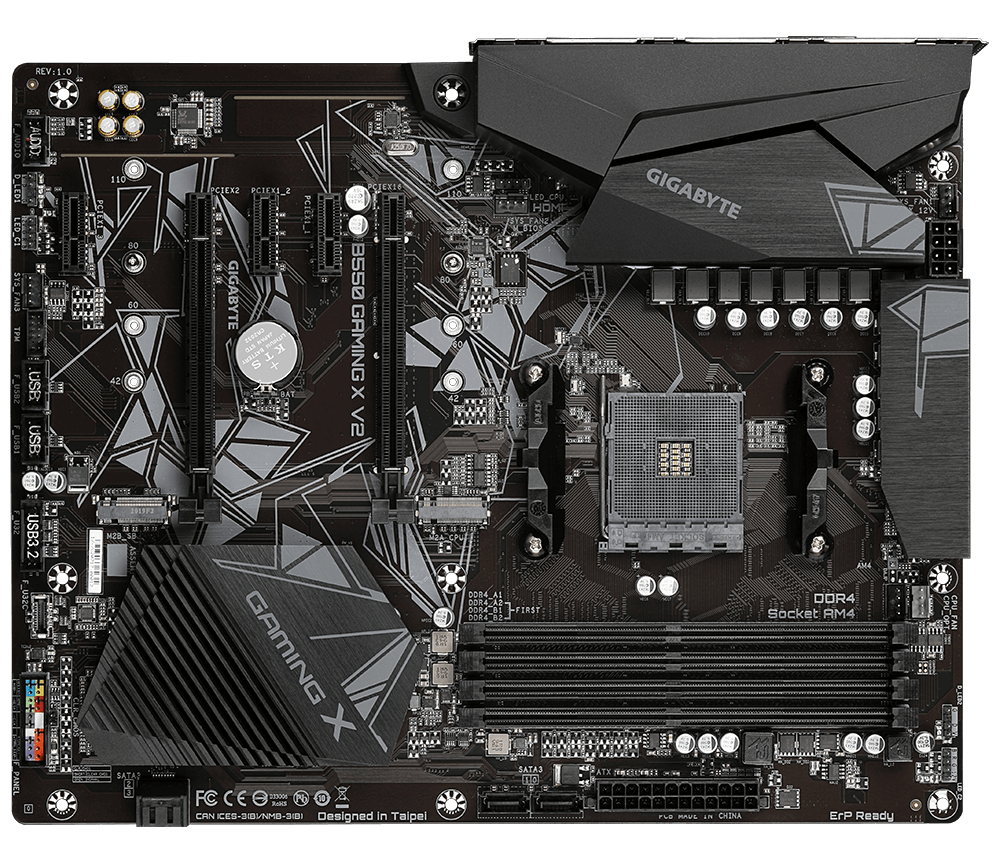
GIGABYTE
Lasting Quality from GIGABYTE.GIGABYTE Ultra Durable™ motherboards bring together a unique blend of features and technologies that offer users the absolute ...
is this good motherboard for 5 5600
?
fossil cedar
It'll be fine although usually there's cheaper options
uneven goblet
i think this is a good option
but what about b550 aorus elite
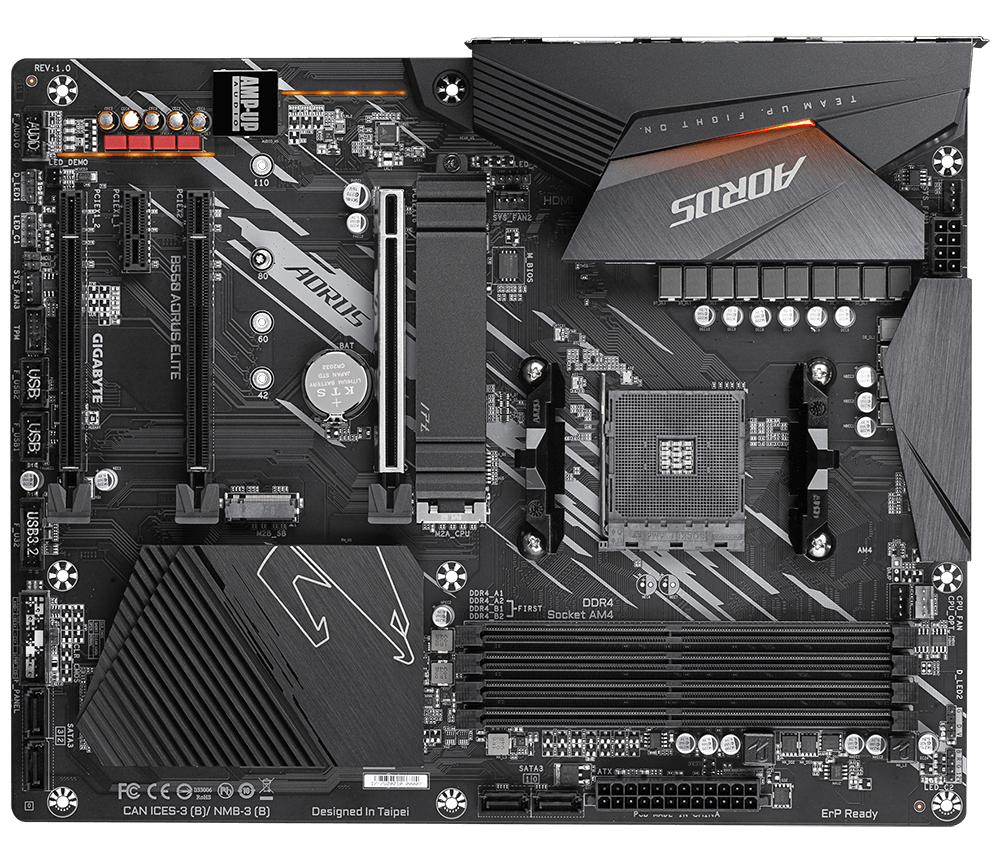
GIGABYTE
Lasting Quality from GIGABYTE.GIGABYTE Ultra Durable™ motherboards bring together a unique blend of features and technologies that offer users the absolute ...
fossil cedar
uneven goblet
but what about b550 aorus elite
What country are you in and are there any features you need? Because they're both perfectly capable but depends on pricing
uneven goblet
bosnia
you cant find it in pc part picker
i would love wifi if its not big price diffrence
fossil cedar
Ah okay well sort b550 boards low to high and send a few with their prices, most even low end boards are fine for a 5600
uneven goblet
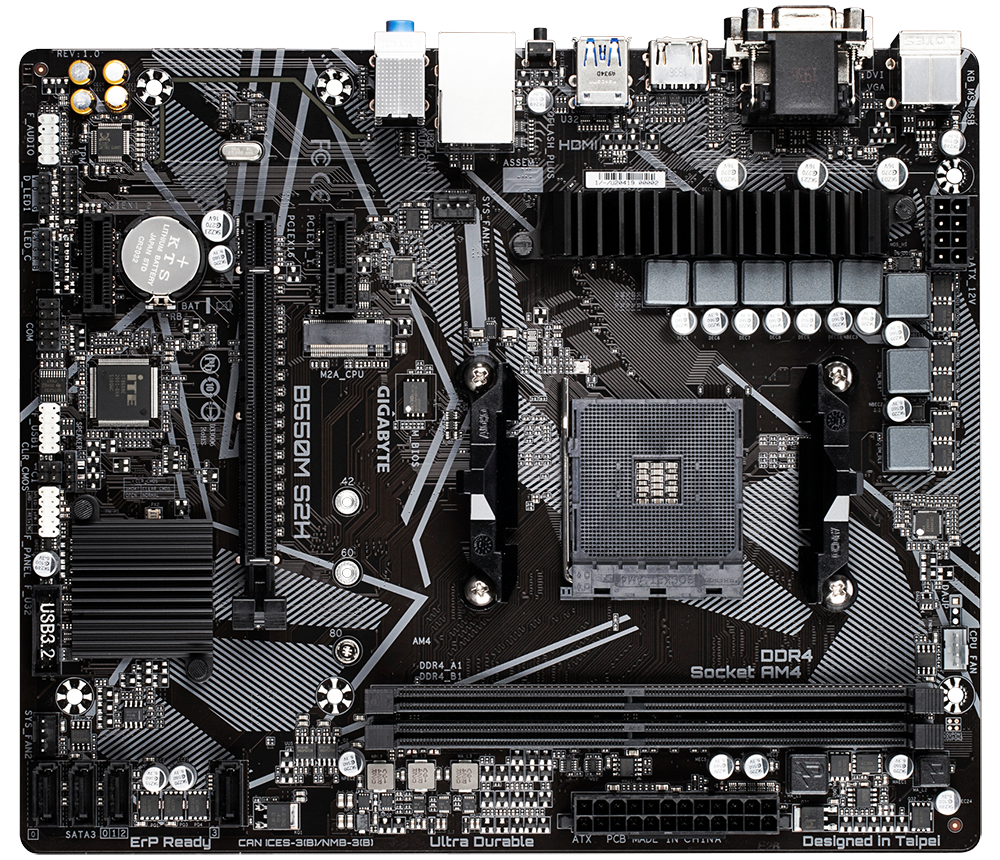
GIGABYTE
Lasting Quality from GIGABYTE.GIGABYTE Ultra Durable™ motherboards bring together a unique blend of features and technologies that offer users the absolute ...
this is lowest one
uneven goblet
uneven goblet
https://www.gigabyte.com/Motherboard/B550-GAMING-X-V2-rev-10-11-12#kf
then this
uneven goblet
uneven goblet
https://www.gigabyte.com/Motherboard/B550-AORUS-ELITE-rev-10#kf
then this comes last
fossil cedar
If the price diff between s2h and gaming x isn't much I'd get the gaming x but if it's significant enough s2h will do fine
uneven goblet
thanks
uneven goblet
yo any cpu cooler recommedations?
5 5600
doesn't need to have rgb but i would love to
mossy venture
214xt
uneven goblet
mossy venture
214xt
thanks
does anybody heard about inter-tech?
company that makes fans?
mossy venture
Never heard of them
uneven goblet
ok thanks
mossy venture
I'd suggest arctic p12s for fans
fossil cedar
uneven goblet
yo any cpu cooler recommedations?
Stock
fossil cedar
Or if you want more cool, it will depend for you but gammaxx 400/gt varients, id cooling se 214xt/224xt, thermalright assassin series
It'll definitely be cooler and quieter but a stock cooler can do, you can always use stock then see if it's okay for you
And always upgrade later
uneven goblet
fossil cedar
And always upgrade later
i think i will be to lazy to upgrade later lmao
uneven goblet
fossil cedar
Or if you want more cool, it will depend for you but gammaxx 400/gt varients, id...
thanks
fossil cedar
Deepcool have other options too
Just the cheapest 120mm fan tower cooler you can find tbh
uneven goblet
how much should fans tower cost?
fossil cedar
Like 20-30$
uneven goblet
BE QUIET! Pure Rock Slim 2
is this good
for around 32$

or
ARCTIC COOLING Freezer 7 X CO

31$
fossil cedar
That be quiet one doesn't look like a 120mm
uneven goblet
fossil cedar
That be quiet one doesn't look like a 120mm
MAIN FEATURES:
Compatible with Intel sockets: 1150 / 1151 / 1155 / 1200
Compatible with AMD sockets: AM3 (+) / AM4
Processor operating range (W): 120
Three high-performance 6 mm heatpipes with aluminium caps transport heat to the most efficient heat sink points of the fins
Dimensions: 82 x 97 x 135 mm
Fan dimensions: 92 x 92 x 25 mm
Weight: 0.38 Kg
obsidian wigeon
yeah that's no 120 fan
fossil cedar
Yea that's a 92mm fan
obsidian wigeon
freezer 7x is the better one for sure
 uneven goblet
ARCTIC COOLING Freezer 7 X CO
uneven goblet
uneven goblet
ARCTIC COOLING Freezer 7 X CO
so i should go for this one
uneven goblet
uneven goblet
100mm fan
uneven goblet
thanks for help guys
uneven goblet
uneven goblet
yo there is ARCTIC COOLING Freezer A35
41$
133 mm fan


ARCTIC, a leading manufacturer of low-noise PC coolers and components, initiated and continues to shape the trend towards quiet cooling systems. In addition to an extensive range of CPU/GPU coolers and fans, ARCTIC produces high-quality monitor arms and wall brackets as well as practical tech equ...
same as this one but its 41$
cant find it for lower here
fossil cedar
Both are acceptable lol because they currently have those options
They have
They has
Smsh
mossy venture
They is plural
fossil cedar
Rommy has
Rommy have
mossy venture
Deepcool is singular
uneven goblet
uneven goblet
https://www.amazon.com/ARCTIC-Parent-Freezer-35/dp/B09NDTWYQT
anways is this a good fan?
and is it better than 7x
analog pulsar
Has the mesh panel of the o11 seen to make airflow better
paper summit
uneven goblet
do there fans actually look the purple cause i cant get any of my fans to do that
maybe its just mme being stupid
strong raft
mossy venture
They is plural
Talking about 1 friend missing a party: "They aren't gonna show up". 
mossy venture
strong raft
Talking about 1 friend missing a party: "They aren't gonna show up". <:xmas:1051...
Yes I know they can be singular
But in that sentence it was singular
fossil cedar
uneven goblet
anways is this a good fan?
its decent ye
strong raft
mossy venture
But in that sentence it was singular
Haha, just noticed part of the other stuff. We just gotta bicker (about english/grammar) sometimes. 

 feral citrus
hello everyone! i am in need of a little assistance for what mobo i should pair with the AMD Ryzen 9 7950X, i currently have an I7 10700k along with the ROG STRIX Z490-E GAMING mobo, 64gb 3200mhz ram and a 6900XT, a recommended aio would be nice too
fossil cedar
feral citrus
hello everyone! i am in need of a little assistance for what mobo i should pair ...
what do you do with your pc because in most cases a 13700k or 13900k would be better
feral citrus
fossil cedar
what do you do with your pc because in most cases a 13700k or 13900k would be be...
just game and watch shows running a 2 monitor setup, ik intel is usually better but i kinda wanted to switch cpu to amd so its the same as gpu
mossy venture
Brand is irrelevant, performance is what matters
Cpu and gpu of same brand also doesn't affect performance
fossil cedar
feral citrus
just game and watch shows running a 2 monitor setup, ik intel is usually better ...
no they actually trade blows a lot of the time its just ryzen 7000 pricing sucks and you must use ddr5 whereas with 13th gen you ran reuse your ddr4
fossil cedar
fossil cedar
no they actually trade blows a lot of the time its just ryzen 7000 pricing sucks...
and the motherboard pricing is really bad
feral citrus
what about the whole amd memory thing? that the newer cards and scpus use to give like 5% boost in some games
the smart access memory or whatever?
also im not too worried about the prices
mossy venture
Sam is basically useless in most scenarios
feral citrus
gotcha, and would you recommend an upgrade to the motherboard?
mossy venture
Eh, you could if you want to but if it's 3200c16 that's fine
feral citrus
aight cool
feral citrus
us
cyan ravine
If you're just gaming I would consider 13600k or 13500 tbh
98% of the 13900K gaming experience for a fraction of the money
feral citrus
im fine shelling out a few more bucks just want my pc to run the bestest
fossil cedar
whats your current cooler and case btw?
cyan ravine
And psu
fossil cedar
difference between 13700k and 13600k is quite small tbf
cyan ravine
Sounding like a whole new pc rn
fossil cedar
it has no front airflow at all
youre gonna get wayyyyy better temps with a new case
cyan ravine
Prolly, 13600K, z690 asrock/N5, arctic 280 b stock, same rams (32gb I hope), silicon power a60 2tb, fractal focus 2, evga b stock gt 850w, 6900XT OCF+
fossil cedar
while we are at it whats your psu?
feral citrus
1000watt one sec for the name
 cyan ravine

fossil cedar
that will do
mossy venture
B tier iirc
fossil cedar
id do this https://pcpartpicker.com/list/VwXnBj or even this https://pcpartpicker.com/list/QCVDsL
Part List - Intel Core i7-13700KF, Phanteks Eclipse G360A ATX Mid Tower
Part List - Intel Core i5-13600K, Phanteks Eclipse G360A ATX Mid Tower
fossil cedar
mossy venture
B tier iirc
correct will do just fine
fossil cedar
cyan ravine
Pato
flex
 feral citrus
would you recommend the new case, i run my pc 24/7 without the glass panel on
cyan ravine
Also remember the asrock z690's all have bios fladh
fossil cedar
well with a new case you can leave the side panel on
fossil cedar
cyan ravine
Also remember the asrock z690's all have bios fladh
yeah but like 190 vs 200
cyan ravine
Eh rly?
fossil cedar
for a decent one
cyan ravine
No 140 option?
fossil cedar
ye
feral citrus
cyan ravine
Also remember the asrock z690's all have bios fladh
huh
cyan ravine
Intel do be popular ig
fossil cedar
steel legend is actually like 170
fossil cedar
wifi is nice tho
fossil cedar
also not having to bios flash is nice
leaden mauve
feral citrus
i simply have the side panel off
The way its meant to be
 fossil cedar
leaden mauve
The way its meant to be
fossil cedar
leaden mauve
The way its meant to be
actually in a good case side panel on is usually better
direct the airflow n all
leaden mauve
Open air bettar
fossil cedar
nein
cyan ravine
fossil cedar
actually in a good case side panel on is usually better
He wouldn't understand, don't make it hard
leaden mauve
THE WAY GOD INTENDED
 leaden mauve
NO CASE
fossil cedar
cyan ravine
He wouldn't understand, don't make it hard
true one second
fossil cedar
leaden mauve
THE WAY GOD INTENDED
beep boop x99
leaden mauve
fossil cedar
actually in a good case side panel on is usually better
"Actually" 🤓🤓🤓
feral citrus
my pc is actually on the floor no case
leaden mauve
fossil cedar
beep boop x99
All I read is nonsense. Please do research on x99 before attempting to speak of it 🤓
fossil cedar
feral citrus
my pc is actually on the floor no case
why 
cyan ravine
Wow, you grounded it
leaden mauve
GOOD
cyan ravine
Big brain
fossil cedar
leaden mauve
All I read is nonsense. Please do research on x99 before attempting to speak of ...
beep boop x79?
leaden mauve
GET ALL THE DUST AND DEBRIS
cyan ravine
Hang on lemme try Pato
leaden mauve
fossil cedar
beep boop x79?
All I read is nonsense. Please do research on x79 before trying to speak of it 🤓
fossil cedar
leaden mauve
GET ALL THE DUST AND DEBRIS
yummy
cyan ravine
BOOP BEEP X79?
feral citrus
leaden mauve
GET ALL THE DUST AND DEBRIS
nah i usually run my vaccum over all the parts 🙂
fossil cedar
cyan ravine
fossil cedar
i hope that is sarcasm
cyan ravine
Well sir
We can definitely help you today

Step right up to the clinical world of wegg technologies™️
leaden mauve
feral citrus
nah i usually run my vaccum over all the parts 🙂
Good 
fossil cedar
cyan ravine
BOOP BEEP X79?
maybe try it the right way up he might not understand australian
feral citrus
jkjk but in the 2 builds you did ik you are really trying to help me save a buck or 2 but could you do one with a i9?
cyan ravine
dǝǝq dǝǝq 66ᄅx dooq dǝǝq
cyan ravine
I9 just gives e cores
Colt lemme be real here
The fastest intel chip
Is hyperthreading off
8p cores only
E cores get in the way of gaming
fossil cedar
cyan ravine
dǝǝq dǝǝq 66ᄅx dooq dǝǝq
much better
fossil cedar
or useful for running things like discord chrome
feral citrus
but i do be productively playing my games
cyan ravine

cyan ravine
 feral citrus
also by chance this would ruin everything i plan on running 2 4k monitors would that have to be taken into consideration
feral citrus
and 6900xt should be plenty for that
fossil cedar
gpu takes care of display out and the higher resolution the more gpu bound you are
although if the 2nd monitor isnst for gaming you might be better off getting the 13700k and not the kf to run the secondary
cyan ravine
Eh not really
mossy venture
69800xt?
cyan ravine
Then good, stick with it
mossy venture
What?
feral citrus
6900xt
mossy venture
Nice
feral citrus
64
fossil cedar
i would deff grab the 13700k non kf assuming youre not dual monitor gaming
fossil cedar
fossil cedar
i would deff grab the 13700k non kf assuming youre not dual monitor gaming
and just using the 2nd for chrome or something
feral citrus
fossil cedar
and just using the 2nd for chrome or something
ye
fossil cedar
the igpu would take load off the 6900xt
feral citrus
igpu?
cyan ravine
The K's have built in little gpus
KF's don't
So you can use them for extra monitors
as long as the mobo has an igpu rail
(this one does)
feral citrus
so the Intel Core i7-13700K 3.4 GHz 16-Core Processor in place of the Intel Core i7-13700KF 3.4 GHz 16-Core Processor
cyan ravine
Ye
 carmine epoch
Hey I need some help with a motherboard I just got, where could I go for that?
feral citrus
would i then be fine to salvage the couple fans that are in the case for the new case or would i not need tham
carmine epoch
@leaden mauve Thx
cyan ravine
feral citrus
would i then be fine to salvage the couple fans that are in the case for the new...
Can, might be better to wipe the old pc and sell it tho as is
feral citrus
cyan ravine
Can, might be better to wipe the old pc and sell it tho as is
ah tru
carmine epoch
I bought a gigabyte X570 Aorus Elite motherboard and a thunderbolt add on card, the motherboard has a tb add on connector but all I have is x16 slots on the board, how do I use the add on card?
fossil cedar
feral citrus
would i then be fine to salvage the couple fans that are in the case for the new...
there would be one spot left i think with the list i put together for you so yeah you could take one of them
cyan ravine
carmine epoch
I bought a gigabyte X570 Aorus Elite motherboard and a thunderbolt add on card, ...
The thunderbolt card just slap it into probably the second x16 slot
It needs pcie lanes to work so you want it leveraging the cpu lanes from the 2nd slot, first slot for gpu
If it don't fit tho with the gpu then you could try the last slot but I doubt it'll run well
carmine epoch
@cyan ravine ok I’ll give it shot when I get my pc back, it’s in the shop rn
cyan ravine
The thing with thunderbolt is it needs 4 pcie lanes to run properly, the last slot is usually x1 pcie lane from the chipset
Some boards allow x4 tho, lemme check
carmine epoch
@cyan ravine Thank you for the help
cyan ravine
@carmine epoch 2x 16 slots yeah?
carmine epoch
Yeah
carmine epoch
It has 3 sorry, I’m thinking about another I was looking at
 carmine epoch
GIGABYTE X570S AORUS ELITE (rev. 1.0) AMD Ryzen 3000 PCIe 4.0 SATA 6Gb/s USB 3.2 AMD X570S ATX Motherboard
cyan ravine
This?
 carmine epoch
Yeah
cyan ravine
Yeah second slot
carmine epoch
Ok thanks 🙏🏾
fossil cedar
If you wanna ask about pc or deal advice please ask here or in #tech-deals-discussion instead
@neon geode ^
feral citrus
fossil cedar
id do this https://pcpartpicker.com/list/VwXnBj or even this https://pcpartpick...
that aio is currently on backorder on newegg should i just order it or find a different one?
fossil cedar
feral citrus
that aio is currently on backorder on newegg should i just order it or find a di...
That's a shame, I'd get this
https://pcpartpicker.com/product/2PFKHx/arctic-liquid-freezer-ii-360-563-cfm-liquid-cpu-cooler-acfre00068a
Or the ls720 white version if you want rgb

ARCTIC Liquid Freezer II 360 56.3 CFM Liquid CPU Cooler (ACFRE00068A)
analog pulsar
Does this look 100% plugged in
 feral citrus
although it does say ETA Date: 1/3/2023
feral citrus
yes
fossil cedar
Tomorrow lol
feral citrus
and theyve been ordered, thank you guys much 😎 👉 👉
fossil cedar
Np
little osprey
this is my GPU temp sitting on my desktop with a wallpaper engine animated wallpaper

this is it running with a stress test at 1440p

good or bad?
its overclocked +190 MHz core and +210 MHz memory btw
stoic island
normal
little osprey
ok good
i repasted and repadded my GPU and it was running hot at first then I put more paste on and it has those temps now
so
it got to like
 harsh hull
How good is this PC Build? im trying to build my first PC for around 1800 CAD https://ca.pcpartpicker.com/list/2qqB6r
little osprey
93
little osprey
harsh hull
How good is this PC Build? im trying to build my first PC for around 1800 CAD ht...
go down to like a 650W PSU thats plenty
harsh hull
little osprey
go down to like a 650W PSU thats plenty
Anything else that i could change? Like make better or save money on?
the buildapc said that this build was pretty bad, and my friend who built his own PC said it would be good
cyan ravine
harsh hull
How good is this PC Build? im trying to build my first PC for around 1800 CAD ht...
Lots of overspending where it's not needed
Want me to make a list?
little osprey
harsh hull
Anything else that i could change? Like make better or save money on?
the buil...
Asus MOBOs tend to be more expensive so find something different if you wanna save
cyan ravine
Mobo cooler gpu psu quite a bit could be put into better performance
little osprey
you also need to get like a gram-3.5 grams of thermal paste
harsh hull
cyan ravine
Want me to make a list?
Sure! and could you give recommendations for replacements if possible?
harsh hull
cyan ravine
Have you bought anything?
No i havent bought anything yet
cyan ravine
Ok good
harsh hull
I got most of the money for my birthday and christmas so im not just gonna spend it like that
gotta do a lot of reseach
and im in multiple servers askign for advice
cyan ravine
@harsh hull can you stretch to 1950?
If not it's ok, but I'll have quite a bit of budget left
harsh hull
cyan ravine
If not it's ok, but I'll have quite a bit of budget left
the most im willing to go is 2100 with taxes
cyan ravine
Ok awesome
Part List - Intel Core i5-12400, Radeon RX 6900 XT, Deepcool CG560 ATX Mid Tower
Part List - Intel Core i5-13600KF, Radeon RX 6800, Deepcool CG560 ATX Mid Tower
Pick your poison
1st one is 1950, the second is decently slower in games at 1820-ish
But both will decimate the 3060 build
In basically everything lol
I can trim both lists btw to make them a little cheaper if you aren't bothered by mismatched colours
@harsh hull
edgy hazel
can anyone help me get a bios update? at least i think thats what i need?
harsh hull
@cyan ravine is there anything that can be downgraded a bit on the 1840 one? Because with taxes on the sites it’s just slightly out of my price range, I think 1700 is a better goal for me because of taxes
cyan ravine
Ok
How's this @harsh hull https://ca.pcpartpicker.com/list/FjWB6r
Part List - Intel Core i5-12600KF, Radeon RX 6800, Deepcool CG560 ATX Mid Tower
All I did was change cpu really, 1736
We can trim it more
Part List - Intel Core i5-12600KF, Radeon RX 6800, Deepcool CG560 ATX Mid Tower
1692
(I would really go with a z690 tho so this is realllyyyy if it can't fit at all)
harsh hull
cyan ravine
How's this <@660573896394801193> https://ca.pcpartpicker.com/list/FjWB6r
This looks good!
Thank you so much!
cyan ravine
Np
It's a solid 1440p build
Will play whatever you want really
Good for some video/graphics work or light CAD too
harsh hull
cyan ravine
Will play whatever you want really
Sick
I don’t plan to overclock it or anything
But one thing
cyan ravine
Go for it
harsh hull
All the parts should fit in the case as is correct?
cyan ravine
Nice
Sign in to your current pc via settings
Then you can transfer the license
To the new pc when you've installed
By signing in there
 bleak sedge
can someone look over my parts list to help me figure out if its overkill?
potent portal
Sure. If it's a pcpartpicker list that should be a whitelisted link for you to post.
bleak sedge
ive been trying to work with my dad on figuring out a set up but hes not into the gaming side of pc’s and he says its too much
strong raft
4dimms of ddr5
potent portal
Even with inflated prices yeah
cyan ravine
And yes, 4 dimms of ddr5 is generally a no no
bleak sedge
really?
potent portal
The motherboards struggle hard to do 4 dimms any faster than jedec
cyan ravine
You don't need 64gb for games
bleak sedge
i meant to do 32gbs
cyan ravine
8gb sticks of ddr5 I would avoid too
2x16
It's the proper way to embrace it but even then, am5 is a waste
So your budget is 3K?
bleak sedge
budget peak is 3500 but 3k would be better
cyan ravine
Ok brb I'll make something
bleak sedge
no its for me
 plucky timber
oh
potent portal
Zen 4 3D should be out next month
bleak sedge
ive been talking to him about it since he’s in IT
harsh hull
cyan ravine
How's this <@660573896394801193> https://ca.pcpartpicker.com/list/FjWB6r
Could I get a second brain in on this? I trust Felix 1000x more than the people over at buildapc but always good to get more feedback. My price range is 1700
flint sapphire
I trust Felix’s judgement and experience, as a partial brain myself I can say with certainty it’s a good build for the cost
potent portal
I would have done faster memory but it looks good overall
Won't make too much difference
cyan ravine
bleak sedge
no its for me
This is what 3K can give you
https://pcpartpicker.com/list/j2YQsL
Part List - Intel Core i7-13700KF, GeForce RTX 4090, Fractal Design Focus 2 RGB ATX Mid Tower
Wouldn't do i9 with that board
potent portal
Wouldn't do i9 with that board.
cyan ravine
That too
But this build is extreme overkill
In like, everything
4k gaming is expected
potent portal
4k240 ready
cyan ravine
Less than 4k and you wouldn't be using the system to it's actual potential
So remember that
If you were gunning for 1440p we could cut the price of this build in half
flint sapphire
Could do a 1440 ultrawide like a Alienware qdoled or something 
cyan ravine
Nah, still bottlenecked
potent portal
Yep swap to a 6950 XT and that's half the cost of the build down right there
flint sapphire
Take the build cost down buy the $1000 monitor 👀
bleak sedge
thanks for the help felix 🙂
cyan ravine
Np
This is a much better build
Sweeps the 4080 build easily
Both in cpu and gpu performance
potent portal
By a significant margin yeah
bleak sedge
i was hesitant to go higher with both the cpu and gpu i just went off of what i do know
and i think i had a higher cpu but my dad told me to go lower
potent portal

Toshiba MG08 16 TB 3.5" 7200 RPM Internal Hard Drive (MG08ACA16TE)
cyan ravine
Little storage would be like, wd blue or seagate barracuda iirc
bleak sedge
i have one more question
cyan ravine
I am ready
bleak sedge
instead of the 16 core i7 you originally added, would it be detrimental to instead put in the i5-12600k 3.7GHz 10 core?
bleak sedge
right
cyan ravine
Minimum is like, 12900K/13600K+
flint sapphire
I mean honestly you’ll still be bottlenecked with the i7
plucky timber
potent portal
https://pcpartpicker.com/product/gRCFf7/toshiba-mg08-16-tb-35-7200rpm-internal-h...
that's not bad
flint sapphire
Eh
potent portal
plucky timber
that's not bad
1.6 cents per GB, best you'll find on a decent enough drive in that class
cyan ravine
It's the clock and cache that matters more than the core count
flint sapphire
It’s a great BUDGET cpu but when the budget is 3k
plucky timber
potent portal
1.6 cents per GB, best you'll find on a decent enough drive in that class
damn
flint sapphire
Idk man I can’t justify not spending
bleak sedge
i am considering lowering it or using some of the stuff from my original parts list but i was unsure
i had 3 sets with two being very similar
cyan ravine
Avoid most of the stuff from the list you posted
Case is terrible value, am5 is too
Corsair vengeance ddr5 just straight isn't worth it
And the LC cooler is terrible for lga1700
bleak sedge
the case was just from what ive seen recently and for appearance
cyan ravine
Let alone it just generally being worse than the deepcool one
You want a case like an N7 then I would look at N7 alternatives first
Even the nzxt fans don't like the price
Half the reason for the price is they ship them with those terrible value aer fans
bleak sedge
yeah i was just going off of brands i knew since im somewhat new to pc specs but i know how to build
potent portal
You'll want one of the top large airflow focused cases for a 4090
flint sapphire
Could just do a Corsair 4000d case to update the looks
potent portal
Something like the fractal torrent
cyan ravine
4000d doesn't actually fit
potent portal
flint sapphire
Could just do a Corsair 4000d case to update the looks
4090 gets too close to the bottom
cyan ravine
Fractal torrent would be good
flint sapphire
