#building-and-recc-chat
1 messages · Page 75 of 1
 full elk
 potent portal
Oh is that how it worked for Magneto?
 frigid night
potent portal
Oh is that how it worked for Magneto?
frigid night
potent portal
Oh is that how it worked for Magneto?
No, he was born with his magnetic mastery.
full elk
I ordered the arctic freezer II it’ll come on the 12th - 15th so Ima jus put a cover over my pc so it won’t get any more exposure to dust on the cpu or the ports and wait it out until then
potent portal
frigid night
No, he was born with his magnetic mastery.
'twas a joke
I know xmen mutants are born with it
frigid night
potent portal
'twas a joke
I know xmen mutants are born with it
Ya know.. I really thought twice before I answered, but your question almost seemed genuine haha
full elk
Thank you again, I’ll be back until then. Farewell 👍
potent portal
Good luck in your efforts, we'll be here
 analog pulsar
Hmmm dust yummy
 cyan ravine
analog pulsar
Hmmm dust yummy
cyan ravine
analog pulsar
Hmmm dust yummy
This explains a lot
analog pulsar


 zinc flint
Hey everyone
Would a ASUS Prime Z690-P WiFi D4 ordered/shipped 3 weeks ago need a BIOS update to use a 13th gen processor?
cyan ravine
Yes
zinc flint
And since it doesn't have flashback, the only option is a 12th gen cpu to boot/flash correct?
potent portal
Yep
Pentium/celeron time
 wild peak
What parts should I use in conjunction with a 6800XT (budget: ~1200, anything goes, feel free to even change the card)
potent portal
Is that 1200 USD? And does that include the cost of the GPU?
wild peak
potent portal
Is that 1200 USD? And does that include the cost of the GPU?
Yes
Sorry for the late response
potent portal
wild peak
Yes
I'd probably do something like this for that budget, the 6800 XT is a lot more expensive than the non-xt which would require sacrificing other part quality. https://pcpartpicker.com/list/dj9knt
Part List - Intel Core i5-12400F, Radeon RX 6800, Phanteks Eclipse G360A ATX Mid Tower
Unless of course you look at used GPUs then you can totally go higher
wild peak
potent portal
Unless of course you look at used GPUs then you can totally go higher
Is there a noticeable difference between used and new?
potent portal
Not really no
There was a 3080 ti 11900k prebuilt for $1000 that's pretty interesting too, that's a better GPU and CPU
Link is in #tech-deals
nvm that sold out
 severe matrix
is a 500w power supply enough for a ryzen 3700x + rx 6700xt?
im planning on upgrading my gpu
also, what happens when the power consumption goes over the watt limit?
cyan ravine
I would probably upgrade, what model psu?
severe matrix
this is the one i have i bought https://www.amazon.com/dp/B00H33SFJU?tag=pcpapi-20&linkCode=ogi&th=1&psc=1

When building on a budget, the EVGA 500W 80 PLUS is a great choice at a low cost. Supporting 40A on a single +12V rail provides more options without having to reduce your component requirements. Save space with the 500W compact design, well-placed power switch and fully sleeved cables. The 500W o...
i think
potent portal
🔥
severe matrix
maybe if its too low i could upgrade to a rx 6650xt instead
potent portal
When I say fire I mean fire hazard
severe matrix
wut
 obsidian wigeon
it's a hazard
potent portal
There's a critical design flaw, it catches fire
obsidian wigeon
it has a chance to catch fire
potent portal
Then you must not have loaded it up enough for it to be a problem
obsidian wigeon
^
potent portal
P-GM didn't explode either until you loaded it
obsidian wigeon
before doing any upgrades i would get a better psu first
obsidian wigeon
nope
potent portal
No just that model
obsidian wigeon
it's just the model itself
potent portal
To be more specific the bridge rectifier they used can't handle North American 115V very well so if you load it it heats up and melts
They also decided not to add a heatsink to it, oops
severe matrix
wait what is loading
potent portal
More power
cyan ravine
For your specs I would do a 650W but depends on the sales
potent portal
Yes, it's rated for 500W but if you keep it loaded to 450W+ for a long duration it just melts and dies, possibly wrecking other things
obsidian wigeon
and possibly melt the pc
cyan ravine

potent portal
650W Revo DF is $80 rn

Revolution D. F. Is a full modular Power Supply Series with 80 Plus Gold certified efficiency. In addition, revolution D. F. Comes with an exclusive D. F. Switch design which offers users to activate the patented DFRTM [dust Free Rotation] technology anytime they desire. 100% Japanese 105°c elect...
Top quality unit for a rather low price all things considered
cyan ravine
750 supernova gt is 84
4 dollars
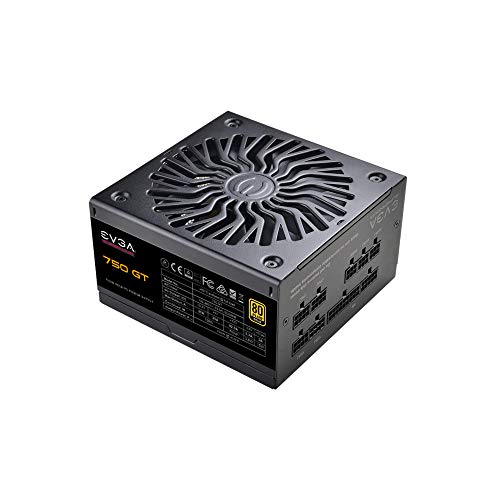
EVGA SuperNOVA 750 GT 750 W 80+ Gold Certified Fully Modular ATX Power Supply (220-GT-0750-Y1)
Gamestop baybeeee

severe matrix
ty guys
obsidian wigeon
doesn't stop your gaming tho
endorses it
gud product for cheap
makes me wonder how a psu is gaming related, but i guess it does since it powers a pc
severe matrix
u guys think i could sell my psu used? or do people usually not buy them
obsidian wigeon
bruh
cyan ravine
Sus
obsidian wigeon
scam link
 cyan ravine
severe matrix
u guys think i could sell my psu used? or do people usually not buy them
cyan ravine
severe matrix
u guys think i could sell my psu used? or do people usually not buy them
Most people don't buy a psu used
And a bad one is basically ewaste
You could keep it for maybe a nas
obsidian wigeon
can scam some evga fanboys tho
cyan ravine
But personally I wouldn't
obsidian wigeon

severe matrix
wuts a nas
potent portal
cyan ravine
Fal
Yeah I saw them lol
cyan ravine
Network storage
severe matrix
ohh
cyan ravine
Like a storage server
severe matrix
also what are these ratings for psus? like 80+, 80+ bronze, 80+ gold
severe matrix
oh so your power bill is lowered
obsidian wigeon
not by much tbh
obsidian wigeon
just less heat generally
since less wasted energy
but it's not important as long as the unit is good
severe matrix
in a year, how much would u guys estimate u save on money?
like 10 dollars or something?
potent portal
You mean like buying a gold unit over a bronze?
severe matrix
yea
potent portal
They have calculators for that
severe matrix
oh i found one ok
potent portal
Here's one I use, don't put complete faith in it but it's good for comparing bronze etc https://outervision.com/power-supply-calculator

Power Supply Calculator - Select computer parts and our online PSU calculator will calculate the required power supply wattage and amperage for your PC.
cyan ravine
I tend to not really consider those
One less day of games a week adds up much faster
obsidian wigeon
^
cyan ravine
Especially on my specs 
potent portal
Use a laptop for daily browsing instead of your desktop for added effect
obsidian wigeon
i use a laptop because well, portability
potent portal
PC on idle uses more power than most laptops full bore
obsidian wigeon
efficiency is an added bonus
cyan ravine
My new system idles at nearly 100W
While my laptop averages 4 with all my apps in the background
4
potent portal
Including the monitor?
obsidian wigeon
mine idles at like 10-20w i think
cyan ravine
If I include the monitor I'd be over 100W on my main rig most likely
obsidian wigeon
pc do be hungry
cyan ravine
Actually true, for the laptop too it'd be somewhere in the range of 15W actually
I have a 240W brick but a 230W power envelope for my two chips
obsidian wigeon
my laptop uses like um
cyan ravine
I'm not buying a multimeter any time soon tho I'd use it so infrequently
obsidian wigeon
60-70w under load?
i have turbo disabled on cpu due to thermal reasons
2.5ghz all day
obsidian wigeon
mine is whole laptop load tho
when i game
practically sips power
it's like watching the tv
potent portal
What TV are you watching because mine uses 150W just sitting there
obsidian wigeon
it's a 32 inch samsung tv
cyan ravine
It's up to 950W on my two chips
Plus io and chipset and fans
Then usb and screen
It do be like a fridge
obsidian wigeon
im honestly put off by how hungry pc has become
more reason to use laptop
average 3060 pc with 6 or 8 cores would take up like 300w+ easily
meanwhile average 3060 and 3070 laptop with 8 cores takes only like 230w at full tilt, given the cpu and gpu is at its best config and cooling capacity
severe matrix
anyone here have experience with buying used gpus on facebook marketplace? is their buyer protection any good?
potent portal
Nah it's a joke tbh
Best bet is to deal local, in person, meeting in a location with lots of people
Ideally near a police station
potent portal
Personally, never
severe matrix
oh ok nice
potent portal
I ask for proof of working beforehand, like a gpu-z tab and ideally a time spy score
cyan ravine
Also use paypal goods and services
For buyers protection
Cashapp is a huge no no, cash as well
severe matrix
what are you looking for in gpu-z? like normal idle temps and normal load temps?
potent portal
Or straight cash, but yes if you use any online service do paypal G&S
severe matrix
ah ok ty
potent portal
In gpu-z you'd just want all the info filled out properly
severe matrix
i see
potent portal
So if it's a 3080 12gb you look to see if all 12gb are there
cyan ravine
I'd compare it with the techpowerup photos
Check serial numbers
Etc
But that's if they wouldn't give me a full test
 earnest olive
i just bring a test bench and ask them to meet at starbucks
can be annoying to do if you don't have a portable monitor but it's the safest way
if you buy used hardware often a mini portable monitor is a good investment
 cyan ravine

analog pulsar
earnest olive
Bruh
 remote tide
hi everyone. speccing out parts for an upgrade. curious if anyone knows a better way to harvest the options from the newegg.ca site instead of the layout provided by the search interface?
 analog hearth
remote tide
hi everyone. speccing out parts for an upgrade. curious if anyone knows a better...
analog hearth
remote tide
hi everyone. speccing out parts for an upgrade. curious if anyone knows a better...
also contains parts for other sites such as Amazon
remote tide
ya, i had a look at them. i was hoping for something that would give me a way of viewing the scale of options on different attributes, much like a spreadsheet
analog hearth
ah. that, I wouldn’t know
remote tide
not sure if it's my pc or discord permissions, but it won't let me paste images to show what i mean
anyway i'm weighing between am4 or am5 on price to performance
analog hearth
ye. that’s just the permissions in this server. to send images, just talk here for a bit and you’ll level up in this server so you can send images
remote tide
like there's a bottom end am5 for 330 with the same tdp as a am4 ryzen7 5800x 3d. the am5 runs 4.7ghz vs 3.4ghz, but the am4 has 96m L3 vs only 32m L3 on the am5. am4 comes in at $520.. so like $200 more for less speed per core but 2 more cores and 3x as much l3, but stuck on ddr4
cyan ravine
remote tide
like there's a bottom end am5 for 330 with the same tdp as a am4 ryzen7 5800x 3d...
5800X3D is just overall faster despite the older platform and clock difference
analog hearth
I think AM4 is still best over AM5
cyan ravine
That L3 cache is a huge deal for it
obsidian wigeon
am5 is still not good to get due to expensive mobo prices
remote tide
also ddr5 ram prices
cyan ravine
Think of cache as like, super super fast ram and then it kinda makes a little more sense
obsidian wigeon
ehh
 languid nimbus
ddr5 has dropped a lot
obsidian wigeon
ddr5 is reasonable now
the only gripe with am5 is the boards
a decent b650 will net you $200
cyan ravine
Any b650 is decent just the floor starts at 200
obsidian wigeon
when you can get ddr5 z690 for just $160 sometimes
remote tide
my last build was phenom2 x4 in 2009. it still works fine but 16GB ram is not doing it for me anymore
remote tide
all of the above
i upgraded from a radeon x850 pro last year only because it started causing system failures. horrible time to upgrade because the cards went up like $100 from the year before due to the chip and crypto thing
analog hearth
what card do you have now?
and I’m assuming you’re still on the Phenom build, right?
remote tide
ya. phenom build right now
i can try to dig it up. it's nvidia something
found it
MSI GeForce GTX 1650 VENTUS XS 4G OC
very limited selection
analog hearth
I would say to just go with Intel. you can get a 12100F that performs like a Ryzen 3700X. the motherboard and CPU probably costs less with the Intel CPU than with the Ryzen CPU
I wouldn’t know what it’s like to render with though, but I would imagine it’s better than the Phenom
remote tide
2009 cpu. my cellphone is probably better than the phenom
analog hearth
lolll might as well be rendering on the phone
remote tide
trying to ride a best-of-all worlds thing. because i don't need bleeding edge speed, but i'm willing to buy more if the marginal difference in price seems worthwhile. lower tdp because i am paying electricity
my main bottleneck right now is ram capacity, so i have to step up, but as soon as i do then i think a bit of future-proofing might be worthwhile... i made the phenom last this long and it still does most of what i need it do, except for stuff crashing when it can't request space
 mossy venture
If you need multi core perf, 12th and 13th gen e cores are really useful for boosting multi core perf
Could look at used 12600k prices if you're fine with used
13400 also should be coming out early 2023 iirc
obsidian wigeon
^
remote tide
what's really funny is on the radeo x850 pro, in summertime, i would hit 97C with WoW and a movie running at the same time. changing out to the gtx 1650, the same task, mobo reads 65c
mossy venture
Odd
remote tide
pushing the 97c limit made me think that liquid cooling in my next build might be a good idea
mossy venture
Eh, really depends on the cpu
And there's very capable air coolers such as the ak620
It's comparable to a good 240mm aio
13700k and 13900k both need aios if you're doing multi core loads, but 13600k and 12600k would be fine with a high end air cooler like the ak620
remote tide
i'm running in an antec1200 case with the 240mm top fan, 3 120mm front fans, and 2 120mm rear fans. never hooked up the 120mm side fan
mossy venture
13600k would be around 90c judging by the Temps I get though
mossy venture
remote tide
i'm running in an antec1200 case with the 240mm top fan, 3 120mm front fans, and...
Does it have a mesh front?
remote tide
ya, filters on each of the hdd cages
i put the front at high speed and rear to low speed so that the positive air pressure would come from filters mainly
mossy venture
Looks decent enough
remote tide
minimize the dust going inside
mossy venture
Especially considering the age
remote tide
one of the rear fans is limping. it turns a little gimpy
 fossil cedar
mossy venture
13400 also should be coming out early 2023 iirc
fossil cedar
mossy venture
13400 also should be coming out early 2023 iirc
Should be January yes
analog hearth
I want a 13th gen i3
remote tide
cpu rankings. toms hardware vs cpubenchmark.net vs cpu.userbenchmark.com vs ???
fossil cedar
For cpu rankings I'd go gamers nexus on YouTube
remote tide
hoping for more of a browesable chart
fossil cedar
Search "gamers nexus cpu" and it'll be comparing to a lot of other cpus and you can search through the video with the timestamps
Owo?
 tawny fiber
I am in a dilemma
Have a budget for a gamer client
Within the budget could 13600k witb ddr5 and 4080 or could minmax to all hell and try to fit and do 12400 and 4090
I personally wanna mess around with ddr5 before I go with it in my personal rig
Decisions Decisions
mossy venture
tawny fiber
Within the budget could 13600k witb ddr5 and 4080 or could minmax to all hell an...
what is the budget
tawny fiber
mossy venture
what is the budget
2500$
mossy venture
few min
yeah with the cheapest 4090 with a 13600k it comes to 2900
even with 12600k on ddr4 it comes to 2600 for what i came up with https://pcpartpicker.com/list/JRCN78
Part List - Intel Core i5-12600KF, GeForce RTX 4090, Phanteks Eclipse P500A ATX Mid Tower
tawny fiber
Yeah idiot is at 4k soo gpu weighs much more here
mossy venture
4k, ok one sec
well, closer https://pcpartpicker.com/list/vGVjQ6
Part List - AMD Ryzen 7 5700X, GeForce RTX 4090, Phanteks Eclipse P500A ATX Mid Tower
tawny fiber
Well you are very overboard with the psu but thx for your feedback
mossy venture
still, with a A tier 850 a bit over budget
that 4090 at 1800 also isn't in stock
actually very close https://pcpartpicker.com/list/6TtMxs
Part List - AMD Ryzen 7 5700X, GeForce RTX 4090, Phanteks Eclipse P500A ATX Mid Tower
there's probably a cheaper case option that would bring it down to 2500
one min
tawny fiber

mossy venture
Part List - AMD Ryzen 7 5700X, GeForce RTX 4090, Deepcool CG560 ATX Mid Tower
4090 still isn't in stock tho
tawny fiber
Well we will use our own source to get the items
I was just wondering what cpu and gpu combo to go
 upper ore
What does that orange light mean next to my ram? It started flashing shortly after I tried launching ark. And now my monitors aren't showing anything.
 potent portal
Get a closer picture, there will be some text by it
upper ore
potent portal
Get a closer picture, there will be some text by it
Does this help?
 potent portal
Turn it off and reseat your memory, that looks like an error on the memory
upper ore
potent portal
Turn it off and reseat your memory, that looks like an error on the memory
Reset memory?
potent portal
Reseat
As in take it out and put it back in
upper ore
potent portal
Reseat
As in take it out and put it back in
🤦♂️ I'm dumb lol
upper ore
potent portal
Reseat
As in take it out and put it back in
Lights gone
potent portal
Does it work now?
 upper condor
Is anyone here good with monitors I’m having some issues tryna set my dual monitors up 😭
Well I mostly have it working but thing is
A 1440p 27 inch monitor should look the same if not better than a 1080p 24 inch right?
Because the new one which is the 1440p 27 inch looks a little blurry, and when I play games in it and there’s movement the colors like
Distort?
Maybe it gets super oversaturated idk
But it looks super wrong
And in general it’s lower image quality which I wasn’t expecting
Yep
And it’s 144hz and all set
5700 XT, LG 27GL850-B is the new one old one is AOC C24G1
Yep
But for some reason when I go to picture adjust I can only change brightness and sharpness nothing else
Yep I think so
There is its on fast right now
The gamer 2 preset or whatever
Yeah I lowered it and it's better
But for some reason theres no like "custom" preset
Its only gamer 1 gamer 2 fps rts and vivid


For some reason this is all I can do
I have HDR on?
Maybe something in my AMD drivers as well idk
Oh whats DAS lol
Hm weird I can't find the option for that
I turned off adaptive sync and it still says DAS is on
Yeah that just moved my brightness and stuff
Adaptive sync response time cross hair and game reset
Im gonna try game reset ig
Ah if I use full screen mode maximum refresh rate thats what turns it on
I think I need to go into my drivers cause I reinstalled all of em so it's default settings
Yeah did that
Yeah it's mostly I had the response time on faster or fastest before ig lol
I'll just press random buttons for a bit
Is 10 bit pixel format or HDR better to use?
It is super noticeable I'm ngl
Waaaay brighter colors
Yeah turning it back it looks like a black and white movie lmao
Yeah it’s mostly good
upper condor
@elfin flameWell new problem xD if you don't mind helping
Seems every time I switch between the two monitors my PC freezes a bit
no clue why :(
just for a split second
 edgy hazel
is anyone available to give me a hand? I'm ordering parts to build a gaming PC for my son for christmas and I was wondering if someone could let me know if the things i have are compatable?
Fractal Design Meshify 2 Black ATX Flexible Light Tinted Tempered Glass Window Mid Tower Computer Case
ASUS AM4 TUF Gaming X570-Plus (Wi-Fi) ATX Motherboard with PCIe 4.0, Dual M.2, 12+2 with Dr. MOS Power Stage, HDMI, DP, SATA 6Gb/s, USB 3.2 Gen 2 and Aura Sync RGB Lighting
CPU Socket Type: AM4
Option: TUF GAMING X570-PLUS (Wi-Fi)
MSI Ventus GeForce RTX 3060 12GB GDDR6 PCI Express 4.0 Video Card RTX 3060 Ventus 3X 12G OC
Memory Size: 12GB
Cooler: Triple Fans
Option: Standard
Boost Clock: N/A
Edition: None
Seasonic FOCUS PX-850, 850W 80+ Platinum Full-Modular, Fan Control in Fanless, Silent, and Cooling Mode, 10 Year Warranty, Perfect Power Supply for Gaming and Various Application, SSR-850PX.
Maximum Power: 850 W
Fans: 1 x 120mm Fluid Dynamic Bearing fan
Modular: Full Modular
Model: FOCUS PX
AMD Ryzen 9 5950X - Ryzen 9 5000 Series Vermeer (Zen 3) 16-Core 3.4 GHz Socket AM4 105W Desktop Processor - 100-100000059WOF
Options: Ryzen 9 5950X
SAMSUNG 980 M.2 2280 1TB PCI-Express 3.0 x4, NVMe 1.4 V-NAND MLC Internal Solid State Drive (SSD) MZ-V8V1T0B/AM
Form Factor: M.2 2280
Capacity: 1TB
Memory Components: V-NAND MLC
G.SKILL Trident Z RGB (For AMD) 16GB (2 x 8GB) 288-Pin PC RAM DDR4 3600 (PC4 28800) Desktop Memory Model F4-3600C18D-16GTZRX
Capacity: 16GB (2 x 8GB)
Type: 288-Pin DDR4 SDRAM
Speed: DDR4 3600 (PC4 28800)
CAS Latency: 18
Color: Black
LED Color: RGB
Fan Included: No
Microsoft Windows 11 Home (USB)
#1 BEST SELLER
in Operating Systems
Operating Systems: Windows 11
Bit Version: 64-bit
Version: Home
Cooler Master Hyper 212 RGB Black Edition CPU Air Cooler, SF120R RGB Fan, Anodized Gun-Metal Black, Brushed Nickel Fins, 4 Copper Direct Contact Heat Pipes for AMD Ryzen/Intel LGA1700/1200/1151
Color: Black
LED: RGB
I dont really have a set budget
 vague oracle
Weeeeellll it’s all compatible but it just ain’t good
edgy hazel
COD, Fortnite, Minecraft, and some other game
yes in the US
What would you recomend
 modest bone
i got a question i got my ssd but now the pc isnt seeing it
 elfin flame
edgy hazel
What would you recomend
elfin flame
edgy hazel
What would you recomend
https://pcpartpicker.com/list/zynYBj
Just an example of better bang for buck.
Part List - Intel Core i5-13600K, Radeon RX 6700, Fractal Design Focus 2 ATX Mid Tower
modest bone
what do you mean?
 woven horizon
 drowsy zodiac
analog pulsar
woven horizon
https://tenor.com/view/m2ssd-ssd-m2-gif-25640585
drowsy zodiac
analog pulsar
woven horizon
https://tenor.com/view/m2ssd-ssd-m2-gif-25640585
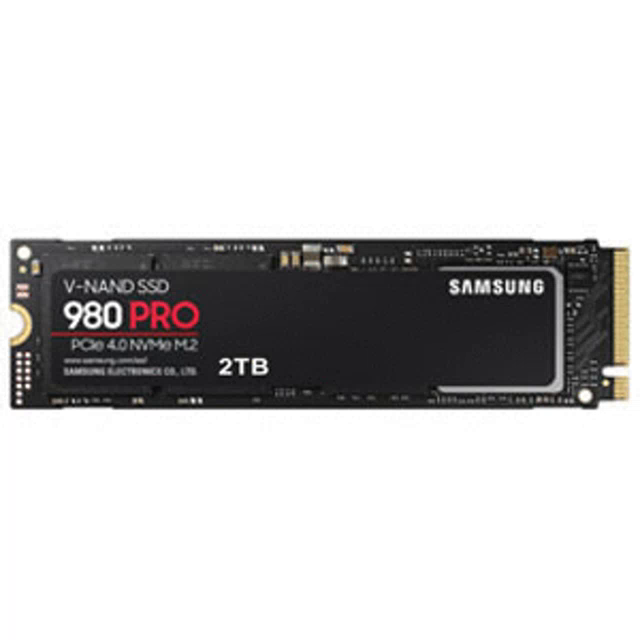
Should I buy this
woven horizon
analog pulsar
Should I buy this
I have the 1tb and it’s fast but to be honest I wish I had gone for the Sabrent Rocket.
 paper summit
do u need it
analog pulsar
woven horizon
I have the 1tb and it’s fast but to be honest I wish I had gone for the Sabrent ...
Lol
fossil cedar
elfin flame
https://pcpartpicker.com/list/zynYBj
Just an example of better bang for buck.
13600k and a 6700 seems a bit unbalanced are they not gaming?
modest bone
so any suggestions to get my 2tb ssd to work in my computer?
fossil cedar
Is it a new drive?
modest bone
yeah
woven horizon
Did you initialize it in disk utility?
fossil cedar
Have you initialised it in disk management?
modest bone
not yet
fossil cedar
You needa do that
woven horizon
OK try that first
fossil cedar
Before you can use it
modest bone
where do you get there
fossil cedar
Disk management
modest bone
yeah
fossil cedar
Press windows and search for it
modest bone
so the only thing working rn is dicord
discord*
i dont know why
nvm i got it
ok so what do i do after i get into disk management? (never done this before)
the disk says unallocated
woven horizon
does your screen look like this
 modest bone
yeah but the new ssd is Unallocated
fossil cedar
Right click it and show us the options it gives
modest bone
ok
fossil cedar
On the unallocated space
woven horizon
Yes then you name the drive and assign a letter to it
modest bone
does it matter what number it is?
woven horizon
What do you mean?
modest bone
i meant letter
 strong raft
Pick a letter that's unused.
woven horizon
No usually just go down the alphabet.
modest bone
the file should be ntfs right
woven horizon
Yep
fossil cedar
edgy hazel
COD, Fortnite, Minecraft, and some other game
Id do this
https://pcpartpicker.com/list/sfQXBj
Part List - Intel Core i5-12600KF, Radeon RX 6800 XT, Fractal Design Focus 2 ATX Mid Tower
woven horizon
Should I pair the 11400 with a 2060 or rx 6600?
 limber oyster
So...I just got a new wifi card for my PC...and now it refuses to boot
 potent portal
What wifi card?
potent portal
Try installing this in safe mode https://download.gigabyte.com/FileList/Driver/mb_driver_630_extensions_20.20.0.6.zip
 potent portal
Is that still in safe mode?
potent portal
Try another pcie slot too
limber oyster
I have
potent portal
You may have a dud in that case
limber oyster
Ok, boots with device disabled
I'm getting watchdog violation now
And system thread exceptions
potent portal
Yeah that sounds like a dud hardware
limber oyster
I'll contact gigabyte, see what they say
Maybe I'm doing something wrong and it's user error
modest bone
Hey I have slight problem I deleted something and now i can’t open anything because it says “it might have been moved, renamed, or deleted. Do you want to remove this item” how do I get back the thing that I deleted or have I just completely broke my computer?
potent portal
What did you delete?
frigid night
@calm oyster Nice setup. Can I convince you to use 2 separate PCIE cables instead of daisy chaining 1 on a 6950xt?
 calm oyster
frigid night
<@274954120551727104> Nice setup. Can I convince you to use 2 separate PCIE cabl...
calm oyster
frigid night
<@274954120551727104> Nice setup. Can I convince you to use 2 separate PCIE cabl...
does it substantially help
woven horizon
Is that cable management good enough #build-pics
frigid night
calm oyster
does it substantially help
It will substantially reduce the risk of having gpu power draw related issues. You will be pulling the full wattage of the card through 1 cable versus splitting that between 2 cables.
1 PCIe cable is rated for 150w. Your card draws 335w. So minus the 75w (potential from the PCIe slot itself) that leaves you drawing 260w off that 1 cable.
frigid night
frigid night
It will substantially reduce the risk of having gpu power draw related issues. Y...
Also.. could potentially melt your cable.. Start a fire.. etc.
 still roostBOT
 Breaking Chad#6969 has been warned
Reason: Bad word usage
frigid night
calm oyster
will do
Awesome 🙂
frigid night
woven horizon
Is that cable management good enough <#574740748801540107>
compared to someone like @fossil cedar.. most definitely. It looks really good for sure.. I personally think you could do more.
calm oyster
frigid night
Awesome 🙂
Thanks!
analog pulsar
@woven horizon can you help me
woven horizon
analog pulsar
<@274909044773355520> can you help me
What’s up?
 woven horizon
This pc was just as bad. I took the whole thing apart and started 1 cable at a time.
woven horizon
You’re not covering the breathing hole are you?
calm oyster
@frigid night so just this right
 analog pulsar
woven horizon
You’re not covering the breathing hole are you?
analog pulsar
woven horizon
You’re not covering the breathing hole are you?
I think it's fine
That
 woven horizon
It’s on the top of the drive.
frigid night
calm oyster
<@913267599779971133> so just this right
Yep. If you have another PCIE without the daisy chain, you can swap it out for the one with the daisy so that way it looks a bit cleaner.
analog pulsar
woven horizon
It’s on the top of the drive.
There's nothing there
woven horizon
I think you’re fine.
calm oyster
frigid night
Yep. If you have another PCIE without the daisy chain, you can swap it out for t...
Sadly I don’t :((
But thanks so much bro I feel stupid rn
frigid night
calm oyster
Sadly I don’t :((
it's no problem. Can always get extensions later if it bugs you. If it doesn't then don't worry about it 😛 My main concern was the single cable on the 6950xt.
calm oyster
Thank god
frigid night
calm oyster
But thanks so much bro I feel stupid rn
Don't feel stupid.
calm oyster
Could have been cooking chicken with that
Ima run another benchmark and see if it makes a bigger difference too
limber oyster
@potent portal I think it's dead or corrupt....I removed it and now my bios doesn't even recognize my old wifi card.
I had to flash my bios
 empty pollen
calm oyster
<@913267599779971133> so just this right
empty pollen
calm oyster
<@913267599779971133> so just this right
seems like a 5000x... i approve 👍
calm oyster
empty pollen
seems like a 5000x... i approve 👍
ur the first person to say they like it
empty pollen
i have one as well, love it xD
in fact im planning to mount both of my hdds on that grill... somehow
calm oyster
empty pollen
i have one as well, love it xD
pc pic??
empty pollen
next week, i will have my pc parts by saturday morning
so i have her on its box, all white and clean
still the only downside is the hard drive cage... the space there is too restrictive to have the psu cables on that tiny space
fossil cedar
frigid night
compared to someone like <@191276897227898880>.. most definitely. It looks reall...
Throwing me under the bus are we?
frigid night
fossil cedar
Throwing me under the bus are we?
 fossil cedar
frigid night
https://tenor.com/view/cartman-throw-under-the-bus-toss-under-the-bus-thrown-und...
fossil cedar
frigid night
https://tenor.com/view/cartman-throw-under-the-bus-toss-under-the-bus-thrown-und...
Thanks...

 merry spindle
Any recommendations for a 1440p gaming monitor?
paper summit
Budget?
 tawny violet
I'd love some feedback on the parts list I chucked together for consideration
All parts used unless stated otherwise, prices converted to US dollar at current exchange rate according to Google
I7-6700K OEM at 81
NH-U12S for 38
ASUS ROG Strix Z270F Gaming for 82
Kingston HyperX 2x8 2400Mhz CL15 at 41
Samsung 980 PCIe 3.0 NVMe M.2 SSD 1TB (MZ-V8V1T0BW) at 108 NEW
ASUS GeForce GTX 1070 Ti Turbo 8GB at 190
NZXT H510 Flow at 100 NEW
2× Arctic P14 fans at 13 NEW
Corsair RM550x at 51
woven horizon
Change the 980 to the mp33 at $54, a 1070ti from eBay will run you about $150 max.
tawny violet
Ebay isn't an option (living in Hungary sucks in that regard)
and is the mp33 better if I use it in an older board?
wait, Team Group?
They make SSDs?
woven horizon
Fair. Try Reddit, they ship via Cronos. The 980 doesn’t have dram just like the mp33 from team group.
r/hardwareswap
tawny violet
heard Samsung makes like
Extremely reliable SSDs
and reliability and longevity matters for me a lot
tawny violet
which one does? the Pro?
woven horizon
Yes
tawny violet
I'll check how much that is
that's 151 here new
and frankly I don't trust used SSDs/hard drives so I'll get that new
iirc Samsung is somewhat of a premium brand with SSDs?
empty pollen
yes
 weary galleon
tawny violet
~~and frankly I don't trust used SSDs/hard drives so I'll get that new~~
weary galleon
tawny violet
~~and frankly I don't trust used SSDs/hard drives so I'll get that new~~
used hard drives are sus, used ssds are fine
tawny violet
woven horizon
Change the 980 to the mp33 at $54, a 1070ti from eBay will run you about $150 ma...
Fun fact someone in another server told me "You don't need a DRAM cache, you'd never notice it in real life"
tawny violet
weary galleon
used hard drives are sus, used ssds are fine
I prefer getting my drives new, just in case
the shop I'd get it from also gives extra warranty on it
weary galleon
tawny violet
Fun fact someone in another server told me "You don't need a DRAM cache, you'd n...
with newer ssds you don't really need dram
as far as I understand
woven horizon
Which is why I recommended the MP33 and not the 980
weary galleon
yeah if you're set on getting samsung get one of the 970 variants
tawny violet
How much would it matter?
like a second or 2 of load time for the OS?
so at most a second or 2, heh
weary galleon
my dramless 860 qvo is ehh for boot but also that might be because its SATA
my dramless sn750se is fine for OS drive
tawny violet
fair enough
970 it is
1tb is good for boot drive tho, right?
I have a 470gb SATA SSD in my current laptop, and it's... Constricting
tawny violet
Okay actual question
Single 1TB or RAID-1 with 2 500GB ones (assuming the SSDs are all identical)
 leaden mauve
What're you using it for
fossil cedar
single 1tb
tawny violet
leaden mauve
What're you using it for
Boot drive
leaden mauve
It would just make more sense to use a single drive to be honest
It's kinda redundant (no pun intended) to run two drives in raid 1 for just a boot drive
tawny violet
I'd probably have an external hard drive for backups
And make a system image every month or so to recover from
 dim forge

 empty pollen
👍
 lament fulcrum
@mossy citrus didnt realize it was possible to build keyboards for that cheap
i'd love to build my own
@gentle pollen what desk is that?
 mossy citrus
lament fulcrum
i'd love to build my own
mossy citrus
lament fulcrum
i'd love to build my own
I got a preguilt that had hotswap support and modded the hell outta it
 stoic island
tawny violet
How much would it matter?
stoic island
tawny violet
How much would it matter?
Dram doesn't matter for most cases, depending on the implementation of hmb, drives with hmb perform exactly as drives with dram does, except slightly more latency in the ballpark of like 100ns, but it all depends on the implementation. It's more about the controller and the nand itself for load times and all.
lament fulcrum
mossy citrus
I got a preguilt that had hotswap support and modded the hell outta it
yeah i saw that in the video description, but thats still impressive honestly
lament fulcrum
question though, do the leds typically come on the board itself? i have a logi g413 tkl that i bought some reddragon pudding key caps for when i visited microcenter
but you can def tell that the leds are on the topside of the keys and it doesn't look amazing
 gentle pollen
lament fulcrum
<@217356391675985921> what desk is that?
gentle pollen
lament fulcrum
<@217356391675985921> what desk is that?
A L-shaped desk I got from Office Boss.
lament fulcrum

 jagged hill
mossy citrus
lament fulcrum
question though, do the leds typically come on the board itself? i have a logi g...
jagged hill
mossy citrus
lament fulcrum
question though, do the leds typically come on the board itself? i have a logi g...
Yeah
lament fulcrum
@calm oyster you probably wanna run another pcie power cable to that 6950XT. that cable + the slot only provide 225 watts and tdp for the 6950xt is 335 watts
so you are either having a severe power limit or a fire hazard
 hasty cove
does the phantek G360A need sata cable to use its rgb
mossy citrus
Probably
paper summit
hasty cove
does the phantek G360A need sata cable to use its rgb
Yea it does
Its a good case tho
I jave it
hasty cove
Same but idk where I am supposed to plug it
paper summit
Wachu mean
hasty cove
Plus the cord is kinda short
hasty cove
So the SATA cable on the back doesn’t plug into the mobo
It plugs onto the psu
For rgb
hasty cove
Ok good to know
lament fulcrum
I have it too
hasty cove
I wish I was told where the Mount screws where lol
hasty cove
Hiding in the hdd cage
lament fulcrum
That's where they usually hide em thats how my p360a was lol
Or p300a cant remember
The higher end models come with a plastic case separating the screws, kinda jelly
But phanteks sells the same fans as these on amazon so you can get extras if you want them there
Thats what i ended up doing with my rear fan
lament fulcrum
I mean best to get it out of the way
lament fulcrum
hasty cove
hmmm
What you need help with
 shut rampart
I already upgrade my pc, but if I were to upgrade again with $2500 budget ( Streaming ) what would it be? https://pcpartpicker.com/user/IcyRed/saved/VBjt3C I was thinking Monitors
2023 PC Build - AMD Ryzen 7 5700X, Radeon RX 6700 XT, Phanteks Eclipse G360A ATX Mid Tower
weary galleon
shut rampart
I already upgrade my pc, but if I were to upgrade again with $2500 budget ( Stre...
I'd do a GPU upgrade and bump a monitor up to 1440p or 4k
might need a psu upgrade depending on what gpu you get
shut rampart
GPU? I just upgrade my gpu
shut rampart
weary galleon
might need a psu upgrade depending on what gpu you get
forgot to change but i got a 750w
weary galleon
do you mean $250 instead of $2500?
it would be silly to not upgrade gpu if you're willing to spend 2500
weary galleon
you could upgrade motherboard and cpu if you wanted
shut rampart
I want a theme for my pc
like all white
or something
but will it cost more
prob
weary galleon
well also then you're basically looking at a whole new build lol
shut rampart
yha true
well I can do one gaming and one streamer pc
have a spare gpu
but its not white :/
tawny violet
What's better?
Getting used, previous gen midtier parts and build it myself
or
Getting a prebuilt with very entry level but new current gen parts
fossil cedar
shut rampart
I already upgrade my pc, but if I were to upgrade again with $2500 budget ( Stre...
For 250 i would get this
https://pcpartpicker.com/product/HYZ9TW/hp-x32-315-2560x1440-165-hz-monitor-2v7v2aaaba
Or
https://pcpartpicker.com/product/cB3gXL/hp-x27q-270-2560x1440-165-hz-monitor-2v7u5aaabu

HP X32 31.5" 2560 x 1440 165 Hz Monitor (2V7V2AA#ABA)

HP X27q 27.0" 2560 x 1440 165 Hz Monitor (2V7U5AA#ABU)
fossil cedar
tawny violet
What's better?
Getting used, previous gen midtier parts and build it myself
or
G...
Yeah it's gonna depend can you give us an example
tawny violet
Let me get the (mostly) used parts list, and the stuff in the prebuilt, one sec
fossil cedar
But for cpus for gaming at least almost always newer gen lower product tier is better than previous gen higher product tier
tawny violet
Used list:
I7-6700K OEM
NH-U12S
ASUS ROG Strix Z270F Gaming
Kingston HyperX 2x8 2400Mhz CL15
Samsung 970 Evo Plus 1TB (MZ-V7S1T0BW) (new)
No OS included
ASUS GeForce GTX 1070 Ti Turbo 8GB
NZXT H510 Flow (new)
2× Arctic P14 fans (new)
Corsair RM550x
Total: 725 USD
Prebuilt:
Ryzen 5 5500
Stock cooler
Asus TUF Gaming B550M-E
Geforce GTX 1660 6Gb (unknown make)
16GB DDR4 3200Mhz (unknown make and model)
1Tb NVMe SSD (1500 Mb/s) (unknown make and model)
Windows 10 Home 64BIT
ASUS TUF GAMING GT301 RGB
No additional fans
Seasonic CORE GC-550W 80+ GOLD
Total: 1 044,18 USD + shipping
Honestly neither feels that amazing for gaming, but prices are crazy here
tawny violet
My reasoning was that Samsung SSDs seem to be exceptionally reliable
fossil cedar
No ssds are really more reliable than others
tawny violet
https://www.techspot.com/news/92976-puget-reliability-report-shows-samsung-ssds-fail-least.html
Hopefully I can post link

TechSpot
Puget notes that as every part it uses in its systems goes through a comprehensive qualification process, the failure rates reported here are likely lower than the...
yeah it works, neat
so yeah, that's what I mean
tawny violet
fossil cedar
Oh deff the 6700k one then
I assume the prebuilt is way overpriced?
fossil cedar
Very much so
tawny violet
Makes sense ngl
At the end of the day, even a 1070 will run most of what I'm interested in playing
And once I update to a more modern build, my sister can inherit it
stoic island
tawny violet
https://www.techspot.com/news/92976-puget-reliability-report-shows-samsung-ssds-...
sadly the closest thing we have to an actual comprehensive comparison of drives is this, Puget straight up doesn't use many other drives so they don't have data for other drives, backblaze gives nice data but uses mostly oem drives, and of course testimony from the average consumer isn't reliable, so we're left with just theory and specs
 tawny violet
fossil cedar
1070 is a little bit better than a 1660
tawny violet
fossil cedar
1070 is a little bit better than a 1660
I wonder how long it'll still be supported by nVidia
3 or 4 years probably?
tawny violet
stoic island
sadly the closest thing we have to an actual comprehensive comparison of drives ...
I mean, I've not seen one fail near me, so that's not too bad I suppose
Though not too many I have seen total
stoic island
tawny violet
I mean, I've not seen one fail near me, so that's not too bad I suppose
Though n...
looking at overall stats from backblaze's testing, it'd be hard to find out with smaller sample sizes, they're finding an average of <1% AFR, less than 1 drive out of 100 failing over 1 year of usage
fossil cedar
tawny violet
I wonder how long it'll still be supported by nVidia
I'd say long enough anyway, even when it's not supported it's just new games that won't work anyway
tawny violet
Tfw the most demanding game I'm really badly interested in is Sniper Elite 5
stoic island
worst part about SSDs is that there are no rules and things get swapped around often
there's no easy way to compare rated endurance of the hardware components themselves, while micron offer rated p/e cycle counts, Samsung doesn't seem to want to
and with part swapping, even 970 evo plus has different variations, although the second version isn't necessarily worse, it's a different controller and might be slightly different nand
 silent token
i don’t mean to be a bother but does anyone know how to build a pc for cheap
i tried looking around on the internet for guides but i’m not THAT well versed
silent token
around five to eight hundred bucks
silent token
gaming and regular stuff
silent token
okay
obsidian wigeon
@silent token https://pcpartpicker.com/list/cbmdW4
Part List - AMD Ryzen 5 5600, Radeon RX 6650 XT, Cougar MX330-G Air ATX Mid Tower
If you don't mind spending a little more I can throw a better cooler than stock
The stock cooler should work well enough tho
tawny violet
tbf you have a good shot at finding good deals with used stuff if you are willing to take that route
but that heavily depends on what's locally available to you
obsidian wigeon
I would do new instead since you can still make potent rig for below 1k
frigid night
tawny violet
but that heavily depends on what's locally available to you
Or... r/hardwareswap
obsidian wigeon
^
The only part I would really go used is the gpu tbh
Considering 5600 is pretty cheap rn
tawny violet
frigid night
Or... r/hardwareswap
international shipping is pain for me, so not option really
And the customs people tend to... Liberate things they might want to flip
frigid night
Yeah. The only time I'd go used cpu is when building on super budget Or building for a friend/ family member as a gift.
obsidian wigeon
New parts are cheap as heck in the us
Like mp33 is only 51 for 1tb
16 gigs of 3200c16 ram for only 40-50
strong raft
Another $15 to double ram also, lol.
fossil cedar
@silent token id do this
https://pcpartpicker.com/list/jx8R8r
Part List - AMD Ryzen 5 5600, Radeon RX 6650 XT, Fractal Design Focus 2 ATX Mid Tower
tawny violet
obsidian wigeon
Like mp33 is only 51 for 1tb
That's straight up not available here AT ALL
The cheapest-ass 1tb is over 100 bucks
obsidian wigeon
Of course that's why I said in the us
tawny violet
Yeah, the US is lucky with this, everything under the sun is available there
while anything east of Germany is SOL
fossil cedar
tawny violet
That's straight up not available here AT ALL
The cheapest-ass 1tb is over 100 bu...
tawny violet
LMAO
obsidian wigeon
I really wanna order a bunch of mp33 and slap em into builds and stuff lol
ez flip
tawny violet
I heavily doubt anyone would understand me saying how many dozens of thousands of Hungarian peanuts something is worth
obsidian wigeon
Newegg takes care of taxes and stuff for me already
stoic island
tawny violet
I heavily doubt anyone would understand me saying how many dozens of thousands o...
It makes it a lot easier to see you're talking about a different market though
fossil cedar
We can google Hungarian to euro/usd etc
It makes it very clear you're not in a different market than you'd assume
tawny violet
Let's be honest 99% of the users would immediately go like "Lol talk in USDs you pleb, nobody has time to think for you in conversions"
but alrighty
stoic island
Here in that case it adds to the confusion
frigid night
tawny violet
Let's be honest 99% of the users would immediately go like "Lol talk in USDs you...
Not here. We are telling you quite the opposite
stoic island
It is extremely confusing if someone just says "I can only get 1tb ssd for 100usd"
empty pollen
tawny violet
Let's be honest 99% of the users would immediately go like "Lol talk in USDs you...
in fact that is a minority everywhere pal, you are living in the past
 stoic island
If you said "I can only get a 1tb SSD for 400hud", it makes sense, foreign overpriced market
empty pollen
thats why we always ask first "budget and country"
stoic island
But 100 usd for 1tb drive generally tends to be either retailers overcharging you by a lot, or a SSD that's not worth it at all
frigid night
empty pollen
thats why we always ask first "budget and country"
Which.. 100% of the time I forget to ask XD
empty pollen

stoic island
Anyways it makes everything nicer to work with when you specify local currency
empty pollen
indeed, that enable us to look for solutions on your local market first
stoic island
Especially with dollars, cad aud sgd usd, all the same symbol, a lot of potential confusion
empty pollen
to me that "99% use usd pleb" is a movie mentality these days
long gone are those days
and im pretty sure that if we saw someone talking like that around here, he will be kicked on the spot
fossil cedar
Pretty sure pesos uses $ too
tawny violet
nah I was folding clothes
empty pollen
frigid night
We scared him away
you scared him away, have you looked yourself today in the mirror?
tawny violet
apologies for not saying it lol
empty pollen
tawny violet
but yes
frigid night
empty pollen
you scared him away, have you looked yourself today in the mirror?
Sexy af.
tawny violet
Prices here are ridiculous
 tawny violet
and it's a basic-AF one
silent token
what do i do if the stuff doesn’t fit?
empty pollen
is way better and way cheaper
silent token
do i get a new case?
stoic island
silent token
what do i do if the stuff doesn’t fit?
What doesn't fit?
empty pollen
😄
obsidian wigeon
Pato has already given you a list where everything fits and works together
Don't worry about it
tawny violet
empty pollen
what about a 6600xt?
only 2k HUF cheaper
like half a percent cheaper than the basic-ass 3060 for the cheapest one new
empty pollen
6600xt is way better, almost as a 3060ti
stoic island
It's like
3060 < 6600 xt < 3060ti
tawny violet
Hell, 4 years ago I could've built a new PC from the price of that GPU alone
stoic island
6600xt is around 10% better on average in terms of raster compared to 3060
And 3060ti is around 10% better on average than 6600xt
Ballpark estimates, look at specific benchmarks for more specific numbers if you want
tawny violet
I mean a used 1070 Ti costs a third of a new 6600XT her
and sure, the 6600XT will be like 50% faster
But over 60% cheaper, and the 1070 Ti will still do what I need it to do
as much as it pains me, I don't think I can make enough in 6 months to buy th new parts for a PC
fossil cedar
silent token
do i get a new case?
All the stuff in the list i gave you fits
silent token
yeah you did
fossil cedar
I made that list, i would not recommend copying other peoples builds as prices and availability change
silent token
okay
fossil cedar
If you want a cheaper list i can put one together for you tho
fossil cedar
Sure what price?
silent token
four to five hundred
mossy venture
if you're gaming, I would buy used
 weary galleon
silent token
i don’t trust ebay
weary galleon
silent token
i don’t trust ebay
Ebay is good as long as the seller has reviews
silent token
is it?
also
is there a widget or something that skims amazon warehouse for cheaper deals for stuff in your cart?
fossil cedar
silent token
besides ebay
Ebay is actually the best place to buy they have really good buyer protection
500 isn't really a budget you can do for new parts if you want something decent
You're either in used or console territory there
obsidian wigeon
^
analog hearth
just put a mining card in it. then also get a DDR4 Intel motherboard and obviously with an Intel CPU
just good luck on a good PSU
case? cardboard box (don’t do that. this is a joke)
silent token
okay
fossil cedar
@silent token this is the cheapest I'd go for new
https://pcpartpicker.com/list/wnsb6r
Part List - Intel Core i3-10100F, Radeon RX 6600, Cougar MX330-X ATX Mid Tower
silent token
oh cool
i’ll use this as a basis
and see if i can find better stuff
thanks y’all
fossil cedar
Np
silent token
is it alright if i ask for part help here too?
or do i use the hardware stuff for that
fossil cedar
Ofc you can ye
tawny violet
wow
I can get a 1070 Ti for 75k HUF
a 1080 Ti for 90k HUF
or a 2060 for the same amount
Feels like the 1080 Ti for that amount is a bargain
6600 non-XT is 80-85i HUF
What a weird world
and Shadowplay afaik is still better than ReLive
fossil cedar
Out of those I'd probably go with the 1070 ti or 1080 ti for those prices
mossy venture
smthn like that
obsidian wigeon
Is the psu your current?
If you're buying that new it's usually overpriced as heck
tawny violet
I'd buy that used for 20k HUF
tawny violet
obsidian wigeon
If you're buying that new it's usually overpriced as heck
buying used PSUs is okay?
assuming it's a modern modular one
obsidian wigeon
I wouldn't really do that
mossy venture
I wouldn't trust a used psu from a random person
tawny violet
Used
tawny violet
Random person to me, but the seller has good reviews (yes I know that can be deceiving)
mossy venture
How many reviews?
tawny violet
like 20, but the seller seems new on the site
Okay now that's odd
Yeah that's... Odd
Now I'm second guessing myself lmao
fossil cedar
tawny violet
assuming it's a modern modular one
modular has nothing to do with quality as long as its A or B tier on the cultists list thats really what matters, theres A tier non modular psus out there
tawny violet
alright, I found another candidate
Seasonic Focus Plus Gold 550W (SSR-550FX)
Still under warranty until 2028 with Alza (Hungarian online retailer)
for 22k HUF
or I can get a brand new RM650x for 37k HUF
fossil cedar
How much is the rmx 550w?
tawny violet
fossil cedar
How much is the rmx 550w?
RM550x (CP-9020197-EU) for 57k
RM650x (2018) (CP-9020178-EU) for 43k
both brand new
mossy venture
The focus is the better deal, if the retailer is trust worthy
analog pulsar
mossy venture
The focus plus is A tier, right?
I think is it the focus ION or something
 mossy venture
Fractal design isn't seasonic
tawny violet
 fossil cedar
tawny violet
RM550x (CP-9020197-EU) for 57k
RM650x (2018) (CP-9020178-EU) for 43k
fossil cedar
tawny violet
RM550x (CP-9020197-EU) for 57k
RM650x (2018) (CP-9020178-EU) for 43k
id probs get the focus plus then personally or the 650w rmx
tawny violet
Ye the RM650x is one I like quite a bit too
It's probably better to overspec than to underspec
upper ore
God my pc is starting to crash again. It hasn't crashed in ages! Like idk if my pc is just on its last leg or what because I'm playing league of legends of all things.
It just crashed back to back within one match. By crash I mean completely freeze up to the point I can't do anything besides turn it off by pressing the button. I'm about to completely give up on it and wait to play anything until I can build my new one.
tawny violet
That sucks
weary galleon
upper ore
God my pc is starting to crash again. It hasn't crashed in ages! Like idk if my ...
specs?
make sure you have drivers updated, and that nothing is overheating
and does it crash in other games or only League?
upper ore
Yes but it's been the only game that I could play for the past week without it crashing.
And its not overheating
upper ore
fossil cedar
you have any overclocks on?
No overclocking besides xmp if that counts. But I have a Strix GTX 1070 with a ryzen 7 2700x and 16gbs of 3200 trident ram.
cyan ravine
Does your 2700X get up to high temps at all?
upper ore
I built this pc back in like January of 2019 and these past rew months have been rough.
cyan ravine
Wondering if a positive vcore offset might be the answer
Worth also doing a ram test
Sticks can just go bad at random times
upper ore
cyan ravine
Does your 2700X get up to high temps at all?
I'm normally always running really good temps
cyan ravine
Hmm ok, so a positive offset might help
Hard locks can be a sign *of too little vcore
upper ore
I honestly just need it to last a few more days until I can build my new beast.
cyan ravine
Which mobo?
upper ore
cyan ravine
Which mobo?
Asus ROG Strux B450-F if I remember right it was a bundle with my cpu back in 2019 when I bought it.
leaden mauve
nice I had the same board
cyan ravine
Hmm
Wonder if it's easy enough to do it the way I remember from my x570
Let's try rq, can you boot to bios in the advanced section?
upper ore
cyan ravine
Let's try rq, can you boot to bios in the advanced section?
So I can do just about everything but sometimes when loading into games or playing games it'll crash and freeze my pc on the last thing that was up.
But sure
cyan ravine
I'm aware
cyan ravine
cyan ravine
Hard locks can be a sign *of too little vcore
^
upper ore
cyan ravine
^
Alright I'm here
 upper ore
 cyan ravine
Ok awesome
Set it to offset
Then the option below it to +
We're gonna go.... let's say 0.030
And then f10 and save and exit
upper ore
 cyan ravine
Ye type into the offset 0.030
cyan ravine
cyan ravine
And then f10 and save and exit
^
Then try a game with these new settings that would freeze up, and see what happens
If it still hard locks the same way, then I'd flip that option back to auto
And then try a ram test
upper ore
It keeps going to this when I try to put in what you said to.
 cyan ravine
That works
It doesn't have to be perfect
It's just a ballpark number of where I think the hard locks will stop
upper ore
It's been so weird the past weeks not a single freeze and now 2 back to back within like 10mins.
cyan ravine
Mhm
I'm looking to see if it's vcore/vsoc/ram rn
Something's probably degraded
Ram sticks just randomly die like this
Luckily tho, trident sticks have lifetime warranties so easy fix if it's that
upper ore
cyan ravine
Ram sticks just randomly die like this
That's alittle frustrating but good think I should be building my new pc tomorrow.
cyan ravine
But it can also be your vSOC
vSOC can degrade if it's too high
Some board & cpu combos just yeet it
Yeah so I see in your bios there it's 1.2
I'm not familiar with zen+ limits.... I think that's not too high? But I could be wrong
On zen 2 onwards it is tho
upper ore
Should I try playing a game if league to see if it crashes?
cyan ravine
Ye
upper ore
cyan ravine
Ye
Well even aram games take a bit but if it crashes I'll say something.
cyan ravine
Np
Next step is to do a ram test and flip those bios options we changed back to auto
If it didn't work
upper ore
cyan ravine
Next step is to do a ram test and flip those bios options we changed back to aut...
First game back and it's running smooth.
cyan ravine
No problems?
upper ore
None
cyan ravine
EDIT: nvm
upper ore
Huh? Lol
cyan ravine
Maybe the chips degraded a bit
upper ore
Oh
cyan ravine
upper ore
Huh? Lol
EDIT: nvm
It's enabled by default on some boards
But lucky for you nothing is definitively broken
upper ore
Pushing high voltage through doesn't sound that healthy
upper ore
Ok
 earnest olive
better get that fixed for aram clash tonight
 opaque gull
@woven horizon what ram did you go with?
woven horizon
opaque gull
<@274909044773355520> what ram did you go with?
What system?
woven horizon
opaque gull
<@274909044773355520> what ram did you go with?
Part List - Intel Core i5-12600K, GeForce RTX 3090, Corsair iCUE 4000X RGB ATX Mid Tower
opaque gull
Ok thanks
analog pulsar
Oh damn that pc in build pics looking fire
 little osprey
I am looking for a affordable build but to withstand big games like modern warfare 2
 humble fossil
hi
i transfer game from steam to portable samsung T5
i lunch the game and play and crash
why??
stoic island
make steam verify files
humble fossil
 humble fossil
stoic island
make steam verify files
humble fossil
stoic island
make steam verify files
how
humble fossil
pic please
on oc:c i can open and see game files i cant on the ssd
@stoic island
stoic island
 humble fossil
 stoic island
bruh
stoic island
 rugged anvil
i don't have a screw to screw in my ssd
rugged anvil
i don't have a screw to screw in my ssd
just use tape
stoic island
any
rugged anvil
i don't have ductape
stoic island
any nonconductive tape
rugged anvil
what if i don't have any of that
stoic island
put something on top of it to hold it down
GPU is too loose for it
no electrical tape?
clear packaging tape should also work
rugged anvil
don't think so, let me look around
rugged anvil
found packaging tape LMAO
humble fossil
humble fossil
.
 ionic tangle
Newb here, I've got a dilemma, ive got this, https://www.neweggbusiness.com/product/product.aspx?item=9b-17-194-113, and this, https://www.neweggbusiness.com/product/product.aspx?item=9b-17-194-113. but im not sure if i can use either for this, https://pcpartpicker.com/list/xGXT78.. the issues are as follows, the deep cool isnt solid for 110(US), only 230v. I ordered it with all my parts 2 days ago and learned that 80+gold doesnt mean much and its a teir C. Also the Enermax 730w that i already have(6yo psu, new in box, but only one 8 pin pcie for gpu) was wondering if I use the enermax, could I use an adapter for Molex to PCie for the additional 6-8 pins for the gpu? Or should i send back the deep cool, junk the enermax, and get something else all together?
weary galleon
could I use an adapter for Molex to PCie for the additional 6-8 pins for the gpu?
no
big no
weary galleon
ionic tangle
Newb here, I've got a dilemma, ive got this, https://www.neweggbusiness.com/prod...
the two newegg links are the samebtw
Also the enermax says it has 3 6+2 pcie cables
ionic tangle
weary galleon
Also the enermax says it has 3 6+2 pcie cables
ill open the box and check it out
was just going off pcpp list telling me it doesnt
weary galleon
I wouldn't be too worried about the deepcool being C tier cause 750w should be well above what your system draws
ionic tangle
weary galleon
I wouldn't be too worried about the deepcool being C tier cause 750w should be w...
the enermax DOES have two 6+2 Pcie cables as well.... so theoretically, i could use either?
weary galleon
yeah