#building-and-recc-chat
1 messages · Page 61 of 1
 paper summit
 autumn wolf
wtf is the point in the clamps
 analog pulsar
bc my desk doesnt have a back end
 analog pulsar
autumn wolf
the point in the clamps is so you dont have to cut holes
analog pulsar
autumn wolf
the point in the clamps is so you dont have to cut holes
have you seen my desk?
autumn wolf
skill issue ong
 cyan ravine
You're gonna find yourself with a lot of teething like this if the desk is integrated
analog pulsar

I wanna put monitors on right side but you see there's wood back there
I'm gunna make left side a kitchen area
analog pulsar
Like I said I was gunna cut whole in wood and plop it in
cyan ravine
Hole in wood ≠ hole in wall
analog pulsar
cyan ravine
What about wall mounts?
Hmm ?
There's a window right there it won't work
cyan ravine
You can get wall mounts that extend out
You just don't put the curve on the extender ones
Cos again, heavy af and torque is powerful
Wall would be ripped out so fast
But the flat ones you could
analog pulsar
cyan ravine
Wall would be ripped out so fast
it will be fine
cyan ravine
No u
analog pulsar
can we do

like 1 on wall and rest on desk
@cyan ravine also i dont think parents gunna like idea of whole in wall

cyan ravine
I feel like this is really excessive
If you did any on the wall they can't be the curved screens at all
paper summit
analog pulsar
so many gummieeesssss
analog pulsar
cyan ravine
I feel like this is really excessive
like i said i want 2 vertial monitors and 2 horizontal
@cyan ravine how would you do it then
analog pulsar
bruh no
cyan ravine
Lol
analog pulsar
no
paper summit
no
analog pulsar
thats sidepanel
cyan ravine
No?
cyan ravine

paper summit
no
analog pulsar
on pc case
analog pulsar
@paper summit its see through
 cyan ravine
I see 2 fingers
analog pulsar
@autumn wolf so are you saying 2 separate for 34inch monitors then 1 for the 2 27inch monitor?
 analog pulsar
cyan ravine
Is that a samsung s21
analog pulsar
cyan ravine
Is that a samsung s21
yes
autumn wolf
1 for each monitor or 1 for the 34, 1 for the 34, and 1 vertical to hold both 27
cyan ravine
analog pulsar
<@408037951604391937> so are you saying 2 separate for 34inch monitors then 1 fo...
I would agree to this
But 27's only on the walls
If you do walls
analog pulsar
 autumn wolf
ye
analog pulsar
cyan ravine
But 27's only on the walls
no we arnt drilling a hole in the wall
paper summit
aww
cyan ravine
Also kenzie
When you put 3 holes in
Put the middle one first
Mount the middle monitors
then do the curved sides
And their holes
analog pulsar
why
cyan ravine
So you get the alignment right
You'll want to get the holes offset to match the curve
Hell even for a regular flat screen but you'll want it more for a curved one
analog pulsar
 cyan ravine
Measure twice cut once
 autumn wolf
i had one more, i had a mini monitor in my pc
took it out so i could use it for my camera instead
3 is more than enough for what i need and do
autumn wolf
cant do wall mounts since where im living is temporary and also those are closets behind my desk
i have more than enough space though since my monitors are elevated
schiit stack, komplete audio 1, and stream deck mini are under my main monitor
and a corner of my mousepad
analog pulsar
autumn wolf
i have more than enough space though since my monitors are elevated
yea i wanna do that to with mine
autumn wolf
Lot of cables but will fix them when I get new pc
 analog pulsar
this should work

 autumn wolf
top one is the m27q and the bottom one is the m27q-x
cyan ravine
Oooo
analog pulsar
look at all this space
 autumn wolf
i should just buy the m27q-pro and replace my dell monitor thats on the left
analog pulsar
cyan ravine
Which gigglebit
cough gigabyte is best brand
autumn wolf
collect all the m27q infinity stones
analog pulsar
i wanna get 2 G34WQC and 2 M27Q
cyan ravine
autumn wolf
collect all the m27q infinity stones
Perfectly colour-balanced, like all things should be
analog pulsar
cyan ravine
Perfectly colour-balanced, like all things should be
WROMG
analog pulsar
there must be no balance
analog pulsar
@cyan ravine also do you wanna share your wall mount UwU
autumn wolf
analog pulsar
look at all this space
i have a single arm version for my top monitor
analog pulsar
cyan ravine
https://discord.com/channels/500085440221806603/574740748801540107/1014383986669...
yea for me i tried the 1 monitor deal i HATED with my guts so much
autumn wolf
other 2 i have are gas spring mounts
analog pulsar
i like to look at multiple things
cyan ravine
This is a huge monitor with PBP tho
analog pulsar
keeps brain going brrrrrrrrrrrr
analog pulsar
yea ig but eh
cyan ravine
I have so much more room now tho
Before that I had a triple mount and way too much teething
analog pulsar
lol
analog pulsar
Another question what lain li fans should I buy I searched them up but there's so many which one is good
 potent portal
We have a chart pinned in #old-cooling
 analog pulsar

potent portal
Just under "avoid"
 drowsy zodiac
hey in general for the average human (i’ve watched youtube vids) but this friday i’m ordering the rest of the parts i need i’m curious how hard is it to actually build i plan to watch a video while doing it
we could even throw it on a scale of 1/10 on how hard it is
analog pulsar
potent portal
Just under "avoid"
Yea but has this list been updates did lain li come out with new fans
 potent portal
It's pretty simple. The hardest parts tend to be attaching the CPU cooler (it can be stressful but you won't break it) and routing wires.
potent portal
analog pulsar
Yea but has this list been updates did lain li come out with new fans
The new ones aren't better, they just look better
analog pulsar
Plus don't they connect to together and require no wire
drowsy zodiac
potent portal
It's pretty simple. The hardest parts tend to be attaching the CPU cooler (it ca...
yeah my cooler seems a bit confusing tbh
i already have it
just with the bracket and everything
it looks confusing
i have ocd so routing wires will be intense LOL
is setting your fans up in bios hard??
analog pulsar
@drowsy zodiac remember to breathe
drowsy zodiac
oh i’ll be good i plan to take a full day to focus on it
drowsy zodiac
analog pulsar
<@710324171175100477> remember to breathe
thanks tho!!
potent portal
drowsy zodiac
is setting your fans up in bios hard??
Defaults are fine usually, you only need to adjust them if you want it cooler/quieter
drowsy zodiac
potent portal
Defaults are fine usually, you only need to adjust them if you want it cooler/qu...
ok perfect
what are the odds of me having to update bios
potent portal
analog pulsar
Plus don't they connect to together and require no wire
That's a gimmick tbh
potent portal
drowsy zodiac
what are the odds of me having to update bios
What board/cpu?
potent portal
It's pretty 50/50 right now I think but you've got the flash button so no stress there even if you do have to
drowsy zodiac
i’m sure there’s a youtube vid too
potent portal
It's pretty simple anyway. Download and rename bios file, place on compatible flash drive (fat32) in the right port, press button, wait for flashes to stop.
drowsy zodiac
okok bet
potent portal
Most boards you don't even need the cpu or ram installed to do it
drowsy zodiac
i just ordered a rx6600
analog pulsar
potent portal
That's a gimmick tbh
Ig
 dim forge
cyan ravine
dim forge
cyan ravine
Virtually nothing unless it's Ryzen which makes it still basically unnoticeable
Unless you're watching a frame counter you won't know in a blind taste test
 jagged ember
Basically does nothing
Visually
Numerically it'll do better but you really won't notice
cyan ravine
Realistically it's maybe 1%
potent portal
Primarily 1% lows (stutters) are affected by memory speed, and it's more pronounced on ryzen
potent portal
But there's virtually no difference between 3200c16 and 3600c18 because they're the same effective latency
jagged ember
they usually cost about the same, no?
cyan ravine
It's cheaper to do the time to reduce secondary and tertiary timings on the ram manually for a far greater effect, but takes a ton of time to figure out and do well
But the difference would be far better
Man so tired I doubled up both suffixes there
potent portal
Not all sticks are even worth doing the timing adjustments but yeah if you're lucky overclocking would be much better
 brittle tinsel
does any mobo/cases have good usb capacity?
 mossy venture
There's usb banks where you can turn 1 port into multiple
brittle tinsel
I was using a usb hub for my mouse, keyboard, and other USB devices, however. that is causing issues with the mouse and keyboard software causing things like my DPI clutch to quit working or get stuck in enabled
brittle tinsel
3900x
mossy venture
And how much do you want to spend?
brittle tinsel
looking at the minimal amount.
mossy venture
And how many usb ports do you need in addition to the ones your case provides?
brittle tinsel
2 additional preferable on the I/O
the case it is currently in is the fractal meshify 2 XL
it only recently started giving me issues. it worked fine for years before the mouse software started acting up
I want to believe its a software issue as it only started after the last update for the program
mossy venture
I'm gonna tag someone else in, I have some ideas but I'd rather someone else suggest one to you that is confident in their suggestions
@fossil cedar
 fossil cedar
brittle tinsel
3900x
fossil cedar
brittle tinsel
3900x
what mmotherboard you have?
brittle tinsel
msi tomahawk
fossil cedar
b550?
brittle tinsel
I think so, which ever supports the 3900x ive had it since about the time the 5900x came out
fossil cedar
you can check with cpu z
brittle tinsel
fossil cedar
b550 okay
fossil cedar
brittle tinsel
https://www.msi.com/Motherboard/MAG-B550-TOMAHAWK
you can just get one of these https://amazon.com/Expansion-Express-Internal-Converter-Desktop/dp/B09Q2ZZWQP/
https://www.amazon.com/FebSmart-Self-Powered-Technology-No-Additional-FS-U4-Pro/dp/B072LS4JH7/

PCI-E to USB 3.0 7-Port(7X USB-A ) Expansion Card ,PCI Express USB Add in Card , Internal USB3 Hub Converter for Desktop PC Host Card Support Windows 10/8/7/XP and MAC OS 10.8.2 Above

FebSmart 4 Ports Superspeed 5Gbps USB 3.0 PCI Express Expansion Card for Windows 11, 10, 8.x, 7, Vista, XP Desktop PCs, Built in Self-Powered Technology, No Need Additional Power Supply (FS-U4-Pro)
brittle tinsel
will that act as a direct line? one of the issues I have had with hubs is my usb headset needs to go straight to the IO to work, same with by snowball USB mic.
fossil cedar
mossy venture
I think last gen that didn't was whatever 6th gen used
Hmm? Pcie 4 is very new
11th gen intel and ryzen 5000 i think
mossy venture
Is it?
 frank stirrup
fossil cedar
11th gen intel and ryzen 5000 i think
frank stirrup
fossil cedar
11th gen intel and ryzen 5000 i think
ryzen 3000
mossy venture
Dayum
 hallow glen
yeah thats what i thought too
fossil cedar
Pcie came and went fast
frank stirrup
intel was late to the party there
mossy venture
Also yeah my 3600 supports pcie 4.0 I believe
fossil cedar
frank stirrup
ryzen 3000
Ohh well you need like b550
And b550 came out like ryzen 5000 time
 fossil cedar
Ik but same issue
hallow glen
omg
 sweet yarrow
I asked before but anyone have good recommendations again for a nice gaming setup? I can go up to $1,000. I already have monitor/mouse/keyboard. Looking for a really nice graphics card.
mossy venture
sweet yarrow
I asked before but anyone have good recommendations again for a nice gaming setu...
PC Builder - Intel Core i3-10100F, Radeon RX 6600, Cooler Master MasterBox Q300L MicroATX Mini Tower
Wait
Wrong link
PC Builder - Intel Core i3-10100F, Radeon RX 6600, Cooler Master MasterBox Q300L MicroATX Mini Tower
 obsidian wigeon
embed fail
mossy venture
Bruh come on
mossy venture
PC Builder - AMD Ryzen 5 5600, Radeon RX 6800 XT, Cooler Master MasterBox Q300L MicroATX Mini Tower
Pcpartpicker didn't refresh the list when I started a new one
So I had to refresh site
sweet yarrow
Thank you @mossy venture
fossil cedar
sweet yarrow
Thank you <@654444344274845698>
Would do this instead and spend just a lil bit more for a wayyy nicer case
https://pcpartpicker.com/list/NqzfjZ
PC Builder - AMD Ryzen 5 5600, Radeon RX 6800 XT, Fractal Design Focus 2 RGB ATX Mid Tower
analog pulsar
Lol
mossy venture
Oh yeah definitely
sweet yarrow
I hope some of these will go on sale for Black Friday.
analog pulsar
PC Builder - Intel Core i5-13600K, Radeon RX 6900 XT, Corsair 5000D AIRFLOW ATX Mid Tower
fossil cedar
I'd do this instead, 360mm front and 2 included fans moved to top
https://pcpartpicker.com/list/Fgv39r
PC Builder - Intel Core i5-13600K, Radeon RX 6900 XT, Fractal Design Focus 2 RGB ATX Mid Tower
@analog pulsar ^
fossil cedar
analog pulsar
<@191276897227898880> is there any cheaper power supplys
Wouldn't really recommend under what i put in the list for a 6900xt
analog pulsar
thats fine
analog pulsar
fossil cedar
I'd do this instead, 360mm front and 2 included fans moved to top
https://pcpart...
also may i ask why case change is it better for cooling?
analog pulsar
@fossil cedar do you think we can get a little bigger case
fossil cedar
I mean you can but why?
analog pulsar
fossil cedar
I mean you can but why?
these seems hard to build in
fossil cedar
It's a normal sized case
analog pulsar
it seems small in pics
analog pulsar
are you sure 360 will fit in case
paper summit
Yes
analog pulsar
fal has a case that says its 420 but they cant put the front panel on anymore
 fossil cedar
analog pulsar
are you sure 360 will fit in case
fossil cedar
analog pulsar
are you sure 360 will fit in case
Yes it's on fractals website
analog pulsar
fossil cedar
Yes it's on fractals website
fal has a case that says its 420 but they cant put the front panel on anymore
analog pulsar
it also says on website that the 420 will fit
fossil cedar
It does fit 420
He had to put it on the outside portion tho
And because the fractal puts it on outside liquid freezer is too thick to fit the front back on
fossil cedar
paper summit
Looks like both top and front
Top only supports 240
analog pulsar
fossil cedar
And because the fractal puts it on outside liquid freezer is too thick to fit th...
will the 360 be to thicc for this cased
fossil cedar
Shouldn't be because it's on the inside
analog pulsar

A full step by step PC build guide in the Fractal Design Focus 2. This guide assumes no previous knowledge and is perfect for a first time PC builder. Links to parts used in the build are below.
00:00 The Parts
01:19 Preparing the Case
06:07 CPU Installation
06:47 M.2 SSD Installation
07:14 RAM Installation
07:36 CPU Cooler Bracket Installation...
fossil cedar
You can ofc go doff case if you want
That's just what I'd do
If not I'd go phanteks g360a or something
Nice case cuz you can top mount 360
analog pulsar
so he has rad inside and fans outside
 fossil cedar
Indeed
analog pulsar
fossil cedar
Indeed
how tall is case


 sweet yarrow
Hopefully Black Friday and cyber Monday have cool deals
analog pulsar
but what you guys think of mobo and ram i sorted from cheapest to highjest skipped most of the asrock boards and i found this
i think stuff going on sale thats why cheap
like is it worth to go ddr4 🤔
potent portal
analog pulsar
fal has a case that says its 420 but they cant put the front panel on anymore
That's because the LFII is that much bigger of a radiator than most others, a different 420 would fit
analog pulsar
hm i see
brittle tinsel
a buddy of mine wants to upgrade his gpu from a gtx 650 to a 1650 super, but doesnt know the mobo, he should be able to use it in place of the 650 correct?
potent portal
Yeah it should be a quick swap and driver update
I'd recommend doing DDU just to avoid potential problems
!ddu
 still roostBOT
DDU (Display Driver Uninstaller) Guide by Pato
https://github.com/NeweggTechie/Graphics-cards/wiki/How-to-use-DDU

GitHub
Contribute to NeweggTechie/Graphics-cards development by creating an account on GitHub.
brittle tinsel
potent portal
Yeah it should be a quick swap and driver update
yeah, he is worried the pcie might be different gen, and since we cant find any info on his mobo, I cant help him really
potent portal
PCIe is 100% cross compatible
You could put a 4090 into a 1.0 system if you needed to
brittle tinsel
I thought you couldnt use new on old but old on new, no?
ah
ok
is there a way to check the watts of a psu without him having to open it up to see that info?
brittle tinsel
he is playing on an old pc and wants to build one, just getting a gpu ahead of time
potent portal
You can look up the model of the computer if it was prebuilt
The 1650 doesn't use any more power than the 650 does so I wouldn't worry anyway
It's like 10W difference
You can even find models that don't need a 6 pin power from the PSU
But a molex adapter would be ok in this particular case
brittle tinsel
its old, its like i5 2000 something and gtx 650 we cant find any information on the mobo or anything like that.
now he wants to know if a 1650 super for $200 is a decent price or not. I cant answer that as I didnt follow the 16 series much
potent portal
Absolutely not
brittle tinsel
itss not?
potent portal
It cost $149 new
brittle tinsel
are there any sellers selling at that price right now?
I though gpu prices went up because of the shortages
brittle tinsel
is pny any good? he found a pny for $180
potent portal
They're ok but that price is still bad

eBay
MSI GeForce GTX 1650 SUPER GAMING X 4GB GDDR6 Graphics Card. great condition was used for gaming for a couple months. got an upgrade.
 brittle tinsel
is the gtx 650 16x pcie slot?
brittle tinsel
I know that, I just dont know when that became the standard or if it was the standard from the start
potent portal
It's been the standard size for graphics cards forever, since before PCIe, or even PCI
AGP graphics had a similar size slot
 little osprey
if anyone knows anything good please tell me
 weary galleon
3050 specifically?
also no reason to get a 3 fan cooler for a 130w card
*and really no reason to get a 3050
little osprey
ik I’m thinking of 6700
 earnest olive
yeah, we addressed it in general chat
i sent you two good options
just pick one
also, don't assume triple fan always means better cooling
there is a correlation, but it is not always the case
see: the dual fan noctua cards
little osprey
earnest olive
also, don't assume triple fan always means better cooling
GIGABYTE Radeon RX 6600 Eagle 8G Graphics Card, WINDFORCE 3X Cooling System, 8GB 128-bit GDDR6, GV-R66EAGLE-8GD Video Card https://a.co/d/1yw1eo9
is 6600 any good in your opinion?
or that specific card
little osprey
250?
earnest olive
this is $216 and includes 2 games
cyan ravine
Eagle is pricey for us
It's a very nice card but you never need 3 fans on a 6600 and the vrm is overkill for no good reason
2 fans is just as good
Hell even single fan can feasibly work if you had a good case
It's a 100W card
earnest olive
maybe you're thinking of the 6600m
little osprey
I’m not trying to play any super high resolution games, how well would it preform on like mcsf on medium would you say
or games around that
and work


 cyan ravine
Nope nope nope
little osprey
1440p 144hz
earnest olive
1440p144 is... pretty premium lol
analog pulsar
earnest olive
it's 132w
cough you must be demoted
earnest olive
3080/6800xt or better optimal for 1440p144
analog pulsar
 little osprey
msi monitor
analog pulsar
100W
earnest olive
but 3070/6750xt will cut it
cyan ravine
earnest olive
little osprey
I don’t run it on high normally
cyan ravine
I literally own it lol
analog pulsar
cyan ravine
https://discord.com/channels/500085440221806603/500101029157797899/1002057695563...
I have mech and its 100W too
earnest olive
well, every review says 120-140, so i guess every review is wrong then
analog pulsar
 earnest olive
msi also says 132w for the mech
cyan ravine
earnest olive
well, every review says 120-140, so i guess every review is wrong then
I'm actually serious 
analog pulsar
earnest olive
msi also says 132w for the mech
why the hell they lying
cyan ravine
little osprey
1440p 144hz
6700 at the minimum
little osprey
I don’t run it all the way normally
earnest olive
my 3090 barely delivers 1440p144 in many titles even with DLSS
analog pulsar

 analog pulsar
earnest olive
that doesn't actually show power limit
analog pulsar
earnest olive
that doesn't actually show power limit
i thought it did
 little osprey
my old monitor has the biggest bezels and i needed an upgrade
earnest olive
 analog pulsar
 analog pulsar
earnest olive
analog pulsar
earnest olive
Im dont get this
analog pulsar
earnest olive
i would be quite worried if your RX 6600 had an NVIDIA VBIOS
no i mean power reading

 analog pulsar
earnest olive
time for me to buy an rx 6600 just to check the power limit
analog pulsar
earnest olive
time for me to buy an rx 6600 just to check the power limit

this is afterbuner
 earnest olive
btw, amd cards only report GPU core power and not total board power
so it's ignoring other parts of the board
so if it's reporting 100w in software it is probably drawing 132w in reality
little osprey
do some psus not come with 6 to 8 pin gpu connectors?
may sound stupid right mown
now*
can’t find mine
earnest olive
@cyan ravine are you aware of this?
guru3d measured the 6600 at up to 144 watts using a power interposer
analog pulsar
earnest olive
so if it's reporting 100w in software it is probably drawing 132w in reality
let me opne hwinfo
earnest olive
hwinfo won't correctly report total board power either
analog pulsar
bruh
earnest olive
amd just doesn't present this information like nvidia does
hwinfo is limited to what sensors the hardware provides
 little osprey
is 750w enough for the card and everything else
earnest olive
AMD only allows the evaluation of the so-called TGP (Total Graphics Power) via software. This value is the sum of GPU (VDDC_GFX), memory (MVDD), memory controller (VDDCI) and SoC (VDD_SOC).
AMD’s specifications thus refer purely to the GPU and the memory, EXCLUDING all other losses, including those of the voltage converters!
The TGP is sometimes even more than 100 watts below the actual total power consumption of such a card in large graphics cards! Unfortunately, anyone who then takes this from the software at face value is deceiving themselves. Often without even knowing it. - Igor's Lab
analog pulsar
they wrong
little osprey
huh
analog pulsar

earnest olive
yes kenzie, i'm sure you are more knowledgeable about this than igor and guru3d
analog pulsar
HAHHAHAHA
yea im smarter then techie too
but FR why amd do this to us
so these arnt really arnt efficient gpus just looks like it
little osprey
is a 750w gpu enough to handle it
earnest olive
Gaming power draw of just 131 W - TPU
[...] we hook it up to our Powenetics testing equipment to measure in-line GPU power consumption and other aspects of the cards[...] Power use during the Metro Exodus benchmark loop was just a bit more than the official TDP at 137W - Tom's Hardware

not sure if i believe that all of these reviewers using physical power measurement methods are wrong
earnest olive
little osprey
is a 750w gpu enough to handle it
750w is more than enough
little osprey
ok ty
earnest olive
analog pulsar
but FR why amd do this to us
AMD correctly advertises 132W
it's still more efficient than the 3060 at 170W

 earnest olive
you can treat me to a lunch date if i'm ever in australia 🙂
cyan ravine
But that's not the point, most cards ship with 100W, the sapphire is the 138 (actually 140W) card
earnest olive
the software reporting is not total board power
analog pulsar
cyan ravine
I literally showed you tbp lol
felix go up and read
earnest olive
considering radeon cards literally do not report total board power
analog pulsar
earnest olive
`AMD only allows the evaluation of the so-called TGP (Total Graphics Power) via ...
@cyan ravine
cyan ravine
Omg lol
earnest olive
it's not the same thing at all
cyan ravine
I refuse when they ship different bios' with these cards
earnest olive
it's explained above exactly what TGP means and its difference from TBP
analog pulsar
Amd is amd
earnest olive
if they were truly 100W cards, you think AMD wouldn't jump on the chance to market them as 100W efficiency behemoths?
there's a reason they are marketed with 132W as the reference spec
AMD has no incentive to make their product appear worse than reality
especially considering they actually market CPUs that draw 88W as "65W TDP", 142W as "105W TDP", etc.
fan power, lighting power, vrm losses, etc. are all not reported by software for AMD cards
while nvidia reports them and includes them in the power limit
this is actually a positive for AMD as far as overclocking is concerned
cyan ravine
So you're telling me it takes 32W for the card to run everything else
earnest olive
32W isn't necessarily all in the fans/lighting, but besides the rest of the pcb you have to consider efficiency loss from stepping down from 12V to ~1V, etc.
there is a reason why VRMs get hot
because there is a non-negligible amount of wattage being lost as waste heat there
and that's also not to say that the card will ALWAYS be drawing 32W extra on top of TGP
of course that's its own variable, AMD has just defined that the maximum there will be 32W on that card
cyan ravine
See that's where it doesn't really make sense to me as the reference you're drawing from is implying a 120W reference anyway
earnest olive
and it can be observed to be true through actually using hardware power reporting
as every reviewer has seen
cyan ravine

But that still evades the point it's not a 120 not 130W card, it's 100W
Not 120 on this reference
earnest olive
if a card is drawing 130W, i call it a 130W card
cyan ravine
So in reality these cards would ship as 100W +12
earnest olive
otherwise to remain consistent you'd have to call nvidia cards lower than advertised
i think it makes the most sense to say it uses however much power it is actually using rather than what some part of it is using
cyan ravine
Well I can agree it's a 112W card but not 120+12
Kenzies card doesn't even get close, it's 100W max
earnest olive
again, that is 100W stated by software reporting
software reporting is less reliable than hardware reporting
cyan ravine
I know but it's 100+12
earnest olive
i can make my 13700K report that it's drawing 15 watts in cinebench
analog pulsar
What's hardware reporting
earnest olive
attaching a physical device to the card that more accurately analyzes its power usage
analog pulsar
Oh
earnest olive
 analog pulsar
Yea I seen this on Nvidia
earnest olive
example of my 3090 drawing 30 extra watts compared to what AMD would call TGP
cyan ravine
earnest olive
example of my 3090 drawing 30 extra watts compared to what AMD would call TGP
But see that's exactly it, how is a 3090 losing only 30W to the VRM - the same amount as a 6600?
I just don't believe in such a big efficiency loss
earnest olive
could be flawed power reporting, could be overbuilt 3090 strix vrms doing their job, could be more factors than that
earnest olive
3090 strix certainly has higher quality vrms than reference rx 6600
cyan ravine
Yes but it's also over 3x the power
32% efficiency loss? That's on terms with a mechanical ICE
I will admit I'm wrong but only believe in 100+12 or 112W
Or otherwise 120W after OC and thus 132W
analog pulsar
🤔
potent portal
cyan ravine
But see that's exactly it, how is a 3090 losing only 30W to the VRM - the same a...
Fans too
cyan ravine
That makes it worse not better 
potent portal
And rgb
cyan ravine
Fans, rgb, vrm
earnest olive
what's the maximum rpm of the rx 6600 eagle?
analog pulsar
cyan ravine
That makes it worse not better <:kek:573911326942822406>
its fine
cyan ravine
You'll never hit it
earnest olive
i remember my gigabyte rx 5700xt gaming oc had absolutely ridiculous maximum fan speed
analog pulsar
@earnest olive mine is 2k something one moment
earnest olive
it is reasonable to expect that total board power rating accounts for 100% fans
cyan ravine
Gaming it's pulling max power and under 2K rpm
earnest olive
my 3090 strix fans max out at 3000 rpm
earnest olive
my 5700xt gaming oc went up to 7000 rpm
cyan ravine
Lemme have a look again the fans are ridiculous
analog pulsar
 earnest olive
at 100% i could hear it very clearly across my entire house and one story up
analog pulsar
2800
potent portal
FE fans go brrrrrrrt
earnest olive
i would not be surprised if those fans consume way more power than my 3090 strix's fans
 vague oracle
analog pulsar
vague oracle
analog pulsar
Lol reminds me of my OCing fan curves
earnest olive
it was also a triple fan card
analog pulsar
earnest olive
my 5700xt gaming oc went up to 7000 rpm
i want ikt
cyan ravine
Ya so you won't ever use the max fans
analog pulsar
yes i do
earnest olive
cyan ravine
Ya so you won't ever use the max fans
that is true, but we are talking about rated power here
anyways, i won't pretend to have an explanation for every single watt
cyan ravine
 earnest olive
but all of the reviews using hardware power reporting are observing around 130 watts
cyan ravine
Lower than I remember but still loud
earnest olive
with a test setup looking like this
 analog pulsar
do you guys remember when i had my 480
earnest olive
this is from the not overclocked part of guru3d's review
they always start with stock settings
afaik tom's hardware does not overclock the card either
and they observed the highest at 137 watts
not sure why these reviews that do overclocking don't also do overclocked power consumption
potent portal
Probably because silicon lottery
earnest olive
well, yes, but that's an argument to make against overclocking in reviews at all, not an argument against only showing half of the info after overclocking
potent portal
True, but if you're overclocking do you really care about power draw at all?
Only the xoc people would I think
cyan ravine
So curveball question here, if this card was on a waterblock, how much power would it draw 

earnest olive
igor actually addressed that with waterblocked nvidia cards being able to clock higher due to not needing to run fans/lighting
on amd it doesn't matter because none of that is included in the power limit
earnest olive
but if it was waterblocked i would say 110-120 watts would be reasonable
potent portal
Too bad there's no blocks for a 6600 but there's universal brackets, slap an AIO on it
cyan ravine
So I get my cheap ass answer if I waterblock
earnest olive
well, considering the original prompt was a case being able to handle a card, i think total board power is still the most relevant figure here
cyan ravine
 potent portal
earnest olive
if this exists, why not one for an rx 6600?
potent portal
earnest olive
if this exists, why not one for an rx 6600?
The 1060 is still the most popular card on steam survey, and the 6600 has less than 1%. That's why.
cyan ravine
It's sad that AMD lacks such an adoption rate
earnest olive
now, how much is the overlap between "people still using 1060 in 2022" and "people splurging on full custom loop"
cyan ravine
The 6600 is such a seriously good card
earnest olive

cyan ravine
earnest olive
now, how much is the overlap between "people still using 1060 in 2022" and "peop...
Murphy's Law
If a possibility exists it's out there
earnest olive
well, there is one user here that ran a looped 3080 with an AMD stock cooler for a while
cyan ravine
What would be the lowest power consumption custom loop system
analog pulsar
@earnest olive this is why i hated amd
 cyan ravine
So lets say, ryzen 4500
earnest olive
well nothing is stopping you from custom looping a G6900 with no dgpu
cyan ravine
Then 6500 xt
earnest olive
disabling 1 core and clocking the other at 800mhz
cyan ravine
75W + 45W on a single rad
potent portal
cyan ravine
So lets say, ryzen 4500
Nah 3000g ran lower power
cyan ravine
120mm
earnest olive
if you mean including a dgpu
cyan ravine
3000G ok
earnest olive
you could just run a universal block on some crappy display adapter
potent portal
3000g uses like 40W when you overclock it 
earnest olive
meanwhile me in pc building simulator
hmm yes let's try 11900K + dual 3090 on a single 120mm rad
oh no why is my system idle at 100C
potent portal
Finally a real use case for a 120mm rad
earnest olive
speaking of murphy's law
earnest olive
if you're into pokemon, very fun video https://www.youtube.com/watch?v=EAgnVFX2pl8

You should watch me live on Twitch:
https://twitch.tv/Smallant
▶Discord: https://discord.gg/Smallant
▶Twitter: https://twitter.com/Smallant
▶Reddit: https://reddit.com/r/Smallant
▶TikTok: https://tiktok.com/@Smallant
Edited by: Cosmizog
#SmallAnt #Pokemon #challenge
cyan ravine
I wanna do this for the memes now
Smallest itx custom loop, viral video idea
OVERCLOCKED
potent portal
earnest olive
if you're into pokemon, very fun video https://www.youtube.com/watch?v=EAgnVFX2p...
Reminds me of XCOM missing shots with 99% hit chance way more than they should
earnest olive
potent portal
3000g uses like 40W when you overclock it <:kekw:741678350791081994>
how does this compare to the g6900?
it's got a 46W tdp but i don't think it actually reaches that
cyan ravine
Ya but bclk oc will make it higher
 earnest olive
absolutely, just wondering if we can do better in this academic exercise anyways
g6900 is a 2c/2t dual core with a lower power igpu on a significantly better node
potent portal
cyan ravine
Hey overclocked to watch youtube
The funny thing is since it's Ryzen iGPU it'll do 4k YouTube when Intel's 11400 struggled with that
earnest olive
but i can't find much info on its power consumption
earnest olive
i can say that my i3-12100 consumed an absolute maximum of 63W, below its 65W TDP, even while overclocked to run 3600 gear 1, and system agent is actually a significant amount of power draw at these wattages
and that's double the cores clocked higher on the same node
- HT
earnest olive
it really seems nobody is interested in doing detailed reviews on the G6900
cyan ravine
Lets break the mold a bit
earnest olive
i wonder why
analog pulsar
@earnest olive ill take your 5700xt now
 earnest olive

analog pulsar
i founmd photo
earnest olive
when your gpu has deltas on it
analog pulsar
this was my rx 480
cyan ravine
Blower brrrr
analog pulsar
 analog pulsar
cyan ravine
Blower brrrr
analog pulsar
cyan ravine
Blower brrrr
yea it was bblower
earnest olive
i found a video of der8auer running a celeron g6900 at 5.3ghz and benching it
but he doesn't show power draw
cyan ravine
And then a celeron g6900
earnest olive

cyan ravine
I can use it with my bench os on my sata
But I need a 120 rad, pipes and two blocks
And fittings
Thinkies
earnest olive
i'm sure a 120 rad can handle more than that
potent portal
earnest olive
when your gpu has deltas on it
FE literally does
analog pulsar
potent portal
FE literally does
lol
earnest olive
i would be shocked if you couldn't get a 120mm rad to dissipate 200w total
earnest olive
i had a cyberpower prebuilt pass through my hands once
120mm aio did a pretty decent job dissipating 100W on the CPU
now with actually good pump and fans?
surely cyberpower AIOs are not the pinnacle of water cooling
cyan ravine
I feel like pump would be past the point of diminishing when it's too strong
potent portal
Hire a guy to manually blow water through the tubes
cyan ravine
Cos it's just so small of a loop, water be flyin through with a small heat capacity, not a long time in the rad
I guess that's counteracting too, it would dissipate quickly
potent portal
You know you can control pump speed right
cyan ravine
Yup
You don't run d5 even at full strength on a normal loop lol
Like, 50% or less
DC LT is rated for 100% speed and about 30% below a d5 at 50% iirc
potent portal
Even through this guy? https://www.aquatuning.us/water-cooling/radiators/radiators-active/560mm/15236/alphacool-nexxxos-monsta-560mm-radiator

Aquatuning USA
The new Alphacool NexXxos radiators, a name that stands for experience and quality has come to bring a fresh breeze to the radiator market. Every user of a water cooling system needs a radiator and everyone has different requirements...
potent portal
That's my idea of a normal rad, a car radiator would be abnormal
cyan ravine
To me like, 2 360's is normal
But I have a DC LT so I'd be able to not spend too much here
Hahahaha

Mwave
Buy EKWB EK-Thermosphere - Nickel GPU Water Block - 3831109805268 online with fast shipping and top-rated customer service. Mwave.com.au
gpu block: check
potent portal
No need for active vrm cooling either, maybe slap some cheap stick on heatsinks
cyan ravine
Ya
potent portal
Same with mem
potent portal
I see the 3000g using 25W in full load, 35W tdp
cyan ravine

eBay
Pure red copper base cools the CPU effectively. Eco-friendly nickel plated copper material, great performance and stability. Material: Pure Red Copper + POM. Special designed appearance for water cooling.
Looks like a bitspower(?)
potent portal
And the G6900 managed to use more power than the 12100 somehow
cyan ravine
Oh fr? Huh maybe switch
Maybe I'll look at an am4 cheap block

eBay
Included 1 x 5v rgb to motherboard cable ZBDZJX-5, inlet is the port near the Barrow logo.
Then g1/4 fittings and some tubing, 120 rad
BAM

Mwave
Buy EKWB EK-CoolStream SE Classic 120mm Slim Copper Radiator - 3831109817315 online with fast shipping and top-rated customer service. Mwave.com.au
potent portal

Aquatuning USA
Alphacool is an internationally renowned company in the field of water cooling solutions for both industrial and home users. To ensure that customers receive the best products available, Alphacool is constantly developing new products...
cyan ravine
Shipping will cost so much from them no way
It's like, 100 usd for just the basic small things to ship here
potent portal
Oh is this a thing you're actually building? Or just trying to make it cheap?
potent portal
Aquatuning is US based, they already imported the AC parts
cyan ravine
Ya but I shop with aquatuning
For me even a small strip of rgb is 10$ + 150 shipping AUD
I've looked
potent portal
Ah aussie right
cyan ravine
Nah wouldn't do the whole thing
Just the proof of concept
Fittings and tubing is like another 50
potent portal
Lemme just vpn to brisbane and I'll look at ebay for ya
No listings for a 3000g...
Oh you could import a 3200g from south korea for $300, what a great deal
cyan ravine
There's a uk listing for 68
Then 25 shipping
So about 60usd
Fittings be more like 60aud
The tubing I know is like $20 max

eBay
Side board uses to bake lacquer processing, smooth and have simple sense, appear luxurious, easy, white exterior design is to give a person with mature and sedate feeling more. One-step welding forming technology, single-row heat dissipation.
I did see this tho
So prolly more like 330 usd-ish?
I feel like this can still be cheaper
What if I like, use whatever gpu block and rubber band it to the 1650 LP
analog pulsar
@cyan ravine whats you case again
cyan ravine
analog pulsar
<@101107951401455616> whats you case again
O11 evo
analog pulsar
oh
 potent portal
You wanted cheap not practical
cyan ravine
CORE COLD HEAD
Powerpoint font

This looks like a full cover for the 1650 lp
I'd like it to be sealed properly at least idk

eBay
Features: 100% Brand new and high quality! This Internet Streaming/Media Centre TV Box is for you! Supports usual for Android apps so you can access your for email, for Facebook etc. via your TV. Best choice for yourself or your friend.
potent portal
It'll seal fine, you just might damage the tubes taking them off
cyan ravine
WHAT??

Why does this say this in the block description
Man it runs netflix ig
Sounds amazing for 28$
potent portal
I guess cyberpower put zip ties in actual customer rigs  https://www.reddit.com/r/buildapc/comments/30u8e5/discussion_is_it_normal_to_use_zipties_instead_of/
reddit
1 vote and 5 comments so far on Reddit
Then they guy in comments saying just use 2 per end
cyan ravine
I've shrunk it to about
280 aud

Kinda wanna meme it but not while I'm building two other PC's
Need alphacool quick disconnects too
potent portal
Post it on reddit for the internet points
potent portal
r/buildapcsales
After r/buildapc ofc
F it all the pc subs
Until you get accused of stealing your own photos because people have seen them so many times
cyan ravine
OOOO
What if I just disable cores on the 5900X
Then PL to 45W
HT off
💀
Would that be the same? Wouldn't be would it
potent portal
Not even close
 potent portal
Infinity fabric on dual CCD ryzen is a power vampire
 potent portal
Make it only e-cores and it might work
cyan ravine
Or just two p cores hyperthreading off
That's actually easy to do
G6900
In a unify X 
potent portal
It'll still use a LOT more power than the G6900
potent portal
You'd have to drop the clocks too
cyan ravine
Ofc
Then bclk it for memes
Then I'll post a pic later with the jank
OK IMA TRY THIS
But not now
analog pulsar
@cyan ravine since you here this is what im getting https://pcpartpicker.com/list/Fgv39r
PC Builder - Intel Core i5-13600K, Radeon RX 6900 XT, Fractal Design Focus 2 RGB ATX Mid Tower
cyan ravine
I'll try it in the new year
potent portal
Maybe things will be cheaper then
cyan ravine
What about your old parts kenzie?
Why not use the o11 and get a 5 pack of p12's
Save a buck
That case is expensive but very versatile, not worth throwing away
analog pulsar
tbh case to big
analog pulsar
like theres a space i wanna put it in but its like an inch to big plus focus is like $100 less then the 011
analog pulsar
cyan ravine
What psu do you have in there rn
the same power supply but its missing some cables
potent portal
Can reuse storage too, and since you're on a 12100 you probably don't even need to reinstall Windows
cyan ravine
Ya storage isn't listed but I'd reuse
analog pulsar
i was gunna just sell storage with pc to try to get back what i paided for the pc
cyan ravine
So you have enermax 850?
cyan ravine
You have a galahad ye?
analog pulsar
Mobo is ddr5 and it's $200
analog pulsar
cyan ravine
You have a galahad ye?
Huh
analog pulsar
Yea
cyan ravine
Use that, it's equally good
analog pulsar
Hm
cyan ravine
Promise
potent portal
Buying new stuff and selling the used is always going to be more expensive than reusing what you can and parting out the rest
analog pulsar
potent portal
Buying new stuff and selling the used is always going to be more expensive than ...
but cant you sell fully built system for more
analog pulsar
theres to many mistakes i just want a clean slate
plus 13600k and 6900xt be good enough for what I do
cyan ravine
You can buy a se214xt and stick that on the 12100 with a cheap board for less than buying a new board and 360 aio
You'll still be making a clean slate just more cost effective
Hell even the stock cooler
analog pulsar
I don't want 12100 anymore
potent portal
Right, you can rip out the liquid cooler and put a cheapo one in to reuse the cooler is what he's saying
cyan ravine
Ye
analog pulsar
im gaming rn haha
 cyan ravine
And a cheap board with it, so you'll spend less to accomplish the exact same thing
analog pulsar
cyan ravine
Hell even the stock cooler
i still have it
cyan ravine
No Kenzie, I'm not saying to use the 12100
I'm saying sell it with the stock cooler
Use the ek 360
analog pulsar
cyan ravine
No Kenzie, I'm not saying to use the 12100
I see now
cyan ravine
Kk
analog pulsar
I was confused at first
cyan ravine
For ram pick these
https://pcpartpicker.com/product/6JLFf7/teamgroup-t-force-vulcan-32-gb-2-x-16-gb-ddr5-5600-cl32-memory-flbd532g5600hc32dc01

TEAMGROUP T-Force Vulcan 32 GB (2 x 16 GB) DDR5-5600 CL32 Memory (FLBD532G5600HC32DC01)
SK hynix
analog pulsar
If I put Intel stock cooler on the pc wouldn't that make the value go down
cyan ravine

TEAMGROUP T-Force Delta RGB 32 GB (2 x 16 GB) DDR5-5600 CL32 Memory (FF3D532G5600HC32DC01)
analog pulsar
That's slow speed
potent portal
Even slow ddr5 beats ddr4
cyan ravine
They're hynix, you can make them very fast
They'll do the same speed as the 6400 kit
analog pulsar
https://pcpartpicker.com/product/9RmmP6/gskill-trident-z5-rgb-32-gb-2-x-16-gb-ddr5-6400-cl32-memory-f5-6400j3239g16ga2-tz5rk pato gave me these
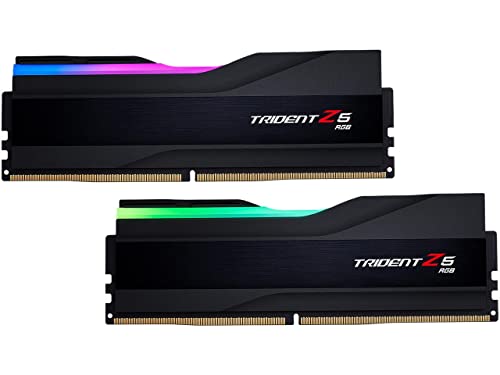
G.Skill Trident Z5 RGB 32 GB (2 x 16 GB) DDR5-6400 CL32 Memory (F5-6400J3239G16GA2-TZ5RK)
$219
potent portal
analog pulsar
If I put Intel stock cooler on the pc wouldn't that make the value go down
Yes but not as much as it would cost to buy another cooler new
cyan ravine
Expensive and trident heatsinks suck
analog pulsar
No
analog pulsar
I use them
cyan ravine
Me too
Like this
https://pcpartpicker.com/list/K8fdcb
PC Builder - Intel Core i5-13600K, Radeon RX 6900 XT, Fractal Design Focus 2 RGB ATX Mid Tower
analog pulsar
Why get 5600mhz CL32 when I can get 6400mhz CL32 for $219
cyan ravine
Cos they're the same thing underneath
Same chips
Both can do 6400
You can literally change one number in the bios and it'll do it all the same
analog pulsar

cyan ravine
Well, 2
Just cos I'd wanna be safe with yours
Both kits are H16M kits
Both sk hynix, both the same ram
analog pulsar
cyan ravine
Just a different profile in the memory
analog pulsar
weird
analog pulsar
@cyan ravine i dont wanna keep mobo plus this mobo is ddr4
cyan ravine
Is it? I wouldn't switch the board
analog pulsar
theres 2 version of the elite
analog pulsar
well im getting new mobo
And that ultra mobo is same price as the ddr4 mobo rn
cuz sale
cyan ravine
Again, not really an investment
You'll be paying 400 usd for maybe 5%
Not worth
You'd get more out of a 4080
Much much more
analog pulsar
and like i said im not keeping mobo its bropken
analog pulsar
I mean it's still usable but I wanna get rid of it and get new one
analog pulsar
The pcie lock is broken and the top ssd slot has a screw stuck in it
cyan ravine
Hmm ok
Well I still don't think you should spend 400 for 5%
Maybe 150 for an msi pro
analog pulsar
I'll get the $400 back
cyan ravine
Then use the other 250 for XTX
analog pulsar
I'm selling 2 pcs then combining money into 1
cyan ravine
Ya but that doesn't make it worth ddr5
analog pulsar
I mean $200 seems nice for the mobo
analog pulsar
No
analog pulsar
But I do have 1 questions what would it save if I did get ddr4 mobo
Bc rn ddr5 board is as much as my ddr4 mobo
cyan ravine
At least 150
But vs ddr5?
At least 300
You can literally use that on your gpu budget for 7900XTX
And have close to 4090 performance
Instead of close to 4070Ti performance
Big jump
Biiiiiggg jump
analog pulsar
only this mobo is $201 other is asrock
 cyan ravine
analog pulsar
only this mobo is $201 other is asrock
cyan ravine
analog pulsar
only this mobo is $201 other is asrock
Pro z690-a is 199.99
It used to be 180
analog pulsar
I don't want that
cyan ravine
I'm not suggesting it anymore lol
You can use the gaming x but get the ddr4
Reuse your current ram and then spend the gpu budget on XTX
Have a much faster computer
You'll then have basically the best tier cpu and the best tier gpu without spending on the wrong things
analog pulsar
So aio and ram we keeping
cyan ravine
Ye