#building-and-recc-chat
1 messages · Page 43 of 1
 toxic wraith
ooh
 cyan ravine
V2 just has a noisy pump
toxic wraith
the ls520 doesnt look that bad
 empty pollen

empty pollen
ls720 is even better
toxic wraith
why does it look like that 💀
empty pollen
too bad your case wont allow it on top config
cyan ravine
Wait what cpu is this for?
toxic wraith
no
empty pollen
he just want an aio for the bling
 mossy venture
Then get a clc
empty pollen
im against but w/e its his money
toxic wraith
Hush
mossy venture
Or deep castle ex
mossy venture
toxic wraith
Hush
If the decision you're making isn't exactly smart people are going to tell you so
toxic wraith
mossy venture
If the decision you're making isn't exactly smart people are going to tell you s...
Im smart no cap
empty pollen
we all advised him to use the pa120se on his 12400f all these days, but he seems hellbent on.... idk
mossy venture
You might be, the decision you're making not so much
empty pollen
his money anyway
cyan ravine
SE model doesn't have a curved plate so not ideal on lga 1700 vs regular PA
Tho on 12400 dun matter
empty pollen
 cyan ravine
It's over over kill
toxic wraith
😠
cyan ravine
 mossy venture
Or just get an lf2 240 off b stock
toxic wraith
😔
cyan ravine
Or a se 224 xt
Gammax 400
12400F doesn't need it unless you bclk OC it
And even then still not really
empty pollen
yup
toxic wraith
whats that
empty pollen
12400f is a very cool cpu
toxic wraith
bclk
mossy venture
Ofc, but if he's dead set on aio might as well get one decently priced
cyan ravine
It's a feature exclusive to a couple boards
mossy venture
toxic wraith
bclk
Something useless
toxic wraith
mossy venture
Ofc, but if he's dead set on aio might as well get one decently priced
if its not upgrade proof
then
i can just get the
120se
mossy venture
Upgrade proof isn't a thing
cyan ravine
Gives you some extra perf doing old school oc
mossy venture
Lf2 280 on b stock is like $55 or smthn like that
cyan ravine
toxic wraith
if i want to upgrade my
Upgrade both when you upgrade cpu
toxic wraith
dbabd112421uhsdadaj
mossy venture
If you want an aio, get that. Otherwise just get a cheap tower cooler
empty pollen
any cpu on a b660 will be a non-k sku, so aio will be useless as well
cyan ravine
Don't start on a cooler now when they'll be better later when you upgrade
 empty pollen
toxic wraith
i trust u guys
empty pollen
toxic wraith
i trust u guys
doesnt seem like that to me
toxic wraith
Uh
empty pollen
but ok
 potent portal

cyan ravine
That's a measure of efficiency not quality just so you're aware btw
potent portal
Efficiency rating doesn't matter at all for home users
potent portal
Unless you live in an area where electricity is $100/KWh
cyan ravine
Some gold are bombs, some bronze are outstanding
toxic wraith
L.A expensive asf 💀
cyan ravine

PSU Tier List will help you to choose the best PSU out of hundreds of models on the market. From budget to the highest end Power Supplies.
cyan ravine
Use this list to find good quality
empty pollen
are you still doubtful of the build the bois made for you? 😄
hmmm need to do some research on those watercooled cards felix
i hate you so much.. now you know it
cyan ravine

toxic wraith
PC Builder - Intel Core i5-12400F, Radeon RX 6800 XT
cyan ravine
That psu I would say nope
And again, gammax 400 or SE 224 XT are fine enough air coolers for 12400f
 still roostBOT
 FlexibleFelix#0713 has been warned
Reason: Bad word usage
cyan ravine
EH
still roostBOT
FlexibleFelix#0713 has been warned
Reason: Bad word usage
FlexibleFelix#0713 has been kicked
Reason: Too many infractions
mossy venture
Did a link have a bad word
Oh yeah that happened to be
The link to a gf1 has a whole ass slur in it lmao
cyan ravine
Hahaha
cyan ravine
Gf1 yeah
 still roostBOT
FlexibleFelix#0713 has been warned
still roostBOT
FlexibleFelix#0713 has been warned
Reason: Bad word usage
mossy venture
Dude
cyan ravine

mossy venture
The link has a slur in it
cyan ravine
3 different links all slurred
cyan ravine
No embed this will do
@toxic wraith this one above ^^^

Super Flower Leadex III Gold 750 W 80+ Gold Certified Fully Modular ATX Power Supply (SF-750F14HG)
cyan ravine
So explicitly good it gets you banned


 analog pulsar
still roost
analog pulsar
still roost
Ratio
@cyan ravine I remember when tank ban some words so when you said goodnight you got ban right away
cyan ravine
Was that me? I can't remember
Oh well
New profile pic
Ima make myself look like I was off of OCUK.net
toxic wraith
goodnight
 short yoke
playin with fire you are
 unkempt geyser
Could anyone help me figure out if I should upgrade my cpu or gpu first? I have an 17 10700 and an RX 580
 velvet yoke
I'd do the GPU. The 10th gen is still pretty relevant.
unkempt geyser
Alright, thank you! I'll probably go for a 3060 ti or a 3070 so I can have one that'll be good for a while
mossy venture
unkempt geyser
Could anyone help me figure out if I should upgrade my cpu or gpu first? I have ...
Definitely gpu, 3060 ti or 3070 is a great pairing
Though that cpu is fine for even a 3090
unkempt geyser
I'm probably just going to be playing 1440 max
unkempt geyser
mossy venture
Though that cpu is fine for even a 3090
Wait really? I was gonna get a 5600 X 💀
unkempt geyser
Sweet, thanks!
mossy venture
unkempt geyser
Wait really? I was gonna get a 5600 X 💀
That's not really an upgrade tbh
I wouldnt upgrade for anything less than a 13600k
unkempt geyser
I'll probably just get a new case after the gpu then, I was planning on building a whole new pc but if this cpu is still good I'll just keep using it for a while
unkempt geyser
What would better for the prices they're at between the 3060 ti and the 3070? They're only like 50-80$ different on Amazon rn
 fossil cedar
unkempt geyser
What would better for the prices they're at between the 3060 ti and the 3070? Th...
fossil cedar
unkempt geyser
What would better for the prices they're at between the 3060 ti and the 3070? Th...
3070 is like 10% better so work that out i guess although that sounds like the gap should be larger
You in the us?
unkempt geyser
Yea I'm in the us
These are the ones I'm looking at on Amazon, here I'll grab the links
 paper summit
Shorten links people
mossy venture
fossil cedar
3070 is like 10% better so work that out i guess although that sounds like the g...
Isn't it more like 17%?
unkempt geyser
paper summit
Shorten links people
How do you shorten links?
fossil cedar
mossy venture
Isn't it more like 17%?
Not for 3060 ti to 3070 maybe 12 or something
unkempt geyser
Oh nice nice! Thank you!
fossil cedar
unkempt geyser
Oh nice nice! Thank you!
Or this both good prices
https://pcpartpicker.com/product/VCQcCJ/pny-geforce-rtx-3070-lhr-8-gb-xlr8-gaming-revel-epic-x-rgb-video-card-vcg30708ltfxppb

PNY XLR8 Gaming REVEL EPIC-X RGB GeForce RTX 3070 LHR 8 GB Video Card (VCG30708LTFXPPB)
Np
fossil cedar
unkempt geyser
How do you shorten links?
Usually on sites anything after ? Can be deleted, for Amazon you can do this
https://www.amazon.com/~~GIGABYTE-REV2-0-Graphics-WINDFORCE-GV-N306TAORU~~/dp/B09C43DLXG /ref=sr_1_7?crid=UGAFEYD78CLR&keywords=Rtx+3060+ti&qid=1664988209&qu=eyJxc2MiOiI1Ljg3IiwicXNhIjoiNC42NiIsInFzcCI6IjQuMzkifQ%3D%3D&sprefix=rtx+3060+ti%2Caps%2C119&sr=8-7&ufe=app_do%3Aamzn1.fos.c3015c4a-46bb-44b9-81a4-dc28e6d374b3

NVIDIA Ampere Streaming Multiprocessors 2nd Generation RT Cores 3rd Generation Tensor Cores Powered by GeForce RTX 3060 Ti Integrated with 8GB GDDR6 256-bit memory interface WINDFORCE 3X Cooling System with alternate spinning fans RGB Fusion 2.0 Protection metal back plate 2x HDMI 2.1, 2x Display...
Ah it didn't work twice but
You can cross out everything but dp/xyz
 strong raft
It's just thermodynamics, not rocket science. 2 or 3 front intake, 1 rear exhaust, maybe 1 top exhaust above cpu. 5pk of Arctic p12 pwm is $30ish if you want & end up w/ a spare maybe.
 frigid night
@fossil cedar The build you made me that was around $310 jumped up to $400 because the mobo changing price. a $160 mobo for 10th gen i3 feels so expensive. Is there something else that I could use?
PC Builder - Intel Core i3-10105F
I meant to get these parts 2 days ago, but spaced it off and today it's all of a sudden doubled in price for the mobo.. like wth lol
mossy venture
Just get cheapest b460 or b560 with wifi
Or just a cheap b460 that isn't absolute trash and buy a wifi card
toxic wraith
strong raft
It's just thermodynamics, not rocket science. 2 or 3 front intake, 1 rear exhaus...
thanks, i just wanted to confirm
 lament fulcrum

Why is this uneven? Too tight on one side?
Its all tightened crossways about the same. Just hand tight
Any one?
strong raft
Helps if picture isn't 9ft away from what the issue is. Also watch a YouTube vid of install process for heatsinks like that. Probably something obvious or outright faulty.
 earnest olive
im sorry i have nothing of value to add but that HURTS to look at
your motherboard is in pain
 ebon matrix
still roostBOT
ebon matrix
still roostBOT
 cinliss#1459 has been warned
Reason: Bad word usage
ebon matrix
The vga
potent portal
Probably one side of the bracket is on wrong
ebon matrix
For me?
potent portal
No the other guy
 leaden mauve
@ebon matrix what's the LED correspond to
ebon matrix
leaden mauve
<@409819534447607808> what's the LED correspond to
The vga
earnest olive
@ebon matrixis your m.2 installed in top or bottom slot?
you have a 10400 in a b560, your top m.2 slot is disabled
earnest olive
install m.2 in bottom slot
earnest olive
might not be the only issue as the system should still enter bios without a drive
but it is definitely an issue
see if it works after you swap it
can't hurt to try
potent portal
I'd reseat the GPU and double check the cables are right too
earnest olive
ebon matrix
Bro read my specs rq
i saw the pcpp link in your deleted message
he's gonna have to reseat the gpu to access bottom m.2 slot
potent portal
True
leaden mauve
plug your display cable into your motherboard if your chip isnt an F sku @ebon matrix
leaden mauve
oh
lament fulcrum
Everything seems to be working thank god. At least so far

 plain grove
Alright time to build my i9 build might need help from you lads
This is my second pc that I’m working on so hopefully this goes smooth
ebon matrix
earnest olive
but yes check pcie power
How i do that work I moved the ssd to the bottom and nothing showing
earnest olive
well then the issue is something else
but at least you didn't waste your time
bc what you just did would have still been an issue after fixing whatever else is going on
plain grove
Should I wait for the 4 series to come out?
earnest olive
try reseating your gpu power cables on both ends
plain grove
Not sure if it will make a price difference?
ebon matrix
earnest olive
try reseating your gpu power cables on both ends
Ight I'm search that up on yt
earnest olive
plain grove
Should I wait for the 4 series to come out?
if you are asking the question then you already know the answer
if you don't need a gpu immediately then waiting for the new stuff is better
plain grove
Well idk yet
If my cpu has integrated graphics then I can wait
I think it does but I won’t know till I build it
earnest olive
which cpu
plain grove
 earnest olive
if it doesn't have an F in the model name then it has integrated graphics
plain grove
It has a k
earnest olive
KF exists
plain grove
Nope just k
plain grove
Alright I’ll wait then
I’m nervous about this build it’s been a long time since I built a pc I hope I don’t mess up😅
lament fulcrum
This seem about for a vetroo v5 in open air? Seems fine to me
 toxic wraith
ive never built a pc before and im going to build one this year and im trying my best to learn about pcs but the cables and stuff seem so confusing
ebon matrix
@earnest olive I can't find a vid to reset my gpu cables
earnest olive
just unplug them and plug them back in
into both the graphics card and the power supply
ebon matrix
Ok bet
ebon matrix
Ok I unplugged from both sides then plugged into the psu then the gpu
 ebon matrix
@earnest olive I did it but nothing happening still
earnest olive
uhh... what happened to your socket
plain grove
Wdym that is my socket
earnest olive
why is the actual cpu holder missing
 earnest olive
yes
plain grove
It pressed really hard against it
plain grove
What should I do
plain grove
Hmm
earnest olive
ebon matrix
<@122901618369757184> I did it but nothing happening still
try reseating your ram too
earnest olive
that is what reseating is
plain grove
Alright apparently it’s just a thing with gigabyte their mb sucks but I got it on a good deal so it’s good ig
earnest olive
gigabyte doesn't even make the socket so idk how that's a gigabyte issue
but uhh
just hope that it works i guess
plain grove
Isn’t the aorus with gigabyte?
earnest olive
yes
ebon matrix
Yea i put it out then back in and still not doing anything
earnest olive
but gigabyte doesn't make every component on the board
plain grove
I see
plain grove
The mb still sucks tho but from what I’ve read it doesn’t effect the cpu
ebon matrix
Wym
toxic wraith
whats b stock
lament fulcrum
Thats a term for remanufactured parts being sold. Idk who else calls it that except evga
ebon matrix
@earnest olive it that one supposed to be gone?
 lament fulcrum
Pc wont boot in xmp mode. But i dont want booty slow 2666. Im trying to get to 3200. Previously did this without issue on old comp but new mb and ram
 earnest olive
ebon matrix
<@122901618369757184> it that one supposed to be gone?
earnest olive
ebon matrix
<@122901618369757184> it that one supposed to be gone?
yes
 worn wave
ebon matrix
<@122901618369757184> it that one supposed to be gone?
worn wave
ebon matrix
<@122901618369757184> it that one supposed to be gone?
Yes, its meant to be missing.
ebon matrix
Then what should I do get a new mb?
earnest olive
lament fulcrum
Pc wont boot in xmp mode. But i dont want booty slow 2666. Im trying to get to 3...
32gb ddr4-3200 can be difficult with ryzen 2000
lament fulcrum
Gonna go to 18-20-20-40 and give it a try. Yeah previously was 16gb. I also bought silicon power brand so who knows if that bit me in the butt
Nope no dice
earnest olive
timings won't change anything, frequency is an IMC limit
try 3000 with xmp timings
lament fulcrum
1.35v?
earnest olive
again, it's an IMC limit
lament fulcrum
Or stock
earnest olive
keep it at 1.35
ebon matrix
@earnest olive do I get e new mb?
earnest olive
you said it was a vga light so first thing i would try is a different gpu, try to borrow one 
ebon matrix
Ok
lament fulcrum
Gonna try 2933
Automatic cpu and dram light
Yeah i cant this ram to overclock at all
potent portal
earnest olive
32gb ddr4-3200 can be difficult with ryzen 2000
I guess I was lucky? I ran c die 3200 on mine and when I revisited the CPU to bench it to do c14 with almost no effort. I didn't think 2000 was that bad.
lament fulcrum
Ill just have to run at 2666 apparently there isnt much of a difference
For zen+ atleast
potent portal
Oh wait 32gb
Yeah that can be problematic
You'd definitely need to bump SoC and VDDG/VDDP, possibly increase CAD bus resistance to 40 ohms across the board
earnest olive
yeah 32gb is harder
it might be hynix ICs too? not sure what ICs go into random silicon power dimms
i've heard of early ryzen not liking hynix
dunno if that applies to 2000 series
lament fulcrum
I might try it tomorrow or friday but not again tonight too tired and aggravated from work and 3 hours of troubleshooting this
potent portal
What brand was the memory
earnest olive
silicon power
 wide tiger
halp
opening ?
opinion* needed actually
building my first pc soon and need opinions
 flint sapphire
 toxic wraith
wide tiger
building my first pc soon and need opinions
toxic wraith
wide tiger
building my first pc soon and need opinions
same
plain grove

 brittle tinsel
a buddy of mine has a system running a i5 2400 and a gtx 650 , he is asking me if he could upgrade to a 1660 and it work.
no idea on the moteherboard
plain grove
I just finished building my pc but it ran into this problem
brittle tinsel
it has no branding and just a tag that says made in china
plain grove
Anyone know how to fix it
brittle tinsel
the manual should say what each error light means
that should point you in the right direction
plain grove
Also the cpu cooler is making a noise like it’s being filled up with water
brittle tinsel
no idea there
brittle tinsel
im no expert, I would say wait for others to respond and help.
with my build, when I got the CPU and Ram error blinks, I reseated the ram and it booted right up.
plain grove
Idk I followed the spots they wanted me to have
They said a2 and b2 and that’s where I put it
flint sapphire

fossil cedar
frigid night
<@191276897227898880> The build you made me that was around $310 jumped up to $4...
And ofc you can check the cpu cooler if you want
https://pcpartpicker.com/list/hr2bGL
PC Builder - Intel Core i3-10105F
frigid night
fossil cedar
And ofc you can check the cpu cooler if you want
https://pcpartpicker.com/list/h...
What ya mean and thank you.
fossil cedar
frigid night
What ya mean and thank you.
Chuck* not check stupid autocorrect
frigid night
fossil cedar
Chuck* not check stupid autocorrect
I would if I could add my own fan to the stock cooler, but it looks like I can't
I'll see what it looks like without the cooler and decide if I really need it or not.
fossil cedar
Aye
strong raft
brittle tinsel
a buddy of mine has a system running a i5 2400 and a gtx 650 , he is asking me i...
Yes that's fine even if pcie 2.0 by chance.
 obsidian dove
Yo everyone I have a dilemma maybe yall can help with! I have the MSI Tomahawk MAX MOBO with a Ryzen cpu unfortunately the stock CPU cooler goes over my 4th RAM slot I tried buying a different cooler but still clearance is to short any ideas of what I can do? The only thing I can think of doing to use all 4 slots is a something like this https://www.amazon.com/CoolerMaster-MasterLiquid-Close-Loop-Cooler-SickleFlow/dp/B086BYYFG5/ref=sr_1_3?crid=31SYWHDMTNZKS&keywords=cpu+cooler+liquid&qid=1665070655&qu=eyJxc2MiOiI1Ljg2IiwicXNhIjoiNS40MyIsInFzcCI6IjQuNjAifQ%3D%3D&s=electronics&sprefix=cpu+cooler+liqui%2Celectronics%2C125&sr=1-3&ufe=app_do%3Aamzn1.fos.18ed3cb5-28d5-4975-8bc7-93deae8f9840 The other coolers I purchased would work IF i turned the cooler upside down but I heard that's not recommended. Is that true? Will it effect performance or temps? Any help I would greatly appreciate!

COOLER MASTER MasterLiquid ML240L RGB V2 is a refreshed design from the popular MasterLiquid Lite Series that elevates the exterior design elements The Pump of the ML240L RGB V2 has been enhanced with the newly designed 3rd Gen Dual Chamber Pump that improves the overall cooling efficiency of the...
 obsidian wigeon
Turning it upside down can cause air bubbles in the aio
Leading to worse cooling performance
obsidian wigeon
Yah
I wouldn't get that aio myself imo
Liquid freezer II is a better choice
Or maybe deepcool LS720
obsidian dove
ok cool cool link?
mossy venture
What cpu is it?
obsidian dove
Ryzen 3 3100
mossy venture
And what's the ram config?
obsidian dove
4 slots 8gb each but only using 3 since the cooler is blocking it
obsidian dove
My work requires more ram thats why i upgraded
mossy venture
An aio wouldn't make sense with that cpu at all, not unless you plan to upgrade
mossy venture
Then I'd get a 2x16 kit of ram and sell your current ram
obsidian wigeon
there's cheap 2x16 kits around
obsidian dove
with decent speeds?
mossy venture
Yes
obsidian wigeon
yes
mossy venture
3200c16 32gb is $80
obsidian wigeon
3200c16 kit from team group is like 80
obsidian dove
mossy venture
An aio wouldn't make sense with that cpu at all, not unless you plan to upgrade
Yeah ik just thought it was the option lol
mossy venture
3600c18 is $90
obsidian dove
and just sell my current ram online or?
obsidian wigeon
it's just a 3100, 3200 would be fine
obsidian dove
like ebay?
mossy venture
Yeah
obsidian wigeon
yeah
mossy venture
Ebay, marketplace, hws
obsidian wigeon
or you can get on r/hardwareswap
obsidian dove
hmm ok cool cool I want to upgrade my cpu too but I think I'd rather get my ram and gpu upgraded first
Slowly upgrading
mossy venture
What gpu?
obsidian dove
Asus tuf 1650 super
mossy venture
Also 5600 would be a great upgrade for you, maybe 5700x depending on use case
obsidian dove
for cpu?
mossy venture
Yes
If your work uses multi core perf a decent bit, 5700x imo
If its not super intense or relies more on single core, 5600
Gpu, depends. I'd skip the 3050 ofc, 3060 too unless buying used
obsidian wigeon
nvidia has studio driver tho, if the work requires gpu
obsidian dove
So you suggest cpu upgading befor gpu?
obsidian wigeon
it depends on your workload
obsidian dove
Yeah guess that makes sense I think I would use the gpus strength more
Thanks again 😄
ebon matrix
I'm js tryna get another gpu since mine has a warranty and it doesn't work

Idk what this means
ebon matrix
Ight thank you
 little osprey
Hello
fossil cedar
@wide sedge this is an English only server
 wide sedge
Well, I can do that
mossy venture
What mobo and cpu
plain grove
12900k i9 and a z690 aorus elite ax
mossy venture
I'd make sure the ram is fully in the slots
plain grove
It is
mossy venture
Also maybe try with only one stick in
plain grove
I tried that too
mossy venture
plain grove
It is
Are you 100% certain beyond a shred of doubt
It can be hard to get it fully in
plain grove
Yes I heard a loud click
mossy venture
And did you make sure the cpu is oriented the right way
 mossy venture
Also, ddr4 or 5
plain grove
Ddr5
I don’t think it’s anything wrong with the sticks
Idk it’s weird all these parts are brand new I didn’t expect to run into a issue like this
mossy venture
Cpu power fully connected?
plain grove
When you say fully connected wdym
I’m willing to look into it cause I’m not a expert this is my second pc I built it’s possible I made a mistake with a connection
plain grove
Yeah it’s in

 molten gate
I need help selecting a motherboard. I have an old Gateway Desktop PC DX Series DX4860-UB33P. I want to upgrade from the current i5 chip all the way to i9. Over the years I upgraded my power supply, graphics card, RAM and drive to a SSD. I'm only looking to do a motherboard and a i9 processor. I am going to wait on a case and may do a case early next year so I am looking for something scalable where I can move my components over. I need to know if my Gateway is large enough to have a full ATX Motherboard. My research has not been conclusive yet. Please provide some recommendations to help my product search.
 stoic island
molten gate
I need help selecting a motherboard. I have an old Gateway Desktop PC DX Series ...
stoic island
molten gate
I need help selecting a motherboard. I have an old Gateway Desktop PC DX Series ...
What's your budget, and what exactly do you have right now?
 molten gate
stoic island
What's your budget, and what exactly do you have right now?
molten gate
stoic island
What's your budget, and what exactly do you have right now?
Since I am not doing a full custom build I would like to keep the cost low but I am willing to go as high as $600 for processor and MB. $1k If I am upgrading RAM too. So M-ATX any suggestions? This computer is managing a live broadcast for an online yoga studio I help operate. Its been able to handle on the existing specs but had a crash a few weeks ago with high CPU usage. So I know I need to address this soon.
 vernal surge
it's also a DDR3 platform. if you upgrade to anything recent, you'll need new RAM too
stoic island
I mean what PSU and what GPU do you have right now?
molten gate
Upgrading RAM is cool with me. I am planning a full custom build sometime any money I sink into this I am also hoping to transfer into a custom build next year.
GPU I put in: EVGA - NVIDIA GeForce GTX 950 2GB GDDR5 PCI Express 3.0 Graphics Card - Black
Power: CORSAIR - CX Series Modular CX750M 750W 80 Plus Bronze ATX Power Supply - Black
I did that all back in 2015
stoic island
molten gate
Since I am not doing a full custom build I would like to keep the cost low but I...
Are you willing to go with an i7-12700 instead of just any i9? It'll outperform i9-9900k and i9-10900k and i9-11900k in most tasks
molten gate
I am fine with i7. Beats the hell out of my i5 thats there now.
stoic island
molten gate
I am fine with i7. Beats the hell out of my i5 thats there now.
And are you willing to change the case and PSU if it fits in your budget? It's just that the old case won't fit most coolers, and if you're willing to spend up to $1000, you can also upgrade the PSU while you're at it, makes moving to a new case slightly less annoying, and CX-M is okay but not the best.
molten gate
Yes I was just about to say I would change case and PSU if it was close in budget. Since I am planning a upgrade next year I really dont want to throw money away. Just want to get the CPU up for these broadcasts and do it in an efficient way.
stoic island
Without new case and PSU, it would look something like
https://pcpartpicker.com/list/pGsVZw
and with a new case and PSU, it might look something like
https://pcpartpicker.com/list/q9hvv3
PC Builder - Intel Core i7-12700
PC Builder - Intel Core i7-12700, Phanteks Eclipse G360A ATX Mid Tower
molten gate
My top spend is $1500 for now. By next year I am prepared to have another $2k; to put the full budget into context. I do alot of video editing so performance is good. Luckily Apple is upgrading my MBPro on a warranty so I am not desperate but still important.
stoic island
For an idea of video editing performance for the 12700, premier pro benchmark:
 molten gate
Well thats pretty impressive given the budget
I thought I wanted i9 but I think I am content with this i7
stoic island
the [65w] bit is artificially power limiting the CPU to 65w, the [RM1] bit is using stock cooler instead of using aftermarket coolers
But yea, i3/i5/i7/i9 is just Intel marketing, you can get a lot of performance from an 'i7' even though the marketing might point you towards spending more for an 'i9'
The specific model matters
molten gate
Thanks for helping me get this all together. Its my first time doing a MB/CPU upgrade and didnt want to mess this up or mismatch my specs in any areas.
stoic island
You're welcome
do note, grabbing the 12700 instead of the cheaper 12700f is for Intel's quick sync video using their igpu, which can help with streaming
molten gate
Appreciate the heads up.
 lilac ember
https://pcpartpicker.com/product/RkRYcf/msi-meg-z690-ace-eatx-lga1700-motherboard-meg-z690-ace is this good one

MSI MEG Z690 ACE EATX LGA1700 Motherboard (MEG Z690 ACE)
stoic island
lilac ember
https://pcpartpicker.com/product/RkRYcf/msi-meg-z690-ace-eatx-lga1700-motherboar...
What are you using it for?
strong raft
Asks if $540 mobo is good w/ no other context.  . Yes good, also 2x the price of msi edge for example.
lilac ember
stoic island
What are you using it for?
Gaming and streaming amd, edit
stoic island
don't need anything like that, smth like this is going to be good enough
https://pcpartpicker.com/product/pgKKHx/gigabyte-z690-aorus-elite-ax-ddr4-atx-lga1700-motherboard-z690-aorus-elite-ax-ddr4
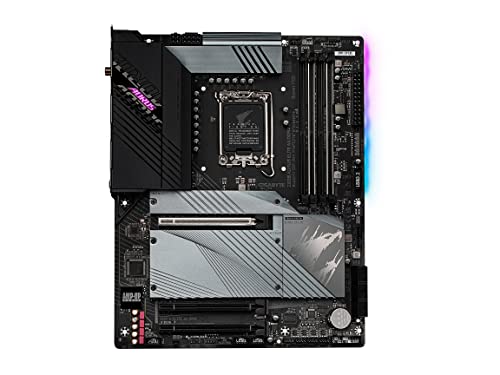
Gigabyte Z690 AORUS ELITE AX DDR4 ATX LGA1700 Motherboard (Z690 AORUS ELITE AX DDR4)
lilac ember
stoic island
don't need anything like that, smth like this is going to be good enough
https:/...
it ok
 desert vine
Hello everyone, I have a technical question. I just build a new PC workstation for CAD. Everything went fine until trying to install the OS. On first startup BIOS worked great and all parts were detected and working. I started with trying to download windows 10 from usb. Changed all formats in diskdrive and BIOS settings accordingly. We would get to a blue screen after boot from the usb and then after a short time it would shut off. I now have bought a CD to usb reader and have tried the download as ISO file, followed and changed BIOS settings again. First time it got to 97% and then was cancelled for some reason. Now attempting to download from ISO file again. Could really use some help with this please.
stoic island
desert vine
Hello everyone, I have a technical question. I just build a new PC workstation f...
Guess the first thing to try is to reset bios settings or just reset cmos in general and re-doing the boot settings. Second is to check the drive you're trying to install on, maybe try a different slot/port and try a different drive if you have multiple. Lastly is check usb port, use a usb 2.0 port if you can, just in case its usb controller weirdness
lilac ember
@stoic island I like msi
stoic island
lilac ember
<@278694081440251905> I like msi
take your pick
https://www.amazon.com/dp/B09GLD6LYW
https://www.amazon.com/dp/B09GLD72QH
https://www.amazon.com/dp/B09GLCGV9K

PRO series helps users work smarter by delivering an efficient and productive experience. Featuring stable functionality and high-quality assembly, PRO series motherboards provide not only optimized professional workflows but also less troubleshooting and longevity.

The MAG series was born through rigorous quality testing and designed to be a symbol of sturdiness and durability. Focused on providing the best user experience, the MAG series has a simple installation process coupled with a friendly user interface making it the best choice for entry level gamers.

The MPG series brings out the best in gamers by allowing full expression in color with advanced RGB lighting control and synchronization. Experiment on another level of personalization with a front LED strip that provides convenient in-game and real time notifications. With the MPG series, transf...
little osprey
stoic island
take your pick
https://www.amazon.com/dp/B09GLD6LYW
https://www.amazon.com/dp/B0...
THAT'S $200, WHAT THE HELL
cyan ravine
$200 is enough
fossil cedar
stoic island
don't need anything like that, smth like this is going to be good enough
https:/...
meh z690 a pro is pretty cheap always has been the real deal is this for 200
cyan ravine
B660m is fine for like, most of everything for a normal person lol
Unless you're stacking the deck with a bunch of drives/pcie devices or want to do some K chip OC it's good enough for anything else
little osprey
Interesting
cyan ravine
Marketing really misleads what the bleeding edge actually offers
ebon matrix
Anyone know how to reuse/fix Intel cpu stock cooler because I didn't push all the pins in and now I took the cooler off and can't put it back on
lilac ember
stoic island
take your pick
https://www.amazon.com/dp/B09GLD6LYW
https://www.amazon.com/dp/B0...
i don't wan't ddr4 only ddr5
strong raft
Then get a ddr5 mobo, but know that they're often $50 or so above what their ddr4 sister would cost
stoic island
lilac ember
i don't wan't ddr4 only ddr5
https://www.amazon.com/dp/B09KKYS967
https://www.amazon.com/dp/B09PX5WHMB
https://www.newegg.com/p/N82E16813144508

PRO series helps users work smarter by delivering an efficient and productive experience. Featuring stable functionality and high-quality assembly, PRO series motherboards provide not only optimized professional workflows but also less troubleshooting and longevity.

The MAG series was born through rigorous quality testing and designed to be a symbol of sturdiness and durability. Focused on providing the best user experience, the MAG series has a simple installation process coupled with a friendly user interface making it the best choice for entry level gamers.
lilac ember
Asus ROG MAXIMUS Z690 EXTREME EATX

Asus ROG MAXIMUS Z690 EXTREME EATX LGA1700 Motherboard (ROG MAXIMUS Z690 EXTREME)
What’s wrong with this one?
mossy venture
It's $1330 for useless features
mossy venture
you gain next to nothing by going "all out" on a motherboard
mossy venture
it's like getting a 3090 over 3080 12gb
 jagged ember
no, you gain absolutely nothing
mossy venture
actually even less
lilac ember
Is over kill
lilac ember
I can do for my streaming and gaming
lilac ember
I like having over kill pc
mossy venture
There is a difference between overkill and nuking a dead horse
lilac ember
jagged ember
?
You need to watch this video can I DM you

I finally got my hands on the RTX 4090 FE and RTX 4090 Strix... bottomline... we need a bigger case!
Learn more about the Viewsonic XG321UG Mini-LED HDR panel at https://www.viewsonic.com/us/xg321ug-32-display-ips-panel-3840-x-2160-resolution.html
Get your JayzTwoCents Merch Here! - https://www.jayztwocents.com
○○○○○○ Items featured in this ...
lilac ember
oh
lament fulcrum
I get this far and finally notice it

 weary galleon
whatever it is, i'm not noticing it either
lament fulcrum
The cooler is upside down
jagged ember
I mean if you think it's worth your time to see an upright v
take it out
it doesn't affect performance in any way though
empty pollen

toxic wraith
do you guys think a 512gb ssd and a 2tb hdd would be good
 covert vapor
For?
covert vapor
What are you putting on them? Games, docs, programs, music? Do you have a lot of one of those, etc...
covert vapor
Hdd is fine for some apps and smaller, less resource intense games, SSD is a bit small if you have a lot of big games, might run into a crunch
toxic wraith
what are some examples of big games
i dont really know fi the games im going to play are considered big
covert vapor
The various recent Call of Duty games, modded Bethesda games, Mass Effect LE, Rainbow Six Siege, etc...
toxic wraith
hm
strong raft
Big game is over 40GB, which is most AAA games. I suggest instead of hdd, get a 2nd ssd that's 1TB or something. It's worth it the 1st time you compare load times of ssd & hdd.
covert vapor
Those games can and do go 100gb+
strong raft
Could do a single 2TB for $120ish sometimes, or a 500GB that's $40ish & then a separate 1TB that's $60ish if you wanted OS on it's own drive. Tbh even just 1.5TB total is a decent amount to start.
toxic wraith
i found a teamgroup mp33 for 138
strong raft
Mp33 is popular. If that's not USD then be sure to say what currency you most use. Edit: if you're going single 2TB option, keep at eye on sales. Prime say soon and Hynix P31 is a decent $160 at times.
toxic wraith
USD
weary galleon
can also do OS on nvme and go sata ssd for games n stuff
though at this point new sata isn't that much cheaper than nvme
can find some great refurbished or used sata ssds though
 wise harbor
TEAMGROUP MP33 1TB SLC Cache 3D NAND TLC NVMe 1.3 PCIe Gen3x4 M.2 2280 Internal Solid State Drive SSD (Read/Write Speed up to 1,800/1,500 MB/s) Compatible with Laptop & PC Desktop TM8FP6001T0C101 https://a.co/d/0e7WrCS

TEAMGROUP MP33 M.2 PCIe Solid State Drive uses a high-speed PCIe Gen3 x4 interface and complies with the NVMe 1.3 standard. With 3D NAND flash memory, the transfer speed is 3 times faster than SATA III. Suitable for players who have needs in speed, and it is the top choice when it comes to upgrad...
This good?
cyan ravine
ye
toxic wraith
wise harbor
TEAMGROUP MP33 1TB SLC Cache 3D NAND TLC NVMe 1.3 PCIe Gen3x4 M.2 2280 Internal ...
thats what i did lol
wise harbor
toxic wraith
thats what i did lol
Do I get that or the other one that’s faster


Which one
toxic wraith
dont ask me i shouldnt tell you what to do im not experienced whatsoever
cyan ravine
if it's like $4 difference you can if you want
you won't really notice the difference tho
not unless you do things that use *the difference
weary galleon
for $4 i'd probably get the faster one
toxic wraith
wait what is the reading speed used for
cyan ravine
it's really just a speed metric that doesn't do much for the layman
weary galleon
read: "looking" at data already on the drive
write: writing data to the drive
Abe is right though, you realistically won't tell a difference
cyan ravine
if you're like, editing big premiere files or something you can see the loading difference, or for big data moving, downloading at high speeds etc

 wise harbor
cyan ravine
nah don't just get mp33
wise harbor
cyan ravine
nah don't just get mp33
The cheaper one right
weary galleon
yes
cyan ravine
yup
lament fulcrum
Okay so im running memtest to see if this ram is just a bad bin and if it cant spd info is that bad? Context: cant overclock this ram at all. 2700x x570 asrock steel legend 2x16 silicon power 3200 mt/s ram

Had 2x8 3200 mt/s g.skill ripjaws v and it XMP'd fine
Apparently benchmarks in 3200mhz


Wait what?????
lament fulcrum
potent portal
Oh wait 32gb
You think this will work? Its in a case now so maybe its grounded and working? This is weird
I work with telecommunications and being without a ground does some weird stuff with our equipment but technically it was grounded through the wall socket so maybe being a case did something? You have any clue?
Still doesnt boot to windows at 3200 mhz thought
Though*
 rugged quarry
yall my pc running hottt its like a heater lmao is that normal for 3080ti + r9 5900?
 rich void
rugged quarry
yall my pc running hottt its like a heater lmao is that normal for 3080ti + r9 5...
rich void
rugged quarry
yall my pc running hottt its like a heater lmao is that normal for 3080ti + r9 5...
It's hard to say without more detail, but yeah a 3080 Ti plus 5900x is going to throw a decent amount of heat into your room
rugged quarry
also have like 9 case fans + 3 from cpu cooler
just to be expected its gonna be warm?
lament fulcrum
How hot though?
weary galleon
rugged quarry
yall my pc running hottt its like a heater lmao is that normal for 3080ti + r9 5...
PCs are basically a fancy space heater
As long as your cpu/gpu temps aren't too high you're fine
rugged quarry
mmmmm idk an exact temp, just pretty hot lol my actual gpu and cpu temps are fine
really was wondering if theres any way to not create a sauna in my room LOL
lament fulcrum
Get hw monitor. Easy way to see your temps without having to do anything crazy
rugged quarry
alright, aside from that just enjoy a free space heater? 😭
rich void
rugged quarry
mmmmm idk an exact temp, just pretty hot lol my actual gpu and cpu temps are fin...
Hot as in there's hot air coming off the machine?
What you need to understand is that more fans in the case, an AIO, custom loop, whatever cooling system is just moving the heat off the components into your room. So having more fans will actually just be more efficiently taking the heat off the CPU and GPU and pushing it into your room
The total amount of heat is the same even if you have fewer fans or whatever
rugged quarry
rich void
Hot as in there's hot air coming off the machine?
correct
rich void
Yeah so unless you put it in a different room or somehow rig something up to eject the air into a different room it is what it is
I like having my pc warm up my office in the winter. Summer...well it is what it is
 green tapir
hey is 130 degrees celcius normal for a i7 7770k?
mossy venture
No
flint sapphire

 tired isle
Speaking of temps, what is an average temp for a water cooled Ryzen 9 5900x?
mossy venture
There are many different models and sized aios
120 or 140mm, terrible
Bad 240mm, also terrible
Decent/good 240mm, bearable
Anything above that that's a decent or good model, good Temps
fossil cedar
Also depends what you're doing load wise as well
tired isle
I have a 280mm AIO, temps don't seem bad, roughly 70-80 when rendering stuff or building big projects
I sit at like 50c idle most of the time, I have seen it as low as 40 but very rare
tired isle
Ah ok sounds good, I figure I'll see it drop a bit more in the next month or so because of the winter
Also, would I notice a difference if I went from my current board which is a b450 to a x570? Like performance and what not? I currently have to use a SATA to pci-e to use my other drives cause I use 2 m.2 drives and one is a nvme
cyan ravine
Not really any performance gain unless you gain that extra m.2 lane to remove the pcie bifurcation and even then you need a new gpu to make sense of that
mossy venture
tired isle
Also, would I notice a difference if I went from my current board which is a b45...
Depends specifically on the model really
cyan ravine
Going between mobo gens you don't really gain unless the outgoing board was pretty low end
mossy venture
If its a low end b450 with bad vrms, you might see a difference
If its something like a tomahawk, it's fine
tired isle
I currently have a 3080 so I think I am fine when it comes to a new GPU, and the model is an Asus b450-f gaming ii
mossy venture
5950x on a Biostar b450mh would be hilarious
I believe thats a decent board, though I don't know every model ofc
cyan ravine
tired isle
I currently have a 3080 so I think I am fine when it comes to a new GPU, and the...
Yeah you won't notice an improvement
mossy venture
If you need extra pcie lanes, then you need more pcie lanes
Purely depends on how useful it is for you
cyan ravine
Pretty much that
mossy venture
Not that I'd spend $200 on an x570, id probably look at amazon warehouse or something like that for a decent x570 if you decide to get one
cyan ravine
No perf gain from this arrangement just a functional gain
tired isle
It might be useful to upgrade, mainly cause I've been having some weird issues with the sata to PCIe card, though I figure some other stuff might be better upgrade, thanks guys
mossy venture
tired isle
It might be useful to upgrade, mainly cause I've been having some weird issues w...
I'd ask in #cpus-mobo-and-memory for suggestions on specific mobo
Mention you need an x570 for extra pcie lanes
I'd def look around amazon warehouse, they have some great prices on mobos
tired isle
Will do thanks
analog pulsar
https://pcpartpicker.com/list/RRpFpH how much can i list this to sell ASAP
PC Builder - Intel Core i3-12100F, Radeon RX 6600, Cougar MX331 MESH ATX Mid Tower
analog pulsar
Okay
weary galleon
If you can build it for $825 I doubt 700 will sell "asap"
Also looks like no rgb which can attract attention to the listing
analog pulsar

frigid night
because remember RGB = 1000 more fps
weary galleon
Try $600-650
obsidian wigeon
^
analog pulsar
So putting an ssd in will boost price ??
mossy venture
Ssd is the bare minimum for a pc now
analog pulsar
Ik they are faster but it's just a $50 512GB ssd
mossy venture
Mp33 is $33
analog pulsar
I got this team ssd thing
weary galleon
4tb hdd and no ssd 💀
analog pulsar
I stole ssd to put in my pc I can put it back
ebon matrix
Anyone know how to make it js go to windows instead of the bios
mossy venture
Boot priority I believe
ebon matrix
Ight ty
empty pollen
analog pulsar
https://pcpartpicker.com/list/RRpFpH how much can i list this to sell ASAP
this is a sad pc kenzie D: h610 and 3600c18 plus no ssd 
analog pulsar
empty pollen
this is a sad pc kenzie D: h610 and 3600c18 plus no ssd <:PepeHands:96890094336...
It had an ssd I said I stole it
Plus the h610 is good for the cpu lol
Not ram tho
It runs 3200
empty pollen
yeah, you saved some bucks on the mobo but blew your budget on the memory... like? wut
 analog pulsar
What price is memory and I don't think it was 3600CL18
That "new" price isn't what I paid for it
empty pollen
😮
analog pulsar
I don't remember how much the memory was
empty pollen
but yeah as bacca said 😛 700 as much is ok for that
short yoke
My aio has a 3pin CPU fan connector but my mobo only has a 4 pin aio pump fan and 4 pin aio fan headers
cyan ravine
It should still work
short yoke
Which header though?
cyan ravine
It just means the aio is intended to run at max speed
short yoke
Because my CPU has been overheating recently
cyan ravine
Either one just as long as you set the speed to max in bios for it
cyan ravine
Np
potent portal
short yoke
My aio has a 3pin CPU fan connector but my mobo only has a 4 pin aio pump fan an...
If you put a 3 pin fan on a 4 pin header make sure it's set to DC mode in bios, not PWM.
short yoke
potent portal
If you put a 3 pin fan on a 4 pin header make sure it's set to DC mode in bios, ...
I just changed it
My aio is flashing red after trying to use the aio pump instead of aio fan header though 😩
Ahhhh
potent portal
Yeah the pump should be on the pump header, some boards treat it differently
short yoke
If the pump header is a 4 pin and my cpu plugin a 3 header does it matter which way i orientate it
potent portal
short yoke
If the pump header is a 4 pin and my cpu plugin a 3 header does it matter which ...
It only fits in the header one way
short yoke
Welp
My aio seems dead now xD
When I it boot up, the pump header RGB dosent light up and temp steadily rises
potent portal
Weird that the RGB would be affected since it's a totally different circuit
Only a really catastrophic failure to the circuit board could do that
short yoke
 cyan ravine
Man I hit the money on that one didn't I lmao
cyan ravine
It has just an icue plug and a pump plug?
cyan ravine
So have you gone to bios and adjusted the fan curve to max?
Not the fans but the pump
short yoke
Will it overheat in bios
potent portal
It's not exactly idle in bios but there's very little load. A bit more heat is produced because all the processor sleep states are disabled.
cyan ravine
Depends on the board but even my msi one it didn't default full speed as a dc header pump (3 pin like yours)
 cyan ravine
Whichever it's plugged into
potent portal
My MSI X470 had the pump header set to 100% and couldn't be changed lol
cyan ravine
potent portal
My MSI X470 had the pump header set to 100% and couldn't be changed lol
Ya but my UX defaulted a fan curve on auto (dc nor pwm)
Not the pump header tho
My two asus boards also didn't default a full speed setting even on the pump headers
short yoke
The aio header dosent even light up now though
Nothing is unplugged compared to when it was working
short yoke
Windows now
cyan ravine
Temps?
cyan ravine
All full speed?
short yoke
Nope fans were quiet
cyan ravine
Try setting all of them to full speed for a sanity check
Just so I can also say on the other side of this screen that the pump is borked lol
cyan ravine
New?
cyan ravine
Warranty got u man
Don't stress if the pump is dead
One of the better things to have issues with imo
short yoke
Parents are gonna be like "tf did you do"
cyan ravine
Lol
short yoke
Ugh
cyan ravine
You couldn't have done anything to cause that lol
Not unless you jammed like a screwdriver through it or something 
cyan ravine
Lmk what all full speed turns out like
short yoke
Aio pump dosent even show in bios....
cyan ravine
As long as you have a receipt or online receipt/invoice or some proof of purchase you'll be able to get it replaced
short yoke
 cyan ravine
All 100%
short yoke
CPU fan is set to pwm
cyan ravine
?
short yoke
And not DC
short yoke
Everything else is dc
short yoke
I have a strong dislike for Corsair starting now
cyan ravine
Early pump failure is just an unlucky thing
I am not the greatest fan of Corsair AIO's either but non-functioning is a separate issue to being terrible value
cyan ravine
What cpu is this on?
cyan ravine
Ah yeah that's already unusual if you were gaming at 90
90 is the throttle point on 5900X
short yoke
Oml
cyan ravine
Well it made sense 2 years ago
 cyan ravine
As I said, if you have a receipt or invoice of the aio
You take it back where you bought it and tell them the pump is dead
short yoke
Bought it off of Newegg
cyan ravine
You can explain all the steps we are trying right now
Ah good you will have an online receipt maybe?
If you bought online
Definitely order history
You could probably message @fresh garden to get started with that
So you're back in windows again?
short yoke
I just shut it down because it would instantly boot at 90c
short yoke
Will i need to return mine as well
cyan ravine
Yes
It's not like a cheap thing which is worth keeping over shipping back
They'll want it
short yoke
Return seems fairly easy as well
I'm assuming the return has to be complete before i get shipped my new part though
Gonna take forever😩
 vivid copper
@short yoke the corsair elite capellix isn't controlled through the bios. The 3 pin cable that comes off the pump block is just a dummy wire that goes into the CPU fan header so your mobo doesn't freak out. Make sure the AIO is connected all the way into the commander core properly and make sure the core is getting full sata power. Core also should be USB'd into a open header. If you can get booted up without overheating go into icue and turn your pump on extreme and set the other fans you have on balanced.
short yoke
How do I check if SATA is working ?
And Mobo was freaking out even when it was plugged into CPU fan header.... Every now and then i would get "Cpu fan error"
vivid copper
short yoke
How do I check if SATA is working ?
Only way to make sure is to see if the core and pump shows up in icue. If not you can try another 2.0 header on your mobo.
vivid copper
short yoke
And Mobo was freaking out even when it was plugged into CPU fan header.... Every...
Yeah put the 3 pin tact cable back into the CPU fan header, reset all your fan settings back to default in bios. Try to get into windows and get into icue
short yoke
Any ideas for my pump header just not turning on?
Could having that tact cable plugged into the fan header be the fix?
Or is it just dead 💀
vivid copper
Well the AIO gets power from sata. The 3 pin cable like I said is just to signal to the mobo that it's a cooler attached. It's totally possible you somehow killed it....anything is possible and things do fail, but I'd go through all the troubleshooting first to make sure. If you're certain everything is connected properly and your getting instant 90 C then you'll have to replace it.
short yoke
Would the aio bust before the Mobo getting damaged ?
vivid copper
No, if the AIO failed you'd just get super high temps on your cpu and it'll shut off. No busting AIOs or damaged mobos.
short yoke
Thank god
Bro I was so stressed earlier😭
You have no idea
AHHHH
NAH ITS EVEN RISING IN BIOS
this cooler is effed
vivid copper
short yoke
Pump doesn't look like it's even getting power. You check to see if it's plugged all the way into the commander core?
short yoke
Ya, I've unplugged and re plugged it back into the core a few times
Just to check
Not while booted up
Obv
 vivid copper
short yoke
Ya, I've unplugged and re plugged it back into the core a few times
vivid copper
short yoke
Ya, I've unplugged and re plugged it back into the core a few times
Welp looks like you have a dead pump, my guy. Not much more you can do but get it replaced.
vivid copper
And when you do get it replaced, enable your D.O.C.P. in your bios. Ram is only running at jedec speed
mossy venture
Unless for some reason you got 4000+ mhz ram
Your 5900x would not like that
If I'm rembering the right person anyways
short yoke
Yeah I'm the dumbass with 9500x in a brand new build xD
short yoke
vivid copper
And when you do get it replaced, enable your D.O.C.P. in your bios. Ram is only ...
I meant to get around to doing this but never got to because of everything else
I appreciate the reminder
potent portal
short yoke
Yeah I'm the dumbass with 9500x in a brand new build xD
It's still plenty powerful, even for the new 4090. If you got a good deal you're fine.
 dim forge
guys is the 12100 a good budget cpu?¡
 dim forge
lol
short yoke
It just runs hot compared to others
85c is a good resting temp for the 5900x under load
vivid copper
dim forge
guys is the 12100 a good budget cpu?¡
it's okay...not something i would particularly put in the foundation of a gaming build....a little bit more for like a 5600 non x would go a longer way.
 vital rune
Tried moving my parts to a new pc case everything turns on besides the GPU fans don't run and I have no display on the monitor but all other fans are on
obsidian wigeon
GPU fan doesn't always spin when temp or load is too low for it to kick on
But hm, that's odd
Have you connected correct gpu power cables?
If so, where is your monitor plugged into?
vital rune
It's HDMI I first had it plugged into to the GPU then I tried doing it to the motherboard when that didn't work
GPU power cables are plugged in where it's needed
obsidian wigeon
yeah you're not supposed to plug it into the back of the mobo
plug the monitor into the back of the gpu
strong raft
Also start with monitor on, then boot pc. Try. a restart also
mossy venture
HAHAHAHAHHAHA https://bestselling.com/gaming-laptops?

Product reviews of the best brands including Acer, Sager, ASUS, Alienware, MSI, Lenovo and more
Acer nitro 5 is the best gaming laptop now
fossil cedar
I have literally never heard of sager ever
mossy venture
Same
cyan ravine
Haven't you guys ever played a Sonic game like jeez smh
obsidian wigeon
sager is clevo rebrand
also bruh, nitro 5 as best gaming laptop
lol is this a joke
 frail valve
There's a lot of acer on that list
obsidian wigeon
lots of people really bought it without knowing any better
jagged ember
Acer is not a sus
Obviously people trust the non sus one
I feel like my color has changed
My color is changed isn't it
obsidian wigeon
lol
 analog hearth
@minor garnet I feel your setup needs better lighting. maybe like a desk lamp or some mood light. other than that, it’s not bad. also, does your setup feel cramped with that double/vertical monitor setup?
fossil cedar
Does look quite cramped yeah also 2 mice 😎
weary galleon
My guess would be the bottom monitor might be touchscreen or something?
like a drawing tablet perhaps
obsidian wigeon
That's probably likely
vital rune
obsidian wigeon
yeah you're not supposed to plug it into the back of the mobo
Lol I forgot to plug in power for cpu
 graceful crow
rog strix 1000w 80+ gold, rog thor 850w 80+ platinum, or aresgame 1000w 80+ gold?
graceful crow
what would you recommend then?
fossil cedar
weary galleon
My guess would be the bottom monitor might be touchscreen or something?
Aye but I'd say would be more comfy off to side
fossil cedar
graceful crow
what would you recommend then?
System specs and country?
graceful crow
fossil cedar
System specs and country?
5700g and 3090 arriving later this week and united states
mossy venture
5700g with a 3090 is like putting a camry engine in a Lamborghini
obsidian wigeon
lmao
 rotund idol
mossy venture
5700g with a 3090 is like putting a camry engine in a Lamborghini
rotund idol
mossy venture
5700g with a 3090 is like putting a camry engine in a Lamborghini
Better mpg
vivid copper
graceful crow
5700g and 3090 arriving later this week and united states
damn like the others said you kinda are gimping your 3090 with a 5700g (lack of l3 cache hurts gaming performance), but it is what it is....but all you need is an 850W. Toughpower GF1, MSI MPG A850GF or Corsair RM850.
graceful crow
vivid copper
damn like the others said you kinda are gimping your 3090 with a 5700g (lack of ...
yeah i’m going to upgrade the cpu soon. and yep just grabbed up a 850w
 crisp cradle
My friend got a new pc recently around the same time I was looking for one. He offered his old one, which he didn't use that much for $500. Can someone help me tell if it's a good deal? Because I know next to nothing about pc specs
Cpu: Intel i3 10100f 4 cores 8 threads 4.3ghz
Mobo: Asrock h410m-hdv/m.2 (Win11 compatible)
Storage: 240gb Kingston A400 SSD, 1TB Seagate Barracuda HDD
Ram: 16gb Gskill Sniper x 3200mhz
Psu: Be Quiet Purepower 500w 80+ gold (Semi modular)
Case: Deepcool Matrexx 40
Cooler: Deepcool Gammax 400 V2
potent portal
If you're playing at higher than 1080p the 5700g won't hold it back too much. It's like a 3700X, still good enough.
potent portal
crisp cradle
My friend got a new pc recently around the same time I was looking for one. He o...
You could build that brand new for $350
Used it's worth maybe $250 being generous
weary galleon
crisp cradle
Cpu: Intel i3 10100f 4 cores 8 threads 4.3ghz
Mobo: Asrock h410m-hdv/m.2 (Win11...
Is there a gpu?
crisp cradle
I dont think so?
weary galleon
With a gpu it might be worth 500
Without it's $370 new so should be under 300 used
potent portal
Sure, if it had a 1080 ti maybe. But I doubt it had that with a 500W PSU.
crisp cradle
Ok, thanks :)
potent portal
weary galleon
Without it's $370 new so should be under 300 used
If you match the exact specs yes it's $370 but you can get better parts for cheaper still https://pcpartpicker.com/list/tLgN9r
PC Builder - Intel Core i3-10100F, Deepcool MATREXX 40 MicroATX Mid Tower
mossy venture
crisp cradle
Cpu: Intel i3 10100f 4 cores 8 threads 4.3ghz
Mobo: Asrock h410m-hdv/m.2 (Win11...
That's terrible
mossy venture
potent portal
If you match the exact specs yes it's $370 but you can get better parts for chea...
Isn't that the exploding psu
Tuf 550 is same price
potent portal
mossy venture
Isn't that the exploding psu
No it's the C tier one
mossy venture
I'd spend the extra $6 for the tuf 550
potent portal
Why tho
There's no GPU
lol
It's also just an example build, not a real suggestion
mossy venture
Well considering it doesn't have an igpu
They'll be adding one
But yeah fair, just an example
 strong geyser
Will this work with a Ryzen R9 5900 / 5950?

Supports AMD Ryzen 5th Gen/ 4th Gen/ 3rd Gen/ 2nd Gen Dual Channel ECC/ Non-ECC Unbuffered DDR4, 4 DIMMs Direct 14+2 Phases Infineon Digital VRM Solution with 70A Power Stage Advanced Thermal Solution with Fins-Array II, Direct Touch Heatpipe II, M.2 Thermal Guard III and Thermal Backplate Intel ...
mossy venture
Yes, but unless you need the extra pcie lanes b550 would be the better choice
Or raid
fossil cedar
Shouldn't be really buying those cpus now anyway
fossil cedar
Very niche cases ye
 pseudo forge
yoo any recommendations for wireless earbuds for gaming, tried airpods but don't work well for hearing footsteps (valorant)
paper summit
cyan ravine
Lmfao nice build Daniel
Yea fire right 💀
 paper summit
4lmao
paper summit
 cyan ravine

paper summit
What case u have
cyan ravine
O11 Evo but I don't think we'll have FE available here for a long time
paper summit
Oh ya itl fit lol
Not like i can afford a 4090 anyway
Costs more than my whole build
And draws more power
cyan ravine

empty pollen
all the leaks point that the 4090 is power friendly unlike the 3090