#gaming
1 messages · Page 58 of 1
 olive yarrow

 manic mural
lol
 devout bluff
anyone knows a benchmark site that has the option to see the performence of a system without gpu?
devout bluff
or does anyone know much much fps i should get in minecraft (lunar client) with 11500 and 16g 3600 ram
devout bluff
manic mural
you can't really run any PC without any display outputs..?
like igpu
yk
manic mural
youtube
devout bluff
i tried to find a 11500 one but couldn;t
 latent ore
Findone for 11400 then the iGPU isn't a whole lot better
manic mural
11500 and 11600k have the exact same iGP
https://www.youtube.com/watch?v=AEXnOGGpCGo
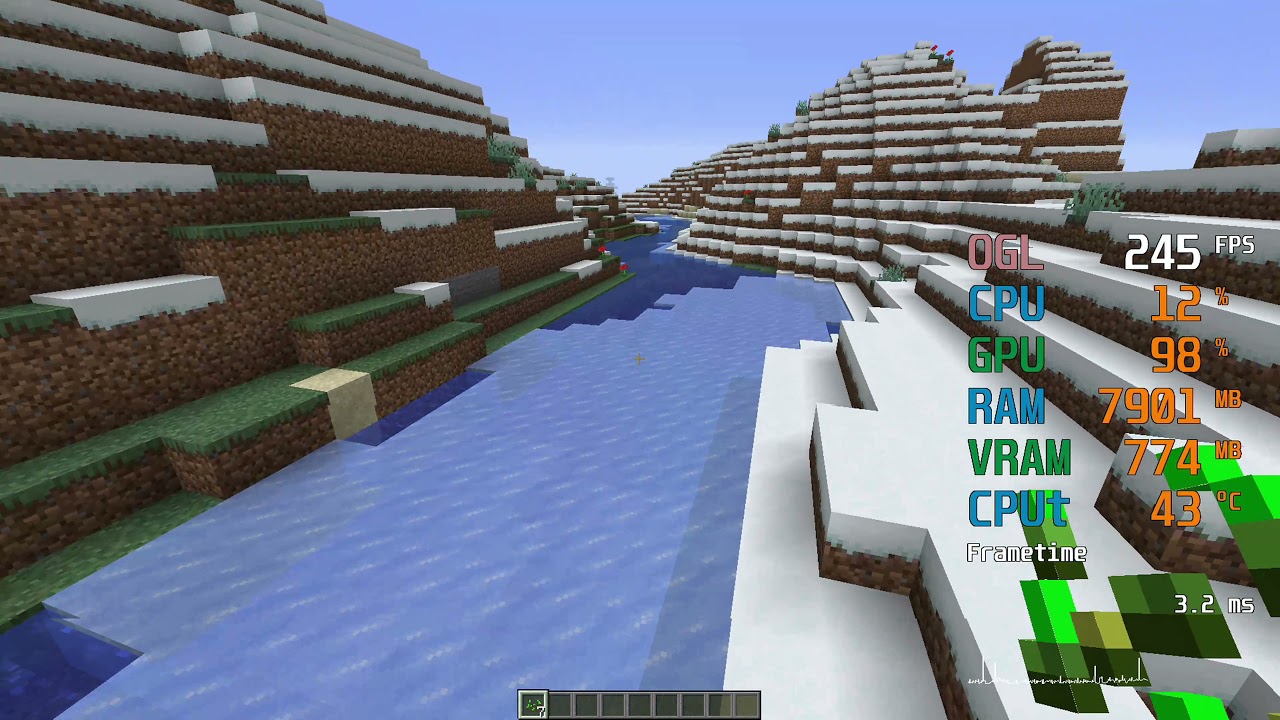
Minecraft Benchmark @ 1080p
0:06 Low 8 chunks
1:45 High 12 chunks
3:25 F3 Info
i5-11600K -- UHD 750 Test Setup:
CPU : Intel Core i5-11600K [The same CPU as the i5-11600KF, but with the UHD 750 IGP][not overclocked]
CPU Cooler : Cooler Master Hyper 212 Black Edition [With Silencio Fan]
RAM : Corsair VENGEANCE LPX 16GB (2 x 8GB) DDR4 DRAM 3200MH...
devout bluff
found someone that did the 11600k and he gets like 2x the fps i get, thats why i feel like soemthing is off
manic mural
but yea
manic mural
 manic mural
oh and also, bedrock or java
devout bluff
java
manic mural
they might be on bedrock, java still only uses 1 core iirc
wait no
they're on java
devout bluff
yea pretty sure
manic mural
they're on 1.16.5
devout bluff
he didnt overclock either
devout bluff
manic mural
they're on 1.16.5
was on 1.8 but idk if that should cause such a large difference
devout bluff
really?
devout bluff
manic mural
and also different client
lunar should get more fps tho
latent ore
They also have a gig of VRAM, what's yours set to?
devout bluff
how do u check that?
devout bluff
um like 6
or 5.5 idk
i get like 300 on my mac with the same settings and only 2g of ram allocated lol
devout bluff
lol yea
devout bluff
manic mural
also, drivers?
not too sure
devout bluff
latent ore
VRAM in the BIOS for the iGPU
um how do u change that?
they were also recording which should further lower their fps
latent ore
It's in the BIOS, usually under Onboard Devices
devout bluff
unless they were recording through something else
latent ore
devout bluff
they were also recording which should further lower their fps
Nope, using capture card
devout bluff
ok yea
devout bluff
latent ore
It's in the BIOS, usually under Onboard Devices
kay lemme c
i have to restart
and press f12 right
latent ore
Set it to 1 or 2 GB depending on what's in there
manic mural
anyways prob want to do this too
https://downloadcenter.intel.com/product/80939/Graphics
Drivers & Software
Download new and previously released drivers including support software, bios, utilities, firmware and patches for Intel products.
devout bluff
kay, how much is there in total for the 11500?
devout bluff
manic mural
anyways prob want to do this too
https://downloadcenter.intel.com/product/80939/...
kk
have to download discord on it to get that link lol
ok i go minecraft open on my mac in the same settings as my pc, and it gets more fps than the pc....
admittedly they are pretty much the same, but the mac seems to be more consistant, while the pc can get higher fps but it drops lower
the mac has 1.4 GHz Quad-Core Intel Core i5, 8 GB 2133 MHz LPDDR3, and Intel Iris Plus Graphics 645 1536 MB
with 2g of allowed system ram for minecraft
vs the 8g on the pc
manic mural
same client same version same world?
devout bluff
the mac is running discord, and 4 tabs on safari
manic mural
and also, surprising if that mac can do it
devout bluff
manic mural
and also, surprising if that mac can do it
ikr
while pc has brave with the same amount of tabs and nothing else open
uhuh
devout bluff
complete wack
manic mural
but anyways, did you grab drivers?
devout bluff
discord downloading lol, i just got the ethernet connected
manic mural
drivers time
manic mural
drivers time
devout bluff
alr, just give it a moment to log in and get my account set up
manic mural
and killing brave is killing variability, doesn't really matter how much it actually does, just taking variability out of the question
devout bluff
oh alr
lol
i will be back in 15 minutes gotta go finish something real quick, thanks for help so far :D
devout bluff
manic mural
also remember XMP
alright im back
gonna try to see if the drivers are up to date
manic mural
ye do drivers and then check xmp
devout bluff
the drivers link u sent
after downloading
it says sorry, something went wrong when trying to scan
manic mural
you know what
try it through this way then
https://www.guru3d.com/news-story/intel-updates-27-20-100-9316-driver-for-rocket-lake-uhd-graphics-750-730.html

Guru3D.com
Intel kinda forgot to release an IGP driver for Rocket Lake when it launched. The 27.20.100.9316 driver set now has received support for UHD Graphics 750 & 730. Download...
devout bluff
k
uh, am i meant to download something from there?
after clicking download
it just goes to a random ad about some supported intel chips or smt
 manic mural
official
manic mural
It's either an runnable application or folder
devout bluff
folder
manic mural
open folder
devout bluff
i believe
manic mural
there's an application inside
devout bluff
k
alright found it
igx pin
should i run it>
I THINK I FOUND THE ISSUE
after turning off smooth fps (which btw wasnt making the fps smooth)
it became like 280
should i still edit the drivers?
manic mural
Still update
devout bluff
Ok so I have to run that application right?
And btw do u know how to sync rgb on fans keyboard and mouse?
manic mural
Yes
manic mural
What OS are you on....?
devout bluff
windows 10 lol
manic mural
Which edition
devout bluff
home
manic mural
Wack
devout bluff
and btw do i have to download the mob application or smt
manic mural
You shouldn't
manic mural
Mobo software always wacky
manic mural
Individually download them
manic mural
Bios
 grizzled ginkgo
whats a good vr headset so that i can use my pc with
like i can use resident evil 7 from my pc to the vr headset
 narrow arch
i think re7 vr is only on ps vr right now
narrow arch
that said I THINK you can get it to run with vorpx
I havent tried but with village coming out I might
 sly bane
I want to run vorpx with beamng to see how much if a mess it is
manic mural
@onyx grove is it like the source material?
manic mural
Might get it
 onyx grove
i feel so bad i forgot to mention it to you
it was like just 60% off
thats why i bought it on a whim
but then it ended up being so good
manic mural
Rip
 calm reef


 vagrant jasper
lol
 halcyon coral
calm reef
https://tenor.com/view/anime-clannad-kick-go-away-clannad-after-story-gif-148357...
halcyon coral
calm reef
https://tenor.com/view/anime-clannad-kick-go-away-clannad-after-story-gif-148357...
I’d simply catch the kick
 halcyon coral
I’d call up my friend and take her out ez
 bleak blade
Dammit Oculus... You really just want to make me buy a Quest 2...
sly bane
Yea just waiting on that update to finally come to my Q2, made the mistake of showing my mom that YouTube vr is a thing
calm reef
Lol
sly bane
Has been watching it for a few hours now, it was hard to get her to try it now she is immersed in the fact that it's "like a movie theater but on my bed"
onyx grove
@manic mural ive only had it for a week now 
 grizzled ginkgo
I want a good horror game that make me cry suggestions?
 woven gyro
i heard the medium is pretty good
 safe crag
Is airlink working?
I updated to v28 and see 120hz but I think airlink is coming later, isn’t it?
Like they haven’t rolled it out even though it’s in the update
safe crag

Today we’re announcing features that will begin rolling out soon in the v28 software update to Oculus Quest headsets. Oculus Air Link is a wireless way to play PC VR games on Quest 2, while new Infinite Office features make getting work done in VR even easier. We’re also announcing native 120 Hz support for Quest 2 for an ultra-smooth gameplay e...
Ah you need to enable on both updated pc software and headset
 raw nicheBOT
 Gyrorealm#1050 has been warned
Reason: Bad word usage
manic mural
lol
calm reef
you have to make sure oculus app on pc is on v28, go to settings > beta > oculus airlink. then go to headset > settings > experimental features > airlink. make sure both are on same network it should come up same place link is on quick actions
safe crag
Both are on 28
Beta setting for airlink on pc but there’s no option on headset
Both connected to same network
There’s no settings for 120hz either
I went to devices in pc app and best I can go is 90
I’ll try to disconnect and reconnect to the same network on both pc and headset, if not I’ll just wait some more
 halcyon fossil
to my understanding 120hz is only available on some quest games
also for those who have used it, how well does airlink work?
quest 2 has really gone up in the features department recently 😩
$300 headset that can do wireless vr, standalone vr, hand tracking, 120hz sometimes, super high res display, somewhat manual IPD, good controllers
it checks all the boxes except comfort and audio
both of which can be solved
oh well and maybe battery life
but now with airlink you dont need the $80 link cable i guess (if it works well)
halcyon fossil
halcyon fossil
it checks all the boxes except comfort and audio
and privacy 
bleak blade
Eh, Privacy in 2021 is a myth.
halcyon fossil
agreed
as we speak now mr zuccerburg probably is reading this
or one of his facebook minions
bleak blade
Unless you just don't interface with the internet, and don't have a phone, and don't communicate with any human being, and don't live in a city, your privacy is already gone.
halcyon fossil

 vivid shale
halcyon fossil
also for those who have used it, how well does airlink work?
vivid shale
halcyon fossil
also for those who have used it, how well does airlink work?
I tried Airlink it worked but didn’t work at the same time like it displayed the oculus home for me but I couldn’t get it to do anything
I also have 200Mbps internet and I tried it on both my 2GHz connection and 5GHz connection
halcyon fossil
def would want to do on the 5ghz connection
assuming you are somewhat close to router
vivid shale
Yeah that’s what they recommended I originally tried on 2GHz and that didn’t work so decided to try 5GHz both seemed the same to me though
The router is basically right above my PC on the next floor
calm reef
safe crag
There’s no settings for 120hz either
go to about make sure it says v28..... then try restarting the headset. the update may not apply right away
i stand within 10ft of a wifi 6 router and it works decent for a few minutes
safe crag
Yeah both my pc and headset are v28
I’ll check it out later
Home from work and in bed
calm reef
ye some people had to restart their headset after the update for the options to show
halcyon fossil
calm reef
i stand within 10ft of a wifi 6 router and it works decent for a few minutes
have you tried virtual desktop as a comparison?
just curious
safe crag
restarting headset and just checked firmware
it's 28
restarting now
aye, a restart was what it needed
cool
calm reef
Yup
sly bane
halcyon fossil
oh well and maybe battery life
Which can be solved
 lethal brook
i dont have VR
safe crag
wow for a experimental airlink aint bad
was swinging around as spiderman and it does get choppy and the audio glitches but good start
vivid shale
Would it be possible for me to turn on my PC without having to ask my mom to turn it on for me when I’m not home?
I want to turn it on so I could connect to it using parsec as I have it set to run as soon as you turn it on
halcyon fossil
^ ive wanted that too lol
maybe this lmao
SwitchBot Smart Switch Button Pusher - No Wiring, Wireless App or Timer Control, Add SwitchBot Hub Compatible with Alexa, Google Home, HomePod, IFTTT https://www.amazon.com/dp/B07B7NXV4R/ref=cm_sw_r_cp_api_glt_fabc_YR20G3X7R83E7GTXAHNJ?_encoding=UTF8&psc=1
ugh i hate how it copies the whole product name
vivid shale
Ooo
So I could set up a speaker somehow and just yell at my Alexa to turn it on lmao
halcyon fossil
assuming that thing can press down hard enough to activate the button yea
halcyon fossil
alexa app
 tame cobalt
halcyon fossil
ugh i hate how it copies the whole product name
tame cobalt
halcyon fossil
ugh i hate how it copies the whole product name
I hate when shopping sites/apps do that
Newegg does it a ton and I have to backspace for half a minute
calm reef
its too hard to play beat saber with glasses
my glasses keep getting wet and i cant see 😦
safe crag
W e t
 timid swan
halcyon fossil
SwitchBot Smart Switch Button Pusher - No Wiring, Wireless App or Timer Control,...
timid swan
halcyon fossil
SwitchBot Smart Switch Button Pusher - No Wiring, Wireless App or Timer Control,...
Just enable wake on lan and connect using steam remote play app. The steam app will wake the computer, then you just disconnect once you see it's on. You can even set windows to allow remote input on login screen for pin/password entry.
vivid shale
calm reef
my glasses keep getting wet and i cant see 😦
Mine keeps getting pressed up against my face causing me discomfort and pain on my nose
vivid shale
timid swan
Just enable wake on lan and connect using steam remote play app. The steam app w...
Would this work from a distance of over 5 miles?
timid swan
Yes. As long as both devices are internet connected. The PC can be off even, not just sleep.
Latency increases with each network hop but you could game on your pc from halfway across the world.
vivid shale
Alright
I’ve been using parsec fine I just keep forgetting to turn on my PC for when I’m at my dad’s to connect to it so then I have to ask my mom to turn it on for me lmao I also have it set already where I can enter my pin through parsec
onyx grove
@manic mural clannad is actually back on sale. not as much as last time tho, only 50% off
safe crag
I had fun playing that free Spider-Man oculus game lmao
manic mural
Hm
sly bane
calm reef
my glasses keep getting wet and i cant see 😦
You also use a Q2 right? Does the glasses spacer not work enough
calm reef
ye q2, for me glasses fit fine mostly. although I use the vrcover face plate and that is not compatible with the glass spacer but it was actually still ok for me, I have a friend that says his glasses can’t fit at all. my main issue is my glasses keep getting foggy and then I can’t see
sly bane
O I just put the stuff that stops glass from fogging on my lenses because it doesn't harm the lenses and it's incredibly nice
calm reef
i might try, i might also get contacts soon so we see
halcyon fossil
vr condensation is the worst part about vr
especially with headsets that are kinda hard to take off, like my modded rift s
sly bane
Yea I would put the lens defogger on vr lenses but I think those are not able to have them
calm reef
I don’t love taking off the headset because with the headphone I always use it’s not easy to take off
vivid shale
Why would the headset fog up? I’ve never had that issue
bleak blade
vivid shale
Would it be possible for me to turn on my PC without having to ask my mom to tur...
Yeah, it's called Wake On LAN. Also, just.... don't turn your PC off...
Your PC probably only uses about 10w of power when Idle, maybe at most 50w at Idle. You won't see a significant dent in your power bill by leaving a Desktop PC on 24/7
vivid shale
I do for when I am at my moms because it’s in my bedroom so it makes it difficult to sleep with the lights on and I don’t like the idea of having to turn off the RGB every night
bleak blade
So just keep the RGB off 24/7

Or you might be able to possibly make an AutoHotkey Script to open the RGB Software and click on the buttons to turn the RGB off.
vivid shale
The RGB doesn’t use software it’s controlled by the case itself
bleak blade
P400A?
vivid shale
No idea what that is
bleak blade
A case...
vivid shale
Oh no I’m using Antec’s DF500 Dark Fleet
bleak blade
Ewwww that's a hot box...
vivid shale
I’m getting a i9-10850K
bleak blade
Just get a case with proper airflow, P360A and P400A both come with RGB
So... just get a chonky Air Cooler.
A NH-D15 or similar cooler will easily tackle a 10850K on a modest OC.
lethal brook
vivid shale
I’m getting a i9-10850K
u know AMD is better then the new 11 gen
bleak blade
Yeah, and current AMD Prices are stupid.
latent ore
Better isn't always just performance, money for money, intel better
bleak blade
I might be an AMD Shill, but... AMD isn't on top right now.
latent ore
Performance wise they are, price point wise not so much
lethal brook
it was
latent ore
They got proud of their stuff
bleak blade
Intel is actually able to ship out chips because they do their own fab work.
lethal brook
ok brb i play games
bleak blade
So instead of AMD having to contract TSMC for their chips and share fab space with Nvidia, Apple, etc. Intel can just ship out chips from their own fab.
timid swan
Intel isn't having stock problems, that's for sure
They discounted their new cpus right at launch lol
bleak blade
If my 3600 blew up today, I'd buy a 10400F to replace it.
timid swan
Easy choice there, but you'd need a new motherboard too
bleak blade
And that's as someone who vehemently hates Intel's design strategy of "Lock everything down except K-Skus"
timid swan
Funny thing is 10400 has been trending at lower price than 10400f
bleak blade
Which makes negative logical sense.
The 10400 should be more expensive because it has GPU
timid swan
You'd think right? But we all live in crazy town now
 rapid warren
THE FUTURE IS NOW OLD MAN
vivid shale
latent ore
Better isn't always just performance, money for money, intel better
Yeah I decided the 10850k since I was wanting to start doing content creation as well not just gaming otherwise I would’ve actually went with the 5600x
I’m also able to buy it at microcenter so I can get it for $320
timid swan
Not bad for essentially a low binned 10900k
vivid shale
Yeah
bleak blade
I just became aware of a REALLY cool piece of software.
For VR
It's called Holoswitch.
And it lets you look at your Phone Notifications while in VR.
It's only on SteamVR though.
calm reef
I think oculus was trying to do something like that but sounds cool
 halcyon coral
 pale basin
https://gph.is/g/E16Nl3w
pale basin
https://gph.is/g/E16Nl3w
There are no mistakes
halcyon coral
pale basin
https://gph.is/g/E16Nl3w
No one is Jett whattttt???
sly bane
calm reef
I think oculus was trying to do something like that but sounds cool
All they have so far is messenger
calm reef
they were working on sending phone notifications to the headset in a future update last i heard, no clue how itll work tho
sly bane
Prolly a button on the little bar you get when pressing the oculus button
halcyon fossil
pale basin
https://gph.is/g/E16Nl3w
pale basin
zack, ive only recently played comp here and there and i dont like silver
solo que is a pain
like in what world does the 2 healers in the game top frag? like why

in this game on attacking side, i was the one entry fragging because our duelist and omen wouldnt
silver is a pain
im not amazing at the game, but i def dont belong in silver with how most of my teammates play whenever i do comp
halcyon fossil
@pale basin we will have to play sometime
im still gold 3 so i theoretically should be able to queue with you
also i consistently top frag as sage lol
she can heal herself
broken op
 wheat tusk
I’m about to go purchase a gtx 1050 ti for msrp price back then, sucks but what can I do I have no gpu, I’m wondering if this will get me by for some minimal vr gaming, along the lines of beat saber and vr chat?
tame cobalt
what 1050 ti
 crimson basin
i wish i had a gaming pc i have to play on a school laptop
vivid shale
I was playing Beat Saber on a mobile 1050 Ti through Oculus link it worked pretty well and the card is like 2 years old as well
wheat tusk
tame cobalt
what 1050 ti
Gigabyte dual fan
wheat tusk
crimson basin
i wish i had a gaming pc i have to play on a school laptop
Imagine being able to play anything on a school laptop
manic mural
@full wing when'd they actually add a nuclear bomber to this game?

also, is it just me or is it a lot easier now....?
I shoot a tiger 2 like 4 times, all bounce, and they just ignore me
 full wing
pale basin
im not amazing at the game, but i def dont belong in silver with how most of my ...
full wing
pale basin
im not amazing at the game, but i def dont belong in silver with how most of my ...
if you didnt belong in silver you'd be out by now, im just being honest
pale basin
full wing
if you didnt belong in silver you'd be out by now, im just being honest
🅱️alorants ranking system is dog and my performance alone cant carry every team im with every single game
finna be honest
full wing
pale basin
🅱️alorants ranking system is dog and my performance alone cant carry every team...
i was silver 1 at the start of this act, im now plat 2 lmao, yes the rank system is messed, but low ranks are so easy to get out of
pale basin
not really, again, how i perform doesnt make up for how my randos do. i can get the most godly teammates that actually know how to play and can do their part or i can get teammates that peak an op with a shorty
and most of the time, i get those people that peak an op with a shorty
story of my life with any shooter game, i get the bad teammates and the other team gets the good teammates, just how it is for me
halcyon fossil
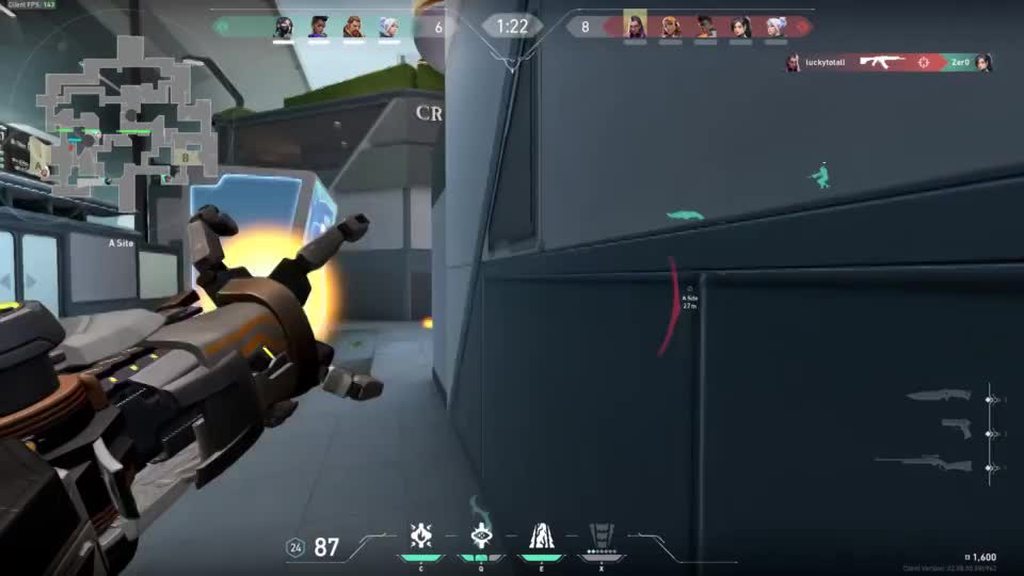
@pale basin
oh and @whole cipher
PLS GET ME OUT OF GOLD LOBBIES I AM GOING TO CRY
LITERALLY

i havent played actual valorant in a couple weeks
and then i top frag
🥲
also this
full wing
pale basin
story of my life with any shooter game, i get the bad teammates and the other te...
then find a stack and stop complaining lol
 whole cipher
halcyon fossil
PLS GET ME OUT OF GOLD LOBBIES I AM GOING TO CRY
whole cipher
halcyon fossil
PLS GET ME OUT OF GOLD LOBBIES I AM GOING TO CRY
Why can nobody aim
whole cipher
full wing
then find a stack and stop complaining lol
It’s not that easy
whole cipher
pale basin
https://gph.is/g/E16Nl3w
Funniest part is brim saw 3-4 people on the map, and STILL peaked
halcyon fossil
whole cipher
Why can nobody aim
breach moment
whole cipher
Breach is the worst agent to play against
halcyon fossil
agreed
full wing
whole cipher
It’s not that easy
it really is
full wing
my main is d2, idk finding a stack was really easy
whole cipher
I can’t find relyable teammates, granted I don’t care too much
I have a duo partner but that’s it
 gilded lion
i have $30 to spend on a VR game what should I get
halcyon fossil
gilded lion
i have $30 to spend on a VR game what should I get
beat saber or boneworks
gilded lion
i have both those already lol
halcyon fossil
ive heard lome echo is good too
narrow arch
arizona sunshine. alyx. superhot
narrow arch
oh
halcyon fossil
budget cuts is good too
halcyon fossil
nice
whole cipher
halcyon fossil
<@!319182510548451329> wanna play?
Lmao, maybe over the weekend cause APs this week
manic mural
ap tests wack
halcyon fossil
nvm its 51 now
vivid shale
halcyon fossil
beat saber or boneworks
Also what’s Boneworks? I keep hearing about it but never seen gameplay or anything
 tribal monolith
anyone know if the cherry mx speed switch's are quiet and good
 lucid ether
boneworks is like a gun sim
it's also the game that the half life alyx execs kept going "you need to make it more like this"
vivid shale
Alright
 cosmic nexus
Hey everyone.. anybody have issues with warzone ever since season 3 update pc just restarts at launch any help I've literally tried everything nothing seems to work
gilded lion
vivid shale
Also what’s Boneworks? I keep hearing about it but never seen gameplay or anythi...
its like a puzzle/shooter game
vivid shale
Cool
calm reef
Physics based puzzle
 tired dew
I need some help with oculus software if anyone here knows about it
calm reef
wats up
safe crag
what up
boneworks is okay, i returned it - wasn't for me
but a lot of people like it
tired dew
So I have recommended specs and it still says I don’t and won’t let me load software
bleak blade
tired dew
So I have recommended specs and it still says I don’t and won’t let me load soft...
What Headset are you working with? Have you updated drivers? Restarted PC?
 modest crest
Guys could I run my pc without a GPU?
latent ore
If your CPU has an iGPU
tired dew
bleak blade
What Headset are you working with? Have you updated drivers? Restarted PC?
Yes I’ve updated pc all drivers are good
It’s the quest 2 and I’m trying airlink
tired dew
I can’t connect through type c since my graphics card doesn’t have one
It loads into airlink I just can’t use software
tired dew
bleak blade
Just use VirtualDesktop
But free. If I can’t figure it out I’m gonna just buy it
bleak blade
You don't need a Type-C...
And you don't need it on your GPU either.
Just buy a Type-C to Type-A converter.
Or a Type C to Type-A Link Cable.
And it shouldn't just instantly boot into Airlink
tired dew
The only display output I have is a hdmi. So I would meet c to hdmi. Do you think I could get that to work maybe
tired dew
I’ve tried that though
bleak blade
Clearly you haven't.
tired dew
It doesn’t work
tired dew
Yes but I’m on a laptop with a 1050ti
bleak blade
🤦
tired dew
Steam said it would work
bleak blade
No, it won't.
1050Ti Laptop isn't supported
Just straight up isn't supported on Oculus
tired dew
And the min specs on the website said it would
tired dew
Do you think there is anyway I can trick the software into thinking it’s fine
latent ore
Laptop is supported
raw nicheBOT
 vintageRacer79#5330 has been warned
Reason: Duplicated text
latent ore
bleak blade
latent ore
Laptop is supported
Not Laptop 1050Ti
latent ore
Minimum specifications
tired dew
See
latent ore
NVIDIA GTX 1050 Ti (laptop)
tired dew
That’s what I said
bleak blade
I've had multiple other people with the same issue
latent ore
Straight from Oculus
The issue is whether or not the the output port they're using is tied to the GPU or not
tired dew
Oculus is being difficult that’s all I know
latent ore
What ports do you have on the laptop that you're using?
bleak blade
tired dew
Oculus is being difficult that’s all I know
Try all of the USB-A ports on the laptop
calm reef
tired dew
I can’t connect through type c since my graphics card doesn’t have one
its just usb 3.0 that is recommended but actually the motherboard usb c port is more stable than the gpu usb c. as for airlink make sure both oculus app and headset are updated to v28, once they are updated restart the headset to make sure it applies. airlink specs may be different, make sure internet connection to both laptop and headset is stable and on 5ghz or wifi 6 preferably.
latent ore
So it has the Optimus thing then, brb
calm reef
it being beta optimus can be problem
tired dew
I do also have 5ghz and I have the needed v28
bleak blade
Is the Laptop plugged into Ethernet?
If not, your Airlink experience will blow chunks
calm reef
minimum requirements can be iffy, for laptop likely have to set the dgpu as primary and igpu disabled which sounds like vintage is looking up
latent ore
tired dew
I do also have 5ghz and I have the needed v28
This is the GF63 8RD yeah?
vivid shale
Would it be a better option to repair my laptop and just buy an eGPU if it’s compatible with my laptop or should I still consider just getting a new laptop? The eGPU would be cheaper if I decide to just use my GPU from my desktop
latent ore
eGPU's are spendy
vivid shale
I found one from Razer for $400 wouldn’t i just need that and the cable it comes with?
latent ore
Does your laptop have Thunderbolt?
vivid shale
I haven’t figured that out yet was going to check when I get home because Dell’s website says it was an optional feature for my model but I got it from a separate retailer which also no longer sells that model
latent ore
Which eGPU from razer?
vivid shale
Check this out on @Newegg: RAZER Core X (Thunderbolt 3 External Graphics Enclosure) https://www.newegg.com/p/N82E16814986002?Item=9SIAPCPDYH2878&Source=socialshare&cm_mmc=snc-social-_-sr-_-9SIAPCPDYH2878-_-05042021
vivid shale
I have the one that’s in my desktop I can use it with
bleak blade
Wait why are you trying to play VR games on your laptop if you have a Desktop?!?
vivid shale
?
latent ore
Just find out if your lappy has a thunderbolt port or not
latent ore
SHould be fine then
 honest berry
anyone have a fix to why videos lag while I play games? I have a 3070 and a 5900x
bleak blade
Yeah, it's called don't play videos while playing intensive games.
You GPU and CPU are allocating the majority of your bandwidth for displaying the game.
halcyon fossil
omfg

i literally cannot play with randoms anymore
@pale basin
i get what you mean now
vivid shale
So apparently my laptop has a thunderbolt port but doesn’t have the drivers installed but then when I go to install them it won’t allow me to?
It just says it encountered a fatal error
latent ore
That means the hardware is bad or you don't actually have one
vivid shale
Alright
vivid shale
Yeah it has the lightning symbol
latent ore
Might be charging only tho, that's a thing.
vivid shale
Alright
Would my VR headset work with it though still if it was thunderbolt? Mine works with it
calm reef
link can be used with usb 2.0 or usb 3.0 connectivity. 3.0 preferred
vivid shale
Alright
 terse inlet
I know this is off topic but could someone please help??
I will be playing a game, then my monitors will flicker, then turn to black. The game will then either say that it crashed or it will hang and I will have to restart my computer. I have:
- Checked Integrity of game files
- Rolled Back drivers
- Checked TM to see the load of my computer and nothing was maxed. GPU was high but nothing unusual.
- Restarted computer
- Uninstalled and reinstalled windows
- Uninstalled and reinstalled the games
- Reseated graphics card
I have done almost everything imaginable. I have found a trend of it crashing or freezing when loading into or out of a game. but not always. graphics settings are set to medium or even
a little lower. The most recent changes I made to my computer which I believe could have sparked these issues are I had to wipe Windows and reinstall. I also went from 42 GB of RAM to 16 but that shouldn't be an issue considering 16 is average.
latent ore
what's the hardware list.
terse inlet
Radeon rx 590
Ryzen 7 2700
Corsair Vengeance 2x8GB RAM
1TB SSD
500GB HDD
Tuf Gaming B450M Plus
850 Gold
manic mural
What mobo, what specific ram kit, and what PSU?
terse inlet
updated @manic mural @latent ore
terse inlet
EVGA 850W Gold+
Corsair Vengeance 4000MHz c18
manic mural
I was gone for a bit, but I mean what model, like evga g1, g+, g2, g3, g5, ga, gq, etc?
 stoic imp
Hello, i'm having this problem (only on WZ) where every now and then my game just goes to 0. 10fps at best, horrible sound quality, my mic goes ham for some reason and all of my teammates hear a fighter jet coming from me. It started happening about 4 days ago. I haven't messed with any of the settings as far as I can remember. I have everything maxed out w/ AA in SM x1. As the AMD Overlay shows, as well as Task Manager, my VRAM is almost capped and i'm apparently using ~17 GB of RAM. I have never paid that much attention to how much I usually use, but I think this is not normal. I have an 6700xt.


 stoic imp
Hello, i'm having this problem (only on WZ) where every now and then my game jus...
stoic imp
stoic imp
Hello, i'm having this problem (only on WZ) where every now and then my game jus...
Not sure if i should ask in this channel or another, sorry in advanced if I am in the wrong place
terse inlet
manic mural
I was gone for a bit, but I mean what model, like evga g1, g+, g2, g3, g5, ga, g...
g+
manic mural
terse inlet
EVGA 850W Gold+
Corsair Vengeance 4000MHz c18
is XMP on?
Because 2700 imc will NOT like that ram, and can cause a lot of weird issues, and can cause your symptoms.
terse inlet
how would I check
manic mural
Did you turn it on in bios?
terse inlet
stoic imp
Hello, i'm having this problem (only on WZ) where every now and then my game jus...
Well to start, have you updated your drivers? restarted your computer? adjusted graphics settings?
let me check
manic mural
@stoic imp This channel is fine if you want to stay, but more people frequent #building-and-recc-chat for troubleshooting.
stoic imp
i'll ask there too, but if anyone has any idea, heard of any bugs in-game, or whatever, that might help, i'll be very thankful
terse inlet
In bios rn @manic mural. Could you help explain this to me in a vc?
stoic imp
terse inlet
Well to start, have you updated your drivers? restarted your computer? adjusted ...
I havent checked this week, but if there is a new driver, it isn't that new. I have restarted my computer, closed all apps, tried again. I am almost 100% that I have not tweaked/ changed any settings.
manic mural
Sorry, can't use VC, but is XMP on in the dram settings? Might be in the overclocking section, and something similar.
stoic imp
that i have noticed, it only happens in this game
terse inlet
Check integrity of files/scan and repair
manic mural
@stoic imp Have you updated windows recently? There was a windows update a month or two back (might still be relevant) that caused some performance issues
https://www.pcgamer.com/the-windows-10-update-thats-been-trashing-framerates-has-been-fixed/

pcgamer
If you've been experiencing FPS drops and stuttering, relief is here.
terse inlet
I see DRAM voltage
manic mural
There should be a big "XMP" bit somewhere
terse inlet
So after some research it is DOCP for me because it’s AMD instead of intel and yes I have enabled that
manic mural
(I blame Asus)
manic mural
@terse inlet Turn it off for now, main reason why it could be the issue is because the imc (Integrated Memory Controller) on the 2700 was NOT designed to do 4000mhz 1:1
manic mural
That'll mean losing a bit of performance for the time being, but we can tweak it again later
Auto should mean JEDEC defaults, usually 2133mhz cl15
manic mural
no, it'll give you errors and crashing and such :P
manic mural
@latent ore XMP was on for 4000c18 on a 2700, so I assume it runs somehow, and they were just crashing in most things
terse inlet
what do i need to do to get higher roles?
latent ore
Chill, talk and don't spam
terse inlet
ok
bleak blade
stoic imp
Hello, i'm having this problem (only on WZ) where every now and then my game jus...
That's probably just Warzone being a power hog. Reduce your settings down to something a little more on the "competitive" side of settings and you should see better framerates.
stoic imp
manic mural
<@!628941558300803072> Have you updated windows recently? There was a windows u...
i have an optional update, which i'll give, but no major update
stoic imp
terse inlet
I see DRAM voltage
what mobo manufacturer?
manic mural
power hog..? why would taking too much power lead to really bad stuttering..?
manic mural
stoic imp
what mobo manufacturer?
It would be Asus afaik
Since I haven't seen anyone other than Asus refer to XMP on AMD as DOCP
latent ore
yeah, that's just ASUS lol
manic mural
(MSI, Gigabyte, and ASRock all call it XMP still)
latent ore
They refused to pay Intel the licensing fee to use XMP XD
manic mural
maybe colorful does the same or smth
lol
@stoic imp Might be useful to use Afterburner+RTSS OSD to see what exactly happens during stuttering. There's also the more annoying option of testing things one at a time.
stoic imp
bleak blade
That's probably just Warzone being a power hog. Reduce your settings down to som...
i don't mean to sound rude by any means, but that's not exactly what i am trying to go after, yes i get that WZ is a comp. game, but i'm not really trying to play that way, if u know what I mean. Once again, if it were that i was trying to play the game klnowing it wouldn't run thats okay, thats on me, but i have played it for the last month (since i got the card) and it only started happening a couple of days ago.
manic mural
(nice guide here)
https://linustechtips.com/topic/977649-guide-how-to-setup-msi-afterburner-on-screen-display-using-rtss/
Linus Tech Tips
A fair few people have asked me how to setup MSI Afterburner On Screen Display (OSD). I checked this subforum and to my surprise there was no guide on how to do it. So I figured Id make a guide for everybody out there struggling. 1. Downloading and Installing You will need to download a few thing...
stoic imp
bleak blade
That's probably just Warzone being a power hog. Reduce your settings down to som...
i also have freinds with similar speced pcs that have also everything maxed out and they are running 12GB RAM and less on VRAM (am unsure of the number)
stoic imp
manic mural
power hog..? why would taking too much power lead to really bad stuttering..?
it might try to take more than my hardware could give? not sure, educated guess
manic mural
If you don't mind it taking up screen space, CPU core usage for each core, ram usage, GPU usage, and their temperature, would be useful.
manic mural
stoic imp
it might try to take more than my hardware could give? not sure, educated guess
There's a concept of overload on PSUs, and there are protections on PSUs, overload means most PSUs can draw more power than they're designed for, but with good units for short amount of time, doesn't usually cause issues. The protections on the PSU, mainly OCP (Over Current Protection) and OPP (Over Power Protection) will just automatically shut the PSU off after a certain point.
stoic imp
manic mural
Since I haven't seen anyone other than Asus refer to XMP on AMD as DOCP
i dont want to speak like i am a professional, but there are some ram sticks or modules that come "for AMD", which to my knowledge have that (atleast key) feature as a difference. I myslef have an amd cpu and have XMP as the option on BIOS
I also have MSI sooo...
stoic imp
terse inlet
wait is tuf asus
yes, tuf is asus xD
manic mural
stoic imp
i dont want to speak like i am a professional, but there are some ram sticks or ...
"for AMD" is completely just marketing
bar even numbers for iirc tRCD because GDM things, but that doesn't really matter, basically still same sticks
stoic imp
manic mural
<@!628941558300803072> Might be useful to use Afterburner+RTSS OSD to see what e...
i have heard that afterburner doesn't go well with AMD GPUs. Reason for not downloading it xD
As for RTSS OSD, I am unaware of what that is
manic mural
@stoic imp for OSD, it's not for overclocking, it's just for the On-Screen-Display and monitoring
Afterburner isn't good for AMD GPU OCing because it doesn't do voltage control well afaik
But there's no compatibility issue, and not an issue when you're just using it to monitor other info
stoic imp
manic mural
<@!628941558300803072> Might be useful to use Afterburner+RTSS OSD to see what e...
I thought about resetting the settingsd in-game to see if it would help, since it shouldn't take that long to find an answer and then changing them back up.
manic mural
What the OSD does is give you real-time info on how your system is doing
stoic imp
manic mural
If you don't mind it taking up screen space, CPU core usage for each core, ram u...
what do you mean? where do I do that?
manic mural
For example, it can tell you if you suddenly ran out of memory when you stutter, or if your CPU is hitting 100c, or anything like that real-time
The guide I linked (link here again) will explain how to set it up
https://linustechtips.com/topic/977649-guide-how-to-setup-msi-afterburner-on-screen-display-using-rtss/
Linus Tech Tips
A fair few people have asked me how to setup MSI Afterburner On Screen Display (OSD). I checked this subforum and to my surprise there was no guide on how to do it. So I figured Id make a guide for everybody out there struggling. 1. Downloading and Installing You will need to download a few thing...
stoic imp
manic mural
bar even numbers for iirc tRCD because GDM things, but that doesn't really matte...
lost me there xD more than I know hahaha
manic mural
GDM is a setting that is sometimes good for higher frequency to get 1t CR, anyways, doesn't really matter now.
stoic imp
manic mural
<@!628941558300803072> for OSD, it's not for overclocking, it's just for the On-...
is OSD a setting or option or something I do while in Afterburner? or is that separate?
manic mural
It's in the guide, but it's a setting in afterburner
stoic imp
manic mural
What the OSD does is give you real-time info on how your system is doing
I wouldn't mind trying it and it might give more/ better info, but i have AMDs overlay on and was checking in task manager. As for when I try it out, what should I be looking at/ for? Any ideas as to what is causing those problems?
bleak blade
stoic imp
i don't mean to sound rude by any means, but that's not exactly what i am trying...
I'm of the personal opinion that if you are playing a Competitive Game, you should play at Competitive Settings. You ain't in the Warzone for the Eyecandy.
manic mural
Skiptrace, your favorite word, p r e f e r e n c e >:D
bleak blade
But objectivity is better.
Objectively Warzone is easier to play if you use competitive settings since there's less things in your way to see your opponent.
stoic imp
manic mural
The guide I linked (link here again) will explain how to set it up
https://linus...
thank you! will definitely try it
manic mural
Preference if you want it to be easier, or more fun :P
stoic imp
manic mural
GDM is a setting that is sometimes good for higher frequency to get 1t CR, anywa...
oh okay. good to know I guess heheh
bleak blade
But it's not more fun? It's more frustrating to die because you had all of the eyecandy obscuring your vision so you couldn't see your enemy.
stoic imp
manic mural
It's in the guide, but it's a setting in afterburner
great, will check it out
bleak blade
Reject preference, return to objective
manic mural
I'd rather have more fun looking at things than looking at a bland map that I might've seen dozens of times before
@bleak blade the issue here is that it's not objectively more fun
It's preference in what people call fun
:P
bleak blade
manic mural
I'd rather have more fun looking at things than looking at a bland map that I mi...
Adding more random eyecandy doesn't make the Warzone map any less bland.
manic mural
It does to me, therefore preference
bleak blade
If you want the best of both worlds (Fun things to look at, and good visual performance) go play Apex Legends.
manic mural
bruv
stoic imp
bleak blade
I'm of the personal opinion that if you are playing a Competitive Game, you shou...
That's true, but (and correct me if i'm wrong) what more can I get out of the game by lowering settings if at maxed I am hitting 144fps (which is the max for my monitor) besides maybe having less distractions in-game such as all flora and less shadows (DAMN Rose skin xD)
bleak blade
stoic imp
That's true, but (and correct me if i'm wrong) what more can I get out of the ga...
More FPS beyond your monitor refresh rate, which improves your input latency.
bleak blade
manic mural
might cause tearing
I haven't had a monitor cause tearing by going beyond Refresh Rate since LCD's were new.
Any relatively modern panel is gonna be super hard to make it tear.
stoic imp
bleak blade
Objectively Warzone is easier to play if you use competitive settings since ther...
as I mentioned, yet now saw. Again, you are not wrong, but I am not trying to stream and make money xD Plus, in my opinion, I paid a good amount for my pc, and I want to make the use of it all. That means seeing the butterflies and ants when I am downed in a field xD
bleak blade
I tried my darndest to make my VG248QE tear and it never had a screen tear.
manic mural
@bleak blade either way, blurbusters did testing with input lag while using G-Sync, and they found refresh rate -3 as the frame cap to give the best input latency
https://blurbusters.com/gsync/gsync101-input-lag-tests-and-settings/14

Many G-SYNC input lag tests & graphs -- on a 240Hz eSports monitor -- via 2 months of testing via high speed video!
stoic imp
bleak blade
But it's not more fun? It's more frustrating to die because you had all of the e...
that is true, but not relevant to my problem😅
manic mural
anyways, enough of that
stoic imp
manic mural
I'd rather have more fun looking at things than looking at a bland map that I mi...
I agree with your statement
manic mural
:)
Once you have OSD set up and running, play some solo games or something until you see the stuttering, and see if anything looks wrong on the OSD
bleak blade
stoic imp
as I mentioned, yet now saw. Again, you are not wrong, but I am not trying to st...
If you want to make the most of your PC, play a game with actual eye candy, like a Tomb Raider game, or something like that.
manic mural
:(
stoic imp
bleak blade
Adding more random eyecandy doesn't make the Warzone map any less bland.
I mean, I personally haven't tried it, but i have watched streamers and it doesn't look that good(from a visually appealing standpoint). It looks rather bad to the level where I think my PS4 looks better.
stoic imp
bleak blade
More FPS beyond your monitor refresh rate, which improves your input latency.
Really? Hmmm... Might trey to mix things then, but know that I am already at.... 50ms-ish latency, I doubt i'll notice it
bleak blade
stoic imp
Really? Hmmm... Might trey to mix things then, but know that I am already at.......
50ms latency is your Ping to the server.
Input Latency is completely disconnected from that.
manic mural
unless they have reflex and is using reflex for the metric
but ye, 50ms in-game means latency for ping to server
bleak blade
Thanks for that tip about the whole "best input lag at Refresh Rate - 3" thing
stoic imp
bleak blade
If you want to make the most of your PC, play a game with actual eye candy, like...
havent tried it yet, not a huge fan of solo games.
manic mural
You're welcome
bleak blade
Sadly this monitor's Freesync is tied to Overdrive levels that give Coronas.
So, I can't use G-Sync...
😢
stoic imp
bleak blade
50ms latency is your Ping to the server.
no, i mean from what is klnown about latency speeds.
stoic imp
bleak blade
Input Latency is completely disconnected from that.
Yes, I am aware
bleak blade
stoic imp
no, i mean from what is klnown about latency speeds.
You are not getting 50ms input lag, that would be utterly abysmal.
stoic imp
so less?
manic mural
lemme find the NVidia video
can't find it, I'll just find a good place in GN's video
stoic imp
let me know if i am wrong.
manic mural
@stoic imp nice info on latency starting from timestamp, you can watch the whole video if you're interested in more
https://youtu.be/0SZ7ZCac38A?t=1058

This video serves a referential deep-dive for our future total system latency (we're coining "TSL") testing methodology, including NVIDIA Latency Analyzer/Reflex validation and LDAT testing.
Sponsor: Teamgroup T-Force Vulcan 1TB SSD (Amazon: https://geni.us/vIKHLE)
The GN Tear-Down toolkit sold out in 3 days! If you want to back-order the next ...
There's just lots of things
too hard to get any good number on your actual latency, unless you spend wayy too much money on specialized equipment or reflex capable hardware
terse inlet
@manic mural It didnt work
 honest echo
hey can someone help me with a game problem
bleak blade
What Game and What Problem?
honest echo
bleak blade
What Game and What Problem?
Jedi fallen order, well there was 2 problems, i basically fixed one, the one that it fixed was that i wanted to see what the game would look like in 4k but i dont have a 4k monitor but i heard of this DSR thingy that makes it look like 4k on a 1080p monitor, i tried it but it looked the same, then i restarted the game and it turned out to be because i didnt restart my game
bleak blade
DSR is broken and doesn't work.
Turn it off.
The game won't look like it's 4K it'll look like better aliased 1080p
honest echo
but i heard it worked great on 20 series and 30 series gpu's?
bleak blade
No, it doesn't work great on any Nvidia GPU.
honest echo
ah dang
bleak blade
I tried it on 9 series and 10 series and it just sucks. 9 times out of 10 your UI is just not in the right place, or the game changes where UI buttons are physically, but not their on-screen location.
honest echo
bleak blade
I tried it on 9 series and 10 series and it just sucks. 9 times out of 10 your U...
so your saying it will look the exact same if i set it back to 1080p?
and if i actually need a quality difference i need to get a 4k monitor?
bleak blade
It won't look "exactly" the same. But, it's effectively super high quality Antialiasing.
You'd need a 4K monitor to see a real difference.
honest echo
ah ok
but lets say i wanted to use the 4k DSR, lets just say that, what am i supposed to set the DSR Smoothness to?
because its 33% by default
bleak blade
¯_(ツ)_/¯
IDK
I don't use it because it's hot garbage.
And I implore you to stop using it and just turn your AA up to whatever the highest setting is.
You'll get about 90% of the look, for a 100% performance increase.
Because the GPU is Rendering at 4K Resolution, but it's scaling it down to 1080p to fit on your monitor.
honest echo
aight i guess ill not use it
honest echo
bleak blade
And I implore you to stop using it and just turn your AA up to whatever the high...
AA in the game or Nvidia Control Panel?
honest echo
i have every thing set to EPIC
bleak blade
Then that's the best it will look
honest echo
bleak blade
Don't muck about too much in the Nvidia control panel
the only 2 things i changed in Nvidia Control Panel, is OpenGL Rendering GPU, i set it to my GPU, and in Power Management mode i changed it to Prefer Maximum Performance
bleak blade
Ok, also change Low Latency mode to Ultra, and Max Framerate to Refresh Rate - 3 (so 141 for a 144hz monitor or 162 for a 165hz monitor) that will make your input lag as minimal as possible.
honest echo
wait that makes a difference even if my monitor is 1ms?
bleak blade
1ms is a marketing gimmick
Ignore any mentions of 1ms or 0.5ms those are marketing gimmicks.
No monitor in the real world has a 1ms input latency.
honest echo
are you 100% sure about them 2 settings?
bleak blade
Nope.
honest echo
aight
bleak blade
Don't touch AA in the Control Panel.
manic mural
wat
 vivid pier
Hhmm
 real light
Does anyone play Warzone and have a 3090? If so, what FPS do you get with 1080/2k/4k?
full wing
Anyone have any good quest game suggestions?
 spare folio
real light
Does anyone play Warzone and have a 3090? If so, what FPS do you get with 1080/2...
spare folio
real light
Does anyone play Warzone and have a 3090? If so, what FPS do you get with 1080/2...
What cpu do u have
what ram
how many sticks of ram
what slots are the ram sticks in
bleak blade
real light
Does anyone play Warzone and have a 3090? If so, what FPS do you get with 1080/2...
We'd need more information than just "A 3090" PC Performance is vastly different than just what GPU you have.
real light
I’m putting a parts list together. I’m looking into an AMD Ryzen 9 5900x; 1TB Samsung 980 pro or 970 SSD; and 32 GB ram. I’m not sure if I want to do 2x16GB dual channel or 4x8GB dual channel and dual rank.
bleak blade
You should definitely not get friggin Samsung SSDs
There are way cheaper SSDs that give you slightly less performance for a way better value. Unless you are Video Editing for a living, a 980 Pro isn't going to benefit you.
And, You'd be better off getting 2x16GB
As for Warzone Performance, I'd stick with 1440p
4K Gaming is CLOSE to being viable on a 3090, but the buttery smooth framerates at 1440p will give a better experience.
Once GPUs can readily do 4K 144hz and 4K 144hz monitors aren't stupid expensive, then you can transition to 4K 144hz.
real light
Thank you. What SSD do you suggest?
latent ore
Mushkin Pilot E or SK Hynix P31 gold
manic mural
P31 is amazing performance wise
sly bane
I got a Samsung 970 QVO because it was on sale
bleak blade
If it was on sale for less than a Pilot E then that's fine. But if you paid more than a Pilot E then RIP you.
latent ore
970 or 870 QVO
 tough rune
are these NVME
latent ore
Are which NVME?
tough rune
the one you said
latent ore
Yes, Mushkin and Hynix are
tough rune
ok thanks
sly bane
bleak blade
If it was on sale for less than a Pilot E then that's fine. But if you paid more...
Yea it was less
real light
I looked up Mushkin Pilot E or SK Hynix P31 gold but they seem to be around the same price as the 970-980. What prices do you guys normally see?
manic mural
130$ for P31 1tb, 110$ for Pilot E
latent ore
Depends on the country too
manic mural
P31 also just outperforms basically every PCIe 3.0 or PCIe 4.0 drives in rnd
(Reasoning to pick it over 970 or 980 when same price)
real light
Thanks again!
 remote prairie
I played the Demo, was legit
vivid shale
is version 33 of thunderbolt thunderbolt 3?
timid swan
That's not a standardized version number as far as I can tell
timid swan
vivid shale
is version 33 of thunderbolt thunderbolt 3?
What is exact model of the device the thunderbolt port is on?
vivid shale
I’ll check when I get back home
vivid shale
Home now would that be considered my service tag in support assist?
timid swan
vivid shale
Home now would that be considered my service tag in support assist?
Service tag will tell us the model number yes
timid swan
Dell?
vivid shale
alright cool thanks
guess i might get a external GPU enclosure then and until this GPU shortage ends I'll use my 2080 from my desktop
timid swan
Not a bad option
vivid shale
yeah saves a bunch of money compared to getting a new laptop lol
for me specifically thatd be saving $500 if i were to end up getting a 3060 which is what im currently thinking of getting as the laptop i was looking into was $1,300
This one from Razer is compatible with all brands right?
timid swan
Should be
timid swan
Some people probably just didn't have the right kind of thunderbolt port that supports an iGPU
There's some that are oddly limited like that
vivid shale
alright
honest echo
question, when playing a game on highest graphics, like avengers, isnt the pc fans and the gpu fans supposed to get louder?
manic mural
@honest echo Fan curve is not related to relative load, rather, it depends on the temperature of the components themselves, which has a lot more variables in place on top of load, for example, the frequency it's boosting to, or voltage, or ambient temperature, etc.
honest echo
manic mural
<@!559580672227016714> Fan curve is not related to relative load, rather, it dep...
so your saying its normal? because im on the highest graphics, like the very highest
manic mural
@honest echoSince settings don't directly affect fan curve, yes, it's completely normal for the fans to be chillin at max settings, or maybe spinning at 100% on the lowest settings
many factors in there
honest echo
what game do you know that, will choke the heck out of your computer and will make the fans spin? @manic mural
and also thank you for the information
manic mural
@honest echo as I said, there's no direct connection, therefore it's hard to say what exactly will set off the chain reaction in the right environment, yaknow?
bleak blade
GTA:V, Battlefield 5 with RTX Enabled, that new Metro remaster.
Those will all make your PC really heat up
Because GPU intensive workloads.
manic mural
It's like A -> B -> C, no one game will always make your fans spin, or not make fans spin
honest echo
manic mural
<@559580672227016714> as I said, there's no direct connection, therefore it's ha...
ah ok
honest echo
bleak blade
GTA:V, Battlefield 5 with RTX Enabled, that new Metro remaster.
Thank you
latent ore
Just ask your question lol
 spare spear
can i have more that 1 RGB Controller in my Desktop using a splitter
latent ore
Controller?? Should be controlled from motherboard
Depends on the controller also if it has a remote
Some remotes cross talk
spare spear
Can i hook up 2 controllers to the Same pin using a splitter
latent ore
What RGB controllers and what motherboard??
spare spear
Rosewill an GIM controllers and A Asrock Z390 Phantom Gaming 4S-IB Motherboard
latent ore
You have 2 RGB headers on that motherboard
Would be best to not use controllers and just use RGB splitter cables for the fans
And control RGB from motherboard
spare spear
Addressable controllers
latent ore
Oh, you can't run aRGB from RGB headers
Different voltages
So it will be controllers only
Or what pin are you talking about
spare spear
there both aRGB would that make a difference 3
latent ore
Oh it does have an aRGB header
Still, it will handle 3 AMPS so a splitter to the MB should be fine
3 amps is quite a few LED's
spare spear
a single aRGB header
spare spear
the controllers i have are 3pin aRGB Controllers
latent ore
Split them then and see what happens
spare spear
vintageRacer79 the controllers have separate SATA Power connectors would that cause any Problems
latent ore
no
spare spear
if it works i will let you know
if this works it will have to do Until i can get More Fans that will work with The Rosewill CPU Cooler i Want to replace the Cooler that is in my PC
spare spear
vintageRacer79 i sent you a friend request will you accept it
 twin magnet
Yo
my CV1 has the dreaded bad cable 😂
anyone know where to get one that's not gonna be like
^120
$120*
bleak blade
Probably nowhere. Just get a Quest 2 at that point.
twin magnet
Ain't buying an oculus product again 😂
bleak blade
Then buy an Index
onyx grove
are ubisoft servers just broken rn?
manic mural
siege might have issue
https://downdetector.com/status/rainbow-six/

downdetector.com
Real-time problems and outages for Rainbow Six Siege. Can't play online? Is the server down? Here you see what is going on.
manic mural
hi
spare spear
it was the memory that caused my problem
manic mural
oh fun
spare spear
i bought a full retail version of Windows 10 and when i booted from the usb it had memory diagnostic tool The RAM came out no errors
sly bane
onyx grove
are ubisoft servers just broken rn?
Aren't they always
onyx grove
yeah p much
 long nymph
I have an Alienware Aurora R7 motherboard that died - I am trying to replace the motherboard - we think the CPU (I7 - Z370 series) is still good. Does anyone where I can purchase a replacement motherboard ?
latent ore
What CPu exactly please?
latent ore
long nymph
I have an Alienware Aurora R7 motherboard that died - I am trying to replace the...
Probably Ebay is your best bet, the case can use a regular MATX motherboard but requires cutting the case itself. https://www.ebay.com/itm/254974930203?epid=13016791363&hash=item3b5db0ad1b:g:--gAAOSwDB9gmh0k

eBay
Pulled from a working Alienware R7, previously running i7 8700.
manic mural
Dell probably also sells spare parts somewhere
long nymph
Thanks all - I am in communication with Dell now. I did not realize they would sell spare parts. Much appreciated.
latent ore
I checked their website and didn't find any of those boards. Good luck!
long nymph
Their sales rep said she found the same motherboard - waiting for her call back. I hope she did in fact find it.
manic mural
Yes
spare spear
How much do you know about M.2 WiFi Cards
latent ore
Get the cheapest one with AX200 on it
spare spear
Do they need antennas
long nymph
Thanks VintageRacer79. Another question - I am wresting with 16 GB vs 32 GB DDR4 Ram. I am thinking 32 GB is overkill -- thoughts ?
spare spear
latent ore
spare spear
Do they need antennas
YEs
latent ore
long nymph
Thanks VintageRacer79. Another question - I am wresting with 16 GB vs 32 GB D...
What are you going to be doing with the pc
long nymph
Gaming - for my Nephew
latent ore
16 GB is fine then
long nymph
Thanks VR79 - really appreciate this site.
latent ore
YW
latent ore
Not familiar with all the brands. Just find one with the AX200 WiFi chip and it'll be fine
spare spear
Thank You vintageRacer79
latent ore
YW
timid swan
Intel chipsets are fine for daily users and usually cheap
full wing
For some reason, my 6900 xt has worse performance than a 6800 xt when playing Witcher 3. That’s what it appears in a benchmark video I’m watching. (Even other 6900 xt comparisons were better than mine)
It’s not the case in other games for some reason. I guess my gpu doesn’t like playing Witcher 3 in max potential.
The worse part is, I overclocked my gpu to try to get better performance
safe crag
As long as you can play it at the resolution and FPS you want dw about it I guess
full wing
safe crag
As long as you can play it at the resolution and FPS you want dw about it I gues...
Perhaps. It can still play TW3 over 120-160ish (200+ in certain areas) FPS in 1440p. I just don’t see the difference between the power color’s ultimate version and the regular version.
Bc I’m basically forced to buy the ultimate version bc microcenter wouldn’t reserve a replacement for me when the regular edition got sold out
safe crag
full wing
Perhaps. It can still play TW3 over 120-160ish (200+ in certain areas) FPS in 14...
Ya why worry about it then
120-160 FPS at 1440p sounds great
Enjoy the game
full wing
Bc the regular power color version runs exactly the same frame rate despite having a 500 dollars increase. (And I didn’t oc my old one)
I think my old one before I replaced it ran a bit better, actually
The ultimate edition’s “feature” is that it has better binned, cooler and can OC much better.
Yet, it doesn’t make that big of a difference
full wing
The only good thing about it is that I got a two year warranty in microcenter. I’ll replace it when RDNA 3 or 4 gets released
safe crag
Great, good for you
spare folio
what ram are you running with that 6900xt?
full wing
spare folio
what ram are you running with that 6900xt?
Crucial Ballistix 3200 C16 ram
I tried overclocking it to 3488
Tho I don’t think that did much
full wing
Yeah to both
full wing
I heard it’s better to leave it on, since it doesn’t really decrease performance. Tho I’ll try it again
spare folio
full wing
I heard it’s better to leave it on, since it doesn’t really decrease performance...
Whoever said that doesnt know what they on about
It can 100% reduce performance in some games
full wing
Hm, I’ll try it out then
 outer peak
what are some good dirtbike/offroad games?
 mild pumice
snowrunner
mild pumice
outer peak
what are some good dirtbike/offroad games?
the new mxgp and monster enenergy supercross games are kinda unfinished
halcyon fossil
vive pro 2 is a laughing stock
$800 and they still give you the vive wands
and idek if that includes the vive wands or not
 celest ibex

 gentle hearth
I need help creating an apex legends account
it says my ID contains a prohibited word or character
timid swan
Don't use special characters like ' + & #
timid swan
gentle hearth
it says my ID contains a prohibited word or character
Check if the name means a bad word in another language
bleak blade
It's crazy to think that Battlefield 4 is STILL being played to this day on PC.