#general-chat
1 messages · Page 647 of 1

 acoustic palm
@fresh timber do I order rest of stuff
 nocturne flicker
Except the monitor the monitor is still borked
And is getting worse with time
Scroll through emails in outlook in dark mode and screen tries to give me a seizure with green tint flashes
 fresh timber
acoustic palm
<@929166408930189362> do I order rest of stuff
fresh timber
acoustic palm
<@929166408930189362> do I order rest of stuff
do u want to
acoustic palm
fresh timber
do u want to
Yes
 lone mango
It uses higher voltage when doing nothing to maintain stability
fresh timber
lone mango
It uses higher voltage when doing nothing to maintain stability
bout to give this mf a static voltage smh
it uses 1.26 underload which causes problems
lone mango
What is co curve at
 frigid stag
We got tech videos brainrot before gta 6
 fresh timber
UGH

STOP DOING THIS
STOP
UR THE REASON IT CRASHES GRRRRRRRRRRRRRRR
did +15 co curve fix it?? its not crashy crashy anymore
acoustic palm
@sweet phoenix just to 100% confirm as I’m abt to buy, the reverse fans for the c12 series is intake?
 frigid stag
lone mango
Im about to graduate college before gta 6
frigid stag
lone mango
Im about to graduate college before gta 6
damn
fresh timber
lone mango
Im about to graduate college before gta 6
im about to breath before gta6
and i just breathed
NO

NO
NO
NO
NO
 sweet phoenix
acoustic palm
<@654444344274845698> just to 100% confirm as I’m abt to buy, the reverse fans f...
sweet phoenix
acoustic palm
<@654444344274845698> just to 100% confirm as I’m abt to buy, the reverse fans f...
yes
acoustic palm
sweet phoenix
yes
Ok thanks
fresh timber
I hate ryzen oc
fresh timber
I can do extreme UV but not be occt stable
frigid stag
you tried linpack yet
fresh timber
I instantly crashed with a less aggressive UV WTF
That’s new
I set static voltage smh
I TOLD U 1.3v

and u do 1.24???
what is this
 vast rivet

 idle nexus
fresh timber
omg FINALLY
idle nexus
fresh timber
omg FINALLY
what size fft?
fresh timber
idle nexus
are you setting LLC?
O
I forgot about that
I forgot a lot
I just told it 1.35v static In bios and it seems to work
idle nexus
LLC helps a lot lol
fresh timber
idle nexus
LLC helps a lot lol
I need them to help me lower voltage aka power
Rn I’m trying 4.5ghz
idle nexus
it won't lower voltage it'll keep it higher when the CPU gets loaded
fresh timber
idle nexus
it won't lower voltage it'll keep it higher when the CPU gets loaded
Oh
I’m getting close to 90c rn 😭😭 in the summer it will throttle, later me problem
Oh yeah 4.5 GHz is Nono
Errors instantly
idle nexus
like if you set 1.35v in BIOS without setting LLC, it may drop to like 1.2 or something under heavy load
fresh timber
Looking for LLC
idle nexus
if you set highest LLC (never do that lol) it woudl stay at 1.35 under heavy load
fresh timber
idle nexus
like if you set 1.35v in BIOS without setting LLC, it may drop to like 1.2 or so...
Maybe it will let me Undervolt and be stable
idle nexus
you want like the middle setting
idle nexus
tbh I'd enable PBO & try to find the most negative offset magnitude for each core
fresh timber

 idle nexus
fresh timber
Time to find LLC in this bios
idle nexus
fresh timber
Time to find LLC in this bios
DigitAll Power usually I think


 idle nexus
fresh timber
idle nexus
fresh timber
you want to max out CPU Boost Clock Override
idle nexus
fresh timber
usually MSI is... heck let me turn on Z690 Unify-X for reference
er wait maybe I have a picture in here somewhere
fresh timber
idle nexus
you want to max out CPU Boost Clock Override
Done
 fresh timber
What would you set doc
fresh timber
idle nexus
you don't need to set LLC for PBO
Yaya
idle nexus
but you also don't set core ratio with PBO
 idle nexus
you just try to undervolt each core as much as possible to make it boost as high as possibble
fresh timber
Negative 10 I go
idle nexus
what it's doing is trying to run same frequency with less voltage (like GPU undervolt)
fresh timber
Oh
fresh timber
idle nexus
what it's doing is trying to run same frequency with less voltage (like GPU unde...
Iv been seeing that
It was running like 1.2 trying to do stuff and crashing
idle nexus
you'd set core voltage to auto for PBO
& core multiplier to auto also
cuz PBO does all the ground work deciding on frequency
 rancid juniper
u guys still on the OC grind?
rancid juniper
alr
idle nexus
btw I don't wanna rain on your parade, but it's usually better to do memory oc before CPU oc
fresh timber
Mhhh
I remember my ram oc that’s stable
I’ll set that later
I memorized this cpu oc too
idle nexus
because stable CPU voltage at like 2666mt/s might not be enough when 3600mt/s or whatever starts dumping stuff into the CPU faster lol
fresh timber
Wow
idle nexus
btw "per CCX" isn't really necessary here because 5500 only has one die with everything on it
 rancid juniper
idle nexus
btw I don't wanna rain on your parade, but it's usually better to do memory oc b...
rancid juniper
idle nexus
btw I don't wanna rain on your parade, but it's usually better to do memory oc b...
y'know i tried to find out why i had a random BSOD the other day but after much memory testing there was no errors.
It happened when i logged off a game and then restarted my pc is when the BSOD happened. Tried to recreate it and nothing happened
passing it off as a ghost bsod
(CPU OC is solid tho)
fresh timber
LEBRON CLUTCHED
idle nexus
btw I've always heard you should leave this on auto or 1x for longevity. Scalar overrides PBO limits & what not so not really good long term

 gray kelp
is this an alright ram or subpar?
 fresh timber
gray kelp
is this an alright ram or subpar?
fresh timber
gray kelp
is this an alright ram or subpar?
Terrible
idle nexus
which CPU?
fresh timber
idle nexus
which CPU?
That’s terrible on all CPUs lollll
idle nexus
if it's a laptop tho
rancid juniper
understandable
idle nexus
considering it's running 1T, if it's Intel it could be a laptop
gray kelp
Lets say that was a desktop and you wanted to upgrade, what would you get pls? lmfao
rancid juniper
lel
fresh timber
gray kelp
Lets say that was a desktop and you wanted to upgrade, what would you get pls? l...
What gpu
idle nexus
unless it's AMD in which case 1T is Geardown mode & pretty much always 1T but not real 1T kinda
rancid juniper
gray kelp
Lets say that was a desktop and you wanted to upgrade, what would you get pls? l...
a good 6000 CL 30 or 6400 CL 32 kit
acoustic palm
@idle nexus spending money is fun 🙂
fresh timber
I wanna know the cpu or gpu lol
rancid juniper
however you can tweak your ram if your motherboard supports it for free
fresh timber
acoustic palm
<@808772530017665024> spending money is fun 🙂
What you buy
idle nexus
it is. It's addicting lol
fresh timber
I’m still deciding new phone and gpu, new gpu and laptop, etc
gray kelp
 acoustic palm
fresh timber
What you buy
acoustic palm
fresh timber
What you buy
Aio, fans, case
idle nexus
gray kelp
is this an alright ram or subpar?
is this CPU-Z? go to SPD tab & what's the DRAM manufacturer?
gray kelp
 acoustic palm
That’s so satisfying
 gray kelp
should I get like 2x 2x16 or 2x32?
rancid juniper
thats not satisfying
fresh timber
@idle nexus i wonder if my cpu oc even improves anything
acoustic palm
rancid juniper
thats not satisfying
It ends on an even number
fresh timber
00
rancid juniper
oh
rancid juniper
gray kelp
should I get like 2x 2x16 or 2x32?
2x32 if its under $100
32gb is still sufficient
gray kelp
idle nexus
is this CPU-Z? go to SPD tab & what's the DRAM manufacturer?
Nooo this is HWinFO
fresh timber
32gb, open a few VMs, host a few mc servers and rip
idle nexus
fresh timber
<@808772530017665024> i wonder if my cpu oc even improves anything
clear CMOS & set XMP & run benchmarks then apply OC & benchmark
acoustic palm
That’s my entire tip check for the summer 🙂
rancid juniper
acoustic palm
And I just spent like 210$
on what tho
fresh timber
NOOOOOOO
 acoustic palm
rancid juniper
on what tho
acoustic palm
rancid juniper
on what tho
Case, fans and aio
fresh timber
idle nexus
clear CMOS & set XMP & run benchmarks then apply OC & benchmark
Good point
rancid juniper
acoustic palm
Case, fans and aio
wow
idle nexus
fresh timber
Good point
also run hwinfo to see what maximum core effective clock is
fresh timber
Ima do 13600kf vs 5500 cause im bored
acoustic palm
rancid juniper
wow
I overspent a bit on the case and fans but MAN it looks so much better
idle nexus
core clocks is useless it's just an aspiration lol
gray kelp
Anyone knows of any good deal for ram?:D
fresh timber
$80 cpu bs $300 cpu, which win
rancid juniper
gray kelp
Anyone knows of any good deal for ram?:D
i gotchu
idle nexus
fresh timber
Ima do 13600kf vs 5500 cause im bored
set multiplier, LLC, & vCore to auto & work on core offset magnitudes
acoustic palm
fresh timber
$80 cpu bs $300 cpu, which win
Why is 5500 300$
idle nexus
it's sooo fun to try to change by like 2 & see if it's stable lol
it's excruciatingly boring ngl
fresh timber
idle nexus
set multiplier, LLC, & vCore to auto & work on core offset magnitudes
Betttt
 idle nexus
CoreCycler works really well for 5000 tho at least
fresh timber
i dont have benchmake yet
 idle nexus
I use Klev for daily
rancid juniper
good thats all i need to know
fresh timber
ugh
rancid juniper

【Boost Your Peak Performance, Ultimate RAM for Ultimate Speed】
Boasting speeds up to 6800MT/s, the new BOLT V is designed to accelerate system performance even in heavy multitasking, extreme gaming, or intensive graphic creation.
【Fascinating Minimalist Design, Compact yet Powerful Aluminum He...
idle nexus
two of these hecking things https://www.amazon.com/dp/B0CGWFYBXB?ref_=ppx_hzsearch_conn_dt_b_fed_asin_title_2

Overwhelming Performance Improved DDR5 Memory: KLEVV DDR5 memory module delivers starting speed at 5600MT/s, 75% faster than DDR4.
Lower Voltage, Highly Improved Performance Built-in PMIC: While achieving 20% lower power consumption compared to DDR4 memory, DDR5 memory can reduce dynamic volta...
fresh timber
my 2nd rig is getting am5 before my main rig, its f unny
gray kelp
thankjs!!
rancid juniper
idle nexus
two of these hecking things https://www.amazon.com/dp/B0CGWFYBXB?ref_=ppx_hzsear...
NO HEATSINK???
 idle nexus
rancid juniper
NO HEATSINK???
idle nexus
rancid juniper
NO HEATSINK???
makes it easier to put waterblock lol
rancid juniper
gray kelp
how "big" of a diference are those vs
its gonna be a nice jump in latency + performance
idle nexus
taking off heatspreaders with Pokemon cards is not a fun task
gotta worry you're gonna pull off an IC or cap or something the whole time
acoustic palm
idle nexus
taking off heatspreaders with Pokemon cards is not a fun task
I can use my possibly 300$ pokemon card fr
idle nexus
I have a G.Skill 7200mt/s 2x16gb set I accidentally pulled a cap off of
it still works fine (ostensibly) but I don't trust it lol
gray kelp
Sry if this is obvious, why 6400Mhz when there is 7200 for similar price? (im clueeless)
rancid juniper
idle nexus
it still works fine (ostensibly) but I don't trust it lol
i see
rancid juniper
gray kelp
Sry if this is obvious, why 6400Mhz when there is 7200 for similar price? (im cl...
For users who just turns on XMP chances are the board/cpu may not handle higher speeds
6000-6400mhz should work for most if not all ddr5 machines when XMP is turned on
idle nexus
gray kelp
Sry if this is obvious, why 6400Mhz when there is 7200 for similar price? (im cl...
with AMD, you want UCLK & MCLK to run 1:1 (same frequency). Once you go over 6000ish, motherboards usually automatically switch to 2:1 which means the memory controller is running at half the frequency of the memory itself
you can run 8000+ in 2:1 mode but 1:1 is usually still better
gray kelp
aaaah tysm!
Last question lol pls... Should I go for 64 or 32 gb ram? and fill all 4 slots with 16gb or just two with 32? Does it make a difference pls?
idle nexus
tbh with AM5, 6000 is considered the "sweet spot" cuz it works on basically all CPUs & still runs 1:1
rancid juniper
gray kelp
Last question lol pls... Should I go for 64 or 32 gb ram? and fill all 4 slots w...
just two with 32
fresh timber
gray kelp
Sry if this is obvious, why 6400Mhz when there is 7200 for similar price? (im cl...
To scam your
acoustic palm
idle nexus
tbh with AM5, 6000 is considered the "sweet spot" cuz it works on basically all ...
Why do some ppl recommend 6400 then
rancid juniper
i think the difference is stability?
rancid juniper
acoustic palm
Why do some ppl recommend 6400 then
Because once XMP is on there will likely be little issues
idle nexus
gray kelp
how "big" of a diference are those vs
rn you're running 6000c48-48-48-96. your frequency is good but timings are loose
acoustic palm
Ah
idle nexus
acoustic palm
Why do some ppl recommend 6400 then
if it'll run 1:1 at 6400, that's great
but
usually you have to manually make that work
rancid juniper
you can actually run 6400mhz gear 1?
fresh timber
Yes
rancid juniper
tf?
gray kelp
idle nexus
two of these hecking things https://www.amazon.com/dp/B0CGWFYBXB?ref_=ppx_hzsear...
this one is even slower tho at 5600
fresh timber
Laughs in cpu able to do 7200
rancid juniper
thats real quick
idle nexus
rancid juniper
you can actually run 6400mhz gear 1?
ya fairly easily
 rancid juniper
gray kelp
this one is even slower tho at 5600
rancid juniper
gray kelp
this one is even slower tho at 5600
id take the 6400mhz kit set XMP and move on
idle nexus
6600 wouldn't POST 1:1 but I should've tried 2x16gb tbh
rancid juniper
unless you wanna tweak your current kit
rancid juniper
idle nexus
6600 wouldn't POST 1:1 but I should've tried 2x16gb tbh
if thats true then surely intel can do it right?
idle nexus
gray kelp
this one is even slower tho at 5600
ya sorry I should've qualified that with I tune it manually
Intel won't run gear 1 at all with DDR5
rancid juniper
ah
fresh timber
I could ddr5 my intel for fun one day
idle nexus
gray kelp
this one is even slower tho at 5600
which memory do you have rn?
 gray kelp
idle nexus
which memory do you have rn?
gray kelp
idle nexus
which memory do you have rn?
this one, I think its this one...
@rancid juniper Thanks!

 idle nexus
you could download & install this then click on "SPD" tab https://www.cpuid.com/softwares/cpu-z.html

CPU-Z for Windows® x86/x64 is a freeware that gathers information on some of the main devices of your system :
			Processor name and number, codename, process, package, cache levels.
			Mainboard and chipset.
			Memory type, size, timings, and module specifications (SPD).
			Real time measurement of each core's internal frequency, memo...

"DRAM Manuf."
 rancid juniper
i guess thats enough?
 misty sparrow
gray kelp
Anyone knows of any good deal for ram?:D
misty sparrow
gray kelp
Anyone knows of any good deal for ram?:D
I'm not really sure what you're going for (more speed? ram capacity?) but here's 32GB 6000MHz ram for $70

Sellout.Woot
G.Skill Trident Z5 Neo AMD Expo 32GB
idle nexus
btw I'd recommend this if you want to see your memory timings https://zentimings.com/
ZenTimings
ZenTimings is a simple and lightweight app for monitoring memory timings on Ryzen platform.
fresh timber
Give us intel zen
idle nexus
misty sparrow
I'm not really sure what you're going for (more speed? ram capacity?) but here's...
I saws these. Does it show the XMP? I was on mobile at the time lol
idle nexus
misty sparrow
I'm not really sure what you're going for (more speed? ram capacity?) but here's...
lol "DDR5 6"
uhh
misty sparrow
yeah, their description came right from amazon inventory that's why it's off a bit
if you check the comments you get the correct inventory
sweet phoenix
idle nexus
I saws these. Does it show the XMP? I was on mobile at the time lol
its 6000c36
idle nexus
fresh timber
Give us intel zen
gotta use hwinfo or motherboard-specific stuff heck
sweet phoenix
samsung
sweet phoenix
fs
rancid juniper
man i keep forgetting how nuts the jump is

 eternal jackal
Sup with this new make an offer on newegg? How low will newegg go on the price? Anyone use it before?
sweet phoenix
6400c32 is $75 from patriot viper atm
rancid juniper
sweet phoenix
6400c32 is $75 from patriot viper atm
 gray kelp
rancid juniper
i guess thats enough?
gray kelp
rancid juniper
i guess thats enough?
ahh then I keep it then lol!
 idle nexus
5600c46 teamgroup for $75 but a-die so 8000c36 ez if you wanna torture yourself lol
so not easy nvm
if time = money
cheap a-die is reallly expensive
fresh timber
I’m bored
rancid juniper
gray kelp
ahh then I keep it then lol!
yea, i mean if you can tweak the ram you can make it just as good as those kits you see. Just need info + patience
idle nexus
lol 1030 OC EDITION https://computers.woot.com/offers/msi-geforce-gt-1030-2ghd4-lp-oc-1?ref=w_cnt_lnd_cat_pc_6_20
Computers.Woot
MSI GeForce GT 1030 2GHD4 LP OC

 fresh timber
Ram oc is easy, just beg good
 icy ore
💀
rancid juniper
ram oc imo is annoying but somehow my 13600k is actually more annoying
idle nexus
isn't that like super ancient? (not gtx)
rancid juniper
you can buy a gtx 1060 for like 30 and that gpu will run laps around that waste of sand
misty sparrow
must've been a word in the link
okay then
but anyway GT 1030 is basically a card that's only useful as a display out right
fresh timber
rancid juniper
ram oc imo is annoying but somehow my 13600k is actually more annoying
It was easy on mines
fresh timber
rancid juniper
a310/380 is probably better tho
A310 eco is the better choice, change my mind
rancid juniper
fresh timber
It was easy on mines
it was OCCT that found its oc mistakes i had to fix
needs more ports but it'll do
 nocturne flicker
idle nexus
if time = money
nocturne flicker
idle nexus
if time = money
If time = money and if money < a lot does that mean I'm gonna die soon 
lone mango
Wait they could fit 3 normal ports if the hdmi was moved higher up
fresh timber
misty sparrow
they could've just given it one normal DP instead of mini DP
It’d for super tight spaces
idle nexus
misty sparrow
i think it may be older than 1060 or roughly around it
I'd rather like 3-5 of these instead https://shopgoodwill.com/item/225694771

well over the gt 1030 OCOCOCOCOCOOMGOC edition
FE 20 series looked heckin nice imo https://shopgoodwill.com/item/225722875

🤡
 fresh timber
I deadass want a 2080tj for no reason
idle nexus
fresh timber
I deadass want a 2080tj for no reason
check in like 5 days ish https://shopgoodwill.com/item/226116294
 fresh timber
idle nexus
check in like 5 days ish https://shopgoodwill.com/item/226116294
fresh timber
idle nexus
check in like 5 days ish https://shopgoodwill.com/item/226116294
Would go nice with my 5500 frfr
Your silly if you buy 3060ti over 2080ti
idle nexus
2060 had a 12gb option?
wth is wrong with nvidia anyway
2060 & 3060 can have 12gb but 3070 only 8gb
sweet phoenix
dw they'll release a 3070 16gb soon enough
fresh timber
sweet phoenix
dw they'll release a 3070 16gb soon enough
They should
idle nexus
oh so 3070 12 or 16gb should be out any day now
you know what's crazy? I know I've said this before but
my gf's brother & his wife bought an NZXT prebuilt with an RTX3050
like you hear these things happen & it's scary but like
you never think it'll happen to someone you know
 gilded kraken
5080 ROG astral on sale on newegg. if you want to see a price and hurt yourself with emotional damage
misty sparrow
i'm already hurting from enough emotional damage
idle nexus
I can't rationalize buying a 5080
I'd use a 5080 if I like got it in a giveaway but otherwise ehh
gilded kraken
I will purchase a MSI Vanguard model
idle nexus
it's not a bad card but the price is insane
gilded kraken
thats about it
acoustic palm
idle nexus
it's not a bad card but the price is insane
I got my entire 9070xt build for what a 5080 costs
idle nexus
I kinda have a love/hate relationship with MSI cards
& motherboards
lol
ya that's just not worth it imo
gray kelp
rancid juniper
yea, i mean if you can tweak the ram you can make it just as good as those kits ...
i didnt even know i can change the timings lol
idle nexus
for the 5080 I mean
gilded kraken
I currently have an MSI board. its still sorta teething with the ram timings XD
rancid juniper
gray kelp
i didnt even know i can change the timings lol
a first for everything heh
ggood may help you with timing tuning
idle nexus
gray kelp
i didnt even know i can change the timings lol
that's why I asked who the DRAM manufacturer was. If it's Hynix you can go to town on it
gilded kraken
latest bios likes to fiddle with the ram xmp sticking after cycling twice. Probably just this bios being anoying
idle nexus
dunno about Micron or Samsung but I'd guess you can probably get tighter than 48-48-48-96
idle nexus
gilded kraken
latest bios likes to fiddle with the ram xmp sticking after cycling twice. Proba...
it disables XMP?
gilded kraken
no, it just fails the boot and redoes the timing a second time and it sticks to its XMP profile
idle nexus
is Memory Context Restore enabled?
misty sparrow
idle nexus
I kinda have a love/hate relationship with MSI cards
are there even any reliable manufacturers for nvidia cards?
gilded kraken
probably doesnt like the voltage
misty sparrow
EVGA is gone
idle nexus
misty sparrow
are there even any reliable manufacturers for nvidia cards?
Galax <3
misty sparrow
-# never heard of them
gilded kraken
idle nexus
is Memory Context Restore enabled?
if its on by default then yes. I havent fiddled with it much tbh
idle nexus
gilded kraken
probably doesnt like the voltage
it takes like 2-3 minutes for my computer to train memory but I disabled MCR cuz supposedly you need to in order to disable powerdown
sweet phoenix
misty sparrow
are there even any reliable manufacturers for nvidia cards?
PNY
misty sparrow
I thought they only made storage devices
sweet phoenix
no, they're the biggest manufacturer of nvidia gpus
fresh timber
misty sparrow
EVGA is gone
 sweet phoenix
they handle all their workstation cards
idle nexus
MCR enabled should make POST happen relatively quick after your initial tuning
lol I'm using an EVGA PSU rn
gilded kraken
its probably not then. atleast on current bios
old bios it would snap on super fast
idle nexus
which motherboard?
gilded kraken
though the old bios didnt like default XMP, I had to kick the timings up 1 tick
gray kelp
idle nexus
that's why I asked who the DRAM manufacturer was. If it's Hynix you can go to to...
ah ha!
 idle nexus
what's XMP?
idle nexus
gray kelp
ah ha!
ah heck SpecTek? umm ngl I dunno much about that lol
idle nexus
gray kelp
ah ha!
@rancid juniper are your memory ICs SpecTek?
gilded kraken
idle nexus
what's XMP?
cl32-39-39-102
rancid juniper
idle nexus
<@255061019322351618> are your memory ICs SpecTek?
lol wut?
idle nexus
the little chipy things on your RAM
rancid juniper
this is all the info so far

i wouldn't dare open up my ram sticks
could be a B-die kit
 young pulsar
Hey how can I learn more about PCs
idle nexus
gilded kraken
cl32-39-39-102
you could try bumping DRAM voltage like .05 (e.g., 1.35 to 1.4v); manually increasing VSOC voltage by like .05; or setting VSOC LLC
gilded kraken
voltage is already 1.4 if I remember on these sticks
idle nexus
rancid juniper
this is all the info so far
ah okay so not SpekTek. heck
rancid juniper
lel
gilded kraken
Trident Z5 sticks, so might just be the board unhappy or I didnt get a particularly good set of sticks
fresh timber
Soo expensive
 acoustic palm
idle nexus
you could try bumping DRAM voltage like .05 (*e.g.*, 1.35 to 1.4v); manually inc...
acoustic palm
idle nexus
you could try bumping DRAM voltage like .05 (*e.g.*, 1.35 to 1.4v); manually inc...
I wonder if it’s possible to set up automations for this
idle nexus
SpekTekHeck... I mean we could try adding some voltage & tightening tCL but I really dunno how they'll behave tbh
rancid juniper
young pulsar
Hey how can I learn more about PCs
like building or in general (OS and more)
idle nexus
acoustic palm
I wonder if it’s possible to set up automations for this
you'd think there would be by now
young pulsar
rancid juniper
like building or in general (OS and more)
Both
How can I give better advice
rancid juniper
young pulsar
How can I give better advice
experience
acoustic palm
young pulsar
How can I give better advice
That just comes with time
idle nexus
gilded kraken
Trident Z5 sticks, so might just be the board unhappy or I didnt get a particula...
what is VSOC voltage at rn? 1.4 seems like it should be good for 6000c32
gilded kraken
idle nexus
what is VSOC voltage at rn? 1.4 seems like it should be good for 6000c32
they are 6400 sticks. I dono I would have to snap a pic of the bios settings probably
rancid juniper
For building: https://youtu.be/s1fxZ-VWs2U?si=rO29R4p0uEq5-ksn
General ig?: https://support.microsoft.com/en-us/windows/meet-windows-11-the-basics-a7519756-6807-41e4-be66-ed3b2c0abe0d

You never want to cut corners on your PC’s power supply. So check out what Seasonic has to offer at: https://geni.us/vrtx
We’ve done plenty of build guides before – But now we’re taking it to the next level. Not only will you know how to build a PC, you’ll know how to build ANY PC – This is the LAST guide you’ll ever need, now upd...
Get to know your way around Windows 11, from where to search to how to stay organized. Watch the video and read tips about new features.
lmao
really there are many guides online just look it up bruh @young pulsar
idle nexus
young pulsar
Hey how can I learn more about PCs
YouTube helps a lot & reading. It depends what you want to get better at. YT is pretty good for building, knowing about components, or learning how components compare to each other.
lone mango
young pulsar
Hey how can I learn more about PCs
You just gotta watch a lot of youtube videos and ask whatever questions you have
Its alr to question spam
No big deal
idle nexus
acoustic palm
I wonder if it’s possible to set up automations for this
one of my ASUS boards has AI OC but I haven't really used it much.
It's been around tho
acoustic palm
idle nexus
one of my ASUS boards has AI OC but I haven't really used it much.
Hmmm
I mean
idle nexus
there's a like DOS looking Intel program I remember using for 10th gen Intel
lone mango
Helpful for when you know nothing
acoustic palm
Ig ai would be a bit better for it then manual ones
idle nexus
that like installs a 30gb partition & runs a bunch of tests to OC CPU
this is only for 10th/11th Intel. I remember hearing about AI OC for like 14th or something https://www.intel.com/content/www/us/en/support/articles/000058115/processors/intel-core-processors.html

Intel
Includes requirements, BIOS, and issues that customers may encounter and how to fix them.

Intel
Explains how to use AI Assist feature in Intel® XTU, and which platforms are supported.
 unreal trail
idle nexus
unreal trail
idle nexus
that Intel Performance Maximizer Tool took like an hour & looked like you were hacking the pentagon on the monitor
 wicked oriole
Thoughts on a 1200w psu oc'ing an astral 5090 piloted with a 7800x3d?
Hypothetically of course
idle nexus
1200w should be plenty
wicked oriole
Yay
lone mango

 idle nexus
unless they finally wised up & threw a second 12vhpwr on 5090s lol
wicked oriole
I may look into potentially rewiring an adapter with 14 gauge
The guys at micro center said not to use the adapter that comes with it, any recommendations?
idle nexus
I use two of these (specific to my PSU) & I haven't had any issues with 1000w PL on 4090 at least https://www.amazon.com/dp/B0CK6QVVBB?ref_=ppx_hzsearch_conn_dt_b_fed_asin_title_1&th=1

CableMod Basics E-Series 12VHPWR 90 Degree StealthSense PCI-e Cable for EVGA - Variant A (Black, 16-pin to Quad 8-pin, 60cm)
I gotta use heckin
8 6+2 PSU connections lol
wicked oriole
Seems sketch but as long as they're all seated properly right? Lol
idle nexus
lol ya
those damn sense pins
they're so easy to get out of place
& thin & crappy
I had to bend one a little to get it to sit right but it's been fine ever since
idle nexus
wicked oriole
I may look into potentially rewiring an adapter with 14 gauge
I've wanted to do this since like 30 series ngl
I wanted to use solid 14awg out of like some MC Cable or something
it would be a pain in the ass but once you bend them the way you want, they're staying there for decades lol
idle nexus
wicked oriole
Seems sketch but as long as they're all seated properly right? Lol
which PSU?
wicked oriole
idle nexus
I wanted to use solid 14awg out of like some MC Cable or something
We have stranded where I work lol does it need to be solid tho?
wicked oriole
idle nexus
which PSU?
Nzxt 1200w atx 3.1
acoustic palm
@idle nexus the amd dc hates the c910 💔
idle nexus
wicked oriole
We have stranded where I work lol does it need to be solid tho?
I would think stranded would be hard to land into a connector or whatever the crimps they use
wicked oriole
idle nexus
I would think stranded would be hard to land into a connector or whatever the cr...
Ehhh id have to see the pin to have a for sure determination
Stranded bends way easier too
idle nexus
acoustic palm
<@808772530017665024> the amd dc hates the c910 💔
remind me what C910 is again... a webcam? lol
acoustic palm
idle nexus
remind me what C910 is again... a webcam? lol
Klevv ssd
The one that’s cheap
idle nexus
wicked oriole
Stranded bends way easier too
for sure but solid would only have to bend once lol
unreal trail
 idle nexus
THHN cable is rated to 90C... I wonder how hot it gets before the heckin insulation would actually melt
idle nexus
acoustic palm
Klevv ssd
it's an M.2 or a SATA SSD?
acoustic palm
M.2
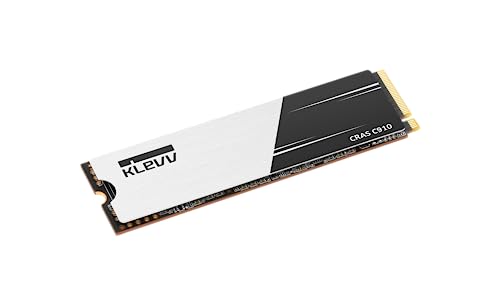
Klevv CRAS C910 2 TB M.2-2280 PCIe 4.0 X4 NVME Solid State Drive (K02TBM2SP0-C91)
idle nexus
you checked that it's seated in the M.2 connection correctly? tried other M.2 slots or anything? does BIOS see it?
acoustic palm
Huh
No I don’t need help I’m just saying that the amd discord has like some vendetta against it
 topaz crownBOT
Hello @acoustic palm! It appears that you're asking for help. Please ask again in the appropriate category so you can get faster help from people specializing in that field. Your question may not be answered here.
idle nexus
wicked oriole
Ehhh id have to see the pin to have a for sure determination
only thing I've found so far https://www.amazon.com/Chunsu-12VHPWR-Connector-Housing-4090Ti/dp/B0DPG9QDWV?

Black White PCIE 5.0 12+4Pin 16Pin Connector 12VHPWR 10pcs
Pls note: this link buy connector not include terminal pins, if need, could buy the pins in this link
Packing:
For connectors:10pcs 12VHPWR Connectors only
For the pins: 3.0+singal pins means 120pcs mx3.0+40pcs pin
Model Number : 12VHPWR...
 idle nexus
acoustic palm
No I don’t need help I’m just saying that the amd discord has like some vendetta...
idle nexus
acoustic palm
No I don’t need help I’m just saying that the amd discord has like some vendetta...
lol oh so it works fine?
acoustic palm
No I’m just saying
idle nexus
heck I'm not in the AMD discord I just noticed lol
acoustic palm
Another mod recommends it a lot
 balmy solstice
did someone say amd
idle nexus
balmy solstice
did someone say amd
I'm like uhh I'm confused https://www.amazon.com/Logitech-Webcam-C910-Cameras-Frames/dp/B003M2YT96

The Logitech HD Pro Webcam C910 is HD in every way. Record at Full HD 1080p or make a video call in HD 720p on most major IMs and Logitech Vid HD.
balmy solstice
are you really running a 3600x with a 9070xt
acoustic palm
balmy solstice
are you really running a 3600x with a 9070xt
No
wicked oriole
idle nexus
These would crimp fine with computer crimpers
acoustic palm
I have a 3600x + 3060ti system and my 9070xt is sitting in a box for my new system
idle nexus
wicked oriole
These would crimp fine with computer crimpers
I wonder if those are aluminum... copper & aluminum kinda suck together
 fresh nova
Guys
idle nexus
galvanic corrosion
wicked oriole
True
balmy solstice
idle nexus
I'm like uhh I'm confused https://www.amazon.com/Logitech-Webcam-C910-Cameras-Fr...
elgato will save you, you just have to let it
fresh nova
My laptop is locked to 59.9 Hz and not 144Hz
idle nexus
there's this crap we'd put on terminals when I was doing work on bridges...
fresh nova
Looks like it uses the internal graphics as a pass through on external HDMI & the NVIDIA processor is only active during a game.
balmy solstice
fresh nova
My laptop is locked to 59.9 Hz and not 144Hz
go to windows settings, display, advanced, hz
idle nexus

The Home Depot
Improve the efficiency of aluminum conductor connections by using this NOALOX Anti-Oxidant Compound from Ideal. Improves the conductivity.
fresh nova
balmy solstice
go to windows settings, display, advanced, hz
It's locked
idle nexus
that would be such a freaking mess tho don't try it lmao
fresh nova
Max I can go is 75Hz because it says the display is connected to internal graphics
And not the NVIDIA GPU
idle nexus
fresh nova
Looks like it uses the internal graphics as a pass through on external HDMI & th...
oh ya that's annoying as heck power saving crap
balmy solstice
yeah it's prolly that then
idle nexus
what the heck is that called again uhh
balmy solstice
plug in ya laptop
fresh nova
I'm thinking maybe the USB C to display port io port is what is connected to the dedicated GPU
 dense locust
balmy solstice
are you really running a 3600x with a 9070xt
dense locust
balmy solstice
are you really running a 3600x with a 9070xt
I’m running a 5600x with a 5080
idle nexus
I had this issue trying to run Oculus on my laptop once upon a time
dense locust

idle nexus
it's part of the notebook version of the driver
fresh nova
idle nexus
I had this issue trying to run Oculus on my laptop once upon a time
Well its obvbious this HDMI is directly wired to the internal graphics
balmy solstice
dense locust
I’m running a 5600x with a 5080
I'm gonna put you in the freezer
dense locust
balmy solstice
I'm gonna put you in the freezer
It’s fine wdym
fresh nova
So I'll have to return this USB C splitter and get a USB C to display port cord.
balmy solstice
dense locust
It’s fine wdym
idc still putting you in the freezer
balmy solstice
fresh nova
So I'll have to return this USB C splitter and get a USB C to display port cord.
yes
fresh nova
That should connect directly to the NVIDIA gpu right?
balmy solstice

fresh nova
I wish MSI had a diagram of how this laptop was wired
balmy solstice
what laptop do you have
idle nexus
I wonder if you use NVCleanInstall, if you could disable installing that part of the driver
fresh timber
Who wants ram
 dense locust
balmy solstice
idc still putting you in the freezer
dense locust
balmy solstice
idc still putting you in the freezer
 rancid juniper
fresh timber
Who wants ram
rancid juniper
fresh timber
Who wants ram
one of them is sus
fresh nova
balmy solstice
what laptop do you have
MSI Cyborg 14
rancid juniper
😂
dense locust
fresh nova
Cheap laptop with a 4060M
How does the 4060m compare to a 4060
idle nexus
fresh nova
Cheap laptop with a 4060M
in System>Display>Graphics>Advanced Display you can set GPU preference for individual games

 fresh nova
dense locust
How does the 4060m compare to a 4060
fresh nova
dense locust
How does the 4060m compare to a 4060
4060M is just the laptop card. They don't call it that anytmore but all M means is low power.
dense locust
fresh nova
4060M is just the laptop card. They don't call it that anytmore but all M means ...
I meant in terms of performance
fresh nova
idle nexus
in System>Display>Graphics>Advanced Display you can set GPU preference for indiv...
Yes but it doesn't fix the refresh rate.
balmy solstice
fresh nova
MSI Cyborg 14
has dp alt mode support
you should be good with the usb c cord
fresh nova
balmy solstice
has dp alt mode support
What is that I'm new to laptops.
Would that let me run 1440P at 144Hz?
acoustic palm
Now that I’m looking at it where tf does my psu go in my case
dense locust
acoustic palm
Now that I’m looking at it where tf does my psu go in my case
Inside the case
You’re welcome
balmy solstice
fresh nova
What is that I'm new to laptops.
it allows the laptop to transmit non USB signals, like video
acoustic palm
dense locust
Inside the case

Our new View 380 XL TG ARGB is packed with a bunch of new features to help your build stand out with excellent views of the products and cooling inside. With support for up to 360mm Radiators, 420mm GPUs, and support for up to ten 120mm fans there is plenty of space for whatever components you de...
fresh nova
dense locust
I meant in terms of performance
Oh way slower. All the laptop chips are way slower.
balmy solstice
or audio
acoustic palm
Where inside the case
fresh nova
balmy solstice
it allows the laptop to transmit non USB signals, like video
Crap but we still don't know if it can run 144Hz at 1440P
idle nexus
can you disable Optimus with NVCleanInstall?
dense locust
acoustic palm
https://www.amazon.com/Thermaltake-Included-Clearance-Connector-CA-11E-00M6WN-00...
Top left?
Just gotta look for the mounting
balmy solstice
fresh nova
Crap but we still don't know if it can run 144Hz at 1440P
are you trying to put it out to a monitor?
or a tv
fresh nova
balmy solstice
are you trying to put it out to a monitor?
Monitior
acoustic palm
dense locust
Top left?
Top left… 😭
balmy solstice
does it have a usb c port
fresh nova
I sold my desktop, or I'm selling it tomorrow so it's laptop life for me.

 acoustic palm
Wait
fresh nova
Theoreticaly even if it's the oldest display port it should be able to handle 1440P @144 hz.
dense locust
Dunno why Amazon doesn’t show the back for that color but whatever
idle nexus
fresh nova
Theoreticaly even if it's the oldest display port it should be able to handle 14...
which laptop btw
acoustic palm
Wha
fresh nova
idle nexus
which laptop btw
MSI CYBORG 14
balmy solstice
fresh nova
Yes

Cable Matters 20Gbps USB C to USB C Monitor Cable 3 ft / 0.9m with 4K 120Hz & 8K 30Hz, 240W Power Delivery, USB C Video Cable / USB C Display Cable with USB-C 3.2 20Gbps Data Transfer
fresh nova
The one with the 4060 not the 4050.
dense locust
That’s a weird psu location
balmy solstice
that should be good for you
acoustic palm
dense locust
That’s a weird psu location
Whatever
idle nexus
do you have stinky Dragon Center Installed?
dense locust
I mean I don’t think it’s bad just never seen it there before
acoustic palm
Can you like circle it with a big red circle I’m kinda blind
fresh nova
idle nexus
do you have stinky Dragon Center Installed?
I don't use softwares.
acoustic palm
Unless I’m missing smth
idle nexus
supposedly this helps
 balmy solstice
fresh nova
I don't use softwares.
balmy solstice
fresh nova
I don't use softwares.
hard only
acoustic palm
I’m actually blind
balmy solstice
I like it
fresh timber
fresh nova
I have do 1.4
fresh nova
Guess I'll go to Best Buy & return this USB C splitter.
fresh timber
fresh nova
Guess I'll go to Best Buy & return this USB C splitter.
It break?
 turbid violet
Guys… I might be dumb but… How do I connect to a network if it’s telling me to install network adapter drives?
balmy solstice
yeah you don't need that splitter
dense locust
acoustic palm
Yeah I found it
Too late I already circled it
 acoustic palm
dense locust
Too late I already circled it
acoustic palm
dense locust
Too late I already circled it
Yeah thanks
I was looking at white model and they don’t show that side
But hey it gets here later this week so 🙂
balmy solstice
also can you get me a cookie while youre out too 
fresh timber
Quok liked quoks
acoustic palm
fresh timber
Quok liked quoks
Huh
fresh timber
I can only use two fans, which ones should I use
 acoustic palm
fresh timber
I can only use two fans, which ones should I use
acoustic palm
fresh timber
I can only use two fans, which ones should I use
Top and bottom
fresh nova
fresh timber
It break?
No but this laptop only have one USB C port & now I need it for USB C to Display Port
idle nexus
fresh nova
Guess I'll go to Best Buy & return this USB C splitter.
lol what happens if you disable iGPU in Device Manager? actually maybe don't try that lol
fresh nova
idle nexus
lol what happens if you disable iGPU in Device Manager? actually maybe don't try...
Already tried it
Windows sets a default driver generic monitor driver.
It will not use the NVIDIA GPU directly.
I think it's legit wired to the iGPU first.
idle nexus
fresh nova
Already tried it
try nvidia profile inspector?
dense locust
You sure you saved it before restarting
fresh nova
Now I'm wondering if I just get the usb c to display port cable or get an adapter & use a cable I already have.
fresh timber
 fresh nova
One is cheaper.
fresh timber
fresh nova
Now I'm wondering if I just get the usb c to display port cable or get an adapte...
What usbc version if this port
dense locust
fresh nova
Already tried it
Oh nvm device manager does noting disable the igpu in bios
fresh nova
fresh timber
What usbc version if this port
They don't say.
fresh timber
fresh nova
They don't say.
Which laptop is it
idle nexus
fresh nova
They don't say.
 fresh timber
idle nexus
fresh timber
idle nexus
You seem like a 4070ti super type guy
turbid violet
#windows-ios If anyone has the time quickly for a small problem
idle nexus
fresh nova
They don't say.
dunno if any of these would actually do something & I can't remember what I did to make Oculus work on my 1660ti laptop without warning me that igpu didn't have enough horsepower constantly but might be worth a try
 idle nexus
fresh timber
I ment super
idle nexus
fresh timber
I ment super
lol aw shucks thanks
fresh timber
idle nexus
lol aw shucks thanks
When you overclocking a 5080
idle nexus
when it beats my 4090 without 4x frame gen
fresh nova
idle nexus
dunno if any of these would actually do something & I can't remember what I did ...
Thanks, I'll try this USB C to Display Port cord first. Maybe that's wired directly to the NVIDIA GPU.
For now I oculd play direclty off the laptop screen at 1920x1200 @144Hz
idle nexus
fresh nova
Thanks, I'll try this USB C to Display Port cord first. Maybe that's wired direc...
it's nvidia/windows nonsense to save power/battery iirc
fresh nova
Well the downside is if the monitor eats my USB C port then I'll have to use a USB 3.0 Splitter off of one of my USB A ports.

 random osprey

 north crescent
idle nexus
can you disable Optimus with NVCleanInstall?
north crescent
idle nexus
can you disable Optimus with NVCleanInstall?
Sure, but that wont change which GPU the USB C Display Ports are wired to
If you want to set per program GPU selection, prolly use Windows settings. If you want to always use iGPU or dGPU, prolly use Nvidia Control Panel or Nvidia App. Dont really need to uninstall Optimus drivers
It's like plugging a display into a desktop iGPU. Can still mess around with whether the program renders via iGPU or dGPU, but it will always be outputting via iGPU
dense locust
i aint watching the minecraft movie
looks bad
ill wait for the netflix animated show
i feel the mincraft movie will just be jackblack explaining every minecraft thing that shows up
nocturne flicker

 rancid juniper
 proud jackal
https://tenor.com/view/sunakook-cat-screaming-gif-25279230
proud jackal
https://tenor.com/view/sunakook-cat-screaming-gif-25279230
I AM STEVE THEO
 lone mango

 fresh timber
dense locust
<:Thonk:786997587668500491>
fresh timber
dense locust
<:Thonk:786997587668500491>
Right idea, wrong execution
lone mango
Get this man a gym membership 
fresh timber
lone mango
Get this man a gym membership <:applesob:1287972735808573481>
Maybe turn his Internet off to
 honest birch
dense locust
<:Thonk:786997587668500491>
honest birch
dense locust
<:Thonk:786997587668500491>
This gotta be satire
 elfin mural
i hope that's satire
 grand kernel
is the 9800x3d supposed to be hitting 97c with pbo off?
still seeing 5.2ghz all core
cooler is a pa120
playing cyberpunk at around 100w
nvm apparently the msi bios turned it back on and also turned scalar to 10x 💀
 ancient swift
dense locust
i feel the mincraft movie will just be jackblack explaining every minecraft thin...
ancient swift
dense locust
i feel the mincraft movie will just be jackblack explaining every minecraft thin...
Agreed
ancient swift
grand kernel
is the 9800x3d supposed to be hitting 97c with pbo off?
I feel like your cooler isn't mounted correctly. Mine stays high 70's under a more intense gaming load but is generally in the 50's with the games I play.
elfin mural
i'd suspect bad mount too
grand kernel
seems like it's actually just not possible to turn off pbo with this bios lol idk
I have it on with -30 all core now and I'm still seeing mid 70s
grand kernel
ancient swift
I feel like your cooler isn't mounted correctly. Mine stays high 70's under a ...
what power draw are you seeing at high 70s temp?
also, this 5070ti is ridiculous lol
+450 core in path traced cyberpunk?
but yeah idk this temp is fine but it feels higher than it should be

 hoary zodiac
amogus
grand kernel
it's very stable at ~130fps
grand kernel
decent amount better than i get out of my 13700k+4080
that runs around 115 fps at the same settings
elfin mural
the cpu does seem a bit toasty for 69w
grand kernel
yeah i've heard all about ryzen chips boosting to 95c opportunistically i just feel like this power draw is a little low for the temps i'm seeing
elfin mural
ya
hoary zodiac
elfin mural
nvidia drivers are a mess rn
I'm on linux btw
No issues
Nvidia is somehow making the Linux drivers look polished
🥱 thanks NgreedAI
grand kernel
that's an exaggeration
my linux install just forgot how to display 2 out of 4 monitors for a while
detected but black screen
elfin mural
572.xx branch is flaky atm overall
grand kernel
wasted hours trying to fix it
it's def not that bad on windows
but yeah kinda funny when nvidia is the one with the rep for stable drivers
hoary zodiac
This entire generation is a massive skill issue
grand kernel
but yeah im pretty sure im getting all the performance out of this 9800x3d at least so i feel like it shouldn't be a bad mount?
think the impact of a bad mount tends to be a bit more drastic
hoary zodiac
We ain't getting the good silicon
And like
Another issue is the price inflation
Gpus keep going up in price
elfin mural
grand kernel
but yeah im pretty sure im getting all the performance out of this 9800x3d at le...
tbh i wouldn't wory about temps as long as the cpu itself ain't throttling
grand kernel
i will say without the CO -30 it was basically pegged at 97c in cyberpunk
hoary zodiac
$1000 is like the mid point too
grand kernel
but was still performing exactly the same
 tranquil pebble
700 used to be enthusiast class
tranquil pebble
inflation isnt THAT bad...
tranquil pebble
least for Nvidia pricing
 limber crane
Cool name for a shipping facility
 lone mango
Kwai chung
Kwai chung
A 1080ti today would cost at least $910
Evga 1080ti sc2 would be $940
wicked oriole
Guy i have a question lol plz don't judge
I got a 5090, do I have to use these to prevent death
 elfin mural
no
wicked oriole
Or is this 600w adapter off my psu good?
wicked oriole
 wicked oriole
Bringing on the heart break
lone mango
lone mango
Evga 1080ti sc2 would be $940
Gigabyte aorus would be $975 and evga ftw3 would be $1015
elfin mural
adapter or not
there's a chance for it to melt
the connector design is so bad it's a hazard
wicked oriole
Why they didn't test amperage and go w a bigger wire is beyond me
elfin mural
now your house won't light up on fire, but it'll be a pain to rma it for sure
if it melts during warranty
elfin mural
wicked oriole
Why they didn't test amperage and go w a bigger wire is beyond me
the upsetting thing is that the connector can let one tiny wire in the cable run 20+ amps
so they heat up until they melt
wicked oriole
elfin mural
the upsetting thing is that the connector can let one tiny wire in the cable run...
Yup I saw, then someone told me it was 16 Guage like bro... why they didn't use 14 is beyond me
lone mango
Doesn’t even matter if it was thicker wires because of no current balancing
tranquil pebble
elfin mural
and that's asking for problems
begging more like
lone mango
However 2x6 has a much more solid connection
elfin mural
tranquil pebble
begging more like
yeah
lone mango
You gotta undervolt that card
elfin mural
begging would be the better word
idk why pcie-sig didn't even think to
put a sense pin in the connector
so that the gpu knows something's up
and tells the psu to shut off
lone mango
It does but it doesn’t matter because one power rail is now used instead of 3 on the 30 series
elfin mural
sadge
wicked oriole
Is it bad if I didn't uninstall the prior gpu driver? Or just wait to plug in display ports and use integrated gpu to delete?
lone mango
Attention all 5090 owners please undervolt
elfin mural
wicked oriole
Is it bad if I didn't uninstall the prior gpu driver? Or just wait to plug in di...
you can run ddu if you want
lone mango
Did you upgrade from nvidia
wicked oriole
I mean the previous driver will need un-installed anyway
wicked oriole
lone mango
Did you upgrade from nvidia
Yes
lone mango
When I got my 6700 xt I just updated to the newest driver and I have no problems
elfin mural
if you're on the newest driver and is currently upgrading to the 5090
it shouldn't have any issues
lone mango
wicked oriole
Yes
Should be ok
wicked oriole
Ok dope ty guys
wicked oriole
All new to me but im learning so ty
lone mango
wicked oriole
All new to me but im learning so ty
The ULTIMATE Guide to UNDERVOLTING Any GPU in 2024 👍 25% discount code for software: PAN20
Windows 10 Pro OEM Key (17$): https://www.whokeys.com/wk/Panjno10
Windows 10 Home OEM Key( 14$ ) : https://www.whokeys.com/wk/Panjnohome
Windows 11 Home OEM Key( 21$ ): https://www.whokeys.com/wk/Panjno11
Windows 11 Pro OEM Key( 17$ ): https://www.whok...
All good
wicked oriole
Fan still clears this gonna be okay? Lmao
 elfin mural
should be ok
limber crane
elfin mural
only one wire is fed all the amperage
this is true for all 5X cards right
elfin mural
true for all 5x cards with the 12vhpwr
but the lower you go in the tier, the lower risk you run
5070ti is considered "at risk"
5070 is safe
limber crane
fun, guess ill plan to never leave my pc running 😄
wicked oriole
Will i need to do a ddu anyways or is the driver good across all nvidia cards?
proud jackal
id reinstall drivers
limber crane
after seeing how BB shipped my mobo, not sure id ever buy a gpu from them
wicked oriole
Also another dumb question, it has 2 vbios, but they're just prongs? What do those go to?
balmy solstice
wicked oriole
Also another dumb question, it has 2 vbios, but they're just prongs? What do tho...
what gpu do ya got
wicked oriole
balmy solstice
what gpu do ya got
Astral 5090 😅
balmy solstice
you dont really need to do anything with them unless you want to
wicked oriole
Rough buy, but only 3 in my MC and I could for the most part swing it
Stood there debating for a solid 30 minutes but in pretty sure I'm set for a decade besides cpu wayyyyy later on
balmy solstice
well
you will not be left behind as per jensen's words
I personally am going for a 5080 and waiting for NTC to move on from the 4090 beta
95% vram reduction along with stupidly high stock in march
wicked oriole
I went for a 5080 to just hold me over so I would have something so I could slowly tear apart my current pc to hand off to my Lil brother, but they had that so the debate began lol
And idk how much crazier tarrifs are gonna get so yeah
balmy solstice
well most of the 5090's are at a 20% increase over their original prices
so probably higher
 sinful blade


 limber crane
lone mango
https://www.youtube.com/watch?v=KPR06CxysMw
limber crane
lone mango
https://www.youtube.com/watch?v=KPR06CxysMw
this is by far the best video ive seen on doing this
 bronze fern
for people who live near microcenter at fairfax, VA
 limber crane
lone mango
Hope brotha watches it
limber crane
lone mango
Hope brotha watches it
it's gonna be the first thing i do when i do my build lol
dense locust
Nobody lives near microcenter at fairfax, VA
bronze fern
dense locust
Nobody lives near microcenter at fairfax, VA
i do
25 people in line
5 astrals LC
5 astral non LC
2 suprime MSI
2,8k price
good price
but the asus astral LC is too expensive... almost 4k
people left 😭
wicked oriole
Anyone got any idea why a 3900x and 3080 ti would keep bsod/booting on windows and in video editing? It's someone I knows computer but I can't see it
dense locust
$800 above msrp = good price
lone mango
Incredible

 dense locust
Good luck
dense locust
I can’t see why anyone wants to pay $2000 more for a card
bronze fern
dense locust
I can’t see why anyone wants to pay $2000 more for a card
liquid cooling
and if you can afford it

im returning my 9070xt
it's fine but 5090 is what I aim for
dense locust
liquid cooling is only for aesthetics
icy ore
Oop
 bronze fern
dense locust
liquid cooling is only for aesthetics
bronze fern
dense locust
liquid cooling is only for aesthetics
yeah
dense locust
icy ore
Oop
Imaginary value card
sinful blade
bronze fern
im returning my 9070xt
Return it to me
dense locust
Gamers when they spend $2200 MORE on a gpu nobody needs
wicked oriole
Anyone got any idea why a 3900x and 3080 ti would keep bsod/booting on windows and in video editing? It's someone I knows computer but I can't see it. they say they have 30gb of ram in task manager and also the ram timing is correct i can send list if needed
they said all drivers are up to date as well
dense locust
Is anything overclocked
frigid stag
memory error probs
dense locust
How many monitors you got
wicked oriole
they have 2 but turned 1 off and still doing it
frigid stag
good excuse to upgrade cpu and ram xdd
dense locust
Won’t help if it’s the gpu
wicked oriole
yeah they did say they thought it was a cpu bottle neck
dense locust

frigid stag
bottleneck wont cause bluescreen
wicked oriole
yeah thats why i asked why he thought it was a bottle neck then told me that
dense locust
I mean you can check blue screen logs if that’s any help
wicked oriole
thats valid but idk if they know how
wicked oriole
ill ask him to give it a run when he has free time then see what event viewer says and come back
wicked oriole
i know when my pc crashes because ofthe driver it wont show a blue screen
it happened one time and scared tf out of me
wicked oriole
im thinking more ram than anything and they said they bought new sticks but that is valid as well idk how long they've had it
bronze fern
sinful blade
Return it to me<:jensen2:750957116017344513>
Nah I'm good 😊
 lone mango
wicked oriole
Anyone got any idea why a 3900x and 3080 ti would keep bsod/booting on windows a...
lone mango
wicked oriole
Anyone got any idea why a 3900x and 3080 ti would keep bsod/booting on windows a...
Maybe out of vram
That card has 12 gigs
Should tell to remember the stop code
Whenever windows bsods it shows a stop code you can look up
 mortal grail
Reliability report is the best way to check
Built in windows tool
Organises all bsods and critical events into one application instead of sifting through event viewer
lone mango

wicked oriole
Ooooo I thought it had more vram, makes sense now lol
lone mango
Yeah nvidia moment
Got a 6700 xt for 250 including shipping and tax and it has 12 gb

bronze fern
jesus
 ancient swift
Oh you bought an astral 5090?
 last mango
Hi chat, anyone ever pay for Fraps paid verison? If so, what's the difference over free version.
I can see the paid version shows no watermark if screenshots are captured, as well video records.
ancient swift
Is fraps better than just recording with Obs?
bronze fern
astral crazy price
dense locust
Nobody should buy an astral
mortal grail
The best thing about astral cards are the names
People who buy them are either astralnomically dense or make astralnomical amounts of money to ever care about the price
dense locust
mortal grail
People who buy them are either astralnomically dense or make astralnomical amoun...
“I want the best 5090”
“Im too rich to understand your poor”
mortal grail
dense locust
We all know price = performance
Lambo owners when the soapbox civic slaps them by twice the speed in a drag race

frigid stag
civic owners when they get gapped by an m5 comp
mortal grail
Hey man
If you hear any car with the right turbo
You ought to be scared lmfao
It's one of the golden rules 💀
 mortal grail
Ah ok
frigid stag
different server probably or they got banned already
i got one from someone called “elon reeve musk” the other day 💀
mortal grail
He's finally coming to au?
 hot pumice
around that time
mortal grail
He's been saying he's flying here for like 2 years
balmy solstice

mortal grail
I wanna take him on a cashies run
hot pumice
cash converters?
i have one like 15 mins from my house ill pop into everytime im near it
i dont think ive ever bought anything there in like the 10+ years ive went there
mortal grail
Hell yeah

Extra vids for Floaties! https://www.floatplane.com/channel/TheTrashNetwork/home
Car Channel: https://www.youtube.com/channel/UCHdpnvKJDijKNe2caIasnww
Game Channel: https://www.youtube.com/@HelloImGaming
Drum Channel: https://www.youtube.com/@the.drum.thing.
Custom iPods by Elite Obsolete: https://eoe.works
hot pumice
cash converters has never had anything priced well lmao
how do they even make money tbh
$10 poopy monitors maybe can be worthwhile
mortal grail
I shop there like once every 2 years
Lol
More cos I just wanna see burtoes reaction
💀
I bought a used cablemod set from there for like $30 a few months back
It was brand new inside
dense locust
mortal grail
https://youtu.be/8trRQreM_J0
Dankpods that’s the 100th time this decade you brought out “cashies special” for show and tell
north crescent
frigid stag
discord scammers are getting wild 💀
$500 weekly for a platonic LDR 💀
mortal grail
dense locust
Dankpods that’s the 100th time this decade you brought out “cashies special” for...
I love it
north crescent
I wonder if scam is reverse money transfer thing. Pretend that you send a request for giving money when it's actually a request for taking money.
limber crane
ohh $1199 pny 5080 tempting
mortal grail
Ew
limber crane
but its from best buy, after how they treated my mobo i dont think ill buy components from them again
dense locust
Yeah needs to be at least $1400
limber crane
mortal grail
You're barely ahead of a $900 5070 Ti lol
which is what i bought
mortal grail
Ik that's why I mentioned it lol
limber crane
but the 5080 is better, so wouldnt $200 more for more performance be not so bad?
dense locust
$300
mortal grail
5080s are worth about 1050 at most
5070 Ti you could argue over 800 depending on the game
But realistically you want msrp for either
dense locust
mortal grail
5080s are worth about 1050 at most
Therefore 5090s are worth 2100 
mortal grail
Sure
dense locust
Too bad they are going for $3k-4$k
honest birch
young pulsar
Segotep GM rating?
Segotep isn't good
mortal grail

 dusk knot
Get a 5080, guys. Best card.
hot pumice
no, i dont think i will 
dense locust
dusk knot
Get a 5080, guys. Best card.
Why do I need to get 50 of them?

 elfin mural