#general-chat
1 messages · Page 257 of 1
 safe cape
 frosty sinew
is 3700x decent compared to 5700x
@mortal grail nice 5700x guy got back to me
200cad i can prob get lik 175
safe cape
frosty sinew
is 3700x decent compared to 5700x
i think worse than 5600x
frosty sinew
oof
 sinful blade
@mortal grail can you do a small favour
Can you make me a build for $900 and a build for fiancé at $800
 warped crest
how did my c drive go from 182-178 gigs... ik storage fluctuates but damn
 last mango
TV was fixed.
 proud jackal


 dusk knot
🤔
 keen vapor
Can anyone provide some help
 wind quail
keen vapor
Can anyone provide some help
wind quail
keen vapor
Can anyone provide some help
You might wanna provide details and I recommend we pop over to #building-and-recc-chat
keen vapor
Bet
 rancid juniper
the 0x129 microcode update is insane, i managed to pull a greater undervolt @grand kernel @idle nexus @mortal grail

gonna see if i can go lower
 safe cape
red or blue ?
proud jackal
Blu
safe cape
good
dusk knot
violet
safe cape
good
rancid juniper
ok it went down to 131w


 idle nexus
 mortal grail
Hahaha
mortal grail
Hahaha
free AMD Zen 3, 4, & 5 performance uplift apparently https://community.amd.com/t5/gaming/ryzen-9000-series-community-update-gaming-performance/ba-p/704054

AMD.com
The new “Zen 5” architecture first introduced in high end laptops earlier this summer is now available in a full stack of desktop processors with the AMD Ryzen 9000 Series. And while “Zen 5” is delivering leadership performance across content creation, productivity and AI applications, we’ve heard f...
 wary fjord
idle nexus
free AMD Zen 3, 4, & 5 performance uplift apparently https://community.amd.com/t...
wary fjord
idle nexus
free AMD Zen 3, 4, & 5 performance uplift apparently https://community.amd.com/t...
cant feel it
 misty sparrow
you feelin it now, mr krabs?
idle nexus
lmao we need to talk https://en.wikipedia.org/wiki/Rachael_Gunn
Rachael Louise Gunn (born 2 September 1987), known competitively as Raygun, is an Australian academic and competitive breakdancer. She is a lecturer in the Department of Media, Communications, Creative Arts, Language and Literature at Macquarie University Faculty of Arts.
Gunn gained media attention after competing in breaking at the 2024 Summe...
idle nexus
wary fjord
cant feel it
memory integrity disabled...?
 deep parcel
thats kinda insane that it has so many reviews in the past 3 days
 sinful blade
idle nexus
free AMD Zen 3, 4, & 5 performance uplift apparently https://community.amd.com/t...
sinful blade
idle nexus
free AMD Zen 3, 4, & 5 performance uplift apparently https://community.amd.com/t...
Where
idle nexus
sinful blade
Where
lol uh did you read it?
the Windows Insider Preview ISO
supposedly has like optimizations for branch predictions
can you tell I'm parroting what I heard? I don't actually know what that means; how it would help; or whether it even could help lol
 gentle canyon
whoever remembers my audio issues ive been having
i plugged in different headphones
and i have audio in the games that werent working
like my old turtle beach ones i used with my xbox
sinful blade
idle nexus
lol uh did you read it?
I didn’t read
I’m dumb
idle nexus
sinful blade
I didn’t read
I’m dumb
TLDR just read here
 sinful blade
Thought that was just for 9000
 opaque sedge
How tf do u beat the valkyries in god of war
I have to go to easy mode and it still takes me 10 tries
sinful blade
Yolo it
opaque sedge
opaque sedge
I have to go to easy mode and it still takes me 10 tries
And i have to revive each time

 granite estuary
Hello
granite estuary
opaque sedge
https://tenor.com/view/god-of-war-kratos-gif-27114594
Thanos
wary fjord
screen rant wants diversity in this game lol xD

why is that even a xD requirement in a game
rancid juniper
there are a bunch of animals and mythical entities in the game
what are they smoking is beyond me
 tacit geode
 last mango
So an update for the LG TV. Techician said something inside the TV came loose
But alas it's fixed
rancid juniper

 empty tide
Thanks windows I hate it

 craggy shoal
empty tide
Thanks windows I hate it
craggy shoal
empty tide
Thanks windows I hate it
Am I blind? What's wrong with it?
rancid juniper
craggy shoal
Am I blind? What's wrong with it?
i think task manager tricked him
it seems that he's running 32gb ram instead of 64
supposed to be something like this
 rancid juniper
heh
 rancid juniper
hol up
empty tide
64 gb installed. Bios shows 64 gb. Windows says there's 64 but 32 is ""hardware reserved""
empty tide
rancid juniper
i think task manager tricked him
Its ether windows not allowing me to use the other 32gb of ram, or something is damaged on my motherboard because I can confirm all 4 sticks work, and are the same make model and speed
 storm narwhal
 paper verge
yall know if VIA-programmable stuff are also available on linux?
paper verge
yall know if VIA-programmable stuff are also available on linux?
Via is just done through the browser
Chrome specifically
paper verge
storm narwhal
Via is just done through the browser
ah nice thnx
tacit geode
rancid juniper
hol up
connectx4

NVIDIA
ConnectX-4 Lx ethernet adapter is a cost effective solution, delivering performance, flexibility, and scalability. The NVIDIA ethernet adapter provides support for 1, 10, 25, 40, and 50GbE bandwidth, sub-microsecond latency and a 70 million packets per second message rate.
tacit geode
goes from my desktop to server
then my server connects to my switch which connects to the rotuer which connects to the ONU which provides all the interwebs
at 2.2GBPS
 frail cypress
Anyone here use a Acer Nitro V?
tacit geode
some will say overkill
rancid juniper
i see...
rancid juniper
empty tide
Its ether windows not allowing me to use the other 32gb of ram, or something is ...
i guess check system info
 tacit geode
frail cypress
Anyone here use a Acer Nitro V?
tacit geode
frail cypress
Anyone here use a Acer Nitro V?
no but whats the question
rancid juniper
tacit geode
<@255061019322351618> https://discord.com/channels/820480882250481664/1222899751...
thats alot of tests heh, very quick speeds
 rancid juniper
ye
idle nexus
wary fjord
why is that even a xD requirement in a game
they should've included other animals ig
idle nexus
tacit geode
https://www.nvidia.com/en-us/networking/ethernet/connectx-4-lx/
does this make your GPU run at x8?
idle nexus
tacit geode
https://images.morrenus.xyz/reku3/FinEDoPE72.png
Palworld FTW
except I have stupid GamePass version
so none of the .pak mods work right lately
idle nexus
cuz some IO Store thing they changed to on GP version but reverted on Steam version
 idle nexus
.lua mods work fine but .pak is .b.o.r.k.e.d
idle nexus
tacit geode
it was 16
it's fine that's just it chillin cuz it's not doing anything
if you click that little questionmark there
idle nexus
you can run a like tiny render thing so it'll show you what it runs at when it's actually doing something
 tacit geode
still showing 4
tacit geode
i read it backwards
idle nexus
mine just started 2nd grade
tacit geode
i also run z790 so maybe thats why it doesnt go down?
idle nexus
don't worry it sucks but it doesn't last thaaat long
tacit geode
cause that network card is running at x8 too
idle nexus
damn that's pretty nice
what if you like, put all 4 LAN connections from your router? would that make it any faster? lmao
tacit geode
its 2x sfp
so it wouldn't do anything
at most i could do full 50gbps from server
 idle nexus
I've been meaning to set up a server lol
tacit geode
mines on a 5900x and i still want to switch to something with IGPU
but havent done it
server has 72tb storage too
128gb ram and 4tb nvme for game servers
idle nexus
tacit geode
https://images.morrenus.xyz/reku3/JepAdezi82.png
kicking my ass lmao
 idle nexus
what games do you host?
craggy shoal
tacit geode
mines on a 5900x and i still want to switch to something with IGPU
Worth it
idle nexus
I had a 5900x MC server for like 3 days lol
craggy shoal
I want to make another MC server but I’m waiting for my friend group to get back together
tacit geode
@idle nexus https://images.morrenus.xyz/reku3/sUWeJIZi85.png what do you think
 tacit geode
idle nexus
what games do you host?
tacit geode
idle nexus
what games do you host?
Minecraft Satisfactory and 7DTD
 icy ore
craggy shoal
I want to make another MC server but I’m waiting for my friend group to get back...
icy ore
craggy shoal
I want to make another MC server but I’m waiting for my friend group to get back...
we're terrible about starting a MC world and playing for like a couple weeks and then never touching it again
put all that time and effort into it for nufin
idle nexus
tacit geode
<@808772530017665024> https://images.morrenus.xyz/reku3/sUWeJIZi85.png what do y...
425w TDP?
craggy shoal
I could host a server for Newegg but I would probably break this server’s rules in the MC server lol. It would have to be a sub server but I’d imagine that would also be against Newegg’s rules lmao
tacit geode
craggy shoal
I could host a server for Newegg but I would probably break this server’s rules ...
no real worth
i had one up afte rforks took down
and it sat empty for 4-5 months
 light egret
Yeah there was one up a long time ago as I recall
idle nexus
this 3080ti is 400w & I always have it at max which is 450w
 craggy shoal
I remember that one lol
 idle nexus
my 4090 hit 746w
craggy shoal
I mean I could host one but it would be in a sub server
tacit geode
i could too atm since i have ways to mask my ip better now
craggy shoal
I would just host mine via Tailscale lol (more secure this way imo)
tacit geode
right now its sitting at 475

also this is funny tho...
50 more watts 4 degrees more
craggy shoal
tacit geode
50 more watts 4 degrees more
damb what kind of cooling are you using? 💀
tacit geode
3090 has that 360 rad
craggy shoal
Gotcha that makes sense
tacit geode
the case is a neso p1 from gamdias

NESO P1 full-tower chassis comes with a dual-chamber design and unique trapezoidal shape to showcase your hardware in style while providing robust functionalities and features for professionals.
still need to clean the case and take pics
light egret
man So I bought this Razr+ 2023 phone a while back and the first one screen broke (not because of me, like it glitched out) in a month, so I returned it but had to pay like $325 to get a replacement. The new one charger port broke after a week. I left it and just used wireless charger cause I wasn't gonna pay another 325 for this dumb phone. I finally decided to just buy a port replacement and replace it myself. I've done charger replacements before as well as many other phone repairs and never had an issue. It came apart and went back together super smooth, no issues. Charger works now. But neither of the screens work at all now. The screen stuff is all in the top half which I did not take apart. I've done everything I can think of to fix this stupid thing and now its a $1000 paperweight. 😩 or $1325 if you count the replacement cost of the original. I'm never buying Motorola again.
idle nexus
I need to take my GPU out & redo memory pads
light egret
you gotta go to headquarters to find light switches in order to turn em off
now imagine someone so mad at intel they just sneak in and just keep turning off lights around the office building
rancid juniper
 rancid juniper
AMD 9000 series didn't get a good look after launch
very little improvement it seems
tacit geode
well better than a slowly degrading 13700kf
tacit geode
best part i just need to swap my motherboard and cpu
no ram needed to swap
maybe cooler
tacit geode
tho tbh kinda wish there was a x3d version taht would be worth getting
is there?
i dont really follow stuff anymore
7000 series?
idle nexus
tacit geode
is there?
7800X3D remains king afik for gaming
tacit geode
ok i may look into getting that as a replacement
idle nexus
now whether that changes when 9000X3D launches remains to be seen
tacit geode
is there an eta on that?
idle nexus
given that the 9xxx non-3d haven't been all that impressive
tacit geode
what motherboard would you go with
ah crap i realized something
i have 4xnvme in raid 0
ASUS TUF GAMING X670E-PLUS
seems good
rancid juniper
tacit geode
what motherboard would you go with
we may get a 9000 x3d chip maybe late this year
honestly amd should've released the x3d lineup first
._.
idle nexus
there are 4 NVMe slots in my X670E Taichi that's reasonably priced
tacit geode
idle nexus
there are 4 NVMe slots in my X670E Taichi that's reasonably priced
yeah the x670e plus has 4
idle nexus
X870E should be out soon but the only advantage to it is newer USB thing
 fair onyx
@idle nexus Please help me... If you can. Remember the GPU mem bluescreen issue?
well, its back, and its not going away...
light egret
have you checked for gpu driver updates
light egret
what is the actual error code
fair onyx
MEMORY_MANAGEMENT
this is the third time its happened. 1 time a week ago, and 2 times back to back now
Ok, just happened a third time in a row. So 4 times now
light egret
try MEMTest86 and make sure you get 8 full passes
fair onyx
As much as I have avoided doing that, looks like it's my only option. Time to find out if I need to buy RAM I can't afford, an Mobo I can't afford, or a new GPU I can't afford
light egret
you could also check event viewer, click find, and search for memory diagnostic and see if there are any errors.
windows logs>system, then click find
fair onyx
Oh god, my event viewer is an absolute nightmare of errors and warnings

oh my godddd, thousands and thousands of them
empty tide
Oh dear
fair onyx
16,345 events
empty tide
Event viewer jumpscare
fair onyx
I don't even know what to do right now
I already know either my RAM or my Mobo is faulty
light egret
check to see if you have any windows updates
fair onyx
 light egret
ok did you get any ram errors in your thing
fair onyx


 light egret
that's when you search for memory?
fair onyx
I have no idea how to even search in here 😓
fair onyx
light egret
windows logs>system, then click find
oh, this
sorry
The computer has rebooted from a bugcheck. The bugcheck was: 0x0000001a (0x0000000000042001, 0xffffad8eda486650, 0x0000000000000000, 0x0000000000000000). A dump was saved in: C:\Windows\MEMORY.DMP. Report Id: abe893cb-8ce4-413a-be52-87ffea326a32.
light egret
yeh cause I have some errors in mine too all throughout but my pc work fine
fair onyx
yeah, but do you have like... 100 in one minute?
light egret
no 😅
here is a list of things you can try: https://www.drivereasy.com/knowledge/memory-management-blue-screen-of-death-on-windows-10-solved/#f1

Solved MEMORY_MANAGEMENT blue screen of death BSOD error on Windows 10 in three major ways and a couple of effective moves fast and easily.
if those don't work I would do memtest, then if that doesn't help or fails, take a stick of ram out, check, then swap, then check, then if you have alternate gpu or integrated, check without gpu, etc
fair onyx
I would not be surprised if it is GPU driver related. I have been apprehensive to upgrading my GPU driver, as this is the ONLY ONE I have found that doesn't have dual GPU IO drop out issues
fair onyx
yeah
light egret
why
fair onyx
Machine learning and AI tasks
light egret
oh neat
fair onyx
I am trying to get a second 3090, but I am worried this 3090 is dying
fair onyx
4090 is meh for AI
light egret
lol it was a joke
fair onyx
4090 is a horrible value
its a ever so slightly faster 3090 that costs like 3-4x as much
I have a 3090 and a 3060ti at the moment
light egret
I could be wrong but I believe windows doesn't play well with dual gpus so that might be your issue
fair onyx
I have had it like this for over a year, and I have had some IO issues for a while, but that was NVIDIA driver related (its no better on Linux)
I just happened to update to this driver, which hasn't had any of those issues, but I am worried there might be something wrong with it
aside from that, there is for sure something wrong with my Mobo/RAM, that I know for a fact
fair onyx
I will update my GPU drivers. Even if it causes IO issues, I would rather that than not being able to use my PC at all
fair onyx
tacit geode
do you ever not have issues?
I had a long stretch of no issues. Like 2 years, and then since I have had a dual GPU system, I have occasional pop ups of issues
tacit geode
nvidia's site sucks for gpu drivers now
jesus christ

NVIDIA
Download the latest official NVIDIA drivers to enhance your PC gaming experience and run apps faster.
fair onyx
I had the IO issues, which are well known and just a down side of having dual GPU
And now I am having my mem and (potentially) GPU issues at the same time
idle nexus
fair onyx
<@808772530017665024> Please help me... If you can. Remember the GPU mem bluescr...
my bad I was going to war with a Roku real quick
I think it's time for update lol
what's the issue? what does event viewer say?
 north crescent
tacit geode
nvidia's site sucks for gpu drivers now
north crescent
tacit geode
nvidia's site sucks for gpu drivers now
nvcleanstall is best
 fair onyx
@tacit geodeI don't even remember you by the way. Did you used to go by something else?
tacit geode
Dallas
fair onyx
oh, right
 idle nexus
what do Service Control Manager ones say?
fair onyx
 rancid juniper
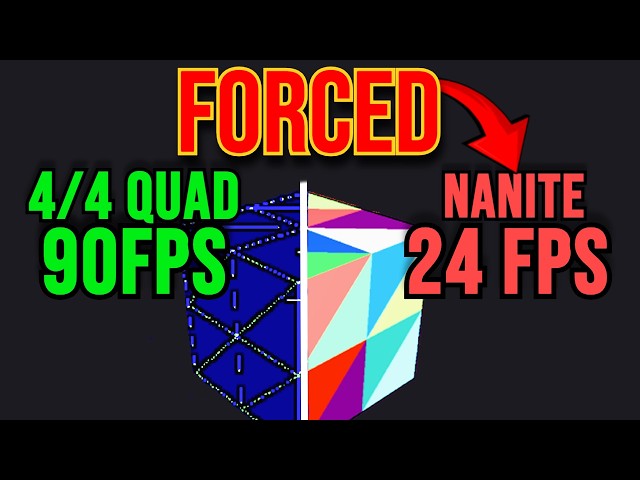
In this video, we dive into how Unreal Engine 5's Nanite technology is dragging down your game's performance and debunk misleading claims made to convince you it’s superior to traditional rendering.
This is a crucial topic for both gamers and developers and we offer a unique insight that aims to change how you understand mesh rendering and pote...

 fair onyx
I am so overwhelmed with what to do. All of these issues just kinda sprung out of nowhere. I assume they are all related to my mobo/RAM being faulty, whichever one is the culprit
idle nexus
in Windows update, what's installed recently?
these people are complaining it's the result of an update
note the date in the picture lol
fair onyx
this general error happened a week or two ago for the first time, and then stopped
and now its doing it non stop back to back
and my RAM started disappearing like... 2-3 months ago?
tacit geode
well
i have tons of errors too
related to other things
mostly the fact that windows wants to control rgb for a device thats disconnected
XD
idle nexus
DistributedCOM? I hate those cuz they're nonsense lol
idle nexus
fair onyx
and my RAM started disappearing like... 2-3 months ago?
sorry, remind me again which CPU?
fair onyx
12600k
light egret
yeah I got a ton of distributedcom errors lol
idle nexus
those are just permissions nonsense
tacit geode
Metadata staging failed, result=0x80070490 for container '{00000000-0000-0000-FFFF-FFFFFFFFFFFF}'
wat
i think its fine
i have a bunch of those now too
tho i just updated drivers
 idle nexus
fair onyx
12600k
idle nexus
fair onyx
12600k
hmm you might wanna bump system agent voltage in BIOS a tad bit... have you cleared CMOS & reenabled XMP or anything like that to see if it helps?
heck I just randomly lost internet
computers are heckers
fair onyx
idle nexus
hmm you might wanna bump system agent voltage in BIOS a tad bit... have you clea...
I can;t change voltage at all on this mobo, and I haven't done XMP again cause every time my other half of my RAM dies, it resets
tacit geode
fair onyx
I can;t change voltage at all on this mobo, and I haven't done XMP again cause e...

what kind of motherboard do you have?
dell?
idle nexus
tried swapping the DIMMs into different slots to see if it's the DIMMs themselves?
fair onyx
tacit geode
https://tenor.com/view/bunnies-what-confused-meh-gif-12007368131756137942
Its intel B760. I can't over volt, under volt, power limit change, boost change, anything. I can basically look at my CPU name and thats it
tacit geode
well some of those start at 150?
idle nexus
do they still make H boards? B760 shouldn't be that limited
tacit geode
only $300+ motherboard i own is a x570master
fair onyx
I have the mobo I have
fair onyx
I haven't checked particularly recently
it was like... 8 months ago?
but I don't think a behind BIOS will suddenly start not working, if the issues wasn't there from the start. Might be wrong on that tho
fair onyx
I am gonna be doing memtest now
fair onyx
oh, I need a USB flashdrive. I don't have one of those at the moment 😭
light egret
BSOD
fair onyx
tacit geode
what exactly is happening?
2 separate (I think) issues
light egret
MEMORY_MANAGEMENT error
tacit geode
ok i mis understood
idle nexus
it's not an H610 board so it shouldn't be really bad
tacit geode
i thought it was related to the eventviewer
so i was so confused you were going this all out for those errors
light egret
the event viewer was just to hopefully see what was going wrong. Event viewer said "yes"
idle nexus
what the heck
I keep losing internet & reconnecting... dunno why I'm trying to send this since oh wait it's back
 fair onyx
1: Half of my system memory just vanishes sometimes when I start my PC. It shows only 1 stick installed, it disables XMP, and it doesn't even throw an error or anything
2: My GPU keeps causing BSOD's for mem management whenever its VRAM capacity gets above ~11GB. I am not sure if that is because the GPU is hitting a specific limit, or the system RAM has issues, which is being tripped up on it
light egret
it sounds to me like it's time to just burn it and build a whole new one
tacit geode
how much mem does the gpus have
fair onyx
24GB
rancid juniper
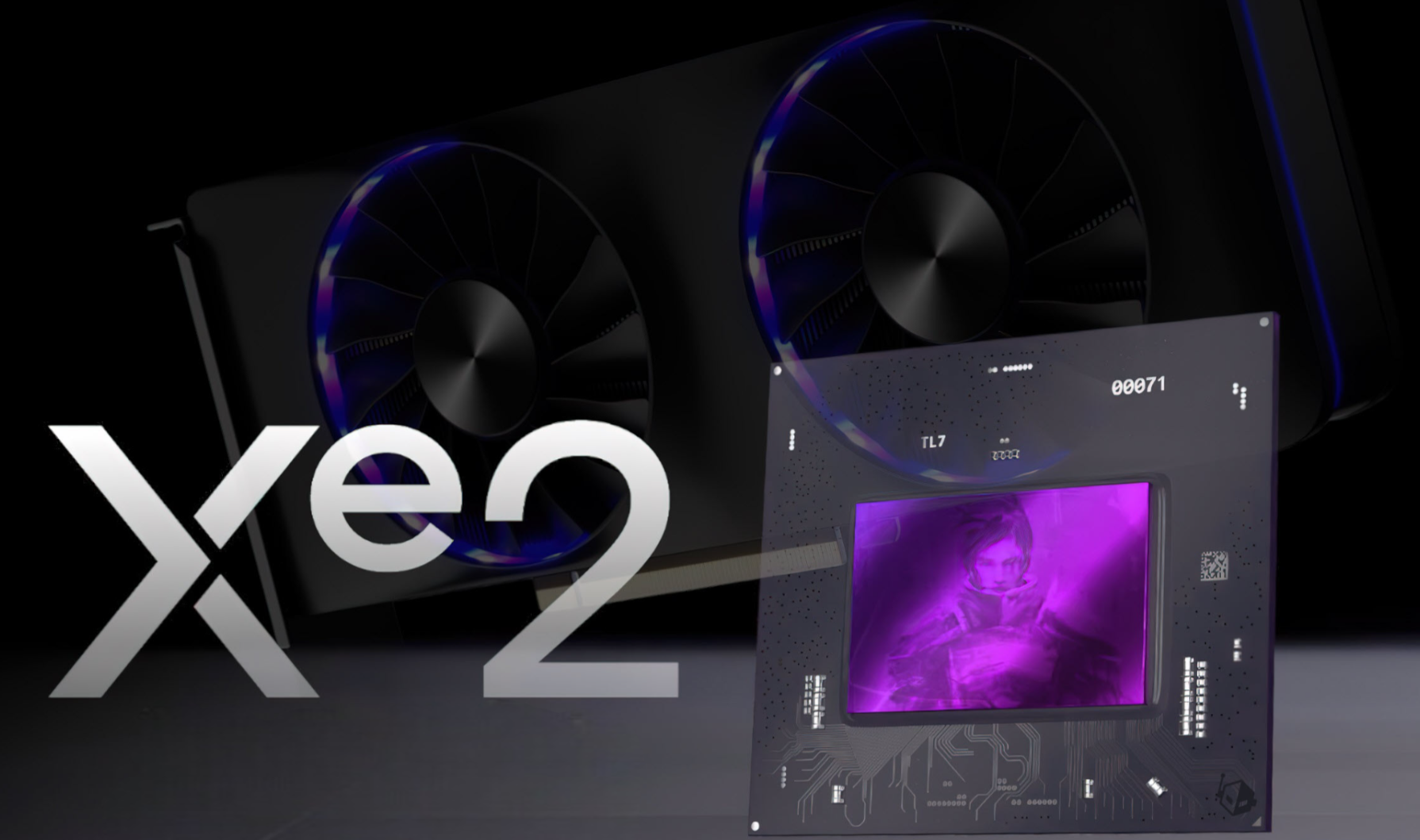
Wccftech
Intel is ready to enter the market with its 2nd Gen Arc discrete GPUs codenamed Battlemage, powered by the Xe2 core architecture.
yes
YES
fair onyx
It shows as still having 24GB, but in programs that use CUDA allocation, it will say insufficient space
For example, an error I got was along the lines of:
CUDA DEVICE OUT OF MOMORY. Tried to allocate 20MiB, available capacity 12.7GiB, insufficient space
 wide jolt
Anyone know where to get a recommendation for a good gaming PC that wont be out of date in a year, etc? Want to run Raft, Gmod, AW2, RDR2, Res Evil
fair onyx
so it will say I have 12GB free, but 20MB can't fit in it. And programs that don't use precalced allocation will instant BSOD
fair onyx
rancid juniper
https://wccftech.com/intel-ready-to-take-second-crack-discrete-gaming-gpus-arc-b...
honestly exciting to see
rancid juniper
same
light egret
im always down to see more competition
rancid juniper
i would love to try these gpus out
fair onyx
I seriously have no idea what to do right now. I am so defeated. I bought this new PC to get rid of issues like this that plagued my old PC cause of its fault mobo issues. Here I am, having arguably even worse issues now
icy ore

mortal grail
Might be a program bug
fair onyx
its way worse than that. But I do wish
mortal grail
If it can report you have free vram
But the bugcheck is "no vram left"
Bug is my immediate suspicion
fair onyx
Would be a pretty big bug to be BSODing my PC, and be affecting all prograns
mortal grail
Well...we talked about remapping issues
If not the program itself, or some sort of software conflict
Potentially that, maybe the clock it runs at is too fast
Trips a chip as it pools to vram
Can't recover
Aggressive vram downclock might reveal something if it's stability related
Nvidia drivers don't always recover using a black screen error, if the lockup is big enough the pc will reboot
Takes a very big degree of instability to do that on a 3090 but I've done it before
Multi monitor in fact makes it hilariously easy with surround
fair onyx
I'm alaready so insanely overwhelmed and defeated, and all of this additional information is just overwhelming me even more. Seems like no matter what I try to do in my career, I just keep getting a kick in the teeth every second of every day
mortal grail
I mean, can't diagnose a problem without trying more ideas
proud jackal
fix me
mortal grail
Your problem sounds so unique I doubt any normal tech would know what to do
They'd probably write the gpu off
fair onyx
I am just not sure what all to try. I need my computer to be running, and doing all of these superficial tests will be a great way to waste an insane amount of time and energy that I should be dedicating to making myself a viable career
It just sucks so damn bad
mortal grail
Have you tried swapping to the other ram slots
fair onyx
no, I haven't. Mainly cause I will have to completely unplug my PC, remove it from where its being stored, and then disassemble the whole thing to get to it (both GPU's, and the CPU cooler), which will be a ton of down time
mortal grail
Well, we've been over this how many times now? Gotta start trying these things man
light egret
aside from that, if you can get away with it for a lil bit, I would try running a single gpu and see if the problem just magically goes away
mortal grail
I can't offer ideas if we don't try changing boundary conditions
fair onyx
its definitely not dual GPU, that much I know, cause I usually have my second GPU completely powered off
mortal grail
Unplugged?
mortal grail
Then it should effectively be single gpu
mortal grail
Still suggest swapping ram slots, if it trips again, both conditions at once, suspect a vram chip
fair onyx
its likely something to do with that has damaged my drivers from inconsistencies (I was having realyl bad crashes yesterday)
fair onyx
That really does sound like a lot of work to be told its the same things already suspected 😓
Thats what I was meaning about down time
I'm not saying I won't, of course. I am just really defeated right now
mortal grail
I don't have better ideas at this point
If this was an a100 instead, we could consider some sort of ecc error
Even the motherboard is a bit suspect
But it's not the first on the list
Gotta start with the possible small problems
fair onyx
I think this all stems for sure from the memory. There is a severe memory issue somehwere. Whether in software, in hardware, firmware, IDK. But I am hoping its that, and not my GPU dying. Cause if its my GPU dying, then I quit. I will resign from my career fully, and just burn the last 2 years of my work for all I care
mortal grail
Well downclocking the vram is the easiest idea
Download afterburner and stick -500 or -1000 on the vram clock
fair onyx
I am doing some really important work right now, and constantly blue screens are gonna be a nightmare. Let me grab my laptop and see if I can do this stuff on it instead
sinful blade
Tongues are so frickin weird man
https://pcpartpicker.com/list/vJqfN6 @mortal grail how’s this
Part List - AMD Ryzen 5 7600X, GeForce RTX 3070 Ti, Phanteks Eclipse G360A ATX Mid Tower
mortal grail
I think even if the card had a problem, if you found a shop that could repair same day you could get it fixed for maybe a hundred, hundred fifty
fair onyx
Dead VRAM?
fair onyx
hmm... No shot for same day, but I could at least ship it off or something
mortal grail
Nvidia cards run to specific row mapping when it pools, technically if the chip died you're better off as it won't read the vram as there
fair onyx
Ok, I got my laptop. I can do this stupid stuff on my laptop, and go back to crashing my desktop over and over
mortal grail
sinful blade
https://pcpartpicker.com/list/vJqfN6 <@101107951401455616> how’s this
Change case and it looks fine
Argb-q5
fair onyx
I know for sure that a VRAM down clock isn't gonna fix this issue, but I will do it for the sake of exhausting your recommendations @mortal grail
-502mhz
actually, wait
I can test in a way that won't BSOD me
mortal grail
If it's degraded instead of a poor connection bga then a downclock will reveal this
fair onyx
my training with CUDA allocation will OOM
mortal grail
If you run nand, too hot, too long, it can cause a degree of electromigration
Omg
Um
I need to go
I just felt an earthquake
fair onyx
mortal grail
I just felt an earthquake
Where are you located?
Yup
torch.cuda.OutOfMemoryError: CUDA out of memory. Tried to allocate 2.00 MiB. GPU 0 has a total capacty of 24.00 GiB of which 15.99 GiB is free. Of the allocated memory 6.45 GiB is allocated by PyTorch, and 300.67 MiB is reserved by PyTorch but unallocated. If reserved but unallocated memory is large try setting max_split_size_mb to avoid fragmentation. See documentation for Memory Management and PYTORCH_CUDA_ALLOC_CONF
@mortal grail Please stay safe. Here is the error message when you get back. This time it says I have 15.99GB free... great
sinful blade
mortal grail
Change case and it looks fine
Ty
 grand kernel
rancid juniper
ok it went down to 131w
grand kernel
rancid juniper
ok it went down to 131w
what were you at before?
tacit geode
fair onyx
I seriously have no idea what to do right now. I am so defeated. I bought this n...
buy a mac
 fair onyx
tacit geode
buy a mac
fair onyx
tacit geode
buy a mac
Hmm... Maybe. Then I would have an even worse supported piece of hardware. Could be fun
 fervent stump
Hockey
idle nexus
my bad I had to reinstall LAN drivers
this Dark KP has always been a little hecky
with networking I mean
idle nexus
fair onyx
Yup
torch.cuda.OutOfMemoryError: CUDA out of memory. Tried to allocate 2.00 MiB...
so clear CMOS, DDU, or even heckin sfc dism does nothing
idle nexus
grand kernel
what were you at before?
how the heck have you been bro
it's been a little while
lol
fervent stump
grand kernel
what were you at before?
Since when were you a mod?
idle nexus
he's OG mod
fervent stump
Oh I haven’t seen him
idle nexus
like was already mod when I first showed up here asking dumb questions lol
fervent stump
That’s cool so a long long time
idle nexus
about my (verbatim) Intel one zero nine zero zero K
first time in voice chat someone told me, "dude, just say 10 900 K"
I'm like oh
cuz I was talking about it & it got pretty annoying lol
"so that works on a one zero nine zero zero K?"
sinful blade
idle nexus
cuz I was talking about it & it got pretty annoying lol
Me with my ryzen 3 1300x
idle nexus
I still remember that time I thought silicon & silicone were the same thing
12100F arrives 8/27
 iron lynx
Can someone do this question plss the bluebook explains bad
 rancid juniper
grand kernel
what were you at before?
rancid juniper
grand kernel
what were you at before?
i believe it was around 140w/1.110v
the 131w undervolt is unstable thanks to OCCT linpack
my new stable voltage is now 1.100v

 rancid juniper
XD
 tranquil pebble
Is there any good way to automate restarting explorer when it exceeds a certain amount of RAM used?
mortal grail
fair onyx
Yup
torch.cuda.OutOfMemoryError: CUDA out of memory. Tried to allocate 2.00 MiB...
Changing the config file doesn't change the outcome?
Also I'm fine
icy ore

fair onyx
mortal grail
Changing the config file doesn't change the outcome?
config file?
mortal grail
The error spits to a config file for pytorch
Can you edit it to increase the limit?
Need a hex editor and rehash?
fair onyx
oh, no, I can't
its not a fixed value or something I set
when I don't have this GPU mem error, it just... works
grand kernel
idle nexus
how the heck have you been bro
been working on projects it's been going well
fair onyx
The requirement is determined by the params of what I am running. There isn't a way to cap it or change it or anything
grand kernel
can't say the same for my 13700K
grand kernel
rancid juniper
i believe it was around 140w/1.110v
neat
i'll have to find some time to try it out
fair onyx
fair onyx
oh, no, I can't
forgot to reply directly @mortal grail
tacit geode
wassup
mortal grail
fair onyx
The requirement is determined by the params of what I am running. There isn't a ...
Maybe it's core stability
Downclock gpu core too
idle nexus
grand kernel
been working on projects it's been going well
glad to hear. heck you're what? junior now?
mortal grail
You can get memory errors like that benchmarking things like ycruncher for ram
rancid juniper
@grand kernel hopefully last UV post of my 13600k, this is how much the cpu cranked out
 fair onyx
I can really assure you its not that. Why would core satbility throw a memory error, and specifically error out at a specific capacity?
idle nexus
rancid juniper
<@122901618369757184> hopefully last UV post of my 13600k, this is how much the ...
you're getting new CPU?
rancid juniper
idle nexus
you're getting new CPU?
no no
rancid juniper
dont get me started with ram
idle nexus
take Jay with em plz
rancid juniper
glad mines is stable
fair onyx
IDK why I can never just have good RAM. This is the third time I have had critical RAM issues on 2 PC's
mortal grail
Just getting more info rn
fair onyx
Nope, all entirely different hardware
mortal grail
Oh yeah
tacit geode
well no crap
mortal grail
Check the ek reddit
tacit geode
they've been dead since like april
mortal grail
Orders aren't being met
tacit geode
lol
idle nexus
oh wow
mortal grail
Yeah I know that
This is a level worse
Insolvency signs
I don't have a confirmed source yet
idle nexus
well heck, no more RMAs for me lol
mortal grail
Fanatec and recaro went under the same business pattern a few months ago
idle nexus
damn bclk 102 didn't POST
idle nexus
I should probably drop memory down one bin lol
fair onyx
@mortal grailI'm doing the GPU driver re-install right now
storm narwhal
rancid juniper
it won't see it coming
it's not gonna see anything coming it doesn't have eyes
idle nexus
why? I'm just going to rip its IHS off & try to force it to run memory at 8k+ & see how high core clocks can go before it hits 100C
grand kernel
idle nexus
glad to hear. heck you're what? junior now?
nah i got 1 quarter left before graduating
idle nexus
dude time flies wow
rancid juniper
storm narwhal
it's not gonna see anything coming it doesn't have eyes
however, its gonna feel a huge voltage bump
idle nexus
what's the next move?
rancid juniper
getting a job at nvidia whilst messing with drivers maybe
idle nexus
I'm so annoyed that X3D doesn't keep boosting if there's thermal headroom
fair onyx
||Probably find a job that doesn't utilize the degree he got at all  ||
||
storm narwhal
rancid juniper
however, its gonna feel a huge voltage bump
"Unlimited power" aah scene
idle nexus
57C? boost you heckin bad word
 rancid juniper
i keep hearing horror stories of people with good PHDs only to never land a suitable job
huh?
 storm narwhal
no no no NO YOU WILL DIE
rancid juniper
haha voltage GO UP
idle nexus
my G7400 is still fine
rancid juniper
i mean
idle nexus
it hit 100C lol
storm narwhal
it's screaming
mortal grail
Ohp I figured it out
mortal grail
Slovenian authorities have been investigating into EKWB as of two weeks ago
idle nexus
 mortal grail
They sent more notice to employees that payments for wages can't be made until october
storm narwhal
Kenobi and Anakin on Mustafar aah scene
mortal grail
The accounts have been frozen
idle nexus
5.6ghz G7400
mortal grail
In other words
rancid juniper
._.
idle nexus
oh wow EK is hecked
mortal grail
EK sounds like it's been repo'd
storm narwhal
oh god what has EK been up to
mortal grail
Frozen for insolvency entirely
idle nexus
time to file bankruptcy & pay its creditors with whatever can be sold off
mortal grail
storm narwhal
oh god what has EK been up to
They lied.
idle nexus
maybe der8aur will buy it or something
fair onyx
@mortal grail
mortal grail

EK is being investigated by the Labour Inspectorate of the Republic of Slovenia over reports of delayed payments to employees.
fair onyx
It seems to be working after the driver update
idle nexus
well you plant uh crap seeds you get crap weeds
fair onyx
I can only assume that all the severe crashes my RAM was causing last night with the HDD page must have destroyed my driver
storm narwhal
They should have watercooled their brains
mortal grail
fair onyx
It seems to be working after the driver update
If it happens whenever you update drivers then always ddu
storm narwhal
maybe then they would have understood how bad this would be
mortal grail
3090 gave me a huge headache with driver problems
fair onyx
my GPU driver crashed like 30 times last night. That was cause of the HDD paging issues I had. I had basically everything paged to my HDD. I fixed that now. That was hell
mortal grail
4090 does too but I believe the 40 card may have been caused by a faulty chipset board
fair onyx
I had over 11GB paged to my HDD. It was so bad even snipping tool took like 20+ seconds to start
Now I disabled HDD page and have it on my fastest and most free SSD
mortal grail
storm narwhal
They should have watercooled their brains
Funny how they issued an apology, did nothing about it and no one said anything
rancid juniper
tf is going on here?
storm narwhal
binbows michaelsoft moment
fair onyx
It was a nightmare, cause cause I only had 32GB RAM, it was constantly paging cause I kept running out of RAM. Man it sucked lol
rancid juniper
i suppose to be crashing more than both of yall thanks to my intel 13th gen + amd combo
💀
idle nexus
btw Felix do you disable iGPU? that helped with FCLK heckin on 5600g but might be comparing apples & oranges ig
storm narwhal
fair onyx
It was a nightmare, cause cause I only had 32GB RAM, it was constantly paging ca...
turns out the pagefile was just slow as hell
mortal grail
idle nexus
btw Felix do you disable iGPU? that helped with FCLK heckin on 5600g but might b...
Yes
fair onyx
@mortal grail nevermind. Blue screened again
rancid juniper
bro has it rough
idle nexus
5600g before AMD Adrenaline drivers installed was memory monster
tacit geode
I wonder how the floppa is
idle nexus
 fair onyx
Haven't talked to him in a long time
rancid juniper
4933MHZ!?!?!?!?
tacit geode
slow
idle nexus
this was gonna be my dad's memory OC until I realized Adrenaline drivers super borked it
 rancid juniper
bro is crankin dat ddr4 stick

 rancid juniper
tacit geode
https://images.morrenus.xyz/reku3/petUKAwE35.png
rancid juniper
tacit geode
https://images.morrenus.xyz/reku3/petUKAwE35.png
that pc will last you a decade
rancid juniper
my guy im running DDR4
rancid juniper
real
 idle nexus
ignore my terrible timings. That was June 13, 2022 lol
rancid juniper
tacit geode
before its as slow as your pc
my pc will last longer because my cpu is starving for voltage
idle nexus
hmm longevity... never really thought about it tbh
tacit geode
rancid juniper
my pc will last longer because my cpu is starving for voltage
mine is cause intel is a crap compnay
fair onyx
tacit geode
no
I was gonna say you're being elitest, and then I realized that you're right. That CPU is lucky if it keeps working at all 
tacit geode
fair onyx
I was gonna say you're being elitest, and then I realized that you're right. Tha...
 rancid juniper
tacit geode
mine is cause intel is a crap compnay
rancid juniper
tacit geode
mine is cause intel is a crap compnay
i dont think ill buy any cpus from them for a while
fair onyx
Really glad I went 12600k over 13400
tacit geode
im gonna get probably an x3d chip
rancid juniper
only excited for their battlemage lineup IF they don't mess it up
fair onyx
Alderlake is like super stable
idle nexus
lol if AMD can mess up 9xxx launch while Intel is selling broken CPUs, anyone can
mortal grail
fair onyx
<@101107951401455616> nevermind. Blue screened again
Would consider swapping ram stick slots
rancid juniper
amd when given the opportunity will mess themselves up
how idk?
its freaking impressive
idle nexus
does your computer bug out with two sticks?
rancid juniper
what
tacit geode
single threaded
idle nexus
eh not in gaming
rancid juniper
oh
idle nexus
no AMD CPU hits 6ghz
idle nexus
yet 7800x3d beats 14900KS in gaming
idle nexus
I need 6ghz dammit
rancid juniper
nah
rancid juniper
i swear the 14900ks probably wrecks itself in less than 5 months
idle nexus
is 10k+ DDR5 <3
rancid juniper
actually no, 1
 oak gale
i've accidently cut the internet cable wired up to the anntena ( WHY IS IT CONNECTED TO THE TOP OF THE SCREEN ) ajd somehow my internet still works but only when i sit next to the router
oak gale
oak gale
i've accidently cut the internet cable wired up to the anntena ( WHY IS IT CONN...
why is that
idle nexus
how do you accidentally cut an antenna?
idle nexus
just strip it back & splice it back together
rancid juniper
coax?
idle nexus
heat shrink would be ideal but electric tape will get you by
fair onyx
mortal grail
Would consider swapping ram stick slots
Yeah... I guess I have no other choice anymore. I'll have to tear my whole PC apart in order to test that
idle nexus
I had windows totally crap out on me
do you have enough space to put a partition & put windows dual boot there
fair onyx
I had that happen many years ago too. Windows ate the entire file system
idle nexus
to see if windows is the problem
fair onyx
idle nexus
do you have enough space to put a partition & put windows dual boot there
I could put it on my hard drive. I know its not ideal, but I could do it just to see
fair onyx
that way its on its own drive too
rancid juniper
idle nexus
I reinstall windows like 2-3x a year
pain
idle nexus
instead of worrying about backing stuff up I just put it all on stinky OneDrive
so reinstalling windows becomes more like upgrading a phone
fair onyx
I'm curious. Lets see if using my second GPU crashes me too, or if its just the 3090
Thats about all I can do without tearing my whole PC apart right now. And its way too late to do that
idle nexus
I dunno if win10 or win11 will run right on an HDD anymore tho
fair onyx
Driving hard or hardly driving?
rancid juniper
idle nexus
I dunno if win10 or win11 will run right on an HDD anymore tho

no need for hdd
for os
fair onyx
Also, I try to say it frequently, but thank you to all of you guys who have been trying to help. I appreciate it a lot. You guys are flat out my heros, even if I am not always in the best head space
I can see if I can shovel off the stuff from my 512GB SSD onto my HDD and use the SSD for dual boot. Been curious about Linux cause its mostly better for AI
idle nexus
I always feel bad accepting a "thank you" when I haven't solved the problem but that's a me problem. What I mean to say is, you're welcome & I'm happy to [try to] help
fair onyx
The thank you is specifically for the effort, cause its not something you guys owe me in any way, so it is massively appreciated above all else
hmm...
so the 3060ti didn't crash me
Its at 7.8GB/8GB
idle nexus
I knew someone who swore the only way she could make her 3090 work was to run it with CSM enabled lol
fair onyx
CSM?
idle nexus
Compatibility Support Module I think
fair onyx
hmm
idle nexus
it's basically what you use if you wanna run Windows 7 still lol
fair onyx
if you would be so kind as to remind me what the command is, how did we check my GPU mem in CMD before?
idle nexus
or old hardware
fair onyx
idle nexus
it's basically what you use if you wanna run Windows 7 still lol
ohhh, right
idle nexus
is it nvidia-smi.exe in elevated cmd? I just found this now ngl
fair onyx
it was a command that showed the remapped sections of my VRAM or something
idle nexus
kinda cool actually
 fair onyx
idle nexus
kinda cool actually
fair onyx
idle nexus
kinda cool actually
wait, how did you do this?
idle nexus
opened cmd as admin then just typed in
Nvidia-smi.exe
fair onyx
huh, interesting

ah, my power limit is on the 3090. Its real TDP is 420 watts
in the non OC BIOS
I'm gonna try something real quick. I'm curious
fair onyx
I'm gonna load 2 different models into VRAM on my 3090 to see if its an issue with 1 big file, or what
idle nexus
so I flipped the BIOS switch (the one that's like performance or silent) & it seemed to run better lol
make sure system is off tho
fair onyx
I seriously am worried it's my 3090
idle nexus
heck if you press Win+R then type uh
fair onyx
I tried to load, and it blue screened at just 1.9GB VRAM
idle nexus
dxdiag
there's a DirectX Diagnostic Tool
doesn't really give you much info ig tho

but it does detect problems apparently
fair onyx
idle nexus
dxdiag
where would one find this?
 fair onyx
I wonder... Let me try something else
fair onyx
idle nexus
thanks by the way
tranquil pebble
screenshot capture right before EDF6 crash
 fair onyx
fun lol
tranquil pebble
Those are supposed to be grenades
tranquil pebble
fair onyx
fun lol
the game froze before the crash which I took as an opportunity to grab that screencap
idle nexus
apparently nvidia-smi has a bunch of commands to make it log various things https://nvidia.custhelp.com/app/answers/detail/a_id/3751/~/useful-nvidia-smi-queries
fair onyx
@idle nexusI just loaded a different model using a different backend, and look...

but it crashes using 3 others
and 2 trainers
let me try llama cpp... Wonder what that will do
I am so confused...
idle nexus
damn that uses a heck ton of memory
fair onyx
24GB is pretty pitiful for AI TBH
idle nexus
I wonder if the workstation driver would be better than gameready lol
fair onyx
but its generating images with much more VRAM that what crashed it before
fair onyx
idle nexus
I wonder if the workstation driver would be better than gameready lol
Tried that, its actually slower
a lot of the CUDA stuff used for AI relies on acceleration things for games
I am totally over where it was crashing before
but if I try to load an LLM, it dies...
hmmm...
idle nexus
how big is an LLM?
fair onyx
in this case, 4-32GB
but it almost always crashes on all of them at exactly 8.7GB. Though I did get that one above where it crashed at 1.9GB
idle nexus
maybe the 39.9gb total isn't enough
fair onyx
oh no, its fine
I've used these models daily for months
it gets to 8.7GB and blue screens
idle nexus
ah okay. I thought that might be why so much was being dumped into HDD paging file or something
fair onyx
oh, that WAS why
It fills system RAM then VRAM
and it would squeeze my RAM, then my VRAM
idle nexus
& since it's so massive it dumped the rest on HDD paging file?
fair onyx
yeah. It would push out the other files to a page. Thats why I have 64GB, cause that stops it from happening, but I only have 32 right now
idle nexus
maybe disabling that HDD paging means it just doesn't have enough memory
so it freaks out & BSODs?
fair onyx
Maybe? It had this issue before tho. Once before
And also, these other models I am loading into VRAM are really no smaller, so I am not sure...
idle nexus
heck it's like you need a 500gb NVMe just to be used as a paging file or something lol wow
 idle nexus
not laughing at your situation just amazed at how intense this all is
makes me feel like I barely do anything intense on my setup
fair onyx
Oh yeah, for sure
I have a friend with 4x4090's, 4x P40's, and 2x A100 80G's, and hes still always strapped for VRAM lol. AI stuff is no joke. my 24GB 3090 is chump change
idle nexus
wow
fair onyx
You look at an open source model like Llama 3.1 405b, which is as good as GPT 4O, and you need 1 TB of VRAM just to load it
Hell, even mistral large needs minimum 2 A100's
LLM's are crazy. Probably the most GPU intense thing you can do on your system (in terms of VRAM. Actually running them is a walk in the park)
idle nexus
does like CPU-Z or anything else say there's 32gb for size?
like it's crazy that it would disappear I dunno
I believe it I've just never had it happen like that
fair onyx
Yeah, my whole system says only 32GB. I can keep restarting my PC and it will randomly boot with 64, and I can use all 64 no problem too
idle nexus
when it loses 32gb, is it one channel is out or like one stick from each channel?
fair onyx
I have 2 sticks, and 1 goes offline
idle nexus
cuz even with 4 DIMMs it's still just channel A & channel B no?
ohh I thought it was 4 sticks
fair onyx
nope, dual 32GB sticks
idle nexus
ah okay
fair onyx
one disappears, and my RAM speed gets reset down to 4800mhz. No crash or error or anything
idle nexus
ig they're in A2/B2 slots?
fair onyx
it just happens. And sometimes it unhappens
fair onyx
idle nexus
ig they're in A2/B2 slots?
I wanna say yes. I read the manual when I installed it, and it worked fine. Its been over a year since I have seen the RAM itself
I believe its TeamGroup

TEAMGROUP T-CREATE EXPERT Overclocking 10L DDR5 64GB Kit (2 x 32GB) 6000MHz (PC5-48000) CL34 Intel XMP 3.0 & AMD EXPO Compatible Desktop Memory Module Ram - CTCED564G6000HC34BDC01
Yeah, thats the RAM
idle nexus
sometimes boards revert to JEDEC default when they fail to train but I didn't think they dropped a whole channel
I have some 2x16 & 2x24 of those lol
fair onyx
Its been fine RAM. And then one day I had a critical crash. It was scary, and when my PC turned back on, it was only 32GB
and since then, the other 32GB has decided to put the random in random access memory
fair onyx
I haven't had the chance yet, cause its a huge ordeal/undertaking. I might try it tomorrow
I will need to fully disassemble my PC, and also get it out of where its installed, unhook everything, deal with both PSU's
idle nexus
oh ya I know that headache
fair onyx
I need to remove 2 GPU's and my CPU heatsink to get to my RAM, so its no small task
idle nexus
well the one where it's unreasonably difficult to get to components lol
damn & I thought the balancing screws on the end of the screwdriver act I have to do to swap NVMes was a pain
fair onyx
however, I will say... I see on the amazon page that this DDR5 has lifetime warranty... Hmm
idle nexus
ya RMA sucks cuz of downtime but the constant crashing is pretty bad too
 elfin mural
lifetime can mean a number of undetermined years
but some manufacturers actually honor that
like crucial
fair onyx
Yeah, I mean I already have the downtime of half of my RAM. It's not like both sticks are failing
If I could just send one in and then get one later, that's fine. For all I know this issue could potentially be caused because the faulty one is in the slot. Maybe it's trying to address it or something. I have no idea
idle nexus
they usually make you send back both
fair onyx
But at the same time, this error and the blue screen was also happening when I had all 64 GB
idle nexus
I use these cheap ass 32gb DIMMs https://www.amazon.com/gp/product/B0CGWFYBXB/ref=ppx_yo_dt_b_search_asin_title?ie=UTF8&th=1

Overwhelming Performance Improved DDR5 Memory: KLEVV DDR5 memory module delivers starting speed at 5600MT/s, 75% faster than DDR4. Lower Voltage, Highly Improved Performance Built-in PMIC: While achieving 20% lower power consumption compared to DDR4 memory, DDR5 memory can reduce dynamic voltage ...
but $85 each isn't really that much cheaper
fair onyx
That's way slower than the RAM I have, but honestly I haven't been using it with XMP for a while now lol
fair onyx
idle nexus
but $85 each isn't really that much cheaper
I forgot that DDR5 got inexplicably expensive again
idle nexus
lol well I force it to run 6200c28
which sounds great until something gets borked or BIOS update means I gotta redo it & let it run ycruncher tests for hours & hours
fair onyx
My 64GB DDR5 6000 mHz CL32 RAM was $130 about 14 months ago
idle nexus
damn I wish I'd gotten that lol
fair onyx
Yeah honestly, from what I remember, I bought my CPU, motherboard, and RAM all in some weird price dip. It wasn't planned or anything, but it seems like I got everything right when they were all at their lowest cost
idle nexus
the only good thing about these for me is it saved me the headache of removing the heatspreaders
I run them watercooled to help me feel like running high voltage thru them isn't so bad
fair onyx
The fact that my GPU isn't 100% reliably crashing at the exact same spot every time is giving me some hope, however I still highly highly doubt that whatever problem I'm having is going to be solved without me having to drop considerable amount of money
It continues to be weird that my 3090 is crashing consistently every single time, yet my 3060 TI is not
idle nexus
well if you can find a way to be sure it's the RAM, that would be good. Screwed up RAM screws up everything
fair onyx
However, at the same time, my 390 usually crashes around 8.7 GB, and my 3060 TI only has 8 GB
idle nexus
I doubt it's the CPU but 13th gen Intel crashes usually say "out of video memory"
so much so that nvidia basically announced that people should stop bothering them about that cuz it's their CPU's fault lol
the point being, I wouldn't necessarily blame the 3090 yet at least
 idle nexus
I doubt RAM dropping out is the GPU's fault
fair onyx
Interesting... The instantaneous moment I tried to load a bigger one, it blue screened
idle nexus
I'd be much more suspicious of the motherboard, CPU, or DIMMs before I'd think it's the GPU
elfin mural
heck
idle nexus
which motherboard is it btw
elfin mural
do i wanna try smokeless uamf on my laptop
on one hand i wanna optimize my laptop's cpu
fair onyx

Intel LGA 1700 Socket: Supports 13th and 12th Gen Intel Core Series Processors DDR5 Compatible: Dual Channel DDR5, 4 DIMMs Commanding Power Design: 12+1+1 Twin Hybrid Phases Digital Power Design with 60A DrMOS Cutting-Edge Thermal Design: M.2 Thermal Guard, Fully Covered MOSFET Heatsinks, 6-Layer...
elfin mural
another i don't wanna risk bricking the bios
fair onyx
thats my mobo
idle nexus
heck I wonder if this smokeless thing would run on my SurfaceBook lol
can it get around all that spectre microcode crap that makes my laptop run like a volcano?
elfin mural
it's for amd only
smokeless allows you to fiddle with oc settings and whatever the oem decided to hide
on amd platforms
for intel you might as well use throttlestop
idle nexus
fair onyx
https://www.amazon.com/gp/product/B0BSB6MZ2L/ref=ppx_yo_dt_b_search_asin_title?i...
which BIOS version are you on??
fair onyx
Ok, I just loaded a different model and it OOM'd at 11.7GB
idle nexus
elfin mural
for intel you might as well use throttlestop
it won't work cuz of plundervolt microcode thing. I tried. Many times lol
elfin mural
oh yeah..
idle nexus
ya it's pretty crappy ngl lol
elfin mural
best you can do is tdp i guess
idle nexus
ya which borks the 10th gen i7 to even sadder clock speeds
it's Microsoft's fault tho tbh
the thermals on that thing are a heckin joke
idle nexus
& it's one of those glued together piece of crap laptops that are virtually impossible to disassemble for 99% of the world (myself included)
fair onyx
@idle nexus just booted I to BIOS
That's interesting
 idle nexus
to repaste the CPU, I'd have to remove the screen which is like gauranteed it's gonna crack
fair onyx
64GB showing up
idle nexus
fair onyx
<@808772530017665024> just booted I to BIOS
That's interesting
lol you're on F3 & latest is F10f
i.e., you're 7 BIOS updates behind
fair onyx
What the hell? Do they release on every damn month?
idle nexus

GIGABYTE
Lasting Quality from GIGABYTE.GIGABYTE Ultra Durable™ motherboards bring together a unique blend of features and technologies that offer users the absolute ...
7 came out in 2023 so close to every month lol
fair onyx
I would flash it, but I don't have a USB drive that I know of
idle nexus
cuz of Intel 13th gen microcode update to stop borking CPUs with crazy voltage
ehh I'd suggest using a USB but
fair onyx
This Mobo doesn't have the vastly superior direct bios update. Asus had that one right
idle nexus
Gigabyte's software will usually do it in Windows if you're feeling crazy &/or desperate to update lol
fair onyx
The thought of doing that on a system that is already chronically blue screening makes me want to gag
I've updated the BIOS on this motherboard before, I know I have a USB flash drive somewhere
The big problem is just that somewhere could be anywhere lol


 fair onyx
Yeah, but I need a flash drive for that. That's the problem
Damn it, I have no idea where that damn flash drive is
Oh! I found one!
Let me make sure there's nothing on this
Ok, so bios is 100% reporting 64GB. Let's see if it boots with 64GB
idle nexus
does it matter if you jump from F3 straight to F10? I wonder if it's better to do like F3>F5>F7>F9>F10 or something
fair onyx
If not, maybe that's a huge windows error
fair onyx
idle nexus
does it matter if you jump from F3 straight to F10? I wonder if it's better to d...
Sounds like a pain in my tired ass, but maybe
idle nexus

 cedar compass
I currently running 64gb at 6400mhz
fair onyx
@idle nexusWindows booted with 64GB this time
idle nexus
you might just wanna download Gigabyte Control Center & let it tell you what to install
fair onyx
I turned XMP back on
 fair onyx
idle nexus
you might just wanna download Gigabyte Control Center & let it tell you what to ...
fair onyx
idle nexus
you might just wanna download Gigabyte Control Center & let it tell you what to ...
yeah, fair enough
idle nexus
plus it's gonna want to update Intel Management Engine
there's some thing on Intel CPUs called like GNA Accelerator that's for AI iirc
not to mention chipset drivers, various LAN, BT, etc. drivers
fair onyx
its so nice to see my HDD at dead 0%, instead of constantly screaming at me all the time lol
idle nexus
apparently there's a firmware update for RGB related things
fair onyx
Thanks a mill for the help with that
idle nexus
no problem. Even if you don't update BIOS, I'd at least download like Intel Driver & Support Assistant & see if it has any driver updates
fair onyx
 idle nexus
Uninstall it after cuz it's annoying as heck lol
fair onyx
not sure if only F9 is for my board, or if it needs to go F3 to F9, then F10
idle nexus
or at least remove it from startup programs imo
is that the gigabyte software saying that?
fair onyx
yeah
idle nexus
my guess is either (1) you need to go F9 before F10 like you said or (2) F10 only matters for 13/14th gen CPUs
12th gen is pretty solid from what I've heard
fair onyx
My guess is F10 would be only for 13/14, cause 12th doesn't need to have its balls chopped off to not off itself lol
idle nexus
lol ya 12th didn't have that whole dump crazy voltage thing going on in the microcode
fair onyx
idle nexus
12th gen is pretty solid from what I've heard
on the charts I saw (forgot where) Alderlake was even more stable than Ryzen. It was fantastic, especially the 12900k. Thing is built like a tank
idle nexus
just be careful. I dunno if Gigabyte does it but MSI tries to sneak Norton installs even with Afterburner now lol