#storage-devices
1 messages · Page 61 of 1
 manic dagger
writing 1 million permutations calculated from my cpu for data science
 minor sun
I mean
manic dagger
Yeah but I dont need it, I only have 48gb ram so thats the max amount I can use for the work
minor sun
If you want the fastest, optane.
manic dagger
minor sun
If you want the fastest, optane.
manic dagger
minor sun
I was talking like optane 905p
ok by no budget I mean like $500
manic dagger
 minor sun
manic dagger
writing 1 million permutations calculated from my cpu for data science
minor sun
manic dagger
writing 1 million permutations calculated from my cpu for data science
In looking for a different option, would this be constantly writing a large amount of data or in bursts? And can you estimate how much data you'll write at a time?
manic dagger
minor sun
In looking for a different option, would this be constantly writing a large amou...
im honestly not sure
minor sun
I'll just tell you the reason for the question then, in terms of normal drives with nand flash, assuming 3dxpoint drives are outside of budget.
If you want to just write some, say 20gb, but extremely quickly, a very fast PCIe 4.0 drive could do that, but won't have a big enough SLC cache if you wanted to do that but with 200gb, and would them fall behind in speed. If you were writing a lot of data like that, something like a 970evo plus that can maintain the speeds because native MLC, but if you just wanted to write random small amounts of data over and over, you'll want something with better random performance like a P31
manic dagger
minor sun
I'll just tell you the reason for the question then, in terms of normal drives w...
max size would be 48gb
minor sun
One 48gb file or will you only write 48gb total
manic dagger
one file
minor sun
Still not completely sure but start by looking at MP600 Pro XT @manic dagger
Chart on sustained perf in terms of how quickly it can sustain write perf if you throw a lot at it at the same time
 manic dagger
thx
minor sun
Afaik mp600 pro XT is the fastest NVMe drive in terms of max seq
 olive wadi
rest in pieces
p34a80 big controller swap
variant spotted with diaper maxio controller
day ruined
 short lodge
I have this 3TB hard drive in a computer and it’s doing this. Any way to make this one volume? It won’t let me format the 746gb
 minor sun
@short lodge expand the D: volume
short lodge
minor sun
<@513480752739123230> expand the D: volume
Doesn’t let me
 pallid orchid
Use 3rd party program
I use minitool partition wizard
Its good enough
@short lodge
short lodge
pallid orchid
<@!513480752739123230>
I need to convert MBR to GPT I just realized. It won’t work on command prompt for some reason and mini tool needs me to upgrade for that feature.
pallid orchid
short lodge
I need to convert MBR to GPT I just realized. It won’t work on command prompt fo...
I would macrium reflect that drive, wipe to gpt and copy over data
 blazing musk
short lodge
I need to convert MBR to GPT I just realized. It won’t work on command prompt fo...
blazing musk
short lodge
I need to convert MBR to GPT I just realized. It won’t work on command prompt fo...
Diskpart convert gpt fails?
If so you need to repair the drive or wipe it with the clean command
short lodge
blazing musk
Diskpart convert gpt fails?
If so you need to repair the drive or wipe it with t...
Yeah like 50mb of it is system reserved and that’s the stuff I can’t wipe
Format*
blazing musk
Oh yeah I see that now. That reserved space is usually the boot loader...
So wiping is still an option but you'll need to rebuild your boot
 astral fox
Hello everyone 👋
blazing musk
astral fox
Hello everyone 👋
Hello
To answer your question from #peripherals-and-displays either of those drives will work, but I'd recommend a P31 Gold. Usually one of the top performers in the price range.
There's a tier list in the pins too.
 trim cloak
minor sun
Afaik mp600 pro XT is the fastest NVMe drive in terms of max seq
trim cloak
minor sun
Afaik mp600 pro XT is the fastest NVMe drive in terms of max seq
no
in read or write, no lol
minor sun
trim cloak
in read or write, no lol
Highest rated max seq, yes afaik
trim cloak
nope lol
i think the newest one that beats it (not the first tho) is the a440 pro
and is beat by many others in read or write
 kind sierra
minor sun
seems so
kind sierra
minor sun
seems so
Yup, they're quickly approaching the maximum theoretically possible bandwidth
 granite snow
do we need to pay particular attention to any SSD's or any PCIE SSD's nowadays is good enough for gaming and the difference is just the amount of storage space?
minor sun
granite snow
do we need to pay particular attention to any SSD's or any PCIE SSD's nowadays i...
Simple answer to compare drives is use
https://github.com/windshields/stoRAGE-consumer-SSD-buying-guide/blob/main/SSD tier list.md

GitHub
SSD buying guide & tier list, maintained and updated by select editors - stoRAGE-consumer-SSD-buying-guide/SSD tier list.md at main · windshields/stoRAGE-consumer-SSD-buying-guide
 sour wadi
granite snow
do we need to pay particular attention to any SSD's or any PCIE SSD's nowadays i...
sour wadi
granite snow
do we need to pay particular attention to any SSD's or any PCIE SSD's nowadays i...
All ssds do is effect loading time(as of now anyway, direct storage may change that)
trim cloak
sour wadi
All ssds do is effect loading time(as of now anyway, direct storage may change t...
fps tho😎
sour wadi
Not atm anyway
olive wadi
sour wadi
All ssds do is effect loading time(as of now anyway, direct storage may change t...
lol ig people only game
pallid orchid
Change ur nick to pee pee poo poo man windshields
 floral sun
I can use some help, So I'm trying to install a new nvme ssd into another slot but I stripped one of the screws and the other one isn't that bad but it's getting there, before I have even messed with these screws they were already very screwed tightly in upon getting the motherboard, is there anything I can buy to help get the screws out?
 jaunty valley
I need help looking for an SSD for gaming. Right now I have a 1tb mp33 pro because the price was decent but are there better SSDs for gaming around 100-150 dollars?
sour wadi
olive wadi
lol ig people only game
Never said that lol
sour wadi
jaunty valley
I need help looking for an SSD for gaming. Right now I have a 1tb mp33 pro becau...
Sk hynix P31 gold
blazing musk
floral sun
I can use some help, So I'm trying to install a new nvme ssd into another slot b...
You probably want "screw grab" or similar products. Extractors are out of the question, drills and motherboards don't get along.
 outer bane
@floral sun shove a rubberband on top of the screw head and apply pressure with the screw driver and slowly turn it out
jaunty valley
sour wadi
Sk hynix P31 gold
got any youtube comparison videos then?
sour wadi
jaunty valley
got any youtube comparison videos then?


Tom's Hardware
The first SSD with 128-layer NAND, SK hynix’s Gold P31 sets the bar for efficiency
 real lava
why do you need youtube
when the review literally has a graph
and that shows it beating out 970 evo plus
not even the normal evo
jaunty valley
I literally can't find anything about it
sour wadi
jaunty valley
I literally can't find anything about it
I just linked a toms hardware article
minor sun
jaunty valley
I literally can't find anything about it
no one that I know of does ssd reviews on youtube
there's just no real reason, it'll just be a few charts
jaunty valley
it's not sold by newegg so if I want a RMA I'll probably be screwed
jaunty valley
if it's so good why is there almost nothing about it though
sour wadi
I just linked a toms hardware article lmao?
Not like it's some unknown source
Amazon have very good returns policy so
jaunty valley
how is it on heat though because I didn't get the WD for that reason alone and what PCIe is it
real lava
the ssd is just less known
samsung is of course way more known
the p31 gold is pcie 3.0 but it shouldn't matter
and this one doesn't overheat
outer bane
the Sk hynix is a great drive
jaunty valley
you know your name is goblin spelled backwards
outer bane
☺️
sour wadi
jaunty valley
how is it on heat though because I didn't get the WD for that reason alone and w...
Very low heat and good efficiency
jaunty valley
how do I instal windows 10 on it from scratch because i'm reading there is issues about it
jaunty valley
so I can't install windows 10?
outer bane
there are issues with getting pretty much all nvme ssds to show up without a little tweaking not specific to hynix's and of course you can install windows 10 on it
sour wadi
I've never had an issue
sour wadi
jaunty valley
so I can't install windows 10?
Was saying nope to issues
pallid orchid
outer bane
there are issues with getting pretty much all nvme ssds to show up without a lit...
I have never ever had this
Or even heard of this
In recent times
Used to happen a few years back iirc
But not really an issue anymore
outer bane
yeah I am speaking of past exp
but so are the forums he is most likely reading about hynix
and some m.2 slots still need to be enabled in bios
jaunty valley
I don't know I just find it bizarre a brand no one heard of is better than name brand right now
 dense merlin
I didn't have any issues when I put a 660p in my system
outer bane
lol but we've all heard of it
real lava
sk hynix is actually big
dense merlin
I can never remember the model, I think something gold 31
real lava
heck they even make ram
dense merlin
Sata version
dense merlin
To be fair
I didn't know intel and windows were by separate companies until like two years ago
dense merlin
Miners love hynix vram vega 64s and 1660 supers/tis
jaunty valley
im not mining I'm just playing games
dense merlin
I know
Just saying something
Hynix ssds are good
I bought one for my SO
Windows loads in >10 seconds, games launch about that speed too or less
Mostly minecraft tbf
But its a sata ssd not nvme
sour wadi
jaunty valley
I don't know I just find it bizarre a brand no one heard of is better than name ...
 and sk hynix has been around for years they just don't market as hard as samsung
sour wadi
dense merlin
I can never remember the model, I think something gold 31
The sata one is s31
dense merlin
sour wadi
The sata one is s31
Probably that then
sour wadi
@jaunty valley sure there's about a 1/3 chance your ram is using sk hynix chips
pallid orchid
Gpu vram too
olive wadi
outer bane
there are issues with getting pretty much all nvme ssds to show up without a lit...
source: i made it up
olive wadi
jaunty valley
if it's so good why is there almost nothing about it though
there are tons of review articles on the p31 gold lmao
real diaper brain hours
no competent ssd reviewers on youtube
olive wadi
jaunty valley
I don't know I just find it bizarre a brand no one heard of is better than name ...
"brand no one has heard of"
literally the second biggest memory manufacture in the world
bruh
pallid orchid
olive wadi
source: i made it up
Who u?
I only know pee pee poo poo man
Idk who windshields is
olive wadi
lolololololololol
kind sierra
Literally one of the best gen 3 SSDs out there
Can't find any info and no one has ever heard of it, can you even install windows?
minor sun
jaunty valley
im not mining I'm just playing games
Just to throw some examples around
https://www.newegg.com/g-skill-32gb-288-pin-ddr4-sdram/p/N82E16820232861
This uses Hynix CJR ^
https://www.newegg.com/asus-geforce-rtx-3060-ti-tuf-rtx3060ti-o8g-v2-gaming/p/N82E16814126520
Some 3060ti models use Hynix vram as an example^
They're just the OEM, they don't put their brand name on the product
pallid orchid
The chance that you have something made by hynix in ur pc is VERY high
minor sun
Hynix makes a lot of memory
kind sierra
Here's an idea, if you want a well known name how about a Texas instruments SSD?
kind sierra
Intel motherboard 
minor sun
kind sierra
Here's an idea, if you want a well known name how about a Texas instruments SSD?
Even better, Texas instruments VRM
because they actually make some good mosfets
pallid orchid
NVIDIA South bridges
minor sun
Dark Hero uses Texas Instruments mosfets
but no one really expects TI to be in a motherboard VRM
nor people expect TI in dark hero vrms
kind sierra
TI has some good power supply stuff
minor sun
yet the mosfets are actually really good
Oh yea
All the PSU OEMs like CWT or great wall or FSP
kind sierra
They aren't much for small process nodes, but if you need something chonky they usually have you covered
floral sun
blazing musk
You probably want "screw grab" or similar products. Extractors are out of the qu...
I did order exactly that, reviews were saying it's been working. Would I apply it on the screw driver itself or the screw? I ask this cause the screws themselves are tiny and it could be dangerous to the motherboard itself
floral sun
outer bane
<@!206091534691598338> shove a rubberband on top of the screw head and apply pre...
Sadly I've tried that and it doesn't seem like it's been working for me, it either won't budge, or I just poke a hole in the band itself
outer bane
@floral sun you could try some tougher rubber I mean that screw shouldnt be locked in there very tight
there is no way you need to drill it or anything crazy last resort you may need to get some needle nose pliers on it
floral sun
Don't know why it's so tight either, like I said, it came like that, I never had a need to touch the other m.2 mounts till I ordered a new m.2 and it's been 2 months since I've had it just lying here being useless
outer bane
also is it cold where you are you could try setting it in the garage or outside in a box for an hour or 2 so that everything contracts and then try
floral sun
I did get a suggestion in another discord I asked earlier to try compressed air on the screw to get it cold and then try?
floral sun
Gigabyte B550 Aorus M
outer bane
can pliers grab it
minor sun
b450 aorus m?
outer bane
550
minor sun
(Can't find a b550 aorus m)
floral sun
Aorus Master
outer bane
minor sun
(Can't find a b550 aorus m)
oh maybe he meant 450
floral sun
Feel like I wouldn't be able to grab the screw with pliers it's pretty small
minor sun
floral sun
Aorus Master
B550 aorus master it seems
floral sun
Yeah that's it
sour wadi
Nice board
minor sun
These things
 floral sun
Yeah
 floral sun
The 2nd one, the screw you see on that image doesn't unscrew
Sorry
The 3rd one doesn't
minor sun
also, btw, did you have the correct screw bit for the screw or do you have a bigger bit?
outer bane
oh at least thats not the actual m.2 you can just cut that with a dremel its just for the heatsink isn't it?
floral sun
The 2nd one does, but the m.2 mounting one doesn't and is the one that's pretty stripped
The nvme I have is a smaller size so it fits at the half way mark
I can't get the screw that actually screws the m.2 in place on the second slot
outer bane
did the motherboard come with extra screws? if its shorter can you just leave the screw or is there a m.2 drive there you want to replace
minor sun
The heatsink is prob made long enough for 22110 drives, so you could go for a destructive method of entry and just break the end of the heatsink
But not advised
floral sun
The only one that's in use currently is the very top
And no it didn't come with any spare screws
outer bane
can we see a pic I'm just not exactly sure which screws we are talking about heatsink / m.2
minor sun
Doesn't have role for pics yet, you can probably just DM the image
outer bane
yeah dm to one of us and we can post if possible to take a pic
floral sun
Won't be able to, the camera on my phone doesn't focus
outer bane
no problem
floral sun
Best I can do is a MS paint 💀
outer bane
so do you have the 2nd m.2 heatsink off or no?
floral sun
Yes the 2nd one I'm able to unscrew, and slide off
outer bane
and then is it empty as in no drive there?
floral sun
Empty
outer bane
and the screw in the 2nd m.2 slot where the heatsink has been slid off is stuck?
floral sun
Yeah
outer bane
ok I can picture it now
floral sun
Except that's the one that's been pretty stripped I might not be able to use that unless I get a bigger sized nvme to mount along with the heatsink on that picture
 floral sun
The next one over
outer bane
its in the 80 but stuck ok
pliers?
can use rubber band with pliers too wrap around screw grip with pliers
dont hurt mobo with pliers be careful
floral sun
Any specific kind that works best with these types of screws?
outer bane
well they make screw removal pliers that would be best but anything similar that can grip the head of the screw should be fine
something like this should be fine
 floral sun
Alright I'll have to try it next time I feel like taking on another attempt cause if I do try soon I actually might explode
But thanks so much for the info
kind sierra
Seagate announced their NVMe HDDs!

SearchStorage
At the OCP Global Summit, Seagate presented its NVMe HDD technology and talked up its benefits, including simplification and NVMe-oF for HDDs.
sour wadi
kind sierra
https://searchstorage.techtarget.com/news/252509448/Seagate-debuts-NVMe-HDD-tech...
But why
 deep roost
@sour wadi im pinging you here for topic formality, nvme and both of my hdd are clear in chkdsk
sour wadi
kind sierra
Because sata honestly kinda sucks
Sata cheaper and can a hdd drive even hit close to sata cap?
Hmm I'm not sure
kind sierra
sour wadi
Sata cheaper and can a hdd drive even hit close to sata cap?
Sata isn't really that much cheaper, and yeah enterprise can be bottlenecked by sata sometimes
kind sierra
eh
 turbid torrent
my 1TB hard drive is hitting over 200MB/s. That's quite impressive
 pallid orchid
Read speed
Thats nothing extraordinary
My 5400 rpm hdd does that much
Sequential
deep roost
Can someone help me? don't know how to read this kind kind of stuff, Thank you!
pallid orchid
deep roost
Can someone help me? don't know how to read this kind kind of stuff, Thank you!
Looks normal
deep roost
Thanks! it seems that my storage drives aren't the problems to my bsods
deep roost
I've already done countless rer-install windows, and i'm still getting bsod? do you have any tips? after I install, i one by one doing the drivers so that no overlapping occurs
sour wadi
Remove all other drives when doing the install and format the drive before reinstalling windows, make a backup of your files
deep roost
sour wadi
Remove all other drives when doing the install and format the drive before reins...
Already done this though
sour wadi
¯_(ツ)_/¯
deep roost

pallid orchid
deep roost
<:weggSad:903403738100826142>
Like dont plug all the other drives back in for a few days and test
Dont plug em back in after windows is reinstalled
deep roost
I only plug mouse n keyboard
pallid orchid
For a few days?
deep roost
few hours...
pallid orchid
Yeah
Try it for a day or 2
See if crashes continue
Keep the drives outta the pc
And reinstall
deep roost
well that's too long, if I will have the time then I will try it
pallid orchid
Then deal with the crashes ig
Really cant tell ya what else to do
Except that it could be ur keyboard or mouse too
I have personally had a keyboard short to usb and kill windows
pallid orchid
U will have to reinstall windows
deep roost
Yep yep, don't have important files either so yeah will do it
pallid orchid
Oh btw if it a keyboard or mouse gone bad you gotta replace
Keeping it plugged in gonna cause issues again
Or using it on fresh install
deep roost
Mouse is a Razer basilisk Ultimate and keeb is a customizemech board, ill find a way to install, thanks for the advice tho
deep roost
Yep, they said that Razer synapse is a problematic driver tho
so im not gonna use that for a mean time
sour wadi
I think synapse is pretty decent tbh
 karmic rock
I need a good NVMe ssd 512GB for my friends laptop
Any suggestions?
Preferably this would be a cheaper ssd
karmic rock
@sour wadi
sour wadi
karmic rock
I need a good NVMe ssd 512GB for my friends laptop
What laptop? Need to know the ssd size
karmic rock
this trashy thing
or is there even an NVMe slot?
it's hard to tell on this website
model code is 15-dw3035cl
sour wadi
Lemme see
It takes a regular size m.2 pog
karmic rock
thanks
kind sierra
https://www.anandtech.com/show/17068/kioxia-updates-m2-2230-ssd-lineup-with-bg5-series-adding-pcie-40-and-bics5-nand
New m.2 2230 options coming out around the same time as the steamdeck
 sour wadi
Cool
 red jay
How is WD black NVMe
minor sun
mp33 been pretty cheap if you just want a cheap boot drive
olive wadi
red jay
I want to get Samsung bit it's so expensive
why would you want a smegmasmung product
olive wadi
red jay
Because their products are good
do you have any evidence to support this statement
olive wadi
red jay
I like their stuff
why
why would you prefer inferior 128 layer samsung flash to superior imft 176 layer flash
red jay
I don't understand what that means but I have used their products before and have been pleased with their quality and how long they last
minor sun
olive wadi
why would you prefer inferior 128 layer samsung flash to superior imft 176 layer...
micron 176l more fun
red jay
✨ preference✨
olive wadi
talking about objective things
not subjective things
ssds do not care about your feelings
facts and logics gate ™️
minor sun
for example

mp600 pro xt can be fun
176l micron nand being neat
anyways brand loyalty is bad, chase the performance numbers, not the brand :p
red jay
Dude I store games. How much of a difference can those numbers name with loading times?
olive wadi
red jay
Dude I store games. How much of a difference can those numbers name with loading...
nothing at all which is why you shouldn't overpay for overpriced smegsmug products
minor sun
red jay
Dude I store games. How much of a difference can those numbers name with loading...
I mean, even for that, I got just the chart for you xD

of course it doesn't actually matter much
but samsung as a brand is not best
red jay
1 second. I like their stuff because I have always had great experiences with their service and their stuff lasts a long time
Not saying i don't agree that there are better options
But I find their stuff has been pretty reliable for me
minor sun
980 pro 2tb is rated for 1200tbw, mp600 pro xt 2tb is rated for 1400tbw
It's just a good idea to not rely on a single brand
Doesn't matter if you still choose to buy Samsung now, as long as you know there are superior products that can be at cheaper prices
trim cloak
minor sun
176l micron nand being neat
add more layers then…stop complaining 🥱
minor sun
trim cloak
add more layers then…stop complaining 🥱
gib 256l
 cosmic rivet
Do all hard drive brands print the Manufacture dates on their hard drives, or is it a thing with certain brands like Hitachi
cosmic rivet
IK Hitachi does as I have some HDDs that I ripped out of Cruddy old laptops that I was tearing apart
turbid torrent
minor sun
but samsung as a brand is not best
Samsung's customer service is always great. I've bought a few broken SSDs on eBay and Samsung still replaced the drives for me LOL
Easy profits
Sometimes it's more for the experience too
red jay
^
outer bane
I have also had great results with samsungs customer service. I feel like I have to say this since they have replaced so many things outside of warranty and often times my own fault for me
 long wing
are there good 3-4 tb ext. hardrives for $100 or under?
kind sierra
Internal definitely, would have to look for external ones. You looking at making a backup drive?
 iron zodiac
Say, if anyone is around, what is the consensus on 2 TB NVMe SSD drives? Which would be a better buy, the WD Black SN850 2 TB, or the Samsung 980 Pro 2 TB?
Tom's Hardware ranked the WD Black above the Samsung, but they warned about the excessive heat it makes. What do you folks think?
 wispy jewel
Got a new ssd just for my windows install. Should i remove windows from my current ssd then install my new ssd then install windows on there. Or install the new ssd, remove windows from the old ssd, then install it on the new one
iron zodiac
@wispy jewel Have you got an external backup drive that you can mirror your currently installed ssd onto?
I've been through this procedure before - upgraded from a 1 TB to a 2 TB. I can tell you what I did.
wispy jewel
Are you saying i basically have to wipe my currently installed ssd?
iron zodiac
No!
wispy jewel
Yea well i dont have an external backup drive. Im forgot to mention im keeping both ssd’s in the system
iron zodiac
What I did is I copied my old SSD to an external backup drive using a "mirror" utility.
wispy jewel
I just want to move over the windows installation
iron zodiac
Oh.
wispy jewel
Yea the one i have installed in my system got messed up when i moved over from intel to amd
iron zodiac
Yeah, that'll do it.
I've always used a mirror backup to move things to a new drive, so I've never really thought about the procedure involved without an external drive.
If it were me, I'd probably put in the new blank drive, install Windows on it, and then put in the old drive and copy your files over from it as best as you can.
Your mileage may vary.
I am not a lawyer.
😛
One of the Techies might have a better solution for you.
wispy jewel
Yea, the only familiar way im use to removing windows is when its after both drives are installed but im not sure if that will negatively affecting anything considering the last time i did this was on a dual core laptop
iron zodiac
You shouldn't need to remove Windows.
real lava
iron zodiac
Say, if anyone is around, what is the consensus on 2 TB NVMe SSD drives? Which w...
I would go neither, cause there's better value stuff around
Like sk hynix p31 gold
iron zodiac
@real lava How's its performance? I'm putting together a Music Production machine, so I need the absolute fastest disk performance I can get.
@real lava Oh, I'm reading the Tom's Hardware review of the p31 gold, and I can't use it - it's PCIe 3.0. I'm going to be running PCIe 4.0.
blazing musk
It's backwards compatible
iron zodiac
@blazing musk I know.
blazing musk
But does your use case need more sequential speeds, mixed IO, or random?
iron zodiac
I'm not 100% sure - quite possibly mixed I/O. Music Production is a strange bird.
real lava
Oh, in your case the p31 gold is still nice
blazing musk
Ok, what program primarily? I'll look it up to be sure
iron zodiac
@blazing musk I'm going to be using Cakewalk by Bandlab, with about 1700 VST plugins. Literally.
blazing musk
The P31 gold foxy is talking about is as good or better at random iops as most gen 4 drives
iron zodiac
Not all 1700 at once, of course.
blazing musk
Wow, I'll look into it
iron zodiac
I'll be doing some audio recording, some audio playback, and using some virtual instruments.
I'll also be using a program by Steinberg called Wavelab Pro.
blazing musk
Not a lot of info to go off of, there's tons of people just using hard drives still with those apps lol.
From the sound of things you're probably right and mixed IO is the primary use
iron zodiac
I've gone with the Tom's Hardware reviews, and the WD comes out on top, but it runs so hot that it worries me.
I currently have the 980 Pro on my PCPartPicker list, though. Wondering if it's the best choice.
blazing musk
Yeah Gen 4 at sustained usage you usually want a heatsink on it
iron zodiac
I'm planning on getting an MSI motherboard with M.2 heatsinks built onto the board.
blazing musk
That'll be perfect then
iron zodiac
For which, though? The WD or the 980?
blazing musk
Both. The built in heatsink is a good solution to the new, hot drives
iron zodiac
So you don't have a preference?
blazing musk
Still comparing, hang on
Seagate Firecuda 530, it's faster than both of the others in almost every way. Higher sequential and random
And since you mentioned Tom's reviews
 iron zodiac
Can you give me a link to Tom's tests on the FireCuda, please?
blazing musk

Tom's Hardware
Built to deliver high performance, endurance, and give users peace of mind.
iron zodiac
Thank you for doing the comparison!
blazing musk
Oops page 3 is the 2TB model, not page 2
iron zodiac
Caught it - thanks.
It's a tad bit pricey, compared to the WD especially,
The WD is on sale at historic lows right now.
But, I need the performance.
blazing musk
Yeah, it'll be a choice between a little bit faster storage or your wallet
iron zodiac
I made that choice last night when it came to the 14-14-14 3200 RAM, didn't I? 😉
blazing musk
Fair enough
iron zodiac
Oops, night before last.
I think.
I've got a big decision to make. Thanks again for your help!
iron zodiac
Much obliged. See you later!
iron zodiac
I was in here overnight talking to @blazing musk about PCIe 4.0 NVMe SSDs. They recommended the Seagate FireCuda 530 2TB model. I'm back here again because I think I may have found something faster and wanted to get a Techie's opinion on it.
minor sun
iron zodiac
I was in here overnight talking to <@!396513761550270464> about PCIe 4.0 NVMe SS...
What is it?
minor sun
You're looking for sustained writes, correct?
iron zodiac
I'm looking for mixed I/O,
This is for a Music Production machine.
Tom's Hardware did a review of this just 10 days or so ago. They clocked it in as the fastest thing they've tested to date.
minor sun
Random perf looks pretty good
iron zodiac
I wish Newegg proper carried the drive. I've found it on Another Place for a significant holiday shopping discount. Newegg would probably be competitive.
minor sun
iron zodiac
https://www.newegg.com/kingston-2048gb-kc3000/p/N82E16820242660?Description=king...
Seems to be a new drive anyways, and Newegg isn't the seller here, it's a third party seller called "BTE Outlet"
minor sun
Welp, many e18+176L Micron drives coming onto the market nowadays, all pretty good
iron zodiac
That's what the FireCuda 530 2TB that @blazing musk recommended last night is.
The big difference between the FireCuda 530 and the KC3000 seems to be the flash - the 530 runs it at 1200, while the KC3000 runs it at 1600, hence the faster benchmarks.
Or so I gather.
minor sun
I'm assuming you're talking about the TBW rating, that doesn't do anything to performance, that's just what the warranty guarantees it will write before failure (1600 terabytes written)
iron zodiac
Let me go back to the article and look up what I read - hang on.
minor sun
Oh, misread, Firecuda 530 is rated for 2550TBW, sn850 was the one that is rated for 1200TBW
iron zodiac
Found it.
"Also, interfacing are thirty-two dies of Micron’s 512Gb 176L TLC flash, operating at full speed, 1,600 MTps."
In Tom's review of the 530, they complained that Seagate was only running their TLC flash at 1,200 MTps.
minor sun
Also found it, but I assume it's just a software issue for the Firecuda 530 tbh,
Rather than operate the flash at 1,600 MTps as we had hoped for and expected, the 530’s flash operates at just 1,200 MTps, based on our software reports.
iron zodiac
I doubt that's something that Seagate will change with a firmware patch.
minor sun
It's not unheard of for something like this to be fixed, for example, A2000 had an issue with not being able to recover SLC, and the firmware update fixed that and boosted performance
iron zodiac
Hmmm.
minor sun
But well, either way, firecuda 530 is barely behind KC3000 in terms of burst speed anyways
iron zodiac
And with the discount I've found, the KC3000 is less expensive.
minor sun
As long as you can trust the retailer, that should work.
iron zodiac
Can I mention the retailer?
minor sun
Sure, why not
iron zodiac
Provantage.
minor sun
Never heard of them, but looks fine
iron zodiac
I've used them before and trust them.
minor sun
Fair
iron zodiac
Well, thank you for looking up the KC3000 and reviewing it for me! I really do appreciate it. You've been a big help with my build.
minor sun
You're welcome
 oblique gulch
I'm interested in buying a pair of hard drives for my 2010 MacPro5,1 Mac desktop. I'm considering the Toshiba 12TB Enterprise HDD SATA 6.0Gb/s 512e 7200 RPM 256MB Cache 3.5" Internal Hard Drive MG07ACA12TE and want to be sure it's a suitable choice. Anyone have any info on that?
minor sun
oblique gulch
I'm interested in buying a pair of hard drives for my 2010 MacPro5,1 Mac desktop...
Not too sure on if the case could mount a 3.5in drive, but it does have sata ports.
minor sun
Although it looks like the ports on the Mac pro are only 3Gb/s for some reason, it'll still work fine.
olive wadi
@minor sun silicon power XD80 is also using maxio MAP1001 now but i've tested it and its not a significant downgrade
which makes me question the cultists results of the P34a80 performing so poorly with the same controller
minor sun
olive wadi
which makes me question the cultists results of the P34a80 performing so poorly ...
firmware issues?
olive wadi
minor sun
firmware issues?
idk
olive wadi
crappy backalley testing imo
trim cloak
i mean…cultists is not an official website yet, hasn’t been gamersnexus approved
 balmy bear
What do you recommend to upgrade RAM & SSD for MSI GL66
 cyan frigate
One of these days I'm going to take and RAID like 7 NVMe drives together. That would use 28 PCIe lanes, but I have 128 of those, so no worries there.
olive wadi
local man can do 7x4
kind sierra
cyan frigate
One of these days I'm going to take and RAID like 7 NVMe drives together. That w...
Any reason why seven and not eight?
cyan frigate
kind sierra
Any reason why seven and not eight?
I have exactly 7 M.2 slots
kind sierra
Ah
cyan frigate
4 on a card, and 3 on the mobo itself
Well, there's an 8th M.2 slot, but it is for the Wifi and BT module
outer bane
@cyan frigate threadripper?
it would be way more interesting if it was like dual xeons or something but its probably a threadripper
kind sierra
Probably either TR pro or epyc
 indigo arch
Does CMR vs SMR make a difference when it comes to something like an 8tb drive for gaming?
Was looking to buy this
https://www.amazon.co.uk/gp/product/B075WYBQXJ/ref=ox_sc_act_title_delete_1?smid=A2SZ167LR1ZCA3&th=1
But getting slightly thrown by the spam of reviews for people saying dont get because its shingled yada yada

The BarraCuda Pro unit is the solution dreamed by the professional and the technology enthusiast. Its 5,400 rpm speed makes the BarraCuda Pro a very fast 8 TB desktop unit. The large cache size takes your PC to new levels of performance that allow you to load applications and files even faster
Also slightly confused by this product because the title says 7200 RPM but then when i add it to the basket it says 5400 RPM
kind sierra
indigo arch
Does CMR vs SMR make a difference when it comes to something like an 8tb drive f...
For gaming, not really
That model is actually 5400rpm, not sure what's up with the title
indigo arch
kind sierra
For gaming, not really
I asked in another discord as well and someone recommended this to me instead
https://www.amazon.co.uk/Seagate-IronWolf-Internal-Hard-Drive/dp/B084ZV4DXB?th=1

Seagate IronWolf 8TB NAS Internal Hard Drive HDD – 3.5 Inch SATA 6Gb/s 7200 RPM 256MB Cache for RAID Network Attached Storage – Frustration Free Packaging (ST8000VNZ04/N004)
They recommended me this for my use case. I assume it won't make any difference the fact it is a NAS specific drive meant for 24/7 use case?
kind sierra
Any particular reason that they gave?
indigo arch
kind sierra
Any particular reason that they gave?
They told me "never ever buy an SMR hard drive, those things are garbage, with little good to say about them" so i said what would you recommend me then and they just said if i want 8TB drive then this one is way better
no specific reasoning
kind sierra
Well then you can safely ignore them
indigo arch
Yikes
kind sierra
SMR is bad for high use NAS and data center solutions, it's perfectly fine for storing games
indigo arch
What you recomend for my use case then. It'll be specifically for a steam library/other game launcher libraries pretty much
kind sierra
If you have enough games to warrant 8TB, I'd go with that first drive that you linked
indigo arch
i need more then 2TB put it that way. So i was looking for larger storage and 8TB seemed like a good middle ground to me for the long run
kind sierra
Though looking at some stuff, you can get two 4TB drives for cheaper than one 8TB drive...
Do you have room in your machine for two hard drives?
indigo arch
Ha good question
kind sierra
What case do you have?
indigo arch
Phanteks entho evolv X
The case has plenty of space for them but i like my storage so it's somewhat crammed with SSDs and such for other things but they arent special drives. It's more if i have the connector space on my mobo haha
kind sierra
Lol, okay
indigo arch
Which it looks like i do have the connector space for it. By the time i take the old drive out and if i get 2 4TB drives then should be ok
You got a linky for the ones you were looking at?
kind sierra

Seagate BarraCuda 4 TB Internal Hard Drive HDD – 3.5 Inch SATA 6 Gb/s 5400 RPM 256 MB Cache for Computer Desktop PC Laptop (ST4000DM004)

Boost your PC storage with WD Blue drives, the brand designed just for desktop and all-in-one PCs with a variety of storage capacities.
There ya go
indigo arch
I assume RPM doesnt have a whole lot of effect on my use case?
kind sierra
Not really
You could load games a bit faster theoretically, but for the games that you'd be storing on HDD it really won't matter
indigo arch
And would you say there are any beneficial reasons as to why i should go with green over blue or blue over green?
kind sierra
Blue is cheaper
indigo arch
😂
kind sierra
Also I trust cheap wd a little more than cheap Seagate. Not a huge difference though
indigo arch
I find it so difficult to figure out these days what's a better option given all the things that have been found out from the manufactures and then the fanboys and people hating on the other because of one thing or another
kind sierra
They're basically the same
indigo arch
Sounds like you're actually quite level headed between the two which is for sure a nice thing
kind sierra
Generally speaking, for that tier of storage for those uses you sort by cheap
indigo arch
It's mainly dumb BS like this on Amazon with people just going dont buy blah blah makes it so difficult to figure out the right answer
 kind sierra
Lol
real lava
the reviews be dumb
indigo arch
I do often take them with a pinch of salt because well...its amazon. But its difficult at times
kind sierra
https://www.seagate.com/internal-hard-drives/cmr-smr-list/
Here's the list if you want it
Seagate.com
See the list of recording technology utilized on our internal hard drives
indigo arch
Thanks
Cheers for the help on the original question too. Given me more information then the other server. Almost ended up going for the ironwolf too -_-
kind sierra
What server was it?
kind sierra
Aight, they're hit and miss
indigo arch
I tend to post between here and there because sometimes i dont get a response on one but i do on the other 🤷♂️
real lava
just speaking from experience
seagate and wd are basically luck dependent on either failing
but i would trust wd more
kind sierra
On the cheap end yeah
Wd has a slightly better failure rate, but nothing significant enough to validate more than maybe a two buck difference
indigo arch
Fair enough
kind sierra
Wanna know something funny?
indigo arch
I guess if it fails it fails. I'm yet to have a drive go fully dead on me. This is the first time one has started to go for me
indigo arch
kind sierra
Wanna know something funny?
sure
kind sierra
That first Amazon review in your screenshot where the dude is talking about normally using wd red drives
indigo arch
ya
kind sierra

ExtremeTech
Multiple hard drive manufacturers were caught shipping SMR drives to consumers, but only Western Digital put them in its NAS product line. That decision has won the company a class action lawsuit.
indigo arch
🤦
real lava
i like the latest wd gold with optinand tho
20tb
but it's of course expensive
like almost 700 a pop?
kind sierra
So yeah, his "preferred" drives got slapped in a huge SMR scandal
indigo arch
They've all been slapped for it somewhere down the line though havent they
kind sierra
Seagate doesn't make those claims, so they didn't run into as big of an issue
Problem is people saw the WD lawsuit and went on a witch hunt against SMR drives, not really understanding why they are an issue
red jay
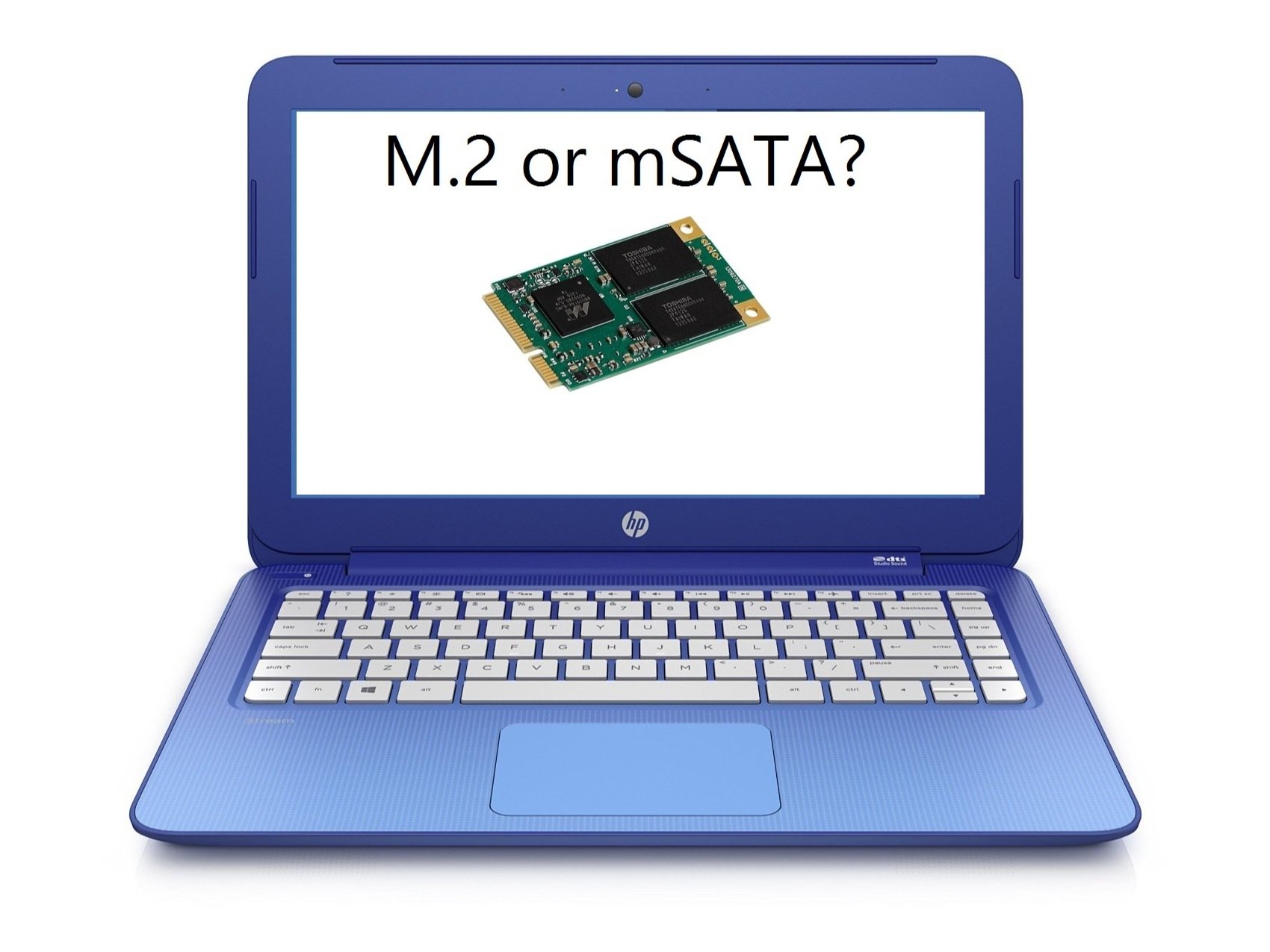
iFixit
This is a guide on how to take apart your HP Stream 13 laptop and give it a new wifi card or SSD.
 kind sierra
That's gonna be tight
red jay
kind sierra
That's gonna be tight
that's ok
kind sierra
I don't know any good SSDs off the top of my head in that form factor
red jay
damn
are they at least faster than the emmc included
or would I just be paying for more storage
kind sierra
They should be faster
red jay
alr
do you think an msata would fit in that slot
or do I have to specifically get mPCIe
 blazing musk
If you put a card that's the wrong form factor you're asking for a short circuit 🔥
 blazing musk
Don't you just love when they intentionally leave a connector not soldered. That could have been a sata...
 red jay
well now that, that is sorted
red jay
blazing musk
Don't you just love when they intentionally leave a connector not soldered. That...
bro....
or m.2...
bro...
yeah m.2
this laptop is too thin for laptop sata
blazing musk
There's 5mm thick sata drives
red jay
and theres not enough
space for it in that spot
it looks bigger than it is in the picture
blazing musk
True, it probably was a M.2
minor sun
Weird laptop making decisions
red jay
^
blazing musk
Yeah comparing size to the mPCIe slot it's a M.2 not soldered
red jay
wow
 small steppeBOT
 alyssa 🌷#6283 has been warned
Reason: Bad word usage
minor sun
probably artificial product segmentation tbh
blazing musk
That's how they force you to buy the better model
red jay
Need the best mPCIe card I can buy speed wise, capacity doesn't matter
and then the best external wifi card I can buy
but also the smallest
that's compatabile with linux
what channel should I go to to ask this question ^ @blazing musk
I found the mPCIe card
blazing musk
This is the right channel for the storage at least, I'm just not too sure what the best option is for that form factor.
Linux compatibility is a non-issue
 blissful night
Anything with a broadcom chipset should work fine
blazing musk
Oh, there's plenty of USB ones you can get
red jay
basically, I want the best wifi card in this form factor with linux compatibility https://www.amazon.com/TP-Link-wireless-network-Adapter-SoftAP/dp/B008IFXQFU/ref=pd_lpo_2?pd_rd_i=B008IFXQFU&psc=1

Maximum wireless transmission rates are the physical rates derived from IEEE Standard 802.11 specifications. Range and coverage specifications are based upon test results under normal usage conditions. and will vary as a result of 1) environmental factors, including building materials, physical o...
I want it in that small ass form-factor
blazing musk
Yeah broadcom is quite good with linux
blazing musk
As long as it's a well known brand, it doesn't really matter. There's no "best brand" they all make good and bad stuff.
Do you have a USB 3.0 port to use, or just 2.0?
If you've only got 2.0 ports then N300 is the optimal speed, but if you have 3.0 you can get faster like AC1200
I scrolled up and saw it's the HP Stream 13, which does have a 3.0 port on the left side by the HDMI.
The 2 on the right are 2.0
red jay
blazing musk
If you've only got 2.0 ports then N300 is the optimal speed, but if you have 3.0...
is it small formfactor
these are all realtek in this form factor I see

ASUS USB-AC53 Nano USB Wi-Fi adapter delivers an instant “plug and play” upgrade to the latest 802.11AC Wi-Fi standard for desktops and laptops. The Dual-Band wireless AC1200 USB adapter features 2.4GHz and 5GHz connectivity coupled with MU-MIMO technology to improve wireless range and deliver do...
this is the fastest one I found
is this what you meant?
blazing musk
I haven't found any broadcom ones that small yet either
red jay
yeah there aren't
blazing musk
But yes that speed is good
red jay
alr
https://github.com/maccuaa/asus-ac53-rtl8822bu and there is this
GitHub
Asus AC53 Nano - RTL8822BU. Contribute to maccuaa/asus-ac53-rtl8822bu development by creating an account on GitHub.
so I'll get that
blazing musk
You'll need to compile that yourself though
red jay
I wonder if there's a display upgrade I can do
red jay
blazing musk
You'll need to compile that yourself though
am aware.
I'm quite familiar with linux, I'm in the process of making my own distro with some friends :P
red jay
red jay
I wonder if there's a display upgrade I can do
nope
blazing musk
Good, many people aren't as well versed as you but you'll probably be fine
 heavy condor
Seagate 2TB HDD not working
I plugged the HDD and everything and in order to set it up, I need to go into computer management then disk management. But the HDD isn't showing up for me to set it up
 grave crow
I have an Asus Prime x299-a motherboard with dual Samsung SSD 850 Pro 1TB drives (in a RAID 1 configuration). I want to upgrade my storage with 2 2TB drives. I've read the Prime x299-a motherboard supports m.2 storage. Can anyone make a storage recommendation?
grave crow
heavy condor
Seagate 2TB HDD not working
I plugged the HDD and everything and in order to set...
Try using something like gparted. You can download an ISO from their website and burn it to a bootable CD. From there restart your computer and boot from the CD. Once gparted starts, you can manage your disk there and do things like format the drive or resize partitions. Just be careful you don't accidentally ruin your good drive. In the past, have unplugged the power from my good drive so gparted doesn't recognize them and then I know my data is safe.
heavy condor
grave crow
Try using something like gparted. You can download an ISO from their website an...
theres no point in all that if nothing recognizes my new hdd.
grave crow
heavy condor
theres no point in all that if nothing recognizes my new hdd.
right, but this is a way to see if something other than Windows will recognize the drive. I hate to ask but have you double checked it is plugged in properly and getting power?
heavy condor
grave crow
right, but this is a way to see if something other than Windows will recognize t...
yes i double checked, and i installed software that also doesn't recognize it
grave crow
heavy condor
yes i double checked, and i installed software that also doesn't recognize it
to rule out the drive being the issue, are you able to install it into another computer? could you connect it via USB? I have used a SATA -> USB adapter before. This could potentially rule out a motherboard issue or a drive issue.
heavy condor
grave crow
to rule out the drive being the issue, are you able to install it into another c...
no spare computer, no adapter
grave crow
heavy condor
no spare computer, no adapter
This isn't an older IDE drive by chance is it? Those had master/slave jumpers and if the drive wasn't jumpered properly, the OS couldn't recognize the drive
heavy condor
grave crow
This isn't an older IDE drive by chance is it? Those had master/slave jumpers a...
itsa seagate baracuda
grave crow
heavy condor
itsa seagate baracuda
I may still have old baracuda IDE drives. i'm trying to rule out some things
grave crow
grave crow
I may still have old baracuda IDE drives. i'm trying to rule out some things
do you have the model number of your baracuda drive?
does the BIOS recognize the drive? if the BIOS doesn't recognize it, your OS won't either
grave crow
heavy condor
i concluded its dead
maybe it just isn't getting power. try using the power from the good drive becuase you know that works
heavy condor
grave crow
maybe it just isn't getting power. try using the power from the good drive becu...
using the power for wat
grave crow
heavy condor
using the power for wat
take the power going to the good drive and plug it into your baracuda. If the baracuda spins up that means it is still working and maybe it is a cabeling issue
heavy condor
i have a m.2 nvme as my main good drive
grave crow
heavy condor
i have a m.2 nvme as my main good drive
ah, ok
minor sun
grave crow
I have an Asus Prime x299-a motherboard with dual Samsung SSD 850 Pro 1TB drives...
What do you plan on using the storage for?
minor sun
heavy condor
Seagate 2TB HDD not working
I plugged the HDD and everything and in order to set...
try some other connectors perhaps
grave crow
minor sun
What do you plan on using the storage for?
I use Linux and the storage is for /home which consists of the majority of my data, plus virtual machines. I also use it for / which is the root file system. Lastly, I use it for media storage such as MP3s. So it will be used for media I need to be fast (VMs, music) and data which could be slower (docs etc).
minor sun
So doesn't really need to be that fast, if you want mass storage, take a look at Sabrent Rocket Q @grave crow
grave crow
minor sun
So doesn't really need to be that fast, if you want mass storage, take a look at...
no, it doesn't need to be that fast. I think anything m.2 will be faster that what I have now
minor sun
..?
minor sun
grave crow
no, it doesn't need to be that fast. I think anything m.2 will be faster that w...
Sabrent Rocket Q is a m.2 drive
It's on the slow end because QLC
grave crow
minor sun
Sabrent Rocket Q is a m.2 drive
right, that is what I mean. Since Rocket Q is m.2, it will be faster than the drives I have now. I was looking at Samsung 980 Pro
grave crow
minor sun
980 pro is stupid fast and stupid overpriced for just storage
The one thing I like about Samsung is that I currently have samsung drives and I haven't had a problem with them. IMO, the most important component is your hard drive because that is your data. You can replace memory or a fan, but you may never be able to replace your data. If your drive dies and you lose your data, that is the worst case scenario. Yes, I have backups but I still think reliable storage is high priority. I'm not familir with Sabrent so I'm hesitant.
Also, I'm stupid. So stupid fast/overprice sound like me haha
minor sun
grave crow
The one thing I like about Samsung is that I currently have samsung drives and I...
Tbh, if you want to secure your data, you shouldn't focus on if your drive will die in 5 years vs 10 years from normal usage, you use services like backblaze in case something fails unexpectedly, and well, even then, getting a 970 evo or 980 for a fraction of the price as a 980 pro will have no effective difference for your usage
grave crow
minor sun
Tbh, if you want to secure your data, you shouldn't focus on if your drive will ...
Agreed. I use Crashplan. It had a better solution for me due to the amount of data I have (over 10TB) plus it supports Linux. IIRC, backblaze didn't give me the options I needed. I have 10TB of data for photos which is not part of this discussion. I use slower SATA drives for that with two Drobos. I'm just focusing on my OS/personal data storage for these drives. I use RAID1 for data redundancy.
Thanks for your advice. it is very helpful and giving me things to think about
minor sun
You're welcome, just keep in mind that Sabrent is a pretty big company and just keep them and other options at the back of your mind.
balmy bear
balmy bear
What do you recommend to upgrade RAM & SSD for MSI GL66
Can someone give me any advice please.
 barren comet
halo
how do i make sure im not getting ripped off when buying a hdd cus i wanna buy one second hand but i heard that it can be like super used and bottle neck your system
real lava
barren comet
how do i make sure im not getting ripped off when buying a hdd cus i wanna buy o...
make sure the seller has result of bad sector scan
if it's all green then the drive should be healthy
 dawn arch
i got a SN550 in the 8th of this year, i probably got the worse version right? i hope its not too bad
red jay
I think i made a mistake... I bought so many different SSD brands...
- Samsung 980 nvme 1tb
- Samsung 860 EVO 1tb
-Samsung 870 EVO 500gb - torosus 250gb
- Sandisk SATA 500gb
- SN550 1tb
-SN550 500gb
-SN850 1 TB - Rocket Q nvme 1TB
- Intel 660p 1TB
- Intel 670 1 TB
I have them either not mounted or in one of my two builds
(I know its a ridiculous list of ssds)
Like is focusing on ONE or two specific brands better in terms of inter-performance in your PC?
red jay
real lava
no
And how heavy is it for (components) to endure the more SSD's you use at once?
Like RAM?
red jay
Ok nice
And apart from your OS, is investing in a say 980 PRO vs buying more of SN550 worth it?
dawn arch
dawn arch
i got a SN550 in the 8th of this year, i probably got the worse version right? ...
?
sour wadi
nah its not to bad
minor sun
dawn arch
?
If you don't notice it, there is no problem
Only real difference was speed of writing to native tlc
Which doesn't matter if you don't do much sustained
 tame ermine
.
minor sun
balmy bear
Can someone give me any advice please.
First, can you confirm if you have GL66 11UEK, GL66 11UDK, or GL66 11UCK? The main difference is that 11UEK has 2 m.2 slots when the rest only have 1 m.2 slot.
Next, memory wise, it has 2 sodimm slots, if you just want a kit of 2x8gb memory, here's a cheap option:
https://www.newegg.com/g-skill-16gb-260-pin-ddr4-so-dimm/p/N82E16820374023
For 2x16gb:
https://www.newegg.com/g-skill-32gb-260-pin-ddr4-so-dimm/p/N82E16820374024
I'll need bit more info from you to suggest a drive, like the budget and how much storage you want and what you'll use it for
dawn arch
minor sun
If you don't notice it, there is no problem
alr
trim cloak
red jay
And how heavy is it for (components) to endure the more SSD's you use at once?
unless you’re psu can’t handle like 10w each ssd, then nothing 
red jay
Suspicious hard drive. But it's so cheap


eBay
When you are looking for economical, high-capacity enterprise-class storage, look to the Ultrastar® 7K6000. Engineered for the highest quality, the Ultrastar 7K6000 passes stringent reliability testing.
I'd consider it but I think my self 5 years later would kill me for trusting 6 tb of storage to a drive like this lol
But it's so cheap 😔
red jay
Yea but so do sellers that sell white label drives
real lava
fair
red jay
I should probably not cheap out on storage though lol
blazing musk
HGST is owned by Toshiba right?
real lava
blazing musk
HGST is owned by Toshiba right?
Hitachi, but bought by WD in like 2015 or so
Wait no 2012
blazing musk
Ah that's right
real lava
So my laptop's drive is actually a wd 
I got hgst drive in mine
It's made in like 2014-15
blazing musk
Point being it's from a reliable brand at least
real lava
yeah
red jay
hmm
 upper quiver
red jay
Suspicious hard drive. But it's so cheap
https://www.ebay.com/itm/HGST-Ultrast...
upper quiver
red jay
Suspicious hard drive. But it's so cheap
https://www.ebay.com/itm/HGST-Ultrast...
i use the 3TB versions of those drives
off ebay from some wacky seller, smart data cleared, used in some datacenter for the last 5 or so years
but they work
so
for the 40 dollars i paid per drive, they make good game drives
minor sun
HGST drives are great
upper quiver
or just raid 1 for storing important data
yeah, those HGST ultrastars sadly arent manufactured anymore, but the old ones are still solid after years of use

eBay
Technical Specifications for HUH721010AL4200. Manufacturer Part # HUH721010AL4200. Product Series He10. Product Line Ultrastar. 12Gb/s SAS compatible with next-gen data centers; backwards compatible with 6Gb/s SAS.
😩
altho note these are sas
red jay
upper quiver
but they work
How many hours do you have on the drive? What kind of operations do you use the drive for? Just games?
Yea I saw that SAS drive
upper quiver
just games
red jay
I could use it in my server if I really wanted
upper quiver
have 2 of em in raid 0, i just dump all my games on it
red jay
But my server uses 2.5 inch bays lol
upper quiver
oof
red jay
Oh alright
upper quiver
i wouldnt hammer em with constant re-writing
red jay
Yea, I planned to just use one for mass storage
 plush crag
upper quiver
or just raid 1 for storing important data
plush crag
upper quiver
or just raid 1 for storing important data
Depending on your net, and restore time needs, I think cloud backup like backblaze + raid 0 or jbod on site can be a good option
upper quiver
yeah, offsite obv better, but usecase was never really mentioned, so i just assumed he was after a ton of local storage of files he would rather not lose
also what backblaze
hol on
oh thats what you were refering to by cloud storage
cant read dont mind me
imo this is the best usecase for ebay drives
 plush crag
Backblaze is $6/month true unlimited, though it's UI can be a bit buggy, and it'll be slow to upload lots of little files
upper quiver
does it have like some form of local application, or rest api, or something that allows automatic backups, or is this like, upload everything through the browser-based UI?
kind sierra
plush crag
Backblaze is $6/month true unlimited, though it's UI can be a bit buggy, and it'...
Also doesn't support Linux 😦
 keen knot
does anyone know if the black friday MSI Spatium will be back in stock?
red jay
upper quiver
yeah, offsite obv better, but usecase was never really mentioned, so i just assu...
Yea, I like my data to be stored locally. Plus I don't like the idea of having to pay a subscription to use an off-site server when it's not really necessary
I just find it easier to have everything on-hand you know
 red jay
hmm yea maybe i should get one of those ebay drives
 red jay
IT IS DONE AT LAST.
my OS install migrated from dying hdd to nvme ssd
nevermind
it seems the boot loader is still on the old hdd
screw you windows now i have to use my crummy old hard drive for 2 more hours
 light summit
hey so what would be an acceptable number of bad blocks on a relatively new hdd
blazing musk
0
 blazing musk
Normally before it starts reporting bad blocks it reallocates them
If it ran out of spare sectors for reallocation then that's a problem, and you should RMA it
light summit
yea
it died a while ago and it kinda started working today and i was gonna just test running a small game on it and use a scanner app to see how screwed it is
but i have like 1 year left of warrenty from seagate so im most certainly gonna rma it
blazing musk
They tend to be pretty decent about RMA at least. Might take a little time to get a number.
light summit
yea
for some reason every bloody hard drive i get from seagate and even my friends have all died at some point
albeit they're always spinning disk
blazing musk
There was a run of drives a few years ago that had a really high failure rate, might be from those batches
light summit
maybe one of them
but this one was basically oob when it died
i used it for a little as a game drive for my xbox one and then it was shoved in a closet for a couple of months and when i tried to use it again it was dead
yea i just tried to run crab game on steam off of it as a benchmark and it didnt even launch
or even open the executable
just sat there
well i guess it was worth a shot to try the drive again

 red jay
I gave up
Cloning didn't work, it wouldn't properly boot from the cloned-to drive
So I decided I was just gonna fresh install windows and reinstall all my applications and programs and utilities and stuff
So I did

 lunar forge
is there a noticeable benefit getting a SN850 vs getting a SN750 SE? spec wise, the SN850 is almost twice as fast, but not sure how that translate into real world usage, im interest in production software such as photoshop, lightroom
real lava
lunar forge
is there a noticeable benefit getting a SN850 vs getting a SN750 SE? spec wise, ...
sn 750 se sucks, and well for your case sn750 is enough, the non se that is
lunar forge
so what use case will need SN850?
lunar forge
that would be like video editing?
olive wadi
real lava
sn 750 se sucks, and well for your case sn750 is enough, the non se that is
its b tier
red jay
so im looking to upgrade my laptop from a 256 GB HDD to an SSD. i wanna buy my own SSD, and then im gonna bring it to a tech repair store for them to install it becuase I dont wanna lose my data. but I wanna know what SSD i have to get. my budget is ~$200
sour wadi
How much storage you looking for and does your laptop have m.2 or will you need a 2.5" drive?
real lava
Or tell us what laptop you have
red jay
sour wadi
How much storage you looking for and does your laptop have m.2 or will you need ...
no idea. but my laptop is an Acer Aspire 3 A315-41
red jay
sour wadi
How much storage you looking for and does your laptop have m.2 or will you need ...
looking for at least 256 gb
sour wadi
red jay
looking for at least 256 gb
Well 150$ will get you a 2tb drive so let us know how much, you've got loads of budget for storage
red jay
i wanna upgrade to an SSD for faster speeds, and the ability to have more than 2 games installed at once LOL
sour wadi
real lava
that laptop has m.2 slot
Crucials compatibility says 2.5" only
sour wadi
I'd trust crucials site thing, pretty accurate
red jay
i have a picture of the directx specs
sour wadi
Oh
red jay
whatever theyre called
i was talking to a guy earlier abt it, said those helped so here if it helps at all

 red jay
real lava
red jay
real lava
that defo looks like th einside of my PC. from the vents, i can see the metal cooling and the fan
red jay
real lava
unless the laptop has hdd before that is
it has an HDD rn
i wanna upgrade to at least a 512 SSD
real lava
then the m.2 slot is empty
real lava
2tb ssd fits 200 bucks budget
sour wadi
real lava
unless the laptop has hdd before that is
Just watched a teardown, there was no m.2 slot
real lava
weird
sour wadi
Hmm
red jay
you know, i hate to say this because i in no way trust myself, but if it comes down to this, i can take the bottom panel off of my laptop, send a pic for yall
sour wadi
Best bet to just go 2.5" imo
sour wadi
Eh yeah nvme is but realistically you won't see much of a difference
red jay
i just want it for faster speeds, and higher storage
aka what most people upgrade their hard drives for
how hard would it be to install it yourself?
 small carbon
Hdd to sata ssd alone is the biggest difference
red jay
i dont wanna spend a ton of money at a repair shop to fix it, if its easy to do it yourself at home
real lava
i would still say m.2
well you can take the laptop apart easily
it's just bottom cover and such
red jay
real lava
i would still say m.2
listen, do you want me to open up my laptop and send a picture of the internals? so you can see if it has the slot
small carbon
Pretty easy really, maybe 1 screw hdd/ssd & they slide out
sour wadi
red jay
how hard would it be to install it yourself?
The 2.5" is easy to access anyway, the m.2 would be harder
real lava
but it's easy
red jay
yea im gonna go with a 2.5"
red jay
only thing
real lava
but seeing the inconsistency in configs..
red jay
would there bbe a way to get my data from my old HDD > my new SSD?
red jay
real lava
also yes, macrium reflect
whats that
real lava
it's drive cloning program
red jay
is it at home accessable?
small carbon
Various free programs can clone a drive w/ just a few clicks, & time. Sometimes settings to confirm.
real lava
it's free
sour wadi
https://pcpartpicker.com/product/ffpzK8/klevv-cras-c710-512-gb-m2-2280-nvme-solid-state-drive-k512gm2sp0-c71 for 500gb
https://pcpartpicker.com/product/64MTwP/team-mp33-1-tb-m2-2280-nvme-solid-state-drive-tm8fp6001t0c101 1tb
https://pcpartpicker.com/product/QggQzy/crucial-p2-2-tb-m2-2280-nvme-solid-state-drive-ct2000p2ssd8 2tb
sour wadi
Np
real lava
pato
sour wadi
Ye?
red jay
i think that 1TB one is the best way to go. only 70 bucks? thats amazing tbh
red jay
real lava
41 does have m.2 slot
LMAO
sour wadi
real lava
i think you were lookin at a515-42 kek
Maybe but i copy pasted in the name so idk how
real lava
odd
red jay
im still gonna unscrew my laptop bottom pannel (already out of warranty so idc) and check out the inside
red jay
real lava
imma let pato look for deals for you
https://www.amazon.com/dp/B07XHMBQK3?tag=pcpapi-20&linkCode=ogi&th=1 already found this

TEAMGROUP MP33 M.2 PCIe Solid State Drive uses a high-speed PCIe Gen3 x4 interface and complies with the NVMe 1.3 standard. With 3D NAND flash memory, the transfer speed is 3 times faster than SATA III. Suitable for players who have needs in speed, and it is the top choice when it comes to upgrad...
real lava
so you're really going m.2?
sour wadi
real lava
i think you were lookin at a515-42 kek

Crucial
Crucial Memory and SSD upgrades - 100% Compatibility Guaranteed for acer Aspire A315-41
red jay
real lava
so you're really going m.2?
idk
that m.2 is cheaper
but idk how to install it
let me get a screwdriver and crack open my laptop and check it out first
sour wadi
Ye
red jay
they other guy im talking to says i need a SATA to USB adapter to get my data from 1 drive to another
real lava
reinstall is pretty quick
red jay
ill backup some files, like 2FA passcodes n stuff
but other than that i dont really have anything important on that laptop that cant be reinstalled
i dont have that much stuff because its only 256 gb lmao
sour wadi
https://pcpartpicker.com/product/Mtprxr/western-digital-0-25-2000000rpm-internal-hard-drive-wds200t2b0a for 2tb
https://pcpartpicker.com/product/j6JmP6/team-t-force-vulcan-g-1-tb-25-solid-state-drive-t253tg001t3c301 1tb
https://pcpartpicker.com/product/6G9tt6/team-t-force-vulcan-g-512-gb-25-solid-state-drive-t253tg512g3c301 500gb
real lava
256 gigs sounds like ssd to me
red jay
nah its an HDD
red jay
no
real lava
weird lmao
red jay
its a 256 gb hdd the one my sister picked out
real lava
ah
red jay
listen, i have a second laptop my dad got off a friend for cheap, it has a 128 gb SSD LMFAO
its a good laptop and id upgrade this one too, but i dont use it as much so im not gonna upgrade it rn
real lava
so the laptop definitely had its hdd swapped somewhere
red jay
he got it brand new
real lava
eh doesn't matter, you're buying an ssd to replace anyway
red jay
yea
real lava
just wondering
red jay
SSD alone is gonna be a giant upgrade
real lava
yep
red jay
real lava
just wondering
yea?
real lava
nvm that, i was just adding to what i said
red jay
sour wadi
https://pcpartpicker.com/product/Mtprxr/western-digital-0-25-2000000rpm-internal...
thats the EU website. i cant order from there
im in US
wait
nvm it was a weird bug
im probs gonna go with that 1TB vulcan. ima bookmark the page and talk to my dad about it
would i just slide out the old HDD and put in the new SSD? to install it
because iirc thats how you do it on most computers if its not an M.2
sour wadi
Pretty much just copy any files you cant download to somewhere else and make a windows installation media usb before removing the hdd
pallid orchid
Just dont pull too hard
Sometimes wires are attached to the underside of the laptop
Go slowly
red jay
what is this?
 real lava
red jay
what is this?
real lava
red jay
what is this?
that's the ram cover
but yes it's okay to take it off
do the same to hdd cover too
then move to the bottom panel
red jay
is this the HDD cover
 red jay
there’s nothing in it
