#storage-devices
1 messages · Page 30 of 1
 minor sun
and also, have you thought about just having 1 4tb ssd in a single enclosure?
 heady raven
that question, brings with it a question from me.
Have you thought about going with a NAS instead?
heady raven
Network Attached Storage
minor sun
There's also the option of splurging on a 1.4k 8tb sabrent rocket ssd lel
https://www.amazon.com/dp/B08957PT2K
heady raven
https://www.amazon.com/Synology-DiskStation-DS220j-Diskless-2-bay/dp/B0855LMP81/ <- something like this
which you then add mechanical drives to
keep in mind, that was just a random model
minor sun
Yea NAS would likely work for much cheaper, just that it'll be quite a bit slower afaik.
heady raven
the reason for bringing up a NAS as a question/suggestion is this: The amount of data you want to save is in the "this is going to get really really effing expensive" territory for SSD's
minor sun
true
heady raven
because you are pushing at the "edge" of what consumer SSD storage capacity is at.
does all of that make sense @amber glade ?
 amber glade
It does.. but I want to stay away from the drives that spin... Have had bad luck with them
I like that NAS enclosure
but could I put SSD in it?
heady raven
let me put it like this: Drive failure is not something that can be avoided
it will happen
it is just a question of "when"
amber glade
I'd rather avoid it as much as possible.
minor sun
(SSDs don't have moving parts, but SSDs can die too)
amber glade
Are SABRENT reliable?
heady raven
i say the above in case you have a "ssd's cannot die" mindset
 heady raven
everything is unreliable and everything is reliable @amber glade
and no. i do NOT say that to annoy you
that is just reality of storage
amber glade
I get it and I appreciate your help
heady raven
it is why IF you want to actually have actual backup, you do 3 layer backups
1 copy on the machine
1 copy in the house (in another room)
1 copy offsite (outside of the house)
amber glade
I have 2 3TB western digital that are 9 years old... I am pushing the limit
heady raven
(backblaze comes to mind for that)
re: WD's: that is indeed very much pushing the limit.
minor sun
By the way Naed, how do you feel raid plays into that?
heady raven
re: raid: simple question with a very complex answer
minor sun
I knew it, sadly :(
heady raven
there are NAS that can use SSD's
amber glade
show me links
heady raven
they use SATA drives normally
amber glade
please
minor sun
Don't you need really good internet for NAS with SSDs?
minor sun
(I mean, network attached)
heady raven
https://www.synology.com/en-uk/products/DS419slim <- something like this, and then it is "just" a question of throwing 2.5inch sata drives in there
Centralize data storage and backup, streamline file collaboration, optimize video management, and secure network deployment to facilitate data management.
@amber glade
heady raven
https://www.amazon.com/Synology-Bay-2-5-DS419slim-Diskless/dp/B07T43VDMM <- that is the unit
so yes, price goes up with extra drive bays
Synology strives to improve product compatibility. Check out our compatibility list before purchasing the peripherals you need.
i would start on that list @amber glade
and start thinking about how much you plan to write to the NAS daily
because that IS a factor in which drive model you want
amber glade
Drive model meaning NAS? or you mean the SATA...
heady raven
The amount of data you want to write to the drives that are in the NAS
(the drives themselves being SATA drives)
and with that said, i am out for the night.
amber glade
thank you!
 viral bolt
@minor sun turns out it was because I hadn't fully deleted all the partitions off my original boot drive, so I put my usb stick back in, deleted all partitions from both SSDs and then reinstalled on the nvme drive.
viral bolt
It's a bit weird yeah, but it works now
 tardy ravine
what's a good storage around the $120 price range?
I'd love a fast 2tb anything, but a tb ssd sounds realistic
for fast rendered/modded gaming mainly
 keen urchin
$120 2tb ssd is gonna be a no go lol
if i were you
id get that
and this
that way you get 2512GB of storage, 512 of it fast SSD storage and the rest mass harddrive storage, all for $115
tardy ravine
oou
keen urchin
if you just want SSD storage, a 1tb Intel 665p or 1tb Crucial p1 would be good
tardy ravine
gotcha
keen urchin
thanks for the heart emoji reaction lol, i appreciate it.
feels kinda nice over other people who paste a google search and dont respond after that
😦
anyways
tardy ravine
are there any good 2.5 connected drives? also i might need to buy new cables for more drives and peep my mobo compatibly for nvme sata 1 through 6 mumbo jumbo
i was told to return a Samsung tb 860 i think it was
ill have to check rq
yeah that was it, at 130
keen urchin
130 for what capacity
also idk much about 2.5 inch drives
i do know theyre close in price, so i would get an m2 over 2.5 for multiple reasons
m2 is a lot faster, (sata 3 caps at 500mbps roughly and some nvme drives go up to like 5000mbps), theres no wires or cables, and theyre easier to install and take less space
tardy ravine
1tb evo
i have an evo m.2 (850?) in my laptop that i can sacrifice after finding a way to backup all 500gb
ive heard that evo is a good quality vs qvo or a similar WD, but idk
minor sun
Also, 1tb Team MP34 for 110$.
3000/2600 rated r/w, has dram, great controller.
Also tlc, with an absurd rated write endurance.
 clear kernel
Im putting together a part list for a friend of mine, and I want to include an SSD, but itll only be used as a boot drive. Does anyone here have any recommendations?
minor sun
Mp34 512gb :)
clear kernel
Would there be any difference between the 256gb and the 512gb? Other than capacity anyways?
minor sun
Capacity, some write speed differences, higher writes on the 512gb drive.
 topaz prism
@minor sun @heady raven okay so I have a question for either of you, is it worth it to get a pci express 4 over pci express 3 ssd. Would 4 be that much faster cuz it's kinda expensive and I was hoping to save money on my m.2 ssd.
topaz prism
So I don't need gen 4 kinda speed? It feels like it's double the price
And I'd rather spend around 50 range on a 512 gb ssd
heady raven
for a gaming machine, the software ecosystem is NOT there yet (for gen4 to make sense)
topaz prism
Okay thank you @heady raven @minor sun
 jade ocean
Naed got a NAS just today thanks for your help
heady raven
you are very weclome @jade ocean , best of luck with it :)
 past hornet
hi, i have a gaming laptop. The acer nitro 5 an515-55 50z3. Basically, there is only 8gb ram and i want to add another 8 gb but im not sure what to buy. i just wanna make sure its compatible with my laptop
 loud estuary
Take it apart or look at the specs to see if you have a second slot
past hornet
i do
loud estuary
Than try to get the same model of ram if you can
Otherwise try to match the timings and speed
 bitter mauve
Hey does anyone have any troubleshooting tips for sata and m.2 devices not showing up? one of my m.2 slots works but I can't get anything else to work, I know for sure that both my m.2 drive and sata ssd are working
I had a second m.2 working for a while but after a reboot a little while back it stopped working
 latent cedar
Hey I have a question. Why is the 1tb 860 evo SATA ssd more expensive then some 1 tb nvme ssds
If the nvme are faster
 full geode
Samsung ssds are overpriced
 tiny totem
^
 short lodge
memory is hard to break. Refurb should be 100% fine
 sonic river
Hawt.
I'm scrolling Newegg and it has a 4TB refurb for decent price
I want it for Games
Because the new games have massive updates and it eats up my memory like no tomorrow
short lodge
oh you mean storage?
you said memory
memory is RAM
id go new if you can for hard drives and SSDs
@sonic river
sonic river
Oh ok
 vagrant harness
Anyone got recommendations for ssd, nvme, or m.2 drives around 100USD
minor sun
Yes
latent cedar
@minor sun does it come with a 5 year warranty?
minor sun
3 years iirc
minor sun
Might be wrong
latent cedar
What do you look for in SATA ssds
 keen blade
minor sun
keen blade
minor sun
@latent cedar dram.
latent cedar
How can I tell if one has some or not. Because I don’t see liek a specific “dram” location. So I don’t know what to look for
minor sun
@latent cedar ssd master list :)
Manually check em
And I just know Team Vulcan tends to be the cheapest drive with dram
latent cedar
Master list? And oof ok. So if I see one I’m interested in. I should just look up if it has dram
?
latent cedar
Oh shoot. I didn’t know that existed. Thanks lmao
 red jay
What's better mp34 or 970 evo if the prices are the same for me?
minor sun
@red jay check pricing for sn750 and sx8200 pro too then
red jay
But which is the best/fastest
Ok the sx8200 pro is pretty cheap for 1tb
In my store
Is it good?
red jay
Alright
Seems to get good reviews, fast
Thanks. Now I can afford 1gb lol
short lodge
1gb
 late vector
Lmaooo if u could only affort 1 gb lmaoo
 open gazelle
1gb be pretty pricy these days. Dont even want to imagine 1tb
 mellow magnet
250mb seems more like his price range. 1gb is expensive
 rugged goblet
Im going to buy a m.2 ssd, so can people give me reccommendations?
late vector
Team mp34 512 gb
rugged goblet
is it a boot drive too?
late vector
Yea
late vector
Mm yea way faster
late vector
?? Idk
rugged goblet
Cuz I need to clone, thats what people are saying
late vector
Clone? Idk if it has it or not
rugged goblet
hm ok
late vector
@minor sun does the team mp34 have cloning
rugged goblet
So, if I get a ssd, should I clone it or install windows fresh
short lodge
Fresh install is always better
rugged goblet
but like
I dont want to wait
that long to install
so should I just clone it instead
short lodge
Cloning will take longer than just installing windows
Installing windows takes like 5 minutes
rugged goblet
mm
ok
bruh, why is storage so confusing
so
When I install windows on my ssd
and boot up
cuz i have a hdd
does it delete everything on my hdd
?
or does it stay
short lodge
Well, it’s not like all your data from the hard drive is just automatically on the ssd
The data stays on the hard drive. It’s not gone, but the SSD doesn’t have it
rugged goblet
ok
so when I boot up, I could immediately play csgo?
or no
ok nvm
So when I get my ssd
Do I have to format it first then install windows
or just install windows
short lodge
You should be able to just install windows
 latent barn
Can i have windows on 2 ssds and boot from one
latent barn
hmmm
rugged goblet
So, I use a USB Stick that has windows and boot up on my ssd
?
Is that correct?
then install it on my ssd
si?
short lodge
Yeah
latent barn
im getting nvme ssd and have old ssd with windows so can i boot from old ssd and copy windows from old ssd to new
short lodge
K
latent barn
is it possible
 round echo
your question was answered
rugged goblet
ok, my plan
Step 1. Buy ssd
Step 2. Install the ssd
Step 3. Get a USB Stick
Step 4. Make the boot priority the usb stick
Step 5. Install windows on the SSD
Step 6. Done
Wait
How big should the USB stick be?
latent barn
i can just ctrl+a all my files into new ssd right
minor sun
@rugged goblet you'll need to boot from usb to install it.
latent barn
or do i need to download something
minor sun
And 16gb will do fine
minor sun
Mhm
minor sun
When installing ya
rugged goblet
mk
so after im done installing windows, do I have to go back to the bios and make the boot priority the ssd?
or no
minor sun
Sure
minor sun
Ok
rugged goblet
do ssd's speed up your pc process?
latent barn
yep
latent barn
boots faster
minor sun
Overall system responsiveness.
 normal bramble
what is the best price to performance (boot speed) m.2?
minor sun
@normal bramble Team MP34, 63$ for 512gb, 110$ for 1tb.
normal bramble
ty
 crisp ibex
My SSD might be to fast for HHD as it crashes whenever I try use stuff located on it when it's waking up from sleep.
?
 minor sun
That isn't how it works
latent barn
ok
minor sun
SSD being faster than the HDD doesn't really change anything about sleep
 drowsy musk
Quick question, what is the difference between these two SSDs? They are pretty much the same price.
minor sun
@drowsy musk what about neither
1 is sata, 1 is NVMe, and the NVMe one doesn't have dram
both are bad
drowsy musk
I just want to install windows on it
Also do you have a recommendation for a good one to use instead?
@minor sun
heady raven
@drowsy musk team mp34
minor sun
mp34 has a great price for 80% of regions
 sharp sun
is tiered storage worth it?
im planning to combine a 2.5 ssd with some harddrive storage so things i put there wont load slow
 supple yew
depends what you're doing/wanting to do -- and your budget -- hard drives are great for media that you don't need low latency and massive bandwidth...
 clever marsh
Amazon and Kingston are having decent sales on SSDs and HDDs today. I just bought a 2TB SSD from Kingston for $160
short lodge
but does it have dram
 crude orchid
What PCIe 4.0 NVMe SSDs are sale currently
minor sun
Is there a reason you need PCIe 4.0?
minor sun
Why exactly do you need the speeds for over a 3.0 ssd?
Because most people have no reason to grab a 4.0 ssd over a 3.0 ssd.
crude orchid
i don't really have a main reason i just want faster boot/loading times for gaming and to use my mobo's 4.0 capabilities
i haven't really looked into ssds too much so I'm not sure of the difference
minor sun
The reason I'm warning you because 3.0 vs 4.0 have imperceivable differences in booting and loading games
@crude orchid anyways I just wanted to make sure you know. If your answer is "I just want fancy thing to flex", that's fine, I'd be happy to help, but only as long as you know if makes little difference.
crude orchid
Oh ok that makes more sense are 1TB 4.0 ssds priced high?
minor sun
Pcie 4.0 SSDs generally are around double the price of 3.0 SSDs for the same capacity lol
crude orchid
Damn and 3.0s can be up to 200 sometimes
minor sun
For example, last I checked, sabrent rocket 4.0 1tb is 180$, when MP34, a good pcie 3.0 ssd, 1tb is 110$
You gotta know the market and what SSDs tend to be good and cheap :)
And throw samsung out of the window when considering SSDs
crude orchid
haha yeah from what I've seen they're usually pretty expensive
 solar ridge
Is it worth getting a Samsung 970 EVO plus for $60 more than an Intel 660p?
heady raven
samsung drives are generally NOT worth getting
solar ridge
How come?
minor sun
Overpriced.
solar ridge
I’ve heard a lot of good things about the 970 evo @heady raven
minor sun
There are other options at the same specs for cheaper :D
heady raven
aye. and that is the only reason that the price is what it is.
it was a reasonable price when it was launched
but it is a OLD drive by now
solar ridge
So it’s not worth $60 more over a 660p?
heady raven
no
minor sun
But, there are some other options we would point you towards
solar ridge
Great someone just told me in the nzxt chat that it is
minor sun
Such as the Team MP34 and WD SN750
minor sun
I'm gonna guess 95% of the NZXT chat don't know about mp34 :p
heady raven
@solar ridge IF the person you talked to is "just" looking at spec numbers? sure
if the person is looking at actual reality? no
minor sun
(hey, pure spec wise, SN750 beats 970evo)
heady raven
yes @minor sun because again, age
minor sun
Mp34 is 110$ for 1tb, both of those are good options.
Yea, just pointing out it isn't the "best speced" nowadays
Sn750 preferred a bit over mp34.
 small steppeBOT
 GHOST#6969 has been warned
Reason: Duplicated text
solar ridge
Great I just typed so much and it marked it as a repeat
 upper quiver
if you have more than one hyperlink the bot sometimes blocks the message
solar ridge
so what i wanted to type was
my options are
WD_Black SN750 for $120 (currently $130 off)
Intel 660p $110 (currently $20 off)
Samsung 970 EVO Plus $170 (currently $82 off)
@heady raven @minor sun
upper quiver
SN750 ez
heady raven
aye, between those 3, 750 is the easy choice :)
solar ridge
ok then 750 it is
 digital cypress
Anyone know if a 2tb Samsung 980 nvme is going to release?
I kinda wanna switch out my 970 evo plus bc 2x the speeds but there isn't a big boy size one yet
 rose token
Hello! I recently purchased 2x SAMSUNG 983 DCT Series U.2 2.5" NVMe SSDs (https://www.newegg.ca/samsung-983-dct-960gb/p/0D9-0009-003P0?Description=SAMSUNG 983 DCT&cm_re=SAMSUNG_983 DCT-_-9SIAA4YB1M8534-_-Product) and I was wondering if there were cables, enclosures or racks that could allow me to use them as external drives with my computer (Macbook pro with USB-c) ports. I bought them for my new Blackmagic URSA 12k camera that recommends these SSDs, but I'm looking for a solution that will allow me to read and write them on my computer as well. Btw I made some research oh the web but found it pretty complicated to find the right answers for my needs, so any help would be appreciated. Thank you!
upper quiver
please tell me you didnt buy them from this link
rose token
Hmmm, I did, is that an issue !?!?
upper quiver
you paid wayyy too much
also, buying from a third party seller on newegg is always a bad thing
why the hell are these drives so expensive in canada?
going by the current conversion rates, they should only be like 260 cad
anyway, they are U.2 form factor. what macbook do you have specifically
rose token
Yeah I know that's weird, same product on the Canadian Amazon website is like a 100 canadian dollars more than the conversion rate from the American store. Taxes maybe? grrrr https://www.amazon.ca/-/fr/Samsung-983dct-960-Go-PCI-Express-3-0-x4/dp/B07HCXC1LR/ref=sr_1_2?__mk_fr_CA=ÅMÅŽÕÑ&dchild=1&keywords=samsung+983+dct+series+ssd+960+gb&qid=1602625587&sr=8-2
(which comes to the same price than Newegg for me 😛 )
for my computer, I use a MacBook Pro (13-inch, 2018, Four Thunderbolt 3 Ports)
upper quiver
so you cant go from Thunderbolt to U.2. you need a controller
meaning you need to get a Thunderbolt to Mini-SAS controller, then a Mini-SAS to U.2 cable
rose token
thank you for this information, it's appreciated! for the Mini-SAS to U.2 cable, do I need to be careful about the quality of the product for reading/writing speeds and to avoid damages to my drives or it's usually pretty standard basic cables?
upper quiver
any cable will do
also, beware that Mini-SFF is a generic term
theres a specific type you need let me find it
its an SFF-8643 connector
rose token
wow, thanks again for your quick and helpful answers, that's very appreciated. I'll keep you updated if I have any more questions (or answers) ! thanks again and have a good evening 🙂
open gazelle
@digital cypress last I checked 980 was just meh in real world perf, AKA random perf. Not worth much of at all tbf
 waxen oriole
anyone have any advice for switching from a SSD to m.2 without having to re-install the OS. Is it possible to clone my c drive on the new m.2?
solar ridge
WD_Black 2TB 7200RPM ($83.99)
https://www.amazon.com/gp/product/B00FJRS628/ref=ox_sc_saved_title_3?smid=ATVPDKIKX0DER&psc=1
or (is it worth an extra $30? is what im asking)
Seagate BarraCuda 2TB 7200RMP ($54.99)
https://www.amazon.com/gp/product/B07H2RR55Q/ref=ox_sc_saved_title_2?smid=ATVPDKIKX0DER&psc=1
this is along with a WD_Black N750 that i bought already
i could also just put the extra $30 for a 4TB BarraCuda its $80 where as the WD one is $84
$84 for 2 TB
or is 5TB overkill
digital cypress
@open gazelle ah, I was just seeing numbers like 3300ish read/write on the 970 compared to like 6xxx read/write on the 980 thats why I was wondering
But if those aren't realistic numbers then
digital cypress
Ask away i think some of the smart ppl are awake
 hoary plume
is it worth going for a nvme mount in pcie 4?
bc i have an nvme on the mobo right now and am considering getting another for more storage
but i only have one mount on the mobo and don't really want to change it and clog it with games alongside the os
bc yknow cod is massive
digital cypress
@hoary plume do u have a spare pcie slot u can put an expansion card into to make more slots / connections?
That could be an idea
hoary plume
yeah, i only have one graphics in rn
supple yew
@waxen oriole some SSD brands come with a clone utility -- i use adata SSDs a lot and it comes with acronis true image oem, i've used auto on probably 40 machines with 0 problems, clone the existing system drive to the new ssd even if it's a different size, power down, disconnect the old drive to test, then wipe the old drive or disable the active flag to prevent the system from booting it
digital cypress
@hoary plume if u wanted to go m.2 nvme or additional nvme then yea id probably do expansion card
I could be wrong if I am someone will probably correct me soon
supple yew
@hoary plume no -- pcie 4.0 has no real benefit right now. real world performance gains of 3.0 vs 4.0 drives is virtually non existent -- oh wow your game loaded in 12.32 instead of 12.39 seconds... waste of money
@hoary plume you can also plug an nvme into any pcie slot, even a 1x.
hoary plume
yeah, i understand the negligible advantage of 4.0 over 3.0, but isnt pcie faster than a normal hard drive mount?
supple yew
SSD is faster than mechanical hdd -- even SATA ssd
hoary plume
that's roghly my mobo but the wifi version
i mean like an ssd plugged in normally, would it be faster to get a pcie converter for the nvme or an ssd mount type of thing
supple yew
@hoary plume you can connect 1 nvme natively -- and 7 total with adapters -- and 8 SATA SSDs
hoary plume
yeah
so should i go for a sata adapter or a pcie adapter i guess is the real question
supple yew
"faster" in numbers -- but real world, you won't notice
hoary plume
yeah, plus i was considering that if i get one of the dual ones that do pcie and sata, i can leave the sata open for later upgrades
supple yew
typical windows boot time with a mech hdd is 55 seconds... sata ssd is 11.9, nvme is 11.6
hoary plume
such as that one, not the one im considering but an example
so then which pcie mount would you suggest, or is any one just about good?
supple yew
that adapter is also a waste of money as "good" nvme ssds won't support sata
hoary plume
that's fair
so a single one that is for pcie is fine then?
and is m, b, or m&b recommended?
supple yew
sata ssd's offer a better cost to performance ratio -- if you want "fast enough" and "more storage" for the money, sata ssd all the way -- if you want raw performance, where capacity and price isn't as important nvme
hoary plume
so going for another ssd would be better than going all the way for a new nvme? all ill be doing is installing massive games to clear some space up
supple yew
i'd get a 256-512gb nvme for the OS/boot/primary apps -- and a cheaper sata SSD for the rest of the games and download temp, while saving mechanical drives for bulk media storage
board has 8 sata ports, used them for cheap but fast SSD
hoary plume
yeah i have an 960 evo 256 for os and apps and stuff, then two other ssds for my fames currently
fair enough, any suggestions then
supple yew
check out youtube for some sata vs nvme benchmarks loading times
hoary plume
alrighty
i have a crucial mx500 1tb as well as an 860 evo ssd for games currently
im considering another mx500
supple yew
and for games, you can stripe your SATA ssd's
supple yew
your OS can address 2 or more drives in unison, splitting the load across multiple similar/identical drives
hoary plume
interesting, would they have to be identical drives?
or could i do that with two new ssds?
supple yew
normally you'd want some redundancy in case of a drive failure -- but if it's just install data, you can always re-download
doesn't have to be identical -- but preferably the same drive or at least similar models and sizes
hoary plume
fair enough
supple yew
if you stripe a 500gb and a 1tb drive you get 1tb usable
if you stripe 2 1tb drives, you get 2tb usable
supple yew
honestly adata is affordable and works great, this machine has adata and intel nvmes, my work laptop, media center, NAS servers, all use adata SSDs in sata or nvme
hoary plume
alrighty, i've seen them around i'll definitely check them out
supple yew
and most of their drives come bundled with acronis true image oem if you register them
supple yew
if you haven't purchased the motherboard yet, you might be able to find one with 2 or more nvme slots for a similar price btw
hoary plume
i have the build, i can send it in build pics
supple yew
already purchased the mobo?
hoary plume
yeah
supple yew
ah
hoary plume
i put the build in #build-pics
supple yew
if it will fit, i'd top mount that radiator or flip it so the hoses bibs on the rad are at the bottom
love the "IDGAF" led strips 😛
hoary plume
yeah i want to but i also want to go for a newer nzxt cooler with the lcd, then worry about moving everything around
facts
they're hella long
they go all under my desk and along side my monitor
small steppeBOT
 HolyCannoli | MECE#2587 has been warned
Reason: Bad word usage
hoary plume
oops
syncs with all my razer stuff
got this build off a guy who did image processing for a little, so its pretty decent, just added the ram and a drive
pretty sick tho
supple yew
i personally don't care about the RGB but had headers and some strips laying around -- threw it in there just for fun
hoary plume
fair enough
supple yew
waiting for my phase change cooler to ship soon
hoary plume
noice
so, to sum it up, i should go for a new ssd instead of going through the whole process of getting a mount and nvme
supple yew
looks like you have space and support for plenty of SATA SSDs -- youtube "nvme vs sata ssd game load times" if you're curious -- nvme and sata SSD game load times are almost identical -- some games identical -- some 1-2 seconds vs double or more with a mech hdd
hoary plume
yeah, definitely not considering a mech hdd
either ssd or nvme
maybe for mass storage or something they're decent, but even then you're safer getting an ssd
supple yew
i'm one to consider the Value, not just the price -- if i can get a 2tb SATA ssd for the same price as a 1TB nvme ssd -- and it's going to be used for mostly games, and i won't see a real benefit -- i'll get the SATA SSD for bulk fast storage on the cheap
hoary plume
exactly
alrighty, thanks, I wasn't sure where to go and i figured there'd be some tech people on here
 flat edge
Hello. I'm trying to locate an enclosure for a Samsung MLC PCI Express 3.0 x4 M.2 2280 Internal Solid State Drive from a 2015 MacBook Pro. I've had no luck finding anything that's physically compatible with the form factor and would appreciate the help.
 wintry trail
https://www.newegg.com/silicon-power-ace-a55-1tb/p/N82E16820301382 is this good? im looking to get a decent ssd, for not being too expensive
minor sun
Heyo, A55 is dramless, usually Team Vulcan is the cheapest good one with dram.
wintry trail
well i currently have a hard drive, my computer is slow, gotten slower recently, someone said my hard drive might be dying, ive had this computer for 3 years, no upgrades, it is a prebuilt
minor sun
Gotcha, but dram is very important for SSDs
without dram, they can fairly quickly become even slower than HDDs through standard wear
minor sun
this is the vulcan, I have to go for a bit, there is a sheet that's linked in the pinned message, look that over for drives with dram :) @wintry trail
https://www.amazon.com/dp/B07QQT471T
 swift turret
I'm looking to build a nas and was wondering whether to go with iron wolf's or wd red's.
minor sun
@swift turret this will be a great resource for home nas and the such :
https://www.servethehome.com/
STH specializes in the latest news, articles and reviews of server, storage and networking products as well as open source software running on them
Pretty sure they have a list of recommended drives in there somewhere
swift turret
ty
minor sun
For example, here's the list for freenas
https://www.servethehome.com/buyers-guides/top-hardware-components-freenas-nas-servers/top-picks-freenas-hard-drives/

We have our top picks for getting fast and reliable FreeNAS Hard Drives (HDDs) inexpensively using proven options for FreeNAS and ZFS
topaz prism
Explain what all that is
minor sun
Amazon.com: TEAMGROUP MP34 1TB NVMe PCIe Gen3x4 M.2 2280 Solid State Drive SSD TM8FP4001T0C101 (Read/Write Speed up to 3,000/2,600 MB/s): Computers & Accessories
it's faster
it has better structure
topaz prism
i just liked this one cuz it was an M.2 NVME with promo code at 90 bucks
how much faster would the MP34 be?
minor sun
it's 2000mb/s read compared to 3000mb/s read to start off
 warm meteor
I was just going to ask about SSD's again. i need one. my 5 year old hybrid drive is goign slow as hell and prime day deals right
would there be a super noticable difference between 2k and 3k mb/s on these?
and i think someone said i should clean install winblows on it but can use the hybrid drive for loading software or something? I kidn of want to copy it over to an SSD to get this thing snappy
 kind steppe
@warm meteor honestly no
it's got diminishing returns over time
once ur above 500 mb/s, in my opinion, you're golden
anything above is luxury
if you can afford it, go for it
warm meteor
looking on the spreadsheet and i see its been updated
kind steppe
anything over 500-600 mb/s is luxury
 torpid adder
There are good NVMe drives that are the same price as good SATA drives
So if you don't have any way of using NVMe, no M.2 slot that supports it, you can just get a 2.5" SATA drive
minor sun
But most modern boards have M.2.
It's the old bois that don't have M.2
torpid adder
I got a Blue 3D NAND 500GB 2.5" drive, since I don't have fancy pants NVMe
Yes
Even very basic ones in prebuilts
There's some higher end Haswell boards that have M.2 slots which is interesting
 cosmic pier
yeah but is there a real benefit to real world usage between 2.5 inch ssd and and nvme
heady raven
@torpid adder the haswell boards are mSata iirc
cosmic pier
because my friend has an nvme drive and i have a sata drive and he cant tell the difference between the 2
minor sun
There are benefits
they're small for real-world-performance
but it's definitely there
SATA vs NVMe for real world boot and load times are single digit seconds
torpid adder
I don't think I've seen mSATA ones Naed
minor sun
@cosmic pier the differences really show when you try moving big boi files around :D
cosmic pier
oh well then i wont notice anything
heady raven
@torpid adder https://upload.wikimedia.org/wikipedia/commons/0/00/Samsung_MZ-N5E500_and_Samsung_MZ-M5E250_20170314.jpg
 minor sun
@cosmic pier mhm, it's a lot of "won't notice, but you shave a few seconds off each time" kind of thing.
torpid adder
Bottom isn't mSATA right?
torpid adder
Yeah most of these Haswell boards I'm seeing have M.2s
heady raven
link one?
torpid adder
With the one key that NVMe uses
heady raven
or at least give me a model number
torpid adder
heady raven
yeah yeah, the pcie x2 slots
i had "forgotten" (suppressed really) that they existed
torpid adder
Ah
heady raven
yes, its technically good/nice that they are around
but its a daft implementation imo
its basically double sata speed
as in, limit is 1 GB/s
torpid adder
Oh that's not bad
warm meteor
any thoughts on the on elinked before to compare to this one? https://amzn.to/3nWeilB
have an Asus x570 mobo
torpid adder
https://amzn.to/2N72jAk ok so you recommend that one
@warm meteor this one?
warm meteor
think the samsung is over priced and maniac you're asking if that ones good? I'm also curious if it has a heatsink it probably really needs it right?
torpid adder
I'm asking if that's the one you were referring to as the one linked before ^^
torpid adder
The MP34 is the go to for a lot of people
warm meteor
could probably get away with the 512 put windows, trading software and games on it to load then save other stuff to the hybrid drive i guess
torpid adder
Yeah
warm meteor
cool
warm meteor
ok good
 void willow
hey guys, my P34A80 1TB is technically rated at 3,400 MB/s sequential reads and 3,000 MB/s sequential writes, but I'm only getting ~2600 MB/s read and ~1400 MB/s write in CrystalDiskMark. I know that the speeds are already way faster than I'll ever need, but I just wanna know whether there's something I'm missing here. The drive's inserted into the NVMe m.2 slot on my mobo and is my boot drive.
minor sun
Look around, I had something similar, and went through a ton of things and got mine up to higher writes lel
@void willow how long have you used it for?
What I did myself was use sdelete and zero out the free space, since I used the drive quite often as a boot drive
#storage-devices message
void willow
What I did myself was use sdelete and zero out the free space, since I used the drive quite often as a boot drive
@minor sun i'll try this out! only been using it for around 6 months or so
minor sun
Mm don't run it several times, because doing it makes the SSD write a whole bunch of stuff
Don't want to wear it out more than it has to be
@void willow here's sdelete
https://docs.microsoft.com/en-us/sysinternals/downloads/sdelete

Securely overwrite your sensitive files and cleanse your free space of previously deleted files using this DoD-compliant secure delete program.
digital cypress
Oh man idk if this is the place to ask but is there a micro sd card thats 512+ gb that's actually 160mb/s
I tried some SanDisk ones that advertised that but they only hit 97mb/s in crystal disk

 tranquil finch
what is a good hhd and ssb for my build
https://pcpartpicker.com/list/bJb8K3
minor sun
MP34 512gb, Seagate Barracuda 2tb
red jay
Hi so my dads cpu died (yes I tried to replace the psu alr) My dad has files on his hdd that are important, how can I save them?
red jay
Alr then thank you
@latent barn
My dad is asking if I can jus buy a new cpu
And put it in instead of make a whole new build?
red jay
Ahhh
latent barn
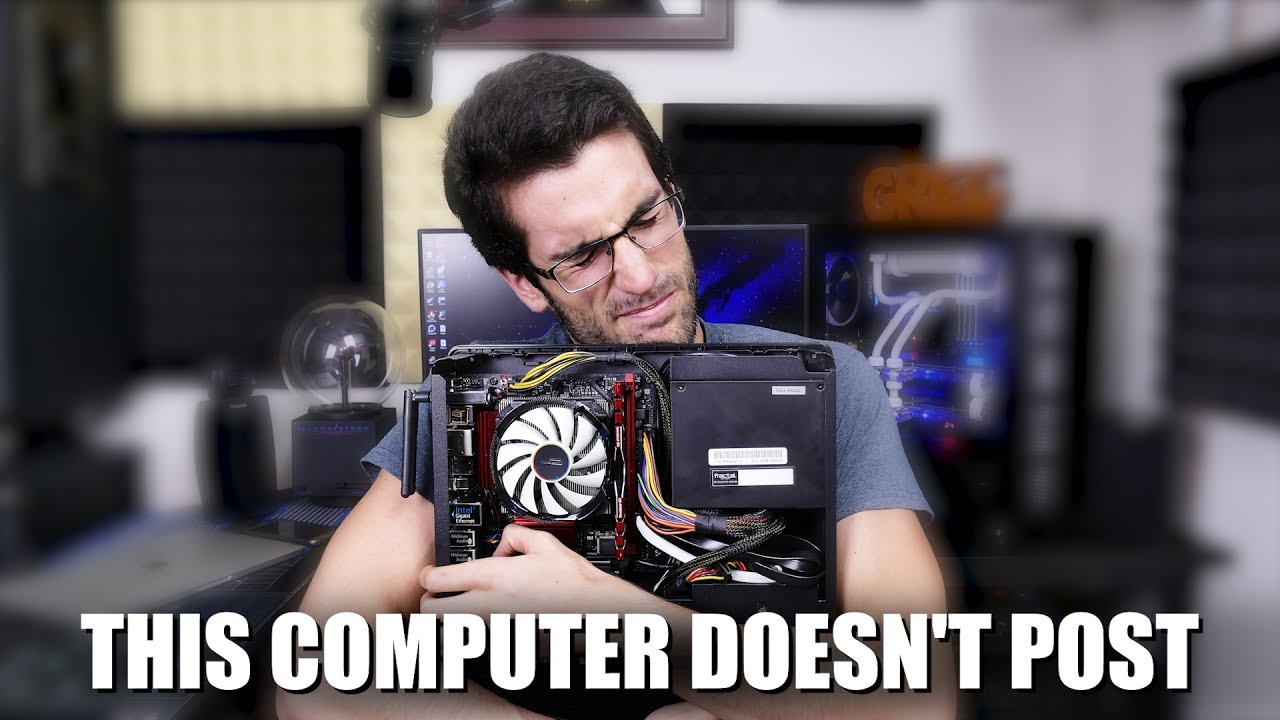
- Just to add something here; I also recommend purchasing a small PC speaker that plugs directly into your motherboard if yours doesn't sport Dr. Debug or troubleshooting LEDs. The beeps codes can come in very handy in the event your computer refuses to POST.
TOM'S HARDWARE F...
red jay
What would happen if I the mobo is fried and I installed a new cpu
latent barn
dont know
latent barn
watch the video and find ur problem
latent barn
Salvage what u can
a dead cpu can fry the socket
also dead mobo can fry cpu but not likely
what socket is ur mobo
you would be safe if u bought new mobo, cpu, and optional ram
@red jay
 modern osprey
hey so my hdd is a goner
i download windows on my ssd when i first built it
but after i took my hdd out, it says cant find boot device
i set the boot priority and it gives me an option to choose the ssd but it keeps saying cant find it
if you know a solution could you please tell me because its stressing me out
heady raven
@modern osprey a reinstall is the only simple.
 west charm
What would be a good 1 TB SSD and 1TB NVME?
topaz prism
By SSD you mean an internal mounted SATA? Or an M.2 SATA?
 shut furnace
not sure if there is anything better than the mp34 for the price atm
minor sun
sx8200 pro was good price
shut furnace
oh ya that look good too
west charm
@topaz prism sorry for the ping, I've been have a busy couple of days, but one of each.
heady raven
@brazen hamlet okay, it should be a bit more quiet here
 radiant tapir
Naed
 brazen hamlet
hi
radiant tapir
Can u help me after please
brazen hamlet
hi
heady raven
@radiant tapir have actual patience.
brazen hamlet
there... it works
heady raven
hello :)
sorry to ask you to go over things again. but this is just a bit more coherent
brazen hamlet
I've got a budding YT channel... it's gaining a lot of steam and generating a lot of buzz... but my current computer is failing misearably... it's 5 years old
so it needs to run obs
heady raven
noted.
brazen hamlet
but I'm not streaming out... I do the whole thing live to tape
nvidia is a must
2 m.2 cards are a must
3 would be better
one for the os
I can put it together... but I only do this about every five years
heady raven
noted
brazen hamlet
and the obs deck is just a luxury
can buy it right now but need to be sure I'm doing it right and as you said earlier... or someone said... the graphics card can be tricky to acquire at the moment. That is a pretty critical thing.
heady raven
noted
and
re: GPU: the "problem/challenge" is that there is a new card on the way, so the inventories are being emptied out of the 500-ish and above cards
meaning, some of them are seeing some very silly price hikes (for no real reason except scarcity)
brazen hamlet
I see.
the machine I have now works... but poorly.
So I could wait... but it's a challenge.
heady raven
question: the gpu requirement of nvidia: is this because of nvenc?
brazen hamlet
yea... and they've got a while bunch of support on getting your obs settings proper... I really like that... I can do that.
heady raven
fair
brazen hamlet
when I do these interviews
and I'm being recorded at a different lag than my subject
when I fix it in post
heady raven
(and please note, i personally dont care one bit what parts you use, just trying to understand your reasoning, so i can better help you)
brazen hamlet
sometimes it's as if I'm cutting them off before they finish.
it's subtle but when you're interviewing someone... it's very uncomfortable and nothing I can do to fix it.
heady raven
re: cutting off before they finish: part of that is interview experience with a given setup
brazen hamlet
yea... using ndi through skype and my own hdmi capture... both are being recorded differently... no way around that... so I need computing resources that are better and can keep up better so it's not as visible.
brazen hamlet
perfect. Thank you.
heady raven
currently you have how much ram?
heady raven
max is 128 on consumer boards
brazen hamlet
k...
heady raven
sorry for the delay @brazen hamlet
try and click that
that is a start.
it is basically what you listed, but filled in with a cpu and ram too
heady raven
aye, as you asked for
brazen hamlet
I'm just going to buy this...
brazen hamlet
missing a graphics card though, no?
heady raven
aye, i have not tackled that part yet
brazen hamlet
gotcha
heady raven
i am curious about these two
brazen hamlet
this looks phenomenal so far
so... the card reader is a nice to have but not required... I have externals
and the usb3 card... I always need usb's... if it's clogging up a pcie port or if I don't have enough... I can live without that
heady raven
you have plenty, the reason i ask is that you have much much faster options available to you "from the board" itself
brazen hamlet
ah... okay...
heady raven
both of those options are usb 3
this is fair and all
but IF you want, there are the usb3.2 ports both on the back of the board and internally you can connect to
brazen hamlet
I can do without the card reader... I have a million of those external... and hardly use them any way
heady raven
you can have whatever you want. you are the one that is going to use the system after all :)
and there is plenty of space
its just a question of deciding on parts :)
brazen hamlet
dont really care about lights and all that... priority is to be quiet and big so I'm now squishing during the build
heady raven
i like you more and more :)
heady raven

The Define 7 XL sets a new standard for what you should expect from a full tower case in terms of modularity, flexibility and ease of use.
try and have a look at that
brazen hamlet
nice
heady raven
(note, the version i am looking at is the one without a window)
heady raven
its a fairly big case
simple design
and i am yet to meet a Fractal Design case that is not nice to build in
brazen hamlet
cool...
brazen hamlet
great... lemme look
yea... what about the warnings on the bottom about ram measurements and cpu cooler?
heady raven
the cpu cooler one does not matter, that is a legacy one
brazen hamlet
ram should be okay too?
heady raven
aye
brazen hamlet
also... do I need to order these all from different venders?
heady raven
if not, the only change that needs to happen is you shift the fan on the cooler up or switch sides with it
it looks like a mix of amazon and newegg
we can "force" it to only look at once vendor if you like, but there is a fair chance price will either jump a lot OR some things wont be available
but, let me just have a serious look at the GPU part
brazen hamlet
I can get them from two venders... not a problem
heady raven
what requirement to do you have (port wise) on the GPU?
brazen hamlet
I need at least three ports... hdmi or display port... I'm running three monitors... one teleprompter and two displays
heady raven
aye
again, its better to ask you, because you are the one with the knowledge :)
(bad to assume things)
brazen hamlet
agreed
heady raven
your current machine, what GPU does it have?
brazen hamlet
gtx980Ti
heady raven
hm
@brazen hamlet have you seen anything (in your research) that indicates that you need a specific model of nvidia card?
aside from it having a nvenc part :)
brazen hamlet
this is what I was looing at

Configure OBS to get the most quality out of your stream.
heady raven
a channel you might want to have a look around on https://www.youtube.com/c/EposVox/videos

YouTube
The ORIGINAL content creator and streaming focused tech education channel. EposVox, the Stream Professor, is here to give you how to videos, tutorials, tips ...
heady raven
yes, he is a quirky person, but yes, he does know what he is talking about
brazen hamlet
yea... I've been doing this blind... building it all from scratch. But almost 500 subscribers in two and a half months... not too too bad.
minor sun
Whew that's hefty
brazen hamlet
happy to pay if it works as intended
minor sun
2tb sx8200 pro is 250$ btw. Can swap that in.
heady raven
consumer vs pro-sumer
minor sun
Gotcha
heady raven
You could stick with your current GPU until the 3070 card comes out (but it should not, technically matter for you
brazen hamlet
it's pricey but it should do what I need it to do.
heady raven
it can crunch all the things. thats for certain
keep in mind, there are a bunch of smaller changes that could rein in the price by a fair deal
heady raven
you are very welcome
brazen hamlet
This should be a dream to edit on
heady raven
the limit should not be the hardware thats for certain
brazen hamlet
yea... and I can stop focusing on technical stuff and really concentrate on content and interviews and the important stuff
heady raven
aye
minor sun
Side note, firecuda 510 does have double the rated write endurance than sx8200 pro, is the the primary reason for the choice?
heady raven
520
upper quiver
the pcpp has the 510
upper quiver
yeah
minor sun
Yea...
heady raven
@brazen hamlet hang on for a sec
upper quiver
thats why we were a bit confused
brazen hamlet
k
minor sun
Because the thing is, for 1tb at least, that endurance matches mp34 lel
minor sun
And mp34 has like 1270tbw
upper quiver
oh, i wasnt commenting on the drive itself
just that its an insane amount of writing lol
heady raven
PCPP being a tub of lard.
minor sun
Oh gen 4 ssd makes sense for the 350$ lol
upper quiver
ahh, thats better
heady raven
@brazen hamlet long story short: above link is fixed. sorry about that :)
thank you @minor sun and @upper quiver for having working eyes :)
minor sun
:)
heady raven
best of luck :)
radiant tapir
Naed?
heady raven
@radiant tapir yes?
radiant tapir
Can you help me
heady raven
as always, ask your question: IF someone has the time/knowledge. They will answer.
heady raven
talk with steam support about that.
radiant tapir
and they changed the email and there is no steam email to contact so I am struggling to retain the account
radiant tapir
Do you know how to contact them?
heady raven

Log in to your Steam account to get help with your Steam games, contact Steam Support, request refunds, and more. Help is also available if you can't log in, need to reset your password, or recover a hijacked account.
radiant tapir
I've tried that a million times it is a dead end
radiant tapir
bruh
so
i found a way
but
The way u do it is u send a request for support but then it says enter email to send confirmation but I put in my email and it doesn't send the email
So
Its a big F in chat for me
heady raven
https://help.steampowered.com/en/ <- option to the right of login
Log in to your Steam account to get help with your Steam games, contact Steam Support, request refunds, and more. Help is also available if you can't log in, need to reset your password, or recover a hijacked account.
radiant tapir
dude they changed the email to the account again
heady raven
not my problem
because there is nothing i can do about it
i can only point you there
and i know it is possible to restore and account IF you have ever bought anything from it
because you can supply proof of that purchase
radiant tapir
So I am trying to do that but then it says they sent me an email to verify but they didn't
heady raven
again, nothing i can do about that
radiant tapir
I got it back
heady raven
now actually secure it with 2 factor
and learn to use different passwords for things
radiant tapir
It wont let me change the email
heady raven
all the info you need is in the link above
radiant tapir
but when I click to change the email and it says they sent a verification code they didn;
didn't
they blocked the email
radiant tapir
It feels so good to have my account back
 brisk dome
@radiant tapir if you can, set an extra secure, temporary password until you manage to get 2FA working
radiant tapir
Thank u @brisk dome I managed to un block steams email and enable the mobile authentication
brisk dome
cool, glad you got the acct back
radiant tapir
It's been a month bro, all they did was play 12 hours of CSGO
brisk dome
probably went to check for skins and left it signed in, idk
radiant tapir
I've never played CSGO 
brisk dome
oh weird, maybe they used it with hacks? idk
radiant tapir
yea, they also changed the name and added a bunch of friends
 noble atlas
steam guard will save your ass
 cursive gate
Hello guys, is adata sx8200pro nvme m.2 good?
minor sun
yea
 lime pier
Do I need to plug anything into APH slot in HDD?
heady raven
@lime pier those are jumpers, you dont touch those on modern drives
lime pier
Thanks!
heady raven
you are very welcome :)
 jade haven
https://www.newegg.com/western-digital-blue-2tb/p/N82E16820250093 and https://www.newegg.com/samsung-970-evo-plus-2tb/p/N82E16820147744?Item=N82E16820147744 for gaming use is the wd just as good or is the samsung one that much better?
[10:22 AM]
or they have this one https://www.newegg.com/xpg-2tb-gammix-s7/p/0D9-00DF-000A9?Item=9SIAJNUBVG3746&cm_sp=Dailydeal_SS-_-9SIAJNUBVG3746-_-10222020
 cyan ore
ok i'm getting a 1tb nvme and planned on getting a 970 evo, but what are some good alternatives? (don't say sn750 please)
jade haven
one would also hold my os as well
latent barn
@cyan ore mp34
cyan ore
ya thats what im prolly gonna go w/
latent barn
yes
cyan ore
but its cacheless right?
so big downloads are gonna choke a bit
eh
i dont play modern warfare
ill be fine
cyan ore
oo ok
noble atlas
don't pay the samsung tax
get a Sabrent Rocket, Inland Premium, or Silicon Power A80
for Gen3
for Gen4 its basically Sabrent Rocket 4 or Rocket 4 Plus
heady raven
barracuda 520
minor sun
SN850 seems good, and I like the specs on rocket 4 plus
 mortal yew
i heard tcsunbow has dram
minor sun
@mortal yew and I hear it's a bunch of random crap
mortal yew
It was a joke.
minor sun
Still gotta point it out
red jay
what is the best 500gb 2242 m.2 ssd for less than 70 usd
heady raven
@red jay laptop use?
heady raven
i mean, what kind of system is it going into?
because the 2242 part is not exactly the normal size for them :)
red jay
lenovo thinkpad t490s
heady raven
a ssd is not going to help them have a faster machine
it originally comes with a ssd
red jay
he just needs more storage
red jay
lenovo thinkpad t490s has an extra m.2 2242 slot
heady raven
aye aye :)
something like that is an option
not saying that particular seller
but something akin to that
heady raven
there are a number of VERY dodgy looking companies making drives in that size
but ... yeah, dodgy
heady raven
ah, my bad :)
red jay
all good
heady raven
that is one of the "fun" things about that size
its the original size for mata :)
https://www.amazon.com/MyDigitalSSD-Super-Solid-State-Drive/dp/B07PB1TTDX?th=1 <- above your listed budget
and that is just about it, unless you want to go for the dodgy models @red jay
heady raven
you are very welcome, and best of luck :)
topaz prism
@heady raven what are some brands to avoid when it comes to M.2 SSDs
latent barn
samsung
topaz prism
I want a good price on a 512gb but I'm slightly worried of buying something that's crap just cuz it's cheap
latent barn
a good 512gb is a80, sn750, mp34, or xs8200
topaz prism
Oh I'll have to check those see if I can get something on sale
heady raven
add the xs8200 to that list
 plush crag
Samsung  s rise up
torpid adder
Oh
 long trout
guys i think there is something wrong with my ssd everytime i turn off my computer it unallocated and wipes everything on it i need help.
 glossy forum
how do i use a tb hdd from an old hp laptop that has windows
 normal thistle
No reason just wondering I'm going to see if it works and if I does not I am taking it apart my teacher gave it to me and said here take it u can take it apart if I want to and I do
heady raven
ah, for that? yes, go ahead
and if you have not done so before
you can make a speaker out of it :)
its a simple mod
normal thistle
Thanks lol
noble atlas
they make good mirrors
heady raven
that too :)
 ebon jolt
 heady raven
generally overpriced
mp34/sn750/sx8200 pro <- examples of normally cheaper drives that perform the same or better
noble atlas
also NVME drives with a Phison E12 (or higher) controller like Sabrent rocket or Silicon Power a80 (i think) or whatever the inland premium model # is
minor sun
@noble atlas a80 actually doesn't
It changes to the other controller
Look at the notes in the ssd sheet
minor sun
@noble atlas look at ssd sheet, it changed to SM2262EN later on
noble atlas
Oooooh, I didn't scroll far enough to the right
topaz prism
How much of a difference in speed would be noticeable between an internal SSD vs an M.2 NVME SSD?
@minor sun @heady raven
 steel ibex
Im looking to connect sata drives in an enclosure to my 2013 macbook pro via thunderbolt 2, but im not seeing mention of thunderbolt compatibility on the enclosure specs and havent used the port before. Is this generally an option?
topaz prism
@steel ibex you dont have any USB ports right?
steel ibex
i have two USB-A ports, i'd prefer to leave them available
topaz prism
I dunno details of SATA connectors but i would assume if anything there'd more likely be an adapter for those than the lightning
steel ibex
none of it is expensive so i'll just see if i can find connectors and prob just gamble