
#storage-devices
1 messages · Page 10 of 1
 real lava
any of the two works
 atomic thicket
real lava
any of the two works
atomic thicket
real lava
any of the two works
Do I need 2 one 1 PCIe cables plugged into the PSU
atomic thicket
real lava
yes
There is 3 types the normal looking one, one with two connectors, and one with two and a split also I am using the RM850e
and I can only plug in 2
 blazing musk
One of those might be CPU power if the cable looks different from the other 8 pins
And on the RM850e you can plug in one 8 pin CPU and 3x 8 pin PCIe for the GPU
You only need one 8 pin for the CPU, any more is optional for extreme overclocking
real lava
^
atomic thicket
blazing musk
One of those might be CPU power if the cable looks different from the other 8 pi...
I already put the 2 CPU ones in
So do I take one out?
real lava
yes
atomic thicket
real lava
yes
It probably would be best if I took my PC into my local computer repair shop to make sure I have everything done right and not make it go klabloomy
real lava
nothing is gonna die as long as you're not being crazy lel
atomic thicket
Well we'll see once I get my GPU
 quiet gust
50TB of sas drives 

 fringe mesa
My daughter is stuck using a crappy laptop for work that has no NVME slots but has a crappy 250gb HD. I see they have these 2tb adapters that hold two NVME. Can a SK Hynix P41 NVME platinum 2TB be run off a 4 year old laptop like this?
 dense merlin
fringe mesa
My daughter is stuck using a crappy laptop for work that has no NVME slots but h...
dense merlin
fringe mesa
My daughter is stuck using a crappy laptop for work that has no NVME slots but h...
I would just throw in a sata ssd and replace that hdd
blazing musk
That'll be faster than running NVMe over USB too
dense merlin
If for whatever reason you want 4tb https://pcpartpicker.com/product/b9Kscf/teamgroup-t-force-vulcan-z-4-tb-25-solid-state-drive-t253ty004t0c101
fringe mesa
blazing musk
That'll be faster than running NVMe over USB too
I run two off of USB for my Steam deck. Was annoying as hell, because two on a USB splitter didn't work, but a USB card worked quite nice. It's annoying to have to carry them around, but mega faster than the one inside the Steam Deck. My daughters laptop has something in the bios that the school who sells these crappy laptops use, so they connect. Drove me nuts trying to connect my phone, tablet, laptop, and being refused till I learned of it. Just found out she can get a later model, and transfer the bios to it so it will work.
fringe mesa
dense merlin
I would just throw in a sata ssd and replace that hdd
Good point.
Do laptops work similar to scsi Amiga HDs where the larger the hard drive, the more ram is needed?
blazing musk
No
 visual tulip
How would you transfer a hdd and its data to another computer? Can you just take it out of the old one and plug it into the new computer and everything will work fine and be on there, or is there a whole process that you need to go through?
 amber quail
visual tulip
How would you transfer a hdd and its data to another computer? Can you just take...
amber quail
visual tulip
How would you transfer a hdd and its data to another computer? Can you just take...
plug off and plug in thats it
do you have a nvme in your new pc?
visual tulip
Yes
amber quail
visual tulip
Yes
plug in the harddrive and move all your games or apps into your new nvme
theres steps to it tho

YouTube
i used these to move all my games
visual tulip
amber quail
plug in the harddrive and move all your games or apps into your new nvme
I wanna keep the games on the hdd since they're older games, but if that's the case I can just unplug it from my old computer, plug it into my new one, and everything will be fine?
amber quail
visual tulip
I wanna keep the games on the hdd since they're older games, but if that's the c...
ye im pretty sure but just in case ask someone else
visual tulip
Can anyone confirm what Technox says is true
blazing musk
visual tulip
Can anyone confirm what Technox says is true
Are you trying to copy the entire operating system or just files?
visual tulip
blazing musk
Are you trying to copy the entire operating system or just files?
Operating system is on the nvme, I just need the files
blazing musk
Then yeah you can move game installs and saves easily, the vid might help
visual tulip
OK bet
 fallow rain
I have a 2tb ssd in my pc rn, I've used about half, mainly on just games, would it be worth having games on a seperate ssd rather than what my windows and stuff boots off of? a friend said thats supposed to help with boot times etc
blazing musk
fallow rain
I have a 2tb ssd in my pc rn, I've used about half, mainly on just games, would ...
That was the general advice during the days of HDDs but modern SSDs don't care
fallow rain
blazing musk
That was the general advice during the days of HDDs but modern SSDs don't care

atomic thicket
Should I not bother using SS with my 4070 ti in Hitman 2 because it drops my FPS down to 55-ish
Ya I don't notice a huge difference
 turbid crater
I planning on upgrading cpu, ram, motherboard in a few years. Will os and games stay on nvme if i move it new cpu and motherboard?
dense merlin
Yes, but you'd want to reinstall windows when changing mobo
turbid crater
I was thinking about this so i dont need to spend all in a full build with getting new gpu.
turbid crater
dense merlin
Yes, but you'd want to reinstall windows when changing mobo
Will it wipe all my games on my nvme if i reinstall windows. Why should I reinstall windows to new mobo
dense merlin
Can cause issues when moving from one mobo to another without windows reinstall
And no it wouldn't as long as you don't do a factory reset
turbid crater
dense merlin
And no it wouldn't as long as you don't do a factory reset
Even if i have games installed on boot drive like in c drive for steam games
dense merlin
Yeah
blazing musk
As long as you don't format the drive or tell windows to reset deleting files then the data will be intact
visual tulip
So the Hard drive I want to transfer to my PC has windows 10 pro on the PC it's currently connected to, but my new pc has windows 11 pro. Is it fine to just unplug and plug it into the new PC, or do I need to do a little bit of work to get it to respond
dense merlin
You can just plug it in, im assuming you mean there's another drive in the new system that's the boot drive with w11?
As long as that's selected as the boot drive, it doesn't matter if an os is installed on another drive
visual tulip
In the old PC, the boot drive is an SSD that has windows 10 on it.
In the new PC, the boot drive is an nvme m.2 drive with windows 11 on it. So can I just unplug it and replug it into my new pc?
dense merlin
Yeah you're good
 fresh bough
BRUHHHH

Another one failed
Silicon power a60
Any recommendations for replacements? m.2 is prefered and I’d like to have 2tb for a not ridiculous price. I’m not buying the a60 again tho this is the second one that’s failed on me
fresh bough
Hella options for the mp33, and I’m not 100% sure what the difference is between any of them.
 fresh bough
The only odd form factor one was the swift from what I could tell
The “normal” one that I could see advertised the most was the pro
Arriving tomorrow, thanks foxy, after work I’m gonna have to try an hassle someone to see if I can get money back
fresh bough
I think I’m going to wipe and reformat an old drive I have and make that my boot drive so I don’t have to go through all of this again
 formal tusk
@fresh bough just a heads up
SP, team, and a number of other brands
They all resell basically the same ssd under different names
fresh bough

formal tusk
The a60 for example is an SM2263XT TLC(?) iirc
Which is exactly the same as a team mp33 pro
I'd consider a warranty claim imo, if it keeps happening, it might be the slot on the motherboard causing it
fresh bough
It could be and I’ve thought about it being a MB issue, I’ve used multiple slots though.
formal tusk
I see
Well rma it anyway
If you get a new one you could keep or sell it
Worth the asset anyway if it's an hour of your time
fresh bough
If this next one fails it’s got to be the mb (which I can probably find a better one anyways b650 tomahawk is overkill) and I know I can rma that
dense merlin
fresh bough
Hella options for the mp33, and I’m not 100% sure what the difference is between...
all of these prices are kinda meh
though i guess cheapest decent 2tb ssd not on tiktok shop now, prices went up
if you'd be fine with tiktok shop, can get a $40-50 p41 plus 2tb, which is a better drive too
formal tusk
real lava
mp33 non pro is also the same thing
Non pro iirc is 2259 or 2258
Otherwise the skus would be identical lol
real lava
formal tusk
Non pro iirc is 2259 or 2258

Tom's Hardware
Team Group’s MP33 offers up speedy performance and efficiency
i got my info from here
black pcb version is intel nand+2263xt
my bad, micron nand
formal tusk
Actually even my memory bad
The mp33 uses a phison controller in the github
Pro and Q 2263
Vanilla Phison E13T
It's perfectly possible they've had part changes and revisions over time though
Nand manu's do that a lot

 open gazelle
formal tusk
Which is exactly the same as a team mp33 pro
open gazelle
formal tusk
Which is exactly the same as a team mp33 pro
NAND isnt always the same
 visual tulip
So I moved a 6tb Hdd from my old computer to my new computer. Does anyone know how to get steam to recognize the games on the hdd so I can play them without having to delete them and reinstall
blazing musk
In settings, storage section, hit the drop down, add a drive and point at where the games are
visual tulip
It worked, thanks
dense merlin
blazing musk
In settings, storage section, hit the drop down, add a drive and point at where ...
I did not know this was possible, good to know
real lava
I always do that when I reinstall windows
 red jay
what m.2 SSD is best in reliability
blazing musk
They're all pretty much so reliable the nand will take at least 10-15 years to wear out under normal use
 worn trail
Is it faster to have my productivity apps be on the same drive as Windows or would it work just as fast with Windows being on a 3.0x4 drive and the productivity apps being on a 4.0x4?
Apps include Adobe Creative Cloud apps, Blender, WorldPainter, and a few IDE's for programming.
blazing musk
worn trail
Is it faster to have my productivity apps be on the same drive as Windows or wou...
The apps themselves, it doesn't matter. They load to memory. The project data and plugins you'll want on the faster drive.
red jay
how are the samsung m.2 980/990s doing now, did the firmware patch eliminate all the problems earlier this year?
have they been okay since?
blazing musk
They've been ok since then but personally I feel they're untrustworthy, since that was not nearly the first bad firmware on those. It was the third iirc.
open gazelle
Cuz firmware is a manual update and the SSDs werent recalled, it's a bit hard to recommend them as the update is on the customer if they get old stock. Even harder to recommend when it's very, very rare to see them be competitive in price. However afaik they are safe now.
blazing musk
It's a manual update until samsung magician decides it isn't
open gazelle
Still on the user to download SM tho, no?
 sour wadi
Yep
Also Samsung wasn't covering if the drive died during firmware update for a bit
Honestly very hard to recommend
quiet gust
Is there a list of supported drives for the hp p410 sas hba?
blazing musk
I would assume no because drives are just drives
quiet gust
I'm selling one of those hba and the buyer asked me if it had problems with particular drives like dell's. You know hp... And dell... As well, they both love proprietary stuff. The hba itself isn't compatible with non hp systems (unless you custom flash the firmware/cover some specific pins on the pcie)
blazing musk
I'm not seeing any drive compatibility issues, but there are some kernel issues on truenas and unraid that are fixed with patches you can manually apply
visual tulip
I have a flash drive thats supposed to be 128 GB. I used it as a windows installer for my new pc, but now it says its only 32 GB. Is there a way to fix this?
blazing musk
You should be able to delete the partition it made in disk management, then make a new partition filling the whole space
visual tulip
how can i do that?
blazing musk
Right click the start menu, disk management
Find the usb drive in the list, right click the partition, delete volume
Then right click the unallocated space, and new simple volume
The defaults are fine, you can change the volume label if you want
visual tulip
i just needed to scroll down
does it take time, because it does nothing when i click add simple volume
blazing musk
It can take a minute, check if the window popped up behind the main window.
visual tulip
what do u mean
blazing musk
Sometimes windows will pop up behind other ones, especially if you changed the focus while it was loading.
Minimize disk management and see if the wizard window is there
visual tulip
I see no other windows other than disk management and steam (updating)
visual tulip
2
blazing musk
Ok, close disk management and open an admin command prompt window
visual tulip
open
blazing musk
diskpart select disk 2 clean
visual tulip
it says it has succeeded, but it still says unallocated
blazing musk
convert gpt create partition primary format quick fs=exfat label="USB" assign letter="E"
You can change the label and letter as needed
blazing musk
Awesome, happy to help
quiet gust
Which one would be better among these? At least 1tb, which one has best price-performance?
 blazing musk
Out of only those options, probably mp33 for 55 euro
Unless you have a need for gen 4 and can find one for under 65 that isn't the nv2
quiet gust
https://it.pcpartpicker.com/list/QmRR4M
Is this any good? A friend of mine asked me, I changed some stuff but I'm unsure about psu and case
Part List - AMD Ryzen 5 7600, Radeon RX 6750 XT, Thermaltake S200 TG ARGB ATX Mid Tower
Budget would be 1100, possibly near 1k
 cloud kiln
Do we have a new SSD tier list
amber quail
cloud kiln
Do we have a new SSD tier list
There’s a tier list?
blazing musk
cloud kiln
Do we have a new SSD tier list
No. But with a bit of research figuring out which controller a drive has you can make a guess on which tier it would be, assuming it's not garbage nand.
cloud kiln
pain
 normal thistle
m.2 nvme drive suggestions?
blazing musk
MP33 is always a good bet
And if you buy it on newegg right now it comes with a 32GB SD card
normal thistle
blazing musk
MP33 is always a good bet
wow them are pretty slow compared to ones 20 dollars more
blazing musk
Do you have a need for a faster drive though? Or are you just gaming?
blazing musk
That changes things, what size projects and what program?
normal thistle
its photos and luminar ai and or photoshope and lightroom
blazing musk
Photos are trivial, AI is too for drives but hard on GPUs, photoshop and lightroom might get a few seconds better loading times from a run of the mill 4.0 drive but no point going past that.
normal thistle
ok mp33 it is then
blazing musk
It would be just a couple bucks more for this https://pcpartpicker.com/product/8BRYcf/team-t-force-cardea-z44l-1-tb-m2-2280-nvme-solid-state-drive-tm8fpl001t0c127

TEAMGROUP T-Force Cardea Z44L 1 TB M.2-2280 PCIe 4.0 X4 NVME Solid State Drive (TM8FPL001T0C127)
normal thistle
blazing musk
It would be just a couple bucks more for this https://pcpartpicker.com/product/8...
they dont have 2tb
blazing musk
normal thistle
they dont have 2tb
 turbid torrent
I'm looking to get some cheap NAS but I don't know which route to go
If I should buy an actual 1 bay nas or try to find an old micro tower or something to use
I legit need like 1TB attached to the home network
blazing musk
turbid torrent
I'm looking to get some cheap NAS but I don't know which route to go
Does your router have a USB port? You could just plug a portable hard drive into that.
turbid torrent
Won't be discoverable with how deco works
The deco mesh is working as if it's the router
We have a 56 port network switch that all of the Ethernet ports in the house are hooked up to, was just going to plug the NAS into that
blazing musk
If your goal is something cheap and simple to set up a raspberry pi could do the job
Especially since you don't need too much space
 vapid nebula
My friends partitions are set weird
It won’t really run or download anything cause it’s “full”

 calm blaze
that "Unallocated" portion needs to be corrected
real lava
there's unallocated space
 small carbon
10.46GB partition, lol. 😅
 nocturne valve
Hi!
Is it a good one? And what mean the Lite attribute in the name?
Patriot P400 Lite M.2 PCIe Gen 4 x4 2TB SSD, disque SSD - P400LP2KGM28H https://a.co/d/gjrEjyW

Avec des vitesses ultra-rapides allant jusqu'à 3 500 Mo/s en lecture SEQ, 2 700 Mo/s en écriture SEQ, le P400 Lite offre de fortes performances pour faire le travail. Le P400 dispose d'un design élégant et compact et d'un bouclier thermique en graphène fin à haute efficacité qui s'adaptera à n'im...
real lava
you can fix it
real lava
vapid nebula
Ya idk how to fix it tho

EaseUS
Do you know how to use unallocated space in Windows 11/10? Many people are seeing unallocated space in a local hard disk or external hard disk but have no idea what to do with it. This tutorial is going to help you use unallocated space on Windows hard drive by creating a new partition or allocating it to an existing partition as you want.
here's the whole walkthrough
vapid nebula
Bet thanks
vapid nebula
real lava
https://www.easeus.com/partition-master/unallocated-space-in-windows-10.html
None of it is working lmao
“Don’t have enough space”
real lava
weird
vapid nebula
But idk why it doesn’t work
Even after I allocated it
I tried to merge it didn’t work
I tried to extend it but that won’t work either
That was both with it allocated and unallocated
And I can’t do a reset with a media tool because it won’t read it as a bootable drive
And I have no clue as to why
blazing musk
vapid nebula
And I can’t do a reset with a media tool because it won’t read it as a bootable ...
That looks like a new installation so it's easy to fix. When you go through the installer and it asks where to install windows, delete all the partitions, select the unallocated space, and hit next.
vapid nebula
Thanks ill try that
 sharp folio
So my HDD doesn't spin up after it was (most likely) shorted. Everything I've seen says it's usually a dead diode and that you can just remove it to quickly get your files off, is that true?
I can test to see which one is dead, but removing a diode and having it work again doesn't seem right
sharp folio
sharp folio
So my HDD doesn't spin up after it was (most likely) shorted. Everything I've se...
BIOS doesn't recognize it as a drive
quiet gust
Is the HP p410 sas hba compatible with desktop motherboards? Or does it have proprietary bus and stuff? Like only hp's servers...?
quiet gust
If I remember correctly it wasn't, and there was someone in a video explaining you have to cover two specific pins to avoid the proprietary bus? Mayyybee?
 slow rock
Basic question, but would you recommend liquid or air cooling for a PC around 2k
formal tusk
There's like a million answers to that question
A million different pc's could cost 2k, need more context
slow rock
formal tusk
A million different pc's could cost 2k, need more context
For some context
dense merlin
that is privated
worn trail
slow rock
Basic question, but would you recommend liquid or air cooling for a PC around 2k
Depends on the parts. Also the list is private.
slow rock
I'm such a noob: https://pcpartpicker.com/list/9h6zZJ
Part List - Intel Core i7-14700K, Radeon RX 6950 XT, Phanteks Eclipse G300A (3 Fan) ATX Mid Tower
Public one
slow rock
worn trail
Depends on the parts. Also the list is private.
When you say depends on the parts, certain motherboards or gpus respond better to liquid or air cooling?
dense merlin
slow rock
When you say depends on the parts, certain motherboards or gpus respond better t...
What are you using this pc for
slow rock
dense merlin
What are you using this pc for
Primarily gaming. Plan on having dual monitors, one with 1440p gaming and the other just browsing.
dense merlin
I'd change a decent bit then, 14700k doesn't make much sense for a gaming build
You also don't have to buy windows, especially if you've had a windows 7 or newer device previously
If you can buy some parts off tik tok shop, I'd buy ssd and psu from it. Rm750e is $61 after coupon, and a 2tb p34a60 is like $45 or 50 https://pcpartpicker.com/list/Jt7L7R
Part List - AMD Ryzen 5 7600, Radeon RX 7900 XTX, Phanteks Eclipse G300A (3 Fan) ATX Mid Tower
@slow rock
If you did, could get 7800x3d https://pcpartpicker.com/list/ZmDWrv
Part List - AMD Ryzen 7 7800X3D, Radeon RX 7900 XTX, Phanteks Eclipse G300A (3 Fan) ATX Mid Tower
dense merlin
This is the ssd, same thing as the a60 just diff name

 trail igloo
I am looking to get a bigger SSD but my mobo only has one slot for a m.2, what is the best way to copy from one drive to another?
dense merlin
Macrium reflect but they both have to be in the system at the same time
So two options
Buy a second nvme and an nvme enclosure, plug it in via USB and copy everything, then switch it
Or keep current ssd and then just get a sata ssd. You won't really notice a difference
I dont notice a difference between a game on my nvme and a game on my hdd
blazing musk
Yeah just add a SATA drive, gamers won't notice the difference

Oh no, it's a whole quarter of a second slower! /s
worn trail
When I switch my drive from being on a 5700G system to a 14th Gen system am I gonna need to wipe my drives again?
sharp folio
Is it possible that the arm in a drive that isn't spinning up is stuck?
blazing musk
worn trail
When I switch my drive from being on a 5700G system to a 14th Gen system am I go...
Ideally yes
You might get weird chipset issues otherwise swapping brands
small carbon
Pro tip, just get another ssd 1st so you can (temporarily) leave the current drive alone
blazing musk
sharp folio
Is it possible that the arm in a drive that isn't spinning up is stuck?
Any moving part has the potential to fail with age
And if it is that, then the drive is dead. Do not open it. There's nothing you can fix in there without a specialized clean room.
sharp folio
blazing musk
Any moving part has the potential to fail with age
I don't think it failed, we were having an electrical inspection done and the guy hit the reset switch for the circuit before my dad could do anything. When I got home the drive didn't show up in Explorer but did show up in disk management where I was prompted to format it and add it to the boot record.
worn trail
blazing musk
Ideally yes
Ahh alright.
 copper dagger
Hello,
I've been wanting to make a sort of "cloud" solution for myself. I was thinking that I could have my important working files on an external SSD that automatically backs up to the local drive of the device it's connected to (my laptop and PC). What software would I use to create this "auto-backup" solution?
 zinc path
For a 14+TB Hard drive on this build would the current one still be a good fit or should I replace with one of these
Part List - Intel Core i9-13900K, GeForce RTX 4090, Thermaltake Core P6 ATX Mid Tower

Seagate EXOS Enterprise 14 TB 3.5" 7200 RPM Internal Hard Drive (ST14000NM001G)
Choose Storage
sour wadi
zinc path
For a 14+TB Hard drive on [this build](https://pcpartpicker.com/list/XH4pmD) wou...
For 14tb this one
https://pcpartpicker.com/product/7w8bt6/toshiba-x300-14-tb-35-7200rpm-internal-hard-drive-hdwr31exzsta
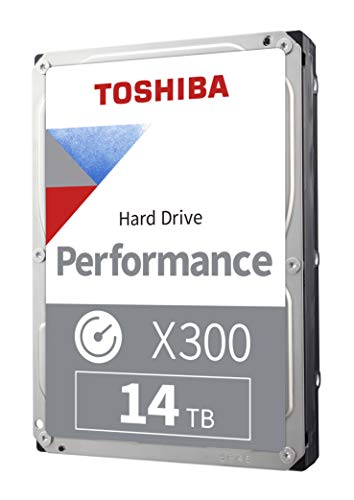
Toshiba X300 14 TB 3.5" 7200 RPM Internal Hard Drive (HDWR31EXZSTA)

Toshiba MG08 16 TB 3.5" 7200 RPM Internal Hard Drive (MG08ACA16TE)
 ripe sandal
You guys think this is still an okay price for a pcie 3.0 M.2 ssd?
Limited-time deal: Crucial P3 4TB PCIe Gen3 3D NAND NVMe M.2 SSD, up to 3500MB/s - CT4000P3SSD8 https://a.co/d/euxHFJd
Just going to use it primarily for gaming and maybe some unity map/character file storage.

Basic bootup speeds won’t cut it — not at work, on the go, or in the game. But the Crucial P3 SSD is anything but basic. With NVMe performance that’s nearly 5x faster than SATA and nearly 20x faster than HDD2, the P3 leaves older storage technology in the dust. With sequential read/write speeds u...
zinc path
sour wadi
For 14tb this one
https://pcpartpicker.com/product/7w8bt6/toshiba-x300-14-tb-35-...
It's just mainly going to be for backups rn also.
Will prob do the 14tb thx.
small carbon
ripe sandal
You guys think this is still an okay price for a pcie 3.0 M.2 ssd?
Limited-time...
Only decent in the sense it's a common-ish price lately. MP34 is $8 less if you want to glance at that. (More like $30 less if you can get the tiktok newegg shop)
https://a.co/d/ddUERwk
 bitter thunder
blazing musk
Yeah just add a SATA drive, gamers won't notice the difference
bitter thunder
blazing musk
Yeah just add a SATA drive, gamers won't notice the difference
I still run a 2.5” SATA ssd…only play Microsoft flight simulator..literally no benefit for me going to an NVMe. Only reason I would switch..which may happen soon…is because I am in need of more storage. But as far as speed, yeah, negligible for me
dense merlin
Can get a 4tb sata ssd for $120 off tiktok shop sold by newegg
Or 2tb p41 plus nvme for like $62
blazing musk
SATA is still cheaper then M.2 in larger capacities too, so if you need 8TB it might be better to go SATA.

 torpid adder
wow yep
small carbon
I doubled my storage w/ the 4TB mp34. Couldn't resist at $126 incl tax. -- yea, I only have 2 slots on my matx mobo so am using a pcie slot adapter also, lol. --- good enough sale price that it won't be a regret so soon as some purchases.
bitter thunder
small carbon
I doubled my storage w/ the 4TB mp34. Couldn't resist at $126 incl tax. -- yea, ...
Yeah If I'm going to upgrade, minus well go full on with a 4TB
blazing musk
I need to get more storage too, over 5TB used so far. I could use a 4TB nvme.

There's also another 3TB on that home server that's not shown in the net drive
blazing musk
Mmm no it's desktop storage that I need, my server is fine
 blazing musk
My HDD bays are full already though
blazing musk
Nothing you'd ever notice
open gazelle
Specs seem pretty equal
 blazing musk
Even the physical differences could be non-existent depending on which revision, that's pretty funny
 wheat egret
ok so I bought a new ssd and I cloned it but now I have 22 gbs of space unallocated and I want to add that back to the main partition can anyone point me into the right direction for help like another discord server or can anyone here help? Diskpart won't work
 modest warren
Yeah I got a new SSD aswell. Bios recognizes it but when I boot my pc via another hard drive it's not showing up in drives and devices
small carbon
Search disk management in start menu. Right click a new drive, hit initialize. -- ah, was up at 3AM so ignore if this isn't a solution, lol.
modest warren
@small carbon your good, i figured it out while i was waiting on an answer lol. currently waitng on file transfer to finish
wheat egret
small carbon
Search disk management in start menu. Right click a new drive, hit initialize. -...
I can't post pics I right clicked on my C drive to extend and it's just greyed out
blazing musk
I recommend using easus partition master. It bypasses the diskpart issue.
Alternatively you can boot a linux distro off a usb and use gparted
Either way it bypasses the volume lock, where windows won't let you modify the currently in use C drive.
wheat egret
blazing musk
I recommend using easus partition master. It bypasses the diskpart issue.
I had easeus installed but it wouldn't let me clone so I uninstalled I use macrium reflect to clone it was freeeeeeeeeee
lol it worked clicked two buttons
Thanks my dude
blazing musk
Yeh macrium is best for free cloning, easus is good for editing partitions
Happy to help
wheat egret
blazing musk
Yeh macrium is best for free cloning, easus is good for editing partitions
Have a great weekend
blazing musk
Same to you
modest warren
Can anyone help me with my ssd. It's not being recognized as a bootable device and I'm not getting the options to download windows. It just tells me to enter a valid device and a source for windows
modest warren
@blazing musk
wheat egret
modest warren
Can anyone help me with my ssd. It's not being recognized as a bootable device a...
what happened I thought you were good?
modest warren
@wheat egret nopem the SSD won't let me download windows onto it and idk why
Can't find an answer ir solution online either
wheat egret
modest warren
<@1086208267388207104> nopem the SSD won't let me download windows onto it and i...
Ok so do you still have your old SSD/HDD with all your stuff on it?
modest warren
I do
wheat egret
modest warren
I do
Ok is it plugged in?
modest warren
...yes?
It's showing up in bios but not listed as a bootable drive. And when I try to download windows onto it, it won't let me
wheat egret
modest warren
...yes?
is the new ssd a bigger volume?
wheat egret

With Macrium Reflect Free Edition you'll be able to easily make an accurate and reliable image of your HDD or individual partitions. Using this image you can restore the entire disk, partition or...
clone your old drive to new ssd
if you want I can stream and show you
@modest warren
wheat egret
what is your OS on?
modest warren
Windows 10
wheat egret
no HDD or SSD
modest warren
Oh HDD atm. It's why I got a new ssd. My old ssd fried
wheat egret
oh you can't get your data off your Fried SSD?
modest warren
Depends on its mood. Sometimes it shows itself other times it doesnt
wheat egret
you might need to go to a specialist to recover but for now I can def help you clone your HDD to your SSD
modest warren
That's all I need atm
small carbon
Part of this crap is why it's suggested to just fresh install windows. Can always later rehookup another drive to access it.
wheat egret
small carbon
Part of this crap is why it's suggested to just fresh install windows. Can alway...
yea I don't know his issue so I'll go the easy route
modest warren
@wheat egret it wont let me donwload it
installer has insufficient privilages. must be an admin..which i am
wheat egret
modest warren
<@1086208267388207104> it wont let me donwload it
DM me your email
modest warren
done. im so sick of this "must be an administrator" nonsense when i am
the thing thats killing me atm aswell is that my "my cmputer" application isnt working
 pearl jay
Hey i have a 500GB NVMe M.2 SSD and was wondering what would be a good 1 or 2 terabyte SSD upgrade?
 dreamy ferry
I have a PRO-B650M-A-WIFI. I've quickly filled up my first drive. I want a second NVMe drive. Shoul I get one with an included heatsink? Will it perform as well as my primary drive (assuming it is the same model)?
blazing musk
Unless you get a PCIe 5.0 drive or a 4.0 drive that you'll be abusing with lots of consecutive writes, no need for a heatsink
dreamy ferry
Ok cool
I think I should prob go for the 4tb
and hopefully not think about storage for a very long time
 lone vapor
hello
need a nice 1tb ssd that will give me good speeds on msfs
its currently running off of my C drive and I'm being told that is slowing down my game
real lava
p41
lone vapor
is there anything a bit cheaper
real lava

TEAMGROUP Cardea Zero Z440 Graphene 1 TB M.2-2280 PCIe 4.0 X4 NVME Solid State Drive (TM8FP7001T0C311)
this
small carbon
dreamy ferry
I think I should prob go for the 4tb
Mp34 is a solid pick depending on current price or if better ssds are similar price.
dense merlin
lone vapor
its currently running off of my C drive and I'm being told that is slowing down ...
Ssd speeds do not affect games much
You will not see a difference by swapping it to another ssd
lone vapor
Ah ok
lone vapor
dense merlin
Ssd speeds do not affect games much
So then it would be smart to put msfs on a different, much slower ssd than my primary?
blazing musk
Most of the assets in that game are streamed over network unless you specifically download the 200GB of files
So yeah that would be fine
lone vapor
blazing musk
Most of the assets in that game are streamed over network unless you specificall...
My msfs takes 600gb lol
It’s a very serious hobby
Probably worth more or as much as my pc 😨
blazing musk
Must have gone up since I played it, which makes sense
lone vapor
blazing musk
Must have gone up since I played it, which makes sense
I don’t think it has but I have a lot of addons and liveries and such
blazing musk
That makes even more sense then
Random access speed would matter more than raw sequential speed still
sharp folio
Alright so SeaTools has no actual indicator of what any of the values actually mean, what do at least the read error rate values mean?

One of my SSDs is at 98% on life
torpid adder
sounds good to me
sharp folio
HWiNFO shows 99% left on the drive that has been used very little but plugged in for a while and 100% for the one in the ss
blazing musk
The drive life indicator is a safety mechanism for the nand packages. They're expected to last a certain number of write cycles. The life can go all the way down to 1% without any performance or data loss. Consider replacing around 5%.
sharp folio
Alright
This thing has been going since 2020 and used to be my drive OS so I'd say that's pretty good
For a 480GB drive from Kodak, not sure who they use or the life-expectancy
blazing musk
Yeah most of these modern SSDs have so much endurance rating you'll never hit the limit before you replace the drive
I have an older model from when SATA M.2 was more common, like 6-7 years old, and it's still at 98%.
lone vapor
blazing musk
That makes even more sense then
yeah so I'm looking to offload it so I can have stuff where speed really matters on a quick ssd 🤑
 heady glade
I'm on the hunt for some bigger internal drives, (Wanting like 6/8 tbh
Nvme i think just price me out
real lava
mvme ssds are only a little more pricier than sata ssds
heady glade
Maybe im nto searching right i was seeing like 500 for 8 tb
but maybe that is just what it is

Give your system the power of PCIe 4.0 with the budget-friendly UD90. Providing the best bang for your buck, it reaches read speeds up to 5,000MB/s and write speeds up to 4,500MB/s. It also boasts 2x faster data transfer rates than its predecessor, PCIe 3.0, for sustained use and dependable perfo...
well 4 tbh*
heady glade
I would love that if possible im hunting now lol
real lava
heady glade
I would love that if possible im hunting now lol

TEAMGROUP MP34 4 TB M.2-2280 PCIe 3.0 X4 NVME Solid State Drive (TM8FP4004T0C101)
here, cheapest atm
heady glade
With NVME Do i care so much about the brand for quality / reliability
or are we finially to the "Everyone makes a solid product"
real lava
not really, but team group makes decent ssds
and they're usually one of the cheapest options
i use an mp33 myself, 1tb
heady glade
Say less im on it
 sullen oxide
@blazing musk what’s the hard drive cleaning application?
Discord is beyond wack today and I can’t see my message history
blazing musk
CCleaner?
It's not just you
sullen oxide
That’s the one that completely wipes the hard drive?
blazing musk
No just the junk data and temp files
Although it does have a scrubber that totally wipes a drive to the point the DoD would have trouble recovering the data
sullen oxide
Jesus.
I just wanna wipe em for the new pc, as I’m going from an nvidia card to an Amd card
 river lichenBOT
DDU (Display Driver Uninstaller) Guide by Pato
https://github.com/NeweggTechie/Graphics-cards/wiki/How-to-use-DDU

GitHub
Contribute to NeweggTechie/Graphics-cards development by creating an account on GitHub.
sullen oxide
So what would I use to also remove files from the computer? Like all my installed games and apps
Ty for that btw, I didn’t know that existed
blazing musk
sullen oxide
So what would I use to also remove files from the computer? Like all my installe...
PC reset, it's in settings
sullen oxide
blazing musk
PC reset, it's in settings
I’ve done it like 4 times. Have I been doing something wrong?
I’m running windows 10.
blazing musk
There's 2 options in the reset dialogue that comes up. One option says keep files, the other is to erase them.
worn trail
Is there any difference between S70 and S70 Blade 2TB models?
blazing musk
One has a heatsink and the other doesn't
The one without a heatsink is usually the one to use for a PS5 or a motherboard that has a built in sink
worn trail
Gotcha.
 devout tulip
Could someone explain to me how I can transfer my windows to another drive I want to make my ssd my primary and currently the windows is on a 1tb seagate I want to move windows to a 500 gb wd blue ssd
formal tusk
Macrium reflect free edition
Install
Clone windows disk
Pick the new drive to clone to, drag everything across
Start the clone
And done
 plush crag
Macrium is that 🐐

 crimson brook
what do y’all keep on your hard drive vs ssd, i have both and have for a while, but i only have put stuff on my ssd and wanted to move some stuff from ssd to my hard drive but idk what i should move
if this helps these are what i’ve got
 worn trail
crimson brook
what do y’all keep on your hard drive vs ssd, i have both and have for a while, ...
worn trail
crimson brook
what do y’all keep on your hard drive vs ssd, i have both and have for a while, ...
hard drive should be used for cold storage and things you use regularly like games, work apps, and os should be kept on ssd.
 shut furnace
my general workflow is keep the operating system, all applications and some games on the ssd. while the hard drives keeps all the documents to be used by such applications and longer term archival files
that way it's easier for me to know where all files that require backups are. I can essentially wipe the entire OS drive without having to worry about important files being lost
 potent crypt
@crimson brook What @worn trail said. Lol
worn trail
Is there a list for SSDs like the one for PSU in #cases-psu-and-cooling? Planning out what drive I am gonna save up for.
blazing musk
Yes but it's outdated. It was maintained by a former member of the server.
worn trail
Ahh I see.
What drives did you guys recommend? I've been looking at S70, XS70, SN850X, and KC3000 as contenders.
worn trail
Video Editing and such so I'd benefit from it.
blazing musk
Here's the (outdated) list. You can figure out roughly where a newer model drive fits from the controller, you'll see a trend in the higher end drives.
https://github.com/windshields/stoRAGE-consumer-SSD-buying-guide/blob/main/SSD tier list.md

GitHub
SSD buying guide & tier list, maintained and updated by select editors - windshields/stoRAGE-consumer-SSD-buying-guide
worn trail
blazing musk
Here's the (outdated) list. You can figure out roughly where a newer model drive...
Appreciate it.
open gazelle
blazing musk
Here's the (outdated) list. You can figure out roughly where a newer model drive...
I kinda prefer spreadsheet over old list.
https://docs.google.com/spreadsheets/d/1B27_j9NDPU3cNlj2HKcrfpJKHkOf-Oi1DbuuQva2gT4
Cuz updated and more info per SSD, also more SSDs
worn trail
open gazelle
I kinda prefer spreadsheet over old list.
<https://docs.google.com/spreadsheets/...
appreciate it.
Seems KC3000 is my best bet between good performance and value.
crimson brook
recommended m.2 ssds? pref under $100 trying to get 2 tb
my build if needed
Part List - Intel Core i5-12400F, GeForce GTX 1660 SUPER, Corsair 4000D Airflow ATX Mid Tower
crimson brook
how is the mp44l compared to other choices
formal tusk
crimson brook
recommended m.2 ssds? pref under $100 trying to get 2 tb
my build if needed
h...
670p
crimson brook
what’s the big difference between the two
dense merlin
I would say this for 2tb atm, with how close in pricing it is to b/a tier ssds https://pcpartpicker.com/product/rjkWGX/adata-premium-for-ps5-2-tb-m2-2280-nvme-solid-state-drive-apsfg-2t-csus

ADATA Premium For PS5 2 TB M.2-2280 PCIe 4.0 X4 NVME Solid State Drive (APSFG-2T-CSUS)
That's basically a rebranded xs70
Other options you're saving $5 but imo at that price why not get the "better" one
dense merlin
Yeah
Sorry typo, meant saving not asking
Sentence should make more sense that way lol
dense merlin
Just faster speeds essentially, it's same tier as ssds like the xs70, s70, 980 pro, sn850
crimson brook
how much faster? visually will i see a difference?
dense merlin
Atm likely not, if direct storage actually becomes a thing it could matter then, and minor differences in game boot times/load screens
crimson brook
so is it really worth it? i mean i don’t mind spending it but i’m also asking myself, if i’m not gonna visually see faster speeds with the more expensive one, i could just get the mo44l
dense merlin
Eh, I would just get it to have it if I were buying one but the difference will not be highly noticeable
Well, not noticeable at all compared side by side
crimson brook
think i’m gonna buy mp44l.. i don’t see a reason i need to spend more money’s on almost no difference in performance
 manic beacon
helllpppp
just finished building a pc and the m2 ssd isn’t showing up
only boot usb is showing up but need to download windows on the ssd
blazing musk
manic beacon
just finished building a pc and the m2 ssd isn’t showing up
Might need to set the PCIe version in bios for the slot
manic beacon
its not showing under advanced settings
i checked online and it said i can configure under Onboard Devices configuration
but not showing any PCIe settings
only fix i can think of is to get a hard drive, install windows on it and format the drive from there
blazing musk
Try a different M.2 slot first
manic beacon
there are 3 slots
tried all of them
think i need to format it
but its an issue since i dont have another drive
blazing musk
Oh wait you never did say where it wasn't showing up
I had assumed you meant in bios or during windows install
blazing musk
Ok, no you don't need to format it to show there
manic beacon
what might be the problem?
its definitely in correct
i’ve screwed it in so its not moving
blazing musk
Possibly a bad drive. If you can, test it in another computer.
blazing musk
Not really, but that depends on the model
If it's something cheap like the timetec ones I wouldn't be surprised at all
manic beacon
WD BLACK SN770 2TB SSD M.2 2280 NVME PCI-E GEN4 SOLID STATE DRIVE
paid £110
might send it back and replace with a proper ssd
blazing musk
Decent drive, but it's not the first I've seen a possible bad WD drive
formal tusk
manic beacon
only boot usb is showing up but need to download windows on the ssd
Not showing up on the windows install menu?
manic beacon
no
manic beacon
as in, only thing in the menu is the usb boot drive
formal tusk
Good lord
Yes
Pick the usb drive
Then load into the installer
You should have the option to pick the sn770 there when you install
manic beacon
it tells me to fromat the usb
i did that first and it wiped it
so had to reinstall the boot software
manic beacon
might have to get a second drive
formal tusk
No
manic beacon
formal tusk
So you've reinstalled it yes
yes
formal tusk
No drive shows up in bios until the install is done
manic beacon
oh ok
formal tusk
I have like 10 drives in my work pc
Only 1 shows up with windows on it
The drive will show up in the windows installer when you boot from the usb
formal tusk
With the usb
manic beacon
bc i feel like im missing something
manic beacon
formal tusk
With the usb
tried that but doesn’t show up
formal tusk
You need the windows media creation tool on the usb
manic beacon
when it asks me where to install to
blazing musk
formal tusk
You need the windows media creation tool on the usb
To clarify, you run that on another computer to create the install USB
formal tusk
...
manic beacon
final resort, f it

think it might be my usb bc i wiped it again and now wont verify
installed it in a vm on my mac
so that might be the problem
formal tusk
Just use a regular usb
Paying extra for one that has the installer is overcomplicating things
If it doesn't work then you'd need to return it right lol
blazing musk
I personally don't trust those because who knows what they added to the installer
torpid adder
Clippy
blazing musk
If the only other computer you have access to is a Mac you can run the Windows Media creation tool through the VM and tell it to download the ISO, then copy that to the main OS and use a Mac compatible program (or just DD) to create a bootable drive
Or it might even just let you download the ISO from the page you would download the tool on if it detects you're on Mac
dreamy ferry
Im likely going to grab a 4tb nvme off Newegg on Xmas day. Is this a good choice? I don’t mind spending a little more if it’ll make my games load like 8 percent faster or whatever.
TEAMGROUP MP34 4 TB M.2-2280 PCIe 3.0 X4 NVME Solid State Drive (TM8FP4004T0C101)
torpid adder
Might as well go with a 4.0 drive if you want to spend more for faster
blazing musk
8% is an optimistic number there.
It's more like it shaves 0.1 seconds off a 12 second load
And that's comparing a gen 3 drive to a gen 4
dreamy ferry
Hm if it’ll be an imperceptible difference in speed, cheap or cool looking is good
Looks like software doesn’t really take advantage of the improved capabilities of gen 4 nvme just yet
BUT my pc is otherwise high end and could still be in use when games with direct storage do come out (?)
blazing musk
Forspoken is the only game that uses the directstorage library so far and even that game barely benefits from faster drives.
dreamy ferry
I guess you can’t tell me how many games will be using it in two years huh lol
blazing musk
We've been waiting on more games for what, 3 years since they announced it?
dreamy ferry
I’ll see what’s on sale day of I suppose and buy something. My 2tb is full
blazing musk
Oh I stand corrected, it's been 3 years and there's 2 games. The other is ratchet and clank rift apart.
dreamy ferry
Ever since I’ve built this pc it seems I’ve been like the first to load into every multiplayer match 😊
blazing musk
Forza motorsport and Diablo 4 have said they might add it in an update
Neither of which loads slow anyway
dreamy ferry
Yea all my games load super quick
Thx to this discord for helping me build it lol
Im running out of stuff to upgrade on it
blazing musk

 dreamy ferry
F
worn trail
Lmao.
open gazelle
blazing musk
Forspoken is the only game that uses the directstorage library so far and even t...
The problem is that we didn't have full direct storage until only like 8 - 12 months ago iirc. I can't even remember if Fors🅱️oken had full DS.
blazing musk
That's part of the problem yes, but we have a sample size of 2 so I'm not going to make any generalizations.
 broken moon
Im having an issue where my hard drive is showing up in device manager and partion manager but not in bios or the files


 tawdry dove
just got a crucial x6 ssd for christmas should is it recommended to download the Optimization and update utility?
blazing musk
tawdry dove
just got a crucial x6 ssd for christmas should is it recommended to download the...
Nah
tawdry dove
Sweet
 harsh sage
quiet gust
harsh sage
quiet gust
homie doesnt know what a zfs pool is 😭
formal tusk
harsh sage
homie doesnt know what a zfs pool is 😭
I'll zfs ur pool in a minute
harsh sage
formal tusk
I'll zfs ur pool in a minute
 quiet gust
Is "add mirror" in windows disk management basically raid 1?
formal tusk
Dynamic drive ftw
 formal tusk
harsh sage
truenas truenas truenas truenas truenas
formal tusk
harsh sage
truenas truenas truenas truenas truenas
I WILL OPTANE ALL THE THINGS
formal tusk
harsh sage
already decomposed too
Anything for the best technology in the world™️
formal tusk
Oh yeah they also released the worst in the world™️ at the same time, thanks for reminding me
harsh sage
formal tusk
Oh yeah they also released the worst in the world™️ at the same time, thanks for...
formal tusk
💀
harsh sage
harsh sage
speaking of storage, im gonna take apart my server 😔
im a goofball for putting my best x99 board and CPU in it when i knew i'd probably need it for benching again
harsh sage
rampage 5 edition 10 is not trash 😔
formal tusk
Still just trash really
 formal tusk
Forgettable platform tbf
harsh sage
YOURE SO WRONG
harsh sage
i got it for 30 bucks
harsh sage

quiet gust
is filezilla the easiest and most reliable option to host a small file server if running windows 10?
quiet gust
Ok, I wanted to know if there were other solutions to remote file sharing, currently using that but it's fine.
Only one problem, if I share a folder, either password protected or not, I can access that folder only (as well as what's inside) if I use windows file explorer.
The problem occurs with CMD as I can still access it but I can also navigate back with the "back" command (I don't remember it exactly but it's like cd..// or something that uses those symbols)
So whoever has access to the folder also has access to the rest of the computer. Solution?
 raven plinth
anyone have ideas for what is the best method for backing up lots of files? trying to help family who are not tech savvy. should i just buy a bunch of external hdds and then tell them to back them up once a year or smth?
also, is there a better alternative to a program like freefilesync before i painstakingly teach them how to use it
blazing musk
Define "lots of files" because my definition is probably closer to tens of millions of files spread across 50 workstations
The easiest method for home users would probably be the built in windows backup tools
raven plinth
a couple tb
i assumed windows built in stuff would not be good enough because thats backing it up on the same hardware so if there is a failure the backup would be gone as well
blazing musk
You can set it to backup wherever you like. I have mine set to what I have mapped as the "Z" drive, which is actually my home server.
The trick is mapping the network location, then it lets you
raven plinth
yeah i suppose that the other part of my question then, what should i back it up to? assuming i currently have nothing and would have to buy whatever it is.
blazing musk
raven plinth
yeah i suppose that the other part of my question then, what should i back it up...
An external USB drive usually does the trick
raven plinth
do you have any recommendations
quiet gust
I was about to say this hdd was one of the big 4tb ones until I realized

Yes, it was...
 blazing musk
"Was" being the operative word there. Oh you can see the dust on the platter too. Oof.
torpid adder
lick it off lick it off lick it off lick it off lick it off
real lava
it was an hdd indeed
quiet gust
blazing musk
"Was" being the operative word there. Oh you can see the dust on the platter too...
It's also missing a few parts
Like
Everything
Except the platter and the motor lol
 blazing musk
broken moon
Can I use this m.2 riser card in the last slot
blazing musk
broken moon
Can I use this m.2 riser card in the last slot
What model motherboard? The bottom slot is often reduced to x4 or even x1
broken moon
B550 xe gaming wifi asus rog
blazing musk
broken moon
B550 xe gaming wifi asus rog
The bottom x16 slot runs in x4 so any drives on the adapter card will share 4 lanes
The other x16 slots share bandwidth as well so they'll either run as x16/x0 or x8/x8
Most GPUs would be fine with running at 4.0 x8 so that might be a viable option, expansion in the top slot and GPU in the second.
broken moon
I just heard that usually, for gamers the gpu in the 2nd slot in this case could cause noticeable performance affects
blazing musk
I doubt most people would be able to notice the extra 10ms of latency but that doesn't apply here anyway since top and middle x16 are both directly attached to the CPU and not the chipset
blazing musk
The board has bifurcation
But I'm not sure if it'll do it on the bottom x16 (x4) slot
plush crag
Why would it need to?
No matter what settings you type in, you will always and only see the first drive in that adapter when used in an x4 slot
blazing musk
It's hard wired from the pins to the drives?
blazing musk
Dang, guess I need to get that 21 drive adapter instead so they'll just share bandwidth
plush crag
That's why they're $50, and actually by far my favorite nvme mounting solution
formal tusk
wait, so if you run one of those, and you are missing 4 lanes, it only recognises one of the drives?
plush crag
Huh?
formal tusk
what this mean?

say you have a 2 nvme adapter
only sees the first nvme in the card if it has only 4 lanes?
plush crag
Oh I was confused because it's a quad nvme riser, but with two drives, yes
formal tusk
fascinating
plush crag
You can see the traces on the PCB, it's just wired directly
No mux, plx, etc, though those do exist for 5x the cost
formal tusk
I wanted to use the nvme card from the apex but I didn't have case space
so never got to try it
broken moon
Yea well I watched a video on it that explained the bifurcation
I was gonna run 2 drives in raid 0 in the riser
But I don't want it 2 mm away from the fans on my gpu
Would it be better to just run the m.2s in raid 0 with them both on the motherboard instead?
Since Im not using all 16 lanes, isn't that the whole appeal of the card is that you have more pcie bandwidth and can have more drives?
 minor sun
broken moon
Since Im not using all 16 lanes, isn't that the whole appeal of the card is that...
minor sun
broken moon
Since Im not using all 16 lanes, isn't that the whole appeal of the card is that...
If you want to take lanes from the GPU and run it in x8/x8, then yea
Afaik all you have to work with is 16+8+4 lanes in total, 16 from CPU to first pcie slot, 4 from CPU to first m.2 slot, and 8 lanes from chipset with generally 4 lanes to second m.2 slot and 4 lanes to another pcie slot
plush crag
The chipset can multiplex
blazing musk
minor sun
Afaik all you have to work with is 16+8+4 lanes in total, 16 from CPU to first p...
Not on that motherboard, the top and middle x16 slots are connected to the CPU according to the specs and manual. So if you use the middle slot then both the top and middle will be x8.
formal tusk
broken moon
Would it be better to just run the m.2s in raid 0 with them both on the motherbo...
If the motherboard has slots then use them
If you want to use a riser card, use the riser card slot 1 and gpu slot 2, set bifurcation to x8/x8
Both run straight to cpu lanes, you won't notice the difference, not in 100 years
^that's basically the takeaway from yesterday above
broken moon
Okay
formal tusk
broken moon
I just heard that usually, for gamers the gpu in the 2nd slot in this case could...
It does if you don't have ample lanes, in this case you seem to have them
broken moon
I just watched a video that explained it differently
Thank you
So riser card on top 2 m.2s raid 0
Gpu 2nd slot
blazing musk
broken moon
I just watched a video that explained it differently
Your motherboard works differently from the average one, that's why
formal tusk
It's a 3060 anyway
broken moon
formal tusk
It's a 3060 anyway
😦
formal tusk
If it didn't run on 4 lanes I'd be shocked
broken moon
Ohh
blazing musk
That would be pushing it for bandwidth but it would run
minor sun
blazing musk
Not on that motherboard, the top and middle x16 slots are connected to the CPU a...
Yea, it can do x8/x8/x4 with first 16 from CPU and the 4 from chipset
formal tusk
Which is 1.0 x16
A 3090 runs on 2.0 x16 barely
Yes it would run
Albeit the throughput might be a bit choked it would be almost full perf going by data rate
minor sun
plush crag
The chipset can multiplex
doesn't the chipset mux just give 8 lanes from 4 from CPU, 4 of which would go to second m.2 slot and the other 4 to the third x16 slot?
plush crag
formal tusk
If you want to use a riser card, use the riser card slot 1 and gpu slot 2, set b...
uh, no, that won't work lol. That's not what bifurcation means.
If you had the riser in either cpu lane slot, you'd set them to either x4/x4/x4/x4 or x4/x4
Given that it's a 3060, I'd just run the riser in cpu x16 slot 1, set bifucation on that to x4/x4/x4/x4, then put the 3060 into cpu lane x8 slot 2
plush crag
If you put a riser card that has each of it's four quartets of pcie lanes hard wired to the corresponding pins, telling the motherboard you want to run x8/x8 will bork something
Probably no harm, but it won't work
formal tusk
So a fused 4 nvme card has to run x16?
plush crag
Fused?
plush crag
If you have any number of drives in this card, you need to tell the mobo to run that slot x4/x4/x4/x4 https://www.amazon.com/ASUS-M-2-X16-V2-Threadripper/dp/B07NQBQB6Z

The ASUS Hyper M.2 x16 card is designed specifically for Intel Virtual RAID on CPU (VROC) and the AMD Ryzen Threadripper platform for NVMe RAID support. Four M.2 slots provide up to 128 Gbps of bandwidth per card. The stylish heatsink and integrated blower style fan prevent M.2 throttling.
If you tell the mobo to bifurcate to x8/x8 and the riser is in the x16 slot with two drives installed, the mobo will try to talk to both drives assuming it's a single device
Maybe one will work, idk, never tried to break my hardware lol

I actually just threw an x2 x4/x4 riser into the new temp* daily build
 plush crag
Yes, I'd assume it would be
plush crag
I think I understand - when I say x4/x4/x4/x4 I mean bifurcation within the same pcie slot
Not slots on the board
formal tusk
Yes I think I get what you're trying to say now too
Never seen that option before for x4/x4/x4/x4
It probably exists or never noticed lol
plush crag
My x670e could do it, trx40, wrx80, trx50, probably more can IME
formal tusk
Threadripper def different lol
plush crag
Asus stopped releasing block diagrams which is a pain
formal tusk
Those block diagrams are great ngl
plush crag
My x570 giga, asus could as well now that I remember
formal tusk
I could check on the aero g
plush crag
formal tusk
Those block diagrams are great ngl
Lol yeah, the one redeeming feature of a giga board, especially when you have two daisy chanined chipsets and need to figure out how to structure your storage
X670e master
 formal tusk
Ah yeah there it is
 plush crag
Interesting how they have an 8/4/4/ option
formal tusk
Well that would work well for dual m.2 cards
plush crag
How
 plush crag
No, you'd need to run 4x4
formal tusk
Eh why can't you run only 8 lanes
plush crag
Unless you have some dyslexic aliexpress card that has the first two drives wired to the back 8 lanes lol
formal tusk
I'm so glad atx is pointless for desktop now
plush crag
That said, it's a desktop platform, the 2nd cpu lane slot is already x8, why not bifurcate that one and put the gpu in the x16 to run at x8
Other than airflow ig
formal tusk
plush crag
That said, it's a desktop platform, the 2nd cpu lane slot is already x8, why not...
I'm even more confused

This is just the biggest can of worms
plush crag
If you tell the x16 slot to go x4/x4/x4/x4 I think it might* take all 16 lanes, unsure
formal tusk
Omg
plush crag
Not really other than what I mentioned in the last message, but I that issue is easily avoided
formal tusk
On x670e that would be ok tho tbf wouldn't it
24 lanes to slots ye?
Or 4 only to m.2 slot
Thinkge
32 total isn't it?
plush crag
Sure, if you want to put your gpu in a chipset slot (if the previous example config would indeed block out the unoccupied pair of x4 lanes)
plush crag
formal tusk
On x670e that would be ok tho tbf wouldn't it
Check the giga block diagram
formal tusk
Ah 28
plush crag
Yeah, 28 of total bandwidth, but remember that x4 link to the first chipset can provide full bandwidth to any device at one time past that
Mostly
TL;DR - mux
plush crag
It's been this way for over a decade
formal tusk
Yes but they just use it for another pcie direct m.2
I figured that it wouldn't be that simple
Lol
plush crag
e.g. z170 you have an nvme in the chipset lanes at x4 3.0 as well as an nvme in the x4 chipset slot with a riser at x4 3.0, either can runn full speed alone, but total bandwidth is limited to x4 3.0
Minus whatever ethernet, audio, usb, sata, idk whatever else talks through the chipset
It all goes through the DMI link
formal tusk
Ohhh
So the other question would be
If the second pcie slot could do full 16x
Would a 2 slot riser be picked up if it was wired however it wanted
Cos then x8/x4/x4 would work ye?
plush crag
No, e.g. on wrx80/wrx90 you have 7 slots all pcie 4/5.0 x16
If you put a quad nvme riser into slot (any), you need to set that slot to bifurcate x4/x4/x4/x4
formal tusk
Hmmm
I think it would be the case that it wouldn't reserve the full 16 tho
Cos if you have nothing plugged in, it doesn't reserve that
Some handshake involved I would guess
plush crag
(been there) https://i.imgur.com/ieffiKq.jpg


 formal tusk
Maybe I should try my riser card in the x570
For the memes
Need another m.2 tho only got one spare
plush crag
Bifurcation just means you tell the bios to expect two or four devices, grouped by 4 (usually) pcie lanes
formal tusk
Yeah so if it does x4/x4 would it not detect 2? That's what keeps tripping me up
plush crag
Yeah
formal tusk
So if it was wired to the second half of the slot, set to x4/x4, 2 nvme's
Would work yes?
Not they normally are iirc
Normally wired left to right iirc
plush crag
I don't mean to make the more complicated than it is lol
plush crag
formal tusk
So if it was wired to the second half of the slot, set to x4/x4, 2 nvme's
You could do that with the quad nvme riser, only plugging in drives to the 3rd and 4th bays, but why
formal tusk
I'm on 2 hours sleep this is really interesting and there's smoke out my brain ngl
plush crag
Get some rest haha
formal tusk
Hey man, they might only need 2 drives lol
So glad I've only dealt with the single risers
plush crag
Right, but again,
Put GPU in x16 physical/electrical pcie slot, no settings needed
Put dual nvme x4/x4 riser into 2nd x16 (x8 electrical) slot, and bifurcate that one to x4/x4
formal tusk
This double and quad stuff makes it so complicated
plush crag
It doesn't, lol
formal tusk
plush crag
Right, but again,
Put GPU in x16 physical/electrical pcie slot, no settings ne...
YES
I WAS THINKING THIS THE WHOLE TIME

I was so confused tho
But the 3060 in this case works in x4 only surely
plush crag
TBH - I think we just mixed up terms for physical x16 etc as well as birfurcation terminology
formal tusk
Oh probably yeah
plush crag
I mean, it'd be x4 4.0? Even 3.0, I wouldn't worry about it, few percent fps probably
formal tusk
Well his strix doesn't seem to have a full x16 second slot from what I could see
Not like physical but electrical/data
formal tusk
plush crag
gpu, quad riser, anything else?
Afaik nothing else
plush crag
Depends on cpu x16(physical) spacing, but if they're too close together such that the riser blocks fans, I'd put the gpu in the 2nd physical x16 slot, and the riser in the top - to see if that could bifurcate to x4/x4 without blocking the unused lanes
otherwise, assuming the riser would block the fans, yeah, gpu in chipset ig
formal tusk
Ye
blazing musk
formal tusk
Gpu bottom, x4 @ 4.0
Bottom slot is only 3.0 tho, but yeah if you needed all 4 slots from the adapter this is the only option
 still bay
Hello, does anyone know if I can use any nvme SSD here or is it just for m.2 sata ssds? It's for an Acer aspire e5-575g-53vg.

 cloud kiln
does anyone know how long does cheap sd cards retain data
cloud kiln
no im wondering if the data on this sd card bit rot and corrupted or if it was corruped from the start
im not planning on buying sd cards to store data
well, buy more just to store data
i still use it for my SBCs
and cameras
file says it was created in 2020 lmao and it's not opening
 rare lark
assume a cheap sd is dead on arrival
it either dies within a couple days or a long time
cloud kiln
not even a ssd, it's a microsd card 💀
 elder ibex
haven't had much experience with SD cards getting corrupted
cloud kiln
but yeah most of the files on the microsd card is just not openable
it's been sitting on a desk for a few years
rare lark
so yeah it's screwed
cloud kiln
i'll salvage what i can, there is a few family pics on it
while not too important, probably good to keep them or smth idk
probably will never look at them again lmao
but still
elder ibex
if nothing else, good practice for when it really hits the fan
 undone salmon
Does anyone one know how to format a SD card for the ender 3 series 3d printers
the one it came with broke
and the 3 that i bought dont work
😦
rare lark
google/youtube
undone salmon
rare lark
google/youtube
smart man
used google before asking here but yt had the solution
🙂
blazing musk
It's strange how often that's the case. And it's always some random channel and the video has like 12 views but every comment is "omfg thank you I've been pulling my hair out"
 spring stag
One message removed from a suspended account.
blazing musk
It's probably sharing bandwidth with the SATA ports, try different ports
spring stag
One message removed from a suspended account.
blazing musk
Right I mean different SATA ports
spring stag
One message removed from a suspended account.
One message removed from a suspended account.
 worthy mantle
Hey, my friends pc randomly stopped detecting the m.2 as a boot drive. Anyone know what could be going on?
blazing musk
Clear CMOS first, try another slot if that doesn't work.
If that doesn't work, set the PCIe version in bios manually.
If all that fails, it might be a bad drive.
?cmos
river lichenBOT
How to clear CMOS (works for AMD and Intel)
https://www.intel.com/content/www/us/en/support/articles/000025368/processors.html
Intel
Defines CMOS technology and how to clear CMOS using the jumper or battery methods.
sour wadi
Depends on the nvmes, the cpu, the, slots on the motherboard but generally thats pretty fast ye
still bay
Would this SSD be fast and reliable enough for a ps5? I have the 1tb version for my uni laptop and it's alright. But I'm thinking of getting this 2tb version for my slim. Should I get this or just go WD/Samsung/Crucial?
blazing musk
still bay
Would this SSD be fast and reliable enough for a ps5? I have the 1tb version for...
That would work
 sharp hill
Right now I have an Asustor drive to backup my computer. The backend of the NAS stuff is foreign to me and now that I am having issues, I want to just have a simple Hard Drive setup with a Raid system to backup my computer. I have two Seagate IronWolf Pro ST16000NE000 16 TB Hard Drives…I just want to put them in a HD case and mirror them and add them to my computer to back it up. What do you suggest?
 magic citrus
I currently have a 4tb Mycloud backup drive. The desktop app is no longer supported. I am looking for a simple harddrive i can plug into my router and map as a network drive. Help please.
blazing musk
magic citrus
I currently have a 4tb Mycloud backup drive. The desktop app is no longer suppo...
You can take the drive out of the enclosure and use a standard USB to SATA adapter or a different enclosure
That way you both save money and you don't lose your data
magic citrus
Yes it forces you to use a web app which isn't very user friendly. I just want to be able to drag and drop between folders.
red jay
is it best to use windows 11 disks & volumes manager to delete a partition or should i boot into a partition manager tool
blazing musk
If it's a system partition then you'll need a boot OS like the gparted linux distro
Otherwise it's safe to use the disk management
 hidden solstice
hey ppl need some help with the following: so I want to expand my storage on a MSI MAG B550 Tomahawk motherboard and I want to do it with a Samsung 2.5 EVO 870 1TB SATA3 ssd. Now the real question I have is, is this going to be compatible with my system if I already have an NVME ssd in the first M.2 slot under the cpu? I'm askin cuz previously I tried do the same but with a second NVME in the second M.2 slot after which I learned that it is not possible to have two NVME ssd both with 4 lanes in my motherboard because it's just not built for it
blazing musk
hidden solstice
hey ppl need some help with the following: so I want to expand my storage on a M...
According to the manual, the second M.2 slot will run at x4 if the second and third PCIe slots are not occupied. It will run at x2 if the second PCIe slot is occupied.
The first M.2 and first PCIe slots are independent of the other slots, since they get their lanes from the CPU and not the chipset (PCH).
SATA drives don't appear to interfere with any PCIe devices on this board, even M.2 drives.
 hidden solstice
so in short i can hook up a sata without an issue?
hidden solstice
blazing musk
According to the manual, the second M.2 slot will run at x4 if the second and th...
thx for the reply btw🙏
blazing musk
hidden solstice
so in short i can hook up a sata without an issue?
Yes, and you should be able to use both M.2 slots at x4 if the only other PCIe device you have is your GPU in slot 1
hidden solstice
alright, thanks for the info!
 blissful sluice
I have probably a crazy question, if i sell a pc with no ssd, then all they get are the parts none of the things that were on the pc previously right?😭😭
dense merlin
blissful sluice
I have probably a crazy question, if i sell a pc with no ssd, then all they get ...
Yes
blissful sluice
I was 90% sure but didn’t want him getting my stuff lol
quiet gust
I've got a bunch of these sas ssds, what price should I sell them for? They're used but still working
They mostly have 30TB writes, is it possible to estimate how many write cycles are left?
 blazing musk
quiet gust
I've got a bunch of these sas ssds, what price should I sell them for? They're u...
blazing musk
quiet gust
I've got a bunch of these sas ssds, what price should I sell them for? They're u...
Do they not have SMART data you can read with crystal disk info? That's the way to estimate write life.
Unless it's really old nand, with only 30TB of writes or so I'd guess they're still in the high 90s percent life remaining.
quiet gust
blazing musk
Do they not have SMART data you can read with crystal disk info? That's the way ...
They're not recognised by disk info, only hdd sentinel as they're connected with a sas HBA, I do get some SMART readings but its not as "readable" as disk info
quiet gust
blazing musk
Unless it's really old nand, with only 30TB of writes or so I'd guess they're st...
I mean it is a bit old, they're mainly 2014-15 SSDs
blazing musk
Ah right when raid mode is on smart data and features are usually blocked
minor sun
quiet gust
I've got a bunch of these sas ssds, what price should I sell them for? They're u...
You can probably assume the tlc can do 1000 p/e cycles, so 400tbw theoretical endurance
found an interesting chart from a paper testing a 120gb tlc sata ssd

 gray talon

NOTE: You can play PS4 games directly from USB extended storage, which lets you save space on your PS5 console storage for PS5 games. To play PS5 games, you need to copy game data from your USB extended storage drive back to your PS5 console's internal SSD storage. It’s much quicker to copy a PS5...
Is this actually ok?
real lava
doesn't seem like worth getting to me
blazing musk
Might as well get a flash drive at any size 4TB or less
You don't need a drive marketed for consoles
real lava
Fal's point still stands
You could get any other external storage
Consoles will detect any usb storage devices just finr
blazing musk
Considering the PS4 runs off a SATA 2 HDD (the pro got SATA 3) even a USB 3.0 flash drive will be faster than the original hard drive by a large amount
A small HDD for that matter, a standard 1TB drive will hold dozens of games
Yeah it's a little more expensive than that external drive, but it's also much, much faster at game loading
1TB drives are cheaper
 elder ore

64gb to 1tb for steam deck
I thought I had the right screwdriver size but I ended up scratching the holes where the screws go in 💀
 sinful salmon
I don't get why the handheld manufacturers are obsessed with this tiny SSD form factor
You can fit a 2280 in both the Deck and the Ally (the Ally is easier to do but the Deck isn't impossible either)
So why artificially limit compatibility to the tiny drives that cost a lot more?
blazing musk
In the case of the original deck, installing a longer SSD can block the wifi antenna and create interference
shut furnace
yo anyone got recs for cheap but reliable nvme. for a older system
dense merlin
shut furnace
yo anyone got recs for cheap but reliable nvme. for a older system
1tb?
If so prolly https://pcpartpicker.com/product/9CjNnQ/pny-cs1030-1-tb-m2-2280-nvme-solid-state-drive-m280cs1030-1tb-rb

PNY CS1030 1 TB M.2-2280 PCIe 3.0 X4 NVME Solid State Drive (M280CS1030-1TB-RB)
shut furnace
Nah like as little storage as possible so maybe 200ish
sour wadi
shut furnace
Nah like as little storage as possible so maybe 200ish

Patriot P300 256 GB M.2-2280 PCIe 3.0 X4 NVME Solid State Drive (P300P256GM28)
shut furnace
yeah that should work, ty
sinful salmon
blazing musk
In the case of the original deck, installing a longer SSD can block the wifi ant...
Alright
How about the OLED Deck?
Or the Ally?
Honestly to me the Ally using 2230s is frankly insulting
Or rather especially insulting because it's not even difficult to get the 2280 going
It's literally a 50 cent print cost add-in board if Asus just went ahead and offered it themselves
I mean you can probably fit 2 SSD slots onto the Ally if you wanted to
At least one being 2280 would've been such a huge value proposition (maybe a 256gb 2230 for OS and crucial apps, and a 2280 slot for storage expansion to have your games on)
real lava
it's probably due to heat constraints
much harder to cram more stuff into such a tiny space
it's essentially just a thicker phone with a controller stuck onto it that runs windows
 brisk dome
sinful salmon
So why artificially limit compatibility to the tiny drives that cost a lot more?
brisk dome
sinful salmon
So why artificially limit compatibility to the tiny drives that cost a lot more?
I'd guess when they're buying the drives wholesale the cost difference isn't ass much as it is for consumers. Also (like others have already said) in those kinds of devices space is tight
Not really any point for them to artificially limit the SSD size when they aren't making any $ off of selling ssds
Well I guess there's the "oh it's a pain to find a 2230 so I might as well spend more for the higher gb model"
But those kinds of people are probably likely to just buy a 2280 and make it work
blazing musk
They are making money off different SSD sizes though, that's one of the major features of the more expensive models
brisk dome
Capacity yes absolutely
Im talking physical size
Unless the higher end models fit a 2280 drive...?
blazing musk
sinful salmon
Alright
How about the OLED Deck?
Or the Ally?
Honestly to me the Ally using 2230...
To answer this now that I've had time to research, it looks like a longer SSD in the OLED Deck would go right out the bottom, and re-orienting the socket would cover the wifi module.
The ROG Ally seems prett space constrained too, any longer and it would cover the RAM. Shifting it would get you to maybe a 2242 drive which goes up to 2TB currently for $190. No better than 2230 drives.
sinful salmon
blazing musk
To answer this now that I've had time to research, it looks like a longer SSD in...
There's a 10 dollar board on Amazon that allows a 2280 with zero interference
blazing musk
Riser?
sinful salmon
Not really a riser
blazing musk
That would have been my suggestion
sinful salmon
More like an adapter board
Direct traces from the Ally to the m.2 slot in the board
And a retention mechanism
blazing musk
That's basically a riser
sinful salmon
Idfk terminology okay?
It's also 11pm and I've been up since 6am
I'm barely functioning
blazing musk
Is it something like this? https://www.ebay.com/itm/155963866003

eBay
For ASUS Rog Ally Handheld Transfer Board 90 Degrees M2 Transfercard Rog Ally Modified M2 Hard Drive For Rog Ally Accessories. For rog ally ssd adapter. Model used: For rog ally. Import Duties. All pictures are for illustration purpose only and Colours may vary slightly.
It seems like that might require modifying or printing the back because that would put the drive right over the heat spreader for the core and memory. Right next to the heat pipe even.
 real lava
Asus and valve doesn't condone these changes
Especially valve, since it compromises cooling
 violet otter
I'm doing my new build atm and I'm confused about what this is, or if I need to do anything with it


It's the heating for the M.2 slots, but do I peel the blue part? There's like a little pull tab
It's Aorus Elite AX B650M board
Jk I figured it out. I'm silly. You just peel it for the slot you're using, that makes sense
 wind sonnet
Hey everyone, I just got an NVME SSD and just installed it, but I have a problem. Every time I turned on the computer, it brought me to the bios menu, and the light on my motherboard lit up on bios.
I didn't get the chance to initialize it yet either.
blazing musk
wind sonnet
Hey everyone, I just got an NVME SSD and just installed it, but I have a problem...
Is this a new build or just a new drive? You might need to change the boot order in bios
wind sonnet
New drive, and yeah, I'm trying to lock in the current boot order so the new drive doesn't affect the old one.
 humble marsh
Question for anyone that may have dealt with this before.
I have a dead Samsung SSD I purchased through Newegg in 2021, and they are referring me to Samsung to get it warrantied, but Samsung is referring me to Newegg. I've been provided with a Consumer Warranty Letter to provide to Newegg, but every contact method I've managed to find forwards me to an automated system that tells me to get ahold of the manufacturer for warranty support.
Thanks in advance.
dense merlin
I would DM @teal sequoia