#storage-devices
1 messages · Page 6 of 1
 formal tusk
Right here

 undone salmon

4 Pin Molex Male to a 4 Pin Molex Male Power Cable 6in
Would this work
with that
as i need it to plug into a female
and the one u sent is also female
undone salmon
Resolved the issue
 small carbon
P41 vs sn850x. My Hynix wins on sequential but the WD is a bit better on RND Q1T1 test. 100% cpu part of the mini graph is the RND4K Q32T16 tests. Always fun to do a few tests w/ new parts. oh, 500GB sn550 on RND4Kq1T1 did read/write of 43/264 MB/s, for another small comparison.

 sour wadi
small carbon
P41 vs sn850x. My Hynix wins on sequential but the WD is a bit better on RND Q1T...
sour wadi
small carbon
P41 vs sn850x. My Hynix wins on sequential but the WD is a bit better on RND Q1T...
Make sure you disable all AV's btw
Win defender and any other av need to be shut down for accurate reading
 tribal jackal
Could someone help me add more storage to my pc
Mother board: ASUS PRIME B560M-A SSD https://www.newegg.ca/western-digital-1tb-blue-sn570-nvme/p/N82E16820250211?Item=N82E16820250211
this is additional storage
 worn trail
tribal jackal
Could someone help me add more storage to my pc
worn trail
tribal jackal
Could someone help me add more storage to my pc
budget, how many M.2 slots do you have left, and what is the storage being used for?
tribal jackal
1 and I think it is under the gpu
I already own the storage just worried I will install it wrong
sour wadi
tribal jackal
I already own the storage just worried I will install it wrong
I've time stamped it to ssd installation
https://youtu.be/BL4DCEp7blY?t=2741
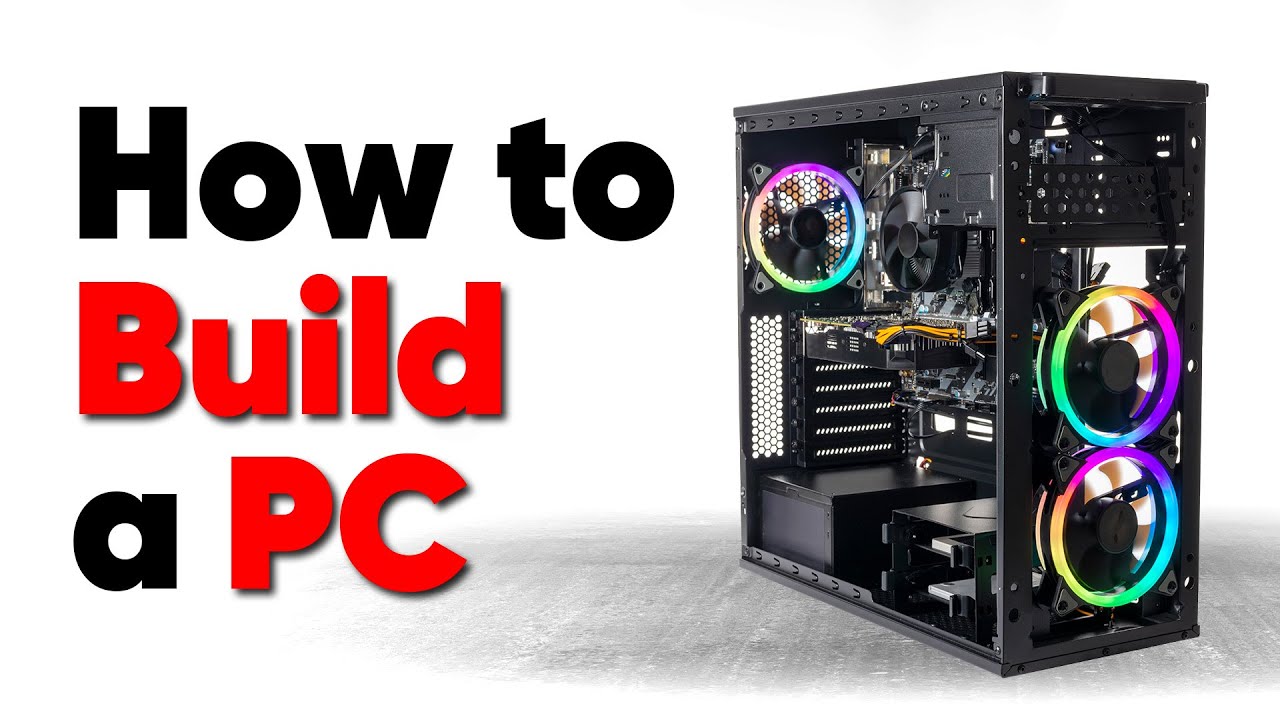
Thanks to Seasonic for sponsoring this video! Buy a Seasonic TX 1000 PSU today at https://geni.us/aryiquT
We’ve done plenty of build guides before – But now we’re taking it to the next level. Not only will you know how to build a PC, you’ll know how to build ANY PC – This is the LAST guide you’ll ever need!
Discuss on the forum: https://linust...
tribal jackal
Ok I will check it out
 red jay
Is transcend the only refutable brand that makes 2242 m.2 sata? are they worth it over regular sata?
 real lava
nvme ssd?
if it's still m.2 sata then no
wait yeah nah, just use regular sata lol
sorry, wasn't reading well enough
 rapid sky
Is it possible for a computer to work if there is only one drive?
real lava
yes
as long as the drive has an os to boot into
otherwise it'll just be stuck at bios, the mobo's actual os
i don't see why it wouldn't work unless something really wrong happened
rapid sky
I have parts for a whole new computer (tho currently if I really want to use it I'll just take half my RAM from my current PC; more RAM is coming tho) and I have a brand new hard drive. Just gotta wait for the case to arrive and figure out what to do with an OS
red jay
real lava
wait yeah nah, just use regular sata lol
alright thanks
Thought there was a perf benefit to the 2242 one which is why I got it I guess not so that's good to know 😭
red jay
Would I notice the speed increase from a lower end Sata to a higher end sata drive realistically?
real lava
not really in my experience
tribal jackal
So how to I remove my gpu
sour wadi
tribal jackal
So how to I remove my gpu
Unscrew it from the case on the left, and then kind of underneath the gpu on the motherboard there will be a plastic clip that you push back and that will release it
tribal jackal
Ok
red jay
real lava
not really in my experience
alright thanks
 quiet gust
I'm back with questions about sas controller cards, since the previous one didn't work with my computer i looked up a few different ones online and i mainly found LSI and "inspur" 92** 8i cards. I have no idea what the second bran is and if i should trust it. (+ also a IBM one)
and this time I'd like to know which one of these will work on a regular, normal computer and be able to run it without difficulties on **windows 10 **
I just don't want to buy useless stuff that I cant use. and i'd like to get one that doesn't require a ton of updates, drivers, firmware, bios updates,...etc.
quiet gust
Is my SSD about to die? It keep giving me slow write speeds :(

25TB written and 13TB read total in about 3 years
real lava
the drive is pretty filled
so eh, it's normal
speeds are also affected if a drive is used as os drive
quiet gust
but still 22% left, that's not just some space left, it's still 100GB. +it also gave me some 20MBps writes a few times
it was waaay faster when i first bought it, it didn't even struggle to get 500+MB/s sequential writes
real lava
It's lower than my drive but some drives are like this
quiet gust
it is a Baititon 512GB, not much of a known brand but it was pretty cheap and well reviewed at the time
any cheap dram sata ssd off amazon? (480 or 512gb)
if they're worth... else ill just go for a normal one like silicon power
quiet gust
its a 2€ 1€ difference so i should probably go for the more reliable one
real lava
yep
frankly amazon reviews are simply first impressions
with longer term being only like 1-2 months
quiet gust
I'll probably use the sp in my main pc (transfering all data) and the old one in the server
quiet gust
real lava
with longer term being only like 1-2 months
yeah
people usually never post reviews after a long time after they bought their product, but they should just to let others know how the thing keeps up over time
What about a nvme silicon power with 2.2GB read and 0.6GB write? It's 5€ more
It's like slowest among nvmes but it's still faster than sata
real lava
ew
quiet gust
quiet gust
What about a nvme silicon power with 2.2GB read and 0.6GB write? It's 5€ more
mistyped, it's 1.6GB write
ok, thanks man ill go for a60
quiet gust
Damn.. I really spent a lot of money this week for my PCs, about 400€: 1080ti for 200, monitor for 130€, pcie riser 40€, 35€ SSD, and some other small things
And yet I fricking forgot to get my phone charger cable before ordering :|
quiet gust
Now I want to figure out why when I remove stuff from my main os drive a few days later even more space is occupied, I had about 108GB left last week, I moved a few programs to my e: drive and freed up space up to 113GB, as well removed a bunch of temp files... And now, actually every day, I see less and less space left, today I'm back with 106GB free but I didn't download a thing, I used the pc for browsing or AutoCAD stuff... What the hell is going on with this stupid thing
→ and yes, I do empty the bin after removing files
quiet gust
real lava
if you want, go for the a60
Just ordered it 👌
quiet gust
I got a b550 gaming plus and a 3600x (soon 5600x), 1st slot for nvme will be fine?
Because I know some stuff with intel had like the 1st slot unavailable but will it be fine on any of the slots I put it in
Right?
 pine oar
oh
 tawdry hedge
-
plugged some old USB 3.0 SSD enclosure (prob some cheap but good reviewed ones on Amazon, only used once in 2014, left in packaging inside a dust/moisture tight storage container) in PC
-> blue light came on, blinks a few time, then stopped -
new Intel 670p SSD installed in enclosure, plugged in PC -> power surge on USB port error message
-
plugged in laptop -> nothing recognized
Do u expect either the PC/laptop and/or new SSD to be damaged ?
tawdry hedge
(no ESD precautions)

 tawdry hedge
hopefully nothing was fried
quick dumb question tho just to be sure,
just unplugging current drive won't cause any problems right ?
tawdry hedge
makes sense that existing data including OS would remain intact hah
 quiet gust
Fresh A60 out of the box 
Also my first nvme ever

Write speed 200mb slower than other people a60 

worn trail
I am assuming the A60 is a gen 3 drive?
 blazing musk
yes
real lava
well they are usable
but an nvme is lots faster
besides a budget nvme ssd is cheap nowadays
mp33, a60, nv2 and such
p41 plus also pretty good
 patent nova
Just got a 980 pro nvme ssd, for my b365 phantom gaming 4 mobo, I know that my mobo is capped to 3.0 pci, but how can I clone my current old nvme ssd to this new 980 pro without me having one of those usb enclosures? my mobo does have 2 nvme slots, would that be good enough?
quiet gust
patent nova
Just got a 980 pro nvme ssd, for my b365 phantom gaming 4 mobo, I know that my m...
You connect both SSD to the motherboard and you can then use macrium reflect to get an exact copy of the SSD, you'll be able to boot from the cloned one as far as you set boot priority the right way into bios or you just remove the other drive
Some motherboards should already detect which drive to boot from if on is removed, others may not
 vapid urchin
would anyone be able to help with my hard drive, I might have cooked it transferring data to it. It's an external hdd in an enclosure
rapid sky
Are there M.2 drives I can or can't use on my Intel desktop board? (old, green motherboard)
quiet gust
If it has a m.2 slot it could be sata... You can verify that from the pinout/layout on the connector

Btw green pcb≠old
Could be OEM stuff like dell that still uses green motherboards on recent systems
rapid sky
hmmm I didn't really see a port for one
quiet gust
Then I guess you don't have a m.2 slot
What socket does the motherboard have?
You can find m.2 on most mobos released after 2012
rapid sky
I see a slot underneath its wifi card, but not really any other slot on it. I've had this motherboard since before Skyrim released
small carbon
Probably sata only then
blazing musk
quiet gust
You can find m.2 on most mobos released after 2012
NVMe spec 1.0 came out in Jan. 2013, motherboards could boot from it starting about 2015.
M.2 (NGFF) has been a form factor since late 2013/early 2014 but it was still uncommon to see in lower end boards.
Just to clear up the timing a bit
You can always mod an older bios to support NVMe booting. Adapters for the PCIe slot have always worked and are cheap.
 manic dagger
anyone know why the SN850X 4TB doesn't include a heatsink?
 torpid adder
I've heard very little in the way of benefits from putting a heatsink on an SSD and a bit of "it's probably not necessary"
Maybe there are legitimate benefits but I don't think it should make you feel naked to not have one
real lava
Mobos also already come with one if it's fancy
sour wadi
torpid adder
I've heard very little in the way of benefits from putting a heatsink on an SSD ...
On very high end ones it's basically mandatory
And makes a lot more sense on a pcie 4 drive
They probably just want to save money since you'll usually use your motherboards heatsink
torpid adder
sour wadi
And makes a lot more sense on a pcie 4 drive
Yeah that's the use case I can imagine them being helpful I guess
sour wadi
Sn850x is one of those drives ye
torpid adder
Do they still make gen3 drives much
sour wadi
The most recent new one was crucial p3 which was uh pretty recent yeah
manic dagger
ahh so just use the mobos heat sink ok
blazing musk
Mobo heatsinks are pretty much universally better than preinstalled since they have more thermal mass
 tawny kite
worn trail
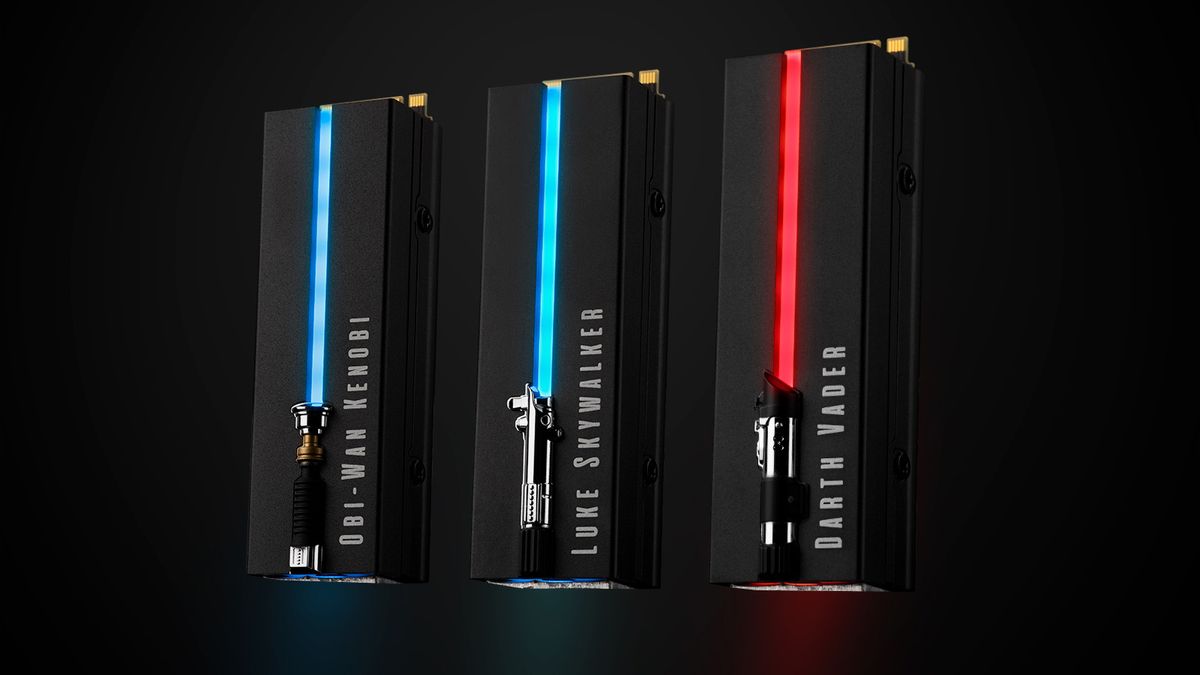
https://www.tomshardware.com/news/seagate-ek-bring-tiny-lightsabers-to-m2-ssds
tawny kite
worn trail
https://www.tomshardware.com/news/seagate-ek-bring-tiny-lightsabers-to-m2-ssds
Do we have any news on this? I haven't seen this anywhere.
worn trail
tawny kite
Do we have any news on this? I haven't seen this anywhere.
No. I haven't really been keeping up with SSDs lately so I haven't heard anything new on it.
tawny kite
Ah ok, thank you. Looking to add it to my Darth Vader build and it would be perfect. So if anyone notices that it's available lmk please 🙏 🙂
worn trail
tawny kite
Ah ok, thank you. Looking to add it to my Darth Vader build and it would be perf...
will keep my eye out.
I'd probably buy one as well since I like SW a lot.
I've been watching all the animations lately.
worn trail
Agreed.
Oh also the bad batch gives a lot of I suppose some might call easter eggs to the show's background.
tawny kite
Oh yeah for sure! Hope the next season is even crazier!
worn trail
like for example ||Omega, and Boba Fett are the only 100% genetically accurate clones||.
tawny kite
Oh yeah, honestly I was like what?!? And his code-name is alpha? I guess that makes sense. If they don't have him show up at the end I don't know how I'd feel.
worn trail
Also did you know ||All of Anakin's padowans have his signature Spinning Lightsaber trick"||?
tawny kite
I mean I thought he only had Ashoka?
worn trail
Apparently in the comics he had another apprentice.
tawny kite
Interesting...
tawny kite
Oh I see. I'll look into that. I'm curious now, lol.
worn trail
I wonder if anyone has made a PC case that looks like Vader's helmet.
tawny kite
That would be sick!
worn trail

Protect your bounty with the officially licensed The Mandalorian Drive. Featuring blue LED lighting and designed with the unwavering purpose of its hero Din Djarin, this collectible Special Edition FireCuda External Hard Drive is ready for action. And thanks to a huge capacity, you can haul a mas...
@tawny kite
tawny kite
Oh yeah I saw those! I'm considering buying one of those for the future
worn trail
Not fast but cool.
worn trail
tawny kite
Oh yeah I saw those! I'm considering buying one of those for the future
Just a heads up don't expect to game on it.
Cool looking cold storage though.
tawny kite
Oh no I know lol. I'm just, yeah thinking of buying for cold storage.
Files, family pictures etc.
worn trail
You sure....
The price tag is gonna hurt you deeply.
Though it's not being sold from the official store.
Once it is, it'd be a lot cheaper I'd hope.
tawny kite
That may be why, might be just upselling because it's rare atm. But I'm still curious.
worn trail

Prepárate para la batalla con la colección Lightsaber con licencia oficial FireCuda PCIe Gen4 NVMe SSD. Un disipador de calor personalizado ayuda a disipar el calor y reducir el estrangulamiento térmico, mientras que aprovecha hasta 7300 MB/s de velocidad que este SSD tiene pulsos en el interior....
worn trail
tawny kite
That may be why, might be just upselling because it's rare atm. But I'm still cu...
Happened like crazy with the x3D chips when those released.
worn trail
They want $650 for that SSD.
worn trail
You'd have to be a die hard SW enthusiast with deep pockets to buy that....
tawny kite
Yeah 😩
worn trail
I am kinda surprised they didn't make the SW SSDs gen 5 probably would've sold better.
tawny kite
They would have probably sold like hot cakes
Everyone wants to be on that gen 5 train
worn trail
True, to bad most people won't make full use out of it.
tawny kite
Nope. Definitely not.
worn trail
I plan to get gen 5 for blender and davinci resolve.
tawny kite
That will be helpful.
worn trail
Best use case for gen 5 drives are servers I think.
tawny kite
Oh 100% for sure
worn trail
Since servers is all about read and writes once your past CPUs.
tawny kite
We will see when LTT uses them lmao.
worn trail
xD Modded MC servers would love those drives for when people load those like 20 chunks a second out of nowhere.
worn trail
I ran a modded server for a while and my god the gen 4 SSD in there hated it.
tawny kite
Yikes. 😩
worn trail
Runs fine at a constant load then just goes nope I ain't doing this and the server lagged cause someone RTPed or is flying 20 chunks a second with their dragon
Wasn't CPU bound since CPU usually hovered at 30-40% use.
Oh DAYUM!!!
https://www.amazon.com/gp/aw/d/B0BGP87RQ2/ref=ox_sc_saved_image_1?smid=A2L5OFHD3CKZ3C&psc=1

NVIDIA Ada Lovelace Streaming Multiprocessors: Up to 2x performance and power efficiency 4th Generation Tensor Cores: Up to 2x AI performance 3rd Generation RT Cores: Up to 2x ray tracing performance Powered by GeForce RTX 4090 Integrated with 24GB GDDR6X 384-bit memory interface WINDFORCE coolin...
tawny kite
Jesus Christ. What if the using Gen 5 helps only a little? Lmao.
worn trail
Finally it's at MSRP.
Too bad this wasn't like three months ago when I had the cash to spare : 😭
tawny kite
Wow. Omg. I mean if someone's going for a purple build that will look nice!
Maybe even a Cyberpunk build.
worn trail
Any multi color or multi shade build would look nice with it.
I am going for a build with blacks, grays, and hints of silver.
tawny kite
Oh nice! My DV build is mainly Black, Silver, Red. I'm going to try and see if I can add a green in there somehow to match his front panel.
worn trail
My current setup, saving up for a 7950x + 4090 build gonna reuse the case. #build-pics message
Scroll down to the bottom for the new RGB I setup.
worn trail
tawny kite
Oh nice! My DV build is mainly Black, Silver, Red. I'm going to try and see if I...
What's DV?
tawny kite
Darth Vader
and looks nice! A nice case and that system will suit you really well for your blender stuff.
worn trail
Agreed.
Picked the 7950x since it's fastest for blender + when I upgrade to a 8950x it'd make for an awesome server CPU.
The new RGB theme.
The pump has a charge up animation so over time more of it is glowing then once at full it resets and repeats.
tawny kite
Looks great! The cooler kind of looks like a holocron.
tawny kite
worn trail
Picked the 7950x since it's fastest for blender + when I upgrade to a 8950x it'd...
For sure!
worn trail
Oh it kinda does now that you mentioned it.
I picked it cus I have a slight obsession with Infinity mirrors.
I find them very cool.
tawny kite
Lol. Oh well I guess that makes sense!
worn trail
Currently running a push/pull config with the LT720.
tawny kite
Oh dang.
worn trail
The push pull is more for aesthetics then perf but never hurts to squeeze out an extra bit of perf.
tawny kite
For sure, doesn't hurt.
worn trail
Managed to OC the R7-5700G I won by quite a good bit thanks to it.
tawny kite
Good silicon lol
worn trail
My temps peak at about 50c under long all core loads.
tawny kite
Damn wtf
worn trail
My gaming temps are in the mid 30s.
After tuning for about a week here's what I got stable on my R7-5700G.
Override: +200
Offset: -30, -30, -30, -27, -23, -30, -30, -30
Offset is Undervolt
Override is the increased boost clock
tawny kite
Damn you managed to undervolt it as well? Lol.
I wish I could overclock the 7800x3d but I've heard the infinity cache is a little finicky.
worn trail
That's what your running?
tawny kite
Going to be.
worn trail
Nice.
I considered the x3D chips but considering the fps I will be getting with the 7950x it seemed pointless to sacrifice workstation perf.
tawny kite
7800x3d and RTX 4090. I am not sure about working on blender or anything yet in the future but for now since gaming is my current, I'm just going to stick with that.
worn trail
Solid combo.
tawny kite
worn trail
I considered the x3D chips but considering the fps I will be getting with the 79...
Makes sense honestly, especially if you're also focusing on workstation stuff, yeah.
worn trail
Your a fun guy to hang out with, mind if I friend you?
tawny kite
Sure why not hahaha
worn trail
I wonder how 14th gen is gonna turn out.
So far things aren't looking great.
Oh yeah when I did a Static OC on the 5700G I got a r23 score of 15,280 something. At 4.6ghz @1.35v.
I wonder how much higher that score will be once I use decent ram. My current sticks are really bad.
3000cl16.
tawny kite
I am assuming that they're going to be as hot if not hotter and more power hungry. Even Linus (LTT) was saying today that if the new server chips are gonna be hot and power hungry then the next most likely will be so, if we're following the pattern. I'm sure once you get better sticks or upgrade you'll get a higher score.
Especially since 3200mhz and 3600mhz seems to be the sweet spot for 5000 series.
worn trail
Saving up for some 4000CL18 Ripjaw sticks.
Gonna try tuning it to 4000cl16 or better.
Apparently since the 5700G runs on a different design then the other 5000 chips it prefers higher memory afaik.
tawny kite
Oh wow. You must make a lot from your current job. You a coding professional or something? Oh I see. I did not know that. The more you know! 😮
worn trail
Still a minor but I do a lot of odd jobs and got my father to hire me to work as a marketing agent and as a house keeper so I save up from those jobs for my tech hobbies.
Currently learning to become a full stack developer and become good at Blender for 3D Modeling.
tawny kite
Ah I see. Well damn keep it up! Honestly, anyone can get their dream job as long as they set their mind to it!
worn trail
Yep.
tawny kite
Anyways though, it's late, so I gotta head to bed. Good chatting with you, and thanks for the info on the m.2. hopefully it goes on sale soon!
worn trail
Agreed, and same here.
small carbon
Depending on which kit, don't expect 4000c16 from 4000c18.
worn trail
small carbon
Depending on which kit, don't expect 4000c16 from 4000c18.

La memoria de alto rendimiento de la serie G.SKILL Ripjaws V está construida con el más reciente estándar DDR4 en un elegante disipador de calor rediseñado que es ideal para potentes equipos de juegos, estaciones de trabajo profesionales o tareas informáticas diarias. Probado bajo la extensa uite...
This is the kit I was recommended.
All goes well I am buying it tomorrow or the next day.
rapid sky
Tried to move the contents of my Windows 7 boot drive to a new SSD. I had tried to use the BIOS to set the boot order/priority to what I thought was the new drive. But when I start the computer it just cycles between the logo and the black screen with a message telling me my dimms aren't matched up. It never gets to the OS logo. Idk why. Should I just wipe the old drive now that it's been copied on to the new SSD? (Copying wasn't my intention but that's what happened)
torpid adder

You should clone the drive properly but whatever
Since it's copied anyway, first just unplug the old drive and plug the new one into the port it was plugged into (or if they're a different kind of port like SATA to M.2 then that's irrelevant I guess)
Simplify by removing the old drive from the equation temporarily
rapid sky
alrihgyt
rapid sky
it's still in a loop
torpid adder
Try again booting from the old drive
rapid sky
Alright. That worked. Not right away tho; I had to change some boot priority settings in the BIOS
 queen jetty
Anyone have the issue of your WiFi card drivers disappearing after installing an nvme?
queen jetty
Ah nvm I got it
worn trail
I haven't gotten it yet but I am assuming it's pretty good since Falcie recommended it for Overclocking.
worn trail
I am hoping to get 4000cl16 or better on the kit.
tribal jackal
Hi finally have to to upgrade my pc and I don't see any clip to take out my gpu. I knownI need to unscrew the gpu but does the gigabyte 3060 ti have a clip when removing?

Ignore the dust
torpid adder
The GPU doesn't have a clip on it
The motherboard's PCIe slot has the clip
You have to get to it from above or below the card since GPUs are so damn long
torpid adder
Above or below
Also turn the machine on its side so the card is vertical, if it isn't already
tribal jackal
Ok
torpid adder
I think it makes it easier to remove it, because it makes sure it doesn't fall out downwards and instead gets pushed up, maybe there really isn't much reason to do that...
But anyway it should be relatively simple to know at least where the clip thingy is along the length of the card even if it is hard to get a good view in there
tribal jackal
Ya I can reach the clip if I take that out but I am going to do it tomorrow
torpid adder
💀

 amber solar
formal tusk
yes
amber solar
formal tusk
yes
do you have a picture of its brand box?
formal tusk
 tribal jackal
Ok installing now and my ssd will not go all the way into the slot could someone help?
blazing musk

M.2 solid state drives (SSD) are replacing SATA Gen 3 drives with their insane performance. Learn how to install an M2 drive with this how to / tutorial video!
To install an M.2 Drive do the following. Turn off your PC. Unscrew the small phillips head screw from the proper M.2 slot on your motherboard, make sure you remove the correct screw ...
Might need a little wiggle as you see in the vid
tribal jackal
Thank you so much
It worked
Problem though I dont have a screw because this is a pre-built pc
Do I try and find a scre that fits
Screw
blazing musk
Electrical tape will hold it long enough for you to buy one
tribal jackal
Ok would it be possible if I find one I'm my house that might fit or are they a special type
blazing musk
It's a certain type, very short with a large flat head
tribal jackal
Ok so where should I tape it exactly
blazing musk
It doesn't matter much tbh, however you can get it as down flat as you can
 blazing musk
Yeah that looks fine
tribal jackal
Ok
So I guess I can re install my gpu
Do you have a link to the screw I need to buy
blazing musk
US right?
tribal jackal
Oh sorry canada
blazing musk

For Asus 13020 M.2 SSD Mounting Kit Standoff + Screws for Asus M. 2 SSD mounting screws for ASUS motherboards hex head jackscrews flat head screws transparent screw washers screwdriver . box contents: hex head jackscrews x4, flat head screws x4, washers x4, screwdriver x 1.
tribal jackal
Thanks
tribal jackal
The ssd is shown in bios but when I go to storage settings on widows my storage is the same
blazing musk
Yep you need to initialize it and partition it
Right click the start button and open disk management
It'll ask to initialize, choose GPT
Then right click the empty space in the drive and hit new simple volume, follow the prompts. Defaults are usually fine, you can change the drive label.
 blazing musk
Where it says "unallocated" next to disk 1
tribal jackal
Thanks
blazing musk
Happy to help
tribal jackal
Ok it does still show what I had before in storage settings is that fine?
blazing musk
Windows settings? That's always super buggy
tribal jackal
Ya
blazing musk
The easiest way to clear up free space is going to be opening Steam, making a new library on D:, and moving your games there
tribal jackal

And I still can't download any steam games. Is there any drivers I need to install or should I just waitm
Wait steam works nm
Thanks for your help and I will let you know if anything else comes up
blazing musk
You can move the games here, under downloads hit steam library folders

Then you can select the games to move
tribal jackal
Ok so I can move between ssds
 prime notch
I'm looking to transfer all of my files and data from my current internal harddrives and ssd's to an external hard drive. Is there an easy way of doing this? I am then looking to wipe my old hard drives to clean up files n stuff from my college years
blazing musk
prime notch
I'm looking to transfer all of my files and data from my current internal harddr...
If you want to save specific files, Windows backup or just copy the files. If you want a carbon copy of the drive, macrium reflect.
prime notch
After I finish copying stuff over to my external hard drive, is there a way that I can wipe my hard drives of non-essential files (such as those required to boot windows and run internet)?
Im just wanting to pile all my crap on an external drive and start from fresh on my internal drives
blazing musk
prime notch
After I finish copying stuff over to my external hard drive, is there a way that...
You can do a PC reset from settings. It'll ask if you want to save files or do a total wipe. It'll be like a brand new install if you wipe.
prime notch
ty for the help! 🙂
 tender phoenix
my 2 tb 980 pro ssd most of the times hangs about 15 secs when i click on open files on programs like mpc-hc foobar2000 revit 3ds max autocad etc

Even in the Linus forum, no one had an answer
blazing musk
tender phoenix
my 2 tb 980 pro ssd most of the times hangs about 15 secs when i click on open f...
Hopefully this isn't another case of the bad firmware. That drive has like 3 bad firmware versions. What version is yours on? I think it'll say under drive details.
tender phoenix
blazing musk
Hopefully this isn't another case of the bad firmware. That drive has like 3 bad...
5b2qgxa7
 trim cloak
less stable than a baby slack-lining across the Appalachian mountains with strong winds
blazing musk
Are you aware that you pinged a reply to a message from December
I know it basically talks about you directly but... Lol
torpid adder

I deliberately responded to someone from over a year ago
They did not respond back 
 remote crystal
trim cloak
less stable than a baby slack-lining across the Appalachian mountains with stron...
remote crystal
trim cloak
less stable than a baby slack-lining across the Appalachian mountains with stron...
so true man
torpid adder
Real
 grizzled radish
I just added a m.2 sdd to my pc and it won’t boot the monitor along with the gpu fans stopped spinning
torpid adder
I hope the monitor wasn't spinning
grizzled radish
No the monitor is fine, the gpu is the problem
It works fine but once I add a new m.2 sdd to my pc, it start moving, then turn off. The light is on for the gpu
torpid adder
I hope the GPU isn't spinning either
But anyway most modern GPUs have a zero RPM feature, so they don't need to spin the fans at idle
Obv shouldn't be keeping the computer from running but still
grizzled radish
How come my monitor ain’t displaying?
grizzled radish
Nvm
 solid hill
is there an nvme storage enclosure for a pcie slot
real lava
there is no enclosure, but rather pcie add-on boards with m.2 nvme slots
solid hill
i take it thats better than having an external usb enclosure one
blazing musk
Leagues better, since you're not limited to whatever the USB speed is (often 5Gb)
real lava
^
blazing musk
If it's a thunderbolt enclosure that's another story, those are great
But expensive
solid hill
is there an x16 slot adapter for 2 nvme
blazing musk
That would be an x8
Yes
Each nvme is x4
Something like this https://www.nwca.com/pci-e-x8-2-port-nvme-m2-m-key-extended-card.html
 solid hill
itll fit in an x16 slot?
blazing musk
Yes
Make sure the slot you want to use is wired for at least x8 operation, a lot of x16 slots are only wired for x4
tawdry hedge
Is there any consensus on which file system is the least problematic when shared among OSes for read/write operations ?
NTFS; ExFAT, ntfs-3g, Btrfs, network file system etc ?
blazing musk
FAT32
Open source, every OS supports it fully
Up to 2TB drives supported, but a max file size of 4GB
solid hill
blazing musk
Something like this https://www.nwca.com/pci-e-x8-2-port-nvme-m2-m-key-extended-...
each port support transmission speeds up to 4 gb/s? isnt it supposed to be 32?
 blazing musk
solid hill
each port support transmission speeds up to 4 gb/s? isnt it supposed to be 32?
blazing musk
solid hill
each port support transmission speeds up to 4 gb/s? isnt it supposed to be 32?
Your mixing up GB and Gb
Easy mistake to make
8b=1B
tawdry hedge
blazing musk
Up to 2TB drives supported, but a max file size of 4GB
thanks ya ig I'll have to let go of that since this will be for media storage
btw is this good enough ?
not real world sustained speeds but still
 blazing musk
Plenty good enough
tawdry hedge
ayyy 2TB NVMe for $75 good deal
welp I got it few weeks back at $80, would appreciate Newegg giving me the 5 bucks not sure possible hah
blazing musk
Doubt it
 unique loom
Are there any reasonably priced 4TB M.2s that have decent performance? Not really an expert on storage and looking to get a good amount more
blazing musk
unique loom
Are there any reasonably priced 4TB M.2s that have decent performance? Not reall...

TEAMGROUP MP34 4 TB M.2-2280 PCIe 3.0 X4 NVME Solid State Drive (TM8FP4004T0C101)
unique loom
blazing musk
https://pcpartpicker.com/product/FZWzK8/teamgroup-mp34-4-tb-m2-2280-nvme-solid-s...
Thanks!
tribal jackal
If I want even more storage and I used both ssd slots what can I do? I have 1 tb x2 ssds
 dense merlin
tribal jackal
If I want even more storage and I used both ssd slots what can I do? I have 1 tb...
dense merlin
tribal jackal
If I want even more storage and I used both ssd slots what can I do? I have 1 tb...
Different type of storage if you have different slots
Either external storage (through usb) or SATA
dense merlin
Yeah
tribal jackal
Could you help me find one of thoes and a ssd sata

Take control of your gaming experience with Game Drive for Xbox. Featuring up to 4TB of storage, this drive’s slim and slick design complements Xbox Series X, Xbox Series S, or any generation of Xbox One—perfect for building up your Game Vault and taking it on-the-go.
 tight crystal
I'm trying to format a 500GB HDD to Fat32 on my PC for a PS3 but it doesn't let me. What am I doing wrong?
blazing musk
tight crystal
I'm trying to format a 500GB HDD to Fat32 on my PC for a PS3 but it doesn't let ...
You need to do it through command line since the GUI tools will all make you do NTFS or exFAT
diskpart
list volume
select volume X
format fs=fat32
Replace X with the volume number matching the drive
tribal jackal
Could someone help me find a ssd slot that fits under the gpu???
 jolly delta
I bought two hard drives
16tb each
And I received a message of "Oops! There's an issue with you account".
Because they think there is a problem with the address or credit card
And they want billing info
Do they mean billing address like apartment etc?
And I can't log in to my account
blazing musk
jolly delta
I bought two hard drives
16tb each
And I received a message of "Oops! There's an...
If you bought them from the marketplace (third party seller) make sure that email is coming from newegg directly and not some random email. There's scams and phishing all around us.
One potential example of a scam would be the seller lists something at a price that's hard to pass up, then takes the personal info of the people that buy that item. They then send phishing emails trying to get you to click a link so they can steal your account.
I'm not saying this is exactly what happened to you, but it has happened before and it will happen again.
blazing musk
Ok, and is the email sent directly by newegg too? The sender is usually a dead giveaway
jolly delta
Everything is good until it sent a few times that there is a problem with my address
And it allows to send to my country
I can't log into my newegg account
Because of a problem with the address or payment
blazing musk
There's nothing we can do here for a genuine shipping issue, but what you can do is send a DM to @teal sequoia and they'll get back to you during business hours.
They're the only ones here that actually work for newegg
jolly delta
Ok
thanks
tribal jackal

Specification: Material: PCB Color: Black Name: PCI-E to M.2 expansion card Interface: PCI, PCI Express Size: approx. 12 * 9.2* 1.8cm/4.7 * 3.6 * 0.7in Package Weight: Approx. 69g / 2.4oz Support System: compatible with all WINDOWS systems, LINUX Package list: 1 * M.2 to PCI-E3.0 X1 Expansion Car...
Would this be a good part to add another ssd or would it be better to find out how to add sata storage
I dont like hard drives. Too many moving parts.
worn trail
What are some good PCIE 3.0x4 SSDs for game server use that are at least 2tb?
unique loom

TEAMGROUP MP33 2 TB M.2-2280 PCIe 3.0 X4 NVME Solid State Drive (TM8FP6002T0C101)
blazing musk
worn trail
What are some good PCIE 3.0x4 SSDs for game server use that are at least 2tb?
A60 is good too, $35 per TB is https://pcpartpicker.com/product/VxfFf7/silicon-power-a60-2-tb-m2-2280-nvme-solid-state-drive-sp002tbp34a60m28

Silicon Power A60 2 TB M.2-2280 PCIe 3.0 X4 NVME Solid State Drive (SP002TBP34A60M28)
worn trail
blazing musk
A60 is good too, $35 per TB is <:weggChefKiss:904600580419387413> https://pcpart...
How's the perf?
blazing musk
Same tier as MP33
worn trail
gotcha.
 empty juniper
blazing musk
A60 is good too, $35 per TB is <:weggChefKiss:904600580419387413> https://pcpart...
empty juniper
blazing musk
A60 is good too, $35 per TB is <:weggChefKiss:904600580419387413> https://pcpart...
Good drive I have the 256gb model as my boot drive
worn trail
blazing musk
A60 is good too, $35 per TB is <:weggChefKiss:904600580419387413> https://pcpart...
Out of curiosity is there any noticable difference between Gen 4 and Gen 3 NVMe drives for game servers? Specifically Modded MC servers.
blazing musk
Probably not since it's mostly running on the memory
 open gazelle
Technically might notice certain lag issues go away, but said issues can also go away from mods specifically for bugfixes or configuring ServerProperties in a nicer way. Idk if it'd even be noticeable to the player without tools.
MC has a few weird quirks with R/W latency (total file R/W, so bandwidth can affect this latency) basically.
worn trail
open gazelle
MC has a few weird quirks with R/W latency (total file R/W, so bandwidth can aff...
By bandwidth do you mean like internet connections?
Is this SSD good? Was about 30% cheaper then the A60 and MP33 for me.
https://www.amazon.com.mx/Kingston-SSD-NV2-Capacidad-Escritura/dp/B0BDTC589G/ref=mp_s_a_1_4?crid=1SGT1EZ50F431&keywords=2TB+NVMe+3.0&qid=1683641071&sprefix=2tb+nvme+3.0%2Caps%2C350&sr=8-4

El NV2 PCIe 4.0 NVMe SSD de Kingston es una gran solución de almacenamiento de última generación impulsada por un controlador Gen 4x4 NVMe. NV2 ofrece velocidades de lectura/escritura de hasta 3500/2800 MB/seg* con menos requisitos de energía y menor temperatura para ayudar a optimizar el rendimi...
Just found this for about $10 cheaper then the A60 and MP33 pro. Spec wise it seems really good.

Diseñado para jugadores, profesionales y creadores incondicionales, el Lexar Professional NM800 PRO M.2 2280 NVMe SSD ofrece un rendimiento sin precedentes con velocidades de lectura de hasta 7500 MB/s y 6500 MB/s de escritura. Equipado con el estándar de tecnología PCIe Gen4x4 NVMe 1.4, experime...
worn trail
Anyone know if the Kingston NV2 SSD supports raid?
real lava
Any ssds works on raid
Just as long as your mobo supports raid
If not you get a raid controller
worn trail
real lava
Just as long as your mobo supports raid
Gotcha, also any issues with this drive cause it's really tempting.
https://www.amazon.com.mx/addlink-Interno-Gaming-unidad-estado/dp/B08RS2GWG3/ref=mp_s_a_1_38?crid=7GOS0ZUH1IFG&keywords=2TB+NVMe+ssd&qid=1683853350&sprefix=2tb+nvme+ssd%2Caps%2C129&sr=8-38

addlink S95 GEN4x4 NVMe1.4 SSD proporciona un rendimiento de almacenamiento extremo, utilizando la tecnología Gen4 PCIe para lograr velocidades de lectura/escritura secuencial asombrosamente rápidas de hasta 7300/6000MB/s. El S95 SSD construido con TLC 3D NAND confiable para ofrecer un valor incr...
Especially considering it's also cheaper.
There's this one other drive being the cheapest 2tb NVMe SSD I can find on Amazon.com.mx but idk if I can trust the brand.

Especificación: Tipo de artículo: SSD interno Material: PCB Especificación: Nvme M.2 Interfaz: Para PCIE Gen4 X4 Velocidad de lectura: 5000 MB/ S Velocidad de escritura: 4500 MB/S Grano de flash: 3D TLC NAND Cómo usar: Se puede usar después de la instalación. Lista de Empaque: 1 SSD interno
blazing musk
worn trail
Gotcha, also any issues with this drive cause it's really tempting.
https://www....
Really bad controller, only gets about half the advertised speeds at 25% full
real lava
bruh
blazing musk
worn trail
There's this one other drive being the cheapest 2tb NVMe SSD I can find on Amazo...
Literal no name drive, no reviews, no nothing
torpid adder
My favorite brand, addlink
They're probably called that because they refuse to add a link to their official website (that doesn't exist)
real lava
yep
worn trail
blazing musk
Really bad controller, only gets about half the advertised speeds at 25% full
Ooof, the review I read on Techpowersource said it was able to maintain advertised speeds at 80% full.
guess that was a lie.
what SSD do you guys recommend on amazon.com.mx? Need 2TB and I'd prefer to stay under 2,000 pesos.
blazing musk
Most "review" sites are actual BS. Companies will give free product or just plain pay them on the condition they give a positive review.
real lava
That's why I always feel skeptical about a brand I have never heard
Especially if they don't have a website
torpid adder
I don't even look at PNY SSDs
Or SanDisk
Though my all in one PC has a 240GB SanDisk
real lava
I'm waiting on a sandisk usb drive to deliver
Dad wants one to store his pics
32 gigs sandisk cruzer, the classic usb 2.0 one for only $3 
USB drives are dummy cheap
worn trail
worn trail
what SSD do you guys recommend on amazon.com.mx? Need 2TB and I'd prefer to sta...
please help!
unique loom
Mp33 or A60 imo
blazing musk

El NV2 PCIe 4.0 NVMe SSD de Kingston es una gran solución de almacenamiento de última generación impulsada por un controlador Gen 4x4 NVMe. NV2 ofrece velocidades de lectura/escritura de hasta 3500/2800 MB/seg* con menos requisitos de energía y menor temperatura para ayudar a optimizar el rendimi...
sour wadi
depends on country
red jay
sour wadi
depends on country
US
sour wadi
red jay
US
probably this https://pcpartpicker.com/product/vXLdnQ/silicon-power-ud85-1-tb-m2-2280-pcie-40-x4-nvme-solid-state-drive-sp01kgbp44ud8505

Silicon Power UD85 1 TB M.2-2280 PCIe 4.0 X4 NVME Solid State Drive (SP01KGBP44UD8505)
red jay
sour wadi
probably this https://pcpartpicker.com/product/vXLdnQ/silicon-power-ud85-1-tb-m2...
This looks good, but I see the P41 Plus and MP44L seem to be a decent bit faster for 8$ more, worth?
sour wadi
p41 plus is very good but ssds are getting so cheap id even be hesitant to recommend a 50$ 1tb
red jay
sour wadi
p41 plus is very good but ssds are getting so cheap id even be hesitant to recom...
I'm stuck between the two, the P41 Plus and the MP44L, on paper the MP44L looks better, even though I wont see that difference until I upgrade my mobo, but looking it up it seems it could go either way? 
sour wadi
havent looked at reviews for the mp44l but the p41 plus has some of the best random performance (usually what youll use) on the market
red jay
sour wadi
havent looked at reviews for the mp44l but the p41 plus has some of the best ran...
I guess I'll stay safe and go what I know is recommended then, [the p41] thanks 👍🏾
sour wadi
Np
blazing musk
If you're just gaming all of those are overkill anyway
dense merlin
red jay
I guess I'll stay safe and go what I know is recommended then, [the p41] thanks ...
Can also get a 2tb a60 for $70
red jay
I already ordered the P41 and it's better if its on the cheaper side for me anyway 🤷🏾♀️
worn trail
At about the same price like $5-10 difference is 2x1TB in raid 0 better then 1x2tb same drive no raid?
Kingston NV2 SSD is what I am looking at.
2x1tb Kingston NV2 is about $8 cheaper then 1x2tb.
blazing musk
worn trail
At about the same price like $5-10 difference is 2x1TB in raid 0 better then 1x2...
Technically yes but also no. Booting on a raid volume is a pain, you can't just copy your Windows install over you have to install fresh and inject the drivers. Plus with raid 0 you have more than double the chances of a catastrophic loss of data.
But hey, it's faster if you set it up right
red jay
blazing musk
Technically yes but also no. Booting on a raid volume is a pain, you can't just ...
Plus with raid 0 you have more than double the chances of a catastrophic loss of data.
I've never understood this, isn't the loss rate of raid 0 the same as if you have 1 drive/use both drives as one drive
blazing musk
So with the potential loss of data, you've gone from one drive storing your data to the same data being split across 2 drives, right? That's doubling your chances of failure, because 2 drives.
You have additional risk of data loss from the raid controller itself, it's not much but it's there.
So net risk is a little above double.
real lava
Yep, it's more risk simply because the stuff you store in a raid 0 array is split into two, or more depending on the setup
If one drive fails, there goes your data
worn trail
blazing musk
Technically yes but also no. Booting on a raid volume is a pain, you can't just ...
I see. I have a couple more questions if you don't mind me asking.
-
Following the logic does this mean that running the two drives in raid 0 will only get me 1tb of storage?
-
What type of performance gains would one get through raid 0?
blazing musk
RAID 0 adds the drive storage together, so it would be 2TB. RAID 1 would get you 1TB.
You can get nearly double performance, assuming it's set up correctly which can be tricky.
Think of it this way for raid 0:
You have 1MB of data to write. 512KB gets written to each drive. If one drive fails or gets corrupted, all the data on both drives can be destroyed.
worn trail
What kind of bottleneck should I expect on the Kingston NV2 if I went for a single 2tb ssd? Usage is for two modded minecraft servers 80-100 mods each.
blazing musk
It mostly runs in memory so none
worn trail
blazing musk
It mostly runs in memory so none
I see. I will pickup the 2tb model then I think.
red jay
a m.2 is meant to sit level right?

 red jay
blazing musk
If it looks like this you're probably missing a standoff
red jay
blazing musk
If it looks like this you're probably missing a standoff
would it be fine like this
cause I simply don't have the screw
blazing musk
It's usually in a small bag with the motherboard, separate from the other screws so it doesn't get lost
blazing musk
Do any of the M.2 slots have a cover? If so use that one because it'll hold the drive down
red jay
no I don't have a slot with a cover
blazing musk
Otherwise you can temporarily use electrical tape to hold it down
red jay
I'll have to do that
blazing musk
That is a temporary fix, you'll want to be actively looking for a new screw that fits in the meantime
red jay
I'm gonna order it
blazing musk
Or get a standoff kit on amazon for $8 or whatever it is right now
sour wadi
blazing musk
If it looks like this you're probably missing a standoff
this gives me pain
sour wadi
Honestly
 sour wadi
Indeed
worn trail
blazing musk
why, just why.
torpid adder
blazing musk
If it looks like this you're probably missing a standoff
Probably
worn trail
How's this ssd for server use compared to the Kingston NV2?

Con la interfaz PCIe Gen4 más reciente, la unidad GAMMIX S70 te ayudará a dominar la competencia con un rendimiento de lectura/escritura secuencial de hasta 7400/6800 MB por segundo.
worn trail
Great.
worn trail
..............
https://www.youtube.com/watch?v=IFwFDZDQWAA

Looking for a reliable mobile provider that won't break the bank? Meet Tello Mobile! With Tello, you get top-notch coverage, no contracts, and fully customizable phone plans that fit your needs. Switch to Tello now and get 50% OFF any plan above $10 until May 16th at https://tello.com/?utm_source=partner&utm_medium=cpc&utm_campaign=LinusTT
The ...
blazing musk
At least he doesn't drop this one
empty juniper
worn trail
..............
https://www.youtube.com/watch?v=IFwFDZDQWAA
Me with ram almost 60,000 MB/s read and writes
blazing musk
Remember the storage server he dropped and was super confused when it didn't work later?
empty juniper
LMAO
sour wadi
worn trail
How's this ssd for server use compared to the Kingston NV2?
s70 blade is S tier, nv2 is pretty meh
worn trail
empty juniper
Me with ram almost 60,000 MB/s read and writes
Are you serious?
worn trail
Question, if I used a add-in card to convert 4x4 to 3x16 would it be possible to get gen 4 speeds from a gen 4 SSD on a 3.0 slot?
blazing musk
No
2 reasons, except for the top slot most x16 slots are wired as x4, and there's no way to trick it into using 8 gen 3 lanes to get the same bandwidth as 4x4
worn trail
blazing musk
2 reasons, except for the top slot most x16 slots are wired as x4, and there's n...
Ooof really?
Well there goes my idea xD.
red jay
Is the nv2 better now? I've being using the g2 for lists because apparently the nv2 changed designs and it sucked. But I've seen alot more people using the nv2 lately.
blazing musk
It's still a toss up what NAND you get but it's one of the better cheap options in some countries
There's way better for cheaper in the US
red jay
Kioxia G2: £43
NV2: £39
Don't really care about cost at this kind of low bur whichever is better
Both are 1tb models
blazing musk
Is that the Exceria Plus G2?
blazing musk
Looks like the kioxia is better still even without the plus
red jay
Alright. Ty
sour wadi
red jay
Kioxia G2: £43
NV2: £39
I mean the p3 plus is well priced in the uk
solid hill
is there a reason this dual port nvme card is $20 but others are $100 even $180? whats the difference
https://www.nwca.com/pci-e-x8-2-port-nvme-m2-m-key-extended-card.html
blazing musk
It's likely that low because it's only PCIe 3.0 and 5.0 is starting to come out
Oh and it doesn't have a bifurcation controller onboard so you need a motherboard that supports that feature
 jolly path
i HAVE a beast but my storage🫠
 bitter tree
storage doesnt really matter for gaming unless its hdd vs ssd
torpid adder
I game on my tape drive
blazing musk
torpid adder
I game on my tape drive
That's still faster than a HDD
torpid adder
blazing musk
400 MB/s read for LTO-9

Linear Tape-Open (LTO) is a magnetic tape data storage technology originally developed in the late 1990s as an open standards alternative to the proprietary magnetic tape formats that were available at the time. Hewlett Packard Enterprise, IBM, and Quantum control the LTO Consortium, which directs development and manages licensing and certificat...
torpid adder
I'll randomly read your sequential messages
tender phoenix
hi again
torpid adder
But I won't sequentially read your random messages
 blazing musk
tender phoenix
my 980 pro 2tb is micro freezing sometimes
blazing musk
tender phoenix
my 980 pro 2tb is micro freezing sometimes
You're sure it's the drive that's the problem? How can you know?
tender phoenix
blazing musk
You're sure it's the drive that's the problem? How can you know?
Ram is okay, not sure about other components
solid hill
does this mobo support pcie bifurcation for a dual nvme card https://www.msi.com/Motherboard/X470-GAMING-PLUS-MAX/Specification
Best AMD AM4 X470 ATX motherboard, Turbo M.2, USB 3.2 Gen 2, Mystic Light, MSI MPG
blazing musk
Only on the top slot where the GPU goes
You could put the GPU in a lower slot though
The middle x16 slot would work for the GPU and you can bifurcate the top slot
sour wadi
It's sad it's not in the 2nd slot instead of the top one since the 2nd is going through the chipset :/
blazing musk
At least they have bifurcation as an option, most don't
And that middle x16 slot is still x16 3.0 so there's only a very minor latency penalty
 half flint
anyone know anything on this model? i think ill post it in tech deals i just cant find much specs on it
https://www.newegg.com/msi-1tb-spatium-series/p/N82E16820140036?
 upper quiver
rebates suck
half flint
msi has been pretty good for me with em
upper quiver
theyre just annoying
people dont end up doing it when the time comes, thats why they work so well
dont advertise a sham
basically
half flint
you think its tech deal worthy?
$33 AR is still quite unbeatable imo
unless something with the drive is bad
upper quiver
its 43 dollars tho
because you have to spend the 43 dollars to buy it
i would just tell people to get a 2tb anyway
so cheap
besides this is clearly a dogwater ssd
 half flint
figured it was decent enough since those are faster than the mp33 speeds and we reccomend that a ton
upper quiver
oh yeah the speeds themselves are obv fine, its just clearly not a fantastic deal or anything
i mean no consumer realistically saturating even that much bandwidth
empty juniper
upper quiver
i mean no consumer realistically saturating even that much bandwidth
Me transferring game files every 5 mins
upper quiver
"consumer" and "moron" are not the same category

 minor sun
half flint
anyone know anything on this model? i think ill post it in tech deals i just can...
minor sun
half flint
anyone know anything on this model? i think ill post it in tech deals i just can...
E13t with Intel 96l qlc it seems
So a little worse than mp33 but still works
half flint
good to know
manic dagger
do I go one 4TB nvme or 2 2TB nvme and run them in raid 0
quick google shows no performance gains
reddit is telling me no... therefore the answer is no
dense merlin
Raid is irrelevant for most users
manic dagger
I'll just get 2 of the gen 5 ones from gigalybyte
dense merlin
Why?
manic dagger
dense merlin
Why?
I need 4TB.
empty juniper
Gen 5 doesn't make a difference
manic dagger
for gaming sure but the seq reads/writes will help me with my omics work
real lava
p44 is pretty decent in itself
gen 5 ssds are way too expensive to be worth the price
no matter the speed rn
 green wharf
Mainly gaming, and streaming, but also game creation
real lava
Hm, well either way it's worth checking out P44 Pro instead from Solidigm
green wharf
Ok I’ll check it out thx
torpid adder
You know what I'm excited for the time I get to enter the SSD only era
I don't want to get rid of my working hard drives but SSD prices are nice now
I want the zoomy storage
blazing musk
I could technically do that but I'd want to get rid of all my sata drives in general (so I can run bclk up without killing them)
torpid adder
Bclk tuning messes with SATA storage?
blazing musk
Yes it has a tendency to die starting around 103
torpid adder
Interesting
 cloud kiln
What is the best bucket for holding water
Frfr
torpid adder
The one with the cylindrical indentation and the handle for carrying
 shrewd forum
I have a ssd n hhd 500gb in my pc if I get a nvme ssd should I get rid off the other to completely or keep. Them all in
shrewd forum
@torpid adder ok thank u it won't effect anything n the nvme will have priority over the other 2
torpid adder
Yep 👍
When I got my first SSD I literally cloned my hard drive onto it and swapped them out, plugged into the same port
I kept the hard drive unplugged for a while with the original data still on it as a backup, before I got an external drive to back stuff up to
Then I plugged it back in and used it for more storage
worn trail
S70 Blade 2TB compared to the SN770 2TB which ssd is better?
blazing musk
S70
worn trail
gotcha, is it because of Seq or Random? Forgot which mattered more.
blazing musk
Sequential in this case, S70 peaked at 7474 MBps vs 4871 for SN770
Random is more important in most tasks
Sequential matters in some things like scrubbing 8k video when editing
worn trail
are they the same or about equal in terms of random?
blazing musk
SN770 has better random, 19929 IOPS vs S70 at 16392
Both are more than capable at random performance though, that's well into the diminishing returns area
If you want the best random and speed overall the P41 platinum is what you want
worn trail
The two ssds cost about the same like a $3 difference. Just tryna figure out which is better for me. Use case would be heavily modded MC servers.
Random would affect when a player loads in new chunks and Sequential would be for loading in a already rendered chunk is my guess?
blazing musk
Depends on how large those chunks are on disk
I think they were pretty small so it would be more random reads
Both have sequential speed so fast they can load an entire 100 MB of server data in about 10ms
Network latency is longer than that lol
blazing musk
Either would be good, personally I'd go SN770
worn trail
I will trust your judgement on the SN770 for the random.
blazing musk
Especially if you expect lots of players at once to be running around spawning chunks
worn trail
blazing musk
Especially if you expect lots of players at once to be running around spawning c...
Usually around 20 per server with 2-3 servers.
blazing musk
That's a fair bit but either would handle it. I'd still do SN770.
blazing musk
Sure
worn trail
After some thinking, the server honestly doesn't need an upgrade for a bit but I'd like to get more fps on my main system so I am considering the 5950x and I see a few listings at $360 is that a fair price or to high for a used cpu?
blazing musk
That's about where they're selling on ebay right now
worn trail

eBay
Find many great new & used options and get the best deals for Read AMD Ryzen 9 5950X Vermeer 16-core & 32-thread Desktop Processor AM4 105W at the best online prices at eBay! Free shipping for many products!
there's also this one that I think I may be able to talk down to a lower price due to the damaged corner but do you think that would affect functionality of the cpu?
The seller claims that it doesn't but I am not sure.
blazing musk
Offer $350, that's where they're selling
Pins look good
Shouldn't matter about the damage
worn trail
Really?
blazing musk
Yeah the substrate appears intact
worn trail
what's the substrate?
blazing musk
The part with the copper running through it under the green
worn trail
where that triangle is?
 blazing musk
Yeah there's probably no important parts on the corner there
worn trail
after shipping it comes out to $390 assuming I talk him down to at least $350 or lower. Think I should do cpu upgrade or is there a gpu upgrade that'd be better?
blazing musk
For minecraft? CPU is much more imporatant
worn trail
Minecraft, Halo, Cyberpunk, and MWii are my main games.
Though MC is the one that's hardest to run with mods on at around 80 fps.
blazing musk
Most of those like the CPU a lot, except CP2077 which is heavy on the whole system
worn trail
so CPU first then.
blazing musk
In your case yes, a GPU would cost a lot more anyway
worn trail
Gotcha. Gonna save up for a few weeks and get a 5950x for my system then.
Which parts are the vrms on my board btw?
The cylinder things or the cubes?
 blazing musk
Yeah. It looks like the heatsink is only covering a few of the mosfets.
worn trail
I am not sure how I would go about setting up a fan for the VRMs so would it be better to buy copper heatsinks to put on the chokes for when I get a 5950x?
blazing musk
You can do what I did and hang a small fan from the top of the case lol
worn trail
you have the torrent or which case I forgot?
blazing musk
Torrent ya
worn trail
You have the fan in push or pull config?
blazing musk
Uh, neither. It blows directly onto my ram.
worn trail
Oh so it's drectly above the vrms and the ram blowing onto them?
blazing musk
I have one on my ram only because my VRM is fine with just ambient airflow
In your case it would blow directly onto the VRM
worn trail
Kinda tempted to stick my 180mm sickleflow fan on the top to cover ram and vrms.
blazing musk
A little 60mm would be fine, as long as it spins fast
worn trail
Would it fine to just reuse my 120-180mm fans I got leftover?
blazing musk
Sure. If they're too big they'll get in the way but you can use what you want.
worn trail
Noted.
 turbid torrent
Okay I havne't looked at the SSD market in like 3 months, what happened???
There are like reputable 1TB nvme ssds for $35-40???
WD flat out has 2TB nvme's for $75, I'm like very lost
Also the fact that 250GB intro level ssd's are $15-20 is absurd to me
worn trail
turbid torrent
Also the fact that 250GB intro level ssd's are $15-20 is absurd to me
As gen 5 SSD comes out gen 4 becomes cheaper.
Similar situation to what happened with DDR4 when DDR5 came out.
That along with some other factors.
dense merlin
worn trail
As gen 5 SSD comes out gen 4 becomes cheaper.
It's not just that
All ssds are becoming cheaper
minor sun
Nand flash is becoming cheaper as manufacturers overestimated demand and just made a crap ton of chips
worn trail
worn trail
That along with some other factors.
I did say there are other factors.
 austere saffron
is WD Black still the fastest SSDs to get
real lava
nope
there's gen 5 ones, but honestly?
you don't even need gen 4 speeds unless you actually utilize the speeds
games, non workstation programs and stuff doesn't benefit from the speed
what matters the most in games would be random speed
austere saffron
real lava
what matters the most in games would be random speed
is there a big difference between 970 Evo Plus and 980 Pro
Is it worth the $25 difference is what I mean
real lava
As for those ssds, I would suggest against getting them
real lava
You're better off getting P44 Pro or P41 Platinum
real lava
They offer better value
And the P41 is the best gen 4 drive out there
P44 is lesser, but it offers fsirly decent value
You can also do MP33 if you really wanna go cheap
austere saffron
Thank you. And I’m also going to get an SSD that’s not M.2. Should I get a SK Hynix there as well?
And which one if so
Because I do currently have one in my main build but this new one will be for my new build
real lava
As for sata
Well I have been kinda out of circle, but MX550 is pretty decent
SK Hybrid has great sata ssd, but they're usually not that cheap
 austere saffron
actually not there but I remember paying around $40 for it when I got it originally
real lava
That's pretty nice
austere saffron
I mean I haven’t had an issue with it in the 2 years I’ve had it
It’s been pretty good to me
small carbon
I wouldn't shy from using 1 of those considering what Hynix is. My bad, the No emote was before I read "no m.2". MX500 Crucial is a solid 2nd option if* similar price. I have 3 of them for around 5 years now.
austere saffron
small carbon
I wouldn't shy from using 1 of those considering what Hynix is. My bad, the No e...
so you think the 31 gold is still good
small carbon
 austere saffron
would y’all happen to know about to G Skill Trident Z
is that good
ik this isn’t the chat for that but that chat isn’t active rn
austere saffron
I think I’ll go with those
since I’m technically making my dream build
I’m saving money bc of the aio I was recommended so I can spend an extra few dollars on the royal trident
now here’s the question
32 GB or 16GB?
formal tusk
austere saffron
would y’all happen to know about to G Skill Trident Z
Pretty blah. The heatsinks suck
austere saffron
formal tusk
Pretty blah. The heatsinks suck
so what would that do exactly? increase temps?
austere saffron
Yeah I know 😭
formal tusk
💀
austere saffron
I’ll still probably stick with the g skill trident
Just because I can 💀
Why not
formal tusk
If you want good quality
austere saffron
Yeah
formal tusk
Or some solid binning
austere saffron
but 32 or 16?
formal tusk
You can do g.skill but they often have a premium
Teamgroup vulcan kits are pretty good these days
Oloy high end is great
Ddr5 ripjaws are phenomenal
Kingston Fury's are good
austere saffron
I’m not doing ddr5
formal tusk
Some third party groups sell great ddr4 kits for cheap
Used ballistix is nice
But if you want ram that just works
We recommend silicon power gaming/zenith rgb
Have done so for a while, they're perfectly fine
But they're hella cheap
formal tusk
32 is worth it, sell your 16 kit and get a 32 kit
You'll be better off
Net more money
austere saffron
I have a 16 GB Corsair RGB Pro rn 😭😭
austere saffron
I’m keeping that for my college gaming pc
I’m getting g skill for my updated one
formal tusk
Vengeance pro was mid in my experience
They also mix chips in vengeance ddr4
Cos it's the literal end of the line for ddr4
They'll stick literally anything into it
austere saffron
So basically I’m building a new computer just for college but budgeted. So I have rn 3900x and 4070. But my college pc will be 2070 Super and 5600.
austere saffron
formal tusk
They'll stick literally anything into it
damn.
formal tusk
Kinda worth doing 32 these days cos of game requirements
If you do any workstation stuff then I'd absolutely recommend it for college
32 is pretty sufficient for most things out of a course I find
Someone might tell you different tho
austere saffron
I’ll probably buy another 2x8 kit for the corsair ones and then wind up getting the Trident for my “dream build”
I’m doing an all black build so should I get the silver trident Z or just do the black ones
I like the royal ones tbh. But for theme maybe the black would be better.
formal tusk
I mean if you want to dosh it out for the aesthetics then you do you
I'd get them used tho, saves a lot of money
formal tusk
austere saffron
I’ll probably buy another 2x8 kit for the corsair ones and then wind up getting ...
I definitely wouldn't do this
As I said they mix chips
So identical sku's can be a literal lottery of compatibility
austere saffron
oh yeah
austere saffron
damn. I need to find an affordable 32GB kit then to replace it
austere saffron
any white ram for cheap?
austere saffron
I wanna stick to the theme a bit yk
formal tusk
Teamgroup delta 3600 c18's iirc are cheap and white
Not $50 but also not dummy expensive
austere saffron
it’s only $60
$70*
also I’m gonna do the silver trident
it’s $120
just abt anyways
formal tusk
Jeez
blazing musk
formal tusk
Teamgroup delta 3600 c18's iirc are cheap and white
These for reference https://pcpartpicker.com/product/ZRpmP6/team-t-force-delta-rgb-32-gb-2-x-16-gb-ddr4-3600-cl18-memory-tf4d432g3600hc18jdc01

TEAMGROUP T-Force Delta RGB 32 GB (2 x 16 GB) DDR4-3600 CL18 Memory (TF4D432G3600HC18JDC01)
formal tusk
austere saffron
it’s $120
Definitely don't. The best 32gb ddr5 you can buy is 85$
austere saffron
yeah those are the ones I added to my pc part picker list
austere saffron
formal tusk
Definitely don't. The best 32gb ddr5 you can buy is 85$
yea but I’m not doing a ddr5 build
and the mobo i’m getting isn’t even compatible with it
formal tusk
I realise that, but you'd be basically better off going am5 if you spent 120$ on the ram
blazing musk
DDR4 is cheaper than DDR5 so I think that was just a reference point on price
formal tusk
And a 7600 is a huge upgrade over the 5600
austere saffron
why would I do am5 tho
austere saffron
formal tusk
And a 7600 is a huge upgrade over the 5600
I’m literally just doing a budget build for college
I don’t need anything crazy
formal tusk
I know, but also baller ram, lol
formal tusk
The price difference going with $120 ram instead of $50 is the genuine 15-20% upgrade going to 7600 and am5
austere saffron
okay but the thing is I’m getting the g skill for my main build
blazing musk
austere saffron
that’s like a whole shift at work extra than the 5600 😭
Which is why you shouldn't just get the more expensive ram
austere saffron
like I want the silver one
austere saffron
blazing musk
Which is why you shouldn't just get the more expensive ram
yeah the ram is just for my main build not the budget build
blazing musk

TEAMGROUP T-Force Vulcan Z 32 GB (2 x 16 GB) DDR4-3600 CL18 Memory (TLZGD432G3600HC18JDC01)
formal tusk
If you can buy top of the line ddr5 for less than 90$ then any ddr4 worth more than that is very much not worth buying
austere saffron
ebay?
blazing musk
That's an option. Memory doesn't usually wear out since no moving parts so it's a good thing to buy used.
formal tusk
Not to mention rgb is just clunky
austere saffron
I can’t find any on ebay
formal tusk
Try hardwareswap
blazing musk
Not silver but
https://www.ebay.com/itm/334886476301

eBay
Find many great new & used options and get the best deals for G.Skill Ripjaws 16GB (2x8GB) PC4-28800 DDR4-3600MHz F4-3600C18D-16GVK RAM at the best online prices at eBay! Free shipping for many products!
austere saffron
formal tusk
Not to mention rgb is just clunky
wym
blazing musk
RGB software is notoriously resource hungry and doesn't always work, especially with ram in my experience.
austere saffron
but it’s pretty
blazing musk
Fair 
austere saffron
my girlfriend is typically hungry and requires a lot of money but she’s pretty so
same goes for rgb 💀
I guess
if y’all could find some g skill trident z royal silver 2x16 3600 for me on ebay or hardware swap that would be amazing
blazing musk
Royals are expensive for no reason
Just a slightly different shaped plastic covering the lights
I mean $113 for memory that's actually worse than kits half the price

G.Skill Trident Z Royal 32 GB (2 x 16 GB) DDR4-3600 CL19 Memory (F4-3600C19D-32GTRS)
austere saffron
why is it worse
formal tusk
Teamgroup is cheaper
formal tusk
blazing musk
These for reference https://pcpartpicker.com/product/ZRpmP6/team-t-force-delta-r...
These
austere saffron
Team group is much cheaper
I’ll get the white ones for my college build
and black for my main
formal tusk
austere saffron
Team group is much cheaper
For the same performance underneath or better
💀
blazing musk
Black options https://pcpartpicker.com/products/compare/P7RYcf,HbYmP6/
TEAMGROUP T-Force Delta RGB 32 GB (2 x 16 GB) DDR4-3600 CL18 Memory vs. PNY XLR8 Gaming EPIC-X RGB 32 GB (2 x 16 GB) DDR4-3600 CL18 Memory
austere saffron
thanks