#storage-devices
1 messages · Page 3 of 1
 olive glade
 formal tusk
Hmm
olive glade
I'm using one of them for 2tb ssd for my larger games like Microsoft Flight Simulator
olive glade
 olive glade
I was going to move my os onto this one
formal tusk
formal tusk
You only have one 2.5" space?
?
olive glade
Because my 512 ssd sata is almost filled up

Because some software can't be installed on other drives I use
formal tusk
Ima bbl there's a large fire 5 minutes away
olive glade
Bring the marshmallows
Vegas is one of the ones you basiccly direct install to the c drive

Have to sleep though, might be working tomorrow
 turbid crater
What do people use m2 drives with pci 4 for?
 minor sun
turbid crater
What do people use m2 drives with pci 4 for?
minor sun
turbid crater
What do people use m2 drives with pci 4 for?
Faster means nicer for stuff like moving say large raw 4k footage around for content creation
maybe loading up huge renders
turbid crater
minor sun
Faster means nicer for stuff like moving say large raw 4k footage around for con...
How about 4k movies? Or movies that weight between 5 to 13 gigs
minor sun
It's nice but it's probably not worth it if you're not moving them around every day
turbid crater
True.
turbid crater
minor sun
It's nice but it's probably not worth it if you're not moving them around every ...
Which do u recommend for 2tb m2 drive? Getting a 2tb m2 drive plus 2 tb hdd for gaming and movies/tv series
 warm meteor
Came to ask and nmve SSD and apparently joined at the right time
Looking for a 1tb m.2 but unsure which way to go again. Probably just for extra storage not os. But I want to run virtual environment
minor sun
turbid crater
Which do u recommend for 2tb m2 drive? Getting a 2tb m2 drive plus 2 tb hdd for...
Meet in the middle tier https://www.newegg.com/msi-2tb-spatium-series/p/N82E16820140014
Just buy what you feel like spending, if you want to splurge some, go ahead, if you want to save that 50$ instead, keep your money and grab the cheap option
minor sun
warm meteor
Looking for a 1tb m.2 but unsure which way to go again. Probably just for extra ...
Probably don't need anything more than https://www.amazon.com/dp/B07ZGJVTZK

Silicon Power 1TB - NVMe M.2 PCIe Gen3x4 2280 TLC SSD (SP001TBP34A60M28)
But if you want a faster drive than that, this isn't much more https://www.newegg.com/solidigm-1tb-p41-plus/p/N82E16820329021
warm meteor
Thank you!
 dense merlin
Nv2 is $130 rn
warm meteor
Curious what brands should be avoided
dense merlin
Brand doesn't mean much
Model is more important
For example, western digital makes the sn850x which is one of the best, and then the sn300
warm meteor
Well I mean I saw crucial and wd and such but then I saw one called predator but can you even trust the amzn reviews lol
I was even thinking of getting something fast and mirroring everything over to the new one so boot and all
 red jay

Samsung 980 Pro w/Heatsink 1 TB M.2-2280 PCIe 4.0 X4 NVME Solid State Drive (MZ-V8P1T0CW)
warm meteor
Oh didn't even think of part picker. Good reminder.
How important is a heat sink on these? My Asus mobo came with a little stuck on cover but I doubt it helps.
https://a.co/4USZ6Iu how about this @minor sun

Valuable Gen4 performance is here. Introducing the Crucial P3 Plus Gen4 NVMe SSD, delivering impressive speed with sequential reads/writes up to 5000/4200MB/s. Including dynamic write acceleration and adaptive thermal protection to keep your data safe while enhancing system reliability, the P3 Pl...
minor sun
warm meteor
https://a.co/4USZ6Iu how about this <@278694081440251905>
if you want a faster drive, at least do like
https://www.amazon.com/dp/B09T2S1Z8T
or
https://www.newegg.com/msi-1tb-spatium-series/p/N82E16820140015

With a standard data transfer rate that's 2x faster than the 3.0 version, the XS70 PCIe Gen 4x4 with 3D NAND flash memory and NVMe 1.4 support is exactly what serious gamers need to crush the competition. Mind-blowing continuous read and write speeds up to 7,300MB/s and 6,800MB/s, respectively, e...
warm meteor
That's cool I just don't know which ones are ok. I'm too used to going for known name brands
I like that first one. Affordable and fast
What's the draw back though? Lol. There's gotta be a catch
minor sun
The xs70? It has e18 and b47r, basically the best controller and nand on the market right now
downside to m480 is slightly worse nand, still good, but not b47r
warm meteor
Oh the pcmag review I just saw says 3.5 star and something about the write speed.
Wanted to ask about the Acer predator also
I'll need to reread all this
minor sun
Screw pcmag smh
warm meteor
Lol I googled.
minor sun
warm meteor
Oh the pcmag review I just saw says 3.5 star and something about the write speed...
Look at the tom's hardware review
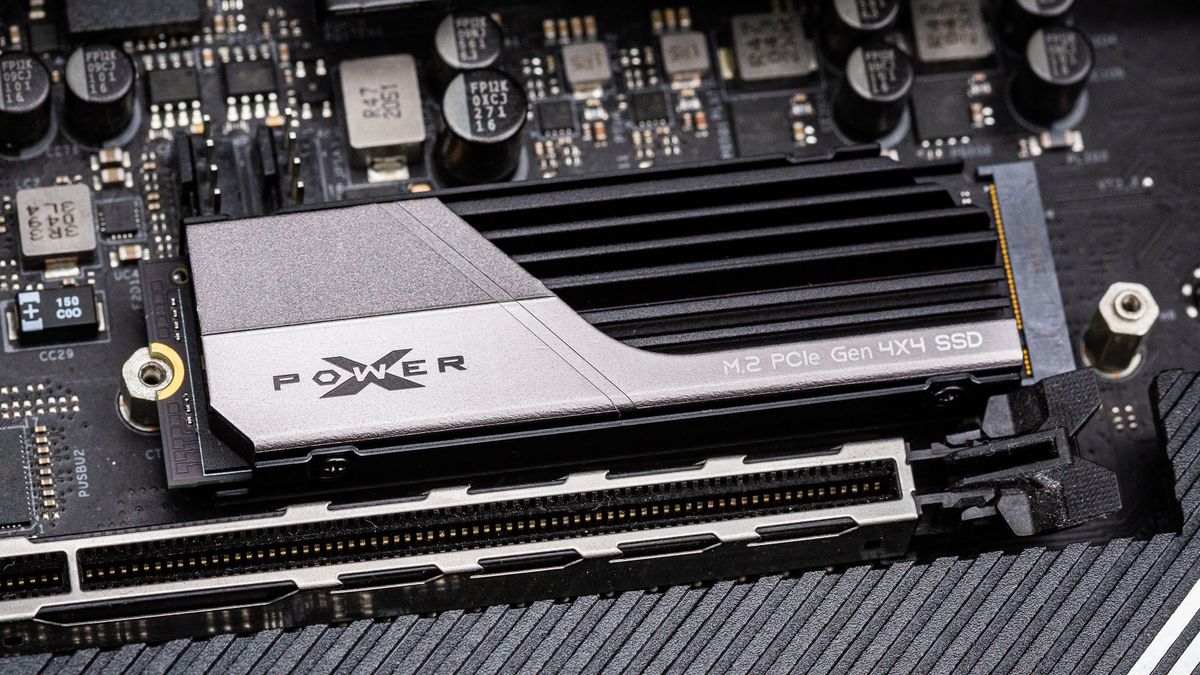
Tom's Hardware
High-end gaming drive without a high-end price.
warm meteor
I agree. I check toms and part picker reviews
minor sun
Heatsink is a bit bad, that's about it
warm meteor
Oh yeah the heat sink looked bulky rather than functional. Maybe I can just buy another instead? Be

MICRO CONNECTORS M.2 2280 SSD heat sink Kit (black) features: supports 2280 length M.2 ssd aluminum alloy fins for optimal heat dissipation> works on motherboards or M.2 adapters> easy installation with thermal pad silicone rings included to secure heat sinks specifications/contents: m.2 SSD size...
Simple like that perhaps
minor sun
That looks worse
minor sun
warm meteor
Oh yeah the heat sink looked bulky rather than functional. Maybe I can just buy ...
most half decent motherboards nowadays come with a heatsink for your m.2 slot anyways
could just use that
warm meteor
I have Asus x570.
minor sun
if not, most likely, the stock heatsink is fine
warm meteor
It looks worse but the way it's formed I think would be good airflow
minor sun
 minor sun
warm meteor
It looks worse but the way it's formed I think would be good airflow
minor sun
warm meteor
It looks worse but the way it's formed I think would be good airflow
nah, that's going to be much worse tbh
way thinner
There's a reason why we use heatsinks instead of just blowing directly at the silicon
warm meteor
Yeah. But that xs70 would function properly with their provided sink right? I mean I'd assume so
minor sun
warm meteor
Yeah. But that xs70 would function properly with their provided sink right? I me...
that screenshot is from the review
It wasn't that bad
warm meteor
Of the xs? Ok cool. I'll read it more in depth. Maybe a YouTube review lol
minor sun
warm meteor
Of the xs? Ok cool. I'll read it more in depth. Maybe a YouTube review lol
no one really does good youtube reviews of drives lol
youtube reviews tend to include cdm and nothing else
warm meteor
I know. It blows
minor sun
which doesn't tell you much outside of what it markets anyways
warm meteor
True
Also the x570 bad slots... Concern there? I need to pull my case apart to see if that's going to be in a bad position
minor sun
?
warm meteor
The placement. I don't remember the layout. Looking at images looks to be main at button and other off to the side of the cpu
Welp you're good man. Xs70 it is lol
Thanks again for your help!
What do you think when you see reviews on Newegg for these parts saying they died in 6 months and such? That xs70 has a lot of those. Seen them on the graphics cards too.
minor sun
warm meteor
What do you think when you see reviews on Newegg for these parts saying they die...
my opinion is that it's just statistics, out of 10,000 buyers, a 0.1% chance of failure still means 10 people that will report failures
warm meteor
Yeah agreed. Just fluke. Plus sp provides a long warranty
minor sun
red jay
https://uk.pcpartpicker.com/product/4PYmP6/samsung-980-pro-heatsink-1-tb-m2-2280...
it's good but these are better
https://uk.pcpartpicker.com/product/DgTzK8/adata-xpg-gammix-s70-1-tb-m2-2280-nvme-solid-state-drive-agammixs70-1t-c
https://uk.pcpartpicker.com/product/vrTp99/solidigm-p44-pro-1-tb-m2-2280-pcie-40-x4-nvme-solid-state-drive-ssdpfkkw010x7x1

ADATA XPG GAMMIX S70 1 TB M.2-2280 PCIe 4.0 X4 NVME Solid State Drive (AGAMMIXS70-1T-C)

Solidigm P44 Pro 1 TB M.2-2280 PCIe 4.0 X4 NVME Solid State Drive (SSDPFKKW010X7X1)
warm meteor
Will check em out. Thanks
Solidigm™ P44 Pro Series 1TB PCIe GEN 4 NVMe 4.0 x4 M.2 2280 3D NAND Internal Solid State Drive, Read/Write Speed up to 7000MB/s and 6500MB/s, SSDPFKKW010X7X1… https://a.co/4P5idLN

The P44 Pro is Solidigm’s flagship, high-performance client SSD for gamers and content creators.
Ok I'll compare em. Thanks again
minor sun
warm meteor
Solidigm™ P44 Pro Series 1TB PCIe GEN 4 NVMe 4.0 x4 M.2 2280 3D NAND Internal So...
p44 pro is just cheaper in the UK, it's basically same performance as xs70, which is 20$ cheaper in the US
warm meteor
Gotcha. Thanks. Will compare the others then
olive glade

 mental plaza
dont temp us, I'm this close to wasting my income this month on stuff I already have
 sharp folio
warm meteor
minor sun
it's good but these are better
https://uk.pcpartpicker.com/product/DgTzK8/adata-...
sharp folio
warm meteor
minor sun
it's good but these are better
https://uk.pcpartpicker.com/product/DgTzK8/adata-...
higher cost doesnt always mean better product right? lol.
 real lava
it kinda bugs me how so many people automatically goes to samsung for ssd
they used to be the top dog sure, but things always changes
it's that brand name
warm meteor
yeah. been looking at silicon power and solidigm
i like that their warranty is strong
https://www.tomshardware.com/reviews/silicon-power-xpower-xs70-review like this one mr 111 showed me. 5 year warranty
Tom's Hardware
High-end gaming drive without a high-end price.
 small carbon
Plat p41 is a good deal right now too if we ignore 1TB & below. I wonder for os only should I do the $83 P31 or some $60ish option still good?
warm meteor
Ever heard of this @minor sun
Limited-time deal: Nextorage Internal SSD 1TB for PS5 and PC Memory Expansion M.2 2280 Gen4 NVMe with Heatsink NEM-PA1TB/N SYM Maximum Transfer Rate Read: 7300MB/s, Write: 6000MB/s https://a.co/5t03cq5

M.2 2280 1TB SSD PCIe Gen4 built in Heatsink. Solves the PS5's capacity shortage! Equipped with a heat sink with excellent heat dissipation performance. The heat sink with excellent heat dissipation performance maintains the temperature, so the loading speed during games does not slow down and th...
dense merlin
Pretty mid price
minor sun
Same price as xs70 iirc
warm meteor

The Sabrent 1TB Rocket Nvme PCIe 4.0 M.2 2280 Internal SSD Extreme Performance Solid State Drive (SB-ROCKET-NVMe4-1TB) delivers all the advantages of flash disk technology with PCIe Gen4.0 x4 interface. Based on TLC NAND Flash memory, its performance speeds can reach up to 5000 MB/s (read) and 44...
yeah but i mean quality or brand. never heard of them. thats the prob i have.
oh and this sabrent one. aren't they a good brand with good product?
minor sun
Just go by the actual hardware
Rocket 4 has similar hardware to like MSI M470
Rocket 4 Plus has e18 and b47r, same as xs70
warm meteor
ok so if its simlar i might as well go wtih the sabrent one b/c they have a 50 coupon on amazon for it
just comparing every little bit thats important or not against the price and reviews. b/c i'm a researcher. i wish i could just be like oh that looks pretty i'll buy that one
minor sun
warm meteor
https://www.amazon.com/dp/B07TLYWMYW/ref=sspa_dk_detail_6?pd_rd_i=B07TLYWMYW&pd_...
This is rocket 4, NOT rocket 4 plus
warm meteor
woudl be nice if they'd use the same designations for things
 craggy heath

Would I be able to move the Wi-Fi card and put another ssd?
Also I don’t know if this is a prime B550M-A or prime B5000M-K
Mobo
 blazing musk
craggy heath
Would I be able to move the Wi-Fi card and put another ssd?
blazing musk
craggy heath
Would I be able to move the Wi-Fi card and put another ssd?
That looks like the card is in a mSATA slot and SSDs that fit in there are super expensive
craggy heath
so, I would not be able to fit a mp33 pro in there?
blazing musk
No the slot isn't long enough and the keying is different so it won't physically fit
craggy heath
your talking about the black card and not the green one right?
blazing musk
No the green one with antennas
Look at the shape of the slot
Vs how the contacts are on nvme
craggy heath
ya i know the mp33 wont fit in the green card slot, but if i remove the black card can i fit the mp33 ssd in there

 craggy heath
ok, thank you for your help
 tribal jackal
blazing musk
Best overall https://www.newegg.ca/western-digital-1tb-blue-sn570-nvme/p/N82E168...
tribal jackal
blazing musk
Best overall https://www.newegg.ca/western-digital-1tb-blue-sn570-nvme/p/N82E168...
alright what about 2 tb
are the same ones the best for that
blazing musk
MP33 2TB for $170 yeah
blazing musk
MP33 is the best value, Pro and MP34 are slight upgrades that most gamers won't notice
Sometimes the pro will be the same price as regular and that's when I'd recommend that one
blazing musk
It might make a couple seconds of difference in load times for certain games
tribal jackal
ok
Well I am getting this as a second storage thing because my storage is full
so where would I plug in
blazing musk
Most relatively modern motherboards have M.2 slots to fit the drive into, no cables required
tribal jackal
ok
 polar marten
have anyone found any good ssd deals in canada? (500g or 1tb, doesnt have to be fast)
polar marten
blazing musk
https://www.newegg.ca/team-group-mp33-1tb/p/N82E16820331417
tysm!
 fringe mesa
Limited-time deal: SK hynix Platinum P41 2TB PCIe NVMe Gen4 M.2 2280 Internal SSD l Up to 7,000MB/S l Compact M.2 SSD Form Factor SK hynix SSD - Internal Solid State Drive with 176-Layer NAND Flash https://a.co/d/ggZynYd

Experience the breakthrough upgrade from a global tech pioneer. SK hynix Platinum P41 delivers the 176-layer NAND, fastest-in-class speed, easy data migration, and 5-year warranty. The latest innovation from the world’s second-largest memory maker, Platinum P41 is designed to provide striking per...
Their $169 right now. Are they really better than the 2tb Kingston Fury NVME?
real lava
which fury?
fringe mesa
Which fury what?
I'm using the 2tb Kingston fury nvme, if that's what your asking. I purchased 3 of the above SK Hynix 2TB to use as external drives.
small carbon
I hate how tempting that price is. Yes, google Hynix p41 review & you'll find how it's "arguably" the overall best drive, especially considering price. Sn850x is nearly a tie, & 990 Pro is better but $$$.
 hasty loom
if its so temping buy one for yourself and buy me one 😂
ive been using a western blue digital 500gb cheap af sata for quite a few years lol
small carbon
 When it was a decent $208.
  (this adapter actually is gen 4, but z77 mobo obviously wasn't)-' Just got a nice b660. Edit: ah, hdd! I had couple normal 1TB wd blues then only a year or so ago started using an mx500. This P41 is from prime day, & barely filled so far. Also thinking instead maybe do the $83 P31 1TB for boot drive so I don't mess w/ currently used drives.
 turbid crater
small carbon
I hate how tempting that price is. Yes, google Hynix p41 review & you'll find ho...
turbid crater
small carbon
I hate how tempting that price is. Yes, google Hynix p41 review & you'll find ho...
980pro cost only 10 bucks more but takes a few more weeks to ship to me but sk p41 2tb takes up to middle of next week to ship and 10 usd less
small carbon
Right on. Yea, 980 pro to me overall isn't even same tier as p41/sn850x so I feel it should be even less.
dense merlin
980 pro is like s70 blade tier I believe
minor sun
dense merlin
980 pro is like s70 blade tier I believe
Worse
S70 blade is top tier
P41 just comes out a bit on top
minor sun
dense merlin
Thought xs70 was the only one out of the three s70s that kept up
S70 uses equivalent innogrit controller, xs70 just uses e18 so more conventional
It's small variations within top tier drives
Like s70 might be a lil worse than xs70 same way P41 might be a lil better than xs70
dense merlin
Ah
turbid crater
so p41 is like top tier ssd
olive glade
🤔
 turbid crater
way too expensive
turbid crater
olive glade
🤔
why getting sata ssd's and not m2 ssds
turbid crater
dense merlin
Sn850x is just as good as p41
amazon us p41 is cheaper than sn850x atm
real lava
im sure he's just wondering about the wacky prices lmao
also tbh 299 for 4tb ssd ain't bad
it's pretty decent
sata or not, it's a good price
for storage, sata ssd will be fast enough for majority of uses
unless you move big files all the time i guess
olive glade
real lava
im sure he's just wondering about the wacky prices lmao
Ya
It also makes a good laugh sometimes
What do you recommend for 4tb for games? I have 1 m.2 slot open and 1 ssd sata. I was going to move my games from a hdd
olive glade
 turbid crater
olive glade
turbid crater
olive glade
u playing on pc or xbox?
olive glade
Pc
turbid crater
that is around 100 gigs or so
olive glade
I had to delete games like titanfall 2
turbid crater
how big is ur ssd?
olive glade
I have a 2tb ssd just for open world games although I will br moving my os to that 2tb and wanting a 4tb ssd to move rest of my games
It's this


Large = basiccly open world
turbid crater
why dont u install them on ur m2 drive?
olive glade
I don't delete games majority of the time 
On a 30mbps download it takes a while
turbid crater
then get better internet
turbid crater
olive glade
I don't delete games majority of the time <:JeffFace:717485247423578213>
On a ...
u dont delete games even though u finished single player games?
olive glade
Sometimes skyrim and few others I don't
Some are on backlog as well that I started but never finished
turbid crater
why arent there any games on ur m2 drive
olive glade
I was going to use it for my os
turbid crater
os is not gonna need 2 tb off space
olive glade
I have only 150gb left of my os drive because of the dumb apps I use that installs directly to the c os drive 😒
turbid crater
then why didnt u set up the m2 drive as ur boot drive
olive glade
I got that later 3 months ago
I'll have to do it later but I was looking at black Friday deals in the process
turbid crater
u probably need to wipe ur windows drive set up m2 drive as boot drive in ur bios
olive glade
I built a pc this year before I only had a 1tb hdd and 2tb for games on my old, I changed it to a sata 512gb for boot for the os
turbid crater
2tb p41 for 170 at nvme pci 4.0x4 read and write speeds 7000 mbps not bad
olive glade
I have 2tb gold one, platinum cane out around a month later after I bought it 
It was a sad day
I wasn't reading up on them at that time  so I wasn't aware of the platinum version
I would rather have
1tb - os
4tb - hdd for stuff
4tb sdd for game's
Personal this frees up spots and space in my computer for better airflow then have 2 hdd right behind a fan
turbid crater
im getting plat version
small carbon
For a lot of tasks (gaming), P31 is barely slower. It still sort of outranks some gen 4 options. Although only reason I'm thnking of it is the 500GB model is a decent $45ish. I had 250 OS +1000GB mx500s & will at least double to maybe 500GB OS + 2TB storage.
olive glade
Faster then a hdd😅
olive glade
3 levels
Hdd
Sata ssd
M.2
small carbon
Oh I know. M.2 main thing for me is no cables. Of course good price though too. In some tasks like most games it's often barely faster than sata. No doubt bigger difference combined w/ modern cpu and not my 3770. --- waiting for another true deal on 12600K or at least 12400 even if the F models are sometimes nice price.
 sour wadi
olive glade
3 levels
Hdd
Sata ssd
M.2
sour wadi
olive glade
3 levels
Hdd
Sata ssd
M.2
You don't use floppy?
blazing musk
Chad tape drive
fringe mesa
Notice how they don't actually break down the actual read/write speeds? I mistake I will never fall for again. Made that mistake three years ago when I built 4 Z390 Aorus Master gaming systems. I had just learned of NVME, and the Sabrent rockets, the 1tb gave me so much hell. They were no way near as fast as they advertised, and worst, every system would BSOD when I tried to do a full windows 10 install. Only way to get Windows 10 on those systems, was to install to an SSD, and the clone the image onto the rocket NVME. That issue ended once I got rid of the rockets, and replaced the NVME with either Kingston fury or SK Hynix platinum P41 NVME's.
Sabrent rocket, no matter how pretty they make the new ones sound, I myself no longer trust.
SABRENT Rocket 4 Plus-G 2TB Advanced Gaming M.2 PCIe NVMe SSD, up to 7GBps (SB-RKTG-2TB) https://a.co/d/7EK4yMT

SABRENT Rocket 4 Plus-G 2TB Advanced Gaming M.2 PCIe NVMe SSD, up to 7GBps (SB-RKTG-2TB)
olive glade
sour wadi
You don't use floppy?
i have floppies  i was thinking of getting a floppy drive to see if there is anything still on it
tribal jackal
blazing musk
Best overall https://www.newegg.ca/western-digital-1tb-blue-sn570-nvme/p/N82E168...
What would you recommend
I cant deside
tribal jackal
I have the ASUS Prime B560M
I have 1 tb of storage already
So if I run out what would I do as well
this would be the second storage thing
sour wadi
blazing musk
Chad tape drive
I prefer punch cards tbh
sour wadi
olive glade
i have floppies <:kekw:741678350791081994> i was thinking of getting a floppy d...
Lol do it
olive glade
The reason being there should be floppies with old games on them even a counter strike map of my high school
fringe mesa
I have old 5.25 and 3.5 Maxell disks from 1985+, and surprisingly, the few I checked can still be read. They are the ones that came in the free white foldable plastic box.
Others I can't check exactly as I no longer have the equipment that reads them. Was stolen years ago
 dawn sand
olive glade
I don't delete games majority of the time <:JeffFace:717485247423578213>
On a ...
dawn sand
olive glade
I don't delete games majority of the time <:JeffFace:717485247423578213>
On a ...
thats why i download all mine i dont got time to redownload bc it takes years 2
turbid crater
when u download a game on nvme it will still take as long as ur internet connection takes right?
blazing musk
fringe mesa
I have old 5.25 and 3.5 Maxell disks from 1985+, and surprisingly, the few I che...
This is why tape drives are Chad. If stored halfway correctly you can read it decades later.
fringe mesa
My 500mb ide still reads fine too.
Not sure if it 2001 or 2002, as I have several. Long as I disconnect them, they don't wear down. Now one thing that does concern me are cdrs that look like a moth got to them called CD rot.
I got my 3 Hynix P41 drives today. Can't exactly use them as planned for the steam deck. To bad they don't make some kind of micro SD to usb adapter.
turbid crater
fringe mesa
I got my 3 Hynix P41 drives today. Can't exactly use them as planned for the ste...
thats a lot of storage
fringe mesa
At $169 each, for a 2TB, I got a few whether I needed them immediately or not. If I couldn't get them to work with the steam decks, was going to use them on the 3 Z690 builds that run quite well on the 2tb Kingston fury. If they do prove faster, I'll clone the fury drives and use the p41s as drive 0, and fury as emergency boot, or just store steams games and video on them.
Originally I was going to use them with the steam decks, through usb port, but read up more on the specifics and how one must mount them every time you use the deck, which is a bit annoying.
turbid crater
fringe mesa
At $169 each, for a 2TB, I got a few whether I needed them immediately or not. I...
how would u rate the p41 platinum 2tb?
 small steppeBOT
 B0az24#3104 has been warned
Reason: Bad word usage
B0az24#3104 has been kicked
Reason: Too many infractions
fringe mesa
Until I see one in use, I can't say. From the ones I have, the Fury has been the best, and looking forward to be proven wrong, as many here been telling me the P41 is much better. The only NVME brand I purchased so far that lies about their speeds has been the Sabrent rockets. Not only do they not go as fast as advertised, they led me to believe the blue screening when installing windows 10 was a motherboard issue, which those boards were z390. Once I put Kingston fury in, no more bsod when installing on them.
turbid crater
fringe mesa
Until I see one in use, I can't say. From the ones I have, the Fury has been the...
if i wanted to install another nvme at a later date do i need to plug anything from psu to motherboard again or is it plug and play
fringe mesa
Does your motherboard have another slot?
turbid crater
fringe mesa
Does your motherboard have another slot?
yeah 1 at pci 4.0 and 2nd at pci 3.0
minor sun
turbid crater
if i wanted to install another nvme at a later date do i need to plug anything f...
Plug and play, just need to initialize the drive
fringe mesa
What I don't understand, is why you would need to plug anything from PSU to motherboard. Nvme are plug and play, though some boards they need to be turned on in bios.
turbid crater
minor sun
Plug and play, just need to initialize the drive
from bios?
minor sun
Windows, disk management
turbid crater
minor sun
Windows, disk management
thanks. im gonna add a 2nd nvme for movies and tv series
minor sun
You're welcome
turbid crater
or should i just use hdd?
minor sun
Depends on budget and just how much storage you need
fringe mesa
I no longer use flash drives for os installs. Made a few NVME USB drives which speed OS installs up 90%
minor sun
Some nvme drives are as cheap as about 120$ for 2tb now, but if you need the extra storage for cheap, HDDs are still cheaper
turbid crater
i will probably get a 2tb hdd then
fringe mesa
turbid crater
thanks. im gonna add a 2nd nvme for movies and tv series
I keep my movies and steam games on a second NVME, and Windows and it's needed programs on drive 0. This way I don't have to reinstall everything should I have to format, and the fast NVME basically kill most game lag with games like Minecraft, Terraria, and Starbound. I find that an NVME that's not just fast at reading, but fast at writing, for games that constantly write to the hard drive like the ones above, prevent the bottlenecking I was having on my Z390. One thing to note, if you use a WI-FI PCI Express card, the NVME by them tend to conflict, so if you have wifi card, I recommend moving it to another slot, away from the NVME slots. The WiFi cards may look small, but they do in fact still fit the larger slots.
turbid crater
fringe mesa
I keep my movies and steam games on a second NVME, and Windows and it's needed p...
have wifi on mobo.
fringe mesa
.
I host a webserver and many game servers, so the NVME has been a godsend, compared to using sata spindles.
turbid crater
@fringe mesa so the time to download game on nvme is still dependent on internet speed right?
fringe mesa
turbid crater
<@482010599749058560> so the time to download game on nvme is still dependent on...
Correct
turbid crater
@fringe mesa i just game and watch movies and tv on my pc. i will probably get a 2tb hdd for movies and tv series
fringe mesa
If you have cable internet, you can take advantage of an NVMEs full potential.
turbid crater
fringe mesa
If you have cable internet, you can take advantage of an NVMEs full potential.
yeah but i really cant wire it router is across the house on another floor
fringe mesa
I discovered something when I built my first z690. Having SATA drives slowed the boot process down 75%. Instead of going into Windows 11 login at power up, I sat waiting about 70 seconds for my new system to fully load. Disconnected the SATA drives, and used several 2tb NVME, I'm back into instant boot up again. Also, after I cloned my steam library to the NVME, the 2TB fury, I no longer had any lag spikes when my friends and I tested Starbound out. Lag spikes were just horrid every time we went near one of our space stations, as most of us have lots of chests which load up when you board a space station.
I paid $600 for an ASUS router, to end up using the Ethernet connection for my own system. Was amazed at how much speed was lost connecting over WiFi
I wish I knew about this discord a few years ago when I built my 4 Z390 systems. Would have never made the purchase mistakes I did had I known. Then again, some of the mods here cringed when they saw the 3 new builds I purchased this time around, but at least I didn't make the power supply mistake again. Meaning using GameMax. Yeah I lose RGB effects, but can't see the PSU anyway in my glass Thermaltake case. I did gut the fans for better ones though.
dense merlin
If it makes you feel better, the first pc i bought was before I was here
fringe mesa
I'm still waiting on my replacement PCB with bios from Seagate. Only found out back in September that all my drives that died, were killed by the GameMax power supply. Each cold boot up sent double voltage so fast down the SATA power lines, a meter didn't detect it. Only an oscilloscope can. The PCB I'm waiting for had to come from Seagate, because a normal PCB fix I would transfer a PCB from same type drive and transfer the bios, but the bios was fried too.
dense merlin
I essentially spent $1200 on a 3060 ti 3600 and 1tb ssd, since the rest of the build was garbage
fringe mesa
My build runs on an RGB MSI 2060 with 8 GB ram. I grabbed 3 EVGA 2060 last Xmas with 12gb for $350 each, while all others were at 2k
Looking at the other builds, like the ASUS Z97 gamer, had no clue they had NVME support. Something I would have found out had I been here lol.
To be honest, Neweggs website did point them out when buying the components, but the price and not knowing back then what they were, ignored reading up.
I also avoid ASUS products like the plague. Was burned badly with their Nexus tablets. Burned is an understatement. My kids bunk bed cover a burn mark in the rug, where one of the chargers almost caused a fire, as they burned very very hot
minor sun
that's quite far off
That's a huge stretch
Sampoong was years of mismanagement and incompetence before the breaking point
It's just such a stretch to compare a huge disaster with one bad last minute patch lol
It's more far off disasters that doesn't have anything in common with Asus lol
it's just such a stretch, like saying walking on grass will lead to nuclear war tomorrow, adding shock value to something that shouldn't have any shock value
formal tusk
If I fall today, gigabyte will backstab me in 3 years 
minor sun
Takata did all the testing they thought reasonable for the airbags, it was a cost saving measure, they just didn't test the long term effects of changing the gas for example
Hoverboard fires, it's just shoddy work, because it's a scummy company that doesn't care
They want the hoverboards to fail so they can sell you more
fringe mesa
Shoddy work, improper testing, all parts of cutting costs that backfired lol 😂
minor sun
And again, it's just random tragedies at this point, nothing to do with anything else other than being tragedies
turbid crater
those are buildings that contractors built who cut corners not the company who owns the building
sour wadi
@fringe mesa stop talking about random tragedies in storage chat please
fringe mesa
Sorry Pato.
Anyways, until I get the time to test the p41s, Kingston fury is top of my list of great NVME. To be honest, I do take the mods word that it's better. They haven't been wrong in anything else they told me, and the fact the p41 platinum has been $269 to $469, the fact they are $169 now, is definitely a risk worth taking. The worst that can happen if you don't like it, is to send it back for full refund.
 plush crag
$600 router 
 turbid crater
should i get sn850x vs sk hynix p41 2tb?
turbid crater
they both cost the same on amazon. 169.99 but p41 ship faster, sn arrival on 18th though i wont build pc til after dec 13th
formal tusk
turbid crater
should i get sn850x vs sk hynix p41 2tb?
What are you putting on them
turbid crater
formal tusk
What are you putting on them
4.0 m2 drive.
formal tusk
No I mean, what's it being used for specifically lol
turbid crater
gaming
formal tusk
You don't need 4.0 for that
Solidigm p41 plus is a cheaper 4.0 if you really want that, or go mp33 2tb for 120
turbid crater
i trust wd better
formal tusk
It's nice but it's not gonna give you anything more than like, 2 seconds of load time
dense merlin
Then p41
Actuallt since you're not budding
Building
Istfg my auto correct
Anyways, doesn't matter
turbid crater
im doing a full build from ground up.
dense merlin
They perform near identically
Yes, since you're not building till Dec 13th*
Then it doesn't matter
formal tusk
I would put the extra 50 to the gpu tbh
turbid crater
i get sn850x since i trust more
formal tusk
They also have the fastest ddr5
turbid crater
dense merlin
Hynix is a bigger company than wd lol
didnt know that
formal tusk
Hynix, samsung, micron, big bois of nand
turbid crater
formal tusk
I would put the extra 50 to the gpu tbh
50 bucks more in gpu wont be enough to push me from 6800xt to 6900xt
formal tusk
It will used 
dense merlin
With gen 4 ssds so cheap, when will high end gen 3 ones drop in price
I want 2tb p31 at $130
formal tusk
Also I wouldn't gamble on gpu's of last gen getting cheaper, if they're selling out now then they're running down the stock
turbid crater
formal tusk
It will used <:worryyes:700273089623359569>
i want gpus new not used
formal tusk
Production will ramp down, then prices might slowly creep up
dense merlin
Might end up having to wait for 7700xt
turbid crater
yeah thanks
dense merlin
Wait im doing some mental gymnastics rq
7700xt should match or beat the 3090/6900xt for much cheaper
formal tusk
Ok so if we go by the old rumour mill
dense merlin
Well, 7900xtx is supposed to be between 4080 and 4090
formal tusk
Full N31 was supposed to be 2.5x faster than full N21
But it's looking to be only 1.5x faster
dense merlin
7900xt probably matches 4080, 7800xt probably between 3090 and 4080
minor sun
We wait
formal tusk
They pitched N33 as equal speed to 6900XT
minor sun
For benchmarks
dense merlin
Yeah
dense merlin
Not sure
formal tusk
N23 is 6600/XT
So n33 if we estimate using existing data should be around the 6700XT mark
7600/XT
7700 XT is maybe a 15% jump over that so maybe just under vanilla 3080/roughly 6800 perf?
Ima check the die sizes again
dense merlin
Just wait for 7500xt to match a 1030 in performance
formal tusk
Yeah it's prolly gonna be somewhere near 10gb 3080 or 6800/XT
If we use AMD's graphs
Which is about to be expected really
But all the new gen features

dense merlin
I really hope there's going to be a decent pcie powered card this gen
The last one was 1650
We're due for one
formal tusk
Indood
formal tusk
That thing is adorable
dense merlin
Can never remember which one it is
dense merlin
formal tusk
That thing is adorable
No u
formal tusk
Well workstation naming makes less sense
dawn sand
So higher TB hard drives get hotter?
dawn sand
is this good game stgorage
 real lava
it's fine
blazing musk
tribal jackal
https://www.newegg.ca/western-digital-1tb-blue-sn570-nvme/p/N82E16820250211
htt...
SN570 is a slightly better drive but it won't matter if you're just gaming. MP33 is the best value drive pretty consistently.
dawn sand
this seems like enough storage 
 blazing musk
Nah you got 2 more SATA ports and a few PCIe slots to fill still
sour wadi
blazing musk
Nah you got 2 more SATA ports and a few PCIe slots to fill still
Exactly that's easily an extra 16 drives right there
dawn sand
blazing musk
Nah you got 2 more SATA ports and a few PCIe slots to fill still
My pc case only has 2 sata poets and 2 hard drive slots
sour wadi
That's what duct tape is for
dawn sand
Bruh
blazing musk
There's also cages you can buy and stack
 vital osprey
Hey everyone... anyone know what kinda SSD i would need for MSI GP Series Vector GP66 12UGS-028CA
does it support PCIe gen 3?
pls pm me
 brisk dome
sour wadi
That's what duct tape is for
brisk dome
sour wadi
That's what duct tape is for
If it's an SSD it doesn't even need to be secured tbh
blazing musk
vital osprey
Hey everyone... anyone know what kinda SSD i would need for MSI GP Series Vector...
According to Crucial it support PCIe 4.0 so it'll be backwards compatible to 3.0
dawn sand
blazing musk
There's also cages you can buy and stack
Lol
 signal garden
posting in here as well
the bottom is a 4tb hard drive and the 1600gb unallocated partition just isn’t doing anything and also it’s 2 portions instead of one and everything is greyed out for that second one

 floral sun
https://www.amazon.com/Crucial-PCIe-NAND-NVMe-3500MB/dp/B0B25P44CL/ref=sr_1_6?crid=XXINGBZBRFS6&keywords=m.2%2Bssd%2B4tb&qid=1669783604&sprefix=m.2%2B%2Caps%2C880&sr=8-6&th=1 Thinking of buying this to upgrade my storage, does the price justify what i'd be getting?

Basic bootup speeds won’t cut it — not at work, on the go, or in the game. But the Crucial P3 SSD is anything but basic. With NVMe performance that’s nearly 5x faster than SATA and nearly 20x faster than HDD2, the P3 leaves older storage technology in the dust. With sequential read/write speeds u...
small steppeBOT
 awsomenemo123#6160 has been warned
Reason: Bad word usage
awsomenemo123#6160 has been kicked
Reason: Too many infractions
blazing musk
signal garden
the bottom is a 4tb hard drive and the 1600gb unallocated partition just isn’t d...
Clean the disk in Diskpart
It'll be like a newly initialized drive
signal garden
i installed it on the ssd which is that top one
blazing musk
Yep and it used the reserved partition on the other disk
signal garden
sadge micro
blazing musk
Ok there is a way to fix that but it's complicated, it's probably easier to wipe out what I believe is a logical volume on the disk first
signal garden
how would i do tha?
blazing musk
Back to diskpart
list volume
signal garden
 blazing musk
Yep looks like Volume 3 is the culprit
select volume 3
delete volume
Your bootloader will still be on the same disk but at least you'll have the rest of the drive to work with
While you're there you can create partition primary
Which will create an unformatted partition to fill the blank space of the currently selected disk
signal garden
in the image i sent, its split already unallocated
i made it into one after a while of the post
blazing musk
Right but the partition table is damaged or something and it thinks there's something there still
So deleting the volume that doesn't technically exist from the table will merge the free space
signal garden
deleted and did create partition and in disk management its still split and still grayed out for that second portion when trying to create volume
blazing musk
Well looks like the complicated route it is. Hope you've got a current backup.
blazing musk
In that case it's easiest to pull the second drive and reinstall Windows with only the SSD installed
Then you'll be able to clean the disk
signal garden
alrighty, will do that then on my next day off
thanks for the help
weird that it even did that
blazing musk
It's what I do
Yeah that's unusual but not anything I haven't seen before
Combining the issue with the "Windows doesn't want to boot from the installed drive" issue is a curveball lol
 bitter tree
minor sun
bitter tree
minor sun
P41 plus
tribal jackal
blazing musk
SN570 is a slightly better drive but it won't matter if you're just gaming. MP33...
Ok thank you
turbid crater
anyone have sk hynix p41 2tb how is the nvme?
blazing musk
What about it? It's one of the fastest drives available right now
turbid crater
what is their review on it?
minor sun

Tom's Hardware
The fitting successor to the popular Gold P31 is finally here

PCMAG
The SK Hynix Platinum P41 posted record-high scores in some of our general storage and gaming tests. It's a super-value M.2 SSD; just add your own heatsink to ensure peak performance.

TechPowerUp
The SK Hynix P41 offers amazing performance thanks to a new PCI-Express 4.0 compatible controller. In our Hynix Platinum P41 review we find that this drive is faster than Samsung 980 Pro and WD Black SN850. Thanks to an energy efficient design, there is no thermal throttling, even without heatsink.
turbid crater
thx
signal garden
@blazing musk I’m too lazy to switch hdmi to my other monitor so we installing windows like this for now
 dawn sand
blazing musk
If it works it works
signal garden
unplugging the hard drive fixed it. was able to delete the partition off the hard drive, convert and fix the split and format it as the full 4tb
now to try and wipe everything on this pc again and get rid of bloatware
and install my own bloatware
blazing musk
Sweet, glad that's sorted
fringe mesa
Waiting for my own steam decks. Ended up buying the one with at least the 256gb NVME. Heard a single report that trying to add one after not only voids the warranty, something prevented the installed NVME being seen. Sounds like a similar trick I once heard with the Nintendo DS user and kiosk version difference that stops the DS running off the battery.
IMHO, valve should have had places like Newegg and Amazon sell them. They lost a lot in sales because of that. If Newegg had sold the deck, people would have a much wider avenue for add-ons like memory cards, drives, docking systems, not to mention a much larger financing que to choose from. Steam may have only been able to stay caught up in sales because they are missing 70% of sales they could have had by using aAffirm, PayPal, Kiosk. Not everyone has a credit card, and many places
Have $400 daily caps on online Visa/MasterCard debit cards.
 upper quiver
would they be capable of fulfilling that 70% in sales?
probably not
plus, i dont think they really advertised the steam deck through typical means
its not like an iphone
its target audience is on steam
if i wanted one the first place i would have gone is steam
 worn trail
What gen 4 M.2 storage do you guys recommend? I don't need the fastest gen 4 but I do need at least 2tb.
Preferably not to expensive so under $200 from Amazon com.mx.
fringe mesa
That's why I said they have been able to keep up in filling sales. That handicap has helped them. If they had a better production, especially for Xmas, the Deck right now is a hot item like the Switch was. Once the demand dies down, it won't matter.
upper quiver
demand, within the context of target audience
its a "hot item" in context, its not a switch alternative
fringe mesa
worn trail
What gen 4 M.2 storage do you guys recommend? I don't need the fastest gen 4 bu...
Either Kingston Fury 2TB or the SK Hynix P41
worn trail
This question is just curiosity and probably a dumb question but is it possible to get something say like a 20tb Sata SSD and have it copy all the data from say 3 different M.2 SSDs?
upper quiver
worn trail
This question is just curiosity and probably a dumb question but is it possible ...
you can move data between storage devices
thats not a problem
the real question is what you want with 20tb of ssd
upper quiver
thats what HDDs are for
fringe mesa
worn trail
Preferably not to expensive so under $200 from Amazon com.mx.
Do you play games like Minecraft, Terraria, Starbound or multiplayer titles where you run your own server?
worn trail
upper quiver
you can move data between storage devices
I mean for the SSD to copy the data of 3 different M.2 SSDs.
worn trail
fringe mesa
Do you play games like Minecraft, Terraria, Starbound or multiplayer titles wher...
Yes, though the SSD is just for storing my own files.
upper quiver
the ssd wont copy the data, the operating system will
worn trail
I have a dedicated server for Minecraft.
worn trail
fringe mesa
Either Kingston Fury 2TB or the SK Hynix P41
Twhat about the Samsung 980 pro 2tb? It's $50 cheaper then the Kingston one and 200$ cheaper then the P41.
worn trail
$200.
dense merlin
also wb s70 and sn850x
worn trail
I need to order from Amazon.com.mx.
fringe mesa
Glad I asked. The two NVME have been going on sale at $160 and $180 towards Xmas. I highly recommend the two I listed because for hosting servers for the titles, write speed is as important read speed. The above titles constantly write, so getting an NVME with 5k read and 2.5k write, expect bottlenecking,, lag, and data loss. The above two I tested and no lag spikes, no bottle necking, and that's with 4 players who hoard a lot.
upper quiver
i cant even load that site
worn trail
This is for my personal rig, not a server.
minor sun
Check m480
fringe mesa
Apex, I asked if you hosted your own games. That is personal use 😉
worn trail
worn trail
I have a dedicated server for Minecraft.
.
Sorry for the miscommunication.
Yeah this is for my own personal rig.
fringe mesa
Naa. It's fine. I blunder all the time lol.
minor sun
Anyways instead of 980 pro basically any e18 drive is nice and should be cheaper
fringe mesa
They tend to tell me things 4 times before it sinks in lol.
worn trail
I need to go but if you guys could ping me with a list of the drives you'd recommend I will see which is cheapest for me once I am back.
Thanks a lot in advance!
minor sun
worn trail
I need to go but if you guys could ping me with a list of the drives you'd recom...
Anything with e18 or ig5236 from here basically
https://docs.google.com/spreadsheets/d/1B27_j9NDPU3cNlj2HKcrfpJKHkOf-Oi1DbuuQva2gT4/edit?usp=drivesdk

Google Docs
Master List
Brand,Model,Interface,Form Factor,Capacities,Controller,Configuration,DRAM,HMB,NAND Brand,NAND Type,Layers,R/W (Up to, in MB/s),Categories,Notes (*),Product Page,Product Page 2,Product Page 3
Acer,SA100,SATA/AHCI,2.5",120GB-1.92TB,Maxio MAS0902A,Dual-core, 4-Ch, 8-CE/ch,No,N/A,TLC,56...
fringe mesa
Apex, PayPal, Affirm, and a few others are accepting more applications over the holidays. Might want to try one of them if you are limited in $$.
Xmas time I use them so my cards aren't affected. This way when places like Amazon charge for entire sale and only ship one item out, I know I can quickly buy elsewhere if needed.
Newegg has never done that to me, so I use Newegg for most of my purchases. Heck, my entire 3 builds I did came from Newegg because they ship what they charge for. Only computer hard ware Amazon got from me was the NVME I just purchased 3 of. Who can't resist Hynix P41 at $160 each lol.
@upper quiver Been meaning to ask, how come your group doesn't update your 😦 into a :). Or am I missing it's meaning.
Ahh, just realized it's a tech tag.
I still think 🙂 looks better.
Gawd I need coffee ☕!! Brains slower than normal this morning. Me that is.
minor sun
I prefer :) to the emoji because it looks nicer, it's a setting
fringe mesa
I actually wasn't using the emoji. Discord did that after I hit send. I typed a sideways smile.
Come to think of it, you did tell me it was a setting the first day I joined. I can remember that, yet CPU coolers lol
.
Anyways, wondering if I'm just looking up the wrong term. Is there such a thing as an adapter that can plug into a microSD slot, and change it to USB C?
Steam deck has a USB, but using it for a drive of any type is a pain each time one boots up. I figure if I can plug in some type of adapter into the microSD card slot, I can use a P41 nvme externally instead.
Did a search, and it brings up thousand's of microSD to USB listed adapters, but look closely, they are actually USB C to microSD.
upper quiver
fringe mesa
<@397246720422969375> Been meaning to ask, how come your group doesn't update yo...
 upper quiver
minor sun
I prefer :) to the emoji because it looks nicer, it's a setting
upper quiver
minor sun
I prefer :) to the emoji because it looks nicer, it's a setting
text emoticons are the best
fringe mesa
OMG 😱 I been a technician since the early 1980s, long before BSOD, and feel absolutely stupid, that I of all people, never picked the above sad face. Kind of Ironic how Microsofts BSOD looks so much like Amigas old GURU errors.
I got to see that screen often with the Aorus Master Z390. Funny how I never found the root cause when installing Windows, until I built the Z690 and found out it was the Sabrient Rocket NVME at fault
minor sun
fringe mesa
I actually wasn't using the emoji. Discord did that after I hit send. I typed a ...
Yes, that's a setting that you can change to make it just be text still
fringe mesa
On Android Discord?
minor sun
any
fringe mesa
My Z690 is filling half my 2TB downloading most of my latest ISOs from Microsoft. Despite technet closed, found out I am still able to get updates for a lot of my programs.
Sadly, Frontpage isn't one of them 😦
The p41 feels like the same speed as my Kingston fury. Had to limit my downloads though. My wife was getting miffed with me lagging the network 😂.
Messing with her Second Life is like trying to take back a steak from a hungry lion.
formal tusk
Well yeah cos you'll be limited by the network speed
Unless you had like, 40gbit LAN (you can't) you won't know which is faster
What makes the P41 quicker is in iops
It does random iops so fast
fringe mesa
What's the best utility to test read write speeds of an NVME. Two I tried gave different data, so figure there must be a more reliable one people rely on.
formal tusk
Crystaldiskmark is an easy tool for it
Performance between the two though will be very similar
I think passmark also has a benchmark
3dmark has a game loading benchmark, you might see the P41 do better there (samples may also vary)
fringe mesa
One utility came with the Z390, which I used on the Z690. Not sure why they didn't include it with the new appcenter.
formal tusk
I'm surprised anyone even uses half the stuff in app center
Fusion is a necessity, the bios update utility is nice, maybe the afterburner style gpu tuner app
Other than that the rest I've never even found myself curious about it
Afterburner is easier and better
Bios updates I do manually
- shrug *
fringe mesa
I have a connection that's a little faster than a T1. When I used a Torrent application, realized long ago, limiting the uploading stopped the lag on my homes connection. Since uploading is capped, I think the bandwidth was slowed because all the error checking got slowed down.
formal tusk
I'll give gigabyte the credit tho, it doesn't hang around in the background as some resource hog that other boards do like Asus and armoury crate
formal tusk
fringe mesa
I have a connection that's a little faster than a T1. When I used a Torrent appl...
Again you'd need 40gbit, or more specifically like actually 60gbit, to pass the full read write rates of a full gen 4 ssd
Which doesn't exist in a typical desktop consumer device
You could do it with a bunch of network links in tandem over a home network
fringe mesa
formal tusk
I'm surprised anyone even uses half the stuff in app center
When it comes to RGB controll, something causes a conflict after the systems been up where the CUE RGB controller, can no longer control the ram RGB for my Dominator ram. When I get a chance to sit down, going to look into that.
formal tusk
Well yeah cos you have a gigabyte board
Gigabyte wants to control it
So they'll fight then the link breaks
I tend to avoid icue these days, it's getting more and more excessive
fringe mesa
Fusion never picks up on the ram. That's why I use CUE.
formal tusk
Well every 10th time it will pick it up
I can promise you that
That's your conflict of rgb control lol
That's just what rgb fusion does
fringe mesa
I see that with my kids I7 Z690, but so far have yet to see it with my I9.
formal tusk
CPU wouldn't make a scratch of a difference
They're gigabyte boards, typical fusion behaviour
Lol
You can google "rgb fusion ram problems" and find hundreds of reddit posts that'll likely show the same problem
They haven't addressed it for years
fringe mesa
I know, but figure I point it out anyways. I never once seen ram show up in the fusion utility. That old Z390 RGB fan I cut out a few weeks back, that showed up in fusion first boot up, then never did again, and the rainbow colors started giving me a headache, hence why I cut the blasted thing out. Worst budget cooler ever.
formal tusk
If you uninstall fusion completely from the system there's a good chance the icue will pick up the ram more consistently
Icue btw also has problems picking up ram in general but it should be slightly better
fringe mesa
Is there something better than fusion for the rest of the board, with better color and effect options?
formal tusk
Uh, maybe signal rgb?
Openrgb was rubbish with my gigabyte board, caused flickering and stuff
Signal rgb I never tried
fringe mesa
CUE doesn't fully load until you actually log in, which annoys my wife to the extreme. Every time windows 11 reboots for updates, the ram RGB turns back on, and the flashing colors wake me wife up. One thing in my lifetime I never want to do, is wake her up from a dead sleep. The results can be, let's say painful to ones ears.....
I'll check over the weekend. I like the RGB effects during the day. But 2am, it gets old fast.
2am Windows updates, turn my bedroom into close encounters of the 3rd kind, mixed with powers from the force should my wife be awakened. Heck, her keyboards taken flight a few times 😉 I got to find the picture, with her $200 RGB keyboard back in 2020, sticking out of the wall. Costed me $120, paint, plasterboard, and some supplies heh.
She fell asleep using the large screen TV as monitor. System rebooted and she tossed it not even that hard. Sank right into the wall like a Chinese star. Was impressed.
Shoot, shouldn't I be talking about this in #peripherals-and-displays ?
Switching over to #building-and-recc-chat .
formal tusk

eBay
New Sabrent Rocket 4 Plus 1TB Drives. These are super fast gen 4 SSDs and are very durable.

AUD
dawn sand
@blazing musk do I buy 8TB drive
 blazing musk
Why tho
blazing musk
That's an external drive
dawn sand
blazing musk
That's an external drive
I mean could I plug it into my pc
blazing musk
You can get an 8TB drive for $120
 brisk dome
In my experience Wd_black hard drives are just a last ditch attempt to get gamers to buy HDDs, and pay a premium as well
dawn sand
@blazing musk pov: you spent $180 on 4TB hard drive from best buy
dawn sand
brisk dome
In my experience Wd_black hard drives are just a last ditch attempt to get gamer...
Well ig any drive good if it's 7200RPM
dense merlin

Western Digital WDBSLA0040HNC-NRSN 4 TB 3.5" 7200 RPM Internal Hard Drive (WDBSLA0040HNC-NRSN)
dawn sand
dawn sand
<@396513761550270464> pov: you spent $180 on 4TB hard drive from best buy
Oops
blazing musk
Transfer successful. Cloning my SSD to the new drive was easy enough with clonezilla, didn't even have to reinstall the bootloader.
dawn sand
blazing musk
Transfer successful. Cloning my SSD to the new drive was easy enough with clonez...
What you doing
blazing musk
I got a new MP33 so I could give my old EX920 to my brother in law
He's still on sata
dawn sand
Oh
blazing musk
So I had to copy my Windows install to the new drive, which is easy if you know Linux
dawn sand
Yea
fringe mesa
Are high end Micro SD cards getting used for mining now? Been noticing the prices climbing on these lately. Same extreme 512gb ones I got for $35 back in September, are like $60 average now.
dense merlin
no.
sour wadi
you sure its just not that one model thats gone up in price?
fringe mesa
It's mostly the ones that are above 256gb that are going up. The 32 and 64 are actually lower.
Most likely, the holiday rush and people buying the larger ones for the Switch and Steam Deck?
The good 512gb cards, ones that are rated 160-190 Mbps are averaging $130 to $160+. Makes me wish I had ordered a few months back, but didn't have any use till I ordered a few Steam Decks.
Heck, I purchased 3 sky Hynix p41s at $160, without even thinking to read the specifics of the deck. I'll put them to use on the new systems I built. Having to repeat the steps every time to use them on the deck, I'm just too lazy lol.
My plan was to use the USB C port and an external enclosure. Problem is, you got to mount them every time you power on. Hence why I'm pricing the micro SD.
No such puppy as a microSD to USB adapter.
dawn sand
I got perfect idea
ill buy 3 SSDs and put an OS on each
windows, linux, macOS
my mobo has 4 ssds slots 
turbid crater
@dawn sand can u switch between os easily or do u need to change the boot order for the ssd for that?
dawn sand
Lol idk haha
turbid crater
i only know windows
 manic dagger
does RAID0 for 2 NVMEs decreased load time much? seen mixed online
 kind sierra
Not really
 left briar
Greetings! I’m upgrading the ssd in a mid 2015 MacBook Pro retina 15”. I’m look for an enclosure that will receive the proprietary connection of the ssd I removed from it. Any suggestions?
brisk dome
left briar
Greetings! I’m upgrading the ssd in a mid 2015 MacBook Pro retina 15”. I’m look ...
If you can remove it, doubt it's proprietary. Most likely a PCIE connection
blazing musk
left briar
Greetings! I’m upgrading the ssd in a mid 2015 MacBook Pro retina 15”. I’m look ...

Use the SSD originally installed in your Mac as an external drive in this enclosure. USB 3.0 transfer speeds up to 500 MB/s
brisk dome
blazing musk
No it really is proprietary
Apple never ceases to amaze me
tribal jackal
blazing musk
https://www.ifixit.com/products/external-ssd-enclosure-for-select-mid-2013-to-mi...
So the one you showed me would fit in my motherboard as a second storage device ASUS Prime B560M
blazing musk
That enclosure would have the old drive inside, and it would be outside the laptop plugged into usb
Oh had to search for our old convo, you were talking about the SN570 or MP33 and yes you have 2 M.2 slots so you can add it as a second drive
dawn sand
What's the difference between this and 980

 minor sun
yes
dawn sand
Gunna get this to fill my first slot mobo with a 4 gen drive and get another hard drive for games

Is it bad to put games on your boot ssd
minor sun

SPECIFICATION Capacity : 1TB/2TB Form Factor :M.2 2280 Interface : PCIe 4.0 x4 NVMe 1.4 Performance : Sequential Read/Write: up to 7400/6800MB/s* * Performance may vary based on SSD capacity, host hardware and software, operating system, and other system variables. MTBF : 2,000,000 Hours Warranty...

With a standard data transfer rate that's 2x faster than the 3.0 version, the XS70 PCIe Gen 4x4 with 3D NAND flash memory and NVMe 1.4 support is exactly what serious gamers need to crush the competition. Mind-blowing continuous read and write speeds up to 7,300MB/s and 6,800MB/s, respectively, e...

 sour wadi
dawn sand
Is it bad to put games on your boot ssd
sour wadi
dawn sand
Is it bad to put games on your boot ssd
Nope
dawn sand
Okay
red jay
suggestions for wiping drives when selling to someone?
something that will repeatedly write fake data maybe
Nevermind, found something named "DiskWipe"
dawn sand
red jay
suggestions for wiping drives when selling to someone?
Can't you just reformat
red jay
Bruh
Wouldn't they still be able to find traces of my data though
Im doing 5 passes of random data
should be enough
dawn sand
red jay
Wouldn't they still be able to find traces of my data though
I don't think so
red jay
then why do data recovery services exist 💀
dawn sand
That's for a hard drive or ssd that have data on it duh
It's data on the storage device but no way to access it bc the pc can't read it
red jay
theres still sectors that have data on it tho
Some of my drives have different parts of it that were used by macos and linux
so theres a bunch of random files that arent the same partition
dawn sand
There'd 4 pins on hard drive that data can be accessed and transfer if the pc can't boot it I feel like that's a failsafe so people don't automatically lose all there data
brisk dome
Formatted drives can still sometimes have data recovered off of them
brisk dome
red jay
Im doing 5 passes of random data
This is the best way to go about it
idk if you need 5, might depend on the value of the content sof the drive
tribal jackal
So the one you showed me would fit in my motherboard as a second storage device ASUS Prime B560M
@blazing musk
kind sierra
red jay
Wouldn't they still be able to find traces of my data though
Yes, usually very easily
I've done data recovery from formatted drives in a matter of minutes
kind sierra
That's for reformatting. A couple passes with something like bleach bit or disk wipe will make it so you need a forensics lab to recover the data
Doesn't really even need to be random data on each pass for consumer drives, toggling a couple times between ones and zeros will do well enough
kind sierra
For enterprise stuff
Consumer data you're probably not going to be targeted for data recovery shenanigans in the first place, and like you said with the ark saves the data isn't usually that valuable. Enterprise drives on the other hand have been known to be the target of dumpster diving for corporate espionage or similar shenanigans
For sensitive enough data they'll even destroy old drives in a giant industrial shredder
 restive karma
My hdd making 2 beep noise, and not detected in windows
restive karma
its my hdd,
my hdd run on20% usage before, and i shutdown with windows, after min i turn on and 2 beep noise appear
real lava
Um, that's more likely the pc beeping I would say
HDDs has no speakers or anything to beep
restive karma
But when unplug sata and power cable no beep
Ihave 3hdd 1ssd
2hdd fine and the ssd
But this 1tera hdd maybe fail
dawn sand
real lava
HDDs doesn't beep
Bleep bloop
 cyan needle
real lava
What you hear is probably dead drive
cyan needle
real lava
What you hear is probably dead drive
Yeah he was hearing it tick.
 hazy prawn
My External HDD failed yesterday. Beep Beep Beep. I love my External image backup! I am looking for a replacement. Any New Egg Sales on 10 TB and above?
kind sierra
hazy prawn
My External HDD failed yesterday. Beep Beep Beep. I love my External image backu...
Are you looking for just the drive or a full external setup with the drive holder and everything
hazy prawn
kind sierra
Are you looking for just the drive or a full external setup with the drive holde...
I am looking for External USB hard drive 10 - 14 TB Not an internal drive with a toaster.
turbid crater
are m2 screws different between motherboards?
 tight galleon
helloo
i transfer game from steam to portable samsung T5
i transfer game from steam to portable samsung T5 i lunch the game and play and crash
why ??
sour wadi
Did you transfer the game through the steam client for it?
sour wadi
Try repairing/ reinstalling it probably got corrupted
tight galleon
ok thx :)
 tender phoenix
i have single samsung 980 pro 2 tb
every time i right click on a file to unzip or unrar a file, winrar freezes about 10 secs
why
cyan needle
tender phoenix
i have single samsung 980 pro 2 tb
every time i right click on a file to unzip o...
Do you have more information?
tender phoenix
It has never crashed or frozen in the game
just 2 to 3 times system freezed and after bios updates, Everything was fixed
rog x570e
ram g.skill trident royal 3200mz 16 x 2
power asus rog 850-g
most of my components are asus
power mode on windows and samsung magician are both standard
cyan needle
It only freezes with winrar?
tender phoenix
cyan needle
It only freezes with winrar?
only freezes when i click on open a window like: open a video file from video player (when i click open) and right click on an archive file to extract it
weird right!?
looks like a windows issue rather than HW
I am a novice in the field of hardware because I am not a seller
tender phoenix
cyan needle
It only freezes with winrar?
 cyan needle
!bat
small steppeBOT
Link to a general windows fixes and scans by Risen
https://github.com/Ryzen5950XT/Windows-stuff/releases/download/Windows-utilities-and-fixes-batch-file/Win.Utils.Fixes.Latest.launcher.bat
cyan needle
@tender phoenix try this out. Run the chkdsk and sfc
tender phoenix
C:\Windows\system32>chkdsk
The type of the file system is NTFS.
Volume label is Samsung.
WARNING! /F parameter not specified.
Running CHKDSK in read-only mode.
Stage 1: Examining basic file system structure ...
1321728 file records processed.
File verification completed.
Phase duration (File record verification): 5.41 seconds.
12828 large file records processed.
Phase duration (Orphan file record recovery): 0.00 milliseconds.
0 bad file records processed.
Phase duration (Bad file record checking): 0.22 milliseconds.
Stage 2: Examining file name linkage ...
557 reparse records processed.
1681532 index entries processed.
Index verification completed.
Phase duration (Index verification): 10.06 seconds.
0 unindexed files scanned.
Phase duration (Orphan reconnection): 1.86 seconds.
0 unindexed files recovered to lost and found.
Phase duration (Orphan recovery to lost and found): 0.17 milliseconds.
557 reparse records processed.
Phase duration (Reparse point and Object ID verification): 4.11 milliseconds.
Stage 3: Examining security descriptors ...
Security descriptor verification completed.
Phase duration (Security descriptor verification): 37.43 milliseconds.
179903 data files processed.
Phase duration (Data attribute verification): 0.19 milliseconds.
CHKDSK is verifying Usn Journal...
33766456 USN bytes processed.
Usn Journal verification completed.
Phase duration (USN journal verification): 51.18 milliseconds.
Windows has scanned the file system and found no problems.
No further action is required.
1952872502 KB total disk space.
1107546664 KB in 751430 files.
484288 KB in 179904 indexes.
0 KB in bad sectors.
1487790 KB in use by the system.
65536 KB occupied by the log file.
843353760 KB available on disk.
4096 bytes in each allocation unit.
488218125 total allocation units on disk.
210838440 allocation units available on disk.
Total duration: 17.44 seconds (17449 ms).
tender phoenix
cyan needle
<@473903041419149312> try this out. Run the chkdsk and sfc
us.community.samsung.com
Build New Computer Ryzen 7 5800X ASUS ROG Strix B550-I Samsung - 980 PRO 1TB PCIe 4.0 NVMe M2 RAM G.Skill 32GB DDR4 Trident Z Royal Silver 3200Mhz CORSAIR - RMx Series 850W PSU Couple times a day windows 10 locks up but I can move mouse. Mouse clicks and keyboard do nothing. Have to press reset but...
cyan needle
tender phoenix
https://us.community.samsung.com/t5/Monitors-and-Memory/980-Pro-WIndows-10-lock-...
What you are experiencing is not in this article.
I don't know that for sure it's your SSD.. It could be, but it could be something else entirely.
cyan needle
tender phoenix
C:\Windows\system32>chkdsk
The type of the file system is NTFS.
Volume label is ...
Did you run the sfc?
tender phoenix
cyan needle
Did you run the sfc?
yes but what command to select
/SCANNOW Scans integrity of all protected system files and repairs files with
problems when possible.
/VERIFYONLY Scans integrity of all protected system files. No repair operation is
performed.
/SCANFILE Scans integrity of the referenced file, repairs file if problems are
identified. Specify full path <file>
/VERIFYFILE Verifies the integrity of the file with full path <file>. No repair
operation is performed.
/OFFBOOTDIR For offline repair, specify the location of the offline boot directory
/OFFWINDIR For offline repair, specify the location of the offline windows directory
/OFFLOGFILE For offline repair, optionally enable logging by specifying a log file path
e.g.
    sfc /SCANNOW
    sfc /VERIFYFILE=c:\windows\system32\kernel32.dll
    sfc /SCANFILE=d:\windows\system32\kernel32.dll /OFFBOOTDIR=d:\ /OFFWINDIR=d:\windows
    sfc /SCANFILE=d:\windows\system32\kernel32.dll /OFFBOOTDIR=d:\ /OFFWINDIR=d:\windows /OFFLOGFILE=c:\log.txt
    sfc /VERIFYONLY
Run the first one. [1] SFC AND DISM
You'll want to do /SCANNOW
tender phoenix
cyan needle
You'll want to do /SCANNOW
C:\Windows\system32> sfc /SCANNOW
Beginning system scan. This process will take some time.
Beginning verification phase of system scan.
Verification 100% complete.
Windows Resource Protection did not find any integrity violations.
C:\Windows\system32>
😐
cyan needle
I'm gonna have to take a back seat on this one. I have no idea what is going on. Hopefully Mr. 1111 or Fal'cie will be here to help soon.
tender phoenix
cyan needle
I'm gonna have to take a back seat on this one. I have no idea what is going on....
The only manipulation I did to the hardware was to overclock the ram to 3200mz.
Thank you for all your hard work.
cyan needle
tender phoenix
The only manipulation I did to the hardware was to overclock the ram to 3200mz.
How did you overclock it?
With XMP?
tender phoenix
cyan needle
With XMP?
yes something similar to that: doc...
i cant remember the name of the xmp of amd
cyan needle
tender phoenix
yes something similar to that: doc...
take off that overclock and see if the freezing stops
tender phoenix
cyan needle
take off that overclock and see if the freezing stops
but... you know.!
ok
ill do that
tender phoenix
cyan needle
take off that overclock and see if the freezing stops
also the nvidia rbar is enabled
dawn sand
cyan needle
I don't know that for sure it's your SSD.. It could be, but it could be somethin...
what happening
tender phoenix
cyan needle
take off that overclock and see if the freezing stops
Not only did it not get better, it got worse
minor sun
tender phoenix
i cant remember the name of the xmp of amd
Asus calls it docp, everyone else calls it xmp, just reset bios settings in general to start
Wait
minor sun
tender phoenix
i have single samsung 980 pro 2 tb
every time i right click on a file to unzip o...
Try just using 7zip
Winrar is funky
small steppeBOT
 PopeyeArmz#4092 has been warned
Reason: Bad word usage
PopeyeArmz#4092 has been kicked
Reason: Too many infractions
worn trail
Out of curiosity, what are the best 4tb gen 4 M.2 drives?
tender phoenix
worn trail
Out of curiosity, what are the best 4tb gen 4 M.2 drives?
samsung, second: western digital (aka sandisk)
minor sun
worn trail
Out of curiosity, what are the best 4tb gen 4 M.2 drives?
XS70, MP600 pro xt, A95, KC3000, Rocket 4 plus, 990 Pro, SN850X
 tender phoenix
sour wadi
<:modelbrand:743668525922648165>
tender phoenix
sour wadi
<:modelbrand:743668525922648165>
flagships, sk-hynix for budgets
sour wadi
No they're brands not models
And that's just wrong
They almost all make very low tier drives and some of the best drives
minor sun
Also, Hynix P41 is one of the best drives rn?
sour wadi
So is p31 i honestly don't even think hynix have budget drives (if you exclude soligrim but that's a different name so)
 open gazelle
Samsung 990 Pro might could be best drive. Very new. Can't look at data rn tho so who knows.
 indigo condor
What is the best price for storage right now with NVME… looking for most storage with fastest speeds at good price
sour wadi
indigo condor
What is the best price for storage right now with NVME… looking for most storage...
What capacity and country?
indigo condor
At least 1 TB and US
I was looking at 980 pro but is there something more worth it
Its at $100 right now
sour wadi
Bec for 20$ more you get a 2tb drive (nv2) that has faster random (what you'll experience day to day) and still pretty good sequential read and write values
indigo condor
Does the 3500MBps vs the 7000MBps actually show a big difference? In loading?
indigo condor
So kingston nv2 is probably my best bet?
dense merlin
if you're just gaming, pretty much
xs70 would be your best bet if you're doing other stuff as well
as it's all around better than the 980 pro
and cheaper
indigo condor
So 980 pro is just expensive because its samsung? Lol
dense merlin
pretty much
indigo condor
Alright I appreciate the help good to know i could get a 2 TB now instead of a 1
The kingston one will be compatible with an msi z690 pro-a ddr4 right?
sour wadi
Ye
indigo condor
Alright thank you
Okay so should i still go with the kingston or the crucial p3 plus 2TB for $124
Theres also the P5 plus 2TB for $150
tender phoenix
minor sun
Also, Hynix P41 is one of the best drives rn?
what do you think about this: https://www.eha.digital/awards/eha-reader-awards-2022-winners-announced/

Across Europe, the member publications of the EHA have more then 20 million readers. They represent enthusiasts, gamers, early adopters and influencers – and they are always looking to get the best performance and quality…

With over 100 of the world’s leading technology journalists voting for their favourite products of the year, the European Hardware Awards is a truly unique event. As the virtual ceremony for our 8th annual awards…
minor sun
tender phoenix
what do you think about this: https://www.eha.digital/awards/eha-reader-awards-2...
Because that's practically just an opinion poll? Here's some data
https://www.tomshardware.com/reviews/sk-hynix-platinum-p41-ssd-review
Tom's Hardware
The fitting successor to the popular Gold P31 is finally here
tender phoenix
minor sun
Because that's practically just an opinion poll? Here's some data
https://www.t...
With over 100 of the world’s leading technology journalists voting for their favourite products of the year, the European Hardware Awards is a truly unique event. As the virtual ceremony for our 8th annual awards…
With over 100 of the world’s leading technology journalists voting for their favourite products of the year!
minor sun
tender phoenix
what about this: https://www.eha.digital/awards/european-hardware-awards-2022-wi...
Again, opinion poll, it's asking people what they liked, nowhere does it says these are the best performers, and it definitely doesn't say that's the only products around
minor sun
tender phoenix
what about this: https://www.eha.digital/awards/european-hardware-awards-2022-wi...
This is like saying something is good because it's an Amazon bestseller, no data to back it up, the only thing is popularity
tender phoenix
minor sun
This is like saying something is good because it's an Amazon bestseller, no data...
they are right: arctic freezer is the editors choice of gamers nexus, 980 pro is the best in all countries and list goes on
testseek.com
We have 165 reviews of Samsung M.2 980 Pro Series NVMe PCIe and the average score is 89%. View all reviews, videos, ratings and awards for samsungm2980pronvmepcie. TestSeek is an independent and unbiased review aggregator, it is our mission to collect all expert reviews and calculate an average rating for each product.
testseek is like metacritic, but not limited to software
dense merlin
Those are still opinions
Not performance
P41 sn850x xs70 and probably a few other ssds beat it
980 pro is the best selling in some places because of the Samsung name and marketing
formal tusk
Paying the extra for the 980 pro these days is paying hard into the mindshare when there's better options available
It's like specifically choosing a gold or platinum psu in your price range when gold and platinum are not measurements of quality, but efficiency
minor sun
tender phoenix
they are right: arctic freezer is the editors choice of gamers nexus, 980 pro is...
Gamers Nexus has test data on liquid freezer ii from their review, there's no sign of any consideration of performance here
minor sun
tender phoenix
https://us.testseek.com/computers/harddrives/ssd/samsung-m.2-980-pro-series-nvme...
In tbe first review there, you can see P41 beating 980 pro in most benchmarks
And a problem with review aggregation sites is that it includes wildly different testing methodology, from actually good reviews like from sth and say tpu/Tom's hardware, to random people that only run cdm and call it a day
Seq chart from Sth
 sour wadi
tender phoenix
they are right: arctic freezer is the editors choice of gamers nexus, 980 pro is...
sour wadi
tender phoenix
they are right: arctic freezer is the editors choice of gamers nexus, 980 pro is...
980 pro hasn't been the best drive for over a year at least
small carbon
P31/p41 emote when?
dawn sand
990 best drive
sour wadi
Maybe
sour wadi
small carbon
P31/p41 emote when? <:kek:585582975136301077>
Feel free to make one
dawn sand
Sad it's expensive
open gazelle
tender phoenix
what about this: https://www.eha.digital/awards/european-hardware-awards-2022-wi...
Going over the stuff on there, their meaning of "best" changes throughout the polls (which isnt surprising when it's a random popularity poll). Best CPU/ATX-mobo are top end components with no regard to price. Best mATX mobo is suddenly a quality/$ option rather then pure top end option. Then Best ITX suddenly goes back to top end. Best RAM doesnt even state model, so who knows what memory IC they are trying to recommend (they arent. Meaning it's nether top end or best quality/$). Best GPU doesnt state whether it is 10GB or 12GB 3080 model, and both 3080s dont really fit as best in perf/$ or top end. Best AMD GPU is top end. Best Nvidia GPU isnt top end or best perf/$ (actually just a terrible option due to being 3080-10GB/12GB pricing while being a 3070). Best gaming monitor is top end monitor. Best air cooler isnt top end or best perf/$. Best custom cooling ignore GPU cooling and isnt top end (which also needs to be split out between CPU sockets as there are bests for each socket) or best perf/$ (in custom loop prices). Best case fan isnt top end or best perf/$.
List goes on. Basically that list is entirely BS. It's a random selection of popular items. It does not care about quality, quality/$, "ranking" (low/mid/high end), etc. So even if the option is correct in a certain category, who knows what that is unless you actually research it as the list mixes them all up.
worn trail

La unidad de estado sólido SSD interna M.2 de alto rendimiento (SB-RKT4P-4TB) de Sabrent Rocket 4 PLUS NVMe 4.0 Gen4 PCIe M.2 SSD interno (SB-RKT4P-4TB) ofrece todas las ventajas de la tecnología de disco flash con interfaz PCIe Gen4.0 x4. Basado en la memoria flash TLC NAND , sus velocidades de ...
What in g0d's name am I witnessing....
1,000 USD for a 4tb drive.
Anyways, after sorting through the entire S-Tier drive listing, I've found that for my region at least this is the cheapest S-Tier 2tb drive.
https://www.amazon.com.mx/Kingston-KC3000-1024-2280-Lectura/dp/B09K7DRMSC/ref=sr_1_1?__mk_es_MX=ÅMÅŽÕÑ&crid=1IKLA9XAWQ5XA&keywords=Kingston%2BKC3000%2B2tb&qid=1671093464&sprefix=kingston%2Bkc3000%2B2tb%2Caps%2C117&sr=8-1&ufe=app_do%3Aamzn1.fos.66c34496-0d28-4d73-a0a1-97a8d87ec0b2&th=1

Kingston KC3000 PCIe 4.0 NVMe M.2 SSD ofrece un rendimiento de nivel superior con el controlador NVMe 4x4 de última generación y 3D TLC NAND. Actualiza el almacenamiento y la confiabilidad de tu sistema para mantenerte al día con cargas de trabajo exigentes y experimentar un mejor rendimiento con...
coming in at $214.50 us.
dawn sand
worn trail
1,000 USD for a 4tb drive.
That's bc it's fast
fringe mesa
Been looking at the Canon 4000 series cameras and noticed they take normal size 64 and 128gb memory cards. Was wondering if the microSD cards with adapter work with cameras like this, or are they restricted to the normal size ones.
turbid crater
@fringe mesa i liked the hynix p41 2tb. I only use it for gaming but it did a lot faster than my old sata ssd
blazing musk
fringe mesa
Been looking at the Canon 4000 series cameras and noticed they take normal size ...
Yes adapters work perfectly fine for those. Most micro SD cards come with said adapter for a reason.
fringe mesa
blazing musk
Yes adapters work perfectly fine for those. Most micro SD cards come with said a...
Figured I double check because several places that sell these sets, seem to only show a 64 or 128gb normal size and noticed the only ones that go above, were microSD.
fringe mesa
turbid crater
<@482010599749058560> i liked the hynix p41 2tb. I only use it for gaming but i...
Those Tiny SSDs can be a pain when assembling a new system. I didn't use them in my new build, but my son has one that is tucked away on top of his tower. It drove me nuts for an hour after we assembled his new system because after I installed Windows 11 on the NVME, system would boot into a copy of Windows 10, and I used the same install drive to install windows 11 on my machine, and at first thought I was messing up, then looked at the available drives to see if somehow it was picking up memory from the printer, which happened once, and saw a 250gb device, looked at the entire computer and checked every cable and verrified no SATA drives were connected, then followed the cases SATA cable and found the small SSD tucked in the top, and my son was like oops, so that's were I left it!
.
The camera is for my daughter, and I'm not familiar with memory cards.
Memory cards for cameras that is.
I try to avoid them in favor of NVME and external cases.
Six hours installing windows 11 off a thumb drive onto my wife's laptop, which failed due to kitty stepping on power button, so gave it a try with a Kingston fury NVME and was 3 minutes. Back in August, I mothballed all my thumb drives after that lol.
Ordered a dock with external power supply so I can use a 2tb NVME on my Steam Deck. Read up a few trial and errors by others.
I accidentally called it a Deck Switch, instead of Steam Deck, and now my family's irked at me because they to are calling it a Deck Switch every time they want to borrow mine.
blazing musk
fringe mesa
Figured I double check because several places that sell these sets, seem to only...
The max that the 4000D knows how to read is 128gb, make sure to double check the camera specs before buying
fringe mesa
One must be careful with specifications Amazon lists. I noticed they tend to share Q&a and specification pages across several models. I found more accurate info off the manufactures website
dense merlin
blazing musk
The max that the 4000D knows how to read is 128gb, make sure to double check the...
this was the only sentence of this convo i read and was very confused how a case would read ram or storage
now i get it
fringe mesa
The worst camera I purchased 10 years ago, required you format the card on a PC first. Found out the hard way when I went to swap out a new SanDisk and camera kept giving errors. Read the manual, once I found the English part, and found out the camera can't format.
cyan needle
fringe mesa
Six hours installing windows 11 off a thumb drive onto my wife's laptop, which f...
What do you mean mothballed your thumb drives? Like.. stuck thumb drives in a sandwich bag with mothballs?
 olive wadi
fringe mesa
The worst camera I purchased 10 years ago, required you format the card on a PC ...
olive wadi
fringe mesa
The worst camera I purchased 10 years ago, required you format the card on a PC ...
damn bro thats crazy
 remote crystal
olive wadi
damn bro thats crazy
remote crystal
olive wadi
damn bro thats crazy
so true mr shields
fringe mesa
cyan needle
What do you mean mothballed your thumb drives? Like.. stuck thumb drives in a sa...
Close. It just means I boxed them up and threw them into storage. When I switch to better equipment, I keep at least two, and either sell or recycle the rest. For example, a creative sound blaster cdr combo I mothballed 18 years ago, I just got out of storage because a music program my daughter needed, uses a CD with some kind of piracy write protection that today's drives can't read, so had to set it up or the program would lock up. Made me wonder if companies now a days still make software with write protection.
 loud wren
anyone here familiar with setting up an NVME raid on an ASUS ROG Strix? I'm trying to get it working on my computer - the raid shows up in BIOS, but Windows sees two separate drives, each having a 2048 GB and 1678 partition, rather than one drive at 8 TB
blazing musk
loud wren
anyone here familiar with setting up an NVME raid on an ASUS ROG Strix? I'm tryi...
Are you trying to do raid 0 or 1?
loud wren
raid 0
loud wren
blazing musk
Are you trying to do raid 0 or 1?
I found I could configure the drives for gpt, but still not sure why the drives show up as two separate devices in Windows even though they are configured as 1 in BIOS
blazing musk
loud wren
I found I could configure the drives for gpt, but still not sure why the drives ...
What steps did you take to create the array? It's possible they were put into two different arrays, you have to manually assign them.
red jay

Does this mean I should probably get a new hard drive?
It says caution and the reallocated sectors count section is yellow but I'm not sure if that means much
minor sun
red jay
Does this mean I should probably get a new hard drive?
Caution is just caution, there is wear but chance of failure should still be pretty low
red jay
okay thanks
 craggy solstice
Hell yeah, got a faulty drive to detect
 minor sun
Lol
small carbon
Pretty sure even my mx500 would be less than 1/2 that time. Interesting
red jay
small carbon
Pretty sure even my mx500 would be less than 1/2 that time. Interesting
Exactly
The speeds on this ssd are supposedly not bad either

😭
I think its the intel 670p
small carbon
Ah that DL time is never close, ignore it. I will say something was wrong w/ my sn550 (I think). Every 5-6GB of a steam install it would need a pause for a min or 2 to clear the cache or w/e. Didn't use it long.
red jay
Its actually slower than what it was on track to finish by 💀
I let it run for about 3 hours and after i did the math it was looking like 6.5 hours
small carbon
This sort of stuff is part of why I don't mind the P41 premium, lol. Might end up w/ P31 also just for kicks. Would be neat to have both. Although I only put 1 game on the P41 before I sold my 1080 a month or so ago & been kinda busy.

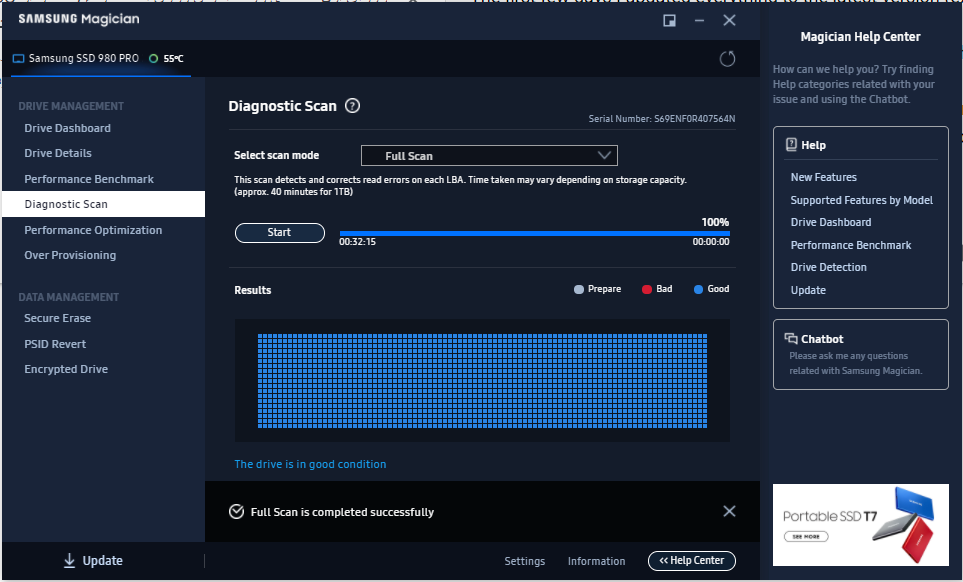 blazing musk
Their claim is accurate
blazing musk
There's something else going on if it's slow
red jay
Windows moment
blazing musk
Antivirus disable?
red jay
I dont even have antivirus
blazing musk
Yes you do, Defender
red jay
This is a fresh install from about 2 weeks ago
red jay
blazing musk
Yes you do, Defender
Do i have to do any weird workarounds to completely silence it or can i just turn it off somehow
blazing musk
 red jay
so just turn those off? no registry editing required
blazing musk
Yep. Even just the realtime protection so it's not constantly scanning files
They made it easier since early 10 days
red jay
I'll turn everything off just to test my installation
You know what that might have done the trick
Average response time is 1-3 ms and its at 50-60MB/s usage on my disk
thanks again fal
blazing musk
Sometimes I know what I'm talking about lol
red jay
I feel like you usually do like 99% of the time in this channel
and the windows one too 😂
blazing musk
Windows channel advice stems from 2 sources coming from me:
I've broken Windows so many times, so many ways, that I know innately how to fix it.
Google.
open gazelle
Never had RT Protection stay off for longer then like 1hr
blazing musk
Yeah it'll want to turn back on but it'll do for now
small carbon
Note my sn550 wasn't even an OS drive, but was in an adapter so perhaps that meant no hmb or w/e & otherwise better. For that 5-6GB at a time still was around 2x faster than mx500, but mx500 never throttled.
blazing musk
open gazelle
Never had RT Protection stay off for longer then like 1hr
There's always gpedit 
open gazelle
@olive wadi Does HMB work if an HMB based NVMe is in a USB enclosure?
edit: Would still like to know above, but main question is now "Does HMB work if an HMB based NVMe is in a standard sized PCIe x16 to M2 x4 adapter and if said M2 wasnt an OS drive?". Guessing former wont affect it but latter might, but what do I know?
Adapter in question: https://www.amazon.com/dp/B0876MLNY6

AMPCOM M.2 NVME SSD to PCIe 4.0 Adapter Card, 64Gbps SSD PCIe4.0 X4 Adapter for Desktop PC , PCI-E GEN4 Full Speed
open gazelle
small carbon
Note my sn550 wasn't even an OS drive, but was in an adapter so perhaps that mea...
Well we'll maybe find out soon™️
I would like to know HMB secrets too. My guess is that it's either always "no", or "depends on USB enclosure".
blazing musk
My guess is also "it depends" based on how the adapter interfaces with the system
open gazelle
Would be good to state adapter if Windshields ever comes on to answer and looks into it.
small carbon
Oh was pcie adapter. I agree on usb enclosures probably varying. Sometimes hear to use dram ssds in em, but most enclosures also limit to 1200MB/s give or take.
open gazelle
Like standard size PCIe x4 - x16 to M2 x4 adapter?
small carbon
Found it.
 open gazelle
I highly doubt that kind of adapter will cause an issue with HMB, as it should be a PCIe protocol thing. Dont see how that adapter will cause issues with a PCIe protocol. But Im no SSD expert so I dont want to say that with certainty, even tho Im mostly sure on it.
That said, idk about HMB working on non-OS based drives.
blazing musk
Functionally speaking there's no difference between that adapter and a standard M.2 slot
small carbon
Right. 1) not os. 2) z77 mobo, lol. No big deal. Perhaps when it's installed in either pc again I'll put a handful of old/small games on it or such. Oh, also was post nerf model but idk. Could've even been 3550/3770 holding it back a bit.
kind sierra
open gazelle
<@261617855257116672> Does HMB work if an HMB based NVMe is in a USB enclosure?
...
For the USB part, my guess would be no. Main reason being that they show up as /dev/sdX instead of an nvme device to the Linux kernel
If it was a thunderbolt adapter w/ pcie it might be possible though
blazing musk
formal tusk
Those adapters are kinda just plug and play
Assuming that the platform is new enough you can boot off the adapter, but any OS from 7 and up should know how to handle it as secondary storage even if it is older than AMD FX.
small carbon
Oh, TH says 7-7.5GB slc cache so that sort of checks out. Later I'll sure slap it into a secondary m.2 slot & see of any changes. 
 pastel silo
I always thought samsung m2s were super fast, then I saw western digital speeds. Way faster and cheaper
Win win
sour wadi
It highly depends on the model not the brand just like most things
 runic quest
Looking for suggestions on a SATA Controller. Currently have 4 HDD and 2 SSDs, and i'm looking to add more without sacrificing read/write speeds.
blazing musk
runic quest
Looking for suggestions on a SATA Controller. Currently have 4 HDD and 2 SSDs, a...

Ziyituod PCIe SATA Card, 4 Port with 4 SATA Cable, SATA Controller Expansion Card with Low Profile Bracket, Marvell 9215 Non-Raid, Boot as System Disk, Support 4 SATA 3.0 Devices
There's plenty of other options, just look for PCIe sata expansion cards
runic quest
blazing musk
https://a.co/d/7pW6tgY
are there no downsides to its size/brand? bigger board = more stable/faster?
blazing musk
Nope. Only downside I can see is if you need it to be raid compatible that won't work.
Bigger doesn't mean better.
runic quest
blazing musk
Nope. Only downside I can see is if you need it to be raid compatible that won't...
What's the difference to this: https://www.startech.com/en-us/cards-adapters/8p6g-pcie-sata-card
blazing musk
That's a SAS card, not SATA
SAS technically works with SATA but it's intended for different drives
runic quest
blazing musk
SAS technically works with SATA but it's intended for different drives
gotcha. I just wanna add/organize my HDDs, 1 WDBlue 4tb, 1 WDGreen 3tb + 3 others. Then I have 2 SSDs atm, and 2 NVMe m.2.
without losing speed to any of them.
blazing musk
There's always this
https://a.co/d/2hJYjc6

BEYIMEI PCIE 4X SATA Card 10 Ports,6 Gbps SATA 3.0 Controller PCIe Expansion Card ,Non-Raid,Support 10 SATA 3.0 Devices,with Low Profile Bracket and 10 SATA Cables(Chip:ASM1166)
runic quest
jesus... Just with all those THICC cables, i'm gonna have to upgrade my SLI 1070s to make space. lol
 trim cloak
ong what’s an ssd
formal tusk
trim cloak
ong what’s an ssd
 trim cloak
forgot i had that
minor sun
lol
remote crystal
trim cloak
ong what’s an ssd
who is stoRAGE and how mentally stable are they
minor sun
remote crystal
who is stoRAGE and how mentally stable are they
The fog is coming
indigo condor
This ssd is back ordered and i ordered it a couple days ago will it ever ship or should i find a better one for around the same price.. i got a $40 giftcard for newegg plus the discount.. so it was $118 in total.
Crucial P5 Plus M.2 2280 2TB PCI-Express 4.0 x4 NVMe 3D NAND
blazing musk
indigo condor
This ssd is back ordered and i ordered it a couple days ago will it ever ship or...
No one here can tell you when it'll ship. You can try asking @teal sequoia but I doubt they can do more than an estimate, since Newegg only knows when things are supposed to be shipped to the warehouses and they don't always ship on time.
indigo condor
blazing musk
No one here can tell you when it'll ship. You can try asking <@50723875012476928...
Well yeah i get that.. im not sure how backorders typically work
Ill ask them too
turbid crater
indigo condor
This ssd is back ordered and i ordered it a couple days ago will it ever ship or...
i ordered 5600 cpu on backorder arrive within a week or under
indigo condor
turbid crater
i ordered 5600 cpu on backorder arrive within a week or under
Awesome hopefully thats the case with me.. its hard for me to keep the money in my account and not go broke lol its a big chunk and i dont want it to take out and im like oh my god i spent too much now i have $50 in my account 😂😂 itll be different if it charged me already
turbid crater
indigo condor
Awesome hopefully thats the case with me.. its hard for me to keep the money in ...
i did a few months of overtime to pay for new pc build. around 1500usd to build a 4k pc build
indigo condor
turbid crater
i did a few months of overtime to pay for new pc build. around 1500usd to build...
Jeez.. least its futureproof for a while!!
turbid crater
indigo condor
Jeez.. least its futureproof for a while!!
im not getting the new 40 series /7000 series gpus im getting a 6800xt i cant afford to spend +1500 on a gpu
indigo condor
turbid crater
im not getting the new 40 series /7000 series gpus im getting a 6800xt i cant af...
Man i feel that.. i have a 3070 and i dont think ill upgrade for a while.. 1500 I could buy a whole nother pc that runs everything at 1440p
turbid crater
indigo condor
Man i feel that.. i have a 3070 and i dont think ill upgrade for a while.. 1500 ...
i didnt put in a 4k monitor since i already own it for over a year
indigo condor
True.. true
turbid crater
indigo condor
Man i feel that.. i have a 3070 and i dont think ill upgrade for a while.. 1500 ...
i went from i5-4670k to 5600 ddr3 ram to 3600 dr4 ram and rx560 2gb to 6800xt
indigo condor
Thats a massive upgrade i went from i5 6600k to a 12600k and a 5600xt to a 3070 the cpu was my biggest upgrade
turbid crater
i probably got a 500-900% increase in perf
indigo condor
Ahhh i just got a text that my shipment is preparing THEYRE BACK IN STOCK!! thank god
indigo condor
turbid crater
i probably got a 500-900% increase in perf
I could imagine, gpus are expensive and if you futureproof youre good.. i get around 100 fps all high settings on MW2 not sure if it should be more lol
turbid crater
indigo condor
I could imagine, gpus are expensive and if you futureproof youre good.. i get ar...
my new 6800xt would get better frames than u in basic perf since 6800xt is compareable to 3080.
indigo condor
It was $375 for mine so i wasn’t complaining lol