#old-monitors-and-tv
1 messages · Page 69 of 1
 maiden wedge
Do they still have the black light bleeding issues?
 quaint mist
@sage trail trying these out in a few days - just got em from amazon

 misty gyro
I just use a good non-streak window cleaner sprayed on a microfiber cloth
 solemn bronze
the m27q is a solid choice at its price point
maiden wedge
solemn bronze
the m27q is a solid choice at its price point
Im just worried about the qc
solemn bronze
im using one and it gets me what i need
but if you are worried of being in a panel lottery, go for the lg one
 fading wyvern
Qc on the M27q has gotten quite a bit better over time, plus it’s main selling features are it’s great response times, great color accuracy without tuning and it’s kvm switch if you have a laptop you might wanna hook up
I’ve seen people have issues with it when it comes to MacBooks though
solemn bronze
it does advertise a 0.5ms response time
fading wyvern
Nah gotta look at rtings charts, gives a great comparison
solemn bronze
im tryna get a new mount for mine
fading wyvern

RTINGS.com
Compare the LG 32GP850-B and Gigabyte M27Q monitors
solemn bronze
the legs are huge compared to my small table
fading wyvern
Ah lol yeah monitor arms really help with tht
They didn’t seem to have the 27gp reviewed yet btw, or I’m just blind and didn’t see it
solemn bronze
im looking forward to go to ikea to get a new table w/o a drawer so i can use monitor arms
fading wyvern
That’s what I ended up doing
solemn bronze
ye, getting a table top+legs from ikea is the best way for me as of now
fading wyvern
Yeahhh I went with a random Amazon brand and rolled the dice
solemn bronze
but alas, work requires me to go to hq for massive data processing
 solemn bronze
ye but its currently testing season so i get tons of data to process so i can create big improvements
never thought about taking a pic of my build
its pretty boring since there are no lights except for the gpu
fading wyvern
I like all blacked out builds lol
solemn bronze
it sucks that my cpu doesnt have much choices to aftermarket mobos
i wouldve went for a white build but i cant really do so

 solemn bronze
yeah i then placed it on a asus pro mobo after i got the 3090
solemn bronze
as soon as the 3090 dropped, i had to get one as its a big help to work
fading wyvern
But yeah overall M27q is probably the best bang for the buck monitor you can buy and I gotta go
maiden wedge
fading wyvern
Qc on the M27q has gotten quite a bit better over time, plus it’s main selling f...
Thats good to know thanks, i'll probably just pull the trigger on m27q. But i'll buy it from amazon so its easier for returns
 old arch
I'd say whichever is a fair bit cheaper. Lately M27Q has been $320+ at some places. It is a good and highly favored monitor though. 👍
 shell saffron
whats a good 4k monitor 144hz
fading wyvern
M28u is pretty great or the m32u variant.
shell saffron
thanks
 odd walrus
hey can I get some help?
 wild coralBOT
 odd walrus
Im having trouble setting my second monitor up
maiden wedge
How so?
 plush grove
Guys, I can't decide on what monitors to get. Just going for a basic dual setup, 1080p, 144hz, 1ms refresh. I have 3 in mind but can't decide what to choose. If anyone is familiar with lower end gaming monitors, let me know please
 restive oracle
matt, this looks good to me: https://www.amazon.com/dp/B07VFPYRP3?tag=pcpapi-20&linkCode=ogi&th=1&psc=1

Acer Nitro VG240Y Pbiip 23.8 Inches Full HD (1920 x 1080) IPS Gaming Monitor with AMD Radeon FreeSync Technology, Zero Frame, 144Hz, 1ms VRB, (2 x HDMI 2.0 Ports & 1 x Display Port), Black
plush grove
See, I saw the Acer Nitro monitors and when I go to watch review videos, they aren't as good as they sound on paper
restive oracle
I own a 1440p model
plush grove
I actually narrowed it down to two monitors
restive oracle
and I am very happy with ti
restive oracle
ya
plush grove
ok, so 1080 definitely makes a huge difference because I have a 1440p monitor and a 1080p monitor and its a very big difference
restive oracle
I didn't shop for it but the thin bezels came as a nice surprise. I use my old hp monitor as 2nd one and it has huge 1.5in bezels Oo
plush grove
im sticking to a 24" and the pixel density is a little low for what I'm looking at currently
yes i have a nitro as my secondary monitor and i like it a lot. but its 'ok' to me
restive oracle
right, I didnt realize it was 27in
restive oracle
those are the two you are torn between atm?
plush grove
as of now, yes
restive oracle
ok. from the quick look they look very similar
plush grove
i agree
I'd assume to go with the AOC? They also have a REALLY good warranty
honestly your Acer Nitro is the 144hz version of mine and look fairly similar as well
plush grove
yepp, and they'll be on a vesa mount so even that wouldn't matter to me
restive oracle
well back to work here. my final suggestion is do a quick scan through the reviews for both
plush grove
and I have an i9 9900kf with a 2070 super so ill have no issues mazing it to 144hz either
restive oracle
and see if one is brighter than the other i couldnt find that info
plush grove
maxing*
restive oracle
peace out
plush grove
later man. ty for your help
 verbal spear
i just found a second monitor and it has a vga cable and hdmi do i only needr hdmi to connect it? or do i need vga too? my gpu doesnt have one
and i dont have an extra hdmi slot for my gpu do i buy a display port to vga?
misty gyro
verbal spear
and i dont have an extra hdmi slot for my gpu do i buy a display port to vga?
Displayport to hdmi would work, but vga is analog so you can't use a converter cable. It would need to be an active converter.
So stick with dp->hdmi
 queen tendon
What is a cheap 1080 60hz monitor
I just need the monitor to have discord and YouTube open
 quartz sandal
literally anything
verbal spear
if i have a cable with monitor to hdmi and if i buy a converter which is hdmi to displayport does it work?
 torn canyon
any good deals for 1440p
verbal spear
anyone know a monitor thats cheap enough to be a second monitor with display port as connectivity
quartz sandal
verbal spear
if i have a cable with monitor to hdmi and if i buy a converter which is hdmi to...
Yeah
quartz sandal
torn canyon
any good deals for 1440p
 or g27q for like 40$ less
 muted plank
I plugged in two monitors to my graphics card via DP and they worked yesterday
now only one is
any reason why that could be?
 surreal quarry
muted plank
I plugged in two monitors to my graphics card via DP and they worked yesterday
surreal quarry
muted plank
I plugged in two monitors to my graphics card via DP and they worked yesterday
Try switching the wires with each other and see what happens
muted plank
surreal quarry
Try switching the wires with each other and see what happens
i did that yesterday and it worked. but when i turned on the pc this morning the second didnt connect again
surreal quarry
muted plank
i did that yesterday and it worked. but when i turned on the pc this morning the...
Try a different port on the GPU
muted plank
surreal quarry
Try a different port on the GPU
so its more of a try until it works randomly than a need to change setting type thing right?
surreal quarry
Yeah probably
quartz sandal
Sounds like you might have a dying lead
Or just loose power cable if you're not actually able to turn the monitor on at all
 dull copper
What would y'all say is a good IPS 27" 144p 200+ Hz monitor is?
I'm stuck between Acer XV272U and the Asus ROG Strix XG27AQM
dull copper
But Asus has faster refresh rate for cheaper than the msi
Both of them do
I might just get a gigabyte 144hz 1440p IPS monitor
fading wyvern
I’d grab a classic Samsung g7 or this Alienware at around $700 if you really want to go all out. Besides that something like the M27q will always get a strong recommendation here.

Alienware 27 Gaming Monitor - AW2721D (Latest Model) - 240Hz, 27-inch QHD, Fast IPS Monitor with VESA DisplayHDR 600, NVIDIA G-SYNC Ultimate Certification and IPS Nano Color Technology, White, XW3CK

SAMSUNG Odyssey G7 Series 32-Inch WQHD (2560x1440) Gaming Monitor, 240Hz, Curved, 1ms, HDMI, G-Sync, FreeSync Premium Pro (LC32G75TQSNXZA)
The g7 isn’t a ips panel I know but generally it’s the best of the VAs @dull copper
quartz sandal
dull copper
But Asus has faster refresh rate for cheaper than the msi
never mentioned and msi one, m27q is gigabyte and if youre comparing 144 vs 165 or something theres not really a diff, also m27q is 170hz iirc
dull copper
quartz sandal
never mentioned and msi one, m27q is gigabyte and if youre comparing 144 vs 165 ...
Ahh, my bad, thought that was an MSI model
dull copper
fading wyvern
https://www.amazon.com/gp/product/B088HHZBGJ?tag=rtings-mn-r-third-party-20&ie=U...
Would, but my monitors stand can only support 27" screens
fading wyvern
The Alienware is the same price and is also reviewed extremely well
dull copper
I have two 23.5" 1080p 144hz LG TN monitors
Looking to upgrade to 1440p IPS
I would like 27" and 200+ hz, but I might settle for less hz
fading wyvern

RTINGS.com
The Dell Alienware AW2721D is an impressive 1440p gaming monitor. It has a 240Hz maximum refresh rate, an exceptional response time that results in minimal motio...
quartz sandal
700$ monitor - dies inside
fading wyvern
Just grab a M27q instead 
dull copper
Or atleast the Tuff version that's $100 cheaper?
fading wyvern
$320 and can punch up
dull copper
Punch up?
fading wyvern

RTINGS.com
The Gigabyte M27Q is an excellent 1440p gaming monitor suitable for a wide variety of uses. It has a large 27 inch screen that provides an immersive gaming exper...
Here’s its review
It can compete with monitors way out of its price range
fading wyvern
There’s a reason why we have a emote
verbal spear
got a 1440p dell monitor from ages ago for 50$😂
old arch
Also 1080p to 1440p is 1.77x more pixels, therefore possibly quite a performance change w/o (also) trying to do 240Hz instead of 144/165. 👍
verbal spear
yeah it is a lil bit of a change
i mighty downgrade it
to 1080p
plus its honly 60hz
so i might just let it be 1080p
surreal quarry
as a user of the m27q, its great, colors are great, blacks look a bit greyish and there is some edge bleed, but other than that its great
 severe dirge
So, if I'm only hitting 140ish fps in a game, do I even need anything above 140hz refresh rate?
surreal quarry
severe dirge
So, if I'm only hitting 140ish fps in a game, do I even need anything above 140h...
no it wont help
severe dirge
surreal quarry
no it wont help
Basically wouldn't be utilizing the full refresh rate on anything higher yeah?
surreal quarry
severe dirge
Basically wouldn't be utilizing the full refresh rate on anything higher yeah?
correct, but if ur looking to buy a monitor, frame rate isnt everything
severe dirge
surreal quarry
correct, but if ur looking to buy a monitor, frame rate isnt everything
I know. I was just making sure the info in my head was the correct info.
fading wyvern
well in reality pixel response times are a helped a bit so it wont seem like theres as much input delay
quartz sandal
surreal quarry
no it wont help
Incorrect
Oh nvm misread the question
But they'll most likely hit above that in other games anyway
 noble current
M.27Q is currently new for $299.99. $269.00 open hox
https://www.newegg.com/p/N82E16824012018?item=N82E16824012018
The sale will end in 10 hours.
odd walrus
can someone dm me and help me with my 2nd mointer ?
misty gyro
!ask
wild coralBOT
surreal quarry
odd walrus
can someone dm me and help me with my 2nd mointer ?
^
odd walrus
its not letting me connect it
misty gyro
What do you mean not letting you? The plug isn't fitting or it's saying no signal or what?
severe dirge
Is there a significant difference between 1080p and 1440p for watching vids and browsing internet?
fading wyvern
Not really, most content will only be displayed at around 1080p, very few streaming platforms do anything other then 1080p and 4K with the occasional 8k.
It’ll just have a higher pixel density so you can comfortably have a bigger screen without noticing.
severe dirge
fading wyvern
Not really, most content will only be displayed at around 1080p, very few stream...
Alright. Should I jump on this deal then? Or is there something better for comparable price?
https://computers.woot.com/offers/msi-optix-g271-27-fhd-esports-gaming-flat-monitor-12?ref=w_cnt_lnd_cat_pc_5_1

Computers.Woot
MSI Optix G271 27" FHD Esports Gaming Flat Monitor
old arch
It's that price mostly because it's factory refurbished. New retail is normally $220ish, and it's 27" 1080p just so you know. Personally not sure if I'd notice the lower ppi vs 24" 1080p stuff, but you might. Many people poo-poo the 81ppi, although they might've not tried it. I will say, not gonna really beat $165ish for any decent 144+ Hz monitor. 👍
severe dirge
old arch
It's that price mostly because it's factory refurbished. New retail is normally ...
Gotcha. I thought 27" was preferred size for 1080p
old arch
right, 24" is (ends up 91-ish ppi while 27" 1080p is 81ppi)
severe dirge
old arch
right, 24" is (ends up 91-ish ppi while 27" 1080p is 81ppi)
Just watched this. Now I understand what you are saying. I won't be gaming on it so I don't think it'll bug me too much.

#monitors #actualconsumeradvise #Iknowright
In this video, I try to answer: Is 1080P good enough for 27-inch gaming monitors? Also, is 1440P worth the extra money over Full HD at 27-inch?
MERCH NOW AVAILABLE: Looking for some new clothes? Shop at https://dawiddoesmerch.com/ to support the channel while looking as classy as Dawid :D
*Amazon aff...
old arch
severe dirge
Just watched this. Now I understand what you are saying. I won't be gaming on it...
 Did you pull the trigger? Edit; price changed on the 27" I was eyeing so I'll go ahead start just using what bought a whole week ago, lol. At least I'm going 60hz to 144/165.
maiden wedge
hey do you thibk this is a good montor https://www.amazon.ca/MSI-Curvature-Adjustment-Optix-G24C4/dp/B0865GK92R/ref=sr_1_6?crid=2GBM7DT8CN9KZ&keywords=144hz+monitor&qid=1646710597&sprefix=144%2Caps%2C123&sr=8-6#customerReviews

MSI 24" FHD 1500R Curvature Non-Glare Super Narrow Bezel 1ms 1920 x 1080 144Hz Refresh Rate Tilt Adjustment FreeSync Curved Gaming Monitor (Optix G24C4),Black
severe dirge
old arch
<:pepekek:813829015302832158> Did you pull the trigger? Edit; price changed on ...
I did not yet. I'm still of the fence about it. I mostly was looking at it because I wanted monitors to match in height and length, but Pato said a 24 and 27 side by side aren't that bad.
old arch
Personally would bug me, lol. Although, my current monitor stands dont match already 
severe dirge
old arch
Personally would bug me, lol. Although, my current monitor stands dont match alr...
Yeah I'm thinking it'll bug me too.
old arch
It'll be off to the side a bit & slightly farther away? Worst case maybe you can return it, idk. Even at 81ppi probably fine quality. Not sure if that's ips or not.
severe dirge
Yeah its IPS. I think I'll be just fine using a 27" 1080p.
The only monitor I truly want to make sure I get right is the 1440p
old arch
Bingo. $165 is quite reasonable for what it is also, imo.
severe dirge
Yeah, although Pato did say to really just get a ~$100 1080p if I'm not using it for gaming.
old arch
Oh. current monitor is 120+ hz? Anything near $100 is probably just 60hz. Low end monitor prices seem pretty junk lately, but idk.
severe dirge
The one listed is 144hz. I don't currently have a monitor.
old arch
if doing any gaming at all, I'd personally say no to only 60/75hz. My ips acer is 3-4 yrs old, but doubt a modern 60/75 would be at all like an avg 144hz option.
severe dirge
old arch
if doing any gaming at all, I'd personally say no to only 60/75hz. My ips acer i...
Tbh, I feel like ill only be playing runescape on the 1080p while I play other games on the 1440p. Runeacape is a game I can idley do stuff in while playing other stuff.
 simple bay
What are you’re thoughts on the Samsung Odyssey G7 240hz 2k monitor and also will it look good (bc it’s curved) on a triple monitor stand with 2 flat ones on the side
Using it more for multitasking than for gaming
quartz sandal
Imo its way too aggressive of a curve
Especially with 2 monitors on each side of it
simple bay
Yea and I’m not gonna like the Va kinda turned me off
So I’m just gonna stick with 3 flats
The dell monitor 2k ips g sync 165hz it’s was I run so I’m probably gonna get another
simple bay
severe dirge
Tbh, I feel like ill only be playing runescape on the 1080p while I play other g...
RuneScape is life
Old school?
maiden wedge
What monitor do you guys recommend for sim racing with an RTX 2070? I want it to be curved, have high refresh rate, and potentially an ultrawide.
Obviously I want to keep over 100 fps on Assetto Corsa
misty gyro
maiden wedge
What monitor do you guys recommend for sim racing with an RTX 2070? I want it to...
What budget?
maiden wedge
I don't want to spend over 500
 wet gust
what is the monitor that is always suggested here, the g something??
old arch
M27Q, but it was really good at $280.
muted plank
So my monitors worked, but now since I turned off my computer and turned it on again now it just detects them as one big screen
AMD Radeon Software detects both monitors individually
but Windows does not
quartz sandal
muted plank
So my monitors worked, but now since I turned off my computer and turned it on a...
Have you restarted windows?
muted plank
quartz sandal
Have you restarted windows?
yup restarted several times
quartz sandal
muted plank
yup restarted several times
I'd try plug the display cable out and put it back in, if not I'd use DDU and then reinstall your graphics drivers
https://github.com/NeweggTechie/Graphics-cards/wiki/How-to-use-DDU

GitHub
Contribute to NeweggTechie/Graphics-cards development by creating an account on GitHub.
 rose fractal
I’m looking for a monitor under 300USD, that’s at least 1440p at more 60hz or more, but i also need it to have a usbc 65W input, any suggestions?
I know that I might be asking for a lot but any suggestions would be appreciated
quartz sandal
rose fractal
I’m looking for a monitor under 300USD, that’s at least 1440p at more 60hz or mo...
You mean usb c output? As in it can power a laptop with usb c or something?
rose fractal
Yeah
But at the same time use that usb c as an input also
I have a gaming pc but also a Macbook that I use for work and wanted a monitor that I can use for both
misty gyro
wet gust
what is the monitor that is always suggested here, the g something??
Maybe you were thinking the msi g242? High refresh 1080p
rose fractal
the G273QF?
misty gyro
rose fractal
the G273QF?
Not as good as the m27q
RTINGS.com
The Gigabyte M27Q is better overall than the MSI Optix G273QF because it has many more features. The Gigabyte supports HDR, has Picture-by-Picture and Picture-in-Picture modes, and has a USB hub that allows you to connect your keyboard and mouse to the monitor. In terms of gaming performance, both monitors are similar with a quick response time,...
quartz sandal
The g273qf definitely has 0 usb c ports
 pastel gull
i’m looking at getting a curved ultra wide for work. i already have a good gaming monitor so that part is irrelevant. preferably not more than $600, can be HDMI, VGA, DP, etc. do y’all have any recommendations?
 worn phoenix
pastel gull
i’m looking at getting a curved ultra wide for work. i already have a good gamin...
worn phoenix
pastel gull
i’m looking at getting a curved ultra wide for work. i already have a good gamin...
I got an M34WQ because I also wanted a wide screen for work but also to double down as a gaming monitor. KVM switch is clutch. Got it for $500 plus tax at best buy but i dont think it's available to buy there anymore
Also dumb question, i just got an ASUS TUF VG27AQ for a second monitor and im dumb because I dont know how to increase the Hz level. Currently at 60hz but it should be able to go to 165hz. Is it as simple as pushing yes on the overclocking function or am i ovethinking this?
quartz sandal
worn phoenix
Also dumb question, i just got an ASUS TUF VG27AQ for a second monitor and im du...
Windows settings -> displays -> advanced-> refresh rate
 visual pilot
Also check nvcp, image and scaling, and set refresh rate there
 next pulsar
More value out of these?
Samsung G34QWC $250
Acer XB273U $300
ViewSonic XG271QC $195
Might actually be the XG270QC, waiting for person's reply
Jumping up from a 1080p 60hz, just got a 3080
worn phoenix
quartz sandal
Windows settings -> displays -> advanced-> refresh rate
Thanks, I'll try this.
surreal quarry
next pulsar
More value out of these?
Samsung G34QWC $250
Acer XB273U $300
ViewSonic XG271QC...
next pulsar
Thanks, I'm still upset I didn't jump on that bf deal 😞
severe dirge
I am torn between these two. The Asus one seems like it's a better monitor?
https://www.newegg.com/black-asus-tuf-gaming-vg24vq-90lm0570-b011b0-23-6/p/N82E16824281027
severe dirge
quartz sandal
G241 is better but you're only going 1080p 144hz with a 6900xt?
I won't get the gpu until my taxes arrive, which could be a month or more so I am wanting to get a cheap monitor that works good. I will get a 1440p when I get the gpu.
I found 60hz refresh rates, but they were only like $40 cheaper so I feel I may as well grab a 144hz
Unless there is a ok 1440p 144hz in that price range. Lol
quartz sandal
severe dirge
I won't get the gpu until my taxes arrive, which could be a month or more so I a...
Ahh, well igpu will be fine with browsing etc on 1440p if you're okay with light gaming at 27" 1080p
severe dirge
quartz sandal
Ahh, well igpu will be fine with browsing etc on 1440p if you're okay with light...
I will most likely only play Runescape until I get the gpu. So I can do 1080p on a 1440p?
I don't really have $300+ to spend on the M27Q that's always recommended.
old arch
For $207 this is worth a glance https://www.amazon.com/ASUS-Gaming-1080P-Monitor-VG259QR/dp/B08K2GYHD8

ASUS TUF Gaming VG259QR 24.5” Gaming Monitor, 1080P Full HD, 165Hz (Supports 144Hz), 1ms, Extreme Low Motion Blur, G-SYNC Compatible ready, Eye Care, DisplayPort HDMI, Shadow Boost, Height Adjustable
Or this 240hz dell is actually $210 currently  https://www.amazon.com/gp/aw/d/B095TVWL6M

Dell 240Hz Gaming Monitor 24.5 Inch Full HD Monitor with IPS Technology, Antiglare Screen, Dark Metallic Grey - S2522HG
quartz sandal
severe dirge
I will most likely only play Runescape until I get the gpu. So I can do 1080p on...
yeah you just set res in game to 1080p, also this isnt as good as m27q but almost as good but cheaper https://pcpartpicker.com/product/JPrYcf/gigabyte-g27q-270-2560x1440-144-hz-monitor-g27q
severe dirge
quartz sandal
yeah you just set res in game to 1080p, also this isnt as good as m27q but almos...
Hmm that looks more doable. And its almost as good you say?
quartz sandal
yes
main drawback is no KVM if that applies to you
and its 144hz instead of 170hz
severe dirge
I don't think any of the games can run at 170fps at 1440p right?
Idk what kvm is anyways
quartz sandal
severe dirge
I don't think any of the games can run at 170fps at 1440p right?
with the 6900xt yeah def doable but also not really noticeable diff
A KVM (keyboard, video and mouse) switch or sometimes referred to as a server switch is a hardware device that enables a user or multiple user's reliable access to control a number of computers using a single keyboard, monitor (video display) and mouse.
this is just copy pasted btw
not best explanation but it works
severe dirge
Yeah I will only have the 1 pc.
severe dirge
quartz sandal
and its 144hz instead of 170hz
Is there a difference between qhd and hdr?
quartz sandal
qhd is 1440p
hdr is high dynamic resolution or something
its like more colour accurate or something with HDR content
severe dirge
Ok.
quartz sandal
HDR content is kinda rare outside movies tho
severe dirge
I think I meant hdr 200 vs 400
quartz sandal
hdr 400 basically isnt hdr anyway such a useless spec
i didnt even know there was a hdr 200
quartz sandal
the number is like the peak max screen brigntness or something
both are useless spec then
lol
severe dirge
Gotcha.
quartz sandal
hdr in general is niche imo at least
severe dirge
Alright. I think I'm gonna get the 144hz. Thats much better than any other screen I've ever had.
So I'm sure it'll be enough for me
worn phoenix
quartz sandal
Windows settings -> displays -> advanced-> refresh rate
It worked! Thank you!
 restive bane
can a 2k 144hz monitor provide more than 144fps if used on 1080 resolution?
or is 144fps max on any resolution?
quartz sandal
restive bane
can a 2k 144hz monitor provide more than 144fps if used on 1080 resolution?
no
restive bane
quartz sandal
no
ah in general it will give same max fps in any resolution?
my situation is like I found a seller for this monitor
[
Acer Nitro XV272U
2560x1400
144hz
]
at a super good deal like around 180$
but my planning graphic card is only 3060ti is this monitor an overkill and make the card inefficient or can use the card and that screen for gaming at good settings
quartz sandal
restive bane
ah in general it will give same max fps in any resolution?
listed refresh is usually max refresh ye
quartz sandal
restive bane
my situation is like I found a seller for this monitor
[
Acer Nitro XV272U
2...
Good pairing
restive bane
🙂 thanks a lot for info and clarifying my doubts
quartz sandal
Np :)
severe dirge
What do you guys think of this Monitor? Seems pretty legit for the price.
quartz sandal
severe dirge
What do you guys think of this Monitor? Seems pretty legit for the price.
http...
I would not buy a noname monitor, also with monitors spec sheets mean ehh not that much
severe dirge
quartz sandal
I would not buy a noname monitor, also with monitors spec sheets mean ehh not th...
Alright, I'm just having trouble with pushing the buy button on the G27Q or M27Q because it seems their QC is kinda crappy. I see a lot of people having issues with dead pixels mainly.
quartz sandal
severe dirge
Alright, I'm just having trouble with pushing the buy button on the G27Q or M27Q...
The C stands for curved anyway, completely different panel etc, i haven't seen many complaints ¯_(ツ)_/¯ but anyway, it depends on the price diff, like last time i checked g27q was uh 270ish and m27q was 320 like imo not worth 50$ unless the kvm feature is important to you
But if you're interested on a good comparison
quartz sandal
RTINGS.com
The Gigabyte M27Q is better for gaming than the Gigabyte G27Q. It has a higher 170Hz refresh rate and a much quicker response time at 60Hz, resulting in minimal motion blur. It has a better SDR color gamut, making it a better choice for content creators, and it has a KVM feature that allows you to control two devices with the same mouse and keyb...
quartz sandal
severe dirge
But QC = quality control.
Nah Q = quad hd = 1440p and C= curved
severe dirge
And the G27Q is 269.99 right now and has a $20 rebate.
severe dirge
quartz sandal
Nah Q = quad hd = 1440p and C= curved
In my use of QC in my statement I was meaning quality control. We use that acronym a lot in the vaping servers.
Didn't realize it would mean something different here.
quartz sandal
Ahh yeah QC is quality control but yeah
Like they're naming scheme is
G/M - idk gigabyte ?/ Idek
27 - screen size
F/Q/U - FHD(1080P) /QHD(1440P)/UHD(4K)
C - Curved
severe dirge
Gotcha. I'm still thinking the g27q, but I came across that one I posted and wanted to make sure. It seemed like a good deal tbh.
quartz sandal


Here are some nice wins for g27q
M27q wind without calibration but if you tune in rings profile (that's what i usually do) usually works good
quartz sandal
 quartz sandal
 sick plume
thas dumdum
sick plume
thas dumdum
Nah cuz g27qc is curved and look at the price of a curved ips
quartz sandal
The way names are so close?
sick plume
yeh
severe dirge
I wonder if I wait another day or two if it'll drop another $10
The day after we talked about it, it dropped another $10
quartz sandal
sick plume
yeh
Better than the very good Acer XV27U SJZBEHDHEJBZJWBSUWBSJ737Q8QI-@;×°~=×✓`
severe dirge
Even emailed me about it.
quartz sandal
¯_(ツ)_/¯
sick plume
quartz sandal
Yeah but at least it makes sense
not at forst glance or if you didnt know there was a q and a qc
quartz sandal
sick plume
not at forst glance or if you didnt know there was a q and a qc
Yeah but you can break it down
At least
 steel sage
should i still be worried about the pin 20 issue with display port cables
i just dont want to fry my RTX 3060 lol
quartz sandal
The what issue?
misty gyro
I don't think that's been a problem for at least a few years now
quartz sandal
I've never even heard of that problem
steel sage
huh
should i use the one that comes with my monitor or should i just buy one seperately
quartz sandal
I've always used the ones that came with monitor
misty gyro
Any DP cable in existence should be able to do that unless it's non-compliant or just plain broken
Even HDMI can do that tbh
steel sage

ASUS TUF Gaming VG259QR 24.5” Gaming Monitor, 1080P Full HD, 165Hz (Supports 144Hz), 1ms, Extreme Low Motion Blur, G-SYNC Compatible ready, Eye Care, DisplayPort HDMI, Shadow Boost, Height Adjustable
this is the monitor i got
steel sage
misty gyro
Even HDMI can do that tbh
what about with gsync?
steel sage
honestly just to satisfy my anxiety i'll just buy a certified cable, im sure it doesnt matter but like sometimes my anxiety just kinda does its own thing
old arch
Never heard of the issue, & I bought the exact same monitor 🤘. I'll try the boxed DP cable just because. Hdmi has gsync limits I think
quartz sandal
steel sage
honestly just to satisfy my anxiety i'll just buy a certified cable, im sure it ...
Usually certified cables are a load of marketing bs, just use the one in the box, Amazon basics cables are also good
 forest portal
Recommendation for a decent 2nd monitor? My main monitor is a m27q
quartz sandal
Literally anything used etc is good otherwise I'd sort low to high on ips and va monitors
 potent cave
1080p monitors go pretty cheap used
but if you want to match resolution
it's a bit harder
restive oracle
@forest portal I am late but if your in the market for 1440p, I own this and very happy with it: https://www.amazon.com/dp/B07MQBPMJ2

Acer Nitro XV272U Pbmiiprzx 27" WQHD (2560 x 1440) IPS G-SYNC Compatible Monitor, 144Hz, 1ms VRB, VESA Certified DisplayHDR400, DCI-P3, Delta E<2
 lethal flicker
I gave my brother one of my 2 monitors and i need to replace it. It was the side monitor that wasn't as good as my main one
should i:
-
Find a good replacement side monitor
-
Find a new gaming monitor and make the one i have now the side monitor
severe dirge
lethal flicker
1. Find a good replacement side monitor
2. Find a new gaming monitor and make t...
Are you happy with your current gaming monitor?
lethal flicker
yes
but i kinda want HDR that isnt washed out to hell
its a LG 1440p 144hz gaming monitor
lethal flicker
not too much
severe dirge
Some people in here will recommend the M27Q, but its over $300. This one is the G27Q and is at a really good price right now.
Ends up being $240
severe dirge
I did a good bit of searching for a monitor. At that price.. you won't find a better deal for the quality.
severe dirge
It depends on use case.
lethal flicker
Gaming
severe dirge
VA panels generally require you to be directly in front of the monitor or the screen starts to look funky. IPS allows you more flexibility.
lethal flicker
ah
solemn bronze
the g27q is a solid choice
lethal flicker
I know i have a laptop that has a QLED screen
solemn bronze
I had one before I got the m27q
people are afraid to buy it because of panel lottery but it isnt really the case nowadays
severe dirge
You probably won't find a better deal on the g27q like the deal that is going on for the next 20 hours on newegg.
lethal flicker

LG UltraGear Gaming Monitor 27GL83A-B - 27 inch,144 Hz,1 ms,2560 x 1440 px,AMD FreeSync,IPS Monitor
This is the monitor i have currently
does the one you're suggesting beat it in quality?
solemn bronze
in terms of price to performance, it will beat out lg
the g27q is cheaper but I didn't find that big of a difference in performance
lethal flicker
according to one person, the G27q actually has a 7ms response time, not a 1ms

G27Q on Amazon: https://techteamgb.co.uk/g27q
Products provided by Gigabyte
I’ve tested a whole load of 1440p 144Hz displays, including a few IPS ones even Gigabyte’s own Aorus FI27Q-P, and my reigning champion, the Acer VG271UP, so how does this more budget oriented Gigabyte model stack up? Lets find out!
Subscribe! http://bit.ly/TechteamGBSu...
But i shall think about it
severe dirge
Idk. 1 guy saying 7ms while the rest say 1ms
lethal flicker
good point
severe dirge
Maybe he just wasn't using it right.
lethal flicker
good thing my brother is buying my side monitor for $180
lethal flicker
so i will only be paying ~$120
severe dirge
Then that's a stellar deal imo
lethal flicker
My side monitor was a 144hz acer gaming monitor with horrible color and speakers
but yeah, i cant wait
how bad is panel lottery?
like, whats the chance im gonna get screwed over with the panel
severe dirge
I don't know tbh. I bought mine last week and it arrived 100%
solemn bronze
lethal flicker
how bad is panel lottery?
as of recent, Ive heard no complaints regarding it for the m27q and g27q
lethal flicker
whats the difference between m27q and g27q
solemn bronze
170hz and 0.5ms response time
solemn bronze
g27q only has 144hz and 1ms response time
severe dirge
I can't remember the name
solemn bronze
around $320-$340 on amazon
lethal flicker
does it have G-sync?
solemn bronze
only freesync I think
severe dirge
Freesync, but people say gsync works on it.
solemn bronze
its just the g27q's better twin
lethal flicker
The supported VRR range is 48-170Hz and the monitor has AMD FreeSync Premium certification. It's not officially validated by NVIDIA as 'G-SYNC Compatible', but VRR works without any issues when using GeForce cards.
quote from google
severe dirge
Yeah same thing with the g27q
severe dirge
They are basically the same, just one is 170hz/KVM/.5
solemn bronze
variable refresh rate
severe dirge
If you don't have 2 pcs then no need for kvm. And .5ms vs .1ms aren't really discernable tbh.
solemn bronze
basically changes the refresh rate on the fly
severe dirge
But if you have the $ to spend without feeling guilty then by all means get the m27q
I just like trying to save people $.
solemn bronze
KVM is a big help for me since I run Linux at the same time
solemn bronze
its just an added feature
old arch
severe dirge
Idk. 1 guy saying 7ms while the rest say 1ms
Eh, it's like "actual" response time VS the 1ms bs that 99% of "gaming monitors " say.
surreal quarry
I think m27q is like 2.5 ms response time
old arch
Don't worry about it.
surreal quarry
Only thing I don’t like about m27q is the blacks are petty bad and lots of edge bleed
 old arch
For watching movies quite a bit, that'll make me do more research.
visual pilot
Advertised g2g and such response time tend to be modified to fit their marketing
like testing 20% to 80% instead of the pixel changing from 0% to 100%
and such
 pliant ibex
I need help choosing monitor, I’m stuck between three
GIGABYTE G27QC A (27" 165Hz 1440P Curved Gaming Monitor, 2560 x 1440 VA 1500R Display, 1ms (MPRT) Response Time, 88% DCI-P3, HDR Ready, 1x Display Port 1.2) https://www.amazon.com/dp/B0927BQT33/ref=cm_sw_r_cp_api_i_D6E712Q6QPQ00SGDSA2Q?psc=1

GIGABYTE G27QC A (27" 165Hz 1440P Curved Gaming Monitor, 2560 x 1440 VA 1500R Display, 1ms (MPRT) Response Time, 88% DCI-P3, HDR Ready, 1x Display Port 1.2)
Dell Curved Gaming Monitor 27 Inch Curved Monitor with 165Hz Refresh Rate, QHD (2560 x 1440) Display, Black - S2722DGM https://www.amazon.com/dp/B095V23PTM/ref=cm_sw_r_cp_api_i_SR3XBM6NNSWAYFMDY9QM?_encoding=UTF8&psc=1

Dell Curved Gaming Monitor 27 Inch Curved Monitor with 165Hz Refresh Rate, QHD (2560 x 1440) Display, Black - S2722DGM
Dell 144Hz Gaming Monitor 27 Inch Curved Monitor with FHD (1920 x 1080) Display, Nvidia G-Sync and AMD FreeSync HDMI, DisplayPort, VESA Certified, Gray - S2721HGF https://www.amazon.com/dp/B08DW4D6HP/ref=cm_sw_r_cp_api_i_36PMBM6AYPDVSYZD14F0?_encoding=UTF8&psc=1

Dell 144Hz Gaming Monitor 27 Inch Curved Monitor with FHD (1920 x 1080) Display, Nvidia G-Sync and AMD FreeSync HDMI, DisplayPort, VESA Certified, Gray - S2721HGF
 lost beacon
I turned on my computer earlier, and saw no issue. But I just got home and turned it back on, and now there's sign of damage. I can't figure out how to share pictures of it here though.
The best I can describe the issue is that there's a strange pattern of a portion of the screen that won't light up, while the rest of the monitor has no issue. As if there's a crack underneath the monitor somewhere. I see no visible damage externally.
It even looks perfectly normal when powered off.
I tried rebooting my computer, and the monitor, and ensuring that everything was plugged in properly. Though I don't think that any of that is related. I'm not sure if there was any damage done during shipping, or if I have a faulty monitor, and it just hasn't become visible until now or what. But I'm extremely upset because of this.
It's a Gigabyte G34WQC ultrawide monitor, and I've only had the monitor for a little over a month. It arrived on February 15th, and was ordered February 10th.
visual pilot
lost beacon
The best I can describe the issue is that there's a strange pattern of a portion...
If the pixel is stuck on some random color, try this perhaps?
https://www.jscreenfix.com/
Repair stuck pixels using the JScreenFix algorithm.
visual pilot
pliant ibex
I need help choosing monitor, I’m stuck between three
What GPU do you have?
If GPU is good enough to do 1440p144, I'd do this
https://www.amazon.com/dp/B08LLD2QXJ

LG 27GN800-B Ultragear Gaming Monitor 27" QHD (2560 x 1440) IPS Display, IPS 1ms (GtG) Response Time, 144Hz Refresh Rate, NVIDIA G-SYNC Compatible, AMD FreeSync Premium - Black
if not, something like this
https://www.amazon.com/dp/B096YGM2WS

GIGABYTE G24F 24" 165Hz 1080P Gaming Monitor, 1920 x 1080 IPS Display, 1ms (MPRT) Response Time, 90% DCI-P3, FreeSync Premium, 1x Display Port 1.2, 2x HDMI 2.0, 2x USB 3.0
pliant ibex
visual pilot
What GPU do you have?
3060
visual pilot
would not be confident in doing 1440p
pliant ibex
Hmm
lost beacon
visual pilot
If the pixel is stuck on some random color, try this perhaps?
https://www.jscree...
It's more than just that. And I already tried that too.
If I look real closely, there is evidence of damage under the screen, but it's not easily noticeable.
quartz sandal
1440p if you play low would be fine on a 3060 tbh
pliant ibex
Oohh alright
visual pilot
Might be RMA time then
3060 might work at 1440p, but I'm not confident in it for most games
quartz sandal
visual pilot
3060 might work at 1440p, but I'm not confident in it for most games
Yeah but low setting it would do fine
quartz sandal
M72Q-X is 240hz 
 sage trail
FI27q-x*
severe dirge
I believe I got good panel lottery on my g27q. No dead pixels and very little backlight bleed. 🤤
quartz sandal
sage trail
FI27q-x*
severe dirge
I can't seem to install rtings .icm profile for my monitor?
I tried right clicking and install, and I tried to add it through color management but it doesn't show up in the list after I select it to add.
quartz sandal
severe dirge
I can't seem to install rtings .icm profile for my monitor?
Did you make sure to click this
 severe dirge
quartz sandal
Did you make sure to click this
severe dirge
quartz sandal
Did you make sure to click this
Yeah, it wouldn't let me click the add button until I checked that box
This is where I am selecting it

This is after I press the add button

oh wait.. is there a specific driver for my monitor?
I noticed yours has your monitor name while mine just says generic.
quartz sandal
severe dirge
oh wait.. is there a specific driver for my monitor?
Yeah, run windows update, it will grab it for you
severe dirge
says I am up to date.
quartz sandal
Wrong link

GitHub
Contribute to NeweggTechie/Update-Drivers-Firmware development by creating an account on GitHub.
Go there make sure you have the receive from other products checked
quartz sandal
Hmmm
Think you might need to install osd sidekick from here and then download the firmware
https://www.gigabyte.com/Monitor/G27Q/support#support-dl
GIGABYTE
Features 8-bit IPS-Grade Display, 92% DCI-P3 / 120% sRGB QHD, 144Hz with 1ms Response Time & HDR400 GIGABYTE Classic Tactical Features GIGABYTE Auto-Update ...
severe dirge
yeah I downloaded and installed sidekick. I will have to install it tomorrow though. it is time for me to go to bed. gotta get up early to go get all my Magic cards and a computer chair 😛
quartz sandal
Gnight
severe dirge
goodnight. Thank you for the help.
quartz sandal
Anytime
 rain latch
https://www.amazon.com/gp/product/B08JWCHR5N?tag=rtings-mn-r-third-party-20&ie=UTF8
Was looking for a good HDR monitor to do gaming on it and this was on low spectrum end compared to high end Dell and Samsung monitors.

GIGABYTE M27Q 27" 170Hz 1440P -KVM Gaming Monitor, 2560 x 1440 SS IPS Display, 0.5ms (MPRT) Response Time, 92% DCI-P3, HDR Ready, FreeSync Premium, 1x Display Port 1.2, 2x HDMI 2.0, 2x USB 3.0
My question is do I get decent or good HDR if I go with 32 Curve VA panel? 165hz 1440p
quartz sandal
rain latch
My question is do I get decent or good HDR if I go with 32 Curve VA panel? 165hz...
HDR completely depends on which monitor
M27q does have hdr technically but imo hdr400 is a useless spec, it's basically just a standard monitor
wild coralBOT
 Nether#5648 has been warned
Reason: Bad word usage
rain latch
Ok ok bot my bad lol
 sleek bridge
lol
rain latch
I hooked up to the UHD TV upstairs, Samsung one and holy cow I was really impressed by true colors while playing Elden ring at 4K
rain latch
quartz sandal
M27q does have hdr technically but imo hdr400 is a useless spec, it's basically ...
So If I want a real HDR gaming, I am to look into 4K monitors bracket range?
quartz sandal
rain latch
So If I want a real HDR gaming, I am to look into 4K monitors bracket range?
Nope, 1440p, and 1080p are perfectly fine for HDR it's just highly monitor model specific
rain latch
Ok, would you suggest M27Q if somebody asked a budget good monitor with HDR colors or nah?
quartz sandal
No
Idk much about HDR monitors but rtings.com and Hardware Unboxed on YouTube do good monitor reviews
rain latch
Good to know rtings.com is true with their reviews
surreal quarry
rain latch
https://www.amazon.com/gp/product/B08JWCHR5N?tag=rtings-mn-r-third-party-20&ie=U...
HDR is really bad on m27q
rain latch
Yeah, found the answer after fishing through Amazon reviews.
If I want a true HDR experience I have to fork out five hundred Benjamin's or more. Kinda can't justify that purchase.
surreal quarry
It’s a great monitor, but blacks look bad especially if most of the screen is black because of edge bleed
rain latch
Gave up monitor shopping online. Gonna make my decision when I go to best buy or Mirco Center tomorrow hopefully.
Figured it's best to see monitors in person and be able to tell which choice is best for me based off their color viewing experience. My monitor MSI Optix g271 is still great but i want a upgrade to 1440p.
surreal quarry
rain latch
Figured it's best to see monitors in person and be able to tell which choice is ...
also take responde time into account. Look at reviews on YouTube don’t go off what the monitor says
rain latch
As always, will look up on YouTube reviews.
sage trail
quartz sandal
https://www.newegg.com/p/N82E16824012048
NO WAAAYY
quartz sandal
sage trail
NO WAAAYY
YES WAAAYY
sage trail
i would think they would have just dropped the price of the fi27qx instead
but maybe theyre still different?
not like those differences could possibly be worth an additional 200 dollars though...
fading wyvern
quartz sandal
https://www.newegg.com/p/N82E16824012048
Is this the next budget god? Also y this when for $150 less you get 70hz less in a 170hz panel 
quartz sandal
fading wyvern
Is this the next budget god? Also y this when for $150 less you get 70hz less in...
Cuz marketing?
fading wyvern
Tru
rain latch
Sorry if I'm kinda annoying, I just want to be sure to have a great monitor with great color brillance, almost like HDR capability. I have a IPS flat screen and I'm looking at this one:
https://www.amazon.com/MSI-Optix-AG321CQR-Anti-Glare-Adjustment/dp/B095J937CX
and it's a VA panel
I see that VA panel only has downside is bad viewing colors only on the dark colors and limited viewing angles?
 flint stirrup
is IPS not good anymore?
rain latch
It depends, I still like IPS but I'm just looking into curved screens.
 errant edge
Any issues with LED monitors to know of?
Does it hurt the eyes after a while?
@quartz sandal what's the specific webcam your recommend? Forgot the name
Meant to put that in peripherals
Nvm found it
visual pilot
rain latch
I see that VA panel only has downside is bad viewing colors only on the dark col...
everything depends on a panel to panel basis, but typically, VA has worse color accuracy in general, usually worse color gamut, and more prone to ghosting, along with possibly higher response time on average
And no good reviews on that panel sooo can't say much about the specific panel
nearly 400$ seems a bit much for it though
quartz sandal
errant edge
<@191276897227898880> what's the specific webcam your recommend? Forgot the name
Have no idea ask @modest palm
errant edge
quartz sandal
Have no idea ask <@468237272257527829>
I found it, but i had another question
errant edge
errant edge
Any issues with LED monitors to know of?
.
quartz sandal
No idea
visual pilot
Probably depend more on a panel to panel basis
rain latch
visual pilot
everything depends on a panel to panel basis, but typically, VA has worse color ...
Welp I'm guess I'm off better with IPS
visual pilot
Perhaps
It's not like IPS has no issues, ips glow is a thing, more prone to backlight bleeding, and tend to have worse contrast
errant edge
visual pilot
Probably depend more on a panel to panel basis

Sceptre 24" Professional Thin 75Hz 1080p LED Monitor 2x HDMI VGA Build-in Speakers, Machine Black (E248W-19203R Series)
visual pilot
No good reviews on most low end monitors :(
errant edge
Oof
quartz sandal
errant edge
https://www.amazon.com/gp/aw/d/B0773ZY26F?ref=ppx_pt2_mob_b_prod_image
has he already bought?
maiden wedge
can someone tell me how to overclock
quartz sandal
ask in #overclocking
maiden wedge
i did
quartz sandal
then wait for an answer
maiden wedge
no one told me
errant edge
quartz sandal
has he already bought?
Can still cancel
quartz sandal
errant edge
Can still cancel
for 20 more idk if he wants to spend that much more this is 75hz and ips https://pcpartpicker.com/product/9fVG3C/asus-va24ehe-238-1920x1080-75-hz-monitor-90lm0560-b011b0
or could always get these and save a few bucks, VA still https://pcpartpicker.com/product/D8XYcf/acer-v246hql-bi-236-1920x1080-60-hz-monitor-umuv6aa003
errant edge
quartz sandal
for 20 more idk if he wants to spend that much more this is 75hz and ips https:/...
Gonna check best buy first, managed to convince him. Otherwise we'll go with this, thank you
quartz sandal
errant edge
Gonna check best buy first, managed to convince him. Otherwise we'll go with thi...
no problem
errant edge
Found some at bb that are great
Theyre curved 1080p60hz, were same price as the one you suggested. I know there's more to monitors than that but for work the curved will be nice
VA panels
quartz sandal
Probably decent
severe dirge
This cord came with my monitor. Is this the one I use to update it's firmware?
 misty gyro
Does the monitor have USB ports? It's for that usually. But yes you also need that in to update it.
severe dirge
Just so I understand.. I plug the B side into my monitor and the A side into my PC. I don't need any other cord?
misty gyro
Correct
severe dirge
ok cool.
misty gyro
Well, the HDMI or DP cable but yeah
severe dirge
I was like why the heck did I get a printer cable with my monitor lol
did not realize it was used for more than just printers.
misty gyro
Right, that's just the most common use
severe dirge
alright time to see if the firmware update will make it to where my monitor shows up as it's name instead of generic pnp display
misty gyro
Also check Windows Update optional updates
severe dirge
yeah Pato and I went through it last night
misty gyro
But if not then there's no harm in it coming up generic
severe dirge
It seems that I cannot apply the rting profile to my monitor because it's coming up as generic.
no luck
quaint mist
Hey hey. I've got this GPU ASUS Dual GeForce RTX 2060 OC edition EVO 6GB GDDR6 -- I'm using a single 75 hz monitor that is 24 inches and i'm looking to run a 24-27 inch monitor with 144hz that is Gsync compatible -- I want to daisy chain. Do any of you have any suggestions?
severe dirge
quaint mist
Hey hey. I've got this GPU ASUS Dual GeForce RTX 2060 OC edition EVO 6GB GDDR6 ...
got a budget?
quaint mist
tops i'd go is probably 600. But I won't be buying it for a little while, probably until after the NVIDIA 40 series is out. I'm going to be buying an 8TB HDD for game storage, and probably 16GB more RAM before I do anything.
Before I bought this Monitor i'm currently using
https://www.amazon.com/gp/product/B0935R8TG3/ref=ppx_yo_dt_b_search_asin_title?ie=UTF8&th=1
I was looking at the Viewsonic Elites.

Sceptre IPS 24-Inch QHD LED Business Monitor 2560x1440 1440p DisplayPort HDMI 75Hz 300 Lux Build-in Speakers 2021 Black (E248W-QPT)
So prices should go down by the time I've got everything i'm looking for (except for that monitor)
severe dirge
gotcha. I would wait until closer to when you are thinking of getting a monitor as prices are constantly fluctuating. Also, for 1440p you'll want to go with a 27-inch.
quaint mist

ViewSonic Elite XG270Q 27 Inch 1440p 1ms 165Hz Gaming Monitor with GSYNC Compatible, VESA DisplayHDR 400 and Advanced Ergonomics for Esports
Im also going to be upgrading from a 2060 to a 3070ti more than likely. so find a card that supports what i'm looking for, too.
severe dirge
maybe something like this? As far as I know this one works with g-sync.
https://www.newegg.com/p/N82E16824012018R?Description=m27q&cm_re=m27q-_-24-012-018R-_-Product&quicklink=true
I have the g27q version of it and it looks amazing.
quaint mist
severe dirge
I have the g27q version of it and it looks amazing.
You've got this one? https://www.newegg.com/p/N82E16824012015
severe dirge
yeah
 quaint mist
Windows 11? -- how do you like it?
severe dirge
I am loving it.
quaint mist
I'm currently on Windows 10 Pro 64-bit
severe dirge
I am on windows 11 enterprise
quaint mist
Mines not "ready" because I have to change one of my settings in my BIOS (fTPM) -- using an AMD Processor.
I might just wait the couple of years until Win 10 is out of commission (October 14th 2025) before updating. -- that way more updates have been released -- and other things like security worked out.
severe dirge
what do you mean? As far as I know win11 is solid.
quaint mist
Just sometimes when new hardware comes out, it needs to have kinks worked out -- that's just my own little personal worry and i'm probably wrong.
severe dirge
ah, well if you end up getting a 12th/13th gen intel cpu then you'll benefit greatly from win11
quaint mist
I think i'm going to stick with my AMD Ryzen 7 5800x for the time being.
severe dirge
maybe not greatly, but it utilizes the way the cpu is set up more efficiently.
quaint mist
I'm not considering 64gb ram , even though my mobo can support 128. I think that's just more power usage for me, i only game a little. but the 8TB HDD i'm going to get is going to be used as a library, not something I read-write with.
it would be VRAM I'd have to worry about if getting a 2 monitor setup, right? especially if daisy chaining?
I've got a big enough PSU I think? (Corsair RM850x)
severe dirge
That is beyond my scope of knowledge. I apologize I can't be more help. 😛
quaint mist
That's okay. Thank you for your suggestion of the monitor above. I appreciate it.
misty gyro
There's still several issues with windows 11, and no compelling reason to upgrade for 95% of people
quaint mist
misty gyro
There's still several issues with windows 11, and no compelling reason to upgrad...
Thank you, as well 🙂
severe dirge
misty gyro
There's still several issues with windows 11, and no compelling reason to upgrad...
What are the issues? just curious.
misty gyro
Mostly AMD specific performance problems, such as having fTPM causing 10% drop in frame rate and crashes. And if you swap your AMD CPU you need to do a clean install or you'll lose about 15% performance from the good old L3 cache bug.
Then there's the usual bugs and security issues a new OS has to deal with, such as crashing on known stable computers.
severe dirge
ah ok
misty gyro
12th gen Intel is about the only time I recommend using it. M$ worked directly with Intel to get it working right
severe dirge
That makes sense then.
welp, I redact my statement about it being solid lol. However, I'm really liking it.
misty gyro
It's mostly edge case problems, you're not likely to run into them and if you do they're hard to notice unless you're looking for it. Except the crashing, that's hard to ignore.
I haven't been able to play certain games at all because of constant crashes
severe dirge
oh, that's crappy. that's because you have an amd cpu?
or it's just crashing because it wants to .
misty gyro
Partially, mostly the os
severe dirge
gotcha.
misty gyro
I could run the games fine on 10
severe dirge
hopefully I don't run into that issue. Hopefully those issues are fixed by the time I get my gpu
noble current
@quaint mist Also check Rting.com and compared and read the reviews. Also, a lot of people here recomment the M27Q
quaint mist
There are 3 different xb27 acer predators
Acer Predator XB1 is available in a variety of sizes, resolutions, and refresh rates
rain latch
Hell yeah I got a 1440p Monitor and the first game I load up (techincally was Deep Rock Galactic) Snow runner and it looks so amazing
 novel sphinx
What could be a good vertical monitor? I have a Samsung G5 odyssey 32 inch monitor. I’m looking to get a second monitor and have it vertical
 lament island
would any 144hz monitor be good for gaming
rn I’m looking at the msi optix g271 or something of the sort
it’s the cheapest and seems to do the same as all the others at its price point
surreal quarry
lament island
would any 144hz monitor be good for gaming
why exactl 144 hz
surreal quarry
lament island
would any 144hz monitor be good for gaming
personally id get an m27q for 280 https://www.newegg.com/p/N82E16824012018R?Description=m27q&cm_re=m27q-_-24-012-018R-_-Product&quicklink=true
old arch
Exactly 144 is fine, but I agree the M27Q is 1 of the top $300ish choices for a while. It can do 165hz but also 144, & generally you can turn on a variable refresh rate setting w/ your gpu so tearing is less of a concern. Now if you wanted a $200 ish 1080p option, could do Asus VG259QR or Dell S2522HG. The dell is 240hz, but that's bot a bad thing.
maiden wedge
I was wondering what would be a good curved 1440p 165hz or higher monitor
preferably below $375
old arch
maiden wedge
I was wondering what would be a good curved 1440p 165hz or higher monitor
Long as you know curved stuff is usually VA instead of IPS. Not necessarily a bad thing. Found a 32" for $300 & a 27" for $280 you could glance at. GIGABYTE G27QC A - https://www.amazon.com/GIGABYTE-G27QC-Monitor-Display-Response/dp/B0927BQT33

GIGABYTE G27QC A (27" 165Hz 1440P Curved Gaming Monitor, 2560 x 1440 VA 1500R Display, 1ms (MPRT) Response Time, 88% DCI-P3, HDR Ready, 1x Display Port 1.2)
maiden wedge
old arch
Long as you know curved stuff is usually VA instead of IPS. Not necessarily a ba...
yeah i figured it would be VA instead of IPS, tysm
would this be better?
it seems like its the same but just a bigger screen
also $10 cheaper
oh wait
its open box XD idk how i didnt see that
but for 300 I might stick with this, https://www.amazon.com/GIGABYTE-G27QC-Monitor-Display-Response/dp/B0926ZVM75?th=1
its only $20 more for an extra 5 inches so i dont see why not yk?

GIGABYTE G32QC A (32" 165Hz 1440P Curved Gaming Monitor, 2560 x 1440 VA 1500R Display, 1ms (MPRT) Response Time, 93% DCI-P3, VESA Display HDR400, FreeSync Premium Pro
old arch
Definitely would be a big monitor, but tbh seems like a good deal for that size. Funny enough the ppi of 1440p at 32" equals ppi of a 1080p 24" screen afaik. I'm too used to being only about 15" away from my monitor haha. newegg link also for ya if needed: https://www.newegg.com/p/N82E16824012036 - I often pick amazon for 5% cashback. Hard to believe list price only $370 on that thing. Might be my next future purchase. Gosh, 24 to 32 would be quite a change, haha.
maiden wedge
old arch
Definitely would be a big monitor, but tbh seems like a good deal for that size....
im normally like 2-3 feet away from my monitor sometimes 4 feet if I use a controller for some games but yeah the difference from 27 inches to 32 is massive hen that close, I used to have a MSI 27'' 1080p monitor idk what model then it died so I got a LG monitor that was also 1080p and 165 hz my current monitor and it was massive lol
old arch
tbh I almost wish I got a 27" 1080p to "see" stuff easier in fps games, but often $250+ made me just do a normal 24" for $200ish. 4yr old 60hz screen to new 165hz should be plenty for now, and also now a dual monitor setup is fun. I suppose I'd mainly get a 32" to double as a TV because I don't really own one currently. If so, the 60hz would be given away.
maiden wedge
old arch
tbh I almost wish I got a 27" 1080p to "see" stuff easier in fps games, but ofte...
tbh i never had a problem with a 24'' and 720p paired with a GTX 750 ti, till recently (8 months ago?) i upgraded but playing fps games I was able to determine where the ememies were by seeing a couple ove moving pixels lmao
 velvet zodiac
Hi everybody. I'm in the process of looking for a new gaming monitor. My old one is starting to have dead pixel. I have a Nvidia GPU and my budget is $250 but can go a bit higher if its worth it. Any recommendations?
old arch
I suppose 1080p for that budget. TOns of $200ish options. Msi G241/242, asus VG259QR, Dell S2522HG (240hz), maybe Gigabyte G24F (144hz) or G27F (144hz 27")
verbal spear
difference on va and ips?
and if i get a monitor thats amd freesync and i have nvidia gpu does it matter that much?
quartz sandal
verbal spear
difference on va and ips?
Ips generally has better colours and viewing angles
quartz sandal
verbal spear
and if i get a monitor thats amd freesync and i have nvidia gpu does it matter t...
Nope freesync and gsync are basically the same
sleek bridge
whats a good monitor to pair up with a 3060? For 1080p gaming
 lament kestrel
Can anyone help me find the best priced 27'' 2k monitor from the Newegg CA store?
So far have found this one:
https://www.newegg.ca/p/N82E16824012038?Item=N82E16824012038
old arch
sleek bridge
whats a good monitor to pair up with a 3060? For 1080p gaming
Msi g241/242, asus VG259QR, Dell S2522HG, certain LG models perhaps. I bought the Asus myself & the Dell is 240hz btw if that was helpful.
torn canyon
Any recommendations of good cleaning products for monitors?
misty gyro
All you really need is standard glass cleaner and a microfiber cloth. Don't spray directly on the monitor. Non-streaking solution works best.
 raw ingot
ipa works too but that's a better advice
maiden wedge
my dad wants a 32inch 4k monitor for work
any ideas
he has some dell 32in 4k30 rn
budget is as cheap as possible and still getting a name brand (hp, dell, acer, asus, etc.) because he's picky like that
idk if theres such a thing as a cheap 32in 4k30/4k60 monitor
misty gyro
What kind of work is it for? Office work or color accurate work like photo/video editing?
misty gyro
Ok, cheapest is like $300
maiden wedge
That works
we got the last one for free so we’d be getting 2 4k monitors for roughly 300, essentially
misty gyro
Decent enough for office work https://www.rtings.com/monitor/reviews/lg/32ul500-w

RTINGS.com
The LG 32UL500-W is a good budget-friendly 4k monitor. It gives you plenty of screen space for multitasking, and it delivers incredibly sharp images and text. It...
Also Amazon is same price with Prime https://amazon.com/dp/B088G1PKKN

LG 32UL500-W 32 Inch UHD (3840 x 2160) VA Display with AMD FreeSync, DCI-P3 95% Color Gamut and HDR 10 Compatibility, Silver/White, Silve/White
maiden wedge
Yooo thanks i’ll show it to him
Ok bruh apparently he has a grudge against LG panels
Why do i bother trying to buy things for him
😂
misty gyro
Wha... LG makes some of the best 4k panels though
They even make the panels other brands use
maiden wedge
Idk… my dad isn’t very open minded let’s just keep it that way
maiden wedge
Ah. I’ll let him know about this one
I would totally buy that LG one if it was for me, didn’t know that 4k60 was only $300 minimum
misty gyro
At 32 inches yeah, it's $300 min
Or you could show him this one and not tell him that LG makes the VA panel https://pcpartpicker.com/product/L2mFf7/asus-va32uq-315-3840x2160-60-hz-monitor-va32uq
It's decent enough
verbal spear
just a question i have a 3080 and for my monitor i have 1080p 165hz and 1440p 60hz monitor and I was wondering is it worth to upgrade my main monitor(1080p) to 1440p 144hz or higher?
i mostly play league and valo casually elden ring
quartz sandal
It was most likely the wrong type of DVI?
But what display do you have now?
If it's not a 144hz panel I'd get a new 144hz panel and swap the old display to 2nd monitor
Or if already 144hz I'd just get the cheapest monitor you can for the size
 distant flower
anybody here know about the HP vh240a monitor? i'm buying one off offerup for $35 and retail for it is $200ish. seller is saying it works well and they don't use it anymore because they stopped WFH. i'm reading a bunch of reviews online saying it has a burn it and that it died over some time blah blah blah and i'm getting a little worried to pick it up lol. thoughts?
quartz sandal
It definitely can especially if you turn everything to low
Even then, if it only gets like 120fps or something turn on gsync and you'll be getting 120hz
That might be an issue but if you upgrade your new panel would probably be even better tbh - assuming you pick a good monitor
What country?
I see
Well if there's any local places feel free to ask here
That a store in chile?
Oh looks decent
How much you looking to spend
And that site lists in usd?
Ahh okay
Well no point in converting lol since only matters what you can get in your country
I'll have a look through the list
So pesos uses the $ symbol?
Interesting
 distant flower
@slow turret
quartz sandal
That's nice too was just looking for under 150
maiden wedge
distant flower
<@!249968467019563008>
@gusty isle
 honest robin
Hey idk if this is the right place to ask this but i've been having this issue with this hdmi switch that I have not sure if its a genuine issue or just how its designed. It currently has inputs from my pc and a thunderbolt dock that goes to my laptop. When I first start up my PC it detects the input but i get a loop of a black screen and blue no input on the monitor is connected to. Only fix is to plug in my laptop and switch to that input then switch back.
 cerulean jackal
Anyone know a 34-35 inch monitor l can get that would pair well with a 3050?
sick plume
cerulean jackal
Anyone know a 34-35 inch monitor l can get that would pair well with a 3050?
not a good one for gaming
cerulean jackal
sick plume
not a good one for gaming
3050 should pair with 1080p right not 1440p?
noble current
Anyone looking for a 32" 4K 144hz. the M32U is on sale for 599.99 on newegg
old arch
cerulean jackal
Would a 3050 pair with a 1440p monitor though?
On some older games mostly. 3050 is close to a 1080, just for example. Both 1080p cards overall.
old arch
noble current
Anyone looking for a 32" 4K 144hz. the M32U is on sale for 599.99 on newegg
Yikes, same price as an M27Q pair
 tidal laurel
anyone got a 144 hrtz monitor for around 150$ish
 dusky swift
What should I look for when comparing monitors? Seeking a secondary monitor: QHD/2k, IPS, ~$320 or less w/ Cali taxes. Primary monitor is a Lenovo QHD/2K, IPS, 75Hz, 23.8".
quartz sandal
dusky swift
What should I look for when comparing monitors? Seeking a secondary monitor: QHD...
Uhh what will you be using your 2nd monitor for?
dusky swift
Scenario 1: Play Destiny 2 and look at Discord at the same time
Scenario 2: Use 1 monitor for my desktop and the other for my work laptop
fading wyvern
Sounds like a M27q to me 👀
quartz sandal
dusky swift
Scenario 1: Play Destiny 2 and look at Discord at the same time
Scenario 2: Use ...
Well then i would get a high refresh 1440p new monitor and use your current as your secondary
fading wyvern
But generally to answer your first question you should check out reputable review sites like rtings.com
sick plume
what gpu u got
dusky swift
5600XT
sick plume
yeah 1440p useless
dusky swift
I'm looking into the M27q. Sounds good, I did hear about it I think
sick plume
ur gpu is gonna really struggle at destiny 2 1440p
fading wyvern
Already has a 1440p, and destiny 2 isn’t that demanding, the kvm switch helps with laptop usage 2
dusky swift
o i dont think im playing d2 at 1440p. thats more for movies
quartz sandal
Uhhhh
fading wyvern
Ah so you just play at 1080p? That would work fine
quartz sandal
1080p on a 27" screen not gonna look very good
dusky swift
I dont mind sticking with 24" tbh
errant edge
sick plume
then just get a high refresh 1080p display
420hz minimum, none of this 240hz crap
quartz sandal
sick plume
then just get a high refresh 1080p display
Yeah and use the 1440p screen you got rn for movies n stuff
errant edge
(this is a joke maiz, dont buy a 240hz 1080p monitor or anything over that)
dusky swift
whats that? 4k at 420hz? got it
errant edge
yes exactly
fading wyvern
Still that kvm switch doesn’t really exist at the 1080p level… in a weird way
sick plume
fading wyvern
Already has a 1440p, and destiny 2 isn’t that demanding, the kvm switch helps wi...
destiny 2 isnt optimised at all. easy to run but not very easy to run well
dusky swift
im reading what KVM switch is, and i believe I have an idea of it, but I want to be able to use my desktop and the work laptop at the same time
(i havent heard of kvm until now)
sick plume
you cant use both at the same time
just makes switching between the 2 fast and more convenient
fading wyvern
It’s basically a input switch for your mouse and keyboard as long as they are plugged directly into the monitor
dusky swift
I see, in that case I don't think I'll need KVM then
I think it would be better for me to have a monitor that has 2 HDMI inputs
but that's not super necessarily. literally can just plop and plug in my USB-C to HDMI cable
also, the reason I'd want 1440p is because I might wanna upgrade my GPU in the (far) future but not get a new monitor
fading wyvern
Most modern monitors should have a dp and a hdmi, any reason why your not just using both?
dusky swift
uhhhh I dont think I have a dp cable
fading wyvern
Dp for the desktop hdmi on the laptop
Ah, selling point you get a free one with the monitor 
sick plume
dusky swift
uhhhh I dont think I have a dp cable
they be cheap
dusky swift
(i mean obvi it means i can just buy it, but i dont think that far ahead)
... do i have a free one already? i gotta check
sick plume
fr tho id get a 24" 1080p display for now
fading wyvern
Use rtings to check any monitor you might find 👀 super helpful reviews and comparisons
dusky swift
I just dont wanna get a monitor that i'll need to upgrade later tho.
ok will check rtings ty
sick plume
dont get a monitor larger than 24" than if ur gonna use it for games
1080p at larger than 24" is not good
dusky swift
Any reason why i'd want 27" over 24" in general? bc I like 24" anyway, and I only got so much desk space
fading wyvern
Just more screen, no real reason.
Typically there’s more 2k screens at around 27” just cuz it’s the norm
dusky swift
shit, there are like, no 2k screens at 24" these days. i might end up going 1080... i mean i guess im not really gonna notice the difference anyway?
fading wyvern
Nope not really. Should be generally fine
dusky swift
I'll think about it. I have a Lenovo L24q (idr the last numbers), and my bro has an AOC, maybe 24G2. I might switch with him for a day and see if I notice the difference
dusky swift
i dont know if i'll remember to check in here later, but thank you all for your help and advice ❤️ def a lot of resources and i appreciate the recs
old arch
Asus VG259QR is another 1080p option.
noble current
old arch
Yikes, same price as an M27Q pair <:Pepe_KEK:830213485089652757>
True but usually cost $799.99. So for $599.99 its a decently good deal
maiden wedge
recommend any nice monitors for $400? not for gaming more for viewing
asking for a friend
27 inch
at least 1440p
surreal quarry
noble current
<:m27qstonks:894370052646776902>
Actually i wouldn’t recommend it for viewing it has kinda meh blacks
misty gyro
maiden wedge
recommend any nice monitors for $400? not for gaming more for viewing

eBay
Find many great new & used options and get the best deals for Acer Nitro XV272U Kvbmiiprzx 27" WQHD IPS LCD Gaming Monitor - Black at the best online prices at eBay! Free shipping for many products!
maiden wedge
misty gyro
https://www.ebay.com/p/12049164641
Yeah i trust you, thanks very much 
misty gyro
It's refurbished but sold directly by Acer
maiden wedge
friend has been using his laptop monitor for 2 years now lol
misty gyro

RTINGS.com
The Acer Nitro XV272U KVbmiiprzx is an excellent 1440p gaming monitor. It uses an IPS panel with wide viewing angles, and it has excellent ergonomics, meaning yo...
noble current
surreal quarry
Actually i wouldn’t recommend it for viewing it has kinda meh blacks
I miss read the poetion about viewing.
@maiden wedge If you have a microcenter were you live. https://www.microcenter.com/product/626571/acer-nitro-xv272u-27-2k-wqhd-(2560-x-1440)-170hz-gaming-monitor

Micro Center
Get it now! In competitive gaming, every frame matters. Introducing Acer's XV272U gaming monitor - the WQHD (2560 x 1440) resolution monitor that can keep up with your game play.
maiden wedge
$200-$250 Monitors? for visuals and stuff, no gaming >27" >1440p IPS
asking for another friend lol
misty gyro
maiden wedge
$200-$250 Monitors? for visuals and stuff, no gaming >27" >1440p IPS
There's not really any good 1440p monitors for under $250. M27Q goes on sale for $280 sometimes. There's also the $300 refurbished Acer Nitro XV272U Kvbmiiprzx I linked above.
maiden wedge
misty gyro
There's not really any *good* 1440p monitors for under $250. M27Q goes on sale f...
what part should they sacrifice first to get a good display monitor for $250?
maiden wedge
you think it's a good idea to do that or better to just save up?
misty gyro
Considering they're so close to being able to afford a good $300 monitor with the specs they want, I'd say save up the extra $50 or so and jump on a sale.
maiden wedge
awesome, thanks a lot
 plain turtle
question friends
is there any way to change crosshairs in an msi monitor? all of them are large dots and look atrocious
quartz sandal
just use an ingame one… on screen are 💩
plain turtle
dang was rly hoping to be able to customize the monitor crosshair 😂
misty gyro
Monitor crosshairs are only for cheaters on games that don't have one
misty gyro

MSI SPATIUM SSD’s: https://msi.gm/MeetSPATIUM
ANZ Promotion: https://msi.gm/GetPoweredbyMSI
Support us on Patreon: https://www.patreon.com/hardwareunboxed
Join us on Floatplane: https://www.floatplane.com/channel/HardwareUnboxed
Buy relevant products from Amazon, Newegg and others below:
Acer SB220Q - https://geni.us/5j1E
AOC 24G2 - https://ge...
Based on their own testing, not really factoring in other reviewers
noble current
New gigabyte M27Q is on sale for $219.99 in Newegg https://www.newegg.com/p/N82E16824012015?item=N82E16824012015&utm_medium=Email&utm_source=Automation040822&cm_mmc=EMC-Automation040822-_-EMC-040822-Index-_-GamingMonitors-_-24012015-S1A1A&ignorebbr=1
simple bay
So ngl I’m thinking on upgrading to a Samsung Neo G9 and I would like an overall opinion on weather it’s worth it or not especially when I care about fps
misty gyro
That depends. What features are you looking for and which are most important to you?
simple bay
Gaming
I would like to get at least 144fps
I’m running a Asus ROG Strix white 3090 and i9-12900ks
misty gyro
So probably 1440p
Since 4k at that refresh isn't realistic right now
Size preference?
simple bay
Yea but 5120x1440 is technically 2k isn’t it?
The G9 is 49inches which I don’t mind at all
misty gyro
It's like double 2k
simple bay
Yea 5k is what I seen
misty gyro
4k is quadruple 2k
simple bay
So I’d assume if I have it on 240hz on 5120x1440p on 10bit with high/ultra I can get 144fps at least
misty gyro
Not many games are able to use a full ultrawide screen, what are you going to be playing most?
simple bay
Mostly games like apex or warzone
Vanguard mw etc
Maybe overwatch soon
Cod zombies fortnite
misty gyro
Most of those have FOV settings iirc so with scaling it shouldn't look too bad
simple bay
Yea that’s what I heard
And was watching videos on
But idm
I’d assume every game I play would be compatible with the ultra wide
misty gyro
They can run on ultrawide but the Samsungs are extra ultra wide
So they might not take up the full screen without stretching
If you wanted to save $600 you could go for the LG 34GP950G-B and it'll be more widely compatible
 unkempt ocean
Anyone know if this is a good monitor recommendation? I'm mainly trying to find a monitor that's around 34-38 inches big (preferably curved), 21:9 aspect ratio, 1440p, 1ms response time, at least 144hz, and either IPS or VA (don't really care too much about either panel type), and I'm trying to find something that's 500 dollars or less. I did see the gigabyte one last week that was around 150 dollars off but it sold out everywhere and I missed my chances on buying it.
https://www.amazon.com/MSI-Optix-MAG342CQR-1500R-Curvature/dp/B08S8W3MMM/ref=sr_1_2?crid=1DLPXTFSIR4VB&keywords=msi+optix+34+inch&qid=1649527665&s=electronics&sprefix=msi+optix+34+inch%2Celectronics%2C79&sr=1-2

The MAG series was born through rigorous quality testing and designed to be a symbol of sturdiness and durability. Focused on providing the best user experience, the MAG series has a simple installation process coupled with a friendly user interface making it the best choice for entry level gamer...
Mainly going to be using it for gaming and maybe a small amount of content creation
misty gyro
unkempt ocean
Anyone know if this is a good monitor recommendation? I'm mainly trying to find ...
That one has really bad ghosting issues. I recommend this one.
https://www.amazon.com/Dell-Curved-Monitor-Refresh-Display/dp/B095X7RV77
Or this one when it comes back in stock sold by newegg at $450 or less
https://www.newegg.com/p/N82E16824012046

Dell 34 inch curved gaming monitor - S3422DWG is engineered with: 1800R curved screen with 21:9 aspect ratio and 3-sided ultra-thin bezels that envelopes you with minimal distractions. WQHD resolution (3440x1440) offers 34% more screen pixels than QHD giving you sharp, crystal clear details and a...
unkempt ocean
misty gyro
That one has really bad ghosting issues. I recommend this one.
https://www.amazo...
Oh ok. Thanks for the suggestions!
maiden wedge
quick question here what are the differences between the G27Q and the M27Q?
i probably can search it up but the internet is acting quite sus lately because of a typhoon
old arch
maiden wedge
quick question here what are the differences between the G27Q and the M27Q?
G27Q 144hz vs 170hz is 1 main difference. M27Q also has KVM feature. G27Q has 2w speakers (meh). Otherwise overall they're quite similar. Someone else might think of extra differences.
maiden wedge
old arch
G27Q 144hz vs 170hz is 1 main difference. M27Q also has KVM feature. G27Q has 2w...
thanks
sage trail

Dell
Shop Dell Alienware 34 Inch Curved QD-OLED Gaming Monitor with infinite contrast ratio & VESA Display HDR (AW3423DW) or view all gaming monitors at Dell.com.
so i guess its here now
the one and only qd-oled
monitor*

its got it all
the best parts of TN, VA, and IPS all in one
 median mantle
 visual pilot
Qd-oled kinda cool though
lament island
what would be recommended as a good mid budget monitor preferably 144hz
by mid budget I mean like ~200-300cad
misty gyro
lament island
what would be recommended as a good mid budget monitor preferably 144hz

MSI Optix G241 23.8" 1920x1080 144 Hz Monitor (Optix G241)
sage trail
visual pilot
Qd-oled kinda cool though
yeah, my next monitor is 100% gonna be a qd oled
once they are cheaper and also not ultrawide
misty gyro
I'm loving the oled on my Pixel 6
sage trail
oled screens are phenomenal, but every review ive read about these qd displays is that they apparently look better than anything youve seen before
visual pilot
hmmmmm
sage trail
and of course, 10 bit color, infinite contrast ratio, and insanely low pixel response times
basically, the first monitor display technology to natively surpass that of a CRT
also super high refresh rate, which i suppose is a given considering the pixel response
 zealous wigeon
those new LG oled are awesome doubling the brightness was what I was waiting for
old arch
sage trail
basically, the first monitor display technology to natively surpass that of a CR...
Oh you've got my attention now. 
sage trail
i knew it would lmao
old arch
ya know instead of a normal 1440P like G27Q/M27Q, etc, perhaps something OLED would be my future purchase. The VG259QR will hold me over for quite a while.
sage trail
nah def wait for qd oled
unless youre working with a garbo display atm
resonably priced panels may not hit the market for like a year or two
even then, current oled monitors suffer a lot from burn in
and are also crazy expensive
old arch
Yeah yikes, memories of old plasma TV's I didn't have thankfully. burn-in would be terrible. I'll be keeping eyes out for QD OLED reviews and stuff. Indeed, current monitors are plenty for now.
queen tendon

Reimagine every scene with vivid, responsive IPS. At 27" and 16:9 screen ratio, LG's UltraGear™ Full HD IPS Display features realistic, true color with sRGB 99% Color Gamut and HDR 10 for enhanced contrast, clarity and detail, while delivering an ultra-fast 240Hz refresh rate and 1ms (GtG) respon...
thoughts?
old arch
Good price & refresh rate, but everyone will bring up lower ppi from 1080p on a 27" & how it supposedly looks much worse. Idk though personally, and I wish I could test 1 out because 27" means stretched up aka bigger ingame visuals & might make it easier to see long range enemies.
 jagged bay
whats a good 24-27 inch 144hz ips monitor for like 250$?
old arch
24" would be 1080p so msi g241/g242, certain LG, maybe Gigabyte G27F & Asus VG259QR is good for $210ish. Oh, HP x27q 1440p is exactly $250 right now (27")
 zealous forge
Does anyone know of a monitor comparable to the ASUS-VG279QM for around 200?
perhaps with less refresh rate
visual pilot
zealous forge
Does anyone know of a monitor comparable to the ASUS-VG279QM for around 200?
for 1080p240 panel in general,
https://www.dell.com/en-us/shop/dell-25-gaming-monitor-s2522hg/apd/210-azzo/monitors-monitor-accessories

Dell
24.5" Full HD monitor featuring a speedy 240Hz refresh rate & 1ms GtG response time, Fast IPS technology, sRGB 99% color coverage and seamless gameplay.
old arch
well 144hz instead of 240hz, but sure. There's not really a ton of 27" 1080p options. Isn't a super well liked resolution/ppi
zealous forge
that is a good point
I am running a 22" 75Hz with awful colors and I feel the need to save my eyes. My 1060 wouldn't handle 1440 well so I would stay with 1080 but I will definitely go 144Hz minimum.
27 seems to be the sweet spot imo
old arch
Do you just want 27" so in-game stuff is "stretched" bigger and easier to see? That's all I thought of, but still ended up doing 24" 1080p like normal. 27" is only the sweet spot w/ 1440p, at 1080p the ppi is lower (81). Dell 240hz still $210 but based on gpu might as well pick a 144-170hz model. msi g241/g242, some LG models, or what I bought. https://www.amazon.com/dp/B08K2GYHD8?th=1 (ah, jumped up from $207 to $230, darn) - Here the dell though https://www.amazon.com/gp/product/B095TVWL6M
novel sphinx
Thinking about getting the Samsung G7 240hz
 cerulean cargo
quartz sandal
cerulean cargo
quartz sandal
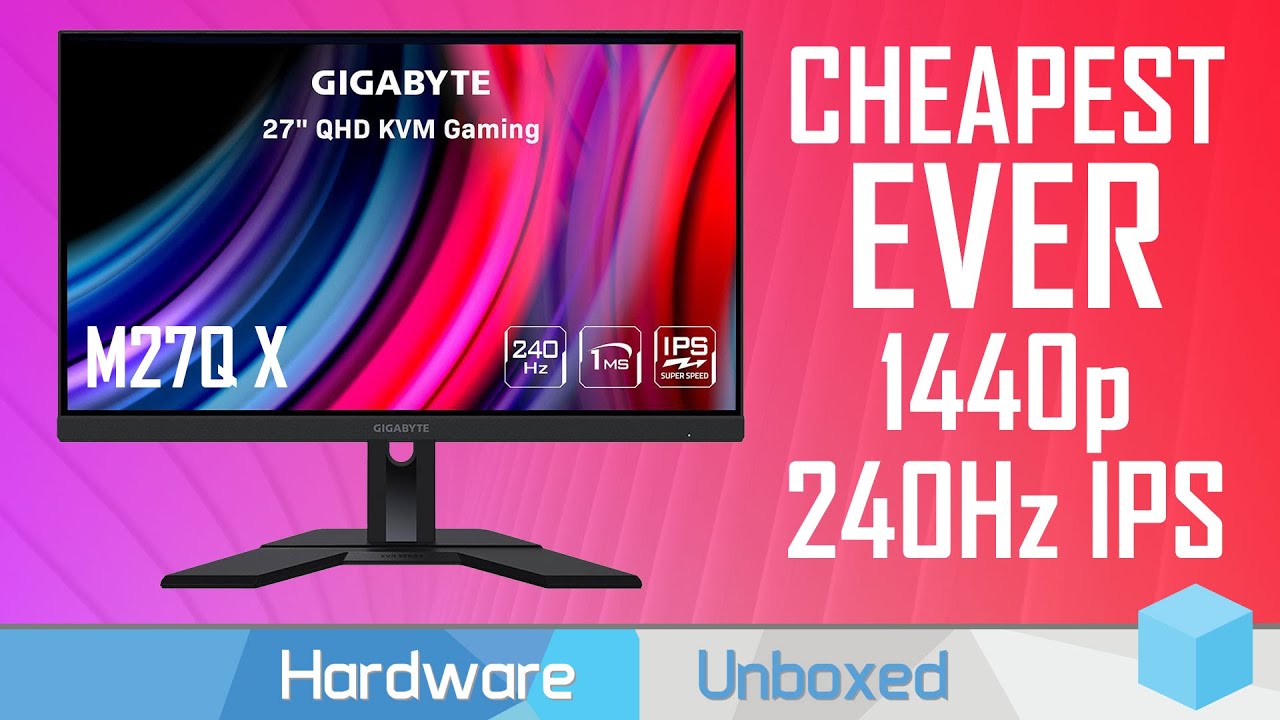
MSI B660 Series Motherboards: https://msi.gm/GetB660Series
MSI ANZ Promotion: https://msi.gm/GetPoweredbyMSI
Support us on Patreon: https://www.patreon.com/hardwareunboxed
Join us on Floatplane: https://www.floatplane.com/channel/HardwareUnboxed
Buy relevant products from Amazon, Newegg and others below:
Gigabyte M27Q X - https://geni.us/0EOLg...
noble current
quartz sandal
https://youtu.be/dDPq0uHNTyo
checking the video right now. I'm sure it be good as the M27Q
old arch
1440p 144-170hz soon to be $250ish on the regular I reckon.
misty gyro
If gigabyte keeps pushing innovation forward and prices down like this, that's quite likely.
old arch
Now for $450ish people'll have to decide between that 240hz 1440p or 144-170hz 4k.
 heady carbon
Any cons on the dell s-21dgf 27” 1440p 165hz for $299 seems like a good one to get
 wary wave
this one right?

its good but slightly worse than the m27q and the g27q. depending on the pricing of those 2 where you live, itd probably be better to go with those instead
just realized the g27q is 144hz i think
but the m27q normally sits around the $320 mark but you get a bit more
quaint mist

Fasten your seatbelt: The Predator XB273K Ultra HD display with 4K resolution is all about no compromises on gaming performance, color or speed. This 27-inch (3840 x 2160) monitor combine’s jaw dropping specs including an IPS panel that supports blazing-fast 144Hz refresh rate. This G-SYNC Compat...
this Acer Predator above is what im lookin at and probably gonna get
wild coralBOT
 oll!e#6615 has been warned
Reason: Bad word usage
quaint mist
the refresh rate on EB321HQU is 60hz. and it's 31.5 you said you didnt care about high refresh rate.
oh i was just sharing the one im interested in, not one for you -- i should have been more specific. sorry about whatever you got a warning for lmao
the 27 is what im getting, 2 of them eventually. i'm not a monitor buff but I want to get bang for my buck which is why the 27 predator is what im going for.
right now im on a 24" 75hz sceptre lmao https://www.amazon.com/gp/product/B0935R8TG3/

Sceptre’s E248W-QPT 24-inch 75Hz LED Quad HD Monitor - Dependable and Reliable. Offering a multitude of the latest technology, Sceptre’s E248W-QPT is the perfect budget-friendly candidate for those involved in creative projects. Ideal for photography, movies, and web browsing that require color a...
yeah i was also kinda impressed by some Dell Alienwares
AOC AGON is pretty, but my old AOC that WASNT gaming was kinda shite.
People have suggested a g27q for me by Gigabyte, as well -- here's a 32 gigabyte VA. I prefer IPS myself.

32” 2560x1440 VA Display with 165Hz Refresh Rate, 1 ms Response Time Native 1500R Curvature Improved Gaming Experience with G-Sync Compatible Smooth Gameplay with AMD FreeSync Premium Pro VESA Display HDR400 and 93% DCI-P3 GIGABYTE Classic Tactical Features with OSD Sidekick GIGABYTE Auto-Update ...
misty gyro
F bomb
Curved is almost always VA
So if you look at that same model without the "C" I think it's IPS
quaint mist
misty gyro
Curved is almost always VA
Interesting. Do you know why?
misty gyro
Something about how the pixels align in the liquid crystal iirc
quaint mist
I've also looked into Ultragears by LG
https://www.lg.com/us/monitors/lg-32gp850-b-gaming-monitor about as expensive as the 27" Acer Predator i'm going to be getting.

LG USA
Shop LG 32GP850-B on the official LG.com website for the most up to date information. Buy online for delivery or in-store pick-up.
quaint mist
misty gyro
Something about how the pixels align in the liquid crystal iirc
Interesting, thanks for the information (not sure about your pronoun he him they her she you etc.)
i'll just say Fal'Cie next time lol
misty gyro
I looked a little more into it and it's to counter light warping and color issues.
Partly due to you being forced to look at some part of the screen at an angle. So panels with good view angles are a must.
quaint mist
I just like the Acer Predator, a LOT. I wish the price was about $150 but I mean, you get what you pay for IMO.
wild coralBOT
 catmancatplan#4204 has been warned
Reason: Bad word usage
misty gyro
You might find this useful https://www.rtings.com/monitor/tools/table

RTINGS.com
quaint mist
Yeah I use the "compare" on their page a lot.
misty gyro
Honestly unless you're sitting less than a foot from your screen you don't need 4k on a 27"
misty gyro
That's about 3 feet
quaint mist
yeah
misty gyro
Depending on how tall you are
misty gyro
Since your arm span is about equal to your height it's easy to guess
quaint mist
misty gyro
Maybe at 32", M32U is nice
https://www.amazon.com/dp/B07X5MWMDG/ref=asc_df_B07X5MWMDG1648494000000?tag=georiot-us-default-20&ascsubtag=pcg-us-6277751121191283000-20&geniuslink=true&fbclid=IwAR0H0Vvxz4pjiLoE-BhjNq6Gbu-UqufF6BRbz2Wq_MM2GMmKAIpyMH_D3VQ&th=1 just so you don't need to scroll back up this is what i've been looking at. my buddy has one and it's pretty damn phenomenal

Fasten your seatbelt: The Predator XB273K Ultra HD display with 4K resolution is all about no compromises on gaming performance, color or speed. This 27-inch (3840 x 2160) monitor combine’s jaw dropping specs including an IPS panel that supports blazing-fast 144Hz refresh rate. This G-SYNC Compat...
Right now im only on a 2060 dual and 16GB Ram, so i'm gonna be upgrading some stuff before I get the monitor, I think.
misty gyro
Gotta be really careful with those Acers, they use the same model name for like 10 different monitors and most are crap
quaint mist
the darn name should just be like XB273K-Model 1
quaint mist
misty gyro
Gotta be really careful with those Acers, they use the same model name for like ...
certainly, even on the main website it's difficult to ascertain which one is which
misty gyro
"What should we name our new monitor?"
"Hmm..." Face smash on keyboard
"Gpbmiipprzx!"
quaint mist
cat probably stepped on keyboard
misty gyro
There would be more repeating letters but something along those lines yeah
quaint mist
I saw a funny picture of a person with a plastic case over their hands/keyboard with a cat nearby
WOAH LMAO it's literally called "Clear Acrylic Keyboard Cover Protector Anti-Cat,2 in 1 Keyboard Bridge Protector and Monitor Stand"
posting in peripherals
or general
old arch
VA has better contrast usually I think & would be better for movies at least
misty gyro
VA also tends to have higher latency than IPS but that's more of a trend than a rule and most people won't notice it
 versed bridge
Just for grins and giggles, what are some good 360+hz monitors?
wary wave
really the only ones out there is acer/predator, asus rog and alienware
alienware being the best out there in terms of pricing since theyre the only ones ive seen actually come down in price at a reasonable range at like $364 or something like that vs the $600+ all of these monitors are typically sitting out
however in terms of actual image quality, color and stuff; the acer predator is probably the best one
dont think benq has a 360hz monitor yet, think highest they have is 240hz but if they were to have or make a 360hz one, theyd probably be the best option in terms of image clarity due to their dyac+ granted their panel would most likely be a tn panel since they still use tn for most if not all their gaming monitors
misty gyro
Here's the ones rtings has tested. They're all pretty decent overall it seems.
 quartz sandal
I don't really see the point in 360hz yet they're just too expensive atm especially when m27q at 170hz or a 240hz monitor especially if you don't play fps esports games
visual pilot
I think it's something you have to see to really judge for yourself
misty gyro
That's just it though, if you do esports competitively and are trying to get on a team or something, that could help you a little. Maybe you could go from top 0.01% to top 0.009%
visual pilot
And only for yourself, if you think it's a lot better, doesn't mean it helps someone else, if you think it doesn't help, doesn't mean it wouldn't help someone else, so I think it's something you don't impulsively buy, but if you've seen it and you like it, nothing wrong with it.
 craggy oar
hello - I have an older model Samsung S7 IPhone and need a recommendation for a USB type-B to MHL adapter, so I can connect phone to telly to watch online content. help!!
fading wyvern
 clear temple
is the Acer KG241QSB 165hz a good moniter
noble current
@craggy oar Samsung s7 Iphone? Do you mean transferring stuff from S7 to Iphone?
craggy oar
noble current
<@966355430555152436> Samsung s7 Iphone? Do you mean transferring stuff from S7 ...
no, watching online content on my phone thru the television ...
fading wyvern
Could always just pick up a chromecast and cast content to your tv
noble current
fading wyvern
Could always just pick up a chromecast and cast content to your tv
agreed
old arch
Or a roku. Lol, don't feel like googling a usb type-b mhl adapter for ya.
quaint mist
My Vizio TV has "Smartcast" which my Samsung S20+ can broadcast to.
Also VLC Media Player
Is an Amazon Firestick or whatever they're called like Chromecast pretty much?
misty gyro
quaint mist
Is an Amazon Firestick or whatever they're called like Chromecast pretty much?
It's more of a smart tv converter, chromecast just lets you play things from your phone/computer