#old-monitors-and-tv
1 messages · Page 64 of 1
 visual pilot
 abstract scaffold
haha, I'm trying to remember the name of the benchmarking software my friend had me using
ah I have aida64 already so i can try that quick
abstract scaffold
god wtf is the name, i'm going to use EVerything and see if i can find the program
abstract scaffold
Oh
It's RealBench.exe
ASUS RealBench
it does 4 different tests, remember he was having me try that out
visual pilot
oh yea
visual pilot
abstract scaffold
ASUS RealBench
just use occt
abstract scaffold
haha ok, i'll download that now
visual pilot
forgot about occt for a moment for some reason
but occt is just a bit of everything
afaik it's better than realbench for a good load
abstract scaffold
yeah occt is on the list of recommended software in the mem guiode looks like
visual pilot
but occt is not a benchmark tool
abstract scaffold
ok nice, that's what I'm curious about for y'know, streaming, recording, gameplay, video editing etc
 misty gyro
People have a love/hate thing with OCCT, everyone likes to complain about some little thing though
visual pilot
who hates occt though >:P
abstract scaffold
haha
visual pilot
There's always dislike, yea, some of the tests aren't the most intensive, it's not as good as furmark or smallffts for power draw but eh
misty gyro
visual pilot
who hates occt though >:P
People who say "it's not a realistic test"
abstract scaffold
here's a random question, do you install programs in Program Files or Program Files (x86) still? I assumed x64 programs go into the non x86 folder, never knew if there is really a difference these days
visual pilot
oh that kind
abstract scaffold
I worry about furmark because of it's problems in the past, so usually I try Superposition or Heaven benchmark just to get a feel
visual pilot
all modern processors are x86 based afaik
abstract scaffold
like cinebench R23 i would just install into normal Program Folders but I still have the x86 folder too
maybe I'm just oldschool and still install things into Program Folders and no one does that anymore
misty gyro
You're right, typically x64 compatible programs will see themselves into the regular program files folder by default.
I changed the default install location on my computer to my secondary drive
abstract scaffold
yeah me too, I have things onto my D drive for most programs now unless I forgot when I first set up this PC and they're still on the SATA SSD C drive
visual pilot
anyways from a limited sample, testmem5 can be better than occt at finding errors, but if you have time, run both
abstract scaffold
sweet, thank you. I'll def be testing with games too, that's usually the biggest test if certain games crash or cause blue screens. So far no blue screening which is a good sign because
usually if I turn up my RAM speed i can barley get into windows
I still have PBO to 150+ mhz haven't tried 175mhz yet, will have to watch the cpu temps cuz it's idling between 55-65c.
visual pilot
stuff like tm5 is very intensive, takes a lot of time, and I say more intensive than games
but ofc there's always some OCs that pass one stress test and fail another
abstract scaffold
gpu being a little goofy tho jumping between 1860 to 500mhz constantly, i know i can OC my 3070 Ti with msi afterburner up to +93mhz and +200mhz on the memory with 104% power limit and 100% core voltage
I've def never used tm5 before so curious how that works
visual pilot
tm5 being testmem5
abstract scaffold
nice, alright let's try CR23 multi core and single core..
misty gyro
abstract scaffold
I've def never used tm5 before so curious how that works
When you load the program it'll start testing automatically, but you'll want to hit the choose config button, select the anta777 extreme profile, let it close and reopen
misty gyro
On OCCT? It's configurable up to an hour on the free version
TM5 can take a couple hours
abstract scaffold
not bad on the multi core, 13778 number 4 place below threadripper 1950x but above i9-9880H
huh my evaluation period for Aida64 is over
abstract scaffold
@visual pilot running OCCT memory Test getting random number of errors every second
highest number was 85 errors initially then it averaged between 9 to 20 errors each second of the test
I don't think teh ram and cpu are stable because I'm getting instability or crashes in software. Windows isn't crashing but random programs are
Nvm. Pc just blue screened 😦 dnno what settings I could change to try and make 3600mhz more stable.
misty gyro
Put memory voltage up some. 1.55v for testing, then you can see if you can lower it later. If you still get errors set pbo back to auto and test again.
abstract scaffold
1.55 is safe? Never gone up that high before I’ll give it a shot
 sick plume
on the ram it is
misty gyro
1.7v has been done frequently on b-die
abstract scaffold
Okay, I have the 0.0125v negative offset on the cpu still
And pbo set to enabled but I disabled the 150+ max just put at enabled nothing else
sick plume
2v has been done on b die for short oc runs
abstract scaffold
Goddamn
sick plume
it degrades the ram, but it is done
abstract scaffold
Hoping I’m sure I have b die.. lol
misty gyro
Yeah b-die loves them volts
sick plume
I run my ram at 1.5V daily
misty gyro
It's straight 14 timings, definitely b-die
misty gyro
I do 1.52v daily no issues
sick plume
TBH at 1.55V you need to worry more about heat than voltage
abstract scaffold
Yeah Doing OCCT cpu and Ram test AVX2 Large I get about 5 errors each second on the physical cores
Doing just memory Ram AVX2 test I’m getting 1 to 5 errors each second, do I need no errors to be stable ?
sick plume
abstract scaffold
Okay, I have the 0.0125v negative offset on the cpu still
maybe try getting rid of this
abstract scaffold
Okay, yeah they were suggesting I set a negative offset on my 5800x to get higher core clocks with PBO enabled
I also re enabled power down mode to check for stability I guess
abstract scaffold
Ugh I’m at 1.53v on the dram and still getting errors in OCCT test
misty gyro
At this point you can try setting SoC voltage to 1.05v or 1.1v, that can help with stability
abstract scaffold
Okay, should I set dram voltage back down to like 1.5 or 1.52 while doing that?
misty gyro
Not at this point no, once we get you to where you get 0 errors you can start dialing back voltages
abstract scaffold
Ooof yeah 1.54v blue screens after a few minutes
So @misty gyro I’m setting DRAM to 1.53v then VDDCR SOC voltage manual to 1.05000?
misty gyro
Yes, and if 1.05v doesn't work 1.1v
abstract scaffold
Ok thx, so just texting with OCCT for errors is good enough for now ? Til I can get it with NO errors
abstract scaffold
Ok cool
Damn it I’m getting like 1 to 5 errors, very small amount
Ouch, SOC at 1.1 and dram at 1.53 still same error amounts basically.
Power down mode is disabled and I’ve set pbo to auto so it’s basically disabled
misty gyro
VDDP and VDDG set to 1.05v
abstract scaffold
So you’re talking about VDDP Standby voltage or CLDO VDDP voltage? There’s VDDG CCD or VDDG IOD Voltage in my bios too @misty gyro
misty gyro
CLDO, and both VDDG
abstract scaffold
Ok yeah all 3 of those are next to each other
@misty gyro assuming that’s correct
 misty gyro
Yes
 misty gyro
If that still doesn't work, there's a list of stuff to punch in next
abstract scaffold
Oh geez haha
misty gyro
DOCP looks right, and speed
If you still have issues here's a list #general-chat message
abstract scaffold
Would just lowering the speed a little bit work better? Still errors so I wonder if it’s like my@motherboard or something
Asus prime x470 pro latest bios so not sure, but maybe setting speed a step lower or something might be better?
So V SOC to 1.15v is ok? Mines at 1.1v now
misty gyro
Yes it's ok up to 1.2v or so
It just stops helping after a certain point
Lowering the speed is far from the ideal solution here, most b-die should be able to run 3800 with straight 14s so 3600 is supposed to be easy.
abstract scaffold
Weirdddd
Yeah I dnno what’s up with my memory since I have 850watt psu and decent motherboard
misty gyro
Worst case we bump a couple timings up if changing those resistances and settings doesn't work
abstract scaffold
Should I just try inputting all those settings on the list and seeing if it works? Lol
misty gyro
Couldn't hurt
abstract scaffold
I’ll have to try another night a bunch of those, Ram oc’ing is so time consuming so I understand why they created XMP profiles
I def appreciate your help for sure, helped to make me more knowledgeable
misty gyro
Happy to help
We've got a few experts here that can do even more than me, so if I'm not available someone else can help for sure
abstract scaffold
Awesome, yea it’s nice running into folks who know about this. It’s def a lot more helpful when you have someone to answer questions
sick plume
maybe try dialing back to 3600c16 if u still error
misty gyro
I'd do 16 on the other main timings before resorting to that
abstract scaffold
I’ll have to try that at some point, I tried turning the speed down to 3400c14 and still errors every 10 seconds or so, grr
It’s probably too tight of timings to go above 3200 with the settings I’m using without really specifying things
misty gyro
You could change tRAS from 31 to 34 also before you change other timings
abstract scaffold
Ok I’ll give that a try in a little bit. So if I wanted to lower all the timings it’d be something like 16-16-16-34? I don’t know what increments you want to get the numbers for those at
misty gyro
You still want tCL to be 14 if possible, that's the main primary timing
You can start going to like 14-15-15-34
abstract scaffold
Okay cool, so the CL 14 number is diff than the 14 in 14-15-15-34? Or it’s the same setting
misty gyro
CL is the first number in a string like that
abstract scaffold
Ok that’s what I assumed
sick plume

ZenTimings
ZenTimings is a simple and lightweight app for monitoring memory timings on Ryzen platform.
abstract scaffold
Ok
sick plume
also remember to run the bat file pinned in #windows-ios often if you care about ur windows install
abstract scaffold
What do you mean?
sick plume
unstable ram can completely delete a windows install
abstract scaffold
For real..?
sick plume
because of file corruptions
misty gyro
In the worst case it can
abstract scaffold
I’ve had issues with messing with Ram settings where I’ve had to remove the CMOS battery a few times to get my PC to just boot again
sick plume
it also damages the install pretty often and causes issues
abstract scaffold
Or just jump the pins, but once or twice I’ve had to remove the dam battery it’s annoying
sick plume
so yeah better to run the bat file thats pinned in #windows-ios
abstract scaffold
What does the bat file do?
sick plume
it scans for windows corruptions and fixes them
abstract scaffold
Nice ok so it’s ok to run it often ?
sick plume
yeah
abstract scaffold
Yeah my 3200mhx DOCP with 1.35v is totally stable no errors looks like at least
sick plume
wait do you have 2 seperate ram kits in the system?
abstract scaffold
No it’s the same team dark pro ram, tho I want to buy another set to fill all 4 dimm slots and get 32gb’s
Where’s this bat file in that channel?
abstract scaffold
The top pinned comment by you?
sick plume
yeah
download the attached file and double click to run
itll ask for admin privilages you need to give those
and chrome might say file may be dangerous, but you ignore that
abstract scaffold
Haha hmm
sick plume
chrome thinks all bat files are dangerous
 misty gyro
sick plume
chrome thinks all bat files are dangerous
misty gyro
sick plume
chrome thinks all bat files are dangerous
And exe, and msi, and sh...
abstract scaffold
Yeah I normally have DOCP set for cl14, 14-14-14-31 and 3200mhz and the DRAM voltage at 1.35v
sick plume
misty gyro
And exe, and msi, and sh...
and java executables
 wild coralBOT
 Hrethgir#7798 has been warned
Reason: Bad word usage
abstract scaffold
what, doh.
abstract scaffold
lol when poop starts breaking. Nice, handy stream of code there that's easy to execute
sick plume
yeah indeed
abstract scaffold
windows resource blah blah found corrupt files and successfully repaired them
no component store corruption detected, doing something with image blah blah
sick plume
abstract scaffold
windows resource blah blah found corrupt files and successfully repaired them
yeah thats the ram
abstract scaffold
does clearing the CMOS battery do something similar with resetting things to default? Or does that just reset teh bios so you can start the dang PC again
sick plume
that just resets all the bios settings so the ram oc which was causing no boot because ram couldnt run it gets set back to default timings allowing u to boot
abstract scaffold
brb while this scans and fixes, I need some foods
abstract scaffold
ok got some noms, what was I doing again lol the scan completed and finsihed fixing issues
misty gyro
Changing timings? I think that was it
abstract scaffold
oh yeah need to try that, so many little things
abstract scaffold
I set the 31 to a 34 but got a blue screen at 1.5 dram voltage
 fading wyvern
Woah a free nitro link 👀
 hot zephyr
I keep seeing both of my displays reset to 60Hz

I don't notice it immediately since they only run at 75Hz usually, but this is very annoying.
Every time I have to do this: https://your-face.is-ne.at/5dwFzzyDm

5dwFzzyDm.gif
And after a random time I check back and it's back to 60Hz.
sick plume
are you running an overclock on the display or is it a 75 hz display?
hot zephyr
The 1440p one I show on the screenshots was advertised as 75Hz, however it always defaults to 60Hz :/
I run another one, an ASUS 1080p display which I believe was advertised as 60Hz only. However I have it oc'd to 74.4999Hz and it runs great.
sick plume
and does taht one do the same thing?
hot zephyr
Funnily enough the 1440p one is the one that resets more often. Here I only had to fix the 1440p monitor's refresh rate; the ASUS one was fine.
This has never happened to me on Linux but sometimes I have to boot into Windows for building exe files and stuff.
sick plume
maybe set a custom 75hz option on ur 1440p panel in nvidia panel

 sick plume
hmm
wild coralBOT
 iamAngeloNuqui#7721 has been warned
Reason: Bad word usage
iamAngeloNuqui#7721 has been kicked
Reason: Too many infractions
 maiden wedge
Can anyone help me out with picking a monitor?
I have this one in mind but was wondering if there is a newer version that is better? https://www.amazon.com/LG-34GP83A-B-Inch-Ultragear-Compatibility/dp/B08DWD38VX/?_encoding=UTF8&pd_rd_w=7jnAr&pf_rd_p=8b894231-4b84-44da-9446-c27cf0e8abc2&pf_rd_r=TJ76Q4YQ8WXBKA51FD7C&pd_rd_r=97572a88-bd5d-401f-907a-2876c5f8231a&pd_rd_wg=3Gji0&ref_=pd_gw_ci_mcx_mr_hp_d
misty gyro
maiden wedge
I have this one in mind but was wondering if there is a newer version that is be...
That's a great choice if you can afford it. Rtings has it listed as "best ultrawide" and it's got really decent specs.
 quartz sandal
misty gyro
That's a great choice if you can afford it. Rtings has it listed as "best ultraw...
quartz sandal
misty gyro
That's a great choice if you can afford it. Rtings has it listed as "best ultraw...
For 800$ I'd sure hope its the best 😓
 paper raven
@lime quartz can you do $180 Usd?
paper raven
Damn, cheapest 144hz monitor is 175
Do you need 144hz? Or can you go with 75 or something
 lime quartz
dont need 144hz
paper raven
Ok
lime quartz
75 or 60 both work..
paper raven
Asus 1080p monitor, ips pannel, 75hz, 1ms response time
Seems good to me, its $144 usd
 sterile crane
should 144hz ips panel(non curved) for 182 euros or 165hz (curved) va panel for 236 euros
im looking to play fps games
 celest lark
I need to grab replacement screws for the benq zowie xl2411p where would I go to find them?
quartz sandal
sterile crane
should 144hz ips panel(non curved) for 182 euros or 165hz (curved) va panel for ...
144hz to 165hz is negligible difference
sterile crane
quartz sandal
144hz to 165hz is negligible difference
Which means what should i buy?
quartz sandal
sterile crane
Which means what should i buy?
Depends if you want curved or not
sterile crane
It would be cool but i dont really need it much
 clear topaz
Can I use a VGA to HDMI adapter and connect it to my PC or would I need more than just a cable for that?
 raw ingot
clear topaz
Can I use a VGA to HDMI adapter and connect it to my PC or would I need more tha...
raw ingot
clear topaz
Can I use a VGA to HDMI adapter and connect it to my PC or would I need more tha...
Yes, but it has to be a good one
Bad ones are jank
 noble current
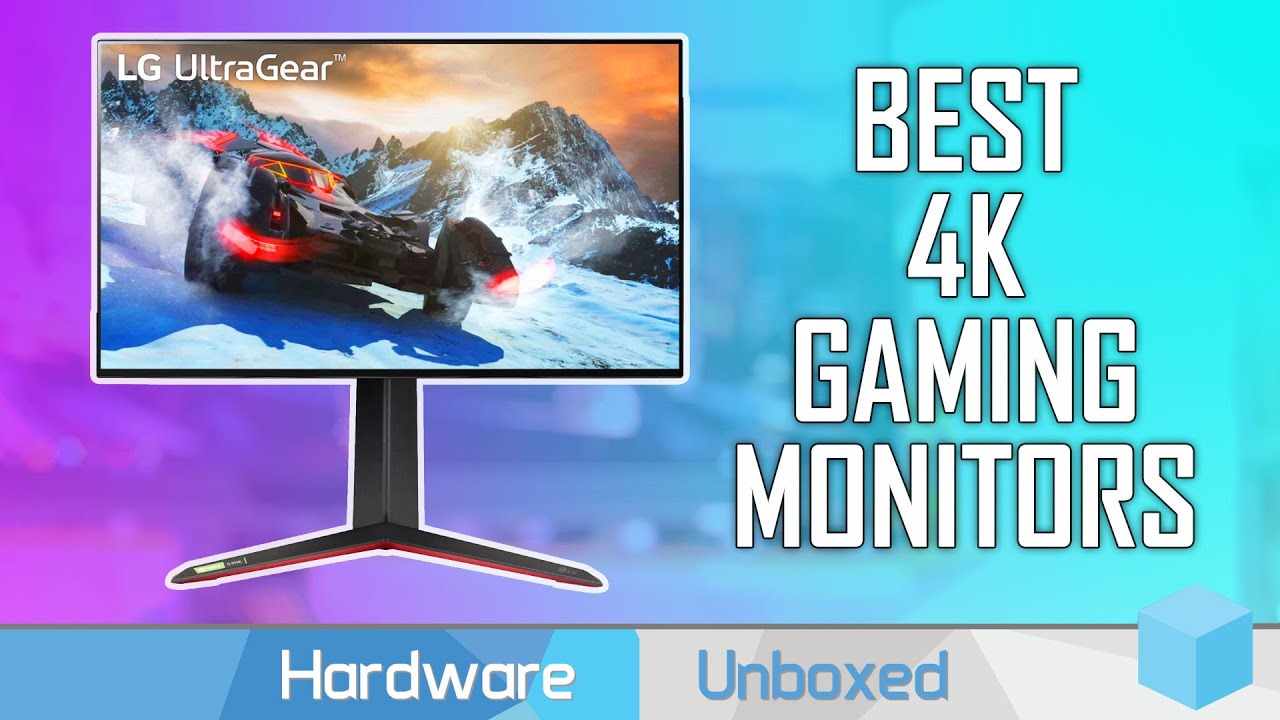
Support us on Patreon: https://www.patreon.com/hardwareunboxed
Join us on Floatplane: https://www.floatplane.com/channel/HardwareUnboxed
Buy relevant products from Amazon, Newegg and others below:
Gigabyte M28U - https://geni.us/08xf
LG 27GN950 - https://geni.us/9Up4kXX
Asus VG28UQL1A - https://geni.us/N4HJ
MSI MPG321UR-QD - https://geni.us/PjV...
fading wyvern
M28u still on top
 jade spoke
I’m looking for a wall mount for a Samsung 49” ultra wide monitor any suggestions? It’s a Vesa mount.
visual pilot
fading wyvern
M28u still on top
And still out of stock >:(
visual pilot
jade spoke
I’m looking for a wall mount for a Samsung 49” ultra wide monitor any suggestion...
Vesa 100x100 or different one?
jade spoke
visual pilot
Vesa 100x100 or different one?
Yes 100x100, mainly looking for tilt.
fading wyvern
visual pilot
And still out of stock >:(

noble current
hello monitors experts. I'm bored and can't decided what monitor to get for my next PC. I know that pato and others recommend the M27Q. I could get the M27Q. But I don't want got get a new monitor later when 1440P 144hz is bare minimum. Besides the M27Q I thought of the Gigabyte AORUS FI27Q-X or HP 27-X Omen or Asus ROG Swift PG279QM(I know is 899, that be my last option) I don't have much space that's why 27" is the size. I got a 3080ti and a i9 10990K
visual pilot
What games do you play
noble current
I play mostly Arma3,HLL, gtav and more games I can't play atm. RDR2
my list is big mr11
visual pilot
Those aren't really sounding like games that benefit from 240hz
visual pilot
noble current
hello monitors experts. I'm bored and can't decided what monitor to get for my n...
Perhaps M28U next for 4k144hz :D
Once it is in stock*
noble current
visual pilot
Perhaps M28U next for 4k144hz :D
I was thinking on that too. as an alternative
noble current
I mostly play shooters 1st or 3rd, some slash like darksiders , racing too mostly F1 ets2 and american truck simulator
its is a 10900k
noble current
? @lime quartz
noble current
your message is too broad. Need size and is 1080P.
lime quartz
1080p..
size does not really matter as long as its not like 10 inches
60hz+
75hz would be nice if possible
or whatever 150 could buy
mostly gaming
misty gyro
If you can do $170-180 you could get MSI G242 or G241, 144Hz and nice overall
lime quartz
dont think my pc would be getting use out of the 144hz for most games i play
its a bit unnecessary for now
fading wyvern
It’s better to spend a bit extra now to save some down the road when you do want a 144hz monitor 
noble current
So @visual pilot You really think I should get the M28U. Instead getting FI27Q-X, HP 27X or PG279QM?
or just forget it and get the M27Q?
maiden wedge
Im looking for a curved 32 inch monitor, 144hz, 2k resolution 1ms. Im torn between the MSI 32 inch and the samsung odyssey (samsung being more expensive). Im wondering why its more expensive and if there are better option out there. Can anyone help me make my final decision?
raw ingot
maiden wedge
Im looking for a curved 32 inch monitor, 144hz, 2k resolution 1ms. Im torn betwe...
go with g32qc from gigabyte instead
curved, 165hz and 1440p
fits your bill
raw ingot
it's about
300 or so?
iirc

GIGABYTE G32QC A (32" 165Hz 1440P Curved Gaming Monitor, 2560 x 1440 VA 1500R Display, 1ms (MPRT) Response Time, 93% DCI-P3, VESA Display HDR400, FreeSync Premium Pro
329
visual pilot
noble current
So <@278694081440251905> You really think I should get the M28U. Instead getting...
I really don't think you'll gain much from 240hz considering the games
 quiet spear
whats a good portable hotspot
quiet spear
noble current
So <@278694081440251905> You really think I should get the M28U. Instead getting...
165 vs 240 = small difference unless competitive shooter
noble current
Alright. I'll get the M27Q. I just didn't want to upgrade later when 165hz is not enough.
quartz sandal
noble current
So <@278694081440251905> You really think I should get the M28U. Instead getting...
Just keep in mind m28u is 4k m27q is 1440p
noble current
Pato(like your new name) I know that. I just don't know if I can see in 4k resolution some of the games. like in HLL is a bit hard to see enemies sometimes.
sick plume
More pixels=enemies take more room on the screen
noble current
ok. I may have to see a 4k monitor. I'm in 1080P
sick plume
More pixels = less fps too unless ur very very cpu bottlenecked
4k not worth it in a shooter game at native on anything under a 3080ti
noble current
i have a 3080ti w a 10990k
quartz sandal
Imo 28" too small for 4k btw
quartz sandal
Then get 1440p imo
 warped night
Get 1440p in general.
It's the best of both worlds
Better quality than 1080p, Better framerate than 4K
4K IMO isn't going to be fully viable until the XX60 cards from Nvidia are able to hit ~100 FPS in most AAA titles without DLSS (I like DLSS, but not every game supports it, so it isn't really easily taken into account)
maiden wedge
GIGABYTE G32QC 32" 165Hz 1440P Curved Gaming Monitor, 2560 x 1440 VA 1500R Display, 1ms (MPRT) Response Time, 94% DCI-P3, VESA Display HDR400, FreeSync Premium Pro https://www.amazon.com/dp/B088P87LHX/ref=cm_sw_r_cp_api_glt_fabc_JQQH8QQZ85F6DNPC77JH?_encoding=UTF8&psc=1
GIGABYTE G32QC A (32" 165Hz 1440P Curved Gaming Monitor, 2560 x 1440 VA 1500R Display, 1ms (MPRT) Response Time, 93% DCI-P3, VESA Display HDR400, FreeSync Premium Pro https://www.amazon.com/dp/B0926ZVM75/ref=cm_sw_r_cp_api_glt_fabc_AGJGFBAEQ7ATHMBS8737
Whats the difference between the two? Ones listed as a newer model but is less expensive
raw ingot
Just a refresh
noble current
ok thank you all. I'll get the M27Q then. See how it goes
maiden wedge
i cant find a 350-400 dollar 30 inch monitor without scary reviews help

GIGABYTE M32Q 32" 165Hz Gaming Monitor, 2560 x 1440 SS IPS Display, 0.8ms (MPRT) Response Time, 94% DCI-P3, VESA Display HDR400, FreeSync Premium, 1x Display Port 1.4, 2X HDMI 2.0
i looked at this
noble current
@maiden wedge https://www.rtings.com/monitor/reviews/gigabyte/m32q or try hardware unboxed

RTINGS.com
The Gigabyte M32Q is a great monitor with a 32 inch 1440p IPS screen. It has wide viewing angles, good peak brightness, and good reflection handling. This monito...
 blissful pulsar
Hi anyone had issues mounting g242 Msi optix to vesa mounts?
The mount doesn’t fit in the back slot
 wary wave
@blissful pulsar i had somewhat similar issue with my Gigabyte M27Q. only thing that i can say is try and find another vesa mount with a better shape to fit. I found a mount from North Bayou which had a smaller square mount which fit perfectly compared to my other mounts.
obv buying a whole other mount would cost a bit but you might be able to find just the backplate itself and you can try and swap out the backplates for the mounts to another one that might fit
blissful pulsar
@wary wave thanks, I’ll take a look at that. I might need to look for spacers.
raw ingot
 wooden veldt
Anyone has a good 32" 1440p gaming monitor to recommand
wooden veldt
Anyone has a good 32" 1440p gaming monitor to recommand
gigabyte m32q and g32qc
m32q is non curved
g32qc is
raw ingot
yes
 flint stirrup
Hey, from a monetary standpoint, is 4K (2160p) resolution easier to obtain if I go for a TV or monitor?
I've seen the monitors go for higher than the TVs.
fading wyvern
well the m28u is a new 4k like 600? $ monitor but tvs are generally cheaper
flint stirrup
Yeah, that was why I aimed for a TV, which can be obtained for under $200.
maiden wedge
get a tv the size of a entire wall
flint stirrup
Are those that inexpensive?
Maybe I can attach it to my wall.
In my bedroom.
I find it interesting that the huge ones are more affordable.
misty gyro
It's a bit of an exaggeration, wall size TVs are still very expensive
flint stirrup
lol
misty gyro
But you can get something like a 32" size for around there
misty gyro
US?
raw ingot
it's not that cheap for a 4k
flint stirrup
Will it take longer to go down?
As in, by the time it gets replaced.
1080p became the norm after being special for a bit.
misty gyro
Like is it expected to have a longer lifespan? Or 4k lifespan?
flint stirrup
Commercial lifespan for both.
raw ingot
4k isn't gonna be a norm for anytime soon
misty gyro
Physically no, TVs and monitors of similar quality levels will have about the same life span
misty gyro
Different inputs and features
flint stirrup
o o f
flint stirrup
I thought you can use them as though they're interchangeable.
raw ingot
And monitors has higher refresh rate
flint stirrup
Response time won't be a huge deal with a daily driver with pixel gaming as the side perk.
raw ingot
In many models
 errant edge
flint stirrup
I thought you can use them as though they're interchangeable.
errant edge
flint stirrup
I thought you can use them as though they're interchangeable.
I mean yes but no
flint stirrup
lmao
errant edge
They both display
flint stirrup
👀
misty gyro
There's 4k120Hz TVs now, which is insane
raw ingot
Insane price too
flint stirrup
nani
maiden wedge
ejwaoto twhot
flint stirrup
the hecc
maiden wedge
wait what
errant edge
But monitors are better for pcs, and imo a 1440p 27in would probably be fine for you
raw ingot
^
maiden wedge
my brain just CRASHD
maiden wedge
bruh tonight is one of those nights where u grab ur thin crust local grocery store pizza from the kitchen let ur legs play slinky down the stairs hoping to not fall down them eat half ur pizza and not wake up till 5 pm
feel me
flint stirrup
So i could use a 1440p TV for Switch and PC and do fine?
errant edge
Keep in mind with a 1030 you won't do much gaming, especially at 1440p, but I'm guessing thats not what you're trying to accomplish
Just get a regular 1440p 27in monitor
flint stirrup
yeah the gaming's not the point
misty gyro
There aren't any 1440p TVs
visual pilot
m27q :D
errant edge
You can use your switch with a monitor too
flint stirrup
i do that on switch 🙂
visual pilot
1440p really wasn't a popular resolution for TVs
errant edge
visual pilot
m27q :D
No point for non gaming, a 60hz would make more sense
Save money
Budget is 200$ I think
flint stirrup
is it kinda like how 480p wasn't a big deal except for the wii?
visual pilot
Non-gaming eh, gon be fun
flint stirrup
i can always do a smaller resolution for games
while working on stuff
if i want to multitask during a cutscene zoom meeting
 cyan jungle
u aint gonna be seeing shroud tapping heads on a wii
misty gyro
I mean... 480p was on the GameCube and ps2
flint stirrup
oh so it was a sixth-gen thing
i could only get 480i on gc
because mine doesn't have a component port
misty gyro
You need an aftermarket cable
misty gyro
I have one of those multi cables with both composite and component options that splits into Nintendo / playstation / xbox connectors
flint stirrup
amaze
the gc one also works on snes and n64
while the ps connector works nicely on the first three playstations
not sure if the xborig and 360 ones are the same, never bothered with xbox
misty gyro
When you have the component cable in, GameCube games will start asking about progressive mode. That switches from interlaced (480i) to progressive (480p)
flint stirrup
yeah mine always assumes interlace
the component port for gc is not the same one as the snes
n64 doesn't even have one iirc
n64 does only composite
misty gyro
Correct
flint stirrup
unless you mod it for component or hdmi
but who would destroy the aspect ratio for something meant to be played on a crt
misty gyro
Or get one of the remade consoles with native 1080p upscale
misty gyro
There's better ones than that
flint stirrup
as in the original mobo?
i know those
my favorite on paper are the tiny handhelds (like the funkey s) that can play up to ps1, sometimes n64
but they seem impractical
misty gyro
They aren't just running an emulator, it has the original form factor with more outputs and a brand new pcb from reverse engineering the old, adding a faster processor and upscale
misty gyro
You could use your original cartridge
 silent epoch
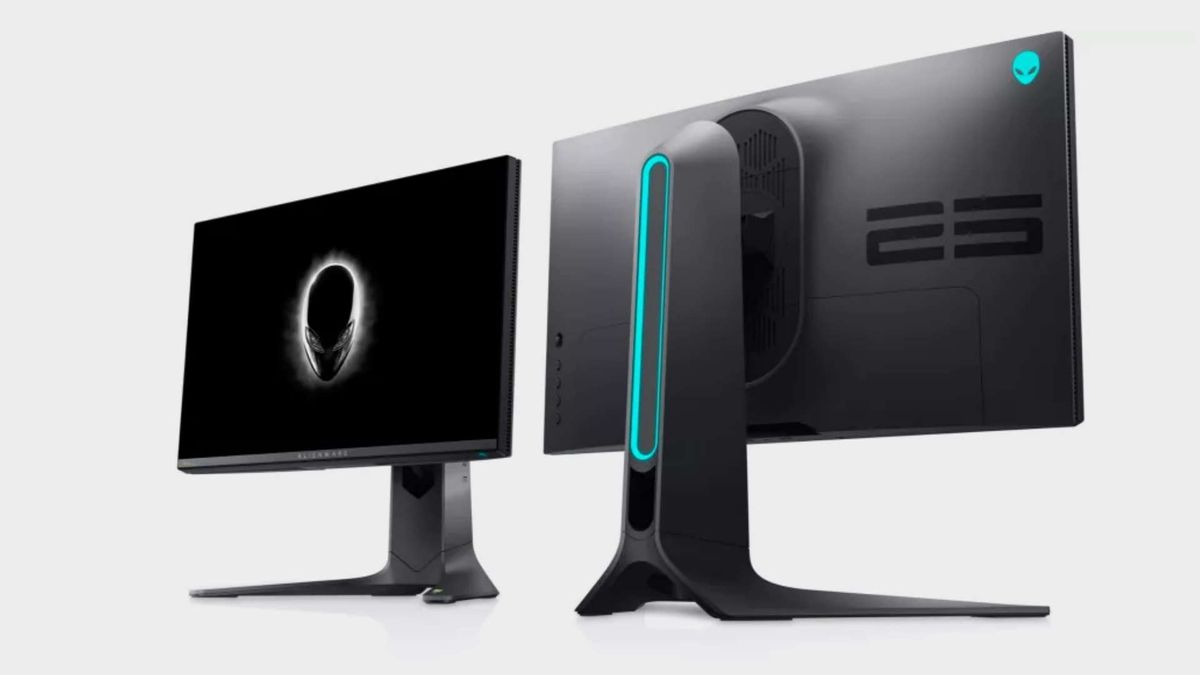
pcgamer
That's $909.99 worth of speedy, 1080p gaming monitor for just $449.99.
quartz sandal
Wow wonder why it's on 50% sale :o
misty gyro
Probably marked up so they can mark it down, 1080p for $900 lol
quartz sandal
Lmao
wary wave
if thats the one im thinking of that i talked about in tech deals that one time, with honey gold cash back it comes down to like $330 or something like that
which even though if they did mark it up to mark down to make it look like a bigger sale, $330 for a 360hz monitor is pretty good
imo
quartz sandal
wary wave
which even though if they did mark it up to mark down to make it look like a big...
330 is a nice price but 900$ wth
wary wave
nvm, roughly $365. doubled check but still, roughly $365 pretty good for a 360hz monitor
think asus is the next cheapest at like $700 or so for a 360hz monitor
quartz sandal
Whyyy
wary wave
because 360hz

sooner or later though prices will go down hopefully
rn its pretty much only alienware, asus and acer that make 360hz monitor so they pretty much control the market and keep pricing high
same goes for high refresh 1440p monitors
240hz+ 1440p monitors are also in the 700+ range though i guess some people could justify paying that much for 1440p over 1080p
quartz sandal
wary wave
sooner or later though prices will go down hopefully
Still too much imo for a 1080p 360hz, like 500$ i could understand
fading wyvern
Honestly love the style of Alienwares monitors. 1080p 360hz is great for any esports. 🤷♂️
paper raven
Bro Allen ware products in general just look cool, especially their monitors
 summer tiger
they are mutually exclusive with both kidneys though
sick plume
paper raven
Bro Allen ware products in general just look cool, especially their monitors
Allen ware is nice
Alienware pcs suck tho
fading wyvern
Dell kinda stinky heard their server stuff is alright tho
quartz sandal
Yeah dell have nice servers but their desktops are bad, some are okay at best
wary wave
their monitors dell/alienware is pretty good, its just their pricing is kinda wack unless they have a sale
 steel ridge
Dell servers have wack pricing
misty gyro
Dell everything has wack pricing
But they offer bulk discounts on workstations and usually recommend low end stuff unless otherwise requested by the business.
 sharp valley
Looking to build my gaming office and want to get a couple monitors for my set up. Can't decide if I want to get a large 34" ish curved or two of these 27" msi. Anyone know from experience which would be better?
https://www.costco.com/msi-optix-27"-class-fhd-ips-gaming-monitor.product.100805677.html
quartz sandal
sharp valley
Looking to build my gaming office and want to get a couple monitors for my set u...
Well i wouldn't want to get them in 1080p anyway would look a good bit pixelated, I'd recommend 1440p if you're gpu can handle it
 nova agate
why are monitor hertz andy's so elitist? everytime i bring up that i prefer resolution over FPS i am told i have issues and am crazy for not preferring 144hz monitors over 4K monitors
like does every console player have issues for being fine with 30fps?
and that 60hz monitors are like the stone age now, ive been a pc gamer for a bit and i know getting more than 60hz monitors wasnt a topic basically at all around 2015
quartz sandal
nova agate
and that 60hz monitors are like the stone age now, ive been a pc gamer for a bit...
This is very much untrue, I've had my 144hz monitor for probs 5 years now and i wasn't an early adaptor at all, idk if you were in the wrong scenes to just not see it but 144hz monitors have been a thing good bit before 2015
fading wyvern
As a monitor hertz Andy I believe I accept all numbers of hertz from 60-360 
It really depends on preference and people shouldn’t judge too much, typically in here we use the M27q as a great all rounder monitor. 1440p better then 1080 and a high refresh rate while still being cheap.  Generally games just feel a little bit better on higher refresh rates. All preferences man
 fading wyvern
As a footnote it also seriously depends on the type of game you’re playing. Flight sims, racing games rts games and like rpg fantasies are all about just the environment don’t really need that 144hz edge that fps games ‘need’.
quartz sandal
Also for 4k you really need to go up in size over 32" imho, 1440p is the best of both worlds atm
fading wyvern
Ah a weird argument can also be made about people hating on low refresh rates, it’s extremely hard to go back to 60hz after playing around with high refresh rate monitors and hardware that actually uses them. 👀
Feels kinda gross and icky might be a bit of a elitist I guess 
quartz sandal
It does
quartz sandal
fading wyvern
Ah a weird argument can also be made about people hating on low refresh rates, i...
For some reason once, my overwatch settings had set to 50hz display and it deadass looked like a slideshow
 naive basalt
fading wyvern
Ah a weird argument can also be made about people hating on low refresh rates, i...
naive basalt
fading wyvern
Ah a weird argument can also be made about people hating on low refresh rates, i...
Even worse when your phone is 120 Hz :)
nova agate
I am kind of glad I haven't gone past 60hz (cause I wanted 27" 4K like 3 years ago without a huge budget) cause I haven't got to the point where less than 60FPS looks like a slideshow like spoopy said, it doesn't look like a slideshow to me but I bet it would if I used a high hertz monitor for awhile, and I play visual games like singleplayer games not competitive games where the 144 fps is more directed too. I really like how 4K looks so I'm glad I can play games like cyberpunk max settings and not be completely put off by less than 60FPS
I have the LG 27UD68-P when it was available it was really affordable.. like $300, compared to the rest of the 4K monitors, it gets the job done and has an IPS display, only issue I've had with it is image retention on the left and right sides of the screen, like there will be a faint image of the youtube logo after watching videos for awhile but it goes away quick with video, so full screen video or game, so its not a problem at all when gaming
quartz sandal
nova agate
I am kind of glad I haven't gone past 60hz (cause I wanted 27" 4K like 3 years a...
Why 27" 4k?? 1440p is an option and it's better than 1080p but not as stressful on gpu as 4k, and 4k 27" just too small to tell difference between that and 1440p, at least in my opinion
Also playing games at 60fps isn't down to monitor as high refresh monitors will have gsync /freesync for that
I mean you do you but ye
nova agate
Idk, I can tell the difference between 1440p and 4K when I switch between it, I wanted to be able to watch movies and stuff in 4K and game in 1080p at the time and then I upgraded my PC and can play 4K games with it, I also wasn't really very much of a critical thinker back then and bought whatever
wild coralBOT
 Dapro#3297 has been warned
Reason: Bad word usage
nova agate
And I have a 3080 so it being stressful on the GPU isn't a problem, I realize I should upgrade my monitor, this is a pretty bad monitor tbh, 5ms response time, its more so for movies and photo editing, but yeh, I really like 4K, even over 1440p, so my issue for upgrading is finding a high refresh rate 4K monitor that isn't crazy expensive
nova agate
yeh im looking right now, 144hz 4k is $1k+
nova agate
i always forget about price checking with that site, thats still probs more than i am willing to pay for one, might just get a good 4K tv for the games i want to play in 4K and a 144hz for my desk
its worth the more money in the end cause i want a 4k tv so i dont have to watch 4k stuff at my desk
idk about getting a monitor bigger than 27" cause ur desk would have to be so big and have to have it so far away in order to not have eyestrain
 carmine bloom
quartz sandal
Also for 4k you really need to go up in size over 32" imho, 1440p is the best of...
carmine bloom
quartz sandal
Also for 4k you really need to go up in size over 32" imho, 1440p is the best of...
I got a 43" 4k 144hz monitor ;P
errant edge
carmine bloom
I got a 43" 4k 144hz monitor ;P
how much of a dent in the wallet did that leave you with?
carmine bloom
it was less than 1k on sale
errant edge
wow
carmine bloom
Aorus FV43U is only 1,049$ when its not on sale.

 verbal spear
anyone here knows if a vga output monitor can be connected to a pc with just hdmi?
anyone?🥲🥲
fading wyvern
Can always get a vga to hdmi cable
quiet spear
nova agate
yeh im looking right now, 144hz 4k is $1k+
Usd?
maiden wedge
i need a 30-28 inch monitor amazon canada/newegg canada only maximum budget 400 cad i need help reviews be scaring me hard
raw ingot
maiden wedge
i need a 30-28 inch monitor amazon canada/newegg canada only maximum budget 400 ...
M27Q, not quite 28 but eh
maiden wedge
raw ingot
M27Q, not quite 28 but eh
what do u think of this https://www.amazon.ca/gp/product/B08N5GS4K2/ref=ewc_pr_img_1?smid=A3DWYIK6Y9EEQB&psc=1

MSI Optix MAG301CR2 FHD Non-Glare 1ms 2560 x 1080 Ultra Wide 200Hz HDR Ready USB/DP/HDMI Smart Headset Hanger FreeSync 30”Gaming Curved Monitor - Black
i dont really got a idea how big that actually is tho
quartz sandal
maiden wedge
i dont like it
Why not?
quartz sandal
maiden wedge
what do u think of this https://www.amazon.ca/gp/product/B08N5GS4K2/ref=ewc_pr_i...
30" 1080p is gonna look pretty pixelated
misty gyro
fading wyvern
Can always get a vga to hdmi cable
Not quite that simple. VGA is analog and HDMI is digital so you need an active converter.

 clear temple
the MSI Optix MAG241MVC 24" Full HD 1920 x 1080 144 Hz 2x HDMI, DisplayPort, USB 2.0 AMD FreeSync Curved Gaming Monitor seems way too cheap for 144hz, is it a good moniter
 crystal zephyr
Huh. One of my friends broke my MacBooks screen. That’s sad
clear temple
clear temple
the MSI Optix MAG241MVC 24" Full HD 1920 x 1080 144 Hz 2x HDMI, DisplayPort, USB...
187 dollars ( 700 sar)
other budget gaming moniters are like 293 (1100 sar)
i use sar in my countery
maiden wedge
clear temple
187 dollars ( 700 sar)
are you competitve gamer
and what is your budget
 leaden barn
what 1080p 24" 144 or 165 hz monitor would you recommend me for $150-$225?
quartz sandal
Msi g241/g242
leaden barn
what is the difference between the g241 and the g242?
quartz sandal
Minor refresh
leaden barn
so the g242 would be the better one?
quartz sandal
Slightly but whichever is cheaper
quartz sandal
Np
clear temple
maiden wedge
are you competitve gamer
not competitive but i want to experience higher refresh rate
btw if 144 makes 60 hurt ur eyes, why doesnt looking at real life hurt ur eyes when u start ur pc
fading wyvern
Irl is infinite refresh/hz 
raw ingot
^
maiden wedge
fading wyvern
Irl is infinite refresh/hz <:steveconfused:722597717465104414>
1000hz
fading wyvern
Well I mean it’s however fast your eyes refresh plus the speed of light and how quickly your nerves work 
Then ontop of that your brain makes up information to fill in the gaps you’re not focusing on
fading wyvern
Well it’s a lot of just interpreting light
raw ingot
yep
 sage trail
its how fast can your brain process changes in light
fading wyvern
But like tons of processing also goes into it
maiden wedge
👀
misty gyro
Makes you wonder if the world would look different if we could "see" its true form and not what your brain decided it looks like
sage trail
i hate that you said that
fading wyvern
Hell everyone probably has a slightly different version of color and the world. But at least we can all agree the M27q is the best bang for the buck monitor.
carmine bloom
Decided to test my luck with a refurbished monitor on newegg. Having good luck with Gigabyte and wanted to try an ultrawide lol. got the G34WQC. 3440x1440p, 144hz, 34" Curved, HDR400. Hopefully was a good purchase e.e
raw ingot
nice
carmine bloom
Yee
clear temple
raw ingot
irl isn't 60 fps tho
what i mean if irl is infinite fps why looking at ur 60hz doesnt hurt
raw ingot
^
raw ingot
clear temple
what i mean if irl is infinite fps why looking at ur 60hz doesnt hurt
your eyes or brain doesn't have anything to render lol
it just processes the light
and 60 fps doesn't look bad cause it's fast enough for our eyes to see it as smooth
your point is odd ngl
sick plume
24 fps is when images stop being images and become video
raw ingot
^
clear temple
raw ingot
your eyes or brain doesn't have anything to render lol
then why looking at 144 then 60 hz hurt
i dont meaning looking at rl hurt i mean looking at 60hz
silent epoch
distracted. on it
quartz sandal
Monitor buying guide:
1080p: Msi G241 or Msi G242 whichever is cheaper/in stock
1440p: Gigabyte M27Q for non curved, Gigabyte G27QC for curved
4k : Gigabyte M28U (too small for 4k imo but nice) or or Gigabyte M32U or Gigabyte AORUS FI32U
There ya go
quartz sandal
Ugh fine
silent epoch
AOC 24g2 is similar in specs according to rtring...mmmmm
silent epoch
its flat

RTINGS.com
The AOC 24G2 is an excellent budget gaming monitor. It delivers incredibly smooth and responsive gameplay due to its low input lag, 144Hz refresh rate, and excep...
there is a curved option as well
silent epoch
the human eye only sees OUT OF STOCK
silent epoch

MonitorNerds | Gaming Monitor Reviews
The MSI G241 is an inexpensive gaming option that focuses on gaming performance more than extra features such as RGB or aesthetics
quartz sandal
Ugh
Sorry google annoying

RTINGS.com
The Gigabyte M32U is a 32 inch 4k monitor with a fast 144Hz refresh rate. It's very similar to the smaller Gigabyte M28U, but there are some minor differences be...
 quartz sandal
Literally
errant edge
quartz sandal
Literally
toasted peanuts
sage trail
😬
 molten vault
dont hit the link
fading wyvern
What happened here 
carmine bloom
quartz sandal
Monitor buying guide:
*1080p*: Msi G241 or Msi G242 whichever is cheaper/in stoc...
4k FV43U* js ;P
noble current
So what bout M32Q 1440P 165hz vs M32U? 4k 140hz?
 coral path
raw ingot
coral path
raw ingot
none of those
coral path
raw ingot
none of those
why?
coral path
raw ingot
get m32q instead
hmm im not sure with gigabyte atm
coral path
i do however have the 27q version with 1.4dp which is great but had some white spots but barely noticcable
coral path
im looking for more of a 1.4dp
raw ingot
the ones i mentioned does have dp 1.4
coral path
m32q didnt

 raw ingot
weird
coral path
thats gigabyte website itself
raw ingot
it's probably updated somewhere down the line
coral path
yep its false also for my G27QC it showed 1.4 on newgg but 1.2dp on gigabytes website
thx tho, il still keep looking
quartz sandal
coral path
hmm im not sure with gigabyte atm
 sure they bombed making a psu but they make some great monitors
fading wyvern
quartz sandal
<:modelbrand:743668525922648165> sure they bombed making a psu but they make som...
 quartz sandal
fading wyvern
https://tenor.com/view/gigabyte-psu-gamers-nexus-pc-bomb-planted-gif-22845602
quartz sandal
fading wyvern
https://tenor.com/view/gigabyte-psu-gamers-nexus-pc-bomb-planted-gif-22845602
Did csgo get a new graphics update?
raw ingot
yep
leaden barn
still looks the same on my integrated graphics and on very low settings :(
visual pilot
Well, its 1080p240
so it's a different catagory of monitors
@maiden wedge IPS 1080p240 alternatives:
250$ S2522HG https://www.dell.com/en-us/shop/dell-25-gaming-monitor-s2522hg/apd/210-azzo/
280$ AW2521HF https://www.amazon.com/dp/B087N4LQPN

Dell
24.5" Full HD monitor featuring a speedy 240Hz refresh rate & 1ms GtG response time, Fast IPS technology, sRGB 99% color coverage and seamless gameplay.

Alienware 240Hz Gaming Monitor 24.5 Inch Full HD Monitor with IPS Technology, Dark Gray - Dark Side of the Moon - AW2521HF
maiden wedge
both are 24 inch 😦
visual pilot
27in bad pixel density for 1080p
 blazing current
is 1080p 360 Hz Moniter better then 1440p 270 hz monitor
quartz sandal
Unless you exclusively play competitive csgo/valorant at 360fps at least then no, if yes then it depends still on the exact monitors
visual pilot
Your choice out of those 3
fading wyvern
 long link
hot zephyr
I'd like to mount an old monitor of mine vertically. Is there a cheap stand out there for that? I seem to only find those expensive ($50+) fancy arms.
I don't need adjustment or anything fancy, just for it to stand up vertically next to my other monitors.
maiden wedge
Alienware 240Hz Gaming Monitor 24.5 Inch Full HD Monitor with IPS Technology, Dark Gray - Dark Side of the Moon - AW2521HF
maiden wedge
fading wyvern
<a:thisisfinefire:853849961724510208> long link
if uj dont wanna click it
its that
also its 280$
theres also a 280hz one for 300$
visual pilot
visual pilot
<@456226577798135808> IPS 1080p240 alternatives:
250$ S2522HG https://www.dell.c...
I was talking about 2 here
 unkempt plover
hey can someone send me some budget gaming monitor choice? 144hz under 200$ because most of the cheap prices i know rocketed
quartz sandal
Msi g241 or g242
misty gyro
hot zephyr
I'd like to mount an old monitor of mine vertically. Is there a cheap stand out ...
Does this old monitor have vesa mounting holes? If not you're kinda stuck and will need to custom build a mount
misty gyro
Wall or desk clamp mount?
misty gyro
hot zephyr
The manual says it can be mounted with VESA 100x100mm
Desk clamp
ErGear Monitor Mount for 13-32" Computer Screens, Improved LCD/LED Monitor Riser, Height/Angle Adjustable Single Desk Mount Stand,Holds up to 17.6lbs, Black - EGCM12 https://smile.amazon.com/dp/B0859J9FYY/ref=cm_sw_r_apan_glt_fabc_NM3YZRB111YY3G4NC8TF?_encoding=UTF8&psc=1

ErGear Monitor Mount for 13-32" Computer Screens, Improved LCD/LED Monitor Riser, Height/Angle Adjustable Single Desk Mount Stand,Holds up to 17.6lbs, Black - EGCM12
Wall mount
Mounting Dream Full Motion Monitor Wall Mount TV Bracket for 10-26 Inch LED, LCD Flat Screen TV and Monitor, TV Mount with Swivel Articulating Arm, Monitor Mount Up to VESA 100x100mm and 33LBS MD2463 https://smile.amazon.com/dp/B00ZKFRKIU/ref=cm_sw_r_apan_glt_fabc_5Y7VT86NT0C3W7WZJNJB

Mounting Dream Full Motion Monitor Wall Mount TV Bracket for 10-26 Inch LED, LCD Flat Screen TV and Monitor, TV Mount with Swivel Articulating Arm, Monitor Mount Up to VESA 100x100mm and 33LBS MD2463
hot zephyr
Oh thanks! That looks very affordable.
I've never used wall or desk clamp mounts. I've always just used the "foot" that comes with the monitor.
Do you think I'd be better off with a wall/desk mount than a "foot" mount?
misty gyro
The stand mounts won't be any better tbh, they'll still risk wobbling and such. Personally I don't like drilling into my wall so I'd go with a desk clamp. Just look for ones people say are stable.
If you have an especially heavy or otherwise large monitor, wall mount is always more stable and more weight limit
hot zephyr
It's pretty small so I think I can get away with a desk clamp mount.
Thanks for the info! I think I'll buy the one you linked.
maiden wedge
i just ordered the alienware monitor that is on sale
maiden wedge
oh thats out of my price range
im still saving up for my pc
I got the 240hz for 280$
AW2521HF
maiden wedge
Excited but when I get it I will need to wait 3 weeks
visual pilot
3 weeks seem really long for shipping
hot zephyr
misty gyro
Desk clamp
ErGear Monitor Mount for 13-32" Computer Screens, Improved LCD/LED Mo...
Apparently this is the cheapest one (37 EUR shipped) on French Amazon. How scammed am I getting? https://www.amazon.fr/Single-Monitor-Adjustable-Articulating-Screen/dp/B00B21TLQU/

Single LCD Monitor Desk Mount Stand Fully Adjustable/Tilt/Articulating for 1 Screen up to 27" ~ (by VIVO)
As well as this one for 27 EUR shipped: https://www.leboncoin.fr/informatique/2049091798.htm
maiden wedge
visual pilot
3 weeks seem really long for shipping
Its actually coming tmrw
By amazon. I have a laptop that won't run 240hz. In 3 weeks I'm getting my pc.
misty gyro
hot zephyr
Apparently this is the cheapest one (37 EUR shipped) on French Amazon. How scamm...
This one looks good to me, but the second one is lacking in details and only has one too-close picture
hot zephyr
Sorry I meant price-wise. The first one is twice the price of the one from amazon.com you shared.
carmine bloom
My ultrawide showed up early!
misty gyro
If that's the cheapest there is then there's probably a reason. Import fees being passed on to you and such.
carmine bloom
GIGABYTE G34WQC 34 is the one I went with 😄 cause it was less than 400$
quartz sandal
@hot zephyr if youre in eu, also check amazon spain, netherlands, germany and italy, they all ship eu
unkempt plover
https://www.amazon.com/dp/B08D3Y5PFZ/ref=srdp?keywords=monitor%2B165hz%2B1ms%2Baoc&srpt=MONITOR&sres=B08D3Y5PFZ%2CB08LZ3FMFW%2CB09B2W41LR%2CB08FFWDHBJ%2CB09DJ1VCQN%2CB08G3LXB5C%2CB088MKHW7M%2CB08Z38L765%2CB07KGMQGDT%2CB095VSC3KG%2CB08K2DSMJV%2CB095J68CKG%2CB08XMZYP81%2CB08LLF9NS1%2CB08MVBYWGQ%2CB07P7RWHYL%2CB08F3QXLGL%2CB088VMY23M%2CB07XV1519W%2CB08DLC9HBG&qsid=138-9458855-4184655
or
https://www.amazon.com/24MV1Y-Pbmiipx-Monitor-FreeSync-Technology/dp/B091G49KSZ/ref=asc_df_B091G49KSZ/?tag=hyprod-20&linkCode=df0&hvadid=524539433517&hvpos=&hvnetw=g&hvrand=12831630321852332754&hvpone=&hvptwo=&hvqmt=&hvdev=c&hvdvcmdl=&hvlocint=&hvlocphy=9025129&hvtargid=pla-1338090488301&psc=1
which one is a better deal im on a budget for a second monitor, the first one is adjustable
 mellow fossil
I finally figured out why my monitor randomly was dimming itself
Anyone with an ASUS monitor make sure to turn of ASCR
something about smart contrast ratio so like when your screen is displaying a light color it becomes brighter but in dark areas it dims itself
 supple plank
Is nvidia g sync something to consider?
wary wave
no unless you really need it for something specific but for the most part freesync is fine
and even freesync isnt really something to consider depending on what youre doing
supple plank
Just gaming. I have the option of returning my monitors for newer ones but the only difference is its newer and the g-sync
fading wyvern
If it’s just a free upgrade go for it
 balmy abyss
Hey i bought Acer Nitro monitor 75hz
It shows 74.983hz something like that but 60hz is shown ok ,is it normal or ?
fading wyvern
It’s normal
verbal spear
anyone here knows if vga to hdmi works with graphics card?
quartz sandal
verbal spear
anyone here knows if vga to hdmi works with graphics card?
Yes an adapter will do it
verbal spear
does dp port to vga works as well?
quartz sandal
verbal spear
does dp port to vga works as well?
You can convert any of them with the right adapter
 versed hornet
The laptop I want to buy does not have an HDMI port. It has Thunderbolt 4 tho. Here's my (probably) dumb question: Can I connect my monitor (HDMI) to the Thunderbolt port and play video games on it? What sort of adapter would I use? (I've read that docking stations are crap for playing video games on external monitors)
hot zephyr
I believe it depends on whether the Thunderbolt port is connected directly to the GPU. If it's an nvidia laptop, you can check in the nvidia control panel iirc.
versed hornet
It't an MSI
visual pilot
What GPU is in the laptop? NVidia GPU, AMD GPU, AMD iGPU, Intel iGPU, Intel dGPU?
 graceful tree
just tried ocing my 1024x600 60hz portable monitor... capable of doing 200hz with a single usb port for power lol
errant edge
graceful tree
just tried ocing my 1024x600 60hz portable monitor... capable of doing 200hz wit...
hwat
graceful tree
210hz made half the screen black and the other half glitchy white lines
but 200hz worked perfectly
decided to try after seeing some guy on reddit pushed a similar 1024x600 60hz portable monitor to 240hz
his is better than mine lol
im definitely not gonna run it at that long term tho, just a fun test
afraid of burning out the backlight or overloading the usb port or something
anyways, i want to downclock it since i just run a 15 fps wallpaper on it
would it be safe to run it at 30hz long term?
hot zephyr
graceful tree
just tried ocing my 1024x600 60hz portable monitor... capable of doing 200hz wit...
:o
graceful tree
i don't know a lot about monitor downclocking
i know that i tried 15hz and it got messed up
hot zephyr
It should be yeah. It'll just use less power.
graceful tree
so that makes me a bit hesitant to assume downclocking is 100% safe
but maybe 15hz is just too extreme lol
at 15hz 1/3 of the screen went black while the other 2/3 continued working
versed hornet
visual pilot
What GPU is in the laptop? NVidia GPU, AMD GPU, AMD iGPU, Intel iGPU, Intel dGP...
NVIDIA GeForce RTX 3060
versed hornet
I don't have the laptop (MSI Creator Z16) yet... i'm hoping to buy it... but not if I can't plug it into an external monitor.
 visual pilot
It has 2 usb-c thunderbolt 4 ports according to MSI
https://us.msi.com/Content-Creation/Creator-Z16-A11UX/Specification
Welcome to the MSI USA website. MSI designs and creates Mainboard, AIO, Graphics card, Notebook, Netbook, Tablet PC, Consumer electronics, Communication, Barebone, Server, industrial computing, Multimedia, Clean Machine and Car Infotainment.
versed hornet
right... but can you plug a monitor into those ports?
graceful tree
can do displayport over usb-c/thunderbolt
versed hornet
ok... but it needs a special adapter?
graceful tree

Cable Matters USB C to DisplayPort 1.4 Cable (USB-C to DisplayPort Cable, USB C to DP Cable) Supporting 8K 60Hz in Black 6 ft - Thunderbolt 4 /USB4 /Thunderbolt 3 Compatible with MacBook Pro Dell XPS
does your monitor have displayport though? or only hdmi
versed hornet
Why? Is it unable to do hdmi?
graceful tree
...you know, i didn't think so, but apparently yes

Cable Matters USB C to HDMI Adapter (USB-C to HDMI Adapter) Supporting 4K 60Hz and HDR - Thunderbolt 4 / USB4 / Thunderbolt 3 Port Compatible with MacBook Pro, Dell XPS 13, 15 and More
versed hornet
Sweet! Thanks for the help!
misty gyro
verbal spear
anyone here knows if vga to hdmi works with graphics card?
You need an active converter for that since VGA is an analog signal while HDMI is digital. A simple cable won't work.
misty gyro
So the gpu has hdmi and the monitor only has vga?
misty gyro
verbal spear
its vga to vga to hdmi to gpu’s hdmi
If the gpu has hdmi and the display has vga you want something like this:
UGREEN Active HDMI to VGA Adapter with 3.5mm Audio Jack HDMI Male to VGA Female up to 1080P for PC Laptop Ultrabook Raspberry Pi Chromebook Black https://smile.amazon.com/dp/B00NBUTHJG/ref=cm_sw_r_apan_glt_fabc_BJMDCM5CYKDHZ3G3Q6RG?_encoding=UTF8&psc=1

UGREEN Active HDMI to VGA Adapter with 3.5mm Audio Jack HDMI Male to VGA Female up to 1080P for PC Laptop Ultrabook Raspberry Pi Chromebook Black
verbal spear
i bought the same thing just no headphone jack since there’s already one in the monitor
and monitor only has vga on them
misty gyro
Without the jack you'll need to plug the monitor into your audio out on the computer for sound.
The one you got at least says "active" right?
verbal spear
wait ima check hopefully it is

HDMI to VGA 1080P Cable, GADEBAO HDMI Male to VGA Female Video Converter Adapter Support Computer Desktop Laptop PC Monitor Projector HDTV Chromebook Xbox and More
this is what i got
i dont think itnhas active
to it
misty gyro
It's active, it just says it in a different way
verbal spear
okay thank you sir
it’s coming in today just got that free trial 😂
for one day shipping
misty gyro
Nice. Should work well if your device isn't on the incompatibility list.
 robust totem
I think one of my monitors might be dead but I'm not sure.
- it's an old Asus monitor I got second hand
- using a dvi cable (it's the only cable that works with ny gpu)
- gpu is a amd RX 5500XT
- other monitor (hdmi) works fine
monitor boots but won't display :(
worst comes to worst, I'm looking at getting the Dell 144Hz 27in curved monitor? S2721HGF
unkempt plover
Hey can someone sent me a good 144hz or 165hz monitor deal on budget maybe under $200
 rain latch
Try MSI optix g271. I got it for 180 dollars at best buy
Is 27"inch and 144hz 1ms ips panel. Pretty good for its price @unkempt plover
Sorry i pinged you in general then I moved it to here
unkempt plover
Roger
rain latch
Oof never mind. I checked the price just now and it's back up to 239 dollars. You can now disregard this message
Seems it was on good sale.
Apologies. Thought it was still under 200 dollars
unkempt plover
rain latch
Oof never mind. I checked the price just now and it's back up to 239 dollars. Yo...
Its pretty good by not adjustable
rain latch
Based on reviews it checks out. Go for it if you like it and really want it.
But you can always research to see if there's better options
And one more thing
Notice it can do 165hz refresh rate if you get HDMI 2.1 cable for it
144hz with standard HDMI cable
unkempt plover
Ty
unkempt plover
rain latch
Notice it can do 165hz refresh rate if you get **HDMI 2.1** cable for it
Does the monitor comes with a hdmi cable?
 unkempt plover
Yes this one is curved
And a little more expensive
But adjustable
And 144hz supported
If my pc dont support a 2 hdmi plug o can just buy this spliter?
Anyonehere?
 dawn silo
best 2k capability monitor around 200-300
visual pilot
2k as in 1440p?
M27q
visual pilot
unkempt plover
If my pc dont support a 2 hdmi plug o can just buy this spliter?
If it has other ports, use those and not a hub
I.E., if it has 1 HDMI and 1 DP, instead of using a splitter with the HDMI port, use one hdmi cord and a DP to HDMI cord
misty gyro
robust totem
I think one of my monitors might be dead but I'm not sure.
- it's an old Asus mo...
Is it dvi-i or dvi-d? Check both the monitor and gpu.

If I remember correctly dvi-i cannot be active at the same time as hdmi, but I'll double check on that.
misty gyro
Yeah it was the issue with having both analog and digital output, they just don't coexist
 alpine bramble
any decent 60hz monitors that i can place like that + a decent monitor arm?
 carmine bloom
Honestly I'm shocked by 60hz prices
carmine bloom
alpine bramble
any decent 60hz monitors that i can place like that + a decent monitor arm?

Sceptre E249W-19203R 24-inch FHD LED Gaming Monitor 2X HDMI VGA 75Hz Build-in Speakers, Machine Black
 gray geyser
Any good vertical monitors that are cheap rn?
quartz sandal
gray geyser
Any good vertical monitors that are cheap rn?
Vertical monitors are just regular monitors on an arm or on it's stand that can/is turned 90°
gray geyser
I’m looking for one on a stand
quartz sandal
Also what's your definition of cheap? And what resolution/size
gray geyser
1920x1080 25”
misty gyro
You can take any old monitor with a vesa mount and get a $25 bracket
quartz sandal
Pretty sure Asus VA24EHE can pivot on stand
Vesa mounting it is definitely the easiest though
 polar wedge
Hi
i have the Xiomi 34 gaming monitor
every couple of hours the monitor turn black for 2 seconds
its pluged allright
any one knows the problem and can help??
i have no gpu
anyone here?
misty gyro
Try another cable or port
polar wedge
misty gyro
Try another cable or port
tried new cable .. the problem still occurs
misty gyro
Could still be a bad port, either on the computer or monitor
noble current
@glossy jacinth We need price range, size and what resolution
clear temple
btw does Acer QG241Y Pbmiipx 24" (23.8" Viewable) Full HD 1920 x 1080 165Hz 1ms support hdmi at 165hz
if not is there is a away to add an hdmi to displayport adapter or something
nvm it does
quartz sandal
clear temple
a good moniter with atleast 144hz for the price of 210
Msi g241
robust totem
Anything against the:
Dell 144Hz Gaming Monitor 27 Inch Curved Monitor with FHD (1920 x 1080) Display, Nvidia G-Sync and AMD FreeSync HDMI, DisplayPort, VESA Certified, Gray - S2721HGF
or a better monitor recc?
quartz sandal
robust totem
Anything against the:
Dell 144Hz Gaming Monitor 27 Inch Curved Monitor with FHD ...
Yeah, 27" 1080p doesn't look great, I'd either go 1440p(m27q is a great choice) or 24"
robust totem
quartz sandal
Yeah, 27" 1080p doesn't look great, I'd either go 1440p(m27q is a great choice) ...
a bit out of my budget, I'm looking for a 27" monitor, at least 144hz, vesa mounting, pref. under $250USD I understand it might be unreasonable so if there's no better options I might go with that.
visual pilot
robust totem
a bit out of my budget, I'm looking for a 27" monitor, at least 144hz, vesa moun...
Is there a chance the budget can be extended?
wary wave
could always hope for a good sale. lowest the m27q has been was $260 but thats before tax
robust totem
visual pilot
Is there a chance the budget can be extended?
yeah I think im just going to go for the M27Q, it should be worth it
fading wyvern
Nice
visual pilot
Nice
robust totem
quartz sandal
Yeah, 27" 1080p doesn't look great, I'd either go 1440p(m27q is a great choice) ...
thank you for the help! I really appreciate it
maiden wedge
i reccomend 24 inch also things look so clear
 glossy jacinth
noble current
<@!786992776667070485> We need price range, size and what resolution
glossy jacinth
noble current
<@!786992776667070485> We need price range, size and what resolution
What’s recommended for right now and future for new gpus
@noble current
Only for Harvey gaming btw
Heavy
unkempt plover
errant edge
unkempt plover
https://www.amazon.com/VG248QG-G-Sync-Compatible-Gaming-Monitor/dp/B07TNM8L6S/re...
Msi g241 better
unkempt plover

AOC C24G1A 24" Curved Frameless Gaming Monitor, FHD 1920x1080, 1500R, VA, 1ms MPRT, 165Hz (144Hz supported), FreeSync Premium, Height adjustable Black
quartz sandal
robust totem
thank you for the help! I really appreciate it
Np :)
unkempt plover
https://www.amazon.com/AOC-C24G1A-Frameless-1920x1080-adjustable/dp/B08D3Y5PFZ/ref=sr_1_2?is a good monitor?

AOC C24G1A 24" Curved Frameless Gaming Monitor, FHD 1920x1080, 1500R, VA, 1ms MPRT, 165Hz (144Hz supported), FreeSync Premium, Height adjustable Black
unkempt plover
https://www.amazon.com/dp/B087N4LQPN? a good monitor?

Alienware 240Hz Gaming Monitor 24.5 Inch Full HD Monitor with IPS Technology, Dark Gray - Dark Side of the Moon - AW2521HF
wary wave
@unkempt plover it is but i wouldnt recommend paying extra for 240hz unless you actually try it out at like a store or if a friend has one. i recommended another monitor in #peripherals-and-displays
 onyx moat
I have a Samsung 43" 4K HDR commercial display I use as my main monitor. It only runs 60hz & 6ms, but it's been good for 4K gaming. What I often didn't like was how the colors looked. I spent a lot of time trying to manually correct them in the display's settings & using nVidia/Windows, but never got there. I took a long shot & downloaded drivers for a 4K HDR monitor Samsung makes ("SxxA65xU") & to my surprise, when I installed those drivers & loaded the ICC color profile, it came out great. Any potential harm in doing this?
sage trail
nope
onyx moat
okay awesome. Does doing that usually turn out well or I just got lucky somehow?
sage trail
i usually just sRGB and leave
but its just a color profile
so im not really suprised
onyx moat
I still can't figure out why it always looked so off but now looks on point
errant edge
 compact crest
monitor pairing for a 3060?
compact crest
monitor pairing for a 3060?
1080p definitely, id say 22-24in
g241
i think is the monitors name pato reccomends
 rancid dove
is 290 a good deal for the m27q? will it go any lower do you think?

oh wait that's g27q
idk if there's a difference
compact crest
i mean at that point isnt it more about if ur happy with it
wary wave
the m27q is a bit better overall and also has a kvm switch which is nice. for the most part the m27q sits around the $320 mark on sale but it has dropped down to $280 before and even has dropped down to $260 somewhat recently
rancid dove
gotcha
noble current
The lowest I seen the M27Q is 249 or 255
maiden wedge
unkempt plover
https://www.amazon.com/dp/B087N4LQPN? a good monitor?
i just got it and I love it but not getting the full features cuz of laptop
since its 24 inch the pixel density is amazing
 slate surge
what was that monitor that was 1440p and 165hz and on sale for like 350 or 400 again?
viewsonic monitor i think?
slate surge
i need stupid low response times, 1ms or lower preferably. oh nevermind yeah that's perfect... now, on the other hand a 120hz/144hz 32 inch 1080p monitor (yes i know, but i have my reasons), again with decent response times.
raw ingot
1ms is marketing for anything lower than insane prices
slate surge
eh, alright
i have a cable issue too, my rig is really far away and 6ft cables won't cut it, need like 10 or 12 also and i doubt vesa certified cables that are that long exist
think i just found one so that's solved now i guess
misty gyro
1ms modes tend to have such bad overshoot they're unusable. They only exist so they can put 1ms on the box.
raw ingot
^
quartz sandal
rancid dove
is 290 a good deal for the m27q? will it go any lower do you think?
Sometimes goes lower but if it does at/before black Friday pretty sure you'll get a rebate on the remainder anyway soo
 lucid bramble
Hi folks, I need advice
Newegg ran out of the Dell UltraSharp U2412M monitor I wanted. I'm left with just the one now, and I'd like to get a second one, refurbished
I got one used from a local dude but I might take it back as it's pretty discolored on closer inspection
Are there reputable sites to buy this kind of thing from?
Uh I was gonna link one I found on "backmarket" but the bot nuked it 🥴
quartz sandal
lucid bramble
Are there reputable sites to buy this kind of thing from?
Ebay, Facebook marketplace, r/hardwareswap reddit if you're in NA
lucid bramble
Hm, OK. I was afraid those sellers might be less than honest about condition.
I'm wary of paying more and getting one in the same lousy condition
I got this one from Craigslist
I can get "used - very good" on Amazon but I don't think that's the same as refurbished or "renewed"
quartz sandal
Have you considered just getting a different monitor :o
rancid dove
Asus tuf gaming 27 inch VG27AQ vs VG27BQ? it says the BQ is adjustable and has a 0.4 ms response time as opposed to the 1ms response time on the AQ, but the BQ is still cheaper for some reason?

Designed for intense fast-paced games. The Asus TUF Gaming VG27AQ is a 27” WQHD gaming IPS display with 1ms (MPRT) response time and blazing 165Hz refresh rate to give you super-smooth game play. The VG27AQ features G-SYNC compatibility and ELMB Sync technology to eliminate screen tearing and gho...
quartz sandal
rancid dove
Asus tuf gaming 27 inch VG27AQ vs VG27BQ? it says the BQ is adjustable and has a...
Those response times are marketing gunk and if 1440p get m27q 
rancid dove
ah lol yeah ive been trying the m27q but amazon wont ship it to my state
maybe ill just make a trip to the next state over
only like a 30 minute drive
maybe they have one in a store
quartz sandal
Best buy, wegg and adorama have
rancid dove
oh i didnt even check that LOL thanks pato
quartz sandal
Np
lucid bramble
quartz sandal
Have you considered just getting a different monitor :o
Yeah I guess I could. I don't know what other ones I could get at the same spec and size 😦
I would have liked to have two matching ones
Any advice on similar monitors?
Would something like this work? https://www.newegg.com/asus-va24ehe-23-8-full-hd/p/1FR-000R-00024?Item=1FR-000R-00024
quartz sandal
It would, not exactly the same but close enough
lucid bramble
Not sure I can find anything the same at a similar price point, sadly
Oh wait this is new? I guess I don't know what makes it so cheap
quartz sandal
The one you have is 16:10 unfortunately it's not really a common aspect ratio but you can try look for 16:10
lucid bramble
😦
quartz sandal
lucid bramble
Oh wait this is new? I guess I don't know what makes it so cheap
Monitors aren't that expensive, you can get nice 144hz monitors for like 180ish
lucid bramble
Hm, I see. The Dell I have is like $400 new
quartz sandal
I mean you can see if there's a 16:10 filter on some sites
lucid bramble
Looks like there's not a lot out there, sadly
I guess it all comes down to whether I trust these other mail-order sites or not, but I don't know anyone with direct experience so it's a crapshoot
quartz sandal
Imo just get a high refresh monitor for your main like msi g241 or something
At least that way you're upgrading too
 frosty lily
good day everyone, looking to get a gaming monitor for a pc im building, im kinda new to it all but wanted some opinions to get a TN or IPS monitor? how many Hz should i look to get (i do enjoy fps games) and what response time?
quartz sandal
frosty lily
good day everyone, looking to get a gaming monitor for a pc im building, im kind...
Ips, for the rest of the questions, what's your specs?
Although usually you'll want 144hz-170hz
frosty lily
quartz sandal
Ips, for the rest of the questions, what's your specs?
meg x570 ace mobo
ryzen 7 5800x
rtx 3060 ti
32gb ddr4 3200 tridentz g.skill
quartz sandal
frosty lily
meg x570 ace mobo
ryzen 7 5800x
rtx 3060 ti
32gb ddr4 3200 tridentz g.skill
And what games you play? Fps games? Unless you play/want to play semi competitively I'd go 1440p 144hz-170hz, I'd usually recommend gigabyte m27q but that depends on country
frosty lily
quartz sandal
And what games you play? Fps games? Unless you play/want to play semi competitiv...
yes, i want to play semi-competitively, once i think i'm good enough, but i thank you very much
quartz sandal
frosty lily
yes, i want to play semi-competitively, once i think i'm good enough, but i than...
Unless you mean like actually semi competitive like collegete type level 144hz is fine, you can also go 1080p for more fps, I'd go with msi g241/g242
frosty lily
quartz sandal
Unless you mean like actually semi competitive like collegete type level 144hz i...
thank you, really appreciate the info
quartz sandal
Np
frosty lily
trying to put everything together by cyber monday/black friday
even if i dont get what in my cart i have an idea of other options as well
quartz sandal
Sorry i meant if you want to play collegete 240hz is an option but 144hz is still fine
frosty lily
quartz sandal
Sorry i meant if you want to play collegete 240hz is an option but 144hz is stil...
ohhhh ok, thanks
 graceful tapir
is anyone able to recommend a good 3+1 mount that can support 32in?
the vivo one is the only one I have found but the issue is it doesnt allow you to adjust the monitor heights individually
quartz sandal
Interesting video on cable integrity for HDMI
https://youtu.be/XFbJD6RE4EY

Get 20% OFF + Free Shipping @manscaped at https://manscaped.com/TECH
Add Honey for FREE and start saving today at https://joinhoney.com/ltt
Thanks, Honey for sponsoring!
We told you we’d do it, and here it is! Testing a whackload of HDMI 2.1 and 2.0 cables to find out if you’ve been wasting your money on cables for no good reason.
Check out ...
carmine bloom
Got a raise at work. Now it justifies my bad purchases 😏
 molten steeple
Is there any 32in 4k monitors that are good but won't break the bank? Looking for a second monitor and would like it above 90hz
wary wave
i mean, depends on what "break the bank" means because 32in 4k above 60hz is kinda