#old-monitors-and-tv
1 messages · Page 54 of 1
 unreal portal
 visual pilot
Most basically, 3 main panels for monitors, TN, VA, IPS
TN : Used to be cheap, less prevalent now, generally worse color accuracy, but better response time than others
VA : Relatively cheap option, generally decent color accuracy, middle of the line.
IPS : Generally most expensive, generally great color accuracy, generally higher end
 somber delta
is over clocking a monitor safe
 opal phoenix
Does anyone know how to send a HDMI/DisplayPort video signal to a USB-C external monitor? I can only seem to find cables/adapters that send the signal the wrong way.
 river edge
opal phoenix
Does anyone know how to send a HDMI/DisplayPort video signal to a USB-C external...
river edge
opal phoenix
Does anyone know how to send a HDMI/DisplayPort video signal to a USB-C external...
Well, most USB-C that supports video is video out. Cables also aren't one way, they're two way streets. If your device supports USB-C video IN, just get a DP to USB-C cable
opal phoenix
river edge
Well, most USB-C that supports video is video out. Cables also aren't one way, ...
Yeah, most of those cables are designed to only send video from a USB-c output to a HDMI or displayport monitor if you look closely. I bought a HDMI female to USB c male adapter that is backwards for what I need. I found a few bi-directional displayport to usb-c cables on amazon I am going to try one of them
river edge
That's not how cables work though lol. There's no one way communication it's just the most common way of doing video. Most of those cables are for phones to TV's which is why the descriptions are worded the way they are.
 median mantle

 slate hamlet
Very few devices support hdmi out over usb c
 maiden wedge
does anyone know how to fix alt tabbing without making games on windowed fullscreen?
cause when i alt tab my screen goes black for like 5 seconds
and its really annoying
 misty gyro
Get a second monitor
 raw frost
@maiden wedge i had the same problem and when i disabled G-Sync it worked out, now its almost instant, tho the best thing would be to do as @misty gyro said and just buy another monitor
maiden wedge
everything was fine, i had a gtx 1070, but i sold it cause i needed money
and bought a rx470
i deleted all the nvidia drivers through ddu
and downloaded the amd drivers
and yeah now it happens
 mystic wraith
When you are in the game try alt+enter to switch between window and full screen @maiden wedge
opal phoenix
river edge
That's not how cables work though lol. There's no one way communication it's ju...
So explain to my why I just returned a directional cable displayport to usb c that only sent video signal one way
river edge
What's the device you're tying to use for USB-C video input?
opal phoenix
Asus PM161Q (portable usb-c input only)
river edge
"*To display video signal via Type-C, the source device needs to support DP-Alt mode. USB Type-C video is only compatible with devices like smart phones and laptops that support USB Type-C video output. Brightness: 250 cd/m²"
opal phoenix
Yeah I have a cable coming that should do the trick
river edge
You trying to do this from a PC GPU?
river edge
The issue is, Desktop Discrete GPU's don't have DP-ALT capability. That requires both power and video data for the screen. Desktop GPU's are just video out
For the DP port anyway
opal phoenix
The screen has a micro-usb port to provide power
river edge
That might work then
opal phoenix
Fingers crossed
river edge
Weird that they mention DP_ALT though
opal phoenix
Yeah every cable/adapter I looked into mentions it idk why it seems to be standard anyway
river edge
I'm still not convinced it will work but....also curious to see your results. 🙂
 jade ether
According to linus, the "faster" response time setting creates ghosting which the "fast" option doesn't. If I turn on 1ms motion blur reduction, and turn on "faster" response time, will it eliminate the ghosting created by the "faster" option while keeping the response time as "faster"? This is on an LG monitor.
 fading wyvern
jade ether
According to linus, the "faster" response time setting creates ghosting which th...
fading wyvern
jade ether
According to linus, the "faster" response time setting creates ghosting which th...
try it out https://www.testufo.com/ghosting

Animation on Blur Busters UFO Motion Tests for testing displays and monitors.
maiden wedge
can someone help, my games keep crashing and when they crash, my whole computer freezes for a bit, and then i see some artifacts, and most of the time, closing the game doesnt fully help the problem, so i have to restart a pc, i have a rx 470
fading wyvern
maiden wedge
can someone help, my games keep crashing and when they crash, my whole computer ...
probably not for this chat, id ask in #building-and-recc-chat


 dusty shale
idk, some people may surprise with their intelligence levels.
 sage trail

basically how that went down
they "transferred me to a live agent"
who takes 5 mins to respond with perfect capitalization and punctuation
only been using a defective monitor for 3 months no big deal
 fleet spade
sage trail
fleet spade
sage trail
ikr
fading wyvern
Rip sassy 🪦
 mint pulsar
Any recommendations for a USB C to DisplayPort cable that supports 1440p @ 240hz? I want to run my Samsung G7 @ 240hz on my MacBook Pro, but I can't find a compatible cable anywhere. The only one I could find on Amazon explicitly says it doesn't support the G7 🤷♂️
river edge
240hz??
fading wyvern
I don’t think it can support up to 240hz 
river edge
I don't think it can either
mint pulsar
Oh man, really? That's disappointing 😦
river edge
I'm looking
fading wyvern
Maybe if there was like a thunderbolt adapter maybe?
That is if it had thunderbolt
fading wyvern
Prob just gunna need to run it at like 165/144hz
mint pulsar
Yeah, that's what I'm thinking. I bought this for a PC build I have in progress so was just hoping to use it to its full potential in the meantime, but it's not a big deal :P. One of the many reasons I can't wait to get away from Apple lol. Thanks for the help 🙏
river edge
Gotta be DP 1.4
mint pulsar
Just for kicks I might try a DP 1.4 adapter and see what happens, but I'm not hopeful 😛
river edge
Looking at this, it should work. Has the proper bandwidth and is mac compatible. https://www.amazon.com/StarTech-com-USB-C-DisplayPort-Adapter-Cable/dp/B07VN6B5GR
mint pulsar
I have a Macbook Pro 16 and needed a better USB C to Displayport which had the Displayport 1.4 tested and certified. I connected my new Samsung G7 display to the Mac and getting 240hz, 1ms and freesync support.
Oh beauty, one of the reviews is exactly the same setup. Thanks so much!
visual pilot
Side note, I believe HDMI 2.1 should work for 1440p240 too, but G7 only has 2.0 input
fading wyvern
Just saw tht review and was about to screen cap it
 stone wigeon
Hey so I’m currently using an msi monitor connected to my msi monitor. For the last couple of months I have been using it, while I’m in a zoom or just watching a zoom video it just freezes a blank screen. I restart my screen and computer and the other day I even experimented with 3 other hdmi cables. What should I do. Also I have the display setting on the lowest hertz possible (50hz)
*Chromebook connected to my msi monitor
fading wyvern
It’s probably the chrome book and not the screen :x
maiden wedge
@mint pulsar sell your macbook and buy a good pc
river edge
Check Ebay
 narrow prawn
figured someone here would know as they were talking about macbook
mint pulsar
maiden wedge
<@!662443058373328926> sell your macbook and buy a good pc
😂 I'm working on a build as we speak
 wild coralBOT
 shawn#2418 has been warned
Reason: Duplicated text
narrow prawn
my headponhes were stuck on my keyboard my b
 mossy jay
type in ebay and then filter by sold
then add a little more because you have applecare
applecare is transferable
 worthy ember
Any good 144hz monitors for under 200
 loud patrol
worthy ember
Any good 144hz monitors for under 200
loud patrol
worthy ember
Any good 144hz monitors for under 200
G241, XG2405, 24G2, VP249QGR, VG249Q1R. whichever fits ur budget
worthy ember
Anything under 200 fits my budget
loud patrol
coz sometimes their prices inflates, sometimes goes down
loud patrol
worthy ember
Anything under 200 fits my budget
main screen? coz if secondary screen a 100-150 would do
which country
worthy ember
Main screen definitely
America
Yeah I’m most likely will go with 75hz for second screen
loud patrol
prob amazon, newegg, i think
worthy ember
Alright thank you
loud patrol
newegg g241 and xg2405 is under 200
worthy ember
@loud patrol is the VG24VQ Asus tuff monitor good
dusty shale
worthy ember
<@!751424427186585681> is the VG24VQ Asus tuff monitor good
didnt they already recommend you monitors within your parameters?
worthy ember
@dusty shale yes they did but I’m just trying to get my moneys worth nothing wrong with taking a double check
dusty shale
these three specifically (because i dont know anything about the others) G241, XG2405, and 24G2 are very well priced and have great bang for the buck, there usually isnt any need to look further unless you need a specific feature.
loud patrol
VG24VQE 165hz curved ips for $179 in usa
worthy ember
Ok thank you I ended up going with that asus tuff one that was 165hz
loud patrol
but my current pricing if shipped here is 10,060 php or $209
to get it i'll prob need to buy it with a board and ram to reach that free shipping thing
worthy ember
Oh are you going to get it too
worthy ember
I bet that’s like what 30-40$ shipping no thank you
 worthy ember
Oh wtf hell no that’s ridiculous
loud patrol
eh
depends
i'm literally at the opposite side of US
add it to cart then u can see the shipping fee
worthy ember
Wdym opposite side of the US
loud patrol
Philippines
worthy ember
Oh ok
worthy ember
7:42 pm pst
So that’s pretty freaking close to it. But how you know all that you got my ip
loud patrol
Waht
No
Gmt +8 is opposite of gmt -4
I just need to look at my clock and change meridiem
Ez
 bold juniper
So I don't know much about displays i've had the same one for years. I just turned on my computer and found out it was broken while i was at work...... any suggestions for lower costing displays?
misty gyro
If you want really low cost look at thrift stores, decent size 1080p stuff there for like $50
What budget are you thinking though?
 near estuary
Are the asus tuf gaming curved monitor any good? I’m looking at getting one with my tax return.
 bold juniper
I have probably just under $300 but want to find a nice one for as little as possible. i have bad luck with refurbs so looking more for a new one
more or less wondering what to focus on as far as specs
misty gyro
You could get a pretty high refresh rate 1080p monitor or a 1440p 60Hz monitor at that price range
bold juniper
which would you say would be more important or is that more of just an opinion thing?
like i said haven't been display shopping before
misty gyro
It's more down to what you play. If you play fast pace competitive games, high refresh. If you want nice visuals, higher resolution.
misty gyro
near estuary
https://www.amazon.com/ASUS-VG32VQ1B-Supports-Adaptive-sync-DisplayPort/dp/B088M...
That's one of the good ones for sure
bold juniper
alright that's good to know mostly I've been playing SCII so not too demanding but when i want to switch back to more fast-paced (graphically speaking) i should focus more on refresh. well thank you for the input i really appreciate it
misty gyro
High refresh https://pcpartpicker.com/product/hy4BD3/asus-vg248qg-240-1920x1080-165-hz-monitor-vg248qg
High resolution https://pcpartpicker.com/product/RWHRsY/acer-et322qu-abmiprx-315-2560x1440-75-hz-monitor-umje2aaa03
Both https://pcpartpicker.com/product/DNH8TW/gigabyte-g27qc-270-2560x1440-165-hz-monitor-g27qc
Not the best in their classes, but they'll get the job done for the price tag
Except that Gigabyte, I might consider that one myself since it's on sale...
bold juniper
That gigabyte is real nice. i was looking on amazon as well my friend said something about trying an ultrawide what do you think of this one? https://www.amazon.com/ASUS-VG278QR-Supports-Compatible-DisplayPort/dp/B07XV1519W/ref=sr_1_1?crid=OG9EDTYJCOHH&dchild=1&keywords=computer+monitors&qid=1616903059&refinements=p_n_feature_eleven_browse-bin%3A17726573011|17726574011|17726575011%2Cp_n_size_browse-bin%3A3547807011|3547808011%2Cp_36%3A-30000%2Cp_n_feature_fifteen_browse-bin%3A17751811011&rnid=17751799011&s=pc&sprefix=computer+mon%2Caps%2C181&sr=1-1
visual pilot
Well, it's not ultrawide, and it's 27in 1080p, which is less than optimal for pixel density
bold juniper
It didn't look it amazon filters lied to me
misty gyro
Amazon search is garbage for computer parts in general
misty gyro
Search for a processor and you get results for cheap hard drives lol
visual pilot
Lol
bold juniper
that is true i don't usually look there but i figured i'd have to put it on credit for now but i might just swing it for that gigabyte that one is real nice for my budget
 timid glen
@visual pilot Yo! The AORUS FI27Q is finally on sale and I wanna pull the trigger, but i'm not sure If I want the HBR3 version which is $120 more. I'm rolling with the Asrock Taichi 5700xt, amd 3700x and asrock x570 board. Should I go the extra?
visual pilot
Uh, what price is the FI27q right now?
visual pilot
timid glen
<@!278694081440251905> Yo! The AORUS FI27Q is finally on sale and I wanna pull t...
Both versions should be HBR3, since that's a displayport standard, so maybe you're looking at FI27q against FI27q-x..?
timid glen
visual pilot
Both versions should be HBR3, since that's a displayport standard, so maybe you'...
The FI27Q is $459 without HBR3 and the FI27Q-P is $569 with HBR3. The P with the 3 year warranty is a bit more then I want to spend.
visual pilot
Phew that's expensive now
timid glen
Haha I know, but it's been the lowest since I talked to you maybe a year ago
visual pilot
I mean, there have been a lot more options since about a year ago, especially this monitor, which is essentially the same panel, except a hundred dollars cheaper.
https://www.newegg.com/p/N82E16824012018
To save the 10$ on shipping on that, it's also on amazon
https://www.amazon.com/dp/B08JWCHR5N
Sources for reviews on the M27q
https://www.rtings.com/monitor/reviews/gigabyte/m27q
https://www.youtube.com/watch?v=uNIqwxAZ-MQ

RTINGS.com
The Gigabyte M27Q is an excellent 1440p gaming monitor suitable for a wide variety of uses. It has a large 27 inch screen that provides an immersive gaming exper...

Support us on Patreon: https://www.patreon.com/hardwareunboxed
Join us on Floatplane: https://www.floatplane.com/channel/HardwareUnboxed
Gigabyte M27Q - https://amzn.to/39Fdfl7
AOC AG273QXP - https://amzn.to/38NwecL
MSI MAG274QRF-QD - https://amzn.to/3lrh5Sb
Dell S2721DGF - https://amzn.to/36DHd7P
LG 27GL850 - https://amzn.to/2He30s2
Pixio PX27...
timid glen
Ok! I'll check this out. Thank you
visual pilot
:)
 severe flame
I’ll shoot some options to ya @willow rain
maiden wedge
👺
severe flame
Check this out on @Newegg: Westinghouse WM32DX9019 32" WQHD 2560 x 1440 2K Resolution 144Hz HDMI DisplayPort AMD FreeSync Technology Flicker-Free Anti-Glare Widescreen Backlit LED Gaming Monitor https://www.newegg.com/p/N82E16824569005?Item=N82E16824569005&Source=socialshare&cm_mmc=snc-social-_-sr-_-24-569-005-_-03282021 this one is a 5ms response but also high refresh and res
 sullen vine
hello
 steel garden
hanging
misty gyro

Best Buy
Shop GIGABYTE 32" LED Curved QHD FreeSync Monitor with HDR (HDMI, DisplayPort, USB) Black at Best Buy. Find low everyday prices and buy online for delivery or in-store pick-up. Price Match Guarantee.
HDR makes videos look fantastic, high refresh for gaming
steel garden
That looks to good to be true!
misty gyro
Right? I just grabbed one myself a few days ago, but the 27 inch model
I've heard and seen nothing but good stuff from people that actually know what they're talking about.
steel garden
You have it in hand?
misty gyro
Not yet, should be ready for pickup in a couple days
(people always complain about color accuracy but honestly that doesn't matter and can be fixed with about 30 minutes in settings)
misty gyro
Weird
steel garden
yeah
You don't have permission to access "http://www.bestbuy.com/site/gigabyte-32-led-curved-qhd-freesync-monitor-with-hdr-hdmi-displayport-usb-black/6437137.p?" on this server.
Reference #18.651f1eb8.1616994650.628795c
misty gyro
I tried the link in a private window so it works for me
misty gyro
BB keeps getting DDOS'd so it keeps breaking lol
steel garden
What model is that?
misty gyro
G32QC
misty gyro
K, g'night. Happy to help

 loud patrol
maiden wedge
they basically look the same
loud patrol
maiden wedge
they basically look the same
look for the specs and quality, not the looks lol
both are great budget 1080p monitor
whichever is cheaper/u prefer
both are great
misty gyro
The MSI has DP too tho
maiden wedge
i mean display port cable
misty gyro
Ah ok
misty gyro
Eh, Their motherboards are better than their monitors. GPUs are ok, except the gaming x/z which are epic.
Not to say any of their products are inherently bad, they're just better at making other products.
maiden wedge
welp got the monitor but they didnt have the AOC monitors

 runic furnace
What’s a good monitor to get for a 3090?
runic furnace
Does is have gsync?
slate hamlet
it is gsync certified iirc
runic furnace
How much?
slate hamlet
~$470
runic furnace
Way cheaper than the one I was looking at lmao
runic furnace
27GN950-B
27'' UltraGear 4K UHD Nano IPS 1ms 144Hz G-Sync Compatible Gaming Monitor
slate hamlet
yknow it might make more sense for you to get a 4k, if you can
still hard to push things at that resolution at that framerate, even with a 3090, but eventually yknow
runic furnace
I have a 3090 strix so at least I have one of the best 3090’s
slate hamlet
how
runic furnace
You been trying to get one?
runic furnace
slate hamlet
I just mean, like, all those gpus in general
Which gpu do you want to get?
runic furnace
Well is there a specific one you really want?
Or just a specific series like 3090 or 80 or 70 or something
slate hamlet
I would get literally any dual fan 3070
runic furnace
Why not triple fan?
slate hamlet
that's fine too as long as it would fit in the case
runic furnace
Well you probably could have decent look at bb getting a 3070 fe
runic furnace
Bb maybe dropping tomorrow so 🤫🤔
slate hamlet
I mean if there's like a STUPID good deal somehow I'd be tempted but in the current climate it's not likely
runic furnace
What’s ur budget lol
slate hamlet
I'm waiting
runic furnace
3070 fe is 499
 runic furnace
The perfect card for you 😳😂
 placid sonnet
visual pilot
placid sonnet
visual pilot
Open box is your chance to take
loud patrol
 restive carbon
Its a bit dusty
restive carbon
Its a bit dusty
just clean it with a smooth cloth
use soft brushes on the part where monitor and bezel meets
maybe there's some dust accumulation there too
 vocal frigate
I'm having an issue with that firmware update on the odyssey g7 that fixes flickering. I put the firmware on a USB drive, and plugged it in the correct monitor port as instructed, but its still not working :/
I've tried multiple usb drives, no idea what the problem is
 grim yew
anyone have good recommendations for a 144 hz monitor under 150??
loud patrol
grim yew
anyone have good recommendations for a 144 hz monitor under 150??
Acer EG220Q or Viewsonic vx2458-mhd
do nothe that 144hz monitors under 150 would typically have tn panel
 nova cloud
runic furnace
Bb maybe dropping tomorrow so 🤫🤔
nova cloud
runic furnace
Bb maybe dropping tomorrow so 🤫🤔
This aged
 chrome plaza
Is the MSI Optix MAG342CQRV a good ultrawide?
chrome plaza
 no reply...ok
 forest portal
Aye so is my best bet a m27q for 1440p gaming with 3070 ? Or should I go for something else
maiden wedge
My 144hz panel is actually 144.104hz
my friend panel is 141.2 hz he bought 144hz :(
loud patrol
maiden wedge
my friend panel is 141.2 hz he bought 144hz :(
no one cares. 144 to 240hz isn't even a massive difference. 144hz refresh rate isn't always gonna be exactly 144hz. that 2 extra hz isn't noticeable
maiden wedge
he matters a lot so he overclock his monitor 🤣
visual pilot
what
@loud patrol smh my monitor being 143.8hz bothers me :P
But it doesn't really matter in general
maiden wedge
i don't know it is safe but He overclocked his monitor to 169hz
he also told me to do it but I am scared if I destroy my laptop because I need for projects so yeah
@visual pilot do you notice 1 hz in games ?
because his monitor didn't say 144 hz in games
I also have a friend with a panel of 143.998 xD
he gets angry about to so much
loud patrol
Yep
visual pilot
I noticed 0 difference when I was doing 141fps fps cap
versus getting like 240fps uncapped with this 144hz panel
slate hamlet
it's diminishing returns like with most things
1ms is definitely noticeable if your monitor can actually do it
a lot of them can't, not without overshoot
visual pilot
I don't think there's any modern monitor panels that can do 1ms
there are some that can do like 4ms total pixel response time
visual pilot
From RTings testing, this is the fastest pixel response time monitor, sitting at 1.8ms pixel total response time @slate hamlet
https://www.rtings.com/monitor/reviews/lg/48-cx-oled#comparison_3638

RTINGS.com
We bought and tested the LG 48 CX OLED as a computer monitor, and even though this is meant to be a TV, it offers impressive overall performance as a monitor. It...
Well, not quite monitor, tv monitor thing
visual pilot
no
it measures from 0% to 100%
instead of most measurements from 10% to 90%
well most are 20% to 80%
slate hamlet
oh wait I'm goofin
visual pilot
example graph they gave:
 slate hamlet
yeah a lot of monitors don't do 1, but as long as it's sub 4 it's fine
https://youtu.be/D3vbqyjgPpY I want dis one

Support us on Patreon: https://www.patreon.com/hardwareunboxed
Dell S2721DGF - https://amzn.to/36DHd7P
LG 27GL850 - https://amzn.to/2He30s2
Pixio PX277 Prime - https://amzn.to/30GbnDD
ViewSonic VX2758-2KP-MHD - https://amzn.to/2GNYdNt
Asus VG27AQ - https://amzn.to/2HZfzYl
Pixio PX7 Prime - https://amzn.to/3npFloX
LG 27GL83A - https://amzn.to/36...
 visual pilot
@slate hamlet I was making a joke about 0.9% overshoot and 0% lol
slate hamlet
🐒
visual pilot
return to monke
 plucky path
anybody have any good 4k monitors to recommend that dont cost a fortune
say 400-500$ range
 mossy tendon
See, that’s the thing about 4K monitors
They expensive
The technology to put 4K into a panel that small is still expensive to produce
 river prairie
Anyone have the Gigabyte G32QC monitor? any experiential reviews? Seems ok on youtube reviews but price point (~350) makes me wonder..
misty gyro
river prairie
Anyone have the Gigabyte G32QC monitor? any experiential reviews? Seems ok on yo...

RTINGS.com
The Gigabyte G32QC is a great budget gaming monitor with good dark room performance. It delivers an immersive experience with its large 32 inch screen and 1440p ...
river prairie
yea, saw this and think ill go with it, just wanted to know if anyone here was currently using it. Thanks though!
slate hamlet
There's also the Dell 27dgq or whatever
Which I would personally go for since 27inch 4k oughtta look stunning
misty gyro
river prairie
yea, saw this and think ill go with it, just wanted to know if anyone here was c...
I bought one, but it hasn't arrived yet. I can pick it up tomorrow if it's on time. Want me to let you know what I think after I do some testing?
river prairie
misty gyro
I bought one, but it hasn't arrived yet. I can pick it up tomorrow if it's on ti...
That would be sweet, thanks man.
 gilded cloak
So, I don't really want to spend that much money on an ultrawide. I deducted down to two things. One is a lightly used Lenovo G34W-10 for $400 CAD The other is an open boxed LG 35WN65C-B also for $400 CAD. Should I go for these? Even on Black Friday Canada, there weren't many great sales on UW
 lucid flax
Just now, became very grateful I bought that MSI monitor last year. My laptop screen just abruptly died.
misty gyro
Whew, very lucky you have it then
lucid flax
It was just a matter of moving the laptop to desk and connecting to monitor. Decided to hook up my fancy keyboard while I was at it, since that laptop keyboard has been behaving strangely lately. The D key's been acting up for the last month or so.
misty gyro
In my experience it's always the WASD keys that go first 😉
lucid flax
The first key to break on it was the 3 key on the numpad and that was about two years ago
 agile hatch
What would be a good curved monitor under $400?
misty gyro
agile hatch
What would be a good curved monitor under $400?
It depends, what features besides curved are you looking for? High refresh? High resolution? How much curve and what size screen? You could probably get a good 1440p 165Hz for that budget, or if you do esports titles like cs:go you could get a super high refresh 1080p monitor.
misty gyro
Super generic question they gave, though. Need more info on what's important to you before we can give better recommendations.
On the topic, my Gigabyte G27QC just came in. Looking forward to that 165Hz goodness.
Grabbed it from best buy under $300 too
Yep. But with my rtx 2070 it's going to be either high fps or 1440p on modern stuff, but this is a huge step up from 1080p@75 that I got free lol
misty gyro
river prairie
That would be sweet, thanks man.
I've run my new monitor through all my tests, adjusted picture settings, and done a few games. I can safely say I love this thing. You wanted an update once I tested it, here you go:
Included items were a very pleasant surprise. 3 major power cable types were included, as well as both a displayport and hdmi cable. I tried using my old DP cable and it didn't work, but the included cable works perfectly. My previous one might be an older version. The 2 USB 3.0 ports are a nice bonus. Cable management hole in the stand keeps my desk clean.
The stand is extremely stable. My old monitor would wobble when I type; this one is rock steady but the V-shape base will take a lot of desk space. The stand is height and tilt adjustable, but not swivel.
The curve is perfect for my needs. Not too much, not too little. I sit about 2 feet back from the screen. There's a small amount of backlight bleed, but not super noticeable. Viewing angle isn't great but not bad. No dead pixels or subpixels on my panel that I could see.
Freesync works very well with my RTX 2070, but seems to work best above 80 fps to minimize tearing and stutter. A feature I also didn't realize it had but is SUPER nice is Picture in Picture. You can have the main desktop connected to the DP port and use the PiP to watch a video while you play a MMO or something through the hdmi.
The OSD is very easy to navigate with the single 5 way switch, instead of traditional multi button navigation. I found I liked the "RTS/RPG" preset color settings, but had to disable the dynamic contrast due to flickering. There's also the Gigabyte OSD Sidekick application that allows you to adjust settings without even touching the switch.
There's a little bit of ghosting/blur with rapid movement. OSD settings may help with that. (Overdrive mode seems interesting) Response time is under 6ms, gtg time is as advertised, about 1ms.
 crimson moss
dand
slate hamlet
visual pilot
there are some that can do like 4ms total pixel response time
btw just facepalmed cuz I realized you can literally just do the ufo test and see for yourself what the settings do
the "anti-motion blur" setting on my monitor does it make it easier to see an object in fast motion, at the cost of brightness
visual pilot
@slate hamlet I mean, sometimes there's different ways they get each option to work, for example, sometimes they use black frame insertion to get anti-motion blur, which literally inserts black frames between frames, and have various caveats
slate hamlet
idk why exactly but with this one it just caps the brightness to like, half
big ouch, but not the worst thing ever if you just have less light in the room
river prairie
misty gyro
I've run my new monitor through all my tests, adjusted picture settings, and don...
You’re my hero. Sick review. Gonna buy dis one. 🤝
 tired mesa
is the Acer MH1 good budget 144hz monitor?
because i got one for 90 dollars
got luck
lucky
misty gyro
I'd say anything you get at that price will be worth it unless there's serious defects
I wouldn't expect much from that freesync though
misty gyro
Scratches where? On the screen or on the frame/bezel? Screen scratches would count as a serious defect and get very annoying. (I know first hand)
tired mesa
it says this in description This item is in Scratch & Dent condition. It has been professionally restored by an Acer approved vendor and comes with a 90 day manufacturer warranty. Units will show signs of use. Functionally, these units are equivalent to New products. Scratch & Dent units may be shipped in non-retail packaging.”
and its sold by acer
slate hamlet
No picture?
 tulip mist
whats a good 3 monitor arm?
I have 4 monitors and 2 arms that i got for free
but i dont think i can make them fot
fit*


 cedar garnet
just got a new monitor and im trying to find a way to make it line up correctly with my 2 23 inch monitors and how to color correct it to match
side monitors are much darker although the brightness is the same on all 3
 quartz sandal
The monitors will have different colour processing and could be different panel types, and if not all the same the brightness is 100% but 100% is probs not the same on all if they different models
 hushed quartz
I am going to buy this monitor and before going through with the purchase i have these three questions
Whats an IPS
0.4 Ms
Or curved
 idle kettle
an ips is a type of panel that displays the image and its usually the most colour accurate and best looking of the panels
visual pilot
basically, IPS is a type of panel, 0.4ms can be safely ignored as marketing BS (It's not actually that low, 0 monitors that I know have total pixel response times sub 1ms)
idle kettle
the 0.4 ms is the pixel response time
visual pilot
Curved means, well, the panel is curved and not flat
idle kettle
^
hushed quartz
Which setting would you recommend?
visual pilot
Setting?
hushed quartz
Or option to buy
gilded cloak
I'm giving in and just buying this. My local shop has it on clearance for $400 CAD, $200 off the MSRP. Should I just go for it? More so on the productivity side, I don't do competitive gaming.
https://www.google.com/amp/s/www.newegg.ca/amp/lg-35wn65c-b-35/p/N82E16824026043
idle kettle
its personal preference really but id recommend only going w/ ips panels tbh
nowdays there isnt any real world advantage to going with other panel types
visual pilot
gilded cloak
I'm giving in and just buying this. My local shop has it on clearance for $400 C...
Should be fine
idle kettle
other than oled
misty gyro
gilded cloak
I'm giving in and just buying this. My local shop has it on clearance for $400 C...
LG ultrawide 1440p, HDR, freesync... ticks all the spec boxes for me, I'll check reviews
visual pilot
couldn't find any 'reputable' reviews but general consensus seems nice
gilded cloak
So it's varies in reviews since not many have it. The panel seems very similar to the 34" 1440p LG from 2019
idle kettle
LMAO
misty gyro
Most sites with user reviews are 4 stars or better, looks good
hushed quartz
idle kettle
its personal preference really but id recommend only going w/ ips panels tbh
W/ips panels? Do you mean you do recommend that?
idle kettle
hushed quartz
W/ips panels? Do you mean you do recommend that?
w/ is short for with
visual pilot
hushed quartz
W/ips panels? Do you mean you do recommend that?
Either way, my suggestion:
https://www.newegg.com/p/N82E16824012018
idle kettle
visual pilot
basically, IPS is a type of panel, 0.4ms can be safely ignored as marketing BS (...
i mean theoretically oled panels have instant pixel response times
idle kettle
yes
visual pilot
Well, in practice, the best OLED panel gets 1.8ms total pixel response time
idle kettle
in practice not so much
visual pilot
rtings
 hushed quartz
@visual pilot why do you suggest that monitor? Is it better than the one i was looking at?
visual pilot
Cheaper and slightly better in testing overall, good reviews here:
https://youtu.be/uNIqwxAZ-MQ
https://www.rtings.com/monitor/reviews/gigabyte/m27q
Support us on Patreon: https://www.patreon.com/hardwareunboxed
Join us on Floatplane: https://www.floatplane.com/channel/HardwareUnboxed
Gigabyte M27Q - https://amzn.to/39Fdfl7
AOC AG273QXP - https://amzn.to/38NwecL
MSI MAG274QRF-QD - https://amzn.to/3lrh5Sb
Dell S2721DGF - https://amzn.to/36DHd7P
LG 27GL850 - https://amzn.to/2He30s2
Pixio PX27...
RTINGS.com
The Gigabyte M27Q is an excellent 1440p gaming monitor suitable for a wide variety of uses. It has a large 27 inch screen that provides an immersive gaming exper...
hushed quartz
Here is the one i was looking at. Sara says this would be good too. What do you think of this one compared to that? Any recommendations?
Also I'll get back to you in the morning. Have a good night! I'll be in touch
misty gyro
https://www.rtings.com/monitor/reviews/asus/tuf-gaming-vg27wq1b
Not as good @hushed quartz . You could do this though
https://www.rtings.com/monitor/reviews/gigabyte/g27qc
https://www.bestbuy.com/site/gigabyte-27-led-curved-qhd-freesync-monitor-with-hdr-hdmi-displayport-usb-black/6437136.p?acampID=0&skuId=6437136

RTINGS.com
The ASUS TUF Gaming VG27WQ1B is a great gaming monitor. It's packed with features most gamers should enjoy, like FreeSync variable refresh rate (VRR) support and...

RTINGS.com
The Gigabyte G27QC is a great budget gaming monitor. It shares many similarities with its bigger sibling, the Gigabyte G32QC, as it also features a VA panel with...

Best Buy
Shop GIGABYTE 27" LED Curved QHD FreeSync Monitor with HDR (HDMI, DisplayPort, USB) Black at Best Buy. Find low everyday prices and buy online for delivery or in-store pick-up. Price Match Guarantee.
visual pilot
@misty gyro I saw it too, but I assume the -1B in the model reviewed means some kind of revision upon the original, so I believe it should be ignored.
misty gyro
Yes Mr1111 I know it's VA
misty gyro
Saves $30 if that's what they're looking for
visual pilot
@misty gyro oh no I'm not on about G27qc, that's a fair option, I'm talking about the Asus one being reviewed vs linked
Also, I think I bamboozled myself
misty gyro
Oh I thought you were going to say something about the G27QC being VA
visual pilot
I thought it was a VG27AQ lmao, but still, model still different in review vs what's being linked
G27qc is a completely fair option if you want to save some money, I just like M27q a good bit better, and they seem to be willing to spend the amount required for a M27q.
misty gyro
Yeah the M27Q is the best option here for the price
slate hamlet
Value champion: m27q
Latency champion: lg 850-b
Overall champion: dell s2721dgf
hushed quartz
Yeah i have money to spend for the best monitor right now so whatever is recommended to go with my new 3070 pc I'll do
 sleek atlas
 hushed quartz
So which one should I get that's the best? That will really bring out my graphics of 3070?
misty gyro
Odyssey G9 if you really want one of the best
hushed quartz
Can you send me a link please
quartz sandal
That's so so wide wtf you'd need a massive desk for it too
misty gyro
Yeah, that's what I recommend when people simply ask for "the best" with no other details
quartz sandal
hushed quartz
So which one should I get that's the best? That will really bring out my graphic...
Generally you can't just say the best X and the best Y without your usecase as the best of the best is usually not good value and not best for most ppls usecase
quartz sandal
misty gyro
Yeah, that's what I recommend when people simply ask for "the best" with no othe...
That is such a pet pieve of mine, especially when they expect the best of the best to be like 200$ for a gpu or monitor like 🤦
hushed quartz
This is what i have. What is the best for this PC to bring out the best graphics? I'm so new to all of this. Please understand
misty gyro
How much are you planning on spending? Let's start with that
hushed quartz
I need help deciding on a monitor. I'm so new that you can give me 3 links of a monitor and i have no idea what any of the specs mean.
200-400 but could go up more
misty gyro
$400 will get you a really nice monitor, hang on
hushed quartz
Based in the oddesy the 1400 could get me a nice monitor lol
Unless you were just throwing me a bone ha
misty gyro
You only asked for what I thought was "the best", had to go just off that
misty gyro
Are you in the USA? So I can get the right region for shipping
hushed quartz
Yes. USA. Minnesota
hushed quartz
Which one is the better of the two?
hushed quartz
Okay. I'll look into it.
misty gyro
Another good option https://smile.amazon.com/dp/B07WPFP6S4
hushed quartz
That's what i originally bought before asking everyone here lol
I got this. But was then rethinking it after consulting with everyone here for this.. gimme a sec to send link
misty gyro
Not even close to the same monitor. The one I linked is a higher resolution and refresh rate.
misty gyro
That one is generally highly recommended around here and also by professional reviewers as a great option for the price
hushed quartz
Yeah I'll buy this.. if i can new egg to ship it to Minnesota. I tried ordering it last night but they said they don't ship that to Minnesota.. don't know why.
misty gyro
Weird...
hushed quartz
Is there a link from Amazon?
misty gyro

Best Buy
Shop GIGABYTE 27" IPS LED QHD FreeSync Monitor with KVM (HDMI, DisplayPort, USB) Black at Best Buy. Find low everyday prices and buy online for delivery or in-store pick-up. Price Match Guarantee.
Amazon is out of stock
quartz sandal
.5ms and an ips panel damm
 wary wave
wegg slightly cheaper rn with a 5% off code on top 

hushed quartz
Okay i bought it. With store credit and paying 28 dollars a month. Wo ho
visual pilot
:)
wary wave
another person buying the monitor, another day i go without it myself 
visual pilot
Lol
hushed quartz
Its that good?
visual pilot
Don't worry statik I'll ping you if it goes to 310$ again
It's just a great panel for the price
wary wave
it was $275 open box for a day on wegg not too long ago
visual pilot
Rip
wary wave
was debating on buying it or not and by the time i made up my mind to buy it, it went away
hushed quartz
I just wish i knew what i was doing. I hope with time. I will.
I was worrying everyone was thinking just pick one but its gotta be the best choice for my new pc
This is my first 3070 graphics PC. Or really any PC. I want something to match in quality and really bring everything to life
I have high expectations lol
Thank you so much everyone. I will be in touch and ask for help when i receive everything.. for all i know my problem was i was hooking into the motherboard and not the graphics card
visual pilot
Fair, we'll be around to help troubleshoot in #building-and-recc-chat if you have any questions or concerns :)
hushed quartz
Thanks so much. Will head there next for any upcoming trouble shoot
wary wave
also mr1111, speaking of the m27q. i recommended the monitor to them and told them about the kvm switch and they were so hyped that exists, lol
wary wave
essentially you can control multiple computers through a kvm switch using the same keyboard and mouse so you dont have to keep unplugging and replugging
my friend hooked up his macbook and pc to the m27q which has a kvm switch and now he could use his keyboard and mouse on both devices
visual pilot
Lol
hushed quartz
Oh cool. I plan on getting a second monitor for streaming so that's great
 peak pawn
Hii! I’m new here! What’s the difference between a monitor with PIP, PBP, kvm built in, or a dual controller?
I basically need a monitor that can have two laptops connected at the same time and share peripherals.
sage trail
why two different laptops?
peak pawn
I have two different clients with vpns
peak pawn
I work for two different clients that have their own laptops and vpns.
peak pawn
I don’t understand the dual client feature. It seems like every manufacturer uses a different term.
sage trail
some newer monitors support the ability to connect and run peripherals and displays over a single usb c cable
peak pawn
Yes! That’s what I need, but I can’t tell which ones have that feature and which ones don’t.
sage trail
basically, you connect peripherals to your monitor, the usb c cable connects everything and charges the laptop
peak pawn
Both laptops have usb-c
sage trail

Digital Trends
We've chosen the best USB-C monitors for both features and affordability. These quality monitors pair especially well with powerful laptops and have many uses.
just pulled this off the goog
look over those
honestly that might be nearly all of the available monitors that support this feature, as its pretty new
peak pawn
Yes, I saw that list. They’re all small though. ☹️
I need at least a 34 hoping for a 38 though.
Ultrawide
peak pawn
Dell 3818DW ultra sharp supports it but the colors are not the best?
Mixed reviews on that one.
LG 38wnc95c supports it but it’s $1,500 🥴
sage trail
welp

Guiding Tech
Give your productivity the ultimate boost with any of these hand-picked cool Ultrawide monitors with USB-C connection that promise you ample screen real estate and connectivity.
theres that ig
anything IPS will have good enough colors
well, "good enough," but its the most color accurate panel type
so after that you're in the market for color binned panels and all that jazz
not cheap
slate hamlet
this is why I'm going with the dell when I can
 mossy tendon
I think I have a 144hz version of that
 quaint mist
is this discussing specifically pc monitors or tv as well
mossy tendon
All displays
quaint mist
I'm looking for the best 4k vizio under about $700
just got my stimulus buying a dishwasher and a 4k Smart TV
mossy tendon
Stimmy check
quaint mist
yee
i might pretend i didn't get it and live like I'm poor for another month and use more money for an even better tv but naw
United States
looks like this fits the bill
but then i need a 1440p PC monitor, too. oop
mossy tendon
That’s usually around 3-4 hundred
mossy tendon
M27q
slate hamlet
there's the pixio on sale rn for like 275
it's in the top 10 I think for response times idk if that matters for you
slate hamlet
idk
 summer obsidian
Hey I'm looking at getting a 24 inch monitor, this one seems pretty decent but do you guys know anything about monitors? I don't really know what to look for.
https://www.newegg.com/black-asus-tuf-gaming-vg24vqe-23-6/p/N82E16824281096?Item=N82E16824281096
sage trail
at 24 inches, a curve really dont do much tbh
but at 170 it looks fine
i think its prolly a TN panel, because it doesnt advertise itself as IPS
and the pixel response time is advertised as 1ms, which is pretty low
so colors gonna suck
summer obsidian
I believe it said VA but I'd have to double check again
sage trail
ahh, could be that too
slate hamlet
it's va panel
250 nits, not great
for like literally $20 more you can get the msi mag24 with 50 more nits
sage trail
yeah but 144hz instead of 165 
summer obsidian
Alright thanks I don't really know anything about monitors
slate hamlet
what do you want it for, all gaming?
summer obsidian
Mostly gaming, I don't really do much else with my pc
sage trail
is your room really bright?
at times
the difference in peak brightness is irrelevant imo
especially if it gonna cost u 20 moar dollars
summer obsidian
Not typically I don't feel like? I tend to keep the birghtness kinda low on my current monitor already
 next dagger
@summer obsidian what gpu do you have?
summer obsidian
I just managed to get a 3060, but I'm still trying to see if I can get a 3070
sage trail
same price but IPS 
summer obsidian
whats the difference between ips and va?
 slate hamlet
on average TN = best response time, IPS = best colors, VA= midground
next dagger
this is a good link https://www.rtings.com/tv/learn/ips-led-vs-va-lcd

RTINGS.com
There are different TV technologies that each affect picture quality in their own unique way. Competing LCD panel types each offer advantages and disadvantages, and choosing a TV with one type over another can come down to personal preference.
slate hamlet
assuming the response time is actually as promised, go with the ips he linked
sage trail
yo there are so many good monitors in this price range
next dagger
a 1080p monitor is really
sage trail
thats HDR10
next dagger
bottlenecking
sage trail
look eeeeeeeeepic
slate hamlet
sage trail
look eeeeeeeeepic
no.
sage trail
slate hamlet
no.
yeeeeeeeees.
summer obsidian
next dagger
bottlenecking
I figured I would go for 1080p and higher refresh and would be able to hold onto it longer term rather than 1440p
slate hamlet
1440p will only get more viable as time goes by
you already have a perfectly 1440p capable card
sage trail
slate hamlet
for any worthwhile hdr
lol what?
next dagger
yeah youre bottlenecking your system
next dagger
summer obsidian
I figured I would go for 1080p and higher refresh and would be able to hold onto...
another thing to think about is that
slate hamlet
oh I read somethin wrong
sage trail
144-165hz is a really good option for any fps gaming
you have a card capable of that at 1440p
so
investing in a good monitor wouldnt be a bad idea
next dagger
from 30 to 60 hz you see a 16ms difference
sage trail
talking 250-300 range
next dagger
from 60 to 144hz is only 8
summer obsidian
How much more money are 1440p monitors typically?
next dagger
summer obsidian
How much more money are 1440p monitors typically?
about 100 to 150
slate hamlet
worth tho
next dagger
like you can find a really good monitor for about 300
i think its seriously worth it though
1440p over 1080p is very noticable
summer obsidian
Alright so the recommendation would be to hold onto my 1080p 60Hz monitor and save up for a decent 1440p monitor later?
slate hamlet
I was wondering about that though, so 27x1440 is noticeably better than 24x1080.. right?
next dagger
yes
very noticable
based on my own experience anyway
lemme do a thing
this is 1440p
 slate hamlet
huh
next dagger

that is 1080p
actually wait
if youre seeing that on 1080p
you cant tell
im dumb
slate hamlet
actually there is a way you could show it to me that would kinda help
sage trail
its even cheaper
next dagger
that monitor is very very very good
slate hamlet
I might have to cop that immediately
next dagger
slate hamlet
actually there is a way you could show it to me that would kinda help
how so
summer obsidian
so the thing is because of my desk I don't really have enough space for much bigger than 24 inch and there doesn't really seem to be much in terms of 1440p 24 inch so what are thoughts there?
slate hamlet
watch a 4k movie and take a screenshot on the 1440p vs the 1080p
next dagger
summer obsidian
so the thing is because of my desk I don't really have enough space for much big...
oh dude
slate hamlet
sage trail
ohhhh wait its open box
ok and
next dagger
when i was doing my build
i was trying to do the same
i thought my desk wasnt big enough for a 27 inch monitor
so i tried to find a 24 inch
they do not exist
there is not a good 1440p 24 inch monitor at a reasonable price
slate hamlet
unless it's those weird usb c monitors
those you can get like, 16" at 4k
always wondered about those..
next dagger
wait nvm
this is the monitor i have
except 27 inch
this is pretty good i think
wait no
it doesnt do 1440p
that is
annoying
summer obsidian
amazon show 75hz 1080p, 144hz 1080p, or 75 hz 1440p
slate hamlet
hmmm
 next dagger
summer obsidian
amazon show 75hz 1080p, 144hz 1080p, or 75 hz 1440p
next dagger
summer obsidian
amazon show 75hz 1080p, 144hz 1080p, or 75 hz 1440p
yeah my bad
summer obsidian
you're good, I guess I might need to try to figure out my desk situation a bit more
next dagger
yeah
with a 30 series card
you are seriously bottlenecking your build with a 1080p monitor
like very very hard
what games do you play?
especially with stuff like fps titles
summer obsidian
Was looking at Cyberpunk once its not exceedingly buggy, Cold War, looking forward to playing Control, still trying to figure things out. I got out of pc gaming for a while when i got busy with school, my last pc had a gtx 650
slate hamlet
that's quite the leap then
summer obsidian
Yea I think the 650 came out in like 2012?
slate hamlet
thought it was even older
summer obsidian
i could be wrong let me double check because im curious
slate hamlet
no it was september 2012
next dagger
yo same
i was really into pc gaming until like 2015
and then quarantine kinda brought me back
slate hamlet
my graphics card journey has been none, to 9600GS, to gt 730, to 1660 ti
next dagger
i went from like
the first intel core laptop
to a 4th gen laptop
and then i finally got a pc last month
next dagger
slate hamlet
my graphics card journey has been none, to 9600GS, to gt 730, to 1660 ti
when was the 9600gs good?
slate hamlet
never but it was free
summer obsidian
Yea, for me I finally have the expendable income to build and with the 30 series announcement I was like "hey looks like a great time to build" and then the absolute onslaught of stock issues happened and all 2020 I was just telling myself well itt'll get better early 2021, there will be stock come spring break
slate hamlet

next dagger
summer obsidian
Yea, for me I finally have the expendable income to build and with the 30 series...
oh my god same
slate hamlet
I had to go off of a $0 budget until literally.. 2 years ago
next dagger
dang
i got into stock trading in august and got a bit lucky
was able to make about 750 from my 500 in a little over a month so i was aiming to build a pc with a 1660
and then the stock crisis hit rofl
slate hamlet
don't do stocks
summer obsidian
For me I just got a co-op position for mechanical engineering so I'll be making pretty decent money for a semester and I realized I was going to need something to stay busy outside of work when friends go home over the summer
slate hamlet
how about you dont
next dagger
he gave me 500 and said "you can lose it i dont care"
slate hamlet

summer obsidian
Yea I'm 20 but working a co-op I'm going to be making like $10k so I figured setting aside a little bit of that for a pc wouldn't hurt.
 slate hamlet
don't do it again
slate hamlet

summer obsidian
Yea I was gonna say, personally my advice is whenever you have big profits pull a bit of the money out that way if things go south you're not out the whole sum, even if you could make money faster by reinvesting all of your earnings
 next dagger
summer obsidian
Yea I was gonna say, personally my advice is whenever you have big profits pull ...
next dagger
summer obsidian
Yea I was gonna say, personally my advice is whenever you have big profits pull ...
yeah this is really good
i found this thing called the 7% rule
slate hamlet
stop gambling please
next dagger
whenever youre doing a short term trade after youre up around 7%
you should
take out around 50% of your
next dagger
it is not gambling
slate hamlet
it literally is but ok
next dagger
i didnt just buy a random name
i got into a bitcoin mining stock before btc hit 20k
and rode that for like 700%
it is educated
slate hamlet
🙄
summer obsidian
Yea, I'll save for a 1440p, I just have to figure out what the heck I'm doing with my desk to fit a 27 inch
next dagger
summer obsidian
Yea, I'll save for a 1440p, I just have to figure out what the heck I'm doing wi...
definitely the right decision
a 1440p monitor will last a lot longer anyway
this is probably the last generation that 1080p will really be relevant outside of the people that already have a monitor
which is a lot of people but if you have the choice 1440p is definitely the best choice
summer obsidian
I mean my second monitor is 900p and VGA lol
next dagger
my laptop was 720p
i was using an i5 4200m in 2021
that was
not
fun
at all
i had to photoshop on it lmfaoo
oh yeah they sell pretty decent desk mounts nowadays
if youre desk isnt up against a wall
they arent a bad idea
summer obsidian
so my plan was to move my current 24 inch 1080p 60hz monitor where the second monitor is and put the new one there I just don't have a particularly large desk for a 27 inch and a 24 inch so i'll have to figure that out. I honestly might find cardboard and cut it to figure out sizing them on my desk with the monitor arms I have
slate hamlet
you must have a very tiny desk
 summer obsidian
so I have a laptop I need for school so it's similar to having 3 monitors on my desk that makes it hard
next dagger
dang
yeah you should try it
if it doesnt work maybe just wait a bit for either a new desk or a new monitor to come out haha
summer obsidian
Yea this is my desk currently so maybe with some major rearranging, it's more that I really can't overhang the desk on any side since the right-hand side has my desktop and the left is where my bed is.
 next dagger
ohh
yeah thats a little tough isnt it
hmm
does that monitor arm support a 27 inch monitor?
what size is the one in the picture on the left?
summer obsidian
yea I'll try it with cardboard later and see what I can figure out. The arm supports much larger than 27" i think its doubled over, and the far left is my 15inch laptop
i do not have any idea what the size of my 900p monitor is
 limber crest
you could vertical the right one if you had to fit something bigger on left
next dagger
oh thats a good idea too
summer obsidian
that's fair, I haven't really thought about doing a vertical monitor
limber crest
vert is great tbh, works good for discord, or split it down the middle horizontally for an extra window
next dagger
alright ive got an essay to wrap up but if you need any help feel free to @ me or ask anyone else most people here are good
summer obsidian
Good luck with your essay
limber crest
thats how i run mine cuz i cant fully fit a second horizontally with my main so big
next dagger
ty
summer obsidian
And yea my one reservation is with watching like youtube or netflix on the second monitor but at the same time is there a way to use a laptop as an additional monitor?
limber crest
of course; or you could just load youtube straight on the laptop anyways lol
summer obsidian
thats actually a really good point lol I am already using a kvm switch
or well I use it as KM lol I don't swap the monitor
limber crest
i split my screen down the mid and do youtube on top, discord on bottom which works nice for me
summer obsidian
oh thats neat I didn't think of that
 vivid ravine
the setup im gonna go for is it good?
 wary wave
depends on what youre using it for but a bit overkill at that point
since 2 monitors is fine for gaming and having the second monitor for discord/obs
dont see what the other 2 monitors are for unless youre using them for ultra wide
vivid ravine
ye
 sick plume
vivid ravine
the setup im gonna go for is it good?
sick plume
vivid ravine
the setup im gonna go for is it good?
does ur pc have enough power to output to 3 monitors?
sick plume
specs?
vivid ravine
ryzen 5 3600x and a 3070 on a b550 with 16gb of 3600mhz cl16 ram
sick plume
nice
i would personally go for only 3 monitors tho with 1 or 2 being vertical and the central one being horizontal
like 3 monitors max
because looking at chat and a stream is just better on a vertical mounted panel
vivid ravine
but w i d e tho
sick plume
vivid ravine
but *w i d e* tho
whats the point tho?
wary wave
3 monitors to play at 16:3 aspect ratio for more w i d e
sick plume
wary wave
3 monitors to play at 16:3 aspect ratio for more ***w i d e***
rather get an ultrawide panel in that case
vivid ravine
what ultrawide panel is good at 600-700 CAD then?
wary wave
but which would you rather flex. 1 ultra wide monitor or 3 monitors
sick plume
the bezels and the 3 monitors not being perfectly synced makes 1 smaller screen way better
wary wave

vivid ravine
all 3 monitors would be the same model tho
wary wave
bezels still
sick plume
wary wave
but which would you rather flex. 1 ultra wide monitor or 3 monitors
I mean I would rather have a better more ergonomical system than one purely for flex
wary wave
lg has some good ultra wides but idk their pricing for cad
vivid ravine
isnt there that bezel hider tho?
vivid ravine
ah
sick plume
distortion can ruin gaming
sick plume
Honestly i would get a 27 inch for gaming and a 21 vertical to look stream and chat
vivid ravine
ye no im also off
thing is its gonna be like a cool looking setup because imma flex a bit lmao
sick plume
27 inch and a 21 inch would be flex worthy
vivid ravine
not really
sick plume
tbh you dont have the budget to flex and get something that works very well
ergonomically
so you gotta prioritise
do you want a 4 monitor setup out of which you gonna use only 2 monitors and all monitors are kinda not great or do you want a great monitor and another nice monitor to watch your stream and chat
vivid ravine
3 msi optix g241v and one ASUS VP228HE as the reader for the setup i showed
within budget
sick plume
because I guarantee you that you gonna play using 3 monitors for less than a week before you get fed up of the monitors not being perfectly synced and the bezels and switch 2 of the monitors off
vivid ravine
i play mainly fps games
sick plume
even if the monitors are the same model, there is still some desync
vivid ravine
the sides are gonna be in my peripheral vision my guy
sick plume
fps is the most irritating genre to play 3 monitor splitscreen ngl
I speak from experience
vivid ravine
did you use good monitors?
sick plume
racing is OK
sick plume
vivid ravine
did you use good monitors?
yes.
one sec lemme link a vid
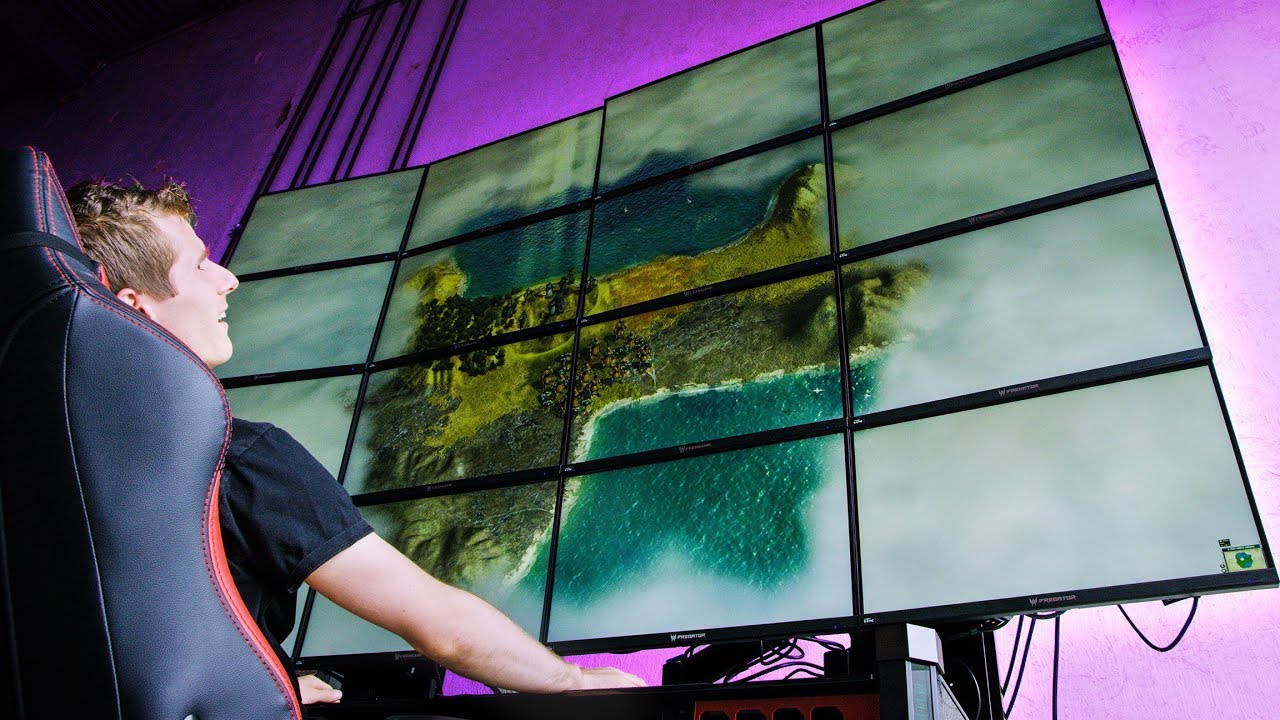
Can you really game at 16K? Will this setup crash and burn, or be the most amazing gaming experience ever?
Synergy sponsor link: Share your mouse and keyboard between multiple computers with Synergy! Save 50% here: https://symless.com/synergy/linus22
Buy Acer Predator XB1 4K
Amazon: http://geni.us/BfH85R
Newegg: http://geni.us/7FiCj5
**NOTICE...
thats how it looks like
on a wayyyyy smaller scale
but yeah
not a good experiance
just look at 1 row
to get a realistic idea
@vivid ravine
sick plume
hence look at 1 row
or 2 panels next to each other
thats what it actually looks like
from when I tried it
this was the best vid showing what I meant that I found
in the short amount of time
vivid ravine
displayport
vivid ravine
most of the ultrawide monitors i find are a VA panel
sick plume
vivid ravine
most of the ultrawide monitors i find are a VA panel
VA is best
TN is bad
IPS is great
vivid ravine
whats so good about va for ultrawides?
wouldnt ips be best?
what ultrawide would you recommend
quartz sandal
sick plume
fps is the most irritating genre to play 3 monitor splitscreen ngl
Why would you ever want to play a game on more than one monitor 🤮
sick plume
quartz sandal
Why would you ever want to play a game on more than one monitor 🤮
exactly my point
quartz sandal
vivid ravine
what ultrawide would you recommend
Depends on budget
sick plume
that cyro guy wants to play 3 monitor only for the flex
quartz sandal
Ew no
visual pilot
sick plume
VA is best
dunno bout that, everything depends on the specific panel, and generally IPS superiority :P
river edge
Pretty happy with my VA TBH
visual pilot
ya, nothing bad, but depends on the specific panel and generally IPS a bit better
river edge
I have IPS and VA side by side
 bright island
Anyone know of any vertical monitor stands that could hold an ultrawide monitor?
wild coralBOT
 [SPS] Arctic#9382 has been warned
Reason: Bad word usage
[SPS] Arctic#9382 has been kicked
Reason: Too many infractions
slate hamlet
I think VA is choice for ultrawide cuz they also curve it and curving an IPS is harder afaik
next dagger
lul
misty gyro
Decent enough reviews too. Not a bad deal. 4k is getting a lot more affordable for TVs lately.
quaint mist
yep and I'm going to get a 1440 monitor for pc
ultra gear, i saw one at Costco and it looked great
oh that's not, 1440
does anybody have a Samsung G5?
misty gyro
Isn't that a new model?

Support us on Patreon: https://www.patreon.com/hardwareunboxed
Join us on Floatplane: https://www.floatplane.com/channel/HardwareUnboxed
Buy relevant products from Amazon, Newegg and others below:
Samsung Odyssey G5 - https://geni.us/UhyDuw
Samsung Odyssey G7 - https://geni.us/Fz6ZdMB
Viotek GNV34DBE - https://geni.us/JM1AS
Xiaomi Mi Curved 34 ...
misty gyro
Newegg says "Date First Available: January 26 2021"
misty gyro
Check out the Gigabyte M27Q and G27QC for lower budget 1440 high refresh
quaint mist
misty gyro
Yeah blue light filter
quaint mist
TUF Gaming VG27AQGL1A ZAKU II EDITION looks nice
wild coralBOT
 Selimify#7253 has been warned
Reason: Bad word usage
maiden wedge
why command everyone is bad word usage
misty gyro
Because there's thousands of people on this server
maiden wedge
okay
misty gyro
Not everyone needs to see you say hi
maiden wedge
i have a question
my laptop says 144hz 300 nits display on lenovo website but when I use Displayhdrtest it says 250 nits
is lenovo scammed me ?
or the software is lying ?
misty gyro
What model laptop?
maiden wedge
L;enovo legion 5
misty gyro
Do you have the 1660 or the 1650 model?
misty gyro
Nits are only a measure of brightness and a little variance is to be expected between displays, some will have better backlights than another one, even the same model. It doesn't look like you have HDR but if you do make sure that's enabled.
maiden wedge
how to enable hdr ?
misty gyro
Software trying to measure that will inherently be inaccurate.
It'll be under the display settings when you right click the desktop,
 maiden wedge
this ?
