#old-monitors-and-tv
1 messages · Page 53 of 1
 near perch

 maiden wedge
are you sure
maiden wedge
 river edge
I swear like a sailor in real life
river edge
I swear like a sailor in real life
fun
near perch
ive caught myself a few times since my last kick, and i just joined this server today, sometimes i dont catch it until afterwards
 fading wyvern
LGs oleds are sexy and really easy to use, purchased one for my mom but they are fairly pricey... I believe someone already posted the Cx
It’s the tv I highly recommend rip
near perch

RTINGS.com
The Sceptre C325W-1920R is a budget 1080p VA 32-inch LCD monitor with mediocre picture quality and decent motion handling. It has a high native contrast ratio an...
near perch
 storm jay
Would anybody recommend this as a good monitor?
storm jay
Would anybody recommend this as a good monitor?
Not for the price
Oops wrong one
But look it up on rtings
 icy quest
Need to connect my computer to 4 TV's simultaneously and wireless... suggestions? I'm looking at TESmart HDMI Splitter 1 in 4 Out, HDMI Splitter 4K @ 60Hz Supports HDCP 2.2 and CEC function, 4-way HDMI splitter
river edge
All 4 have the same display or something different on each one?
That will work but you'll get the same picture on all 4 TV's
icy quest
Same pic on all screens. Can I do it wireless?
icy quest
FYI... it's the weight room at our high school so running wires is really gonna be rough.
river edge
Yeah, MIracast only lets you do one display. Checking on other options.
How many feet do you need to transmit?
icy quest
the room is around 30'x40' with 1 TV in each corner.
river edge
I found some things from EZ Cast that will work for 4 wireless displays. Base station is $300 and each dongle is $50. However, it uses the Miracast protocol which means streaming things like Netflix, etc, won't work but your own content will. It's spendy tho.
icy quest
THANK YOU!
river edge
YW
 mossy tendon
displayport to HDMI you mean?
yeah those exist
easy to find too
just look one up on amazon
near perch
Yeah you can get a cheap little adapter for a couple of bucks that plugs into the back of your computer or other things
river edge
$10 on amazon for a cable
 finite leaf
Poggers
 wild coralBOT
 LBW.Triplehyperツ#1162 has been warned
Reason: Bad word usage
 visual pilot
yes
 tropic musk
My specs is r9 280x and i7 3770
I havd a problem that every time my fps drop below 100 will feel so chobby more like 30 fps not 100
And its on every game i play not only a one specific game
visual pilot
Set up OSD with afterburner and rtss and check frametime chart
https://linustechtips.com/topic/977649-guide-how-to-setup-msi-afterburner-on-screen-display-using-rtss/
Linus Tech Tips
A fair few people have asked me how to setup MSI Afterburner On Screen Display (OSD). I checked this subforum and to my surprise there was no guide on how to do it. So I figured Id make a guide for everybody out there struggling. 1. Downloading and Installing You will need to download a few thing...
tropic musk
Ok let me try it out
tropic musk
I still have the problem
visual pilot
@tropic musk that wasn't meant to solve the issue, that was meant to find the issue :p
So, how does the frametime charts look?
tropic musk
Let me check
 warped night
So... I'd like to figure out a good replacement for my VG248QE.
Requirements: IPS, 1080p, G-Sync Compatible, At least 144hz.
I don't want the colors to be ass, but if a VA panel has as good colors compared to an IPS panel, then suggest it sure!
 dusty shale
budget?
warped night
Not stupidly expensive (No 500 dollar monitors.) I'd like to stay below 250.
dusty shale
xg2405
dusty shale
about?
dusty shale
its 190
warped night
🤔
river edge
Listen, just listen and don't interrupt
We're gonna take you on a monitor journey you didn't know you could have
warped night
Oh, only on B&H
dusty shale
24g2
warped night
It's a nice monitor for damn sure. But, being backordered that far is not really fun.
Well.... Maybe being backordered isn't a bad thing...
Because holy mother of why is the AOC 24G2 240 USD?
I used to see that thing for like, 160
How's the MSI Optix G241?
dusty shale
idk, i recommended you two monitors though.
warped night
It's the same price as the Viewsonic, but it's actually in-stock
Yes, you recommended me a monitor that seems to be constantly out of stock, and a monitor that used to cost half it's current price.
tropic musk
@visual pilot it is 93 gpu usage
63 cpu usage the temp is good 60 for both
visual pilot
What we're looking for is the frametime graph
mossy tendon
Dm it to me and I'll send it here
holy crap
large image

34 whole megs
what kinda camera is this?
16k, 21:9 or something?
tropic musk
What
tropic musk
Ye
mossy tendon
what camera do you have?
tropic musk
My phone cam
mossy tendon
what phone I mean
tropic musk
Honor
tropic musk
10 lite or smth not sure
warped night
34MB photos are miniscule compared to what my DLSR can chooch out.
 desert fable
my friend needs a 1440 240. i have the g7 but told him to find something cheaper
dusty shale
I would recommend it.
 loud patrol
yea i rly like its features esp its body 
 nocturne hull
desert fable
my friend needs a 1440 240. i have the g7 but told him to find something cheape...
nocturne hull
desert fable
my friend needs a 1440 240. i have the g7 but told him to find something cheape...
Acer Nitro 1440p 240hz is available for 679$, really the only option cheaper.
nocturne hull
nocturne hull
Acer Nitro 1440p 240hz is available for 679$, really the only option cheaper.
I literally just ordered the G7 32 ... kinda like, did I make right choice ugh lol
Never had a curved screen so, was stuck on it or AW2721 or the Acer Nitro XV272U
Newegg's sale and promo coupon basically made the decision, is the ignorant faker edition but whatever. :/
nocturne hull
You got it how your experience so far
I’m really amped but kinda sick to my stomach lol last time I ordered a asus vg27aq had dead pixels after 5 hrs of use was a nightmare then everything was out of stock
Took month to get a diff monitor heh
nocturne hull
desert fable
exactly why i got mine
Was also curious if this faker edition has the firmware updates if you have it or anyone else heh
desert fable
its been really good
i had flickering at first till i updated it
but after that its been perfect
only thing is that the curve is a bit much when to close or to far
but like 2 and a half feet to 3 is perfect
nocturne hull
Yeah I’ve heard it has to be in a sweet spot
My desk is one of the super deep 55 inch ikea linnmon so I should be golden not gonna try to use an vesa for now
desert fable
even with my desk it isnt that bad
nocturne hull
It’s really nice to have the space makes those large boutique mousepads look small
Cheap too 🙂
desert fable
lol i have one and it takes up like half my desk lol
nocturne hull
Yeah I was that way until I got this and I was like uuuh my 8008 looks tiny now
And my ducky mini is like wtf am I doing here tiny looking lol
You have any appreciable dark smearing etc really
desert fable
no not really
nocturne hull
Some reviews mentioned it but it honestly sounds like they have a setting or setup issue
desert fable
yeah
nocturne hull
Like monitor or gfx settings wrong
desert fable
have never noticed it
nocturne hull
It really should be like you can find it be nearly imperceptible at those speeds
desert fable
yep
nocturne hull
desert fable
yep
If you don’t mind what card you have driving it?
desert fable
nocturne hull
If you don’t mind what card you have driving it?
3070
but im so glad i got this
i was going to get a 144hz then saw the g7 on sale so i got it
nocturne hull
desert fable
but im so glad i got this
Most def, got a 2080 s haven’t managed to get one of the unobtainium cards at this point I’m ready to skip to the next Gen
nocturne hull
nocturne hull
Most def, got a 2080 s haven’t managed to get one of the unobtainium cards at th...
Is funny was original plan to get 2080 ti but thought nah I’ll wait for 30’ and build another pc with a 3080, that didn’t pan out clearly 😛
Had couple chances to get 3070 but never model I wanted and kinda feels weird side grade to the 2080 s, epic card for price tho
nocturne hull
desert fable
yeah
Lighting still rgb despite the t1 branding right
Likely off but eh
desert fable
yeah
 unreal portal
What’s a good 1080p 144hz monitor
Which if these three should i get; i was looking at the pixio one but idk
 dusty shale
unreal portal
What’s a good 1080p 144hz monitor
dusty shale
unreal portal
What’s a good 1080p 144hz monitor
xg2405 and the 24g2
but if it has to be of the above, then the vg24vq
unreal portal
ok
 fallow bone
Anyone have a good recommendation for a 1440p gaming monitor? (3060ti , 5600x, fps gaming oriented)
dusty shale
yes
fallow bone
ill consider that thanks!
fallow bone
how much more fps would i get with 1080p vs 1440p (approx)?
dusty shale
varies too much by game, but for one example, RDR2 High gets 93FPS in 1440p, and 113fps in 1080p
look here for more information https://youtu.be/t9H2PfYDFok
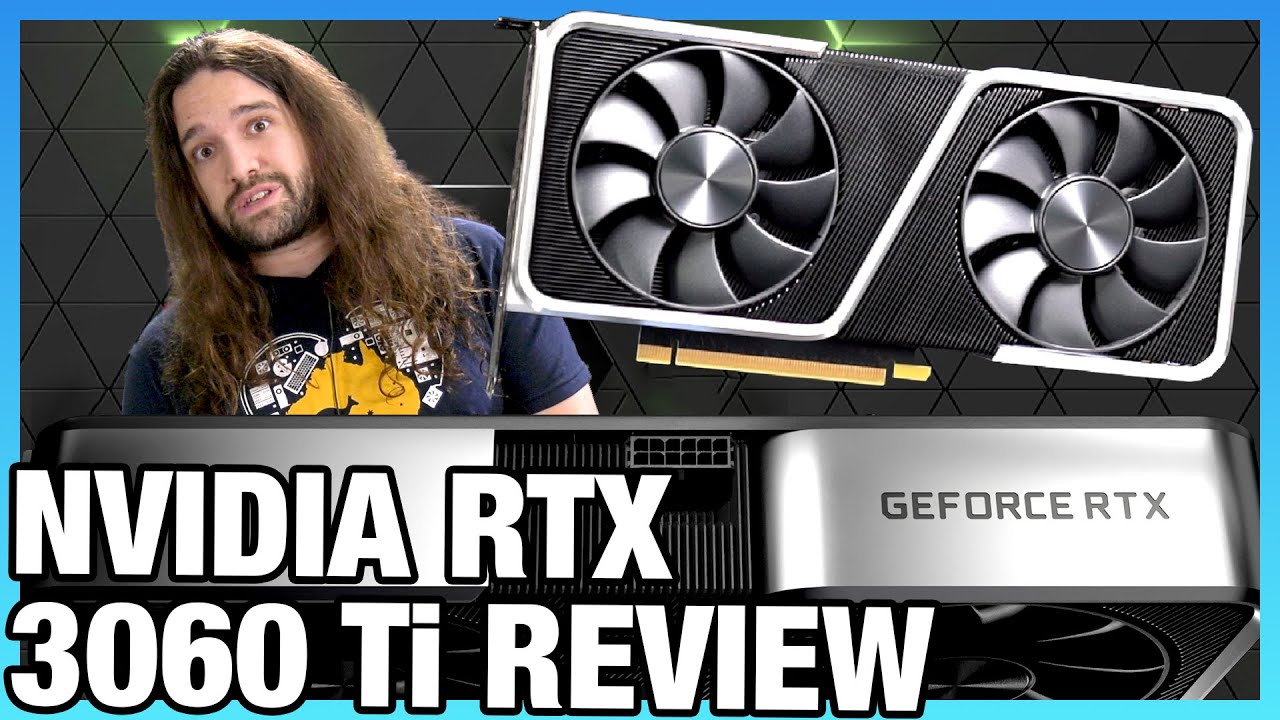
Our review of the NVIDIA RTX 3060 Ti Founders Edition video card comes out after the AMD RX 6800, 6800 XT, and NVIDIA RTX 3070 (among others). Gaming benchmarks, noise, power, & more.
Sponsor: Buy Thermal Grizzly Conductonaut on Amazon (https://geni.us/1D8Eeq) or Hydronaut paste (https://geni.us/Fsray)
GN is working with Eden Reforestation Proj...
fallow bone
true
thanks for the help
building my first pc ever so these might be really stupid questions
im currently deciding between the Gigabyte m27q and the viewsonic vx27582
fallow bone
dusty shale
VX2758-2KP-MHD?
yeah so Ive heard
which one do you think is better?
The gigabyte is at 310 rn
dusty shale
i would go m27q
 rancid vessel
I would assume so
 lusty zodiac
Hey there, I was looking into getting a 3 monitor setup, but I have no idea where to start. I mainly just want to use the other ones for idle things like discord, or twitch chat and so on. What should I get?
also if possible a Vesa/wall mount would be nice
visual pilot
Well, main monitor plus 2 other random monitors just for screen real estate, or do you have specific needs for the other monitors, for example, one monitor needs to be color accurate for editing work, another needs to be able to pivot for discord, another needs to be a certain size, etc?
@lusty zodiac and what GPU do you have?
lusty zodiac
1060
visual pilot
Hm, gonna have to be all 1080p panels then
lusty zodiac
visual pilot
Well, main monitor plus 2 other random monitors just for screen real estate, or ...
Well no not really, mainly just for screen real estate as you said. I would definintely like a pivotable monitor, but that is just preferece. If you couldnt find one I wouldnt be mad if you understand.
visual pilot
Fair, and do you already have a main monitor?
lusty zodiac
I do
visual pilot
Also, how much space do you have on your desk? Since if you could fit them all fine, there's no need to spend like an extra hundred dollars on a triple monitor mount
lusty zodiac
I think I could fit them all fine, im looking at it now, if you would like I can give you specific measurements?
visual pilot
Well, I wouldn't be sure of the measurements on how each monitor would sit, so if possible, can you just eyeball it and see if you'd be able to fit another two 24in monitors on?
lusty zodiac
sure thing, I'll brb
river edge
I measured my monitors. 3x24" monitors would take up roughly 5 and a half feet of width
60+ inches
lusty zodiac
visual pilot
Well, I wouldn't be sure of the measurements on how each monitor would sit, so i...
Yes, but it would certainly be tight. The edges of it would just barely be sticking off the edge of the desk, but im sure with a bit of work I could make it fit
visual pilot
If you're fine with refurbished, this should work,
https://www.newegg.com/dell-p2414h-23-8-full-hd/p/N82E16824260733
If looks aren't a concern, this
https://www.newegg.com/samsung-s22e450d-21-5-full-hd/p/N82E16824022315
Decent in-between option also for consideration,
https://www.newegg.com/black-acer-kg221q-abmix-um-wx1aa-a01-22/p/N82E16824011365
lusty zodiac
I looked around and found this, would this be a viable option?
https://pcpartpicker.com/product/NKsnTW/asus-tuf-gaming-vg24vq-236-1920x1080-144-hz-monitor-90lm0570-b011b0
visual pilot
@river edge well, that'd also depend on how each monitor's stands are width wise
(On the monitors fitting on the desk, since I assume the issue would be having the stands all fit, not just having either room on each side of the desk)
@lusty zodiac it's practically twice the price of every option I listed, and I didn't go for 144hz since second monitors don't usually have any use for higher refresh rates, but if you want to, you could
lusty zodiac
I wouldnt want to spend too much on something im not going to use
lusty zodiac
visual pilot
<@632935887981772830> it's practically twice the price of every option I listed,...
Yeah good thing i asked 😅
ill take a look at the ones you send
Tyvm! I'll have to look a little bit closer, but I think thats gonna be the one! I appreciate it!
visual pilot
:)
 regal rover
so like i have friend on a tight budget hes got less the 75 dollars to spend on a monitor
any sugestion?
regal rover
not help full
river edge
What you mean?
 misty gyro
Yeah there's some decent sized monitors at my local goodwill furniture store
river edge
They often have nice stuff for cheap
regal rover
i know
misty gyro
You won't find new at that price, at least not anything bigger than a laptop screen at 720p
regal rover
k
river edge
misty gyro
22 inch refurbished, sounds about right
river edge
best I found at that price point
maiden wedge
Is there a good curved monitor at a decent price
fading wyvern
maiden wedge
Is there a good curved monitor at a decent price
What kinda budget are we talking about
maiden wedge
fading wyvern
What kinda budget are we talking about
100-200
fading wyvern
Maybe 200s for a decent 1080p display but you won’t have many choices
I take that back looks like there’s plenty of options at 170-200$
warped night
Why do you specifically need a Curved display?
maiden wedge
Gaming
warped night
...
At 24" you will see literally no difference between a curved display and a flat display.
You'd have to jump to something like a Odyssey G7 or G9 before a curvature to the display makes any appreciable difference.
Excellent 1080p Gaming monitor, has basically all the bells and whistles you could need.
maiden wedge
thanks
warped night
1080p, 144hz, Freesync with G-Sync compatibility, and good colors because IPS
Sadly there's no HDMI 2.1, but that's a relatively new feature.
fading wyvern
 warped night
Is it even IPS?
fading wyvern
Nah
warped night
Is it at least VA?
Ok, it's at least a VA panel.
It wouldn't be utterly terrible I guess.
fading wyvern
Yup just under 200$ though so it’s pushing the budget
 turbid kayak
what would be nice 144hz monitors that arent curved
 wary wave
my recommendation @turbid kayak is the m27q
though its 1440p 165hz, if you want 1080p then theres the g27q
wait hol up
no
turbid kayak
1080p is fine as long as its like 1ms
i just dont know which to get since theres just so many lol
wary wave
g27f is the 1080p 144hz. g27q is 1440p 144hz
visual pilot
@turbid kayak msi g241 at 190$
turbid kayak
okay
loud patrol
damn
the g241 here is at 255

xg2405 is the cheapest 144hz 24" monitor
with the exception of tn panels
dusty shale
the xg2405 is a great monitor
 spring sequoia
Ok this is weird
I have seen an influx of acer predator xb3 monitors on the used market recently selling for 400-500$
Great 4k 144hz monitors especially for the money
But strange.... all mostly console players (hah)
 dim sequoia
How can I hook up both monitors to my pc? Only has on hdmi port.
 steel ridge
Your GPU only has one connection?
dim sequoia
Yes in the back
warped night
dim sequoia
How can I hook up both monitors to my pc? Only has on hdmi port.
Is your PC a laptop? Most computers have more than just 1 Display Output...
steel ridge
Oh then just get an adapter?
warped night
DisplayPort > HDMI for most PC related things.
dim sequoia
That's what I thought. Thank you
I'll have to get the adapter cause the monitor I have only has hdmi
warped night
Until HDMI 2.1 becomes ubiquitous, DisplayPort is still king
dim sequoia
Sounds good thanks again
 candid salmon
Thinking of getting the Samsung Odyssey G5 34 inch for my new main monitor and kinda wanna go from my vertical/landscape setup to a stacked setup. Would it make sense to have a curved monitor on top of the G5 or should I just use a flat monitor
dusty shale
thats personal preference, but it would probably look better if they were both curved. make sure it has the same curvature so they dont misalign.
candid salmon
dusty shale
thats personal preference, but it would probably look better if they were both c...
For sure, thank you for the response
candid salmon
I’m so indecisive lol
ISO Monitor with:
144Hz
1080p or 1440p Doesn’t Matter
Curved
Ultrawide Preferably
Minimal Ghosting/Blur
willing to hear out any price range, i’m just not the best when it comes to hunting for displays
mossy tendon
why do you need ultrawide first
candid salmon
I suppose it’s not the most necessary, it kind of goes with the aesthetic I want and id love to experience gaming on one
I’m willing to look at other options as well, trying to keep an open mind
fading wyvern
So I'm not exactly sure what your setup is suppose to look like but i gotta say, playing on a nice ultra wide is pretty great. I get the opportunity to mess around with my brothers setup and his 34GN850-B from LG... if this is purely for gaming id say go for a ultrawide as long as you can run it.
candid salmon
this is essentially what i want to move towards
 mossy tendon
ultrawides are good for very few games
please note that
youd be better off with a curved monitor and two flat monitors next to it with another same-size curved monitor atop
fading wyvern
mossy tendon
ultrawides are good for very few games
strong disagree
great for immersion
mossy tendon
FPS games suffer
most dont support ultrawide, thats why
if you want immersion, go 3D mode in SteamVR
fading wyvern
which games we talking.
misty gyro
I'd love that setup for something like project cars though
fading wyvern
most of the major fps games support ultrawides
mossy tendon
Ultrawides are good for car games and thats it
fading wyvern
OOF never playe don a ultrawide before D:
mossy tendon
hm?
misty gyro
Or flight sim 
mossy tendon
flight sim good for VR
misty gyro
I can't do VR, I have no depth perception
mossy tendon
unluck
candid salmon
I play a vast selection of games mostly within FPS genre
 misty gyro
Right. My left eye is nearsighted and my right is farsighted. I get a lot of headaches...
fading wyvern
every single time ive playing doom or cod on tht ultrawide ive had a great time js...
fading wyvern
candid salmon
I play a vast selection of games mostly within FPS genre
Don’t have any other pics as proof other then this one lmao
 candid salmon
a friend of mine has one as well and he really likes it
fading wyvern
older titles might not have the best support for it i guess? but ive had a excellent experience
candid salmon
looking forward to changing it up a bit i currently have the ASUS TUF VG24VQ and its solid but im not a huge fan of the ELMB on my eyes
misty gyro
Games are getting better at doing weird resolutions without too much stretching, but older games expect 16:9 or maybe 18:9, not 36:9 like an ultrawide
fading wyvern
ah tarkov would be a problem child with tht monitor tbh
would throw off the ads pretty hard
nocturne hull
candid salmon
looking forward to changing it up a bit i currently have the ASUS TUF VG24VQ and...
i went through 4 vg27aq's with dead pixels or subpixels before i gave up :/
dusty shale
misty gyro
Games are getting better at doing weird resolutions without too much stretching,...
32:9 is super ultra wide.
candid salmon
nocturne hull
i went through 4 vg27aq's with dead pixels or subpixels before i gave up :/
Yeah it wasn’t everything but was cracked up to be imo, but can’t complain too much with its price I suppose
I ended up deciding on the Acer Predator XB273, really looking forward to the “butter smooth” experience for a considerably good price
 fleet spade
what 1080p monitor should I buy in the ~$200 range? I was thinking of buying the g241 but I don't know of others that might compare to it or have better features
dusty shale
xg2405 or 24g2
fleet spade
ight thx
 echo pier
Hey is there anyway I can get a 120 or 144hz monitor for less than $180?
mossy tendon
maybe - big maybe - a small, low quality 1080p one
fleet spade
echo pier
Hey is there anyway I can get a 120 or 144hz monitor for less than $180?
not 1440p but some 1080p144hz monitors are at that price range
mossy tendon
also note that 120hz and 144hz panels cost the same to make and are usually the same price
fleet spade
what sara said
wary wave
pretty sure pixio has quite a few monitors under or at $200 with 144hz displays with either va or ips panels but you lose out on a lot of other features
they also seems to be having a sale rn
 trail sparrow
 vocal frigate
Is it worth the extra $300 to get a 240hz 1440p over 240hz 1080p?
vocal frigate
My situation is, I have 2x 240hz 1080p monitors, and I'm wondering if it's worth it to get a 1440p 240hz.
I love having 240hz its incredibly smooth, I honestly don't know how much better 1440p looks than 1080p
mossy tendon
a lot better imo
fading wyvern
looks great feels great
mossy tendon
consumes significantly more processing power tho
river edge
You need some serious GPU HP to push 240HZ at 1440p
vocal frigate
Lol especially 3 240hz
That's what 3090s are for lol. And why I have one
Thx for feedback!
 hollow gust
@river edge what gpu would you need?
dusty shale
3080/3090
hollow gust
Strix 3070 wouldn’t do?
river edge
1440p 240hz?
maybe esports titles
Def not with everything turned up. Mine runs 165hz panel at 1440p and it does decent
With the pretties on
 wary wave
in cp i still have everything ultra 
maybe not rtx all the way cranked up but at least on med if i want to take some pics
 quartz sandal
mossy tendon
I only play ultra settings, except in Cyberpunk
quartz sandal
mossy tendon
I only play ultra settings, except in Cyberpunk
`no need to flex :/
quartz sandal
def a flex 😢
mossy tendon
even if I'm only getting 30 FPS I play ultra
the one exception is Cyberpunk because I get 30 FPS on all medium settings
quartz sandal
i play esports games so i could never
misty gyro
Cyberpunk is just one big exception tbh
It was even released on an exception waiver, promising to fix all the console crashes that they didn't fix
quartz sandal
mossy tendon
but at ultra settings
eww no unplayable
fleet spade
it's because everyone rushed the release smh
misty gyro
No they delayed the release by 2 years and still couldn't put out a finished, working product
fleet spade
exactly bruh
i'd rather wait more and have a working game than wait less and have a poo game with glitches
misty gyro
It was too ambitious for that studio, they just couldn't make the deadlines and were bleeding green
fleet spade
: (
maiden wedge
whats a good 144hz monitor for 160 or under?
visual pilot
I would rather have a G241 at 180$ but meh, this can work
https://www.amazon.com/dp/B07TYSMMVX
dusty shale
VX2458-MHD
 rich comet
fading wyvern
rich comet
fading wyvern
Seems pretty good but for only 100$ more you can grab a https://twitter.com/NeweggHotDeals/status/1370132584588578823

.@Samsung Odyssey G5 C34G55T 34" WQHD 3440 x 1440 (2K) 1ms (MPRT) 165Hz HDR10, Curved Gaming Monitor $499.99 w/ Promo Code: 3BDMDSL97 https://t.co/AYN9wIL9ua

 Twitter
·
misty gyro
Twitter
·
misty gyro
Odyssey is one of the best lines of monitor, that's a good sale for a 1440p@165
 jade ether
I just got a 240hz LG Ultragear monitor, and im wondering what I should do to set it up? Should I use the G-Sync/Freesync option, or have it off? Should I have the response time on fast, or faster? ETC.
misty gyro
G-Sync on, in game vsync off. Response time is one thing you'll just have to play around with and see if it makes a difference for you.
Make sure your resolution and refresh rate is selected correctly. A lot of the time it'll default to 60Hz.
 rustic basin
response should be fast, otherwise there’s anti-ghosting
jade ether
I saw that on ltt
rustic basin
jade ether
Freesync works with nvidia right?
nvidias’ caled g-sync
jade ether
but does the Freesync work with nvidia?
jade ether
because it says gsync on my monitor but in the options its called freesync
jade ether
so maybe its just compatible
misty gyro
Freesync will work on nvidia, you just have to check the box in nvidia control panel
misty gyro
Even if it's not "officially" supported
rustic basin
^
river edge
@leaden zodiac ask in here
 leaden zodiac
anyone have a good recommendation for a good monitor?
fading wyvern
leaden zodiac
anyone have a good recommendation for a good monitor?
any type of budget?
+what are you going to be doing with it
leaden zodiac
200$
dusty shale
leaden zodiac
200$
what are you using the monitor for? if gaming the xg2405 or the 24g2 are good options.
leaden zodiac
streaming and gaming
dusty shale
then those above should be good.
 errant gate
I need helping switching my background when I switch it it shows it for a second and goes back to my old background
misty gyro
Right click desktop, refresh
If that doesn't work, restart
errant gate
Thanks g
 warm ginkgo
just $100 more for that extra HDMI port?
spring sequoia
The specs look almost exactly the same
I am pretty sure that display might have rgb so maybe that?
warm ginkgo
just checked amazon
B has QHD Nano IPS, while A-B is QHD IPS
is Nano worth it?
what is nano's function?
hmmm, good point
aight thanks man. Believe it or not, this was very informative and very useful to me.
maiden wedge
anyone know any good monitors
visual pilot
What budget, what use case?
maiden wedge
don’t 200 or 300 cad gaming/work
visual pilot
Upgrade your gaming setup with the powerful Acer Nitro 23.8" gaming monitor. The full HD LED monitor comes with a 1920 x 1080 resolution to produce incredible detail for an optimal gaming experience. You also get to enjoy widescreen cinematic playback for improved gameplay.
@maiden wedge that should be good
maiden wedge
visual pilot
https://www.bestbuy.ca/en-ca/product/acer-nitro-23-8-fhd-165hz-2ms-gtg-ips-led-f...
Thanks
 lapis panther
anybody know of a good computer switcher that works for two monitors and not just one?
visual pilot
Most kvm switches should work with multiple monitors
lapis panther
maybe I'm just looking in the wrong dang place then, because the only ones I can seem to find specify they're for a singular monitor 😅
nocturne hull
Check this out on @Newegg: TESmart KVM Switch 4 Port DisplayPort 4K@60Hz 4:4:4 Ultra HD | DP KVM Switch with Extra USB 2.0 Port Supports Auto Scan&IR Remote Control Includes 2 pcs of 1.5 m KVM Cables-Matte Black
I’ve seen cheaper options but yeah and there’s also hdmi ones
My question is how common is it to rotate displays through rma with high end gaming monitors to find a good one with no issues
river edge
I think they want to switch dual monitors, that only does one output
river edge
nocturne hull
My question is how common is it to rotate displays through rma with high end gam...
Not common
nocturne hull
It allows switching to the different displays
vocal frigate
Is it worth the extra $100 to get the 32 inch odyssey g7 over the 27in
nocturne hull
I just rma’d a 32 and have another one coming
Next to my 27 inch ips yeah definitely with the curve would feel small IMO
vocal frigate
So, get the 27 or the 32?
nocturne hull
And as well really enjoyed the extra size and didn’t have issues with ppi if cost is no issue the 32
river edge
nocturne hull
It allows switching to the different displays
Right but they need to output to 2 displays, not one
vocal frigate
nocturne hull
And as well really enjoyed the extra size and didn’t have issues with ppi if cos...
Gotcha, thx!
Is the odyssey g7 series a good way to go for 240hz 1440p?
nocturne hull
Mine had scan line issues and a dead subpixel it was like the substrate was misaligned
Only other options are realistically 27 inch ips or the g9. To me getting another 27 ips felt like a side grade compared to getting 32 inches for 700$ the other 240 are 769$ for the Alienware the acer is 680 so yeah
If you can enjoy the curve it sits in a spot alone basically
There is also the gigabyte fi27q-x another 27 inch ips releasing tomorrow that’s a 240hz for 699$
vocal frigate
Yea I was looking at Alienware, but seems kinda overpriced
nocturne hull
It’s a g sync ultimate one so that is meh
To me the extra size and contrast ratio seems a better improvement
For the g7
vocal frigate
I heard that the odyssey series is like THE best, since Samsung makes all the panels already
On Newegg they are having a $100 off on the Faker edition 27in, and $100 off the 32in
Which looks REALLY good
nocturne hull
Yeah it’s really really curved
So be aware once you get used to it looking at a flat screen they look convex at first
Like they are fat in the middle
vocal frigate
I have two 1080p 240hz 27in msi monitors rn
nocturne hull
It’s as fast as those with much better color and contrast
vocal frigate
So I was thinking of just going with 27in to keep it symmetrical
Yea! I really want a monitor above 1080p lol
nocturne hull
32 1440p is comparable to a 24 1080p
vocal frigate
So, for my setup with the other two, do u think 27 or 32 in
nocturne hull
If you have those to either side of yo neck gonna hurt
I’m mounting my 27 above the 32
To me if I wanted 27 inches I don’t think the curve would be worth it and I’d rather go for the new gigabyte 240hz
It feels like the 27 is there for a price carrot but if your already spending that much for a 27 a flat one is likely the better choice
 warm osprey
guys im ashamed to ask this question but Gigabyte M27Q 27" is an kvm monitor is it okay to use it as a normal monitor
i mean for 1 pc
loud patrol
M27q poggers
Just get it if ur system can handle 1440p 144+fps on the games you play
M27q pog monitor
unreal portal
There is also Samsung one
Lemme find it hold up
SAMSUNG G5 Odyssey C27G55T 27" WQHD 2560 x 1440 (2K) 1 ms (MPRT) 144 Hz HDMI
visual pilot
Curved ain't nothin compared to M27q's superior panel
Not just that slightly higher refresh rate
Really nice response time
0 overshoot
unreal portal
Oh
dusty shale
8bit+FRC according to rting
visual pilot
Might be, all I remember is that rtings counted it as 10 bit
And ofc pre-calibration color accuracy is godly on m27q
visual pilot
 dusty shale
it usually only takes 10 minutes if you have the right tools
visual pilot
They count 8 bit with dithering as 10 bit as long as it looks nice
@dusty shale tools too hard
Expensive iirc
dusty shale
^ yeah, usually 150+
visual pilot
Anyways M27q pre calibration color accuracy op
unreal portal
People who spend 2000 on a pc and then forget monitor price
mossy tendon
kekw
unreal portal
Not sure if this is smart, but I choose my monitor first and then find the parts that will use it to its full potential
dusty shale
i would recommend doing it the other way
unreal portal
Hm
vocal frigate
What's better, 27in or 32in samsung odyssey g7
dusty shale
27" because of pixel density, otherwise they are the exact same
warped night
Yeah, if you are getting a G7, just get the 27" one. The pixel density will be better.
 exotic rain
What monitpr should I get?LCD OR LED
mossy tendon
you mean LED
visual pilot
isn't that mainly a TV thing? thought majority of panels are lcd
dusty shale
LEDs are more energy efficient than LCD panels, but you should buy based off of model not one specific part.
dusty shale
xg2405 or 24g2
mossy tendon
what GPU first
mossy tendon
oh I dont know a good monitor lol
was just asking because it may be more worth it to get a 1440p monitor
exotic rain
dam
 visual pilot
Why does it think I'm in belgium and why can't I scroll down on the list...

Oh well
Might've been thinking of 24g1, lemme see
Ah 24g2 is ips
exotic rain
soooooooooooo
dusty shale
i would say xg2405
visual pilot
I still say g241, all about the same
exotic rain
mhmhmh
 slow bronze
dusty shale
slow bronze
dusty shale
i would recommend the xg2405 or the 24g2
some others might recommend the G241 @slow bronze
 halcyon marlin
Hello, I am looking for advice, I ordered a ASUS TUF Gaming VG289Q1A from Newegg and they sent me a ASUS TUF Gaming VG27AQL1A The monitor I originally ordered is out of stock. ......I do some gaming, but I usually just use it for work as a SysAdmin, I do some photo and video editing. ......I hate dither, it gives me a headache. .....Thoughts? What monitor should I get?
 open arch
visual pilot
open arch
visual pilot
@halcyon marlin Well, VG27AQL1A isn't too bad, is there any issues you have with it? I assume you're going to return it for a new one, and the budget would be the refund you'd get?
 pallid patrol
Anyone know of a decent 21:9 1440p 144hz ips monitor for less than $550
 tame seal
Does anyone know where I can get a replacement screen for a HP 24-xa0125st. I damaged the screen.
river edge
tame seal
Does anyone know where I can get a replacement screen for a HP 24-xa0125st. I da...
Do you have the part number off the screen?
That would be more helpful to find a replacement
river edge
tame seal
Does anyone know where I can get a replacement screen for a HP 24-xa0125st. I da...
most parts houses need the screen part number, should be on a label on the screen itself @tame seal
visual pilot
 rustic gazelle
does anyone here have bought this monitor??? what is your opinion about it???
https://www.newegg.com/p/N82E16824012032?IsFeedbackTab=true&Item=N82E16824012032#scrollFullInfo
dusty shale
rustic gazelle
does anyone here have bought this monitor??? what is your opinion about it???
...
I can guarantee you that nobody here has bought this monitor, but it does perform well, and is priced about right for the specs.
rustic gazelle
dusty shale
I can guarantee you that nobody here has bought this monitor, but it does perfor...
mmm.... interesting... well thanks for your answer!\
pallid patrol
visual pilot
<@337269948399353856>
https://www.newegg.com/black-acer-nitro-xv340ck-pbmiipphz...
Do you know any curved models?
visual pilot
not going to happen at the price
 hushed bridge
hello looking for a recommended monitor budget $450 and below also 240hz 1ms
hushed bridge
1080p
mossy tendon
well ^
hushed bridge
thanks
mossy tendon
not going to look great but 240hz and more to see
easier to see I mean
bigger physical screen
loud patrol
owh ok
 sterile crane
is it worth it to upgrade a 8 month old 21.5 1080p 75hz monitor to a 27 inch 144hz 1080p monitor rn?
dusty shale
if playing games that want a high refresh panel it is worth it, but i would recommend 24" with 1080p
sterile crane
i got agood deal on a curved ips 27 inch monitor so yeah i think that will be a helper
dusty shale
what panel and price?
dusty shale
by panel i mean model
nocturne hull
So... 2 panels now I can see the bottom edge of my ask bar at the top edge of my screen
Just a sliver....
And it's inverted, pink is green, etc.
dusty shale
try reseating your cables, and try swapping to different cables or ports
nocturne hull
Hmm yeah will take a lot of work to try this other cable so guess I'll try it tomorrow.
If I could stop staring at it now that I know it's there probably wouldn't be an issue 😛
nocturne hull
That's about what I'd expect for a VA 1440p price wise.
So yeah, not a bad deal. For about 300-330$ you can get an IPS screen, VA runs a little bit below that.
 fickle fulcrum
So I'm running a 5950X and a 3090, both overclocked, anyone got some good 1440p or 4k display recommendations?
maiden wedge
fickle fulcrum
So I'm running a 5950X and a 3090, both overclocked, anyone got some good 1440p ...
JESUS HOW MUCH MONEY-
i mean hook it up to like an 8k 120hz tv and that should be good for it ig
fickle fulcrum
Yeah, I dont have $2000 to spend on a tv
I'd rather just use the type of monitors I posted
dusty shale
fickle fulcrum
So I'm running a 5950X and a 3090, both overclocked, anyone got some good 1440p ...
what is your budget? and what features do you want in the monitor?
fickle fulcrum
dusty shale
what is your budget? and what features do you want in the monitor?
No budget. I just want a color accurate low latency gaming monitor. Preferable for a good duo monitor setup.
dusty shale
the 27gn950 or 27gp950 when it releases, and i would recommend the Samsung G7 for 1440
fickle fulcrum
Thanks.
fickle fulcrum
dusty shale
the 27gn950 or 27gp950 when it releases, and i would recommend the Samsung G7 fo...
Whats your opinions the new Acer 4k 2.1 monitors?
dusty shale
Predator XB32 and Nitro XV28 are the ones i know of, and they don't appear to have great price to performance compared to the 27gn950 @fickle fulcrum
 slate hamlet
help me pick out a 4k hdr monitor under $600
preferablly 27" but 32" and below is fine, but the main thing is I want something actually hdr, where a lot say they are but are 350 nits
mossy tendon
fickle fulcrum
Whats your opinions the new Acer 4k 2.1 monitors?
note that anything below 4k would be wasted on your setup
 stark blaze
is v
Dell S2421HGF 24inch FHD TN, Anti-Glare Gaming Monitor - 1ms Response time, 1080p 144Hz, LED edgelight System, AMD FreeSync Premium, VESA, Gray
good
loud patrol
tn bad
warped night
stark blaze
Dell S2421HGF 24inch FHD TN, Anti-Glare Gaming Monitor - 1ms Response time, 1080...
No. It's a TN Panel, TN Panels are bad when VA and IPS panels are so cheap.
 rustic jetty
Looking for a 4k 144hz 1ms under 700 can anyone help me?
rustic jetty
This is the only one I have found. https://www.amazon.com/Acer-XB273K-Gpbmiipprzx-Compatible-DisplayHDR/dp/B07X5MWMDG/ref=sr_1_1?dchild=1&keywords=monitor&qid=1616078672&refinements=p_n_feature_fifteen_browse-bin%3A17751804011%2Cp_n_feature_eleven_browse-bin%3A17726576011&rnid=17726572011&s=pc&sr=1-1
for 629
warped night
Yeah, and you are getting what you pay for if you get that.
rustic jetty
explain a bit?
warped night
Buy a Cheap Monitor, Get a Cheap Experience.
Why do you even want 144hz 4K?
You got a 3090?
loud patrol
6900xt iirc
rustic jetty
Just got a new graphics in the shuffle 6900 XT.
warped night
Ok, you might be able to eek out 144hz 4K
rustic jetty
Don't wanna run 1080p with it
warped night
You'd probably be more comfortable with 144hz or 165hz 1440p
rustic jetty
hmmm okay, any recommendations?
loud patrol
m27q
warped night
https://prnt.sc/10p5p6a Those are your 144hz 4K options

By the way
For 144hz 1440p, your options open up a lot.
Odyssey G7 is basically the king of 1440p monitors right now.
And it fits in your original 700 dollar budget
 dusk basin
odyssey g9
warped night
Odyssey G9 is a LOT more expensive, and is also Ultrawide
dusk basin
is a pretty cheap monitor 
warped night
Ultrawide gets into funky stuff like some games just not supporting Ultrawide
dusk basin
yeah better of off with double g7
rustic jetty
Could
dusty shale
warped night
4K 144hz under 1 grand? That's a pipe dream and a half.
have you heard of the 27gn950?
fickle fulcrum
mossy tendon
note that anything below 4k would be wasted on your setup
I'm fully aware, I just want something comfortable on the eyes, so not a TV and I really liked the 27gp950 suggestion
dusty shale
rustic jetty
This is the only one I have found. https://www.amazon.com/Acer-XB273K-Gpbmiipprz...
as they are saying if you get a cheaper panel it wont perform as well as the more expensive ones, but that is true for everything. If you cant jump to the $800 price tag for the 27gn950, that is a solid substitute. check out reviews to see if any of the bad portions of the monitor would bother you.
dusty shale
slate hamlet
help me pick out a 4k hdr monitor under $600
The LG 32UL750-W is the only panel i found that fits into your criteria, i am unable to find reviews so this panel could be amazing, or absolutely terrible. My "actually HDR" critera was HDR 600
rustic jetty
dusty shale
as they are saying if you get a cheaper panel it wont perform as well as the mor...
I thought it was a solid choice even though its not the best panel. I just can't push out any more cash because my wife might kill me LOL
rustic jetty
rustic jetty
I thought it was a solid choice even though its not the best panel. I just can't...
just bought a 6900 XT sooo you could imagine i've almost died already
 elder fulcrum
any 27in monitor under $100?
dusty shale
im unable to find any.
fleet spade
elder fulcrum
any 27in monitor under $100?
sum generic 1080p60/75 monitor tbh
elder fulcrum
yea thats what i was thinking, i just came to check if there was any deals on somethin
warped night
Why would you want a 27" 1080p?
slate hamlet
dusty shale
The LG 32UL750-W is the only panel i found that fits into your criteria, i am un...
Thanks, 400+ is fine I should've clarified I will look into this
There's only one video on it
dusty shale
I thought it was supposed to be less than $600?
slate hamlet
Bruh imma have to wait for microLED or something
400+ nits, as long as it's 400 sustained peak it can be considered hdr
It seems like there's nothing good enough less than $1000 though...
dusty shale
if you want a real HDR experience the entry level is HDR 600, HDR 400 is just marketing.
 warped night
slate hamlet
400+ nits, as long as it's 400 sustained peak it can be considered hdr
warped night
slate hamlet
400+ nits, as long as it's 400 sustained peak it can be considered hdr
400 nits peak brightness is basically nothing.
HDR1000 is the best experience.
warped night
No, but there are cheaper TVs with HDR1000
maiden wedge
hi can i get a tech assistant here
nocturne hull
Any VA 144 hz ultrawide owners can give their take on the black level smearing talked about so much in reviews?
loud patrol
 limber shoal
Whats a good cheap portrait monitor.
limber shoal
Whats a good cheap portrait monitor.
any flat monitor wold do tbh
if it's me i'll opt for a cheap 24" 60/75hz ips monitor (preferrably "bezel-less")
 turbid star
Maybe that one 90 dollar 22 ips monitor from asus
O wait no that doesn't have a vesa mount nvm
slate hamlet
benq 224357 led $130
nocturne hull
Just throw a g9 up there in portrait
slate hamlet
expensive portrait
nocturne hull
Probably near unusable lol
nocturne hull
Wonder if I’ll ever get a g7 that works right
 turbid locust
What's the best monitor to buy for under $250
turbid locust
980ti hybrid, mostly light gaming nothing too graphic intense
Just tired of 19in dell monitor
mossy tendon
dell makes some decent (if not overpriced) monitors
visual pilot
why dell tho
mossy tendon
wdym?
visual pilot
nvm
@turbid locust My personal favorite for <200$
https://www.newegg.com/p/N82E16824475047
@mossy tendon actually why are you recommending dell for monitors lel
what about them?
mossy tendon
Im not recommending them
just saying that they exist and are all right
but are overpriced
just making a comment
visual pilot
did I miss context for that comment..?
mossy tendon
not recommending anything
visual pilot
not sure how it relates to the previous message
mossy tendon
did I miss context?
turbid locust
I have a dell monitor now
turbid locust
It's one of the cheap ones they give with optiplex systems
turbid locust
visual pilot
<@!764574076098052106> My personal favorite for <200$
https://www.newegg.com/p/N...
Looks good thanks
visual pilot
:)
mossy tendon
Huh
What
Nani
Tell me
You can’t just ping me and then not tell me
Tell me why
exotic rain
@visual pilot help 😅
 gritty harbor
Im looking to get a 2k monitor, do i NEED to get a beefier gpu, or can i run games at lower quality until i have the $50,000 to afford a card that can run 2k? (yes, im being hyperbolic with that price lol)
dusty shale
gritty harbor
Im looking to get a 2k monitor, do i *NEED* to get a beefier gpu, or can i run g...
What GPU do you have now?
gritty harbor
dusty shale
What GPU do you have now?
RX 580. Specifically, Powercolor Red Dragon
dusty shale
It won’t do high refresh 1440p but it should get 60
gritty harbor
dusty shale
It won’t do high refresh 1440p but it should get 60
My real question tho, is if im able to drop to 1080 in a graphically demanding game so i dont overwork my card. Im sure i could get 2k in minecraft lol but i dont think id be able to hit 60 frames in fps games without overheating. Sorry to be a bother lol i just wanna make sure i understand
dusty shale
Your card won’t overheat no matter what workload you put it under if it has proper airflow. You will be able to drop the res if you want to, and FPS games should get around 60 FPS in 1440p.
gritty harbor
Awesome. I appreciate your help. Sorry for the n00bie questions  🎉 👍
🎉 👍
warped night
Also 1440p =/= 2K
warped night
2K implies 2x res of 1080
mossy tendon
dusty shale
Your card won’t overheat no matter what workload you put it under if it has prop...
Powercolor usually has decent airflow on their cards
mossy tendon
warped night
2K implies 2x res of 1080
No it doesn’t?
river edge
Technically 2K is 2048 x 1080
mossy tendon
Huh
warped night
Yes, it does.
mossy tendon
Everyone I’ve ever talked to says 2K in the 1440p context
It even says it on a decent few 1440p monitors I’ve seen
warped night
4k is 4 x 1080p
You can fit 4 1080p displays in 1 4k display
You cannot fit 2 1080p displays in a 1440p display
dusty shale
mossy tendon
Powercolor usually has decent airflow on their cards
Okay
misty gyro
2560x1440 (WQHD, 1440p) is often called 2k, but 2k ALSO refers to the official cinema resolution of 2048x1080, so everyone here is right lol
On this point: 1920x1080=2,073,600 pixels, while 2560x1440=3,686,400 pixels, so 1440p is approximately 1.77 times a 1080p panel
 restive carbon
K
spring sequoia
@grim yew well for the price new it is mighty fine
But make sure to check used at a price range like that
 grim yew
thank u ❤️
 spark sail
grim yew
ayo
spark sail
grim yew
ayo
Sceptre is okay, bought one a few years back, that worked well, then one day had a dead pixel, a few days after suddenly it wouldn't turn on
if you look at reviews though there are a few that even new report getting a dead pixel out of box
Me, I cannot wait til Tuesday for this https://www.newegg.com/p/N82E16824012012?Item=N82E16824012012 to arrive
 nimble patrol
Whats a good budget monitor i can use to check discord and twitch chats?
Like under 80
misty gyro
Check local thrift stores like Goodwill, you can find a decent size 1080p for about $50 usually
 tribal egret
anyone know any 1440p 200hz monitors that arent over 700 bucks
 nova cloud
tribal egret
anyone know any 1440p 200hz monitors that arent over 700 bucks
nova cloud
tribal egret
anyone know any 1440p 200hz monitors that arent over 700 bucks
M27q is 170hz and 330 at best buy
visual pilot
@tribal egret FI27Q-X is exactly 700$, if you really need that extra refresh rate over the M27q, otherwise the M27q makes much more sense.
nova cloud
Yw
grim yew
anyone got recommendations for a good budget monitor like under 100
misty gyro
Not really anything new under $100 worth getting. You'll have to look for used.
nocturne hull
dusty shale
<@!669296448726106114> odyssey g7
I just thought I'd say, I've got my 3rd G7 coming, because I can't imagine using something different, but two of the 32 inch from Newegg now have had some issues. Ordered from somewhere else now, hoping to get a good unit, I've seen enough good reviews and positive ones around to know they exist but uuh yeah mileage may vary.
First one was accepted by newegg and second will be otw back tomorrow.
It had water from condensation inside screen when it arrived due to being stored too cold, it has evaporated. Top of screen is chopped off using Nvidia software because there is bright green bars on both of them that looks like overscan lines. This one will not even begin the blurbusters UFO test. Creates an error on the website.
Really frustrated, but hopefully I have better luck with a diff retailer.
They're faker editions, so really would like another but I don't trust Newegg to replace it with a working unit at this point
At least they've been timely with my RMA process really, so no complaints there.
 ocean scarab
grim yew
anyone got recommendations for a good budget monitor like under 100
ocean scarab
grim yew
anyone got recommendations for a good budget monitor like under 100
I got a Samsung LC27R500FHMXUE ($150), a few of the cons are: its got a 1080p panel, its 60hz. But on the "positive" its got AMD Freesync. I checked on Newegg but I couldn't find it.
loud patrol
prolly the g7
 hardy idol
kk thx
hardy idol
loud patrol
prolly the g7
should i get the 32 inch or the 27 inch]
i was thinking 27 but im not sure
loud patrol
depends on u but personally i'll get the 27" coz i'll expect it to be crisp but depends on ur preference
visual pilot
@hardy idol take a look at the FI27Q-X too
1440p240hz like g7, except it's IPS instead of VA
hardy idol
visual pilot
<@704213843701661718> take a look at the FI27Q-X too
ooh thx
is it 1000r?
visual pilot
No, link here
https://www.newegg.com/p/N82E16824012032
Side note, why the hell does it have ANC, it's a monitor damn it
visual pilot
Putting a KVM switch on a M27q kind of makes sense, but ANC....
hardy idol
YO GUYS SO FOR OUR NEW RELEASE WE HAVE A MONITOR THAT HAS ACTIVE NOISE CANCELLATION!!!
visual pilot
I guess they just like stuffing features in monitors
slate hamlet
I've seen it before
visual pilot
Oh well, it's a niche nice to have
visual pilot
It's very good in testing iirc
slate hamlet
Will wait for a hardware unboxed video
visual pilot
Lemme check reviews again
slate hamlet
If you don't mind the wacky curve it's a good one
hardy idol
slate hamlet
If you don't mind the wacky curve it's a good one
the g7?
slate hamlet
Yeah I'm gonna wait for a hardware unboxed video for that one, they do the absolute best testing
slate hamlet
1000R curve is so harsh looking at it straight on can still see some warping
visual pilot
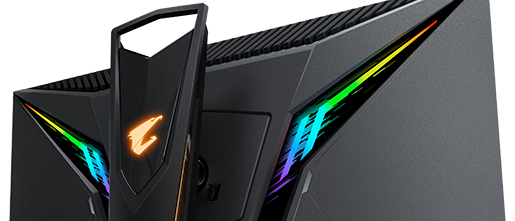 visual pilot
Hexus isn't someone I usually see for reviews, but I believe they're trustworthy enough.
hardy idol
it think its good
visual pilot
I thought there was a rtings review on it already, not yet.
slate hamlet
1440p 240hz... Nvidia 4000 series gonna be necessary to get the most out of that
See you in 2023
visual pilot
Or 3080
hardy idol
slate hamlet
1440p 240hz... Nvidia 4000 series gonna be necessary to get the most out of that
what about a 3080?
visual pilot
slate hamlet
See you in 2023
Nah man nothing will ever get cp2077 to run 240fps 1440p, the game will just limit itself for you
hardy idol
rtx 4070: faster then the rtx 3090 ti
slate hamlet
Even a 3080 won't be able to get 240 on max settings 1440p games
 warped basalt
It depends which game
visual pilot
Ofc a 240hz monitor isn't for playing max quality aaa games lol
slate hamlet
Esports titles it'll be great
visual pilot
And yes nothing we have right now bar maybe 3090 sli will do triple a games max settings 240fps at 1440p
hardy idol
what is more intensive 144hz 4k or 240 hz 1440p
warped basalt
4k
slate hamlet
I think you mean NVlink 
hardy idol
ok
visual pilot
I believe 3090 has 2 way sli on top of nvlink capabilities
hardy idol
visual pilot
I believe 3090 has 2 way sli on top of nvlink capabilities
imagine 4 way sli 3090
if it was possible
visual pilot
No connector will carry that much bandwidth :p
hardy idol
visual pilot
No connector will carry that much bandwidth :p
yeh
but the possiblilties are endless
visual pilot
3090
 slate hamlet
Sli is stinky NVlink is the good one
visual pilot
Nvlink might have to do wack things like mosaic
For games
Nvlink is far better for compute
slate hamlet
Idk I mostly see people do NVlink for production
hardy idol
isnt there like 4 way nv link quadro rtx 8000 or smth or im stupid
visual pilot
But I believe the latency is too high for gaming, and sli has enough bandwidth to share more of the data at lower latencies to be useful in games
hardy idol
what the hell does anc mean on the AORUS FI27Q
does it magically give ur headphones anc
slate hamlet
I assume that means it has little microphones and the whole setup that let you plug in headphones and do it
Personally .. don't care
visual pilot
Who knows really
To be actually effective anc should have microphones next to where the audio is being played
slate hamlet
I predict there will eventually be an ANC dac/amp
visual pilot
Y tho
slate hamlet
That'd be kinda cool tho
visual pilot
It'd be interesting
 lone night
I need help. I have been trying to solve this for 3 days.
Ryzen 5600 Processor
ASRock 4500 HDV MB (I updated driver)
GeForce GTX 1050 Ti on GP107-A GPU (I updated driver)
16GB RAM
Here is the error message I get when it crashed:
When Minecraft is open the entire screen will go blank (but game play goes on!) every 90 seconds are so. The screen goes blank for about 1.5 seconds.
when I use GeoForce to screen record the glitches they don't show.
The temp is at 84 degrees F
I put it together. Updated the driver on the mb and the Graphics Card. But the screen flashes are making playing anything - Really hard
 muted cosmos
I was looking at a gaming monitor with 1440p 144hz and a good response time does anyone have any recommendations?
fading wyvern
M27q is the go to
nova cloud
muted cosmos
I was looking at a gaming monitor with 1440p 144hz and a good response time does...
G27q or M27q
visual pilot
M27q
 sage trail
M27q
visual pilot
Better color accuracy better response time no overshoot etc
nova cloud
I just bought M27q
visual pilot
Nice
nova cloud
Getting here tomorrow
nova cloud
I wish I could of gotten it when it was on sale for like 300
visual pilot
I told statik to get M27q, statik no get :(
sage trail
sadge
nova cloud
sage trail
he got all da parts n everything lol
I built my pc the same day all the parts came lol
muted cosmos
I was looking at the M27q. It is out of my budget by just a bit but I definitely will get it. Thank you everyone
visual pilot
How much is your budget? The M27q pricing frequently drops to 320$
muted cosmos
My budget was 250$-300$ so it was between the G27q or the M27q
Since I got a 3080 I will probably get more out of the M27Q
sage trail
yep
visual pilot
Yee
sage trail
m27q is 329 rn
muted cosmos
Yep buying two right now
visual pilot
Just as a note, dual main monitors can cause some neck strain if they're placed together, since you have to turn your neck to see either monitor
sage trail
meaning you want one head on, and your secondary off to the side
visual pilot
Yea
visual pilot
So your neck isn't always turned
muted cosmos
okay thank you
muted cosmos
I know it is a small thing but if I get the M27Q i also want a secondary gigabyte monitor. Make me picky but
sage trail
yeah but u wont notice
well, you could get the G27q as a secondary lol
save a couple bux
muted cosmos
Honestly what I was looking at
sage trail
considering theyre identical aside from the actual panel
muted cosmos
yea I know its picky this is just my like dream setup so I feel more picky with it
sage trail
thats fine
visual pilot
There's a open box G27q for 270$ on wegg if you want to test luck
sage trail
for usability tho, i think the best secondarys are large 1080p 1200p (technically) 16:10 displays
visual pilot
Why tho
visual pilot
I think 1080p swivel monitors as good secondary monitors
sage trail
tall
visual pilot
Swivel = op for discord
sage trail
picked this up for $20
 visual pilot
Ya
sage trail
its honestly my fav monitor ever
visual pilot
Why?
sage trail
because my y25-25 will be replaced eventually by a better display
but this secondary i will use forever
visual pilot
y25-25..?
sage trail
until i can no longer repair it
visual pilot
Acer naming being bad or
sage trail
yeah, its my 240hz monitor
visual pilot
Fair
sage trail
lenovo naming being bad
visual pilot
I wish other companies name monitors like MSI and Gigabyte
M27q G27q
G271 272CQR
Some numbers some letters
Not xisjcisibic73838583
 sage saffron
whats a good display to go with for a beginner gamer/sneaker botter???
fading wyvern
What kinda gpu and budget are we working with?
sage saffron
fading wyvern
What kinda gpu and budget are we working with?
3060 twin edge OC
fading wyvern
Probably want a 1080p monitor for clicking heads. I know somebody has suggested the MSI Optix G241 before it’s 144hz 1ms and fairly cheap
loud patrol
g241 is reccomended by mr1111
coz when he shows it it's only like, $170 (here it's $225 vat-inclusive )
hardy idol
visual pilot
I wish other companies name monitors like MSI and Gigabyte
yes like there should be like the model series not random numbers and letters
like P24
instead of XSJU478329483729
fading wyvern
My XG270QG is a very memorable name with tons of meanings makes total sense 
 still pier
I really wanna know who names monitors
Wouldn't it make more sense to have a more basic and simple name from a marketing standpoint?
maiden wedge
Anyone got a good 144hz monitor under 150$
 summer obsidian
hey I don't know how monitor curvature is rated, is 1500R on a 24 inch monitor a lot?
dusty shale
it depends on you, and where you sit in relation to your monitor. https://www.viewsonic.com/library/entertainment/monitor-curvature-explained/

Monitor curvature is how much a monitor's screen curves. It is a useful measurement both for target use and optimal viewing distance. Read on to learn more.
summer obsidian
thanks