#old-monitors-and-tv
1 messages · Page 50 of 1
 mossy kindle
 mossy tendon
4k only goes up to 144hz
this is a 240hz IPS display
in 2k
which Radeon GPUs excel at
 spring sequoia
@mossy kindle am using a predator xb3 4k 144 and a 3070 so yes that is fine
btw if you want a nice monitor used is a great option
 dusty shale
Theres multiple 4k 144hz, the cheapest seems to be $800
 teal fulcrum
What is everyone's opinion on the gigabyte M27Q or the MSI MAG272CQR
Or the GIGABYTE G27QC
teal fulcrum
Is 360 a fair price for it?
 visual pilot
Yes, sometimes sales drop it another 30$ though, like on black friday and christmas sales
teal fulcrum
I mean 30 isn't going to kill me, all three of those are in stock and are from 320-400 which I feel is fair for those 1440p
How do you feel about the GIGABYTE G27QC
visual pilot
quite a bit worse
teal fulcrum
Out of the M27Q and the MAG272CQR you'd pick the M27Q
visual pilot
VA instead of IPS, meaning worse colors, and iirc some ghosting issues on g27qc
Yea
teal fulcrum
Okay sounds good, do they make a M27Q in curved or only straight
I currently have a 27 curved msi and will run that will the M27Q with it until I by a second and not sure how a curved and flat would work together
visual pilot
only flat
teal fulcrum
Think i would notice much of a difference with a curved and flat next to each other
dusty shale
With a 1500r possibly
teal fulcrum
My current monitor is a 1500r
dusty shale
it depends on you personal tolerances, i can tell the difference between a flat and 1800r and a glance
teal fulcrum
The M27Q will be my main gaming monitor and the 1500r will be my secondary until I buy a second M27Q
 crimson compass
whats a really good budge friendly monitor that is good for an GTX 970
maybe like 200-400
spring sequoia
@crimson compass any panel preference or size?
 fading wyvern
@crimson compass I’d look at the “LG 27GL650F-B” it’s 1080p ips and $299 +LG makes great panels 👍 *and 27”
 charred rain
teal fulcrum
The M27Q will be my main gaming monitor and the 1500r will be my secondary until...
charred rain
teal fulcrum
The M27Q will be my main gaming monitor and the 1500r will be my secondary until...
why buy a second 144hz monitor?
buy a second one 60hz
 crude galleon
what is the best 34 or 32 inch 1440p 144hz monitor that has g syinc and is ips or va
dusty shale
^do you need the gsync chip for some reason?
dusty shale
Model #?
 wintry loom
samsung only has one 75hz 24 inch monitor
for some reason
but its S and a bunch of numbers
dusty shale
Copy and paste
wintry loom
wintry loom
samsung only has one 75hz 24 inch monitor
.
lemme get it
S24D332
there
dusty shale
I found 3 with a google search
wintry loom
S24D332
dusty shale
Thank you
I would get a different panel, it’s TN and has almost no reviews. For under $150 there’s better options as well.
 stray drift
Anyone know any good gaming monitors for about $200?
visual pilot
smile is good link
visual pilot
I've accidentally doxxed myself once already, once too many
 sage trail
i dont really care about my first and last name, as long as thats all that anyone sees
visual pilot
meh, I don't like giving out my name
sage trail
i could say my name is john and it wouldnt matter too much, but as long as they have nothing to connect it too its ok
visual pilot
I could say my name is john
sage trail
we are both john now
sage trail
hi John im John
visual pilot
Hi John, I'm John
sage trail
S1 good, im gonna wait until all of S2 out then watch
 covert solstice
no watch s2 when the episodes come out and binge s1 in between
visual pilot
wdym
sage trail
i binged s1 like 2 weeks ago tho
covert solstice
i have too many things to watch and too little motivation 😦
covert solstice
i binged ngnl in like a day lol
sage trail
i did it in 2 days
covert solstice
movie was nice
sage trail
movie p good
visual pilot
was confusing until I figured it out
sage trail
the movie with the context of the show was honestly better than the show imo
visual pilot
NO
sage trail
as a standalone it was just ok
visual pilot
I like show better than movie :P
sage trail
not saying the show was bad i really liked it
visual pilot
heh
covert solstice
show plot was kinda wacky for me
visual pilot
wdym
sage trail
the "with the context of" part is important
visual pilot
movie plot was harder :P
covert solstice
i mean movie rip
sage trail
you werent thinking enough when you watched it
gotta pay attention to detail n things
visual pilot
and you get show op too
sage trail
show op a banger
sage trail
re life opening is a banger too
fading wyvern
👀 looking for displays; finding anime instead 
sage trail
honestly dont know what else you were expecting to find here
this is an anime server after all 
visual pilot
Yep, converting one channel at a time
 twin nimbus
yo do you guys know any like 15-16" monitors?
 trail sparrow
why would u want that lul
 wild coralBOT
 Darvan#1937 has been warned
Reason: Duplicated text
fading wyvern
 too many emotes my b
Maybe he’s building in a 7liter case and glueing the screen to the side  x4
x4
 eternal torrent
Ew, aio desktops are terrible
I used to work at a repair shop and one day a dude came in with his aio desktop. The entire thing had melted
fading wyvern
But a micro atx with custom loops and a 120 rad
eternal torrent
🤔
 celest lark
uhhhhhhh I just did my cable management and now I just replugged all my monitors and one of the old ones is now set to 1280x960 when it wasn't like that before and I don't see a option to change it
help
eternal torrent
Have you already looked into your display settings and checked the listed resolutions?
fading wyvern
Have you tried turning it on and off again
eternal torrent
Uh, I've never done stuff with DisplayPort so I'll probably be useless
fading wyvern
Try switching dp ports or switch the cables on your monitors, was hoping weary had the answer tbh
 west knot
peripherals is now an audiophile channel, and display becomes anime channel. I like where this is going
visual pilot
Peripherals has always been audiophile and keyboard channel
celest lark
switching ports actually worked
 maiden wedge
celest lark
maiden wedge
celest lark
Dynamic Super Resolution
lol
 deep fern
the audiophiles the keebs and the weebs
 tame swallow
Does b&h have a good monitor policy for returns and dead pixels?
 marble sluice
i only have jrgb headers anyway i can control the rgb with a software
 stuck mulch
Are there any recommended brands or brands to avoid for a cheap monitor? I'm looking at getting a 23-27" IPS for gaming/video. 144Hz isn't important because I can't run games well enough to use it, and 1080p quality is fine. Don't need anything spectacular, but don't wanna buy garbage.
dusty shale
Dont base it off of brands, just model #s
And what is the budget
stuck mulch
I think what I'm looking for should be easily under $200 and probably even cheaper, but since I don't know for certain, I'll just say $200 max.
dusty shale

Buy ASUS VA24EHE 23.8" 16:9 75 Hz Adaptive-Sync IPS Monitor featuring In-Plane Switching (IPS) Panel, HDMI | VGA | DVI-D Inputs, 1920 x 1080 Full HD Resolution, 1000:1 Static Contrast Ratio, 250 cd/m² Brightness, 178°/178° Viewing Angles, 5 ms Response Time (GtG), 75 Hz Refresh Rate, 16.7 Million Colors. Review ASUS VA24EHE
stuck mulch
I just need something passable. I don't really care if the blacks aren't true black, as long as they're not brown or something. I'll probably be upgrading to something higher end within a year or two.
dusty shale
Important to note, theres many monitors in this price range so there may be ones with better features at the same cost or still within budget, but im not interested in comparing over 100 monitors
stuck mulch
Yeah. I'm not concerned with features. I just want it to not be garbage build quality and decent to look at. Thanks for the link
 rotund thorn
Still debating a 2k montior looking for one to watch crypto trading charts side by side, and play games ips... been recommended the
gigabyte m27 170hz 1140p kvm with ips
Also looking at
msi optix MAG341CQ
Lg 32GK650F-B
And
Hp 27xq
dusty shale
What specs are most important to you in a monitor?
rotund thorn
Over 70hz most likely, (never had anything but basic hz)
I have a dual 1080ti desktop that I use to mine crypto and trade... mainly trade so something easy on the eyes that won't bog down my mining... and side by side screen or 1 big one for coding
I guess ips, screens that can be side by side and something visually pleasing
dusty shale
I would discard the 650 due to pixel density and your desire for clear text.
fading wyvern
M27 gogogo
rotund thorn
Geek squad best buy person said LG is the shit, others say gigabyte
dusty shale
Is 1440p 70+hz the only requirements? and do you want a 21:9?
rotund thorn
I heard 21:9 makes some games weird or doesn't work appropriately
dusty shale
Some games, its great for third person, and sight seeing games though
fading wyvern
I have a hard time multitasking on one also for some weird reason
I think the safe bet tbh is the LG... is m27 using a lg panel?
visual pilot
It does very well in testing, dunno who the OEM was
dusty shale
LG is low PPI, bad for text
visual pilot
hw unboxed did a review
rotund thorn
Mainly coding and trading... does 2 screens work better?
Currently just playing starwars Rouge soo fast paced flying
Mr1111 recommended the m27 just waiting for it to go on sale or see whats upcoming, or if 2 screens is better
dusty shale
I would say the mag or m27, with the m27 being brighter and more vibrant and the mag being a wide screen but not good in bright areas at only 250nts, though it does have better contrast. Also the M27 is $120 cheaper on b&h
fading wyvern
I wasn’t really looking at the model Jeffrey is completely correct. The m27 is nice.
The lg I was thinking of was the LG 27GL83A-B
dusty shale
Those who know more about the monitor market, when do you think something like the 27gn950 will make its way to ultrawides for a similar price?
rotund thorn
Would a stock chart look odd on a 34" like it does on a iPad,
and 27" would look more uniform?
visual pilot
Like, in terms of Pixels Per Inch?
27 inch 1440p 16:9 panel has better PPI than
32 inch 1440p 16:9 panel
fading wyvern
Gamers and professionals agree 27 inch 1440p is the sweet spot of PPI
rotund thorn
Cool, so if there's a 2nd monitor going to be attached does any other monitor work or is it like sceptre where it sucks at connecting with other things like ipads and dual monitors
fading wyvern
As long as you have the proper ports on the monitor/pc which you should it’ll probably work just fine
 errant meadow
suggestions for a monitor under 170$ it will just be used for chat
fading wyvern
ASUS VA24DQ 120$ 75hz 24inch IPS 1080p
Or if you wanna be a gamer with gamer accents AOC 24G2 for 180$ 😎
 idle cliff
can someone please help me out
i have 2 monitors and went to unplug one for cable mangment and now my pc isnt detecting the other monitor
but the monitor perfectly works
fading wyvern
Start yanking cables and plugging em in again on both sides
If that doesn’t work 🤷♂️
idle cliff
ok thanks i will give it a try
didnt work
i think my mini dp adapter must have been on its last life
 timid rock
 worthy oak
Yea?
 wispy horizon
hi everyone i just recently picked up a Odyssey G9 monitor and curious if anyone could help me out with configuring its settings to what would be ideally best 😄
 signal spindle
So before I purchase the Gigabyte M27Q is there a "better" monitor price/performance wise that I should be looking at or considering?
rotund thorn
Back again still debating the monitor...
I mine crypto, code and trade stocks
Stuck between
Gigabyte m27q
And
Samsung U28E590D 28-Inch 4k UHD
Samsung u32j590 UHD
And
Msi optix mag34
Never had a higher hz comp then 60hz and never had a 4k screen, not used heavily for gaming mainly for code and trading stocks on dual 1080ti desktop
If hz isn't a particular need just something I can stair at all day and enjoy it what would be best
Not sure what the difference between m27q and g27q are besides hz
Not sure if higher hz is necessary if I mainly trade crypto
maiden wedge
So since new eggs Twitter is pointless and was led to here:
My HDMI cable won’t connect to my monitor. Everything is plugged in and still nothing. What else can I try.
 river edge
Neweggs twitter isn't for troubleshooting, it's for returns, etc lol
WDYM won't connect?
maiden wedge
It won’t connect as in it says no HDMI when plugged in.
river edge
Plugged into GPU or motherboard?
And is this a new graphics card, complete new build or ?
sage trail
you guess?
the gpu has physical ports on it
the cable goes right into them
because when i think of "higher up" that makes me think you have it plugged into the motherboard
assuming a typical vertical motherboard mounting orientation
 edgy plover
Ah yes the old plugged into the motherboard trick
river edge
yeah, they're helping in General so I bailed
That's exactly what it looks like except gpu is DP only and not HDMI
maiden wedge
I would have no idea, I’m not a computer geek.
sage trail
so an HDMI to DP would solve the problem, or if the monitor supports it, just a DP cable
river edge
Yep
 light bay
hey guys can someone tell me if the ASUS tuf gaming VG27AQ is any good for gamikng and such?
this one
fading wyvern
Seems great especially if you have a good gpu
dusty shale
Its fine, dont buy it for HDR, There are some Displays with 10bit in that price range such as the VG27AQL1A which may be more appealing to you as it gets rid of color banding. The XG270Q monitor may also be a option for you with 8bit+FRC.
light bay
fading wyvern
Seems great especially if you have a good gpu
yeah i will be getting a brand new PC in june hopefully maybe a 3090 or 3070 depends on my budget at the time
light bay
dusty shale
Its fine, dont buy it for HDR, There are some Displays with 10bit in that price ...
is that one curved monitor?
light bay
Just another question I’m giving my dad my iMac 2017 5K display is the display on the gaming monitors better then the screen on@the iMac 5K
trail sparrow
no
dusty shale
^
trail sparrow
almost nothing is better than that display
dusty shale
Well...
trail sparrow
nothing under $2k
light bay
Are the MacBook Pro’s have good screen the 2020 edition?
M1
Is there ways that the gaming monitor above is better then the iMac 5K ?
dusty shale
refresh rate
dusty shale
response time is ms, refresh is hz
light bay
165Hz is that good
trail sparrow
yeah its decent
light bay
trail sparrow
yeah its decent
Cool
trail sparrow
light bay
Is there ways that the gaming monitor above is better then the iMac 5K ?
think of the mac as the best picture quality but slow, and the gaming display as worse picture but better for gaming
mac designed for content creation so the screen specializes on that
gaming display is designed to refresh a bunch of times per second
so it specializes in that
light bay
trail sparrow
think of the mac as the best picture quality but slow, and the gaming display as...
Yeah but the gaming display has 2560x 1440p resolution? Is that good
dusty shale
yes
light bay
Will it look good for playing games and watching content?
trail sparrow
yes
dusty shale
absolutely
light bay
And has HDR too another bonus
dusty shale
dont think of it as HDR
trail sparrow
apple displays are just best in class
light bay
trail sparrow
apple displays are just best in class
Yeah
dusty shale
That may be too much of an overall statement, theyre good, but not best
trail sparrow
dusty shale
That may be too much of an overall statement, theyre good, but not best
literally the best display on an AIO
dusty shale
Definitely for an AIO
trail sparrow
which is what we're talking abt 
dusty shale
LG has some displays coming, but who knows if theyll be in stock
trail sparrow
lg makes all the good panels
light bay
What about ASUS have they announced any new@monitors coming ?
dusty shale
some, VG28UQL1A seems to be the only for gaming.
could not be the only though, CES continues tomorrow
light bay
dusty shale
some, VG28UQL1A seems to be the only for gaming.
Yeah nice monitor interesting to see the specs of it when they come out goodnight guys 
 viscid spindle
I have the 1080p version of that monitor you posted I think, lol
 white glen
So...what happened to all of the Samsung Odyssey G9? Is Samsung dealing with QC issues...one can hope. Any other 32:9 gaming monitors coming up to look out for? Thanks
dusty shale
white glen
So...what happened to all of the Samsung Odyssey G9? Is Samsung dealing with QC ...
CES doesnt seem to have any 32:9 monitors, but maybe i missed them. What is your use case for the monitor?
light bay
viscid spindle
I have the 1080p version of that monitor you posted I think, lol
oh you do?
light bay
viscid spindle
close, I have a VG278QR
that monitor isnt 2560x1440p tho?
viscid spindle
like I said, 1080p version
light bay
viscid spindle
like I said, 1080p version
yeah
viscid spindle
also not ips
viscid spindle
yeah I wanted high refresh rate 1080p and it does alright
kinda want the same thing but 2k next lol
light bay
yeah its decent monitor
light bay
viscid spindle
kinda want the same thing but 2k next lol
yeah
white glen
dusty shale
CES doesnt seem to have any 32:9 monitors, but maybe i missed them. What is your...
I currently and routinely eyeifinity my two 27in 5120x1440p together for a lot of 2 player split screens. Was hoping for a single screen to do this and love that the 32:9 fits my desk setup. Wish it was becoming a more popular aspect ratio. Thanks for the response.
light bay
whats the VG279Q is thast the upgraded version?
i currently have 2 1080p monitors for streaming and i think going to a VG27AQ will ber a big upgrade
wispy horizon
anyone help me with figuring out how to stop flickering issue sometimes with my samsung G9 monitor. not sure if i just need to change a setting or if its certain games i play
dusty shale
wispy horizon
anyone help me with figuring out how to stop flickering issue sometimes with my...
Possibly a firmware update
should be able to get it from the samsung website.
wispy horizon
Yep I did the latest of that @dusty shale
dusty shale
wispy horizon
Yep I did the latest of that <@428004325001003018>
When does the flickering happen?
 azure hollow
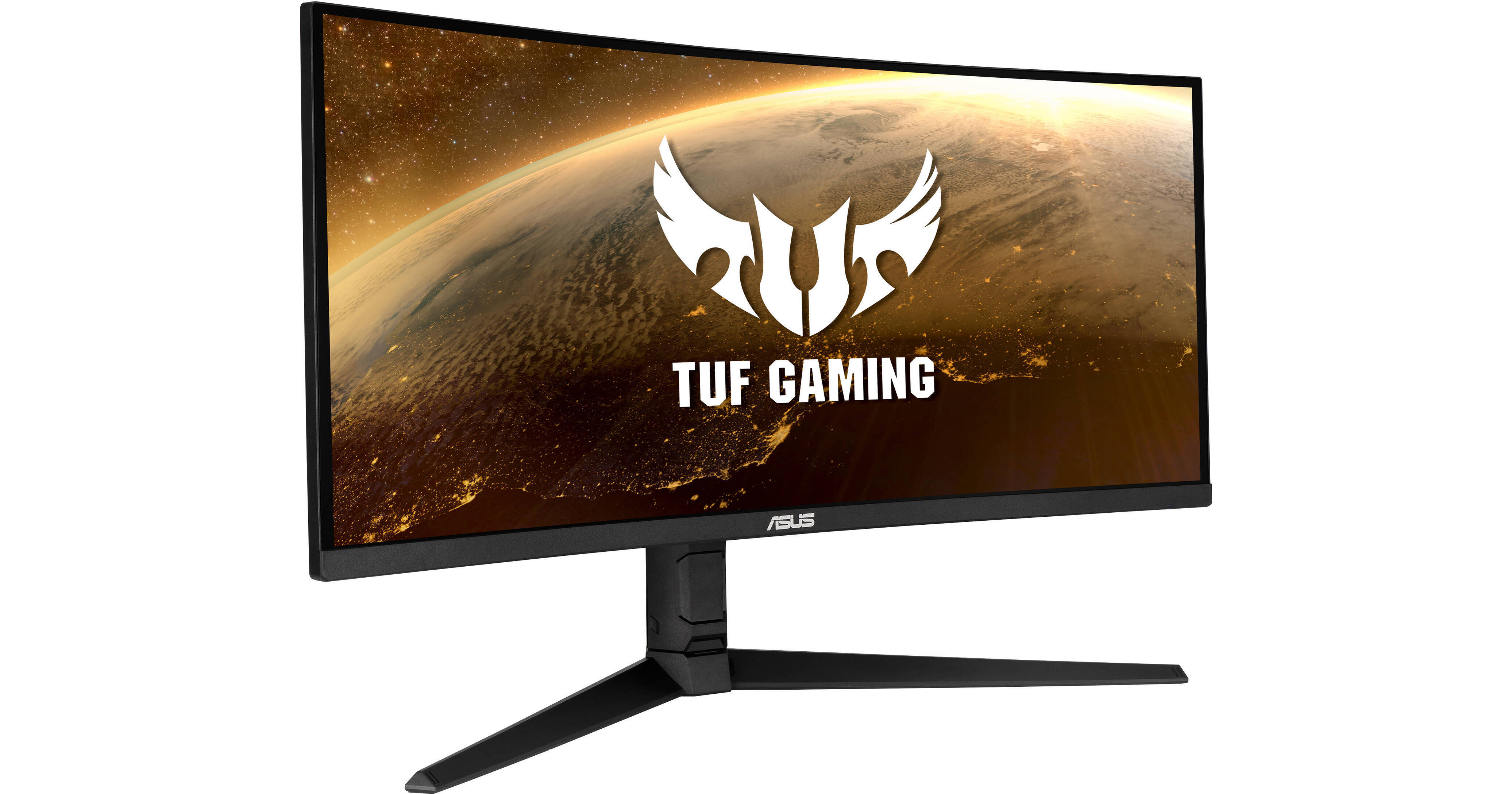
Buy ASUS TUF Gaming VG34VQL1B 34" 21:9 165 Hz Free Sync Curved HDR VA Monitor featuring 34" Vertical Alignment (VA) Display, HDMI 2.0 | DisplayPort 1.4 | 3.5mm, 3440 x 1440 at 165 Hz Native Resolution, 1500R Curvature, 4000:1 Contrast Ratio, 550 cd/m² Brightness, 178°/178° Viewing Angles, 4 ms (GtG) & 1 ms (MPRT) Response Times, 8-Bit Support fo...
is this any good?
please ping :)
fading wyvern
azure hollow
is this any good?
The grey to grey is a tiny bit slow but for 300$ it seems like a great screen overall. A ultra wide at 165hz? Dang. Might wanna upgrade to a 2080 or new 3000 series gpu before you go in on it though.
fading wyvern
What kinda games do you play?
fading wyvern
You’d have a bad time with cyberpunk 100% and you’d be able to play plenty of esport titles
azure hollow
Couldnt i just turn down the refresh rate for cyberpunk?
or just skip the monitor for now
fading wyvern
You’d have to turn down your resolution in game
fading wyvern
It’s up to you
fading wyvern
Your cpu would also be a tiny bottleneck
azure hollow
True
fading wyvern
Skip out on it for now but it seems like a cool 300$ display
fading wyvern
Well it’s also a VA panel which is part of why it’s super cheap
fading wyvern
Yeah or oled if it ever comes out (on a monitor)
azure hollow
oled would be EXPENSIVE would it not?
azure hollow
think i saw a review on it
seemed p cool
if only it wasnt worth so much
so is there any good monitors rn that are just good budget options
bc my samsung monitor has a 4ms response time, is 1080p and has 5 dead pixels and what seems to be a hair under the screen and im just done w it
fading wyvern
Just look for a 1080p 144hz ips option preferably 24inchs
azure hollow
Hmm alright
fading wyvern
Something like this if it was in stock https://www.amazon.com/dp/B07WVN6CWT/ref=cm_sw_r_cp_awdb_imm_t1_T8taGb1RZB0H4
azure hollow
god damnit why are screens so expensive
sceptre sponsor me please
i take that back
gigabyte first
anyways goodnight thanks for the advice
 rare crescent
Hi does anyone know if the MSI Optix MAG274QRF-QD ships with a UK power converter or cable seeing as it ships from the US?
dusty shale
rare crescent
Hi does anyone know if the MSI Optix MAG274QRF-QD ships with a UK power converte...
it doesn't seem to ship with a UK plug, but your website that you see it on may be different.
rare crescent
Cheers mate, will just have to figure out a solution then.
maiden wedge
Yo
 wary wedge
What’s a good budget 144 hz display? Preferably $150 - $200
 mighty tide
wary wedge
What’s a good budget 144 hz display? Preferably $150 - $200
mighty tide
wary wedge
What’s a good budget 144 hz display? Preferably $150 - $200
AOC might still have it, its 150 bucks or so I thibk
How much would like a crappy second monitor cost? Just for like discord and stuff etc
wispy horizon
dusty shale
When does the flickering happen?
sorry replied late, when switching games mainly.
dusty shale
Thats normal, when exiting full screen mode, monitors usually flicker, if it happens outside of going between full screen and not that is an issue
 steel mountain
azure hollow
gigabyte first
steel mountain
azure hollow
gigabyte first
@maiden wedge
maiden wedge

wary wedge
mighty tide
AOC might still have it, its 150 bucks or so I thibk
Not anymore sadly
wary wedge
Yeah, I saw it for $145
BUT I HAD NO MONEY TRANSFERRED TO MY CARD YET 
But thanks again
 eternal gale
whats a good 2 monitor vesa mount?
 mint moth
I'm looking for a wireless monitor that is 27" or less. Really good picture quality, built in speakers.
covert solstice
wireless?
river edge

dusty shale
mint moth
I'm looking for a wireless monitor that is 27" or less. Really good picture qua...
Get a normal monitor and buy a wireless HDMI cable
“Cable”
mint moth
dusty shale
“Cable”
Is there such a thing? How does this work?
dusty shale
Wireless HD Transmitter and Receiver Wireless HD Extender Wireless HD Sender 2.4G/5.8G up to 100M/330FT HDMI Wireless Audio Video for HD TV/Projector Maybe delay https://www.amazon.com/dp/B088BK5GQ6/ref=cm_sw_r_cp_api_glc_fabc_cp1aGbNN1ZKFD?_encoding=UTF8&psc=1
I don’t look much into them so find reviews of a good one, I just picked the first result.
mint moth
dusty shale
Wireless HD Transmitter and Receiver Wireless HD Extender Wireless HD Sender 2.4...
I take it these are the same type of thing to hook a computer up to the internet when that room isn't set up for it?
dusty shale
mint moth
I take it these are the same type of thing to hook a computer up to the internet...
^ look around for a better one, and it does work similarly to WiFi.
river edge
I looked up a better brand, reviews for that were hit and miss also
Seems like a not so good technology yet
mint moth
Well, with the price of them, I might as well just get a monitor with the capability.
 desert fable
My friend is getting a pc with a 3070 and wants a monitor around 300-400 for it that also works with his ps5
desert fable
Basically a 1440 144hz 27 inch ips not curved
dusty shale
Thats good, but one issue would be that its only 8bit which color banding is still a noticable issue, with 10bit the problem mostly goes away
desert fable
Ik I saw that
 opal sinew
LG 32GK650F-B 32 it's a 32 inch and I have it. Works with gysnc and is a really good panel for 300
it's a VA panel but games look good and play with pretty much no lag. Really nice monitor for the money
I paid 299 for it at microcenter
it's a really good monitor. Worth the money
 severe flare
having some problems with a monitor, anyone free to help me out?
dusty shale
whats up? @severe flare
severe flare
so i’m using an old 22 inch acer monitor with my new pc until I get a new monitor and I have verified that both the cable and the monitor work by plugging them into a different system but when I plug them into this pc it just flickers on and off and when I try to set it to the proper resolution it says no signal
even when it’s on the default resolution it just flickers on and off and eventually just stays off
dusty shale
What is the GPU? And I assume that the problem doesn't happen outside of this PC.
severe flare
it’s a gigabyte directx 1660 super
and that is correct
if you need a video I can provide one
dusty shale
What is your CPU?
severe flare
it’s my name on discord
severe flare
yep
same problem
I also have an identical monitor and that also does the same thing
severe flare
I have an old tv that i’ve been using temporarily
dusty shale
Make sure your GPU drivers are up to date
severe flare
so I still have access to the pc
fading wyvern
But the tv works fine?
dusty shale
Im thinking that you might want to reseat the GPU if the monitor and cable arent the issue. And if it persists you may have a faulty card
fading wyvern
^i agree with that. I’ve also sometimes experienced bad Nvidia g sync compatibility issues... I doubt those monitors are free sync though
severe flare
it’s just an old acer monitor the x233h I believe
I doubt it would have any types of adaptive sync
and also i’ve noticed that in bios the problem doesn’t exist it’s just when I get into windows
severe flare
and should I reinstall the driver using geforce experience?
river edge
Well
Try it without a driver first
If it boots to safe mode with no drive and a good picture
You'll know it was the driver
severe flare
okay i’ll let you know how it goes
 open vapor
anyone know any dual monitor mounts that can stack a 32inch and 27inch
dusty shale
no, but its usually best to just get two seperate arms to avoid sage
open vapor
yea ive seen alot of those but most just fits 2 27inch monitors stacked
unless i find one with an extended stand
severe flare
@river edge the problem persists
river edge
In safe mode or ?
dusty shale
Reseat GPU?
river edge
Yeah, GPU faulty, no power, or needs to be reseated
dusty shale
contact for RMA
maiden wedge
MONITOR|AOC|C24G1|24"|GAMING/CURVED|PANEL VA|1920X1080|16:9|144HZ|1 MS|SWIVEL|HEIGHT ADJUSTABLE|TILT is this also a decent monitor?
fading wyvern
sure
 left peak
recomendation of wide monitor please 32
 near junco
Does anyone have a rec for a rx 5600xt? I want 1080p, do you think i could push the refresh to 144 Hz on modern titles (AC odyssey, metro exodus...)?
visual pilot
lower some settings and you can take advantage of 144hz
dusty shale
left peak
recomendation of wide monitor please 32
What are you doing with your monitor? What is the budget?
maiden wedge
 median mantle
Looking for a good 32" 4K monitor with a high refresh rate.
median mantle
Looking for a good 32" 4K monitor with a high refresh rate.
Majority of 4K monitors are only 60hz .
New 4k monitors should come out this year that support higher refresh rates above 60hz and have hdmi 2.1 ports .
dusty shale
median mantle
Looking for a good 32" 4K monitor with a high refresh rate.
Budget?
opal sinew
1440p is good for awhile. Get one now for upgrade in 3 years. By then good 4k monitors will be standard...IMO
dusty shale
median mantle
Any budget
PA32UCX-PK then, hopefully they’re in stock somewhere
But if 27” is fine get 27gn950 or 27gp950 (this one isn’t out yet)
 lean compass
what do people think of the. ASUS ROG Swift PG329Q im thinking of upgrading to it from my old 6 year old acer g277hu
or can i get another ips monitor thats 32 to 36 inch. i have a budget of 800 gbp witch is 1088 usd
dusty shale
lean compass
what do people think of the. ASUS ROG Swift PG329Q im thinking of upgrading to i...
I haven't found any reviews but it is a good monitor specs wise
And what are you doing with the monitor?
lean compass
im gaming. but i also watch a lotta films. so i want something thats great at doing them both
i was going to get an lg gn950. or was it the gl950. i forgotten, but its out of stock and it dosnt seem like its coming back anytime soon
and since looking for something else other then the lg. i deiced that i would like an ultra wide
ive looked at the g7 but the curve is crazy
dusty shale
Would you rather have a UW over a standard size?
lean compass
i dont want a super UW. just something thats bigger then my old 27 inch. like 35 inch or something in that area
i was gonna go with a dual monitor set up with the lg. but then someone said i might as well get an ultra wide. so i dont have to deal with bezels in the middle
dusty shale
If you want a 16:9 monitor then i would get the 329Q or the 27gn950, there is also the 27gp950 which is releasing this year (unsure on release date and price currently) If you are getting a ultra wide with similar specs it will most likely go over your budget.
lean compass
how much would it go out of my budget?
dusty shale
last i remember $500usd, but ill double check
dusty shale
The Odyssey G7 isnt bad, many are fine with the curve.
lean compass
i never head a cured screen. and i feel like jumping to a monitor with such a curve like the g7 wouldnt be nice to get use to for a while
dusty shale
How close do you sit to your monitor?
lean compass
about am arm length away
dusty shale
how long is your arm?
dusty shale
It should be fine, but you might just not like a curved panel. maybe get one and try it out, if you don't like it you could return it.
lean compass
even if i use it? would amazon refund that?
dusty shale
amazon is very lenient, but i would look at their return policy in your area
dusty shale
Im using a ED347CKR but im looking to upgrade soon, waiting for better priced UWs to come out
i really want a 27gn950 as a UW but dont know if i want to spend $1600 on a panel thats slightly worse
lean compass
i was after the 950 to. but when i got my money through it sold out. and since then i nibbled away at my overall budget
dusty shale
Yeah they went pretty quick after the 30 series came out, hopefully the 27gp950 has better stock
lean compass
yep. i dont know much about new and upcoming monitors at all
i spent ages looking for the right monitor for me. and then poof its gone
dusty shale
What GPU do you have?
dusty shale
are you upgrading soon? because a 2080 cant run a 27gn950
lean compass
they cant run them at there fullest. but its a good for down the line. when 3080s are in stock
anythin would be better then my 50hrz acer rn. but i like getting the best i can thats out there. and keep it as long as i can
only looking for a new one since my monitor is dying. it has dead pixels and the bottom right corner is burnt out
 lusty wasp
Is $380 too much for a good 1440p 144hz monitor?
fading wyvern
lusty wasp
Is $380 too much for a good 1440p 144hz monitor?
depends on what is "good" but yeah that's a pretty good price
dusty shale
left peak
VIOTEK GNV34CB 34.0" 2560x1080 100 Hz Monitor
how is this one ?
Depends how close you sit to your monitor, some screen door effect may be visible.
What is your budget?
left peak
250-300
dusty shale
Do you have to have an ultrawide? they are very expensive with less features than a standard 16:9
if you are fine with 16:9 this would be a better monitor VX2758-2KP-MHD, but if you can get the 34CB for $300 and are fine with the screen door effect then that is a good deal.
left peak
the 34CB cost 1000USD
dusty shale
GNV34CB
left peak
didnt find any thing match
dusty shale
left peak
didnt find any thing match
What do you mean?
 deep folio
anyone notice that all asus 30 series have dissapeared?
look at asus store?
why is this?
trail sparrow
dusty shale
This is displays
his display is not showing him the asus 30 series cards
dusty shale
oh no
lean compass
hey @dusty shale you know yesterday i was looking for help. what would you say about a MSI Optix MPG341CQRV?
also sorry for just butting in
dusty shale
lean compass
hey <@!428004325001003018> you know yesterday i was looking for help. what would...
Its good, but i would get the MPG341CQR (Theres no V) it has a slightly higher refresh rate, other than that it should cost almost the same and perform the same as well.
lean compass
also why cant monitors have names like bob or bill. why dose it have to be a kid hitting random letters on a keyboard X3
and i think i meant the monitor you suggested. the one that has the light bars at the front
lean compass
do you know if any new and upcoming monitors are gonna be good?
dusty shale
Don't post in multiple chats, this is better suited for #graphics-cards
dusty shale
lean compass
do you know if any new and upcoming monitors are gonna be good?
This one caught my eye, PA148CTV, as well as Acers XB323QK NV, and obviously the 27gp950.
 prime anchor
dusty shale
Don't post in multiple chats, this is better suited for <#500101029157797899>
prime anchor
dusty shale
Don't post in multiple chats, this is better suited for <#500101029157797899>
Thank you, will delete my posts.
 astral trellis
i've gone through all the possible resolutions that windows gives me the option for and none of them fit my current monitor ;-;
it was working fine before
but then i noticed that it was the to 1336x668 or smth when the monitor is 1080p
dusty shale
Are your drivers up to date?
astral trellis
just updated them now, yes
dusty shale
Does windows let you change the settings?
astral trellis
yes, just none of them are the right one, even the "reccomended" one
dusty shale
What GPU?
astral trellis
gtx 1060
about 4 years old now i think
just it was working fine before i tried changing the resolution
basically where discord is, thats what i can see
and most of the taskbar is cut off as well
dusty shale
right click desktop>Nvidia control panel>Change resolution>see if it exists there first, then click customize if it doesn't
Does it exist under resolution?
astral trellis
yep, got it working thanks
it was the same one that it was already set to, i just set it to a diff resolution thenback and it magically worked ;-;
dusty shale
lol, windows is wack sometimes.
astral trellis
windows do be wack sometimes indeed
lean compass
@dusty shale PA148CTV what? when i search for it it brings up charger cables and 27gp950 brings up nothing for me
dusty shale
the 27gp950 is the 27gn950's successor. And heres the other one. https://www.asus.com/Displays-Desktops/Monitors/ProArt-/ProArt-Display-PA148CTV/
ASUS Global
The goal of the ASUS ProArt display series is to offer the most advanced technologies to power the imaginations of creators everywhere. With features such as mini-LED backlights, OLED displays, and ASUS Smart HDR technology, ProArt monitors are the solution for creating masterpieces.
dusty shale
yeah, its a bit different, i like it.
lean compass
i would prefer if it was another 20 more inches lol. but that would make a good screen to go under a monitor bit like having a laptop front of your main screen
dusty shale
lmao, a think a 34" touch pad is a bit much lol.
lean compass
nah itll be fine
maiden wedge
HI guys, What do you thing what's best monitor for gaming and video editing under 600 Euro?
dusty shale
What do you do more, video editing or gaming?
maiden wedge
gaming
dusty shale
What Graphics card do you have?
maiden wedge
Nvidia rtx 3070
dusty shale
How much is the Odyssey G7 in your area?
 dapper ether
what monitor do you guys think is worth getting with a 3060 ti?
that isn't over $350 (preferably)
 dark condor
does asus tuf monitors go on sale regularly cause i saw one on sale for $200 instead of $300 and it was 144hz does that happen often?
dusty shale
we dont know
dark condor
k
maiden wedge
@dusty shale around 700Euro
dusty shale
XG270Q is a good option then if it is available where you are. @maiden wedge
 iron dragon
hey i just got an hp elitescreen e221 is it worth it to go from 60 to 70 hz in nvidea control pannel?
maiden wedge
@dusty shale thx, bro
dusty shale
np
dusty shale
iron dragon
hey i just got an hp elitescreen e221 is it worth it to go from 60 to 70 hz in n...
Are you talking about monitor Overclocking? if so its fine but usually it results in the panel performing worse than its spec (other than refresh rate), it is possible to damage the monitor by overclocking as well.
iron dragon
dusty shale
Are you talking about monitor Overclocking? if so its fine but usually it result...
ok
 gray marsh
what spec monitor can a 5600x and 3070 realistically run with?
dusty shale
1440p 144Hz in most instances. What is you use case?
gray marsh
not a serious gamer
but I'd like to play without too low frame rates
so 60+fps is preferred
dusty shale
What i recommended is good then, would you like me to pick out a monitor for you?
gray marsh
sure
dusty shale
budget?
gray marsh
also if its on the cheaper side that'd be nice
prolly $350 max
unless that's actually too little
then I'd have to wait a bit more
but I could stretch $400
dusty shale
VX2758-2KP-MHD maybe?
dusty shale
np
 fiery slate
weird issue
need helps from a guru
So I have a high refresh display. trying to figure out this issue
on facebook on chrome, on microsoft edge this is not the case, the screen flickers a bit between items I can click on and it changed the color dynamic, lightening/darkening the screen and it concerns me
dusty shale
what monitor is it?
fiery slate
HP Omen 27x, 1440p 240hz
My wife's samsung monitor does not do this, is this a monitor issue?
hers is on a different computer though
dusty shale
it could be a panel issue, Are your drivers up to date?
dusty shale
GPU drivers
fiery slate
Ahh. to be fair my graphics card just died I am running off the Intel chip rn
dusty shale
that sucks, that your 3090 is dead. hopefully they have a replacement for you.
fiery slate
They are RMA'ing it and said that it would ship within 48 hours of being recieved
we did a thorough check, my 2080ti that i put in my wife's machine worked just fine in the PCIE slot, but the slot stopped identifying the 3090
dusty shale
for your monitor i would lower the refresh to 144Hz to see if the problem goes away
fiery slate
dropped it to 60hz
the intel chip cannot handle 240hz
and its still there
this is the first time I have seen this and it's only on chrome
it's like its auto contrasting on dark colors?
only when i go really fast
dusty shale
Some say that disabling hardware acceleration in google settings will fix the issue.
dusty shale
np
fiery slate
was like "Crap, everything is going out"
dusty shale
Lol, I know that feeling, It’s scary.
trail sparrow
@fiery slate be sure not to play halo lol
trail sparrow
it pops 3090s
fiery slate
pops?
steel mountain
A 1080p 24in monitor basically the same as a 1440p monitor right?
dusty shale
No? Explain the question.
 real osprey
steel mountain
A 1080p 24in monitor basically the same as a 1440p monitor right?
real osprey
steel mountain
A 1080p 24in monitor basically the same as a 1440p monitor right?
As in pixel density?
astral trellis
actually, yea how different is a 1080p 24" to a 1440p 27" in terms of pixel denisty
and like, how different they look
covert solstice
fading wyvern
^
astral trellis
hm so it would look better
but a 24" 1440 would look better than a 27" cause higher density
cause i found this on kijiji
but then i found this for a 27" option
$40 cheaper
CAD btw ^^
trail sparrow
covert solstice
i just use the retina calculator lol
Calculate aspect ratio, DPI/PPI, and minimum Retina viewing distance.
hehe yea babey
maiden wedge
Stop making me jealous
steel mountain
real osprey
As in pixel density?
Yea
 rich badger
what’s the difference between a VA and IPS panel?
dusty shale
budget and use case?
dusty shale
rich badger
what’s the difference between a VA and IPS panel?
Panel technology, IPS is usually more vibrant, VA has better contrast.
Although i have not watched this video i trust HU to explain it well enough.
https://www.youtube.com/watch?v=1BM0P7J1EPM

Support us on Patreon: https://www.patreon.com/hardwareunboxed
Viotek GN24C - https://amzn.to/2Tn6Ccc
Viotek GN27C - https://amzn.to/2Gebe0y
AOC G2590FX - https://amzn.to/2D1pbvJ
Acer XF250Q - https://amzn.to/2GeL4uL
Acer XF270H - https://amzn.to/2D1X5jO
AOC AG241QX - https://amzn.to/2Gktupl
Pixio PX276 - https://amzn.to/2WyzoZp
Viotek GN27D - ...
maiden wedge
dusty shale
budget and use case?
budget, anywhere under 1000$
use case, E v e r y c a s e, i game and also am artsy, i use krita
rich badger
dusty shale
Panel technology, IPS is usually more vibrant, VA has better contrast.
Although ...
which one looks better overall?
visual pilot
@maiden wedge use the M27q at 330$ for a baseline for whatever you'll get
great colors, 170hz (doesn't matter above 144 but whatever), and cheap
dusty shale
rich badger
which one looks better overall?
many say IPS because of the vibrancy
maiden wedge
im looking for 32 inch or greater, as im coming from a 39 inch 1080p 
visual pilot
also on best buy and b&h
https://www.amazon.com/Gigabyte-Monitor-Display-Response-FreeSync/dp/B08JWCHR5N/
bruh
how far you sit from display
visual pilot
inside you go
maiden wedge
i become one with the d e s k
maiden wedge
32 inches is so neglected
dusty shale
maiden wedge
budget, anywhere under 1000$
use case, E v e r y c a s e, i game and also am ...
ROG Swift PG329Q
I would recommend this monitor as i can verify it is a 10bit panel which should help with the photo editing portion. I do believe there would be better monitors outside of your specification
and it has some entry level HDR function if you are interested
maiden wedge
dusty shale
ROG Swift PG329Q
I would recommend this monitor as i can verify it is a 10bit pa...
32" and up, 1440p+ IPS is my main specifications im looking for
dusty shale
So you can go above 1440p?
maiden wedge
im mostly going to do 1440p but if its 4k thats even better
dusty shale
maiden wedge
im mostly going to do 1440p but if its 4k thats even better
ROG Swift PG329Q $700
PA329C $1100
This is what i came up with, outside of your spec the 27GN950 ($800) would be a great panel as well but it does drop to 8bit+FRC which isnt great if color is important.
The major changes are the ppi and color gamut so think of those for your graphical aspect of the monitor
astral trellis
ngl i dont think i've ever owned an ips monitor
i think i've got a tn and a va rn
steel mountain
is this monitor good? https://www.bestbuy.com/site/gigabyte-27-ips-led-qhd-freesync-monitor-with-kvm-hdmi-displayport-usb-black/6438287.p?skuId=6438287

Best Buy
Shop GIGABYTE 27" IPS LED QHD FreeSync Monitor with KVM (HDMI, DisplayPort, USB) Black at Best Buy. Find low everyday prices and buy online for delivery or in-store pick-up. Price Match Guarantee.
 jagged forge
Looking for a monitor purely for gaming, was wondering whether y'all think 1080p-24in in or 1440p-27in in would be a better buy if I manage to snag a 3060/ AMD equivalent
dusty shale
get a 1440p then
jagged forge
oh word what's your thought process
dusty shale
for choosing 1440p? The GPU is powerful enough (based on the ampere lineup*)
jagged forge
okay thanks dawg, I think I just needed some affirmation to pull the trigger
maiden wedge
anyone know a good, cheap vertical monitor? 60hz is fine
dusty shale
maiden wedge
anyone know a good, cheap vertical monitor? 60hz is fine
Many can be rotated vertically, what is your budget and use case?
maiden wedge
dusty shale
Many can be rotated vertically, what is your budget and use case?
budget:120 use: stream/discord. i have a small desk so 2 monitors horizontally wouldnt fit that well so im resorting to one horizontal and the other vertical
dusty shale
HP VH240a
maiden wedge
dusty shale
HP VH240a
thanks
dusty shale
np
 wintry hamlet
who can help me with monitors rn?
i got school in like an hour and it’s not connecting
 olive harness
HEy all, having trouble identifying a G-Sync monitor and G-sync compatible. Im not looking for a compatible, i want true G-Sync. I got a AOC monitor like 5 years ago true G-Sync, but cant find an equivalent today...
is what i am looking for called adaptive sync?
 keen scarab
olive harness
is what i am looking for called adaptive sync?
keen scarab
olive harness
is what i am looking for called adaptive sync?
Not sure about adaptive sync but this monitor is solid:
visual pilot
@olive harness why do you want true g sync?
Because nowadays the only difference is features, decent g-sync compatible panels are performance wise pretty much true g-sync
And I dunno if aoc had any true g sync panels lel, true g sync pretty damn rare
@olive harness adaptive sync means freesync and g sync compatible
New "true" g sync got renamed to g-sync ultimate
 rich comet
rn im on a 720p display that still uses vga cables, anyone know a good low price monitor 100hz 1080p or better?
dusty shale
rich comet
rn im on a 720p display that still uses vga cables, anyone know a good low price...
Budget?
rich comet
not high, sub 300
rich comet
thank you
maiden wedge
I need a cheap and decent monitor, at least 1080p and 75hz minimum, I’m not good with finding some so I ask for help
dusty shale
maiden wedge
I need a cheap and decent monitor, at least 1080p and 75hz minimum, I’m not good...
Budget and use case?
 ripe zinc
BenQ ZOWIE XL2411P 24 Inch 144Hz if you can spend 199.99 is pretty good
 quiet spear
light bay
quiet spear
light bay
https://www.amazon.co.uk/ASUS-Gaming-VG27AQ-Monitor-Adaptive-Sync/dp/B07VTPKCLS/ref=mp_s_a_1_1?dchild=1&keywords=asus+gaming+monitor+vg27aq&qid=1611424313&sr=8-1 do you guys think I should buy this monitor ☝️
dusty shale
light bay
https://www.amazon.co.uk/ASUS-Gaming-VG27AQ-Monitor-Adaptive-Sync/dp/B07VTPKCLS/...
Nothing stands out to me for why it costs so much. Maybe get a M27q or VX2758-2KP-MHD
light bay
dusty shale
Nothing stands out to me for why it costs so much. Maybe get a M27q or VX2758-2K...
yeah but its a good size monitor and has hdr
good res too 2560x1440p
dusty shale
Did you look at the monitors I sent?
Also don’t consider that as hdr, it needs to have at-least 600nits for it to work as intended
light bay
dusty shale
Did you look at the monitors I sent?
yeah id di it just looks a nice monitor
 ancient carbon
best budget 1080p monitor? anything thats near 200usd or below would be preferred, i really dont need anything fancy
dm me if you can help
trail sparrow
dusty shale
Also don’t consider that as hdr, it needs to have at-least 600nits for it to wor...
this is REAL hdr
dusty shale
Lol
trail sparrow
the experience
rich badger
whats best 1080p 144hz 24" monitor thats under $200?
dusty shale
C24G1
ancient carbon
thats not even under 200 us
dusty shale
dapper ether
can anybody here live with a dead pixel in the top left of a 1440p monitor?
river edge
What's the warranty, 3 minimum?
trail sparrow
river edge
What's the warranty, 3 minimum?
get a needle and kill 2 more

(dont do this)
 ripe pelican
Can someone give me a good description on the difference between ghosting and inverse ghosting? The internet does a bad job at explaining it
 flat saffron
Is there something wrong with my monitor because sometimes i can catch my monitor lagging behind.
maiden wedge
Check this out on @Newegg: AXM 2779 27" WQHD 2560 x 1440 144Hz IPS Gaming Monitor, Adaptive-Sync (FreeSync Compatible), Height Adjustable Stand, Display Port2/ HDMI Port2, with speaker https://www.newegg.com/axm-2779-black/p/15Z-00MH-00011?Item=9SIAB9HBYJ0746&Source=socialshare&cm_mmc=snc-social-_-sr-_-9SIAB9HBYJ0746-_-01242021
Is this a decent brand in monitors or unknown?
 untold saffron
I need help picking out a monitor based on my computer specs, anyone game?
Intel Core i5-9300H CPU @ 2.40GHz 2.40 GHz w/ GTX 1650
Can I run an ultrawide monitor efficiently?
For gaming purposes
dusty shale
maybe a 1080p ultra wide but you will usually run into the Screen door effect. I would get a 16:9 1080p monitor 24"
untold saffron
So stick with a 27" like I have now?
dusty shale
if you already have a 1080 monitor there is no need to upgrade
untold saffron
I promised this one to my son when he got his new laptop
so it's a good reason to get a new one
With these specs, is G-Sync worth it?
It seems to add another $100 to most monitors
dusty shale
Freesync works with Gsync, so Gsync is not nescessary. I would not get a Ultrawide as it wont be very impressive. For a 1650, a 1080p 16:9 24" monitor is usually the best fit.
dusty shale
maiden wedge
Is this a decent brand in monitors or unknown?
I have never heard of them, but base the quality of the panel on professional reviews. If you give me budget, use case and spec requirements then i can find you a good monitor.
dusty shale
lol
untold saffron
thanks for the help
dusty shale
np
dusty shale
ripe pelican
Can someone give me a good description on the difference between ghosting and in...
Ghosting is when a pixel needs to change color, but the monitor isn't fast enough to make that change causing a trailing ghosting effect where the pixel colors are inaccurate to what should be showed on screen. Inverse ghosting is the exact same thing but instead of maintaining the objects original color it changes to something opposite of its original, this is usually caused by the "overdrive" used in panels where they put more voltage in attempt to change quicker but end up causing the inverse ghosting effect.
PS: Discord is still the internet.
dusty shale
flat saffron
Is there something wrong with my monitor because sometimes i can catch my monito...
Can you explain what you mean by this? and what is your monitors model #
maiden wedge
@dusty shale yea I've been looking into a 1440p high refresh rate monitor for a laptop that I'm planning on buying and possibly the series x down the line, I'd say anywhere from $250-$350
It's just hard with it being compatible with the series x because of what it has
dusty shale
M27Q or VX2758-2KP-MHD (this panel has 8bit+FRC which helps gets rid of color banding)
And is there a compatibility issue with Xbox that i do not know about?
both of these monitors support HDMI 2.0 which supports 144hz 1440p if you are talking about the cable
maiden wedge
Yea I do know that hdmi 2.0 can carry it but the series x has some trouble recognizing that it can do both 1440p and 120hz, it can only sometimes recognize 1080p 120 or 1440p 60hz
I'll watch some reviews later, thanks I appreciate it 💯
dusty shale
That sucks, hopefully Microsoft fixes it.
maiden wedge
Frr
 next elbow
Is the MSI Optix G271 any good?
dusty shale
next elbow
Is the MSI Optix G271 any good?
it might be difficult to see in bright rooms and the screen door effect may be present do to the 27" screen size and only 1080p resolution. other than that it seems to get good marks.
next elbow
Ok, thanks
 versed python
Hello
 errant summit
Could you amazing people help me find a good affordable 24" 2k 140hz gaming monitor?
versed python
I need help one of my monitors is messed up and I don't know why. If someone could help me that would be great! I have an ASUS VS239. DM me for a picture...
dusty shale
errant summit
Could you amazing people help me find a good affordable 24" 2k 140hz gaming moni...
budget?
dusty shale
versed python
I need help one of my monitors is messed up and I don't know why. If someone cou...
What is the issue? is the image above the problem?
dusty shale
what is the issue?
versed python
I don't know
versed python
Yeah
It's not the wire or monitor
I wouldn't see why it would be the graphics card
dusty shale
Are your Graphics drivers up to date? and reseat the Display cable, and change ports on both the monitor and GPU
errant summit
how do you know its not the monitor?
versed python
This happened after my dad and I opened the computer up and cleaned it. We didn't touch the graphics cars
dusty shale
errant summit
budget i guess is like under 300
M27Q or VX2758-2KP-MHD
versed python
We moved the wire to another monitor and it did the same thing. But when I moved it to the other.Vs239 I have it was fine
dusty shale
Are your Graphics drivers up to date?
errant summit
those are both 27"
versed python
I believe they are
I have the Nvidia software and I just updated them like a week ago
dusty shale
your straight out of luck then, no 24" 1440p exist in your budget with that refreshrate.
errant summit
thats wild
shouldnt 24" be cheaper? i guess not because of density
my current 24" 1080p was cheaper than all the 27" ones i could find
dusty shale
versed python
I have the Nvidia software and I just updated them like a week ago
What is your CPU?
versed python
I know it's an I5 but let me check the exact one
errant summit
does freesync work with nvidia?
versed python
i5-7400
errant summit
i know its amd
dusty shale
I would do DDU, and if that doesn't work then reseat the GPU.
dusty shale
errant summit
does freesync work with nvidia?
It does natively.
errant summit
so i should be fine
my current monitor is a acer xfa240
i planned on doing dual monitors
thats why i wanted 24"
dusty shale
that is a 1080p monitor, you could get a lower res if you wanted
errant summit
i know its 1080p lol, thats why im upgrading
 nova cloud
From what I’ve read you can use free sync with nvidia cards
I would think gsync is better tho but you can’t find it on budget monitors really
 tardy basin
Hey, anyone here?
fading wyvern

rich comet
errant summit
I know im late, but something very similar happened between my xbox and tv. It turned out the hdmi cable wasn't good, and wasn't fitting quite properly in the port. Getting a new cable fixed the issue 100%. If this issue has already been solved sry, if this helps yw.
visual pilot
@alpine tiger
https://www.amazon.com/dp/B08JWCHR5N
if Amazon stops going on sale, BB
https://www.bestbuy.com/site/gigabyte-27-ips-led-qhd-freesync-monitor-with-kvm-hdmi-displayport-usb-black/6438287.p?skuId=6438287
Best Buy
Shop GIGABYTE 27" IPS LED QHD FreeSync Monitor with KVM (HDMI, DisplayPort, USB) Black at Best Buy. Find low everyday prices and buy online for delivery or in-store pick-up. Price Match Guarantee.
 patent timber
I’m having a problem with my tvas I have it hooked up to my pc and it’s supposed to be 1080p but instead it’s 733p oddly enough
Does anyone have a solution?
dusty shale
Can you change it in windows display settings?
 steady kestrel
Is there good wall mounted monitors around 150
dusty shale
theres not many wall mount only monitors, but you could get a monitor and a wall mounting kit
steady kestrel
Ok I’m just trying to find a monitor around 150
dusty shale
resolution and refreshrate?
steady kestrel
Idk im new to this I play Minecraft and valorant
And will probably use shaders
@dusty shale
dusty shale
steady kestrel
Idk im new to this I play Minecraft and valorant
I cant find a monitor with a professional review at that price range so here's a list of what fits your budget with room for a wall mount. They all support either VESA 75mm or 100mm
https://www.bhphotovideo.com/c/products/Computer-Monitors/ci/6559/N/4291086179?sort=PRICE_LOW_TO_HIGH&filters=fct_a_bit-depth_7193%3A8-bit%2Cfct_monitor-resolution_955%3A1920-x-1080%2Cfct_mounting-hole-pattern_2341%3A100-x-100-mm|75-x-75-mm%2Cfct_panel-type_4484%3Aips%2Cfct_price%3A..120
See B&H's vast selection of Computer Monitor & Displays including popular models like MotionCOMMAND, Elite E242, E2313H, 19EN33S-B, E2314H and 22MP55HQ-P.
steady kestrel
thank you so much
dusty shale
np
 warped quest
do you know if the eye-care monitor is good for both gaming and working like they advertise
dusty shale
Chances are the eye care monitor part isnt anything more than marketing. What is the panel you are looking at? @warped quest
trail sparrow
dusty shale
Chances are the eye care monitor part isnt anything more than marketing. What is...
tfw monitor with blue light filter turned on
astral trellis
which panel type is the one with bad color accuracy but no ghosting?
was cant remember if it was VA or TN
astral trellis
oh ok
river edge
IPS and VA side by side
visual pilot
Ghost is a panel to panel issue
astral trellis
cause i was looking at buying this used

ViewSonic
With an ultimate immersive curved screen and 144Hz refresh rate, the ViewSonic VX2768-2KPC-MHD provides a stunning viewing experience. The monitor has been designed with a 1500R curved and borderless panel for an immersive experience. A high 144Hz refresh rate delivers clarity in motion while AMD FreeSync™ Premium, virtually eliminates screen te...
visual pilot
VA just has it more common
river edge
Color is better on IPS but VA is more bright IMO
visual pilot
Yea I think VA has better contrast than IPS
But there are a lot of bright IPS panels
dusty shale
astral trellis
cause i was looking at buying this used
How much would you pay for that?
astral trellis
$360 CAD
on top of there being no tax
this is the cheapest one on amazon.ca
comes to $400 with tax
o dam
just found a greaet one

Acer
27" - 16:9 - WQHD - Maximum Resolution 2560 x 1440 - Brightness 350 cd/m² - Native
144hz, 1440, IPS, 1ms
for 400
used as well, so no tax
dusty shale
VX2758-2KP-MHD should cost about the same new.
astral trellis
CAD
dusty shale
yes
astral trellis
wot?
dusty shale
its $300 in the US
spring sequoia
Daang
astral trellis
the cheapest i can find that used monitor for new in canada is 600$
thats gotta be some sort of indicator of quality
maiden wedge
is it bad that i can see the lines of when my monitor refreshes
dusty shale
I would re-seat the Display cable.
maiden wedge
dusty shale
I would re-seat the Display cable.
yea i did that already, woo
 errant gate
Is the gigabyte g34wqc good?
dusty shale
yes
astral trellis
lets goo
picking up my monitor today
ended up getting this one
Acer
27" - 16:9 - WQHD - Maximum Resolution 2560 x 1440 - Brightness 350 cd/m² - Native
warped quest
dusty shale
Chances are the eye care monitor part isnt anything more than marketing. What is...
IPS one
dusty shale
warped quest
IPS one
I need a model #
 dusky nebula
like under 150-160 cheap
astral trellis
wot
somehow the guy got this monitor for $372 after tax
372 CAD
and he sold it to me on kijiji for $400 ;-;
well, i guess there was a monitor arm included
errant gate
@astral trellis was it used
errant gate
Than that’s not worth it
errant gate
Price should’ve dropped if it was used
astral trellis
I looked it up and it said the price was 600
Which isn’t unheard of for a 1440 144hz
errant gate
Yeah I have a 34” ultra wide 1440p 144hz for 600 or 700 Cad
astral trellis
I mean, it was still a damn good deal but it should’ve been cheaper I guess
errant gate
Yeah
 drifting imp
Can anyone recommend a 144hz 1440p monitor
 livid pollen
Hi guys, need some help for decision making
Cpu: xeon e3 1280 v3 4c/8t
Gpu: rx 570
Ram: 8gb
Should i buy a 144 hz or 75hz 1080p monitor? Mainly for gaming purposes
opal sinew
144
you can very much tell the diff. 144 is buttery smooth
I didn't believe it until I bought one. Def do it dood!
livid pollen
sure tq
wintry loom
no
dont
dont
dont
dont
@livid pollen dont
your pc wont handle 144hz
stick with 75hz unless you dont mind locking all your games at 80fps and having stutters or locking your pc res to 100hz
wintry loom
dont buy a high frequency monitor if your hardware cannot handle it
that is a very overlooked aspect
livid pollen
ya thats why i came here for advice haha
wintry loom
but
if you are gonna upgrade soon
a 144hz may be worth it
but if you arent
stick with 75hz
my pc is a 1600AF anda gtx 1650Super and I got a 75hz monitor
im 100% sure my hardware wouldn't handle 144hz
unless i put everything on minimum on some games and others would have to be locked 90fps
but its not worth it
only buy a higher refresh rate monitor if your hardware can handle it