#old-monitors-and-tv
1 messages · Page 46 of 1
 maiden wedge
trust me, i know these marketing gimmiks and people are eating it all up
oh yes go IPS
never everrrr buy a TN
tn is horrible
its what laptop and phone screens are made of
VA is still nice compared to TN isn't it ?
va is better
but ips is best if ur into color and contrast
my monitor hurts my eyes after long use
sounds like its radiating a lot of blue light
and with online school and stuff like that i stay in front of my computer for like 10hrs+ per day
have u considered wearing blue light filter glasses while you game
never actually
i wear glasses in general
try it
u can get prescrition filter glasses as well
yep i got you
did this to my friend when he was having a headache on his comp, it instantly stopped
and he saw clearee than ever before
yeah i feel like long screen exposure espicially on tn ruins your eyes
this happens to many people with eyes sights under 16
been noticing it a lot more lately
16/20
that their eyes cant handle the blue light from monitor
the monitor i chose specifically radiates low blue light
i should do the same... but aren't those type of monitors pricier ?
nope
or is there a way of activating a filter in windows or maybe an external app ?
well yes they are
but u can find a decent one for 180
Amazon.com: Pixio PX248 Prime 24 inch 144Hz IPS 1ms FHD 1080p AMD Radeon FreeSync Esports IPS Gaming Monitor: Computers & Accessories
@maiden wedge there used to be a way to turn off blue light completely
that's everything you could ask for in a 1080p monitor haha
but on a tn display, it is worse, eerythn will be greyish-gold and so ugly
ye literally everythn and only one in stock dec 11th
it's unfortunate it can't be delivered to where i live
everythn else ive tried to get but available in january, u can order those now but u womt get ur monitor until january... and i dont want to wait that lomg
its an amazon item, what do u mean u cant get it
i live in korea aaha
hmmmmmmm
looks great though
well why didnt u say so
😄
i thought ur in US
i can't even afford it actually aha
they dont got an amazon over there?
we do have amazon but shipping fees are humongous
taxes are increased
it's just not the best option
well man if u cant afford this 169.99+ tax u cant buy a monitor worth it im tellin u rn
yeah i gotta save up
mamy monitors at these SAME stats are at 179.99 starting
soon enough i'll upgrade
many*
24 inch, 144hz 1080p
that's what i have
ive had sht where i had tocgo down to 23.8" just to get the SAME STATS but at a price of 179.99
what i want to change is the fact that it is tn and has a frame 🤮
and the sht was also ips
i am doing ips strictly
is there a noticeable difference between ips and va ?
so yeah... u need to save up if u cant chuck 180 at it and u want to keep a 24 inch frame
very noticeable
brighter and crispier colors
well i should say its more noticeable to the video editor than the gamer
yeah for sure
i produce music and study mainly
gaming from time to time
ye so u wont notice much of a doff
i'm sure it'll still be a way better experience
overall
but its still best for an ips, especially one i sent that is only one that actually has the option to lower blue light
gotchu
well, was nice talking to you i gtg see you around 😄
its funny when ppl say get a 4k res or a 1440p res on a 24 inch monitor
i am an electrical and computer engineer and i can safely say, that is hilariois
 amber cave
yo people! I need a bit of advise, Im considering a dell 31.5 curved QHD display, my desk is normal size I guess, any suggestions at recommended distance from monitor?
maiden wedge
yeah i see what you mean
people would sacrifice screen size for a higher resolution, but then they are throwing their money away because the smaller the screen the smaller the pixels and they wont be able to tell the difference at all wth 1080p vs 1440p after that
@amber cave now this man will have to go 1440p because he wants a 31inch monitor
wdym by distance?
amber cave
from chair to monitor
maiden wedge
u shohld always keep distance between ur face and the monitor
maiden wedge
are u putting ur face on the screen
like how much space is on ur desk between u and a monitor is perfectly fine
amber cave
yea so I wont get crosseyed
maiden wedge
but idk why would u want a 31 inch monitor...
amber cave
Im currently on 24in
maiden wedge
are u expecting to sit on a couch from that
amber cave
because that dell seems to be a good mix of everything and almost same price as samsung 27inc G5
maiden wedge
1080p or 1440p?
amber cave
1440p
maiden wedge
the bigger size u want to up the pixelation of monitor because the bits need to be kept relatively shrunk
amber cave
165hz
maiden wedge
oh so u are paying like 350+
amber cave
arounds 400-450
maiden wedge
so price range- 400-500
screen size 27-31 inch
res: 165hz
panel type- IPS
frame rate- 1440p
what panel type
but tbh id stick with 1080p especially if ur ganna be sitting at the desk
amber cave
the dell is va, Im currently on IPS and it is nice
maiden wedge
and with a 24 inch monitor
noone should be close to a 31 inch
headache will come fast because of blue light radiation
and by fast i mean in 13 minutes-20 minutes of use
unless ur planning to buy blue light filter glasses
but then again thats all up to ya
amber cave
hmm
maiden wedge
what resolution u want
ik u want 1440p
but what about the length
5120
3440
2560
all by 1440p
with the specs u want, and price, u wont get any 31 inch
max 27 inch monitor
response time u want .1 if possible instead of 1
amber cave
32 2560 x 1440 0.51 m / 1.7 ft 0.96 m / 3.2 ft
amber cave
oh Im not considering monitors per say, Im just more into is it "ok" to use a 31.5 QHD curved on a normal desk
because 32 is quite a bit more than my current 24
maiden wedge
that answer is no unless u want glasses and poor eye sight very soon
and we all know how gaming goes
ur not on it for an hr or 2, before u know it its 12 hrs
amber cave
monitor specs should have recommended distance
maiden wedge
they dont because then ppl wouldnt buy em :)
amber cave
hah
maiden wedge
and its common knowledge- bigger the screen, higher the blue light, more damage to the eyes at close distance
maiden wedge
@maiden wedge but ye ppl may flame me and say theres a huge difference even on a 24 inch that u should get 1440p bro not 1080p its such ahuge difference, it really is not, are you more likely to land a headshot on that sniper you hate from across the map with 1440p vs 1080p? No, all it does is shrinks current pixels and adds more but the pixels are alddy so small on monitor it dont even matter, its all a marketing gimmik and more ppl they fool to get that extra 60-90 bucks expensive ass monitor, the more they make, and hey thats business haha
@amber cave some of the newer monitors idk if they allow u to adjust it to warmer colors
amber cave
stupid covid, you cant go anywhere to actually see stuff in action, at least not in the scope of how it used to be possiblr
maiden wedge
yep
 candid zinc
I mean most new monitors come with settings to reduce blue light emission
maiden wedge
and anyome who says 4k exists, is literally a fool lmfao, 4k resolution ultra hd, maybe the hd is whats tricking them into thinking its 4k but hd is hd, XD @maiden wedge
@candid zinc good to know, i havent gotten a new monitor just yet
mines comig dec 15
candid zinc
And honestly as long as you're taking breaks regularly then it really doesn't matter
maiden wedge
wish they would say it tho
the one i ordered said it and i took it
ye but for the hardcore gamer, there.. IS... NO... BREAKS lol
candid zinc
fair enough lol
I bought a monitor today for a pretty solid deal
Probably won't end up using it much for gaming but it should be real nice for whatever games I try out on it
first ultrawide monitor I'll have used
candid zinc
Sure one sec

PCByte
Buy AOC CU34G2X 34" VA 1ms 144Hz 2K WQHD HDR FreeSync Frameless Curved Monitor with HAS VESA - PCbyte.com.au Online/Retail | Fast shipping & Top rated customer services
That's in Australian dollars
maiden wedge
if u were ganna pay that much for a monitor u could have gotten a whole lot better haha
 urban epoch
maiden wedge
well man if u cant afford this 169.99+ tax u cant buy a monitor worth it im tell...
urban epoch
maiden wedge
well man if u cant afford this 169.99+ tax u cant buy a monitor worth it im tell...
Fun fact over here taxes would add another 100 or so that's why I don't look at amazon or something I can pay more for shipping and taxes then just the item itself
 wild coralBOT
 MaTT#1891 has been warned
Reason: Bad word usage
urban epoch
Wdym? Bad word
 hot plaza
What're everyone's thoughts on this bad boy? I'll be switching between gaming and lots of office work.
maiden wedge
looks good 😎
maiden wedge
@urban epoch lmfao
@urban epoch bad word could be sht with an i or fk with the uc, idk why sht is a bad word tho
@hot plaza its good but out of stock, unless u want to pay over 200 bucks for it
i got one thats pretty much the same, i def would take urs since its an asus but out of stock im not waiting a month for a restock
amazon price is 248 but asus is oos
idk how good pixio is aka brand, but the specs are perfect
hot plaza
@maiden wedge it was in stock at my microcenter, but I'm holding out for an IPS. This was VA.
maiden wedge
@hot plaza that was va?
well then go to my monitor i sent
nice price and has all qualities u want
hot plaza
Thanks! Yes, it was VA. Not the end of the world, though.
 iron dragon
is it possible to up the Hz on my lg screen? its on 60
 patent lagoon
I'm sure you can look I just don't know where
I wouldn't reckon a TV older than 5yo has it
 prime patrol
Product Details
LG UltraGear 27" FHD 240Hz 1ms GTG IPS LED G-Sync Gaming Monitor (27GN750-B)
worth?
100 off rn
sale
 kindred umbra
so how much is it ?
 west knot
I ordered my monitor expected on 25th and its stuck one city away still...
kindred umbra
oof, where did u order from ? @west knot
west knot
Amazon :(, i needed it to ship to the locker
 bronze wagon
smh
kindred umbra
hope u get it soon
bronze wagon
newegg da best
kindred umbra
eh
kindred umbra
i personally think amazon has better shipping and customer service
west knot
If newegg has pickup facility then i would order from newegg
bronze wagon
nice
I ordered my parts on the 26th as well
supposed to get here on dec 9
can't be bothered to pay for shipping :)
kindred umbra
what parts?
bronze wagon
my case, psu, ram, mobo, cpu cooler
kindred umbra
nice
bronze wagon
black friday deals
kindred umbra
waiting to get a 3080
kindred umbra
and i bought a bunch of keyboard stuff
and somewhat yea, im doing ok with my 3070 rn tho
kindred umbra
it wasnt a planned purchased, i jus tested the water and got one lol
bronze wagon
oh
kindred umbra
ill prob sell it for retail or like 50 bucks more
bronze wagon
i might buy it
kindred umbra
i expected it to be worst then the 3080 launch but it was surprisingly better
bronze wagon
how much did you pay for it?
bronze wagon
oh nvm then lol
kindred umbra
sounds p fair
kindred umbra
get a 5700xt or wait for 3060ti
bronze wagon
ye
im planning to buy the rest of my parts in june
so hopefully they are in stock then
kindred umbra
oh then you hve plenty of time/options
west knot
Honestly the hype is around the 3080 more than 3070
kindred umbra
yea i was expecting the opposite
west knot
Both card hard to get though
kindred umbra
i figured the 3070 price would attract more customers
west knot
In terms of value the 3080 is better but price goes to 3070
kindred umbra
im on evga's waitlist so i shouldnt be waiting no longer than january
 torn night
any ideas? good/bad going from a regular 24" tn panel.. but have 1050ti atm, waiting for a 3000 series card...
 wheat bronze
what kind of adapter would I need to have a dual monitor setup connecting to my laptop?
kindred umbra
torn night
https://www.newegg.com/black-msi-optix-g32cq4-32/p/N82E16824475071
i would get an ips panel if possible
west knot
apparently my package was lost in transit mf...
 oak garnet
f
west knot
i'm probably gonna wait
 kind bloom
i spent way too much for my tn monitor
let me go find it
shoulda gotten this at that price point
same size, same mobility features, and is ips
less hz but 144 is totally fine for me
and 1ms from 0.5 is totally fine as well
just found it far too late
 humble imp
any ideas for gaming 1440 p 27in ?
max $350
i was looking at https://www.newegg.com/p/N82E16824012018?Item=N82E16824012018
 visual pilot
@humble imp It's a great panel, also, there's a promo code for that atm
BFRDAY47
should be 40$ off
 heavy widget
what is a good monitor for the 3080
visual pilot
It's on Newegg
humble imp
cool illl snag it thanks @visual pilot
torn night
kindred umbra
i would get an ips panel if possible
ips tends to be a bit more expensive... I have been using a 24" and 22" tn monitors for a while now... VA I think may be a good step up...
 smoky bear
Not a big gamer, but do alot of video editing and graphics work... that being said, I don't think the refresh rate or response time is needed for me, but resolution is. Looking or a 2k-4k monitor deal, whos got leads?
visual pilot
@smoky bear I mean, the M27q is a good deal again, linked above
High refresh rate is nice
smoky bear
Looking for $250 range... I need to buy 2 of them @visual pilot
visual pilot
fair
 barren dew
Do you guys think samsung monitors are bad? My friend said they suck
visual pilot
Everything depends on the model
barren dew

Best Buy
Shop Samsung CRG5 series 24” LED Curved FHD FreeSync monitor (DisplayPort, HDMI) Black at Best Buy. Find low everyday prices and buy online for delivery or in-store pick-up. Price Match Guarantee.
CRG5
visual pilot
Looks fine to me
visual pilot
@smoky bear So, for your work, you need color accuracy correct?
anyways, somehow, this monitor, despite being TN, has very nice color accuracy out of box,
https://www.bhphotovideo.com/c/product/1383778-REG/benq_el2870u_premium_metallic_grey_28_tn_3840x2160.html

Buy BenQ EL2870U 27.9" 16:9 LCD Gaming Monitor featuring 27.9" Twisted Nematic (TN) Panel, HDMI & DisplayPort Inputs, 3840 x 2160 Resolution, 1000:1 Contrast Ratio, 300 cd/m² Brightness, 170°/160° Viewing Angles, 1 ms Response Time, 1.07 Billion Colors Supported. Review BenQ EL2870U
According to the RTings review here
https://www.rtings.com/monitor/reviews/benq/el2870u

RTINGS.com
The BenQ EL2870U is a decent 4k monitor. It has great gaming features, including FreeSync support, a fast response time, and excellent low input lag. It also has...
smoky bear
@visual pilot yes, and I’ll take a look - thanks 🙏
visual pilot
a bit high on your budget, but I don't like only looking at specs for color accuracy, and I prefer being able to get a RTings review with color accuracy on there for comparison
smoky bear
Yeah, looks quite nice... thanks for the input! I’m gonna keep looking for around same specs and see if I can find something a bit cheaper
visual pilot
:)
 dawn karma
Is the asus rog swift PG279QE a good monitor?
Anyone who can answer that question
I was looking for a 1440p monitor and i saw the pg279qe, i wanted to know if its good
maiden wedge
actually you can get 280hz for less

Buy ASUS TUF Gaming VG259QM 24.5" 16:9 280 Hz Adaptive-Sync IPS Gaming Monitor featuring In-Plane Switching (IPS) Panel, HDMI | DisplayPort Inputs, 1920 x 1080 Full HD Resolution, 1000:1 Static Contrast Ratio, 400 cd/m² Brightness, 178°/178° Viewing Angles, 1 ms Response Time (MPRT), 280 Hz Refresh Rate, 16.7 Million Colors. Review ASUS VG259QM
@maiden wedge
 dusky nebula
looks fine to me
Theres plenty of reviews on yt
Also the 280hz one is ips
A steal imo
maiden wedge
looks amazing to me
maiden wedge
looks pretty good
never heard of that PSU though
should probably get another one
and you should ask for people's opinion in #building-and-recc-chat @maiden wedge
maiden wedge
just lookin at this chat posting overpriced displays xd
theres no need for a 280 hz unless u get best gpu out there, absolutely a waste of energy on your house bill and a waste of money because you wont run that high of an fps
@maiden wedge
a 1080p 24 inch 144hz is perfectly fine
if u go to 1440p then go up to 31 inches
same refresh rate
heavy widget
what is a good monitor for the 3080 card
 warped night
Pixio PX7 Prime or Odyssey G7
dawn karma
I have a5600x and a 3070, should i get a 1440p display or 1080p with 240hz? I play mainly fps games
maiden wedge
@dawn karma depends on screen size and $$$$ u want to spend
@heavy widget asus monitors are best imo but u dont have to buy brand name, as long as its 1440p u can do 165hz because that card can handle it but get a bigger screen, i odnt know what ur budget is
make sure its an IPS to get best color out of ur monitor
warped night
1440p 165hz IPS? Pixio PX7 Prime is literally the monitor for those requirements.
maiden wedge
@heavy widget def if u went with 3080 card go for a 1440p monitor because that card is designed for higher resolution and hz, otherwise was a waste of money to get 3080 card
@dawn karma
also take note as games get more crazy in graphics, that card may not be able to 240 fps so note that if u plan to hold that card for a while ull have to eventually tune down settings
heavy widget
maiden wedge
<@738410074548207716> asus monitors are best imo but u dont have to buy brand na...
2000$
maiden wedge
@warped night sounds good i dont remember names, but ye, whats the screen size also
warped night
27"
maiden wedge
so what is the budget for it
heavy widget
i thought you meant that
maiden wedge
nope lol
warped night
Before the Odyssey G7 came out, I was going to get a Pixio PX7 Prime
warped night
But, the Odyssey G7 is replacing it.
maiden wedge
pixio px7 prime is ur best bet then @heavy widget
warped night
And I'll probably have to get a Vertical mount for my monitors.
Sooner or later I'll be moving to an apartment, so vertical monitor mount is what I'll need to do.
maiden wedge
ye im only gettn 1 screen haha, dont need verticle mounted screens
dual screenings sounds fun but then it comes a bit eh where now i have to turn my head a lot more
warped night
If the G7 was like, 200 dollars cheaper I'd buy 2.
maiden wedge
we all know odyssey will never go cheap
buying the brand not rlly the specs tbh haha
warped night
I expect a price drop when the next version comes out with either OLED or MicroLED
Hasn't been announced, but I expect that to be the next evolution.
maiden wedge
and then ur ganna wait for the next one thats releasing 2 weeks after that and then the next one a month after that lol
and then the website gets botted and u dont get to buy
maiden wedge
u get the point
someone out there is daring enough to bot a monitor
cuz msrp is like 50% lower than resale
dawn karma
maiden wedge
<@738410074548207716> def if u went with 3080 card go for a 1440p monitor becaus...
im turning down settings anyway cuz i play on competitive settings for best fps. i play cs go, ow, rocket league, warzone, fortnite sometimes, raft, ark. so i dont know what monitor should i get. for 240hz i was looking at the alienware aw2521hf or the msi optix mag251rx
maiden wedge
@dawn karma id go with optix, alienware is great but they rlly upsell their stuff
but if u drop the settings why do u even bother with a 240 hz monitor?
@warped night not everyone wants to blow 600 bucks on a monitor, and quiet frankly not worth it
@dawn karma whats ur price range low to max ur willing to pay cuz do u really notice a difference between 240 fps and 144? if u do then more power to u
oh wait u got the 2080 so it qould be pointless to go 144 hz lol
but ye go with the msi monitor
dawn karma
maiden wedge
<@330952792372019203> id go with optix, alienware is great but they rlly upsell ...
if i go with 1440p 144/165hz, what monitor would you recomment?
warped night
Pixio PX7 Prime for 1440p 165hz
visual pilot
@warped night sadly px7 prime stock is like gone
otherwise it's good for actually being hdr400
@dawn karma Gigabyte M27q
dawn karma
maiden wedge
same bduget 300-400?
yes same budget
visual pilot
:D
maiden wedge
oh wait not the prime haha
dawn karma
ok bro thanks @maiden wedge
maiden wedge
@dawn karma np
dawn karma
thank u as well @visual pilot
visual pilot
:)
maiden wedge
mr111 found that one sooner than me haha, i was tryn to find that, couldnt rememebr exact digits
visual pilot
It's so simple tho
dawn karma
do you know if i order the m27q from newegg, do i get warranty on it?
visual pilot
dell and alienware monitors are like UHD88142963941289164
dawn karma
what is the standard
maiden wedge
all appliances come with a standard warranty
visual pilot
You get the manufacturer warranty from any retailer
dawn karma
ok tnx
maiden wedge
it depends on manufacturer
but most are 3 yrs
so buying a warranty is pointless unless u want to extend beyond that
and they know itll work for atleast warranty time and then kill u when it expires
but the standard regardless of any monitor is 1 yr
so trust me, if it lives a yr itll live for 3, until u cant use the warranty anymore, then it goes to sht :)
dawn karma
what is the difference betweehn the m27q and the g27qc
visual pilot
G27qc is VA, M27q is IPS
maiden wedge
^^ haha
u dont want va with a gpu like that u want beautiful grqphics so u need ips
not that theres a big diff between the 2 but one is more worth it
visual pilot
It's always nice to have more pixels
dawn karma
ugh why is it so hard to choose
 sage trail
IPS is slightly, but unnoticeably, better than VA
the resolution you need is entirely dependent on the size of monitor you want, the distance the panel will be from your eyes, and the gpu your system has
and a refresh rate greater than 60 is nothing more than a nice to have, unless you are playing FPS games
specifically 144hz
visual pilot
for FPS games 144hz is amazing
dawn karma
i have a 3070, i played on some 27 inch monitors and it felt weird because i always played on 24". 95% of my games are fps
sage trail
144hz minimum then
visual pilot
1440p over 1080p just looks really nice, and in some games it could matter for holding a pixel peek vs 4 pixel wide peek yaknow
dawn karma
i already have a 1080p 144hz but i feel like my gpu is a waste on that monitor because i can push 240 on almost all my games
sage trail
most people cant differentiate between 144 and 240
if you can, then 240 is awesome
and totally worth it
dawn karma
i felt a little difference when playing on 240 especially on the latecny part
sage trail
do you play with high or low mouse sens?
dawn karma
800 dpi and sens is medium i guess not high but not low
sage trail
my mouse sens is quite high, which is why 240 over 144 makes more of a difference to me
dawn karma
yeah i can see why, because you have faster movments on your monitor
dawn karma
yeah too expensive for me
sage trail
so if you were to choose between 1440p@144hz and 1080p@240hz, i would suggest the former
because you will totally notice the difference between 1440p and 1080p easily in every game you play
and your 3070 will handle it like a champ
dawn karma
so you recommend 1440?
dawn karma
not in my country haha
dawn karma
israel
dawn karma
shipping for monitors is a 100 usd on its own
smoky bear
What’s all your opinions on Lenovo monitors?
Browse & buy 4K monitors at Lenovo.com. 4K computer monitors priced low every day! FREE SHIPPING ✔ EASY RETURNS
sage trail
ive been using my lenovo monitor for like a few days now
visual pilot
@smoky bear Whenever possible, I try to find RTings reviews for the specific monitors, otherwise dunno
sage trail
its a monitor
visual pilot
they want color accuracy for graphical work iirc so
smoky bear
Gotcha @visual pilot
dawn karma
much lower fee than amazon usa
visual pilot
yea
sage trail
basing what i know off of USD pricing, 1440p 144hz is cheaper than 1080p 240hz
so theres another reason i would suggest 1440p
dawn karma
they say the m27q cant deliver to my adress i will try a different monitor
Why import fees are 100 euros
ASUS TUF Gaming VG27WQ1B good for 442 euros?
its about 540 usd
dawn karma
yeah including everything
honestly i think i might just go with the aw2521hfl 240hz and thats it
if i regret i think i would just sell it and get a 1440p
sage trail
yeah 240hz nice
just depends on what you think you would prefer
if you do go 1080p, make sure its 24 inches,
1080p at 24" is already mediocre, let alone 27"
maiden wedge
Can you really notice the difference between a 1ms and 4ms response time monitor?
 mortal cliff
Is there a brand that's more worth looking at over others for gaming displays?
I'm in the market for a monitor but not very knowledgeable with them
maiden wedge
Can someone please find me a 1440p 144hz monitor under $300 that can support the 1440p 120hz that the Xbox series x can push out?
maiden wedge
@dawn karma theres a lot of monitors that are good but womt be avail until january
@maiden wedge if u play an fps game, yes, if u play somethn like league of legends or hearthstone then no
maiden wedge
Is it worth pairing a 3080 with a 1440p 240hz monitor?
visual pilot
1440p 144hz/170hz/240hz all good
 mystic oracle
is 1440p 32 inches fine?
bc ik with 1080p anything above 27 inch starts to look bad
mystic oracle
would less size give me a smaller gap of black?
bc i can see the like black lines inbetween the pixels on my current monitor
maybe
maybe nto
i actually fdont know wat that is
its a
asus vg24bqe
1080p 24inch
yeah
im also considering ultra wide
but idk why
i just feel it would be cool
If u get another one it’d be 360
I was kidding
gl on ur journey
after look at their size i am becoming less and less enchanted with the idea of an ultrawide
ah
no
i have 2 of these monitors
im going to sell them for a 1440p one to pai with my a potential 3080 + 10900k
4k for 270 dollars?
what hz
mmm
mmmmmmmmmmmm
 coarse notch
For monitor, I have a question. What's the jargon For a matte screen (the ones tht don't reflect all my lights behind me)
coarse notch
Lmao more questions
Samsung G55T
@ Best Buy (Sold Out) $229.99
https://www.bestbuy.com/site/samsung-g55t-series-lc27g55tqwnxza-27-class-curved-va-gaming-hdr-monitor-hdmi-black/6424358.p?skuId=6424358
Specs:
• 2560 × 1440
• Refresh Rate: 144hz
• Screen Size: 27"
• Response Time: 1ms
• Panel Type: VA
• Widescreen: No
• Curved: Yes
• Speakers: No
• HDMI: 1
I was wondering if there were any monitors that have around the same specs and is around the same price as this one (or cheaper)! Thanks :v

Best Buy
Shop Samsung G55T Series LC27G55TQWNXZA 27" Class Curved VA Gaming HDR Monitor (HDMI) Black at Best Buy. Find low everyday prices and buy online for delivery or in-store pick-up. Price Match Guarantee.
 sonic blade
Is G-sync really necessary? All of the good ones I find are too expensive. (I have a 3070)
urban epoch
bruh I cant send a link wich dommy sent?
anyways if I cant even send links from bestbuy then I guess lemme type it out
@coarse notch gigabyte G27QC goes for around 300 usd since I cant send a link you will have to find it but on best buy its 300 usd
 cedar talon
I'm looking at this ASUS 280HZ monitor but it's LCD, what is the difference between LED and LCD and should I look to get an LED
coarse notch
urban epoch
anyways if I cant even send links from bestbuy then I guess lemme type it out
<@...
Lol idk why u can't send a link bruh. But thank u. I'll check it out.
 tame swallow
Have to be level 3 to send links @urban epoch @coarse notch
torn night
hmm
 dusty sail
oh
ok

The Samsung Odyssey G5 gaming monitor features the optimal curve, the stunning WQHD screen resolution and 144Hz refresh rate to boost your gaming experience to the next level!
how about this
 glass vale
Hey guys I'm wanting to get a 144hz monitor for gaming. I play a lot of fps games. I don't know what to look for other than 144hz
 storm pawn
budget?
storm pawn
dusty sail
https://www.thesource.ca/en-ca/gaming/pc-gaming/gaming-monitors/samsung-odyssey-...
is this also cad
storm pawn
thats still pricey
you should be getting 144hz anywhere from 175 - 300 usd dollars
but this samsung one is ok since it is high resolution
but try to find one that is high resolution lower than 300 usd, and 144hz
glass vale
Is this monitor compatible with what I have? I'm don't know a whole lot about monitors https://gyazo.com/10a8a173516eca5d58168c79e0ad609f

 jaunty burrow
then use the second one?
maiden wedge
I need a a monitor arm that I can put both on and arrange
sage trail
Find the best monitor arm by monitor count, mount type, color and price on Amazon.
sage trail
dont be so picky then :D
 oblique aurora
I did a thing... bought a Samsung Odyssey g9 today. Time for a bigger desk
 fleet portal
would a 75hz be good for a fist build?
 mystic cobalt
Does anybody know how to fix my monitor not coming up as HDR?
smoky bear
Hey guys... me again. Need help - I bought these AOC monitors and have them in the box still, but then I saw these Lenovo ones... should I buy the Lenovo? I do graphic work, so response time and refresh rate isn’t really that important. Please let me know - thanks. @visual pilot any insight? https://www.lenovo.com/us/en/accessories-and-monitors/monitors/home/L27q-30A19270QL027inch-Monitor-HDMI/p/65FCGCC1US
https://www.amazon.com/dp/B08FJH5WWD/ref=cm_sw_r_cp_api_fabt1_dRAXFb5ZBCP1K?_encoding=UTF8&psc=1
From the perfect 27" 3 Side Near-Edgeless design to superb QHD resolution (2560x1440), this is a monitor that's sure to make an impression. It's a perfect display of 99% sRGB color gamut and 1.07B color support that deliver true-to-life color image. In-Plane Switching panel design that provide undistorted color at any viewing angle. Up to 75Hz r...
torn night
Curious since getting a 3070 is seemingly a few months away... what would be an upgrade in a monitor using this 1050ti? was thinking just waiting till I got the 3070 or 3060ti IF it comes out. At the moment, I have 2 monitors, 24" and 22" both basic 1080p 60hz... they work.. but not a gaming type. Wonder if anyone is in same situation and upgraded to a better monitor...
 dusty island

west knot
my monitor managed to come in on the 30th lmao
 quasi summit
I was planning on getting this : Samsung 27 inch 240 Hz G-Sync Compatible Curved Gaming Monitor. Please advise
maiden wedge
what's the exact model name ?
cedar talon
does an LED screen look better than an LCD?
maiden wedge
Hey!
Can someone help me for a second
I'm trying to get a HD 27in for a lower price
full HD
and minimum 60 hz
can someone help?
hello?
idk maybe 100-150
0-150
 dim mortar
Do you guys prefer 1080p 240hz or 1440p 144hz?
I'm struggling to pick either one of them
 red dagger
what gpu do you got?
dim mortar
Im planning to get rtx 3070
red dagger
ok then probably the better resolution then
thats what i would do at least
unless ur playing purely fps games
dim mortar
Yess Im playing purely fps games
dim mortar
But my concern is how much the difference coming from 144hz to 240hz
red dagger
not as big from 60 to 144
i just got a 144 and its awesome
but the difference is less noticeable from 144 to 240
 azure rampart
Is it possible to run a setup with a 1080p 240hz display for some games and a 4k 60hz display for others on one system?
visual pilot
@dim mortar Gigabyte M27q and G27q
 tight saffron

 blazing ingot
@dim mortar omen 27i
 quaint swift
What is a monitor equivalent to a macbook pro screen
 proper cedar
Is the samsung g7 a good monitor
 timber pewter
is the vg259qm good?
 junior cipher
recommendations for 1440p 240 hz monitor???
azure rampart
It seems to me that it must not be possible to run that setup that I was talking about. I guess that's why 1440p 240hz is so popular now. I just don't want to compromise with size or resolution if I don't have to.
 native zenith
i am going to get a 1440p 144hz monitor
 toxic stag
Anyone actually have a 4k 144hz monitor?
maiden wedge
Can hdmi 1.4 do 1080p 120 hz for the Xbox series x?
 eager sinew
@toxic stag why would you need one? Hardware doesn’t get to that performance
toxic stag
Because 4k 120 are not in stock anywhere and TVs have too low a refresh rate.
eager sinew
Do you have 3080/3090?
 primal bison
hey, i am looking for a wonderful monitor that i can have no trouble with. My budget is $400 or under and i am from the us. I want it ips and 240 and 1ms
visual pilot
tis is decent, but a bit expensive
https://www.newegg.com/black-asus-tuf-gaming-vg279qm-27/p/N82E16824281037
might be able to find smth cheaper
visual pilot
hm?
primal bison
@full moat are all of these good
 full moat
visual pilot
full moat
visual pilot
Yea, I was on that page :P
I only recognized the VG279QM
full moat
all but the alienware in the 400 and below range @primal bison
visual pilot
dunno how I want to feel about the Alienware one, and tbh I really want to reccomend the MSI one because 24in 1080p, but people usually really want 27in for some damn reason
eager sinew
Thoughts on this monitor? https://www.amazon.com/Dell-S2721D-Ultra-Thin-DisplayPort-Certified/dp/B08G8SH4QJ/ref=sr_1_4?dchild=1&keywords=Dell+27+1440p&qid=1606872014&sr=8-4
I'm not gaming on it
visual pilot
1440p60hz ips, not that bad ig
eager sinew
I'm just looking for something to match my 3440x1440 as a companion monitor
I'm using a 1080p 60hz now
full moat
please read what i said before :)
primal bison
@full moat im just asking like is it smooth and good quality
full moat
primal bison
Uh so yes?
full moat
no
visual pilot
"all but the alienware"
so everyone that's NOT the alienware one
@maiden wedge read above
they want to match previous monitor
it's fair for editing work
eager sinew
Yes, I have a dell alienware ultrawide
I need a second monitor to share my screen at work
1440p was an attempt to match resolution
primal bison
@primal bison https://www.newegg.com/black-asus-tuf-gaming-vg279qm-27/p/N82E16824281037 Naed#3611
oops pinged myself
@full moat so this one would be good?
eager sinew
You play esports?
primal bison
Yea
toxic stag
Yes I have a 3090 ftw ultra
full moat
as i said @primal bison any in that list i linked you. EXCEPT the alienware, will fit your criteria
visual pilot
aka, that one fits, since it was in there, and wasn't the alienware.
eager sinew
Alienware is stupid expensive and I wouldn't advise buying one (having owned one myself)
I wouldn't have bought it if I didn't get it for a seriously low price
4k 144hz is actually feasible if you're not playing aaa games
eager sinew
I bet if you play something from ~2015 with a 3090 you could hit 4k 144 fps
full moat
depends on the game engine @eager sinew :)
eager sinew
True. And some lock your fps regardless
 fickle vigil
for 2 monitor setups, do you flip the left or right monitor to vertical and why?
eager sinew
@fickle vigil Not sure I understand the question, you mean actually rotating your display?
fickle vigil
eager sinew
<@!712001512875753593> Not sure I understand the question, you mean actually rot...
correct, just rotation
fickle vigil
I have been running with the right monitor rotated but I've seen several images with the left one rotated.
eager sinew
I'm just throwing darts, but maybe the horizontal one should be your dominant eye?
fickle vigil
Coding is the reason that I initially rotated mine. Was curious if there are other reasons that I am not aware of.
eager sinew
Sometimes people rotate small monitors to make them match up to big monitors
Coding is the only real application I can think of
fickle vigil
When gaming, I've found having one rotated is nice so you can stack discord, browser window, ect...easier to scan vertically than horizontally.
eager sinew
Right
I just bought a cheap 1440p that can rotate, for that reason
But also for coding
 celest lark
I found a old monitor and its the connector type is VGA and I found a VGA to USB adapter I was wondering if it could damage anything
I have never used a usb to hook up a monitor so I have no idea if it can actually harm anything
 wise cairn
Can someone recommend me a good monitor that’s not expensive
primal bison
ASUS TUF Gaming VG279QM is this overclocked when i buy it or is it 240hz and i can overclock it later on
visual pilot
240hz standard, but they certified it to be able to be ran "overclocked" at 280hz
quasi summit
should i buy a 144hz monitor or 240Hz on my 2080 Super ? I'm not finding a cheap monitor that is both 240Hz and 1440p. Lets say i only game 40% of the time. what would you recommend ? 240hz with 1080P or 144hz with 1440p ?
primal bison
@visual pilot is their a ASUS TUF Gaming VG279QM not built in speakers
maiden wedge
i would personally get 1080 244 @quasi summit
primal bison
@maiden wedge yo or do u know
 dusty widget
should i get the gigabyte ultrawide mintor or just stick with my LG 27gl850?
maiden wedge
what's up ? @primal bison
primal bison
@maiden wedge is their any ASUS TUF Gaming VG279QM not built in speakers
maiden wedge
@dusty widget would you mind giving us the name of the gigabyte monitor pls 😄
well if a monitor model has built in speakers it's pretty likely that there isn't the same monitor without them
maybe another model ?
primal bison
what model]
maiden wedge
anyways why do they bother you ?
dusty widget
@maiden wedge https://www.gigabyte.com/Monitor/G34WQC/sp#sp

GIGABYTE
Features 21:9 Ultra-Wide with Native 1500R 8-bit panel, 90% DCI-P3 / 120% sRGB QHD, 144Hz with 1ms Response Time & HDR400 AMD FreeSync Premium Built-in Ster...
maiden wedge
thanks
so you're comparing a 144hz 1080p LG to a 144hz 1440p ultrawide (gigabyte) ?
dusty widget
@maiden wedge the LG is 1440P
maiden wedge
o snap
dusty widget
the diff is just that its not ultrawide
i have never played using an ultrawide
so i wanna know what your guys think
maiden wedge
well it's personal preference tbh..
maiden wedge
for gaming purposes...
dusty widget

maiden wedge
i would personally get the LG since it's IPS and flat
but also not ultrawide
i personally don't like gaming on ultrawide
 maiden wedge
especially for fps games.. 24/27 inches is the way to go tbh
dusty widget
i think ill just get 2 LG 27 inch and put it side by side
maiden wedge
you could do that too
you could just get a 240hz 1080p too if you're into fps / esport games
dusty widget

maiden wedge
since your 2080super can support that refresh rate
 maiden wedge
oh my bad that was the other guy 😄
dusty widget

maiden wedge
how much is that lg monitor you're planning to buy ?
dusty widget
i already have one LG monitor right now, ill just add another one. I bought at 700 bucks
but i think the price dropped already
so 
i dont need to spend as much
dusty widget

LG stole my money
it was the best performing panel when i got it, now a few other brand came out with simillar or better performing panel
IPS is kinda pricey

maiden wedge
yeah for sure
did you check out this one ?

Best Buy
Shop LG UltraGear 27" IPS LED QHD FreeSync and G-SYNC Compatable Monitor with HDR (DisplayPort, HDMI) Black at Best Buy. Find low everyday prices and buy online for delivery or in-store pick-up. Price Match Guarantee.
i think it isn't the exact model you have right now but the specs should be pretty similar 
dusty widget
@maiden wedge YES THATS THE ONE I WANT, but its not available in my country yet also its missing the USB HUB in favor for a better stand
 maiden wedge
i live in east asia aha
 dusty widget
annyeong

 maiden wedge
is it indonesia ??
dusty widget
you know bali
maiden wedge

dusty widget

dusty widget
wait you cant access pcpartpicker in korea?
dusty widget
we dont have the price too for indonesia
maiden wedge
like local sites aren't indicated
dusty widget

maiden wedge
rip
dusty widget

dusty widget

maiden wedge
alright gr8 ;p
dusty widget
thanks for the elp
maiden wedge
np didnt do much 😛
quasi summit
DP cable or HDMI ? which is better to connect my desktop to Monitor ?
maiden wedge
depends on the version of the cable, both should work fine
 tough nova
So what exactly makes a good display good?
Like I get you want low input latency, high refresh, decent screen size, support for the resolution you actually want all that
all for a not stupid price
and I'm not 100% on why IPS panels are cherished
 ionic hearth
anyone know a good deal for a 27po 2k 144hz ?
oblique aurora

Facciamo un piccolo esperimento e mettiamo assieme due Samsung Odyssey G9 (5120x1440) e un Samsung CHG90 (3840x1080) per creare il setup da gaming più ridicolmente epico di sempre: 180 gradi di visione!
Demo reel dei giochi provati, andate qua per il video completo:
https://www.youtube.com/watch?v=Ct2gsF2Vtqc
Musica:
Under The Stars - Squiid ...
bruh
tough nova
it looks awesome but it's a little disorienting in a lot of games o:
full moat
you get used to it very quickly
tough nova
alright then
west knot
just got my mag251rx and i gotta say its way better than my old monitor, my old monitor is years old though
blazing ingot
Va are nice contrast but have delay and can ghost. Tn are fast and cheap but not as good quality (lower contrast and whatnot)
Ips are kinda the sweet spot where they can hit the fast turnover times and still have good contrast, and also have just top notch viewing angles and color reproduction
torn night
 rotund thorn
I asked neweggs customer service a question and they said they don't know their product and to ask here.... im looking for a new monitor for my dual 1080ti rig... any input on a new one?
I trade crypto, type code and play games on the desktop... so I was considering 1 wide-screen that could fit 2 fully open displays.... or 3 cheaper monitors with bezel free kit... any imput
 wheat oracle
I have an Acer EI272UR Pbmiiipx 27", i accidently unplugged it and now my colors are messed up i have it on the HDR setting but colors seem kinda washed
blazing ingot
Influenza I don't own it but i looked at the listing. All the stats seem good except it seems a little dim, and it's VA with 5ms response so there's a possibility of slight ghosting during really fast gameplay with dark objects, but I can't say if it does that or not.
In the reviews a few people said it was dim and also a few got dead pixels but I think there's always a few of any monitor that get a few dead.
torn night
restartt... I have a 24" and 22" TN panels... both 60hz lol... they work decent.. but with the purchase of the 3060ti... I know I'll need a better monitor...
westinghouse isn't a well known for great stuff.. but i won't think they are horrible...
wheat oracle
blazing ingot
Influenza I don't own it but i looked at the listing. All the stats seem good e...
Yeah but for some reason my colors are all washed out now or dont look like how they used to
is there a calibration setting for this monitor or something?
torn night
think you may have to re-calibrate them?
wheat oracle
how do i go about doing that?
blazing ingot
I mean it's over 4 stars, and most of the reviews say at least decent to great. I'd just take care of brightness matters. It's a good price though
torn night
mattee... there's gotta be a manual, or a y outube way of doing it..
wheat oracle
yeah i can try finding it
 jolly gyro
hello
celest lark
are triple table clamp monitor stands good? like are they going to break or anything?
 native quartz
https://pcpartpicker.com/product/VMrYcf/msi-optix-mag301cr-300-2560x1080-200-hz-monitor-optix-mag301cr does anyone have any experience with this monitor and if so what is the consenus about it
 unborn tusk
 tidal stump
I looked into the sceptre 30in ultra wide on Amazon w the same specs as that one and the reviews seemed pretty nice, like it’s still a good resolution for that size
native quartz
yeah that was the other one that i liked but i dont use a monitor arm and this has the better stand
i wanted to know if it was really anygood of a monitor in general
 mental peak
anyone have a suggestion on a 1440p gsync monitor? 27 or 32 that's not gonna break the bank. not lookin for the most expensive one out there
I'm about to get my 3080 and it would be a shame to waste it on my 1080p screens
blazing ingot
Omen 27i was on sale at best buy not sure if it still is
What's "not break the bank"
Oh it's no longer 380 it's back to 499
eager sinew
I just bought a monitor a rotated it vertical and oh my god
what have I been missing
this is insane
proper cedar
That cheap? No I would get a 1440p with higher fps but I'm not good with this stuff
blazing ingot
I very much doubt the 3070 will hit above 60hz at 4k much
It's maybe worth future proofing for a new card, but that seems cheap for a 4k 144hz. You'd have to check the brightness, contrast ratio, viewing angles, etc
Is it tn?
 odd abyss
 hybrid solar
what is a good 4k monitor for gaming
blazing ingot
That depends
A lot of systems can't run 4k over 60 hz
If yours can you'll want a monitor that can handle it
If yours can't you'll have to ask yourself if you really want 4k 60hz for gaming or if you might prefer 1440 at 144+ hertz
Beside that do you do fast response stuff that wants a super low response time, or more casual stuff that is fine with longer response times
4k is really hard to get the high hertz and 1ms response competitive gamers love, so you're doing it for the picture resolution, so a lot comes down to what matters to you, what brightness, what contrast ratio, etc
 celest lichen
anyone able to help me out here? I have a acer nitro xv270 and its plugged in via display port and its been working fine for a bout a month. This morning I turned on my pc and it just stopped giving a signal. I didnt touch the cord or anything so I am not sure what the issue is. It keeps auto switching to HDMI even though there is no hdmi plugged into the monitor. but when i hard set it to display its still giving me no signal anyone know what i can do?
full moat
@celest lichen was your machine shutdown or in sleep mode?
celest lichen
it was shut down
full moat
have you tried pulling the power cord from the monitor and leaving it 10 seconds?
celest lichen
i will try that
full moat
also, while you are at it, do you have a hdmi cable you could try and test with @celest lichen ?
mind, as a separate test that is
celest lichen
i should i just gotta find one lol
full moat
best of luck
 abstract hill
Questions for the collective mind group here. I have an old HP Envy 20 touchsmart all in one. I know it is ancient. About 3 years ago, when my wife was using it, the monitor just went black. We had not messed with it much after our last move. Yesterday I was bored so I was goofing around. It still turns on and it seems everything is running, except the monitor, still black. I did all the troubleshooting from the HP site and cannot get it to reset the BIOS, which should help with the monitor if it is still good. My question is; Does anybody know how I can test the monitor before I just start changing parts? Is there a way to hook up another monitor and get the motherboard to recognize it so I can see what is going on, there are no other ports besides 6 USB ports. No VGA, no HDMI. Or should I just pull the hard drive and move on? This was a great machine for us in its day and we want to use it for our daughter.
full moat
not much you can do if you cannot plug something in that gives you an output
because its all internal
celest lichen
@full moat so i think i have a slightly different issue here
abstract hill
@full moat That was my thought also.
celest lichen
i just unplugged my second monitor which is connected via hdmi and the second I did that my main monitor all the sudden gave me a display
celest lichen
1060 6gb
but ive been using these monitors together for like 3 weeks with literally 0 issues
full moat
hmm
full moat
celest lichen
but ive been using these monitors together for like 3 weeks with literally 0 iss...
this does not mean that something cannot "break/go-wonky"
celest lichen
yay 😦
full moat
start by doing a bios reset of your machine
just in case the gpu is confused about "something"
(it most likely wont change anything, but it does not hurt anything either)
celest lichen
how would i go about doing that. I know how to get into bios just not how to reset like ur talking about
celest lichen
ok now im also supposed to be getting my rtx 3060ti today, should I maybe just wait and install that and see if everything works fine?
full moat
aye, that is the simpler solution :)
you could do the HMDMI test with your current gpu thou
just to see what it says to that
celest lichen
so apparently i can only have 2 out of my 3 monitors plugged in lol
i just unplugged my old DVI-D monitor and then the other 2 came back on
but i also just realized i wont even be able to use my DVI-D monitor with my new gpu
native quartz
rip the dvi monitor
 sage flicker
I’m looking for a new monitor. I have 2 27” 1440p, was thinking about switching to 32” monitors
Any one have recommendations?
 ocean cedar
144Hz+ 4k monitor
toxic stag
Any opinions on ?

Micro Center
Get it now! Find over 30,000 products at your local Micro Center, including the ROG Swift PG27UQ 27" 4K UHD 144Hz DP HDMI G-SYNC Ultimate HDR1000 Aura Sync IPS LED Gaming Monitor
 vital adder
Expensive
 gilded notch
any recommendation for a 144hz 1 ms for gaming? im mostly going to play 1080p games ty in advance
blazing ingot
Budget? Care about brightness/contrast/viewing angle? What display connectors you got? Need gsync/freesync?
gilded notch
no clue mm about 250 usd since i will have to pay another 200 in shipping and taxes ive a 5600x ryzen and plan to get an 3060 ti /3070 when available again and for now i own a rx570 8gb it has display port and hdmi
 jovial gull
any recommendations on a monitor for a 1660 super?
blazing ingot
look in person at a used one
 valid hatch
yeah im tryna do a triple 27" display for around 3OO total
blazing ingot
do you do any gaming or anything? any preferences besides size?
valid hatch
i mean everybody wants 144hz but that a little out of my budget lol
1O8Op 75hz would be fine
blazing ingot
the cheapest 27 inch i see is $120 and its 1080@60hz
valid hatch
i do game but not at serious settings
6Ohz could be fine i guess
do you have triple displays?
blazing ingot
no
valid hatch
do you have double
blazing ingot
yes
valid hatch
would you say its worth it?
blazing ingot
for my use case i LOVE dual monitor but there would be no big advantage to me for 3. but your use case might differ
valid hatch
i do alot of multitasking and alot of gaming
blazing ingot
I have a 27" i game on and a 24" i mount vertically to the side of it angled towards me. so when i game the second monitor can still have discord/a map/chat/youtube
valid hatch
so it would deffinitly be nice for me lol
blazing ingot
i suggest some arts and crafts.
make 23.5"x13.25" images of what your screen would look like using like snapshot and paint. print it out across multiple papers and cut to size
put three of those in front of you
two 27 inch is still a TON of screen
also 1080 doesn't look great at 27"
as monitors get bigger with the same amount of pixels you start to notice them more
gilded notch
blazing ingot
why 200 in shipping?
im from argentina
 jovial ibex
Anyone have any good Budget 144hz Monitors they can recomend thats capable of decent gaming at 4k?
 covert solstice
4k 144hz doesnt really go well with budget
jovial ibex
It doesnt have to be budget I just want something decent that wont break mah bank completly
blazing ingot
and yet we dont know what your bank is
blazing ingot
sorry i'm only finding 60hz at that price range, i cant help
unless you're willing to look at used/refurb
jovial ibex
Ah, Dont worry, My friend found me what I need for under 800$,
jovial ibex
He sent two, One for 800 and one under,
blazing ingot
what models
jovial ibex
The: ASUS ROG Strix XG27UQ 27" 16:9 144 Hz IPS Gaming Monitor and
Acer Nitro XV273K 27"
blazing ingot
I did look at those but they're usually both like 1150! you musta got some good deals
oh i didn't verify but ive been talkign usd
jovial ibex
I am also talking USD
Its just a matter of where you look IG
The Nitro is only 700$ from where he sent
blazing ingot
well you definitely got good deals, grats!
by any chance does where you got it also sound like they sell bacon, lettuce and tomato
jovial ibex
?
blazing ingot
nvm you'd know
jovial ibex
I didnt "Get" anything yet, I was simply stating he found it for cheaper from what you said it was
And im vastly confused on what you mean
blazing ingot
i was asking if his site was shop blt
jovial ibex
I have no clue what that means
blazing ingot
theres a website called shopblt that sells stuff
when i tried to find places selling the nitro for 700 that was the one i saw
but they have like 3+ month wait times
jovial ibex
No, Its a place called Office Depot OfficeMax for the nitro and B&H sells the Asus for only 800 if you respect that more
blazing ingot
cool
 opaque tinsel
Can anyone help me find a 240hz sub 320 usd including tax
sage trail
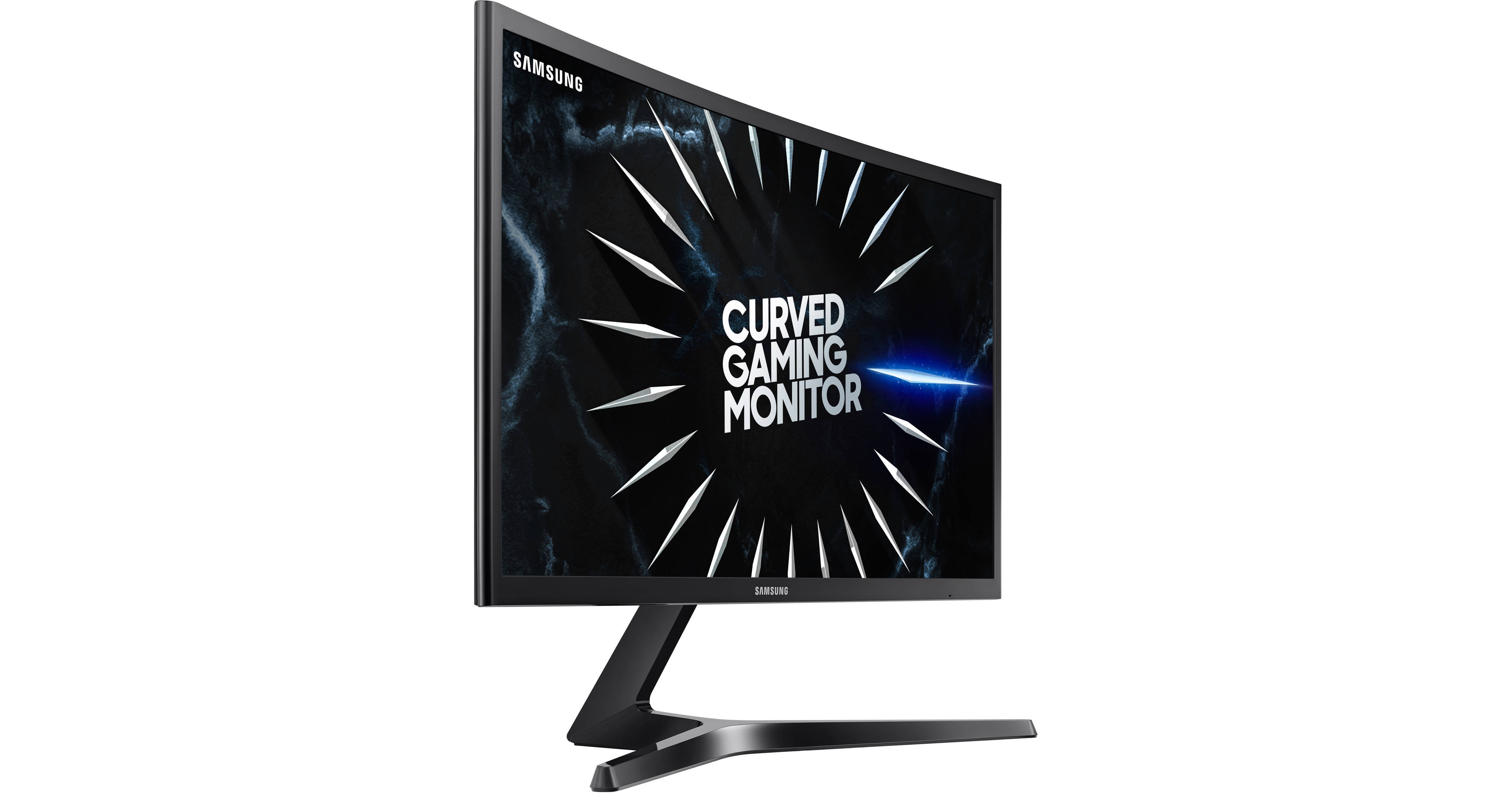
Buy Samsung CRG5 27" 16:9 240 Hz Curved G-SYNC VA Gaming Monitor featuring Vertical Alignment (VA) Panel, HDMI | DisplayPort Inputs, 1920 x 1080 Full HD Resolution, 3000:1 Static Contrast Ratio, 300 cd/m² Brightness, 178°/178° Viewing Angles, 4 ms Response Time (GtG), 240 Hz Refresh Rate, 16.7 Million Colors, NVIDIA G-SYNC Compatible. Review Sam...
ugh
opaque tinsel
It's 4 mz
opaque tinsel
Not great and bad reviews
I had to have that recalled because newegg didn't list the response time clearly
sage trail
response time is a marketing gimmick btw
sage trail
so you understand it doesnt matter
"4ms" doesnt mean anything
it literally has zero context
and theres no standard for defining it
opaque tinsel
sage trail
wdym "all over the place"
opaque tinsel
As you can see
1-2ms is possible on the tuf but it causes ghosting on 1, on 2 it works
Reviews back it up*
sage trail
i dont understand what youre talking about
opaque tinsel
On the tuf the 1ms response time advertised is possible
sage trail
ok
opaque tinsel
But it causes ghosting, on 2ms it doesn't ghost
The Samsung is just set at 4ms and idk if that's based
sage trail
i dont think the time it takes for the pixel to change colors is up to the user
thats just a panel characteristic
sage trail
if you put your monitor into overdrive, then it will speed up the monitor, and the pixels will switch faster with less accuracy
so, pro tip
dont do that
opaque tinsel
Yes I'm aware, reviews I've read gave good settings with limited ghosting
sage trail
or just leave it default?
opaque tinsel
Why?
sage trail
because you dont need to change it
opaque tinsel
But to properly set the monitor you need to
sage trail
what are you even planning to configure?
opaque tinsel
The refresh rate and response time
Tuf has other options as well if I get it
Like elmb I think that's the acronym
sage trail
if you dont care about colors, just get a TN panel
done
you dont have to do a thing
opaque tinsel
Okay but I need a link to one that's cheap