#old-monitors-and-tv
1 messages · Page 41 of 1
 maiden wedge
:((
Thanks @granite field
And @maiden wedge it’s a brand new monitor 😂
@maiden wedge I'm just playing
do you have warranty ?
if u live in the US
then 30 days
30days or 90days would help you
return would help you *
but buy a new one is the fatest way huh huh huh
 drowsy frigate
I have a budget over $700 CAD and want 1440p, 165hz 1ms, 32inch, curved and little ghosting if that can be done.
 storm leaf
i have a benQ monitor
storm leaf
used for like $50
drowsy frigate
800$ then.
maiden wedge
............
drowsy frigate
850$
maiden wedge
make it 900$ might be you have a chnace
you want
high setting ?
ultra ?
wit
wait
900$ including monitor ?
if yes
in your dream
............
drowsy frigate
I bought an RTX 3090 for collage in areas where I need it and want a display to game on the side from my panel I use for work.
maiden wedge
gpu ?
so 900$ doesn't include gpu and monitor
then of freaking course you can build anything
 granite field
They just want a display I'm pretty sure they have everything else
drowsy frigate
RTX 3090 with a AMD Ryzen 7 3800XT if that's to weak for 3090 I'll get something better.
maiden wedge
500$ budday
granite field
Not sure what $700 CAD translates to, but you can get a pretty high end 1440p monitor for $400-500 USD
drowsy frigate
My current display I use for collage is 4k.
maiden wedge
man
granite field
I would recommend either 4k or 1440/240hz
maiden wedge
you're rich
drowsy frigate
Not really
maiden wedge
😦
drowsy frigate
I just spent about 5,000$
maiden wedge
budget 500$ monitor
granite field
4k/144hz or 2k/240hz
maiden wedge
God damn you sir
granite field
But if you HAVE to have a 32" curved display you might not have much to choose from
maiden wedge
32" 1440p 165hz
drowsy frigate
Is this good Dell 32 Curved Gaming Monitor: S3220DGF?
maiden wedge
would not more than 400$ US
send link plz
if you want knowledge
ask @visual pilot

Dell
Introducing Dell’s fastest 32-inch QHD curved HDR gaming monitor. Featuring strikingly realistic visuals with AMD FreeSync 2 HDR and 165Hz refresh rates.
his monitor
drowsy frigate
Idk if I should buy it or not
granite field
Seems decent
granite field
Dell makes pretty good stuff, but it does have a bit of a "brand tax"
granite field
I can't speak to the ghosting. I haven't used a VA panel, all of my high refresh displays have been TN
drowsy frigate
Got this one but hate it for heavy ghosting and flickering with Free Sync. ASUS TUF Gaming VG32VQ1B 31.5" Curved Monitor
maiden wedge
well you should ask @visual pilot this guy then
drowsy frigate
Returning it ASAP
maiden wedge
he knows a lot about Monitor
drowsy frigate
@visual pilot Yo, help me my dude. I want something that isn't a blurry mess with 1440p, 165hz 1ms, 32inch, curved and little ghosting. not like the garbage SUS TUF Gaming VG32VQ1B 31.5" Curved Monitor
Any suggestions would be nice. 😄
 storm pawn
got a budget?
storm pawn
Mmmmm
batman
makes sense
when he says " not like the garbage SUS TUF Gaming VG32VQ1B 31.5" Curved Monitor", u know hes rich
 visual pilot
@drowsy frigate hai I'm back I'll get you smth
So I'm guessing you have an issue with VA panels and ghosting
Lemme grab some IPS panels for ya
maiden wedge
so
visual pilot
Lemme grab a random rtings review and go grab a section
 visual pilot
@drowsy frigate do you want an ultrawide monitor?
I wouldn't suggest 32in for 1440p, 27in 1440p is the sweet spot.
It's not a defect to be exact, some panels are just bad
visual pilot
Is ok
maiden wedge
man
drowsy frigate
So, 32inch a no go?
visual pilot
I mean, if you want 32in, ultrawide monitor
 naive pewter
Does anyone know of any good 144hz 1440p monitors? I heard the ASUS TUF Gaming VG27AQ is good but idk
maiden wedge
@naive pewter you want one that Mr1111 suggested me ?
naive pewter
@naive pewter you want one that Mr1111 suggested me ?
@maiden wedge which one is that
maiden wedge
naive pewter
I have that one rn
its super ass
thats why im trying to get a different one and return it
idk if my panel is defected or the monitor is bad
naive pewter
it has really good reviews but idk whats wrong with mine
drowsy frigate
Wait
naive pewter
it also smells like its burning internally so it might be defective
drowsy frigate
I heard about Asus has a high defect rate
maiden wedge
so
naive pewter
hmmm dam
naive pewter
i havent returned the aoc one, i got it 2 days ago but there something wrong with it
im using it right now lol
maiden wedge
wait
maiden wedge
super ass like what ?
drowsy frigate
Try updating driver
naive pewter
did that
maiden wedge
have you try Asian method ?
visual pilot
I'm back
drowsy frigate
Try a different cable
maiden wedge
hit it hard on the top left or right corner
naive pewter
basically it looks like a 3ds with the 3d enabled
maiden wedge
90 degree
naive pewter
done both
drowsy frigate
Wb mr111
visual pilot
Did you get drivers for monitor and GPU?
naive pewter
yea
maiden wedge
Mr1111 Habibi said this one suck ass https://www.amazon.com/gp/product/B07V39QHMY/ref=ox_sc_saved_title_1?smid=ATVPDKIKX0DER&psc=1
visual pilot
It shouldn't be.
maiden wedge
the one u suggested me 😦
naive pewter
mine does it might be defectrive tho
it smells like its burning idk if thats normal
probably not
visual pilot
That isn't normal
drowsy frigate
Back on ur mention of "I mean, if you want 32in, ultrawide monitor". Is their any good panel that isn't slow af with ghosting.
naive pewter
do you have that monitor as well? when there are blacks and grays it has a really inteense glow
visual pilot
Yes, ghosting is mainly an issue with VA panels afaik
Anyways here's one option to look at for 27in 1440p
https://www.amazon.com/Acer-XV272U-Pbmiiprzx-Technology-DisplayHDR400/dp/B07MQBPMJ2
Ghosting has nothing to do with size btw
drowsy frigate
Any IPS ultrawides 32inch?
visual pilot
I'll take a look
drowsy frigate
I tried looking but only find VA
maiden wedge
That's a nice one Mr1111
visual pilot
UW ips 1440p might be a no go, so god damn expensive lol @drowsy frigate
https://www.amazon.com/dp/B0798Q8KG4
visual pilot
You can buy 3 different of the panels I sent above for the price of one XD
@drowsy frigate if you want more screen realestate, you could buy 2 of the 300$ 1440p144hz27in panel
drowsy frigate
Yes
visual pilot
Also I just recognized your pfp lmfao
maiden wedge
..........
visual pilot
@drowsy frigate in cad
https://www.amazon.ca/dp/B07MQBPMJ2
visual pilot
Yea didn't I link a 300usd monitor above or didn't you already get one?
maiden wedge
I saw the one 300$
drowsy frigate
In 32inch ugh
maiden wedge
how about this one
drowsy frigate
I'm not paying 1500$
maiden wedge
drowsy frigate
Lmao
maiden wedge
300$ dolar too
visual pilot
The reason why I don't want to reccomend 32in 1440p 16:9 is larger panel with same amount of pixels looks worse
This is one of the times where bigger doesn't mean better, and actually means worse experience.
Also keep in mind the monitor I linked above was 400cad for 27in 1440p. You can buy 2 for one of those..
drowsy frigate
I like big screens tho cuz I'm a bit blind.
visual pilot
@drowsy frigate bigger screen would actually make it harder to read with lower pixel density
it's like how 1080p on a screen is easier to read than say 360p
Because the more pixels/inch means more details means easier to read
maiden wedge
@visual pilot what do you think about this one https://www.amazon.com/gp/product/B086ZZBPY9/ref=ox_sc_saved_title_2?smid=ATVPDKIKX0DER&psc=1
visual pilot
@maiden wedge I mean, if you're looking at that, this is the same price, but IPS.
https://www.amazon.com/Acer-XV272U-Pbmiiprzx-Technology-DisplayHDR400/dp/B07MQBPMJ2
visual pilot
VA is meh, it's like good enough and usable, but IPS is just better.
maiden wedge
Yeay I'll take one u just suggested
drowsy frigate
So, no IPS curved 1440p 144hz?
Any not costing a new gpu
3080 territory

Dell
Discover one of the world’s first 34 inch 21:9 curved monitors with a panoramic view, cinematic WQHD resolution and superb sound.
Is this a good one?
visual pilot
@drowsy frigate it's 60hz
visual pilot
lol
drowsy frigate
Why do they like VA panels?
visual pilot
because cheap
drowsy frigate

Lowest Prices Guaranteed! 15% Price Beat - Online, Instore, Any price, Anywhere. Visions Electronics is dedicated to being recognized as the Best Name in Electronics in Canada by you, our Valued Customer.
Hm
visual pilot
it no work
drowsy frigate
Huh?
It looks decent
Upgrade your gaming station with the 32" Samsung Odyssey G7 gaming monitor. Its powerful 1000R curved screen technology, 240Hz RapidCurve, and 1ms response time immerse you in the game, while QLED colour, HDR600 contrast, and WQHD resolution ensure stunning visuals. G-Sync com...
What about this one?
visual pilot
surprisingly good, but you didn't like VA sometimes causing ghosting so
and also I don't like 32in 1440p as I've said before.
 cursive lodge
Can anyone see the difference between these two monitors i m thinking about picking one of em up and there is a 120.00 difference but i can t see in desc what the differences are? https://www.amazon.com/dp/B07TD94TQF?tag=pcpapi-20&linkCode=ogi&th=1 vs https://www.amazon.com/dp/B07YGZL8XF?tag=pcpapi-20&linkCode=ogi&th=1
 sullen goblet
It looks like one is Nano IPS and one is just IPS. I'm pretty sure Nano IPS just means it shows colours better or something.
 brave cipher
va will have better contrast, but higher chance of flickering w/ gsync
ips supposidly better true colors for use in editing n that sort,
theres not as many gsync module va panels, alot more in ips- newer ones bringing up the hz
maiden wedge
Then ips is a safe bet
 dusky nebula
What abt tn
 rapid kayak
Tn is pretty old so nah
maiden wedge
IDK
most panel nowadays using VA and IPS
rarely TN
<(")
so that explained a lot about tn
granite field
TN was the fastest display technology for a while, but it seems like IPS has caught up to it recently
I think it may be cheaper, but budget concerns aside, I think IPS is just as fast and has better color and viewing angles
I have a 27" 1440p 144hz TN panel and I feel like it gives off a good amount of heat. However I have no point of reference, it's possible that IPS or VA would give off just as much heat.

 hybrid portal
32-43 inch 1440 or better monitor recommendation? is 3800x/rx5700xt

 vagrant goblet
Hi everyone! What are your thoughts on S2421HGF vs S2721HGF?
One is a 1080p 144Hz 24" TN and the other is a 1080p 27" 144Hz VA
And btw, I've heard that Dell has the best QC from monitor brands, do you think that's true?
I can't really afford to have to return a monitor several times to get a good unit
dusky nebula
Whats budget and 27” is probaly gonna be too big if ur gonna be gaming
@vagrant goblet
vagrant goblet
@dusky nebula Up to around $200
I’m looking at those ones because I’ve been told that Dell has the best QC for monitors
Now I’m mostly considering the 24” model because I found out it’s flat. I prefer not to get a curved monitor
dusky nebula
The dell 24” looks fine
 tranquil arch
Will I likely need a 3080 or 6900xt for 144-165hz 1440p?
 twilit hatch
is 1440p on a 24inch good?
visual pilot
ye
twilit hatch
would it be better than 27inch with 1440p?
twilit hatch
so basically 24 inch would be sharper, but 27 inch would have more screen space?
 deep fern
yup
twilit hatch
I guess it would be better to get two 24 1440p monitors for double set up
twilit hatch
Oop a bit expensive for me
I'm looking for a 24inch 1440p 144hz monitor with low response time and willing to spend $200-250 on it. (27 inch is fine too)
granite field
Good luck finding a 24" 1440p monitor at all
I know Dell and AOC both had one
But I don't think I've seen them in stock in a while
The only three I can see with a price in pcpartpicker are about $150-$300 over the msrp
I would be very interested if a company dropped a 24" 1440p 240hz monitor. I like the pixel density of 24" over 27"
maiden wedge
can you strech more 50 bucks ?
I got one
https://www.amazon.com/gp/product/B07MQBPMJ2/ref=ox_sc_saved_title_1?smid=ATVPDKIKX0DER&psc=1 here u go I'm gonna buy this
granite field
Never miss a detail with this new Monopriceâ„¢ Zero-Gâ„¢ TN-LED 27" Gaming Monitor! With its super fast 144Hz refresh rate and 2560x1440p (WQHD) resolution
This one is $249.99
visual pilot
Don't get tricked into the TN panels >:D
https://www.newegg.com/p/N82E16824736004
(jk, do your thing)
 dusty island
wait
32" 2K 144hz
for $239?
this may have already been posted but i missed it if so
@visual pilot what do you think of this one? would two 32" monitors be overkill? 
granite field
Sounds like they have QC issues, but it's hard to beat that price
dusty island
buy it and an extended warranty and maybe you'd be set, lol
not sure how a setup with one curved monitor and one flat would look though
granite field
Assuming you center on the curved one, you would want ips or VA for the flat one
Instead of TN
dusty island
i think this one is VA
the one i linked
and the one i'm currently using too, actually
granite field
Amazon is great for returns
A single dead pixel and you can just take it to a ups store
Don't even have to put it back in the box sometimes
And they release the refund as soon as ups has it
dusty island
yeah, Amazon has gotten me spoiled on that
 shadow imp
Is the only difference between these the refresh rate? MSI Optix MAG27CQ and MSI Optix MAG272CQR
storm pawn
theres an R after one of them
thats the difference
from what i can see, they are pretty much identical monitors, but if ur rlly interested in buying these monitors, i suggest you do the research and find out whats the difference or how similar they are (price, build, quality, resolution, response times, refresh rate, etc.) @shadow imp
shadow imp
Seems like all is the same, even price, except for refresh rate
 somber cloak
I bought the AOC C24G1 VA 144hz panel
It comes on wednesday
It was $144 When I bought it now It's 139
 obtuse thorn
whats a good cheap 144 hz monitor under 200
visual pilot
1080p 144hz ips
https://www.newegg.com/p/N82E16824737012
 frigid harness
thank you im getting this one
maiden wedge
Wow monitor prices are going down
 timid herald
What’s a better display for a secondary screen?
Acer SB220Q bi 21.5 Inches Full HD (1920 x 1080) IPS Ultra-Thin Zero Frame Monitor (HDMI & VGA port),Black https://www.amazon.com/dp/B07CVL2D2S/ref=cm_sw_r_cp_api_i_XikFFbNSAHTJ5
Or
timid herald
Samsung Electronics LC27F398FWNXZA Samsung Electronics C27F398 27" Curved Monitor & Logitech MK345 Wireless Combo – Full-Sized Keyboard with Palm Rest and Comfortable Right-Handed Mouse https://www.amazon.com/dp/B07TRM7F2C/ref=cm_sw_r_cp_api_i_lrkFFbQJTGSMV
 full moat
aka, no vertical setup for you (without a extra vesa arm)
full moat
and curved is imo, just a wee bit silly for a secondary
timid herald
Or even adjusting it really
full moat
also, the physical size difference between the 2 models is fairly massive
timid herald
I just mean over all spec wise And panel
Will picture/performance be any better on one over the Other?
I’ve heard people like ips, but I don’t know the benefits
full moat
https://www.gamersnexus.net/guides/1890-panel-comparison-tn-ips-pls-va-crt <- have a look there @timid herald

Today we will be focusing on the differences between IPS, TN, PLS, and VA panels, but we will also be covering CRT for grounding, despite CRT not being an LCD panel type. -
old article, but still relevant
timid herald
Ty
Also the Samsung display is 60hz but the acer is 75, but if im not gaming on it, does it really matter?
full moat
that is entirely up to you
higher hz = more stable image
but, its very much personal preference
timid herald
I’m going to pull the trigger
Get the Samsung
I already have the acer as my second monitor. But this way I can give my acer to my wife
Her acer is even worse, 60hz and no freesync
And then hers will become my daughters and all is right in the world
 idle cliff
I have a Alienware 25 and was wondering if it has HDMI 2.1
maiden wedge
Does 1440 with a gtx 1660 make sense or should I go for 1080p with 120/144 hz
maiden wedge
If you have recommendations my maximum budget is 250
full moat
@idle cliff what difference do you think it makes?
 shrewd summit
Does 1440 with a gtx 1660 make sense or should I go for 1080p with 120/144 hz
@maiden wedge get a 1080p 144hz
 flint bolt
visual pilot
flint bolt
visual pilot
@nova tangle Here,
1080p 240hz:https://www.bestbuy.com/site/asus-vg259qmy/6421623.p
1080p 144hz:https://www.newegg.com/p/N82E16824475047
 nova tangle
Oh ok thanks
visual pilot
@nova tangle what GPU?
nova tangle
Ngl I have no clue what that is 🤔
visual pilot
that'll also decide if you'll want 1080p144 or 1080p240 or 1440p144
nova tangle
🙃
visual pilot
what computer are you trying to use with the monitor?
nova tangle
Welp I don’t have one yet that’s why I’m here to find out
But I need a streaming and gaming one
visual pilot
Okay so you really should figure out the computer first before figuring out the monitor.
nova tangle
Okey
visual pilot
The computing power of the computer matters for the monitor
nova tangle
Oh
 upbeat summit
me buying setup for streming and gaming mr1111 helped me out
visual pilot
There's 0 reason getting a 240hz monitor if you are just using an iGPU
nova tangle
https://pcpartpicker.com/list/L3VQz7 one of the people in this discord said this...
visual pilot
Do you think you can get a 3080 tho :P
stock has issues
it's taking forever for people to get one.
upbeat summit
i would go for a 3070 if anything
visual pilot
same thing
visual pilot
We can chill in #building-and-recc-chat and figure things out
nova tangle
Can I come 🙃
nova tangle
Lol
 potent cave
Which is the best 4k monitor I can get for around 350$?
 balmy sable
Which is the best 4k monitor I can get for around 350$?
@potent cave
https://www.newegg.com/p/pl?cm_sp=CAT_Monitors_1-_-VisNav-_-Gaming-Monitors_1&N=100898493 600338147 4019
maiden wedge
acer needs to make a 240hz 1440p monitor already
that i can actually find somewhere anyway
well rather
finish the one they're already making 
visual pilot
@errant latch the older the cheaper
And also, that's WINDOWS display resolution
Not game
So you're correct afaik
@elder fulcrum
https://www.newegg.com/p/N82E16824737012
full moat
do keep in mind thou, steam numbers are not forced numbers, you have to agree to take the survey @errant latch
 elder fulcrum
Oh dang. I forgot to say 27” sorry 😥
 errant latch
Thank you
 brazen rampart
I'm looking for a DisplayPort 1.4 KVM. Is this where I should ask?
dusky nebula
yep
brazen rampart
IOGEAR GCS1944 4-Port 4K Dual View DisplayPort KVMP with USB 3.0 Hub and Audio (TAA)
I've found this product, and it seems close, but it is DisplayPort 1.2
I want to be able to attach 3 monitors to 3 machines, and that supports 4 monitors to 4 machines
For the life of me I can't find what will suit my needs
elder fulcrum
Why not 27” 1080? And it’s cause idk ab a 1440p monitor rn cause when I upgrade I think ima play mostly 4k. And I also will probably get a 27” so I don’t want to have 2 different size monitors @visual pilot
deep fern
27" 1080p low pixel density
visual pilot
^
elder fulcrum
Rip ok
Well thanks for telling me
I guess I’ll get a 24” and then later I’ll do that vertical mount thing
visual pilot
there are some that has pivot
 echo acorn
hey, anyone heard about this monitor ? ViewSonic VX2758-2KP-MHD 27 i cant find any review online ( looking for a 1440p gaming monitor for not too much)
my bad this one ViewSonic VX2768-2KPC-MHD
 crimson bough
Looking for Monitor
• ~$300
• At least 120 Hz
• 1080p or 1440p
• Preferably 24" but could do 27"
• IPS or VA panel
Anyone have any good recommendations?
visual pilot
300$ IPS 1440p144hz
@echo acorn this monitor might apply for you too.
Seen the ViewSonic panel before, specs look fine-ish
crimson bough
Thank you so much I’ll take a look at it
visual pilot
As in, it's fine, it's what you would expect from a cheap-ish panel
yaknow, 250nits, not that bright, VA panel, not the best,
echo acorn
alright so you get what you get for a cheap display ok thx
elder fulcrum
Va or tn?
visual pilot
@elder fulcrum which panel you asking about
elder fulcrum
Oh sorry. Like what’s the difference. I swear I’ve watched a video about it multiple times but I always forget the difference between those
visual pilot
VA has better colors, better contrast.
And depending on the panel, some VA panels have ghosting issues.
elder fulcrum
Oh ok thank you
 final timber
Does anyone own an odyssey g7 personally?
Thinking about picking it up because that’s a good bang for buck
 serene hawk
 worldly field
what monitor should i get ? im looking for something in 2k whit hight refresh rate whit a ips panel 27 inch and hdr if possible
for gaming
storm pawn
budget?
visual pilot
worldly field
budget?
@storm pawn dont have any want the best
storm pawn
700 bucks coming soon

Buy ASUS ROG Swift PG259QN 24.5" 16:9 G-Sync 360 Hz IPS Gaming Monitor featuring In-Plane Switching (IPS) Panel, HDMI + DisplayPort Inputs, FHD 1920 x 1080 Resolution @ 360 Hz, 1000:1 Static Contrast Ratio, 400 cd/m² Brightness, 178°/178° Viewing Angles, 1 ms Response Time (Gt...
storm pawn
700 teapots
dusky nebula
would rather buy a 3080 for 700 jewels
dusky nebula
lol thats a soyboy type flex tho
dusky nebula
🤓☝️guys i have 360hz monitor
 languid ferry
best monitor for 400 buckaroos
...and....GO
i have a 10700k and waiting for a 3080
but currently have a 1070
 cunning notch
hey guys looking for cheapest 144hz over 1080p monitor possible. At least 27" if not ultrawide
elder fulcrum
I heard from others in this chat that 1080 27” isn’t that good because of pixel density
dusky nebula
 floral path
I have a question: is this display any good : Iiyama G-Master GB3266QSU-B1 ? I can't find any reviews on it
 rare wolf
IIyama sounds like a brand I've never heard of
Here are the tech specs for it though
Diagonal: 31.5", 80cm
Panel: VA LED, matte finish
Curved: 1800R
Native resolution: 2560 x 1440 @144Hz (3.7 megapixel WQHD)
Aspect ratio: 16:9
Brightness: 400 cd/m² typical
Static contrast: 3000:1 typical
Advanced contrast: 80M:1
Response time (MPRT): 1ms
Viewing zone: horizontal/vertical: 178°/178°, right/left: 89°/89°, up/down: 89°/89°
Color support: 16.7mln (sRGB: 96%, NTSC: 72%)
Horizontal Sync: 30 - 225kHz
Vertical Sync: 48 - 144Hz
Viewable area W x H: 697.3 x 392.3mm, 27.5 x 15.4"
Pixel pitch: 0.272mm
Color: matte, black
floral path
Yeah that's what I've found too, but I'm kinda looking for some user experience. I'm kinda new to the desktop pc and don't want to be disappointed.
It fits my wishes, I just need some user info on the way it handles itself
Thank you nonetheless 👍
 sage trail
how much does it cost?
like, where would you buy it?
this monitor isnt really anything special, so im assuming you found it for a really good price somewhere, correct?
rare wolf
at Overclockers UK, it costs £339.95
sage trail
4
timid herald
Just upgraded my secondary monitor. Battle station pics coming later in #build-pics
do you guys prefer having one or two monitors on your setup?
@rare wolf I prefer two. I stream occasionally and it’s a lot easier to manage. I also like to control music, or watch sports, or have my discord open while I game.
Both my displays are 1080p, but my main gaming display is 144hz with 1ms response, 24” curved. I had cheap acer 22” for my secondary that I just upgraded to a 27 in Samsung curved
floral path
this monitor isnt really anything special, so im assuming you found it for a really good price somewhere, correct?
@sage trail it costs around €339
So you are absolutely correct about the price 😄
floral path
I don't know 😂 I'm from Europe so it's pounds or euros for me 😂
And I just want a 144 Hz 1440 display with a 1ms gtg reaction time with the best possible specs for around 350 euro/415 dollar
But because all the comparison I'm doing I'm starting to go crazy
timid herald
New monitors is up
floral path
is a curved monitor really that much more immersive in comparison to a "flat" display ? that setup looks nice 😄
floral path
Thanks @sage trail thats a great one to consider 😄
timid herald
is a curved monitor really that much more immersive in comparison to a "flat" display ? that setup looks nice 😄
@floral path if you’re going for a larger size display, like 26” and up, I’d say a curved screen is nice.
But I actually use my smaller screen for gaming, not only because it has better specs, but it’s easier to see all the on screen info
floral path
im looking in between the 27-32" sizes 😄
timid herald
Both are curved
I had a flat secondary monitor, but just swapped it today to a curved 27”
And honestly, it’s a little bigger than I would like
floral path
hmm, thats some food for thought. right now i play off my laptop onto my 32"tv for racing games... so i think 27 will be the sweet spot for me
 astral pasture
I got 3 asus 27inch 165hz 1ms response love them
Ordering a 4th one ehen they back im stock
When
 dawn vine
Anybody know any good 240hz 1440p monitors that are on the low side of prices?
 worthy ember
Any good monitors for under 200 someone can suggest
 fleet temple
I just got a monitor and I was wondering if this is normal, I have a few spots where the blacks aren't completely black it looks almost as if I was applying pressure on the screen with my finger
Imgur . com/gallery/wlQJNsH
I'm not allowed to post images yet but here's the imgur
 earnest ether
im confused what monitor you guys reccomend 240hz 1440p for triple monitor setup i have no budget in mind
 dense thunder
I’m going to be running an i5 9600k with a 3070 should I get a 1080p monitor or something that can do a little more
rapid kayak
@earnest ether samsung Odessy g7
drowsy frigate
@rapid kayak you got one?
Any new developments on 144hz-240hz 1440p 32inch curved without VA but IPS?
rapid kayak
There aren’t any curved IPS 144hz-240hz that I know of
I don’t have a g7 but it’s highly rated
Even tho it’s va
drowsy frigate
I want honest opinion about that one.
My confusion is why to make a VA panel do like 165hz-240hz if the pixels cannot keep up
Also why classify it as "Gaming" if it's just a smery mess.
drowsy frigate
Really?
earnest ether
is this monitor good? my pc rtx 3090 paired with a ryzen 9 3950X https://www.amazon.com/Gaming-VG27BQ-Monitor-165Hz-DisplayPort/dp/B07WPFP6S4/ref=sr_1_9?crid=DDF8NL0H9XJJ&dchild=1&keywords=240hz+1440p+monitor&qid=1602446691&sprefix=240hz+1440p+m%2Caps%2C178&sr=8-9
rapid kayak
@earnest ether its pretty good but you should get a 4K 144hz like this one: https://www.amazon.com/LG-27GN950-B-Ultragear-Response-Compatibility/dp/B08BCRYS6B/ref=mp_s_a_1_14?dchild=1&keywords=4K+Monitor+144Hz&qid=1602449800&sr=8-14
dense thunder
Any opinions on the curved monitors
I was going to get a flat one but i thought I’d ask
earnest ether
@earnest ether its pretty good but you should get a 4K 144hz like this one: https://www.amazon.com/LG-27GN950-B-Ultragear-Response-Compatibility/dp/B08BCRYS6B/ref=mp_s_a_1_14?dchild=1&keywords=4K+Monitor+144Hz&qid=1602449800&sr=8-14
@rapid kayak okay
is the one you linked good?
rapid kayak
Yes it’s really good
 icy turtle
is da Samsung odyssey g7 worth? what yall think. planning on pairing it with a 3080
rapid kayak
The g7 is very much worth it
icy turtle
if 800 is my max price range should i just go for that topped out 1440p or 4k 140 hz display that may cut some corners at that price
 vital steeple
Need a 240+ monitor budget is 400 lemme know
maiden wedge
Will a 1050 ti handle a 140 or 165 hz monitor? I am confused about refresh rate of a monitor because you set it in your graphics card software not on the monitor itself. Also if so would I see a big difference between a 60hz full HD and a 2k or 4k monitor?
rapid kayak
@maiden wedge the 1050ti probability won’t do any good at 144hz or 165hz, it would be best to opt for a 1080p 60hz monitor
 stray wharf
Asus VG248QG 24” Gaming Monitor, 1080P Full HD, 165Hz (Supports 144Hz), G-SYNC Compatible, 0.5ms, Extreme Low Motion Blur, Eye Care, DisplayPort HDMI DVI,Black https://www.amazon.com/dp/B07TNM8L6S/ref=cm_sw_r_u_apa_fab_nheHFbXDG8V1Y
This a good monitor
?
 acoustic nest
Hello! Anyone here have experience with the ASUS Rog Strix XG27UQ? Got mine late last week from Newegg. Downloaded the manual. It has a far from intuitive options menu consisting of three buttons on the back of the monitor and a red joystick. Nice display but the color temperature is beyond merely warm, the highlights wash out. But all the brightness, contrast, color temperature and assorted other display options are grayed out on the setup menus. The ASUS folks seem puzzled. Googling has provided no help. The manual is beneath rudimentary. I'd hate to return it and I don't even know if this is a defect or not. Any suggestions? Thanks!
rare wolf
Hey I'm just wondering how you guys feel most comfortable with your dual monitor setup?
do you put dual monitors at a certain angle or somewhat else?
storm pawn
one directly at ur face 90 degrees and one off to the side
@rare wolf
scuffed setup, but this is how it should be (not my setup, just found on internet)
absolutely dont do it like this, its dumb and ur tilting ur head to one side when gaming 👇
acoustic nest
@storm pawn - Well, that second setup seems suited to only one thing....making a nice photo 😉
storm pawn
hahaha but do the first photo
its better
its more optimized
one for games
one for productivity/discord
acoustic nest
Okay, so no one has had the problems with that 4k ASUS monitor that I've had. The hell of it is, even their lacking in detail alleged manual says that the options I want will be unavailable when in HDR mode. Why, I don't know. Just as I don't know how to take the damned thing out of HDR mode. HDR is not a matter of resolution as it refers to the color range. Thus, no matter what resolution or other settings I use on my desktop, it snaps into HDR mode...there, and everywhere sigh Guess it's gotta go back, alas 😢 Well....the ASUS support folks asked for 48 hours to work the problem.
visual pilot
That's not great
maiden wedge
Hdr is a clusterf#ck on the desktop
 mossy kindle
what would u choose between with thesee ***https://www.rtings.com/monitor/tools/compare/viewsonic-elite-xg270qg-vs-asus-rog-strix-xg279q/5610/5419?usage=9091&threshold=0.1
RTINGS.com
Compare the ViewSonic Elite XG270QG and ASUS ROG Strix XG279Q monitors
maiden wedge
I honestly dunno how it's going to be effective in pcs as most often you might want just a video window running hdr not the whole screen
 rustic basin
What is the best monitor setup? I want at least 2 monitors with one for gaming and one for recording software and discord
Im thinking about the aoc cq27g2 for my main and some 24”1080p for my secondary
Any suggestions?
deep fern
plz dont avoid filter
rare wolf
I got dual monitors setup on my computer
it's not that bad although I'm still getting used to it
 orchid forum
I have a question, so I have a PC that is equipped with an RTX 3080 and an i7 9700k. I was wondering should I focus on buying a 1440p super ultra wide or should I focus on a 4k monitor . I was also considering perhaps buying a smaller 40-in OLED TV 4K as a option as well period does anyone have an opinion I'm having a hard time deciding. I mainly play a lot of retro games but I do enjoy some esports titles not super competitively , and big RPGs.
Right now I have a 32-in 2K 144 Hertz display but it has a hardware problem that is making it inconvenient to use. It's still functionable but I can't turn it off or it has an issue where it has to heat up for 20 minutes before it displays anything
I'm debating that instead of a super ultra wide monitor I just go with a regular ultra wide in the 34 to 38-in range rather than the 49-in
Also right now on Amazon prime there's a 49 inch ultra wide but it's only 1080p I think that's kind of underwhelming for a 3080 though the reason I ask is because it's marked down to 699 for prime day
 tame swallow
https://www.newegg.com/p/N82E16824012018
From what it says does this seem like a good gaming monitor?
 rose garnet
Is it okay to buy a monitor before I buy the video card? I want to grab one during the Prime Day deals. My concern is if I should pick a monitor with G-sync or Freesync. Any advise?
 placid kestrel
@rose garnet sure, if you are gaming thats a good idea since your monitor will dictate what video card you should get
g-sync and freesync are very similar if you have above 24hz and under 240hz
visual pilot
Most freesync monitors are g-sync compatible by the way.
rose garnet
Thanks! @placid kestrel Got it. Is it true that Nividia now supports Freesync monitors too?
visual pilot
Freesync is for AMD GPUs, and G Sync is for Nvidia GPUd
For example, my monitor, the MSI MAG241c is not listed for g-sync compatible, yet I use my Nvidia GPU and use G sync.
For example, my monitor, the MSI MAG241c is not listed for g-sync compatible, yet I use my Nvidia GPU and use G sync.
upbeat summit
Save with Free Shipping when you shop online with HP. Find all product features, specs, accessories, reviews and offers for OMEN X 27 240Hz Gaming Monitor (6FN07AA#ABA).
@visual pilot ^ this good?
rose garnet
Can you help me choose? I am leaning towards the ASUS one as I personally consider it a better brand.
However, ASUS has a significant price premium attached to it.
https://www.newegg.ca/p/N82E16824012013
https://www.newegg.ca/black-asus-tuf-gaming-vg27wq-90lm05f0-b01eb0-27/p/N82E16824281049
visual pilot
damn discord is lagging for me
@upbeat summit it's expensive because 1440p240hz is kinda a rare panel as of today
@rose garnet I'm gonna have to go, but can you check and find CAD pricing for the Gigabyte monitor with IPS panel that's price near the one you linked?
that panel would be good to find
rose garnet
Thanks @visual pilot
visual pilot
@upbeat summit as in, we don't have "budget/high end" options to compare pricing with
so I got nata on if it's good specs for the price
maiden wedge
Is 1440p 144hz good for a 32" monitor?
dusty island
So 32” for 4K?
visual pilot
Mhm
brave cipher
what gpu u gonna use for a new monitor
cause if 3080 you want something newer/ ultrawide or 4k tbh
 young canyon
If my gpu was constantly outputting more than 144 fps, would I need a monitor with gsync so no screen tearing occurs, or would if be fine to just chill with any 144hz monitor?
 steady narwhal
Do yall know of any good 144hz monitors for around 200$?
storm pawn
@steady narwhal
there are plently more out there that are also very good options for 144hz around 200 dollars
 hasty raptor
Hi, I have an 8k Tv and want to hook it up to my computer. My graphic card rx 580 only has hdmi 2.0. Do I need a new graphics card?
thanks 🙂
 undone yoke
Anybody got a suggestion for a 1440p 144hz ips monitor, preferably around $300
 dusky magnet
^
 kindred umbra
 trail yew
No idea why this is happening but I just installed the newest windows update, and now whenever I tab out of a game that's full screen, my whole screen goes black for a few seconds. Its really annoying because I only have one monitor and i'm switching to discord. Any ideas? The game and monitor resolution are the same
nvm I fixed it lol
deep fern
ya that usually res or refresh change
 charred rain
^^
that's bc ur pros running a game at a different res than the rest of the PC
either get native or lower the whole res
timid herald
My monitor has a usb to pc, what’s the purpose for this?
idle cliff
The monitor probably have some USB ports on it for pass through
If you want to connect something to it
timid herald
Ahhh, like run the usb from my monitor to my pc, and then I could plug my mouse and keyboard or webcam or whatever into the other USB ports on my monitor.
That makes sense, thanks you guys
@full moat keep shaming me until I learn to check that first. 😂😂😂
full moat
not about shaming
i have no personal investment in you asking questions you could have answered faster by reading a manual.
but i can hope that someone else looks at what is written here, and checks their manual first
timid herald
But I did get a faster answer here lol
I would have had to search through my email for my order to get the model I have to look up the manual
Or go digging through my closet
😬
dusky nebula
 vestal wave
144hz
dusky nebula
yea unless ur gonna view it from the side
get tn
pros use tn
Such as shroud, s1mple, etc
dusky nebula
if ur getting 350$ one
vestal wave
I could
dusky nebula
yea when oc
 willow hemlock
360hz soon:)
vestal wave
360 ping would be nice haha but i would rather not spend an absurd amount on thet
Not ping
Hz
Lol
dusky nebula
U play fortnite huh
vestal wave
Im more of a casual gamer/wannabe pro
willow hemlock
240hz is more than enough imo
dusky nebula
Yea
vestal wave
I play fort mostly but i like warzone alot but i crash when i play it in my p
Pc
My hardware is so old
dusky nebula
show me fortnite clip
vestal wave
Ur gonna have to wait for me to grab one
dusky nebula
Ok
vestal wave
Fyi its unwatchable it studders freezes and the audio will crackle
dusky nebula
I used to play fort a long time ago
i only had 60hz monitor tho
i almost got like 250 in earning
vestal wave
U got rare skins
vestal wave
Ima go on my pc hol up
@dusky nebula sorry to do this to u
Volume down
I recomend
dusky nebula
What do u use
vestal wave
The app?
vestal wave
I csnt get that
dusky nebula
unless u have amd gpu
dusky nebula
Pepelaugh
vestal wave
Its prob both
dusky nebula
Yea
vestal wave
My cpu is from 2011
dusky nebula
i had gtx 960 and i5 5th gen
vestal wave
My cpu is a intel xeon e5-2620
vestal wave
I jus want a new one
Basically thats it
Since all the hardware is older wouldn’t i have to upgrade like everything
 plain coyote
vestal wave
plain coyote
vestal wave
Seems good but i have no clue dont take my word
dusky nebula
yes its good @plain coyote
 charred kiln
Does anyone have any 120hz+ monitors that are under $100?
If not lol no worries but I'm interested to see
sage trail
the cheapest 144hz monitor is like 140
i use it its pretty good
would recommend
oh this one is 24 inches
145, its the cheapest they come
maiden wedge
take a look at this @charred kiln , they’re the cheapest ones on the market i believe : https://pcpartpicker.com/products/monitor/#D=120000,280000&sort=price&page=1
visual pilot
what
@maiden wedge btw, PCPP doesn't have a lot of the monitor listings
for example, this is a great monitor for 1080p144hz IPS, and yet it's not on PCPP, despite being on Newegg and being in stock.
https://www.newegg.com/p/N82E16824737012
tame swallow
What’s a good 1440p 144Hz monitor?
maiden wedge
What's the difference between 1080p vs 1440p? Anyone have a good picture to distinguish the difference?
deep fern
1080 is 1920x1080 pixels and 1440p is 2560x1440 pixels, most people are fine with 1080p but if you want/need more fidelity than 1440p could be good for you. and im not sure about picture
granite field
I'm not sure how much a picture would help you, but basically at 27 inches 1080p is ~81 pixels per inch and 1440p is ~109
At 20-24" away from your display you can no longer differentiate pixels above about 150 pixels per inch, apples retina display is (I assume for their phones?) 326 pixels per inch with a suggested viewing distance of 10-12"
 spare dragon
I need a new 27inch 1440p 144hz monitor or a 32 inch 4k 144hz monitor. Any recommendations? Just blew all my money on a 3090 so I hope fps isn't an issue for either displays.
visual pilot
Sure, @spare dragon any budget requirements and other requirements?
Well, these 2 for 27in 1440p144hz
https://www.newegg.com/p/N82E16824012015
https://www.newegg.com/p/0JC-0081-00003
tame swallow
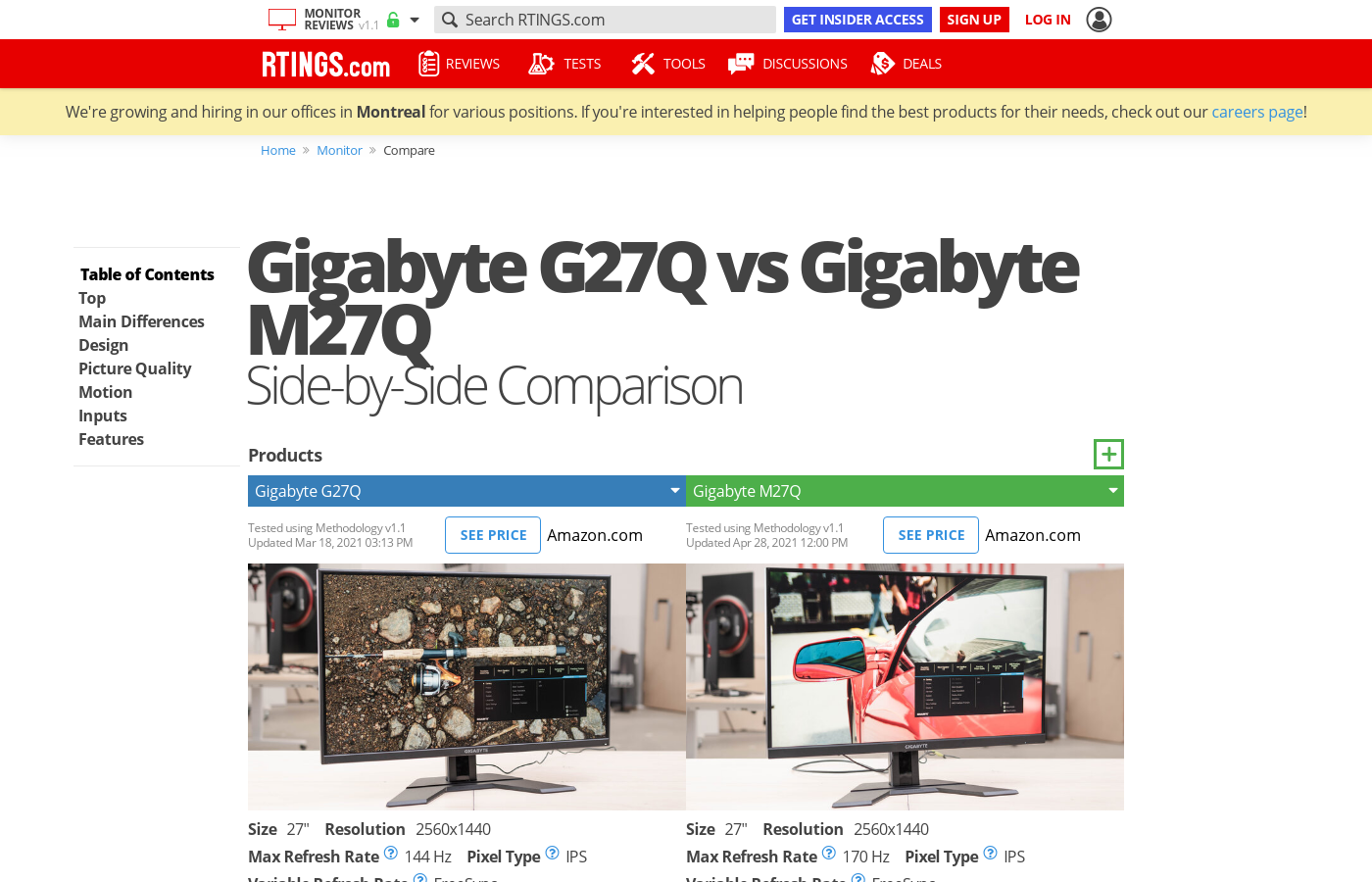
What about the m27q? Any good?
visual pilot
@tame swallow link plz?
full moat

GIGABYTE
Features Multi-Platform built-in KVM SS IPS panel with 0.5ms & 170Hz 8-bit color with FreeSync & HDR Black Equalizer & Aim Stabilizer GameAssist & OSD Side...
actual link to it there
visual pilot
what the hell is that link xD
tame swallow
GIGABYTE
Features Multi-Platform built-in KVM SS IPS panel with 0.5ms & 170Hz 8-bit color with FreeSync & HDR Black Equalizer & Aim Stabilizer GameAssist & OSD Side...
visual pilot
Eh @full moat I like also seeing the price that they're looking at :)
full moat
price only relevant after specs (imo)
full moat
super speed ips
visual pilot
the heck
full moat
correct
deep fern
lol
full moat
here is the link to the silly

AORUS
”It Looks Different!” is what people would say when they see gameplay on a gaming monitor the first time. Indeed, the high refresh rates along with short response time on gaming monitors can bring smoother gameplay. However, what most people may not notice is that there is al...
full moat
looks like it
tame swallow
Is it a decent monitor for price and all?
deep fern
no its super speed
full moat
throws smelly socks at @deep fern
visual pilot
maybe even worth 30$ extra than the other monitors actually
full moat
something else for you to get high from :P
visual pilot
(Since the guy seemed to have the budget given a 3090 and all)
Better contrast and color according just to the spec pages, and ofc higher refresh rate.
full moat
aye
 covert solstice
super gaemer monitor
visual pilot
what is KVM tho
covert solstice
kool very monitor
full moat
switch for machine control

A KVM switch (with KVM being an abbreviation for "keyboard, video and mouse") is a hardware device that allows a user to control multiple computers from one or more sets of keyboards, video monitors, and mice.
visual pilot
Yea I thought KVM switch was like a thing for plugging multiple thingies in
oh interesting
So it's for multiple PCs
full moat
aye
i have not tried their implementation of it
so i cannot vouch for that part of it
deep fern
i could've used a kvm switch a few months back
plain coyote
To people that have 1440p how much better is it from 1080
covert solstice
i went from 1680x1050 to 1440p 144hz and it is noticeably sharper and smoother
granite field
To people that have 1440p how much better is it from 1080
@plain coyote
I would say refresh rate makes more of a difference. So like if you have 1080p 60hz, 1080p 144hz will have moreimpact than 1440p 60hz
plain coyote
I do not have money to do 4K
visual pilot
What GPU
plain coyote
R you talking to me @visual pilot
visual pilot
yes
plain coyote
It’s between 3070 or what amd shows
visual pilot
1440p144hz ez
I actually quite likes the specs on this monitor now
https://www.newegg.com/p/N82E16824012018
visual pilot
oh UK?
one sec

currys
Quad HD 2560 x 1440p; Refresh rate: 144 Hz; Response time: 1 ms; Input: HDMI / DisplayPort; Built-in speakers; Can be wall mounted
plain coyote
Is this better
visual pilot
a pretty good bit cheaper at the same specs
plain coyote
Ok thanks also is 1440p Worth it like performance wise how more often do I need to upgrade my pc to keep up with 1440p
visual pilot
3070 will very likely do well for 1440p144hz
plain coyote
btw I like to play in dark room most of time so is ips the way to go and should I go with a 1440p tn panel because higher response time
I like to have good colours but also high response time
@visual pilot
plain coyote
Does va have a good response times
visual pilot
wut
please for the love of God, throw pixel response time marketing out of the window
please
plain coyote
Ok it’s just I don’t like smearing or ghosting
visual pilot
there's ghosting with some VA panels
despite having good listed pixel response times :P
IPS op
plain coyote
I have only tn so and what is pixel responsive time
visual pilot
How quickly it can switch from one color to another
plain coyote
Give me a sec
Idk but here’s the Monitorhttps://www.amazon.co.uk/Dell-S2719DGF-Anti-Glare-LED-backlit-Monitor/dp/B07XTVYPYF?th=1&psc=1
visual pilot
Oof TN 60hz
visual pilot
Fairly sad times
plain coyote
What you mean

 visual pilot
But manufacturers cheat and lie on em basically, so ignore the listed times
plain coyote
Ya
visual pilot
For example, rtings does pretty accurate testing, look at this "1ms" response time :D
https://www.rtings.com/monitor/reviews/gigabyte/g27qc#comparison_3634

RTINGS.com
The Gigabyte G27QC is a great budget gaming monitor. It shares many similarities with its bigger sibling, the Gigabyte G32QC, as it also features a VA panel with...
plain coyote
But that’s the curved va Version g27q is ips
visual pilot
I said for example, on the topic of response times smh
Not saying that's the review on g27q
plain coyote
What about va. Any good va that have a good response time and not curved or tn with good colours and also good response time
plain coyote
Ok what tn any with good colours and response time
visual pilot
:)
plain coyote

 warm nexus
If my graphics card only has one hdmi port, how would I go about connecting dual monitors?
deep fern
if the gpu has dp or vga ports you can use adapters, or if the monitor has dp or vga
 quick notch
If only one output on video card and you have integrated graphics on your CPU and an output on motherboard. Likely Have to enable dual output in bios if you want mb and video card to both output simultaneously
 acoustic jetty
Anyone know of a fix? 3/4 up my monitor there is some horizontal screen tear no matter which game I play. I’ve had the monitor for about 4 months and it just happened yesterday.
dusky nebula
Did u overclock ur monitor
acoustic jetty
I did briefly then I changed it back because I didn’t notice a difference
 hearty raven
I'm trying to get a new monitor on a budget
My gpu is a GTX 1060, so I'm not expecting anything above 1080p, so Im looking for a 1080p 144 Hz display on a budget
At the moment I've narrowed it down to the Sceptre C248B-144RN and the VIOTEK GFV24C
Does anyone have any recommendations on which I should buy, or if you know of another better monitor around the 150$ range?
acoustic jetty
@dusky nebula I think I found a fix. Not sure if it’ll be permanent though. I changed the display mode from full screen to windowed back to full screen and it seems to be working now.
dusky nebula
maybe use another cord or sum
acoustic jetty
@dusky nebula seems to only be temporary :/
maiden wedge
Are samsungs odyssey monitors good or just not worth the price?
dusky nebula
not bad
charred rain
@maiden wedge absolutely worth the price
1440p @ 240hz?
incredible
not to menttion the curvature
maiden wedge
Welp asus service at it again, send my pg27uq in for a power issue and they’re completely ignoring it and saying my screen is damaged and needs replaced and these are pics they sent me
Never buying from them ever again
deep fern
Asus is nice if it doesnt break, their service not very good 😦
 half ivy
So my monitor has like a full black outline and I’m going for a mainly white setup so I was wondering if anyone has any tips on making the monitor outline white without paint
maiden wedge
@deep fern that doesn’t even look like damage to me honestly
deep fern
its hard for meto even tell what i look at, second below looks fine to me but i am looking on a smol phone screen
maiden wedge
There’s a like white smudge on it
dusky nebula
Does benq have good monitor service
 twin oak
benq has the best monitors imo
idk about service
but they have dyac
which means less motion blur
most pro cs players use benq monitors
 noble dirge
I’m buying a monitor, I was wondering, if I buy a 240 hz monitor but can’t get 240 FPS in for example warzone, should I buy a 144hz instead? Or should I just convert the 240hz monitor to 144 when playing games that don’t reach 240 FPS. I’m hesitant to buy the 240hz and switch it to 144hz because I saw something about input lag or something increasing. Like I saw the test at 240 hz be insanely good but then the test at 60hz was horrible.
Maybe I’m misinterpreting the data?
noble dirge
But like will my input lag increase? If I switch down to 144hz
dusky nebula
no