#old-monitors-and-tv
1 messages · Page 21 of 1
 full verge
 errant edge
Support us on Patreon: https://www.patreon.com/hardwareunboxed
Join us on Floatplane: https://www.floatplane.com/channel/HardwareUnboxed
Buy relevant products from Amazon, Newegg and others below:
AOC Q27G3XMN - https://geni.us/iaqBe
Acer Nitro XV275U P3 - https://geni.us/oWxmf
Acer Nitro XV275K P3 - https://geni.us/kDEq1
Cooler Master GP27U - ...
errant edge
full verge
the pure black is so cool
Mini led will have the same colour accuracy/HDR as oled
Well, not the exact same
But you know what I mean
Here's a review for the acer mini led
https://youtu.be/W9669HalZoM?si=XsKsNV5_62UZTFK0

Support us on Patreon: https://www.patreon.com/hardwareunboxed
Join us on Floatplane: https://www.floatplane.com/channel/HardwareUnboxed
Buy relevant products from Amazon, Newegg and others below:
Acer Nitro XV275U P3 - https://geni.us/oWxmf
Acer Nitro XV275K P3 - https://geni.us/kDEq1
Cooler Master GP27U - https://geni.us/zHJRw9
Samsung Odysse...
The aoc just has a bit faster response times and a few minor improvements, but nothing crazy
full verge
How much worse is the response time on the mini led moniters
This ones seems like a good choice but its not saying anything about response times
https://www.amazon.com/dp/B0D9J5KTD6/ref=cm_sw_r_as_gl_api_gl_i_dl_XDKFZ6TKS97ZPCBER95V?linkCode=ml1&tag=graphicallych-20&th=1

Mini LED Local Dimming: The KOORUI 27 inch White Gaming Monitor features a Mini-LED VA panel with 384 Local Dimming Zones, which can achieve 550cd/㎡ peak brightness and a higher dynamic range HDR1000 so that the computer screen can restore the deepest blacks and brightest whites. The color is mor...
errant edge
full verge
How much worse is the response time on the mini led moniters
The aoc mini led is just about as good as a decent IPS, the acer is just a little bit below
The koorui mini led is nice but it has some issues with hdr from what I've been told
 brisk oxide
I think I will try and do a new monitor for black friday this year
 tranquil arch
ASUS ROG Strix OLED XG27AQDMG at 650$ + a copy of MH
Or
Alienware’s AW2725DF OLED for 599?
Both are 1440p
As much as I’m really tempted to buy a 4k monitor (I wanna upgrade to the 80/90 or amd equivalent next generation) I feel like I’ll always need to chase GPUs then
brisk oxide
Do you have to choose between 4k and OLED? Or are there 4k OLED? (I know nothing)
errant edge
There are 4k oleds
 fossil gust
4k is very intensive to run games at
errant edge
brisk oxide
Do you have to choose between 4k and OLED? Or are there 4k OLED? (I know nothing...
This is a decent sale
https://computers.woot.com/offers/msi-32-4k-gaming-monitor-oled-mag-321up-qd-oled
Computers.Woot
MSI 32" 4k Gaming Monitor | OLED MAG 321UP QD-OLED


5070 ti can kind of run 4k
Personally I'd much rather the higher fps of 1440p
brisk oxide
itll be a tough choice when the time comes to decide on a monitor
errant edge
Do you game more competitively, or do you enjoy single player/story games more?
brisk oxide
i definitely never intend to play anything competitive again
errant edge
Then you could go 4k, higher fps isn't as important for slower paced gaming
brisk oxide
It's not terrible, but I bet some games struggle to get 60

almost seems like if i was dead set on 4k i should aim for a 5080
 small warren
I wouldn't commit to 4K at that level now
Not unless you're dead set on frame gen
Which in many cases isn't a good idea lol
 silent epoch
4k still isn't good enough
 rocky cypress
if you're like me, i can play games from anywhere from 1000+ fps to 30fps and not really care lmao
(with a 240hz monnitor)
brisk oxide
i will say 60 fps is kind of a minimum for me
ive never seen 4k so i dont actually know if the 'visual clarity' would make it worth it for me
but ive seen OLED TV's so I can only imagine how much better games look, even at 1440
fossil gust
IMO 1440p is a nice sweet spot right now. 27" of 109ppi looks great, and it's more forgiving to run than 4k
brisk oxide
I think I will look at 1440p OLED's around black friday and hope for a deal
rocky cypress
i'm even fine with 25fps lol
tranquil arch
errant edge
This is a decent sale
https://computers.woot.com/offers/msi-32-4k-gaming-monito...
Would you run this with 9070xt?
I’m all good using fsr4 and like medium settings if needed I’d ljke to have somewhere around 120+fps
Also any opinions on those monitors?
 visual pilot
9070xt is enjoyable at 1440p but I would not expect 120+ at 4k even with fsr on modern games
errant edge
^
 flat quest
Hello everyone
I have a DLP tv question
I have a toshibia that needs a color wheel. As I was looking online for one I saw one for a Mitsibishi that looks exactly like the one for my toshibia. Did they use same parts? Are they the same?
brisk oxide
flat quest
I have a toshibia that needs a color wheel. As I was looking online for one I sa...
Here's the results of one Google search.
Toshiba and Mitsubishi often used the same OEM manufacturers for their DLP (Digital Light Processing) TVs, and in many cases, they did share identical color wheels. However, before purchasing a Mitsubishi color wheel for your Toshiba, you should verify the part number to ensure compatibility.
Here’s what you can do:
Check Your TV's Model Number – Look on the back of the TV or in the manual.

Look Up the Original Part Number – Search online for your Toshiba model’s specific color wheel part number.

Compare with Mitsubishi’s Part Number – If the Mitsubishi color wheel has the same part number or dimensions, it's likely interchangeable.
Many Toshiba and Mitsubishi DLP TVs from the mid-2000s shared parts, especially because both brands used Texas Instruments’ DLP technology. However, some models had minor differences in RPM (rotations per minute) or sensor placement, which could cause issues if mismatched.
If you want to be 100% sure, you can:
Check compatibility lists from TV parts retailers.

Ask in TV repair forums (some experts may have direct experience with cross-compatibility).

Reach out to a parts supplier to confirm before buying.
WHAT THE
I can't find the actual part number for mine. The mitsibishi one only gives part number for it
brisk oxide
https://www.amazon.com/ASUS-Swift-Gaming-Monitor-PG27AQDM/dp/B0BZRBYLP1
Lol, amazon must be listening, now I am getting 1440 OLED ads

The 27” 1440P ASUS ROG Swift PG27AQDM OLED gaming monitor features true 10-bit and delivers 240Hz refresh rate and 0.03ms fast response time. With unique custom heatsink for better cooling and performance and intelligent voltage optimization to maximize the lifespan of the OLED panel.
only $800
errant edge

AOC Agon PRO AG276QZD2 26.7" 2560 x 1440 240 Hz Monitor (AG276QZD2)
brisk oxide
i almost dont want to look at that one solely because it has an anime picture as the first pic
😄
those reviews are encouraging though
tranquil arch
What do you guys think about
Alienware AW2725DF OLED Gaming Monitor for 599?
Vs
ASUS ROG Strix 27” 1440P OLED Gaming Monitor (XG27AQDMG) - QHD $650 + MHW copy?
Both seem to get really good reviews
small warren
If there's an oled or qdoled for under 500 I would lean to that
brisk oxide
How noticeable is the difference between the different types of oled
small warren
Qd-oled can go brighter with less burn risk
Can also have slight colour variation compared to woled
Like early samples having purple tint
But apart from that not much else
brisk oxide
I'm gonna hate researching monitors when the time comes so much
brisk oxide
I'm aiming for black Friday so hopefully some kind of banger deal happens
tranquil arch
small warren
If there's an oled or qdoled for under 500 I would lean to that
Nothing that I found yet the Dell is on sale from 900 to 600 rn and the asus I guess technically is a “sale” bc of the game copy
small warren
tranquil arch
Nothing that I found yet the Dell is on sale from 900 to 600 rn and the asus I g...
Use pcpartpicker
Type "oled" in the monitor search section
And sort by price
Seems we have a few

There was one a couple days ago for $400
I'd be lurking for those imo
X27u is a good one, so is that AOC
tranquil arch
So they come with burn in warranty? I’ve seen the AOC but was t sure how it was
small warren
If you use an oled properly you should be able to avoid it altogether
I wouldn't buy on the premise that you're safe within a couple years, I would buy based on the knowledge of using one properly so it never happens
tranquil arch
Fair, but I would assume it means short windows for a moving screen saver or sleep mode
tranquil arch
That’s a fair point tbh
small warren
My usual recommendation is to run them at 350 nits or lower
tranquil arch
What do you mean?
 misty gyro
Where's that rtings video...
tranquil arch
Oh dang ok
small warren
But not all the time
Oled screens have huge heatsinks in the back, hence the shape
I would always do regular refresh cycles
misty gyro
small warren
Take a 5 minute break every so often when it happens
tranquil arch
That’s interesting some of the reviews all talk about the peek brightness for HDR , that’s only for movies tho?
small warren
I would also avoid statics as much as you can
small warren
tranquil arch
That’s interesting some of the reviews all talk about the peek brightness for HD...
Stuff like movies or occasional new games
I wouldn't 24/7 peak brightness
Not at all
Newer panels also have much better preservation tech and efficiency
So they continue to get better with burn in
So say you wanted to play every day at full brightness on PoE2?
I'd say no
I'd run 35%
Or run peak during bright daylight, but then 35% at night
By running it higher you run the display hotter
Those moments when they're hot is when burn in occurs
Most of it is reversible, called TFT burns
If you cycle screens regularly and avoid statics you can absolutely remove most of it
But some can be permanent if too bright
Hence the brightness and care recommendations
One other thing
A LOT of people recommend glossy oled, it does tend to look better, but if you use your pc in a room where sunlight or reflections hit your screen, I would not suggest glossy
You won't be able to see lmfao
Some bright rooms in entirety
It can be hard to see with bright backdrops
So not glossy screens can be at an advantage
Iirc there's a couple variations
Semi gloss and matte
Semi gloss is probably the best of both
Some people hate the matte coat cos it can be hard to read text or get full oled clarity compared to glass
Anyway, wall of text and I'm hungry af but that's what I would do LOL
tranquil arch
misty gyro
Hang on question about this. She says a 16:9 aspect woulda blasted the monitors isn’t that normal ratio?
tranquil arch
small warren
Anyway, wall of text and I'm hungry af but that's what I would do LOL
Lmao I appreciate that tho! And yea I’ve seen a specific model that is a glossy Woled that is supposed to have clarity but be light resistant.
Also one of the YT I watch mentioned that LG should have something this year or early next year for WOLED and a non matte finish for better clarity
small warren
Got no idea on that last bit but yeah
 final agate
is this a steal?
https://www.amazon.com/gp/product/B0C63HDHPR/ref=ox_sc_act_title_1?smid=ATVPDKIKX0DER&psc=1

The UltraGear 27GR83Q gaming monitor is a battlestation centerpiece that combines outrageous speed, performance, and loads of gaming-centric features. Gameplay looks amazing on the large 27” QHD (2560 x 1440) IPS display showcasing vivid color and contrast with up to DCI-P3 95% (Typ.) color gamut...
 rough ridge
final agate
is this a steal?
https://www.amazon.com/gp/product/B0C63HDHPR/ref=ox_sc_act_titl...
rough ridge
final agate
is this a steal?
https://www.amazon.com/gp/product/B0C63HDHPR/ref=ox_sc_act_titl...
No
Acer Nitro 27" WQHD 2560x1440 IPS PC Gaming Monitor | AMD FreeSync Premium | 300Hz | Up to 0.5ms | 99% sRGB | DisplayHDR 400 | ErgoStand | VESA Mounting | 1 x DP 1.4 & 2 x HDMI 2.1 | XV272U F3bmiiprx https://a.co/d/0UjEF3A

The Gate of Smooth Gaming: In competitive gaming, every frame matters. Introducing Acer's XV272U gaming monitor - the WQHD (2560 x 1440) resolution monitor that can keep up with your game play. Through AMD FreeSync Premium Technology, the game’s frame rate is determined by your graphics card, not...
final agate
rough ridge
No
is my monitor not good or what?
rough ridge
It’s more expensive for less than the other one
brisk oxide
small warren
Just give a budget and we'll tell you what to buy
$5-600, 1440 oled, probably gonna buy one for the new build.
final agate
rough ridge
It’s more expensive for less than the other one
i cannot reach 240 fps does this mean that if i buy a 240 hz monitor i wont see a difference? i play minecraft at 300+ fps but fortnite at around 140-180
rough ridge
final agate
i cannot reach 240 fps does this mean that if i buy a 240 hz monitor i wont see ...
Uh
Yes
You will see a difference in mc but not fortnite
brisk oxide
errant edge
https://pcpartpicker.com/product/7LzXsY/aoc-agon-pro-ag276qzd2-267-2560-x-1440-2...
I might buy this today, any other options I should consider?
rough ridge
brisk oxide
I might buy this today, any other options I should consider?

Depending on what you want there’s other options
No idea what Phillips envia is tho
Decent reviews, and the 360hz one has a used for 448
I mean yeah up to you, unless someone has smth bad to say about this brand but these look decent

 prime sun
Ive heard phillips is fine
brisk oxide
The reviews for the AOC make me lean towards it
 tribal spire
@brisk oxide the AOC has issues with HDR saturation and pink/red tinting
Just something to be wary of
The Philips seems to be color accurate though a little lacking in brightness compared to most
Potentially panel protection things
brisk oxide
yeah i knew id hate looking at monitors
tribal spire
I mean
It's par for the course
These are considered budget OLEDs
None of them is perfect
brisk oxide
https://www.amazon.com/ASUS-Strix-Gaming-Monitor-XG27AQDMG/dp/B0CZWM44QP
https://www.amazon.com/MSI-MPG-271QRX-QD-OLED-response/dp/B0CTS1RQ6Y?th=1
https://www.amazon.com/LG-27GS95QE-Ultragear-DisplayHDR-DisplayPort/dp/B0CSGWXVBN?th=1
How do these three compare?

The 27-inch ROG Strix OLED XG27AQDMG gaming monitor boasts an exclusive 1440p glossy WOLED panel with a 240 Hz refresh rate, OLED Anti-flicker technology and 0.03 ms gray-to-gray (GTG) response time for immersive, fast-paced gaming. A large custom heatsink provides exceptional cooling performance...

MSI MPG 271QRX QD-OLED, 27 OLED Gaming Monitor, 3440 x 1440 (UWQHD), OLED 0.03ms response time, 360Hz, True Black HDR 400, HDMI, DP Port, USB Type C, Tilt, Height

Get wrapped up in the action on the 27” LG UltraGear™ gaming monitor with the stunning picture quality of LG OLED and an astoundingly fast refresh rate up to 240Hz and .03ms response time. The monitor is also certified VESA DisplayHDR True Black 400 which enables gamers to experience HDR in games...
 fierce lagoon
The monitor search is a pain tbh does anyone have recommendations for a decent 1080p monitor with as low response time as possible for preferably under 150$ max
Ill be using an amd cpu/gpu
Open to refurbished as well
errant edge
fierce lagoon
Ill be using an amd cpu/gpu
What cpu and gpu specifically?
7500f and 6700xt yeah?
fierce lagoon
Yeah


 fierce lagoon
I know it can be a 1440p setup but I just don’t know if I should go for that right now due to the decrease in frame rate for a not much better picture
But how big of a difference does it make
errant edge
1440p is def worth it imo, when I went from 1080p to 1440p it was like a night and day difference
6700xt is def 1440p capable, unless you're looking for 144+ fps in every game on high/ultra
And it'll still do that in a large majority of games
small warren
Yeah that's kinda what I mean
For like 2 or 3 years that'll turn to 60fps at low settings
errant edge
Decent 1440 monitor lasts you a few gpu upgrades tho
small warren
It's been on that edge for a while now, thinking in the next couple years it won't really be a card for that
True
If they were maybe a little higher I'd swing the other way
fierce lagoon
Big thing is I’m probably going to be using the same specs in 4-5 years
errant edge
Computers.Woot
MSI 25" FHD Monitor | G255F


 fierce lagoon
I’m not the kind of person to upgrade often
small warren
And in a few years it'll def be out
I wouldn't rec a 7900xt for 4K for a good reason
errant edge
Personally the clarity upgrade for 1440p is worth it, but its up to you
small warren
I mean either way you get two sides of the coin here @fierce lagoon
Angel and devil on your shoulders lol
fierce lagoon
I feel like the clarity would be nice for visual games like forza and tomb raider and stuff like that
small warren
Way I see it a slightly faster gpu would make the cut for 1440p
For a good few years
fierce lagoon
But then there’s plenty of games where I don’t think I’d care for the clarity upgrade as long as I can have my settings themselves higher
small warren
Well 1440p is def a better clarity change
Easily so
24" 1080p won't compete there
If you could stretch a little more, a 7700xt or 6800 I would call still good for 1440p
Would only be like another 100 or so
errant edge
Iirc he ordered the gpu alr
small warren
Sadge
fierce lagoon
Yeah I did
errant edge
I think i linked him a $260 6700xt
fierce lagoon
Fr
small warren
Well way I see it, 6700xt will do 1080p for a long time, it's been on that edge for a while now
You can do 1440p but I would consider upgrading within a couple years
fierce lagoon
I was wondering if it’s possible to get a good 1080p monitor with lower than 1ms response for the same price as a 1ms 1440p
errant edge
Advertised response time is mostly irrelevant
errant edge
errant edge
https://computers.woot.com/offers/msi-25-fhd-monitor-g255f
I'd just grab this
small warren
fierce lagoon
I was wondering if it’s possible to get a good 1080p monitor with lower than 1ms...
All non oled have a greater than 1ms response
small warren
The "1ms gtg" is just marketing bs
fierce lagoon
Only as much as the pc I’m building
small warren
fierce lagoon
How do they get away with advertising otherwise then
Cos like 1 pixel on the screen will do it and it's technically true
It's the same kinda bs like "built for overclocking" or "speeds up to 7000MB/s"
Those things are absolute crap irl and mean basically nothing
Very very little use cases that actually amount to meaningful gain for the normal person
So you buy into it thinking "Yeah I got this great upgrade" when in fact they made that faster looking model much cheaper with crappier parts
Or some sort of cheap bottleneck
It's a huge thing across the whole pc industry
Very easy traps to fall into
Most monitors that aren't OLED typically present a more accurate 3, sometimes 7 ms response time
And the thing with getting a better pc means better fps, which means better time between frames which is as big or bigger of a help as the response time of a monitor
We tend to recommend pretty decent screens, but if you want actual sub 1ms response time, you go oled
Typically 0.03ms response
And that response gives such a bump to your performance it's as big as adding a couple hundred fps to the pc itself
Highly worth doing if you shop correctly for one, otherwise sticking to a typical IPS/VA is quite fine
fierce lagoon
If I had 500-600 bucks to drop on a monitor I would consider it but that seems crazy to be tbh
small warren
Oled is endgame
fierce lagoon
So I suppose I’ll just chill with a poor man’s display
small warren
It's a buy once and never again screen
fierce lagoon
Yeah but I’m trying to save as much as I can without getting junk stuff because my aim is to put a decent down payment on a house in 1-2 years
So spending an extra 500 on a monitor just doesn’t make sense even though I can technically afford it
small warren
I mean it's not something I'm suggesting you do lol
Just the nature of the purchase is that of it being a whole one and done ordeal
fierce lagoon
Yeah I get that
It’s always nice to be able to never worry about it again if possible
small warren
Consider oled when you can ever afford it lol
In a few years oled should be mainstream
We already have $400 oleds
brisk oxide
@small warren you have any thoughts on the four I posted a bit earlier
brisk oxide
Oh the other I was looking at is the AOC AGON
fierce lagoon
Would downgrading some games to 1080 on a 1440p monitor look worse than just running them on a 1080p monitor
small warren
Yes
brisk oxide
small warren
Good
I want to buy it but Bacca mentioned HDR issues and red/pink tint issues. I did fine some reddit threads with settings that heavily improve it
small warren
You'll go from perfectly clear to mild blur
fierce lagoon
Ah ok
small warren
brisk oxide
I want to buy it but Bacca mentioned HDR issues and red/pink tint issues. I did ...
That's gen 1 qd oled variants
The woled is same price
fierce lagoon
Guess I ought to just get the 1080 for now hopefully woot doesn’t take 3 years to deliver this
fierce lagoon
I know but my mobo says it won’t be here until April 4th
I ordered it on the 24th
I’m spoiled by usually only shopping with Amazon prime
brisk oxide
small warren
The woled is same price
this is woled?
 small warren
There are two models
You need to check
One is qd oled the other woled
I don't know the codes of them myself
brisk oxide
the WQHD is only available in 34inch, unless im missing something
 small warren
Yes cos wqhd is wide
errant edge
brisk oxide
this is woled?
Nah this is regular OLED
brisk oxide
im confused, i dont see a woled option even when googling
 brisk oxide
i see
fossil gust
fierce lagoon
Would downgrading some games to 1080 on a 1440p monitor look worse than just run...
If you stretch the window to the full monitor size, yes. You could leave it windowed and it would be normal. Some games might allow you to add black padding around the window
Also a lot of games these days have upscaling so you're really running it below 1080p anyways lol
2560x1440p Quality DLSS is like 2/3 res so 1706x960p
brisk oxide
small warren
So D2 is QDOLED, D is WOLED
Do you have any alternative suggestions?
brisk oxide
what if i go up to 750
small warren
Aw3412dwf
It's a bit of a difficult sell tho
I would just stick to the $500 options imo
Not worth paying more just to get as good of an experience sooner
tribal spire
small warren
One is qd oled the other woled
QZD2 is the QD-OLED
QZD WOLED
tribal spire
brisk oxide
Do you have any alternative suggestions?
Philips Evnia 27M2 1440p 360hz QD-OLED
It's like 50 bucks more than the AOC but has a lot lower latency as well as no obvious color problems
final agate
i plan to upgrade my later maybe in the summer or whenever gpus are available but i recently bought a monitor light bar and it doesnt fit my monitor bc my monitor back is curved but i found a monitor for $300 that is 240hz and same resolution and my current so should i buy the new one or just refund the light bar for now
brisk oxide
tribal spire
Philips Evnia 27M2 1440p 360hz QD-OLED
"I recently ordered one of these from Amazon and received it last Friday. It is packed in a cardboard shell with a styrofoam bag over the panel, no protective film on the screen. It arrived with scratches all over the top right of the screen and Amazon and Phillips both refused to replace it with a new monitor. Phillips said “if it’s not factory damage or a defect from the factory we don’t replace it. You’d be better off talking to Amazon”
Some reviews on Amazon are similar, not encouraging lol
brisk oxide
Seems like every monitor has drawbacks, will have to decide which drawback I am ok with dealing with
brisk oxide
I think I might wait/hope for a sale on the MSI QRX or Rog Strix
fossil gust
final agate
i plan to upgrade my later maybe in the summer or whenever gpus are available bu...
I would not buy a $300 monitor unless it's OLED
If it's OLED that's a great deal
final agate
fossil gust
If it's OLED that's a great deal
whats the difference between IPS and OLED?
fossil gust
OLED can show true blacks, has less motion blur/smearing, nicer colors
final agate
wym
final agate
fossil gust
OLED can show true blacks, has less motion blur/smearing, nicer colors
i really like the moniter light bar it just simply doesnt fit on top of the monitor so should i just refund it?
idk if buying a new monitor with higher hz wiull be good when most games i run only run at 100-144 fps
fossil gust
final agate
idk if buying a new monitor with higher hz wiull be good when most games i run o...
Just get this

Acer Nitro XV275U P3 27.0" 2560 x 1440 170 Hz Monitor (UM.HXXAA.302)
Mini LED is in between IPS and OLED
final agate
fossil gust
Just get this
https://pcpartpicker.com/product/7QsV3C/acer-nitro-xv275u-p3-270-...
is OLED better than IPS when it comes to gaming?
fossil gust
Yes
final agate
fossil gust
Yes
when it comes to buying pc stuff is it best to use amazon or newegg
final agate
which one? whats LED is it same as OLED
 final agate
whats the diference
fossil gust
Doesn't really matter, if you want to learn about those I'd go do a web search
VA ~= IPS < miniLED < OLED
VA has better contrast than IPS but often has more ghosting
MiniLED is better than both IPS and VA, and OLED is on top
final agate
my current monitor works great for me but i am just mad the light bar doesnt attach
final agate
fossil gust
Doesn't really matter, if you want to learn about those I'd go do a web search
what abt this?
https://pcpartpicker.com/product/qfpQzy/acer-predator-x27u-bmiipruzx-270-2560-x-1440-240-hz-monitor-umhxxaa001

Acer Predator X27U bmiipruzx 27.0" 2560 x 1440 240 Hz Monitor (UM.HXXAA.001)
it has no reviews tho
fossil gust
I can't speak for that specifically but $500 has been a fairly typical price for 1440p oleds as of late
And I think they all use either the same or very similar panels
final agate
fossil gust
I can't speak for that specifically but $500 has been a fairly typical price for...
yewah but the other one i found is like 300
fossil gust
...is it OLED?
fossil gust
...so I literally just explained that miniLED is better than IPS
And the miniLED monitor is $190
Last I checked $300 is more than $190
Do they still teach critical thinking skills in school these days? Or has that been replaced by skibidi toilet
errant edge
I went from an x27q IPS panel to the AOC mini led
Mini led is very nice
Great colours and great HDR
final agate
fossil gust
Do they still teach critical thinking skills in school these days? Or has that b...
you gotta chill also i started this convo bc of a light bar i bought that doesnt fit my monitor
fossil gust

Not trynna argue or make beef but when people are helping you out on their own time and free will, it's considered polite to read & do your best to comprehend their messages before sending more of your own.
tribal spire
brisk oxide
"I recently ordered one of these from Amazon and received it last Friday. It is ...
I think that's just Amazon having a skill issue
small warren
tribal spire
QZD2 is the QD-OLED
QZD WOLED
I said that 
brisk oxide
tribal spire
I think that's just Amazon having a skill issue
Maybe, they all have drawbacks which sound bad to me. I'm not sure how to be ok with some of them for $5-700
tribal spire
small warren
I said that <:Sip:804415139591749662>
Yeah it took me a sec to find
tribal spire
brisk oxide
Maybe, they all have drawbacks which sound bad to me. I'm not sure how to be ok ...
thing is that even the "worst" OLED is crushing any display with a non-FALD backlight in every metric
and those displays that do have FALD aren't necessarily that much cheaper AND have their own respective "gotchas"
brisk oxide
I think I just don't know enough about the drawbacks to gauge their significance correctly
I guarantee any of the options would beat my current monitor, I just worry about the burn in or the lack of HDR, or lower brightness on some, or the streaking/flickering I read about
Feels like for that money there shouldn't be potential issues that could be significant
misty gyro
OLED arguably looks better than HDR because of the perfect contrast
brisk oxide
I've seen hdr mentioned in almost every review, and things like adaptive sync, or brightness controls, there's so many facets to consider. Motion blur reduction, different levels of HDMI support, it's just hard to decide what to sacrifice
 hidden cairn
Can someone explain to me what hdr even is bc I just realized I have zero clue
misty gyro
hidden cairn
Can someone explain to me what hdr even is bc I just realized I have zero clue
HDR allows for the monitor to receive a signal that includes more bits per color, making the colors potentially more vibrant and deeper depending on how that signal is processed and output
hidden cairn
Ah so basically more color depth?
misty gyro
That's a major part of it yes
Each monitor is only capable of a certain brightness level, and HDR400 (400 nits peak brightness) is the most basic version that's barely worth using. SDR gets brighter than that.
The colors of the content would ideally be mastered for the same HDR rating as the monitor, but that's not always possible so they just master movies for either 1000 or 2000 nits target brightness.
hidden cairn
So, more color depth but your monitor barely produces light. ..got it.
misty gyro
Some games let you choose the HDR level your monitor supports, like no man's sky, and that works out pretty well
That way it's not over brightening things, making them appear washed out
brisk oxide
There's a promo code for this monitor at $599, anyoe have thoughts?

Dell
Shop the Alienware 27-inch Gaming Monitor with 360Hz refresh rate, QHD resolution, NVIDIA G-SYNC, AMD FreeSync, and QD-OLED Panel.
brisk oxide
Based on what? It's one of the highest rated in this price range/configuration
prime sun
the price i mean
the monitor itself is pretty top end
like if you want a qd oled with high refresh its a strong option, but pretty standard
also most people dont really even need that high hz
brisk oxide
I think it would be overkill but it's almost the same price as the other 240hz monitors with only small differences in features
I also wonder if having the option of 360 would help with my susceptibility to motion sickness in some games
fossil gust
brisk oxide
I also wonder if having the option of 360 would help with my susceptibility to m...
I really doubt 240 to 360 will make a difference
brisk oxide
I also don't honestly see much of a price difference for 240 vs 360, the 'top' monitors in this range are all either +/- $100
the MSI is $150 more, the Asus 240 is $50 more, the Philips is $50 less
errant edge
This is very well reviewed
https://pcpartpicker.com/product/TfQKHx/msi-mag-271qpx-qd-oled-265-2560-x-1440-360-hz-monitor-mag-271qpx-qd-oled

MSI MAG 271QPX QD-OLED 26.5" 2560 x 1440 360 Hz Monitor (MAG 271QPX QD-OLED)
Rtings has a review on it
brisk oxide
What is the difference between the QPX and QRX
errant edge
120hz
brisk oxide
They both say 360

 brisk oxide
According to what I am reading the QRX has higher USB-C power delivery which is irrelevant to me, usb which is irrelevant to me, RGB which is irrelevant, and the QPX doesnt allow user-updateable firmware whereas the QRX does
QPX is 'mainsteam MAG series' QRX is 'premium MPG series'
Ive been looking at the QRX but it's $750, the thing that caught my eye on the dell is it's listed for $900 but you can use the code to get it for $600.
It's a bit of an older review but when Hardware Unboxed's monitor channel did theirs, they said the QRX and Alienware are virtually identical in performance and whichever is cheapest is the best option.
https://www.youtube.com/watch?v=0ssesoCm4lU
Support us on Patreon: https://www.patreon.com/hardwareunboxed
Join us on Floatplane: https://www.floatplane.com/channel/HardwareUnboxed
Buy relevant products from Amazon, Newegg and others below:
Dell Alienware AW2725DF - https://geni.us/N7Wk
MSI MPG 271QRX - https://geni.us/BHFHlM
Dell Alienware AW3225QF - https://geni.us/RPdr
MSI MPG 321URX ...
but as with all components there's people saying things like Dell ships them with scratches on the screen and no screen protector, so I immediately assume it will be bad. But one of the things I see almost everywhere, which surprised me, is the Dell warranty is really good and their support for returning/exchanging monitors is generally straight-forward.
I'm also not sure how a glossy OLED is going to react to my office
It's not a dark cave
but im considering just buying one at this point and trying it out to see how it goes
tribal spire
errant edge
This is very well reviewed
https://pcpartpicker.com/product/TfQKHx/msi-mag-271q...
that's the most expensive 1440p QDOLED model here lmao
also the Alienware has an active cooling fan iirc
which can be quite annoying
tranquil arch
SAMSUNG 27” Odyssey QD-OLED G6 (G61SD)
Thoughts on this? Looks like it’s a matte finish QD OLED to reduce the reflections
Currently 550$ on Amazon
tribal spire
That's a good price honestly
tranquil arch
tribal spire
That's a good price honestly
im stuck between that and the AW 2725df which with a code can be had for 600$ (as shown above)
tranquil arch
that one is yes, but the samsung uses a matte finish on the QD panel and is 240hz vs 360
misty gyro
Same panel, different coating
tribal spire
It really is a tossup
You can't get 360hz to look good on DP1.4 anyway
Too much DSC would make it look really bad
misty gyro
Yeah don't even bother with that. With the OLED response times, 240Hz feels like 360 anyway.
tribal spire
So it's not such an advantage (not to mention you don't really need more than 240hz with OLED)
So really it depends on what room it goes into
tranquil arch
wait what is DSC?
tribal spire
Display Stream Compression
Used to reduce bandwidth used in cables between your monitor and GPU
It's a "visually lossless" algorithm
tribal spire
In laymen's term that means you can't tell it's on until like 20-30% compression ratio
Above that there's artifacting
And if you use more than 50% compression it'll look like dogcrap
misty gyro
Heavily dependent on compression ratio yes, and some people can tell more than others
tribal spire
You need like 60% compression to get 360hz refresh rate uver the DP1.4 ports of 1440p QD-OLED displays
tranquil arch
damn really?
tranquil arch
so how can they say that its compatible lol
tribal spire
It will do 360hz
It's just gonna look like 💩
tranquil arch
thats seems like the same claim as 4090 performance for 550
misty gyro
Because it technically works
tribal spire
Anyhow
Do you have like a large window to your back where your monitor will go?
Or a bright light that shines on ghe display area
If you do
You might benefit from the matte coating
tranquil arch
i do have a large window to my back and 2 smaller ones in the room, but the large one stays closed and the smallerone that is behind me would have a blackout curtian
tribal spire
Otherwise glossy will give sharper image
tribal spire
tranquil arch
i do have a large window to my back and 2 smaller ones in the room, but the larg...
Does light come in through the large window?
Like is it a source of illumination during the day?
tranquil arch
ill say no it has shutters on it so its pretty damn dark
tranquil arch
and like 90% of gaming i do is at night due to work and kdsi
kids*
oh i got a random question.. how is eye strain?
tribal spire
My room is weird because I have a giant window for illumination
But it's off to my left side when I'm gaming
So I'm aware of the limitations
tribal spire
tranquil arch
oh i got a random question.. how is eye strain?
That I can't really answer because I don't know the displays that intimately
misty gyro
tranquil arch
oh i got a random question.. how is eye strain?
Basically non-existent for modern monitors with a good enough pixel density
tribal spire
It's also subjective as hell
Like something that gives me headaches might be perfectly fine for you
misty gyro
VRR flicker is an occasional issue, especially at lower fps, and that can cause eye strain too
tribal spire
But that won't be a problem for you more than likely
misty gyro
You can always turn off VRR to fix that
tribal spire
9070 XT can def drive it fast enough
tribal spire
misty gyro
You can always turn off VRR to fix that
NGL with an OLED
I don't think there would be any tearing issues
tranquil arch
misty gyro
Basically non-existent for modern monitors with a good enough pixel density
ok thats good to know. i stare at screens all day charting for work so i always try to make sure i ask. i wear the bluelight glasses normally when im gaming to
tribal spire
Worst case is going below 24fps
Or like if you have like 500fps
tribal spire
tranquil arch
ok thats good to know. i stare at screens all day charting for work so i always ...
Hold on are you gonna use it for work too?
tranquil arch
tribal spire
Hold on are you gonna use it for work too?
nono im saying at work im staring at screens all day
tribal spire
I'd highly recommend not doing that
I mean you CAN, but it's not gonna be optimal
tribal spire
tranquil arch
nono im saying at work im staring at screens all day
Ah alright that's fair
misty gyro
Blue light is also much less of an issue on modern stuff. It's not like the old tube TV days where it was absolutely flooding the room in high frequency light.
tribal spire
Yeah OLEDs don't emit blue light quite like those old things
Or rather it's a different kind of blue light
Holy crap
tranquil arch
hmm ok thats good to know too
tribal spire
I just turned up my phone screen to test in the dark
And now I can't see
Like no joke in light mode this single phone screen illuminates the entirety of my room
tranquil arch
ASUS ROG Strix OLED XG27AQDMG also seems like it gets really high reviews. its like 650 with a copy of MHW (id likely buy this game in a few months IF they figure out performance) so like 580usd vs the samsung at 550
should still be the same panel though right? now its same Hz and just a different finish?
tranquil arch
tribal spire
Like no joke in light mode this single phone screen illuminates *the entirety of...
damn what phone do you have?
tribal spire
Like an older Redmi
Super AMOLED screen
tranquil arch
thats pretty cool. outside of apple there are a lot of really cool techs that they do with phones
tribal spire
But yes
It's the same sort of tech used in these monitors
Different subpixel layout and touch integration, but the same basic idea
So believe me, it's good stufd
tranquil arch
so heres a silly question the Asus i listed that looks like its a WOLED with a GLOSSY screen vs the QD oled with a MATTE screen.. whats the difference?
i assume 1 is samsung tech the other is LG but like isnt that achieving the same things?
tribal spire
WOLED ans QD-OLED has different strengths
WOLED gets quite a bit brighter, while QD-OLED has more color volume and potentially color accuracy in brighter scenes
WOLED means there's a white subpixel that boosts brightness at the cost of less colored light being there
QD-OLED has quantum dots that make it pop with color, though at the cost of some peak brightness
misty gyro
WOLED also has slightly worse text clarity because of the different subpixel layout
tribal spire
Most TVs are WOLED actually
Cuz they NEED to get really bright to combat ambient light and reflections
But there are QD-OLED TVs at the top of the stack
I'm known to be a bit of a QD-OLED fanatic in the server
So I might be biased.
But IMO the color volume and accuracy is overall worth it over some peak brightness
Both are amazing tho
tranquil arch
oh yea i totally forgot about the subpixel structure change and the text difference.
From what you described i think i would like the QD pixel with maybe a matte finish to "fight" the reflections. maybe thats best of both worlds?
tribal spire
It's a tradeoff, like everything is
tranquil arch
i dont need insane brightness but i really like popping colors. and not having to worry about the pink refections sounds nice too
tribal spire
But since you don't have issues with a lot of light shining on your panel
I think glossy QD-OLED would be the best overall for you
tranquil arch
what do you think the major difference is between glossy and Matte QD?
tribal spire
Glossy is going to be sharper
But it's gonna have mirror reflections if you shine a light on it
Glossy QD-OLED is like looking into a mirror lol
It's actually astounding
tranquil arch
this is gonna sound really dumb.. i worry that the reflection on it might throw me off. i have a laptop (its not an oled) with a glossy coating and its like impossible for me to use bc all i do is stare at myself in it lol
tribal spire
Lmao
That's an issue I can't relate to
But yeah, matte or in-between coatings aren't the end of the world
Snobby purists shun then because it's not "right" according to their subjective "standards"
But it's gonna work well
tranquil arch
thats what its gonna be like right?
like a mirror of myself on the screen?
maybe what ill do is see if best buy or a local shop has them on display ( i doubt it) worst case i assume it would be about the same as looking at a glossy TV or a matte TV tho
tribal spire
It's not gonna be an issue when the screen is on methinks
It's just something to be aware of
You will inevitably have to make some kind of compromise
tranquil arch
100%
i guess im just trying to know what im comprimising before pulling the trigger
end of year ive seen some vidoes with ppl saying new tech will be coming for the oleds that will be a big change
tribal spire
With your PC (that one day I intend to copy) and light situation, glossy QD-OLED feels like the least compromise
tranquil arch
something about subpixel changes on the WOLEDS i think
tranquil arch
tribal spire
With your PC (that one day I intend to copy) and light situation, glossy QD-OLED...
ight ill really look into this, what monitor would be your suggestion?
tribal spire
tranquil arch
something about subpixel changes on the WOLEDS i think
It's not atrocious even with those
Again, it's tradeoffs
For a bright room, I'd rather recommend WOLED because of the higher brightness levels
But for you QD-OLED makes more sense because you don't have a lot of light to deal woth
tribal spire
tranquil arch
ight ill really look into this, what monitor would be your suggestion?
Look for 1440p glossy QD-OLED
I believe the Evnia 27" has a glossy screen
Lemme check
tranquil arch
I’ve never heard of them before
tribal spire
It's an "anti-reflection" 2H coating for then
Not quite full glossy, but not matte
I think it'd be great for you
@tranquil arch Philips Evnia 27M2N8500
Check out that one
It's like
Super good with latency
Has amazing color like all the other QD-OLEDs
And it's reasonable price more than likely
tribal spire
tranquil arch
Isn’t this 360hz with DP 1.4 too?
You can use HDMI 2.1
Or set it to 240hz refresh and lose effectively nothing
tranquil arch
What’s the difference between doing it here and on the dell? Just trying to learn
tranquil arch
Dell one could go into hdmi 2.1 though also no? seems like both would be leaving performance on the table
I doubt I’ll be pushing 360 hz anytime soon either way lol
tribal spire
Yeah 240 is a great compromise with Displayport as there's only ~15% compression which is not going to be noticable
And HDMI 2.1 can do 240hz without any DSC
So just setting your refresh rate to 240 using HDMI 2.1 is basically zero downside
tranquil arch
Ok cool so either would be good it just comes down to the finish it sounds like then
tribal spire
Even with Displayport it's not gonna be an issue ye
Ultimately I think you'd love the Evnia
But any 1440p QD-OLED would be lovely for you methinks
tranquil arch
ight cool! ty for the help. sorry about all of the questions!
tribal spire
Nah ur chill man
Glad to help
@tranquil arch you gotta share pics of the setup once you get it tho
In #build-pics
tranquil arch
will do! im weighing it all out atm i jsut built this system so im trying to decide if i wanna do some smaller upgrades with peripherals (new keyboard) and wait it out till next year for the monitor to see what they are able to come out with I currently have a dell 1440 IPS 165hz display so im not dying to upgrade just really considering it haha
if i dont do it now it will likely get done within a year or so's time
tribal spire
You can split the difference with something like the Xiaomi miniLED IPS
It's still gonna have great colors, but since it has full-array local dimming, it'll actually be able to do HDR
tranquil arch
hmm ok that ill deff look into it looks like its around 190$. i was considering the AOC model as well but this looks like its just better
tribal spire
Ye it's an upgrade to the AOC
tranquil arch
looks like the only difference is the AOC is better for console gaming, which i dont do. crazy bc its like 70$ cheaper
so if i use local dimming mode would that mean that i would be using HDR mode?
tribal spire
Yeah if you enable HDR, it's automatically gonna start enabling backlight zones iirc
But don't quote me on that
tranquil arch
how does that work out? seems like the xiaomi should actually be better.

is it jsut the methodology difference?
visual pilot
Most likely yes, pretty sure they overhauled everything with methodology v2
tranquil arch
hmm ok so this isnt a very good way to compare.
If im not going OLED which im still undecided on it would be between the AOC Q27 and the Xiaomi it looks like they are pretty dang even just the Xiaomi is like 60-70$ cheaper
nvm that was not the same model
visual pilot
tranquil arch
how does that work out? seems like the xiaomi should actually be better.
It makes some sense in the context of 240hz being exotic at the time of them making methodology V1, and now 360hz is a consumer option that people actually buy lol
rocky cypress
tranquil arch
hmm ok so this isnt a very good way to compare.
If im not going OLED which im ...
yeah rtings says that (in general) different versions of methodologies can not be directly compared (unless the version change didnt change that specific test)
 maiden wagon
Alright yall I need some montior reccomdations for my 3070 cause my omen 27 qs seems to be kicking the bucket. I am looking for a 1440p montior 360hz or 240 hz. And I want the colors to be almost spot on what not I am just looking for a good montior as a hole that will work with my 3070
tribal spire
maiden wagon
Alright yall I need some montior reccomdations for my 3070 cause my omen 27 qs s...
how much do you plan to spend on it?
maiden wagon
500 to 600 max
tribal spire
Philips Evnia 27" QD-OLED iirc is 550
maiden wagon
I doubt there are many at that price point
tribal spire

Experience the Ultimate Gaming Performance with Philips 27M2N8500 QD OLED Monitor The Philips 27M2N8500 is designed for gamers and professionals who seek the pinnacle of visual performance and speed. Featuring a 26.5-inch QD OLED display with a Quad HD resolution of 2560 x 1440, this monitor brin...
maiden wagon
Alright gotcha
You used this one?
And my 3070 should be able to run this just fine?
small warren
To run 360hz in full bit rate you will want dual input
3070 doesn't have the bandwidth to run that over a single cable
maiden wagon
So two display ports?
small warren
If you really want it yes
I can think of like maybe 2 games that will run 360hz 1440p well on that card
Lol
small warren
AOC has a $500 oled available in oled or qdoled
small warren
maiden wagon
Ones you have personally used
I mean I've used a few, the 360hz ones are foreign to me, got no interest in them is the main reason why
maiden wagon
Oh no talking 240
small warren
Most 240hz oleds for 1440p are lg panels rebranded as another monitor
I have used those
maiden wagon
Got links to your favorites? Cause like I said image is one thing that would be nice my omen 27 qs was good for awhile but for some reason I been getting these random black screening. And says no display so I can't tell if it's the montior or my card. Cause I did get a new display port for it but it didn't fix it so I can't seem to figure out the issue
And i don't think it's my card cause my entire system is still running when the black screening and then no display shows on the montior so it can't be power loss? I don't think
And i made sure my display ports were secure
small warren
Pick one of these two
https://pcpartpicker.com/products/monitor/#sort=price&D=240000,600000&r=256001440&X=0,50000&m=3,143
Choose A Monitor
small warren
maiden wagon
Got links to your favorites? Cause like I said image is one thing that would be ...
Random black screening could be dying cable
Seen that 100 times before
maiden wagon
Odd cause I bought a new one form best buy
small warren
maiden wagon
Odd cause I bought a new one form best buy
How long is the cable
maiden wagon
Let me look
tribal spire
small warren
AOC has a $500 oled available in oled or qdoled
that has significant issues
with like color accuracy
small warren
maiden wagon
Let me look
Cables over 3m or 10ft are suspect to cut out if not fiber optic
The black screening you would be seeing would be related if so

 tribal spire
even with the sRGB mode on
 maiden wagon
I know it says 8k lol but that's what it can support but I know my card won't get near that lol
tribal spire
Properly calibrated it's good, but that's additional expense
 maiden wagon
Does this help at all build?
I can also send the specs to on my omen see if that helps?
small warren
tribal spire
Would appreciate multiple sources here instead of 1


Factory calibration is as expected of oled at srgb mode
tribal spire
IDK how they got it that high
But Reddit is full of complaints on it
Now yes
That IS reddit
small warren
I checked multiple reviews, only that one review had the 5.7E delta
small warren
tribal spire
But Reddit is full of complaints on it
Cos stock is saturated
Srgb is not
This is nothing new, ten years ago every tv brand did this to sell tvs
tribal spire
I mean over 2 is supposedly not considered factory calibrated
small warren
tribal spire
I mean over 2 is supposedly not considered factory calibrated
Srgb is under 2
tribal spire
small warren
Srgb is not
Thing is that it's persistent in all picture mode according to users of the panel on reddit
Without calibration everything is red tinted in any mode
unless you like
Manually dial down reds by like 5
small warren
tribal spire
Thing is that it's persistent in all picture mode according to users of the pane...
Well you've got three calibration sources vs 1 saying it's fine with colorimeters
It's literally just another rebranded qd oled
It's not a different unique panel lmao
tribal spire
You can mess up a good panel with bad settings
small warren
Again, the factory srgb mode is fine
tribal spire
At like 25 bucks more I'd still say the Philips is good
Nobody who has it complains
AOC also has exceptionally bad VRR flicker allegedly
I'd personally consider that tiny difference worth it
small warren
He can't run the Phillips
tribal spire
but that is still OLED pricing so whatever
tribal spire
small warren
He can't run the Phillips
Downset to 240?
small warren
His gpu won't do 360hz
small warren
Why pay for something you can't use tho when the predator is literally right there for 500 as well lmao
tribal spire
does the 3070 not have DP1.4?
small warren
tribal spire
does the 3070 not have DP1.4?
It won't do 360hz full colour
small warren
maiden wagon
Alright yall I need some montior reccomdations for my 3070 cause my omen 27 qs s...
He wants full colour
tribal spire
240hz
small warren
tribal spire
> 240hz
Why are you trying to upsell over the better predator
tribal spire
Not that he can run any OLED at full refresh rate over 1.4 without DSC but it's your money
small warren
Lol
maiden wagon
I could also try to do more trouble shooting on my omen to but most of the things I tried don't seem to work
tribal spire
small warren
Why are you trying to upsell over the better predator
WOLED is not better with color
small warren
Wtf
tribal spire
Predator is WOLED???
tribal spire
WOLED is brightness advantage tho?
tribal spire
X
small warren
tribal spire
Not that he can run any OLED at full refresh rate over 1.4 without DSC but it's ...
Also again
We talked about this
Hdmi 2.1
More bandwidth
tribal spire
I think you have it backwards Felix
small warren
38.4 vs 32
tribal spire
The whole point of the white subpixel is brightness boosting at the cost of color volume
small warren
tribal spire
I think you have it backwards Felix
Qd oled is the one that can run 1000 nits without burn, woled is the one that cannot
I literally spent months on this
maiden wagon
Oh that is another thing I got a question for is hdmi vs display I am not sure which one is best so I figured i ask that to
small warren
maiden wagon
Oh that is another thing I got a question for is hdmi vs display I am not sure w...
2.1 hdmi on your 3070
Only if your monitor supports it
tribal spire
maiden wagon
Oh that is another thing I got a question for is hdmi vs display I am not sure w...
HDMI for this ye
2.1 is really nice
small warren
maiden wagon
I could also try to do more trouble shooting on my omen to but most of the thing...
?ddu
 dapper socketBOT
DDU (Display Driver Uninstaller) Guide by Pato
https://github.com/NeweggTechie/Graphics-cards/wiki/How-to-use-DDU

GitHub
Contribute to NeweggTechie/Graphics-cards development by creating an account on GitHub.
maiden wagon
I think my Xbox series s has a hdmi one that would work for it yeah?
small warren
maiden wagon
Ok good
small warren
Please note the above psa
maiden wagon
And yeah I heard all about this to
tribal spire
small warren
Qd oled is the one that can run 1000 nits without burn, woled is the one that ca...
As per RTings
 small warren
Newest nvidia drivers cause black screen issues on 30 series
maiden wagon
I think this started before this though
tribal spire
how hold on tho
Now I don't get it
WOLED is SUPPOSED to get brighter overall because of the dedicated white subpixel
so then how can QD-OLED beat it in brightness?
small warren
Again you have it backwards 😂
small warren
Cos qdoled gets brighter it can achieve a wider gamut
tribal spire
cuz the whole point was to boost brightness with the white subpixel
small warren
At the same brightness woled is still better
small warren
It makes total sense wtf
small warren
Seriously
Go read any monitor with qd oled
1000 nits
Half the woled are 400 nit
Completely different
tribal spire
but how can WOLED beat QD at the same brightness on color?
there's no logic to it
the whole point of quantum dots is to be REALLY good at making colors
my brain is exploding
small warren
Because that's not how it works LOL
If the quantum dot serves the purpose of colour then OLED DOESN'T NEED TO EXIST
IT BECOMES QLED

tribal spire
small warren
<:slap:1271212405266972704>
Then present your case
If you're so confident
then explain it
small warren
The quantum dot layer is to separate the brightness producing layer from the bioluminescence layer
There are literal papers on this
maiden wagon
I will do a rollback tonight snice it's simple then uninstalling all them haha
Just going to do the properties thing on my gpu
And then rollback. Hopefully they can eventually fix this
If this does fix my issue then this be huge for me
Oops lol
Hopefully it doesn't mess with my hunt showdown stuff cause I am not sure when the supported stuff came out for it at least driver wise
August 6th 2024
Not sure what driver that was
But it should be old enough
tribal spire
small warren
There are literal papers on this
Also I realized what skews my view on the Philips
It's at like 30% discount compared to the Acer or AOC
maiden wagon
So let's see do hdmi cable for my omen i should still get the 240 hz right? And then rollback to the driver you all told me about
Actually let me just share the specs for the omen
Here we are

Anything I have to worry about here guys?
maiden wagon
Ok then
tribal spire
unless it does dual inputs of which I'm not sure
maiden wagon
Might just get a new one anyway then
Especially if hdmi is better
But is the hard choice phillps downgraded to 240 hz or the acer predator
maiden wagon
tribal spire
unless it does dual inputs of which I'm not sure
Yep my omen does support duel inputs
tribal spire
maiden wagon
But is the hard choice phillps downgraded to 240 hz or the acer predator
whichever is cheaper at the time of purchase
it is the same panel iirc
tribal spire
maiden wagon
Yep my omen does support duel inputs
then it might be fine
maiden wagon
Yeah like I said I think I will do the safe route first rollback to the 566 or whatever till they fix their 572
If ever
Cause if that fixes my montior issue i will be a happy camper
If not then it's time for a new montior
 visual pilot
566 is pre 572 so it's fine
maiden wagon
ok so I will stick to this verison for now then
I wonder if they will ever fix 572
or keep breaking it more
visual pilot
most likely the bugs in 572 will be fixed one by one slowly but surely
 turbid star
I hear 566.14 is pretty good
 radiant quail
I'm looking at OLED monitors and haven't been able to decide what I want. I've read and watched reviews for over a month now. I figure maybe I should get one before tariffs cause price increases. I was thinking of either 3440x1440 240Hz OLED or 5120x1440Hz OLED. At this point I'm beginning to think that basically all of them are the same and the main differences are screen coatings, connectors, and features like anti burn in/pixel refresh. I'd be putting it on a VESA mount monitor arm on my desk, so the stand doesn't matter.
fossil gust
Yeah, pretty sure the panels themselves are made by the same manufacturer
 wild birch
yo guys, is it even worth buying high refresh rate monitors (360hz+) if u cant achieve stable fps at that rate?
even tho u do get reduced input lag (200fps on 360hz VS 200fps on 240hz), I would think that, during high-action fights, the drop from 360 to 200 would be really jarring compared to 240 to 200.
plus, you don't really benefit from the reduced input delay if you just don't have high fps most of the time right
errant edge
The difference between 240 and 360 is much less noticeable than 60 to 144/165
Even 144-240 isn't a huge difference for most people
Unless you play competitively (like, tournaments, or for a job,) 360hz is kinda silly unless it's an oled
wild birch
errant edge
Unless you play competitively (like, tournaments, or for a job,) 360hz is kinda ...
got it ty
 eternal torrent
Anybody know anything about: https://www.newegg.com/aoc-cq27g4x-27-qhd-180-hz-va-black/p/N82E16824160528?
eternal torrent
AOC claims 93.1% DCI-P3, 127.8 sRGB and 89.2 Adobe RGB on their website
fossil gust
they're also claiming an 80,000,000:1 contrast ratio
eternal torrent
Their static is 4000:1 on the website
fossil gust
that seems much more normal for VA
eternal torrent
Dynamic is just silly numbers, there is a monitor claiming 100,000,000:1
Apparently it is the 1440p version of a Best Buy only 1080p monitor?
eternal torrent
Imma take the plunge and buy one.
maiden wagon
but looks like 566 might now be it I am thinking its my montior
brisk oxide
So how cautious is too cautious with OLED monitors? Like right now I am just turning it off when I am not gaming. But if I was web browsing or watching YouTube/Twitch on there, is that ok? I am just trying to kind of find the middle ground.
visual pilot
brisk oxide
So how cautious is too cautious with OLED monitors? Like right now I am just tur...
MSI recent changed their timer for the forced refresh cycle to be once for 24hr of continuous use instead of 16hr of continuous use lol
You don't have to be shutting it off between games
Do a refresh cycle when it gives you a reminder
brisk oxide
I'm not using MSI, I think if I was reading the manual right it's going to refresh every 4 hours or maybe 8
yeah it's 6-8 minutes every four hours
tribal spire
visual pilot
MSI recent changed their timer for the forced refresh cycle to be once for 24hr ...
Going 12 hours a day and then leaving it in standby allows for enough refresh cycles right?
visual pilot
brisk oxide
I'm not using MSI, I think if I was reading the manual right it's going to refre...
Yes, but the panels they're using are the same, it's an example for just how long you have to leave it on continuously for before MSI thinks you're abusing it, as the company that has to honor the warranty
visual pilot
tribal spire
Going 12 hours a day and then leaving it in standby allows for enough refresh cy...
May want to check monitor settings to make sure the auto run refresh cycle on standby or shutdown or whatever is enabled but theoretically yes
tribal spire
So if the setting is enabled, it SHOULD be enough to do it when I turn off the PC
Fascinating
misty gyro
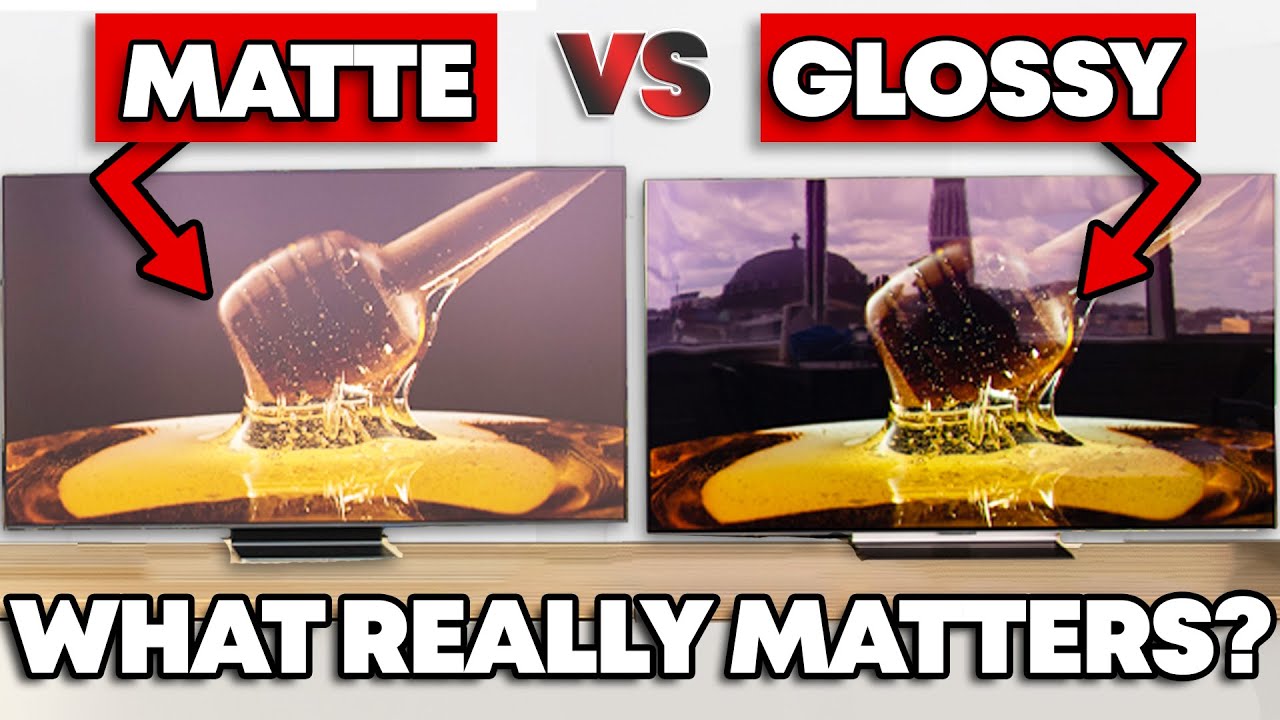
Glare is annoying, no doubt about it. And display manufacturers know this. For a long while matte screen finishes were limited to monitors or a handful of controversial TVs (looking at you Samsung the Frame), but their ability to reduce lighting artifacts is enticing if your TV is in a well-lit room. But, there are trade-offs to be made. With ou...
turbid star
But muh reflections
brisk oxide
The OLED I got is in-between glossy and matte, i was expecting more reflections but it's been solid so far
even with my RGB build right next to it, it's hardly noticeable
brisk oxide
Can refresh rate impact FPS? For instance, if I'm playing a game that can barely run at 70 to 80 FPS and I have the refresh rate set to 144 or higher. Could that cause stuttering or FPS drops?
fossil gust
It can potentially cause tearing. Make sure you have freesync turned on on both both the monitor and gpu settings
brisk oxide
Yeah I do, I'm just having a lot of performance issues in control and it's annoying figuring out the cause
 errant flax
brisk oxide
Can refresh rate impact FPS? For instance, if I'm playing a game that can barely...
errant flax
brisk oxide
Can refresh rate impact FPS? For instance, if I'm playing a game that can barely...
No FPS drops but definitely can lead to tearing if your frames are unstable.
 astral tendon
i'm looking to get a 31" or 32" monitor for gaming, what should I get if i have a 6750xt?
my budget is $300 ish but ideally I would spend around $250, idk the prices of monitors these days though
fossil gust
Save up for a 27" 1440p oled
I guess there's also this miniLED
https://pcpartpicker.com/product/kJP8TW/aoc-q27g3xmn-270-2560-x-1440-180-hz-monitor-q27g3xmn

AOC Q27G3XMN 27.0" 2560 x 1440 180 Hz Monitor (Q27G3XMN)
silent epoch
Check this out on @Newegg:Acer Predator X27U X1bmiiphx 27" WQHD (2560 x 1440) Widescreen OLED Gaming Monitor with AMD FreeSync Premium pro, 240Hz Refresh Rate, 0.03ms Response Time, 1000nits @ HDR 3%, DCI-P3 99%, Delta E<2, (1 x Display Port 1.4, 2 x ... https://www.newegg.com/acer-x27u-x1bmiiphx-27-wqhd-240-hz-predator-qd-oled-black/p/N82E16824011520
Only $500
hidden cairn
is this a good buy
oop wrong one
if this isn't a good buy, i need a 27" WQHD(1440x2560), 1500R curved montior with a refresh rate above 160Hz, and support for at least DCI-P3 color gamut
visual pilot
if you want curved, it's basically all going to be cheap va panels
which usually won't get you full dci p3 coverage
visual pilot
hidden cairn
if this isn't a good buy, i need a 27" WQHD(1440x2560), 1500R curved montior wit...
how much dci-p3 coverage are you looking for
hidden cairn
like 80%+? mostly just gonna use it for photoshop/illustrator tho ngl
but also 1440p gaming
planning to retire my good 1080p montior to secondary and my viewsonic to tertiary
visual pilot
the only thing curved that might be reasonably priced that rtings has measured dci-p3 coverage to be over 80% is g32qc
but that seems to be out of stock, maybe discontinued
hidden cairn
also msi ig?
visual pilot
gigabyte
hidden cairn
bet
visual pilot
gs27qc is measured to be 75% coverage
all the gs models tend to be worse panels, even though that seems to be all that are in stock rn
hidden cairn
ooh 31.5"
awgh i hate the way gigabyte designs their product pages
makes me physically ill
 violet mango
looking for some opinions on 2 monitors
I have the G6s60 and I'm thinking of returning it for the G80SD or the LG32GS95UV
visual pilot
violet mango
I have the G6s60 and I'm thinking of returning it for the G80SD or the LG32GS95U...
So you have a g60sd right now and want to swap for g80sd or LG 32GS95UV? What are you looking for in the swap?
violet mango
Well I assume the higher resoltuion is going to be nice. I have the return period right now, and seeing they're a few hundred more i'm wondering if it's worth the jump up
visual pilot
violet mango
Well I assume the higher resoltuion is going to be nice. I have the return perio...
What GPU do you have right now, what are you looking to do on the monitors, and do you have any way of taking a look at them before you buy it?
violet mango
visual pilot
What GPU do you have right now, what are you looking to do on the monitors, and ...
MSI 5080 Vanguard
visual pilot
yea 5080 is basically the minimum you'll want to have a decent gaming experience at 4k lol, should be fine, but what are you planning on using the monitor to do?
violet mango
Some gaming, truthfully nothing too crazy, just wondering if its worth the jump up. Obviously going 699 to over 1k is a steep sell. That's why I wanted to see if there was any real world experience with either monitor.
Or, if y'all even though this was worth it.
visual pilot
The differences between the monitors is mainly gonna come down to what you'll do on those monitors, the LG panel's 1080p480 dual mode is very cool if you want to do comp games while still enjoying some content or games at 4k, the VRR flicker may be a little more annoying if you'll be doing just 4k gaming and want to use g-sync on games you won't hit fps near the refresh rate, and the multi input PIP/PBP stuff on the Samsung monitor may be useful if you'll just be watching content on it and/or using it for work with multiple computers.
visual pilot
violet mango
Some gaming, truthfully nothing too crazy, just wondering if its worth the jump ...
Best idea is always to get your own experience if it whenever possible, look around at local stores if you can get a peek at something similar to either of the monitors before making the purchase, even if you can return things, it's annoying.
astral tendon
fossil gust
Save up for a 27" 1440p oled
Got any models in particular I should shoot for?
fossil gust
whatever's cheapest I believe. The oled panels themselves are pretty much the same/made by the same manufacturer
$500 is fairly standard, under that is a deal
the miniLED is $300 now so if you don't go oled I'd just get a 1440p ips or va
maiden wagon
visual pilot
566 is pre 572 so it's fine
I see theres another update on nivida did this offically fix things or not yet
visual pilot
maiden wagon
I see theres another update on nivida did this offically fix things or not yet
short term seems fixed, I'd wait a bit longer and see if any reports of problems keep coming in though
maiden wagon
visual pilot
short term seems fixed, I'd wait a bit longer and see if any reports of problems...
how long you thinking?
visual pilot
maiden wagon
how long you thinking?
give it a week and see if people complain about it
 warm mica
Anyone know why my monitor does this on YouTube?
 fossil gust
warm mica
Anyone know why my monitor does this on YouTube?
fossil gust
warm mica
Anyone know why my monitor does this on YouTube?
"ambient mode" in yt playback settings
warm mica
Oh dang alright didnt know that was on thank you
fossil gust
yeah they introduced it a while ago and it's on by default for some reason
might look better on an oled idk
warm mica
Thank you
rocky cypress
It looks way better on my LCD than that ong
 ebon aspen
Are gas-type monitor arms the best type?
hidden cairn
ebon aspen
Are gas-type monitor arms the best type?
Personally I don't know of a better option
rocky cypress
ebon aspen
Are gas-type monitor arms the best type?
1000% if you want something adjustable on the fly
if you want to mount monitors that can't move, then they aren't ideal
but for the most part, most people would benefit from the freedom of movement with a gas spring monitor arm
i use one and it's quite nice
 thick scaffold
Any good deals on gaming monitors less than $150? 27" 1440p above 144hz
maybe even 1080p
fossil gust
thick scaffold
Any good deals on gaming monitors less than $150? 27" 1440p above 144hz
Not seeing any new under $165 on pcpp but you could check out Acer Refurbished on eBay (it's their offical store)
Oh it's just Acer actually

eBay
EDA270U Pbmiipx. This is a refurbished unit that has been professionally tested and certified to function like new. From service-oriented technologies to the Internet of Things to gaming and virtual reality, Acer’s 7,000+ employees are dedicated to the research, design, marketing, sale, and support of products and solutions that break barriers...
thick scaffold
fossil gust
https://www.ebay.com/itm/256473934966?
ty
fossil gust
Looks like a pretty basic VA panel but hey it's $120 shipped
Bit more expensive but 350nit ips
https://www.ebay.com/itm/266634957576?

eBay
With a brightness of 350 nits, you'll enjoy vivid, lifelike colors and excellent visibility in any lighting condition. Its versatile connectivity options include both HDMI and DisplayPort, allowing for seamless integration with your gaming setup.
thick scaffold
fossil gust
Bit more expensive but 350nit ips
https://www.ebay.com/itm/266634957576?
i think the earlier one will be fine
thick scaffold
fossil gust
Bit more expensive but 350nit ips
https://www.ebay.com/itm/266634957576?
This better? MSI 27" QHD Curved Gaming Monitor | MAG 27CQ6PF - $129.99 - Free shipping for Prime members https://computers.woot.com/offers/msi-27-qhd-curved-gaming-monitor-mag-27cq6pf-2?utm_medium=share&utm_source=app
Computers.Woot
MSI 27" QHD Curved Gaming Monitor | MAG 27CQ6PF


 fossil gust
IPS will have less black smearing but worse contrast
thick scaffold
How bad will the black smearing be on the VA?
Tbf I’ve never experienced bad backlight bleeding
tribal spire
In my experience VA has AWFUL black smearing
Like so badly distracting it ain't even funny
thick scaffold
So maybe the IPS is better?
It’s only $10 more and is free shipping from Amazon
Woots got quite a bit of monitors on sale rn
thick scaffold
thick scaffold
This better? MSI 27" QHD Curved Gaming Monitor | MAG 27CQ6PF - $129.99 - Free sh...
This
Basically his only requirements are 144hz & 27” & <$130USD
tribal spire
Ah
Then IPS
IME
Cheap VAs suck more compared to cheap IPS than more pricey VAs suck to their own IPS competitors
thick scaffold
thick scaffold
This better? MSI 27" QHD Curved Gaming Monitor | MAG 27CQ6PF - $129.99 - Free sh...
Then is this a good option?
tribal spire
Think so
 gilded aurora
whats a good 240hz oled 1440p monitor?
fossil gust
the cheapest one
except maybe the cooler master tempest, it had some rough firmware issues (but i think they may have fixed them?)
gilded aurora
fossil gust
the cheapest one
is the LG ultragear 27 inch good? its the 27gs95qe is it a good oled or do i buy a differentone
fossil gust
PCPartPicker -> OLED -> sort by price -> make sure there isn't a bunch of Reddit threads complaining about firmware
The panels themselves are all from the same manufacturer afaik
hidden cairn
need good recommendations for two things: montiors and monitor arms. specifically looking for a 27" 1440p, 1500R curved with 170Hz+ refresh. it'll be used primarily for gaming but also photoshop/illustrator and video editing. monitor arm wise all i want is a gas spring and both single- and dual-monitor options. cable routing would also be nice.
 blazing gyro
Hello
Can someone recommend a good 27-32" monitor
silent epoch
gilded aurora
is the LG ultragear 27 inch good? its the 27gs95qe is it a good oled or do i buy...
great monitor. get it. the only downside is the screen is dimmer than most screens. but everuthing e;se ios worth it
hidden cairn
me asking a question and waiting 4 days for no answer😔
rocky cypress
hidden cairn
me asking a question and waiting 4 days for no answer😔
All the active techies that did hardware reccs left pretty much
I personally use huanuo monitor arms and they are great for the price
 quiet finch
Pg32ucdp vs msi curx (msi curved) which is best? especially in terms of visuals

The ROG Swift OLED PG32UCDP is a 32-inch WOLED gaming monitor with a groundbreaking dual-mode feature that lets you switch between 4K @ 240 Hz or FHD @ 480 Hz visuals. Third-generation ROG OLED technology delivers vibrant colors, the deepest black hues, and the brightest highlights. And a 0.03ms ...
I really rather to have a curved monitor
quiet finch
Also considering 322URX, seems to be the updated version of the msi I showed
quiet finch
from my research, there is a slight diffrence and the asus one is the best, the 322urx not worth the extra price for the 2.1a thingy as the display is pretty much the same as the 1.4 eventually
i cant go without curved i have decided, so i picked the 321curx curved one :] order is being processed rn from newegg 😄
 median mantle
quiet finch
from my research, there is a slight diffrence and the asus one is the best, the ...
median mantle
quiet finch
from my research, there is a slight diffrence and the asus one is the best, the ...
Um yeah I've had MSI monitors in the past. Monitors aren't really their "thing" I would go Asus or LG or Samsung.
View Sonic also makes some badass stuff.
Def don't get Gigabyte, they make decent motherboards and other cool stuff but not monitors.
quiet finch
median mantle
Um yeah I've had MSI monitors in the past. Monitors aren't really their "thing" ...
you're giving me a little bit of a scare lol.. i wanted a curved 32" 4k qd oled and msi 321curx seemed like the best choice
i rather curved than flat despite the fact the asus one is abit better
median mantle
Well just research the technology behind it. OLED is dangerous because you have to cool the diodes well or they will burn up. Asus has some great cooling tech and so does Samsung.
I have no idea what MSI uses but if they don't advertise it that's not a good sign.
quiet finch
msi oled care 2.0
median mantle
Well that just refreshes the panel it looks like.
I'm talking about cooling.

Looks like Samsung has some kind of heatpipes.
quiet finch
also this
 median mantle
Hmm
median mantle
Oh yeah nah Dell ain't it.
lol
That fan gon die in bout 3 years.
Passive won't die. No moving parts.
fossil gust
median mantle
Def don't get Gigabyte, they make decent motherboards and other cool stuff but n...

fossil gust
median mantle
Oh yeah nah Dell ain't it.
Both gigabyte and Dell have some great monitor models
median mantle
fossil gust
<:modelbrand:743668525922648165>
Oh sure do your own research, the statements I give are based on my personal experience with these brands using that specific set of hardware from them.
I think almost any big brand has some product that is successful & is a quality product otherwise they wouldn't be a big brand.
 lapis lynx
I've had my curved ViewSonic 32 inch 1440p since 2020. Still runs great.
The speakers aren't the best though wouldn't be able to use it as a TV. Not very loud.
median mantle
lapis lynx
I've had my curved ViewSonic 32 inch 1440p since 2020. Still runs great.
Here we have a live review that Viewsonic does indeed make good monitors.
fossil gust
*makes one good monitor
Most brands have both good models and bad models (especially for monitors) so it's best to just almost ignore the brand
Look up rtings reviews for specific models
 thorn fulcrum
Can I turn any monitor vertical
and can anybody find me 2 monitors that are decent price I want one to be 240-300hz and another one can be like 120hz cause that one gonna be vertical
rocky cypress
thorn fulcrum
Can I turn any monitor vertical
It's in the os settings yeah
common OSs will be able to rotate
 quasi minnow
https://a.co/d/6jfJKzh how’s this monitor?

1). Display:
Screen Size: 27"
Curvature: R1500
Backlight Type: LED
Aspect Ratio: 16:9
Brightness (Max.): 300 cd/m²
Contrast Ratio (Max.): 3000:1
Resolution (Max.): 1920*1080 @ 200Hz (on D/P port); 144Hz (on HDMI port); downwards compatible
Response Time (MPRT): 1ms (MPRT)
Viewing Angle : 178º...
quasi minnow
Or this https://a.co/d/etoPcz4

KOOURI 27 inch curved gaming monitor designed for game player.The adopts a black body with a striking red Logo, showing a stylish and exquisite design style. The sturdy tripod stand provides reliable support and also adds style to the look. The large display features ultra-thin bezels to maxi...
fossil gust
quasi minnow
Or this https://a.co/d/etoPcz4
Koorui makes an excellent flat ips panel, not sure about their curved VA though

KOORUI 24E3 24.0" 1920 x 1080 165 Hz Monitor (24E3)
$150+ gets you 1440p which if your gpu can handle it is a great upgrade
quasi minnow
fossil gust
Koorui makes an excellent flat ips panel, not sure about their curved VA though
Should I get that one you linked or this https://a.co/d/aVnyzLN

24 inch gaming monitor
This has a higher image ratio
It is curved tho
fossil gust
That's VA so it will have a higher contrast ratio but also have more smearing in motion. Up to you if the benefits outweigh the drawbacks
quasi minnow
If it’s too noticeable then I’d probably go for a cheaper straight
I might just. Go for the curved
quasi minnow
fossil gust
That's VA so it will have a higher contrast ratio but also have more smearing in...
Couldn’t I also just lower my refresh rate
fossil gust
?
visual pilot
quasi minnow
Couldn’t I also just lower my refresh rate
VA ghosting is more a quirk of the type of panel rather than the higher refresh rate, lowering refresh rate would make it look worse
quasi minnow
visual pilot
VA ghosting is more a quirk of the type of panel rather than the higher refresh ...
So am I cooked 😭
I’ll get a ips
Save a little money
quasi minnow
fossil gust
Koorui makes an excellent flat ips panel, not sure about their curved VA though
This monitor has pretty bad reviews
fossil gust
What?
The ips one is good
https://youtu.be/9Q_9LVW2Rl4?si=gKjXaJ-9fTXyfXZb
https://youtu.be/yAkzOOpiMgs?si=0wNAUl8aO5FCNlqR

Check prices on Amazon below
Koorui 24E3: https://geni.us/c0RftOL
Monitor arm: https://geni.us/AgebA8e
Pixio PX248 Pro: https://geni.us/ZDJ3CKi
Viewsonic XG2431: https://geni.us/mvmm
The Koorui 24E3 is not a scam. This is the best budget gaming monitor I've ever tested.
need a new wallpaper? https://optimum.store/products/shift-wallpaper-pack
...

In this video I review a ~100$ (during Amazon prime days) 1080p 165hz IPS monitor! Surprising Results!
Timestamps
Intro & Main specifications - 0:00
In The Box - 0:51
Colors - 1:10
Brightness - 2:10
Response Times - 2:50
Overdrive settings - 4:00
Contrast - 4:35
Backlight Bleed - 5:30
Build Quality - 5:47
Design - 7:21
Vesa 75x75 (forgot to ad...

► Big thanks to Corsair and the new HS80 Max Wireless Gaming headset for sponsoring this video! Check it out here: https://geni.us/z02DH
► Buy my PC builds: https://zttbuilds.com
► Let me help you build a PC: https://zachstechturf.com/consulting
A $99 monitor that’s 165Hz and looks great out of the box? How is this possible? Out of al...
In today's video, we take a look at one of the best budget gaming monitor's you can purchase right now. The Koorui 24E3 has a lot of great features, but is it truly worth it?
Enjoyed the video? Please leave a like and subscribe for more content like this one.
• SUBSCRIBE: https://www.youtube.com/@UC0vWRo7KWfFlzfTqE83poCA
• Products Used ...
quasi minnow
Okay nevermind sorry I doubted it
fossil gust
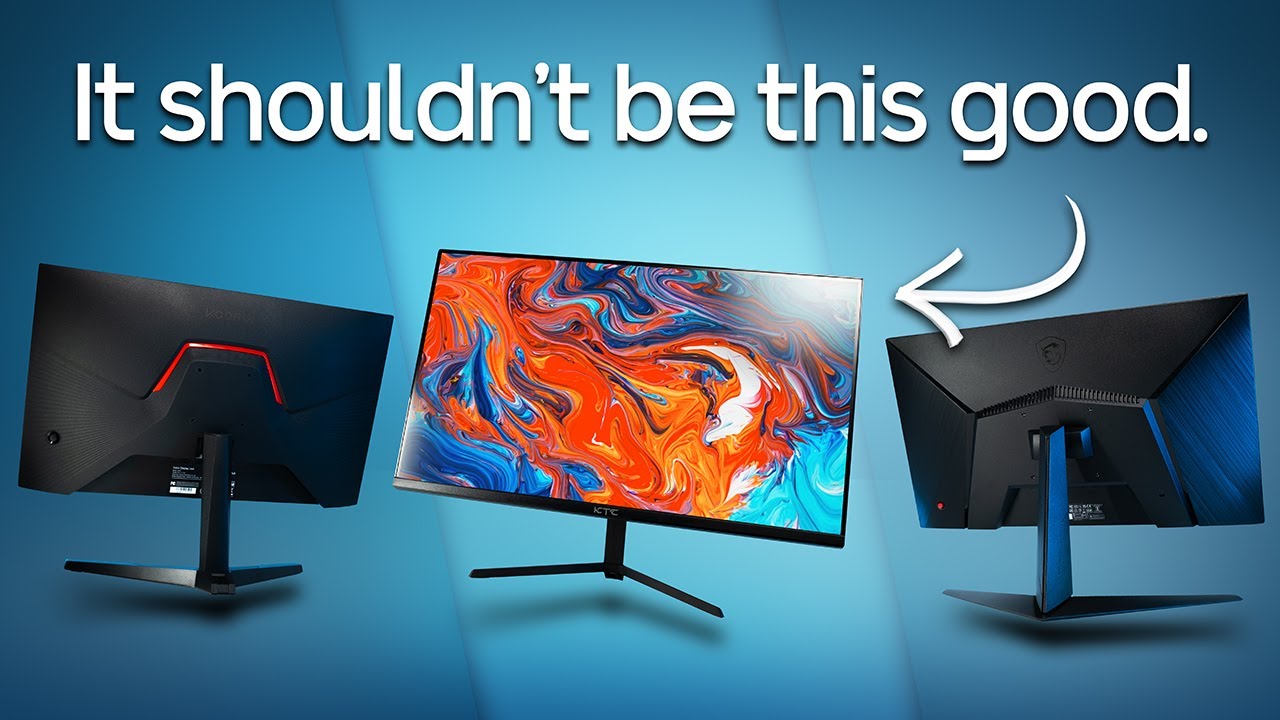
How much do you need to spend on a 165 Hz gaming monitor? These super cheap monitors must be bad, right?
KTC H24T09P color accuracy results, recommended settings, ICC & more:
https://www.patreon.com/posts/ktc-h24t09p-ufos-91269402
Monitors in this video (affiliate links):
KTC H24T09P:
🛒 https://geni.us/1cY4wB
Use code 7M3ERCUF for 10€ ...
It used to actually be $100, but even for $120 it's a good pick
quasi minnow
Fair
 stuck sage
Does anyone know how custom res settings work? I'm trying to create a different aspect ratio under my adrenalin software but I get an error saying my settings aren't compatible with the display. Not sure if that means I can't create a custom resolution or if I'm just doing something wrong with the settings
fossil gust
stuck sage
Does anyone know how custom res settings work? I'm trying to create a different ...
I'd try CRU
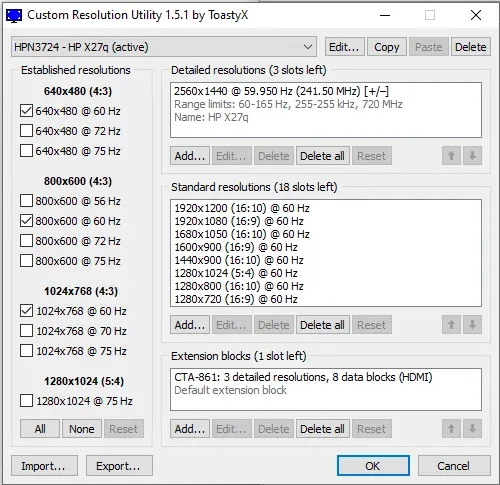
Download Custom Resolution Utility - Download. CRU shows how the monitor defines resolutions and other capabilities and gives you the power to change it.
stuck sage
fossil gust
https://customresolutionutility.net/
Thank you!
 cerulean mountain
You guys think I should try and degauss this or is it too far gone?

 jade burrow
What 2k 144hz ips monitors do you guys suggest?
fossil gust
jade burrow
What 2k 144hz ips monitors do you guys suggest?
2k as in 1920x1080p? Or 2.5k (2560x1440p)?
jade burrow
fossil gust
2k as in 1920x1080p? Or 2.5k (2560x1440p)?
1440p
fossil gust
jade burrow
1440p
I would go check rtings.com and see if any of these are good

If not, then this is a bit more expensive but a pretty solid model
https://pcpartpicker.com/product/mWMMnQ/dell-g2725d-270-2560-x-1440-180-hz-monitor-g2725d

Dell G2725D 27.0" 2560 x 1440 180 Hz Monitor (G2725D)
jade burrow
Aight thx mate
 sharp owl
is the Xiaomi 2K G27Qi EU a good 1440p high hz monitor? because the price is insane
 brazen hedge
Hey does anyone know if the two DP cables that come with the PG27CDM are 2.1 and 1.4?
visual pilot
reportedly so from the rtings review for the pg27ucdm
hidden cairn

GIGABYTE gaming monitors pack upscale performance into a streamlined package. The GS27QC provides an immersive experience through fluid gameplay with 1ms response time, 165Hz refresh rate, and AORUS utility software.
 white niche
Monitor arm?
 icy jetty
ok so like ive been running a trio of completely different monitors, i have a M27Q from gigabyte, and i love it, but i would like 2 other monitors same RES possibly same Refresh not exactly needed, but like idk what kind of deals are around for 2 1440p monitors for like decently cheap
fossil gust
icy jetty
ok so like ive been running a trio of completely different monitors, i have a M2...
3 cheapest 27in 1440p IPS high refresh available

There's also Acer refurbished on ebay. I've gotten some imperfections (partially dead pixel and debris) in mine before but they can be really cheap, good as a second/third display
$100, though only 100hz

eBay
EK271U Ebiip. From service-oriented technologies to the Internet of Things to gaming and virtual reality, Acer’s 7,000+ employees are dedicated to the research, design, marketing, sale, and support of products and solutions that break barriers between people and technology.
 winged meteor
any recommendations for a monitor that supports HDR with decent refresh rate and color?
visual pilot
What's your budget and what are you going to use it for?
winged meteor
Not trying to spend an arm and a leg but Id be using it as my main monitor. I currently have an AOC curved 2k but it doesnt support hdr and has pretty poor refresh rate and response time
plus its too big for what I want lol
visual pilot
Any ballpark budget estimates? $200? $300? $500+?
That'd determine if OLED would be a good option and if you'd just be chasing down hdr400 or maybe doing hdr1000
winged meteor
tbh im unsure of whats different between hdr 400-1000
visual pilot
It's just the peak brightness
winged meteor
I see
visual pilot
But hdr400 is the "cheap" certification too that can easily be gotten
winged meteor
I mean I guess 500 would be my limit atm
visual pilot
OLED with hdr400 true black or whatever it's called will be a better experience for example