#old-monitors-and-tv
1 messages · Page 13 of 1
 small warren
In the same place you turned on hdr
Go down to like
Is it, advanced display options?
It will have subtext that says "refresh rate"
Change it from 60 to 144
Make sure your games are off first
small warren
Then you're running 144
small warren
The game itself might not hit 144
 torpid notch
but like it says 60 in cs2
small warren
Ye then change cs2 settings
If it's set to 144 in windows settings then the screen is running 144
The game would need to be adjusted
small warren
Lol np
You'll definitely notice 60 > 144
So if you can feel it then it should've worked
Things feel wayyyy smoother
 small canopy
Anyone know a good desk mount for the 27GR83Q-B
torpid notch
small warren
Things feel wayyyy smoother
lets see lool i just finished all my work for my classes so i can really try the monitor
torpid notch
im not even able to push 100 fps in rust
 errant flax
small warren
Things feel wayyyy smoother
errant flax
small warren
Things feel wayyyy smoother
Agreed lmao. 60fps feels choppy ASF since I switched to 144. Even more so now that I can consistent 144+ fps in all my games.
small canopy
torpid notch
im not even able to push 100 fps in rust
It’s rust, nobody hits 144 on 1440p
It’s not a hardware bottleneck it’s software
I have a friend that has a 4090 and hits 170 on 1440p
Tbf this is in high pop servers
 fossil gust
I don't personally play but I've heard rust is poorly optimized
torpid notch
yea guess so
torpid notch
small warren
Turn your graphics down
it is down ;(((
i was averageing 100 but when i got into actual fights it would go down a bit
also
when i open minecraft my entire monitor becomes like darker
wait i think thats cus hdr gets turnt off
small canopy
I get around 130 with a 3060 ti and 13600k on 1440p. At this point on rust, I am convinced hardware beyond a certain point does not produce higher performance
small canopy
torpid notch
wait i think thats cus hdr gets turnt off
Should be the opposite?
torpid notch
small canopy
I get around 130 with a 3060 ti and 13600k on 1440p. At this point on rust, I am...
its supprisingly such a heavy game
torpid notch
small canopy
Should be the opposite?
idek lmfao
small canopy
torpid notch
its supprisingly such a heavy game
It is why I hope for rust sequel as it was teased due to unity problems. New engine would make the game run great
small canopy
torpid notch
its supprisingly such a heavy game
Ngl a ram upgrade is everything for rust
20-30 fps boost from high ddr4 ram to mid range ddr5
I would get ddr5 but I need new board and mine is only a year old 😢
small warren
Yep it seems I'm right
Reddit
Explore this post and more from the playrust community
It's a cache limit
What cpu have you got
In these situations learning some ram OC can give an enormous boost
small canopy
Most unity games run better with x3d, hmm
small warren
Idk if I'd say unity in general
But in this case you have a cache bottleneck
Cache and ram are hand in hand
So better ram would indeed mean a buff to fps
But you can get far better results from some light tuning than that of a new kit altogether
Unless the kit you have to begin with is dogwater
Typically any 3200/3600 kit should see a pretty significant lift even if it's 1% or 0.1% lows
small canopy
Yeah I'm running a 13600k and a 3600 kit.
small warren
Z board or b board
small canopy
Z
small warren
Running the safe numbers from integral's ddr4 OC guide would be a good start then
It's a light experiment that way, you can do some simple testing like anta777's TM5 config or instead a few hours of y cruncher VST
See if it goes up
At the very least you'd see a good lift to your lows which matter more in the scheme of things
small canopy
I stopped playing rust once I hit 1500 hrs, but I would be interested to see fs. I'm not the best with ram stuff and I will probably get my pc in a boot loop but I'll lyk how much of a performance boost I get 😅
small warren
Make a backup of your windows before you begin
Would recommend macrium reflect free edition
I don't think you'd have much issues as long as you stick to the safe column though
And check your work with ram tests
It's a bit like...
I'd say a cheat sheet?
It does most of the work for you
torpid notch
small canopy
Ngl a ram upgrade is everything for rust
frr im currently using 16 gigs of idk what ram lmfao and it always uses all of it
i would oc my ram but ive got no clue how to do it
also felix i think i figgured out why my cs2 was black screening
i think its bc my monitor is 2560x1440 and cs is 2048x1440
small canopy
small warren
I don't think you'd have much issues as long as you stick to the safe column tho...
I know nothing abt it, i will try
 near temple
if u have any free USB stick, u could use readyboost on it to speed up your PC
 fading wyvern

 misty gyro
near temple
if u have any free USB stick, u could use readyboost on it to speed up your PC
misty gyro
near temple
if u have any free USB stick, u could use readyboost on it to speed up your PC
That worked on like, windows vista. It would only even let you use it on a modern computer if you have the minimum amount of memory for the operating system, and even then it needs to be a very fast USB.
near temple
oh, sorry i didn't know. ig that's why it didn't work on my pc too.
 mint mica
Im looking for a good monitor my limit is $150 any suggestions?
torpid notch
mint mica
Im looking for a good monitor my limit is $150 any suggestions?
hey bob, im bob!
 errant edge
mint mica
Im looking for a good monitor my limit is $150 any suggestions?
errant edge
mint mica
Im looking for a good monitor my limit is $150 any suggestions?
what gpu do you have?
mint mica
Nvidia 1650 super
errant edge
i linked one in electronics
mint mica
thanks
torpid notch
this monitors aawsome
but hdr is really cool also like it makes everything look so much better
misty gyro
If it's done well yeah. Otherwise it'll look washed out or pale.
Basic HDR400 often isn't worth paying extra for as a result.
 raw ingot
 silent epoch
Haha yes
 radiant rapids

 kindred umbra
what nits is the current woled monitor rated at ?
 real chasm
good monitor for a 6700? https://www.amazon.com/BenQ-EX240-Adjustable-Brightness-Intelligence/dp/B0B3FVVL34

BenQ MOBIUZ EX240
 potent mirage
how can i tell if my monitor is running at 75hz or 60hz?
i found out my monitor is running at 60hz, but my monitor s2716dg says it's capable for running at 144hz https://www.rtings.com/monitor/reviews/dell/s2716dg
how do i enable this?

RTINGS.com
The Dell S2716DG is a decent monitor for most uses. It delivers a great gaming experience thanks to the incredibly fast response time, low input lag, and G-SYNC ...
im running a ryzen 5 5600x
16 GB GDDR 4 Ram
RTX 4060 OC 8GB
ok i think my dp to hdmi and hdmi to hdmi is limiting me for actually getting a good display F
errant edge
potent mirage
i found out my monitor is running at 60hz, but my monitor s2716dg says it's capa...
In settings
Go to display settings, monitor, advanced display settings
potent mirage
errant edge
Go to display settings, monitor, advanced display settings
I did all of this yesterday, cable is trash, bought a new one, just waiting for it to come in lol
errant edge
Ah ok
potent mirage
Cable was holding me back
I self diagnosed and researched, just thought there was a hack or something lmao ty thooo
errant edge
potent mirage
I self diagnosed and researched, just thought there was a hack or something lmao...
You could try using nvidia control panel to set a custom resolution with 144hz
Not sure if that would still be cable limited
potent mirage
errant edge
You could try using nvidia control panel to set a custom resolution with 144hz
Still is, locked at 60hz
On any resolution
errant edge
Ah alr
torpid notch
so the cable was holding you back from hiiting 144hz?
 prime sun
How good is the lifespan of OLED compared to just standard LCD?
silent epoch
👀
prime sun
Everything i see gives weird answers
silent epoch
QD-OLED is very new so the life span isn't completely known, and MLA tech is supposed to be more durable than all previous generations of OLED....so hopefully a little less than 10 years till you start seeing serious burn in @prime sun
prime sun
Considering how expensive it is thats almost pitiful
silent epoch
It all depends on what content you watch and for how long
silent epoch
prime sun
Considering how expensive it is thats almost pitiful
For now, burning is something that wont go away
I wouldn't really trust QD OLED that much since their pixel cleaning processes are kind of not as good as LG's MLA OLED
but like I said, they're all relatively new technology so we don't really have an idea of how long they can last
prime sun
It was more of a hypothetical, ill probs just stick to LCD for the time being considering that, but its good to know
silent epoch
YeH
silent epoch
There are PHOLED displays hopefully coming in a year or two...the chances of burn in is even less. But screens nowadays are pretty durable. I have the 27-in LG with around (only) 1,000 hours of use and I've been doing my part with maintaining it...so far so Soo good
@prime sun
prime sun
Thats fair, unfortunately im not at a point yet where i can afford that lmao
silent epoch
I'm paying it monthly so that helps lol @prime sun
prime sun
Crap yeah i cant imagine paying that much in one installment
prime sun
Does your plan have interest?
silent epoch
Never going back
prime sun
Yee
silent epoch
Which I can do
prime sun
How much do you like it over lcd?
Ive heard a lot of good things about it
But its kinda hard to gauge an opinion for myself when you cant exactly just display it on a regular screen
silent epoch
prime sun
How much do you like it over lcd?
Much better. You can't beat the infinite contrast, every pixel having its own backlighting, and a wider color gamut while using HDR. I only wish it was brighter though, but it's good enough.
Some scenes can be blinding
 normal token
what is comparable to this? its oos ofc https://www.newegg.com/p/N82E16824012050?Item=N82E16824012050&nm_mc=AFC-RAN-COM&cm_mmc=afc-ran-com-_-PCPartPicker&utm_medium=affiliate&utm_campaign=afc-ran-com-_-PCPartPicker&utm_source=afc-PCPartPicker&AFFID=2558510&AFFNAME=PCPartPicker&ACRID=1&ranMID=44583&ranEAID=2558510&ranSiteID=8BacdVP0GFs-wzptPtyQj1Bh.2uMcRJpYQ
errant edge
Its not a huge difference over the m27q
errant edge
normal token
what is comparable to this? its oos ofc https://www.newegg.com/p/N82E16824012050...
Also you were planning to upgrade gpu fairly soon, right?
What did you have in mind if so
https://pcpartpicker.com/product/p8zXsY/acer-nitro-xv1-xv271u-270-2560-x-1440-180-hz-monitor-umhx1aa301
https://pcpartpicker.com/product/k8GnTW/gigabyte-m27q-270-2560x1440-170-hz-monitor-m27q
https://pcpartpicker.com/product/TdbRsY/hp-omen-27qs-270-2560-x-1440-240-hz-monitor-omen-27qs
I'd say any of those three

Acer Nitro XV1 XV271U 27.0" 2560 x 1440 180 Hz Monitor (UM.HX1AA.301)

Gigabyte M27Q 27.0" 2560 x 1440 170 Hz Monitor (M27Q)

HP OMEN 27QS 27.0" 2560 x 1440 240 Hz Monitor (Omen 27qs)
Actually this over 27qs
https://pcpartpicker.com/product/Lv4Zxr/acer-acer-nitro-xv272u-w2bmiiprx-270-2560-x-1440-240-hz-monitor-umhx2aa201

Acer Acer Nitro XV272U W2bmiiprx 27.0" 2560 x 1440 240 Hz Monitor (UM.HX2AA.201)
normal token
errant edge
What did you have in mind if so
thats changed to maybe sometime mid next year I think
errant edge
normal token
thats changed to maybe sometime mid next year I think
Any idea what you'd be going for? 7900xt/4070 ti or better depending on what you do, the 240hz could be worth it
normal token
errant edge
Any idea what you'd be going for? 7900xt/4070 ti or better depending on what you...
likely something on the amd side
so prob xt or xtx
errant edge
If you play competitive fps like valorant, csgo, overwatch, it could benefit you
normal token
not my type of games
id prefer something with really nice picture over super high refresh
i wish oled's weren't so expensive 
errant edge
One was down to $600, but thats still twice m27q-p
errant edge
normal token
id prefer something with really nice picture over super high refresh
Could do 4k then
4k at less than 32" is debatably not worth it, but id do your research and compare the two and see which you think would be better for you https://pcpartpicker.com/product/GzWzK8/gigabyte-m28u-280-3840x2160-144-hz-monitor-m28u-sa

Gigabyte M28U 28.0" 3840 x 2160 144 Hz Monitor (M28U-SA)
normal token
errant edge
4k at less than 32" is debatably not worth it, but id do your research and compa...
if its not worth would it be more worth trying to go 1440p oled
normal token
errant edge
Actually this over 27qs
https://pcpartpicker.com/product/Lv4Zxr/acer-acer-nitro...
reviews for this say brightness is eh
is this an accurate video? ive always liked the hardware unboxed guys
Support us on Patreon: https://www.patreon.com/hardwareunboxed
Join us on Floatplane: https://www.floatplane.com/channel/HardwareUnboxed
Buy relevant products from Amazon, Newegg and others below:
AOC 24G2SP - https://geni.us/wRQh
Gigabyte G27Q - https://geni.us/lwecAaK
LG 27GN800 - https://geni.us/Tb1e
MSI G274QPF-QD - https://geni.us/EyRk8Q
L...
my budget is like 250-350
potent mirage
Have an issue with my screen if someone can help me
 surreal quarry
potent mirage
Have an issue with my screen if someone can help me
surreal quarry
potent mirage
Have an issue with my screen if someone can help me
would help to know the issue
potent mirage
Don't know how to describe e it, so a video will help
But the other side of my monitor is coming onto my main monitor
Like bleeding
misty gyro
Standard multi monitor things
You can set a few pixels of separation between the displays in driver settings
You might also play with the scaling settings
potent mirage
misty gyro
You might also play with the scaling settings
What would this issue be classified as?
normal token
normal token
is this an accurate video? ive always liked the hardware unboxed guys
https://y...
@errant edge @raw ingot
errant edge
normal token
<@654444344274845698> <@214044000556941312>
Yes and no
I disagree for some, I see where they're coming from on most of them though
Theyre just not always best value
Or are only good for certain people, like the m27u
27" 4k not for most people
normal token
errant edge
27" 4k not for most people
so for me, like between 250$-$350, likely a 7900xt upgrade in the future, what do you recommend
if you could narrow it down to like 2-3
errant edge
With what you value, m27q or m27q-p
normal token
errant edge
With what you value, m27q or m27q-p
M27Q-P is oos 
errant edge
Would have to be m27q unless you wait a bit
prime sun
Im coping so hard right now, the monitor i was gonna buy tomorrow just went up 50$ in price
And its a really nice monitor as well 
errant edge
prime sun
Im coping so hard right now, the monitor i was gonna buy tomorrow just went up 5...
What monitor?
normal token
errant edge
Would have to be m27q unless you wait a bit
how long do you think
it had to of gone out of stock a few days ago
errant edge
Not a clue
This is a tiny bit better than m27q, but not really enough for jt to be worth $40 more
https://pcpartpicker.com/product/vyqrxr/dell-g2724d-270-2560-x-1440-165-hz-monitor-g2724d

Dell G2724D 27.0" 2560 x 1440 165 Hz Monitor (G2724D)
https://pcpartpicker.com/product/Lv4Zxr/acer-acer-nitro-xv272u-w2bmiiprx-270-2560-x-1440-240-hz-monitor-umhx2aa201 this is a bit better than m27q, and 240hz over 170 https://pcpartpicker.com/product/Lv4Zxr/acer-acer-nitro-xv272u-w2bmiiprx-270-2560-x-1440-240-hz-monitor-umhx2aa201
Acer Acer Nitro XV272U W2bmiiprx 27.0" 2560 x 1440 240 Hz Monitor (UM.HX2AA.201)
prime sun
errant edge
What monitor?
Its fine, i found another seller who has it at the price the one i had saved was initially
errant edge
Nice
 modest star
I just got the X27U Predator and the monitor is suppose to be 240hz but its only letting me go up to 144hz?
 misty gyro
modest star
I just got the X27U Predator and the monitor is suppose to be 240hz but its only...
misty gyro
modest star
I just got the X27U Predator and the monitor is suppose to be 240hz but its only...
Are you on displayport or HDMI?
Is it a model that's actually 240hz or one that just guarantees it will overclock to 240?
modest star
misty gyro
Are you on displayport or HDMI?
Is it a model that's actually 240hz or one that ...
I tried using both
hdm1 and display port
and remained the same
with 144 hz

well im not sure if it says anything about overclocking to 240
but it says 240hz
fading wyvern
Have you tried going through the monitors menus?
modest star
fading wyvern
Have you tried going through the monitors menus?
I went through every mode and looked
and the monitor said
their was 240hz mode
but I couldn't change
to 240hz
I did the advanced display
and didnt see 240hz as an choice
modest star
a 3060
fading wyvern
Maybe there’s a firmware update for the monitor available that might fix it 
modest star
how to do that
fading wyvern
Acer United States
Product Support - X27U | Acer United States
If that doesn’t do it I got nothing; switch back to dp is my suggestion and mess with color settings
misty gyro
You might need to set the refresh rate in nvidia control panel
modest star
misty gyro
You might need to set the refresh rate in nvidia control panel
I tried
misty gyro
DP for sure, make sure the cable is rated for at least DP 1.4
modest star
I made a custom resolution
for the native resolution but
the 240hz
and it just blackscreened
misty gyro
What DP cable are you using?
modest star
the dp cable provided with the montior
I'm going to try downloading the update darvan posted but idk how to because I have to unzip the file and theirs just a bunch of files on here
 dapper socketBOT
DDU (Display Driver Uninstaller) Guide by Pato
https://github.com/NeweggTechie/Graphics-cards/wiki/How-to-use-DDU

GitHub
Contribute to NeweggTechie/Graphics-cards development by creating an account on GitHub.
modest star
I installed the update and it didnt do anything but just gave me more updates for usb ports that I don't use
misty gyro
What about the firmware
modest star
misty gyro
What about the firmware
the firmware upgrading tool didnt do anything and said I was up to date in updates
 misty gyro
And the OSD says it's on version 2.0 already?
modest star
how to see that
misty gyro
Probably in some system setting in the monitor
I don't have an acer so idk
I generally avoid them
modest star
yeahh
i dont see osd
might just refund it
700$
down the drain
well
not gone
misty gyro
dapper socket
DDU (Display Driver Uninstaller) Guide by Pato
https://github.com/NeweggTechie/G...
Try this first
That'll eliminate the possibility of a misbehaving driver
modest star
alr
I'll try
I did it
the ddu
going to install the drivers again
I finished it
I did the ddu
now wha
im still on 144hz
fading wyvern
modest star
their was 240hz mode
Check for this mode again; you might have to change to one of the presets like “gaming”
Just mess with the settings a bit until it’s not greyed out
If it stays greyed out yeah go for a return
fading wyvern
1440p doesn’t mix well with a 3060 anyways if it makes you feel better
normal token
errant edge
This is a tiny bit better than m27q, but not really enough for jt to be worth $4...
mk, im literally going from 1366x768 so anything is a huge jump lol
i think im gonna see if the m27q comes in stock in the next week or so
 obsidian oak
Looking for a new monitor, any opinions on this? Current games are Conan, Diablo, rust, EVE, valheim. Check this out on @Newegg:GIGABYTE 32" 165Hz 2K Curved Gaming Monitor 1ms FreeSync Premium Pro, QHD 2560 x 1440, 93% DCI-P3, VESA HDR400, 1 x DisplayPort 1.2, 2 x HDMI 2,0, 2 x USB 3.0 G32QC A https://www.newegg.com/p/N82E16824012036?Item=N82E16824012036&Source=socialshare&cm_mmc=snc-social-_-sr-_-24-012-036-_-12312023
Shared List https://newegg.io/6b9df0a my pc.
misty gyro
fading wyvern
1440p doesn’t mix well with a 3060 anyways if it makes you feel better
1440p@240hz was always a pipe dream on that GPU yeah
misty gyro
obsidian oak
Looking for a new monitor, any opinions on this? Current games are Conan, Diablo...
It's ok, not great. I have the 27" model and I wish I'd spent the extra $50 on a better one.
 indigo berry
Idk if I'm going crazy or what... Lately when playing yt videos on my monitor I see the "bands" on the sides of the screen (when a video is not 16:9) that change colour between a dark red and a dark cyan, depending on what is being displayed.
What triggers me the most is that I took a screenshot of those areas and looked at the image after, and it's not red nor blue, just dark grey. even if there's a scene where a completely black screen is displayed it still shows the two bands as not dark gray and that effect is still present.
Or at least I see them like that, don't think I'm colourblind so what is going on
It's and IPS panel btw, AOC monitor
fading wyvern
indigo berry
Idk if I'm going crazy or what... Lately when playing yt videos on my monitor I ...
YouTube released a ambient mode feature pretty recently that displays the colors of the video around the player https://support.google.com/youtube/answer/12827017?
Ambient mode uses a lighting effect to make watching videos more immersive by casting gentle colors from the video into your screen’s background. Watch YouTube in Dark theme
indigo berry
I still find it quite annoying, because they're easily noticeable and not always the make the scene look better
fossil gust
If I want more immersion on my YouTube videos I use this feature called "fullscreen"
radiant rapids
Tried oled gaming for the first time. It’s definitely the way… I was surprised how much of an improvement it (S90C) was over my 2020 QLED (Q90T) tv.
The speed of the OLED is noticiable even at lower frame rates, it definitely feels more smooth.
Not to mention colors etc. hopefully the new models are available soon
radiant rapids
fossil gust
If I want more immersion on my YouTube videos I use this feature called "fullscr...
Feature perhaps nice to have on ultra wide
 spring urchin
Hey I get 2 monitors both 49” ultra wide, and I don’t know how to set them up, I’m thinking on getting a desk mount, any recommendations?
errant flax
spring urchin
Hey I get 2 monitors both 49” ultra wide, and I don’t know how to set them up, I...
Assuming they aren't curved personally I would do two vertical stacked with the 2nd one at an angle so you can see them better.
Yes, monitor arms would be recommended.
spring urchin
Actually they are curved (both) can’t attach a picture but I have them side by side right now on an angle that I’m on the middle able to see both if I just turn my head but not the best setup
Doesn’t vertical still work with that in mind? What kind of monitor arm should I get for that?
misty gyro
Vertical doesn't work with curved, it screws up the viewing angles
spring urchin
Then I guess I will keep horizontal and I would get a non curved oled to install on top of both 🤔
 jovial violet
Hello yall whats a good white 1440p monitor?
small warren
Specifically white colourway? Oh, I'd have no idea on that one
Screens a screen
Maybe get a good one with small bezels then a white vesa mount instead?
I wouldn't throw more than a few dollars for white plastic tbh
errant flax
spring urchin
Then I guess I will keep horizontal and I would get a non curved oled to install...
Most likely yeah, otherwise I'd do Curved side by side (middle and one on left or right) or another option is one monitor in the middle and the other monitor rotated to portrait mode.
 fossil isle
If I was going to resell how much nothing wrong with it?

 radiant rapids
fossil isle
If I was going to resell how much nothing wrong with it?
radiant rapids
fossil isle
If I was going to resell how much nothing wrong with it?
List for $125, accept $100
Just imo. You may be able to get more, but not that much more
fossil isle
ok thanks
errant flax
Anyway to reduce stuttering in the video feed when using wifi to connect to tv?
radiant rapids
errant flax
Anyway to reduce stuttering in the video feed when using wifi to connect to tv?
What are you trying to do? Do you mean media playback on apps etc?
errant flax
radiant rapids
What are you trying to do? Do you mean media playback on apps etc?
For certain streaming services like MAX since I am in Mexico, I need to use a VPN and play the video from my PC. When I do this, I connect my computer to the Roku which is hooked up to the TV through WiFi.
When I do this, while I can watch my videos on the TV, sometimes the videos will have visual stutters or distortion.
misty gyro
errant flax
Anyway to reduce stuttering in the video feed when using wifi to connect to tv?
Yeah, don't use wifi. It's inherently an unstable connection, which depending on the video player could cause it to detect the connection speed as lower than it is, resulting in it choosing lower quality modes or buffering.
errant flax
What are some other non-wired options I could use to connect to the roku then?
radiant rapids
errant flax
What are some other non-wired options I could use to connect to the roku then?
Perhaps consider checking router settings. Do you have both a 2.4ghz and 5.0ghz channel? Connect both devices to the 5g channel assuming it’s not already super crowded
Also a power line adapter might work well.
radiant rapids

SEOUL, Korea (Jan. 04, 2024) – LG Display, the world’s leading innovator of display technologies, announced today that it has successfully completed the development of its 27-inch 480Hz QHD Gaming OLED display and prepared an official showcase for CES 2024, opening a new era of OLEDs featuring ultra-high refresh rates. LG Display’s latest Gaming...
 errant flax
What is the point of 480Hz?
surreal quarry
errant flax
What is the point of 480Hz?
big gamer number get bigger gamer make number bigger because gamer
errant flax
lmao.
 maiden wagon
errant flax
What is the point of 480Hz?
maiden wagon
errant flax
What is the point of 480Hz?
there also 540 Hz
 meager wadi
Friend is looking for a good monitor under $180. 1440p any suggestions
errant edge
meager wadi
Friend is looking for a good monitor under $180. 1440p any suggestions
I'd spend a lil extra https://pcpartpicker.com/product/p8zXsY/acer-nitro-xv1-xv271u-270-2560-x-1440-180-hz-monitor-umhx1aa301
Acer Nitro XV1 XV271U 27.0" 2560 x 1440 180 Hz Monitor (UM.HX1AA.301)
This is ok https://pcpartpicker.com/product/3HkgXL/lg-32gn600-b-315-2560x1440-165-hz-monitor-32gn600-b

LG 32GN600-B 31.5" 2560 x 1440 165 Hz Monitor (32GN600-B)
I'd spend the extra for the better panel though
small warren
meager wadi
Friend is looking for a good monitor under $180. 1440p any suggestions
would really suggest going up to 220 or 230 budget for a 1440p monitor rn. all the sub 200 good ones have disappeared
unless you take a known loss in your overall viewing experience
errant edge
The first one I linked at $200 is actually pretty solid, rtings has it better than the omen 27q
small warren
I thought that was the 272u?
errant edge
Wait is it? I didn't even know there was a variant
errant edge
Is this the really bad one?
https://pcpartpicker.com/product/c6mNnQ/acer-vg271u-m3bmiipx-270-2560-x-1440-180-hz-monitor-vg271u-m3

Acer VG271U M3bmiipx 27.0" 2560 x 1440 180 Hz Monitor (VG271U M3)
small warren
ye rtings has 272u
M3 is old?
I'm not sure
like I said, couldn't find a lot on 271u
errant edge
I'd stay away from it then and try to spend a bit more, like you said
small warren
ye
gigabyte G27q, hp omen 27q, msi g272qpf
those are the ones I'd suggest
220 - 230
meager wadi
Ty ty
radiant rapids
Should I care about dp 2.1 on a monitor
Technically my 7900 xtx has it
I thought the differences in color weren’t supposed to be noticeable to humans. But Reddit is freaking out over the lack of dp 2.1 on high end monitors.
For context I am looking at purchasing something like the new Alienware 32 4K oled
misty gyro
DP 2.1 is only needed on 4k 240hz or higher, even HDMI 2.1 works up to 4k 144hz
It's just reddit being reddit
radiant rapids
I was thinking okay, I’ll use the dsc if I really want 240fps like in a competitive FPS. However, I’ll be annoyed if it’s something I have to tinker with often
Im generally happy with 120,144, or 165 but would like 240 for fun sometimes
misty gyro
FPS is irrelevant here, it's the monitor refresh rate that matters
radiant rapids
Right
misty gyro
If you do get a HDR 240hz 4k display then DP 2.0 at least is needed
radiant rapids
Im trying to figure out what this will mean in practice. Is it likely many users will do something like run at 4k165hz or something, to keep uncompressed quality?
misty gyro
DP 2.0 does up to 80gbps (~77 after overhead) while a 10 bit 4k 240hz signal is about 72gbps uncompressed
HDR 4k 165 is about 50gbps uncompressed. DP 1.4 goes up to 32gbps.
HDR mentioned because it needs 10 bit
misty gyro
Is it HDR
misty gyro
That could be 8 or 10 bit, dolby isn't as restrictive for the requirements
radiant rapids
The state of hdr kinda seems like a mess tbh
Not sure I believe it’ll be widely supported on pc games anytime soon
misty gyro
Ok even if it is 8 bit it would still need DSC to run at 165hz
8 bit 4k at 165 = about 41gbps
misty gyro
Not without DP 2.0/2.1
radiant rapids
Well that seems odd to release the displays without the ports to support their max capabilities but perhaps I don’t fully understand
DSC I think is supposed to be technically fine, but perhaps bugs, like the annoying black screen when alt tabbing on nvidia cards
So maybe a non issue for me, a 7900 xtx user for foreseeable future
misty gyro
It's really a non issue for most people. You probably couldn't tell the difference between compressed or not.
small warren
radiant rapids
Yea the Alienware just has dp 1.4
The new 240hz?
OMG
Hahahahahaha
It is
4K 240hz at DP1.4?
Yeah nah
Blurry mess
@radiant rapids don't even think about buying it
I can't believe they didn't put dp 2.0 on it
ROFL
small warren
Mmm yes muh 4K 240fps gaming looking like it's straight outta 1440p

DSC go brrrrr
misty gyro
At 32" even 1440p-like picture isn't bad
small warren
Oh yeah for sure, but you may as well just get 1440p probably haha
misty gyro
A lot of people can't tell when it's being compressed but for those that can, I can see it being a problem
small warren
Oh yeah
Some people HATE dsc
I don't really notice it at 144hz but man I reckon at half the requisite bandwidth it'd be noticeable
I just can't believe it's 2024 and they aren't doing dp 2.1?
There's already a card that can do 4k 240 fps at dp 2.1
On comp games but even still
misty gyro
Even a single game is enough for a product to exist that supports it
Plus people that buy it because "bigger number better"
Even though 99.999% of people can't tell the difference between 165 and 240
small warren
Hmm
I can between 144 and 240
I want to say it's more... snappy?
Never had a 165hz tho so idk
misty gyro
That could be placebo effect, have you done a proper blind test?
misty gyro
You can set the 240 to a lower refresh
misty gyro
Have someone else set it, they leave the room so no chance of hint bias, then you come in and see if you can tell what the refresh is
misty gyro
You can do the test like J2C did https://youtu.be/2pI1LLVPdSs?si=4UZdOFD9qhDFjMDV

We decided to test the theory that you CANT see a difference between different refresh rates... these results were surprising to both of us...
Learn more about the H-Series family of cases from NZXT Here! - https://nzxt.co/2CE6xKy
○○○○○○ Items featured in this video available at Amazon ○○○○○○
ASUS TUF VG27AQ Gaming Monitor
► Amazon US - https:...
Only instead of "name the refresh rate" you can do "rank from low to high"
 bright venture
anyone know a good 240hz monitor for less than $300?
bright venture
do you just want to see my whole build
small warren
that's fine if it's a new one, if not just the gpu really
be happy to advice a whole new build
bright venture
it's the one I'm currently building
Part List - Intel Core i5-12600KF, GeForce RTX 3060 12GB, NZXT H9 Flow ATX Mid Tower
bright venture
all of them
bright venture
the cpu and the cpu cooler yes
small warren
the rest you haven't bought yet?
bright venture
nope
small warren
if you want 240hz gaming, a 3060 is not it
I would suggest a 6700XT to do that at 1080p
or a 7800XT/7900XT or better for 1440p, 4070ti (super), 4070 super
the other thing, 1080p 240hz monitors are unnecessarily expensive
what do I mean by that
the best 1440p 240hz screen is the same price as the best 1080p one
and the 1440p is a bigger screen at that
now
with this in the open, how much are you willing to let me change here?
I have suggestions for a lot of it, I imagine your budget is about, 1150-ish before the monitor
bright venture
yeah I was trying to keep the build with the 1200 range so this is what I came up with before looking at other stuff
small warren
I think I might be able to get you to 1440p 240hz
BUT
we need to make some sacrifices
bright venture
I'm pretty open minded
bright venture
yeah ethernet isn't an option unfortunately
small warren
alr
give me a few minutes
fortunately the cpu and cooler are great choices
so I will work with them
no point to returning
bright venture
okay good
small warren
ok it fits
1440p 240hz is doable
for fps games that is
but otherwise a quality 1440p 144hz experience
just dabbling on mobo and case need a couple minutes
https://pcpartpicker.com/list/7gq7yg
https://pcpartpicker.com/list/vQhBxH
https://pcpartpicker.com/list/M7yyQP
Part List - Intel Core i5-12600KF, Radeon RX 7800 XT, Montech AIR 903 BASE ATX Mid Tower
Part List - Intel Core i5-12600KF, Radeon RX 7800 XT, Montech AIR 903 BASE ATX Mid Tower
Part List - Intel Core i5-12600KF, Radeon RX 7800 XT, GameMax M60 MicroATX Mid Tower
the third one would be a more "If you're willing to try" suggestion
I've read decent things about the M60 case but I haven't got any concrete reviews to work with so it's a bit of a "try and see if you like it" suggestion
you could also potentially fit a better gpu in the third list
bright venture
very nice
small warren
hold on, I can make the third list better
bright venture
okay lol
small warren
Part List - Intel Core i5-12600KF, Radeon RX 6950 XT, GameMax M60 MicroATX Mid Tower
just scrapes 1500
you could try the case, see how you feel about it, supposed to be quite good cos it's a full mesh side panel but relatively small form factor
as a benefit you could fit a 20% faster gpu
and then we are DEFINITELY talking 1440p 240hz
bright venture
haha awesome
small warren
not for all games, but for a lot of games
small warren
np
lemme know if you have any questions
and def lmk if you try the case how you feel
gamemax doesn't have the best history but people were pretty positive about the m60 so I'd be keen to know

 mighty tide
Looking at this atm. Anyone have any input?

Introducing the Mini LED Gaming Monitor 27 inch, the ultimate addition to your PC gaming setup. With its HVA panel and MINI-LED 576 zones local dimming, this monitor delivers stunning visuals and lifelike colors that will take your gaming experience to the next level. Featuring a 2560×1440@165Hz ...
Not sure how good/bad it is, I’ve heard good things about Mini LED but never anything about this brand or model.
small warren
it's ktc
which historically from what I learned tend to pick very good panels
it should be a nice monitor if you like both the merits and demerits of a mini-led panel (great colour, lighting, terrible bloom handling)
tho for $382 is a bit of a premium
you can get like
Omen 27qs for some 70 less
1440p 240hz and also a good panel afaik
mighty tide
yeah i've never seen a mini LED panel so im not sure. might head to a micro center and see if they have any to preview
is 144-240 a big upgrade? ive never seen it in action outside of yt videos which isnt realistic but i always thought 144-240 isnt that big of a change
small warren
it's a noticeable change
but not dramatic
for good response panels like the LG GR you get a much bigger improvement
misty gyro
Noticeable for some people in some games at least
mighty tide
fair. I like 4K but theres like 2 games that can run 4K ultra with nice framerates so im thinking a nicer quality 1440P would probably look better
just unsure if oled mini led or whatever is best for price
misty gyro
OLED will be best, as long as you're willing to put up with shortcomings like needing to refresh the screen every couple months because of image retention.
Mini led is basically a better version of VA
mighty tide
XTX, but still bad on most games i play
im a sucker for high refresh rate
so i usually just crank settings to low besides texture and AA
misty gyro
Anything less than a 4090 you shouldn't expect 4k high quality and high refresh, and even with a 4090 that's a hard ask.
small warren
XTX can run 4K
XTX can do 4K just don't expect ultra
4090 same story
4K ultra still out of reach on a LOT of games
misty gyro
It can run 4k yes, but 160+ fps on high/ultra is tricky
small warren
4090 is like
native medium
XTX native low
4K high/ultra is wishful for most 2023 suggestions
misty gyro
Oh yeah I'm always assuming people are talking about native res and not upscaling
small warren
for good fps
mighty tide
misty gyro
It can run 4k yes, but 160+ fps on high/ultra is tricky
yeah i've just kinda accepted that at this point. besides games i can hyperoptimize its never gonna happen
small warren
pretty much
mighty tide
i never run native though and still ultra is a struggle
small warren
ultra is a struggle on all cards for 4k in new games
but that said
would I recommend a 4090 for 1440p? no
you're cpu limited too much with it at 1440p
may as well get a 4080/super
mighty tide
im happy with XTX. 4090 is so absurdly expensive and in a few years there will be better stuff
a good monitor feels like a longer term investment though(?) because they can still be good after a pretty long time
ofc gpus can not saying anything 😅
just cant seem to find a reasonable 1440p 144hz oled
are the $900 ones really worth it?
small warren
go get an LG 27GR
it's the goated oled panel
no signs of burn-in after extended testing either
mighty tide
my eyes just popped outta my skull man that price 😭
i dont know if i asked this here a while ago, but are there like ever gonna be OLED price drops
misty gyro
There's new models coming out this year so the old ones should go down in price
We've already seen 1440p OLED drop from $1100 to $800
small warren
there are price drops

Acer Predator X27U bmiipruzx 27.0" 2560 x 1440 240 Hz Monitor (UM.HXXAA.001)
same panel
but 1000 nit brightness not the 350 of the LG
so you'd run this at a lower brightness to save it from burn-in
mighty tide
its hard to compare never having seen any of the different types. ive had IPS and thats pretty much it
small warren
huge difference over ips
mighty tide
i do have a macbook with a fantastic screen but no clue what type it is. if OLED was like this then i feel itd be worth every penny FS
small warren
you definitely will feel the money's worth
newer macbook retina displays I would argue are somewhat similar yes
not to be overly dramatic but when I saw my friends LG GR for the first time
it was like looking through a literal window
he was showing me his pics from his camera
it looks
so good
mighty tide
small warren
newer macbook retina displays I would argue are somewhat similar yes
i got a 2020 pro. says retina display 2560x1600
small warren
is it worth the extra 380 over the equivalent fast ips? ehh, yes kinda
small warren
mighty tide
i got a 2020 pro. says retina display 2560x1600
yeah I'd believe it would be similar, a bit better really
there's a catch tho, use it in a dark room ideally
oled isn't really the best for bright viewing
or rather it can be just fine with the brightness cranked but ymmv for burn in
mighty tide
nah i rarely have more than like 1 light on and i can turn them off when needed. i think ill try and head to a micro center and look at an OLED if they have it
last time i went they were all broadcasting off of a 1080p laptop so all the monitors looked horrible 😭
mighty tide
but yeah if its actually as good/better than macbook displays i cant justify not at least trying one
what are the downsides of that acer one vs LG?
is it just like out of the box experience and quality of software?
small warren
mighty tide
what are the downsides of that acer one vs LG?
really just what I said, 1000 nits, run it not as bright
they're the same tech underneath just a different reseller
one might have a different stand, not really looked into them that deeply
since they're both the same panel I treat it a bit like, same gpus from different brands, if that makes sense?
LG could be your reference card and the Acer is like, Asus
lol
mighty tide
makes sense. i dont really know what scale nits are but if its in a dark room im sure it wont be like too dark at lower levels
small warren
it's normal oled care really
nits is basically your brightness
1000 nits is HDR 1000
350 nits (LG GR) is just below HDR 400
or "fake HDR" really
but it still looks great despite that
mighty tide
oled with fake HDR would look better than IPS with fake hdr, right?
kindred umbra
Ye
errant edge
I didn't know oled existed with fake hdr
misty gyro
The thing with oled is even at lower brightness levels the hdr is ok because of the infinite contrast ratio. It's still not eye popping but it's better than it being super washed out.
small warren
Would argue still better than a lot of screens even with hdr1000+
Just hate that it's still immature tech
small warren
@mighty tide funny we talk about this

Check prices on Amazon below
current monitor recommendations
Insane value $115 monitor: https://geni.us/oi8Vb
Top 1080p / 240Hz: https://geni.us/v5WRy
Midrange 1440 / 240Hz: https://geni.us/fyRyv
Best $600 1440p: https://geni.us/eKRZ
Best 1080 360Hz: https://geni.us/xjDHU
God-mode 540Hz: https://geni.us/IOFySD
Top OLED 240Hz: https://geni.us/WVQ...
This drops the same day
mighty tide
small warren
<@330030025799761921> funny we talk about this
Is there a price on that?
That’s gotta be at least a grand
bright venture
yo Felix I changed my gpu, do yk what monitor would get me the best performance with a 6700XT?
errant edge
G27q atm
Well best performance would be an $800 oled but I'm assuming that's not what you're talking about lmao
G27q is $220, 1440p 144hz IPS and solid quality
bright venture
great. do yk if that one is mountable on a monitor arm?
errant edge
I believe so but I'd double check
bright venture
do yk what I should be checking in order to see?
errant edge
Itd say smthn like Vesa mounting in the specs
bright venture
perfect, thank you
small warren
Oh oops wrong one
small warren
bright venture
yo Felix I changed my gpu, do yk what monitor would get me the best performance ...

MSI G272QPF 27.0" 2560 x 1440 170 Hz Monitor (G272QPF)
 molten ravine
I want to ask I have this Viotek Monitor (Came in a bundle with my old pc), what would be the best way to add a second monitor?
https://www.amazon.com/dp/B07YWPMRXC?th=1&language=en_US

The GNV34DB from VIOTEK® is a multimedia, multitasking juggernaut that’s perfect for fighting the Final Boss as it is for binge-watching your favorite series. It features an ultra-wide display resolution of 3440x1440p — more than twice the pixel density of full-HD monitors. The GNV34DB delivers v...
small warren
Above it
I feel like I've researched that screen before and it wasn't half bad
If it's the 144hz one I remember
 neon niche
Check this out on @Newegg:MSI 27" 240 Hz Rapid VA WQHD Gaming Monitor 2560 x 1440 (2K) 90% Adobe RGB / 92% DCI-P3 / 116% sRGB MAG275CQRXF https://www.newegg.com/p/N82E16824475330?Item=N82E16824475330&Source=socialshare&cm_mmc=snc-social-_-sr-_-24-475-330-_-01122024
thoughts on this? just ordered it today
errant edge
neon niche
Check this out on @Newegg:MSI 27" 240 Hz Rapid VA WQHD Gaming Monitor 2560 x 144...
$310 and VA not good
I'd rather 1440p 144hz ips over 240hz VA
Acer Acer Nitro XV272U W2bmiiprx 27.0" 2560 x 1440 240 Hz Monitor (UM.HX2AA.201)
Better
neon niche
errant edge
$310 and VA not good
what’s the difference in VA and IPS?
errant edge
Ips is clearer, better image quality, VA has darker blacks
Ips is overall the better choice
@neon niche
The acer will provide a much better experience
misty gyro
IPS is much better for motion clarity in particular
molten ravine
Ty!
 hearty eagle
Came here to find help choosing a monitor for inside the case, aida64, cpu Temps, etc. The missing piece of information is how they are mounted. I just want it to be secure somehow. Screws to the chassis, maybe a magnet?
misty gyro
hearty eagle
Came here to find help choosing a monitor for inside the case, aida64, cpu Temps...
What case do you have? You can usually just double sided tape to the PSU shroud in a lot of cases.
hearty eagle
misty gyro
What case do you have? You can usually just double sided tape to the PSU shroud ...
Double Tempered Glass Full View Computer Cases Black (Fans are not Included),Black https://www.newegg.com/p/2AM-05K5-00013?Item=9SIBT2UK3H4517&Source=socialshare&cm_mmc=snc-social-_-sr-_-9SIBT2UK3H4517-_-01142024
She thicc, so if I tape to the back near the psu, it would be quite far back inside the case.
Maybe double side tape to my radiator, but if it ever came unstuck the monitor would come crashing down onto the gpu ahhaha
misty gyro
Yeah there's not really any good way to attach a screen to that without 3D printing a bracket or something
small warren
rear exhaust is a good spot for a screen in these cases
hearty eagle
Formula mod makes one that mounts on 120mm fan slots but all anyone talks about is malware in their included software. So I think I'll do rear exhaust double stick tape, Thanks @small warren and @misty gyro
 visual girder
HP OMEN 27k UHD 144Hz Gaming Monitor, 4K UHD Display (3840 x 2160), IPS Panel, 99% sRGB, 95% DCI-P3, 16:9, OMEN Gaming Hub, 27k (2023),Black https://a.co/d/jdsl5tA

Play, create, and enjoy whatever your heart desires with the OMEN 27k UHD 144Hz Gaming Monitor—all in 4K. Jump between 2 devices in a flash thanks to the built-in KVM switch. Leave screen tearing and lag in the dust, thanks to NVIDIA G-SYNC compatibility. This monitor comes with a power cord, Dis...
Is this a good monitor?
I’m looking for an IPS 4K monitor with anything above 144hz
But not murdering my bank acc
errant edge
Mid at that price
Give me a sec
Gigabyte M28U 28.0" 3840 x 2160 144 Hz Monitor (M28U-SA)
normal token
whats the best 1440p monitor around the 300$ range. I am looking for just really good picture quality, doesn't have to be super high refresh rate, and im using an amd card if that matters
i'd be upgrading from a 720p monitor so any upgrade will obviously be such a difference lol
errant edge
This or m27q still
https://pcpartpicker.com/product/Lv4Zxr/acer-acer-nitro-xv272u-w2bmiiprx-270-2560-x-1440-240-hz-monitor-umhx2aa201
Acer Acer Nitro XV272U W2bmiiprx 27.0" 2560 x 1440 240 Hz Monitor (UM.HX2AA.201)
I'd check rtings between the two
small warren
Xv272u OP
errant edge
Especially at $250
normal token
errant edge
This or m27q still
https://pcpartpicker.com/product/Lv4Zxr/acer-acer-nitro-xv272...
ive been leaning towards the m27q and was gonna get the pro version but its been oos for a few weeks
 wintry walrus
Hey y'all, I was wondering if there's any good 4K 240HZ OLED gaming monitors. I can wait if there's some super promising one, budget isn't too big of a problem but under $1500 is preferred. I have an AMD graphics card if that matters. Thank you for your time in advance.
I'd like to know the advantages of OLED vs MiniLED vs QD-OLED and all those different types. Don't know much about monitors sorry.
wintry walrus
If 144/165 make more sense thats understandable as well. Just for general gaming. Most FPS usage I need is like R6.
small warren
There isn't really an amd gpu that will appreciate 4k 240hz...
Unless all you intend to do is play like, overwatch all day or something
I also would only suggest 4K at 32" screens or bigger
small warren
wintry walrus
If 144/165 make more sense thats understandable as well. Just for general gaming...
Yeah there are monitors for this, I believe samsung has one, but they're very few and far between and will want DP 2.0/DP 2.1
Anything not that will do 4K 120hz and then do display stream compression
Which is fine for like, mild extra fps up to maybe 144?
But 240hz you'd really notice it
If you have a good enough CPU there's enough grunt then to suggest something like the LG 1440p 240hz 27" panel
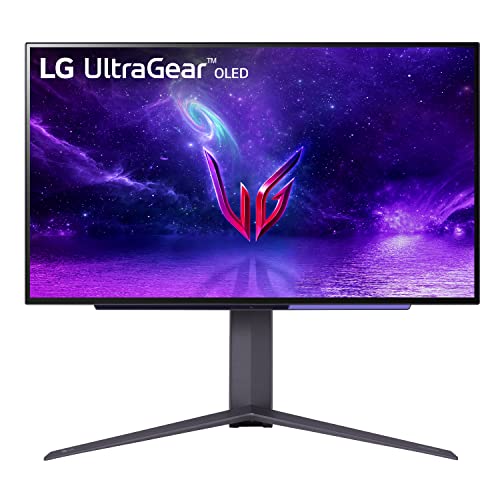
LG 27GR95QE-B 26.5" 2560 x 1440 240 Hz Monitor (27GR95QE-B)
prime sun
My brokeness aches every time i see an oled monitor 🥹
small warren
That's sort of where I'd say the high end would be for anything like an XTX
Or otherwise 4K 120 at a stretch
wintry walrus
I have a 7900 XTX and 7800X3D. The 240hz is mainly just for when I do wanna play those faster paced games.
small warren
I realise that
As a fellow xtx owner I can competently say the xtx is a 4k60, 4k90 card typically
On tailored settings 4k 120 is doable, medium to low settings (still looks decent)
Just saying to consider 1440p since you would kind of want a base level of competency ye?
wintry walrus
But if it isn't reasonable for price or whatever reason, I understand. I know it won't do good FPS on any games where I want visual clarity, but it's just kinda to be a dual use for both games.
I have a 1440P monitor and mostly feel like it isn't taking use of 7900XTX because I usually play like, hyper-modded games with AI upscaling and all that.
small warren
I'm saying this because the XTX is only so powerful
4K is a hard step up
You can run into things like freesync not really working much at all sub 60fps
If AAA doesn't interest you then I'd say alright, 4K might be more considerable
But usually as it goes with a high end gpu most people want to play AAA as well
small warren
wintry walrus
I'd like to know the advantages of OLED vs MiniLED vs QD-OLED and all those diff...
For clarity on this btw I used rtings burn-in testing to check if a monitor is decent, and I wait until burn-in tests have been long enough before I recommend with any certainty any type of oled in general
wintry walrus
I like to "minmax" my games so I always play with like 1000 mods, FSR, super resolution whatever. Even then is 4K hard to get 120-144 on games? Mostly not AAA as well.
small warren
It's a bit difficult
Here's an easy gauge
3090 has been and still kinda is about a 4k 60 card
1440p 144-240 card
Xtx is about a 1440p 240/4k 90 card
4090 is a 4k120 card easily
But talking in the sense of pretty much a vast majority of games in the last couple years
I haven't even mentioned 4k240 yet have I lol
For fps games all of these cards can achievably do 4k240, but the XTX has DP 2.1
DP 2.1 allows for proper 4k240
The rest are all limited by dp 1.4 or hdmi 2.1
Which leads to a blurry mess of not really 4k240
My real question for you here is do you like maxed settings in games?
Because if you do, to get any reasonable fps near 120 you won't be doing that
Not for anything somewhat new really
Bar of course, light games like fps
If we were only talking pure fps games as a metric, 4k 240hz would be dead easy
wintry walrus
I mean, if I can they're nice. But usually I run with texture mods and a mix of medium/high/low depending on what it is what it does etc. The FPS games I usually just go all low with max texture/shadow.
small warren
See saying texture mods gives me very little context
Speaking specific games would tell me a lot more
wintry walrus
Yeah no problem! Mainly these days I play Cyberpunk(would never even imagine getting high FPS on that one LOL), Skyrim, a few fighting games like SF6 and the new Tekken when it comes out, RDR2, R6, Overwatch, a little destiny 2, and then tons of little games where graphics don't really matter.
small warren
Ok that tells me a LOT
Ok 4k 240 would be doable yes

RTINGS.com
Our accelerated longevity test has been running for over a year now, and we've already encountered some very interesting results.
I would have a look at this and wait for some updates for when they add a 4k 240hz panel in there
And wait and see if it passes muster without burn-in over a long time imo
Reason I say this is there's always some great new monitor or tv someone suggests as "The next great" and then after a year the complaints fly in over burn-in or something else
Or alternatively, you could get that 1440p monitor I linked above which is proven to be excellent for burn-in (if not better than typical screens)
small warren
small warren
E.g
https://pcpartpicker.com/product/cRNxFT/lg-27gr95qe-b-265-2560-x-1440-240-hz...
This one here
The other catch as well, for a 4k240 panel, remember to look for dp 2.1
The thing with OLED, WOLED, QD-OLED and even to some degree Mini-LED is there going to look quite good, especially the first 3
Very hard to get it wrong for image quality and responsiveness
You'd maybe consider the on screen display or rear panel ports (i/o), and give ample consideration to the stand ergonomics
It's more to the case of saying, they'll all pretty much look really good when it comes to OLED (mini-led and QLED as well but not as strongly)
As far as a specific recommendation...
I believe G8? Might be the only one rn?
Oh G9 OLED exists
wintry walrus
Oops, my bad. I remember seeing that at a micro center and it was massive.
small warren
Choose A Monitor
wintry walrus
I saw a list of OLED this year and it had a LOT of new ones that looked like they could be what I want. Not sure though and if I'd wanna wait a few years/months before buying it's hard to decide.
small warren
Ignore the g65b and g7 faker
But the others would be very much in that extreme class
Hell
The first g9 that pops up would be solid
I would also be wary of g9's
Bar the early 1440p 240hz versions, the newer ones with mini-led and oled are cracking and breaking under their own weight
E.g this should be fine
https://pcpartpicker.com/product/NMvD4D/lg-ultragear-490-5120-x-1440-240-hz-curved-monitor-49gr85dc-b

LG UltraGear 49.0" 5120 x 1440 240 Hz Curved Monitor (49GR85DC-B)
Or this (same thing I think, this one is definitely qled tho)
https://pcpartpicker.com/product/HrK2FT/samsung-odyssey-g9-c49g97t-488-5120x1440-240-hz-monitor-lc49g97tssnxdc

Samsung Odyssey G9 C49G97T 48.8" 5120 x 1440 240 Hz Curved Monitor (LC49G97TSSNXDC)
But not this
https://pcpartpicker.com/product/cNxRsY/samsung-odyssey-g9-neo-s49ag952n-490-5120x1440-240-hz-monitor-ls49ag952nnxza

Samsung Odyssey G9 Neo S49AG952N 49.0" 5120 x 1440 240 Hz Curved Monitor (LS49AG952NNXZA)
Last one is one of the ones that break
Since the g9 oled is more new tech, under the same/similar design I'd be very wary of it
The g9 neo is mini-led
Unlike the first two which are VA/QLED
Which are historically fine afaik
Ultrawide 1440p would also be pretty good if that was considerable to you
wintry walrus
I really wanna try like, at least 4K 144HZ but I don't know if that'd be better or worse than a 1440P one of exceptional quality. I've never tried ultrawide but it seems like most of these are ultrawide.
small warren
From what I can tell this is the only 4k240 rn and it's dp.14/hdmi2.1 so fake 240hz
https://pcpartpicker.com/product/r4fnTW/samsung-odyssey-neo-g8-320-3840-x-2160-240-hz-curved-monitor-ls32bg852nnxgo

Samsung Odyssey Neo G8 32.0" 3840 x 2160 240 Hz Curved Monitor (LS32BG852NNXGO)
Apart from obviously g9 oled
small warren
wintry walrus
I *really* wanna try like, at least 4K 144HZ but I don't know if that'd be bette...
4k 144 would be a lot easier
I personally use this and it's excellent

Gigabyte AORUS FV43U 43.0" 3840 x 2160 144 Hz Monitor (AORUS FV43U)
Understated monitor, it may not look like oled but it gets bloody close
wintry walrus
What's the difference between QLED and OLED?
I saw an MSI OLED that I think was 4k144 but it was suspicously cheap looking.
small warren
Very different techs
If I had to put it in a nutshell, OLED better image, better responsiveness
QLED impossible to burn in
Comes with slight VA caveats
OLED also suffers from text clarity
QLED can get to equal or higher brightness
Mini-LED goes much higher than that
Another suggestion https://pcpartpicker.com/product/GzWzK8/gigabyte-m28u-280-3840x2160-144-hz-monitor-m28u-sa
Gigabyte M28U 28.0" 3840 x 2160 144 Hz Monitor (M28U-SA)
Old but gold
Comes with a kvm
The fv43u does too
Very nice if you intend to use a second pc at all, or even game on like an xbox with keyboard and mouse
wintry walrus
Ah I misremembered. It was 1440P thats why I thought the price was suspicious. This is what I was talking about:
https://www.amazon.com/dp/B0C9L9MQF3?tag=pcpapi-20&linkCode=ogi&th=1

Fasten your seatbelt: Infused with the latest eye care technologies and a blisteringly fast 240Hz refresh and up to 0.01ms pixel response time. The Predator X27U delivers you a WQHD (2560 x 1400) OLED. Add AMD FreeSync Premium to the mix and your gaming experience will be unbeatable! This 27-inch...
wintry walrus
small warren
Mini-LED goes much higher than that
Yeah I've heard really conflicting things about Mini-LED.
Some say its way better, outside of price, some say opposite
small warren
X27u I believe is quite good
small warren
wintry walrus
Some say its way better, outside of price, some say opposite
I would definitely say mini-led would have an excellent use
Do you play in a bright room?
If so mini-led OP
wintry walrus
Nah, medium I'd say
small warren
For normal or dark rooms I'd say oled
QLED can do both
Mini-led...in a dark room
Could be as much a screen as it is a floodlight
 small warren
wintry walrus
Ah I misremembered. It was 1440P thats why I thought the price was suspicious. T...
small warren
wintry walrus
Ah I misremembered. It was 1440P thats why I thought the price was suspicious. T...
X27U btw uses the same panel as the LG oled I linked earlier
small warren
small warren
E.g
https://pcpartpicker.com/product/cRNxFT/lg-27gr95qe-b-265-2560-x-1440-240-hz...
This one
All 1440p 240hz oled screens are all the same
They're all shipped from LG
small warren
They all supply from the same company ye
I think we've covered the majority of the gamut here without breaking into too much detail
You've got a few options to look at
I gotta go but feel free to ask in here again if you've got more questions
wintry walrus
Yeah no problem! Thanks for all the help.
small warren
✌️
fading wyvern

 crystal geode
im trying to connect a display port to my moniter and it doesnt work
this is my moniter https://www.omen.com/us/en/displays/240hz.html
Speed through the fun with the 27 inch OMEN 240hz gaming monitors. Learn more about the OMEN 240hz gaming monitors here.
misty gyro
crystal geode
im trying to connect a display port to my moniter and it doesnt work
Define "doesn't work."
What is it doing? What is it not doing?
 gray isle
i am in search for a computer monitor that is 27 inches, and use the same plug as a computer psu would be great since external power boxes are a pain to hide
misty gyro
gray isle
i am in search for a computer monitor that is 27 inches, and use the same plug a...
Budget?
gray isle
misty gyro
Budget?
like around 110 or less
misty gyro
You'd be looking at 1080p monitors then, which isn't optimal for that size screen but I'll find one still
small warren
I might be off the mark but I believe decent monitors with an internal psu aren't cheap
most have a brick
misty gyro
At that budget "decent" is kinda out the window anyway
$70 after rebate, $110 before https://www.newegg.com/black-asrock-challenger-cl27ff-27-0/p/N82E16824946002
Uses a standard kettle cable
Only has HDMI and VGA ports 🙃
gray isle
misty gyro
You'd be looking at 1080p monitors then, which isn't optimal for that size scree...
i mean the 2nd monitor im using now is 60Hz at 780P
misty gyro
This would be an improvement over that for sure, 100Hz 1080p
gray isle
like its a 2nd monitor ish, im using it for things like discord or play videos on while im gaming so i just look at it at times, im not wanting something major
i also would like it to have fairly small bezels
misty gyro
I'd say that's pretty thin
 gray isle
very
 ebon garnet
I'm helping a friend do his first PC gaming setup and he wants to start out with a 1080p monitor and maybe upgrade later but
Is there a similar 1080p monitor to this at a lower price point? maybe with 144hz or 165 instead of 240
Ideally still an IPS panel and with Nvidia Gysnc
This one is good, but $350 just seems like a bit much to pay for a 1080p screen. I also haven't shopped for monitors in like 8 years so I'm a bit out of the loop.
jk sorry ignore my question

Immerse yourself in your favorite games with this fast IPS monitor featuring a 1ms (GtG) response time, wide viewing angles, and high color accuracy with sRGB 99%. See moving objects on the screen more clearly with a high native 144 Hz refresh rate and 1ms Motion Blur Reduction. NVIDIA G-SYNC and...
Found this, I should be good 
errant edge
ebon garnet
Is there a similar 1080p monitor to this at a lower price point? maybe with 144h...
Wait
There's a better option than that lg one, that one has some pretty major issues
If I'm remembering the model right
A lot of blurring, bad image quality etc
https://pcpartpicker.com/product/k8GnTW/gigabyte-m27q-270-2560x1440-170-hz-monitor-m27q
https://pcpartpicker.com/product/W6QKHx/msi-g272qpf-270-2560-x-1440-170-hz-monitor-g272qpf
Gigabyte M27Q 27.0" 2560 x 1440 170 Hz Monitor (M27Q)
MSI G272QPF 27.0" 2560 x 1440 170 Hz Monitor (G272QPF)
Either of those would be better
ebon garnet
errant edge
A lot of blurring, bad image quality etc
Oh ok thank you for the warning, thankfully I don't think he ordered yet last night so I'll let him know!
ebon garnet
errant edge
https://pcpartpicker.com/product/k8GnTW/gigabyte-m27q-270-2560x1440-170-hz-monit...
These are both 2k monitors not 1080p though actually, do you have a good recommendation for a good IPS panel 1080p one?
Preferably 27 inch and with at least 144hz refresh rate
Also both of the ones you recommended have AMD Freesync, which unless I'm misremembering, Nvidia cards can't take advantage of.
errant edge
ebon garnet
These are both 2k monitors not 1080p though actually, do you have a good recomme...
The LG one you linked was also 1440p
Freesync and g sync marketing don't matter, don't pay attention to it. 1080p at 27" doesn't look great, because of pixel density. Unless sitting decently far away or have bad eyesight you're likely to see pixels
Do you know what gpu he has, and what types of games he plays? Does he play in tournaments or anything like that?
ebon garnet
errant edge
The LG one you linked was also 1440p
Oh 💀 so it is...oops, that's what I get for browsing while sleepy. Ironically I didn't double check the resolution because it was one of the first results when I searched specifically for a 1080p monitor on Amazon, so I only checked if it was IOS and had high refresh rate w/ decent response time 😭
ebon garnet
errant edge
Freesync and g sync marketing don't matter, don't pay attention to it. 1080p at ...
And yeah that makes sense, I've always played at 1440p on a 27" so I can kinda see how a 1080p screen might look bad at that size
ebon garnet
errant edge
Do you know what gpu he has, and what types of games he plays? Does he play in t...
He has a 4060 Ti and an i5-13600K
errant edge
Did he alr buy/build the pc?
ebon garnet
Yeah
errant edge
Ah alr
And what's he do on it? Does he play a lot of esports and first person shooters competitively?
I'm running basically the same setup, 3060 ti instead of 4060 ti but they perform within a couple % of eachother because nvidia is stupid
I'm running 1440p165
ebon garnet
No and I don't think he plans to, he doesn't really play anything yet since his setup isn't finished but he plans to play FFXIV at the very least, he plays all kinds of things though but has generally been a console gamer
Yeah I also have a 3060 Ti and run 2k
errant edge
I would recommend 1440p over 1080p 240hz then, the image quality would likely be preferred
I'll check for some 240hz options though
Overpriced but this would be my suggestion
https://pcpartpicker.com/product/4DjRsY/aoc-27g2z-270-1920-x-1080-240-hz-monitor-27g2z

AOC 27G2Z 27.0" 1920 x 1080 240 Hz Monitor (27G2Z)
errant edge
ebon garnet
No and I don't think he plans to, he doesn't really play anything yet since his ...
Whats he still need for the setup, just the monitor?
ebon garnet
The main reason he wanted to go with 1080p was so that he'd continue to get higher FPS further into the future with that card, but he actually plans to upgrade the card within the next 3 to 5 years anyways so I'm gonna agree he should go with 1440p as well
errant edge
Honestly I wouldn't have bought it at all, it's just really bad value
Especially the 16gb version
ebon garnet
errant edge
Whats he still need for the setup, just the monitor?
Yeah
ebon garnet
errant edge
Especially the 16gb version
16gb? The 4060 Ti only has 8gb VRAM unless I'm misunderstanding what you're talking about
errant edge
ebon garnet
16gb? The 4060 Ti only has 8gb VRAM unless I'm misunderstanding what you're talk...
There's two versions one 8gb one 16gb
The 8gb one around 350 isn't great value but it's not terrible
16gb one is normally 450+ which is just awful
ebon garnet
Oh I didn't even know that, interesting. Yeah his is the 8gb version 
errant edge
Ye 6700xt 12gb is around 330 (used to be 300-310 but stock is running low) and outperforms it
Or 7600 is $250 and is around 10% worse
Maybe closer to 15% I'm not certain
ebon garnet
He's going with a prebuilt for his first PC, which I recommended against, but he didn't want to worry about learning about building and stuff
I would have offered to build for him but he doesn't live near me
errant edge
Do yknow how much it cost? There's some 4070 options around 1400-1500
Also a 3080 options for 1200
https://www.newegg.com/skytech-st-azure2-0562-b-ne/p/3D5-000Z-000X5
https://www.ebay.com/itm/234935686884?mkcid=16&mkevt=1&mkrid=711-127632-2357-0&ssspo=GEZuugFwQwS&sssrc=4429486&ssuid=r8em-zv_qyc&var=&widget_ver=artemis&media=COPY

eBay
AMD Ryzen 7 5800X 3.8GHz (4.7GHz Max Boost) CPU Processor. Processor: AMD Ryzen 7 5800X 3.8 GHz (4.7GHz Max Boost) CPU. Leap forward into the Skytech Blaze 3.0 series with the newest architecture. Free Gaming Keyboard and Mouse.
4070 ti build new for 1600 and 3080 build I think refurb for 1200
ebon garnet
Yeah he already bought though and was settled on it so I'm just gonna leave it be for now, I actually was asking around and talking about it in the #building-and-recc-chat yesterday but he settled on one
ebon garnet
It was well within his budget and it'll handily run the games he wants to play so he just went with it. The model he went with definitely wasn't 1100 but I'll spare you the pain of knowing 
He was prepared to spend $2k though and it was well below that, thankfully
So I was just like okay sure 🥲
Oh also I am gonna recommend one of those 1440p monitors you linked, but one last question first
ebon garnet
errant edge
Freesync and g sync marketing don't matter, don't pay attention to it. 1080p at ...
You mentioned Freesync and Gsync don't really matter, can you explain? I remember when I was monitor shopping in 2015, people were pretty hyped about having these features, but are they really just kind of considered a non-factor?
My only guess is that higher refresh rates on monitors and higher specs on PCs that we have nowadays lead to less stuttering and screen tearing overall in general play, making Gsync and Freesync not as big of a deal as they used to be
Back when I bought my monitors in 2015, 1080p @60hz was still considered a relatively decent option and higher refresh rate monitors were much much pricier (my 27" 1440p 144hz IPS panel w/ Gsync ran me $600 or $700 in 2015 I think) so I assume that had something to do with it
errant edge
ebon garnet
You mentioned Freesync and Gsync don't really matter, can you explain? I remembe...
99% of the time if a monitor can do one it can do both
And its kinda irrelevant atp anyways
I've never had any screen tearing and I've had my refresh rate at 165 since I've had the monitor, and I've played games anywhere from 60 fps to 240 fps
It does still happen but if you lock your fps to your refresh rate it's fine. Which there's not really a downside to doing anyways
ebon garnet
Ah ok that makes sense
I've just always had this monitor with Gysnc for all these years so I had no frame of reference for what it was actually like playing without haha
I'll send him the first two you linked earlier, those both look like solid deals
And now that I have that mostly sorted, I get to start putting together my new build in a bit  I got the last part in the mail like 20mins ago
errant edge
ebon garnet
And now that I have that mostly sorted, I get to start putting together my new b...
Ooh fun
Good luck and enjoy
ebon garnet
Thank you! For the luck and for the help  I haven't done a new build since 2015 so I may be in another channel screaming for help in a couple hours, we'll see
errant edge
ebon garnet
Thank you! For the luck and for the help <a:bugcatlove:839668231463895051> I hav...
Lol if you need a reference there's a lot of videos on yt, I know plenty about pcs but still followed one when I did mine
Yet I still had like three issues afterwards and didn't get it working till 3-4 days after I put it together
I also forgot to put my io shield in before I put my motherboard in the case
So I then had to take the mobo out to put it in
ebon garnet
Yeah thats what I did the first time and I'm gonna do it again, just follow step by step. My first build was fine aside from having plugged something into the wrong pins on the mobo haha, which took me an hour to figure out after it wouldn't boot 😅 I didn't look up how to build at all beforehand, I just went along with the Linus build video and mostly followed my mobo instructions correctly and things worked out. So at the very least, I remember mostly what I'm doing still so I should be better off this time lol
I'm excited though it's gonna be great
errant edge
ebon garnet
Yeah thats what I did the first time and I'm gonna do it again, just follow step...
Yooo
Check this out on @Newegg:ABS Stratos Aqua Gaming PC - Intel i5 13400F - GeForce RTX 4070 - DLSS 3 - AI-Powered Performance - 32GB DDR5 6000MHz - 1TB M.2 NVMe SSD - SA13400F4070-2 https://www.newegg.com/abs-sa13400f4070-2-stratos-aqua/p/N82E16883360462?Item=N82E16883360462&Source=socialshare&cm_mmc=snc-social-_-sr-_-83-360-462-_-01292024
I know you said you were gonna leave it be but that's really good value for a pre build
 wanton compass
Just asking, are displays that are in demonstration sections of a store accurate to what you actually get when you buy a display?
something seems odd about the display units in the store I’m in
misty gyro
It's representative of out of the box performance in a well lit environment
It usually looks better once you tweak the colors, brightness, and contrast
small warren
I'd wager otherwise. Stores have a long history of boosting colours and making things look way oversaturated
If you can check and see the settings are normal, then I'd call it representstive
small canopy
My friend is lookin for a good monitor for competative games. 1080p 240 hz. Price range less than 400
small warren
small canopy
My friend is lookin for a good monitor for competative games. 1080p 240 hz. Pric...
what gpu has he got
small canopy
2070 super
small warren
small canopy
2070 super
AOC 27G2Z 27.0" 1920 x 1080 240 Hz Monitor (27G2Z)
actually

Asus TUF Gaming VG249QM1A 23.8" 1920 x 1080 270 Hz Monitor (90LM06J0-B023B0)
small canopy
ty, if u have any other recommendations please offer
small warren
the second one instead
small canopy
Das my old monitor lets goooo
small warren
reason is 24"
small canopy
yea
small warren
the 27" is objectively better but 1080p on 27" looks blurry
small canopy
small warren
the 27" is objectively better but 1080p on 27" looks blurry
I have only played on 27 and i didnt realize that for around 8 years LOL
you could not be more correct
small canopy
If you have any other ones that are good that i can copy link and spam my friend i would appreciate 😂
All they know are zowie tn panels
soo
small warren
nah not really, there are better? but like
high refresh 1440p exist at that level
and good ones too
so it becomes more like an argument of
get that and upgrade gpu instead
even 200 is a bit high ball for 1080p tbh
e.g
Acer Acer Nitro XV272U W2bmiiprx 27.0" 2560 x 1440 240 Hz Monitor (UM.HX2AA.201)
this is basically untouchable up until the $700 oleds
small warren
arguably one of if not the best up until the lg 240hz oled panels
you have m27q-x at 400 but that's a big price jump for a small improvement
small warren
small warren
this is basically untouchable up until the $700 oleds
e.g

LG 27GR95QE-B 26.5" 2560 x 1440 240 Hz Monitor (27GR95QE-B)
small canopy
small warren
https://pcpartpicker.com/product/cRNxFT/lg-27gr95qe-b-265-2560-x-1440-240-hz-mon...

LG UltraGear 27.0" 2560 x 1440 240 Hz Monitor (27GR83Q-B)
I got this at 350 discount
funny enough
errant edge
small warren
https://pcpartpicker.com/product/cRNxFT/lg-27gr95qe-b-265-2560-x-1440-240-hz-mon...
I wonder if this is a new oled panel or if it's the same, $600
https://www.amazon.com/KTC-OLED-Monitor-Built-DisplayPort1-4/dp/B0CRDRL92Z

Introducing the KTC G27P6 OLED Gaming Monitor - the ultimate display for gamers, designers, and office workers who demand the highest level of performance and quality. With a sleek and modern design, this 27 inch OLED monitor boasts a stunning 240Hz 1440p resolution, offering crystal clear visual...
errant edge
Oh lmao
small warren


KVM
KVVMMMM
WTFFFFF
GOATED
I would totally recc that Bacca
amazing find
errant edge
Now if we get OLEDs at half the price, I'll be buying one this year
small warren
wtf

Introducing the KTC 42 inch 4K OLED Gaming Monitor, the ultimate gaming experience that brings visuals to life. With the latest LG OLED WBE Panel, colors are vibrant and true-to-life, offering ultra-fast performance with 3840×2160 resolution at 138Hz refresh rate. The anti-reflection treatment ma...
$999 with prime
LG C series panel
small warren
on what
surreal quarry
i think its just because I sit too close so moving a litte bit moves the charecter a couple inches on the screen
misty gyro
errant edge
Now if we get OLEDs at half the price, I'll be buying one this year
We might see up to 30% off old models as the new ones launch but I doubt half off