#old-monitors-and-tv
1 messages · Page 8 of 1
 misty gyro
Some games will properly use a wide field of view but that's honestly rare
 errant flax
 silent epoch
more windows tabs lol
silent epoch
more windows tabs lol
Fair.
errant flax
misty gyro
Some games will properly use a wide field of view but that's honestly rare
Mostly play, Halo Infinite and Minecraft.
misty gyro
Minecraft does
silent epoch
mircroled is 1500 nits. sheesh
 smoky thicket
do you need something that bright
smoky thicket
only if you're in a bright room i suppose
misty gyro
silent epoch
mircroled is 1500 nits. sheesh
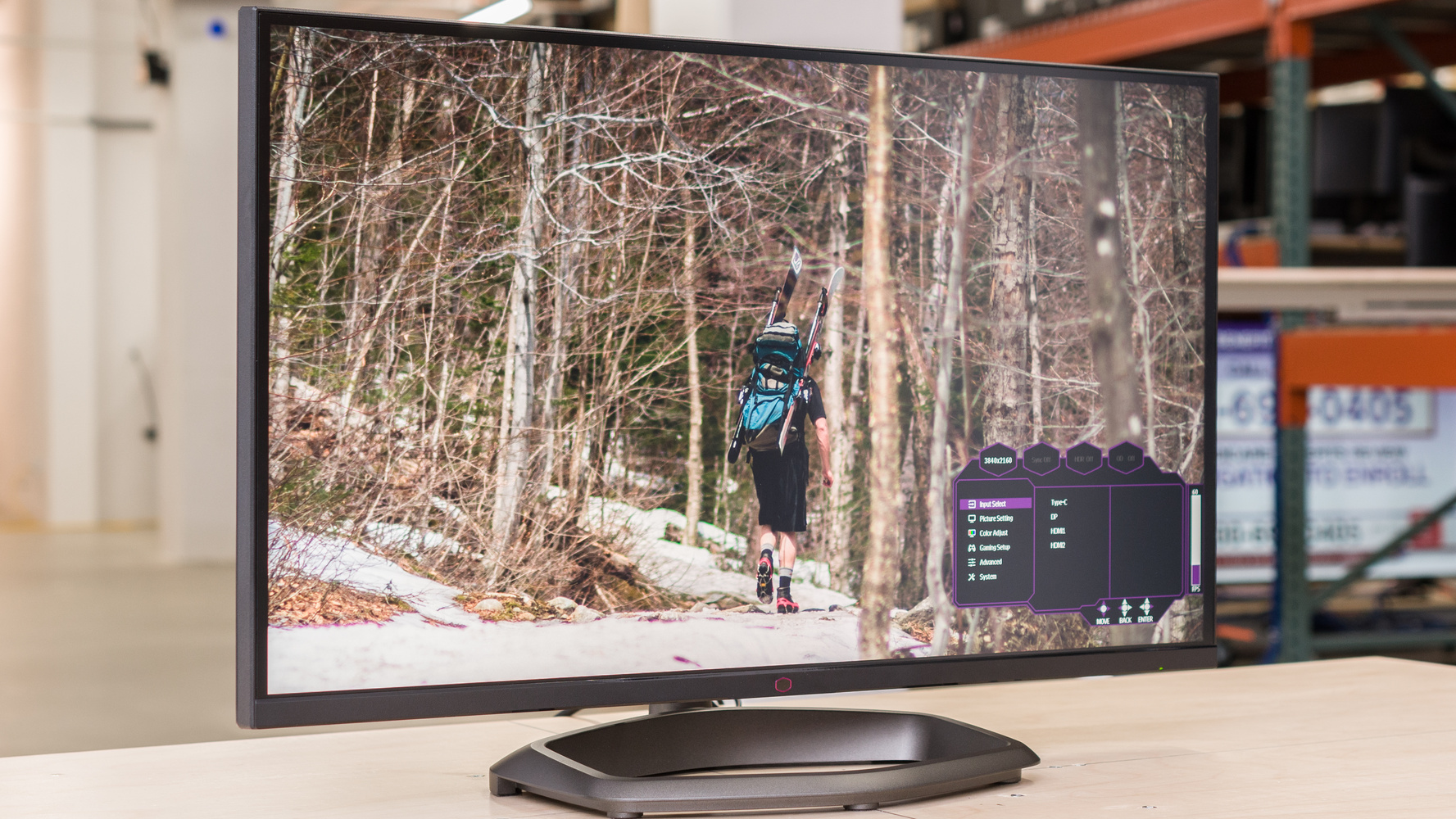
If you haven't met, let me introduce you https://www.rtings.com/monitor/reviews/cooler-master/tempest-gp27u
RTINGS.com
The Cooler Master Tempest GP27U is a premium 4k, 27-inch monitor. It features Mini LED backlighting with 576 local dimming zones, and as it's a high-end monitor,...
silent epoch
never
misty gyro
But 1500 nits sustained 10% window
silent epoch
damn 1300 with 100 peak window
silent epoch
misty gyro
But 1500 nits sustained 10% window
thats eye burn in intensity right there
like looking at the sun lol
errant flax
really?
misty gyro
errant flax
really?
No the sun is 1.6 billion nits 
silent epoch
looking at the sun eventually gives you super powers
misty gyro
Mmm well yes technically if you pull off a Daredevil when you go blind
silent epoch
yeah...the auditory part of the brain becomes more sensitive when you go blind
dont try it at home
soo back to monitors. that M27Q-SA should do the job
errant flax
Yeah I think I will save up for that then.
silent epoch
great
misty gyro
The LG I linked would be good too at 6600 pesos ($360)
silent epoch
very good
errant flax
True though for $20 difference the extra 26hz, HDR400 vs HDR10, and KVM switch seems like a neat lil upgrade.
silent epoch
HDR400 IS FAKE HDR
misty gyro
HDR10 is better than HDR400
misty gyro
HDR400 is only 400 nits, not bright enough to show real HDR colors
HDR10 is 1000 nits
silent epoch
looks bad
silent epoch
mmm
errant flax
How big a difference is there between the colors on HDR10 and HDR400 also does HDR work on everything?
silent epoch
Falcie...the LG 27GL83A-B 27 would be better
misty gyro
Indeed but what's the price
silent epoch
its about 100 pesos more on amazon
errant flax
?
misty gyro

RTINGS.com
The LG 27GN800-B and the LG 27GL83A-B perform fairly similarly overall. However, the 27GN800-B has a slight edge if you can overlook the stand's terrible ergonomics. Both are 1440p 144Hz monitors, but the 27GN800-B has a faster response time at both 60Hz and the max refresh rate. It also has a wider color gamut, and its better reflection handli...
Better for other uses but effectively the same for only gaming
misty gyro
The ergonomics are the only thing hurting the 800-B in most categories so if a better stand is worth 100 pesos go for it
errant flax
Doing about equal parts gaming to productivity stuff like blender as of late.
silent epoch
I noticed that to, Fal
misty gyro
After calibrating the colors both monitors have what appears to be the exact same screen
Maybe a slight advantage to the 800-B for the color gamut in SDR which may or may not matter for blender
errant flax
was messing with my screen's color settings just now and I am wondering, is the Discord app supposed to have a slight blue hint?
I set it to sRGB for a moment
misty gyro
Not that I'm aware of
My monitor isn't good enough for true HDR but my phone is with a QD-OLED, and on my phone it's just gray
errant flax
should I keep Free-Sync premium on or off?
misty gyro
On unless you have issues in specific games with screen tearing
errant flax
misty gyro
My monitor isn't good enough for true HDR but my phone is with a QD-OLED, and on...
Gotcha, I am a leave sRGB color temperature off them.
errant flax
misty gyro
On unless you have issues in specific games with screen tearing
what are the penalties to Free-Sync?
Latency?
misty gyro
None
Unless it's a bad monitor or game
If anything latency is better because it's syncing the frame rate to your fps
errant flax
what does Black Equalizer do?
misty gyro
It'll make darker areas lighter or darker based on the setting
silent epoch
Not sure if it's a good idea to play with those settings.
errant flax
gotcha.
misty gyro
silent epoch
Not sure if it's a good idea to play with those settings.
You can always factory reset
silent epoch
True
errant flax
I left it on default though increasing contrast definitely helped up the brightness a lot.
errant flax
for me it's percentage based
silent epoch
 errant flax
silent epoch
errant flax
silent epoch
neva!
errant flax
silent epoch
Gosh, is that the anime where the detective got turned into a kid?
If so it's been so long since I've seen that....
 light prairie
could someone help with my monitor not receiving signal on boot? the pc turns on and my kbm light up too but monitor just doesn't receive the signal...
silent epoch
Hhhmm
Is the display port or HDMI plugged to the back of the GPU and not the motherboard?
light prairie
silent epoch
Is the display port or HDMI plugged to the back of the GPU and not the motherboa...
yep made sure of that
it was working fine yesterday, i just turned it off at night and since today morning it has not worked
i didn't mess with it whatsoever
silent epoch
Do you have any motherboard LEDS on? @light prairie
They tell you if you have a hardware related issue
 balmy plaza
https://www.microcenter.com/product/662617/32GP750_315_2K_QHD_2560_x_1440)_165Hz_Gaming_Monitor;AMD_FreeSync;-_NVIDIA_G-Sync_Compatible;_HDR;_HDMI_DisplayPort;_3-Sided_Frameless;_Game_Mode

Micro Center
Get it now! Designed especially for gaming, this display features a QHD display to immerse you in your favorite movies and games. High 165-Hertz refresh rate with 1-millisecond Grey-to-Grey (GtG) response rate is ideal for fast-paced games.
Is this a good 30 inch 1440p monitor
 maiden wedge
Is this good?
 light prairie
silent epoch
Do you have any motherboard LEDS on? <@826364433126260747>
light prairie
silent epoch
Do you have any motherboard LEDS on? <@826364433126260747>
sorry for the late reply i fell asleep. Yes, its a white led that turns on when i try to boot up
silent epoch
Alright. So that light should say VGA next to it. You have a graphics card issue
light prairie
silent epoch
Alright. So that light should say VGA next to it. You have a graphics card issue
ahh i see. That's so sudden. thanks anyways
 next raptor
Any monitor suggestions to pair with the 4090 gpu?
errant flax
next raptor
Any monitor suggestions to pair with the 4090 gpu?
Do you want to game at 4K 144hz or 2k 170hz and above?
next raptor
Preferably 4k and above 144 if possible
errant flax
I can't help much but those are some questions that will help the pros decide what's best for ya.
errant flax
Some things to help the pros figure out what's best:
Budget:
Resolution:
Size:
errant flax
next raptor
It's beautiful but so expensive
Any kind of 4k monitor beyond 144hz to my knowledge is gonna cost you at least a grand.
misty gyro
errant flax
Some things to help the pros figure out what's best:
Budget:
Resolution:
Size:
This^
And country
balmy plaza

"Pure, pro-level gaming. Play like a pro with LG's 32"" UltraGear Gaming Monitor. Color intensity with QHD (2560 x 1440) resolution and unbelievable 1ms response rates. Featuring custom gaming control, ultra-fast 165Hz refresh rates and AMD FeeSync to minimize tearing and stutter — all in a virtu...
https://www.microcenter.com/product/662617/32GP750_315_2K_QHD_2560_x_1440)_165Hz_Gaming_Monitor;AMD_FreeSync;-_NVIDIA_G-Sync_Compatible;_HDR;_HDMI_DisplayPort;_3-Sided_Frameless;_Game_Mode
Micro Center
Get it now! Designed especially for gaming, this display features a QHD display to immerse you in your favorite movies and games. High 165-Hertz refresh rate with 1-millisecond Grey-to-Grey (GtG) response rate is ideal for fast-paced games.
Which one is better
?
silent epoch
balmy plaza
https://www.microcenter.com/product/662617/32GP750_315_2K_QHD_2560_x_1440)_165Hz...
this one
 small warren
next raptor
Any monitor suggestions to pair with the 4090 gpu?
small warren
next raptor
Any monitor suggestions to pair with the 4090 gpu?
anything 4K 144+
M28U, M32U, FV43U are always my go to
those are all really nice
LG C2 OLED Evo as well, but that's the baller option, along with the Odyssey G9
errant flax
Just realized that shipping a monitor from MX to CN is gonna cost a lot so I am gonna hold off on buying another monitor till I am back in China in about 3 months.
 mighty tide
I'm honestly unsure if this is my monitor, my game, or some other factor but I noticed when moving there's like, a strip of pixels that kinda stay still. Took a video and put it in slo mo
But its one line that stays a little bit behind
On the Gigabyte M32U
silent epoch
turn on V-sync or G-sync
mighty tide
silent epoch
turn on V-sync or G-sync
I have Freesync on, not the same?
silent epoch
mighty tide
I have Freesync on, not the same?
freesync and Gsync are the same
 fading wyvern
mighty tide
I have Freesync on, not the same?
fading wyvern
mighty tide
I have Freesync on, not the same?
Try capping the frame rate to your refresh rate
mighty tide
I capped it to 144, turned on adaptive sync as well as freesync premium pro or whatever its called
silent epoch
I accidently said Vsync. they're not like the other two
fading wyvern
What’s your fps in game? 
fading wyvern
Vsync on?
mighty tide
doesnt happen in like, rdr2 where im getting 80-100
mighty tide
fading wyvern
Vsync on?
nah not in game. always thought vsync always off no matter what
thought it locked fps to 60 idk
misty gyro
mighty tide
thought it locked fps to 60 idk
It locks to the refresh rate but it also forces freesync off
fading wyvern
Can try switching the overdrive mode on your monitor to the fastest but that’ll probably introduce ghosting
mighty tide
I did, didn't really change it much surprisingly
fading wyvern
Is this a issue in other games?
mighty tide
its noticeable in some, far worse in others
only in motion when i move around though
fading wyvern
That is starting to sound like a monitor issue
 hollow nymph
silent epoch
I accidently said Vsync. they're not like the other two
hollow nymph
silent epoch
I accidently said Vsync. they're not like the other two
"Accidently" LOL
meanwhile in a few channels up
fading wyvern
Try updating firmware I guess
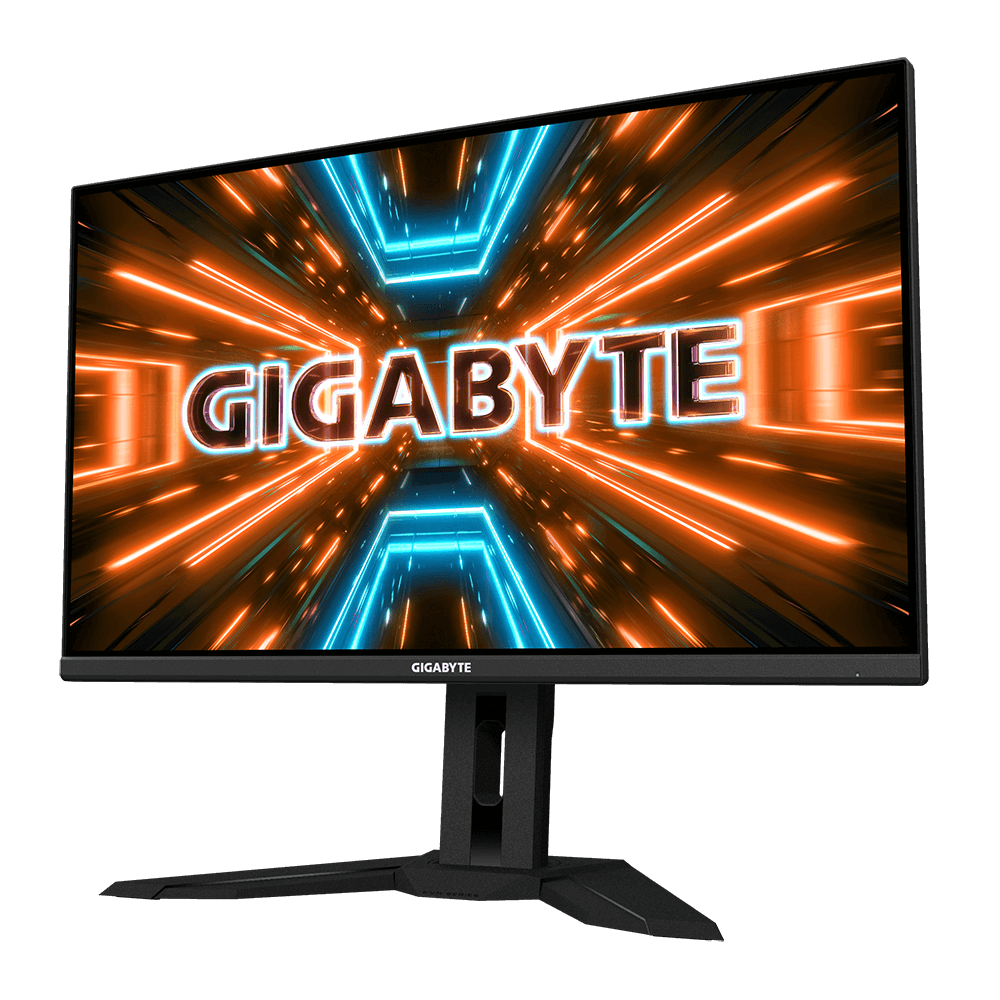
GIGABYTE
Features Multi-Platform built-in KVM SS IPS panel with 1ms MPRT & 144Hz 10-bit color with HDR400 Black Equalizer & Aim Stabilizer Sync GameAssist & OSD Side...
fading wyvern
Nah you probably did
mighty tide
surprisingly didnt lmao but doubt thatll change much
fading wyvern
Try it, whatever it is it seems monitor or gpu related, much more likely monitor
mighty tide
after doing all that and turning on vync in the game it seems to be somewhat better
fading wyvern
The line is still there though?
fading wyvern
Hell ya looks like it was probably a faulty driver 
mighty tide
Im still in the return window for micro center for like 2 more weeks so hoping it was just that 😭
fading wyvern
Just for giggles uncap your frame rate and look for tearing in games
fading wyvern
Perfect 
mighty tide
Ohhh I updated to windows 11 a few days ago. Probably something like it reset them'
Not sure
fading wyvern
Computers are magic and fickle 
 nova rune
anyone know how to fix freesync brightness flickers?
misty gyro
nova rune
anyone know how to fix freesync brightness flickers?
Does it only happen when freesync is on? Are you using HDMI or DP? What monitor and GPU?
 outer ember
Looking for a budget screen for general use and light gaming. I have an RTX2070super. Thinking on bumping to 2k. Is the Asus VG27AQ1A still a good buy compared to the M27Q? Or maybe 1080P like the Alienware AW2523HF or the viewsonic XG2431 or any recommendations other that those screens?
misty gyro
1440p is going to be pretty rough on a 2070
Especially on newer games, made in the last 5 years or so
 errant summit
Ive got a 4070 ti and I have a m27q currently and was looking to upgrade to 4k with at least 144hz. What's the best bang for your buck for that?
Would like it to be gsync compatible as well if that matters
mighty tide
4070ti is not gonna like 4k high refresh rate
misty gyro
Eh, it could do it but don't expect much in super high detail games.
misty gyro
errant summit
Ive got a 4070 ti and I have a m27q currently and was looking to upgrade to 4k w...
M28U probably. Or a little extra for a M32U.
errant summit
The 4070ti wouldn't do well at 4k? Dang
mighty tide
It could play games, but higher detail ones on higher settings wouldn’t be amazing
Just depends on what your performance goals are
errant summit
Is a 2k to 4k upgrade even worth it at that point?
 raw ingot
not really
errant summit
Should I just go for a higher refresh rate 2k? If so what monitor
Maybe the 240hz m27q?
fading wyvern
170hz -> 240hz probably won’t be much of a upgrade… now ips too oled? That would be a sick upgrade 
But also cough $1000 usd
it’s $700(used) it’s actually a decent price my god
Shop Digital Cameras, 35MM Camera Equipment, Photography, Photo Printers, Computers, Home Theater, Authorized Dealer Canon, Sony, Nikon, Apple, Olympus, Panasonic, Kodak, JBL
 surreal quarry
fading wyvern
<:pepehmmm:903335097305034783> it’s $700(used) it’s actually a decent price my g...
surreal quarry
fading wyvern
<:pepehmmm:903335097305034783> it’s $700(used) it’s actually a decent price my g...
im planning on getting this but im a bit concerned that it's too dim
M27Q --> LG27NEWOLED
errant summit
fading wyvern
https://www.bhphotovideo.com/c/used/1745626/?
thank you for that beautiful deal
fading wyvern
surreal quarry
im planning on getting this but im a bit concerned that it's too dim
Yeah it’s dim but unless you’re in a crazy studio lit room it probably won’t matter to much, they updated it to hit a pretty average 300nits which isn’t bright really, and in hdr mode iirc it hits double that or close to 1000nits
errant flax
errant summit
The 4070ti wouldn't do well at 4k? Dang
4070ti games at 4k around the 3090ti's abilities so not superb but playable.
fading wyvern
4k would also be vram limited 
errant flax
fading wyvern
4k would also be vram limited <:PepeHands:968900943368319007>
......
Well I suppose that's kinda true in some games.
misty gyro
12GB is enough for most games in 4k, it's pretty rare to use more still
fading wyvern
Eh looking at the trends of bad pc ports that struggle with 8gb of vram at 1440p 
12gb is enough but if you wanna max things out it’ll be limited 
hollow nymph
errant flax
4070ti games at 4k around the 3090ti's abilities so not superb but playable.
Never heard someone call 3090ti performance just "playable"
Geuss my 6700xt is garbage now 😰
errant flax
hollow nymph
Never heard someone call 3090ti performance just "playable"
Anything sub 100 fps I feel is choppy making it "playable" and not "enjoyable".
 icy badger
any monitors 144hz+ under $125? please @ me or dm
errant flax
icy badger
any monitors 144hz+ under $125? please @ me or dm
I think the Pixio PX224 is usually around 100-125$ 1080p 144hz IPS.
icy badger
errant flax
I think the Pixio PX224 is usually around 100-125$ 1080p 144hz IPS.
I can't seem to find it
wb this one?
https://www.microcenter.com/product/624240/asus-vp249qgr-238-full-hd-(1920-x-1080)-144hz-gaming-monitor
It's $130 on microcenter but $210 on amazon
 marsh stream
So My main monitor is a 48inch OLED / I got rid of 2 monitors to go to the gaint single and if im being honest I miss a 2nd monitor. Any recommendations on maybe a vertical monitor?
Doesnt have to be massive but man idk why I almost need that screen seperation fro stuff
misty gyro
marsh stream
Doesnt have to be massive but man idk why I almost need that screen seperation f...
Does your OLED screen have PBP (picture by picture) because you can use that to make it act like 2 monitors
marsh stream
Oh seriously I'll have to check later
misty gyro
What model is it? I can tell you from the specs
small warren
Ye PBP is nice, but it comes with caveats
Like you'll be running 60hz with it one way or another at least in my experience
marsh stream
misty gyro
What model is it? I can tell you from the specs
Didnt see this earier LG ultragear 48
q900 i believe
will have to double check
misty gyro
That model does not appear to have PIP/PBP sadly
marsh stream
I think i remember hearing something about power toys
maybe able to do something like that ill look around
nova rune
misty gyro
Does it only happen when freesync is on? Are you using HDMI or DP? What monitor ...
only when freesync is enabled on the monitor and not all the time(when it does happen it doesnt go away for a day or 2), currently using DP 1.2 (has option to run 1.1) monitor is VIOTEKGN32LD and GPU is asus 3070ti strix oc (has happened on previous GTX1080)
raw ingot
Seems like display issue
 verbal palm
Oh ok, so I figured it out. I just had to change input. Now, is it normal when I turn off my tv while connected to GPU in PC that the other monitors that are connected via DP to GPU aft a little weird, like don’t receive a signal?
 errant sphinx
I bought the g7 odyssey 240h monitor 2 months ago and i've been experiencing some mouse stuttering in game ? is it just me or the monitor is broken ? I have a good pc so its not du to it.
misty gyro
errant sphinx
I bought the g7 odyssey 240h monitor 2 months ago and i've been experiencing som...
What games? And I have to ask, it's actually set to 240hz in settings right?
errant sphinx
misty gyro
What games? And I have to ask, it's actually set to 240hz in settings right?
yep, and fortnite, valorant, minecraft
every games i have to move mouse quick basically
misty gyro
What processor do you have?
errant sphinx
misty gyro
What processor do you have?
ryyzen 7 5800x3d
misty gyro
And what settings do you play at?
All those games are basically guaranteed to have some kind of stuttering, especially with more players on the map at a time
errant sphinx
misty gyro
And what settings do you play at?
low
errant sphinx
misty gyro
All those games are basically guaranteed to have some kind of stuttering, especi...
the thing is, i dont have any fps drops, its only some mouse things when i move quick
misty gyro
Yeah it's a game issue more than likely then. Watch your 1% and 0.1% low fps, not the average.
errant sphinx
okay
 keen sequoia
Which one would be better? ( I know they're both not the best, but I don't really care about colors or light bleed) https://www.newegg.com/lenovo-32/p/0JC-0006-00UW4?Item=0JC-0006-00UW4 https://www.newegg.com/p/N82E16824011440?Item=N82E16824011440
fading wyvern
keen sequoia
Which one would be better? ( I know they're both not the best, but I don't reall...
The acer
keen sequoia
What is better about it?
fading wyvern
Mostly the panel, IPS is just generally better, if you want specifics I’ll grab a rtings compare
keen sequoia
I didn't even realize that it wasn't ips, thanks


 hollow nymph
balmy plaza
My monitor came with these threee and idk which one to use
hollow nymph
balmy plaza
My monitor came with these threee and idk which one to use
Use display port
The second photo
balmy plaza
hollow nymph
Use display port
Which one is the 2nd
hollow nymph
 balmy plaza
hollow nymph
balmy plaza
hollow nymph
What do the other two do
hollow nymph
One is usb and the other is hdmi which you could also use but most use display port
The usb cable usually allows you to plug your keyboard and mouse into the monitor but I wouldn't
balmy plaza
hollow nymph
The usb cable usually allows you to plug your keyboard and mouse into the monito...
I got a 2nd monitor so I also plug that undo a display port
hollow nymph
Yes
Also
Make sure you are plugging them into your gpu if you have one
Not your motherboard
hollow nymph
hollow nymph
Yes
Or hdmi it doesn't really matter unless your monitor is highrefresh 4k and has an older hdmi standard
hollow nymph
balmy plaza
Both of them right ?
Yea
balmy plaza
Bruh my 2nd monitor came with one hdmi
hollow nymph
balmy plaza
Bruh my 2nd monitor came with one hdmi
That's fine
Just use that then
After you have everything plugged in
Make sure to go to display settings
And have them run at the max resolution/refresh rate they can
You can also adjust their positioning if needed while you're there
misty gyro
hollow nymph
The usb cable usually allows you to plug your keyboard and mouse into the monito...
It is also used to control the monitor settings from the OS and update the monitor firmware
Assuming the monitor has those features at all
misty gyro
Wow that sucks. Hopefully that means something better is coming but it seems you're right. https://www.bhphotovideo.com/c/product/1692227-REG/gigabyte_m27q_x_27_16_9_freesync.html
surreal quarry
There’s also the Dell AW3423DWF
small warren
I'd avoid that screen
That's the QD-OLED right?
Has serious burn-in issues experienced from rtings testing, worse than OLED
Great idea but the execution isn't up to the theory yet
surreal quarry
small warren
I'd avoid that screen
Yeah is it really that bad?
surreal quarry
Mind linking I’m on my phone lol
small warren
Sure
- grabs link also on my phone *
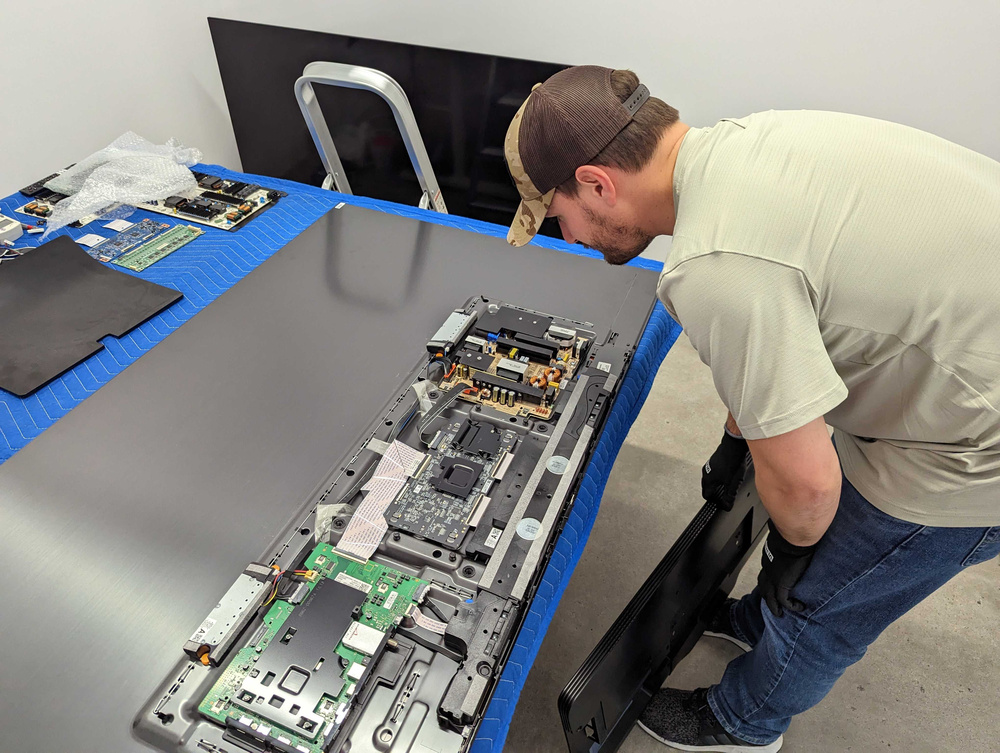
RTINGS.com
Our accelerated longevity test has been running for over three months, and we've already encountered some very interesting results. We've already had three partial TV failures and one complete failure, which wasn't expected this early in the test.
Scroll down to the S95B vs C2 test
After 8 weeks
And it gets worse, they tried a cycling picture next using a CNN feed and the image retention got far worse 💀
QD OLED is still first gen, wait until it's thoroughly ironed out and you have long term burn in testing for any OLED imo
C2 which is WOLED seems to be the only OLED that passes the PC test rn
C3 as well if that carries on with the same WOLED tech
(haven't seen burn-in testing for c3 yet tho)
surreal quarry
i see 💀
silent epoch
Felix is correct. LG has proven to be the most reliable.
surreal quarry
avoid the samsung neo G8 OLED as well?
silent epoch
I have the aw3423dwf right in front of me

It's over saturated...yuck
And the contrast are grey in normal lighting conditions, that's not expectable
Text looks fine
But the colors are not realistic
What the heck.... they're so red lol

It's overblown.

In playing with the settings, and it's still a mess
silent epoch
raw ingot
it's so oversaturated
idk....i feel like someone did. Even on the creator mode that is supposed to be accurate, it still looked bad. I tried switching between DCI-P3 and sRGB , trash.
raw ingot
I guess someone must've messed it up so badly
silent epoch
I'll go back to the store and fix it myself lol
the saturation was at 50 percent...still felt like hot garbage
misty gyro
Even all the presets are messed up? bruh
silent epoch
I'm going to ask them to replace it. theyre going to lose potential sales
misty gyro
This is the same company that puts a 13900k on a 120mm AIO with zero airflow
raw ingot
Are these oled?
raw ingot
Huh, this sounds like a defect indeed
silent epoch
mmhhmm
silent epoch
misty gyro
This is the same company that puts a 13900k on a 120mm AIO with zero airflow
I have a feeling that these Best Buy employees didnt bother checking if the monitor was good or not.
misty gyro
Here's a shocking revelation for you: the majority of them either don't know what it should look like or don't care
raw ingot
That's painfully true
silent epoch
smh
raw ingot
But my poor eyes definitely hurt looking at those pics

It's washed out and very saturated
misty gyro
Yeah I haven't seen color washout that bad in years
silent epoch
raw ingot
But my poor eyes definitely hurt looking at those pics
in person, that happened in about a min
tomorrow im driving back lol
fading wyvern
small warren
silent epoch
What the heck.... they're so red lol
Every pic looks super saturated what the heck is happening lmao
silent epoch
small warren
Every pic looks super saturated what the heck is happening lmao
Idk. Somome messed it up big time, or it's a manufacturing defect. Whatever it is, my eyes were being assaulted.
small warren
Maybe a firmware bug if that's at the middle saturation setting
Did you check around for any manual profiles or maybe a suggestion of bad factory calibration?
Idk I've met a few others who have used this screen and this is definitely the first I've heard about it. Not okay with it either way
Reminds me of when you used to buy TV's with overblown settings out of the box for advertising on a storefront lol
If that even is still a thing, haven't bought one for a while now
silent epoch
small warren
Maybe a firmware bug if that's at the middle saturation setting
I'll talk to the folks over at BB. They better fix it
Btw this is SDR. I couldn't toggle on HDR in the display settings.
silent epoch
Yes....

 quartz sandal
small warren
That's*sdr*???
quartz sandal
small warren
That's*sdr*???
I'll sdr you in a minute
silent epoch
I went over to the best buy earlier. I told them about the display monitor..let's see what they do lol
fading wyvern

marsh stream
So havent quite figured it out yet but figure i'd ask for opinions. Currently running 48 inch OLED as main monitor. I want to add a vertical monitor faced in so I can keep the main screen with most of my main stuff and keep the 2nd one Note taking / other stuff. I see a ton of people with 42 inch c2's using something like vertical 27's what size might fight correctly with the 48 inch?
I'm not 100% sold on getting the 2nd monitor more just toying with the idea for work efficiency
Had a dual monitor set up for a long time and have run this giant solo monitor for about 7/8 months now but feel I still might want that 2nd monitor
Dont need anything massive but feel like i need that seperation, open to any and all opinions if you have em
 hexed bramble
https://www.canadacomputers.com/search/results_details.php?keywords=32GP850-B what do you guys think about this?
Canada Computers & Electronics. 47,310 likes · 137 talking about this · 98 were here. Official Facebook page of Canada Computers & Electronics
would it be worth the price
its 500 cad
32GP850-B - this is the name i think lol
silent epoch
hexed bramble
its 500 cad
Contrast is normal for an IPS, but its good overall
mighty tide
Any conceivable reason FPS would vary by say, 20 between HDR and non HDR? Only tested RDR2 but HDR on(monitor level not game) was getting 95 in benchmark and once I turned it off I was up to 115
Everywhere I look says HDR shouldn't affect performance so I'm unsure
Checking other games now just to make sure but does seem weird to me
mighty tide
Tomb raider is 10~. Weird IG
 mighty tide
silent epoch
It shouldn't...be doing that
mighty tide
silent epoch
It shouldn't...be doing that
I thought it was auto HDR but when turning that off as well nothing....
RDR2 HDR is so bad but auto hdr is so good
I can live with it tho its playable just seems funky
silent epoch
Very weird
 narrow tree
silent epoch
Very weird
narrow tree
silent epoch
Very weird
what does 3-4 weeks til OLED mean?
misty gyro
In what context
silent epoch
I'm going to buy the LG 27gr95qe
narrow tree
silent epoch
I'm going to buy the LG 27gr95qe
over the asus pg27aqdm?
silent epoch
Asus bad
silent epoch
They're pushing the panel. the harder they're doing that, the shorter the life
narrow tree
silent epoch
They're pushing the panel. the harder they're doing that, the shorter the life
thanks for the insight, i was holding out for the asus
silent epoch
And I've seen the LG in person, it's bright enough
@narrow tree there's a new Corsair 27 inch OLED coming soon. You might have to wait on that
I heard it has 3 years of warranty that covers potential burn-in
The pg27aqdm also has crappy HDR, even after a firmware update.
But people tend to exaggerate
narrow tree
newegg website doesn't even have the auto-notify option for the asus anymore
maybe cause of the asus controversy recently
silent epoch
That's another reason I'm going LG, it's hard to find
silent epoch
narrow tree
maybe cause of the asus controversy recently
Doubt
Those are two completely separate things
 narrow oak
wasnt sure where to ask this between #graphics-cards and here but anyone have any ideas on why my PC would suddenly not display through displayport? ive used displayport for my monitor for a long time then suddenly it just stopped displaying and i tried connecting the cable to another display, putting it in another GPU slot, and restarting the PC and nothing has worked. ive currently got it hooked up with hdmi but without a displayport cable i dont have enough ports to use my other monitor as i only have one HDMI slot on my GPU then another on the motherboard
 dapper socketBOT
DDU (Display Driver Uninstaller) Guide by Pato
https://github.com/NeweggTechie/Graphics-cards/wiki/How-to-use-DDU

GitHub
Contribute to NeweggTechie/Graphics-cards development by creating an account on GitHub.
narrow oak
Alright thanks
Also I suspected it might be the cable but even tried a different cable but didn't work
narrow oak
also could my issue be caused by a virus? just ran a full system check and it came back with a trojan
narrow oak
alright
i think thats what happened
my mom downloaded some software from an ad and opened it and then a few hours later or a day i forget this happened
would it cause any physical damage or would DDU possibly fix it at that point? i wont be able to try DDU for another few hours
misty gyro
There could be lingering "damage" to the operating system but DDU will wipe out everything related to the GPU
narrow oak
alright cool thanks
narrow oak
DDU didnt work
misty gyro
Try the Windows repair script in this. SFC and DISM. https://github.com/Ryzen5950XT/Windows-stuff/releases/download/Windows-utilities-and-fixes-batch-file/Win.Utils.Fixes.Latest.launcher.bat
silent epoch

Been waiting to audit this Corsair take on the latest LG 240hz OLED panel and its finally here with the Xeneon 27QHD240 OLED gaming monitor. The big news was an extra year of warranty coverage for burn in. But does that come at the cost of performance or brightness? Is this the best gaming monitor for 2023 or should you look at LG or Asus instea...
LG wins this round
 kindred umbra
Jus got the shipment in for these at my store

 sage trail
owo
silent epoch
WOAGH
surreal quarry
silent epoch
WOAGH
You mean WOLED?
raw ingot
it's a woah with a g
silent epoch
Yes
 tidal star
/imagine closeup photoshoot of an African man with a suit and tie
raw ingot
 young saddle
Best 1440 curved gaming monitor, ~32"? Looks like Dell and Samsung have two reasonable top options
young saddle
young saddle
Best 1440 curved gaming monitor, ~32"? Looks like Dell and Samsung have two rea...
What are the implications of not having HDR or HDMI 2.1?
young saddle
young saddle
Best 1440 curved gaming monitor, ~32"? Looks like Dell and Samsung have two rea...
Dell S3222GM
Samsung Odyssey G5
narrow tree
anyone happy with the samsung neo g8? been contemplating but idk
misty gyro
For $1200 get OLED instead. VA at that price is actual garbage.
narrow tree
misty gyro
For $1200 get OLED instead. VA at that price is actual garbage.
yeah, i've been thinking about making the jump to oled. thanks for the advice
misty gyro

Alienware AW3423DWF 34.2" 3440 x 1440 165 Hz Curved Monitor (AW3423DWF)

RTINGS.com
The Dell Alienware AW3423DWF is a 34-inch ultrawide QD-OLED monitor. It's a similar model to the Dell Alienware AW3423DW, which was released before. There are a ...
QD-OLED doesn't have nearly as much burn in risk
surreal quarry
small warren
https://www.rtings.com/tv/learn/longevity-investigations-update-3-month
@misty gyro isnt qd oled the one that has the most burn in risk?
misty gyro
That was a Samsung issue, not a technology issue. Samsung OLEDs seem to get a lot more burn in generally.
WOLED seems to be the best for burn in
surreal quarry
misty gyro
WOLED seems to be the best for burn in
best as in most or least burn in?
misty gyro
Time stamped for clarity
https://youtu.be/my1lyUE7WVM?t=367

We’re running 100 TV models for an average of 18 hours a day to simulate 10 years of usage in just two years. We’re testing the reliability of TVs by running them to the limit.
At this point, we’re four months into our 2-year test, clocking in about a year’s worth of usage. In this video, we’ll go over the results we’ve gotten so far, includi...
misty gyro
surreal quarry
best as in most or least burn in?
Best as in least, at least where a lot of static white elements are present like when using it as a monitor
The white subpixel means it doesn't need to light all the subpixels to display a white image
Rtings added the above alienware monitor to their burn in testing so we'll have more details soon
surreal quarry
misty gyro
Rtings added the above alienware monitor to their burn in testing so we'll have ...
yeah guess so. But for now I will avoid qd-oled
narrow oak
misty gyro
Try the Windows repair script in this. SFC and DISM. https://github.com/Ryzen595...
also didnt work... i just completely wiped my windows drive too and reinstalled and issue persisted... think its likely physical damage?
i just realized my warranty is out too
misty gyro
Completely wiped as in erased all partitions?
Including any data partitions on secondary drives
narrow oak
yep
well secondary drives arent even connected
left them unplugged
was waiting till i upgraded to Win11 to plug them back in
silent epoch
Hhhhhmmmm
 solid niche
any meaningful ultrawide upgrades from x34p yet? had this thing for ages, 120hz ips. uw market seems like it hasnt developed much
 gilded aurora
Any chances of fixing a crooked montior? Just realized it’s crooked tilts down
misty gyro
gilded aurora
Any chances of fixing a crooked montior? Just realized it’s crooked tilts down
If you can take off the stand you can put washers on the screws to tilt it a bit. Otherwise just put something under the feet.
 strong barn
Hey I'm currently looking for a new monitor for gaming, it's been a few years since I shopped, and I was wondering what I should be looking/looking out for. Like I understand the lookout for a good resolution, good refresh rate, good response time (I assume 1ms is good, but idk); but is there anything else I need to look out for, such as VA vs IPS? Or does something like that not matter?
silent epoch
What's your budget. That's the very first question you should always ask yourself.
IPS is the best
1440p is the most balanced resolution
And 1ms is a marketing lie that I'm shocked they're not being sued for( lol)
strong barn
well I guess I am looking at the lower end, around 200-300 range. I found this one here but idk if its a good value or not.
https://www.newegg.com/p/N82E16824011453?Item=N82E16824011453&Source=socialshare&cm_mmc=snc-social-_-sr-_-24-011-453-_-05222023
strong barn
silent epoch
And 1ms is a marketing lie that I'm shocked they're not being sued for( lol)
what does this mean?
small warren
@strong barn what gpu is this gonna be used with
silent epoch
strong barn
what does this mean?
It's a time measurement of how fast a pixel can turn from one color to the another.
strong barn
small warren
<@275764939065655298> what gpu is this gonna be used with
2060 super
silent epoch
LCDS, the most common monitor, can't do it without the image breaking up in some places on the fastest mode.
strong barn
silent epoch
It's a time measurement of how fast a pixel can turn from one color to the anoth...
Sorry, I meant the one MS scam?
silent epoch
Yeah it is
strong barn
Why is it?
small warren
strong barn
2060 super
You'd want 1080p
fading wyvern

small warren
Unless you're upgrading both gpu and monitor, go 1080p
silent epoch
strong barn
Why is it?
They're not capable of doing one millisecond. What you see on advertisements is not true
hollow nymph
(For high refresh rate)
strong barn
Ah, understood
hollow nymph
How is the 2060super at 1440p with dlss
strong barn
Withy current 1440p I haven't had any issues
hollow nymph
The 1070 ti wasn't that bad without it
small warren
hollow nymph
How is the 2060super at 1440p with dlss
Pretty terrible on anything recent
hollow nymph
Damn
hollow nymph
Yeah
I guess I should have tried more games at 1440 on the 1070ti
Cyberbug was 60fps at high
With fsr quality tho
So it's kinda cheating haha
fading wyvern
Eh monitor will probably outlast the 2060, he already has a 2560p panel anyways
Could always go overkill and if the perf isn’t there just drop down the res to 1080 
small warren
He alr has 1440p?
strong barn
Yes
small warren
(2K means 1080p btw)
strong barn
So what is the difference between VA and IPS if you don't mind me asking?
small warren
VA has better contrast, but can often come with ghosting
fading wyvern
Va is a bit ghosty and curvy and ips is bright and doesn’t get dark, tldr ips better most of the time
small warren
Yeah that^
If you have a good refresh rate 1440p rn I'd upgrade the gpu instead
Bump up to like a 6700XT or something for 300
That happily runs 1440p
strong barn
Unfortunately in my current circumstances, it's unlikely that I would have the monitor for much longer. That's why I'm looking in towards an upgrade. And I saw the deal on the VA, but had no ideas of it was good or not
small warren
Ah ok
Yeah then I would def curb things down a notch
G24F 2 is almost always around the 150 mark up until recently
Unless you want something with a higher refresh, you could find a used alienware like the 240hz one
As long as it's cheap enough
strong barn
Okay so what is the ideal refresh rate, like I've been running with 144s for a while, I mean it's 165 170 worthwhile, it's 240 Hz worth while?
small warren
Higher reso is indeed nicer but a really good display can make up for that difference
It depends on what games
If you play say, CS2 all the time, high refresh might be nicer cos your system would handle it
strong barn
small warren
If you play say, CS2 all the time, high refresh might be nicer cos your system w...
So going off this example, would 240 Hz be overkill?
small warren
240hz is definitely in the overkill territory imo, hence a used one would be wise
They come with a decent price hike
G24F 2 is my go to cos it comes in cheap and it's regarded as the best 1080p all rounder
fading wyvern
Diminishing returns on high refresh rate monitors really kick in after 144hz, not saying it’s worthless or not a nice to have just saying it doesn’t matter all that much especially if you can save a buck
small warren
Yeah
To put it blank, the bigger number is definitely better but the more the number the exponentially less of a difference it makes to your gaming experience
strong barn
fading wyvern
Diminishing returns on high refresh rate monitors really kick in after 144hz, no...
Ok I think this answers the question rather well, so around 144hz is the sweet spot?
small warren
144 is generally regarded as a good sweet spot yes
fading wyvern
144-170hz monitors tend to be the sweet spot ye 👍
small warren
I think g24f 2 is 170 iirc
strong barn
Now I understand why you're recommending me at 1080p, and I will take that into consideration, but to understand all my options, since as someone noted earlier the monitor will probably outlast the upgrades that would eventually be made. What would be your 1440p recommendation?
Since the g24f 2 is you 1080p recommendation correct?
fading wyvern
https://www.newegg.com/p/N82E16824012015? The g27q is pretty cheap rn
The m27q is also under 300 atm
small warren
If there's any of our regulars at 220 or less then I'd grab those if not then m27q yeah
strong barn
I mean, looking at the recommendations at the bottom there, and maybe I messed something up we'll looking at this, but would 165 hurts be worth a $10 difference?
https://www.newegg.com/p/N82E16824117161?Item=9SIAN7GJTW3638&Source=socialshare&cm_mmc=snc-social-_-sr-_-9SIAN7GJTW3638-_-05222023
fading wyvern
That looks like a solid option, I’d say it’s worth $10 I’m also a fan of viewsonic 
The little birds are cute okay?
strong barn
And just to ask one final question just so that I fully understand, IPS is worth a 60 from a VA?
small warren
fading wyvern
Why are you linking my link again 
small warren
strong barn
And just to ask one final question just so that I fully understand, IPS is worth...
You can't really blanket the difference these days
small warren
fading wyvern
Why are you linking my link again <:kekw:741678350791081994>
It's so good we need it twice
small warren
strong barn
And just to ask one final question just so that I fully understand, IPS is worth...
Typically yes IPS is just better
fading wyvern
Va is fine
small warren
But there are VA options that can be excellent
strong barn
Ok this one is a VA, what your thoughts on this values compared to the IPS you just sent?
fading wyvern
I’d pay for a better stand
small warren
Ah it's curved hence va
fading wyvern
Personally
fading wyvern
Monitor is probably perfectly fine, just hate those basic no adjustment stands
small warren
Fair
fading wyvern
Can also get a desk mounted stand easily for less then the total of the g27q
strong barn
Would you pay for IPS over VA?
fading wyvern
Eh
Yes. But also no?
Depends on use
Gaming and just gaming no, professional work yes.
Ips tends to be more color accurate then va
strong barn
So if I am just using it for gaming, VA would be a better call for the 60 doller different?
And just one more thing, how jarring is it going from a IPS to a VA, is that something I'm going to notice? Because currently I do have an IPS for the 1440p monitor
fading wyvern
It probably won’t be jarring va can have pretty severe ghosting which is just pixels leaving trails of images across small sections of the screen. Most va panels are generally fine though
You might notice a tiny bit of ghosting
The va for $60 less and from a reputable brand would be my pick if I was just gaming
fading wyvern
fading wyvern
It probably won’t be jarring va can have pretty severe ghosting which is just pi...
It’s like afterimage from a ninja
strong barn
@small warren your overall thought? Would you do the same as what Darvan said above, or would you do something different? if you don't mind me asking anyways
fading wyvern
 small warren
strong barn
<@101107951401455616> your overall thought? Would you do the same as what Darvan...
small warren
strong barn
<@101107951401455616> your overall thought? Would you do the same as what Darvan...
look at reviews of that $180 VA and see if it's plenty good enough
if not, then go G27Q
or rather
go G24F 2 cos 2060 super barely runs 1440p if at all
 errant edge
G24f 2 pog
silent epoch
o
silent epoch
narrow tree
https://www.amazon.com/LG-UltragearTM-Monitor-nVIDIA%C2%AE-Compatible/dp/B0BRBW8...
thats my next monitor. thanks
 hollow nymph
Woah led
silent epoch
small warren
JP hates this joke

 silent epoch
@hollow nymph I'm waiting for my paycheck):
silent epoch
I'll be a true gamer again @hollow nymph
hollow nymph
Yes
kindred umbra
 kindred umbra
A bit underwhelming
hollow nymph
kindred umbra
is that a matte display
small warren
You mean matte
hollow nymph
small warren
You mean matte <:kekw:741678350791081994>
I aint typing out all that
 kindred umbra
Only company doing glossy oled monitors to my knowledge is dough or whatever
And they are terrible in customer service
And rarely ship out stuff/support software
hollow nymph
Does that not just defeat the purpose of the inky blacks u get from oled
silent epoch
kindred umbra
I heard its the most dim OLED
small warren
hollow nymph
Does that not just defeat the purpose of the inky blacks u get from oled
Kinda? OLED's basically look turned off when you have a full black screen so you still get the impression it's as dark as it can get
silent epoch
hollow nymph
Does that not just defeat the purpose of the inky blacks u get from oled
The matte finish thing is GREATLY EXAGGERATED
I've seen it in person, it does not affect the contract
If you want glossy, you must not mind seeing clear reflections on the screen
small warren
Also that^
small warren
Glossy means you're gonna see a lot of yourself in the screen
hollow nymph
Funny enough my grandma has a qled tv thats glossy and it looks really good imo
hollow nymph
small warren
Glossy means you're gonna see a lot of yourself in the screen
Yeah true
small warren
Yeah it does, but I'd avoid glossy in any bright environment
Even with the sun on the backdrop it can get really distracting
hollow nymph
Lets be honest most people that are buying an oled monitor dont open their curtains /s
small warren
 hollow nymph
small warren
hollow nymph
small warren
What do you know about aoc

27-inch Curved Gaming Monitor FreeSync support ensures a stutter-free and tear-free gaming experience at any frame rate Equipped with a curved 27" VA panel the CQ27G2 displays a detailed Quad HD resolution (2560x1440 pixels) at a screaming 144 Hz refresh rate and 1ms (MPRT) response time. Crazy I...
This is my monitor
raw ingot
In a tv context, I feel a matte surface is much better than glossy in usability
Less reflections getting in the way
kindred umbra
I’m cool with either matte or glossy but I do think glossy looks better personally
keen sequoia
Reflections just make it way more annoying
hollow nymph
keen sequoia
Reflections just make it way more annoying
What if I like seeing my beautiful face in my monitor
keen sequoia
Then you're weird
 severe depot

Get ready to experience mesmerizing gaming with Samsung's 175Hz QD-OLED screen. Enhanced with the Neo Quantum Processor, it delivers brighter whites, deeper blacks and near-infinite color contrast, for an intensely captivating view in QD-OLED. The fastest Odyssey yet moves at electrifying speed w...
I'm just looking to get a 4k monitor with a decent refresh rate. I've seen posts on reddit about people liking getting a wide curved OLED monitor.
surreal quarry
severe depot
is this a good monitor: https://www.amazon.com/SAMSUNG-DisplayHDR-FreeSync-Strea...
yes but qd-oleds have burn in problems
surreal quarry
kindred umbra
I’d go for Alienware instead
as long as its not qd-oled ur fine
kindred umbra
Quick burn in jus means a free upgrade if you get a protection plan 😎
silent epoch
kindred umbra
I’d go for Alienware instead
the contrast is greyish in normal lighting conditions
thats the biggest drawback from alienware
misty gyro
kindred umbra
Quick burn in jus means a free upgrade if you get a protection plan 😎
Most protection plans don't cover burn in
Squaretrade for example doesn't
kindred umbra
misty gyro
Most protection plans don't cover burn in
fair
only place id pick up an oled is form bb bc the gsp
misty gyro
Yes but most don't
misty gyro
You know I never checked because the closest one to me is 9 hours away, 14 with traffic.
misty gyro
It does not cover burn in according to a few sources
Apparently each store has different policies though
silent epoch
@misty gyro do you know any good m27qx alternatives?
misty gyro
silent epoch
<@396513761550270464> do you know any good m27qx alternatives?
https://pcpartpicker.com/product/VNt9TW/lg-32gq850-b-320-2560x1440-240-hz-monitor-32gq850-b
https://pcpartpicker.com/product/ssH7YJ/dell-aw2723df-270-2560-x-1440-240-hz-monitor-aw2723df
Both have the same or better gaming score on rtings

LG 32GQ850-B 32.0" 2560 x 1440 240 Hz Monitor (32GQ850-B)
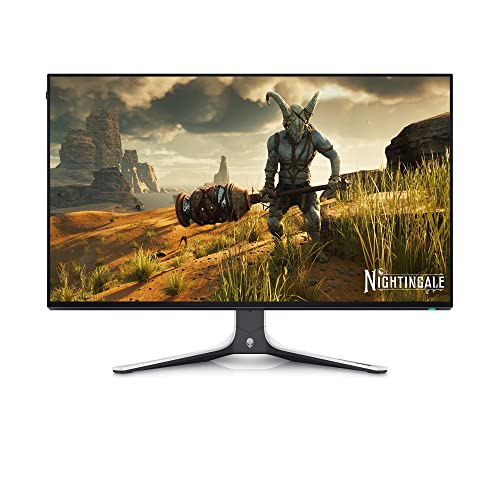
Dell AW2723DF 27.0" 2560 x 1440 240 Hz Monitor (AW2723DF)
That's a M27Q alternative, not M27Q-X. The X is 240Hz.
Sadly it's been discontinued
small warren
Yeah I saw these but didn't know if I should post
misty gyro
Idk, JP knows what he wants though
fading wyvern
errant flax
Out of curiosity, what's the best OLED monitor currently?
small warren
The panel
errant flax
What monitors uses it?
silent epoch
If you have the money....GO OLED
fading wyvern
a word of warning, woled is not great to work on text with. the weird subpixel layout rwgb strains your eyes like crazy.
misty gyro
Well yes that is a weakness of OLED, text things in general tend to cause extra burn in also
silent epoch
fading wyvern
<:pepehmmm:903335097305034783> a word of warning, woled is not great to work on ...
Nope ...text is one hundred percent legible
Strain....huh....I'll have to test that
But gaming in the dark
11/10
With HDR
Matte finish is perfect
And the brightness is just enough
hollow nymph
silent epoch
And the brightness is just enough
How many nits is sdr
Mine is only high 200s and I find that perfectly fine for now
misty gyro
What monitor are you referring to
 reef elbow
Figure it might be more conducive to ask in here... rolling with a 3070 and 12400f, looking to upgrade my monitor from a VG259QMY to something a bit bigger... budget can move around a bit but not looking to break the bank on oleds or anything. Would probably prefer an IPS? I dunno, so many options these days
reef elbow
There's a 27GN600-B I could grab second hand for 160 locally... might be able to talk them down
misty gyro
27 inch 1080p isn't ideal, you can push a 1440p with a 3070
The G27Q is on sale for $230 right now https://www.newegg.com/p/N82E16824012015
silent epoch
hollow nymph
Mine is only high 200s and I find that perfectly fine for now
It's around 200 on gamer one
fading wyvern
silent epoch
Nope ...text is one hundred percent legible
WOLED and OLED are a bit different btw, one has that extra white subpixel, and unless it’s in a fairly standard 27in 1440p display it’s gunna be in one of those crazy 45in ultra wides (ppi rip)
silent epoch
fading wyvern
WOLED and OLED are a bit different btw, one has that extra white subpixel, and u...
The 45 inch is bad. You could see color fringing and obviously the pixels. The 27 inch is perfect. You're going to see zero complaints besides the web browser white's being a bit dim
fading wyvern
What monitor did you buy?
silent epoch
The LG 27gr95qe-b
I even did the firmware update
Looks amazing
I'm being dead honest
fading wyvern
Ah gotchya yeah that’s just rgb subpixel (I’m wrong)
silent epoch
Mmhhmm
fading wyvern
WOLED is brutal
silent epoch
Some people online said that the matte coating is like vaseline being smeared on a screen.....liars
silent epoch
fading wyvern
WOLED is brutal <:PepeHands:968900943368319007>
It's WOLED
fading wyvern

 silent epoch
Thats you???@fading wyvern
😬
It's great and all...but it's too big for 1440p
They should have made it 4k
silent epoch
Rip
fading wyvern
Looks great in games but instant return
silent epoch
Sad
You should get either the same monitor I have or get one of the qd oleds @fading wyvern
fading wyvern
It was to replace another standard ultrawide; qdoleds burn in was a bit more concerning
silent epoch
Yeah...
fading wyvern
The ppi plus the layout definitely didn’t help eye strain
silent epoch
fading wyvern
The ppi plus the layout definitely didn’t help eye strain <:KEKDespair:103234860...
🤮
definitely return it
small warren
fading wyvern
Yeah headache after 20 minutes
Join me and ggood in the FV43U QLED gang

(don't ask about bgr don't ask about bgr don't ask about bgr don't as-)

 reef elbow
misty gyro
The G27Q is on sale for $230 right now https://www.newegg.com/p/N82E16824012015
reef elbow
misty gyro
The G27Q is on sale for $230 right now https://www.newegg.com/p/N82E16824012015
I ended up shooting for that acer one at 209, thanks for the suggestion though ❤️
reef elbow
Real question is what to do with the other 3 now haha... I've got a 75hz 23 (lenovo qhi or something?), 280hz 23 (the asus one), and a dell 29inch ultrawide... I almost want to ditch the ultrawide and stick the high hz monitor in its place but I'm not sure... what would yall do?
misty gyro
reef elbow
Real question is what to do with the other 3 now haha... I've got a 75hz 23 (len...
I'd keep the two 23's and flip them vertical. Put one on each side of the new monitor. Sell the ultrawide. You now have an ultrawide but better.
I use a secondary monitor for discord, music, browsing, etc while gaming so a vertical monitor works great
small warren
silent epoch
Ok ok ok...not bad not bad
Yeah the FV43U is the "I don't wanna deal with ur burn-in nonsense" answer 
It's great, it's not OLED no, but it's great anyway
silent epoch
small warren
Yeah the FV43U is the "I don't wanna deal with ur burn-in nonsense" answer <:kek...
When in doubt of burn in...get that extended warranty lol
small warren
You could yeah, but at the time I bought it WOLED wasn't tested extensively yet
I would've gone C2 otherwise
misty gyro
silent epoch
When in doubt of burn in...get that extended warranty lol
But make sure whatever extended warranty you get covers burn in
silent epoch
@misty gyro ye
reef elbow
misty gyro
I'd keep the two 23's and flip them vertical. Put one on each side of the new mo...
Two verticals ey? Not a bad idea
severe depot
do you guys think it would be worth upgrading to a 2560x1440 240hz monitor from a 1920x1080 240hz monitor. I was thinking of getting an ultrawide monitor with a 144hz refresh rate and a 3840x1600 resolution but I feel like this is a good compromise between quality and refresh rate. Plus its like $300 cheaper. I do mainly want to priortize quality over refresh rate but I do play some shooters and my graphics card can run some of them higher than 144 fps at a 2k resolution.
small warren
Depends on the gpu and psu
severe depot
I have a 4090 and a 1000 watt psu
severe depot
will definitely start looking into good monitors with those specs thank you
small warren
Np
misty gyro
Even at 1440p your CPU will often be the bottleneck when using a 4090
silent epoch

errant edge
4090 at 1080p. That causes me mental, physical, and spiritual pain
errant flax
errant edge
4090 at 1080p. That causes me mental, physical, and spiritual pain
That's all?
small warren
errant flax
That's all?
Religious pain
 snow flint
is AOC a good monitor company?
errant edge
they have some good and some bad
snow flint
would this be more on the good or bad side

AOC Gaming C27G2Z is in a class of its own, bringing an incredibly fast 0.5ms (MPRT) response time and 240Hz refresh rate into one sleek battle machine for people who demand uncompromising speed. 240Hz, 0.5ms Gameplay: 240Hz refresh and 0.5ms (MPRT) response times brings unprecedented smoothness ...
snow flint
errant edge
I would say check rtings
whats rtings
oh
oh
ratings

i would say this is pretty decent
ill prob go with this one as the price and specs are pretty good
thanks for the help
errant edge
snow flint
whats rtings
a website
quartz sandal
snow flint
whats rtings
rtings.com they do reviews on tech things
errant flax
small warren
Religious pain
Ehhh better but still not enough.
misty gyro
snow flint
https://www.amazon.com/AOC-C27G2Z-Frameless-Ultra-Fast-Adjustable/dp/B088LG2BSW/...
That's about a 6.5/10
Major things hurting it are 1080p at 27" and curved so bad panel
 sonic vapor
Found it; Thank you Fal'Cie!
misty gyro
Yep there it is
snow flint
misty gyro
That's about a 6.5/10
Major things hurting it are 1080p at 27" and curved so bad...
Current one has same specs besids hz
Is the panel its self bad?
Or in general for curved monitors
silent epoch
OLED on top
errant edge
I went from 1080p VA 24in to 1440p ips 27in, difference was night and day
severe depot
has anybody had any experience with this monitor: SAMSUNG 32" Odyssey Neo G8 4K UHD 240Hz 1ms G-Sync 1000R Curved Gaming Monitor, Quantum HDR2000, AMD FreeSync Premium Pro, Matte Display, Ultrawide Game View, DisplayPort, HDMI, Black & White, 2022 https://a.co/d/eVAUTgo

Quantum Matrix Technology, HDR 2000 and UHD resolution come together for a crystal clear picture. 240Hz refresh rate and 1ms response time support smoother game play. Matte display enables better gaming immersion. Mirroring the arc of the human eye, the 1000R curvature brings gaming worlds to rea...
i see on the reviews and online that there are scanlines issues but some people say they arent that bad while others say they are. I just upgraded to a 4090 and wanted a monitor to pair it with and this looks like the best choice.
small warren
HDR2000 sounds like mini* led
severe depot
is that bad?
small warren
Not really, they have some bloom issues on the early iterations
Seems expensive
Suggestion
Have a look at the LG C2 OLED 42"
Or if you can find one cheap enough, any Odyssey G9 240hz 1440p
Those two are also in this sort of endgame tier
Gigabyte M32U is another one if you want a solid monitor for a 4090 but don't want to spend a fortune for good quality
surreal quarry
small warren
Have a look at the LG C2 OLED 42"
pg42uq
small warren
surreal quarry
pg42uq
Same thing
surreal quarry
ROGy pogy
silent epoch
Huh
kindred umbra
I think my monitor jus killed itself 😭
silent epoch
What happened?
kindred umbra
Idek tbh but I think it's from bad qc
It looks like there are water stains under my display. I had issues with the monitor before where their was streaking under the display but I exchanged it when a long while back
silent epoch

 coarse drift
gm
surreal quarry
I should go hdmi right because it has higher bandwidth?
 misty gyro
DP is preferable usually
1.4 is enough for 4k 120Hz
And HDMI spec is stupid because you can call a port that only has 2.0 speed "2.1"
surreal quarry
misty gyro
1.4 is enough for 4k 120Hz
doest it compress it if I do 10bit HDR 4k120
misty gyro
Is that the actual monitor in question here? I can check if it's true 2.1
surreal quarry
misty gyro
Is that the actual monitor in question here? I can check if it's true 2.1
yes
they also have some hdmi 2.0 ports so i dont see why they would lie
misty gyro
Because having 2.1 on the spec sheet looks better than 2.0
surreal quarry
fair
misty gyro
Yep that one has full 2.1 bandwidth, use HDMI
surreal quarry
misty gyro
Yep that one has full 2.1 bandwidth, use HDMI
great thanks! How did u check?
misty gyro

RTINGS.com
The ASUS ROG Swift OLED PG42UQ is an OLED gaming monitor that's part of ASUS' ROG Swift gaming lineup. It's a 42-inch model that sits alongside the ASUS PG48UQ, ...
Either should work but DP would probably compress like you said
 surreal quarry
misty gyro
Either should work but DP would probably compress like you said
surreal quarry
misty gyro
Either should work but DP would probably compress like you said
hang on, rtings says the 2.1 ports are sidefacing, but the manual says otherwise https://dlcdnets.asus.com/pub/ASUS/LCD Monitors/PG42UQ/ASUS_PG42UQ_English.pdf?model=PG42UQ
 surreal quarry
4 and 5 facing the bottom
misty gyro
Yeah but the 2.1 ports are the side facing ones
surreal quarry
 surreal quarry
I'll trust the manual
misty gyro
I would too
Rtings is run by humans too after all
But at least the humans writing the manual probably know more about it
surreal quarry
hopefully... thanks for the help
 blissful vigil
Anyone know how the 32gb lg ultragear with VA panels are?
kindred umbra
most curved panels are va tho
o nvm he said 32 not 34, most 32s come in flat ips options
 rocky cypress
32gb
silent epoch
Ips or nothing
fading wyvern
Ips or nothing? Not even oled? Dang alright
small warren
*cries in lcd *
small warren
What 12 hours does to a man
 silent epoch
Lol
 serene dome
Hi guys. I was wondering if anyone could give me a hand. I'm looking for a monitor that would be great for both creative purposes and gaming?
Looking for something with 2ms or less refresh
10 bit
Large color gamut
IPS pannel
2k or 4k
And maybe something more. There's so much out there, and I'm not really sure whats true to what it says or not.
silent epoch
@serene dome budget?
serene dome
silent epoch
<@411322920913338368> budget?
Trying to stay under 600 if possible.
silent epoch

silent epoch
The m28u is a nice 4k monitor
silent epoch
serene dome
Should I make it a bit higher?
It's all up to you.
I'll do more research
As for 1440p monitors....all the good ones that are reasonable to get are gone
Check this out on @Newegg:GIGABYTE 28" 144Hz 4K SS IPS Gaming Monitor, 1ms, FreeSync Premium Pro, UHD 3840 x 2160, 94% DCI-P3, HDR Ready, 1 x DisplayPort 1.4, 2 x HDMI 2.1, 3 x USB 3.0, 1 x USB Type-C KVM M28U https://www.newegg.com/p/N82E16824012040?Item=N82E16824012040&Source=socialshare&cm_mmc=snc-social-_-sr-_-24-012-040-_-06232023
Color accuracy and color gamut is very important for me as well. You'll enjoy this
After pre-calibrating the monitor, the colors will be superb on accuracy.
gamut is okay
small warren
M27Q/Q-X/Q-P is a runner up
serene dome
silent epoch
Check this out on @Newegg:GIGABYTE 28" 144Hz 4K SS IPS Gaming Monitor, 1ms, Free...
That looks like a great deal!
So my next question comes from inexperience.
I'm afraid with a 4k monitor I'm going to be pushing my PC capabilities a bit more, say I'm playing something, is it just super easy to downscale to like 2k or something if I'm having trouble running something?
small warren
What gpu have you got
silent epoch
small warren
M27Q/Q-X/Q-P is a runner up
Dead and gone
serene dome
3080
small warren
3080 gonna struggle in a lot of titles
Unless you're a pure fps player
Or say, racing sim?
M27Q would be a better bet
silent epoch
small warren
Even the Q?
Whoops ...the Q is still around. But they have a higher budget
small warren
Ya but by reasonable means it's losing that ground
serene dome
That makes sense. And that's okay, I run at 1440 now. But it shouldn't be a problem just to down scale right?
silent epoch
serene dome
So my next question comes from inexperience.
I'm afraid with a 4k monitor I'm g...
I would stick to 1440p then
serene dome
My main purpose is for creating. I do a lot of 3D work, and my current monitor is knock-off trash. And I noticed my colors in my work were WAYYY off from where they should be.
small warren
No point buying the double+ price screen and not use it in the way it's intended
Ah
silent epoch
Hmmmm
small warren
You can render 4k on 1440p tho
serene dome
1440 is still an option
small warren
I'd just go 1440p and save the money
serene dome
I'm totally cool with getting a monitor with the same kinda spec for 1440
I'm not itching to go 4k, I just need a better quality monitor for my work
Something with both capabilities.
silent epoch
small warren
You can render 4k on 1440p tho
I think he actually wants to see 4k on the screen, not a 1440p pixel count.
small warren
I know what he's saying
silent epoch

serene dome
LMao
small warren
I do a bunch of this stuff myself for my team
serene dome
Sorry to be so confusing
small warren
Lolol
Screen to screen viewing imo like, from an audience perspective? Is gonne give you some variation anyway
Idk unless this is a more granular need
serene dome
So like.
small warren
👀
serene dome
So my last really big work, I spent hundreds of hours on, busted butt. And then once I was done, I checked it out on a quality screen and MAN was a bunch of stuff off.
Including black levels and etc
small warren
I had a discussion like this last week with my photo buddy, and he said he wants the amazing world of a perfect screen for editing but also gaming
serene dome
So, I don't know if 4k will necessarily help. But definetly color and black values
small warren
So I said, "like a proart but also an oled?"
He said yes
I told him those don't exist 
serene dome
Hahaha.
small warren
serene dome
So, I don't know if 4k will necessarily help. But definetly color and black valu...
Reso won't so much help
serene dome
Oled are so expensive.
small warren
You're looking for a viewing profile not really associated to reso
In this case OLED would honestly be great
QLED can be really good too for vibrancy
serene dome
Is there a decent oled that won't bend me over for over 1k?
small warren
Not really
serene dome
I figured haha
small warren
So we go down to good ips
serene dome
I'd love an OLED screen, but mannnnn
small warren
M28U or better yet, M32U make a lot of sense, but you get caveats in the scenario of using it for gaming
- 4k gaming will be a bit of a drag
- 1440p gaming will be a blur
So it becomes a bit of a wash
The M28/32U is about as close to greatness as we can be feasible with tho for professional editing
But on the other hand...
serene dome
Is the 28u 1440?
small warren
M27Q is also out of the box with an excellent colour profile
The 27q is
U is for 4k
Q is for 1440p
serene dome
AH!
small warren
Ye!
So while the M27Q isn't quite as great, you can chance some savings and ease of use on a lower tier
The 28u/32u is worthy of a new gpu imo
serene dome
That might be a better go ahead. Once I upgrade my GPU next year, it shouldn't be an issue. But I just dropped a bunch on my new CPU and a bunch of parts
And quite honestly, anything is going to be an upgrade to this
I'm PRETTTY sure I have a VA panel right now.
But it's like..A viotek monitor
small warren
Oh god viotek
serene dome
It's done me well, but man, it's just washed iout
serene dome
$300 1440 monitor was nice at the time 🙃
serene dome
I need the cudacores
small warren
Oh, you use blender?
serene dome
Most software I use piggybacks on Nvidia infastructure
serene dome
But upgrading to a 4090 means I have to change up a whole lot. So. That'll be next year.
small warren
Ok alternative to the alternative
💀
You could also get that LG 240hz OLED
For a massive price
But it's 1440p and it would serve you well
In everything
small warren
Iirc
serene dome
That 28q would be a good upgrade?
small warren
27gn95
27Q is good but it'll be too small shoes for a 4090
On the other hand the OLED is a bit more worthy for it
Could also do G7 or G9 if you want a very bright screen
serene dome
I might look at that, when that time comes. No telling what next year will bring.