#old-monitors-and-tv
1 messages · Page 6 of 1
 small warren
 errant flax
ooof
small warren
Just get a hub and be done with it
errant flax
I can feel your pain.
 misty gyro
DP spec include daisy chaining so that's less cables at least
small warren
It's just throwing all this spaghetti at the problem after a while
small warren
misty gyro
DP spec include daisy chaining so that's less cables at least
At full hz tho?
I was unhinged man
Early days of me seeking the high end
misty gyro
Yeah as long as the total bandwidth doesn't exceed the cap
misty gyro
So you can't expect to run 4k144hz x3 but there's still a lot of wiggle room in the spec
small warren
I had a literal trunk to the back of my pc
I still have a good vine's worth now but nothing like before
When you can cut the cable crap down to like a 1/4 of what it was that alone is worth doing imo lol
With no loss in function
misty gyro
That's why I just do a little RGB as I can
misty gyro
Yeah just saying, similar problems there lol
small warren
Yeah I get that, I am all the same now too
I'm less about "more number more flair more better" now I'm just after functionally good lol
Several high end screens in surround was a horrible pain to work with too
I have the same real estate on one screen instead and one plug and no nvidia or amd driver bs plaguing me any time I turn the pc on LMAO
I don't miss ddu'ing my nvidia drivers every other day
misty gyro
Yeah I hate the dual screen bugs on nvidia
small warren
Yes they're annoying as crap
misty gyro
Mixed refresh rates especially
small warren
Yessss
It's fine if you have matching rates but some screens are just disgusting to get it to work
Like one will appear but never the other and always the middle

Or left and right but no middle
Multi screen is fun but just get a big screen instead 
None of the horrible headaches
small warren
I mean igpu or something like that is fine really
My new board has an igpu port for the KS, I guess I can finally use it

 chrome bear
I want to change my monitor for this one that you recommend----https://www.newegg.com/black-asus-rog-swift-pg43uq-43/p/N82E16824281034?Item=9SIA4P0HXM7454
https://www.newegg.com/p/N82E16824012043?Item=N82E16824012043-----order this and I have a guarantee to change, for another
want a slightly larger screen, I want to know if this is good.
 severe dirge
misty gyro
Yeah I hate the dual screen bugs on nvidia
severe dirge
misty gyro
Yeah I hate the dual screen bugs on nvidia
I'm curious. I don't seem to have any issues with my screens. Maybe I do have them, but I haven't noticed any.
small warren
PG42UQ is the good big asus
@chrome bear
for that budget and size tho
do this
much better than the older XG43UQ and PG43UQ
those had some bad rtings reviews iirc
the 42uq is a C1 OLED and actually good
or C2, one or the other, both are good really
chrome bear
I thought about the Auros.
misty gyro
severe dirge
I'm curious. I don't seem to have any issues with my screens. Maybe I do have th...
You probably have 2 minor ones that are hard to notice without looking for them.
Memory will be constantly at max speed and not allowed to clock down for power saving.
Idle power usage is usually roughly doubled.
small warren
the aorus is good
it's a samsung qled rebranded as a gigabyte with a kvm
so no burn in and oled-like colour and brightness
if not better brightness tbh
chrome bear
ok,You recommend it to me, for the price it is better,
small warren
I have 2 and I have a few friends who also have one, it's a loved monitor...lol
severe dirge
misty gyro
You probably have 2 minor ones that are hard to notice without looking for them....
I did notice mem usage at max speed, but I figured that was normal.
small warren
@onyx moat also owns an FV43U and he likes it
misty gyro
severe dirge
I did notice mem usage at max speed, but I figured that was normal.
That's a bug that only occurs with multi monitor usage. It doesn't really hurt anything but it can be annoying in very specific cases.
severe dirge
So far it looks like my idle wattage is 120w +/-
small warren
what's the hz of each screen reo?
severe dirge
misty gyro
That's a bug that only occurs with multi monitor usage. It doesn't really hurt a...
ah I see. I wonder what it's affected for me if anything.
misty gyro
Yeah that's pretty high if that's only the gpu
severe dirge
small warren
what's the hz of each screen reo?
165/165/175/60/75
small warren
all qhd?
severe dirge
misty gyro
Yeah that's pretty high if that's only the gpu
it is a 450w card though
misty gyro
60-70W idle is normal on a 3090
severe dirge
small warren
all qhd?
1 is fhd
chrome bear
ok,and I also want to use it to watch videos on you tube, yes, I can see it on the entire screen, since the one I have only appears on a medium screen, the entire monitor does not fill up when I watch videos on YouTube.
severe dirge
misty gyro
60-70W idle is normal on a 3090
oh gotcha ok.
small warren
chrome bear
ok,and I also want to use it to watch videos on you tube, yes, I can see it on t...
you can happily watch youtube with it full screen
no problem
I do that a lot tbh, 4k youtube stonks
small warren
severe dirge
165/165/175/60/75
damn that's not bad actually
basically 3 running at decent bandwidth
misty gyro
severe dirge
165/165/175/60/75
You've been lucky to not encounter the mixed refresh rate bug that flickers the screens then
small warren
misty gyro
You've been lucky to not encounter the mixed refresh rate bug that flickers the ...
that happens on both amd and nvidia btw
misty gyro
I'm aware
chrome bear
ok,
small warren
ah
misty gyro
A bug is a bug even if it's on multiple different brands
small warren
hell it can even happen on surround at matching hz
chrome bear
so you recomend Auros,to schange i know have to pay more bt i want meke sure i take a good decision,.
misty gyro
Yep. Super annoying if you're affected.
 small warren
chrome bear
so you recomend Auros,to schange i know have to pay more bt i want meke sure i t...
small warren
chrome bear
so you recomend Auros,to schange i know have to pay more bt i want meke sure i t...
I really love the screen, but you can ask elsewhere if you're not sure
gigabyte monitors are generally pretty good as of late
severe dirge
misty gyro
You've been lucky to not encounter the mixed refresh rate bug that flickers the ...
hm. There was a period of time when I only had 3 monitors that I had an issue when I turned my pc on, the screens would flicker to black and back again quickly for a few seconds, but after I got my 4th monitor and reinstalled drivers it all went away.. that was back in julyish of last year.
misty gyro
I got unlucky and both my 2070 and current 3080 ti get that pretty badly. The secondary will flicker and go out long enough to detect as disconnected, making the main one flicker

 small warren
the xtx will rarely flicker BUT
if I change screen layout it doesn't stay off for long
It's instant
it'll run the reso and hz or straight up instant bounce
misty gyro
I was thinking about trying to do DSR for the desktop resolution on the secondary so the resolution is the same at least, even if the second is only 60Hz
small warren
the flickering does happen because 144/144/120
misty gyro
Maybe it'll help? Who knows.
small warren
but very rare
maybe I should do 120/120/120
or upgrade the switch I have to support 144

misty gyro
Overclock the 120 and drop the other 2 to whatever it gets to
chrome bear
ok thanks,going to change for Auros,simple to mwach videos in full screen ,not midium,and play gamaes.
chrome bear
3060ti
small warren
eh ah
actually I change my mind based on that
you'd really struggle running 4k with a 3060 ti
you could use it sure, 4k videos? no problem
chrome bear
ok.
 misty gyro
DLSS performance moment
small warren

All play, every day. We've redefined high definition gaming with IPS technology, 165Hz, 1ms response, AMD FreeSync™ Premium, and more colors than ever before.
grab this one @chrome bear
chrome bear
bt i want big like 43,on Auros
small warren
the games will look kinda gross on a big screen when it's not 4k
and 4k is just not easy to run on a 3060ti
older games yeah? but anything in the last like, 4 years nah
I mean your call at the end of the day but I would suggest either a lower resolution screen or upgrading the pc to get to the monitor size
chrome bear
the ,GPU
small warren
what psu what ram what cpu do you have
chrome bear
but I can run games since not all of them are in 4k, for now, but I can see videos on you tube as I want them to look,
small warren
ye but the games will look kinda gross in not 4k on these big screens
upgrading might need more than just the gpu too
chrome bear
ok I'll keep that in mind.
small warren
alr
chrome bear
if one of 43, that I can use with my gpu,
small warren
3060ti just isn't powerful enough to run a 4k high refresh screen
and you wouldn't do 43 inch at 1440p or 1080p
3060 ti is more like, just below 4k 30fps for games
again unless it's like a pretty old or even a pretty light game
chrome bear
So you tell me that I won't be able to use my 3060ti on this monitor.
small warren
won't
is the wrong word
or phrase
be able to use it well
is what I'm trying to say
chrome bear
Well, thanks for your time, what I understood with this gpu, I won't be able to play in 4k or watch videos in 4k, or I'm confused, sorry I don't have which one to decide./
small warren
you can watch videos in 4k but not really play games in 4k
it's ok btw this stuff isn't everyday knowledge
@chrome bear menos, 30, para juegos
Para YouTube 60, 120
chrome bear
144Hz 1ms but if in this resolution or 120, or 60 gz
small warren
in this resolution 30 for games
but 60 or 120 for youtube
need better gpu
4070 ti, 3090, 6900 XT, 6950 XT
6800 XT, 3080 Ti, 3080 12GB
chrome bear
https://www.newegg.com/p/N82E16824012043?Item=N82E16824012043-----orderOr better I keep this monitor which is the one I have.
small warren
yeah
chrome bear
or 3070ti
small warren
3070 ti still not quite for 43 inch
still a little too slow
M34WQ is nice
I would keep it
considering you would need to upgrade the pc for 43 inch I would stay with m34wq
chrome bear
ok there is a way so that i can see the video of you tube that fills the whole screen
small warren
hm
small warren

Allows wider than average screens (eg.21:9) to play online video content and fit the screen properly in fullscreen mode.
small warren
chrome bear
I want to like this upgrade,--https://www.newegg.com/asus-prime-z790-a-wifi/p/N8...
this won't help with the 43" screen
unless your cpu is hella old
chrome bear
is not a good ub grade
small warren
can you tell me your whole pc specification
chrome bear
is old I'm upgrading little by little, AMD FX, DDR
small warren
ah
small warren
chrome bear
I want to like this upgrade,--https://www.newegg.com/asus-prime-z790-a-wifi/p/N8...
this good
but wait
I can help more
chrome bear
I know I have to upgrade with a better cpu and motherbord
small warren
and ram
chrome bear
ddr3 2133 16 gb
chrome bear
Yes, I know, but you know money and effort
small warren
how much money do you have
small warren
small warren
try this?https://chrome.google.com/webstore/detail/ultrawide-video/lngfncacljhea...
also try this
for youtube
chrome bear
Well, I'll keep my monitor, I just want to watch videos on you tube in full screen, and play, you have a better video where I can adjust the screen that I have in full screen.
ok let me see
small warren
try that first
chrome bear
I press the keys and it doesn't work
small warren
hm sad
let me look again

Removes black bars on ultrawide videos and offers advanced options to fix aspect ratio.
try this one
you need to change some settings but I found this video

How to Watch Youtube Videos on ULTRAWIDE Monitor without Black Bars!
►Amazon US / AOC CU34G2X - https://amzn.to/3nQxlgA
Get your taxes done right with TurboTax - https://amzn.to/2JiCIpV
Last-Minute Deals on Fire TV Devices - https://amzn.to/37Ir9BI
3 Months Free- Amazon Music - https://amzn.to/3nTeT7e
►Amazon UK / AOC CU34G2X - https://am...
chrome bear
ok Do I have to download an application something like that?
ok I'll keep checking, I have to sleep tomorrow I'll work thanks for your time tomorrow I'll come in for questions thanks, and help me for the ub grade for amy pc, good night
bye
small warren
ok cya
👋
@chrome bear check this out when you wake up
https://pcpartpicker.com/list/sJbHyK
Part List - Intel Core i5-12600K, Radeon RX 6800, Fractal Design Focus 2 RGB ATX Mid Tower
 onyx moat
small warren
<@808772530017665024> also owns an FV43U and he likes it
onyx moat
small warren
<@808772530017665024> also owns an FV43U and he likes it
true story. what? lol
 indigo berry
I'm looking on upgrading my current LG 144hz TN monitor to one of the 5 from the list a made. They're all IPS because that's basically all I need, in the list there are all the main specs and prices (from amazon), I don't want to spend a lot and thats why I restricted the budget to 180 (& no more than 24.5"), i need help to choose the best one out of these considering more things like color blending, no ghosting effects, good contrasts,... So i'd like to get some help cuz I cant find many reviews online for some of these monitors. Thanks in advance.

Could also recommend different models and i'll check the price, but i just looked up and these monitors look to be the only ones within my budget
 silent epoch
Make a MicroOLED gaming monitor already
It's the solution to OLED
@indigo berry out of the list, the HP x24ih is your best option. There has to be a better one out there. I'll look
@indigo berry better https://www.amazon.com/AOC-Frameless-Freesync-Adjustable-Guarantee/dp/B0875R9W6J/ref=sr_1_4?

Re-spawned Warranty, 3-year zero-bright-dot, 3-year advance replacement, 1-year (one-time) accidental damage
buy it ASAP
BUT. the HP is a very good buy to
indigo berry
Eeeh... I have to see where it is available at good price because I'm in Italy and I'd prefer to buy from amazon.it or Germany/France/Spain but still I'd pay more for shippings
silent epoch
Ok. if you cant find it, go for the HP
indigo berry
Okk
silent epoch
but at all means, go for the AOC

Manufacturer: Acer, Inc. Manufacturer Part Number: UM.QX3AA.P01. Brand Name: Acer. Product Series: XF. Product Model: XF243Y P. Product Name: XF243Y P Widescreen LCD Monitor. Product Type: LCD Monitor. [Technical Information] Number of Screens: 1. Viewable Screen Size: 23.8". Screen Mode: Full HD...
indigo berry
Many people reported really bad backlight bleeding on the hp, for me it was one of the last choices also for the io, I prefer 2hdmi and one display port
silent epoch
heres another one
indigo berry
I'll check them out in a few minutes
silent epoch
indigo berry
Many people reported really bad backlight bleeding on the hp, for me it was one ...
it is the most decent one out of your its, but its pretty meh
indigo berry
I know, I should be spending a bit more but I wanna find the cheapest and yet good monitor
Btw those prices are mainly the returned/used (like new) monitors, but Amazon describes all of them as perfect conditions...
Btw I went to a local store a few minutes ago and checked out a few IPS monitors and they have reasonable prices so I'll think about those ones too
silent epoch
Ok. The ones I linked are from my top trusted reviewers when it comes to the best budget 1080p 144hz screens. They're the best you can get for now.
indigo berry
Thanks man
Could you check out my question in #overclocking
silent epoch
I'm not the best when it comes to overclocking 😬
indigo berry
silent epoch
<@792442716775514172> better https://www.amazon.com/AOC-Frameless-Freesync-Adjus...
On amazon.it a new used one popped out for 150, I guess I'll be going with that, lemme see backlight bleeding problems if it has any
indigo berry
silent epoch
I'm not the best when it comes to overclocking 😬
Ok, no problem
It's also something I should figure out by myself by doing a lot of testing
silent epoch
That all varies on the individual monitor. Quality control nowadays are not the best
indigo berry
Actually almost all the monitors I listed have some backlight bleeding but the ho one looks to be the worst... The aoc also has some. But I guess I could simply return it if it doesn't satisfy me. And that'd make the 3rd monitor I send back 💀
indigo berry
silent epoch
https://www.amazon.com/gp/product/B09L7FQ5RM?tag=rtings-mn-r-third-party-20&ie=U...
Everything over 220 on amazon.it for this monitor
silent epoch
Damn
indigo berry
I either wait, look at offers at local stores or check some on Amazon without backlight bleeding
Maybe something pops up, maybe some discounts or used ones from Amazon
silent epoch
There's almost no such thing as zero backlight bleed. The manufacturing process isn't perfect
silent epoch
You'll need for example an OLED to have none.
indigo berry
Oled is expensive
silent epoch
indigo berry
Dark room with black screen?
Yep
indigo berry
Maybe blacklight may not be a major problem, I usually play with some light or with the sun directly facing my screen
silent epoch
In a well lit room its not as noticeable unless you're really looking for it
indigo berry
Cmon, i come from a TN panel that basically makes every colour look the opposite, I should just get one of the monitor and not complain about the backlight
I'll just look at some more reviews and some more monitors and make my choice
silent epoch
Ok. always try to post what you find before you purchase.
indigo berry
Ok, thanks for the help, I'll see if I have time tomorrow to search
chrome bear
i have 3060ti can i use this kind of monitor.-----AORUS FV43U 43" QLED UHD 4K 3840 x 2160 144Hz 1ms (MPRT) FreeSync Premium Pro, 1 x Display Port 1.4, 2 x HDMI 2.1, 2 x USB 3.0, KVM w/ USB Type-C Gaming Monitor
 fading wyvern
chrome bear
i have 3060ti can i use this kind of monitor.-----AORUS FV43U 43" QLED UHD 4K 38...
fading wyvern
chrome bear
i have 3060ti can i use this kind of monitor.-----AORUS FV43U 43" QLED UHD 4K 38...
Not suggested, it can support 4k, the most a 3060ti can really handle is 1440p (in gaming)
https://www.lg.com/us/monitors/lg-27gr95qe-b if youre gunna get oled you might as well GET oled 

LG USA
Prepare for Victory with the 240Hz Refresh Rate & 0.3ms Response Time of the New 27'' UltraGear™ OLED Gaming Monitor (27GR95QE-B). Order Now on LG.com/us.
 silver kiln
I have a old school heavy wooden desk how would i go mounting a 4k 28 inch monitor there
chrome bear
i have 3060ti can i use this kind of monitor.-----AORUS FV43U 43" QLED UHD 4K 3840 x 2160 144Hz 1ms (MPRT) FreeSync Premium Pro, 1 x Display Port 1.4, 2 x HDMI 2.1, 2 x USB 3.0, KVM w/ USB Type-C Gaming Monitor
 daring thicket
chrome bear
i have 3060ti can i use this kind of monitor.-----AORUS FV43U 43" QLED UHD 4K 38...
daring thicket
chrome bear
i have 3060ti can i use this kind of monitor.-----AORUS FV43U 43" QLED UHD 4K 38...
 chrome bear
One question, but I can lower the resolution and play in 1440 gz and get a good image, is that correct?—-The reason why I want this monitor is that I like the size of Forty Three fans I know that I won't be able to play in 4K but I can lower it to 14 40 GHz and I can have a good image I want to know that if I can have a good image please thank you
chrome bear
so they do not recommend it to me since I will not be able to have a good image quality if it is lowered to 1440p can you recommend another monitor that is the same size one of 43
chrome bear
It's that I ordered an Ultra Wideband but the screen seems very small. I think that if I order one of 32 it will be a little wider because I don't like the length, it looks as if I had two 27 monitors, I think that one of 32 in width the 34 would look a little bigger
chrome bear
i think this is a good for my 360ti,gaming monitor or somo bdy recomend another one.

 errant edge
^
silent epoch

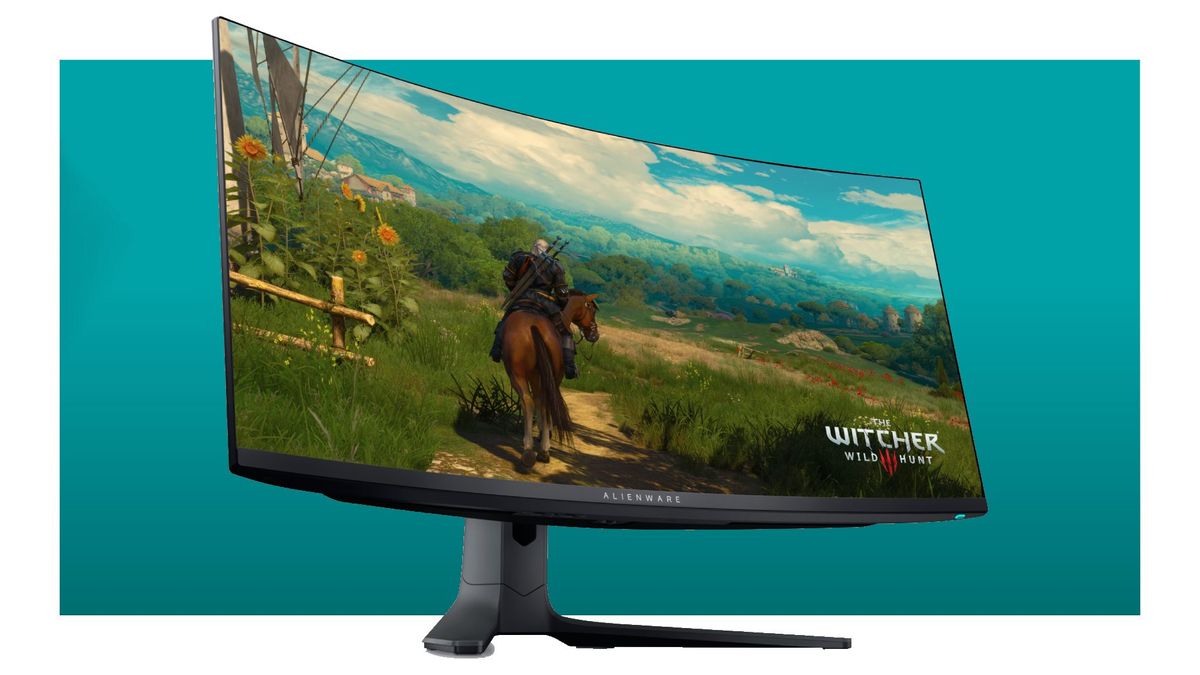
pcgamer
Sub-$1,000 for the first time for this gorgeous slab of OLED gaming goodness.
 primal ivy
Are there any good 1440p 140+ Hz monitors around $250? I'm currently planning to run a Gigabyte M27Q buy I saw some bad reviews on Amazon. I really like the look of Gigabyte monitors so if there are any good ones that would be preferred
silent epoch
What bad reviews did you see? If it's about dead pixels or light bleeding that's basically everyone.
primal ivy
silent epoch
What bad reviews did you see? If it's about dead pixels or light bleeding that's...
Yea it was dead pixels and lines after less than a year of use
This looks really nice thank you 🙏
 daring thicket
For those of you who have used Gigabyte's M27Q, do you enjoy it? Is it good compared to other 1440p monitors? Any noticeable problems such as ghosting or bad backlight? How's the color? Was it worth? Rather ask someone firsthand than look at a review that could be biased online idk
Would probably get the 240hz if I did get it
errant edge
M27q is one of the best budget options for 1440p, the m27q-x is good, but unless you're either buying a 4080/7900xtx/4090, or are playing competitively for money in first person shooter games, id just go for m27q, m27q-p, m32q, x27q, x32, or g27q
silent epoch
the m27qx is my next monitor. I cant wait
overwatch is going to be breeze. (yeah right)
 surreal quarry
daring thicket
For those of you who have used Gigabyte's M27Q, do you enjoy it? Is it good comp...
surreal quarry
daring thicket
For those of you who have used Gigabyte's M27Q, do you enjoy it? Is it good comp...
I currently use M27Q and it's great! great colors, great response time, very good overall. There is a bit of glow towards the edges especially in darker scenes, so if u mostly play space games, I would not recommend it, other than that it's great!
 kindred umbra
Are there any leaks for a qd oled 27in
don't really wanna make the jump to ultra wide to get it
 trim brook
kindred umbra
Are there any leaks for a qd oled 27in
trim brook
kindred umbra
Are there any leaks for a qd oled 27in
What is the lg27gr95qe
fading wyvern
Probably just lg oled tech, Samsungs tech is qdoled 
kindred umbra
trim brook
What is the lg27gr95qe
It’s lgs newer mla oled
 cold yew
@everyone is anyone down for a game of deciet
misty gyro
Yeah this isn't a LFG server, discord won't even let you ping 200k people lol
trim brook
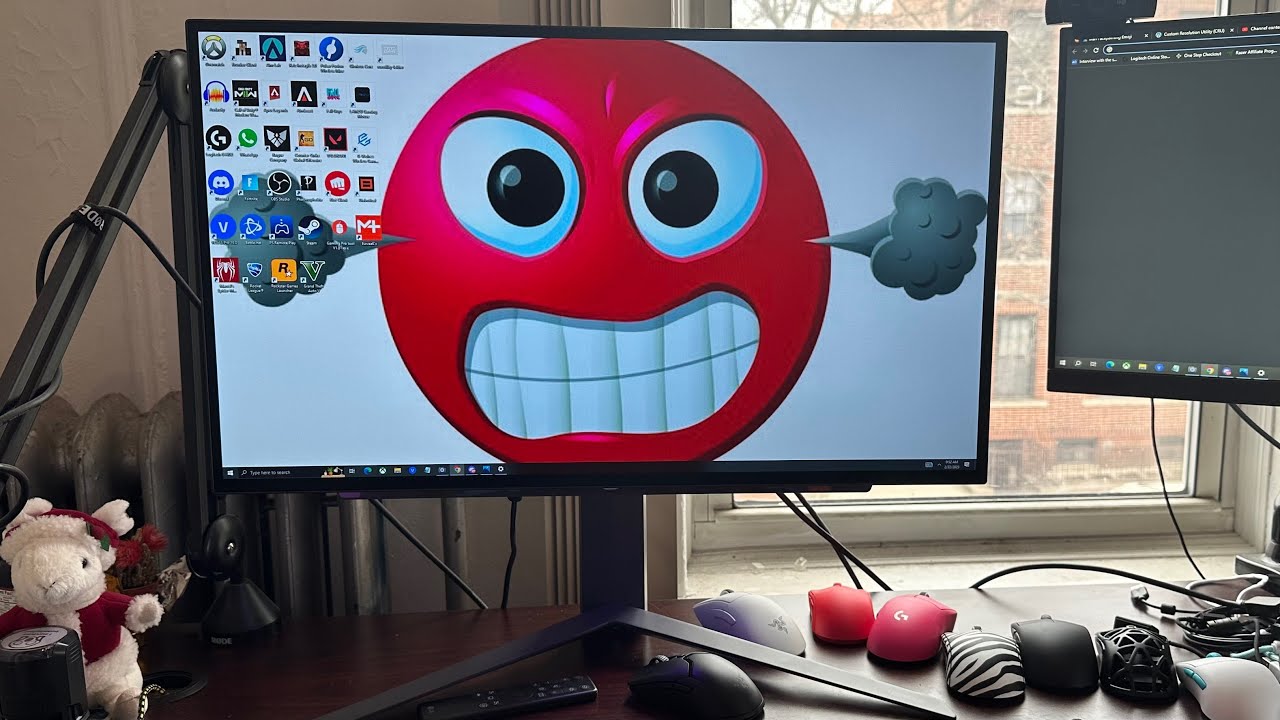
quick PSA about an issue I had with the LG OLED 240hz panel (27GR95QE)
where the monitor automatically runs in 4k 120hz when you fullscreen in game. what I expect from a $1k monitor. full review coming soon
fix- https://www.monitortests.com/forum/Thread-Custom-Resolution-Utility-CRU
great review of this monitor from @ZorzGaming https://youtu.be/...
Hmmm it's a 1440p monitor dk how 4k even came in the Equation
 dense shoal
what monitors should I get
daring thicket
depends on your budget and your specs and what u want
 hexed bramble
Yea check your graphics card
surreal quarry
dense shoal
what monitors should I get
budget, specs, desired resolution and frame rate, size, gaming? work? movies/tv?
dense shoal
gaming under 1k for both preferably I've got a rtx 4070ti. mid range nothing like crazy I want 2 monitors. it's for gaming
small warren
HP X27Q or HP X32
then some generic extra
or you could go up to some nice 1440p 240hz like an M27Q-X
surreal quarry
dense shoal
gaming under 1k for both preferably I've got a rtx 4070ti. mid range nothing lik...
i'd say M27Q-X https://www.rtings.com/monitor/reviews/gigabyte/m27q-x

RTINGS.com
The Gigabyte M27Q X is a mid-range 1440p gaming monitor with a fast refresh rate. It's similar to the very popular Gigabyte M27Q, but Gigabyte has made some welc...
$430 on amazon and newegg right now
 stark plank
i need monitor tech support asap
fading wyvern
stark plank
so my monitor takes a hella amount of time to turn on, then when it comes on after like idk 1-3 minutes, starts flickering for a little bit before it finally just stays on
its not my cable i ruled that out
silent epoch
M27Q-x is life
However there's a slightly better monitor
The MSI Optix MAG274QRX
It's almost impossible to find

daring thicket
silent epoch
However there's a slightly better monitor
what makes it slightly better
silent epoch
daring thicket
what makes it slightly better
It handles lower frame rates better and has more display modes. It's slightly more expensive.
It's the better option.
Let's face it, a vast majority of games nowadays will not run at 240 fps. The games that will run on the lower end would be more suited to this monitor
It's available on Amazon
dense shoal
surreal quarry
i'd say M27Q-X https://www.rtings.com/monitor/reviews/gigabyte/m27q-x
should I get 2?
surreal quarry
dense shoal
should I get 2?
if u want two monitors than get 2.
dense shoal
ok lol
surreal quarry
If u only need one and have a 1k budget you can get a much better monitor
dense shoal
but budget for monitors is 1k so I think we good
 velvet viper
Should I get a DVI to DP adapter or cable?
misty gyro
velvet viper
Should I get a DVI to DP adapter or cable?
That's up to you. Just make sure it's a DVI-D port or DVI-I and not DVI-A.

 cinder sleet
I have a Samsung RU7300F TV, when I turn it on, it shows me the Home Screen with the apps and after 5 seconds - it defaults to “no signal - check source”. I can’t access any other menu options.
Anyone have a solution to this?
I’m trying to just get it connected to Wi-Fi. But I can’t navigate away from that “no signal” screen
I connected an Ethernet cable, and it promos me if I would like to setup a wired network, but I can’t select “yes”
is there a way to maybe do a manual factory reset or something?
 mystic cobalt
Hey guys, I am curious to see if I can find any good/cheap HDR 600 monitors (preferably 27 inch)
1080p is fine, just wanna focus display quality, not refresh or anything like that
I did just buy a new monitor, and it is shockingly good for the price, but I am interested in options up to $300
trim brook
Hdr 600 isn't true hdr experience tho

Try Scribe for free by downloading it here: https://scribe.how/hardwareunboxed
Support us on Patreon: https://www.patreon.com/hardwareunboxed
Join us on Floatplane: https://www.floatplane.com/channel/HardwareUnboxed
Buy relevant products from Amazon, Newegg and others below:
Alienware AW3423DW - https://geni.us/ymsAf
Alienware AW3423DWF - http...
 tribal citrus
Anyone have any tv recommendations
I would say nothing crazy just to watch shows maybe 60 and below
misty gyro
tribal citrus
Anyone have any tv recommendations
What's the budget?
mystic cobalt
trim brook
Hdr 600 isn't true hdr experience tho
I am not after HDR. I am after 600 nits lol
IDC about HDR
if I wanna watch proper HDR, I'll do it on my phone. It will do it a hell of a lot better than any monitor I can dream of affording lol
misty gyro
Ok well "cheap" and "600 nits" don't go very well together
I'm not aware of any 1080p monitor that gets to 600 nits at all. I'm sure a couple exist but the cost of them will probably be more than a decent 1440p.
misty gyro
tribal citrus
Idk ig below $500
https://www.rtings.com/tv/reviews/samsung/au8000
Every retailer has the 55 inch version at the $500 mark right now. Pick your favorite.

RTINGS.com
The Samsung AU8000 is one of the entry-level models in Samsung's 2021 lineup, replacing the Samsung TU8000. It's the only TV in the Crystal UHD lineup in North A...
tribal citrus
Okay thanks
kindred umbra
tribal citrus
Idk ig below $500
au8000, nanocell 75, class5, u6h all fall within that price range
you might be able to snag an x80/85k too
 long tide
whats a good price for 1440p 144hz US
misty gyro
Good ones start around $270, sometimes you can find them for less. HP X27Q goes on sale a lot for good prices.
long tide
is INNOCN a somewhat decent brand
misty gyro
Never heard of it so I'd be wary
misty gyro
They're cheap for a reason
Cheap ones often have pretty bad ghosting, colors, etc
Maybe even a TN panel which is ancient tech
long tide

Sceptre’s E275B-QPN168 27-inch 144Hz QHD Gaming Monitor - Explore the Unknown. In competitive gaming, high frame rates and lightning fast response times all matter. With a fast 1ms response time, motion blur and ghosting is eliminated and delivers an exceptionally crisp imagery in the midst of ac...
looks better, idk what specs to look for in color
misty gyro

The Sceptre E275B-QPN168 is one of the cheapest 1440p gaming monitors on the market, but is it actually any good? In this review, I break down its pros and cons, and tell you why you should spend a little more instead of cheaping out on your next gaming monitor.
misty gyro
IPS is better than VA in nearly every way
long tide
what about sRGB
misty gyro
That's only related to how the colors are displayed. 100% sRGB range is good but not a requirement.
long tide
whats ghosting
misty gyro
When you have a moving image on screen that appears blurred or as a faded image following it
long tide
so just factory motion blur
misty gyro
This would be an ok super basic monitor https://www.bhphotovideo.com/c/product/1650267-REG/viewsonic_vx2718_2kpc_mhd_27_wqhd_curved_gaming.html

Buy ViewSonic 27" 16:9 Curved VA Gaming Monitor featuring 27" Vertical Alignment (VA) Panel, 2 x HDMI 2.0 | 1 x DisplayPort, 2560 x 1440 Resolution, 4000:1 Static Contrast Ratio, 250 cd/m² Brightness, 178°/178° Viewing Angles, 1 ms Response Time, Support for 16.7 Million Colors, 165 Hz Refresh Rate, 2 x 2-Watt Speakers. Review ViewSonic null

RTINGS.com
The ViewSonic VX2758-2KP-MHD is a good 27 inch, 1440p monitor with great peak brightness and wide viewing angles. It delivers a great gaming experience, with low...
fading wyvern
It’s more prominent in VA panels 
long tide
i want one on amazon just because i have prime and return policies
but i might have found one
misty gyro
Same one on Amazon https://www.amazon.com/dp/B08DLC9HBG

With an immersive 1500R curved screen and stunning WQHD 2560 x 1440 resolution, the ViewSonic® VX2718-2KPC-MHD monitor provides an incredible viewing experience for work or play. With features including a high 165Hz* refresh rate, 1ms (MPRT) repsonse time and adaptive sync technology, this monito...
long tide

The product is multiple voltage compatible, that voltage arrange is 100-240V
this looks really good, watched a video, nothing looks bad about this for 165hz
kindred umbra
https://www.microcenter.com/product/663880/asus-swift-pg27aqdm-27-2k-qhd-(2560-x-1440)-240hz-gaming-monitor not sure if this is final pricing since all leaks hinted to a later release

Micro Center
Get it now! Experience crisp, fast moving visuals and gain the upper hand with OLED technology. The 27 inch OLED panel in the Swift OLED PG27AQDM is 1440p and offers a superfast 240 Hz refresh rate to deliver the smoothest gameplay ever! True 10 bit color depth and a cinema grade 99% DCI P3 gamut to deliver
but didnt expect em to match lg
misty gyro
M32U isn't OLED tho
small warren
Imagine paying more than glorious 4k for your pleb oled
- moonwalks out the door with half the price 4k 144hz qled *
trim brook
The entire point was you can get oled which mortal gpus can drive
trim brook
kindred umbra
https://www.microcenter.com/product/663880/asus-swift-pg27aqdm-27-2k-qhd-(2560-x...
Brightness is higher then lg?
kindred umbra
trim brook
Brightness is higher then lg?
not sure, but it does have a heatsink so they might push for higher brightness
misty gyro
It doesn't have a fan does it
misty gyro
It wouldn't be the first Asus monitor to have a fan
kindred umbra
to be fair there hasnt been that much info about the monitor yet
but i doubt itll have a fan
misty gyro
That MC listing doesn't say it has a fan but it does mention the large top vent (which will be a double edged sword)
kindred umbra
ye
acer is still planning on dropping their version later this year also
and dough, but i doubt thatll happen lol
small warren
trim brook
The entire point was you can get oled which mortal gpus can drive
Or you can get 95% of the experience for half the price with better brightness and colour.
Take your pick
You missed my entire point actually...lmao
trim brook
Anything but 4k lol
small warren
That screen isn't even proper hdr
trim brook
Buys 4k monitor with no feasible way to drive the thing lmao
small warren
If you're dropping 1K on a screen you can certainly afford a gpu to run 4K
You should try it sometime, I've had enough years of it myself
trim brook
Or you could actually get 240fps with 1440p
small warren
Why would I want 240fps tho
I downgraded from 1440p 240fps
Hell I could even go get a used G7 and be at half the price lololol
M27Q-X? Yes
silent epoch
Hmmm
 prisma patio
Need a 1440p monitor
surreal quarry
prisma patio
Need a 1440p monitor
Budget, country, size, any desired specs besides 1440p, use (gaming, office, movies etc?
prisma patio
Mostly gaming, wanna get something under 200 US, 27
misty gyro
$200 is a tough ask. It's mostly pretty bad units around that price.
misty gyro
prisma patio
Mostly gaming, wanna get something under 200 US, 27
Here's one. Sceptre monitors and TVs are known to have trash speakers so you'll need a headset or other speakers. The QC is also pretty bad apparently, some people have no issues and others say it's unusable.
https://www.amazon.com/dp/B095J68CKG

The product is multiple voltage compatible, that voltage arrange is 100-240V
Actually here's what I recommend. This is probably an Amazon return and is held by Amazon Warehouse. Check the "save with used" section. https://www.amazon.com/dp/B0949KL83T

All play, every day. We've redefined high definition gaming with IPS technology, 165Hz, 1ms response, AMD FreeSync™ Premium, and more colors than ever before.
stark plank
Looking for a power cable for a sceptre F24 monitor
Usually googling power cables for things is easy but trynna find one for my monitor tbh idk what would be for my monitor
prisma patio
misty gyro
Actually here's what I recommend. This is probably an Amazon return and is held ...
Wont let me add to cart
misty gyro
stark plank
Looking for a power cable for a sceptre F24 monitor

Chanzon 12V 2.5A UL Listed 30W AC DC Power Supply Adapter (100-240V Output 12 Volt 2.5 Amp 30 Watt) Wall Wart Transformer Charger 4-Way Splitter Cord for DC12V DVR NVR CCTV Camera LED Strip Lights
stark plank
misty gyro
https://www.amazon.com/Chanzon-Adapter-100-240V-Transformer-Splitter/dp/B07HNSFS...
Yooo I just bought one from amazon but thanks for the help
But my MacBook situation right
Instead of manually installing, why not clone the drives, bc I don’t think there would be any activation restrictions, right?
misty gyro
I suggested cloning already
stark plank
Shi my bad
misty gyro
The OS is free because it's so old so no worries with activating
stark plank
The only thing is idk how to clone
misty gyro
Clonezilla
All you need is either a way to plug the Mac drive into another computer or a USB drive that can hold the drive image
stark plank
Is that on Windows or macOS
misty gyro
Neither, it's a USB bootable Linux environment
Or you could run it inside of Windows or MacOS with the right package
stark plank
So I need a linux machine to do the cloning??
misty gyro
No Linux runs off the USB
Linux doesn't care where you install it, so it runs perfectly fine off a USB drive
stark plank
I will look at this while I’m on the toilet
misty gyro
It just uses the Linux, running off the USB, to copy the drive you want to copy
misty gyro
Creating the USB isn't long. Download the ISO file and a program to create it. Run the program. Done.
stark plank
Wait it’s an iso?
misty gyro
Yes
stark plank
Couldn’t I just use balena etcher to mount the iso to a flash
stark plank
Welp at least I’m not at a total loss for the MacBooks
I just have to clean them, get batteries, get keys, get hard drive mounts, and I can make make the MacBooks usable again
l was really giving the guy who sold me the MacBooks the talk to express my upset & frustration
daring thicket
HMMM
silent epoch
Handles lower frame rates better
daring thicket
and how does it do that
errant edge
daring thicket
going with m27qx, any objections?
If you're dead set on 240hz, no
Otherwise, x27q, m27q-p, g27q
daring thicket
well its either 1440p 240, or 4k 144. I kinda prefer the higher framerate
errant edge
What's the gpu?
daring thicket
4090
errant edge
Ah ok
silent epoch
errant edge
Then 1440p 240 hz makes sense lol
I had a 6800xt paired with a 3600 on a 650w psu at 1080p lol
daring thicket
bruh
daring thicket
silent epoch
The overdrive feature is better on the MSI
hmm
errant edge
Didn't have it for long tho, sold it for about what I paid not long after
Went back to my 3060 ti, which is already overkill for what I do
daring thicket
fair
what im thinking about rn is the fact that the msi one has 81 reviews and the gigabyte has like 4000
on amazon atleast
errant edge
The m27q-x is a great monitor, I can confirm that. I dont know enough about rhe msi one to give info on it
I almost bought an m27q-x for like $350 iirc, but order got canceled unfortunately
daring thicket
is 1440p a big diff from 1080?
errant edge
Though I got an x27q instead for $150
Yes
Going from my old VA 1080p 165hz to 1440p IPS 165hz is an insane difference
daring thicket
cant wait 
errant edge
It was like going from minecraft on my old laptop to on my first desktop
Was so much easier to play and more enjoyable
daring thicket
I remember that feeling :D
silent epoch
errant edge
I almost bought an m27q-x for like $350 iirc, but order got canceled unfortunate...
According to hardware unboxed, it's it's the better of the two
But The overall experience is almost the same
You can't go wrong with either
misty gyro
daring thicket
can't wait to see all the new pixels
Rather, you can't wait to not see the pixels. You have to get a lot closer to a 1440p panel to see them.
 untold forge
So, I have an asus tuf gaming monitor, and I have two questions.
1 - what is the best way to clean it? I noticed that it’s like a different material than most TVs, it’s a matte feeling screen rather than a more glossy one. I always just sprayed windex on a paper towel or a microfiber cloth and wiped it down, but i wanna know if that’s safe or not.
2 - on that tangent, what is that matte material/feeling?
Sorry if these questions are stupid. I just wanna make sure I’m taking care of my expensive stuff properly.
(Please ping me if you reply)
misty gyro
untold forge
So, I have an asus tuf gaming monitor, and I have two questions.
1 - what is the...
- That is the appropriate way to clean a screen. Never spray it directly. Ideally you'd use a better cleaner than Windex but it's fine.
- There's different types of finish on different monitors that have different reflective and diffusion qualities. Glossy ones are good for color but bad for reflections in bright environments, while matte is good for the opposite in general.
untold forge
misty gyro
1. That is the appropriate way to clean a screen. Never spray it directly. Ideal...
What good cleaners are there? I have this lens cleaner stuff (made for glasses but also screens and other items) that’s made of isopropyl alcohol and water. I haven’t used that since I don’t know if that’s sage on this type of screen.
If those aren’t good enough, what would you recommend?
misty gyro
That would be good. Isopropyl is very nice for electronics in general.
 raw ingot
Don't use iso alc on matte screen tho
It can damage the coating
Lense cleaner is better for matte screens
untold forge
raw ingot
Lense cleaner is better for matte screens
It’s like, 10% isopropyl alcohol I think.
 solid niche
i just use a wet cloth
errant flax
Are there any 4k 240Hz+ QD-OLED monitors?
 wary wave
does lg not have one?
misty gyro
There's WQHD 3440 x 1440
errant flax
I've been competing in a lot of E-Sports lately so I am considering saving up for a high refresh rate monitor and considering OLED for nice colors.
misty gyro

LG USA
Prepare for Victory with the 240Hz Refresh Rate & 0.3ms Response Time of the New 45'' UltraGear™ OLED Curved Gaming Monitor (45GR95QE-B). Order Now on LG.com/us.
Got $1700?
There's good 1440p 240hz ones that are at the $1000 price mark now
errant flax
Does that one suffer from burn in?
errant flax
Oh, I thought QD-Oled fixed that?
misty gyro
Nope it just takes a little longer
errant flax
Ahh OLED probably isn't for me then. I almost always have really bright screens on for a long time and then switch to dark.
What's the next best option for color that doesn't suffer from Burn-In?
IPS?
errant flax
Oof. But okay.
small warren
QLED also
 lethal musk
Hey y’all! Really hoping I can get some guidance. So I recently got myself some new 1440p monitors. I’m new to this resolution, and I’m finding that when I run certain games in native red but Fullscreen mode, it’s locking my main monitor to half rate (120hz for me)
Now I really wouldn’t mind, but when I use windowed mode in games like apex, it’s not very smooth. But then windowed mode in Cyberpunk for example runs amazing.
I have CRU on my system but I’m not very savvy with it.
I haven’t been able to find a pinpoint answer/explanation online.
Both monitors are set to their native resolutions and refresh rates through windows and nvidia. I’m also using proper DP cables.
Native res*
Idk if it matters but they’re both LG Ultragear displays.
errant edge
What's the gpu? Could be running into it's resolution limit possibly
I'm not completely sure how UW affects that
 quartz sandal
Uw deff has an effect for example 14400 ultrawide is a lot closer to 4k than 1440p, 1440 uw is just under 5 mil pixels, regular 1440 is 3.7 mil pixels
Pushing 5milx144/sec is gonna be harder than pushing 3.7x144/sec
 finite shadow
Hello, I’m just wondering if a MiniDP output male to HDMI input female exist?
indigo berry
Yes they do, you can find those on amazon for cheap of newegg and AliExpress too
 maiden wedge
I recently purchased a monitor for my pc from Newegg and I would like to use it remotely in an adjoining room downstairs along with my wireless mouse/keyboard. How to connect a monitor via Bluetooth/or wifi? Does Newegg sell a device for this sort of thing?
 visual pilot
Using a monitor wirelessly is going to be very weird, it's a lot of bandwidth for wireless
misty gyro
maiden wedge
I recently purchased a monitor for my pc from Newegg and I would like to use it ...
Wireless HDMI setups start at $130 for the cheap ones, good ones are around $170. And you won't be able to get the full Hz on your monitor.
maiden wedge
misty gyro
Wireless HDMI setups start at $130 for the cheap ones, good ones are around $170...
OK good to know, thanks!
lethal musk
I was able to figure out the issue with native 1440p and not being able to use full refresh rate. For whatever reason even though I had it set to native 2k the games were defaulting to 4K. I had to use Custom Resolution Utility to go in and remove all of the TV resolutions, then restart my system and I’ve been able to run the affected games in full sceeen mode native 1440 with my full refresh rate.
I do have another question though.
My main display is a 27” OLED, and when I set everything up I read something from LG about downloading their calibration app?
I looked on the website but couldn’t find a download and I’m wondering if it’s worth doing.
I believe it’s for color
maiden wedge
is a viewsonic omni 1440p 144hz IPS panel 27” monitor good for $130
errant edge
maiden wedge
is a viewsonic omni 1440p 144hz IPS panel 27” monitor good for $130
Yes
There's definitely better monitors, but at that price it's near unbeatable
maiden wedge
alr thanks
 spring tapir
Does anyone know where i can find a vesa mount adapter for my Odyssey G7
 quiet finch
should I get 34" oled/qd-oled 3440x1440 hdr 400 or - 32" 4K HDR 2000 mini-led?
which provides a better picture quality?
misty gyro
quiet finch
should I get 34" oled/qd-oled 3440x1440 hdr 400 or - 32" 4K HDR 2000 mini-led?
...
OLED is always going to be best, unless it's a really bad model. QD-OLED isn't quite as good as true OLED but it's still quite excellent.
Additionally, there's no such thing as DisplayHDR 2000. Anyone advertising that is lying. Even if the panel could hit 2000 nits (extremely unlikely, I only know of one that gets to 1700) there's no content that would actually use it.
There are downsides to all OLED tech, mainly burn in that'll shorten the life span of the monitor. The "O" stands for Organic, and that organic material eventually discolors.
kindred umbra
mini led monitors tend to struggle with sdr and dimming zones too
 potent marsh
Yo I need some good decent priced 245hz 1ms to .5 ms monitor recommendations. Anyone know of any?
raw ingot
1ms and .5 ms are purely marketing lies, it's not achievable on any real monitors lol
Unless it's oled, which is still hard to reach 1ms
What's your budget and res target?

 modest bobcat
trim brook
This thing never shifts its price <:pepehmmm:903335097305034783>
modest bobcat
trim brook
This thing never shifts its price <:pepehmmm:903335097305034783>
literally get the dell monitor. 240hz 1080p 24 inch for $150
misty gyro
This one?
https://www.dell.com/en-us/shop/dell-25-gaming-monitor-s2522hg/apd/210-azzo/monitors-monitor-accessories
IGN seemed to like it, gave it 8/10

Dell
Breathtaking views at breakneck speed24.5" Full HD monitor featuring an ultra-fast 240Hz refresh rate & 1ms GtG response time, Fast IPS technology, sRGB 99% color coverage and seamless gameplay.
trim brook
Will check that out

Check prices on Amazon below
Viewsonic XG2431: https://geni.us/R0jDOKh
MSI MAG251RX: https://geni.us/TnJqupt
Acer XV252Q F: https://geni.us/Vxoe
Acer XB273U GX: https://geni.us/AACm
Video gear
Camera: https://geni.us/cN16f
Primary Lens: https://geni.us/Mfv0kQO
https://twitter.com/OptimumTechYT
https://www.instagram.com/alisayed3/
https://www.t...
In terms of motion clarity this iirc seems to be best in its class
misty gyro
If you wanted to spend 1440p money on a 1080p sure
 broken bramble
I currently have a sceptre e225w 19203s LED monitor. The website specs states that it is an IPS panel. I have read that IPS panel is not exlusive to LCD type monitors. LED monitors can have IPS panel too. Can someone confirm this?
silent epoch

We’re running 100 TV models for an average of 18 hours a day to simulate 10 years of usage in just two years. We’re testing the reliability of TVs by running them to the limit.
At this point, we’re four months into our 2-year test, clocking in about a year’s worth of usage. In this video, we’ll go over the results we’ve gotten so far, includi...
Ohno. QD-OLED is a little more prone to burn in then WOLED
 raw ingot
rtings be serious
kindred umbra
silent epoch
Ohno. QD-OLED is a little more prone to burn in then WOLED
Not surprised since it’s on its first generation
silent epoch
True
kindred umbra
It’s a unfortunate that next gen qd oled tvs will use the connect box
Next gen high end *
silent epoch
I really hate that idea. For gaming there's going to be added latency and will the bandwidth be as high as a wired signal?
It's a very large gimmick that I hope doesn't last
chrome bear
help I have a 3060 gpu I want to buy a gaming monitor between 32...an ub i like ones in 4k
misty gyro
3060 will not be a fun time at 4k
chrome bear
ok ok but if i can play games with a 4k monitor
but not in 4k the image and colors will be good.
because I already bought one, a samsung 32 of 165 gz but I don't like the colors,
misty gyro
Playing games at 1440p on a 4k monitor looks worse than native 1440p

 misty gyro
chrome bear
https://www.newegg.com/p/N82E16824716007?Item=N82E16824716007
misty gyro
chrome bear
https://www.newegg.com/p/N82E16824716007?Item=N82E16824716007
BGR sub-pixels, it would take a bit of tuning to get it to look right but it's a good one
misty gyro
chrome bear
https://www.newegg.com/p/N82E16824710003?Item=N82E16824710003
This one looks really good to me
chrome bear
the corsair.
misty gyro
Yes
The 165 variant got glowing reviews
The 240 appears to be new so I can't find any detailed reviews but it looks largely the same
chrome bear
https://c1.neweggimages.com/ProductImageCompressAll300/24-027-115-V01.jpg?ex=2 im order this bt i don like the colors.i have to return
 visual pilot
misty gyro
BGR sub-pixels, it would take a bit of tuning to get it to look right but it's a...
visual pilot
misty gyro
BGR sub-pixels, it would take a bit of tuning to get it to look right but it's a...
Can you link review? Not seeing subpixel being bgr on fi32q-x being mentioned anywhere
misty gyro
Ah good call actually, the 27 inch is BGR but the 32 is RGB
visual pilot
Fi27q is rgb last I checked, is the fi27q-x bgr?
misty gyro

RTINGS.com
The Gigabyte AORUS FI27Q-X is an excellent gaming monitor with a 27 inch 1440p screen and a high 240Hz refresh rate. Gamers should appreciate its FreeSync variab...
chrome bear
so you recomend Aurus 240 gz
misty gyro
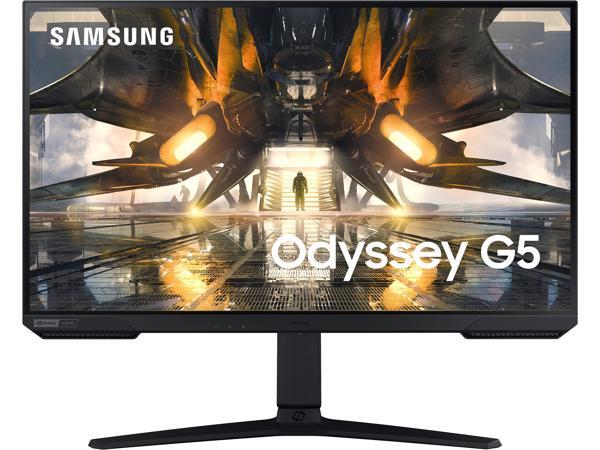
Yeah no surprise that you don't like the G5
chrome bear
nop
misty gyro
You're paying for the name, not the quality
I'd still go for the Corsair, it has better contrast which makes colors look better
chrome bear
lol i think,bt i go to retun and i going to buy the Auros 240 gz that you recomend .
ok Corsair,
bt i like the KVM the Auros ?
misty gyro
If that's a feature you need/want then do that
visual pilot
Both panels should be good, Corsair just happens to be cheaper right now
chrome bear
ok I understand, both are similar, I'll just have to decide which one, the Auros 240 gz, or corsair.
help, why decide.
Corsair. or Auros->?
ok thanks ,for you time guys.
 snow flint
Whats the best monitor i can get thats 240 hz, 27 in, and no more then 240$
So many options but i dont know whats best
silent epoch
1080p? Idk about 1440p
You'll possibly get a low quality model
If it even exists in the first place
misty gyro
snow flint
Whats the best monitor i can get thats 240 hz, 27 in, and no more then 240$
You won't get 240 Hz at that price for 1440p and I wouldn't do 27 inches at 1080p. The vast majority of people can't tell the difference between 165 and 240 Hz anyway.
https://www.amazon.com/dp/B0949KL83T

All play, every day. We've redefined high definition gaming with IPS technology, 165Hz, 1ms response, AMD FreeSync™ Premium, and more colors than ever before.
snow flint
misty gyro
You won't get 240 Hz at that price for 1440p and I wouldn't do 27 inches at 1080...
Alright thanks
silent epoch
huh
trim brook
snow flint
Alright thanks
Proving sheer speed doesn't have to come at the expense of color performance, the new Dark Matter™ 27" Gaming Monitor features next‑generation "ultra
fits the description as there was no mention of res
there was also this for cheaper but the downside is VA
 quiet finch
Why the samsung ark is more expensive than s95c 55 inch?
(mini led vs qd oled)
fading wyvern
prices are random, they usually roll a d20 and decide based on how high the role is
snow flint
trim brook
https://www.monoprice.com/product?p_id=40778&AID=13242841&PID=3938566&ref=cj&utm...
alright ty
 pine current
I have a (relatively) brand new monitor (HP X27q), and its been working fine, just wondering about a potential issue. So when I start up my monitor the HP logo appears, and then it'll start flickering until it finally fades to black like it normally should, is this indicative of an issue I should be worried about or
Rather nip it in the bud if it is, any help appreciated
quartz sandal
If it's just the logo being glitchy i wouldn't worry although very odd I've never heard of that before
pine current
Figured as much but like to make sure, thank you!
silent epoch
Hm
silent epoch
The LG 27GR95QE is getting to me
daring thicket
buy and send review for us ty
if you 10/10 recommend it after, i'll consider getting it. i do love oled
trim brook
It beating that 500hz monitor was kinda good
silent epoch
The only monitor/tv receivers you should trust:
Rtring
Hardware/monitor unboxed
HDTVtest
kindred umbra
trim brook
It beating that 500hz monitor was kinda good
It performs amazingly but I was speaking more for the picture quality
And it’s a bit annoying how a lg tv remote will also turn it off and on
hexed bramble
misty gyro
You're paying for the name, not the quality
PIN WORTHY
 primal rapids
anyone can recommend me a good 2k 144hz+ 1ms moniter (gtg)
misty gyro
What budget?
primal rapids
650 usd
misty gyro
1ms is just marketing btw, almost anything can hit it
primal rapids
i asked here before a year for a fhd moniter and most of you said msi g241
wanna upgrade to 2k
small warren
ye m27q-x would be the splash
primal rapids
from hp?
misty gyro

GIGABYTE gaming monitors pack upscale performance into a streamlined package. The M27Q-X provides an immersive experience through fluid gameplay and great color accuracy and compatibility with graphic card software.
primal rapids
i cant decide between m27qx and g7 
small warren
Q-X is better
primal rapids
the thing is i kind want a curved screen
small warren
going QLED for a couple hundred more is just not worth
primal rapids
small warren
going QLED for a couple hundred more is just not worth
the g7 is cheaper than m27qx in my city
small warren
primal rapids
the g7 is cheaper than m27qx in my city
what's the price of both
primal rapids
small warren
what's the price of both
567 usd for g7
665 usd for m27qx
small warren
what gpu is this with
primal rapids
my gpu?
small warren
ye
primal rapids
rtx 3060 ti
small warren
the game?

 primal rapids
your pfp .
trim brook
3060ti running out of vram at 1080p was funny 😁
primal rapids

small warren
@primal rapids https://pcpartpicker.com/product/7LFbt6/viewsonic-xg2431-238-1920x1080-240-hz-monitor-xg2431

ViewSonic XG2431 23.8" 1920 x 1080 240 Hz Monitor (XG2431)
up there for the best high refresh screen
primal rapids
full fhd :o
small warren
ya cos 3060ti
primal rapids
eh
small warren
if you want 240hz that's a hard ask at 1440p
AAA you'd get 60fps in a best case scenario
primal rapids
i will upgrade my graphic card dw.
small warren
what psu and cpu do you have
primal rapids
I will upgrade everything each month for now i just want a moniter for not only gaming
small warren
not only for gaming? M27Q
primal rapids
dam xd
small warren
or QX
but not for that price
GIGABYTE gaming monitors pack upscale performance into a streamlined package. The M27Q-X provides an immersive experience through fluid gameplay and great color accuracy and compatibility with graphic card software.
from here
665 is horrible
get it with prime for 430
 small warren
primal rapids
small warren
primal rapids

Buy Gigabyte M27Q-X 27" 16:9 FreeSync QHD 240 Hz HDR IPS Gaming Monitor featuring 27" In-Plane Switching (IPS) Panel, HDMI + DisplayPort + USB Type-C Inputs, 2560 x 1440 QHD Resolution @ 240 Hz, 1000:1 Static Contrast Ratio, 350 cd/m² Brightness, 178°/178° Viewing Angles, 1 ms Response Time (GtG), 1.07 Billion Colors with HDR, AMD FreeSync Premi...
misty gyro
primal rapids
just out of curiosity is Samsung Odyssey G7 27" overrated?
Which G7, there's like 10 and some really suck
primal rapids
Samsung Odyssey 27 inch G7 1000R Curved Gaming Monitor (LC27G75TQSMXUE) - 1440p QHD 240Hz 1ms G sync QLED HDR600
freaking
those
code
names
ugh
misty gyro
yep lol
small warren
don't get me wrong there's nothing wrong with the G7 but the m27QX exists for cheaper
so thus it's just, nah lol
 primal rapids
Thank yall !
small warren
if you can get a G7 for sub 500 it's kinda ok
I still would jump on either of those M27Q-X links tho, 450 for the best overall 1440p screen? easy choice
primal rapids

silent epoch
It's a must buy
daring thicket
mine came with a singular stuck pixel
I never see it unless the entire screen is white though, and if I look for it
so no biggie
also since its 1440 its a pretty small pixel
daring thicket
silent epoch
Wait you have the m27x?<@242030138567426051>
ye got couple weeks ago
daring thicket
uhh
 daring thicket
Honestly don't have much to compare it to
silent epoch
You have no other lcds in your house ?
daring thicket
Well I do but like
How do I explain how the contrast is in tangible terms
Its better than my other monitor that's all I know
daring thicket
I think its pretty good for the price
silent epoch
I REALLY want to get the LG 27gr95qe-b but...the brightness is a bit concerning
daring thicket
I've played completely dark games like Space Engine on it and it has good blacks
nothing compared to oled ofc but thats expected
silent epoch
Ok ok ok
daring thicket
yeah it do be 1k tho
silent epoch
I'll pay monthly
Hmm....do you have any bleeding on the edges of your screen when it's entirely dark?
daring thicket
Nothing that I notice
silent epoch
Thats good
daring thicket
I'm also not extremely meticulous about that though, if I looked REALLY hard I might see something
silent epoch
I eyeball almost everything critically
daring thicket
How do u feel about stuck pixels
silent epoch
If it's just one it doesn't bother me
daring thicket
because judging from reviews and everything u have like a 40% of yours coming with one
I'm glad its only 1 though, any more and I would cry. especially with the "only 6+ can RMA"
which I think is pretty cringe
silent epoch
Thank you for the input. What was your previous monitor?
daring thicket
An MSI 1080 27" 165hz
When I got the m27q I realized how bad it was
prob just 1080 + 27" tho
Overall happy with the purchase, still want oled tho. Lol
silent epoch
Hhmm
@daring thicket one last question, how do games appear when they drop below 60fps?
daring thicket
silent epoch
<@242030138567426051> one last question, how do games appear when they drop bel...
asking the wrong person 💀4090 moment
I'm sure it would look about the same as other monitors dropping below 60 fps tho, idk
silent epoch
4090.... sheesh
daring thicket
yeah went all out with this one
trim brook
Could cap fps lol
silent epoch
Which 4090?@daring thicket
daring thicket
silent epoch
Which 4090?<@242030138567426051>
gigabyte
silent epoch
Nice. That's a great model
daring thicket
yeah I chose it cuz it had alot of positive reviews
silent epoch
No coil whine?
daring thicket
Very slight whine upon some specific watt usages, but really nothing to complain about
My 2070 super had way worse whine
silent epoch
Ah. My first GPU was a white gigabyte2070s. I missed that card
It's good to hear that you enjoy your current one
daring thicket
Yeah it was worth the questionable financial choices
 daring thicket
This was my first pc build, last one was a pre-built my dad got me from bestbuy like 3 years ago
daring thicket
Very glad I built this one myself though, helped me understand what was actually going on in the system lol
silent epoch
Exactly
daring thicket
silent epoch
Their builds aren't good
real
silent epoch
You can take apart the whole PC without any help now
daring thicket
indeed!
silent epoch
Do you play overwatch 2?
daring thicket
putting the motherboard into the case was quite nerve-wracking tho ngl
Nah I don't
silent epoch
Other competitive games?
daring thicket
Haven't been playing any comp fps games recently
daring thicket
Well
you never know what I might be doing in the future
and I was tired of not getting good fps in games lol
silent epoch
For warthunder ofc
fading wyvern
4090’s are never overkill 
silent epoch
For warthunder, darvan
daring thicket
I'll say it is overkill for me, for now. But I'm ok with that
fading wyvern
Did I stutter
silent epoch

silent epoch
Nothing wrong in that. You're living the dream
I'm going to skip this generation for the 5090
daring thicket
fair
fading wyvern
Well the 4090 outperforms everything by a significant margin this gen anyways 
 daring thicket
I'm also pretty newly employed for the first time so I thought why have a job if I can't get what I want lol
silent epoch
I'm unemployed. Congratulations
daring thicket
soon tm
daring thicket
took me a while
silent epoch
How long?
fading wyvern
I’m going into my night shift job during the day right now 
daring thicket
silent epoch
How long?
like 4 months, but then my mom's fiance just sent me a link to apply to Coca Cola lol
daring thicket
well I was "looking" for like 2 years 💀 the 4 months is just when I actually started putting in resume's
daring thicket
also on my 2nd "gap year" rn 💀
silent epoch
What CPU do you have paired up with?
daring thicket
13900k
silent epoch
No compromises... dang
daring thicket
I wish games used more of the cores tho 😭
daring thicket
silent epoch
No compromises... dang
SLIGHT compromise in the ram
went 5600 instead of 6400
😔
daring thicket
I think people just spend too much on other stuff
like I literally just didn't buy anything for the 4 first months I had the job
that's the only reason I was able to afford it
silent epoch
Nice
 tawdry forge
Hi just got a monitor witch is the msi optix g27c4e2 and i saw that when i put my response time to fastest (1ms) when im looking around in games the thinks around are getting crisps like i have sharpness on and if i leave it on fast or normal its has lots of ghosting does anyone knows the problem?
tawdry forge
It looks pixelated like crazy
Cant really see the people when i play a competitive game
No settings done to it
misty gyro
The fastest overdrive modes in most monitors tend to be almost unusable thanks to that ghosting
You just have to find a mode you like
fading wyvern
its also a 1080p 27inch monitor, gunna have some screen door
trim brook
Entirely different thing and topic lol
fading wyvern
How is it a different thing
It’s a issue with the monitor sure it’s personal preference and isn’t the topic at hand aka ghosting and overshoot errors
tawdry forge
I dont got any overdrive setting on my monitor
So it can help me reduce my ghosting and all of tht stuff
But yall saying is from the monitor and i cant do nothing abt it just play like that?
fading wyvern
I’d suggest returning it and looking for a ips panel, VA panels are notorious for ghosting. Contrast will probably be a bit worse but pixel response times will generally be better.
tawdry forge
I see
fading wyvern
If you’re specifically looking for a curved monitor it’ll most likely be a VA panel, ips panels are harder and more expensive to curve so you only really see it in LG ultrawides
tawdry forge
Im goign to get a benq zowie has 144hz
Tn panel
Its
Going*
Im getting it for csfo
Csgo
fading wyvern
So TN is generally the worst tech, but it has interesting features (just benq zowie) it has a excellent black frame insertion type tech that practically removes ghosting… but generally colors are bad on tn
fading wyvern
If it’s just for cs that’s a good use case
fading wyvern
Np
indigo berry
Can someone help me figure out what all the letters and numbers mean in the various aoc monitor models? For example: AOC 24G2SPAE
raw ingot
24 means 24 inch
other letters and numbers behind that just denotes to region, model series or something like that
monitor names aren't clearly defined
tawdry forge
another problem i saw i habe
have
is black smearing
is there anyway i can remove that ?
 hollow nymph
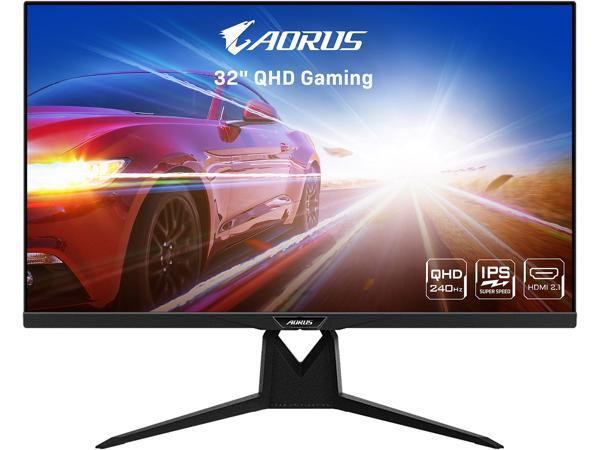
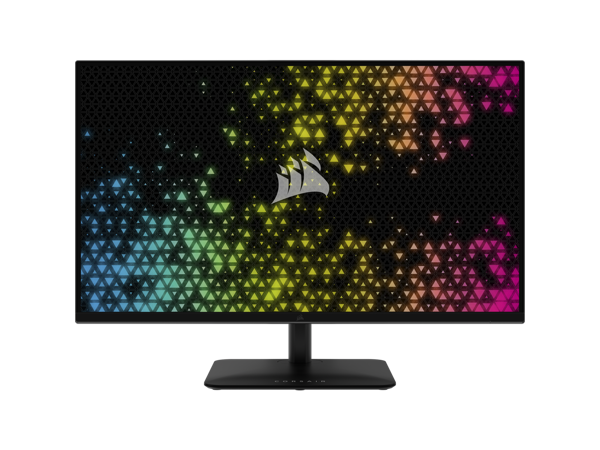
 tawdry forge
so its just from the monitor
i cant remove it ?
when i scroll trough the texts it looks like i have sharpness on and black is coming out of it while i scroll
tawdry forge
so monitor issue
 mighty tide
Looking into getting a 4k monitor-not really knowledgeable on monitors or displays at all besides IPS good high refresh rate good lol
Any good deals nowadays? Open to all suggestions and I'll likely only be using it for some games as I am more than happy at 1440P for others
silent epoch
Gigabyte M27Q-P
1440p
I think 170hz
*165
For 4K....M28U
If you want 1440p 240hz M27Q-X
fading wyvern
If you go 4k might as well go with the m32u
fading wyvern
tawdry forge
when i scroll trough the texts it looks like i have sharpness on and black is co...
Do you have the monitor set to 144hz in your display/graphics settings on your pc?

(It’s the panel limitation but it sounds pretty extreme so just checking)
silent epoch
tawdry forge
fading wyvern
Do you have the monitor set to 144hz in your display/graphics settings on your p...
i have it to 165
i use dp
 fading wyvern
tawdry forge
i have it to 165
fading wyvern
tawdry forge
i have it to 165
alright was just making sure, it would be under "change resolution" on the left (quadrouple checking)
tawdry forge
aight
i saw that i dont have overdrive in settings and idk if i was supposed to do?
i heard that helps it
are led monitor good ?
fading wyvern
try to only pay attention to panel type. IPS>VA>TN (generally)
tawdry forge
not va
fading wyvern
and refresh rate for obvious reasons
fading wyvern
sorta, it just is prone to all kinds of smearing
fading wyvern
its ghosting and overshoot basically
tawdry forge
i see
fading wyvern
just used a different word for it
fading wyvern
i can give you a good resource, https://www.rtings.com/monitor/reviews/best/by-resolution/1080p-full-hd

RTINGS.com
The best 1080p gaming monitor we've tested is the Dell Alienware AW2523HF. It has a bunch of gaming features, which is great if you want a monitor for competitive gaming.
check out their budget reviews
tawdry forge
yk when it happens only
when i put my response time to 1ms fastest
when i puted on normal or fast it only has ghost
fading wyvern
Acer Nitro XF243Y Pbmiiprx is the recommended budget option
fading wyvern
fading wyvern
yeah thats just pixel response times basically
tawdry forge
yeah...
pretty annoying
yo @fading wyvern i really appreciate ur help bro
thanks 🙂
:3
fading wyvern
charts like these will show any overshoot errors and response times
 tawdry forge
hm i see
fading wyvern
tawdry forge
hm i see
this is your current monitor I believe
 tawdry forge
yeah its shows that it got lots of red nr
and says that can have a problem with overshoot
BENQ Mobiuz EX2710S
I want to get this
What u saying?
fading wyvern
tawdry forge
BENQ Mobiuz EX2710S
It’s not bad

But it’s really kinda mediocre, if you find a monitor you want look it up on rtings