#old-monitors-and-tv
1 messages · Page 4 of 1
 open python
are the M monitor models more higher end than the G monitors?
 misty gyro
Sometimes, it's not a rule they follow
 maiden wedge
misty gyro
Sometimes, it's not a rule they follow
maiden wedge
misty gyro
Sometimes, it's not a rule they follow
hey man, if i switch to bracket vertical gpu instead of built in will i get better cooling?
 untold forge
Update! It’s awesome! Having better quality and 144hz is sweet. However, on my laptop (I use the monitor as an external display) I’m limited to 144hz, while the monitor claims it’s 165hz. Is there a reason for this?
misty gyro
Laptop hdmi probably can't handle the full 165
untold forge
misty gyro
Laptop hdmi probably can't handle the full 165
I’m using the HDMI cable that came with the monitor
Do you mean the laptops HDMI port?
misty gyro
Yes
misty gyro
And often the hdmi port on the monitor can't even do the full refresh rate
Nah nothing noticeable
untold forge
144hz is still amazing
And hopefully I can get an Xbox Series X for Christmas so I can use this monitor to its full potential lol
Since the series X can do I think 120hz?
misty gyro
Yeah 120
untold forge
Does anyone know what AMD Freesync is? My monitor has it. Also let me turn it on in my Xbox settings. What does it do?
misty gyro
It waits to refresh the screen until the GPU is ready to send a frame. It helps reduce screen tearing.
 fading wyvern
I just ended up charging back 
 steady fjord
fading wyvern
I just ended up charging back <:kekw:741678350791081994>
steady fjord
fading wyvern
I just ended up charging back <:kekw:741678350791081994>
mine was delivered today
fading wyvern
It was a joystick if you were wondering was into elite dangerous 
 finite belfry
https://www.amazon.com/KOORUI-Computer-Compatible-Ultra-Thin-Adjustable/dp/B09XXPRMYF
Thoughts on this monitor?

 errant edge
X27q a bit more for much better quality
 rancid vessel
Is Jlink a good brand to get a monitor from?
specifically this one, https://www.amazon.com/dp/B0B586WC5T/?coliid=I19L1E3MVC0KQF&colid=24J99RA5JZXUE&psc=1&ref_=lv_ov_lig_dp_it

Jlink 27-inch 165Hz QHD Gaming Monitor - Just link the world. In competitive gaming, high frame rates and lightning fast response times all matter. With a fast 1ms response time, motion blur and ghosting is eliminated and delivers an exceptionally crisp imagery in the midst of action-packed scene...
errant edge
rancid vessel
specifically this one, https://www.amazon.com/dp/B0B586WC5T/?coliid=I19L1E3MVC0K...
X27q cheaper for much better panel, g27q same price for much better panel
rancid vessel
So what about this one, https://www.amazon.com/dp/B085HP999M/?coliid=I1P50XJU3HLVFA&colid=24J99RA5JZXUE&psc=1&ref_=lv_ov_lig_dp_it

Designed for intense, fast-paced games, the ASUS TUF Gaming VG27WQ is a 27” gaming display with a 1ms (MPRT) response time and blazing 165Hz refresh rate to give you super-smooth gameplay. VG27WQ features ASUS ELMB™ technology to eliminate screen ghosting and motion-blur and HDR technology that m...
rancid vessel
errant edge
X27q cheaper for much better panel, g27q same price for much better panel
becaue I dont know what you mean by X27q and g27q 😂
errant edge
Yw
 fossil gust
Protip for situations like this- if the shipping is delayed/doesn't show up on time, wait a couple days and contact support to ask for a partial refund for the inconvenience before just cancelling it completely
I've found if you're polite but firm with the customer support that the shipping delay is somehow an inconvenience for you it's pretty easy to get some $ back
Did this with both a GPU from Best Buy and my laptop from Dell
Got ~10% back on each one
fading wyvern
fossil gust
Protip for situations like this- if the shipping is delayed/doesn't show up on t...
I contacted them 3 times over 6 months and was told that the product was still in shipping and I wouldn’t receive a refund, when I made the purchase it turns out I was ordering straight from the factory, a weird situation, never received the product and was never contacted about it again. I had to charge back since they wouldn’t refund me.
fossil gust
Huh
fading wyvern
🙂
Was at the start of the shipping crisis basically outa china were containers started costing a ton, they were waiting for enough people to order it before shipping it.
It was one bad experience, every other experience I’ve had with dell was pretty great. Their business division is super nice in the states
 junior cave
Hey my laptop screen is ips 144hz its asus strix
I want another screen can i connect any screen or do i have to look for some specific things in monitor
finite belfry
errant edge
X27q a bit more for much better quality
Is there a difference between X27 q and X27 qc?
 old arch
The c means curved and that is probably VA while x27q is a normal ips panel. Generally ips best overall pc use but VA sometimes better contrast & some other stuff. Rtings.com is good.
finite belfry
Hmm, I should have figured that one out lol… Rtings.com for comparison?
 quartz sandal
Rtings or hardware unboxed are my favourite but they can only cover so much ofc
 brittle cypress


 sonic vapor
Anyone have some really good 65"+ TV Deals?
 pallid crow
Any recommendations for a 27" 1440p monitor? It will only be a secondary monitor so I ain't needing anything fancy
quartz sandal
sonic vapor
**Anyone have some really good 65"+ TV Deals?**
what kind of budget?
 stoic flint
should i get s3422dwg for$379.99?
quartz sandal
pallid crow
Any recommendations for a 27" 1440p monitor? It will only be a secondary monitor...
probably something lie this https://www.dell.com/en-us/shop/dell-27-monitor-s2721ds/apd/210-axkp/monitors-monitor-accessories

Dell
A 27-inch lifestyle-inspired QHD monitor with IPS panel. Provides outstanding visuals for an amazing entertainment experience.
sonic vapor
quartz sandal
what kind of budget?
400-500, preferably closer to 400, but CAN stretch ~$50 over 500 if the quality of the TV is impeccably superb
misty gyro
sonic vapor
400-500, preferably closer to 400, but CAN stretch ~$50 over 500 if the quality ...
That's low end stuff in that range for sure if you're looking at 4k. The good stuff for that size with 4k, decent HDR, response times for gaming, etc starts around $800 minimum.
Here's a couple entry level options that will get a decent enough experience, though: (assuming USD)
https://www.bestbuy.com/site/insignia-65-class-f50-series-qled-4k-uhd-smart-fire-tv/6450249.p?skuId=6450249
https://www.bestbuy.com/site/hisense-65-class-u6h-series-quantum-uled-4k-uhd-smart-google-tv/6505544.p?skuId=6505544
https://www.newegg.com/p/16C-0003-00GT4
sonic vapor
misty gyro
That's low end stuff in that range for sure if you're looking at 4k. The good st...
Won’t be doing any gaming, just need to watch things on the tv
misty gyro
Take a look at this then, that extra $50 goes a long way https://www.rtings.com/tv/tools/compare/hisense-u6h-vs-insignia-f50-qled/33530/26847?usage=1&threshold=0.10

RTINGS.com
Compare the Hisense U6H and Insignia F50 QLED TVs
If you want to save the money or have a preference for that OS you can go for the insignia but I'd go for the $500 hisense personally
quartz sandal
They look nice yeah
 twin shell
Is this a good monitor can’t really find much on it

 hexed bramble
Hi can someone help me find a good maybe 27 inch monitor
I'd probably want an 1080p or 1440p
My budgets about 300-400$ CAD
 native wave
is this a good monitor?
A 25-inch gaming monitor with a 240Hz refresh rate, a true 1ms GtG fast IPS response time, and intense color coverage from every angle for seamless gaming.
 spring cloud
Is the Gigabyte M28U Arm good ?
misty gyro
spring cloud
Is the Gigabyte M28U Arm good ?
The M28U is good if you need 4k at that size for some reason, and I imagine the arm is an improvement in ergonomics.
misty gyro
 wild plank
Anyone know what would be the best type c hub / dock for a Getac s410?
wild plank
Anyone know what would be the best type c hub / dock for a Getac s410?
What budget?
Best ones can run up to hundreds of dollars
 full perch

 maiden oasis
Looking for a 27" 144-165Hz 1ms monitor approx. $225, any suggestions?
 small warren
G27Q iirc gets very close to that @maiden oasis
errant edge
X27q is $190 rn
misty gyro
1ms is just marketing btw, there's plenty of "1ms" monitors with absolutely trash response and ghosting
maiden oasis
in another Disc someone mentioned "ViewSonic VX2718-2KPC-MHD 27 Inch WQHD 1440p 165Hz", any thoughts?
errant edge
I stand by the x27q and g27q reccs
maiden oasis
where is X27q for $190?
quartz sandal
X27q is 221 for me, although at that stage I'd pay 8$ more for the g27q
 tepid summit
Is this a good monitor for 5 5600x and a Aorus 6750 xt
Check this out on @Newegg: AORUS FI32Q-X 32" QHD 2560 x 1440 (2K) 240 Hz / OC 270 Hz HDMI, DisplayPort, USB, Audio FreeSync Premium Pro (AMD Adaptive Sync) Gaming Monitor https://www.newegg.com/p/N82E16824716007?Item=N82E16824716007&Source=socialshare&cm_mmc=snc-social-_-sr-_-24-716-007-_-11232022
misty gyro
tepid summit
Is this a good monitor for 5 5600x and a Aorus 6750 xt
Check this out on @Newe...
Yes but 3 notes, that one is overpriced still, 6750 might struggle to get 240/270 fps at 1440p in games, and the vast majority of people can't see any difference between 144 and 240Hz
tepid summit
misty gyro
Yes but 3 notes, that one is overpriced still, 6750 might struggle to get 240/27...
Do you have any recommendations. I am going to be doing both console and pc gaming
misty gyro
It'll be limited to 1440p 120Hz for console anyway so 2.0 is technically fine
tepid summit
Ohhh ok
misty gyro

Best Buy
Shop CORSAIR XENEON 32QHD165 32” IPS LED QHD FreeSync Premium Monitor and G-Sync Compatible with HDR400 165Hz (DP, HDMI, and USB-C) Black at Best Buy. Find low everyday prices and buy online for delivery or in-store pick-up. Price Match Guarantee.
 honest crane
Yall know any good time to sell a monitor?
I bought a 1440p monitor ages ago even though my gpu can only handle 1080
 tribal citrus
I have question if I'm in market for new monitor should I spend little extra money and get a high hz monitor or just buy a side grade I've been looking at a few so Gigabyte M27Q-X is 240Hz my monitor rn is 170Hz
I was looking at either G27Q or M27Q-X or FI27Q.......or FI32Q-X it can OC to 270Hz
quartz sandal
Don't bother upgrading imo
tribal citrus
quartz sandal
I would yeah, or hp x27q for 170?
tribal citrus
Okay
Or should I get a 1080p 360hz monitor? Wolf posted in tech deals
Is high refresh good for like call of duty ganes
fading wyvern
Just keep your current monitor
misty gyro
tribal citrus
Is high refresh good for like call of duty ganes
It'll only matter if you're playing in the top 0.01% of gamers and you'd probably be on an eSports team by then
tribal citrus
fading wyvern
Just keep your current monitor<:P_hmmgun:930567925344129024>
No I am but I wanna buy another monitor for my setup do I didn't know if I should aide grade or just upgrade
 frank reef
Could somebody tell me which one of these monitors will be best for gaming and media?
Way too many choices… Check this out on @Newegg: MSI Optix MAG342CQR 34" UWQHD 3440 x 1440 (2K) 1ms (MPRT) 144 Hz 2 x HDMI, DisplayPort AMD FreeSync Curved Gaming Monitor 1) https://www.newegg.com/metallic-black-msi-optix-mag342cqr-34/p/N82E16824475103?Item=N82E16824475103&Source=socialshare&cm_mmc=snc-social-_-sr-_-24-475-103-_-11242022 2) Check this out on @Newegg: ASUS ROG Strix 32" (31.5" Viewable) 1440P Curved Gaming Monitor (XG32VC), QHD (2560 x 1440), 170Hz, 1ms, Extreme Low Motion Blur Sync, FreeSync Premium Pro, HDMI DisplayPort USB 3.0 Type C, 125% sRGB, DisplayHDR 400 https://www.newegg.com/black-asus-rog-strix-xg32vc-31-5/p/N82E16824281092?Item=N82E16824281092&Source=socialshare&cm_mmc=snc-social-_-sr-_-24-281-092-_-11242022 3) Check this out on @Newegg: SAMSUNG Odyssey G5 LC34G55TWWNXZA 34" WQHD 3440 x 1440 (2K) 1ms (MPRT) 165Hz HDR10, HDMI, DisplayPort FreeSync Premium Curved Gaming Monitor https://www.newegg.com/34-g5-odyssey-gaming-monitor-with-1000r-curved-screen-lc34g55twwnxza/p/N82E16824022912?Item=N82E16824022912&Source=socialshare&cm_mmc=snc-social-_-sr-_-24-022-912-_-11242022 4) Check this out on @Newegg: GIGABYTE M32Q 32" 165Hz/170Hz(OC) 1440P QHD KVM Gaming Monitor, 2560 x 1440 SS IPS, 0.8ms (MPRT), 94% DCI-P3, HDR Ready, FreeSync Premium, 1x DisplayPort 1.2 (HDR Ready), 2x HDMI 2.0, 3x USB 3.0, 1x USB Type-C https://www.newegg.com/p/N82E16824012039?Item=N82E16824012039&Source=socialshare&cm_mmc=snc-social-_-sr-_-24-012-039-_-11242022
 wary fulcrum
I was looking into getting a new monitor that’s 1440p and my budget was $300. I kept seeing the Samsung G5 Odyssey on sale, are they worth it or something else is?
errant edge
wary fulcrum
I was looking into getting a new monitor that’s 1440p and my budget was $300. I ...
X27q or m27q-x in #tech-deals
wary fulcrum
errant edge
X27q or m27q-x in <#500102969702875156>
Guess have to go with the first one since the m27q is oos on Newegg, thanks
frank reef
frank reef
Could somebody tell me which one of these monitors will be best for gaming and m...
Anyone has any experience or can give me some feedback on which of these monitors will provide the highest quality of gaming/movies?
fading wyvern
frank reef
Anyone has any experience or can give me some feedback on which of these monitor...
There’s a great deal on a amazing monitor on Amazon, https://www.amazon.com/GIGABYTE-M27Q-Monitor-Display-Response/dp/B09VH8B1XW/ref=mp_s_a_1_4?

GIGABYTE gaming monitors pack upscale performance into a streamlined package. The M27Q-X provides an immersive experience through fluid gameplay and great color accuracy and compatibility with graphic card software.
I’d highly suggest just picking it up instead
https://www.rtings.com/monitor/reviews/gigabyte/m27q-x if you need to check other monitors try using rtings compare tool

RTINGS.com
The Gigabyte M27Q X is a mid-range 1440p gaming monitor with a fast refresh rate. It's similar to the very popular Gigabyte M27Q, but Gigabyte has made some welc...
tepid summit
https://www.newegg.com/p/N82E16824012046
Is this worth buying?
 ocean forum
I just moved to a 28inch monitor and the sensitivity feels so slow
does bigger screen affect sensitivity?
old arch
Possibly. Higher res sure does though. Btw, 28 is 16.6667% higher than 24 for example.
ocean forum
I played on 1080p 17inch before and now 1440p 27inch so ye I see a huge difference
errant edge
1080p 17 in sounds like pain
 green plover
witch moniter is better https://www.newegg.com/black-z-edge-gaming-monitor-ug30-30/p/3D4-001R-00001?Description=z edge 30 inch curved gaming monitor&cm_re=z_edge 30 inch curved gaming monitor-_-9SIAT2ECNC3754-_-Product&quicklink=true or https://www.newegg.com/p/N82E16824475089?Description=msi optix mag301cr2 30" wfhd&cm_re=msi_optix mag301cr2 30" wfhd-_-24-475-089-_-Product&quicklink=true
 visual pilot
I'd trust MSI more
 queen tendon
Would this be good as a second monitor https://www.amazon.com/KOORUI-Business-Computer-Monitor-Desktop/dp/B09FP4H99P/ref=mp_s_a_1_2_sspa?crid=2EBPBLNLNWFF6&keywords=60hz+monitor&qid=1669410425&sprefix=60hz+%2Caps%2C127&sr=8-2-spons&sp_csd=d2lkZ2V0TmFtZT1zcF9waG9uZV9zZWFyY2hfYXRm&psc=1

22 inch 1080P 75 Hz VA monitor
visual pilot
queen tendon
Would this be good as a second monitor https://www.amazon.com/KOORUI-Business-Co...
cheapo 1080p panel is fine for second monitor, only thing you might want is swivel if you want vert monitor
 mighty tide
Yo I’m looking for a new monitor
I already have a 1080p 144 one but its pretty meh I just got it cause it was cheap
So I’d honestly be good with a 1080p 144 one that has better colors
Are there any good deals for Black Friday??
 fervent yoke
whats a good 240hz 1080p 27 inch monitor to get
mighty tide
https://www.newegg.com/p/N82E16824475048?Item=N82E16824475048 is this a good deal?
visual pilot
today is black friday
 teal patio
Oh ok
 final agate
Is this good or overpriced
errant edge
final agate
https://a.co/d/aXzGwYX
Is this good or overpriced
Overpriced
Look at m27q, m27q-p, g27q and x27q
 glass yew
https://www.bhphotovideo.com/c/product/1488890-REG/lg_27gl850_b_27_ultragear_nano_ips.html
is this a good price? its either this or this (https://www.newegg.com/p/N82E16824012046?Item=N82E16824012046&Description=ultrawide 1440p&cm_re=ultrawide_1440p-_-24-012-046-_-Product&quicklink=true)

Buy LG UltraGear 27GL850-B 27" 16:9 144 Hz HDR FreeSync IPS Gaming Monitor featuring Nano In-Plane Switching (IPS) Panel, HDMI | DisplayPort Inputs, 2560 x 1440 QHD Resolution, 1000:1 Static Contrast Ratio, 350 cd/m² Brightness, 178°/178° Viewing Angles, 1 ms Response Time (GtG), 144 Hz Refresh Rate, 1.07 Billion Colors, NVIDIA G-SYNC Compatible...
 gilded aurora
trying to find a monitor or 600$ or less 2k 240hz
honest crane
You probably should look around yourself, theres tons of deals for monitors ongoing right now
 severe dirge
gilded aurora
trying to find a monitor or 600$ or less 2k 240hz
severe dirge
gilded aurora
trying to find a monitor or 600$ or less 2k 240hz
Curious.. what are you playing at 1440p that you are consistently hitting that high fps?
 dense karma
What’s a good 1440 p monitor that goes well with 5600 and 6800xt.
errant edge
X27q g27q m27q m27q-p if you want 27in
X32 m32q are the two main ones for 32in I suggest
tribal citrus

 final yoke
Do 0.5ms monitors exist
visual pilot
it's marketing
some will market it, it's never actually 0.5ms color to color pixel response time
manufacturers will screw around with it until they get a marketing number they like
final yoke
is aoc legit
visual pilot
aoc is fine
errant edge
Doesn't really do anything
It's just the panel type. It's worse than IPS but far better than TN
errant edge
final yoke
what does va panel do
How much are you looking to spend?
This is a pretty good deal rn, if you're looking for 1080p https://www.newegg.com/p/N82E16824011400?
final yoke
errant edge
How much are you looking to spend?
how do i know what panel my monitor uses
and 200
errant edge
You'd have to look up the model name I think
Not sure it says anywhere, if it did probably settings>display>advanced display settings
 wild coralBOT
 FSKNGL#9562 has been warned
Reason: Bad word usage
FSKNGL#9562 has been kicked
Reason: Too many infractions
final yoke
which one do you guys think is better https://www.amazon.com/AOC-C27G2Z-Frameless-Ultra-Fast-Adjustable/dp/B088LG2BSW/ref=sr_1_3?crid=1RGTD21URFSP6&keywords=240hz+monitor&qid=1669756558&sprefix=240hz+monitor%2Caps%2C80&sr=8-3 or https://www.amazon.com/Sceptre-FreeSync-DisplayPort-Adjustable-E275B-FWD240/dp/B0911MSYGW/ref=sr_1_5?crid=1RGTD21URFSP6&keywords=240hz+monitor&qid=1669756567&sprefix=240hz+monitor%2Caps%2C80&sr=8-5
 graceful monolith
errant edge
graceful monolith
errant edge
Depends on personal preference and what you play
fossil gust
6650xt more of a 1080p card but 1440p will be nice if you ever upgrade
misty gyro
It'll do 1440p well enough in all but the most demanding games
tribal citrus
misty gyro
It'll do 1440p well enough in all but the most demanding games
4k 4k 4k
I wanna get a 4k monitor but idk if it will go alright with my setup


or amazon

i might buy it tbh
gunna really put my 6600 to the test

my pc
 hollow nymph
 wooden parcel
tribal citrus
I wanna get a 4k monitor but idk if it will go alright with my setup
wooden parcel
tribal citrus
I wanna get a 4k monitor but idk if it will go alright with my setup
https://www.newegg.com/p/N82E16824716004?Description=4k monitor&cm_re=4k_monitor-_-24-716-004-_-Product Id recommend the RGB for the setup only a few dollars more
errant edge
6600 at 4k will be suffering
tribal citrus
Just OC gpu 
errant edge
that doesn't make enough of a difference to make it bearable
4k on a 6800/3070 is pushing it
 reef dagger
Anyone know why my monitor is stuck at 30fps when I use it at 60 normally
 prisma lichen
does anyone know anything about dead pixels
small warren
How many dead are we talking
prisma lichen
Im hoping restarting is gonna fix it
It was 1 pixel but a faint line going through it
Saw something online someone restarted and that helped
ok we good, restarting helped
this is how it looked tho

very weird
prisma lichen
seems to be a gpu thing?
small warren
Glad it worked out
prisma lichen
but idk
 brisk idol
hay anyone know what part would let me use a hdmi to plug a usb b but still a monitor aswell?. im using a 50ft hdmi to run to a screen wich i need to have keyboard and mouse at aswell and the usb b port on monitro is only providing power when i tryed to plug mouse and keyboard in
rancid vessel
Would anyone know why the right side of my main monitor tends to flicker black?
rancid vessel
no just when im on my browser or desktop
tribal citrus
@small warren what monitor you use in your pc
small warren
In my pc? A tiny old mini cute one
tribal citrus
small warren
In my pc? A tiny old mini cute one
No like what you game
small warren
FV43U
I don't game with it, I work
Unfortunately
Might game with it after I finish pc modding tho

tribal citrus
Ew work
small warren
Go back to work
small warren
Seems not smart
tribal citrus
I need momey to refund into my account from accidently buying a 4080
small warren
Ok
tribal citrus
small warren
Seems not smart
I'm gunna buy gpu that's able to run it
small warren
Ok
tribal citrus
Just a 6600 is gunna run it temporarily
I gotta also buy some monitor stands
Wanna start to get my gaming setup completed
tribal citrus
small warren
I don't game with it, I work
Wait how do you work on it if it so big
 tribal citrus
Idk I feel like it would be to big like with multi monitor setups each monitor has one thing or are you doing that just having multiple things pulled up or just 1 big thing
tribal citrus
oh
misty gyro
tribal citrus
<@396513761550270464> can you see 4k on a monitor?
Depends on the size of the monitor and viewing distance. Unless I'm within about 1.5 feet of the screen I can't tell the difference between 1440p and 4k at about 32 inches. Larger than that I'd go 4k but smaller there's no point for gaming.
tribal citrus
Yea 32 inches
small warren
m27qx if you can find it
small warren
yeah that's it
that's the one I think is really good, but I'll have a quick look for others that might be at a better price
nah that's the cheapest rn
don't wait on it, I hear it goes out of stock very often
tribal citrus
@misty gyro what do you daily run as a monitor
Also does more then 1 monitor hooked to gpu affected out the gpu performs
misty gyro
tribal citrus
<@396513761550270464> what do you daily run as a monitor
I've got a G27Q (1440p 165hz 27") and some 1080p 75hz I got for free.
Yes having a secondary affects things but only a little, nothing noticeable. There's a common bug for Nvidia where having the secondary locks the GPU to the highest power state.
tribal citrus
misty gyro
I've got a G27Q (1440p 165hz 27") and some 1080p 75hz I got for free.
Yes having...
Oh cool 
 novel merlin
Does everyone have a crappy 1080p 75hz monitor as their secondary lol
 sage trail
mines 1200p60
quartz sandal
Mines my old 1080p 144hz monitor
tribal citrus
novel merlin
Does everyone have a crappy 1080p 75hz monitor as their secondary lol
Mines 3440x1440p 144hz
novel merlin
Why such a nice monitor as a secondary
tribal citrus
novel merlin
Why such a nice monitor as a secondary
I don't like how wide it is and some games were actually weird with the custom res
Also I like IPS on my games
novel merlin
I don't like big or curved monitors tbh
tribal citrus
Yea I liked it for a while until now
So I'm just gunna use it for discord then use my 27 inch as secondary and get 4k monitor for gaming
tribal citrus
@small warren here you go i found perfect monitor
 fading wyvern
 meanwhile both my monitors are 1440p 165hz
tribal citrus
fading wyvern
<:pepehmmm:903335097305034783> meanwhile both my monitors are 1440p 165hz
That's good too
 surreal quarry
fading wyvern
<:pepehmmm:903335097305034783> meanwhile both my monitors are 1440p 165hz
surreal quarry
fading wyvern
<:pepehmmm:903335097305034783> meanwhile both my monitors are 1440p 165hz
mine is 1440 170 hz fight me!
lol
i saw that live
 winter lichen
small warren
yeah that's it
winter lichen
small warren
yeah that's it
thank you by the way, I appreciate it. Have a nice day!
small warren

 mystic oracle
wrong account but still thank u
also haha yeah u were right, I didnt check discord until just now and yeah, its out of stock. I'll wait until its back ig
fading wyvern
surreal quarry
mine is 1440 170 hz fight me!
I got a overhyped view sonic gsync elite panel (with rgb accents)
fading wyvern
 tribal citrus
fading wyvern
https://tenor.com/view/american-psycho-impressive-very-nice-coping-patrick-batem...
tribal citrus
fading wyvern
https://tenor.com/view/american-psycho-impressive-very-nice-coping-patrick-batem...
Is this in 4k
fading wyvern
Seems like it’s just a higher frame rate
fading wyvern
Comparing gaming monitors is basically comparing business cards
tribal citrus
 errant flax
I wanna see someone use 3 Samsung Ark monitors for a setup lmao.

Someone actually did it lmfao!

3x55in Samsung Ark monitors.
small warren
Ark is excessive imo
Even one screen
I would spend that much on a main living room screen instead lol
errant flax
Lmao, true but look at that.
3 of them.
The kid must love racing sims.
To spend 6k on it.
small warren
To drive that much screen be crazy
errant flax
Those are like 1k right?
small warren
Yes the rig
errant flax
6+6+1=13, so about 13 grand damn.
errant flax
13 grand, I could make a fully decked out pc, get a chair, table, all the stuff I'd need then and then some and have a few grand left over.
small warren
At least with sim rigs there is a notable gain with every dollar more
errant flax
Really?
small warren
Well yeah, like everything it saturates to a point but that mountain is pretty high
errant flax
I wonder if there is a motorcycle sim rig.
errant flax
I am not a big fan of cars, makes me motion sick.
small warren
Would be just under full motion
Full motion is fun, but not for hardcore
But full motion you can keep going and going to make it more and more real
Be it spatial audio, VR, actuating parts for vibration or rotation
Better wheels
OOF

Like that Bentley sim wheel they recently put out that's based on the real deal
errant flax
....
small warren
Proper high torque direct drive
Better pedals than just load cell
Ambient lighting, and enclosure
The list goes on and on and on and on
small warren
Well all in the pursuit of near lifelike experience
So it adds up
Full flight sim cockpits go this deep too
A whole cockpit with every button
and the buttons actually work
small warren
Simulation is really expensive lol
errant flax
small warren
Simulation is really expensive lol

 errant flax
I will legit vomit in that thing if I went in.
I have horrible motion sickness on anything except for Motorcycles.
small warren
Ah you don't like the idea either than lolol
I would probably pocket most of 13K if I built a sim rig
If I were to take my existing sim rig I definitely would take at least 6K
Maybe even less if I count VR but VR doesn't work for every sim game
errant flax
If I had 13k to spend on a setup, I'd first max out my rig, then proceed to work on the finer details of my space like a custom desk, aligning the walls with dark vertically aligned wood planks with reflective metal behind it exposed so that my disco ball can bounce the light off of them, a monitor mount etc.
Essentially, max out my engine, and refine the frame kind of deal.
small warren
I'd probably do ITX
Then mount the monitor to the seat
And make the seat portable somehow
Portable sim rig makes great for storing
Then you don't have this big unsightly metal in the middle of a room all the time
errant flax
One of these days, I want to recreate something similar to this creature as a PC case that can house 3 fully decked out systems in Metal.

Recreate that with a bionic feel like that Leviathan PC Case.
 small warren
That case was a trophy
I don't know where I'd put that
I'd have to tailor the room to fit the shark

errant flax
xD.
errant flax
errant flax
One of these days, I want to recreate something similar to this creature as a PC...
In my case, I'd have the creature positioned so that it looks dead at you when you walk into my work space.
And use long cable covers to route the cables over to the desk at the other side.
errant flax
errant flax
One of these days, I want to recreate something similar to this creature as a PC...
I am refering to this btw.
small warren
Fiber cables cost a bomb
errant flax
Which I plan to make about 4-5 feet long.
small warren
I have a few fiber cables, dp, hdmi 2.1
Some 10m long
There were all like, a minimum 150$
errant flax
R.I.P.
small warren
It might be a bit cheaper now but yeah, good cable isn't cheap lol
Especially the DP one
errant flax
xD, I am that one guy who travels with his pc and 50ft Cat8 ethernet around the world.
errant flax
It is? I never had problems with it.
misty gyro
Must be a short one
small warren
I didn't even know cat 8 exists
errant flax
small warren
A big creature for a case wouldn't make for good carrying
Oh, I don't plan on moving that around houses once made.
small warren
Cat 5e is as good as it gets in Australia
errant flax
It's more of a make then leave it until maintenance is needed kinda thing.
misty gyro
small warren
I didn't even know cat 8 exists
It's got very few actual use cases, most datacenters that need that level of speed just use fiber
errant flax
misty gyro
Must be a short one
No problems with my 50ft or 100ft.
small warren
Yeah I just use fiber lolol
No fiber to the house tho

At this rate Australia will be fully 5g before we see fiber speeds anywhere
errant flax
I can't remember, what are some monitors you guys would recommend that are 4k, 32in or bigger and high refreshrate with good color?
misty gyro
Just move to south korea. Everyone from there is surprised when I tell them most homes can't get more than 1Gb because a lot them get 5+ lol
small warren
FV43U, M27Q/Q-X/Q-P
FI32Q
Altho expensive
G27Q
For 4K I only suggest the one as it's a good qled
And bigger than 32" so it makes sense for that reso
errant flax
FV43U?
small warren
Ye
errant flax
Mhmmm, ngl may be a bit to big for me.
small warren
If you want better than that, I believe PG42UQ
errant flax
What would you recommend for a multi-monitor setup?
I can realistically make use of up to 3 monitors.
small warren
3 m27q's
small warren
I'd do 3 left, center, right
Then use surround to bind them
So one big widescreen
At 144+Hz
errant flax
Because I've been multi-tasking more lately and i've noticed that having another monitor or two would be nice,
errant flax
PBP?
errant flax
Ahhh I see.
small warren
So you have essentially 2 screens side by side
errant flax
I think for me, 1 curved monitor and 2 flat ones in portrait mode would be best.
Because I keep getting eye fatiuge reading the text towards the end of my screen.
what do you recommend for a curved monitor to be the center piece?
errant flax
ooof.
errant flax
small warren
I'm not familiar with a good 4k curved screen
What about 1440p?
Just curious.
small warren
G27QC, M27QC or G7 if you find it on a really good sale (normal price is disgusting)
G7 for like, maybe 450? If you find it
You'll not be using a 4090 properly if you get one tho
1440p is a bottleneck for that card
small warren
Truly a coincidence
Gigabyte has just had a really good run of panel choices the last year or so
Oh, you could do that QD-OLED maybe
That's a 34"
Very very expensive tho
errant flax
Would curved solve the eye fatiuge I keep getting?
errant flax
Nvm then.
small warren
A screen with great clarity >>>> curved for good viewing
errant flax
Gotcha.
small warren
Not really
Depends on the layout
If you want a 2nd and 3rd screen just for standard stuff I would go cheap with them
Like, G24F 2
Or G241/G242
Hell not even that
Just some basic old 1080p lol
Would only go with 3 premium screens if you plan to lace them for multi-screen games
errant flax
got it.
tribal citrus
errant flax
https://tenor.com/view/vr-run-vr-battle-vr-vr-headset-vr-treadmill-gif-25719083
I want this
gilded aurora
soo
 clear temple

Asus has released a teaser video on its new 27-inch OLED gaming monitor with 240Hz refresh rate & 1440p resolution.
Source: https://twitter.com/ASUS_ROG/status/1600837606220083202
The "Includes Paid Promotion" message in this video refers to the sponsorship by Asus.
========================
**Click Below to SUBSCRIBE for More Reviews, Sneak P...
this video says adding a heatsink will reduce burn in
wont adding a fan help even more , if a fan will reduce the risk of permenant burn in on a oled , i think it will worth the extra noise
tribal citrus
🤔
misty gyro
Fans also have these nasty habits of making noise and dying randomly
sage trail
plus, the inclusion of a fan would further lead to the reliance on said fan
resulting in smaller heatsink
visual pilot
An endgame monitor that was too cheap to add a bigger heatsink so it'd be passive?
rancid vessel
Does anyone know why my main monitor flashes black when im on discord on my second monitor?
misty gyro
rancid vessel
Does anyone know why my main monitor flashes black when im on discord on my seco...
Let me guess, Nvidia GPU? That's a common bug related to mixing refresh rates
rancid vessel
misty gyro
Let me guess, Nvidia GPU? That's a common bug related to mixing refresh rates
yes, so is there no real fix?
misty gyro
There's a few things you can try but I've never been able to solve it myself. Some people have more luck.
First thing to try is setting each monitor to a multiple of 60
 normal mulch
What’s the opinion on the AW2521H 360hz for $200
misty gyro
Ok monitor but a bit much for a 1080p
normal mulch
Got a fellow trying to liquidate. He bought it and can’t return. I was offered it for $200. I’ve gone 1440p so it’s no use to me. Would you think someone would buy it at $325?
Scratch the $325, looks like eBay says 225-250. I’ll pass.
 rose furnace
anyone know anything about this monitor? https://www.amazon.com/Sceptre-E205W-16003R-Frameless-Speakers-Metallic/dp/B07743412C?th=1 i was trying to vesa mount it but when i took off the monitor stand it had some metalic piece blocking the vesa mount i was trying to attach

At 20", The Sceptre E205W-16003R monitor is your best option for both work and play. 1600 x 900 resolution delivers vivid colors and sharp images on a 20 inch screen. A 5 millisecond response time displays action sequences with the highest Degree of clarity. Enjoy HDMI, DVI, and VGA inputs to con...
severe dirge
misty gyro
Let me guess, Nvidia GPU? That's a common bug related to mixing refresh rates
This is a thing?
fossil gust
so I just got a new 1440p monitor and it's supposed to e 165hz but only shows 60 or 120
Using a displayport cable
When I try to set a custom resolution in Nvidia control panel the monitor says no DP signal
Surely my 3060ti supports 1440p165, no?
I guess it could be the cable but I'm using the cable that came in the box
Just tried it at 144hz and still says no DP signal
fading wyvern
fossil gust
so I just got a new 1440p monitor and it's supposed to e 165hz but only shows 60...
Seems a bit odd, usually I’ve found that in the nvidia settings window under display resolution you’ll need to set it to 1440x2560 under “pc resolution” instead of “ultra hd” or something like that, on a phone right now so can’t be too specific
fossil gust
yeh im under the pc section
fading wyvern
Oh weird, any chance you have another cable to try
Or turn down the bit rate maybe
Could also be a setting in the monitors menu, sometimes they limit it to 120 and consider the higher hz a overclock
fossil gust
I unfortunately only have hdmi cables and my secondary monitor is hdmi
*and my gpu is 1 hdmi 3 DP
fossil gust
from what I can tell I should be within thr bandwidth spec for dp1.2 but it's close
fading wyvern
If you have no luck with any of those I got nothing 
fading wyvern
Seems like it’s bandwidth then, probably a bad dp cable
fossil gust
fossil gust
lemme try custom to 165
this doesn't work
fading wyvern
Im kinda convinced it’s a bad cable, was the hdmi for a 1080p panel?
fading wyvern
Oh.
fading wyvern
Nothing in the monitors settings about refresh rate
fossil gust
fading wyvern
Nothing in the monitors settings about refresh rate
nope
fading wyvern
Yeah man all I can say is turn down bit rate to like 8bit color and double check it’s not on ultra hd 1440p. I got nothing.
fossil gust
yeah already 8bit
8 cent amazon cable is 144hz like the included hdmi
I think il just contact Dell tomorrow
fading wyvern
Sounds like a plan
Any chance it comes up in display settings on windows with like 164.99999? 
fossil gust
ok wtf
fading wyvern
No way
fossil gust
plugged the DP back in
fading wyvern
Oh thank god
fossil gust
165 is there now
fading wyvern
Maybe it wasn’t seated properly? Idk 
fossil gust
I had already unplugged it and plugged it back in..
fading wyvern
Welp congrats on the new monitor
fossil gust
ty
tribal citrus
i swear to god i cant tell diffrnce from 170Hz to 60HZ
 visual pilot
are you getting 170fps though
fading wyvern
tribal citrus
i swear to god i cant tell diffrnce from 170Hz to 60HZ
Drag a window around
tribal citrus
fading wyvern
Drag a window around
Haha
tribal citrus
visual pilot
are you getting 170fps though
Depends on game
 clever coyote
I got a question i bought a alienware m14x r2 but the screen is broken and i found replacements but i can choose between a glossy or mat panel
There is no price difference between the two
And originaly it came with a glossy one
 edgy mesa
hey im using 2 monitors and the second one is like grey... can anyone help me figur ethis out? i see a lot of similar problems online but no real solutions.
tribal citrus
is this good price if current price is $650 new
 misty gyro
That's the price it was on sale last week. If it comes with everything and isn't damaged, open box isn't a bad deal.
 silver kiln
tribal citrus
is this good price if current price is $650 new
silver kiln
tribal citrus
is this good price if current price is $650 new
have the m28u version cant complain
tribal citrus
misty gyro
That's the price it was on sale last week. If it comes with everything and isn't...
I missed my window bc I was waiting for confirmation 
Bc my judgment is sometimes off
errant flax
Does a 4k 240hz monitor exist?
surreal quarry
errant flax
Does a 4k 240hz monitor exist?
yes, samsung odyssey neo g8
misty gyro
Well ofc it's basically the highest main specs you can get right now, almost nothing has 4k at that speed.
errant edge
the cable
quartz sandal
errant flax
Like 240 frames?
depends on the game
as always

This video contains a paid promotion for NordVPN. Get the deal here ➡️ https://nordvpn.com/kliks . It's risk-free with Nord's 30-day money-back guarantee! ☝️
What is a VPN? https://nordvpn.com/what-is-a-vpn/
I have a super-fast mega-PC. Let's use it to stare at the ground in CS:GO to see if I can reach 1000 FPS!
CPU: Intel i9 13900k
GPU: Geforc...
misty gyro
You're more likely to hit a monitor or cable/port limit than any engine or hardware limit pairing a 13900k with a 4090
After all DP 1.4 can only do 1440p 240hz
quartz sandal
fps isnt to do with hz tho 
misty gyro
Sure, but it has everything to do with how many of those frames actually can be seen
quartz sandal
Well yes but fps over hz is still very beneficial
misty gyro
To a point yes. It's good to keep lows above the refresh rate so it looks smoother and dips are less noticeable.
quartz sandal
misty gyro
To a point yes. It's good to keep lows above the refresh rate so it looks smooth...
Well more than that but with higher fps you get a more up to date frame shown on screen
old arch
It'll be neat when lows of 3070 + 12400 beat the avgs of my 1080 & then some. 🤣 Sure "240hz" is better, but 165hz on the x27q & Asus have been pretty solid so far.
errant flax
I see, I see.
fading wyvern
quartz sandal
Well more than that but with higher fps you get a more up to date frame shown on...
You’ve learned the way of fps vs hz well
 quaint hollow
what the cheapest monitor please help
misty gyro
The cheapest monitor is the one at Goodwill for $10
surreal quarry
quaint hollow
what the cheapest monitor please help
honest crane
Hey guys, im getting lag on MW2 on a 1660 super and 1440p monitor, should I downgrade my monitor?
I refuse to get a new gpu at this time
quartz sandal
fading wyvern
You’ve learned the way of fps vs hz well <:KermitEmperor:659807936985432077>
As an avid esports player ofc
quartz sandal
honest crane
Hey guys, im getting lag on MW2 on a 1660 super and 1440p monitor, should I down...
Try running it at 1080p yeah and use low settings
Also what cpu do you have? This is more important if you're paying warzone
Also you can try use fsr
quartz sandal
Yeah not native res can do that
Try fsr on 1440p and all low/off settings
Also try overclocking your gpu
 restive carbon
Why does my m27q make sudden click noises, it’s mostly in the night when I turn it off.
The only thing I could find is that it could be due to cold temps and it has been pretty cold lately 40-50 F

fading wyvern
 hopefully it’s nothing
errant flax
Question, is there anyway to connect my laptop's display to my desktop to be used like a 2nd monitor?
misty gyro
Get a monitor with a VESA compatible mount and buy a VESA stand that allows rotation
Monitors that come with that feature are expensive, that's cheaper usually
That's a personal choice
Personally I'd do no more than 24"
old arch
Many not too cheap monitors can rotate on their own stand also. 👍
misty gyro
What will it be used for?
Any monitor should do then
Just make sure it's VESA compatible
maiden wedge
okie
old arch
Some stands are pretty cheap. A lot of $90ish monitors might not have rotating stand builtin.
visual pilot
Or just look for swivel within the product description
 languid escarp
hey y'all, I need some help choosing between some monitors
- LG 27GN800-B for $180
- LG 27GP38B for $200
- LG GL850-B for $200
- Viewsonic VX2758-2KP-MHD for $150
visual pilot
languid escarp
2. LG 27GP38B for $200
27gp38-b seems to be the best option here
Even though it's cheaper, I don't really want to suggest the ViewSonic panel due to the overshoot
Out of the three lg panels, the prices are close enough to just look at performance, and in that case, 27gp38-b seems to just edge out with slightly better color accuracy and response time
languid escarp
are they similar enough that I wuldn't really notice the difference between those 3?
visual pilot
Although 27gn800-b seems to still be a fine option if you'd like to save the 20$
languid escarp
well I'm gonna try and talk each person down $20 lol
visual pilot
It's a bit worse color accuracy, shouldn't be noticeable unless you're the kind of person that does artwork that need color accuracy
 trail lantern
I picked up this one for a bigger screen forcwork
389940 GIGABYTE 34" LED G34WQC A MONIT/G
It was$299 at microcenter when i got it
 verbal spear
u guys know why my chrome keeps going to my main monitor whenever i play game?
misty gyro
verbal spear
u guys know why my chrome keeps going to my main monitor whenever i play game?
It probably triggers a reset when switching modes or resolution. Windows 11 was supposed to solve problems like that, it better remembers window position on multi monitor disconnects.
silver kiln
How long does a dp cable last? Built new pc monitor kept blinking between black and regular screen on normal task.
misty gyro
Depends on the build quality of the cable. I've used the same one for years but I've seen them die in months.
 unborn hazel
I need some 2k 144-170hz ips monitors recommendations
Im thinkin of Gigabyte M27Q since I already bought the G32QC thinkin ill be good with the VA but nah, also 32in is alot for me. What do you guys think?
errant edge
m27q-p, m27q, g27q, x27q
severe dirge
unborn hazel
I need some 2k 144-170hz ips monitors recommendations
Im thinkin of Gigabyte M27...
Aw, I love my G32QC
unborn hazel
severe dirge
Aw, I love my G32QC
it is one of the best if not the best monitor ive ever had but VA panel isnt my thing at all
severe dirge
unborn hazel
it is one of the best if not the best monitor ive ever had but VA panel isnt my ...
Yeah, it's a bit funky sometimes with moving reds and blacks, but beyond that, I enjoy it.
unborn hazel
errant edge
m27q-p, m27q, g27q, x27q
also can someone tell me the difference between the first 3?
unborn hazel
severe dirge
Yeah, it's a bit funky sometimes with moving reds and blacks, but beyond that, I...
EXACTLY I JUST CANT WITH IT
severe dirge
unborn hazel
also can someone tell me the difference between the first 3?
G27q is the "budget" version of the m27q. Still really good monitor. G27q is 144hz while the m27q is 165hz with kvm.
I have 2 g27q and I don't regret my choice.
I also have the x27q and can say it's right there with the g27q, just has the portrait mode base and higher refresh rate.
unborn hazel
I see, is the g27q much better than the g32qc in response time? Playing hades (fast game and has alot of black color) with the g32qc is a nightmare
severe dirge
unborn hazel
I see, is the g27q much better than the g32qc in response time? Playing hades (f...
I experienced no issues with any color drag on the g27q like the g32qc
misty gyro
C models are curved and use a VA panel that's not as good as the IPS option (imo)
unborn hazel
Nice! thanks yall 🤝
misty gyro
VA has better contrast generally but IPS wins in everything else
unborn hazel
misty gyro
VA has better contrast generally but IPS wins in everything else
yea thats what I always hear
fading wyvern
Why isn’t there cheap qdoled yet
 drowsy fable
What does it mean when the monitor is 165Hz/180Hz (OC)?
errant edge
you can oc the panel to 180hz by setting it manually
drowsy fable
So originally it is 165hz?
errant edge
yes
drowsy fable
Thx
misty gyro
Not that you're going to notice the difference between the two, except maybe some extra ghosting when overclocked if you're unlucky
 silent epoch
i need to be more active here
fading wyvern
you barge into my home
tribal citrus
fading wyvern
<:P_hmmgun:930567925344129024> you barge into my home
Sir this is a Wendys
 fading wyvern
 silver flare
Here's my 32 inch TV that I got for Christmas.

 bright pond
So currently I have a Dell 1440p monitor at 32in. But I’ll be getting a pc with a 4080 soon. I discovered going 4k would be nice at first but as new games come out to push the performance of the card…4k resolution will start having some diminishing returns with the gpu really struggling for great performance.
What would you guys recommend for a 1440p monitor that will really get the most out of the 4080s performance along with these specs.
NVIDIA GeForce RTX 4080
Intel Core i9-13900K (24 Cores/32 Threads)
Cooler Master ML360R Liquid Cooler
MSI Pro Z790-A DDR5 WiFi Motherboard
32GB Kingston Fury RGB DDR5 5600MHz Memory (2x16GB)
I was thinking of going ultra wide
fading wyvern
bright pond
I was thinking of going ultra wide
Ultrawide would definitely be harder to run, what kind of games are you planning on playing? If you’re doing anything competitive it might just be worth it to stick to 1440x2560 and grab a high refresh rate 240hz monitor. Just be warned not many people will notice the difference between something like 170hz vs 240hz aka the more expensive option might be a bit useless
https://www.rtings.com/monitor/reviews/best/by-resolution/1440p-quad-hd-qhd I’d highly suggest looking through these options and then buying a Alienware qdoled if you have a grand to spend

RTINGS.com
The best 1440p monitor we've tested is the Dell Alienware AW3423DW. It's an excellent monitor that delivers stunning picture quality and offers premium features.
silent epoch

silent epoch
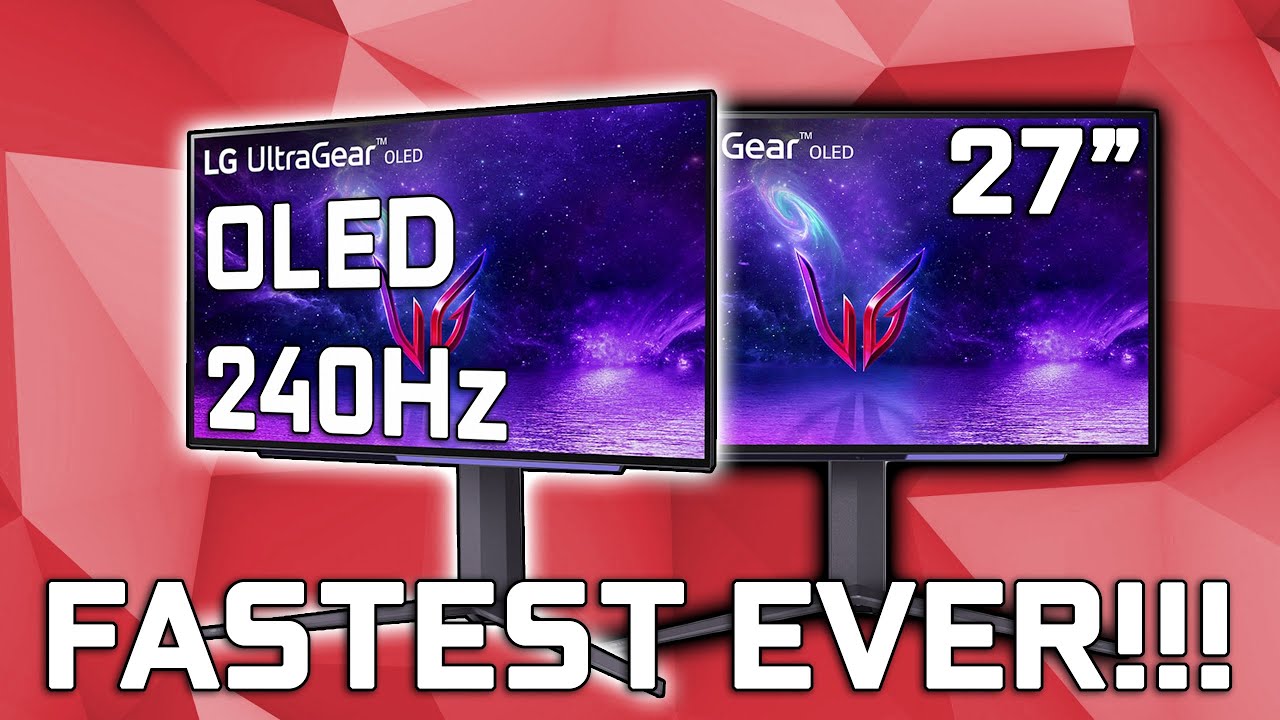
Thank you to Ruipro for sponsoring this video!
Checkout the Ruipro HDMI 2.1 Fiber Optic Cable: https://amzn.to/3Au82sS
Get access to all my ICC profiles & Discord: https://www.patreon.com/GraphicallyChallenged
Buy the LG 27” 27GR95QE-B: https://www.lg.com/us/monitors/lg-27gr95qe-b
Buy This Now - LG 27” 240Hz OLED 27GR95QE-B Review
Today I got ...
the very first review soo far
hey rommy. watch
fading wyvern
I do like oled and lg
But for 100-200 more you could have samsungs anti burn in qd oled
silent epoch
mmm
well thats why its 150 nits 90 percent of the time
its the high nit moments that causes burn it
fading wyvern
True
 fading wyvern
But you won’t
Qdoled is still superior just cuz of the fact it can hit peak brightness without the worry of burn in blah blah
But it’s nice to see lg coming out with a normal sized screen, 240hz oled must be amazing to look at
 wintry shadow
Sony a80j or Lg c2 for ps5? Help
small warren
Ooo, I think that's a C2 win.
If it was the A90J tho I believe that one is supposed to be a lot better
silent epoch

GameTyrant
Check out the new 27-inch QHD OLED panel gaming monitor coming in 2023!
Only $650
Pre-orders are live
misty gyro
"Only"
But still that looks very nice as long as there's no firmware issues
silent epoch
misty gyro
"Only"
But still that looks very nice as long as there's no firmware issues
It's a crowd funded project. As soon as it goes live, it will jump to over $1k.
misty gyro
Oh yes and the last crowd funded monitor went so well
 misty gyro
OH it's actually the same company that did the last one

Support us on Patreon: https://www.patreon.com/hardwareunboxed
Join us on Floatplane: https://www.floatplane.com/channel/HardwareUnboxed
Buy relevant products from Amazon, Newegg and others below:
Gigabyte M28U - https://geni.us/08xf
LG 27GN950 - https://geni.us/9Up4kXX
Asus VG28UQL1A - https://geni.us/N4HJ
MSI MPG321UR-QD - https://geni.us/PjV...
TL:DR on that was just buy a M28U
silent epoch
I see....
Hardware unboxed is my go to source. Ill watch
The m28u might be my next monitor.
misty gyro
The longer version of the video included an in depth look at just how sketchy the company is. They delayed the monitor by several months and refused refunds for example. That's what prompted people to call them a scam and HUB got interested. It took 3 months and $1350 AUD to get the monitor, and that was after the launch.
fading wyvern
Probably better off paying the extra 350 and getting the monitor from lg right away it’s gunna be the same panel but if anything goes wrong I’m sure lg will be quite a bit better about it
misty gyro
Yeah who knows if their estimated launch date will be pushed back again by 6 months
Then once it launches another 3 months for the order to be fulfilled
silent epoch
Pre-order canceled lol
tribal citrus
oh no
bright pond
fading wyvern
https://www.rtings.com/monitor/reviews/best/by-resolution/1440p-quad-hd-qhd I’d ...
Ended up going with the AW3423DWF didn’t realize that Alienware released a newer model that was cheaper and better in a lot of ways.
fading wyvern
bright pond
Ended up going with the AW3423DWF didn’t realize that Alienware released a newer...
!!!!! Congrats on the best monitor 
surreal quarry
this looks really juicy https://www.lg.com/us/monitors/lg-27gr95qe-b

LG USA
Preorder the New 27'' UltraGear™ OLED Gaming Monitor (27GR95QE-B) on LG.com/us. Gain a Competitive Advantage with a 240Hz Refresh Rate & 0.3ms Response Time.
looking forward to the rtings review i really want OLED lol
 raw ingot
fading wyvern
silent epoch
https://youtu.be/NMfwx8UPb7c
raw ingot
fading wyvern
silent epoch
https://youtu.be/NMfwx8UPb7c
It’s this review @raw ingot 👀
silent epoch
Oo
silent epoch
 silent epoch
i would really like to get one with monthly payments
but this is the first gen. the later models would mostly likely tackle higher brightness with a lesser chance of burn in despite already advertised as being very low
fading wyvern
Eh
 tribal citrus
Why not just get IPS
fading wyvern
perfect blacks exceptional response times and true hdr
 eager sinew
any good recommendations on cheap decent 4k monitors?
I was looking at this one: Dell S2721QS 27 Inch 4K UHD (3840 x 2160) IPS Ultra-Thin Bezel Monitor, AMD FreeSync (HDMI, DisplayPort), VESA Certified, Silver

27” lifestyle-inspired 4K UHD monitors that supports HDR content playback for an amazing entertainment experience.
silent epoch

Support us on Patreon: https://www.patreon.com/hardwareunboxed
Join us on Floatplane: https://www.floatplane.com/channel/HardwareUnboxed
Buy relevant products from Amazon, Newegg and others below:
Alienware AW3423DWF - https://geni.us/6Pecf
Alienware AW3423DW - https://geni.us/ymsAf
Cooler Master Tempest GP27Q - https://geni.us/A1pOm
Cooler Mas...
 warped sand
silent epoch
https://youtu.be/LuNvqnAdQQU
warped sand
silent epoch
https://youtu.be/LuNvqnAdQQU
Did they fix the burn in issue?
misty gyro
In one type of OLED yes
The rest of the types get a lot less than previous generations
warped sand
Which one?
misty gyro
I don't really remember perfectly but I think it was QD-OLED that has near zero burn in
It'll never go away as a problem completely, not without changing it fundamentally
warped sand
Only time can tell.
warped sand
misty gyro
I don't really remember perfectly but I think it was QD-OLED that has near zero ...

RON Infinitech
Samsung's fancy new S95B Television with their next-gen QD-OLED technology has shown substantial Burn-in within just three months of usage.
 tribal citrus
https://www.rtings.com/monitor/reviews/samsung/odyssey-neo-g8-s32bg85 is this good vs m32U

RTINGS.com
The Samsung Odyssey Neo G8 S32BG85 is the first 4k, 240Hz monitor available to the consumer market. It features a 1000R curve and is released alongside the Samsu...
this monitor is VA but i heard VA varies based on monitor
they also have G7
@silent epoch whats your opinion on mini LEDS in a monitor ik you guys talk about QLED and OLED OQ-LED
small warren
You mean woah led
silent epoch
lol
tribal citrus
silent epoch
its QD-OLED
lol
tribal citrus
silent epoch
and then we have WOLED
what the heck is WOLED
small warren
Woah led
silent epoch
it stands for white organic light emitting diode
its the type of oled thats known to be very prone burn it
and then we have the QD-OLEd
that's quantum dot tech
the blue filter layer of whatever is more efficent and allows more light to go through
tribal citrus
Oh my this is to big
 silent epoch
which in turn allows a brighter image than traditional WOLED
colors are more vibrant as well
qd-oled is the way
but the prices is disgusting
tribal citrus
well tbh I never seen or experienced these higher stuff so I think i'll just stick with IPS
silent epoch
oh and QLED is just a better version of LCD
tribal citrus
whats IPS then compared to QLED
silent epoch
qled has a better backlighting system which creates deeper blacks with a richer image i think
tribal citrus
well IG from a gaming standpoint what would be good
tribal citrus
Built with a 144hz refresh rate and 1ms response time panel, UHD(3840 x 2160) resolution, and G-sync Compatible technology, Optix MPG321QR-QD will give you the competitive edge you need to take down your opponents.
this
newegg has nothing sadge

I was maybe thinking about scrapping my 2 monitors have to get a 4k monitor for gaming
misty gyro
silent epoch
but the prices is disgusting
Give it 6 months we're getting more competition
misty gyro
tribal citrus
newegg has nothing sadge
QD-OLED doesn't exist at that size yet but Samsung is in early production
tribal citrus
oh so can i just get M32U then for gaming at 4k
misty gyro
Yes, then you're not spending $1500 on a monitor too
tribal citrus
misty gyro
Yes, then you're not spending $1500 on a monitor too
What about the G7 that's less money
misty gyro
Which G7, there's like 6
tribal citrus

Samsung Electronics America
Discover the latest features and innovations available in the 32 inches Odyssey Neo G7 4K UHD 165Hz 1ms Quantum HDR2000 Curved Gaming Monitor.
@misty gyro this one
newegg list as $999
G7 is 165hz while G8 is 240hz
misty gyro
You know that's VA right
tribal citrus
yea but someone said not all VA panels are the same'
misty gyro
True enough
In general VA has better contrast but IPS has better colors and color depth
tribal citrus
plus maybe HDR will make it look better
tribal citrus
misty gyro
In general VA has better contrast but IPS has better colors and color depth
yea I did switch back to my IPS bc it made stuff look brighter
but yea personally i might just stick with IPS
misty gyro
I really don't think it's worth the price difference, even for the better HDR
https://www.rtings.com/monitor/tools/compare/gigabyte-m32u-vs-samsung-odyssey-neo-g7-s32bg75/27393/33691?usage=3623&threshold=0.10

RTINGS.com
The Gigabyte M32U and the Samsung Odyssey Neo G7 S32BG75 are both 4k, 32-inch gaming monitors with a few advantages and disadvantages. The Gigabyte is the better choice if you want something for co-op gaming as it has wide viewing angles, while the Samsung performs better in dark rooms as it has improved local dimming and better contrast. The Sa...
8.6 score in gaming vs 8.8 isn't worth $400
tribal citrus
yea
gilded aurora
Okay anyone know why whnever i open a new tab or full screen on my monitor on google chrome it freezes for a few secs then stops
 floral shoal
is there a reason this is 20 dollars cheaper than

this one

seems like the first one is better at least to me
errant edge
floral shoal
seems like the first one is better at least to me
I'd check pricing on g24f and g241 vs those two
floral shoal
errant edge
I'd check pricing on g24f and g241 vs those two
gigabyte g24f?
errant edge
Yes
floral shoal
out of stock😵💫
my friend wants to get a new pc but is figuring out which monitor to get
errant edge
floral shoal
my friend wants to get a new pc but is figuring out which monitor to get
Have they bought the pc yet?
And are they building or buying a pre built
floral shoal
im trying to figure out what to build for them that’s why i’m trying to make him go for 120hz cause his budget is 1.5k
errant edge
floral shoal
im trying to figure out what to build for them that’s why i’m trying to make him...
I'll make a list, is 1.5k including just pc and monitor, or other things too
floral shoal
well i want to fit his pc with a 3080 it’s just i’m still quite new to pc building so im not 100% sure how realistic it’d be for him to play triple a titles at 160hz for that price
errant edge
Is he fine with a used gpu?
floral shoal
lemme see
errant edge
and is he using ethernet, or does he need wifi
last question, does he care about looks?
errant edge
kk
Part List - Intel Core i5-12400F, Phanteks Eclipse G360A ATX Mid Tower
the monitor could be better, but the ones i normally recommend are out of stock rn
x27q, x32, g27q, m27q, m27q-p
errant edge
floral shoal
i can see how a new gpu will easily go over budget😵💫
yeah, high 30 series and 6000 series prices have gone up
floral shoal
what made you deviate from an amd cpu?
floral shoal
oooooh yeah i’ve heard that a lot
errant edge
if 5600 goes back down to $130 id go for that
floral shoal
dang so prices are going up again?
floral shoal
that’s true, at least it’s not as bad as the gpu shortage🙃
im gonna see what they think about a used gpu cause they’re taking forever to reply😪
misty gyro
Currently that "GPU shortage" is just because scalpers are still buying them all and struggling to resell at ridiculous prices
If you go in a physical store like microcenter they'll have plenty
floral shoal
very true
so he says he could buy an ethernet cable and that he’s okay with a used gpu
misty gyro
It was rather amusing seeing the scalpers trying to return 100 3080s before the return window closed because they couldn't sell them
floral shoal
misty gyro
It was rather amusing seeing the scalpers trying to return 100 3080s before the ...
they deserved it😪
misty gyro
I saw Newegg refusing some of the returns too lol
floral shoal
that’s good hopefully it makes people less likely to try scalping in the future
small warren
@silent epoch
silent epoch

sonic vapor
GUYS! What is the absolute BEST and BIGGEST TV that $800 can buy? More importantly, what mixture of Deep Color, Response Time, and other premium features + General Size would be the optimum mixture for $800?
tribal citrus
misty gyro
It was rather amusing seeing the scalpers trying to return 100 3080s before the ...
they tried haha
fading wyvern
sonic vapor
GUYS! What is the absolute BEST and BIGGEST TV that $800 can buy? More important...
if we’re going off size alone a decent throw and bright 1080p projector would technically be the biggest, but let’s see. https://www.bestbuy.com/site/hisense-75-class-u6h-series-quantum-uled-4k-uhd-smart-google-tv/6505546.p?skuId=6505546
75inch older but well reviewed Hisense

RTINGS.com
The Hisense U6H is a budget-friendly 4k TV. It's the entry-level model in Hisense's ULED lineup, which is their flagship 4k lineup that uses quantum dot technolo...
 pure kraken
can someone point me in the right direction how to download/install the profile rtings website gives for my monitor?
fading wyvern

RTINGS.com
There are many ways to calibrate a monitor. The most common and accurate method employs a calibration tool: a calibrated tristimulus colorimeter.
It goes over icc a bit from what I glimpsed
sonic vapor
fading wyvern
<:pepehmmm:903335097305034783> if we’re going off size alone a decent throw and ...
pure kraken
fading wyvern
It goes over icc a bit from what I glimpsed
thank you
fading wyvern
sonic vapor
https://www.bestbuy.com/site/lg-75-class-up7300puc-led-4k-uhd-smart-webos-tv/651...
Here’s a direct comparison https://www.rtings.com/tv/tools/compare/lg-up7000-vs-hisense-u6h/22979/33530?usage=1&threshold=0.10
RTINGS.com
Compare the LG UP7000 and Hisense U6H TVs
Basically the Hisense decimates it if it’s tldr
sonic vapor
I see
Basically I'm using this TV as a PC Monitor
BUT am not playing games on it, rather just using it to watch shows and have easier accessible content
fading wyvern
Ah it’ll be perfectly fine for that it’s even has decent hdr. Did notice a small asterisk, looks like it does hdmi 2.0 input instead of 2.1 but that’ll be fine for 4k 60hz
sonic vapor
fading wyvern
Ah it’ll be perfectly fine for that it’s even has decent hdr. Did notice a small...
Do we have any other TVs?
I don't know what to look for in a good TV
tribal citrus
Would a tv be worth it to watch stuff on vs a monitor
fading wyvern
Depends
sonic vapor
I know I want a big 4k tv
But i don't know what makes one good
I don't know what separates good from not good
fading wyvern
Built in decent speakers and good distance help with watching experiences
fading wyvern
Okay so there’s a bunch of technologies that are out, basically top tier atm is qdoled (quantum dot oled) and oled (LGs version)
fading wyvern
They are both excellent in every way but the lg has a minor burn in issue
Samsungs qdoled is basically claiming to fix that
The tv I linked is a good budget qd led screen
Aka older tech but it use to be top of the line
Oleds and qdoleds have the advantage of having perfect blacks where everything else just doesn’t
You could read more about your options on rtings if you don’t want my haphazardly typed on my phone explanations
sonic vapor
That old Hisense is quantum dot led?
And no worries at all I appreciate your expertise
fading wyvern
Yeah it’s quantum dot led, a huge array of pixels that have their own little backlight zones
So contrast and hdr will look great on it
sonic vapor
holy crap
fading wyvern
Not as good as oled or qdoled
fading wyvern
No
sonic vapor
damn
fading wyvern
Besides that monitor
sonic vapor
what's the starting price on that
fading wyvern
Oh god
sonic vapor
qdoled tvs
fading wyvern
One sec
sonic vapor
like 4k?
fading wyvern
Like 1-2k probably
sonic vapor
oh dang
60 doesn't cut it
hmmmmmmmmmmmm
I'm looking for a crazy nice 75"
But also might want to save money
have any good recommendations for the $500 range?
fading wyvern
Eh that’s super budget range
sonic vapor
hmmm I see
Well what about those $260 4k tvs?
Are those a joke, in your experienced eyes?
fading wyvern

RTINGS.com
The best budget TV we've tested is the Hisense U6H. It's a very good overall TV that offers great value for its cost, and it has features and performance that some more expensive options can't match.
They probably aren’t very good, I’d look through rtings list before choosing anything
misty gyro
sonic vapor
Are those a joke, in your experienced eyes?
Yes they are a joke. Barest minimum features to look good on the box but crap colors, motion blur is awful, only 60Hz so bad for monitors...
sonic vapor
I see now I see
Well what makes the difference between a "Real 4k tv and one of those?
And where can I get a *real * one for a pretty good price?
misty gyro
Better ones have better processing and filters. The majority of content is still not 4k so it has to be upscaled, sharpened, etc.
The link not darvan gave is a great one to look at. Here's the 75 inch version of their top pick for example, $798 https://www.amazon.com/gp/product/B09YVTQ7JJ?tag=rtings-tv-r-amazon-20&ie=UTF8&th=1&psc=1

Hisense continues its tradition of bringing affordable televisions with the latest technologies to the masses in the U6H series. In 2021, the U6G series made Quantum Dot Wide Color Gamut more accessible to the masses. In 2022, the U6H series expands on picture quality and audio upgrades and makes...
Best buy has it at the same price, much less likely to be smashed on delivery too
sonic vapor
Alrighty, I think I might get it then!
Is it really worth to get it though?
I am pretty happy with my current tv at 55in and 1080p
misty gyro
If you're happy with what you have, you don't need to upgrade. I only upgraded because my old TV was starting to fall apart. I ended up giving it to the babysitter as a tip lol.
sonic vapor
Niceeeeee
The thing is
I need a replacement
Selling the old tv for $800
But don’t know if I need to go all out
misty gyro
Then I'd go for a nice one if you're in the market.
sonic vapor
If I can have a few leftover bucks it’d be awesome
What other things could convince me? Is there something nice about the Hisense?
Would it last me a long time?
Just how amazing is the picture? Would we expect 8k tvs anytime soon?
misty gyro
They don't make them like they did even a decade ago. If you want it to last more than a couple years, and then the day warranty ends it breaks, then you need to spend a bit more than the cheap ones.
sonic vapor
Futureproofing questions I suppose
misty gyro
8k is still impractical. It exists but honestly most people can't tell the difference.
sonic vapor
I see I see
Are there any other hard reason that I can use to convince myself to get this tv
misty gyro
You'd need a screen the size of a home theater to tell between 4k and 8k
sonic vapor
Oh snap haha
misty gyro
Smart features are nice, no more using your ps5/Xbox as media players
sonic vapor
My media player is my main pc
misty gyro
I can vouch for Google tv since I have one
sonic vapor
11400f + EVGA 3070 FTW
So what else should I know about this TV?
What else can be said about it
misty gyro
If you're going to be gaming on it you'll want one that's 120Hz
Hang on I'll find another good one
misty gyro
And not that crappy AI smoothed "120Hz" that's actually 60
sonic vapor
my current one is almost a full second
small warren
Haha I've tried that fake 120hz
True motion
You like seeing triple of everything?
That's the whole experience
60hz looks way better on those displays
misty gyro
Ok, this one is only 65" but it's one of the best in class and only $700 right now https://www.bestbuy.com/site/tcl-65-class-6-series-mini-led-qled-4k-uhd-smart-google-tv/6470277.p?skuId=6470277

Best Buy
Shop TCL 65" Class 6-Series Mini-LED QLED 4K UHD Smart Google TV at Best Buy. Find low everyday prices and buy online for delivery or in-store pick-up. Price Match Guarantee.

RTINGS.com
The TCL 6 Series/R646 2021 QLED is a 4k TV with Mini LED backlighting. It's part of the 6 Series lineup that includes the TCL 6 Series/R655 2022 QLED, with one o...
It's rare that anything gets this high of marks across the board on that website

8.8 in movies is fabulous, 8.9 in gaming is unheard of outside OLED
sonic vapor
misty gyro
Ok, this one is only 65" but it's one of the best in class and only $700 right n...
Hold on, isn’t TCL notorious for being terrible?
misty gyro

Every brand makes good and bad
I have a similar model of the same brand, just the year before, and it's great. Occasional hiccups in the OS but that's any smart tv.
misty gyro
Useless in DDR5 yeah
small warren
Fairly useless in ddr4 too
misty gyro
Debatable
small warren
Only consequential timings are the benefits, not the tcl itself
sonic vapor
misty gyro
<:modelbrand:743668525922648165>
i see
so what do you recommend
this 65" for $700 or the 75" for $800?
small warren
If the 65 is rated as highly as it is on rtings? It's doing really well for itself
Rtings is a pretty strong source for display recc's
fading wyvern
I’d go with the 65
misty gyro
Same
You said you wanted a few bucks leftover and you're happy enough at 55" so 65" will be great
gilded aurora
okay my monito rstill freezes
fading wyvern
silent epoch
<:HUH:1057685669964697601>
Plug in a different monitor, if it’s still freezing it might be your pc
silent epoch
For most people
fading wyvern
Wrong reply
silent epoch
Lol
fading wyvern
I give up
fading wyvern
No
silent epoch
😔
fading wyvern
It’s staying like that I’m just gunna tag them in a reply to a reply
fading wyvern
fading wyvern
Plug in a different monitor, if it’s still freezing it might be your pc <:HUH:10...
@gilded aurora
silent epoch

fading wyvern
