#old-cooling
1 messages · Page 66 of 1
 knotty sparrow
 remote flare
is it possible to plug an aio pump into a cpu fan header? Because my motherboard...
remote flare
is it possible to plug an aio pump into a cpu fan header? Because my motherboard...
Yes. You'll want to manually set the header the pump is on at 100%. The only practical difference between a pump and normal header is the pump header automatically does 100%.
remote flare
okay thank you so much
does the fact that the cpu header is 4 pin and the aio pump plug is 3 pin make a difference?
knotty sparrow
Nope no difference. If your motherboard has a setting for DC mode or PWM mode, DC is the 3 pin
remote flare
okay thank you
 topaz blaze
Hey would this be the right place to get advice on a cpu cooler issue im having?
knotty sparrow
Absolutely a good place. What's the issue?
topaz blaze
not entirely sure, ill post some videos
was getting a weird noise
nevermind cant post videos
noticed a weird noise coming from my PC, took a look and saw the CPU cooler was behaving weird.. it was kind of shaking then it seemed to be slowing down, almost stopping
then it went back to normal..
its a newegg prebuilt if it matters
knotty sparrow
DM me the link, you need to level up to post 'em
topaz blaze
gotcha dm'd you!
knotty sparrow
It sounds like a fan curve maybe. We can test that by setting it to a manual speed
That definitely sounds weird. How long ago did you get it?
topaz blaze
its quite new
knotty sparrow
Like within return period new or within warranty period new?
topaz blaze
got it beginning of march
yeah definitely
within warranty for sure
but its such a hassle 😦
knotty sparrow
Ok return period is normally 30 days or less, but if you put in a warranty claim and send them those same videos they should approve it. You can also suggest they send a new cooler instead of shipping the entire thing back and forth, which will save both you and the company time and money.
topaz blaze
awesome!
it turns out its an ABS prebuilt sold by newegg
and i looked them up and they offer that pretty standard it seems (send me a replacement part for self-repair)
 barren hamlet
11900k should've came with this
 topaz blaze
@knotty sparrow thanks very much for the help dude!
knotty sparrow
Nice! Glad I could help, and I'm glad they offer that service too since that only makes sense.
 river orchid
weird request- Anyone know of a socket g34 waterblock? it has 2 mounting screws, I can send a pic if needed
knotty sparrow
river orchid
weird request- Anyone know of a socket g34 waterblock? it has 2 mounting screws,...
It doesn't look like anything is available for that. There was one but it's been out of production for years. You could always 3D print your own bracket.
river orchid
knotty sparrow
It doesn't look like anything is available for that. There was one but it's been...
alright, thank you, do you happen to know of the model of the one out of production? I want to see if its possible to find one used
knotty sparrow

EKWB - Premium Liquid Cooling solutions
EK-Supremacy AMD C32/G34 is the ultimate water block for server- & workstation type motherboards featuring one or more AMD C32- or G34 sockets. Included PreciseMount mechanism offers error-preventing, tool-less installation - the result is a perfect installation which results in optimal performance every time.
river orchid
Thank you
 vivid citrus
 barren hamlet
ok
 distant folio
When you change your cooler do you have to take the motherboard out of the case or no
Most videos have it out but idk if that is just for the video or if that is how you are supposed to do it
 knotty eagle
Depends on the case and the cooler
If the case has a backplane cutout for the cooler, no. If it doesn't have a cutout and you need to change the backplate, then yes
knotty eagle
Again, depends on the cooler
if it clips in, then no
If it screws in, then yes
Every board has a backplate
distant folio
Ok mine has screws so I have to take it out thx for the help
knotty eagle
Is there a cut out on the back of the motherboard tray for the back plate tho>?
SOme cases have it
distant folio
This? Sry this is my first upgrade so idk what I’m doing
 distant folio
Oh yay thx
Sry if I’m bothering but why does there have to be a cutout if all I’m doing is screwing these in
 knotty eagle
Because if you loosen the screws the bracket can fall off
And you have to loosen all of them to get rid of the plastic bracket
distant folio
Ohhh thanks again I’m young and interested so I ask a lot questions
knotty eagle
No worries
 low pumice
questions are good
distant folio
Oh than one last question is there such thing as making your cpu too cold because right now with the stock cooler it gets around 55 load temps with about 1000-1500 rpm so I expect it too be around 45 degrees so is that to cold
I’m pretty much just upgrading because my stock cooler started making a hissing sound it the new one looks better too
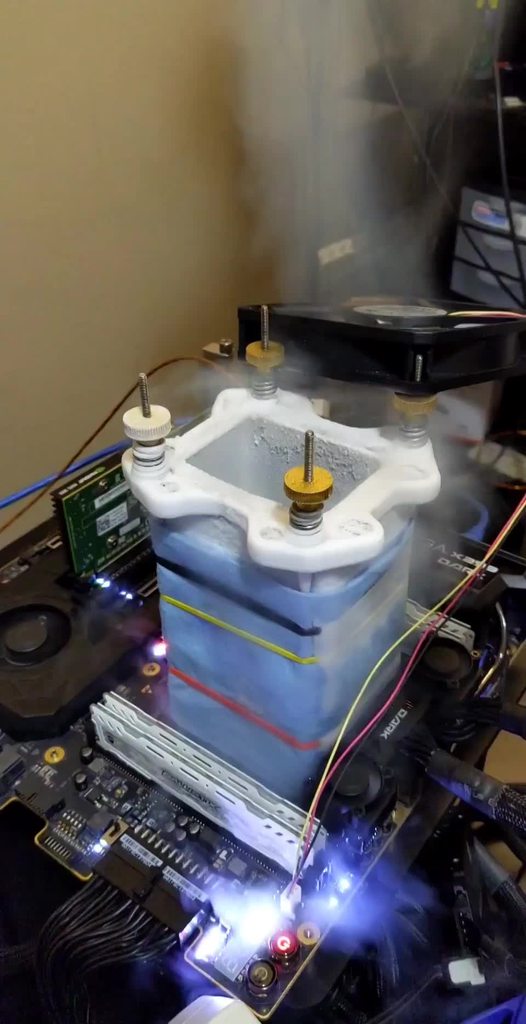 distant folio
Holy
low pumice
and no, there is no too cold, at least there shouldn't be a "too cold" unless there's a bug
 slender cairn
barren hamlet
11900k should've came with this
slender cairn
barren hamlet
11900k should've came with this
who in the world has an INTEL aio
barren hamlet
slender cairn
who in the world has an INTEL aio
few people
slender cairn
barren hamlet
few people
few people no one
i didnt even know that they existed unitl like yesterday
 blazing laurel
hello I have a question, what is the best air cooling for the Ryzen 7 5800X , and what the temps?
low pumice
Well, you can't really predict temps too well, but we could point you towards some of the best air coolers on the market. All of them are ~100$ max.
Dark Rock Pro 4/NH-D15, huge bois, can block ram, need to check dimensions and clearance
NH-U12a, A bit less huge, still great cooling, shouldn't block ram.
Fuma 2, More like size of NH-U12a, only slight issue is that it's too quiet (Fans are lower rpm, max rpm is quite low, leading to worse performance than others when noise isn't taken into account)
 idle tiger
river orchid
weird request- Anyone know of a socket g34 waterblock? it has 2 mounting screws,...
idle tiger
river orchid
weird request- Anyone know of a socket g34 waterblock? it has 2 mounting screws,...
Why would you do such a thing?

HWBOT
The 4x Opteron 6272 @ 4200MHzscores getScoreFormatted in the Cinebench - R15 benchmark. terrabyteranks #22 worldwide and #1 in the hardware class. Find out more at HWBOT.

I think someone else used modded EK aios
topaz blaze
idle tiger

idle tiger
what
river orchid
idle tiger
Why would you do such a thing?
Bc I have some old af servers and I’m trying to do a multi system water loop
idle tiger
TBH, I was tempted to do that myself at one point for benching - then decided the whole platform is kinda ewaste in 2019
idle tiger
low pumice
-190c LN2 oc
x299 coldbugs around -100c
river orchid
idle tiger
TBH, I was tempted to do that myself at one point for benching - then decided th...
Ye, I agree, but I’m just kinda messing around with some vms and stuff
But servers are loud
So I wanna try water cooling if I can find the blocks
low pumice
idle tiger
x299 coldbugs around -100c
ye, anyways, what do you think about the AS SSD benches on hwbot?
free points?
knotty sparrow
river orchid
But servers are loud
Yes they are, they're meant to be high airflow and locked in a server room, not your office.
river orchid
Yeah I know, I’m just trying to figure out ways to limit the noise
And I just wanna do a loop for fun :p
idle tiger
low pumice
ye, anyways, what do you think about the AS SSD benches on hwbot?
Never looked into them
low pumice
just seems like free points to me
idle tiger
river orchid
And I just wanna do a loop for fun :p
This is the only correct reason to water loop G34 socket imo
low pumice
since WR is done on some phison e16 drive
assuming AS SSD measures seq perf
e18 drives might get you a WR
knotty sparrow
I still say 3D print a custom bracket or adapter
idle tiger
I'd instead take an all metal am4 block and try mod it
Something cheapo, but metal like this https://freezemod.com/product-category/water-cooling-block/cpu-block/
river orchid
Ok, thank you
barren hamlet
idle tiger
specs?
idle tiger
Not mine - just posted the pic from the sub I linked right above that
But it's 4x opteron 6272 16 cores each
LOL no
knotty sparrow
It's all threadripper and epyc now
barren hamlet
knotty sparrow
It's all threadripper and epyc now
xeon: sadness noises
knotty sparrow
Xeon needs to go sit in a corner and think about its life
idle tiger
Last 'real' gen of opteron was 63xx in 2013
barren hamlet
knotty sparrow
Xeon needs to go sit in a corner and think about its life
they dont even have a real 64c cpu
idle tiger
Hardly a server cpu but sure lol
idle tiger
It's an 8180 with a low bin imc
barren hamlet
8180 dummy expensive tho
idle tiger
The 9282 is two 8180's on one package
barren hamlet
10k for 28 core no thanks ill get a 3975WX
idle tiger
Intel® Xeon® Gold 6258R Processor (38.5M Cache, 2.70 GHz) quick reference guide including specifications, features, pricing, compatibility, design documentation, ordering codes, spec codes and more.
Only need 8180 if you need >2 socket support or huge memory addressing
These are a great deal for homelab imo https://www.ebay.com/itm/Intel-xeon-QS-Platinum-8276L-M-server-processor-28core-2-2G-CPU-LGA-3647-QPJT/363244848870

$1600 28c
river orchid
Me with Xeon X5650s
 deft star
whats the difference between a 1 fan d15 and a 2 fan d15
Already have it so cant buy the d15s
or whatever it is
deft star
low pumice
take a fan off
but whats the temp difference running 9900k at 4.0 all core
 stiff crypt
low pumice
Well, you can't really predict temps too well, but we could point you towards so...
stiff crypt
low pumice
Well, you can't really predict temps too well, but we could point you towards so...
Fuma 2 isn't very quiet, that's ninja 5
low pumice
did you type the wrong number
deft star
low pumice
9900k at ***4ghz*** all core?
yes
low pumice
@stiff crypt fuma 2 same issue, it's better, but full fan speed testing can't compete still
Ninja 5 is worse
ninja can't even get to noise level for GN noise normalized testing
stiff crypt
low pumice
<@!745865706964385814> fuma 2 same issue, it's better, but full fan speed testin...
are you sure?

it seems okay to me
low pumice
ahem
full speed
not noise normalized
vintage convinced me to the dark side of full speed testing
or at least considering it
stiff crypt
still not much worse
 stiff crypt
4 degrees 
stiff crypt
it really won't matter for him lol
those are already decent temps
it's a 3950x overclocked
what does he have?
low pumice
read the message again mebbe
it's a slight issue
not a huge issue
and remember
@stiff crypt the question was "best" :D
our favorite word
prob
stiff crypt
yes lol
low pumice
deck reddit guy
well maybe not just reddit
overclocking discord at least
and borg
stiff crypt
I dont think ive ever even talked ocne in the borg
stiff crypt

The Arctic Freezer 50 (non-TR version) really needs some work. Arctic has a strong liquid cooling CPU cooler lineup, but this air cooler has pressure and assembly weaknesses.
Sponsor: Buy Thermaltake's Tower 100 Mini-ITX case on Amazon (https://geni.us/TuAASGt)
Watch our AMD Offset Cooler Benchmark: https://www.youtube.com/watch?v=xCxqITPtXXA
L...

TL;DR- the effective heatsink area is smaller than it appears due to excessive plastic and the mounting bracket on the outer edges is contacting the IHS with higher pressure than the heat-pipes themselves...
it also blows out the scale in terms of coldplate (un)flatness

 tropic vortex
anyone know whats causing this inside my lian li o11 dynamic interior glass i just bought it two days ago and it was crystal clear no cleaning needed.
Top: NZXT Z73 AIO - Exhaust
Bottom: 3 x Silent Wings 3 : Intake
Side Panel: 3 x Silent Wings 3: Exhaust

 boreal sphinx
Someone allready told you what and how to fix it in #cases-psu-and-cooling
distant folio
Anyone know a way to cool down the rx 590 I made it so it hits 70 but i noticed people’s reaching 50-60 under load and can’t really find a way to make mine cooler
stiff crypt
distant folio
Anyone know a way to cool down the rx 590 I made it so it hits 70 but i noticed ...
Raise fans
undervolt
 shrewd juniper
Be careful changing voltage tho
Also improve case airflow, if you have something like an h510 you're kinda just out of luck apart from aggressive fan curve
distant folio
Ok I watched a video on undervolting and it said to lower the voltage by 10 then do a test bench and do that until the test bench crashes then just change it to the lowest voltage without crashing is that how you do it
And my case is the the cooler master mb311L and I have 3 fans on it so I think my airflow is fine
 elfin current
Which version should I get?
 elfin current
How do you adjust fan speed? Is it an app?
knotty eagle
12 volt 4 pin
elfin current
Ty
 old jacinth
Anybody know if the Artic P12 RGB fans are compatible with any major RGB softwares?
stiff crypt
shrewd juniper
Be careful changing voltage tho
lol it isn't something that's very hard to do, nor can you mess up with if you have the slightest idea of what you plan to do
knotty sparrow
Increasing voltage is the one thing that carries the most risk when overclocking. Decreasing voltage, not nearly as risky.
shrewd juniper
stiff crypt
lol it isn't something that's very hard to do, nor can you mess up with if you h...
Yeah true but being careful does no harm
low pumice
Iirc flx was the 5v version so be careful
 mighty schooner
Ok is it normal to be pushing 90°C underload.
 tired fog
no not really unless you're on a laptop or a relatively small build
shrewd juniper
mighty schooner
Ok is it normal to be pushing 90°C underload.
Depends on cpu but not good, mb using stock cooler with i7 or ryzen 7 r sum
mighty schooner
shrewd juniper
Depends on cpu but not good, mb using stock cooler with i7 or ryzen 7 r sum
Stock cooler with ryzen 5 3600
shrewd juniper
mighty schooner
Stock cooler with ryzen 5 3600
Not good, make sure the mounting pressure is okay, did you tighten screws in cross pattern?
mighty schooner
Yes. Ive been running for about 3 months like that... So not good?
knotty sparrow
You shouldn't be hitting 90 ever on a 3600 unless you have a bad mount like patokav said or really bad airflow
shrewd juniper
My stock cooler on 3600 could get 90 if i left stress for hours probs but 100% load for hours in a nzxt case
mighty schooner
I got a cheap corsair case
shrewd juniper
That's fine
knotty sparrow
H510?
shrewd juniper
knotty sparrow
H510?
S340
knotty sparrow
Lag, I typed that a minute before
mighty schooner
I stream OBS, with discord, steam and modded minecraft... Not too much load. I only hit like 40% usage
I have a New cooler coming. Will it help?
@shrewd juniper
shrewd juniper
Yes if it's a tower cooler of some sort but most likely it was just a bad mount on your stock cooler, i would recommend trying to fix that even before your new one arrives
 vagrant mesa
guys i still dont get it, liquid cooling just seems pointless as 70 dollar air coolers surpass the 150 dollar liquid coolers and help get better airflow(cuz u got no radiator blocking the front or top fans)
knotty eagle
Not really
knotty eagle
Look at Gamers Nexus cooling benchmarks and reviews
vagrant mesa
can u send a link?
knotty eagle
Trying to find it
vagrant mesa
wdym
knotty eagle
Also, there are things like Time to Soak, IE TTS
Liquid takes a lot longer to heat soak than air coolers
knotty eagle
meaning short workloads don't get as hot
IE, air cooler gets max temp in a minute
Where liquid cooling could take 10-15 minutes to see max temps
or longer
vagrant mesa
yeah but i saw some benchmarks where a 360 liquid cooler was beaten by a 70 dollar air cooler eith 2 hours workload (just by a tiny bit)
low pumice
vagrant mesa
guys i still dont get it, liquid cooling just seems pointless as 70 dollar air c...
and tbh that's why we don't recommend most mainstream aios that DON'T perform well
 knotty eagle

Today, we’re reviewing the EK AIO 360 and 240 closed-loop liquid coolers for thermals, noise, noise-normalized thermals, coldplate levelness, efficacy on Intel and AMD platforms, and more. -
low pumice
Because they perform very well and outperform the air coolers
vagrant mesa
knotty eagle
Then it was a crappy 360mm AIO
corsairs new one KEKW
low pumice
h150i kinda not great
vagrant mesa
oh
low pumice
just quick chart
 vagrant mesa
seems bad
low pumice
clc 280, the 280mm one, outperforms it by a good bit
vagrant mesa
i also saw a coolermaster 360one
idk exact one
but yeah
beat the aircooler by a small margin
low pumice
Tweaktown review, yea it's decent, but MUGEN 5 REV B AND D15 are above it

 vagrant mesa
yeah
low pumice
Quiet is like bottom of chart
vagrant mesa
anyway
low pumice
but yea
Good air cooler beats mediocre/bad aios
that's a given
that's why we don't recommend mediocre/bad aios unless it's a nice sale
vagrant mesa
is it worth it to pay 70 bucks for a liqui one?
low pumice
Freezer ii for like 130$
vagrant mesa
yeah
knotty eagle
Or EK 240mm for the same but RGB
low pumice
it's back in stock so I'm happy as heck for freezer ii
https://www.amazon.com/dp/B07WNJCVNW
knotty eagle
I'm really tempted to buy and compare to my EVGA CLC
vagrant mesa
like would you choose a 70noctua or beaquiet for this?
low pumice
It's all dependent on budget and needs
knotty eagle
I prefer AIO's for looks and cleanliness and ease of installation
SOme air coolers are a PITA to install
low pumice
If you're trying to cool like a 1600, ofc, no reason to spend for a 360mm aio, any decent air cooler will do it
low pumice
if you're trying to cool a 5900x or something, ofc there'd be more emphasis on getting aio, but a good air cooler like u12a can still do it
same thing applies
1600 can't get that hot
PLs are a thing
low pumice
from what
topaz blaze
do you plan to manually overclock?
low pumice
good air cooler to aio?
vagrant mesa
idk
low pumice
indistinguishable at stock
vagrant mesa
good air cooler
low pumice
0 guaranteed performance gain
topaz blaze
id go air
vagrant mesa
yeau
low pumice
just for looks and oc
vagrant mesa
so is it really worth the hastle for the aio?
topaz blaze
cheaper aios are quite loud compared to large air coolers
low pumice
since boosting and ocing can be temp limited
low pumice
low pumice
It's all dependent on budget and needs
@vagrant mesa :D
topaz blaze
water and pump noise not fun
topaz blaze
i mean its minor ofc, but relative to air its air wins
vagrant mesa
i mean the budget spent
low pumice
I think they mean hassle in terms of costs
but also depends heavily on specific product
low pumice
@knotty eagle there's painless installation like with Noctua coolers, 2 brackets, 2 screws, basically done. There's also painful installations out there, both air coolers and aios alike.
vagrant mesa
wait i saw a video where somebody ocd a i9 9900k with stock cooler
lol
and it actually worked
🤣
low pumice
4 screws, 2 mounting bars, 4 spacers, that's it
https://youtu.be/OgRC6AzYhsY
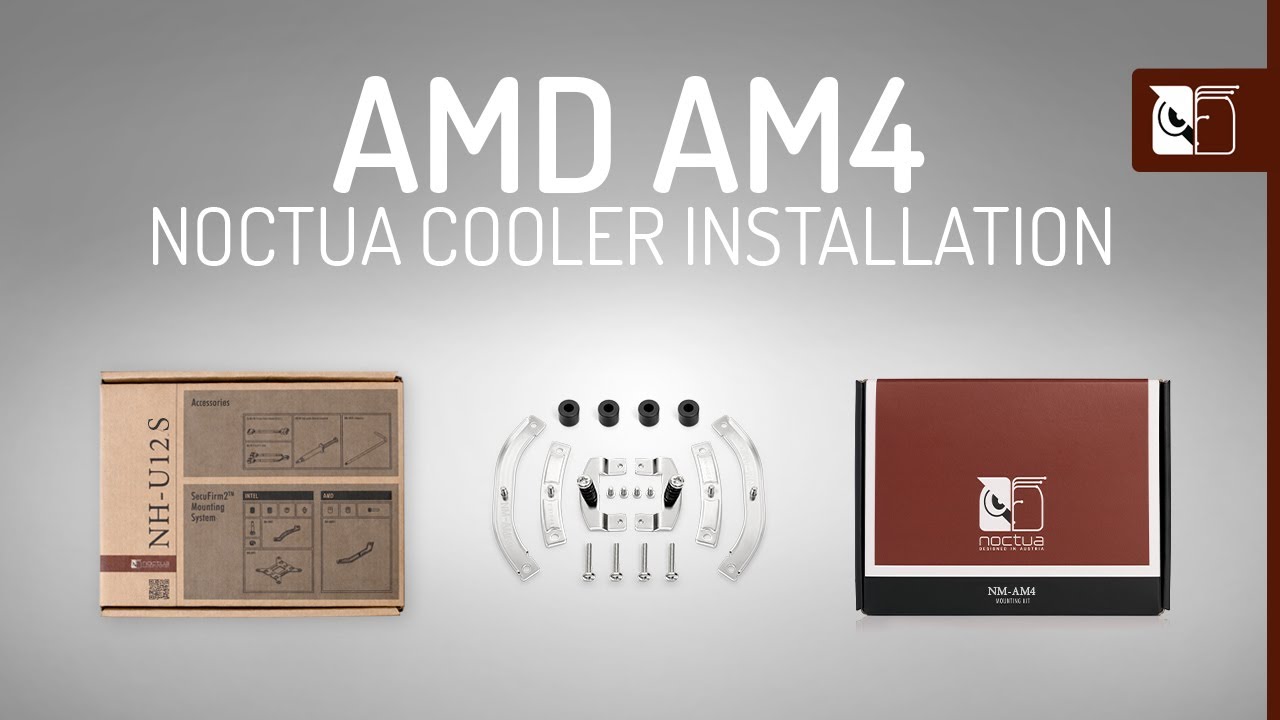
Noctua’s SecuFirm™ mounting systems are renowned to be among the most convenient on the market. This video shows how to install Noctua CPU coolers on the AM4 socket of AMD’s Ryzen platform using the NH-U12S heatsink as an example. The installation process is the same for the NM-AM4 and NM-AM4-UxS upgrade-kits as well as the NH-D15 SE-AM4, NH-U12...
I'd say that's simpler than most AIO installations, considering needing to screw in rad
knotty eagle
low pumice
4 screws, 2 mounting bars, 4 spacers, that's it
https://youtu.be/OgRC6AzYhsY
My AIO was just 4 screws and the stock backplate lol
low pumice
yea, Noctua also stock backplate
anyways, it's a lot less hassle imo because of need to install radiator @knotty eagle
it just seems like a huge hassle to have to mount it inside the case
knotty eagle
You're gonna install fans up there anyway right?
knotty eagle
Looks so clean tho.
 knotty eagle
low pumice
you'd install fans when the mobo is NOT inside the case
knotty eagle
low pumice
you'd install fans when the mobo is NOT inside the case
Same for an AIO lol
Install fans and rad first
vagrant mesa
knotty eagle
Looks so clean tho.
ur gpu might suffocate a bit, but all in all it looks pog
knotty eagle
vagrant mesa
ur gpu might suffocate a bit, but all in all it looks pog
not in the least
2.5" clearance
65C full load
vagrant mesa
true
low pumice
good vert mounts leave lots of clearance
good vert mounts can even be better for airflow
vagrant mesa
but what if you dont have only 2.5 clearance?
like more than that
that might help right?
low pumice
wat
low pumice
are we talking about vert mount still?
low pumice
oh
knotty eagle
Also, it's not vert mount anymore XD
I put it straight in the slot to try BAR on 4.0
knotty eagle
Didn't seem to do much, might go back to vert mount to see if PCI-E 3.0 supports BAR
Cuz there's no word on that I can find other than PCI-E 3.0 spec has BAR support
knotty eagle
Might swap it for the Arctifc Freezer, IDK yet
vagrant mesa
id say this looks very slick
knotty eagle
WAY TOO NOISY
topaz blaze
the ek240 is wonderfully silent
even at 240w tdp full load
i can only imagine the 280 or 360
knotty eagle
low pumice
clc360 isn't worth swapping for freezer imo
I could give it to my wife and push her 10600K to 5.2 lol
topaz blaze
knotty eagle
I could give it to my wife and push her 10600K to 5.2 lol
push it to 6ghz and subzero cool it
slender cairn
how many times would you say my pentium hits 100 degrees c just because i watched a video with my charger plugged in
topaz blaze
slender cairn
how many times would you say my pentium hits 100 degrees c just because i watche...
4
4 times
slender cairn
yea thats a good estimate
 naive ferry
yo my case fans are giving out so i have an opportunity to upgrade my cooling, should i stay air cooled with passive front fans and a cryorig c7 or go for like a corsair 360 aio? I'm cooling a 9900k at around 4.8 boost
topaz blaze
Anyone try Inwin case fans before? Are they good for their price?
knotty sparrow
topaz blaze
Anyone try Inwin case fans before? Are they good for their price?
They're cheap for a reason. They'll work for a little while but life span on the bearing is low compared to others.
topaz blaze
For budget build do you recommend something else?
knotty sparrow
naive ferry
yo my case fans are giving out so i have an opportunity to upgrade my cooling, s...
That's really up to you, how are your temps with your current setup?
topaz blaze
I haven’t built my pc yet lol
knotty sparrow
topaz blaze
For budget build do you recommend something else?
You can get the Inwin and change them out when they get loud later
naive ferry
knotty sparrow
That's really up to you, how are your temps with your current setup?
theyre ok i guess, 40 at idle and im guessing 60 gaming but i run triple monitors so..
knotty sparrow
60 is really low when overclocking, you're fine. Probably don't need the 360.
topaz blaze
I’ll get inwins, hopefully they last longer than 2 years
knotty sparrow
They might, depending on hours used per day and how fast they spin.
topaz blaze
They will be used for exhaust
knotty sparrow
A year easy, 2? Might be pushing it.
topaz blaze
Hmm
knotty sparrow
I use my PC a lot, so my fans that came with my cheap AIO started rattling after about 15 months. They're about the same life span as most Inwins.
If you're not me with a PC on for 12+ hours a day you might get more use out of them
 cerulean basin
hi
 cold island
arctic makes good cheap fans
shrewd juniper
Yeah the p12 is 
tired fog
arctic also do be making good and cheap aio's 🤌
shrewd juniper
The liquid freezer
shrewd juniper
tired fog
arctic also do be making good and cheap aio's 🤌<:Chef_Kiss:661280445325115402>
And good air coolers for the gammaxx price in Canada i believe for some reason cuz an id cooling se224 is like 90 CAD
distant folio
Ok can someone help I’m changing the cpu cooler while my mobo is in the case as expected the back plate fell off but how do I keep the back plate on while screwing in my cooler
shrewd juniper
use your hand to hold it
distant folio
So do I do it while laying the case on the back or standing
Ok thx
The video I watched said to use a thermal paste method with good spread does the penta dot method get good spread
Ok
What happens if you put to much out of curiosity
Oh
My cooler has the spring screws does that mean I don’t have to worry about over screwing
No vetroo v5
Heard it was good and I have the r5 1600 so I don’t need anything too powerful i got a new one because my stock started marking a sound like the fan was hitting off something
The screw was easy then it just like kinda stopped wanting to screw in more so I’m guessing I’m good to go
shrewd juniper
distant folio
So do I do it while laying the case on the back or standing
i found standing easier while doing mine but up to you
distant folio
Well it’s a little to late and I put something under the plate so it was easy the plate moved a little bit but after screwing it was fine
shrewd juniper
nice
distant folio
But thanks to everyone that helped me im 90 percent sure my pc wouldn’t work if it wasn’t for this discord
shrewd juniper
np lmao
distant folio
Oh no I have to watch me sister not seeing the new temps is bout to be bothering me for the next 30 minutes
distant folio
The fan cord came tied but it lines up perfectly with pins you think it’ll be fine still tied up
low pumice
Remember, GN tested it, too much doesn't really hurt anything
 placid silo
Does this have enough airflow? The other chats are making me nervous on my purchase of this?
low pumice
Eh, hard to tell how big the side vents are, you don't really know until you have it
 stable eagle
intakes on the sides, unless there are holes on the panel itself
you have bought an oven
low pumice
@stable eagle there's holes on the back, one of the other pics shows some pattern of holes
But can't really tell much much from the pic
 little skiff
I mean, worse comes to worse... swapping the case is an option later. What's important is the fact it has a GPU, which is rarer than gold atm.
low pumice
:p
stable eagle
or just adding an intake fan will solve it
low pumice
@stable eagle wat
Are we looking at the same pc
It's running a o11-like side intake config
stable eagle
are the fans on the side intake?

oh
i assumed they were exhaust due to the way they are mounted
 stable eagle
oh you mean that
well that makes sense
low pumice
It'd just be dumb if it's exhaust
placid silo
I bought it for the graphics and gaming only. But people said i could have got a 2080 for that price next month? I can cancel it
stable eagle
but how does the direction of airflow on those fans work
usually the air flows through the frame (if you get what i mean)
placid silo
If its had bad airflow cant i just take the glass off?
little skiff
Eh, given the terrible market... don't cancel the order. It's decent enough for a prebuilt.
knotty eagle
Youre not getting a gpu any time soon though. Even a 2080
low pumice
Yea
stable eagle
I wouldnt
thats just introducing dust inside
stable eagle
it should be fine though
low pumice
stable eagle
I wouldnt
thats just introducing dust inside
Dust isn't a great issue if you can take some time to clean it
distant folio
placid silo
Does this have enough airflow? The other chats are making me nervous on my purch...
Inwin cases don’t really have a lot airflow but as long as you don’t have a hot card then your good
My card would die in it but idk
stable eagle
after mr111 corrected me, i dont see anything too wrong
2 side intake fans one exhaust, not ideal but its decent enough
placid silo
😐
low pumice
Point is, it's workable
stable eagle
^^
placid silo
That's a nervous face.
little skiff
Don't worry about it. "Not ideal" does not mean "Will fry components"
little skiff
My case isn't going to ideal for airflow either. But I picked one I really liked and it does at least have some front vents to get air from front fans.
placid silo
Someone suggested drilling holes in front. Is that even a good idea?
stable eagle
I have a pretty pathetic case for airflow, but its still useable
stable eagle
placid silo
Someone suggested drilling holes in front. Is that even a good idea?
no no no no
placid silo
That's what i thought ha
stable eagle
thats a bad idea and its mostly pointless
low pumice
Much simpler to just take off the side panel
Achieves the same purpose, but just better in every way
placid silo
I play in the basement so things don't seem to accumulate dust like it does upstairs.
distant folio
New cpu cooler looking good
 stable eagle
purple colors
i like
placid silo
How does someone get a new case anyway? Don't they have to take everything apart to get it in a new case?
stable eagle
yup, except for taking the ram and cpu cooler off
you'll have to take apart the whole thing
but once again, you dont need to
that case is fine
placid silo
I was just asking out of curiosity
distant folio
Bro that makes me mad the fans my case came with don’t match a fan I bought from the same company but they match the one I got with my cooler
little skiff
I'm planning to remove the stock fan in my case to install the five-pack of RGB fans I bought last year. (Case only has mounting slots for five fans; two in front, two top, one rear.)
placid silo
Will you gentlemen be in the graphics topic if i move over there? I have a quick question about graphics comparison and the monitor i bought to bring out the graphics
shrewd juniper
distant folio
The fan cord came tied but it lines up perfectly with pins you think it’ll be fi...
yes
shrewd juniper
placid silo
If its had bad airflow cant i just take the glass off?
you can always transfer parts to something like a corsair 4000d airflow for around 100 if youre that worried
low pumice
They tested with basically half a tube
 stable eagle
it hurts to just look at that pic
 shrewd juniper
good thing thermal paste isnt conductive
little skiff
... I have a feeling I should probably buy thermal paste with my parts. I'll probably be the goof who screws up mounting the cooler and will need to repaste.
shrewd juniper
depending on the cooler some come with a whole tube
little skiff
Just to get up and running, probably using the stock cooler. Might buy a nicer one down the road.
 idle fractal
MSI MAG CORE LIQUID 240R - 2x120mm good for i7 10700k?!
knotty eagle
You didn't like our other answers so just buy it
EK 240mm is the top performing RGB AIO
idle fractal
knotty eagle
EK 240mm is the top performing RGB AIO
Oh ok
knotty eagle
MSI Mag is meh
idle fractal
✅
idle fractal
knotty eagle
EK 240mm is the top performing RGB AIO
Do you know the best cooler either Air or Water cooler for that cpu? , or is the Ek 240mm the best
knotty eagle
I assume you want RGB yeah?
idle fractal
knotty eagle
I assume you want RGB yeah?
Either ways, doesn't bother me
knotty eagle
So, the best water coolers are the Arctic Freezer II (no RGB) and EK 240mm (RGB) Both $120. For an air cooler, Noctua prices are high for whatever reason, so a Dark Rock Pro 4. Noctua NH-D15, Scythe Fuma 2, for air coolers
idle fractal
knotty eagle
So, the best water coolers are the Arctic Freezer II (no RGB) and EK 240mm (RGB)...
Thx 📑
distant folio
I bought a bee cooler because I thought it was making a sound turns out it was my front fan rip at least it looks way better and a lot cooler
shrewd juniper
A bee cooler?
topaz blaze
distant folio
I bought a bee cooler because I thought it was making a sound turns out it was m...
b e e?
like the one that does the buzz buzz sting sting?
 bright sable
i have a question about the noctua nh-u12s could i put 2 fans on it? also would it work alright if i put corsair ll120 would it be fine? how can i find the temp with a specific cooler and cpu i cant find any thing that clearly says the temps?
stiff crypt
you can mount another fan, yes
but U12s is generally not worth it
it performs worse than a Fuma 2/Ninja 5/Phantom and costs more
also LL120's aren't good fans
and you can use HWInfo to monitor temps @bright sable
bright sable
LL120 arnt good fans all around or just for a heat sink?
bright sable
what do you mean by 40,000 hours at 25 degrees
stiff crypt
bright sable
what do you mean by 40,000 hours at 25 degrees
it will function properly for 40k hours at a temperature of 25 degrees Celsius before it goes poop
bright sable
the fans will or the cooler will
stiff crypt
fans
bright sable
and 25 degrees of what?
stiff crypt
ambient room temperature
stiff crypt
but haven't you thought about how terrible it will look on a U12S
an RGB fan on a brown/grey cooler
bright sable
i was just looking at the heat sink and it looked silver
stiff crypt
silver/grey whatever, you get my point
stiff crypt
which CPU do you have?
bright sable
what coolers would u recommend for cheap that have rgb or that i can put rgb on. i have a ryzen7 3800x with the stock cooler and i dont like the temps its at
stiff crypt
bright sable
what coolers would u recommend for cheap that have rgb or that i can put rgb on....
bright sable
my computer is almost a year old just about a month away
i dm'ed u my computer parts if that can help
bright sable
what about the NH-d15 Black 140mm
distant folio
bright sable
what coolers would u recommend for cheap that have rgb or that i can put rgb on....
I just bought this one and it works really well and had nice argb and it’s on the cheaper side if you want that https://www.amazon.com/dp/B08F21X2VP/ref=cm_sw_r_cp_api_glt_fabc_9H7KH7GPRPHVFFEXTFTH
And if comes in white
deft star
any good rgb fans that will fit a black and white theme
boreal sphinx
The p12 are out of stock on amazon . Any other good case fans that are in stock?
shrewd juniper
boreal sphinx
The p12 are out of stock on amazon . Any other good case fans that are in stock?
Make sure you get the pwm version but, check the different colour options, nothing really beats p12 for price to performance
shrewd juniper
deft star
any good rgb fans that will fit a black and white theme
Stellas are supposed to be good but i haven't done much research into them, or ll120s but they expensive
deft star
k thx
boreal sphinx
shrewd juniper
Make sure you get the pwm version but, check the different colour options, nothi...
Ok i guess will wait
 livid dew
boreal sphinx
The p12 are out of stock on amazon . Any other good case fans that are in stock?
livid dew
boreal sphinx
The p12 are out of stock on amazon . Any other good case fans that are in stock?
Oof I just bought 3 packs of p12s lol
shrewd juniper
You could always just buy individual ones
Also look at the white ones they sometimes cheaper
shrewd juniper
Fair
boreal sphinx
And also not in stock rn
shrewd juniper
The pack on the uk site doesn't deliver to ireland but the single fans for lol so
boreal sphinx
Lol
 fluid quartz
Am having a little of problem with my fan
They are not spinning
I have a B450 motherboard
And MASTERBOX TD500 MESH
There is one cable for the fans called gigabyte that I can't find a place for in the motherboard
 golden copper
fluid quartz
Am having a little of problem with my fan
They are not spinning
I have a B450 mo...
golden copper
fluid quartz
Am having a little of problem with my fan
They are not spinning
I have a B450 mo...
You are looking for a fan header
shrewd juniper
fluid quartz
There is one cable for the fans called gigabyte that I can't find a place for in...
Hook them up to something along the lines of sys_fan1 etc
golden copper
On Amazon and Newegg or where you bought it it should have a colored diagram of where it is
It is also on the manual
Not colored though
It can also be pump header
fluid quartz
golden copper
You are looking for a fan header
The pin are to big to fit in the cable for the fan header
fluid quartz
I will dm you if you dont mind@golden copper
golden copper
Ok
shrewd juniper
fluid quartz
The pin are to big to fit in the cable for the fan header
That's fine, just put the 3 pin on the 4 pin it's fine
topaz blaze
fluid quartz
There is one cable for the fans called gigabyte that I can't find a place for in...
Is that cable for RGB?
shrewd juniper
golden copper
But I don’t know if it is the rgb
It will say one for fan 1 for rgb if it has Argb
golden copper
I know but it is still coming out of the fan and amer might now be reading the tiny print on it
I never got the dm
livid dew
boreal sphinx
But it is 8 $ each for individuals
Well was like a week ago
Maybe I just bought the. All
boreal sphinx
Oh ok
distant folio

 silver delta
when my fans on my NZXT H710i are hooked up to the integrated controller it comes with they will not spin at all and I cannot control them from the software is there any fixes and when it is hooked up with a motherboard it does not recognize them in the NTXT software at all
shrewd juniper
silver delta
when my fans on my NZXT H710i are hooked up to the integrated controller it c...
Just control it in the bios
silver delta
ok
knotty eagle
3 pin or 4 pin?
silver delta
3
silver delta
ok thank you
knotty eagle
Should be in the same section the fan speed controls are
 slender matrix
I'm having issues with the ek aio
knotty eagle
What kind of issues
slender matrix
Pump isn't working though I believe it's plugged into the right spot, Rgb won't light up despite it being in a d-rgb header, only one fan has working rgb, I think the fans are on backwards
knotty eagle
Hmmmm
topaz blaze
did you chain them together properly?
slender matrix
Cpu fan, I have a gigabyte x570 aorus elite and didn't see an AIO_PUMP
They might not be chained properly
knotty eagle
slender matrix
Cpu fan, I have a gigabyte x570 aorus elite and didn't see an AIO_PUMP
I'll check
hang on
Ok, so it doesn't look like it has an AIO header so what you need to do is go into the BIOS and set CPU_FAN to be 100% all the time
That way the pump runs at 100% and the fans do the cooling
With regard to fans being installed the wrong direction, air moves towards the cross frame on the motor
So if front mount, you should see see the cross frame. If Top mount, you should see the fan face.
slender matrix
I have it plugged into cpu fan but it doesn't even want to run or light up
I'll see if I can get into the bios and change that
topaz blaze
have you looked through the instruction booklet they give?
knotty eagle
You also might have to turn RGB on in the BIOS as well
slender matrix
Top mounted rad, I see the ek logo
knotty eagle
Ok, so that's right
slender matrix
I'll attempt to get to bios
knotty eagle
is the RGB cable a 3 or 4 hole cable?
Nevermind, I don't think they make an RGB version
knotty eagle
Yeah, I checked
slender matrix
I'm in the bios and it do any seem like I can mess with the cpu fan
knotty eagle
There's a way to
slender matrix
Figured it out
slender matrix
No D-rgb settings
knotty eagle
I'm checking the manual
slender matrix
It seems like setting the cpu fans to 100 messed with the system fans
knotty eagle
Lol, k
Ah, so for RGB looks like you need the RGB Fusion software?
I think it should still come on though so check the RGB cable connections
slender matrix
So checking a reddit question on a similar issue says use cpu opt
slender matrix
Yes
knotty eagle
Honestly, it doesn't matter which you use as long as it's set to 100%. If the CPU-OPT header doesn't affect the other fan speeds you can try it. Not 100% sure how your specific board works
If CPU_FAN is changing ALL the fans, then use it
slender matrix
I hit apply to all by mistakr
knotty eagle
Ahhhhh
Makes sense
The manual just states that to turn the RGB LED's on and off see the "unique features portion of the website"
slender matrix
That's why it was void
knotty eagle
Very unhelpful :/
You might need to install the RGB fusion software in Windows to turn them on
slender matrix
Checking my board manual
knotty eagle
That's where I got the info lol
slender matrix
You do need RGB fusion on Windows which I was able to go into and check but it did mess around with the colors
knotty eagle
Ah, gotcha
slender matrix
So basically my issues now are the pump seemingly not working and the RGB on the pump not working
I can tell now that the fans aren't Daisy changed together properly
knotty eagle
I'd check the wiring
Might have cross connected something?
In the BIOS when you set it to 100% does the RPM change at all?
slender matrix
I think I know what I did to why the fans aren't working
knotty eagle
For the CPU_FAN header?
slender matrix
CPU fan stays at zero
knotty eagle
hmmmm
slender matrix
Going to move it to cpu opt
knotty eagle
That's not good
Yeah, see if it changes
I checked the manual and it's a 4 pin so it should report RPM
slender matrix
I've changed the aio from cpu fan to cpu opt
A reddit post and LTT forum post confirmed that
knotty eagle
Does it report RPM tho?
slender matrix
Yep the RGB on the pump works now and it's reporting RPM
slender matrix
The BIOS also confirms the CPU temp is not running on literally no cooling
slender matrix
Beforehand in BIOS it was saying 65c and it Rose to 78c by the time I went to check RGB fusion and windows. Hardware monitor said my computer was at 95c
The BIOS now says CPU temp at 34C
slender matrix
So now my only issue is getting the fans Daisy chained correctly wish I believe I know how to do this now
knotty eagle
It should have come with a cable to connect them all>?
At least for the fan power
IE speed
slender matrix
Yeah I had a three fan daisy chain which I plugged into system fan one which I might actually change to CPU fan. I believe there was like another portion of it that I needed to use the daisy chain the RGB which I didn't bother doing
knotty eagle
Ah yeah, the fans all have the DRGB cable that looks like they connect together and go to the MB for DRGB
slender matrix
Haven't messed with em yet but yeah that's what I did wrong
Got busy with other stuff
slender matrix
@knotty eagle daisy chained them correctly, they light up and work now. Thanks for your help
slender matrix
To summarize my issues and solutions
Pump not working: Plugged into the wrong spot, use CPU_OPT not CPU_FAN
Pump RGB not working: Fixed when pump was properly plugged in
RGB not working on only one fan: Not daisy chained for RGB correctly
topaz blaze
 ancient gale
My case has 3 rgb fans should I take the fan that my heatsink cooler comes with and put it as exhaust?
 serene tide
Just bought an aio but im wondering if I should mount it on the top or front
Any suggestions?
 magic wave
My personal preference would be top mount 100%
The heat exchanging device is put directly at the exhaust side of the case, so heat dissipated from the aio is put outside the case instead of inside it if you had front mount
knotty sparrow
Top is technically the best but it doesn't make much difference as long as the top of the radiator is above the pump (cpu block)
low pumice
Top is the best choice when it is available.
 indigo talon
Does anyone know the difference in performance between NZXT Z73 AIO and the new Aorus waterforce x 360 AIO? Since they’re pretty much identical physical-wise.
shrewd juniper
The best aios are the arctic freezer 2 or the ek aio if you want rgb and the arctic is pretty cheap too
topaz blaze
Do shroud fans help a lot in cooling? Or is it pointless?
shrewd juniper
Do you mean fans at the front of a case with a solid front panel? If so usually not
boreal sphinx
Thats what im using for my old build for mining . Its helping alot to keep the top card cold

If you have the case closed tho im not sure if it is going to help
shrewd juniper
Why
boreal sphinx
Why what?
shrewd juniper
The fan lol
low pumice
There's 2 GPUs there, might be hawt
boreal sphinx
Oh the top card was getting super hot because of the heat from the 2nd one was like 15c higher
shrewd juniper
True
boreal sphinx
Now they are the same
boreal sphinx
Thats 2 x 1060s 6gb i have 3070 on my new build
And it is 3 fans
I only have 2 fans on the old build so have to keep it open
shrewd juniper
Ahhh
Well tbh i only have 1 intake and 2 exhaust fans, ik bad airflow config but getting 4000d airflow soon
boreal sphinx

topaz blaze
What about fans on top of the PSU Shroud?
topaz blaze
Hmm okay, cuz I see a bunch of builds like that. I don’t know if it’s good
shrewd juniper
No they're either just a waste of fans or fans on the very bottom, if it's a bottom intake case then it's not on the shroud and makes a diff, idk how much tho
 mossy jungle
should I watercool my GPU?
shrewd juniper
you can but unless its an rtx 20/3080 or 3090 not rlly worth
river orchid
looking for a gpu only block for this card
if i can drill holes to make something mount on this, that works too

ive given up on finding a full cover block, unless you somehow know one or a pny rtx 3070 xlr8, anything thatll mount on the gpu will work
topaz blaze
It the vetroov5 good im new to pc building and font want to get into water cooling rn
I plane to have a i7 10700k with gtx 3070
shrewd juniper
topaz blaze
I plane to have a i7 10700k with gtx 3070
Vetroo v5 is not a water cooler but is a good cooler, but not for a 10700k if you're overclocking, it would probs work on a stock 10700k fine tho, i would spend a bit more get something like scythe mugen or fuma
mighty schooner
Potsto
 spice sapphire
@burnt goblet can u help me out
shrewd juniper
spice sapphire
<@!131369265608654848> can u help me out
What's your problem?
spice sapphire
my fans are stuck at max speed after i installed them yesterday
knotty eagle
3 pin fans?
spice sapphire
4
spice sapphire
yes because there are 6 and gonna be 9 soon
knotty eagle
what hub
spice sapphire
its a hub from amazon
knotty eagle
Which one lol
spice sapphire
because it was one of the only 9 slot 4 pin hubs
knotty eagle
Can you provide a link?
knotty eagle
Ok, so you have the end cable opposite the molex going to the motherboard CPU fan speed header?
And a fan plugged into the red port?
spice sapphire
no
knotty eagle
Need to do that
knotty eagle
Where the molex power goes in
spice sapphire
i dont even know what molex is
knotty eagle
The big power cable
knotty eagle
Now, opposite end from that is a 4 pin cable that looks like a fan cable
That goes to motherboard CPU fan header
spice sapphire
its a 2 pin on my hub
knotty eagle
4 pin 2 wire
spice sapphire
thats not the exact hub i got
knotty eagle
CPU_FAN header?
spice sapphire
yea i see that
spice sapphire
yea
knotty eagle
The red port on the hub
spice sapphire
just join vc fam
knotty eagle
Do you have a fan plugged in there?
spice sapphire
any fan?
spice sapphire
ok hol up
shrewd juniper
Is it a 4 pin fan tho?
spice sapphire
I don’t have one but I tried that with someone else yesterday and it doesent work
knotty eagle
Well
It needs to be plugged into the motherboard if you want to control fan speed
Else it just goes to 100%
shrewd juniper
You don't have it connected to the mobo? That's why the 100% they just getting pure power
spice sapphire
How do I plug it to the mobo
 spice sapphire
Yes exactly
knotty eagle
Off the end, plug it into CPU_FAN header
spice sapphire
Then what do I do with the cpu fan
 burnt goblet
or plug it into the cpu-opt header
knotty eagle
If you have a CPU_FAN already, plug it into a SYS_FAN header
knotty eagle
burnt goblet
or plug it into the cpu-opt header
or this
burnt goblet
knotty eagle
If you have a CPU_FAN already, plug it into a SYS_FAN header
or that
spice sapphire
It doesent seem that I have either of those
knotty eagle
what motherboard
burnt goblet
model?
knotty eagle
That doesn't help lol, get the numbers off of it by PCI-E slot?
SHould have model somewhere around there printed on the board
Like, GA-123HX or something, might be printed by ram slots also
shrewd juniper
If it's 5+ years old and a garbage one it probs doesn't have system fan header on baoed
spice sapphire
G10217
knotty eagle
Intel board
spice sapphire
Ye
shrewd juniper
burnt goblet
its part of the ATX spec
Pretty sure my am3+ board didn't when i had that
spice sapphire
It’s a AA G10217-304
burnt goblet
shrewd juniper
Pretty sure my am3+ board didn't when i had that
there is a minimum of 2 fan headers on atx boards (if they are in spec that is)
knotty eagle
hang opn
spice sapphire
O
knotty eagle
I found a pic of board
spice sapphire
Ok

 spice sapphire
That doesent look right
knotty eagle
No?
spice sapphire
Oh nvm
knotty eagle
Might just be sideways XD
spice sapphire
I saw the ram slots as pcie slots
knotty eagle
Both are at the top of the board in a case
spice sapphire
I tried that also yesterday
shrewd juniper
burnt goblet
there is a minimum of 2 fan headers on atx boards (if they are in spec that is)
Well it had a cpu one anyway, idk mb i was blind but my psu had molex to 3 pin anyways, idk mb i was just blind tho
burnt goblet
shrewd juniper
Well it had a cpu one anyway, idk mb i was blind but my psu had molex to 3 pin a...
the name of the headers are up to the mainboard manufacturer, so please dont get hung up on the particular wording :)
knotty eagle
Most are DEL
The manual doesn't say where the fan speeds are either, most unhelpful :/
burnt goblet
https://www.intel.com/content/dam/support/us/en/documents/motherboards/desktop/dp67de/dp67de_techprodspec05.pdf here is the manual for the board
shrewd juniper
burnt goblet
the name of the headers are up to the mainboard manufacturer, so please dont get...
Yeah true, idk i was most likely just blind anyway and didn't look very hard for it, doesn't matter anyway not used anymore
knotty eagle
If I had to guess it's either under Performance or Configuration BIOS Menu Heading
burnt goblet
shrewd juniper
Yeah true, idk i was most likely just blind anyway and didn't look very hard for...
aye aye :)
spice sapphire
My bios is F2
knotty eagle
Manual doesn't say :/
burnt goblet
spice sapphire
It’s not picking up the fans
its not supposed to pick them up (see them).
spice sapphire
Like what I’m saying is bios says 0rmp
knotty eagle
It should though? The hub has a PWM and RPM feedback wire?
spice sapphire
*rpm
burnt goblet
depends on how intel programmed the bios Vintage
burnt goblet
and as stable as the intel boards are, they are not exactly known for being sources of helpful features :)
knotty eagle
Could be a defective hub as well or motherboard may not support just RPM and PWM being connected.
spice sapphire
Ok but at some point yesterday the fans ram slow
knotty eagle
Easiest way would be to plug a fan directly into the header you're using
knotty eagle
I'm pondering
Is there a setting for PWM vs DC in the fan section?
Or PWM or Voltage control?
knotty eagle
Another option is to plug the CPU fan into the hub and the hub into the CPU_FAN header and see what happens. Might be the same thing might not. You can control the CPU fan speed yeah?
knotty eagle
At this point, there are two things. Either the board doesn't support RPM and PWM control with no fan power connected, or the hub is defective. I can't tell you which it is tho
This is the hub I use and it works fine but I'm not sure about your motherboard https://smile.amazon.com/DEEPCOOL-FH-10-Integrated-Occupying-Motherboard/dp/B077YHLDSP/ref=sr_1_3?dchild=1&keywords=deepcool+hub&qid=1618157478&sr=8-3
tired fog
if you want to
i wouldn't see any true benefit since there's already giant intake fans blowing air
 tough stone
So my top case fan has a bearing problem and what happens is the fan will be loud and then quiet (spin fast, then slow down) I dont think its a dust problem because I clean my computer every so often and Ive used compressed air on the fan thats making the noise
Not sure what to do because im pretty sure all my fans are connected to one cable
knotty sparrow
What fan is it? Sometimes you can pull it apart to grease the bearing but that doesn't always work.
tough stone
Its a stock thermal take fan
Thermal take v200 tempered glass rgb edition
Yeah thats what i was thinking
@knotty sparrow
knotty sparrow
That's a hydraulic bearing, not exactly easy to fix. Feel free to look up a video on YouTube or something to see if it's within your skill level.
tough stone
What would you reccomend if I cant do that ?
knotty sparrow
Replace the fan. Those stock fans aren't usually known for long life.
tough stone
Pretty sure they are all connected to eachother though
I can build a computer and maybe fix some very minor things
but im not sure rn
knotty sparrow
It usually goes into a hub or daisy chain, either way it can be easily replaced.
shrewd juniper
tough stone
What would you reccomend if I cant do that ?
you could easily screw out the fans, detach from the motherboard and replace with some arctic p12 pwm fans their like less than 10$ each and really good
knotty sparrow
They're static speed fans locked at ~1000 rpm, so probably daisy chained or on a hub connected direct to psu.
shrewd juniper
Ahh
tough stone
Yeh getting some new fans would prob be best option
@knotty sparrow Can i try greasing the bearing up tho ?
Or would that not be a good idea on that type of bearing
knotty sparrow

A more simplified approach to fixing these fans compared to the previous video I made. Tools needed were a thumb drill, and some 3-in-1 oil. These fans have gotta be some of the worst I have seen, in terms of bearing design. Other than that, these fans perform well.
tough stone
@knotty sparrow im such an idiot lmao sorry for the stupid question
Not sure if ill try to fix it or just order new fans ill see
knotty sparrow
There are no stupid questions, don't worry about it.
 stone jackal
So I have my Ryzen 3600 XT being cooled by an ID-Cooling SE-234-ARGB and I’m getting like, 83c under load on it, I wanna lower this. Think another fan attached to the back of the heatsink would help? My back case fan is already very close to the heatsink so idk
livid dew
tough stone
So my top case fan has a bearing problem and what happens is the fan will be lou...
Don’t use compressed air on fan unless you stop the fan from spinning
Otherwise it could cause problems with the fan causing it to break
Pro tip from Bryce
topaz blaze
livid dew
Otherwise it could cause problems with the fan causing it to break
no
i want my fans to go weeeeeeeeee
it actually made my ML120s go 300RPM faster
so uhhh
idk
 thick brook
whats a good aio
thick brook
livid dew
Arctic freezer II
I was thinking of nzxt kraken z53 is that good?
shrewd juniper
Not really, more expensive then arctic and worse
thick brook
k
shrewd juniper
Ek aio if you wanr rgb
thick brook
im not a fan of rgb
shrewd juniper
Then arctic freezer ii
deft star
how do i cool my gpu better its a 1660 ti in a mesify compact 2
 gaunt jungle
Anyone know about any good argb fans that don’t cost a ton?
livid dew
gaunt jungle
Anyone know about any good argb fans that don’t cost a ton?
I’m not sure if Id cooling makes argb but if they do then them
livid dew
I know a lot of good argb fans they are just expensive
EK Vardar fans, QL120, Lian li Unifan
gaunt jungle
Yea I’m just trying to save a little bit of money for a gpu once I can find one In stock or maybe win a shuffle
shrewd juniper
deft star
how do i cool my gpu better its a 1660 ti in a mesify compact 2
Make a more aggressive fan curve for your gpu in msi afterburner
shrewd juniper
gaunt jungle
Anyone know about any good argb fans that don’t cost a ton?
I believe there's arctic p12 argb fans as well
livid dew
Wait really
Oh I would of recommended them
No I don’t think there is argb p12
You can put halos on a p12 but p12 plus a halo is 20 bucks anyways