#old-cooling
1 messages · Page 58 of 1
 topaz blaze
topaz blaze
topaz blaze
Does it have to be RGB?
There are quieter and better cooling fans that aren't RGB and much cheaper
 gusty flare
Not rly, i just saw it performs well and I'm also looking to the arctic p12
But that pc cooler one is cheaper so.....
I also considered that deepcool xfan 120 but someone here said it's a bad one
There's just no led fans, let alone plain ones that has yellow accents to it
Am gonna build a themed apu one coz I'm sure I'm not gonna be able to upgrade it
topaz blaze
Cheaper isn't always a plus
The P12 is the definition of quality cheap
Something cheaper than that and RGB is almost certainly inferior.
Not the best price
There's also noctua chromax but that's pricey
gusty flare
I can get a p12 $1 less than the other seller but 15%reviews says they also give defective ones and doesn't respond 
gusty flare
Unresponsive sellers is more of a problem than a defective product
U csn refund a defective product even if the seller dodge coz the refund could also come in the shopping site itself
But ok, p12 then
topaz blaze
You can just pick a different seller or site
gusty flare
Hmmmm
Ok i see
That $12 p12 is the best deal
Saw a f12 pwm too but idk
I could take 3 p12 and 1 f12 lol
topaz blaze
F12 is inferior
Absolutely falls apart if there's anything nearly in front of it. Mesh or not.
topaz blaze
PST you can daisy chain 3 fans together into one pwm connection
Deepcool has a 10 fan PWM hub that supports 4 & 3 pin
gusty flare
So, 4 p12 pwm, then that deepcool pwm hub
topaz blaze
 knotty eagle
I have it
knotty eagle
I have it
Hub?
knotty eagle
Yep
topaz blaze
Same
topaz blaze
gusty flare
So, 4 p12 pwm, then that deepcool pwm hub
Why 4
What's your case and CPU cooler?
gusty flare
topaz blaze
Why 4
A $23 white mATX case from a local brand that does ok budget cases
topaz blaze
God help u
gusty flare
topaz blaze
What's your case and CPU cooler?
Still canvassing, but it'll be a stock cooler
topaz blaze
So you getting white P12?
gusty flare
Yea, why
topaz blaze
Just curious because I dunno how bad the search results are
If you weren't I would say to get them
gusty flare
Wait is it too much if i put 4 fans? Or is 3 enough
topaz blaze
4 is great
gusty flare
Like 3 front intake, 1 rear exhaust
 light fog
EVGA CLC 120mm, Kraken M22, BeQuiet Pure Loop 120mm.
It's between these 3 for me right now.
Looking for some 120mm aios. I'll be putting it on a stock 11900K when that comes out.
So whatever one it is will need to be enough to cool the 10900K which would equal about the 11900K in heat.
But those are my 3 options I've narrowed down.
topaz blaze
light fog
EVGA CLC 120mm, Kraken M22, BeQuiet Pure Loop 120mm.
It's between these 3 for me...
Case?
120mm AIO is worse than a good air cooler.
light fog
Aircooler I have on it now is the NH-U9S
@topaz blaze

The NH-U9S chromax.black is an all-black version of Noctua’s award-winning NH-U9S premium-quality quiet CPU cooler. Thanks to the same proven compact 92mm tower heatsink design and NF-A9 PWM fan, it stays true to the NH-U9S’s successful formula of fusing strong cooling performance with excellent quietness of operation and outstanding RAM, case a...
Keeps a I7 10700 cool with no problem.
But I know the K variant and the I9s have a lot more power and heat.
topaz blaze
I would say don't upgrade if you had the K varient or maybe you do more than gaming I dunno. What case are you using?
 lucid ocean
I can’t find any solid numbers from independent testers. Do the new Prisma AL14 PWM fans actually move 103 CFM?
 low pumice
@lucid ocean ignore cfm ratings, it's all bullcrap
different manufacturers use different ways of testing it
gusty flare
so i just found out that you can fit 2 140mm front and another 2for the top in the case i'm eyeing
it won't hurt if i get 3 140mm and 1 120mm right?
all arctic pwm pst
topaz blaze
gusty flare
all arctic pwm pst
Louder and not much better
gusty flare
aww
 lucid hawk
light fog
Aircooler I have on it now is the NH-U9S
lucid hawk
light fog
Aircooler I have on it now is the NH-U9S
i hope you have a comapct system lol
otherwise there's no point in gimping your noise normalized cooling with a tiny air cooler
 ripe solstice
my son just got a new computer in the mail from newegg only thing the 3 fans on the bottom wont start. any ideas
 eternal flint
Did you check all the wiring? @ripe solstice
 idle hatch
is any nzxt liquid cooling a good pairing with ryzen 5 3600 3.6 GHz and nvidia 3060 ti and if it is which one is best cause im unsure
knotty eagle
Kinda overkill for that processor to be honest
Pick up a Gammax 400 or ID Cooling SSE 224
knotty eagle
YW
lucid hawk
looks like a fuma 2 would fit no problem
d15 or d15S would even fit, not that id buy it though
light fog
D15 too tall.
 narrow verge
im building my new rig. 3070 and a ryzen 7 3700x debating on if i should do 2 loops or just 1 for water cooling
topaz blaze
I need some help installing a 1336 air cooler on a supermicro board
 ruby iris
Hey everyone so I'm building my first computer Ryzen 5600x , Nvidia 2060 in an 011 dynamic and I'm curious if anyone had any idea how/ where I should mount my fans. I currently have 3 lian li uni fans and unfortunately for the moment will be using the stock cooler the 5600 comes with at least for the next few months . Current plan is to exhaust out the side but if anyone has any other ideas for orientation , I would be happy to here them
 river orchid
anyone know if there is a waterblock compatible with the pny xlr8 rtx 3070?
ive been looking for a while, but dont know if there is a specific one i should be trying to find
knotty eagle
Hmmmm
low pumice
I mean, considering the FE is like half-sized pcb, and the pny xlr8 is triple slot, dunno about that
river orchid
I took mine apart and the pcb is wayyy smaller than the cooler
knotty eagle
Well, TBH the FE isn't a reference either
knotty eagle
PNY XLR8 board
knotty eagle
It is longer than the Founders though
low pumice
power delievery being different might be interesting, and it looks like some caps don't like up
knotty eagle
Yeah
river orchid
I might give it a try, does ekwb accept returns on unused blocks?
low pumice
EKWB - Premium Liquid Cooling solutions
EKWaterBlocks Shop offers you complete assortiment for water-cooling of your PC. Only EK and EK confirmed quality products.
river orchid
does anyone know of something that would work for certain?
that looks like it would work if it wasnt for the power connector
low pumice
only way for certain is if EK lists it as compatible, and EK only says FE as compatible.
river orchid
are there any other companies that might work?
 dawn hawk
 near wadi
If I'm using the Noctua U14S with a single fan, should I face the fan upward towards my exhaust fans on my case? Seems logical.
knotty eagle
No
You want the intake facing the front of your PC case so the air is smooth flow from front to rear
near wadi
I'm dumb, I was looking at my case from the wrong angle, so the options are front/back not up/down. That makes perfect sense then. Thanks
knotty eagle
YW
 thick ivy
I’m having a problem with one of my exhaust fans on my pc, it’s been really inconsistent with spinning and not spinning
topaz blaze
Would anyone be willing to discuss with me about my new cooling solution? I have a couple questions about placement and fan controllers.
low pumice
Anyone could join in
low pumice
@topaz blaze what case
 bright ether
Another possible
low pumice
@bright ether check manual, only real way to tell, you can prob top mount
topaz blaze
low pumice
<@456226577798135808> what case
nvrm someone on the pcpp server just help, thanks though!
bright ether
pre built, didnt come with a manual sadly
low pumice
Aight
@bright ether top looks the most promising to me, look at the holes for the fan mounts, you can prob get 240mm up there, but do try to also look for documentation for the case
bright ether
do u think side would work in the area of thrid image?
low pumice
Reason why I'm thinking not the front is because it looks like it won't fit tubes if you do tubes down config
bright ether
okay
low pumice
Side note, looks like a msi case, you can prob find a manual for it
bright ether
it is
bright ether
low pumice
Side note, looks like a msi case, you can prob find a manual for it
Heres the actually pc if u wanna help me track it down
low pumice
@bright ether think I found the case
https://www.msi.com/PC-Case/MAG-FORGE-100R
bright ether
Thank you 🙂
low pumice
:)
 errant root
Question my cpu cooler the corsair h100x started making this really weird whining noise and im assuming its the pump but my temperatures are still normal so is there air in the loop now?
knotty eagle
It's ABOUT TIME https://www.youtube.com/watch?v=6Kz1Juy471c

After reviewing the Scythe FUMA 2 relatively positively, we're now benchmarking the Scythe Ninja 5 CPU air cooler. This is a massive cooler and rivals the Noctua NH-D15 in size, but is cheaper.
Sponsor: Get 10% off Squarespace purchases (https://geni.us/BqEpf)
Watch our Scythe FUMA 2 review: https://www.youtube.com/watch?v=BT0UtQQ1rEo
In these...
 granite patrol
pogu
lucid hawk
knotty eagle
It's ABOUT TIME https://www.youtube.com/watch?v=6Kz1Juy471c
this is so sad
can we get 90 likes
thought this cooler was better 
lucid hawk
other reviews had it looking better but once you go noise normalized you never go back
knotty eagle
Eh, I don't pay a lot of attention to noise normalized
Because
Who sets their fans to run at 35 DB?
I understand the purpose of the test
 wraith rose
Who doesn't? Jet engine go vroom
lucid hawk
knotty eagle
Who sets their fans to run at 35 DB?
Because I think most of us play with our CPU fan curve
And different motherboards have different default fan curves.
So we have to normalize it somehow.
knotty eagle
indeed. WHich is why I don't think the 35DB test is good for real world
But it's a good way to standardize against other coolers
lucid hawk
knotty eagle
indeed. WHich is why I don't think the 35DB test is good for real world
It'd be better to do a variety of noise levels
knotty eagle
Nothing more or less at that point
I'd like to see an average of stock BIOS fan curves
lucid hawk
A variety of noise levels would give us a good baseline of how to see which cooler we can tune to be the quietest at a specific noise level
knotty eagle
and tests with that curve
knotty eagle
that's why an average of multiple boards
lucid hawk
Yea lol that sounds like a lot more effort to test.
knotty eagle
The guy has enough to do it
knotty eagle
Of course it's more effort
lucid hawk
Since they respond to the hottest core.
knotty eagle
But also a lot more realistic
lucid hawk
And PB2 meme idle voltages.
knotty eagle
Who uses a stock curve though lol
lucid hawk
knotty eagle
Who uses a stock curve though lol
literally my point
knotty eagle
First thing I do is change all that but....a lot of folks probably don't
Right, which is why the 35 Db noise normalized is annoying to me
People base cooler choices off of it
BUt it's far from real world
lucid hawk
knotty eagle
First thing I do is change all that but....a lot of folks probably don't
meh, I feel a lot of users on ryzen at least do it
Simply because of how obnoxious your fans randomly ramping up and down can be
knotty eagle
Well, I have an AIO so
The way to get around the fan speed changes with Ryzen
Is to change the spin up and down time
light fog
Noctua NH-U9S Temps under 15 min Load test with Intel I7 10700 with Asus Performance mode on.
 knotty eagle
That's certainly not noise normalized LMAO
lucid hawk
knotty eagle
Is to change the spin up and down time
Yea I know about the "reaction time" you can set, sadly my boards bios doesn't seem to have a setting for it
knotty eagle
What about fan control software?
 idle tiger
You mean hysteresis?
lucid hawk
idle tiger
You mean hysteresis?
better word for it
light fog
So I picked up a BeQuiet Pure Loop 120mmm AIO and also a Corsair H80i AIO.
The BeQuiet one has a 30mm thick rad and the Corsair one has a 49mm thick rad.
Pump design and rad thickness are different on both.
Not sure yet which one will perform better but as of now my bets are on the Corsair one since it has two fans on both sides of the thicker rad.
lucid hawk
light fog
Not sure yet which one will perform better but as of now my bets are on the Cors...
probably onto something
idle tiger
I'd just go with a low profile noctua something + a a12x25 on it lol
Whatever you can fit
Techies aren't allowed to use AIOs
idle tiger
u12a won't fit? Or one of those low profile things?
light fog
Too tall and wide.
Yeah but my NH-U9S should beat a U12a
It's a thicc cube boy.
With 5 heat pipes.
light fog
Wait sorry thought you meant the other something or aother 12 model one.
Yeah I see this thing takes a full 120.

140mm is my CPU cooler height limit.
U12S & U12A both out.
Any higher than 140mm will hit the panel.
That's a lot of freaking heat pipes. Wuut the.
idle tiger
It's almost like the u12a is the flagship product??
light fog
D15 better. D15 big boy. No one beat D15.
idle tiger
All of my 9900k hwbot benches are on a d15 lol
light fog
Good idea. Let me dremmel my case. Great thinking, love it.
Don't need to buy I already have some cutting stuff. You seen what I did to last case.
idle tiger
I want to see you on the frontpage of /r/ atbge
light fog
Actually I wouldn't need to cut the plastic panel pops out.
light fog
Corsair H80i performs similar to a 240mm aio.
lucid hawk

light fog
Uh yeah I think I found what I'm gonna buy.
Look at that bro.
Wuuut
Comes with 2 SP fans as well.

lucid hawk
light fog
Comes with 2 SP fans as well.
corsair fans

probably sleeve bearing that will give you chronic jaundice
light fog
I can swap the fans with some Noctuas later.
knotty eagle
Gonna need a lot of pressure to push through that thick rad.
light fog
knotty eagle
Gonna need a lot of pressure to push through that thick rad.
These should do the trick. 2,000RPM (max) Static Pressure fans.
Ez
lucid hawk
light fog
https://www.newegg.com/noctua-nf-f12-ippc-2000-pwm/p/N82E16835608051?Description...
lol
dont buy those if you care about noise
and if you don't care about noise
just go buy nidec ta450DC off of aliexpress since it'll crush these
light fog
No one beat Noctua
lucid hawk
light fog
No one beat Noctua
oh god not this logic
Noctuas only fan that actually outdoes the competition by a significant margin is the NFA12x25
light fog
lucid hawk
so if you really want a noctua fan get that
light fog
This looks decent to. Cheaper. But why is it grey.
lucid hawk
light fog
https://www.newegg.com/noctua-nf-p12-redux-1700-pwm-case-fan/p/1YF-000T-000K3?De...
Or just buy arctic p12 CO?
Costs less, more reliable bearing, performance in the same ballpark
More than likely better at SP just by looking at the blade design
light fog
But like when someone hears cooling you think Noctua.
lucid hawk
light fog
But like when someone hears cooling you think Noctua.
No I think of nidec and delta.
light fog
Noctua is like another word for cooling.
lucid hawk
Nidec and delta have a reputation for keeping the entire internet cool, noctua has a reputation based on youtube clout
light fog

But yeah not worth to spend money on fans when it comes with 2.
The one or two C temp difference isn't worth if even that.
knotty eagle
No vardar love?
idle tiger
lucid hawk
Noctuas only fan that actually outdoes the competition by a significant margin i...
I like this guy

 idle tiger
Do I know you? Look at our common servers
lucid hawk
idle tiger
Do I know you? Look at our common servers
people think im a celica alt 
my old name was whoopity longjohn
lucid hawk
idle tiger
You haven't spammed POOR in all caps yet
i still joke about amd owners being impoverished
lucid hawk
celica is the reason why i got hands on experience with nidec 
well
before i got all the servers with nidec fans inthem
 shell sable
If a wire is Infront of a fan does it hurt it?
idle tiger
no
shell sable
Ok thxs
light fog
Is it hitting the fan causing the fan to stop or make a noise because the blades are hitting it? If the answer is no then no it won't hurt it.
shell sable
No just very close to it
light fog
Ye it's fine.
Until you start hearing "Tink tink tink tink" as the blades hit the wire.
shell sable
Thats next lol
 idle tiger
The motor is not the problem there, wear on the blades/wire is
shell sable
Ya just doing some cable management before I get my temporary gpu
idle tiger
It's nearly impossible to burn out the brushless motor in a pc fan
shell sable
Id find a away
idle tiger

light fog
Just torch it
idle tiger
Bryce ™️ it,
ftfy
 shell sable
Csn i get someone opinion on my cables?

 sly tusk
can you use the corsair h100i on a a10 prosser
low pumice
Rip ninja 5, not that great
https://youtu.be/6Kz1Juy471c
After reviewing the Scythe FUMA 2 relatively positively, we're now benchmarking the Scythe Ninja 5 CPU air cooler. This is a massive cooler and rivals the Noctua NH-D15 in size, but is cheaper.
Sponsor: Get 10% off Squarespace purchases (https://geni.us/BqEpf)
Watch our Scythe FUMA 2 review: https://www.youtube.com/watch?v=BT0UtQQ1rEo
In these...
 gaunt jungle
What are the best budget addressable RGB fans?
topaz blaze
hi guys
I just finished building my first pc
and i don’t think my aio pump works because the temps are very high
i plugged it into the cpu fan header
and the aio pump header
none of them worked
 dusk loom
@topaz blaze whats the pump and cpu
and the temps
are you sure you got the water flow running properly?
topaz blaze
dusk loom
<@456226577798135808> whats the pump and cpu
the pump is the xigmatek aurora 240 and the cpu is a 3800x
dusk loom
knotty eagle
Youbpeeled the plastic off before install.....right?
@topaz blaze
topaz blaze
knotty eagle
Youbpeeled the plastic off before install.....right?
yes
i just swapped cases
that’s all
it was working fine
 gloomy garnet
I am selling my "old" 9700k to my friend, but I want her to use an air cooler instead of an AIO because she has 0 tech knowledge aside from basic PC tasks. She will not be overclocking the CPU, nor does she really play super demanding games, so would the Noctua NH-U12s be fine for her? I am the one installing everything, and I'd rather not deal with a big ass air cooler like mine (Dark rock pro 4).
knotty eagle
Gammax 400 or id cooling sse224
low pumice
Se-224-xt is the id cooling one
 leaden smelt
Anyone using an nzxt kraken z73 on dark hero and a 5950x?
low pumice
y
river orchid
will a 360mm slim radiator handle an overclocked i9 10850k? it draws around 300w, I have room for another 280mm or 360mm and plan to add an rtx 3070 to the line later on
 twin urchin
most likely yes
river orchid
bc my 240mm aio i have currently hits 95-100c instantly
I have arctic mx-4 so i know its not paste
twin urchin
if it hits it "instantly" its probably not installed correctly, or the pump is dead
river orchid
the pump says its at over 2500rpm, and i checked the standoffs, screws, and paste
not sure what else to do
topaz blaze
hey I have 4 fans in my build, 2 are from my aio at the front of the build. the aio coolers are blowing air and the reguler fans arew exaghst for the back
when I checked the other day there was a lot of dust on all the fans but the components where all clean
Is this ok
 earnest gazelle
topaz blaze
any help?
earnest gazelle
topaz blaze
any help?
That’s good
earnest gazelle
Hello, i’m having a bit of an issue. My pc ever since i first turned it on this morning, has been making this weird noise. I’ve looked, all the fans seem to be in place, not much dust, and no wires touching the fans. Anyone know the reason and how to fix it? I’ll gladly send a video
earnest gazelle
topaz blaze
but whyd the fans get dusty so fast
Fans are plastic, they pull dust towards them sometimes and are alot more likely to collect because dust goes through them
topaz blaze
alr thanks
 old wigeon
earnest gazelle
Hello, i’m having a bit of an issue. My pc ever since i first turned it on this ...
old wigeon
earnest gazelle
Hello, i’m having a bit of an issue. My pc ever since i first turned it on this ...
Have you been able to isolate the sound to one fan? I’d unplug all your fans. And plug one in at a time and see which one is making the sound. Could be bad bearing
earnest gazelle
I have not
I change my fan settings in ai suite 3 and it doesnt seem to sound like the fans
 earnest gazelle
I changed my bios fan speed from full speed to silent. That seemed to help it a little
How do i make sure its not coming from my psu
old wigeon
Put your ear up to it
earnest gazelle
Ok hold on
earnest gazelle
old wigeon
Put your ear up to it
Im pretty sure its not from the psu
It randomly stopped making the weeeeeee noise 👀 i didn’t even do anthing
old wigeon
Damn I’m good. Fixed it
dusk loom
do exhaust fans also get dust on them while they are on
or do they not because they are exhausting air \
 vivid citrus
kinda
dumpster diveing has shown me some serious dust
they dont as much as CPU and intake fans def, but still do
 sudden walrus
I'm in the process of a build right now. I'm thinking of getting an AIO as far as cooling does anyone know the main differences between one and a heatsink
is it worth the extra money for one?
sudden walrus
case doesn't matter much to me Im gonna look at one after I know the parts I want so I don't run into real estate issues
vivid citrus
i personally am on the aircooling team
sudden walrus
I was looking at an AIO mostly for it's better looks than a chunky heatsink but I was wondering if there's an actual upgrade to cooling ability
vivid citrus
not really
 atomic jetty
I think aesthetics play a dominating role in it lol
vivid citrus
if anything a big air cooler is better preformence
for less price
but, AIOs have the vanity factor going for them
atomic jetty
I got mine for the rgb 
sudden walrus
do you have any favorite air coolers in mind that you recommend
vivid citrus
noctua
atomic jetty
I like be quiet and noctua
sudden walrus
ryzen 5 3600x
atomic jetty
not a hot chip, you've got plenty of options
knotty eagle
Ye, the SSE224 would be fantastic for that
atomic jetty
could even just use the stock cooler if you don't mind it getting a little noisy under load
sudden walrus
what are the best case fans
gusty flare
wait you guys could reccomend id-cooling?
gusty flare
wait lemme check its prices 
oh ic
i still have 2 arctic p14 & 1 p12 on my canvas lol
dusk loom
deepcool 😳
 pallid cradle
Just posted a pic of my build in #build-pics as of right now my rear fan is my only exhaust fan should I keep it like that or change another one
 tired fog
your top ones should also be exhaust
pallid cradle
All?
tired fog
top and rear as exhaust, front as intake for most cases
pallid cradle
Shouldn’t I do like 1 or 2 exhaust at top ?
 proven solstice
all should be exhaust on top
tired fog
^
proven solstice
in your current configuration it pushes hot air down, trapping it in the case
pallid cradle
And rear fan should be?
proven solstice
exhaust
tired fog
exhaust
pallid cradle
But they just said if my top is intake it’s pushing hot air down and staying in my case
@velvet rain
tired fog
just remove a fan or two
pallid cradle
2 late
tired fog
at least remove 1
if you have more exhaust than intake, it will create negative pressure and air will get into the case from other holes that don't have dust filters
pallid cradle
What if I just make the rear exhaust and the 2 closest to the rear also exhaust and the rest intake
 velvet rain
yes top should be exhaust
u only need 2 exhaust
one in back and one on top next to back
@pallid cradle
pallid cradle
K
 austere juniper
knotty eagle
austere juniper
knotty eagle
EK water blocks
river orchid
which order should i put my block, pump, and rad in my custom water cooloing loop
 harsh hatch
knotty eagle
EK water blocks
harsh hatch
knotty eagle
EK water blocks

 unique lilyBOT
 Arshia#2457 has been warned
Reason: Bad word usage
harsh hatch
cringe as f
@austere juniper the entire point of custom loops is the level of customizability it gives you
mix and match what works from each company and what doesnt
ex.
radiators: Alphacool, Hardware Labs, Watercool
Blocks: Watercool, Optimus, EK for Ampere GPU block.
Res: doesnt matter
Pump: any half-decent D5 should do the job, ideally one of the aquacomputer or alphacool ones
tubing: any old PETG
Fittings: theres plenty of choices, barrow and bykski are quite nice
low pumice
Bykski kits can be very good value depending on the shipping
like ~200$ for a full cpu+gpu loop with a 360mm rad
 kindred kindle
spam every channel lol
knotty eagle
got em
kindred kindle
rip in peace
leaden smelt
Can I connect touchacqua notos fans to the NZXT z73 radiator instead of the stock fans?
like would they cool as well and would they connect to the AIO fan splitter without issue?
knotty eagle
I would be concerned about pressure vs flow optimized
Pressure is needed to push air through the radiator
The static pressure on those seems a bit low compared to others
leaden smelt
What if I use them in a push and pull configuration?
Put the ones that light up in a push configuration, just for the looks. Then I’ll use the stock ones as my pull configuration fans.
 swift pumice
leaden smelt
What if I use them in a push and pull configuration?
swift pumice
leaden smelt
What if I use them in a push and pull configuration?
Push pull will help but not that much. It’s mainly used for those THICC boi rads. Btw put the static pressure fans in push. U can put those airflow fans in the back as pull but it won’t make much difference
leaden smelt
Well, yea but if I just want to attach some RGB to the radiator
I’m wondering if I can just put the RGB fans in push since they’d be more visible
swift pumice
leaden smelt
I’m wondering if I can just put the RGB fans in push since they’d be more visibl...
If there airflow fans no
Your reducing performance
leaden smelt
and use the stock ones in pull - up top, I don’t expect a large thermal improvement, as long as it doesn’t cause thermal worsening
Hmm I see
ok thanks
 hallow marsh
do you guys know what fans the stock lian li lancool 2 come with? i wanna match it with the current fans
vivid citrus
I did a cooling sin
As always, i have customers clawing at me for 3080s and i aint got em so i have to rummage in the dumpster pile for a placeholder
And i found a gtx 480, forgetting the... lets just say heat issues
I put it in a closed off case with a mild overclock and a dusty fan
And now its an oven of my design
Don’t worry, swapping it out soon lol
topaz blaze
i can’t get the rgb to come on from my msi aio cooler, i think it’s working because the fans are spinning but no lights, any advice
lucid ocean
Only thing I can think of is - You’ve plugged into the CPU fan and pump header, correct?
topaz blaze
yes i have, the fans are spinning, the three pin that leads to the radiator is in the pump fan header
lucid ocean
Probably a useless question, but you are using MSI’s rgb software?
topaz blaze
yeah i downloaded the mystic lights software, only thing that popped up was my mobo which has no rgb on it, but the cooler wasn’t there
lucid ocean
Quick google shows it’s not an uncommon issue. Can’t find a fix though :/
Has to do with the software itself being borked
topaz blaze
but i think it should automatically light up on default
lucid ocean
Ahhh, yeah that’s a different issue lol
I jumped the gun and assumed it was on but not addressable
The LED cable is connected to a 5V port, correct?
And fans are connected to 4pin 5VArgb header as well?
(In addition to the 12V PWM header)
topaz blaze
can anyone send me a link to some cheap case fans. I need them cheap, I need them to work, I need them to be non RGB, I need them to be quiet and most importantly they need to come with screws because some don't, I don't care about the size right now, just looking for the right brand and then i'll adjust to the size.
proven solstice
proven solstice
super cheap though
 floral field
swift pumice
proven solstice
super cheap though
floral field
swift pumice
proven solstice
super cheap though
break in a week though
 silent panther
Do you guys know what is the hottest part of a 360mm radiator
silent panther
so the tubes...
 twilit abyss
well, the tubes wouldn't be part of the radiator, but if you're asking whats the hottest part of an AIO thats a different question ;-;
silent panther
so if you had different fans on a rad youd want the best one closest to the tubes?
low pumice
think about it this way
@silent panther water goes through the entire rad so
it doesn't really matter
silent panther
it doesnt matter at all like whatsoever not even a tiny bit
 plush coral
Is it okay to ask a beginner question/doubt here ?
low pumice
@plush coral it's alright to ask anything
low pumice
@silent panther I mean like, literally 0 evidence on moving fans on the rad and getting more cooling performance
silent panther
ok
because imma get a 360mm aio but the fans arent super good and im also getting 1 very good fan
so do i just use the very good one for back exhaudt
and leave the aio normal
low pumice
that will work
plush coral
I have this case for my build wich has rtx 2060 and ryzen 7 2700X
I have Cooler Master Masterbox K501L case.
I Wanted to know the best positions to use the fans in the case.
I have 2 fans in the front and the one at the back currently nothing at the top.
Should i add fans on the top ? or it isnt necessary
low pumice
At a glance, I believe the main issue isn't more fans, it's that front panel
if you have any issues that is
silent panther
did you buy it already and how much does it cost
plush coral
Yes i have it already
silent panther
well then same thing mr111 said
low pumice
(front panels looks restrictive, like blocking half of where the fans could get fresh air from)
silent panther
well at least it looks like it has better airflow than nzxt cases lol
plush coral
the top part is fully open i mean mesh, should i add fans there to pull in
low pumice
Hey, at least half of it is vented, unlike NZXT with their lil slit to get fresh air from :P
if the top part here is gone, another fan in the front for intake may help
plush coral
I See, there is a mould for the fan inside behind it but there is no removable or design to remove that region
i guess its thier design
they didnt think through
silent panther
you can probsbly pop the front panel off but it would probably look ugly
plush coral
but can we have a way to adjust fresh intake from the top like a powerfull fan?
is that a good option considering the case design restriction
silent panther
no
low pumice
you shouldn't have top intake, because hot air likes to go up
plush coral
So should i like get more powerfull fan in the front for the intake by replacing the stock one
low pumice
So the front panel doesn't come off?
silent panther
no offence but can you return it
plush coral
sadly no 😦
silent panther
can the front panel come off thogu
wait a sec
do you have a 360mm aio
or 280
or are you air cooling
low pumice
@plush coral so, do you want cooling at any cost, or do you care about noise at all?
plush coral
i dont care much about noise
silent panther
goose are you air cooling the cpu
low pumice
is it time for some industrial finger choppers >:D
low pumice
What component temps are you currently concerned about?
silent panther
because its not gonna do anything in top intake anyways
plush coral
i am worried about GPU
thats the component which is going upwards 65-70
when i use it for gaming and i get worried and i stop after it crosses 70
low pumice
I mean, what GPU?
plush coral
2060
low pumice
Modern GPUs don't really care about it until like 85c or 95c
my 2070 usually hovers around 73c in gaming, I'm not too worried about it
low pumice
Well
silent panther
100 mildly concerned
low pumice
that's AMD
silent panther
oh
low pumice
with their tjunction and all
silent panther
what about nvidia
plush coral
Ohh
silent panther
low pumice
I think Nvidia cards are 95c before they start throttling?
thats very low
low pumice
I don't think Nvidia has multiple thermal sensors on the die like AMD does
don't remember tho
silent panther
jayztwocents was talking about the peak and the core temp of his 3090 that hes overclocking
so they do
at least the kingpin does
plush coral
mine is GeForce RTX 2060 VENTUS XS 6G OCV1
plush coral
ohh
low pumice
anyways, this would've been my suggestion if temps were a real problem
https://www.amazon.com/dp/B00KFCRATC
@silent panther oh and btw aparently vram on newer cards run very hot, like 100c, and throttling temp is like 110c on gddr6x
plush coral
This for the intake or the exhaust you said on top
low pumice
intake on front
 lusty oxide
Take off cpu fan
silent panther
low pumice
<@!591030998729228308> oh and btw aparently vram on newer cards run very hot, li...
holy crap
lusty oxide
Idk why it being difficult
low pumice
maybe
low pumice
@silent panther saw something about it being a real issue for mining ETH
because cards just throttled like crazy because memory temps went sky high
silent panther
idek what the process of mining is lol
 magic sparrow
@low pumice fairly sure Nvidia does have multi die temp sensor, but is hidden to us
silent panther
all ik is that you earn crypto
low pumice
ah okay
I don't know that much about crypto, but all I know is mining is doing calculations for transactions on the block chain
not sure on the specifics
silent panther
ik this sounds very cursed but isnt the best position for a gpu is right in front of the intake vertically using a custom bracket and a pcie extender
lol
magic sparrow
Don't know anything about whether it's literally just two temp sensors or a fair few tho. Only just fairly high certainty of multi sensor
silent panther
low pumice
<@!591030998729228308> no, trex pot with ln2
i mean like in the case lol
low pumice
but best position is just open air bench, maybe with an extra industrial fan blowing into it
silent panther
wait a minute
low pumice
silent panther
ik this sounds very cursed but isnt the best position for a gpu is right in fron...
that's just janky, open air bench for basically same benefits smh
silent panther
on a test bench cant you just cover the entire gpu with fans over the stock cooler lol
silent panther
lol
cover it in 5000 rpm 140mm lamptrons lol
might as well use a leafblower at that point
 rustic bough
ok first fans u12a or Thermalright MACHO Rev.C 84.97 CFM CPU Cooler
low pumice
@rustic bough some reasons why I'm a Noctua simp:
NF-A12x25 (fans on the U12a) are literally the best performing noise normalized fans I know of
Crazy high endurance, like the rated MTBF is running for more than a decade straight
Free upgrade brackets for upgrading to a new CPU socket
(https://noctua.at/en/support/mounting-and-upgrade-kits)
Nice 6 year warranty
Even with high-grade products and strict quality control, the possibility of defects cannot be eliminated entirely. Therefore, we aim at providing the highest possible level of dependability and convenience by offering a warranty period of up to 72 months and direct, fast and straightforward RMA service.
swift pumice
silent panther
Do you guys know what is the hottest part of a 360mm radiator
The water duhh
topaz blaze
does a 5 5600x need an aftermarket/aio cooler?
HALP! I need to know which cooler I should get https://www.amazon.com/EK-Premium-EK-Vardar-High-Performance-Computer/dp/B0842Z9WYG/ref=pd_di_sccai_6?pd_rd_w=kmRUV&pf_rd_p=c9443270-b914-4430-a90b-72e3e7e784e0&pf_rd_r=Y4SDZDDHDQP6D77VBWHE&pd_rd_r=e1e76c87-ae18-4523-bed0-45fdb39ea7e3&pd_rd_wg=lKuW8&pd_rd_i=B0842Z9WYG&psc=1 vs https://www.amazon.com/ARCTIC-Liquid-Freezer-All-One/dp/B07WSDLRVP/ref=sr_1_1?dchild=1&keywords=arctic+cooler&qid=1611965821&rnid=2941120011&s=pc&sr=1-1 vs https://www.amazon.com/quiet-BW007-280mm-Cooling-System/dp/B08K3R64L5/ref=sr_1_11?dchild=1&keywords=arctic%2Bcooler&qid=1611965715&rnid=2941120011&s=pc&sr=1-11&th=1
need to know cause I can get it tomorrow
topaz blaze
topaz blaze
HALP! I need to know which cooler I should get https://www.amazon.com/EK-Premium...
i mean if you really want rgb then get the first one
other than that i dont see too much difference (i dont do that much with aios so take this with a grain of salt)
but the ek has more and better reviews
not important
need a good performer
with 5900x
Either this or I just go with a d15 Noctua
vivid citrus
d15!!!!
topaz blaze
d15 it is, there was an open box
river orchid
why is my cpu hitting 100c with a custom loop
do I need to tighten it more or something
low pumice
Are you confident in your paste application
river orchid
eh
low pumice
If not, just repaste and re-tighten the block
low pumice
imo, a bit more is better than less
a proper mount will help make sure there isn't too much between spots
 wind plank
So I have this aio installed in my pc and I’m trying to plug in the fans for the aio into the cpu fan header. But I have very little room to plug it in because the aio takes up so much space. I was wondering if I could just plug the aio fans into a normal fan header and leave the cpu fan header unintended.
@low pumice
low pumice
Yes, but bios will yell at you about like "No cpu cooler installed" or something
and you'll have to turn the warning off
wind plank
Ok
river orchid
ok, I reinstalled the paste and remounted tight, still shooting right up to 90-100C
did this with my corsiar h115 too
is my ihs not flat or something
im lost at this point
there is also like no heat coming out of the radiator
any ideas?
leaden smelt
does anyone have recommendations for 120mm RGB fans that I can replace the stock kraken z73 fans with?
river orchid
I have an intel chip btw
low pumice
fun
silent panther
topaz blaze
HALP! I need to know which cooler I should get https://www.amazon.com/EK-Premium...
Go with the EK one
either that one or the arctic freezer
whichever
river orchid
maybe im wrong but i dont think an i9 10850k at 5ghz should be hitting 100c at 100% load all cores
leaden smelt
Depends on mobo
The Arctic freezer did not mount on the dark hero
so I switched over to kraken z73
river orchid
I have an asus prime z490-A
stress testing in intel xtu gets me to about 85c, cinebench is basically instant 95c+
topaz blaze
Its all good, Ill just go witht he d15
low pumice
why tho
topaz blaze
why not?
low pumice
d15 chonk
vivid citrus
Well while the d15 is “chonk”, it uses that “chonk” to be the best and class and you get major geek points for going w noctua @topaz blaze
If you really are itching for an AIO go for the arctic freezer liquid but other than that, d15 for the win. And since you are getting it used absolutely no reason not to
tired fog
u12a isn’t chonk and it’s a baller air cooler
tired fog
i mean if you’ve got pretty ram, chonk can become a problem
and noctua doesn’t have any covers for the u12a afaik smh
vivid citrus
They have offsets for ram clearance
vivid citrus
Well if your going noctua generally you are more sophisticated than “bling” ram
tired fog
tbh tho the liquid freezer ii is a good option smh
for like the same price as well, you get to bling your ram and don’t have to worry about performance
tired fog
fair enough
vivid citrus
Yeah arctic is pretty great
tired fog
like 60-80 bucks depending on the situation imo
vivid citrus
The one thing i dont like about arctic is that they burst my noctua fanboy bubble a lot
Really good price/perf on those fans
 manic tusk
arctic fans are very good
leaden smelt
Anyone have a suggestion for RGB fan replacements for the kraken z73?
topaz blaze
I have pretty ram, but I also dont care lol
gonna suck not seeing the colors
but is what it is
topaz blaze
212 Air Cooler or NZXT Kraken X53 73.11 (Artic 120m Fans)
knotty eagle
Def not 212
topaz blaze
Kk
knotty eagle
SSE224XT much better for less money than 212
 brisk gale
is it better to air cool or water cool an i9-10900k?
knotty eagle
That will pull more than 300W, I'd recommend water
brisk gale
ok thanks
narrow verge
came up with a basic loop for my pc. any suggestions?
vivid citrus
Help
manic tusk
with
vivid citrus
Yeah, it should be crashing at that temp but idk
Board makes a weird squeaking noise too
manic tusk
the interent says sockets should be under 100c
manic tusk
where is i tcoming from
vivid citrus
IDK...
Definitely not the psu and i dont think fans
Running a stress test and cpu is under 50 c
To be fair there are no drivers, i will chalk it up to a misreading
This is an aliexpress board so I believe it
vivid citrus
Yea
knotty eagle
Or coil whine
vivid citrus
Not from psu and only occasionally
knotty eagle
holy chipset temp
vivid citrus
Its most definitely a misreading
vivid citrus
Uuh ok
knotty eagle
It's a program to check all kinds of things
Temps, voltages, core clocks, etc

Start to analyze your hardware right now! HWiNFO has available as an Installer and Portable version for Windows (32/64-bit) and Portable version for DOS.
vivid citrus
The bace of this CPU is 3.7 but i am only getting 3.69 (nice) on stress tests
Is that a bad sign?
knotty eagle
No
vivid citrus
Ok phew
Its passing this stress test with flying colors
@knotty eagle
Still this
vivid citrus
It feels only slightly warm
knotty eagle
Yeah, might wanna check the heatsink interface then
MIght be loose or not connected wel
vivid citrus
knotty eagle
I'd def pull that and consider a repaste TBH
knotty eagle
it feels very not hot because that thermal pad isn't transferring heat well
Coil whine isn't a problem
Typically indicates low quality power though
vivid citrus
Thats fine
knotty eagle
The chipset is a problem though
vivid citrus
How do i go about repasteing?
knotty eagle
Is this an aliexpress board or something?
vivid citrus
Yeah
knotty eagle
Ah
Well, I'm not confident that heatsink will allow you to use paste
I would investigate mods for that chipset
knotty eagle
Yeah just push pins
vivid citrus
So i just push on them or what
knotty eagle
No, the thermal pad is the problem
vivid citrus
I know
knotty eagle
From what I'm seeing most other X79 boards had heatsinks with paste
Trying to find out how to do this properly
vivid citrus
Ok, i can paste it. Ok, thanks that is what i am trying to knoe
knotty eagle
Right
NOt sure the springs on those pins will allow enough pressure with paste only
Removing the thermal pad means more distance for them to pus down
most people with the x79 chipset report 80C max for the most part
vivid citrus
Hmm
Takeing off the heatsink now
I will try with some noctua paste
How do i get this thing off
knotty eagle
Ah
 azure crown
need pliers
knotty eagle
Gotta pinch those in
vivid citrus
Wah
vivid citrus
Yeah this seems almost impossible
knotty eagle
Nah, little patience and they come right off
Might even be able to do it with tweezers
vivid citrus
Ok, so i am getting pretty sick of this
If i just clip them off can i ziptie it on?
vivid citrus
@knotty eagle
leaden smelt
hey guys, quick question
So I have the kraken z73 setup in push/pull, so how is it best to connect the 6 fans?
I have the three stock fans connected to the included splitter
leaden smelt
the three additional fans I attached to the radiator should go where?
dusk loom
leaden smelt
So I have the kraken z73 setup in push/pull, so how is it best to connect the 6 ...
you dont HAVE to connect all the fans to the mobo if you dont care about them being on full speed
knotty eagle
Push pull will proably make things worse TBH
leaden smelt
It's just for aesthetics
knotty eagle
Just push
dusk loom
leaden smelt
the three additional fans I attached to the radiator should go where?
your mobo, if you dont have a second splitter always put them on your mobo
knotty eagle
I mean if you want to lose cooling I guess aesthetics are worth it?
dusk loom
vintage, my cpu cooler gammax 400 pro is set one to push and another to pull, thats ok right?
leaden smelt
It's going to lose cooling?
dusk loom
or is it better for push push
leaden smelt
I have 4 mmH20 static pressure corsairs in push configuration
and just threw the stocks on the back to pull
and top mounted it
leaden smelt
because theyre visible
knotty eagle
It's like pushing air into a wall
knotty eagle
Why do you need the factories on top?
leaden smelt
those are the ML120 capellix fans
I don’t need per se, just thought it would help since I gave them
have*
knotty eagle
Nah
leaden smelt
so you suggest just getting rid of them?
knotty eagle
Yes
dusk loom
no no no no]
leaden smelt
I mean, I guess I can just compare the thermals once I fire it up
dusk loom
i mean
if you want to set a different RPM for the corsair ones you shouldnt put them into the same splitter as case fans
leaden smelt
So I have the cable going into the AIO_PUMP header on the dark hero mobo, and the other end goes into the pump, and then there's a third end that splits into three fan headers
dusk loom
yes
leaden smelt
Now, in the hypothetical situation that I want to connect all 6
the additional three I'd connect directly to PWM's on the mobo?
leaden smelt
Got it, thank you
knotty eagle
In testing
the push pull configuration is maybe 3C under load
Not really worth the effort
And taht was with matching fans
Not mismatched
leaden smelt
Yea I just checked the stock fan specs
Looks like these ML120 cappellix fans have higher pressures than the nzxt stocks
knotty eagle
ye
leaden smelt
surprising
atomic jetty
the ML fans are supposed to be somewhere between their airflow and static pressure designs according to corsair's marketing
atomic jetty
is it normal for aio coolant temp to stay pretty low even under extended cpu stress?
knotty eagle
that's a good thing
 static scroll
atomic jetty
static scroll
atomic jetty
I figured, just wanted to know if that was like standard for a working system lol
atomic jetty
according to icue my coolant temp stays at like 33 and I didn't know if that was normal working aio or off temp sensor
atomic jetty
cool cool
 calm wren
63 c while playing rust should be bad right,
not water cooled just air cooled 3070
calm wren
Really?
Didnt think it was ok temps
huh thought the average was 60 turns it its 80
didnt know that
swift pumice
What are good temps for aio coolant under load and idle?
atomic jetty
mine's like 31c idle and 33c under load lol
swift pumice
atomic jetty
mine's like 31c idle and 33c under load lol
Got basically the same number as yours except a little bit lower idle temps
atomic jetty
for me that's reported coolant temps on a 240mm corsair aio on a 3700X
 winter galleon
Hi guys I have a 3070 that idles at 55 degrees Celsius and the fans dont spin until it passes 55. Is this okay or should I get msi afterburner and lower the temps?
granite patrol
thats fine
winter galleon
thanks
 cursive orchid
CORSAIR A500 High Performance is 44$ usd should i get it ? /////mine budget is like 45 now
cursive orchid
does it have better cooling ?
low pumice
A500 is extremely inconsistant because of the uneven coldplate
SE-224-xt is a pretty good performer in general
cursive orchid
you know the temps? if i used a 5800x at 3.8 - 4.0 around base speed
low pumice
?
cursive orchid
that can help me
low pumice
I mean GN has vid on A500
no good review on SE-224-xt yet, but I've heard enough word of mouth
low pumice
Bleach used multiple se-224-xts for his builds
quite a few people on reddit say it's done them quite well, over in pcmr discord
atomic jetty
a500 just isn't worth it
there's a reason its original msrp was 100 and now it's going on sale for as little as 20 bucks
well, a few, including what mr1 already said
cursive orchid
found a video for the SE-224-xt https://youtu.be/UXd8N138DpM
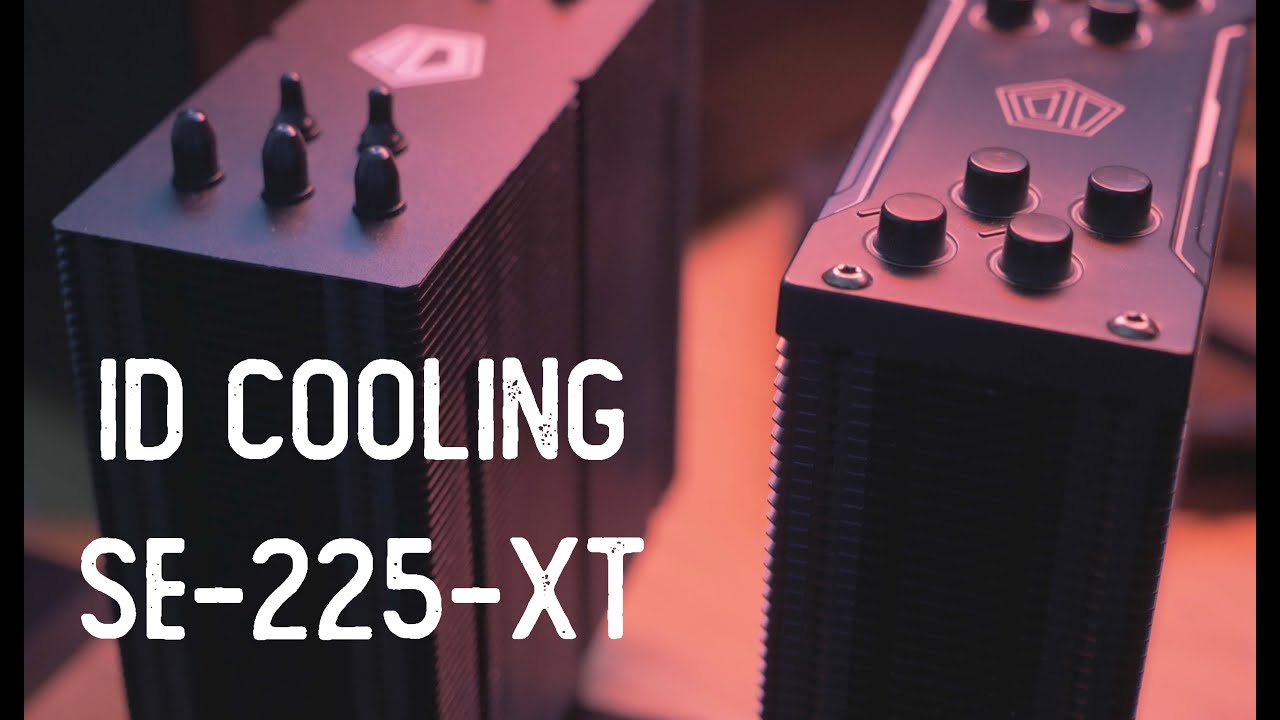
In this review I'll give an overview of ID Cooling's new SE-225-XT 120mm tower cooler. Primarily I'll be comparing it against its slightly lower priced sibling, the SE-224-XT. Is it worth it for Ryzen 5 or 7?
If you'd like to support the channel (and it is always appreciated) please consider using the product links down below. As an Amazon Asso...
atomic jetty
do 5000 series ryzens run hotter/colder/similar to ryzen 3000s?
if they're not like especially hotter I think a 224xt should work fine
cursive orchid
anything better at that price
atomic jetty
at that price, don't think so
cursive orchid
ok
topaz blaze
Guys do I put the fans on my radiator as intake or exhaust
twilit abyss
depends on where you put the radiator
cursive orchid

To usher in the Ryzen 5 5600X, I'll take a look at five tower coolers under a reference price of $50 US that will add significant value to your build. These are the Scythe Mugen 5 rev. B, the Be Quiet! Pure Rock 2, the Arctic Freezer 34 Esports Duo, the Cooler Master Hyper 212 EVO V2, and the ID Cooling SE-224-XT. The Arctic Freezer 34 Esports D...
i like this
tired fog
man that guy makes such good videos on the nr200p
swift pumice
winter galleon
Hi guys I have a 3070 that idles at 55 degrees Celsius and the fans dont spin u...
yea its a feature to keep the card quiet
topaz blaze
https://pcpartpicker.com/product/qgsmP6/deepcool-rf120-565-cfm-120-mm-fans-3-pack-rf-120-3-in-1 are these 3 pin or 4 pin or molex or what what kind of connectors are these
 steel tusk
@topaz blaze 4 pin
topaz blaze
steel tusk
<@456226577798135808> 4 pin
friccccc
lancool 215 is a 3 pin fan controller im pretty sure
wat do i do
topaz blaze
steel tusk
Or just use mobo headers
technically you can plug a 4pin into a 3 pin connector but idk about it
also does lancool have an rgb sync software or nah