#cases-psu-and-cooling
1 messages · Page 22 of 1
 fallow basin
since part of the filament will be exposed while printing

blue thingy
cause you can only move the dryer output so close to the printer output
it will also allow you to orient your dryer anywhere you like since the area the filament is pulled is where the tube is set

【Broad Compatibility】: Designed for 1.75mm filament systems, this tubing (2.5mm ID×4mm OD),comes with a convenient cutter. smooth surface ensures low friction and optimal filament feed. Compatible with Bambu Lab A1 Mini/A1/P1P/P1S/X1C/AMS/P1/X1 Series, Creality K1/K1 Max, Ender 3 V3, and more. 【H...
i gotta go for the night
ping me with more questions or dm me
 bleak holly
Just bought the Corsair SF1000.
bleak holly
Should I be concerned about my cooler becoming discolored like this? Also on the corner of one side when rubbed with Alcohol it stained the paper yellow.
@languid topaz @wide parrot @fallow basin @viscid patrol @subtle lodge @tawny oxide @mild roost
I have never seen this happen to a cooler before.

 bleak holly
Gotcha
bleak holly
fallow basin
some very fine grain sand paper might buff it off
Does the oxidation affect conductivity?
fallow basin
probably not too much
as long as the center of the copper is still copper
imo it looks fine to just scrub and put back on
 fallow basin
looks ok
 tame cape
I wouldn't use sandpaper on it, it's probably gonna expose more copper and remove any coatings. would probably oxidize even more after some time
bleak holly
Hmm noted. How long do you think till the cooler starts performing worse?
tame cape
likely days, it won't cause a noticeable temp difference
 trim crest
I wouldn't try to sand it either. Those aren't actually scratches right? It's still smoothe?
bleak holly
trim crest
I wouldn't try to sand it either. Those aren't actually scratches right? It's st...
Those are scratches
Very small ones but scratches none the less
tame cape
when it oxidizes it's just gonna look ugly and probably turn brown or blueish
main concern with sanding would be that if you scratch too much off the surface could become uneven
bleak holly
tame cape
main concern with sanding would be that if you scratch too much off the surface ...
Gotcha
What if I set the sand paper on a flat surface first?
 wide parrot
I wouldn't sand it. I imagine the roughness you introduce is worse than a little oxidation
If you were to sand it you'd want a polishing kit too
bleak holly
wide parrot
I wouldn't sand it. I imagine the roughness you introduce is worse than a little...
Gotcha. The sanding suggestion was because of the scratches in the cold plate.
@wide parrot is it fine to wipe down my computer contacts with 100% medical alcohol to clean them?
wide parrot
Yes
bleak holly
I imagine it's the same as Isopropyl Alcohol
wide parrot
Anything over 70% works
bleak holly
Good to know
 viscid patrol
pure solvents are best to leave as little residue as possible
bleak holly
Do I need to connect the motherboard standoffs in a 3d printed case to a ground plane such as the feet on my psu or is the 24pin motherboard connector enough?
wide parrot
I would assume no? Because it's fine to run a motherboard just sitting on the box
bleak holly
wide parrot
I would assume no? Because it's fine to run a motherboard just sitting on the bo...
wondering if I should use brass or nylon standoffs and whether or not I actually need those standsoffs instead of just 3D Printing a standoff and putting a brass insert into it so any M3 screw can fit.
I am designing a custom case
bleak holly
I decided that I will print the motherboard standoffs onto the case panel and use some threaded heat inserts inside the standoffs to save some money and so the standoff is the same color as the computer case.
If there are any issues with this approach please let me know, the print material is PETG and the threaded insert will be 1mm below the head of the standoff to prevent any risk of shorting the board due to its diameter and I will be using zinc coated steel M3 bolts to mount the board onto the standoffs.
tame cape
bleak holly
Do I need to connect the motherboard standoffs in a 3d printed case to a ground ...
normally standoffs allow any esd to travel the shortest path to gnd, without grounded standoff any extra charge travels through the mb to the cpu eps or 24pin gnd (potentially being more harmful) but there really isn't much to worry about on modern mobos
tame cape
bleak holly
wondering if I should use brass or nylon standoffs and whether or not I actually...
printed standoff + insert is probably the best choice, gives it more strength
that's what I went for on my custom 3d printable case, still need to print it tho 
bleak holly
tame cape
printed standoff + insert is probably the best choice, gives it more strength
Thank you for responding. I'd love to learn about what you're planning for your case. I am still in the process of drafting my design. I am trying to keep it within 40 linear inches and doing it with two chambers so the rear chamber will house all the rads, pumps, etc. I am currently at 40.4 linear inches.
tame cape
I'm making a case for my itx server with space for 8 thicc 2.5" sas drives. got it down to 28×28×9cm so I can print it in one piece + side panel
I've been busy lately so I'm not working on it atm. I'll refine the 3d model and print it soon
bleak holly
I see, I am designing a compact case that will house a vertical (to save space) 4 slot gpu, mATX board, sfx psu, fan hub, top and bottom 120m by 25mm thick fans, and be long enough to horizontally mount a push/pull 64mm thick 360 rad in the cooling chamber with space for pumps, drives, etc.
tame cape
nice. I was also working on another sff case two years ago but I have yet to complete the project 😂
bleak holly
What software do you recommend for making the 3D models and drafting a design?
Also, I was planning on using PETG, do you think that's up to the task?
tame cape
autodesk fusion it's a solid choice. easy to learn and use
tame cape
bleak holly
Also, I was planning on using PETG, do you think that's up to the task?
yes, probably the best choice
pla might soften with the heat
tame cape
Definitely petg
bleak holly
tame cape
Definitely petg
Is there any noticeable strength difference between PETG and Fast PETG? Fast PETG is cheaper for me to purchase.
bleak holly
Just received the Corsair SF1000 PSU! And damn this thing weights more than a solid brick 🧱.
bleak holly
 wooden silo
whats better, a 120mm fan or 140mm one?
wooden silo
whats better, a 120mm fan or 140mm one?
140 can move more air than an 120 but generally has less static pressure due to a slower RPM.
wooden silo
bleak holly
140 can move more air than an 120 but generally has less static pressure due to ...

The H9 Flow (CM-H92FW-01) is a spacious mid-tower ATX case built for high-performance builds, balancing airflow and aesthetics. Its dual-chamber design improves cooling and cable management, while perforated panels, angled fans, and ample fan and radiator support deliver optimal thermal performance.
can fit 9 140mm so far, got one radiator that I don't intend to change it's fans
so I guess 6 140mm fans and one 120mm is fine?
or is 7 120mm fans just fine?
bleak holly
wooden silo
https://www.amazon.com/dp/B0DQPRVD4C?tag=pcpapi-20&linkCode=ogi&th=1&language=en...
go for maximum airflow and static pressure where needed
or for consistent noise profile, ensure all fans are the same
wooden silo
bet
 subtle lodge
Noise profile and especially harmonic resonance is not talked about much
Most fans are made very similar to each other, which means they can all create resonant frequencies when running at the same rpm
Noctua makes sure that their fans are a little different to avoid that, but you can do it yourself by setting slightly different speeds for your fans
bleak holly
@subtle lodge you got a sec? I'd like to run some dimensions by you for my case idea.
 ember mesa
Question for people smarter than myself. I am looking to swap out my pc cooling fan to a liquid cooled option. I have an Intel i7-14700F. When looking through the site I am not seeing it listed in the descriptions as compatible.
What should I be looking for to make sure it is compatible with my processor? This is one I was looking at. https://www.newegg.com/cooler-master-liquid-cooling-system-masterliquid-240l-core-argb-277-mm-black/p/N82E16835103353
 tulip depot
ember mesa
Question for people smarter than myself. I am looking to swap out my pc cooling...
tulip depot
ember mesa
Question for people smarter than myself. I am looking to swap out my pc cooling...
what case do you have
 elfin trout
ember mesa
Question for people smarter than myself. I am looking to swap out my pc cooling...
elfin trout
ember mesa
Question for people smarter than myself. I am looking to swap out my pc cooling...
I wouldn't recommend that aio, but what matters in terms of compatibility with the CPU is the socket, which is LGA1700 for the 14700f that you have.
tulip depot
https://www.amazon.com/dp/B0F8BGJGKQ?tag=pcpapi-20&linkCode=ogi&th=1&language=en_US i would recommend this if your case can fit it

Thermalright Aqua Elite 360 V6 ARGB Black CPU Liquid Cooler, 360 Cooling Row Size,3x120mm Water Radiator,AMD: AM4/AM5,Intel LGA115X/1200/2011/1700/1851, AIO CPU Cooler
bleak holly
Does anyone know how much power the Corsair SF1000 can handle before tripping? I am trying to account for total power draw if both my gpus experience a transient spike.
trim crest
bleak holly
Does anyone know how much power the Corsair SF1000 can handle before tripping? ...
Corsair SF1000 ATX v3.1 PSU Review - Page 8 of 11 - Hardware Busters https://share.google/cNaL4xcpmxI3gGPYr

Hardware Busters - Corsair SF1000 ATX v3.1 PSU Review - PSUs
bleak holly
trim crest
Corsair SF1000 ATX v3.1 PSU Review - Page 8 of 11 - Hardware Busters https://sha...
Once again, thank you for your help.
 lavish hull
best air cooler for 9850x3d? i know the NH-D15 G2 is a good choice but its quite costly
elfin trout
There hasn't really been any new additions in the 'premium' air cooler segment considering you get 98% of the way there with a thermalright cooler that's half the price
 tawny oxide
Thermalright coolers are literally unbeatable
Just get a peerless assassin for $20 and call it a day
trim crest
Phantom spirit is basically same price and performs a little better on am5.
tawny oxide
That too
ember mesa
tulip depot
https://www.amazon.com/dp/B0F8BGJGKQ?tag=pcpapi-20&linkCode=ogi&th=1&language=en...
Thanks for the info, I had to get a premade this time so it’s an Acer Nitro 60. Looks like it has room for 2 fans mounted above the motherboard. My last one had the exhaust out the back and the liquid cooled fans on the top. Is there a better way to do that?
lavish hull
i have the peerless assassin 120mm V2 1850rpm cooler
would it be better if i swapped the fans to arctic p12 pro?
elfin trout
ember mesa
Thanks for the info, I had to get a premade this time so it’s an Acer Nitro 60. ...
Top mount is generally the best way to go, it'd be a good idea to try and figure out if you can only mount 240mm or if you can also do 280mm aios though
elfin trout
lavish hull
would it be better if i swapped the fans to arctic p12 pro?
Most likely not by a noticeable amount
lavish hull
so basically the difference in cpu dual towers is the towers itself rather than the fans because each 120mm is marginally different?
trim crest
If you're cool spinning those p12 pros at 3000 rpm it's probably a measurable difference but if you don't want it to be stupid loud to shave off a couple C then I'd expect it's pointless.
elfin trout
lavish hull
so basically the difference in cpu dual towers is the towers itself rather than ...
There can be a big difference from bad fans to good fans, but at the end of the day, going from a good enough fan to a slightly better fan can be a measurable ~5% difference, but that's not worth buying a whole new fan for, even though it's something that's worth considering when you're in the market for a new cooler in general.
It's too hard to properly quantify fan performance in general too, especially with the relative lack of good data that can be used between different fans
But it's easier to test and have data for running one cooler versus another at full blast or noise normalized
trim crest
Different fans will interact with different heatsinks differently too. I rather doubt thermalright goes to the same perfectionist lengths as noctua but there is also a chance of going backwards switching to 'better' fans once you add the complexity of a fin stack.
tawny oxide
Although getting Noctua means spending 3x more for 5% more performance.
Not sure how that justifies getting their products, but still
viscid patrol
They also have a 6 year warranty that you would probably not ever need because of just how reliable they are
tawny oxide
I have never heard of an air cooler failing
viscid patrol
i meant their fans
air coolers (heatsinks) would probably never fail unless you cause it to rust or break it physically
elfin trout
 is a cool brand that may be worth supporting, but the value proposition doesn't really make sense
elfin trout
viscid patrol
air coolers (heatsinks) would probably never fail unless you cause it to rust or...
*As long as the design isn't faulty
tawny oxide
elfin trout
<:NOCTUA:668554182147702795> is a cool brand that may be worth supporting, but t...
Yeah they’re not doing anything bad
But they overvalue their shit by 3-5x what it should be
elfin trout
tawny oxide
Yeah they’re not doing anything bad
But they overvalue their shit by 3-5x what ...
3x-5x is a bit exaggerating, but they tend to have about a 100% premium on everything
$50 cooler -> $100 cooler
trim crest
I have noctua stuff because I actually like the color scheme. Maybe I would have painted dentist's offices in another life. They do charge a rather ridiculous premium now while only being slightly better or sometimes even not as good as cheaper options.
Wanting to spend money supporting the people doing the cool engineering and providing top class support is another reason to buy stuff like noctua or tg. I paid 5x for a tg contact frame instead of a thermalright one.
elfin trout
I did buy a nh d15 back when it did actually make some sense price wise, and I still have it
trim crest
I've had mine about 7 years and it was hyper 212 before that. There used to be nothing that really competed with it for quality.
tawny oxide
Now thermalright exists and just can’t be competed with for value
elfin trout
Le grand macho did always exist but it was just too wacky to make sense back then
tawny oxide
Yeah, had some funky install
lavish hull
any1 got 9850x3d fan curves with air cooler?
trim crest
That'll depend on your case, fans, usage, power target, uv, oc, and other stuff. And it's subjective anyway so it's more about personal preferences. As long as it's not overheating you're just balancing noise against watching number go down. I'd aim for <80C (which should be pretty easy) and other than that it won't matter much.
bleak holly
@languid topaz so I am designing my custom case, and currently Assuming I don't water block my case, I can install either a 480mm (up to 90mm thick with fans) or a 360 and 240 (up to 90mm thick with fans) for a waterloop and I am wondering which path to go.
Black: Fan Brackets
Blue: GPU (up to 4 slots thick)
Purple: 4x120mm fans with a 2.5mm gap between them.
Yellow: Motherboard PCB
Orange: PSU Cage
Gray: PSU (can fit SFX and SFX-L without issue)

 languid topaz
I used to think multiple rads was better but just like super high flow rate, I don't think it makes a considerable difference
90mm thick is a hell of a rad
that's a lot of surface area to throw heat out
bleak holly
I can find 40, 45, and 64mm thick rads fairly easy here
Also how much of a difference do you think FPI makes along with additional water channels? Asking Because I can get an Alphacool HPE-45 420 rad very easily in my market.
languid topaz
more FPI is great as long as the fans can still force air through the rad. With a rad that thick, I'd think push/pull fans would actually make a difference but I always hear that's a waste of fans lol
but that thick & high FPI it might actually matter
honestly between 240+360 & 480, I don't think there'd be enough of a difference to base the decision off anything other than what works best for the setup in terms of everything fitting nicely
tulip depot
bleak holly
Black: Fan Brackets
Blue: GPU (up to 4 slots thick)
Purple: 4x120mm fans with a ...
is the case designed for a full custom loop?
cause if it is, i feel like having 4 slots for the gpu is overkill (unless it doesnt impede on anything else)
languid topaz
is 4090 the biggest non-pro GPU? are there any 5-slot 4090s? is 5090 bigger? I forget
tulip depot
4 slots is right around the max
unless the noctua ones are bigger
ah ok
theres one 4090 model and the noctua 80 series models are more than 4 slots
everything else is less tho
trim crest
5080 noctua is full 4 slots.
languid topaz
damn that's massive lol
viscid patrol
they are using the full size 120mm fans after all (25mm?)
trim crest
Yeah they are just the regular 120x25 fans.
viscid patrol
3 slot gpus typically use fans specifically made for that cooler which is even slimmer than a slim fan (which is typically like 15mm)
languid topaz
damn with 4 slots, you could put two 2080tis with SLI with waterblocks lol
trim crest
20mm is a slot.
 languid topaz
or NVLink or whatever it's called
trim crest
It is thicker. The 4080 was a 2 fan so I thought it was smaller.
Beign fatter makes sense though.
languid topaz
damn that's like 5mm per 1gb of VRAM
viscid patrol
tulip depot
bigger
techpowerup says they measured 82mm, so technically 2mm larger than 4 slot
but 2mm is like nothing
tulip depot
viscid patrol
techpowerup says they measured 82mm, so technically 2mm larger than 4 slot
ASUS themselves say 87.5mm
viscid patrol
2 fingernails thicker than 4 slots
trim crest
2mm could be enough to interfere with the slot below it.
bleak holly
languid topaz
more FPI is great as long as the fans can still force air through the rad. With ...
Just got back, sorry for the delayed response.
languid topaz
npnp
viscid patrol
tulip depot
ASUS themselves say 87.5mm
asus says 80mm?
tehpowerup said 82mm
noctua site also says 80mm
tulip depot
viscid patrol
asus says 80mm?
tehpowerup said 82mm
noctua site also says 80mm
4080, not 5080
viscid patrol
oh
tulip depot
 viscid patrol
we were talking about the 5080 though
bleak holly
tulip depot
is the case designed for a full custom loop?
Air GPU + Waterblocked RAM and CPU though I do plan to waterblock the GPU down the line at which point I will setup two 480mm rads since my case supports that.
tulip depot
bleak holly
Air GPU + Waterblocked RAM and CPU though I do plan to waterblock the GPU down t...
dang thats a lot
viscid patrol
tulip depot
bigger
based off of this msg at least
tulip depot
look after that
bleak holly
languid topaz
more FPI is great as long as the fans can still force air through the rad. With ...
Push/Pull definitely helps even on not as thick rads. Dropped my temps by about 3c when my CPU was pulling 300w.
viscid patrol
i didn't look at anything under the screenshot which is why i missed that
trim crest
I might have started that confusion. I thought we were talking about biggest air coolers and the 5080 was the biggest one I've seen.
viscid patrol
ohh
viscid patrol
i mean, if you count somebody modding a gpu to add a cpu cooler to it, that would technically be the biggest lmao
trim crest
Oh the goofy aio built in one? Did they actually make that? I thought it was a tradeshow prototype thing.
viscid patrol
apparently it was ltt and oh my goodness gracious what is this abomination from 2 months ago
 tulip depot
oh wait its like really late gn
bleak holly
tulip depot
dang thats a lot
Yeah my front panel currently supports two rads vertically mounted up to 530mm long by 160mm in width. Maximum depth on the top rack is 90mm, maximum depth on the bottom is 90mm, though if you use a 1 slot GPU that brings the 2nd rack down to 70mm in depth.
viscid patrol
how many slots would that cooler take up
 trim crest
Roughly 8
bleak holly
Each GPU slot is 20mm deep
viscid patrol
bleak holly
that wasnt what i was referring to but that is also a huge case damn lmao
bleak holly
viscid patrol
that wasnt what i was referring to but that is also a huge case damn lmao
Actually smaller than most. I made it very compact (half the size of a Fractal Torrent and measures at 45 linear inches and sized to fit as a Carry-On for flights)
It is however very long as a result
viscid patrol
oh so it's more like a server blade
bleak holly
viscid patrol
oh so it's more like a server blade
Kinda
bleak holly
Same compact concept.
Just on a larger scale
Here are the dimensions.
@viscid patrol
L: 560mm
W: 230mm
H: 350mm
viscid patrol
viscid patrol
apparently it was ltt and oh my goodness gracious what is this abomination from ...
approximately 16 slots 💀
bleak holly
viscid patrol
approximately 16 slots 💀
How effect was it lmao?
viscid patrol
i forgot the name of the company thermalright so i took quite a long time to find the model of cooler to find the dimensions lmao
idk, i didn't watch the video
i'd assume not very lmao

 bleak holly
viscid patrol
bleak holly
viscid patrol
Two CPU coolers to accomplish what my Mercury card does with a 4 slot design...
viscid patrol
it's a 2060 with what originally was a 2 fan cooler
the thing about gpu coolers is that... well, they're typically designed for a higher heat load than cpus
most cpus are typically under 200 watts (for the typical cpu in a gaming system) while gpus typically are over that (for anything midrange or better at least)
trim crest
I'd assume their mounting system was less than ideal too. They do something better than zip ties? They have the shop for it.
viscid patrol
zip ties? you're funny
(they used elastic bands 💀)
they also used the thermal putty to space the cpu cooler from the.... capacitors? whatever is on the back so that it didn't short them
far from ideal
trim crest
How bad must that stock cooler have been if they dropped almost 30C with rubber bands.
viscid patrol
better than ventus™ but still what you'd expect from a 2060
it at least has dense fins

i don't think it has a heat pipe and i highly doubt it's a vapor chamber
oh it does have heat pipes
trim crest
That would have heat pipes. The ones that don't are just an extruded piece of aluminum with really thick fins.
viscid patrol
yeah they're just deeper in than i thought
decent cooler but ig 2060 was just hot?
or maybe old paste?
trim crest
2060 was almost 200W. Maybe even was 200W on some oc models.
viscid patrol
that's still not that much i feel
trim crest
The one I bought for my niece's graduation present pc was a single fan evga one from b-stock. I didn't relize it was that power hungry before I bought it.
It's a lot for a 60 card.
trim crest
Somewhere close to that. 4060 was lower like 120. 1060 I think was like 110.
viscid patrol
that's surprisingly high power draw on the 20 series then
was the rest of the lineup also higher than the previous and future gens as well? 🧐
trim crest
2070 was only 15W higher. 2080 was 215. 2080ti 250W. That's like a 5070.
viscid patrol
from my quick glance it looks like every 20 series generation of gpu were around the ballpark of 200 watts lmao
only the titan rtx was near 300
trim crest
30 series is where the top end started being really high again. Before that you'd have to go back to the 2x gpus to get a monster power draw like a 295x, what was nvidia doing back then?
viscid patrol
interesting trends in power draw ngl
maybe if i get bored enough i'll make a chart with all the gpus nvidia made and graph their max draw to see how they fluctuated
trim crest
Titan Z. I knew they had one, couldn't remember what it was called. 375W on that cooler.
 viscid patrol
how did it even survive being a blower lmao
trim crest
That's an axial fan. I have no idea how that worked but I'm going to guess 'poorly'.
The radeon version was 500W but it had an aio attached.
viscid patrol
damn
bleak holly
Just bought a combo pack of Liquid Metal 130W/MK (5g) and Conformal Sheidl (5ml) from PolarTronix.
subtle lodge
viscid patrol
that's still not that much i feel
For a 60 card it kinda is ngl
That means they pushed clocks hard on it
Like the 9060 xt
The 9060 has a board power of 132w and the xt having at least 160, with board partners going even higher
The one I had was 180w but it also did undervolt to 3.4 ghz
When I had an undervolt that was not 100% stable I have seen it go to 3.5
bleak holly
subtle lodge
When I had an undervolt that was not 100% stable I have seen it go to 3.5
Impressive.
I haven't tried futsing with the core clock to much.
Also, I got the memory stable at 2900mhz and I am working on testing the stability of a -60mv undervolt.
subtle lodge
I don't like to either since the core clock is mainly influenced by the undervolt
You will really only benefit from the core clock offset when you aren't at 100% usage
I was not hitting 3.5 at 100% load on that card
That was with a frame rate cap
But core clock override can help when you are cpu limited, by how much I do not know
But when the gpu is waiting on the cpu, having a higher clock can help it render the frames it does get as fast as possible
Besides that it isn't much to care about
If anything it can probably get in your way because in lighter loads it can boost too high and be unstable
So it is better to undervolt first and then do clock offset later
I would rather have a lower undervolt for 100% load rather than a higher one with a higher clock offset for lighter loads
bleak holly
subtle lodge
I would rather have a lower undervolt for 100% load rather than a higher one wit...
agreed.
@subtle lodge, mind if I pick your brain a lil?
So I pulled the trigger and bought some 130W/mk Liquid Metal and conformal combo from PolarTronix. I am going to apply that to my cpu but I am debating applying it to the 9070xt mercury to try and drop temps further. It uses PTM7950 and well I am not sure if I can just remount the cooler with the PTM that was there or if I need to add fresh PTM.
subtle lodge
bleak holly
So I pulled the trigger and bought some 130W/mk Liquid Metal and conformal combo...
I don’t know if it will rip like pads, depends on how much it was used maybe
I have seen it stay intact and also not
But as long as it mostly stays then it should be fine, because it will liquefy again anyways
Then solidify again
I guess you’ll only be able to tell once you see temps afterwards, and how good/bad it is when opened up
bleak holly
Damn alright xD.
Sounds like I shouldn't try it till I am prepared to replace everything.
 hidden void
Does anyone have recommendations for a decent aio and case fan combo. I want them to be white and have rgb and preferably match. I’m currently looking at some thermalright ones. I want the aio to be under 100 if possible
trim crest
If you want cheap and decent I'd also be looking at thermalright. Most of their aios are in the 50-100 range. I think just the tryx knockoffs with the big screen are more than that so I'm not sure what you mean.
hidden void
trim crest
If you want cheap and decent I'd also be looking at thermalright. Most of their ...
I meant like recommendations for any aio of any brand that would maybe be better aesthetics wise or whatever
trim crest
hidden void
I meant like recommendations for any aio of any brand that would maybe be better...
There is only a little difference between brands. Unless you're trying to cool an i7, i9 or r9 I'd just pick the one you like the look of.
bleak holly
My Liquid Metal and conformal coat will be arriving today.
bleak holly
<@&525119001324683264> @trim crest @fallow basin
Long story short, I no longer need my current PC case and I am thinking of putting the motherboard on top of the box it came with as an open bench setup till my case is made in a couple of weeks. Will this hurt the hardware in anyway?
My power switches and etc are all here
fallow basin
bleak holly
<@&525119001324683264> <@646898562629632000> <@1012023780283002970>
Long story...
Nah that’s safe
 sharp fox
That’s fine
bleak holly
Good to know.
So to double confirm it's fine to use the motherboard with it directly on top of the box it came with?
Will be like this for a week or two
 lofty pewter
If you put on GPU or PSU cables or smth and you do it on the box, you might force some tiny component (smd or solder joint) into the box. That's fine, just take note of it so that you don't pull the mobo sideways and then put strain on said tiny component if you haven't lifted it from the box
But yeah, overall pretty safe. Kinda hard to cause damage
bleak holly
lofty pewter
If you put on GPU or PSU cables or smth and you do it on the box, you might forc...
Gotcha, I didn't even think of this. Thank you.

Looking forward to not dealing with this
None if the panels fit and the feet are broken so it's been forced to be laid flat for almost 4 months now
bleak holly
lofty pewter
If you put on GPU or PSU cables or smth and you do it on the box, you might forc...
Would some motherboard standoffs help?
I can place them then press the threaded screw part of the standoff into a cardboard box to maybe give some extra grip
viscid patrol
Unnecessary
trim crest
Just the cardboard is fine. What happened to the torrent? It get dropped in shipping or something?
bleak holly
trim crest
Just the cardboard is fine. What happened to the torrent? It get dropped in ship...
Airline luggage crew tossing it and then watching the (INSERT MANY HARSH WORDS) mobbed up Airport Importation crew yank my PC out of the box after I told them it was fragile which broke the feet and then them charging me import on the damaged case.
bleak holly
bleak holly
Airline luggage crew tossing it and then watching the (INSERT MANY HARSH WORDS) ...
It was this that made me go the custom route to make a Carry-On size PC that fits what I want
trim crest
If you're going to be travelling a lot that is pretty understandable.
languid topaz
bleak holly
<@&525119001324683264> <@646898562629632000> <@1012023780283002970>
Long story...
I did that for awhile before I started using styrofoam (which was probably stupid because it's prone to static) then tool foam & then the der8ench table lol
bleak holly
Done
bleak holly
languid topaz
I did that for awhile before I started using styrofoam (which was probably stupi...
Also the new GPU riser cable works
bleak holly
trim crest
If you're going to be travelling a lot that is pretty understandable.
I fly internationally about 2-3 times a year.
I love these P12 Pros!

 lofty pewter
bleak holly
Would some motherboard standoffs help?
lofty pewter
bleak holly
Would some motherboard standoffs help?
Eh, unless you have the female hex sockets the same size as the standoff then it'd prolly be more dangerous. Pretty easy to screw up with a wrench, or even worse pliers. Dont really have to worry about it unless there is someone or pet that is prone to clumsiness.
viscid patrol
to be fair, you could just hand tighten it but it's completely unnecessary
languid topaz
bleak holly
noice
damn what's the temperature there rn? heckin 63F here. I never have great benchmarking weather lol
bleak holly
languid topaz
damn what's the temperature there rn? heckin 63F here. I never have great benchm...
It's around 30c during the day here.
About 24-26c at night.
@languid topaz I decided I am gonna buy every thing needed to water block the ram as a fun entry project into water cooling before I delid the cpu. For the coolant, what should I add to distilled water to prevent build up? Also for flushing/cleaning radiators do I just use distilled water as well or?
viscid patrol
bleak holly
<@808772530017665024> I decided I am gonna buy every thing needed to water block...
Biocide
As long as you do maintenance regularly, you wouldn't need to flush out the radiator, just drain it as best you can
bleak holly
viscid patrol
As long as you do maintenance regularly, you wouldn't need to flush out the radi...
Noted. What I meant by flush is I heard with new radiators they should also be cleaned/flushed first.
viscid patrol
bleak holly
Noted. What I meant by flush is I heard with new radiators they should also be ...
oh yeah for new ones, flushing would be better in case there are any contaminants on it
you should be fine flushing with tap water a few times, then using distilled to rinse it
bleak holly
viscid patrol
oh yeah for new ones, flushing would be better in case there are any contaminant...
Good to know
languid topaz
bleak holly
<@808772530017665024> I decided I am gonna buy every thing needed to water block...
I use Prestone Platinum lol
distilled water only apparently encourages copper deposits on anything nickel plated
bleak holly
languid topaz
I use Prestone Platinum lol
I thought you tried making custom coolant mixtures?
languid topaz

Find out more about Hosting with Hetzner:
https://htznr.li/der8auer/250302_en
Music / Credits:
Outro:
1998 Beats - Strange Things
Paid content in this video:
- Hetzner Spot
Samples used in this video:
- /
der8auer Advertisemen...
they do that once a year on Thermaltake's live stream but it's more of a joke because they've used like maple syrup & other nonsense
bleak holly
languid topaz
they do that once a year on Thermaltake's live stream but it's more of a joke be...
that's bare copper though no?
languid topaz
distilled water is the most heat conductive thing you can use but using it by itself isn't a good idea
bleak holly
What's the cheapest way to get a lot o coolant?
languid topaz
in my opinion, distilled water with a little bit of car radiator fluid
bleak holly
Because I am gonna be running a 480 and 240 rad + reservoir as the end goal and I imagine I will likely need to drain the coolant before I go on flights so I'd like to explore a cheap way to make this happen.
bleak holly
languid topaz
in my opinion, distilled water with a little bit of car radiator fluid
Does that actually work?
languid topaz
that's what I use for everything. official coolant is stupid expensive for distilled water, propylene glycol, coloring, & tiny amounts of mystery ingredients
bleak holly
languid topaz
that's what I use for everything. official coolant is stupid expensive for disti...
Any radiator fluid work or?
Also what ratio (aproximately)
languid topaz
I use the green stuff. I dunno if the pink is better
just enough that you can see the color I think
ngl I might not be the best person to ask lol
bleak holly
languid topaz
ngl I might not be the best person to ask lol
lmao.
Anyways over in #overclocking
bleak holly
A lot of progress on the PSU, Motherboard, and SSD tray for the pc case project. The adjustments have also allowed for an additional 5mm to the front rad thickness upping it to 85mm.


 wide parrot

In Blender
I mean if it works it works I suppose
Better have some insane renders of the final thing
(Autodesk offers free hobbyist licenses which I highly recommend to anyone getting into 3d design modeling)
bleak holly
wide parrot
(Autodesk offers free hobbyist licenses which I highly recommend to anyone getti...
Limited in my experience and understanding. A bit more difficult but I can use Blender for 3D Modelling, Animation, and more.
Without the $$$.
wide parrot
Pretty sure the fusion 360 hobby license is mostly full featured unless it's changed in the past few years
tame cape
wide parrot
Pretty sure the fusion 360 hobby license is mostly full featured unless it's cha...
personal license has all you'll probably ever need. unless you're planning to run a cnc machine or make more complex stuff
viscid patrol
Can't run the personal 6 axis CNC mill 😔
wide parrot
yeah I was under the impression that it had 100% of the modeling features but just lacked some simulation stuff
bleak holly
I am impressed with the strength of PETG I thick I can significantly reduce panel thickness due to it
bleak holly
I don't like sourcing screws so I am making a tool less PSU mount / cage
bleak holly
I am curious, is anyone aware of a PC case or aftermarket product that features a true toolless PSU cage/mount?
Meaning no screwdrivers or screws. I suppose Lego like installation is acceptable.
<@&525119001324683264>
I made a Modular PSU cage last night that uses custom pegs to secure SFX or with an attachment, SFX-L PSUs. I am wondering if maybe someone has already something similar or better that I can draw inspiration from.
viscid patrol
toolless psus are usually custom and not atx standard
you find toolless psus fairly often on server racks
bleak holly
viscid patrol
toolless psus are usually custom and not atx standard
Is that due to how much ATX PSU's can vary in length?
 subtle kiln
It's due to case designs and PSUs. There is almost always a game between psu and case for thermal reasons, even on SF-ITX cases.the 4 screws holding it in place secure it to the case.
Server racks are almost always universal with their parts, that's why it plug in.
Why do you want a tooless PSU anyways? Their screws fit most screwdrivers. It's not like mobo or drive screws.
viscid patrol
subtle kiln
It's due to case designs and PSUs. There is almost always a game between psu and...
not universal, but companies typically buy from a single vendor (e.g. hp) so hp makes a bunch of their servers compatible with their hot plug psu, and then the datacenter only needs to stock those replacement parts in case any fail
subtle kiln
viscid patrol
not universal, but companies typically buy from a single vendor (e.g. hp) so hp ...
Good to know. I've never worked on server racks, only seen them. I figured the racks were all the same size.
viscid patrol
the racks themselves are universal, but the servers on the racks are all proprietary
viscid patrol
yes
bleak holly
subtle kiln
Why do you want a tooless PSU anyways? Their screws fit most screwdrivers. It's ...
Because I am designing a very compact portable PC case and if I ever need to install some cables, swap the PSU, or move the PSU to get better access to the interior I want to make it as easy as possible.
If I were to use screws it'd require taking 2 panels off and moving a bunch of tubes and wires to screw it in otherwise.
 stuck horizon
Hey im looking for fan curves for my system

Here's my system it's the hyte y60 specs are the msi mpg z790carbon wifi ii motherboard paired with the i9 13900k and msi rtx 5070 gaming trio oc edition
I have 3 Asiahorse nyota 120mm set to exhaust at the top 1 120m Asiahorse nyota 120mm set to rear exhaust 2 140mm Asia horse nyota reverse blade fans set to intake on the side and 2 140mm noctua a14 chromax fans set to bottom intake
My rear and side intake and bottom Intakes have they own headers for more refined curves
These r default curves
 viscid patrol
stuck horizon
These r default curves
viscid patrol
stuck horizon
These r default curves
i recommend adjusting curves with software as the bios adjustments are a pain to adjust (plus it could have mixes causing the fans to ramp up instead of single sensor)
Fan Control is a free software that allows the user to control their CPU, GPU and case fans using temperatures.
stuck horizon
So just leave the bios stock?
viscid patrol
yeah
change any other settings you might want like enabling xmp or such
but don't bother with bios fan curves
stuck horizon
Ok thanks
@viscid patrol quick question so my motherboard stand off screws r so tight where the screw tries to loosen the motherboard stand of from the case how can I fix it
viscid patrol
stuck horizon
<@297812853174566913> quick question so my motherboard stand off screws r so tig...
that is... impressive i gotta say lmao
sounds like the screw might be cross threaded, you might have to take out the motherboard and use pliers on the standoff once it's off to hold onto it to get the screw out
stuck horizon
Lol ik rooky mistake
wide parrot
I've had that happen with m.2 ssd standoffs but never mobo standoffs lol
stuck horizon

bleak holly
So the AM5 mount using the stock backplate uses #6-32 screws but for some reason not all AIOs use #6-32 nuts for mounting the AIO on the cooler.
Because of this depending on the cooler that can are:
- #6-32 to M3
- #6-32 to #6-32
- #6-32 to M4
tame cape
stuck horizon
I have 3 Asiahorse nyota 120mm set to exhaust at the top 1 120m Asiahorse nyota ...
sorry for bothering, how's it going with those fans so far? I'd like to get some for my y60 case swap, but i found little feedback online
bleak holly
@tame cape P12 Pros for the win.
Sound profile is like a standing fan or AC at full blast
tame cape
i also have p12 and p14 pros in my cart. i might as well just buy a buch of different fans, compare them and use the ones i like less on other builds
bleak holly
tame cape
i also have p12 and p14 pros in my cart. i might as well just buy a buch of diff...
Fair. Performance wise, my temps dropped by ~5c going from normal P12 ARGB fans to P12 Pros both at 100%
trim crest
Isnt that 3000 rpm? That would be unreasonably loud for me.
bleak holly
trim crest
Isnt that 3000 rpm? That would be unreasonably loud for me.
it is
languid topaz
bleak holly
I am curious, is anyone aware of a PC case or aftermarket product that features ...
tbh I really can't think of a single case offhand with a toolless PSU. Every PSU I've gotten even comes with 4 screws so my guess is nearly all cases use screws. Heck I wouldn't even be surprised if the screws are somehow required to ensure a proper grounding path from the case to the PSU in case there's a fault
 cosmic mortar
anyone got a recommendation for a tower cooler for an am4 chip?
i looked around but honestly i cant tell what on gods green earth is the difference between 90% of them
trim crest
cosmic mortar
anyone got a recommendation for a tower cooler for an am4 chip?
Which am4 cpu? Phantom spirit is really good and pretty cheap if you can easily fit it. Most of the am4 stuff you'd be fine with a single tower but the price difference is usually like $15-20.
cosmic mortar
5800xt
looked at the phantom spirit and was gonna buy it
wanted to see if anyone here had a better suggestion
seems like that might be the one tho
wide parrot
cosmic mortar
seems like that might be the one tho
(thermalright) Royal Pretor is the next step up but the phantom spirit is already great
 neon epoch
cosmic mortar
looked at the phantom spirit and was gonna buy it
neon epoch
cosmic mortar
looked at the phantom spirit and was gonna buy it
peerless assassain

Thermalright Peerless Assassin 120 SE CPU Cooler, 6 Heat Pipes AGHP Technology, Dual 120mm PWM Fans, 1550RPM Speed, for AMD:AM4 AM5/Intel LGA 1700/1150/1151/1200/1851,PC Cooler
cosmic mortar
Any real difference between this one and the phantom spirit?
wide parrot
cosmic mortar
Any real difference between this one and the phantom spirit?
Spirit is 7 heatpipes instead of 6 I believe
Oh theres also the royal knight which I believe has better ram clearance via a slim fan? Also only $27 rn
https://pcpartpicker.com/product/4gDQzy/thermalright-rk120-se-6617-cfm-cpu-cooler-rk120-se

Thermalright RK120 SE 66.17 CFM CPU Cooler (RK120 SE)
Phantom spirit barely costs more than a peerless assassin so I'd get it instead

Thermalright Phantom Spirit 120 SE 66.17 CFM CPU Cooler (PS120SE)
Or, if you wanted something that rivals 360mm AIOs, there's the $44 Royal Pretor
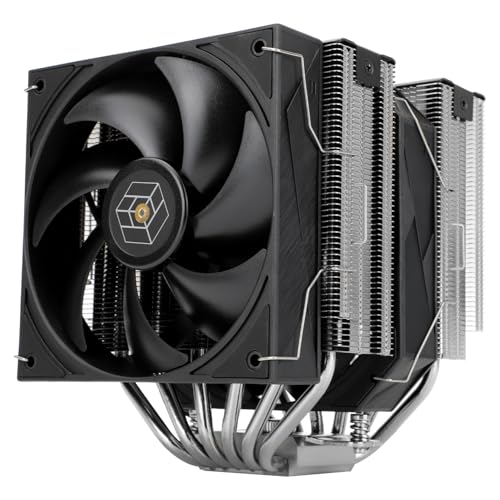
Thermalright Royal Pretor 130 81.88 CFM CPU Cooler (Royal Pretor 130)
cosmic mortar
I think the phantom spirit SHOULD be enough
Also didnt even consider ram clearance 😭
Welp ig we'll see if it fits when it arrives
¯_(ツ)_/¯
trim crest
If you want 100% ram clearance isntead of overhanging it there are a few options like the scythe fuma 3, kotetsu 3 or id 226xt but really even a normal single tower like an assassin x or a 224xt would be fine on a 5800xt, you can also just leave the front fan off and only use the middle one or maybe move the front fan into being a rear fan if you have a problem with tall ram sticks or want to see the rgb on them.
cosmic mortar
Yall im lowkey tweaking rn
Got the phantom spirit 120
And im tryna install it
But the screws it came with simply arent long enough
cosmic mortar
The backplate fell out and i had to remove my motherboard 💔
tawny oxide
cosmic mortar
But the screws it came with simply arent long enough
They’re industry standard
There’s something else going on if they’re not long enough
 gray lichen
Hey all I’m having some issue with my water system, I’ve been at it all day, the bump is running but not flowing through the system. Any ideas
I also can’t send any pictures to show idk why
bleak holly
gray lichen
I also can’t send any pictures to show idk why
You will be able to send pictures after talking a bit
gray lichen
bleak holly
You will be able to send pictures after talking a bit
Ahhhh okay that makes sense hopefully I can send the video and photos for everyone to see because lord I wanna get this up before crimson desert
bleak holly
@open gate could you give @gray lichen image perms so someone can help them out?
tawny oxide
Now
cosmic mortar
tawny oxide
They’re industry standard
There’s something else going on if they’re not long en...
yeah it was an issue with the backplate
tulip depot
Planning to get the meshroom s v2 with the 360mm bracket
I have an atx mobo and I’ll be getting an sfx psu
Would it be possible to have a 3.5” hdd in the case as well? And if so how many fans can I use (how many full size and how many slim) and what airflow orientation should i use
tulip depot
@bleak holly ik youre good with cases like this, can you help me?
elfin trout
Looks like all that'll fit well is a top mount 120mm 15mm slim fan for exhaust, should be fine if you're doing a 360mm with 3x120mm side intake though
bleak holly
tulip depot
Would it be possible to have a 3.5” hdd in the case as well? And if so how many ...
You should be able to reuse the fan brackets for the rad in the rear at the front side to mount full size 120/140 fans and mount the psu to the fan bracket
@tulip depot

Can even get creative with it like this guy did
tulip depot
oh dang
bleak holly
you can mount the hdd to the fan rack with a little creativity on the positioning
bleak holly
tulip depot
i wanna go more simple
Simpler would be keeping the fan bracket in the rear and if the case has space mounting it to the rear on the fan bracket there.
Can interfere with max GPU height
tulip depot
if you can think of a better case that fits an atx mobo, 360mm aio and hdd, lmk btw
and isnt like 200$
bleak holly
tulip depot
if you can think of a better case that fits an atx mobo, 360mm aio and hdd, lmk ...
I'd say mine once the design is finished. Otherwise I can take a look around later.
tulip depot
bleak holly
I'd say mine once the design is finished. Otherwise I can take a look around la...
oh i need it sooner rather than later
im planning on switching once my old pc sells
which is anyday nnow
bleak holly
Ohh so very soon.
tulip depot
yeah like ~1 week
bleak holly
And you don't want a massive case I imagine
bleak holly
Yeah that SSUPD with the creative mounting solution is your only way then if size is a priority.
There are some other ones but they were like 50% larger
tulip depot
alr
so id need to get the main case, the fan extension and a ~400mm riser
anything im missing
bleak holly
tulip depot
so id need to get the main case, the fan extension and a ~400mm riser
If your gpu is ~360mm long you need the 15mm feet extenter
otherwise there will be no room for the Graphics Cables to plug in
bleak holly
bleak holly
I'd say mine once the design is finished. Otherwise I can take a look around la...
Current design supports:
top: 480 rad, 85mm thick
side: 2x240 rad ~75mm thick
top front panel: 360 rad, 63.5-83.5mm thick
bottom front panel: 480 rad, 100~ thick (take into account gpu slot thickness)
all in a 45L design.
using an ATX board affects top rad thickness.
tulip depot
yeah i need more or less portable so im hoping for the ~20L range
bleak holly
Gotcha, my smaller design not refined yet is about 28L, so the same size as the Lian Li.
Fits 2x360 rads, 1x360 if using a ATX board.
Would that be in your ballpark @tulip depot?
tulip depot
bit big
bleak holly
Btw note, the Meshify with the aio extender is about the same size.
tulip depot
the extender adds that much space?
bleak holly
Iirc it's about 27L with the extender.
tulip depot
oh dang
would i be able to use like a 240mm aio without the extender and everything else i have
bleak holly
tulip depot
the extender adds that much space?
It's the width of the case and increases the depth by nearly 60%
bleak holly
tulip depot
would i be able to use like a 240mm aio without the extender and everything else...
Not unless you use an iTX board or a SFF gpu.
tulip depot
hm
how would i get around changing out the board
like what would i have to not use
bleak holly
Issue is a space constraint.
bleak holly
Either the AIO or the 3.5" HDD however note that the SSUPD does not support full size air coolers.
It's designed specifically for AIO use
bleak holly
So you'd be using those SFF air coolers
bleak holly
Iirc yes in the front but that means no 240 aio
tulip depot
🙁
bleak holly
Unless you want to ditch a lot of compatibillity or some of your stuff, either get the fan extender or we can talk about making a custom case in private.
tulip depot
hmmmm
so what if i got rid of my board and psu
and i just had an itx board + sfx psu
i could fit a 240mm aio in the case?
bleak holly
then you can have a 240 aio in the front
which means you can mount the HDD to the rear fan bracket
tulip depot
then everything would fit?
bleak holly
I believe so.
Also if you want a fan extender I can print you a slim one that doesn't add to much space
tulip depot
and what if i ditched the hdd
bleak holly
I'd just need the mounting positions
tulip depot
bleak holly
Also if you want a fan extender I can print you a slim one that doesn't add to m...
its alg
bleak holly
tulip depot
and what if i ditched the hdd
Then you could possibly put the 240 in the rear if your GPU height is less then 125mm iirc.
tulip depot
bleak holly
Then you could possibly put the 240 in the rear if your GPU height is less then ...
i think its 131
bleak holly
angle grinder time
tulip depot
lmao
ok so would i be able to fit any bigger components if i ditched the hdd or would nothing change
bleak holly
Nothing would change except for increased GPU height in the rear
tulip depot
ok
so nothing happens if i lose the hdd
https://pcpartpicker.com/list/NMBcfp this is my current setup, id have to ditch the AIO, mobo, case and psu right?
Part List - AMD Ryzen 7 7800X3D, Radeon RX 9070 XT, Thermaltake View 380 XL TG ARGB ATX Mid Tower
how much could i sell all that for
wait cant i fit a 280mm aio in the front with an itx board?
bleak holly
tulip depot
wait cant i fit a 280mm aio in the front with an itx board?
I'd suggest checking the total clearance. But maybe.
Big issue with rads is that models have a large variance from brand to brand in the height and width. Usually between 60-80mm increase to the length and around a 2.5-5mm increase to the width beyond the fan size
tulip depot
eh i feel like a 240mm is enough and that 280mm would only complicate things
bleak holly
bleak holly
Big issue with rads is that models have a large variance from brand to brand in ...
this has made it hell for me to design my larger case
because I am trying to get it to support a 1x480, 2x240, and 1x360 rad.
bleak holly
tulip depot
https://pcpartpicker.com/list/NMBcfp this is my current setup, id have to ditch ...
probably ~$100 for the board, $30 for the aio, and $50 for the psu. Maybe $80 if you pitch it well.
Used PSUs are hard to sell.
tulip depot
its 1 year used on a 10 year warrantyy
bleak holly
Helps with getting it sold though value will remain about the same.
tulip depot
bleak holly
probably ~$100 for the board, $30 for the aio, and $50 for the psu. Maybe $80 i...
so all together (with case), maybe like 250?
bleak holly
If you sell it through FB you could probably up the costs by 20% or so.
bleak holly
tulip depot
so all together (with case), maybe like 250?
Probably.
tulip depot
so itd cost me about 200 to downsize
bleak holly
bleak holly
If you sell it through FB you could probably up the costs by 20% or so.
FB has far less competition and people are willing to pay more to buy in person.
tulip depot
could i get closer to 300 on fb
bleak holly
I wouldn't say it's impossible.
tulip depot
99% sure they need face verification
bleak holly
That's news to me though my account is a decade old sooo
 tawny oxide
tulip depot
tawny oxide
tulip depot
Use namor from rivals
bleak holly
tulip depot
and my account also got suspended the second i created it
I am guessing this just means they are waiting for someone to check it.
bleak holly
@sleek tartan new poll question.
On a scale of 1-4 How much do you care about looks relative to function in a PC case?
1 - Beauty and elegance above all else. Let function be damned, the case will have curves, insignias, colors, etc and barely any functional support.
2 - Nice balance of looks and function, keep most of the function, add curves/sloped to the parts, intricate slot designs for panels like Hexagons, for panels, covers to hide cables, and colors.
3 - Prefer function before looks. Focus on higher part compatibility for upgrades, room to grow, etc at the expense of some looks such as less curves, more box like frame, simple colors, etc.
4 - Beauty be damned, it can look like a flat paneled cube and no colors besides black or white, so long as it fits more than I could ever need then I am happy.
tulip depot
@bleak holly I forgot to mention I also have a vgpu mount in there, could I go for like 320?
bleak holly
tulip depot
<@217356391675985921> I forgot to mention I also have a vgpu mount in there, cou...
I am not sure. I haven't tried selling Vertical Mounts before.
wooden silo

The H9 Flow (CM-H92FW-01) is a spacious mid-tower ATX case built for high-performance builds, balancing airflow and aesthetics. Its dual-chamber design improves cooling and cable management, while perforated panels, angled fans, and ample fan and radiator support deliver optimal thermal performance.
Whats the best airflow combination for my pc case?
any thoughts on this idea too? I'm gonna 3d print some stands for the fans so I can see the infinity mirror design

also going to 3d print a shroud so I can install it below so the airflow remains the same ish

red = stands
blue = shroud
black = fan
it would work, no?
I believe it would with little drawback
trim crest
Should work. If they're flush you'd want 25mm total right? They're normal thickness fans? You'd want to think about how the screws are going to work too.
And the standard layout is intake bottom and side, exhaust top and rear, same as the picture.
wooden silo
trim crest
Should work. If they're flush you'd want 25mm total right? They're normal thickn...
https://www.amazon.com/dp/B0F38FDRM3?tag=pcpapi-20&linkCode=ogi&th=1&language=en_US here are the fans

AsiaHorse Amici 140mm ARGB PC Case Fan, HDB Bearing Fan with ARGB Lighting, Fan Speeds Up to 2000 RPM, Compatible with Motherboard Aura SYNC (Enhances PC Case Aesthetics)
trim crest
They're standard 25mm then.

 craggy mirage
Time to get a new cpu fan. Know that wheel on price is right? My cpu fan started making that sound and I watched it as it started to stop. Wasn't going to see if it hit 100. Quickly slammed server down lol 😆
I remember years ago, my first Intel cpu where fan just stopped and me stupidly wondering what would happen if I don't shut system down. It never went on again.
Think I still have that mb too
Or was that wheel of fortune?
viscid patrol
craggy mirage
I remember years ago, my first Intel cpu where fan just stopped and me stupidly...
You see
That was probably back when cpus did not have thermal shutoff
But like around 2 decades ago, maybe more (I don't exactly remember when they added it) PCs would shut off if it overheats
craggy mirage
viscid patrol
You see
Back in mid 90s, I worked for Sears both tech and sales. They had a program with Intel which got us two cpus a year through a training program at about $49 each. Didn't think it much a loss until I saw the real price and no longer worked for them lol. I remember Cellular One, and a few god awful phones that if you miss programmed them twice, they'd brick. Dont miss those days.
viscid patrol
Lmao
But yeah don't have to worry about cpus killing themselves from running too hot anymore
They will only do that if you delid them pretty much
Hell you can cook a steak on them now
 craggy mirage
I wouldn't want to be the one stuck cleaning that mess
viscid patrol
Lol
trim crest
It's an fx. Nobody bothered cleaning it.
craggy mirage
Back in the late 80s where gaming systems were msdos and huge monstrositys like they are today, but back then when sound, voice, super vga, all needed a separate card there was me and my first big gulp from a 7-11 just opened few houses down. I put it on top of my brother's gaming system, not knowing he put a mouse pad with a stylus from the old Atari animation station. It fell over and we both just stared in shock as the coke spilled into his new build, then mac (no loss to me back then) Shockingly, only needed to replace the mouse and keyboards.
But for first 30 seconds, maybe more, we both just stared in stupidly
Oh, it just missed his Roland mt32
tawny oxide
So I’m repainting my coolermaster stacker 831.
It’s currently like a metallic blue.
This is the original model, and I want to know what unique colours you guys would suggest painting it.


 cosmic mortar
What color is the rest of your setup?
I personally like a dark green but i dont think that would look nice with many setups
tawny oxide
cosmic mortar
What color is the rest of your setup?
Just black atm
wooden silo
Part List - AMD Ryzen 7 9850X3D, Radeon RX 9070 XT, NZXT H9 Flow (2025) ATX Mid Tower
my build atm
using armory crate to change the gif of my aio and I plan to use a diff rgb software for everything
but before doing that I need help
pc fan lights are flickkers on and off, the speed of said fans don't turn off and on
how can I fix this?
Update, ran the armory crate uninstaller, lights flashing slowed and flashed less
Installed SignalRGB, every piece changed color except the fans
And the flash on and off rlly quick and flash into the color they're supposed to be and flash back to default color

What seems to be the issue here?
 wide parrot

Thanks to UGREEN for sponsoring this video! Check out their AI NAS lineup below!
UGREEN AI NAS iDX Series (Reserve with $30, Save up to $1040) https://nas.us.ugreen.com/2nvhQ9
Check out on Kickstarter https://bit.ly/3Mv4kJ5
Link to Labs Article: https://www.lttlabs.com/articles/2026/04/04/how-close-is-too-close-applying-fundamental-fluid-dynam...
Labs article too
https://www.lttlabs.com/articles/2026/04/04/how-close-is-too-close-applying-fundamental-fluid-dynamics-research-methods-to-pc-cooling

LTT Labs
Welcome to LTT Labs - your go-to destination for all things tech. Explore comprehensive test results, insightful commentary, and the latest analysis in hardware.
bleak holly
tawny oxide
How about some shade of Electric Green, Gold, or Midnight Purple
tawny oxide
bleak holly
How about some shade of Electric Green, Gold, or Midnight Purple
Got any examples?
tawny oxide

tame cape
I really expected the hyte y60 to have much better airflow for my setup apart from the gpu, but I guess I'm going back to the 465x
even with more fans and plenty of extra noise, the temperatures on the cpu are worse and the gpu is struggling to breathe
trim crest
If you want decent airflow in a fishtank you probably want one where the bottom fans can do something. For just a good airflow case maybe a 217 or a flux.
tame cape
the corsair 465x had actually decent temps compared to this updated setup, so since I still have it lying around I'll probably move everything back to it
don't really want to spend extra on a case for small improvements
I might use the y60 for a build I'll sell later


 bleak holly
How durable are D5 and DDC pumps in regards to being transported roughly?
@languid topaz
languid topaz
bleak holly
How durable are D5 and DDC pumps in regards to being transported roughly?
<@808...
I mean, I wouldn't beat the crap out of either on purpose but my guess is the reservoir or body would crack before the pump would be damaged
viscid patrol
You'll probably break the PC before the pump breaks from rough handling
bleak holly
languid topaz
I mean, I wouldn't beat the crap out of either on purpose but my guess is the re...
@languid topaz @foggy ivy why I am wondering is because I am trying to design my pc to make use of an External Rad Tower when I do a custom loop and the RAD tower (with pump) will be put in checked luggage when I fly internationally 2-3 times a year.
languid topaz
tbh I'd be way more worried about the GPU/PCIe slot than the pump
bleak holly
languid topaz
tbh I'd be way more worried about the GPU/PCIe slot than the pump
The PC with the gpu, board, etc is being put into a custom case that I will take a carry-on.
gpu is mounted to the case frame and hooked up with a riser cable
How rough can D5 and DDC pumps be treated are they very fragile or?
languid topaz
once the suit case releases you could build in this case lol https://thermaltakeusa.com/products/tr100-mini-tower-chassis-ca-11a-00s1nn-00

Thermaltake USA
The TR100 Mini Tower Chassis is a compact, dual-chamber, Mini-ITX case that is designed for those who demand performance and portability. It supports an SFX power supply and features space for two 120mm or 140mm fans on the top, as well as room for a 280m
 bleak holly
languid topaz
once the suit case releases you could build in this case lol https://thermaltake...
bleak holly
languid topaz
once the suit case releases you could build in this case lol https://thermaltake...
way to small
languid topaz
bleak holly
How rough can D5 and DDC pumps be treated are they very fragile or?
they're not that fragile afik. They're basically some metal thing that magnets make it spin
it like floats
D5 at least
let me see if I can find a picture
bleak holly
Hmm
languid topaz

if you're worried, removing that smaller piece on the left is fairly easy
that way there's nothing to potentially bang around
bleak holly
languid topaz
once the suit case releases you could build in this case lol https://thermaltake...
the pc case I am making is 27.8L and fits ATX board, SFX/SFX-L psu, 4 slot gpu, and both a 360x70 thick and 240x30 thick rad at the same time. Can fit a 360 slim rad behind the 4 slot gpu if the gpu is waterblocked or thin.
languid topaz
turns out, at least Thermaltake recommends taking those two parts apart when cleaning out the pump
bleak holly
languid topaz
I was expecting to see propeller blades.
languid topaz
well Mike said to clean there at least. I dunno if the company itself takes a position on that
these are them I think
 bleak holly
oh okay
languid topaz
EK sent me a new center piece when a pump I got from them died
& the magnets that hold it in are kinda strong but the pieces separate if you pull on it knowing it's supposed to come apart there lol
bleak holly
languid topaz
& the magnets that hold it in are kinda strong but the pieces separate if you pu...
The checked luggage crew usually just drop the luggage. So I am wondering if it can survive that if it's in a box or suitcase wrapped in a couple layers of bubble wrap
languid topaz
since that thing spins with magnets, it's probably better to mount a pump vertically long-term. Ever since I swapped out that center piece & moved that pump so that it's facing upwards, it hasn't had issues. It's been in my son's PC now for probably two years
I mean unless they're beating the crap out of your bag I'd think it would be fine. I'd even guess it's more likely they'd damage the usually plastic housing connected to the pump or the fins on the radiator before they'd damage the pump itself
bleak holly
gotcha
languid topaz
I'd still use the bubble wrap just in case. If you could somehow incorporate the pump into the PC you're carrying on you'd have to worry less. I think there are even CPU waterblocks with the pump built in
same with distros
bleak holly
languid topaz
I'd still use the bubble wrap just in case. If you could somehow incorporate the...
Hmmm I may be able to do the distro idea and have all the rads in the rad tower.
languid topaz
I dunno if this one is good but here's an example at least: https://www.performance-pcs.com/products/singularity-computers-plasma-2-ddc-cpu-water-block-acrylic-clear-sc-pl2-ddc-acr?

Performance-PCs.com
Plasma 2 comes in multiple versions and is compatible with Intel LGA1700/1851 and AMD AM5 CPUs The Standard and DDC versions are also compatible with AM4 CPUs.
I'd recommend D5 tho. Afik D5 is generally more powerful
this one has a pump and a reservoir lol https://www.performance-pcs.com/products/barrow-amd-cpu-water-block-integrated-10w-pump-and-reservoir?

Performance-PCs.com
Barrow AMD CPU water block integrated pump and reservoir
bleak holly
languid topaz
this one has a pump and a reservoir lol https://www.performance-pcs.com/products...
any idea if these world work well as direct die?
languid topaz
damn I wouldn't really risk it since it's so large & might hit crap mounted on the motherboard if it's closer since the IHS is gone
bleak holly
my end goal is to have the cpu, gpu, and ram waterblocked as budget permits and for the rad tower I plan to fit 4x360x30 thick rads or 2x360x64 thick rads.
My current system pulls about 840 watts
bleak holly
Case is almost done.


 bleak holly
Basically a improved version of the SSUPD Meshroom S V2 that fits 360 rads, the largest of the GPU world and supports a full SSD rack.
bleak holly
@languid topaz I see that Raijintek has a pretty powerful D5 pump that comes with a metal frame and tempered glass reservoir. You think that would be a safer bet?

ANTILA D5 EVO RBW The ANTILA D5 EVO RBW stands as the definitive high-performance pump/reservoir combo, featuring a world-class D5 motor designed to be the powerhouse of any enthusiast’s cust…
bleak holly
I am curious, <@&525119001324683264> would you guys consider a case within 25L to be a SFF or MFF case?
 crimson galleon
For me, I'd probably say MFF
bleak holly
bleak holly
I am curious, <@&525119001324683264> would you guys consider a case within 25L t...
@fallow basin @trim crest @proven heart
crimson galleon
Medium/small
bleak holly
I am making a compact case right now that fits a full size GPU, board, rad, SFX PSU, and 6 2.5" ssds. The size right now is 24.2L.
 proven heart
bleak holly
I am curious, <@&525119001324683264> would you guys consider a case within 25L t...
proven heart
bleak holly
I am curious, <@&525119001324683264> would you guys consider a case within 25L t...
depends on the dimensions imo. you can sort of stretch the definition of SFF is you make it rectangular enough
probably MFF for most cases tho
crimson galleon
I hold that it's on the bigger end of small, and smaller end of medium. It's kinda in that crossover zone to me
You can def go a lot smaller, but that's still smaller than a standard MFF case
crimson galleon
proven heart
depends on the dimensions imo. you can sort of stretch the definition of SFF is ...
I agree with this, yeah
bleak holly
Supports ATX board, 4 slot GPU (360mm long and 160mm tall), and a 360 rad up to 45mm thick with 25mm fans.
Layout is similar to the TT Tower 600, but with the rad on the left and GPU at the right both configured as exhaust and 3 intake fans in the middle feeding fresh air to both and cooling the ram+VRMs.
bleak holly
crimson galleon
I hold that it's on the bigger end of small, and smaller end of medium. It's kin...
Gotcha. Not sure how much smaller I can make it while still supporting full size parts except the PSU which needs to be SFX or SFX-L.
Currently packed tighter than a Meshroom S but with better support and flow pattern.
crimson galleon
bleak holly
Gotcha. Not sure how much smaller I can make it while still supporting full siz...
Yeah that's fair. Full size parts are a pretty big constraint for compact systems. I just meant with no size constraints on parts you can go way smaller. But where you're at sounds like a good middle ground between compact and accessible parts
Man I wanna upgrade my system so bad lol
bleak holly
crimson galleon
Yeah that's fair. Full size parts are a pretty big constraint for compact system...
Oh gotcha yeah the goal of this project is to build a compact pc case within Airline Carry-On standards that fit full size components so no performance or OC sacrifice.
crimson galleon
bleak holly
Oh gotcha yeah the goal of this project is to build a compact pc case within Air...
That sounds like an awesome goal honestly
bleak holly
Had my pc damaged twice as checked luggage so I decided to take the initiative to print my own
crimson galleon
That sounds damn cool man. So you're making a 3D printed case? Any specifics on what material you are looking to use?
trim crest
Depends on the footprint imo. Something like an a3 might as well be an matx mid tower imo. Then something like a mushroom 2 is a proper sff case even if it fits an atx board.
bleak holly
crimson galleon
That sounds damn cool man. So you're making a 3D printed case? Any specifics on ...
I have a ton of glossy black and glossy white PETG on hand. Should be more more than sufficient.
crimson galleon
bleak holly
I have a ton of glossy black and glossy white PETG on hand. Should be more more...
I'd just be cautious about rigidity. PETG is quite flexible. I would recommend using at least some reinforced filaments like CF or better yet, GF filaments
bleak holly
crimson galleon
I'd just be cautious about rigidity. PETG is quite flexible. I would recommend u...
I am using 5mm solid infill
Very hard to bend xD
crimson galleon
Structural glass fiber PETG for the core of the system that needs to be rigid and then PETG normal for more exterior parts would be how I would personally do it. You could have it lighter and more compact, but it would likely be stronger than the full PETG one that's bigger
bleak holly
I see, I will definitely try that if the initial design is not as strong as i'd like.
crimson galleon
Granted, I say that as a person with a printer made to do engineering prints, so engineering filaments might be more of a tall order
crimson galleon
bleak holly
I see, I will definitely try that if the initial design is not as strong as i'd ...
Sounds good!
bleak holly
crimson galleon
Granted, I say that as a person with a printer made to do engineering prints, so...
filament is so damn expensive where I am lmao.
PETG unless bought in bulk is about $20 USD/kilo
crimson galleon
bleak holly
PETG unless bought in bulk is about $20 USD/kilo
That's not too much more expensive than normal. It's like $16/KG here
bleak holly
crimson galleon
That's not too much more expensive than normal. It's like $16/KG here
About ~30% but yeah not horrible
crimson galleon
I remember several years back it used to be like $25-30/KG
bleak holly
How safe is it to just buy a off the shelf Angled PSU Power Cable? I need a right-angled one so I can route the power cable out of the case easily.
something like what the Lian Li A3 uses
 trim crest
Is that any different than buying a straight power cable off the shelf?
bleak holly
trim crest
Is that any different than buying a straight power cable off the shelf?
Wasn't sure if there were any specifications I should keep an eye out for like with the PSU cables.
trim crest
It should just be a standard c13 unless it's 1200w+ which use a different plug and thicker gauge wire.
bleak holly
trim crest
It should just be a standard c13 unless it's 1200w+ which use a different plug a...
Appreciate it.
 obtuse vessel
Would this specific GPU fit in this case?

 tawny oxide
@obtuse vessel
trim crest
obtuse vessel
Would this specific GPU fit in this case?
No. It needs to be <190mm and low profile. That one is full height and either 200m or 245mm. That case also uses a wierd form factor of power supply and needs a really small cpu cooler too.
Asus, gigayte and zotac all make lp versions. https://pcpartpicker.com/list/JQwy4g
Part List - 3 x GeForce RTX 5060
bleak holly
Bloody hell, I just discovered yet another thorn up my rear on this Carry-On pc case project. Apparently, according to TSA if the computer uses a liquid cooling system, it cannot contain more than 3.4 ounces of fluid if brought as a carry-on. Reddit mentions that TSA pretty much never checks for proof of that but still happens to some folks. If it's a open loop system, the requirement is that it needs to be drained before bringing it on.
@fallow basin @open gate
360mm AIOs typically have around 4-5 ounces of fluid.
 open gate
bleak holly
Bloody hell, I just discovered yet another thorn up my rear on this Carry-On pc ...
open gate
bleak holly
Bloody hell, I just discovered yet another thorn up my rear on this Carry-On pc ...
WELL CRAP
bleak holly
Air coolers are a no go because your going to rip your damn CPU traveling with a tower cooler.
bleak holly
open gate
WELL CRAP
Which means for a Carry-On PC it needs to pretty much be a 240mm aio or a open loop should one get stuck with a TSA member in a bad mood.
open gate
thats the goal...im using a 240
bleak holly
I barely get by with a 360mm so I need to figure out a solution
fallow basin
i would just risk it lowk
open gate
hm
wide parrot
They probably aren't gonna care about 360 vs 240 aio
They'll care if there's a big reservoir
bleak holly
You're probably right on that.
Doing my own custom loop is becoming more appealing by the day lmao
bleak holly
open gate
WELL CRAP
you have a 5800x3D correct?
open gate
for now. getting a 9850x3d soon
bleak holly
open gate
for now. getting a 9850x3d soon
Hmm 240 is gonna make that real toasty without some very high rpm fans
200w cpu.
the more I read up on this the more it seems the method to avoid hassle is checked luggage though that brings up the issue of keeping the pc safe from the pricks that managed to damage my torrent case.
open gate
bleak holly
200w cpu.
120
bleak holly
open gate
120
ehh sorta AMD basically pulled a version of Intel's Level 1 and Level 2 power limit.
It pulls 120w without PBO, with PBO it will pull about 200w.
@open gate one idea is to make the AIO/Bracket simple to remove and put that in luggage then take the rest of the PC as carry-on.
trim crest
You could get one of the refillable be quiet ones too if you're that worried about it.
bleak holly
trim crest
You could get one of the refillable be quiet ones too if you're that worried abo...
You just reminded me that my LT720 AIO has a refill port.
I guess that means what I can do is drain it and travel with a bottle of coolant in checked luggage.
I had no idea my radiator is aluminum. Interesting.
bleak holly
Hmmm Alpha cools water blocks with integrated pumps is becoming very appealing.
I wanted to ask can I bring my case with me or do I need to check in my case in luggage? Has anyone tried or know anything? Thanks

 Reddit
bleak holly
bleak holly
Hmmm Alpha cools water blocks with integrated pumps is becoming very appealing.
Reddit
bleak holly
bleak holly
Hmmm Alpha cools water blocks with integrated pumps is becoming very appealing.
I take this back after seeing it only has a flow of 72L/HR.
 stray crest
@bleak holly how do I install my 5 new arctic pro fans? im putting 3 intake at the bottom and 2 exhaust at the top? https://uk.pcpartpicker.com/list/LwfDXR is my build
Part List - AMD Ryzen 5 7600X, Radeon RX 7700 XT, Montech XR ATX Mid Tower
P12 PRO PST
trim crest
The left bottom one wouldn't really do much. It'll be trying to suck air through a pretty narrow gap because the psu fills that space.
bleak holly
stray crest
<@217356391675985921> how do I install my 5 new arctic pro fans? im putting 3 in...
Side: 2 intake
Top: 2 intake
Rear: 1 exhaust
that's how I'd do it.
the other way I would do it is:
Side: 2 intake
Bottom: 3 intake
and just let the extra flow + physics move the hot air up and out
stray crest
bleak holly
Side: 2 intake
Top: 2 intake
Rear: 1 exhaust
that's how I'd do it.
there'd already 2 intake at thw side and 1 exhausr at the back, putting 2 top exhaust 3 bottom intake
bleak holly
stray crest
there'd already 2 intake at thw side and 1 exhausr at the back, putting 2 top ex...
gotcha I assumed no fans. yeah that works
Note that the top exhaust may interfere with the air cooler's intake fans
stray crest
nah 3 stock fans, took my gpu and psu out so I've got space rn😬
bleak holly
So I'd personally recommend flipping the top to intake and let all the hot air get sucked out/forced out the side
stray crest
hot air rises though so would it not work better that way?
the 2 top exhaust will be away from the side intakes
bleak holly
stray crest
hot air rises though so would it not work better that way?
Hot air rising is a very slow process and extremely easy to overcome.
stray crest
closer to the back where the stock exhaust is
bleak holly
a small breath from a mouth is easy enough to overcome hot air rising.
stray crest
hmm okay
bleak holly
The exception to this rule is if you live in ant arctica
because the larger the delta the faster it rises but even then it's slow.
bleak holly
stray crest
hmm okay
try everything but the rear as intake and you can try flipping the top to exhaust after if you wish to experiment
@open gate how many 2.5" drives did you have again?
stray crest
bleak holly
try everything but the rear as intake and you can try flipping the top to exhaus...
will have a lil experiment and see what keeps my temps better
@bleak holly question
mounting these bottom 3 intakes
wouldn't one suck up air from the psu?
bleak holly
stray crest
wouldn't one suck up air from the psu?
yes though that's fine considering it will be pulling air through the PSU's opening cooling the internal parts. PSU fans don't kick in unless it gets really hot
stray crest
ahh okay just wondering, my psu fan was extremely dusty..., the fan faces upwards towards the gpu etc.
I think it was meant to be mounted upside down but idk..
bleak holly
stray crest
I think it was meant to be mounted upside down but idk..
is there room for the psu to suck in air that way?
open gate
bleak holly
<@350124341238824960> how many 2.5" drives did you have again?
2 is the goal….
bleak holly
open gate
2 is the goal….
gotcha
stray crest
uhm @bleak holly
the holes in the montech xr are too small for the screws

any ideas
bleak holly
stray crest
the holes in the montech xr are too small for the screws
no screws, zip-ties, or tape.
that or mount through the big holes
stray crest
won't hold through them big ones, would move about, no?
and how would u suggest taking them? like double sided tape or wdym exactly?
bleak holly
stray crest
won't hold through them big ones, would move about, no?
do you have extra radiator screws? those smaller ones look like #6-32 UNC holes which is what rads use to mount fans
bleak holly
stray crest
and how would u suggest taking them? like double sided tape or wdym exactly?
Double side or L-Shape the tape to the side and frame
stray crest
bleak holly
do you have extra radiator screws? those smaller ones look like #6-32 UNC holes...
I dont think so let me see
bleak holly
@languid topaz @lavish coral
Designing a custom case and I am trying to decide what size fan to put on the side intakes that cool the VRMs and Ram.
Arctic P12 Pro, Fractal X2 GP-14, or Fractal X2-GP18 to cool my ram? Blowing directly onto the memory through the side.
 stray crest
I have a few I think

so they're too thin..
this is such a pain
would electrical tape work? @bleak holly
bleak holly
yeah just needs to be sticky
bleak holly
half onto the side of the fan, the other half onto the surface you want to hold it
 lavish coral
bleak holly
<@808772530017665024> <@255061019322351618>
Designing a custom case and I am t...
lavish coral
bleak holly
<@808772530017665024> <@255061019322351618>
Designing a custom case and I am t...
why not have something like this for ram?

i dont know how effective they are tho
so its just a suggestion
bleak holly
lavish coral
why not have something like this for ram?
very ineffective
Low flow and very noisy
bleak holly
lavish coral
why not have something like this for ram?
One idea I am considering is making a Wind Tunnel that hooks up to the 120/140mm side intake fans but that feels excessive lmao
bleak holly
@lavish coral thank you very much. You indirectly just gave me the answer to what I wanted to figure out.
@lavish coral I had forgotten that Arctic and other brands make 80x80mm fans for server uses.
 stray crest
@bleak holly

will this do
😭😭
also will the top ones (exhaust) have the logo facing in or out?
@sharp fox perchance?
bleak holly
stray crest
<@217356391675985921>
Logo facing out also all your fans are exxhaust
stray crest
bleak holly
Logo facing out also all your fans are exxhaust
the montech ones are different
bleak holly
unless those side and rear ones are reverse style fans
stray crest
 bleak holly
stray crest
the montech ones are different
bleak holly
stray crest
the montech ones are different
you will want to flip your bottom ones. those are exhausting in the current orientation
stray crest
stray crest
those are the 2 side ones
sharp fox
ah those are reverse
stray crest
bleak holly
you will want to flip your bottom ones. those are exhausting in the current ori...
they are? I turned it on and felt air on my hand coming up though?
bleak holly
stray crest
they are? I turned it on and felt air on my hand coming up though?
your feeling the pull through, the P12 Pros are powerful I have 20 of them
@sharp fox why did @stray crest just get timed out?
stray crest
I swore apologies
sharp fox
watch that language
stray crest
so you say the 3 bottom ones are exhaust😭
stray crest
sharp fox
watch that language
my apologies
stray crest
stray crest
so you say the 3 bottom ones are exhaust😭
im gonna go crazy😭
bleak holly
stray crest
so you say the 3 bottom ones are exhaust😭
yep. flip them to make those intakes
sharp fox
unless they are also reverse fans but it doesn't appear that way
stray crest
sharp fox
unless they are also reverse fans but it doesn't appear that way
uh i dont think they are
i could test it with smoke to make sure?
bleak holly
also yes the way you mounted that very left fan with the tape works
stray crest
bleak holly
also yes the way you mounted that very left fan with the tape works
uh the tape is for the wires i used paperclips😂😂
bleak holly
stray crest
i could test it with smoke to make sure?
Did you buy the Reverse variant?
lavish coral
bleak holly
<@255061019322351618> thank you very much. You indirectly just gave me the answ...
happy that i somehow helped xd
bleak holly
lavish coral
happy that i somehow helped xd
Now I just gotta redesign again cause this won't fit in my backpack... Damn it I hate SFF
stray crest
bleak holly
Did you buy the Reverse variant?
not sure, they dont say reverse?
I got them from overclockers UK
testing with smoke rn
lavish coral
bleak holly
Now I just gotta redesign again cause this won't fit in my backpack... Damn it I...
lol, someday i gotta try an sff build
stray crest
so they would appear to be exhaust..
bleak holly
stray crest
I got them from overclockers UK
Unless the vendor specified them as Reverse fans then you have the normal ones like me.
stray crest
bleak holly
Unless the vendor specified them as Reverse fans then you have the normal ones l...
you would be correct
bleak holly
lavish coral
lol, someday i gotta try an sff build
Freaking pain in the ass is what they are
stray crest
time to crashout
any way to flip them without taking my psu out again
that was horrible
bleak holly
Especially when you are trying to squeeze in a 4 slot gpu and a 405mm 360 rad with a pump that has a obnoxiously big housing.
stray crest
Arctic P12 Pro PST Black PWM Five Fan Pack - 120mm is what i got
trim crest
The arctis ones are normal, the montech exhaust on the left is normal, the other 2 montech are reversed intakes.
You can look at the blade shape.
stray crest
so time to take my psu out again and flip these
bleak holly
stray crest
Arctic P12 Pro PST Black PWM Five Fan Pack - 120mm is what i got
yeah you have normal ones.
bleak holly
stray crest
so time to take my psu out again and flip these
bingo.
stray crest
and then the top ones will havw the logo facing inwards?
bleak holly
stray crest
and then the top ones will havw the logo facing inwards?
logo facing the top, grill facing inwards
bleak holly
stray crest
soo i MIGHT be back(in an hour)😭
I know the pain all to well.
I once messed up the orientation + the cables when I was daisy chaining 18 wires
trim crest
And if you're going to put your hand in front of one to try to feel the direction, close your fingers. If they are open it does kind of feel like it's blowing at you even when it's actually sucking past your hand if your fingers are splayed open. It's kind of weird like that.
stray crest
bleak holly
I once messed up the orientation + the cables when I was daisy chaining 18 wires
😂
bleak holly
took me two hours to put everything back in place
stray crest
okay bottos ones done @bleak holly 😭😭
30 mins later😂
now the top ones
logo faces upwards correct?
AKA out the pc
bleak holly
stray crest
logo faces upwards correct?
logo facing away from the motherboard/cpu
 bleak holly
stray crest
bleak holly
stray crest
much better
this will ensure all parts get fresh air and all hot air is directed out the rear
stray crest
thank you🙏🏻🙏🏻
its got a noticeable vibration when its on
but on silent mode my cpu sits at 35
and my pc sits on the floor so that seems quite good
@bleak holly any way I could make themq quieter?
not sure if its the amount of fans making tje buzz sound or what but none are loose i checked
I think its the amount of fans
bleak holly
stray crest
<@217356391675985921> any way I could make themq quieter?
they are quiet for how powerful they are
Could simply lower the RPM
stray crest
ahh true
bleak holly
stray crest
ahh true
what you've bought are server-grade fans that have been optimized to not sound like a jet engine for the daily consumer xD
bleak holly
stray crest
only got them them bc same price as p12 pwm pst's
P12s have a annoying coil whine
the normal ones
stray crest
no idea just read that they're good and turns out the pros were same price so I got them
bleak holly
I can vouch for their performance
at 100% it dropped my temps by about 5-6c across the board
stray crest
any idea how to set my curve to keep my pc nice and quiet until it gets hot?@bleak holly
bleak holly
stray crest
any idea how to set my curve to keep my pc nice and quiet until it gets hot?<@21...
BIOS
usually called FAN Settings or something like that
or Advanced Monitoring
bleak holly
@lavish coral I am going with plan B. Simply design the pc I want in a manner that is safe as checked luggage when placed into a suitcase
cause no matter how I splice it, making this a carry-on with the specs I want introduces to many thermal and tsa problems should I wind up with a guy in a bad mood.
stray crest
p12 fans set to monitor gpu and cpu, ramps up slowly of over 45 and the original case fans monitor the cpu, if it goes over 35 they ramp gradually
that sound good @bleak holly ?
(so pc doesnt take off like a jet engine but doesn't explode)
bleak holly
stray crest
p12 fans set to monitor gpu and cpu, ramps up slowly of over 45 and the original...
Yeah sounds fine
bleak holly
Current case layout. I am trying to get 900w of cooling to fit into as tight of as space as possible.


35.4L total.
wide parrot
I get that you know blender but bro if you're planning to actually custom fabricate a case please move to actual CAD software sooner rather than later 🙏
Autodesk has free hobbyist/personal use liscences for Fusion360
bleak holly
wide parrot
I get that you know blender but bro if you're planning to actually custom fabric...
xD I will after completing this project
wide parrot
When you actually go to fabricate the dang thing you're gonna wish you used 'real' CAD software. Just sayin
bleak holly
wide parrot
When you actually go to fabricate the dang thing you're gonna wish you used 'rea...
I can convert the models direct to STL, 3MF, or OBJ which my printer accepts all 3.
wide parrot
I guess if the whole things 3d printed that might work
bleak holly
wide parrot
I guess if the whole things 3d printed that might work
Indeed it is. It is what I have and I want to make the case durable while being light so I am printing it in PETG
wide parrot
Still think it'll probably be more work long-term to do it in blender vs learning basic Fusion modeling
bleak holly
5mm thick panels which are damn near indestructable by most means
bleak holly
wide parrot
Still think it'll probably be more work long-term to do it in blender vs learnin...
I think you're right regarding this so I do plan to learn Fusion after this project
wide parrot
after
bleak holly
On a side note, it seems if I want to cool 900w of heat with a 10c coolant delta I am gonna need to increase rad support to fit 60mm thick high FPI rads in the rear chamber
this case is very quickly becoming extremely cramped
@wide parrot though what do you think of the layout?
To keep the gpu secure in place during transport I plan to add some adjustable Clamps/Stands that can be used to hold the gpu in place during transport.
wide parrot
bleak holly
<@358383085181730826> though what do you think of the layout?
Can't say much, don't see any tubing or pump or reservoir modeled
bleak holly
wide parrot
Can't say much, don't see any tubing or pump or reservoir modeled
I left those models out due to requiring a lot of time. GPU is offset by 100mm from the board so that 90-95mm tall CPU coolers can be installed.
wide parrot
Also - you said it's 35L? Surely there are off the shelf cases that support 2x 360mm within that volume, no?
bleak holly
wide parrot
Also - you said it's 35L? Surely there are off the shelf cases that support 2x 3...
There are some but are limited to thin rads and limited gpu thickness and no fresh air goes to the gpu and ram in those.
wide parrot
I have another thread over in r/watercooling , but thought I would post here as well. I've almost completed the build of a…
 Reddit
wide parrot
Reddit
wide parrot
I guess the gpu waterblock does cover a lot of that bottom rad
bleak holly
one of the cooler ones but the guy who made this pointed out that it's a 3070 ti. Higher end gpus were running very hot in this config
 wide parrot
It's also only a 28L case though, seems like there'd be something a little bigger but idk
bleak holly
wide parrot
It's also only a 28L case though, seems like there'd be something a little bigge...
lemme know if you find any
wide parrot
Jonsbo d41 mesh could do 360 + 280 and both could be thicc I think. But it's also got a glad side panel which probably isn't ideal for travel
Deepcool CH260 looks like the ideal form factor but oddly doesn't support 2x 360mm
bleak holly
wide parrot
Deepcool CH260 looks like the ideal form factor but oddly doesn't support 2x 360...
I saw this one, nice looks.
bleak holly
wide parrot
Jonsbo d41 mesh could do 360 + 280 and both could be thicc I think. But it's als...
I need to fit two 60mm thick 360 rads or three normal size 360
wide parrot
60mm, jeez
bleak holly
wide parrot
60mm, jeez
going for 900w of cooling
wide parrot
Don't normal 360mm rads do like 400?
bleak holly
wide parrot
Don't normal 360mm rads do like 400?
300w at normalish temps
wide parrot
Yeah, I guess if you really need the 60mm thicc rads then custom case is the option
bleak holly
wide parrot
Yeah, I guess if you really need the 60mm thicc rads then custom case is the opt...
Nice benefit is I think the case will look pretty cool
Still pains me to have to go from my 70L torrent down to this tiny 35L case...
bleak holly
@wide parrot you will be pleased to hear that I was forced to download Fusion 360.
Blender does not accept .step files which I needed to view the printer model for my printer because I did not want to spend 40m disassembling and reassembling the bed just to check the spacer holes cause I'd need to reassemble and then print my spacers only to repeat the process once the spacers were made
 lapis plover
bleak holly
Blender does not accept .step files which I needed to view the printer model for...
lapis plover
bleak holly
Blender does not accept .step files which I needed to view the printer model for...
There's probably a plugin for it m8
bleak holly
So far I am enjoying Blender more than Fusion for modeling.
bleak holly
Out of fear from Airport Bag Crews, I am just gonna invest in a custom loop and go with a design that fits in the carry-on.
I still want to know how the hell they bent my fractal torrent's 2mm thick steel frame
tawny oxide
bleak holly
I still want to know how the hell they bent my fractal torrent's 2mm thick steel...
Welcome to airports
bleak holly
tawny oxide
Welcome to airports
I bloody hate them but I need them for my travels...
bleak holly
the idea of server fans is becoming appealing as a way to brute force my way around using thicker rads
trim crest
 bleak holly
trim crest
bleak holly
trim crest
Lmao yup
 idle reef
Hey guys, first time builder here. Anyone have any case recommendations for an atx build w/ a 240mm aio? Case is the last thing I need. Lmk if you want the pcpartpicker list. Thanks guys!
bleak holly
idle reef
Hey guys, first time builder here. Anyone have any case recommendations for an a...
send the part list and are you looking for any particular size, like a smaller ATX or full size?
Also aesthetic choices and budget would be good to know
bleak holly
@languid topaz @wide parrot @fringe granite can I get your thoughts on using multiple 240 rads instead of 2 360? It seems in about the same space as 2 360 rads I can squeeze in 4x240 rads in a vertical orientation side by side.
wide parrot
I mean it's more rad area
Personally I think 280mm is slept on. ~90% the area of a 360 but feels 'more compact'
bleak holly
wide parrot
Personally I think 280mm is slept on. ~90% the area of a 360 but feels 'more com...
Fair. I wish I could just make the whole case the radiator with the use of a cnc mill lmao
 plush forge
Hey guys, I was just wondering if Lian Li SX1200 Platinum is good? it's also Tier A in the tier list. Any pros cons? Thanks!
trim crest
Looks like the fan curve isn't particularly good. https://www.cybenetics.com/evaluations/psus/3159/
Cybenetics Test
idle reef
bleak holly
send the part list and are you looking for any particular size, like a smaller A...
Included fans would be nice since I don’t trust myself to wire external fans up correctly lol. Midsize case would be nice. Preferably if I could keep it to 90 bucks or below ish. Not picky on aesthetics. Been looking at lian li v100 and that’s what I’m leaning towards but always nice to get knowledgeable opinions
bleak holly
idle reef
https://pcpartpicker.com/list/83DkXf

Thermaltake View 270 Plus TG ARGB ATX Mid Tower Case (CA-1Y7-00MEWN-01)
Or the Montech XR are some good mid-tower options that comes with fans
The V100 is decent as well
tawny oxide
The view 270 plus is a fantastic case
Wife uses it. Wonderful to set up. Plenty of space. @idle reef
trim crest
idle reef
https://pcpartpicker.com/list/83DkXf
If you want included fans it would be the v100R, the v100 is the empty version. That would be my top pick if you want something budget but not too cheap with double glass and argb.
Looking at what you paid on the motherboard you might already be familiar with this site.
https://computers.woot.com/offers/lian-li-case-lancool-216x-mid-tower-10?ref=w_cnt_lnd_cat_pc_3_4 $80 for a 216 is pretty good and this is an excellent airflow case with the stock fans if you just want something high quality and plain.
For something really cheap the sama 3509 and the phanteks g370a are each about $55 right now and the white corsair frame 4000d is $60 which is excellent value, that's a pretty nice case but not really on theme with the rest of your build. The p30 is also pretty nice, the plain one doesn't seem to be on sale anymore but the argb one is.
bleak holly
@wide parrot @tawny oxide Aha! I finally found a answer to my compact cooling needs. It's no longer in production but Amazon and some other vendors have Thermaltake's discontinued CLD series radiators which are 40mm thick and have a insane FPI count of 25 which is about 80% denser then most 360 rads meaning I have almost double the surface area while having the same overall size 😄
bleak holly
wide parrot
Just make sure you get some fans with good static pressure
P12 Pros for the win
I have 20 of them on hand
bleak holly
wide parrot
Oh worth a shot if you have 20 lol
I had bought them in bulk for a different project and then realized I needed to downsize lmao
but anyways they're rated for about 7.2 static pressure with the average fan being rated for about 3.5
So assuming the math scales fairly linearly they should get the job done well
idle reef
trim crest
If you want included fans it would be the v100R, the v100 is the empty version. ...
Ah yep, that’s what I meant, the v100r, thanks for the correction. That does seem like a fantastic deal on a 216 and yeah I know about woot they’ve got some steals for sure. Thank you for these suggestions man I really appreciate the insight 🙏
bleak holly
Oh damn @wide parrot so the average 360 rad has a FPI of about ~13 which means the TT CLD360 radiator has about 56% more surface area at it's increased thickness and 25 fpi.
bleak holly
Playing around with this layout rn

Trying to make sure maintenance is easy in this case
wide parrot
bleak holly
Playing around with this layout rn
Think a single fan will be enough for those insane rads?
I think increased fin density requires exponential pressure