#cpus-mobo-and-memory
1 messages · Page 262 of 1
 cerulean wadi
 placid lake
Ah
placid lake
RoG Strix B450E Gaming, some RGB corsair stuff no longer avalible in country and I am not ordering outside of it, and a Ryzen 7 5700x
 burnt spear
64gb also tends to not be utilized for most people
placid lake
I'm not most people sadly
burnt spear
placid lake
I'm not most people sadly
What do you do where a 5700x is enough but 32gb ram isnt?
placid lake
Video encoding, large texture work, weirdly unoptimized art programms
it's not important
burnt spear
Ah
 rich yew
is
Intel 11th Generation Core i5 or AMD Ryzen 5 5000 Series better
im tryna pic between GIGABYTE A5 K1 and GIGABYTE - 15.6" G5 KD
as my laptop
the g5 kd is 800
while a5 k1 is like 900 ish
only difference is cpu
and storage
@covert turtle
 vast meadow
rich yew
the g5 kd is 800
vast meadow
rich yew
the g5 kd is 800
Night also be a difference in wattage of the gpu, in laptops ryzen 5000 is a bit better overall atm but it really depends on the model
 scenic solar
Why don't we have a list of all different CPUs and how much powerful they are like this one (#graphics-card → pins)

 hollow thorn
scenic solar
Why don't we have a list of all different CPUs and how much powerful they are li...
hollow thorn
scenic solar
Why don't we have a list of all different CPUs and how much powerful they are li...
Because CPU performance is much more nuanced than just average game fps
And whole lineups would have to be compressed when it comes to some tasks, and leagues apart in others
Like how a 12600k and a 12900k are very similar in gaming, but are leagues apart in something like rendering. That makes it pretty hard to accurately depict their relative performance on a 2d graph.
scenic solar
Ur right, also overclocking should be considered...?
hollow thorn
Overclocking should never be considered for graphs like these tbh, if it is, it's a bad graph
scenic solar
👍 thanku
hollow thorn
Overclocking is just more uncertainty, not great when you're trying to be more objective with relative performances
 sterile flower
Just run everything at the same clocks 
hollow thorn
Other than maybe stuff like flashing 570 vbios on 470
sterile flower
Ipc, cache and memory bench
scenic solar
Also performance would be different with different motherboards right?
sterile flower
Not meaningfully
scenic solar
sterile flower
Just run everything at the same clocks <:feelsokayman:769237891897360395>
12900ks 1GHz
🥶
hollow thorn
As long as it's not being throttled it should be similar
sterile flower
Unless there's some weirdness behind the scenes
I've seen weird variance across boards running bone stock
hollow thorn
There's mobos with weird default power limits that differs from spec but meh
vast meadow
scenic solar
Why don't we have a list of all different CPUs and how much powerful they are li...
It wouldn't make sense, you'd have to do case by case situation e.g. one for compilation, one for rendering, one for gaming etc
hollow thorn
I think bz made a video on it, manufacturers want to look better on a comparison graph
vast meadow
And if you just based it off gaming then you'd have things where 5600x beats out a 64 core epyc chip
scenic solar
EPYC
sterile flower
Gaming is probably the easiest workload to generalize
hollow thorn
But some games make it harder, older games esp that aren't optimised for more threads than like 4
hollow thorn
And games like civ or Factorio would care much more about core count
It's a mess tbh
sterile flower
Factorio cares about cache most of all
12900ks tuned to the max can't beat the 5800x3d in that game
hollow thorn
Meh, I was just happy to see Anandtech using Factorio on their 12900k review before Ian left
 grim hornet
Which one is best?
https://de.pcpartpicker.com/product/KKbTwP/msi-pro-b660m-a-ddr4-micro-atx-lga1700-motherboard-pro-b660m-a-ddr4
https://de.pcpartpicker.com/product/32NxFT/asus-prime-b660-plus-d4-atx-lga1700-motherboard-prime-b660-plus-d4
https://de.pcpartpicker.com/product/yZPQzy/asus-prime-b660m-a-d4-micro-atx-lga1700-motherboard-prime-b660m-a-d4

MSI PRO B660M-A DDR4 Micro ATX LGA1700 Motherboard (PRO B660M-A DDR4)

Asus PRIME B660-PLUS D4 ATX LGA1700 Motherboard (PRIME B660-PLUS D4)

Asus PRIME B660M-A D4 Micro ATX LGA1700 Motherboard (PRIME B660M-A D4)
grim hornet

MSI MAG B660M BAZOOKA DDR4 Micro ATX LGA1700 Motherboard (MAG B660M BAZOOKA DDR4)
this one?
grim hornet
they are actually almost all in the same price range 140-150
burnt spear
msi one is the best out of those ones
but if youre running anything below a 12600kf it wont matter much
burnt spear
np
grim hornet
gskill ripjaws or patriot?
burnt spear
cheapest 32gb 3200c16 kit you can find
burnt spear
corasir makes ass ram
 hard leaf
corsair and cheap cant go on the same sentence btw 😛
vast meadow
Sometimes in eu they are
vast meadow
grim hornet
https://www.notebooksbilliger.de/corsair+vengeance+rgb+pro+sl+schwarz+32gb+kit+2...
If no rgb otherwise that price looks decent for an rgb kit
https://de.pcpartpicker.com/product/8BLwrH/gskill-aegis-32-gb-2-x-16-gb-ddr4-3200-memory-f4-3200c16d-32gis

G.Skill Aegis 32 GB (2 x 16 GB) DDR4-3200 CL16 Memory (F4-3200C16D-32GIS)
grim hornet
vast meadow
If no rgb otherwise that price looks decent for an rgb kit
https://de.pcpartpick...
they are CL16-20-20-38 (Corsair)
is that bad?
burnt spear
Corsair just doesn't make good ram
They sometimes mix dies in the same kit, making it so that kit can't run xmp/docp
sterile flower
They dont make good cheap ram, their expensive stuff is fine
well expensive because of the bin, not because of the rgb
vast meadow
grim hornet
they are CL16-20-20-38 (Corsair)
is that bad?
It's not great but 16-18-18-36 is a bit better corsair just does that for their rgb stuff
sterile flower
Its not gonna make a difference in performance given you're just running xmp
 grizzled bloom
Not a noticeable difference at least
sterile flower
Literally running 3200 16-20 with subs half tightened would be faster than 16-18 xmp
Primaries dont affect performance much at all, especially if its as small as a tick or two
grizzled bloom
Not average fps as much but lows for sure are affected by memory. A good memory overclock can nearly eliminate stutter.
sterile flower
You dont think I know this, thats why I said primaries
grizzled bloom
Right, and primaries do affect the lows more than the more spoken about averages
I was agreeing if anything, just adding to it


 grizzled bloom
That cooler makes it feel inadequate but hey it works
 amber canopy
oh its just something i plop on boards/cpus to see if they work
that cooler doesnt even support lga2011 mounting lol
grizzled bloom
Ah so it's gravity mounted? lol
amber canopy
yes, the best type of mount
 wintry girder
Is the preformance difference between the 12100f and 12400f really big?
grizzled bloom
If you're only gaming, not too huge. The extra cores are nice for multitasking.
wintry girder
2 more questions: Would the 12100f pair fine with a 1080 and would it work fine on a h610m?
burnt spear
12100f is fine for a 1080, but the difference is basically 11400 vs 5600x between 12100 and 12400
hard leaf
sup eggheads 👋
cerulean wadi
Here's a decent example: 12400(f) is around 50% more expensive than 12100(f) but only 50ish % faster in certain tasks/games. Lots of games don't use more than 4 cores/8threads.
burnt spear

Sorry for crappy ss
At work
Tho that isn't gaming

Single thread perf
Very similar between 12100 and 12400
grizzled bloom
Passmark isn't too far off from gaming, they do several tests
That's just the aggregate score
burnt spear
First one is multi I thought
grizzled bloom
Big orange number is all core
grizzled bloom
Yep
burnt spear
Mot linked
grizzled bloom
By aggregate score I mean the sum result of the test suite done for each score category
Which includes gaming similar and workstation similar tasks
vast meadow
 looks like 13th gen is going to have up to 32mb of l2 cache and a PBO competitor type thing
https://www.tomshardware.com/news/intel-13th-gen-raptor-lake-release-date-specifications-pricing-benchmarks-all-we-know-specs

Tom's Hardware
More cores, cache, and higher frequencies
We will still also see a complicated DDR5 memory support matrix that sees speeds decline if the motherboard has more than one DIMM slot per channel (SPC), if you populate more than 1 DIMM per channel (DPC) on boards that have two SPC, or based on varying DIMM ranks. However, you can now expect increased speed with each type of configuration.

 dull flint
maybe I'm reading the wall wrong but I really feel a lot more confident hearing the information from Intel's side vs Zen 4 rn
a lot more transparency and a lot more time to go
👀
 vast meadow
Amd got too comfy imo and just unfortunate that they didn't design zen 4 with ddr4 controller
dull flint
yeah I feel the same way rn tbh
vast meadow
Also like i wanna bring forward my ballistix
dull flint
I second your decision
vast meadow
Like sure ddr5 is cool but 3600c14 from a €50 kit 
Granted that's also on a b450 ds3h and not best imc/fclk too
dull flint
ballistonks always will be ballistonks
grim hornet
found this bundle and I gotta say, the price is crispy clean. Should I stick with the msi pro b660m-a wifi or get the bundle instead?
(Combined with rtx 3070)
 grim hornet
It isn't necessary, but will the mobo work fine (future upgrades)
dull flint
uh, no guarantee for a future upgrade
 cursive epoch
ye
dull flint
the msi one will be better in that regard
grim hornet
I see
dull flint
if it's like, 12400 to 13400 (wouldn't consider unless like 4 e cores like above) then it'll likely work, but not for a higher power chip
cursive epoch
i wanna see 13100 with e cores
dull flint
good chart of what I mean by the msi being more capable

b660 plus isn't on there (only b660m) but in the other review it wasn't keeping the same pace
cursive epoch
that asrock is yikes
vast meadow
grim hornet
found this bundle and I gotta say, the price is crispy clean. Should I stick wit...
Yeah that's a good combo, saving about €50
vast meadow
Asrock just make bad cheap intel boards
vast meadow
The steel legend usually pretty good and oc formula are usually very good
dull flint
yeah
vast meadow
And taichi
dull flint
aqua as well for this gen
vast meadow
Aquas like 1k f that

 cursive epoch
they also have that easy quick release for main pcie slot
dull flint
have to agree that little convenience is dope
vast meadow
dull flint
it's extreme oc man lol
But like dark KP - 700
Tachyon -500
cursive epoch
^
 dull flint
it just doesn't seem to like high frequencies lol
vast meadow
F
dull flint
his apex is also a bit like that because he bought it at the wrong time
vast meadow
But like kp dark
 mild jackal
The KP is better for daily, apex m0 for benching.
dull flint
yeah that sounds similar to what I've heard
binned apex great but also bad with retraining
mild jackal
My apexes both do 7400 geek3, the dark does 7200. Though, the dark can do 7000 ycruncher, apex can't, at least not with my chip
dull flint
(I'm told)
mild jackal
Vdd2 just scales stupid high with the dark
mild jackal
dull flint
binned apex great but also bad with retraining
Only the y0 needs to be binned. Y2 and 2022 seem to be fine
dull flint
do they still have retraining issues tho?
mild jackal
Not in my experience
dull flint
damn, I missed that boat then
sterile flower
Gigabyte this gen is 🥴
 twilit stream
I am looking for a cpu upgrade, intel, lga 1151, for about 250-300$
Does anyone have a suggestion?
 compact spire
Do you want to stay with Intel? Of course new processors you Wil need new Mb and memory
vast meadow
twilit stream
I am looking for a cpu upgrade, intel, lga 1151, for about 250-300$
Would just get an i5 12400f and b660 motherboard
For that budget
twilit stream
vast meadow
For that budget
I am upgrading because I just bought a graphics card and I dont want to be cpu bottlenecked. It is a 3060 12g
With that in mind would you suggest the same thing
vast meadow
Ye
burnt spear
twilit stream
I am upgrading because I just bought a graphics card and I dont want to be cpu b...
9400f is perfectly fine to pair with a 3060
vast meadow
Yeah i would wait for 13th gen personally
twilit stream
My cpu consistently gets to 100 percent usage and my gpu is at 30
vast meadow
In what?
twilit stream
Most games and programs
burnt spear
are you using task manager to view that?
twilit stream
mhm
vast meadow
Most programs don't use gpu much at all
burnt spear
task manager isnt very reliable
vast meadow
Use hwinfo64
vast meadow
Open the sensors tab
grizzled bloom
Or just use the osd built into the drivers
I believe it's alt+R for both AMD and Nvidia
 finite elm
grizzled bloom
I believe it's alt+R for both AMD and Nvidia
finite elm
grizzled bloom
I believe it's alt+R for both AMD and Nvidia
for amd for sure.
I don't get anything to pop up on my PC with alt+r with nvidia
grizzled bloom
Do you have the Nvidia GeForce experience program installed and signed in?
grizzled bloom
Ah I got them mixed up then, I thought alt-Z was osd settings
finite elm
I figured it out
Alt+Z, Click performance, ENABLE Alt+r cause it defaults off.
The app itself doesn't have a toggle for it. you have to enable it in the performance menu.
grizzled bloom
What a great way to find out you need a new CMOS battery. My computer shut off because of OCP and when I got around to turning it back on an hour later my bios settings were gone. Oh well. This is why spares are good.
dull flint
not saved to profile?
grizzled bloom
Loafing a profile never works for some reason. It always says it's for a different version. Beta bios problems.
dull flint
oof
grizzled bloom
Now I can't get my memory stable again (╯°□°)╯︵ ┻━┻
burnt spear
grizzled bloom
Now I can't get my memory stable again (╯°□°)╯︵ ┻━┻
Get it a therapist
grizzled bloom
Dude wtf
For giggles I tried to load my XMP profile to see if that was getting errors too but it's not loading the profile correctly. It's only setting the frequency and nothing else lol.
This bios is wack
Oh look there's a new bios from 5 days ago, let's see how that goes
Gotta love that MSI is still fully supporting 400 series chipset like this
 limber dragon
"support"
grizzled bloom
Nope new bios version won't load xmp properly either. Hmmm.
grizzled bloom
Ok something is officially seriously wrong. I can't even run 3800 16-20-20 at 1.5v
Really hoping it's not motherboard or ram failure
vast meadow
Oof don't you have b die?
grizzled bloom
I do
vast meadow
Rip
grizzled bloom
It's having a really hard time training 3600 14-16-16 right now, I think the board is toast
vast meadow
That's embarrassing from msi ngl, when ds3h doesn't have that that's not good x)
Ooof
Sounds like it, still in warranty?
vast meadow
Hmm probably close to end of warranty yeah
grizzled bloom
Actually come to think of it I might have bought this in a store that went bankrupt recently and I don't have the receipt handy lol
No wait that was another board, false alarm
Ordered 12/28/2019
vast meadow
Even if you do rma tho you're going to be out of pc for few weeks probs :/
vast meadow
grizzled bloom
Ordered 12/28/2019
If 3 year warranty you're covered
grizzled bloom
3 year warranty so I'm good there
vast meadow
Pog
Think you'll buy a b550 pro vdh from wegg /amz then pay restocking fee or something in the meantime?
grizzled bloom
I'm not sure tbh, still in troubleshooting mode.
3600 16-19-19 at 1.45v hasn't immediately errored
vast meadow
Fair, i just find rma's in pcs extra annoying because it's just one part and everything else is just sitting there lol
Got another mobo you can check the board didn't fry your ram in?
grizzled bloom
It would be nice if this would fix my in game stability too. I'm always getting "out of vram" errors which is weird when you never go above 8gb.
🤬
2 errors at 4 minutes
I'll test with my backup c-die to be sure
vast meadow
Oof
grizzled bloom
If it errors with c-die there's no doubt where the issue is
vast meadow
At least you can tell if ram got fried or mobo died yeah
grizzled bloom
Knowing what we know and based on the other weird xmp thing we can pretty much rule out CPU. To it's credit there hasn't been WHEA errors.
Not loading this xmp either... Not a good sign
I could probably RMA the board over just the xmp issue and I'll probably get a X570 replacement since this board doesn't exist in stock any more
vast meadow
Possibly tbh that would be nice upgrade too
sterile flower
How many slots are you using?
grizzled bloom
2
sterile flower
Try testing single channel just to see if there's anything defective
grizzled bloom
I plan to once the C-die kit finishes testing.
This was all working earlier today too.
sterile flower
Did you do any physical changes or just the bios flash?
grizzled bloom
My power supply tripped OCP in the middle of a game
Then the CMOS was cleared because the battery was low
After replacing it the board wouldn't run known good memory timings and won't load xmp profiles
And now TM5 crashed in the middle of the test for known good timings on a second kit of memory so it's definitely the board
 long geyser
Checked voltage on new battery making sure it wasnt "DOA" so to speak?
Or use known good one from donor board
 heady fjord
ASUS rog strix 850G 850w a good power supply?
vast meadow
Yes but horrible price
scenic solar
Can i power an i5 9400f (65w) by connecting only one 4pin EPS instead of 8 (4+4)? it provides enough power
And I've always wondered if that was possible for any CPU < 140watts
There shouldn't be any problem right? Since I'm using a 65w CPU (I'll also undervolt) and the singular 4 pin EPS provides ~144w
scenic solar
cursive epoch
well if the mobo has 4 pin
The motherboard has 8pin (4+4) but I don't think the second 4 pin is necessary
scenic solar
Apparently They say using both is for stability, sys could crash if you use 4pin on 120+ watt CPUs
scenic solar
cursive epoch
depending on design
U mean something like that if it doesn't receive power from all the pins it doesn't start?
cursive epoch
yep
scenic solar
Oh
The motherboard in question is a Asrock H310CM-DVS 1151 m ATX
In case it doesn't boot I can buy a 4pin EPS to 4+4pin EPS
But I think it will boot, seeing other people use the system with no problem by connecting only 4 pin...
Let's just hope it will work
 eternal helm
Hopefully your PSU is okay with drawing a ton of power over the eps
scenic solar
Just 65 watts
eternal helm
Plus the GPU?
scenic solar
Maybe less with UV
eternal helm
Whats it rated for on eps?
Nah, there's a lil sticker on the side that kinda adds up the rails
It'll probs saw amperage and wattage on diff rails, probs should be fine but idk if that's a group reg
scenic solar
Lol
There is no rating for the individual connectors bit there is Amperage for 12v rail
eternal helm
What's the amperage?
 eternal helm
There ya go, group reg unit
scenic solar
Huh?
eternal helm
Basically, group reg is where the power on the 12v rail doesn't hit the rated PSU total power
Where you gotta add uup the 3.3 and 5v rails and all that to hit the total rated power
Not sure how that unit is on tier list tbh, probs would be a d at highest if I had to guess
scenic solar
I think less
It's also 75 eff rating
Really bad
But it's the best one
Small, cheap and with the necessary connectors
eternal helm
Minus the pcie xD
scenic solar
Let me check the list
scenic solar
eternal helm
Minus the pcie xD
Literally any flex ATX doesn't have it...
I looked everywhere
None
grizzled bloom
The picture calls them pines lol 🌲
eternal helm
Luke doesn't reccomend groupregs for modern hardware iirc
scenic solar
grizzled bloom
The picture calls them pines lol 🌲
Yep
P I N E S
eternal helm
@grizzled bloom 150w of that Psu's total power is from the 5v lmfao
Only like ~225w is actually 12v
grizzled bloom
252 but yeah no bueno
scenic solar
Flex ATX PSUs are not on the list anyway
grizzled bloom
That's 252 watts shared by the CPU, GPU, and fans etc
scenic solar
grizzled bloom
252 but yeah no bueno
That's enough for the system
eternal helm
It's not even dc-dc so I doubt it'd barely hit d tier at best
scenic solar
Literally less than 65+150w
eternal helm
Account for transients of GPU?
scenic solar
Maybe 60 + 140 with good undervolt
eternal helm
2080 doesn't have insane transients but it's worth considering
grizzled bloom
Thought he was using the 1070
scenic solar
it's also really big
eternal helm
1070 probs has a little transient still
scenic solar
I'm going fo the old 1070, 25cm 4cm tall
I'm finishing the design for the case, for now the entire system can fit in a 25x26x9cm case
Ofc it's homemade (printed/wood/plexiglass or whatever I'll use)
scenic solar
Another alternative could be a Silverstone FX350-G, but its 70€ (+10€ for fan replacement if it is loud), it's 350w and Linus made a build with 3700x + 2060 and it worked fine (considering most of the current is on the 12v line (27A))
It will maybe take 2cm less from the case but it's not that much
vast meadow
You really don't want to be replacing a psu fan
scenic solar
Yeah
I know that just opening a PSU can be bad
I saw a video where a person opened Corsair PSU to clean it and it didn't work after
grizzled bloom
Even a low wattage unit can kill you if you open it and touch something wrong
scenic solar
grizzled bloom
Even a low wattage unit can kill you if you open it and touch something wrong
I know, I've already have been in contact with 220v
grizzled bloom
The PSU is worse
scenic solar
Btw I'd be careful with the PSU but I don't really want to spend 80€ anyway
vast meadow
Psu's are way worse than electricity in your house
scenic solar
Big chungus capacitors
vast meadow
Why would you spend 80€ on a 350w psu but not on a 650w?
scenic solar
vast meadow
Why would you spend 80€ on a 350w psu but not on a 650w?
I'd probably haven't bought the 350w
I didn't want to because I thought there were better and cheaper 650w PSUs
scenic solar
The 350w was just to stay safe because the other flex ATX looks like it doesn't provide 500w for real and spikes could cause problems to the system
Flex ATX but I'll stick with the one I already choose a long ago
500w flex ATX, 75 efficiency (don't care much)
vast meadow
Why are you making things so difficult for yourself lol
scenic solar
vast meadow
Why would you spend 80€ on a 350w psu but not on a 650w?
Btw I was getting recommended the 80€ 650w at first because of "whine" with the components I was using.
Then I got told it would have been a good option because of life span/upgradability
grizzled bloom
"500W" but only half is usable
vast meadow
scenic solar
Btw I was getting recommended the 80€ 650w at first because of "whine" with the ...
That's not how it works, if your card is going to whine, it's going to whine on a great psu or a crap one
scenic solar
Idk, Luke recommended me because he said other PSUs would have started to whine
eternal helm
A crap unit can make the whine worse ofc for GPU tho
vast meadow
Yeah the psu itself not the gpu
vast meadow
eternal helm
A crap unit can make the whine worse ofc for GPU tho
Even more reason to get a good capable psu lol
scenic solar
eternal helm
A crap unit can make the whine worse ofc for GPU tho
My 1070 in my system (befor 2080 upgrade) had coil whine probably because of the motherboard because I tried two different PSUs and it still had coil whine
grizzled bloom
Or... It was just a whiny GPU
scenic solar
2nd PSU I tried was the old one that never gave me coil whine on the 1070
grizzled bloom
Some things whine no matter what you use it with
scenic solar
grizzled bloom
Or... It was just a whiny GPU
Don't think so, only after the "big" upgrade the 1070 started whining
With the old system it was ok
vast meadow
scenic solar
My 1070 in my system (befor 2080 upgrade) had coil whine probably because of the...
I don't think you can have coil whine because of the motherboard lol
scenic solar
Linus once said:
"Coil whine can be caused by slight incompatibilities between component or other factors.".
scenic solar
@vast meadow @eternal helm
 scenic solar
eternal helm
or you just got unlucky and your gpu whines
scenic solar
eternal helm
or you just got unlucky and your gpu whines
Yeah but before the upgrade it was just fine
Maybe using 1070 (PCIe 3.0) on 4.0 is the problem? Don't think so...
vast meadow
scenic solar
Yeah but before the upgrade it was just fine
Did you only upgrade mobo without upgrading psu?
scenic solar
Upgraded both
vast meadow
Then how do you know it wasn't psu
scenic solar
Because I tested the 1070 with the old one and it still had coil whine, GPU only has 2 connectors: power and PCIe, if power was not the problem then PCIe was
Pcie → motherboard
hard leaf
maybe is the card itself. maybe you are thinking on zebras when in realty those are horses pal
scenic solar
But why the card, for one year before upgrade it didn't coil whine
hard leaf
things like that happen, one day you wake up and your pc stops working out of the blue
you should try to test that card on another system, like a pc of a friend, to discard whine on the gpu first
that could save you a lot of money on unnecessary hardware if you find the culprit on the card itself
scenic solar
Ketchup and mustard cables are from old PSU that never gave me coil whine, the rest of the system is connected to he main (new) PSU. This way I was still getting GPU whine
 hard leaf
again, have you tried to plug your gpu on another pc first? to hear if the whine still happen?
scenic solar
No, I don't have other PCs where I can plug it
hard leaf
a friend? brother?
scenic solar
Anyway it's probably the mobo
scenic solar
hard leaf
a friend? brother?
My brother has its pc but I don't want to take out the motherboard
(The case is too small for the 1070)
scenic solar
The 1070 is a 25cm card, the case it pretty small

PSU is 15cm, imagine the 1070 in that
 vernal cosmos
sus psu
hard leaf
well, everything packed so tightly there could result on a coil whine xD
plus the martian psu+cables
scenic solar
This is my brother's pc, no coil whine, it's literally super silent
It's not tight, just the cables a bit messy
(Now he has a 1060 6 in his system, zotac mini)
50C with the fan spinning like 40%
And super silent even at 100%
🥲
Btw I'll test the 1070 whenever I get the smol system
cerulean wadi
That "middle" fan is doing jack squat btw. Too close to the exhaust fan.
scenic solar
That's like the same amount of space between the cooler fans
hard leaf
the fan at the bottom is doin nothing as well without a gpu mounted
blowing air to the spaghetti
poor fan
scenic solar
This is an old photo, I've made a "better cable management" just so that some more air enters the case
cerulean wadi
Imagine posting old pics to get useless critiques for no reason. 
scenic solar
I just wanted to show the space for the GPU, not other things 
limber dragon
scenic solar
Linus once said:
"Coil whine can be caused by slight incompatibilities between c...
"incompatibility" being you got a 500w psu for your 3090

 naive pendant
Dead

That's what it is.
This is what happens when the mounting holes are that close to important traces
scenic solar
Can be repaired with some complicated soldering I guess
naive pendant
HOW
I tried bridging the break with a small piece of wire and it did nothing
That one trace has completely broken both RAM slot 1 and 2
The board requires that Slot 1 is populated in order to boot
The entire machine is dead
And that's the machine that had my silicone legend i5-4690k in it
The one that I won the silicone lottary with
4.6ghz all core overclocking on an air cooler
scenic solar
I saw people repairing similar damages by scratching the damage part until they expose the ends of the wires nicely. They then solder really thin copper cables to bridg the broken wire
naive pendant
Jesus Christ
scenic solar
You can watch a tutorial
naive pendant
But for RAM?
Do you know how sensitive RAM is to interference like that? There's no way that'll even work
scenic solar
No slot 1 no boot
naive pendant
Slot 3 and 4 work because it boots up enough to tell me it requires slot 1 to be populated to boot.
Slot 2 has the same effect as slot 1. All lights and fans on, no life.
Now I have to completely disassemble it and my other PC to reassemble them in their other cases as the whole point of this was to swap motherboards
scenic solar
https://youtu.be/ref9JHUf-uw
@naive pendant if you want to repair
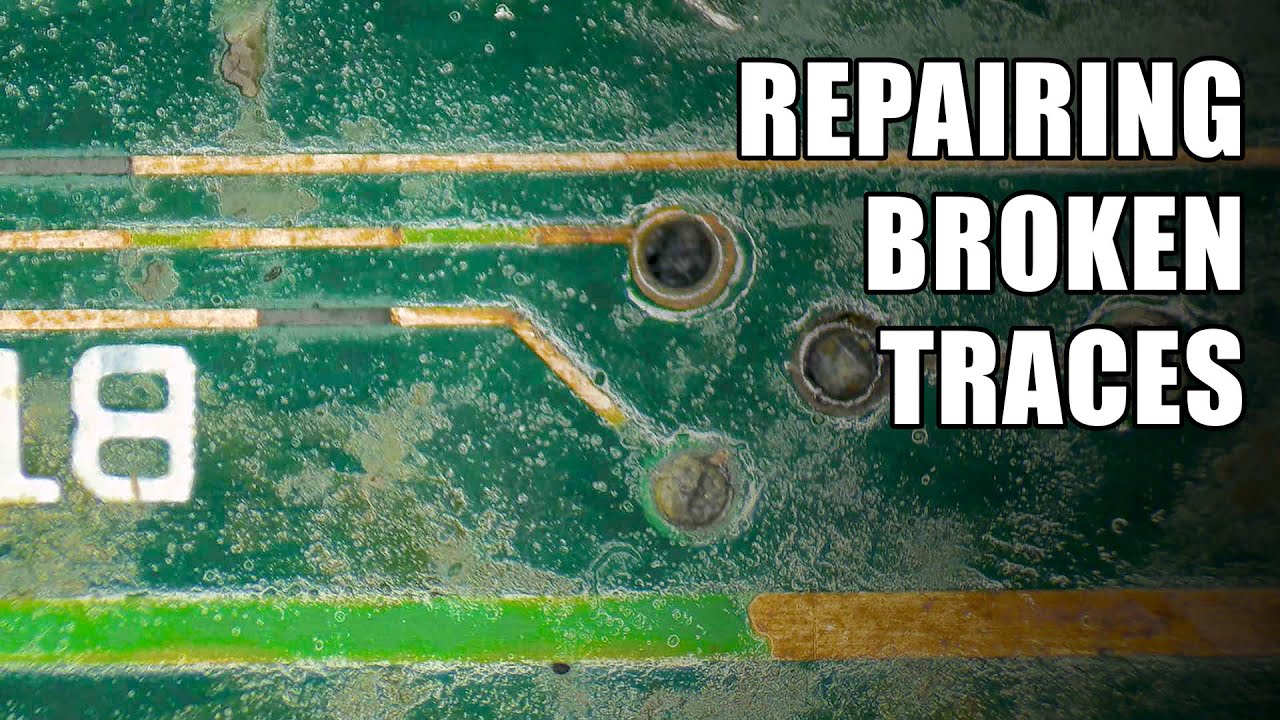
Broken traces are quite common, especially on vintage computers where corrosion has set in. Here are a few helpful tips for providing strong, long-lasting repairs for broken traces.
If you enjoy the content and would like to support the channel, please consider becoming a Patron:
https://www.patreon.com/branchuscreations
Alternatively, if you ...
scenic solar
Yeah but the problem is related to the broken trace right?
naive pendant
RAM is notorious for being heavily susceptible to electronic interference due to how fast it has to run.
The traces are designed to be an EXACT length
If I add too much or too little, it still won't work
Provided I can even find anywhere to solder to
scenic solar
I don't think it would make a big difference in length, however you can use a very short cable that is just the same length... Or almost
Electricity goes at 300.000km/s
It wouldn't make a difference if you use a 3mm longer cable
naive pendant
Directly from Linus Tech Tips's forums:
 scenic solar
I guess timings/frequency/bandwidth won't be affected by a slightly longer cable
Anyway you'll end up with a broken MB if you don't even try...
naive pendant
The traces all have to be EXACTLY the same length
scenic solar
I'm not telling you to start soldering, you could actually ask someone that has experience to do it for you
naive pendant
The price they'd charge would be more than a new board if they don't laugh me out of the shop
amber canopy
naive pendant
The one that I won the silicone lottary with
silicon 🧐
scenic solar
Yeah
Keep your broken motherboard then... Or try your best
amber canopy
lottery
amber canopy
my pfp isnt x99 😔
scenic solar
naive pendant
The traces all have to be EXACTLY the same length
What do you think? @amber canopy
scenic solar
amber canopy
my pfp isnt x99 😔
79
Noh
Isn't it LGA 2066 socket?
Don't know chipsets very well apart from b_50 and x_70
😂 lol
amber canopy
I dont really do much board-level repair so I wouldnt be comfortable suggesting anything, but I am pretty sure that's fixable. You could try asking around in louis rossman's server or doing some research online. It just involves melting some solder to bridge the gaps or something like that lol @naive pendant
scenic solar
Oh yes
That socket
It took me years to figure out if the motherboard socket/Xeon socket was 2011-3 or 2011-(1)
It is what it is
naive pendant
amber canopy
I dont really do much board-level repair so I wouldnt be comfortable suggesting ...
The odds of me being able to do that are even slimmer than it working
scenic solar
amber canopy
I dont really do much board-level repair so I wouldnt be comfortable suggesting ...
They just think (based on Linus forum) that 3mm more length will affect timings or other things
However as I said current travels 300000km/s
amber canopy
naive pendant
The odds of me being able to do that are even slimmer than it working
do you have any solder and a soldering iron?
scenic solar
naive pendant
The odds of me being able to do that are even slimmer than it working
Broken motherboard then...
amber canopy
i think you'd need something else to fix traces like that but im not 100% sure
naive pendant
amber canopy
do you have any solder and a soldering iron?
My soldering iron is a copper tip that's really malleable and my hands are about as steady as a 90 year old
 scenic solar
Step 1: scrape the damaged traces
Step 2: take the wire and melt it with the trace.
Step 3: cover the wire to make sure it doesn't touch your cooler/ other metal parts
Step 4: enjoy. If it works it works
long geyser
Conductive ink might work nicer. Has pretty high resistance tho so may not work as well.
Also just saw the pic, that is one pathetic hecking PCB design there. Might as well try to make traces go over the hole, holy heck.
hard leaf
traces must be of the exact length
you cant go "ill put a slighter longer cable" on modern electronics at that level
but you can try the solder aproach anyway... i mean, like fabio said... if it works it works
you have nothing to lose at this point
 normal perch
dual xeon e5-2643 v3 vs a i5-9400F in a gaming rig
 obtuse mountain
you could also take some really thin tin leaf and line the trace routes giving the solder a place to go. might or might not work then. if it does it will be exact length at that point
amber canopy
normal perch
dual xeon e5-2643 v3 vs a i5-9400F in a gaming rig
a dual socket config for gaming wouldnt make much sense, you'd be better off in terms of performance and value if you just got one 2643v3 compared to that. as for the 9400F, it was definitely perform better in games. id only get the 2643v3 if you need to save as much money as possible
then again you probably wouldnt save much money going with that chip compared to getting a 9400f
burnt spear
12100f would also be a better choice, if you don't already have a mobo
$106 consistently and $90 for a mobo
normal perch
I would get it in a prebuilt that I found on market place for 600
the xeons that is
it has 128 ddr4 while I have 8 ddr3
burnt spear
Whats the rest of the build?
128gb ddr4 is useless for gaming
It's actually likely hurting gaming performance
normal perch
it would become multichanal insaed of singal chanal
normal perch
it comes with a quadro m5000 while I have a 1650 super
normal perch
ok
obtuse mountain
m5000 are compute focused not gaming
burnt spear
What's your budget to upgrade?
normal perch
I don't know its for a frend
burnt spear
Ah
normal perch
I gust wanted a second oppenion
burnt spear
Can you find out what their budget is?
normal perch
if he were to upgrade what should he first do
burnt spear
I cant tell you without knowing what their current build is
normal perch
memory Im guessing because it was singal chanal
burnt spear
Have them plug their parts into this site https://pcpartpicker.com/list/
PC Builder
And send me the link
normal perch
he is busy curently
burnt spear
Well, do you have any guess what their budget would be and a general idea of their parts?
They have a 1650 super, or is that yours?
burnt spear
Lmk when you find out their budget
normal perch
ok but it may be tomorrow
burnt spear
normal perch
ok but it may be tomorrow
That's fine, just ping me
 signal kite
whens the new amd cpus coming out
 celest mulch
Hi guys
What i can do that my system with low memory (4 gb) opens after effect software in best performance and with out bugs?
cursive epoch
nothing honestly
other than closing and shutting down every background processes
to give it as much ram as possible
celest mulch
Oh , no
I did all of them
But it is not enough
We can't use our main storage instead of ram ?
Or some part of that ?
cursive epoch
nah
eternal helm
It wouldn't be the same
Plus, if on 4gb probs on mechanical HDD which would be agonizingly slow compared to ram speed, if you even could do thay
cursive epoch
oof
celest mulch
I was thinking for using little part of ssd for ram
That u said it is impossible
celest mulch
cursive epoch
oof
Yep
signal kite
how much will a am5 cpu with new mobo and 32gb 2x ddr5 ram cost?
finite elm
signal kite
how much will a am5 cpu with new mobo and 32gb 2x ddr5 ram cost?
Anywhere between 600$ and 1200$
Possibly more
cursive epoch
^
finite elm
7950x Will be like 800$ alone, but 7600x will like 300+ probably Goin off 5600x prices. Sadly. And if Tsmc didn't increase capacity I wouldn't expect good sales at Microcenter like Intel cpus
signal kite
and waterblocks will be available for them right away for ~100?
cursive epoch
aio?
finite elm
🤷♂️
cursive epoch
not sure tbh
existing aios might get new bracket
that you can either buy or ask for
eternal helm
cursive epoch
existing aios might get new bracket
its drop and play with am4 coolers for am5
cursive epoch
oh nice
eternal helm
the size of the sockets is the same
a couple of coolers like the l9i may have issues since backplate but almost every am4 cooler will work
grizzled bloom
One major difference is the offset mount isn't required for best temps any more based on the shifted layout of the CPU
 errant grail
12400 will be fine with stockcooler right?
naive pendant
After trying to clean up the board a little bit, I've found that the "broken" trace, isn't actually broken at all. it's just exposed. This is, apparently, enough to introduce enough instability to not detect RAM in slot 1 or 2
I know it's not detected, as it exibits the same behaviour when no RAM is plugged in
 autumn frigate
naive pendant
After trying to clean up the board a little bit, I've found that the "broken" tr...
autumn frigate
naive pendant
After trying to clean up the board a little bit, I've found that the "broken" tr...
Electrical tape
Could help
I take that back i don’t really know
naive pendant
It's just so finicky at this point
I'm gonna do something dumb and try to update the bios
See if there's a newer one that'll allow the use of slot 3 and 4 to boot
naive pendant
The issue is the current bios required that slot 1 is populated in order to complete post
autumn frigate
Could corrupt bios
naive pendant
And slot 1 and 2 are the effected slots
Slots 3 and 4 begin posting to where I could USB flash the Bios
Well it's a dead mobo ether way at this point
naive pendant
The bios is a removable chip anyway
 devout mothBOT
 LucyTheFluffyBunny#1863 has been warned
Reason: Bad word usage
naive pendant
Oops
Force of habit
Even if I heck it up it still supports USB bios flash
AYO IT WORKED
IM IN THE BIOS
I've got new symptoms!
The PC now seems to be cutting power while the ram is inserted in slot 1 and 2 instead of not detecting ram
I'm gonna see if I can up the voltage a little
Not much, just a little
Maybe underclocking the ram could make it more stable?
Setting the ram to 800mhz
Trying to big brain my way through this
Hmmmmm
It's still power cycling but now it's taking longer before it shuts off, like it's getting through more of the POST than it was before
autumn frigate
naive pendant
It's still power cycling but now it's taking longer before it shuts off, like it...
Prob does t work
Might be trying to memory train
naive pendant
Trying lower capacity RAM
WOAH
Okay so the 2gb stick hasn't POSTed
But it hasn't power cycled either?
Welp
Can I make do with 8gb
IT'S BOOTING TO WINDOWS AAAAA
I'll just have to make do with 8gb of RAM
autumn frigate
naive pendant
IT'S BOOTING TO WINDOWS AAAAA
Nice
naive pendant
CPU-Z seems happy.

78 degrees Celsius under full load. It's a little toasty, but the cooler is handling it. The cooler's fan isn't hitting 100% though so I'll poke around in the bios for a better fan curve, or make one myself
Settling around 1920 for max score
 shy wyvern
hard leaf
shy wyvern
hard leaf
the z690 aorus elite is kinda tasty as well
 empty cairn
I have a Ryzen 7 2700. Getting my RTX 3080 12gb in the mail today. Is there any reason to ever consider upgrading my CPU to something like the Ryzen 7 5800X anytime soon?
eternal helm
most likely would benefit from a upgrade
something like a 5600(x), 5700x, 5800x are all great
kinda depends on the games or whatever you do
vast meadow
empty cairn
I have a Ryzen 7 2700. Getting my RTX 3080 12gb in the mail today. Is there any ...
I would opt for 5700x or go straight to 5800x3d
 dense patio
I just managed to get myself that Ballistix Ram for £104 on a prime day deal.
Never ended up getting that used set the other day when i asked here and I'm glad i didn't now
vast meadow
Very nice kit for 3600c16 especially if you wanna oc
dense patio
The Ballistix kit?
vast meadow
Ye
dense patio
I didn't intend to OC but good to know it will if i want to do so
The old RAM won't go to waste either. It'll go into my second PC that i use for just random experiment stuff
vast meadow
Yeah ballistix kits oc great, i have the 3200c16 16gb, oc'd to 3600c14 could do more but my board sucks
dense patio
I don't really know anything about OCing tbh so I'd need to research it all first
vast meadow
Well if you ever feel like ocing it's a nice jump in perf
 rough marsh
hey there, im torn between 2 cpus, im wondering what would be better overall to go for, the 5900x or the 3800x3d, ive saw some specs and they look about the same but the 5900x is 100gbp cheaper, looking for advice?
hard leaf
there is no 3800x3d, could be the 5800x3d?
5800x3d is the better one for apps that rely on cache size, like most games
but the cpu itself is meh for productive workloads
while the 5900x is better suited for production workloads
more cores, able to oc, and not that far behind for games
if you want the best pc for games and games only, go 3d, if you want a gaming pc but also as a video editing/workstation rig, then 5900x is the best bet
assuming you have an am4 mobo already, if not then go 12th gen, better overall price/performance these days
rough marsh
hard leaf
there is no 3800x3d, could be the 5800x3d?
myb yep i mean that, idk why i keep mixing it up
aight thanks lad i appreciate it :)
errant grail
whats the latest gpu can i5 6400 can use? without the gpu getting bottleneck
hard leaf
should support the latest ones, i mean 6th gen have 16 pice lanes gen3 for the gpu, and most cards these days barely use the full 16 lanes at gen 3 speed
could be wrong, maybe someone else can help you on that
cpus these days are leagues away from gpus in technology
vast meadow
errant grail
whats the latest gpu can i5 6400 can use? without the gpu getting bottleneck
What resolution
errant grail
1080p
vast meadow
um probably wouldnt go more than ~1070/2060 super/rx 6600
grizzled bloom
hard leaf
more cores, able to oc, and not that far behind for games
False, the 5800X3D beats the 12900k in many games that use the CPU more. By a LOT in some cases, like 50%+ more frames.
hard leaf
i was talking about the 5900x
on that line
and yes the 5800x3d is between that and the 5900x the best one of a gaming pc
the differences between the 3d and 12900k in games falls into a blurred line, sometimes the 3d wins, soemtimes the 900k wins
vast meadow
grizzled bloom
False, the 5800X3D beats the 12900k in many games that use the CPU more. By a LO...
Worse performance in csgo 
grizzled bloom
Sure but it still does 500+ fps lol
cerulean wadi
errant grail
whats the latest gpu can i5 6400 can use? without the gpu getting bottleneck
1080/2070 (super) /2060 (super) would be the most I'd want to put w/ that 6400
vast meadow
grizzled bloom
Sure but it still does 500+ fps lol
Not enough 
grizzled bloom
 vast meadow
 grim hornet
Do I need to use both?
 grim hornet

cerulean wadi
Too hard for them to leave off the extra on normal boards huh.
hard leaf
most psu have two eps cables tho, might as well plug both
cerulean wadi
Some psus have 3 eps (& only 2 pcei, GG rm750 or w/e I'm thinking of)
grim hornet
no way for me getting that cable in there
hard leaf
just 1 is enough
as fal'cie said, the other is for extreme oc where you need more juice on the cpu
hollow thorn
manual can tell you, what board?
 hollow thorn
 grim hornet
The sys_fan?
grizzled bloom
yes
grim hornet
What to do when fans have only 3 pins and on mobo 4 are required?
grizzled bloom
3 pin fans work on 4 pin headers, just set them to DC mode in bios
Instead of PWM, which is 4 pin
hollow thorn
make sure its the fan connector not rgb/argb, that's different
 olive ether
how do i update my drivers i have a ryzen 5600x
grizzled bloom
Chipset drivers I'm guessing you mean
grizzled bloom
olive ether
how do i update my drivers i have a ryzen 5600x
Windows 10 or 11?
 thorny cobalt
go to amd driver support
olive ether
grizzled bloom
Windows 10 or 11?
windows 10
scenic solar
Can the i5 9400f be overclocked?
grizzled bloom

 frosty depot
scenic solar
Can the i5 9400f be overclocked?
frosty depot
scenic solar
Can the i5 9400f be overclocked?
Tom's Hardware Forum
Hi all, haven't been on here in ages, but I was wondering:
what motherboard is best to overclock an i5 9400f? (by best, I mean which mobo would achieve the highest ghz from the original 2.9ghz)
what do you have to do to overclock it?
do I need a specific cooler for overclocking the i5...
frosty depot
grizzled bloom
https://tenor.com/view/well-yes-but-actually-no-well-yes-no-yes-yes-no-gif-13736...
Soo.. kinda :P
scenic solar
So like BCLK oc? That way the multiplier stays the same but the freq increases...
cerulean wadi
Yes although probably limited to like 103 bclk on that.
scenic solar
The motherboard I'll be using is a asrock h310cm DVS. Not sure if it'll let me oc a non K CPU because I saw this guy changing CPU multipliers on his intel QTJ0 core 2800
I'm not sure if the option to change CPU multipliers gets looked with non K CPUs

Specs:
- Motherboard: AsRock H310CM-DVS.
- CPU: Intel QTJ0 (Core-2800).
- RAM: 2 x 8 GB G.Skill DDR4-3200 CL14 @ DDR4-2800 CL14.
- GPU: Nvidia GT 710.
- PSU: EVGA SuperNova 750 P2.
- Cooler: Stock.
- Resolution: 1080p.
- OS: Windows 10 Pro.
Affiliated links:
AsRock H310CM-DVS: https://amzn.to/3qQ31Xn
AsRock H310CM-ITX/AC: https://amzn.to/3tOwyC...
Apparently the CPU he's using is a modified laptop CPU with a LGA 1151 adapter 🤨

@frosty depot @grizzled bloom
 scenic solar
https://youtu.be/kUQ7BjqERUA
Also this person said you can OC (no voltage control from bios ...)

Specs:
- Motherboard: AsRock H310CM-DVS.
- CPU: Intel QTJ0 (Core-2800).
- RAM: 2 x 8 GB G.Skill DDR4-3200 CL14 @ DDR4-2800 CL14.
- GPU: Nvidia GT 710.
- PSU: EVGA SuperNova 750 P2.
- Cooler: Stock.
- Resolution: 1080p.
- OS: Windows 10 Pro.
Affiliated links:
AsRock H310CM-DVS: https://amzn.to/3qQ31Xn
AsRock H310CM-ITX/AC: https://amzn.to/3tOwyC...
scenic solar
vast meadow
https://tenor.com/view/avril-lavigne-gif-9619884
I just need a small motherboard and a good budget LGA 1151 cpu
vast meadow
Why
scenic solar
Mini pc build
That's the smallest board I could find at a reasonable price
Anyway why the i5 9400f has a max boost 4.1ghz on the intel website?
vast meadow
I'm pretty sure you could find a itx b660 or something for a good price
scenic solar
Probably not 190x190cm and not adequate for my budget
I don't think I can find itx b660 + 12th gen for less than 130€
Or I can just buy the motherboard and the CPU when I need to and then try if it can OC
 earnest rover
good day good morning, so ive noticed after setting docp to 3200 ive has some issues while playing games it hangs for a half a sec
vast meadow
Could be possibly instability, what's ram and what cpu?
earnest rover
vast meadow
Could be possibly instability, what's ram and what cpu?
3700x Corsair Vengeance LPX 16GB (2x8GB) DDR4 DRAM 3200MHz C16
if i turn off xmp i have no issues at the 2133 stock freq
once xmp is on everything has a lag spike every few seconds or minutes depending on what
doing
earnest rover
could it also be a possibility that the storage is contributing to also?
like its a sata 3 ssd [yeah i know it sucks]
scenic solar
Could be many things, that one, too but I think is one of the less common
Since ram is a bridge between CPU and Hard drives
vast meadow
earnest rover
3700x Corsair Vengeance LPX 16GB (2x8GB) DDR4 DRAM 3200MHz C16
That should be able to handle it fine yeah, it could be the ram being wacky but just a few things first, can you download zentimings and send a screenshot of the program? Just want to check the voltages and stuff
vast meadow
earnest rover
like its a sata 3 ssd [yeah i know it sucks]
Definitely
 scenic solar

Laptop BGA processors redesigned for LGA 1151 that overcome the limitations on supported platformsThere’s an interesting industry built on reusing old hardware in China. For example Xeon E5 CPUs and newly-produced gaming motherboards for them, but recently they started converting mobile Intel BGA processors into socketed CPUs for desktop. Not so...
scenic solar
scenic solar
^
earnest rover
vast meadow
Definitely
@vast meadow done.
vast meadow
earnest rover
here
Can you go into bios and try see what vdimm is, also do you have your sticks in slots 2 and 4(if you count left to right)
earnest rover
vast meadow
Can you go into bios and try see what vdimm is, also do you have your sticks in ...
thats were there are
ill go into bios now brb
earnest rover
vast meadow
Can you go into bios and try see what vdimm is, also do you have your sticks in ...
vdimm not found
vast meadow
earnest rover
vdimm not found
Might be along the lines of dimm voltage or memory voltage or something?
earnest rover
ill check again
earnest rover
vast meadow
Might be along the lines of dimm voltage or memory voltage or something?
nope nada, noting with that term
vast meadow
There has to be something
earnest rover
dram voltage perhaps?
long geyser
earnest rover
dram voltage perhaps?
Yep
scenic solar
Are the marked ones (red) screw holes for MB standoff?

Because they seem different from the others
vast meadow
Ye
 gloomy cloud
Hi everyone was just wondering if someone can please help me. Hi I have a late 2014 I mac retina 27 inch and I would like to upgrade to 32 what ram. What would I get because I recently bought 16GB -- PNY DDR3 1600MHZ and I cant really tell if its working good or not. I bought the PNY from best buy and already installed it but cant tell a difference. I went from only 8GB to 16GB total and I don't know if this is the right one for my PC. Can anyone help me with the correct and best one to get please?
 vast slate
What cpu should I pair with a 6900xt?
burnt spear
vast slate
What cpu should I pair with a 6900xt?
Depends on your budget
12400f or 12600kf are great choices
Especially with 12600kf at $217 rn
vast slate
I have a motherboard I’m happy with but it’s for LGA1200 socket
vast slate
1440p
burnt spear
Tbh, you'd probably be fine to stick with the 10600k until you change motherboards as well. 10850k might be worth if you can find it cheap used, and you have a good enough mobo for it
Or if you have a z490/590 you could oc it
vast slate
I got a z490
burnt spear
Ye, could oc the 10600k
vast slate
That sounds like a good plan
I wanna make a water cooling loop at the micro center near me and that’d probably make oc easier
burnt spear
Though to make sure you do it properly and safely, id ask for help in #overclocking
Custom loops aren't worth it
You're looking at 1k+ for it
vast slate
Ye
burnt spear
Only time custom loop should be considered is if you're buying the highest end parts possible and have more money than you know what to with
Ie 3090 ti 12900ks
vast slate
Fair
burnt spear
If you have the money for a custom loop, get a 12700f and msi b660 mag bazooka
vast slate
I should probably avoid my overindulgence on spending too much money
Anything wrong with a noctu cooler with push pull fans if I over clock it?
vast slate
U9s
dull flint
vast slate
I wanna make a water cooling loop at the micro center near me and that’d probabl...
You will likely gain almost virtually nothing out of a custom loop on that combo of parts
burnt spear
Ah
vast slate
The case couldn’t fit one taller
burnt spear
I'm not familiar with the cooler
dull flint
smarter thing to do if you want to min-max - Get a CLC 280 + 2 Phanteks T30's and change the shroud fans on the 6900XT
burnt spear
It looks pretty decent
dull flint
that'll get you like 99% of the way on an XTX and 10600K
burnt spear
Clc 280 isn't $60 anymore
dull flint
oh it's not? Well any cheap 280 rad aio or better then lol
 mental solstice
Hello everyone, sorry for interrupting the current conversation but i have issues with my RAM and i need someone's assistance.
I just bought 32GB of ram with 3600 MHz. I dont know much about it but the little i know is that the motherboard needs to be able to support the RAM's capacity and frequency. My MoBo is a Asus Prime Z270-P which can support up to 64GB and 3800 MHz with overclocking.
When i installed the RAM i noticed that its locked at 2100 MHz so i tried to manually change it by enabling XMP, however when i restart the pc it doesnt boot up. I tried to increase the voltage from 1.200 V to 1.400 V but it still doesnt boot up. Any way to fix this?
burnt spear
mental solstice
Hello everyone, sorry for interrupting the current conversation but i have issue...
The cpu likely cannot handle that speed of ram
You can try manually setting it at 3000, and see if that works
mental solstice
my CPU is a i5-7400
scenic solar
7400 supports 2666 non OC
burnt spear
I stand by my answer
burnt spear
scenic solar
7400 supports 2666 non OC
That's official spec, that's irrelevant
scenic solar
Maybe CPU isn't OC and can handle?
burnt spear
The cpus imc just likely can't handle 3600mhz
dull flint
burnt spear
Nah, u9s seems fine
Sure but I'm talking like, silicon limits. Going to water would prove to serve nothing beyond that lol
Even then yes an air cooler will likely be fine but that little 1% extra
mental solstice
burnt spear
I stand by my answer
i will try 3000 in that case, thank you for helping
@burnt spear sorry for tagging but just wanted to inform that it worked with 3000MHz
burnt spear
Could try 3200 as well
gloomy cloud
Hi everyone was just wondering if someone can please help me. Hi I have a late 2014 I mac retina 27 inch and I would like to upgrade to 32GB. What ram would I get because I recently bought 16GB -- PNY DDR3 1600MHZ and I cant really tell if its working good or not. I bought the PNY from best buy and already installed it but cant tell a difference. I went from only 8GB to 16GB total and I don't know if this is the right one for my PC. Can anyone help me with the correct and best one to get please?
burnt spear
gloomy cloud
Hi everyone was just wondering if someone can please help me. Hi I have a late 2...
You won't feel a difference because that machines limiting factor is its cpu and gpu power
There's no point in putting more ram into it
scenic solar
Yeah, no point unless you actually need that much ram for heavy workload (many programs open that take-up more than your actual amount of ram)
 chilly narwhal
what motherboard do you recommend, B550-or-x570-for this type of processor AMD Ryzen 7 5800X - Ryzen 7 5000 Series Vermeer (Zen 3) 8-Core 3.8 GHz Socket AM4 105W...I like them, asus, Msi, Gigabyte.
burnt spear
chilly narwhal
what motherboard do you recommend, B550-or-x570-for this type of processor AMD R...
I would get a 5700x instead of the 5800x
They have very similar gaming perf, and 5700x is much cooler
I'd get a b550
chilly narwhal
mother board brand?
burnt spear
What's your budget for the mobo?
chilly narwhal
250.00
burnt spear
Usd?
chilly narwhal
yes
chilly narwhal
ah ok lol
burnt spear
12th gen is better value than 5000 series atm
I'd get a 12600kf at $217 rn, and a b660 mag bazooka
Are you making a whole new build?
chilly narwhal
i have processor ned a good motherboard
chilly narwhal
yes
burnt spear
What's your budget and what have you already bought?
chilly narwhal
i have the processor ,and the graphics.
burnt spear
what gpu did you buy?
chilly narwhal
asus ko RTX 3060 ti.and cpu,7 5800X - Ryzen 7 5000
chilly narwhal
and ok ,i have 16gb corsair 3200.and 2 ssd drive ,1tb,and 2tb,..1tb.m.2.
and 750.power suply
burnt spear
what power supply
chilly narwhal
ASUS ROG Strix 750 Fully Modular 80 Plus Gold 750W
chilly narwhal
i have the ram,hards drives,power suply,and the gpu.
burnt spear
wait so are they ssds or hdds
chilly narwhal
ssd
chilly narwhal
i have 3.
burnt spear
yes... that would be what i said
chilly narwhal
1tb-2tb-1tb m.2
chilly narwhal
thas the problem is compatible for bt b550-or 570
eternal helm
burnt spear
<@473206416782655508> is that grounds for an x570?
What gen are they
burnt spear
chilly narwhal
thas the problem is compatible for bt b550-or 570
what generations are the ssds
3 or 4
chilly narwhal
PNY CS1030 M.2 2280 1TB PCI-Express 3.0 x4, NVMe 1.3 3D NAND Internal Solid State Drive (SSD)
CORSAIR Vengeance RGB Pro 16GB (2 x 8GB) 288-Pin PC RAM DDR4 3200 (PC4 25600) Intel XMP 2.0 Desk
WD Blue 3D NAND 2TB Internal SSD - SATA III 6Gb/s
hard leaf
seems like a 550 should be enough
chilly narwhal
ok,
hard leaf
just my opinion on the matter, forg is the one advising you
burnt spear
the tomahawk has a flashback button, right?
chilly narwhal
i like Asus or Msi or gibyte.
burnt spear
buying based off of brand is pointless
PC Builder - AMD Ryzen 7 5700X, GeForce RTX 3060 Ti LHR, Corsair 4000D Airflow ATX Mid Tower
chilly narwhal
ok,sorry only ned which mother.
burnt spear
b550 tomahawk
chilly narwhal
I have that question and why not a 570, I want to know that's why I don't decide for one or the other.
burnt spear
b550s have better vrms
burnt spear
theres more to a power supply than the wattage and rating
if you give me a model name, i can tell you if its fine or not
chilly narwhal
ok.ASUS ROG Strix 750 Fully Modular 80 Plus Gold 750W
ok i understand thanks for your time, thanks, i'm going for a GIGABYTE B550 VISION D-P AM4 AMD B550 ATX Motherboard with Dual M.2, SATA 6Gb/s, USB 3.2 Type-C with Thunderbolt 3, WIFI 6, Dual 2.5GbE LAN, PCIe 4.0
burnt spear
thats fine, just overpriced
burnt spear
chilly narwhal
ok i understand thanks for your time, thanks, i'm going for a GIGABYTE B550 VISI...
so you ask for a recommendation for a motherboard
i give one
and you get smthn else
ok
checks out
chilly narwhal
Yes, because I was thinking of buying an x570. But because of your advice, I went for a b550.
that motherboard is fine
GIGABYTE B550 VISION D-
burnt spear
its also extremely overpriced for what you get
chilly narwhal
ok tell me something better in price and do the same.
hard leaf
forg already showed you the tomahawk
burnt spear
...b550 tomahawk
hard leaf

MSI MAG B550 TOMAHAWK ATX AM4 Motherboard (MAG B550 TOMAHAWK)
solid board, 150 on price
chilly narwhal
ok, msi, thanks for your time and advice, one last question what is normal, I have to do bios ubdate for 5000, series is correct.
hard leaf
probably, probably not
burnt spear
b550 tomahawk has flashback, so even if you do have to its easy
hard leaf
that largely depends on the bios on the mobo youll get
yup
the flashback is a quick tool on that one
hard leaf
wut?
chilly narwhal
ok, I understand, thanks for your advice, I'm going for b550. MSI MAG B550 TOMAHAWK .... thanks.
👍 
ok, I understand, thanks for your advice, I'm going for b550. MSI MAG B550 TOMAHAWK, but it doesn't have wifi, no Bluetooth 5.2
burnt spear
mhm
chilly narwhal
MSI MAG B550 TOMAHAWK MAX WIFI, AMD B550 ATX AM4, 4 Dimm DDR4, PCIE 4.0, M.2 x 2, USB 3.2 Ports, JRGB JRAINBOW, WIFI 6
burnt spear
yes
hard leaf
luckily most mobos these days have a wifi and a non-wifi version 🙂
chilly narwhal
im going for that.MSI MAG B550 TOMAHAWK MAX WIFI, AMD B550 ATX AM4, 4 Dimm DDR4, PCIE 4.0, M.2 x 2, USB 3.2 Ports, JRGB JRAINBOW, WIFI 6
thanks guys.have good day.t/y
how I look I'm all good,
 unreal heath
What ram should i get for 6900xt + 12400f don't care what brand just want it cheap and quality. What cas latency and mhz as well.
32gb
unreal heath
hard leaf
luckily most mobos these days have a wifi and a non-wifi version 🙂
steelegend 🧍♂️
vast meadow
unreal heath
What ram should i get for 6900xt + 12400f don't care what brand just want it che...
What country?
 scenic solar
grim hornet
What does this light mean?
scenic solar
grim hornet
What does this light mean?
Those lights turn on while pc is booting, if it stops on one of the light, you read what it is for and you'll discover what's the problem with ur pc
For example RAM led stays on that means there is a problem with your ram
cursive epoch
that's a cpu light
cursive epoch
grim hornet
What does this light mean?
what cpu and mobo do you have?
grim hornet
cursive epoch
what cpu and mobo do you have?
Msi pro b660m-a/ i5 12400f
grim hornet
Aight
vast meadow
I mean if it is working i wouldn't worry
grim hornet
if it turns on again imma check the connections, but somehow after the restart it turned off
grim hornet
scenic solar
Those lights turn on while pc is booting, if it stops on one of the light, you r...
👍
frosty depot
Is it bad that just from the corner of the board I thought to myself "thats an MSI board"
burnt spear
grim hornet
if it turns on again imma check the connections, but somehow after the restart i...
They turn on during start up as well, that's normal
vast meadow
frosty depot
Is it bad that just from the corner of the board I thought to myself "thats an M...

 uncut fjord
hey, so i'm running an i5 9700, a 12gb 3060, and 16gb ram.... should i really be lagging on warzone on high settings or is it just warzone being warzone
also 600+mbps down 80+ up
burnt spear
uncut fjord
hey, so i'm running an i5 9700, a 12gb 3060, and 16gb ram.... should i really b...
Did you mean i7 9700 btw?
Just curious
And also warzone is terrible optimized
I'd try turning settings down a bit and seeing what happens
frosty depot
When should I jump the ddr4 ship to hop on the ddr5 train?
 night hatch
When DDR5 is normal and more affordable
frosty depot
How much is a good set of 16x2?
night hatch
frosty depot
How much is a good set of 16x2?
https://www.newegg.com/team-32gb/p/N82E16820331838 knock yourself out
frosty depot
night hatch
https://www.newegg.com/team-32gb/p/N82E16820331838 knock yourself out
And thats good? Overclockable? Equivalent to ddr4 bdie?
night hatch
frosty depot
Looks doable.
I'll think about it.
Thinking of just making the upgrade now/soonish and selling the pc i currently have.
night hatch
I wouldn't make the transition to DDR5 yet
frosty depot
Alright.