#cpus-mobo-and-memory
1 messages · Page 219 of 1
 naive pendant
 rocky beacon
1155 motherboards can be bought for $40 from china
 vast meadow
Yeah use the g260 as file server
naive pendant
alr
rocky beacon
Even used from the US on ebay for $40
naive pendant
hope they arent to big for this box
it appears as if it would be big enough for a couple of drives the psu and the mobo
but things would be mega tight
rocky beacon
matx board with 2 ram slots
naive pendant
but now that i think about it
for 40$...
i could just
get a cheap sff hp
computer manufacturer sff mobos can be had for like 15$
naive pendant
vast meadow
Yeah use the g260 as file server
am i gonna need a ton of ram
vast meadow
naive pendant
am i gonna need a ton of ram
4gb
naive pendant
ive got a 1gb stick for the g620 lined up
naive pendant
vast meadow
4gb
oh 🙃
naive pendant
g620 is ddr3.
vast meadow
Ohh then 1gb probs will do
naive pendant
would it be fine to grab one of these literal 12$ manufacturer motherboards?
rocky beacon
baller ram
 naive pendant
gamin
rocky beacon
I miss my OCZ gold ram
naive pendant
naive pendant
would it be fine to grab one of these literal 12$ manufacturer motherboards?
?, like ones pulled from sff pcs
or just get a normal like asus/asrock/ w/e board
naive pendant
rocky beacon
As long as they are normal ATX
they arent gonna be :V
rocky beacon
Many Dell ones are
naive pendant
but if they are going in a box it shouldnt matter right?
vast meadow
naive pendant
would it be fine to grab one of these literal 12$ manufacturer motherboards?
Yup
naive pendant
poggers
vast meadow
naive pendant
they arent gonna be :V
Doesn't have to be atx size just make sure same power connectors
naive pendant
becom yutub "12$ gamr pc build"
naive pendant
vast meadow
Doesn't have to be atx size just make sure same power connectors
alr
thanks
vast meadow
Np
 devout mothBOT
 Luffy at 100%#4366 has been warned
Reason: Bad word usage
Luffy at 100%#4366 has been kicked
Reason: Too many infractions
naive pendant
vast meadow
Doesn't have to be atx size just make sure same power connectors
one cpu is ok
but it has the have the normal 12 pin motherboard right
like some of them only have one cpu port things instead of 2
rocky beacon
12pin motherboard?
That's dell proprietary
You want a board with a 24pin
4 pin for CPU is normal
naive pendant
i mean 24 pin
rocky beacon
Ah okay
naive pendant
https://www.ebay.com/itm/254880287967?epid=1041813341&hash=item3b580c8cdf%3Ag%3A05gAAOSwWulgulBY&LH_BIN=1 like this would be compatible right

eBay
Model: Optiplex 3010. If a product can not be replaced due to availability, a similar agreed upon product may be substituted of equal value. after handling.
rocky beacon
Yeah
naive pendant
alr thankies
rocky beacon
 naive pendant
like i know i have to cut fan holes but how should i cool it
vast meadow
naive pendant
one cpu is ok
Yes ik? Make sure it has 24 pin atx power and standard cpu 4+4 pin etc
naive pendant
vast meadow
Yes ik? Make sure it has 24 pin atx power and standard cpu 4+4 pin etc
it has to be 4+4?
vast meadow
naive pendant
like i know i have to cut fan holes but how should i cool it
Stock cooler
rocky beacon
What?
vast meadow
naive pendant
it has to be 4+4?
Well 4 pin whatever usually just 4+4
rocky beacon
Just buy any compatible intel cooler
vast meadow
What socket does it need to support btw?
 halcyon wagon
just got a prebuilt
the graphics ports on the motherboard don't work, only on the graphics card
assuming i have to update something
rocky beacon
No
vast meadow
naive pendant
1155
naive pendant
what prebuilt is it
rocky beacon
That is how GPUs and computers work
naive pendant
amd cpus do not have integrated graphics
vast meadow
halcyon wagon
the graphics ports on the motherboard don't work, only on the graphics card
Usually prebuilts wont have integrated gpus if they have a graphics card, so the motherboard display outs are for CPU integrated graphics only
halcyon wagon
halcyon wagon
vast meadow
Usually prebuilts wont have integrated gpus if they have a graphics card, so the...
ah
vast meadow
Yep that cpu has no integrated gpu
halcyon wagon
so motherboard outputs come from the integrated graphics
naive pendant
vast meadow
https://pcpartpicker.com/product/PNm323/arctic-alpine-12-cpu-cooler-acalp00027a ...
so get this and have no other fans? i have a 92mm fan i could also put somewhere
vast meadow
naive pendant
so get this and have no other fans? i have a 92mm fan i could also put somewhere
You can see if you can get an intel cooler for cheaper on ebay but shipping so i doubt it, sure wack a fan in there but it should be fine with that
vast meadow
halcyon wagon
no way to change that i'm assuming
Swapping out the cpu to a non f cpu but no basically, but then there would be no point in your 3070 lol as you wouldn't be using it
naive pendant
i think they want to have a display on integrated and a display on the 3070
using the integrated to power multiple displays
right @halcyon wagon
?
vast meadow
naive pendant
using the integrated to power multiple displays
Their 3070 will have 3 or 4 ports so
naive pendant
maybe they have 6 displays
halcyon wagon
no
it's fine
my pc has no integrated graphics
i thought the dvi port on the motherboard somehow attached to the gpu
it's an inconvenience for me to use an hdmi cable
because i have to take it out and give it to my dad every day
halcyon wagon
halcyon wagon
i thought the dvi port on the motherboard somehow attached to the gpu
but i couldn't figure out how to use a dvi cable because ^
it's fine my good monitor is arriving on thursday
and it has hdmi on it so i won't have to borrow my dads cable
doesn't make sense to buy another cable considering it's arriving in 3 days
vast meadow
halcyon wagon
because i have to take it out and give it to my dad every day
You can get them on Amazon for like 6$ i would just invest in one of those
Nvm then
halcyon wagon
halcyon wagon
doesn't make sense to buy another cable considering it's arriving in 3 days
.
 humble glade
halcyon wagon
because i have to take it out and give it to my dad every day
humble glade
halcyon wagon
because i have to take it out and give it to my dad every day
Tell your dad to buy his own damn graphics card!
halcyon wagon
humble glade
Tell your dad to buy his own damn graphics card!
the cable
not the graphics card lol
i'm not letting my dad touch my 3070
he's perfectly content with his two gt 160s
 cyan raft
How are the Asus Gundam mobos?
I’m really tempted to buy one with me being a huge gundam fan and wanting to do a build with it

 vernal cosmos
cyan raft
How are the Asus Gundam mobos?
vernal cosmos
cyan raft
How are the Asus Gundam mobos?
Not bad
cyan raft
So like the Z590 is a solid buy?
What normal Asus board would it be the equivalent to?
 proud badger
Is Asus ROG Maximus XII Formula a good mobo?
vast meadow
proud badger
Is Asus ROG Maximus XII Formula a good mobo?
I mean yes but don't buy it it's for extreme overclocking, what cpu where you looking to use?
devout mothBOT
 Op3n#8937 has been warned
Reason: Bad word usage
Op3n#8937 has been kicked
Reason: Too many infractions
devout mothBOT
 UndyingOne#5032 has been warned
Reason: Bad word usage
UndyingOne#5032 has been kicked
Reason: Too many infractions
 cursive epoch
every darn day
naive pendant
😔
 dim cloak
Another few munch on the dust of weggbot
proud badger
vast meadow
I mean yes but don't buy it it's for extreme overclocking, what cpu where you lo...
i9-10700k
I just look at the best builds 2021 and see that in there but I didn’t know if there is more affordable options
proud badger
I’m sorry I meant i9-10900k
 burnt spear
ah
proud badger
All new to this building world
Was a pro League of legends player back in the day using i5 laptop and wanted to build a pc
burnt spear
whats your budget?\
proud badger
Wanted to do streaming and play Call of Duty and race games finally without freezing and low quality
Budget for the whole build?
burnt spear
yeah
proud badger
1500-2000$
burnt spear
in an ideal world youd get a 3080 and 5800x
but with the market itd be a little hard
proud badger
3080 5800x what?
burnt spear
my friend built his 3080 5800x pc for 1600$ but he got stuff at or below msrp
proud badger
Well I’m probably going to wait till cyber Monday or Black Friday or just later on
When stuff might restock
burnt spear
yeah honestly at the current rate cant hurt
proud badger
What motherboard would you recommend if the Asus formula is too much
burnt spear
id say wait till you buy your gpu and build the rest of your build around it
im not too sure on mobos
burnt spear
geforce rtx 3080
theres different models
AIBs theyre called, thats when another company modifies the original gpu to put it simply
proud badger
The 3080 is able to run high quality games?
burnt spear
the cheapest is the founders edition, but it also has meh cooling
oh 100%
its one of the best gaming gpus
proud badger
Serious?
burnt spear
outta curiosity, do you already have a monitor?
burnt spear
is 2k budget including monitor?
burnt spear
so 3080 is overkill for 1080p gaming, the "lowest" resolution (theres lower but never used anymore)\
id reccomend atleast a 1440p monitor, that or a 4k monitor
the resolution is pixel density
meaning the gpu is rendering more pixels on the screen, which means it takes more of the gpu to do it
refresh rate is how often the monitor refreshes, id reccomend a 1440p 144hz monitor probably, since 4k is expensive asf
on specific model im unsure
proud badger
What shouldaverage price of this be? What might you guess @burnt spear
Is this a good monitor
burnt spear
proud badger
What shouldaverage price of this be? What might you guess <@!65444434427484569...
I'm nkt too sure on good monitors, I've heard good things about the m27q
proud badger
Alright thanks man 🙂
devout mothBOT
 Luke Warm#9996 has been warned
Reason: Bad word usage
Luke Warm#9996 has been kicked
Reason: Too many infractions
 dense frost
depends on your need and budget
vernal cosmos
 old hazel
i am confused with intel or amd
old hazel
i am confused with intel or amd
11400 for budget 5000 series amd for everything else
3000 series ryzen not werf it tbh
 celest anchor
vernal cosmos
11400 for budget 5000 series amd for everything else
celest anchor
vernal cosmos
11400 for budget 5000 series amd for everything else
10400 though
And intel still puts up a hell of a fight
vernal cosmos
last gen intel is very nais for 10th gen for sure
10700 very nice if you need more cores
10850 is amazing too
celest anchor
10700 is awesome
10700f is usually like 270 or 260 usd
i'd take it over a 5600x for 290 or 300
oh damn it's 250 rn
whew
vernal cosmos
personally id take the 5600x any day of the week but thats just because I have an x570 aorus elite
 vernal cosmos
Yep exactly why I added the personally
celest anchor
I don't really see the value in the 11400/f
dim cloak
So i have the Asus Tuf gaming Z590 plus gaming wifi mobo and an Intel Core I5-11600K would a 16gb (2×8gb) 3200mhz cl16 ram do fine in do channel mode
celest anchor
yeah
vernal cosmos
celest anchor
I don't really see the value in the 11400/f
f isnt great but the better igpu on 11th gen can make a difference in the current market
vernal cosmos
dim cloak
So i have the Asus Tuf gaming Z590 plus gaming wifi mobo and an Intel Core I5-11...
yes but id recommend a 5600x+b550 board tbh
vernal cosmos
celest anchor
igpu is 30% better
fair
celest anchor
vernal cosmos
yes but id recommend a 5600x+b550 board tbh
why though
10700f is so good at the price point
vernal cosmos
celest anchor
why though
turns out to be cheaper
dim cloak
vernal cosmos
yes but id recommend a 5600x+b550 board tbh
I already have them in possesion
celest anchor
vernal cosmos
turns out to be cheaper
how
vernal cosmos
dim cloak
I already have them in possesion
ah nvm then
vernal cosmos
celest anchor
how
the mobo
celest anchor
$30 cheaper?
vernal cosmos
z490 and 590 mobos are a lot more expensive than b550
celest anchor
b560
dense frost
5600x also comes with a cooler
dim cloak
I stuck with asus tuf board cause it was an open box deal with a missing manual so i got it for $150
vernal cosmos
celest anchor
b560
then get rid of the k skew cpu
dense frost
celest anchor
10700f comes with a cooler
roger that
celest anchor
vernal cosmos
then get rid of the k skew cpu
I never said the k
dense frost
my bad
vernal cosmos
z490 better for 10600k
celest anchor
nope
vernal cosmos
no disabled m.2 slots
celest anchor
z590 boards are much better
celest anchor
vernal cosmos
no disabled m.2 slots
2 is enough for almost everyone
I'm getting a 10850K + z590 because z590 boards are better
vernal cosmos
celest anchor
2 is enough for almost everyone
some boards have only 1 non disabled on z590
celest anchor
don't get one of those then
vernal cosmos
VRMs and everything on z590 smashes z490 for sure
vernal cosmos
celest anchor
don't get one of those then
others are much more money
vernal cosmos
hmm fair
dim cloak
I also did z590 so i didnt have to bios flash a z490 cause i dont got no 10th gen to do that with
celest anchor
if you need 3 m.2's yeah sure
celest anchor
dim cloak
I also did z590 so i didnt have to bios flash a z490 cause i dont got no 10th ge...
yeah that's another benefit to z590
But that benefit doesn't matter to most people
dim cloak
Also i can if i ever need to unlock the cpu with more potential iirc
celest anchor
Main benefit about going zen 3 over intel is honestly the upgradeability. Can get a 5950x later on 👀
celest anchor
dim cloak
Also i can if i ever need to unlock the cpu with more potential iirc
You mean overclock?
dim cloak
Yeah
celest anchor
yeah you can squeeze a little out of them
dim cloak
But i doubt id ever need to but just in case
celest anchor
sadly rocketlake overclocks really poorly
the 11600K is 4.6 all core stock and 4.8 is a reasonable oc
only 4.3% :\
dim cloak
Eh ill just be happy i was able to also build the whole pc for just under 3k
celest anchor
If you ever need more performance in games memory overclocking is the way to go
dim cloak
Memory oc? Alright ill keep that in mind
celest anchor
That's only if your cpu is bottlenecking though, if your gpu is it doesn't really help
dim cloak
I usually resort to just buy more ram but if i do ill usually max it out
celest anchor
More ram doesn't have the same affects as memory overclocking
dim cloak
Oh
celest anchor
You can compare ram to storage. Having more storage allows you to store more stuff. But faster storage like a HDD to an SSD is like getting faster memory. It can get the stored data faster
Having lots of slow storage isn't great and neither is having a little bit of fast stuff. But having lots of fast storage is awesome
vernal cosmos
3200cl16 should do 3600cl18 comfortably
Alatron is much better at this than i am tho
vast meadow
proud badger
i9-10700k
Still not worth it even if you are going to do some overclocking
devout mothBOT
 тoмσ#7777 has been warned
Reason: Bad word usage
тoмσ#7777 has been kicked
Reason: Too many infractions
cyan raft
vernal cosmos
3200cl16 should do 3600cl18 comfortably
It probably could do 3600cl16 depending on the ram
vernal cosmos
cyan raft
It probably could do 3600cl16 depending on the ram
hence the comfortably
cyan raft
True true
 finite elm
Why do your specs change so often @cyan raft didn't you have a 5900x at one point?
cyan raft
I sold the 5900x
And my gpu I usually change in my name like every week whenever I feel like it
finite elm
Weren't getting the performance you wanted or did you feel it was a waste?
finite elm
Oh wow
cyan raft
Didn’t get around to buying a new one yet
finite elm
Feels bad man

They are up on amd direct like every week for 20 minutes to like, 4 or 5 hours
He musta been desperate lol
devout mothBOT
 SpiceKody#0710 has been warned
Reason: Bad word usage
SpiceKody#0710 has been kicked
Reason: Too many infractions
vast meadow
finite elm
They are up on amd direct like every week for 20 minutes to like, 4 or 5 hours
Also been up on wegg for like at least 3 or so weeks in stock at like 10$ above msrp
 tender wing
Basically, I need some help regarding my prebuilt HP Pavillion, it has a single channel 1x16gb kit and i was trying to upgrade it to a dual channel 32gb kit. The one in the already built in pc is a 2933mhz one and the one i was looking to buy and upgrade is 3000mhz. Now my issue is the ram frequency: As you know, if you get a ram kit, you dont immediately get the frequency that it has been advertised with, e.g 3200mhz, you usally get a lower frequency that can be adjusted in BIOS/XMP (which HP prebuilts dont allow), so my question is: Will I be able to upgrade to a 2933mhz 32gb dual channel setup or am i going to be capped at the lower starting frequency speed of the ram kit i bought to upgrade it (in this case like 2100mhz or something idk)
vast meadow
tender wing
Basically, I need some help regarding my prebuilt HP Pavillion, it has a single ...
What motherboard and cpu does youe pc have and what kit did you buy?
vast meadow
@tender wing it's cuz your level, dm me the links and pics and I'll repost here
Description Attribute

@tender wing can you download cpu z and check what chipset you have under the mainboard tab
tender wing
i dont have the pc yet, i ordered it, its gonna be there in a week or so
but ill do that
tender wing
i asked someone in another discord, he said im finna be capped
carters cacti
you know that one?
tender wing
vast meadow
Might actually allow xmp because it's a 11th gen chip
well, as you know, HP disallows you to use XMP
vast meadow
Btw there is a chance your pc doesn't like the new ram stick with the old one, it's always best to by a 2x16 kit brand new or whatever but you can give it a go
tender wing
yeah im aware..
idk i might just stick with the single channel one
single channel is bad though..
vast meadow
tender wing
well, as you know, HP disallows you to use XMP
But they might let you because if it's an i7 11700 it's probs on a b560 which allows memory overclocking(xmp)
tender wing
ill check that
vast meadow
tender wing
carters cacti
I wouldn't take too much advice from there, a lot of ppl don't know what they talking bout, toxic server anyway
tender wing
bet.
i hope you know what i was talking about at the beginning
cuz
its kinda complicated to explain
vast meadow
Yes i getcha
Well i mean you can always return the kit if you can't enable xmp/ doesn't work
tender wing
is there going to be a big performance boost between like 32gb dual channel and 16gb single channel
probably will
tender wing
vast meadow
Well i mean you can always return the kit if you can't enable xmp/ doesn't work
yeah
vast meadow
tender wing
is there going to be a big performance boost between like 32gb dual channel and ...
Dual channel can give like 20% or so extra perf
tender wing
yeah..
devout mothBOT
 rauchn | Juicer#9267 has been warned
Reason: Bad word usage
tender wing
...
cant i like flash a new windows so i can enable xmp? their preinstalled windows just disables most of the overclocking stuff
tender wing
damn
vast meadow
It's got nothing to do with Windows
tender wing
how so
vast meadow
Oems like hp dell usually use proprietary connectors
vast meadow
So you would need new mobo new psu and new case most likely
tender wing
whats the usual freq your ram gets set to after first booting it without XMP?
for 3000mhz kits?
tender wing
3000mhz ?
i sent u the image
in dms
do you think their hp ram gets automatically set to the ram they advertise?
hence you cant xmp really.
unlike the other non-prebuilt ones
vast meadow
tender wing
do you think their hp ram gets automatically set to the ram they advertise?
Yeah probs
tender wing
aight
vast meadow
But it's probs like 3000mhzcl19 or some icky stuff knowing oems lol
Still better than 2133 tho
tender wing
2133 is probably a big difference in comparison to 3000mhz lol
so it is really worth upgrading and trying though
if that doesnt work, ill just use the gpu and cpu and get a new case, mobo and psu
vast meadow
Gl
tender wing
do you think that'll work out
probs not gonna do it
but idk i really want dual channel and better frequency
vast meadow
Ehh just see if it works first tbh
vast meadow
Np
 urban jay
does anyone know if the asus x570-p prime supports ryzen 5000 out of the box?
vast meadow
urban jay
does anyone know if the asus x570-p prime supports ryzen 5000 out of the box?
It depends how long it's been sitting on the shelf but i wouldn't get that board, b550 is gonna be a better bet for you tbh, b550 msi tomohawk or asus b550 tuf instead tbh
urban jay
ok, do b550 boards support ryzen 5000 out of the box?
 smoky widget
Yes, if the BIOS that is in the board is supported @urban jay
after that you my have to updated it again to have the latest version
https://www.asus.com/motherboards-components/motherboards/all-series/PRIME-X570-P/HelpDesk_BIOS/ @urban jay Do not install the beta version 4010
vast meadow
urban jay
ok, do b550 boards support ryzen 5000 out of the box?
Most will i would get a b550 instead tho, x570 should only be got unless you need more pcie 4 lanes which hardly anyone does
 deft helm
I’m getting 3200mhz cl16 upgrading from cl15 2133 mhz. I have currently a ryzen 5 3600, and a 5700xt. Would I see improvements?
vast meadow
deft helm
I’m getting 3200mhz cl16 upgrading from cl15 2133 mhz. I have currently a ryzen ...
yes, but i would get 3600cl16 or if you cant afford/ dont want to spend that much, 3600cl18 instead
just remember to enable xmp in the bios when you get it
deft helm
It’s a 32gb kit
Those speeds are way too expensive at that capacity for me
3600 cl18 is the same full latency anyways
As 3200 cl16
There’s very marginal and they trade flows
Blows from what I watched
 limber dragon
3600c18 has the same effective cas latency as 3200c16, but 3600 will have ~12% more bandwidth
deft helm
The price difference isn’t worth it for more bandwidth for me, the 3200 tends to be a lot cheaper, especially during this shortage bc demand is so high they can just sell them like hot cakes
vast meadow
Not really ram pricing is about normal bit higher than it was before but not shortage
deft helm
Digital trend was talking ab how memory modules are in a shortage
 split copper
Maybe it can be overclocked to 3600m
split copper
There ya go
deft helm
Just gotta keep it cool
 sweet echo
anyonone have a great motherboard for a good price and for a first pc ?
split copper
If you don't mind the limitations that they bring, the lowest end chipset boards can be nice
H510 for Intel, A520 for AMD
vast meadow
https://pcpartpicker.com/product/B8QcCJ/silicon-power-gaming-32-gb-2-x-16-gb-ddr4-3200-cl16-memory-sp032gxlzu320bdaj7 cheapest 3200cl16 kit vs https://pcpartpicker.com/product/PJ6qqs/team-t-force-vulcan-z-32-gb-2-x-16-gb-ddr4-3600-cl18-memory-tlzgd432g3600hc18jdc01 cheapest 3600cl18 it's like 10$ more
vast meadow
deft helm
Digital trend was talking ab how memory modules are in a shortage
More gddr6 and g6x but i suppose
sweet echo
my bad for a micro atx board ?
vast meadow
sweet echo
my bad for a micro atx board ?
You need to say which CPU you wanna use too btw
deft helm
^
sweet echo
amd ryzen 9 5600x
sweet echo
2tb hdd and 2tb m.2 with 16gb ram
split copper
What CPU again
sweet echo
ryzen 9 5900x
split copper
Ok
vast meadow
sweet echo
amd ryzen 9 5600x
Ans you want micro atx?
split copper
Need a lot of cores?
vast meadow
Do you want wifi?
vast meadow
And why so many cores lol?
sweet echo
i got the cpu half off
vast meadow
Damm nice
split copper
Oh neat
sweet echo
i dont have a gpu still saving for one
vast meadow
sweet echo
i dont have a gpu still saving for one
Well you wont be able to use the CPU without a gpu btw
split copper
Vroom
sweet echo
it has a amd athlon 3000g and no gpu 2tb hdd and no m.2 and has a case fan with string hanging over the cpu and yeah
sweet echo
i built it in jan and was broke so yeah
vast meadow
You might want a new psu too btw
sweet echo
like i know what that is its my first pc lol
sweet echo
i have a 650 watt rn
vast meadow
Yeah but what 650w
split copper
A good one hopefully
sweet echo
600
vast meadow
sweet echo
evga i think
We gonna need a model number
It's usually 2 letters or a letter and number with evga
sweet echo
600br
deft helm
600w is recommended for 3070
deft helm
I ran a 5700xt for 6 months with a evga br
🤷♂️
I got a 750 because I wanted more headroom
vast meadow
deft helm
600w is recommended for 3070
its the quality of the power supply thats the problem not the wattage, also 3070 is 650w reccomended
deft helm
Oh my buddy told me it was 600, my bad.
vast meadow
but its more the quality of psu thats the problem not the wattage
a good 600w is perfectly fine for a 3070
but yours is kinda meh :/
deft helm
Not my current one
I have an even shittier one now
But more wattage
Thermaltake smart 700w
80+ white
split copper
Smart 
devout mothBOT
 Graison#2062 has been warned
Reason: Bad word usage
vast meadow
deft helm
80+ white
Ohh noo
split copper
A year 
vast meadow
I ran my 3070 for the 1st 2 months on an evga w1 600w what but i could tell the difference when i upgraded to a better psu, stability etc

 hollow thorn
Doesn't have anything to do with efficiency rating
vast meadow
80 plus Efficiency doesn't matter to quality
devout mothBOT
Graison#2062 has been warned
Reason: Bad word usage
deft helm
vast meadow
Ohh noo
I was replying to this
 deft helm
All I know is that it has very solid reviews
vast meadow
split copper
I don't think my old unit was 80+ certified
Shame it wasn't a dell psu
vast meadow
deft helm
All I know is that it has very solid reviews
Then they are bad reviews
deft helm
My cousins new dell prebuilt had an 80+ platinum psu
vast meadow
Dell make great proprietary psus yeah lol
deft helm
It’s tier 3 on the psu tier list
The smart series
🤷♂️
It’s very solid for the price
split copper
Does dell make their own psus
hollow thorn
80+ white is tier d
deft helm
I’m looking at the old one then
hollow thorn
BR is tier C
hollow thorn
wat
It has never been in numbers
we're looking at different tierlists
Linus Tech Tips
PSU Tier List 4.0 rev. 14.8 Last Update: 27-07-2021 Legend : Gray - EoL/obsolete and/or otherwise not recommended for purchase. Green - small form-factor (gold and blue colors are disregarded due to scarcity of SFX PSUs) Gold - best units in the tier (includes requirements for blue color in tier ...
hollow thorn
pretty sure it wasn't
deft helm
Linus Tech Tips
Credit to @Starelementpokeand @Energycore for helping out with this long-awaited refresh of the old PSU tier list by Aniallation (who previously went several months without logging in), leaving the old list in need of help. This is simply an update of the list that was flawed in creation by the P...
I checked and I have a 750 w one I got from Best Buy
hollow thorn
oh the really really old one
but yea, that's a different tier list
different guy, different people who worked on it
deft helm
That just shows not to trust tier lists
“For igpu systems”
I have had one for over a year with a high end system and it’s worked fine
hollow thorn
coil whine doesn't have any impacts on performance
deft helm
Only a couple green screens because my gpu shipped with old unstable bios
deft helm
I will I’m @ the gym rn.
hollow thorn
there's also just missing protection features being missing
hollow thorn
not quite missing but
let's take EVGA N1 for example
and I'm just gonna quote tom's hardware on their review
We could easily kill this PSU since OCP (overcurrent protection) at 12V is not correctly set, but we aborted the test and let it live since we only have one sample to conduct all tests. The 5V rail was unable to deliver its advertised full power, while the 3.3V rail's OCP is sky-high, so ripple on this rail gets out of control. Finally, the Over Power Protection should be lower than 130%, given the platform's capabilities.
protections are what shuts off the PSU when something goes wrong
if you pull too much power and it starts burning itself, for example
Sure, if you bought a 800w psu and are only pulling 500w, those protections being missing won't really affect you directly
but doesn't mean the psu is good
deft helm
Oh yeah I’m not saying it’s a top tier psu, I’m just saying dumping on it for not being the best isn’t fair
That thing at 50 something dollars ran a pretty power consuming rig for over a year
hollow thorn
and ripple is what it sounds like, here's the ripple on the 12v rail for example

so basically, it's unstable
varies a lot
deft helm
Should I check it on gpuz when I get home before I upgrade my ram
Or with the ram not@make a power draw difference really
hollow thorn
don't even remember if gpuz has the 12v rail measurements
and what I'm saying is not your computer is going to blow up
your computer is clearly not going to blow up
I'm saying these are little things that can affect you
gpuz might not have it
thought gpuz had it
deft helm
Well I’ll figure it out, wasn’t going to upgrade it when I finally snagged a 3070/3060ti but I def am now
When I built my pc last summer psu prices where jusy unresdonable
hollow thorn
but anyways, unstable power is not nice because well, components expect 12v from the 12v rail, and when they don't get it, they might not be able to perform as well as they should have
not like it's going to be perfect either, measurements from my motherboard via hwinfo64 on my 12v rail atm
 vast meadow
deft helm
Well I’ll figure it out, wasn’t going to upgrade it when I finally snagged a 307...
vast meadow
deft helm
Well I’ll figure it out, wasn’t going to upgrade it when I finally snagged a 307...
I would grab a enermax revolution d.f. or msi mpg or phanteks amp when you do manage to get a new gpu
hollow thorn
@deft helm I'll give you the information you need to make your own decisions, here's tom's hardware's article on all about PSUs, more technical information and such
https://www.tomshardware.com/reviews/power-supplies-101,4193.html

Tom's Hardware
The objective of this article is to provide detailed information about the most crucial part of a personal computer (PC) system, its power supply unit. Follow us on this journey into PSU territory and we promise that you will gain valuable knowledge.
deft helm
We’ll see. Def going to see if I can get some extra money from reselling my gpu to afford it. Having to build all of this myself at 15 and having to work for all of the parts and trying to save for a car at the same time, so I’m probably going to try and go for the cheapest possible good psu from that list or other reputable sources
hollow thorn
Knowledge is power
deft helm
Yeah I’ll read that and be able to make a more educated decision
split copper
Knowledge of power supplies is even more power 
burnt spear
split copper
Knowledge of power supplies is even more power <:derpyBlob:800415354891403275>
Unlimited power
 nova dew
Anyone familiar with ASUS motherboards?
I’m looking everywhere and cannot find LLC or load line calibration settings for it
As I say that I find it. Lmao never mind!
 mild jackal
f9 is search
devout mothBOT
 aaalbram#9234 has been warned
Reason: Bad word usage
aaalbram#9234 has been kicked
Reason: Too many infractions
 keen surge
Good idea or no?: Upgrading from 1.45V G.Skill Trident Z RGB 2x16GB 3200MHz 16-18-18-38 RAM to 1.35V Crucial Ballistix RGB 2x32GB 3600MHz 16-18-18-38 RAM
finite elm
What do you use your PC for?
keen surge
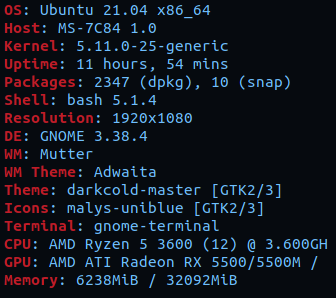
Gaming, mainly. Here are the current specs. My goal ultimately is a Ryzen 7 5800X and a Radeon RX 6800XT https://i.imgur.com/UOXUncc.png
 finite elm
What games?
There are a lot of games that push up to 16gb so 32 just for the extra wiggle room isn't a bad choice
Escape from tarkov, COD, etc.
keen surge
ARK Survival Evolved, X Rebirth, Tropico 5 and 6, Shadow of the Tomb Raider, Middle Earth: Shadow of Mordor, and Deus Ex Mankind Divided
finite elm
Yeah going up to 32 isn't out of the picture for you imo.
keen surge
I already have 32GB in a 2x16GB configuration. I'm wanting to upgrade to 64GB in a 2x32GB configuration
keen surge
Future-proofing + no swap, tho
hollow thorn
The future you're future proofing for will be one where we're using ddr5
keen surge
Ah
finite elm
Maybe if you were using games on a ramdisk though 🤷♂️
hollow thorn
If you're barely really using more than 16gb
Needing above 32gb won't come for a while
vast meadow
keen surge
Good idea or no?: Upgrading from 1.45V G.Skill Trident Z RGB 2x16GB 3200MHz 16-1...
If you don't mind spending a few hours overclocking i would just overclock to 3600cl18 instead of buying a new kit, but if you really want 64gb ram then sure
 mild birch
keen surge
ARK Survival Evolved, X Rebirth, Tropico 5 and 6, Shadow of the Tomb Raider, Mid...
mild birch
keen surge
ARK Survival Evolved, X Rebirth, Tropico 5 and 6, Shadow of the Tomb Raider, Mid...
BASED games
 pliant rock
I know oveclocking gives your CPU a little more power, but is it really all that worth it?
Also can’t it shorten the lifespan of hardware? Or potentially damage it, seems that’s what a lot of crypto miners are doing currently with selling these over performed cards for cheap.
celest anchor
pliant rock
I know oveclocking gives your CPU a little more power, but is it really all that...
Depends on what worth it means to you
celest anchor
pliant rock
Also can’t it shorten the lifespan of hardware? Or potentially damage it, seems ...
if you do it incorrectly
vast meadow
pliant rock
Also can’t it shorten the lifespan of hardware? Or potentially damage it, seems ...
Anyone who knows what their doing with their crypto cards will actually be better for the card, having a constant temperature instead of gaming where it will be jumping between 60c and ambient when turned off for example
In terms of life span that is, but unless the miners where messing with voltages and doing a horrible job at it they can't damage the card with mining
devout mothBOT
 lilvoss#4089 has been warned
Reason: Bad word usage
lilvoss#4089 has been kicked
Reason: Too many infractions
 jagged pier
Anyone know a good place to get binned chips?
cursive epoch
jagged pier
Anyone know a good place to get binned chips?
Silicon Lottery
Binned Intel and AMD CPUs available at Silicon Lottery! The CPUs we sell are thoroughly tested for their maximum overclocking potential, so you know exactly what you're getting.
jagged pier
they d o n t h a v e s t o c k
vast meadow
jagged pier
they d o n t h a v e s t o c k
Why do you want a good binned chip?
finite elm
Amd direct 🤷♂️ buy it return it then try again?
cursive epoch
binned cpu wouldn't matter much for an mc server tbh
it's just paying for smol difference
jagged pier
nothing amd but intel is p r o b a b l y better but intel mobos feel bad that they dont support multiple platforms
uhhh
cursive epoch
wha?
jagged pier
every little bit helps when you start running into lag wit a lot of players
cursive epoch
am4 is gonna either stop at this gen or one last refresh
so I wouldn't sweat with intel's lga1200
finite elm
AM5 should be next year
vast meadow
jagged pier
single core go burrrrrrrrrrrr
Just get a 5800x or 5900x
finite elm
5950x and disable 4 cores 🤡
jagged pier
i dont need cores i need sped
vast meadow
jagged pier
nothing amd but intel is p r o b a b l y better but intel mobos feel bad that th...

jagged pier
sanic sped
finite elm
Amd wins single core
vast meadow
jagged pier
i dont need cores i need sped
5800x or 5900x
jagged pier
5800 seems giga smooth brain
jagged pier
intel is still better for minecraft i beleive
vast meadow
Nope
vast meadow
jagged pier
intel is still better for minecraft i beleive
Amd wins in single core perf this gen
cursive epoch
nah
vast meadow
jagged pier
yes but in this usecase
Doesn't matter, ryzen 5000 has better single core, Minecraft LOVES single core
cursive epoch
it's not like that anymore
jagged pier
finite elm
For a Minecraft server? Get a Dell optiplex with a 4th gen i7 and call it a day. 🤷♂️
If you really think you need vroom vroom and save a few bucks, go Intel i7 10700k.
If money is no concern, go 5800x or 5900x
vast meadow
jagged pier
https://discord.com/channels/500085440221806603/500101047612604427/8567990003416...
ONCE OVERCLOCKED
Are you gonna overclock it and put a very nice cooler on it?
vast meadow
finite elm
For a Minecraft server? Get a Dell optiplex with a 4th gen i7 and call it a day....
Tbh a 10850k will struggle with 20 players with lots of entities
jagged pier
hence binning
vast meadow
jagged pier
hence binning
But are you gonna properly oc it?
jagged pier
why would I not
finite elm
vast meadow
Tbh a 10850k will struggle with 20 players with lots of entities
If he's hosting for 20 people he should pay for a host. Opening your port is dangerous
jagged pier
no just routing it through AWS
vast meadow
jagged pier
why would I not
Okay then just get a regular 10850k, no point paying extra for a binned cpu unless you're doing liquid nitrogen overclocking
jagged pier
did not figure that part out yet but soon™️
jagged pier
vast meadow
Okay then just get a regular 10850k, no point paying extra for a binned cpu unle...
this is not true
vast meadow
finite elm
If he's hosting for 20 people he should pay for a host. Opening your port is dan...
It's a larger server but say 20 active players at a time and ehh they already build the server
jagged pier
oc is oc
vast meadow
What lol
cursive epoch
to oc you don't need binned chips
jagged pier
.1 Ghz (not mhz) is a linear 2% increase in preformance
cursive epoch
wut
jagged pier
every bit matters
cursive epoch
i hope you're trolling 
jagged pier
ghz
finite elm
I think you're taking this Minecraft server a little bit too seriously ngl
cursive epoch
oh 100mhz, that's less than 2%
and it's not always linear
you wouldn't notice it at all
or even mc server
jagged pier
finite elm
I think you're taking this Minecraft server a little bit too seriously ngl
yes but you see im an idiot
vast meadow
jagged pier
oc is oc
I'm saying to take advantage of a binned chip you wanna be using ln2 and ocing just for scores
jagged pier
say server can handle 50 people, 2% is another person
vast meadow
jagged pier
yes but you see im an idiot
Just get a 5900x and enable pbo
cursive epoch
why would you wanna overpay when there's 5800x or 5900x waiting for same or less
and ryzens are pretty much binned from factory
finite elm
My brother used to host (Xbox) ark for 5 people on an i5 4460 🤷♂️
vast meadow
More cores aint gonna be any harm either
cursive epoch
especially with pbo and nice cooling
vast meadow
5900x artic liquid 360mm and a decent b550 board boom
cursive epoch
modern cpus are made to be pushed to their max generally
jagged pier
more cores is the last thing i need to pay for what the guy said about buying from amd direct is probably the best idea
cursive epoch
with very few odd ones that's lucky
jagged pier
just get 10 5600x and roll dice
cursive epoch
uh you wouldn't need to worry about it on amd much
vast meadow
jagged pier
more cores is the last thing i need to pay for what the guy said about buying fr...
You can get a 5800x for 400$ on newegg rn
finite elm
I guess you could benchmark each of them 🤣
vast meadow
Buying direct for a 5600x or 5800x would be a waste considering under msrp on newegg
finite elm
Amd direct is good for 5900x and 5950x
cursive epoch
unless you do ram oc too
finite elm
Cause mc and Newegg either don't have them or they are over msrp
jagged pier
ryzen chips have good boosting behavior yee but a better chip will bost better
vast meadow
jagged pier
ryzen chips have good boosting behavior yee but a better chip will bost better
Ehh yes but most boost great, having a good cooler will let pbo boost higher
finite elm
I guess we should start with that^ what cooler are you thinking of using?
vast meadow
Ehh for either you'd wanna use Arctic liquid 360mm
Because of the fact its the best and cheap
jagged pier
its serber air cooler
vast meadow
And it's a server so looks don't matter
finite elm
Is EK not good?
vast meadow
finite elm
Is EK not good?
Yes the ek rgb is good but more expensive and arctic best
jagged pier
water cooling seems bad id rather just hook an ac unit to it
vast meadow
jagged pier
its serber air cooler
There's definitely no point in getting a binned chip if you're only gonna oc on air
finite elm
Get the Air duct tubes and put them right on the vents?
vast meadow
jagged pier
water cooling seems bad id rather just hook an ac unit to it
No it's not, they have 8 year warranties and perform better for the same price
vast meadow
jagged pier
water cooling seems bad id rather just hook an ac unit to it

Our review and benchmark of the Arctic Liquid Freezer II features tests on the 3950X and 3800X, but also talks VRM thermals and whether the fan is a gimmick or not.
Sponsor: Get 10% off Squarespace purchases (https://geni.us/BqEpf)
Article version of this review: https://www.gamersnexus.net/hwreviews/3571-arctic-liquid-freezer-ii-cooler-review...
cursive epoch
aio ain't gonna leak from a good brand
vast meadow
Arctic liquid ii is legit the best possible so far
cursive epoch
also ryzen needs aio to run good, esp 5000 series
it'll let it push as much as it could with pbo
finite elm
Hence why the 5800x and up stopped coming with coolers 😬
vast meadow
cursive epoch
also ryzen needs aio to run good, esp 5000 series
Well 5600x would run happily on a scythe fuma 2 tbf but yeah can get toasty
cursive epoch
yeah
well it wouldn't push as high on pbo
probably not much diff but the temp kinda hurts
vast meadow
Pbo boost higher the lower the temps are yee
pliant rock
So I took out the backplate of my motherboard to replace it with the Liquid cooler, little did I know that was unnecessary. So I’m trying to put it back in but it’s loose, and I can’t remember if I’m forgetting something

I have these in though, but I can’t remember what screw goes in them
vast meadow
pliant rock
I have these in though, but I can’t remember what screw goes in them
You gotta screw the cooler right into it i think
 tawdry pebble
Should I buy a 10700f instead of a 11400f
It's only 50 dollars more expensive
?
@vast meadow ?
burnt spear
tawdry pebble
Should I buy a 10700f instead of a 11400f
What gpu do you have and what's the point of the pc?
tawdry pebble
3070 for gaming
tawdry pebble
tawdry pebble
It's only 50 dollars more expensive
80*
 crude flume
get the 11400f
vast meadow
tawdry pebble
Should I buy a 10700f instead of a 11400f
11400 games better
crude flume
you dont need more for gaming
tawdry pebble
Ok thx alot
vast meadow
Np
burnt spear
Yeah 11400f has better single core
 fossil imp
tawdry pebble
Should I buy a 10700f instead of a 11400f
fossil imp
tawdry pebble
Should I buy a 10700f instead of a 11400f
Up to you but the 11400f is newer generation and more than likely better than the 10700f
vast meadow
fossil imp
Up to you but the 11400f is newer generation and more than likely better than th...
Yup, 10700 can be good in cases where they are a multi tasker and can't afford a 5800x in their budget for example but for purely gaming 11400 beats it
dim cloak
How good is the XPG GAMMIX D20 16GB (2x8GB) DDR4 3200MHz CL16
vast meadow
dim cloak
How good is the XPG GAMMIX D20 16GB (2x8GB) DDR4 3200MHz CL16
Just as good as any other 3200mhz cl16 kit, if you're buying 3200cl16 still just buy the cheapest 3200cl16 kit
burnt spear
That's pretty decent ram, if you have a ryzen cpu I'd go with 3600mhz though
Oh I'm blind
dim cloak
I have the 11600k and i found that 3200mhz works best with it
burnt spear
Yeah that kits good for an 11600k
dim cloak
Was it a bad deal tho for the 2×8gb for $69
burnt spear
That's a pretty good price
vast meadow
dim cloak
I have the 11600k and i found that 3200mhz works best with it
The 11600k will easily run 4400mhz cl18 ram
burnt spear
My 3600mhz cl18 cost the same used
vast meadow
dim cloak
Was it a bad deal tho for the 2×8gb for $69
That's decent
dim cloak
Ok good cause after this build is done i gotta save to travel across country for a week and its gonne be pricey so i was wondering if i made a good buy
vast meadow
Yeah
dim cloak
And thanks to everyone that helped me out when its done sometime after Aug 11 ill have a pic posted in a blacked out minimal rgb pc build
 pure fox
Anybody have any suggestions for RAM to pair with a 5800x? I’ve been looking into this:
https://www.newegg.com/g-skill-32gb-288-pin-ddr4-sdram/p/N82E16820374144?Item=N82E16820374144&Source=socialshare&cm_mmc=snc-social-_-sr-_-20-374-144-_-08052021
burnt spear
pure fox
Anybody have any suggestions for RAM to pair with a 5800x? I’ve been looking int...
3600mhz is a good starting point
I'd say cl16, not much more $ than cl18
vast meadow
pure fox
Anybody have any suggestions for RAM to pair with a 5800x? I’ve been looking int...
Ryzen most of the time won't run on 4000mhz (also that's way to much for that ram kit) so you would need to tune it down to 3800 manually most likely, I'd recommend just getting 3600mhz ballistix instead and ocing up to 3800mhz if you want to ram overclock, or just leave it at xmp if you cba
fossil imp
vast meadow
Yup, 10700 can be good in cases where they are a multi tasker and can't afford a...
Yup. The new gen takes the cake with gaming, that's for sure
devout mothBOT
 ASAP_ZAMIN#5055 has been warned
Reason: Bad word usage
ASAP_ZAMIN#5055 has been kicked
Reason: Too many infractions
finite elm
dim cloak
And thanks to everyone that helped me out when its done sometime after Aug 11 il...
Rgb makes your fps go vroom
dim cloak
thats my current build rn its rgb vomit everywhere
finite elm
dim cloak
thats my current build rn its rgb vomit everywhere
That's peak gaming unicorn vomit
dim cloak
indeed
devout mothBOT
 CruzBrandon#4507 has been warned
Reason: Bad word usage
CruzBrandon#4507 has been kicked
Reason: Too many infractions

 magic niche
What does artifacted mean
 pulsar island
Half of the screen went yellow and sections of my screen stopped updating
then it crashed
It also started spewing errors of graphics errors
vast meadow
pulsar island
My graphics artifacted then crashed and is now undetected
Does it show up in task manager?
Well actually
Doesn't matter cuz unless you have monitor connected to the motherboard you're using the graphics card
 magic niche
How do i know if this has on board graphics?
Check this out on @Newegg: AMD Ryzen 5 5600X Vermeer 6-Core 3.7 GHz Socket AM4 65W 100-100000065BOX Desktop Processor
pulsar island
that doesnt have graphics
the only Ryzen cpus with graphics
Are the ones with G in the name
Ryzen 3 3200g 5 3400g those stuff
thats the 5600x a 6c12t processor with no integrated graphics
vast meadow
pulsar island
but its artifacting from time to time
Are the drivers up to date? And you could always try underclock it mb
pulsar island
vast meadow
Are the drivers up to date? And you could always try underclock it mb
Im downloading the 2013 drivers again rn
I underclocked it but temps arent an issue
I literally have 2 heatsinks on the iGPU
and it has its own fan XDF
vast meadow
magic niche
How do i know if this has on board graphics?
Check this out on @Newegg: AMD Ryz...
Yeah only ryzen cpus with g at the end have integrated graphics but the g ryzen cpus are nowhere near as good as the non g cpus
vast meadow
Nope
pulsar island
but the 3400g is older architecture
vast meadow
The 3x00g cpus are zen+(Ryzen 2000) basically
vast meadow
Yeah iirc
pulsar island
iirc 1st and 2nd gen were 14nm
vast meadow
12 mb i can't remember exactly
pulsar island
and the 3000g is 2nd gen with graphics
vast meadow
1st gen 14 2nd 12nm iirc
devout mothBOT
 I am Ted#2285 has been warned
Reason: Bad word usage
I am Ted#2285 has been kicked
Reason: Too many infractions
devout mothBOT
 not hali#2229 has been warned
Reason: Bad word usage
not hali#2229 has been kicked
Reason: Too many infractions
 slow talon
vast meadow
slow talon
vast meadow

split copper
Amazing
naive pendant
Huh
fossil imp

dim cloak

vernal cosmos
Do you have a zotac ddr5 i20 10900KFC xeonripper 5g tho?
Because I do

@slow talon
naive pendant
ima have to buy something simular to https://www.amazon.com/Controller-Control-Adjustable-Brightness-Computer/dp/B08HVN84GQ/ if i want rgb

PC Cooler RGB LED Controller Remote Control with 4 Light Modes, Adjustable Brightness for Computer PC case Fan
is this the best thing to buy, the best way to go about it?
about these fans before i even had my pc done
(i bought it part by part)
didnt realize i had rgb strip headers,
not rgb fan headers
thus, here we are
2 fans that have rgb doing nothing
less i get one of those,
but should i just get new fans all togeather? is it worth it to spend it on smn like that?
https://www.amazon.com/gp/product/B07F5C1CDX/ the fans btw
devout mothBOT
 Direfulheart#3801 has been warned
Reason: Bad word usage
Direfulheart#3801 has been kicked
Reason: Too many infractions
finite elm
cursive epoch
it's oem only
4750g is available on Amazon.
finite elm
Overpriced though tbf. 379$
cursive epoch
you could actually do preorders and stuff too in my country
finite elm
No reason to get it over a 5700g
 lethal glacier
Whats some good 32gb ram?
vernal cosmos
lethal glacier
Whats some good 32gb ram?
ballistix
vast meadow
lethal glacier
Whats some good 32gb ram?
For what cpu? Intel 10th/11th gen on a b560/z490/z590? https://pcpartpicker.com/product/dqbTwP/gskill-ripjaws-v-32-gb-2-x-16-gb-ddr4-4000-cl18-memory-f4-4000c18d-32gvk this, for ryzen https://pcpartpicker.com/product/GR6qqs/oloy-warhawk-rgb-32-gb-2-x-16-gb-ddr4-3600-cl16-memory-nd4u1636161dcwdx or https://pcpartpicker.com/product/zcH8TW/gskill-ripjaws-v-32-gb-2-x-16-gb-ddr4-3600-memory-f4-3600c16d-32gvkc or https://pcpartpicker.com/product/9y848d/crucial-ballistix-32-gb-2-x-16-gb-ddr4-3600-memory-bl2k16g36c16u4w if you want to overclock your ram(not for the light hearted)
cyan raft
Crucial Ballistix 
mild jackal
vast meadow
For what cpu? Intel 10th/11th gen on a b560/z490/z590? https://pcpartpicker.com/...
Why that for ryzen?
That looks like djr 🤮
vast meadow
mild jackal
Why that for ryzen?
Just cheap 3600cl16 kits for ppl that don't wanna oc
mild jackal
Oh, formatting unclear, saw the top link
mild jackal
That's overpriced for not rev.e/b lol
vast meadow
mild jackal
That's overpriced for not rev.e/b lol
Which is?
vast meadow
Mm yeah but it's the cheapest 3600cl16
vast meadow
mild jackal
Honestly in 2021, either buy b-die or rev.e/b for daily
Any reason why over other dies?
mild jackal
$22 more for the good stuff is worth it
vast meadow
Fair enough
mild jackal
Easier on the memory controller, room for OC if they choose
vast meadow
Ohh didn't realize it was easier on the mem controller?
mild jackal
rev.e/b are, b-die is the opposite
vast meadow
Is there a place for that info or just what they say?
Ahh how is rev e/b less intensive?
mild jackal
The reasons are very technical, beyond my knowledge
vast meadow
Ahh okey good to know
mild jackal
anyway, the arshiacord's technical channels are a great place to ask for that kind of info
There are probably some pinned google docs, could also search for gsheet links
vast meadow
Okay thank I'll ask arshia lol
mild jackal
Not just him, but lot of ram enthusiasts will be active in the ram specific channels there
vast meadow
I've seen so far yeah
 hidden spoke


 split copper
AM2 to LGA 775 mod
 dense patio
Hi all. Hoping i might be able to get a little help with finding some PC upgrades for myself.
I currently have an ASRock Z370 Pro4 woth an i7-8700k.
I would like to upgrade my motherboard and was debating on if i should also look to upgrade my CPU as well.
I would like to eventually get myself a 3080/3080ti to go with this as a side note.
I need the mobo to have atleast 4-5 sata ports and 2 m.2 slots. I have a Phanteks evolv x case too which has a USB-C slot on the front of it so would like the motherboard to have headers for this available on it.
I know i can do the whole narrow down thing on pc part picker but at the same time, so much has changed recently and i have kind of lost track as to what i would be looking at as being good/bad now in terms of mobos and CPU. Would anyone be able to point me towards some good suggestions to consider.
Let me know if there is any further info you would like to know from me, if you can help
vast meadow
dense patio
Hi all. Hoping i might be able to get a little help with finding some PC upgrade...
Only reason to upgrade your motherboard would be to upgrade the cpu tbh, i would just update the bios and stick a i9 9900k on there but if not I'd go ryzen 5800x or up
dense patio
vast meadow
Only reason to upgrade your motherboard would be to upgrade the cpu tbh, i would...
Yeah i was kinda thinking that would be the only reason tbh.
I am just wanted to try and ensure i have a good match between GPU and CPU for when i eventually get my hands on a 3080(ti)
vast meadow
9900k would be a nice match with a 3080(ti)
Just ehh i would buy used, most likely the 9900k if still being sold at retail is overpriced af
dense patio
The case i have has a USB 3.1 GEN 2 type-c slot. Can this be connected onto a USB 3.2 Gen 1 header?
I just realised my motherboard has one of these after checking the specs but dont know if they can be connected together
vast meadow
dense patio
I just realised my motherboard has one of these after checking the specs but don...
I think it should, as long as it has a type c header on the mobo
dense patio
vast meadow
I think it should, as long as it has a type c header on the mobo
That's what I am in need of. I didn't think my motherboard had one which is one of the reasons i wanted to upgrade my mobo but if it works with that header then i might be ok
vast meadow
dense patio
That's what I am in need of. I didn't think my motherboard had one which is one ...
Ahh yeah no the type c connector will not work, but do you have a spare usb 3 header because you can get adapters on Amazon for like a tenner
dense patio
I don't actually know honestly. But also didn't know that was a thing either
Ok so it sounds like my mobo is good and i should just upgrade the CPU to 9900K then. And you suggest getting the CPU second hand if i can?
dense patio
vast meadow
Just ehh i would buy used, most likely the 9900k if still being sold at retail i...
What would you class as a good second hand price for the 9900k?
I see one on ebay for £255 which looks to be good based on details i see elsewhere online
vast meadow
dense patio
What would you class as a good second hand price for the 9900k?
I see one on eb...
I feel like 255 is a bit high for 2nd hand, maybe check r/hardwareswapuk on reddit
dense patio
vast meadow
I feel like 255 is a bit high for 2nd hand, maybe check r/hardwareswapuk on redd...
Good to know. Thanks
vast meadow
im saying that as its 290 on amazon but yeah
dense patio
I'm guessing £290 brand new is still high?
vast meadow
Ehh i mean it's not terrible if that's the way it id then ¯_(ツ)_/¯ but ideally lower would be nicer
dense patio
I don't even know what is meant to be a good price for anything anymore. This is freaking annoying
vast meadow
ehh i wouldnt complain about 250 but lower better, if you could get to like 220 or something i think that would be nice
also no harm trying facebook market place etc
dense patio
Oh yeah like the current cost doesnt sound terrible. I mean just the PC space in general right now. There are a few bits i am interested in but the costs are just huge
I'd be interested in going for the ryzen 9 whatever is was instead but pretty sure costs on that are just dumb right now
vast meadow
well the thing is 9900k would be a fairly nice option as its close to 10700 perf without having to mobo swap but ehh also 9900k is gonna be the cheapest upgrade thats worth it and eu/uk is kinda meh place to buy used tech unfortunately
dense patio
Ive always been sceptical of buying used tech tbh. Only like to buy it off someone i know and trust if im gonna do it
Might look to upgrade my AIO if i do get that CPU then
That's gonna be another fun one to figure out
vast meadow
dense patio
Might look to upgrade my AIO if i do get that CPU then
What aio you got atm?
dense patio
vast meadow
What aio you got atm?
https://uk.pcpartpicker.com/product/9gRFf7/cooler-master-masterliquid-lite-240-667-cfm-liquid-cpu-cooler-mlw-d24m-a20pw-r1
This one i think.
Id like to try and get a 3 fan rad though. Forget what sizing that is. so that i can fill across the top of my case
And then get some fans that are much quieter. I replaced the fans on it for some corsair ones but cant remember the model of the fan
vast meadow
its not a great aio but it might just be alright for a non oc'd 9900k
dense patio
quite like the look of the new lian li uni fans which sound like they could be suitable for aio and very silent
vast meadow
youre thinking of 360mm
i would recommend arctic liquid freezer ii or lian li galahad
dense patio
fans?
vast meadow
dense patio
quite like the look of the new lian li uni fans which sound like they could be s...
not much point of putting aftermarket fans on an aio
vast meadow
dense patio
fans?
they are aios
dense patio
I replaced the default ones that came with it because the other oens were really loud and one of them was somehow clipping the rad when it spun up faster and be even louder from that
vast meadow
i see
dense patio
I want to try and get my PC as quiet as possible so that i can keep it on overnight as the PC is on my desk right next to my bed
vast meadow
also the lian li unifans are like 100 for a 3 pack or like 50 each lol
vast meadow
dense patio
I want to try and get my PC as quiet as possible so that i can keep it on overni...
then an arctic liquid ii 360mm
vast meadow
dense patio
I want to try and get my PC as quiet as possible so that i can keep it on overni...
https://uk.pcpartpicker.com/product/2PFKHx/arctic-liquid-freezer-ii-360-563-cfm-liquid-cpu-cooler-acfre00068a for non rgb, https://uk.pcpartpicker.com/product/sg3gXL/arctic-liquid-freezer-ii-360-rgb-488-cfm-liquid-cpu-cooler-acfre00097a regular rgb, https://uk.pcpartpicker.com/product/y7wypg/arctic-liquid-freezer-ii-360-a-rgb-488-cfm-liquid-cpu-cooler-acfre00101a argb
dense patio
I assume these are all the same models then. Just the bottom 2 have RGB fans.
Would be nice to add a litle extra colour to the PC but not looking for huge in your face kinda thing
(I'm able to sleep with lights on so solid RGB wont be an issue for that)

Oh looks like you mioght have just answered me haha
is regular RGB where its just a solid colour that i cant change but then ARGB is one that i can change around?
vast meadow
dense patio
is regular RGB where its just a solid colour that i cant change but then ARGB is...
regular rgb is like yeah usually just cycles through in a pattern, argb is the one you can control
dense patio
Might do the ARGB then and i can control it to solid colours
dense patio
It would add a nice spark of colour to my case for sure
The inside of my case is very bland in colours 😂
 dense patio
which bit were you refering to?
vast meadow
the cooler looked like stock for a sec
vast meadow
Lol
dense patio
I cant change the colour on that AIO i dont think. It's just the Cooler Master logo
Would be nice to change my RAM for something that isn't so random.
This build was my first build a few years back when i was just like eh that works lets do that.
But now i wanna go for something thats a little more decent looking and faster
currently running 16GB ram but hoping to go for 32GB eventually because i have been doing more virulisation stuff and would like the extra ram for that
vast meadow
Understandable
dense patio
So much I wanna change. All this money required 😂
gotta just try and do it bit by bit in a suitable order that works well for me
devout mothBOT
 MintJello#1463 has been warned
Reason: Bad word usage
MintJello#1463 has been kicked
Reason: Too many infractions
devout mothBOT
 freaking tf out#6540 has been warned
Reason: Bad word usage
freaking tf out#6540 has been kicked
Reason: Too many infractions
 novel granite
Hello can anyone help me first time to build so im hoping someone could help me with this just today i received my orders from newegg so my question is do i need to update my bios? since in the box it has a sticker written 5000x desktop ready.
vast meadow
novel granite
Hello can anyone help me first time to build so im hoping someone could help me ...
Should be okay, if it doesn't boot then you'll need to flash bios but if it says 5000x desktop ready on the box you should be good to go
 scenic nimbus
can i use my r5 1500x with my b550 msi tomahawk?
 grizzled bloom
3000+ only on that board
Go for a good X470 if you want compatibility, I suggest MSI X470 Gaming Plus Max
 lost swan
i got memory management on my new build
are there anyway to fix it or i have to get new ram
scenic nimbus
i mean like i mainly want to know for updating for my newer cpu lol
also, how much do yall think my r5 1500x will bottleneck my new 6700xt?
vast meadow
scenic nimbus
i mean like i mainly want to know for updating for my newer cpu lol
Just buy the new motherboard when buying the new cpu
1080p, a good bit, 1440p, a bit less
But dw bout it there will always be bottlenecks
scenic nimbus
well you see, ive had the new mobo for awhile. im finally now getting a gpu from someone who was willing to do payments. however my next paycheck is going to rent, then the one after i can do whatever with
therefore, i wont be able to get the new cpu til next month, so for the remainder of the month ill have the gpu, but no new cpu til then. hence why im asking because i want to be using the 6700xt
vast meadow
Stick it in until you can get your new cpu 100%
scenic nimbus
im just worried, i dont want the gpu to die or somethign dumb before i get it. so im just being overly cautious
vast meadow
Only thing that could kill your gpu is a bad power supply
Bottlenecking just means you're not getting all the performance possible out of something
scenic nimbus
i think recommended for it is 650
vernal cosmos
vast meadow
Only thing that could kill your gpu is a bad power supply
A hammer will also do it
scenic nimbus
or a firm yeet
vast meadow
vernal cosmos
A hammer will also do it
Thank you for your input xD
vernal cosmos
vast meadow
Thank you for your input xD
You are welcome
but fr overclocking can kill a gpu too @vast meadow
vernal cosmos
Yes
even with overclocking you really have to try
gpu wise
easy to kill a cpu
vbios does a decent job of not allowing you to kill ur gpu
vast meadow
Yup