#cpus-mobo-and-memory
1 messages · Page 211 of 1
 stiff kraken
 modern crystal
😐
stiff kraken
which software even has dark mode
im probably gonna have to wipe the os after i finish ram oc
 vernal cosmos
stiff kraken
which software even has dark mode
vernal cosmos
stiff kraken
which software even has dark mode
zentimings
stiff kraken
just to make sure no corruptions occurred from unstable ram
 humble acorn
@hidden cobalt dm me the links I'll take a look
vernal cosmos
humble acorn
<@197130401385283594> dm me the links I'll take a look
no need
stiff kraken
just gonna fresh reinstall windows
vernal cosmos
its the same thing
vernal cosmos
stiff kraken
just to make sure no corruptions occurred from unstable ram
smart
humble acorn
vernal cosmos
no need
I wanna still see the prices
vernal cosmos
humble acorn
I wanna still see the prices
lol I see
stiff kraken
i saw someone recommend buying a $20 ssd to keep windows on and use as a dedicated ram oc bootable drive
to keep it separate from main drive
if you do ram oc often

 hidden cobalt
Just sent it. There is a $15 difference between the 2 lol
stiff kraken
seems like a good idea
 stiff kraken
pog
vernal cosmos
its under tools
stiff kraken
wait how come your zentimings can detect vdimm but mine can't
humble acorn
vernal cosmos
lol I see
they aren't the same
stiff kraken

modern crystal
One of them is still 3200 how can i change it?
 vernal cosmos
humble acorn
they aren't the same
vernal cosmos
humble acorn
they aren't the same
one might be a cl18 one might be cl16 but both are available in both
vernal cosmos
stiff kraken
wait how come your zentimings can detect vdimm but mine can't
probably a mobo thing
humble acorn
yea and that explains the price difference
modern crystal
modern crystal
One of them is still 3200 how can i change it?
.
vernal cosmos
modern crystal
One of them is still 3200 how can i change it?
nope both are 2666
stiff kraken
maybe
modern crystal
So run the test again?
vernal cosmos
yes
stiff kraken
lemme see if it shows vdimm on my aorus board
modern crystal
stiff kraken
lemme see if it shows vdimm on my aorus board
Thx
stiff kraken
cause the one im doing is on asrock board
vernal cosmos
stiff kraken
lemme see if it shows vdimm on my aorus board
is it an x570?
stiff kraken
nope b550
vernal cosmos
Might be to do with that
stiff kraken
it does but it's also missing a ton of stuff lmao
 vernal cosmos
its an aorus thing
stiff kraken
i think i could lower procodt a lot but i did this ram oc before i knew about procodt/rtt stuff/drive str
oops
anyways if it works it works
vernal cosmos
yeah drop it down by 10
stiff kraken
no point redoing it when i'm gonna sell this system
vernal cosmos
easily should work
stiff kraken
its not even worth the tm5 run
modern crystal
Mine is ok?
stiff kraken
cant use my system for like 1.5 hours
vernal cosmos
modern crystal
Mine is ok?
run TM5
no clue til then

sippy half my values are still auto as well
I cant be arsed to change em
lol
modern crystal
Dont buy kingmax 😑
vernal cosmos
it errored at jdec?
modern crystal
No nothing yet
vernal cosmos
download and run zentimings arash
stiff kraken
wait your tfaw value is (literally) illegal
modern crystal
vernal cosmos
download and run zentimings arash
Yeah its what im doing
stiff kraken
i never noticed until now
tfaw must be at least 4 * trrds
if it's working it's probably degrading your performance
stiff kraken
either change it to 24 or change it to 16 and change trrds to 4
vernal cosmos
ill try trrds 4
stiff kraken
having properly tuned tfaw seems to make memory benchmarks run much faster
vernal cosmos
humble acorn
I still find it funny "Elite" is the bottom of the Aorus stack of products
elite has to be over pro
stiff kraken
you can probably do 62 trc, 4 twtrs, 4/4 trdrdscl/twrwrscl, 1 or 2 twrrd, and tighten trdrdsd/trdrddd/twrwrsd/twrwrdd by 1-2 each
humble acorn
^ literally gibberish to me
vernal cosmos
stiff kraken
you can probably do 62 trc, 4 twtrs, 4/4 trdrdscl/twrwrscl, 1 or 2 twrrd, and ti...
time to go try it
humble acorn
fire and forget XMP lol
 main pulsar
^
stiff kraken
tcwl might be able to tighten down to 16
vernal cosmos
humble acorn
^ literally gibberish to me
dummy
modern crystal
humble acorn
fire and forget XMP lol
I think i have to😞
stiff kraken
trcdwr and trp could also be tightened, possibly as low as 8
vernal cosmos
modern crystal
I think i have to😞
xmp is erroring for you
stiff kraken
you have both at 20
i haven't been able to get them below 12 on rev. e, unsure if your dimms will be different
modern crystal
Both are 2666 now
vernal cosmos
yep
stiff kraken
trcdrd and trcdwr just usually don't need to be the same
I've overclocked cheap kits too
humble acorn
woops, updated bios forgot to turn XMP back on... brb
vernal cosmos
I cant reduce either one
stiff kraken
honestly the kit I'm overclocking right now is probably similar in price to yours
85 usd?
vernal cosmos
Yep
stiff kraken
super sweet deal
vernal cosmos
Mine was 3200 c16 tho
modern crystal
True😑
 stiff kraken
you literally don't even know that it's a problem with the ram yet
stop blaming the ram
 modern crystal
stiff kraken
stop blaming the ram
modern crystal
stiff kraken
stop blaming the ram
You are right 😞
stiff kraken
it hurts my eyes
 stiff kraken
honestly if you just tune those two numbers it'll probably be pretty good
the rest of the auto timings aren't a complete disaster
those two are the biggest problems
humble acorn
like how big?
modern crystal
humble acorn
fire and forget XMP
I will if it the problem is for that.
stiff kraken
like you might see 2-3% gaming perf gain just from tuning those 2 numbers and not touching anything else lol
maybe even more, hard to say
tightening tfaw has a huge observable impact on how quickly memory benchmarks finish
stiff kraken
if you want a safe oc i'd try trrdl 6 tfaw 24 trc 63
then do a tm5 run and it should be fine
those are pretty loose numbers but still way tighter than auto
humble acorn
brb...
stiff kraken
id be surprised if that gave you any errors
 ionic hamlet
modern crystal
True😑
ionic hamlet
modern crystal
True😑
The logo on that RAM looks like a ripoff of the MSI logo.
stiff kraken
hynix cjr/djr pretty good at overclocking
modern crystal
ionic hamlet
The logo on that RAM looks like a ripoff of the MSI logo.
Somehow yes

Everything good?
stiff kraken
let it finish
modern crystal
Yup . I have to wait
humble acorn
@stiff kraken use what to test this?
 humble acorn

stiff kraken
trc and tfaw are still the same
modern crystal
humble acorn
<@!122901618369757184> use what to test this?
Upgrade bios i thing there is a f34 version
stiff kraken
tm5 with anta777 extreme preset is the best memory test
takes 1.5-3 hours to complete depending on how fast your ram is
modern crystal
1.5 for me
stiff kraken
yours will probably clock in around 2-2.25 hours
humble acorn
modern crystal
Upgrade bios i thing there is a f34 version
Unless that came out today, no, I just updated yesterday
modern crystal
humble acorn
Unless that came out today, no, I just updated yesterday
Hmm. Idk
stiff kraken
idk this is still on cycle 2 after 2 hours and with errors

doesnt look like it completed in 1.5 hours to me
vernal cosmos
humble acorn
Unless that came out today, no, I just updated yesterday
x570 aorus board?
modern crystal
One cycle is the end. No?
vernal cosmos
f34 is out
stiff kraken
3 cycles
modern crystal
Ok
stiff kraken
my ram finishes all 3 cycles in 1.5 hours
humble acorn
modern crystal
Hmm. Idk
Don't forget I'm not on the same board as you either, I'm on a much higher tier Gigabyte board bios numbers may differ
vernal cosmos
stiff kraken
my ram finishes all 3 cycles in 1.5 hours
roughly same
modern crystal
stiff kraken
my ram finishes all 3 cycles in 1.5 hours
3800 cl 14. Yes
vernal cosmos
humble acorn
Don't forget I'm not on the same board as you either, I'm on a much higher tier ...
f34 is a thing on my board too mate
what board did you have again?
 vernal cosmos
humble acorn
I seriously just updated to current yesterday
vernal cosmos
humble acorn
I seriously just updated to current yesterday

 vernal cosmos
humble acorn
<@!122901618369757184> did it work? I'm to numb to these numbers to tell
vernal cosmos
humble acorn
<@!122901618369757184> did it work? I'm to numb to these numbers to tell
maybe
F33 is latest for ur board btw
also what are you trying to do
stiff kraken
humble acorn
<@!122901618369757184> did it work? I'm to numb to these numbers to tell
yeah
now run tm5
vernal cosmos
what did he do sippy?
stiff kraken
vernal cosmos
also what are you trying to do
i had him tighten 3 of the auto xmp values that were exceptionally loose and also the more impactful ones
trc was 85, tfaw was at 44
i gave him pretty safe numbers
so it probably won't error
humble acorn
what's TM5 cause that doesn't give me what I need to search
stiff kraken
testmem5
humble acorn
vernal cosmos
stiff kraken
trc was 85, tfaw was at 44
oofies
humble acorn
should probably not use abbreviations so people new to it can search it
vernal cosmos
http://testmem.tz.ru/tm5.rar
Thats tm5
https://drive.google.com/file/d/1uegPn9ZuUoWxOssCP4PjMjGW9eC_1VJA
thats the config u want

Google Docs
stiff kraken
valid point
modern crystal
What is sse in tm5?
stiff kraken
an instruction set
stiff kraken
it's normal because tm5 uses almost all of your system resources
humble acorn
can confirm
 modern crystal
Yeah 100 cpu
humble acorn

humble acorn
yea, I have god tier temps for GPU

Gigabyte did an amazing job with this 3080 XTREME Waterblock
humble acorn
well there is an AC just over a foot away from the rad
does this test ever end or jsut loop?
stiff kraken
it ends after 3 cycles
stiff kraken
yeah it'll probably take 2 hours on 3600c16
modern crystal
Me too
humble acorn
2 HOURS!?
stiff kraken
on 2666c19 maybe 4 hours
modern crystal
stiff kraken
on 2666c19 maybe 4 hours
It was c16
 stiff kraken
i mean you could test it overnight if you wanna use your pc now
modern crystal
Idk
stiff kraken
but if u aren't gonna test it now i'd undo the changes until you can test it
stiff kraken
tm5 leaves 500mb ram left on my system
vernal cosmos
stiff kraken
tm5 leaves 500mb ram left on my system
tahst a lot mor ethanm 500
modern crystal
1 G for me
humble acorn
I could just use the memtest64....
vernal cosmos
humble acorn
I could just use the memtest64....
nah
vernal cosmos
not as good
stiff kraken
honestly the chance that the numbers i gave you are stable is like
99.9999%
they're very loose
modern crystal

 humble acorn
modern crystal
Cool
modern crystal
Nice
humble acorn
current cost to build my entire machine is nearly $3500

and that's not counting that my HDDs are expensive Enterprise Drives
modern crystal
Its an overkill. Yes?
modern crystal
humble acorn
and that's not counting that my HDDs are expensive Enterprise Drives
500mb hdd
humble acorn
super overkill considering I only play like 4 high end games lol
modern crystal
What do you do besides gaming?
humble acorn
programming
modern crystal
Its an overkill for programming too
humble acorn
it's just right to play my favorite MMO at 100FPS on ultra lol

 humble acorn
Black Desert on Ultra
ultra gets 100FPS out in the wild, and about 60FPS in town with many many players on screen
 wheat halo
👍
 stiff kraken
20%?
humble acorn
humble acorn
this game attacks the CPU hard
modern crystal
stiff kraken
that's crazy
1 hour and 5 min for cycle one without errors
 vernal cosmos
fr?
modern crystal
stiff kraken
I got errors near the end of cycle 3 before
Hmmm. Its 12:30 am here😞
vernal cosmos
so like this error might not matter?
stiff kraken
yup in the last 10 minutes
vernal cosmos
modern crystal
Hmmm. Its 12:30 am here😞
1:30 am here lol
modern crystal
vernal cosmos
1:30 am here lol
I can keep it up until 3 am
stiff kraken
try 5 6 20
vernal cosmos
yes sir
 vast meadow
vernal cosmos
so like this error might not matter?
vast meadow
vernal cosmos
so like this error might not matter?
error means no go, unstable pretty much
stiff kraken
wow 55ns
 vernal cosmos
vast meadow
error means no go, unstable pretty much
vernal cosmos
vast meadow
error means no go, unstable pretty much
thats what I thought
I got confused because of what sippy said right below that
but sippy didnt say that to me ig
so yea
vast meadow
i seee
stiff kraken
huh
I said any error at any point is a no go
and that 2 cycles isn't enough cause I've had errors pop up in cycle 3 before
 vast meadow
tis the point of a stress test tbf
vernal cosmos
vast meadow
tis the point of a stress test tbf
yep
I cant even watch YT gud tho
anyway pato imma stress test tomorrow
wanna play CS?
O i see ur already playin
lemme boot gam
vast meadow
vernal cosmos
wanna play CS?
sore but i wanna play some comp soon
vernal cosmos
vast meadow
sore but i wanna play some comp soon
imma play 1 match and yeet
vast meadow
vernal cosmos
imma play 1 match and yeet
kewl
vernal cosmos
its 2 am and Ive had a long day
can you send friend requests on steam?
like the 5$ thing
because I cant lol
vernal cosmos
vast meadow
send me your steam code/profile <@!499525349109923844>
linked to my profile
vast meadow
vernal cosmos
linked to my profile
done
vast meadow
yeee
vast meadow
aight i join
vast meadow
vernal cosmos
I cant join u
how do you play with such awful ping bruh
vernal cosmos
vast meadow
how do you play with such awful ping bruh
Im used to it
vernal cosmos
I play not bad tbh for level and ping
I usually never get under 300 ping in any game
vernal cosmos
vast meadow
cya
bye have fun!
vast meadow
Thank
modern crystal
vernal cosmos
I play not bad tbh for level and ping
Holy. Where are you livivng?
Egypt ?
vast meadow
India
vast meadow
modern crystal
I think you cam get a decent internet.
It's a game server location problem not an isp problem
modern crystal
vast meadow
It's a game server location problem not an isp problem
Asia sever?
vast meadow
modern crystal
Asia sever?
idk i think it put us on an eu server cuz im from ireland
 modern crystal
Yeah
modern crystal
stiff kraken
maybe try xmp with 3000mhz
Thx
 junior sinew
I have a aegis 3 gaming desktop it wasnt turning on i was able to get it to turn on by clearing cmos but now it dont post or boot and no signal to the monitor can anyone give any advice for me to try please ty
 lavish aspen
does a 3700x work withB450 out of box?
vast meadow
Ye
lavish aspen
vast meadow
Ye
alr thanks so much
vast meadow
Np
 cyan raft
Im pretty sure some B450s need Bios updates to work with Zen 2 at least that’s how it was when Zen 2 came out
 glacial breach
I have some thunderbolt 3 equipment that I use on my Mac. I was wondering if there's a pcie card that is compatible for my Asus Dark Hero viii motherboard or any device that allows me to use thunderbolt 3? I would hate to have a converter to USB or have to buy a whole new mother board.
cyan raft
Give me a minute, I have one in my PC forgot what it’s called tho
Only difference is that I have a crosshair VIII Hero but there’s virtually no difference between the 2
How many thunderbolt 3 ports do you need?
glacial breach
2
Or at least 1 but there's not much info on Google. From what I gather the viii hero does not support thunderbolt 3 but all the info is from months ago. I'm just wondering if it was still an issue or if anything new has come out.
cyan raft
Nevermind, my bad I don’t use it in my crosshair VIII
I’ve been using it in my TRX build
Thunderbolt is not currently supported by AM4
It’s also not software related, but hardware because you need a thunderbolt header on your mobo
glacial breach
That sucks I might have to get a whole new motherboard and change my build
cyan raft
Only Mobos that support it are Intel or some TRX boards
 limber dragon
there should be some sort of pcie to tb adapter, not sure what the spec req of tb is though
cyan raft
Those thunderbolt PCie expansion cards still need a thunderbolt header on the mobo
glacial breach
ASROCK X570 motherboard supports thunderbolt 3 but I'm not sure how good it is
cyan raft
@glacial breach Keep in mind that Z590 mobos have thunderbolt 4 and not 3 if that makes a difference
limber dragon
x570 aqua has tb3, but its also $1k
cyan raft
That whole asrock board is weird, also having an intel cpu cooler mounting on a ryzen chipset
And you still need an expansion card for it but that’s every mobo I think
limber dragon
https://www.newegg.com/p/pl?N=100007625 601334781 601352805&SrchInDesc=thunderbolt&Order=1 these seem to have TB headers
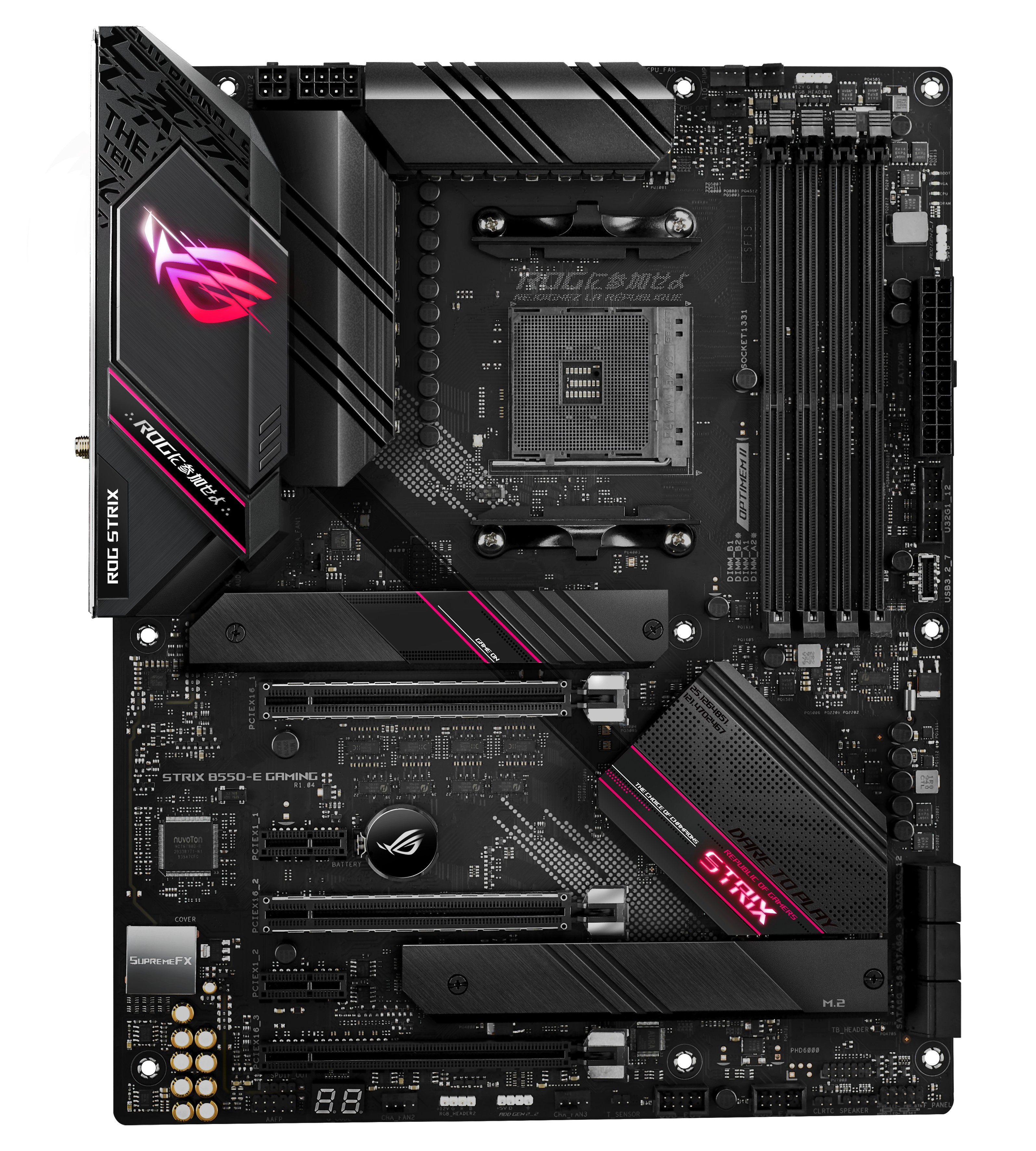
b550-e "1 x Thunderbolt header(s)"
glacial breach
Thanks @limber dragon I'll definitely look in to it if not I'll just buy a newer Mac
limber dragon
np, trying to find a high enough resolution image of the motherboards, but the manuals say there's bios options to enable/disable TB
https://images.anandtech.com/doci/15850/ASUS Strix-E (6).jpg bottom right corner is the TB header, unless its hidden under the m.2 heatsink
 glacial breach
Yeah it does support well I guess I'll have to look into buying a whole new motherboard thanks for the help guys
 glad pebble
Dunno if this is the right place, but i have a intel pentium 4 core laptop, could i use it to stream games? Like a secondary streaming computer basically
Hook up a capture card from main pc to laptop, then run the streaming on the laptop. For whatever reason my gaming computer only gets 5mb/s upload speed but my laptop gets 35mb/s upload
limber dragon
it should be able to
 cursive epoch
What's funny is that those 4 core pentiums are jacked up atoms
Or maybe it could, but probably not too well?
limber dragon
like, you can have it x264 encode off the cpu cores, or regular gpu encode (if you have an nvidia or amd gpu on the laptop)
limber dragon
have the gpu on your main pc run duplicated monitors, one to your screen, other to capture card
glad pebble
limber dragon
like, you can have it x264 encode off the cpu cores, or regular gpu encode (if y...
no GPU on the laptop
my main pc i use to stream has a 3060ti and a i7-10700f but it just for whatever reason cant hold an internet connection. any way i can use the laptop just for purely internet?
limber dragon
hotspot off the laptop
 hollow thorn
ehhhh
It's still a fan, having another point of failure is a bad thing, but it doesn't die that quickly for most people.
Just having the chipset fan doesn't make it bad, it's not like fans just die after 3 days
 winged roost
People were recommending me to use b550 mobo
hollow thorn
b550 makes more sense for price
 grizzled bloom
B550 tends to have better VRM since it's newer
hollow thorn
we would recommend b550 more often
hollow thorn
grizzled bloom
B550 tends to have better VRM since it's newer
*For like >150$ b550 boards
winged roost
But b550 mobo is not available
hollow thorn
Where are you
 winged roost
hollow thorn
Where are you
winged roost
hollow thorn
Where are you
India
limber dragon
asus -e is good, msi x570 had vrm thermal issues
hollow thorn
I mean like
Buy MSI B550-A PRO AMD AM4 DDR4 M.2 USB 3.2 Gen 2 HDMI ATX PRO Motherboard AMD Ryzen™ 5000 Series Desktop Processors online at low price in India on Amazon.in. Check out MSI B550-A PRO AMD AM4 DDR4 M.2 USB 3.2 Gen 2 HDMI ATX PRO Motherboard AMD Ryzen™ 5000 Series Desktop Processors reviews, ratings, features, specifications and browse more MSI p...
winged roost
I am buying from custom pc site
hollow thorn
ick
limber dragon
I'd go some b550 then, x570 has unneeded extra costs from needing better pcbs
hollow thorn
limber dragon
I'd go some b550 then, x570 has unneeded extra costs from needing better pcbs
I think they're using a prebuilt site
winged roost
Yes prebuilt site
limber dragon
they are, but they'll still charge more for an x570 than b550
hollow thorn
the cheapest decent board there is x570 tomahawk
limber dragon
gaming edge by a dumb amount
like, you can tell they have some deal with msi, from how cheap the mobos are
or no, its +/- based on the gaming plus that's selected
winged roost
limber dragon
or no, its +/- based on the gaming plus that's selected
+/- on the mobo selected
limber dragon
what cpu are you planning on using? The a-pro is fine for stock usage
limber dragon
gaming plus should be fine then, I'd only go to gaming edge or tomahawk if you want more io
winged roost
The selected mobo is good?
limber dragon
it'll be fine for stock gaming
winged roost
limber dragon
it'll be fine for stock gaming
Not into overclocking
hollow thorn
(just thinking about relatively high ambient temps+rando prebuilt case)
winged roost
Lianli o11 air case
hollow thorn
best hope they add fans
limber dragon
o11 isnt helping the temps issue, but vrms will be fine
winged roost
Lianli galahad 360 black cooler
grizzled bloom
X470 gaming plus is good, that's what I use and it's Arshia approved too
Compatible with 5000 series by bios update
hollow thorn
grizzled bloom
X470 gaming plus is good, that's what I use and it's Arshia approved too
prebuilt site options only
grizzled bloom
Didn't see that part, only saw "gaming plus"
hollow thorn
limber dragon
o11 isnt helping the temps issue, but vrms will be fine
grabbing derbauer's testing, this is with load that's a bit more than what would be with 5800x gaming loads, but this is WITH fans in an o11, and that's a tad bit high, yaknow

but well
with fans it'll do better
I just still don't like the board
grizzled bloom
No surprise, top ones are Gigabyte expensive model, Asus, Asus, Asus
hollow thorn
102c on the gaming edge wifi is what I'm talking about
derbauer probably has like 25c ambient temperature
depending on where you are in India and when
it can get quite a bit hotter
I'm sad that derbauer doesn't say what the ambient temp is though
grizzled bloom
Yeah at least make the stats a delta over ambient
 jagged pier
Anyone a mobo off hand with good power delivery for an OC 5950x for a server? like its just gona have cpu ram 3 hdds an m.2 for os and a pinner gpu for a display output, like some b series that didn't cheap out on the VRM
grizzled bloom
That's a good one yeah
hollow thorn
I mean, OCed 5950x for a server? A bit of a weird use case for a cheap ish board
If you're slapping it in a server rack with plenty of airflow for the VRMs, that would probably work fine, but b550-a pro might struggle if you pull too high clocks without much air blowing over the VRMs
jagged pier
gotta get that sick single thread oc for minecraft 
limber dragon
||its a good thing 10th gen is still the better MC server cpu once overclocked||

 eternal turtle
jagged pier
why tho
eternal turtle
jagged pier
why tho
whyt not?
jagged pier
like most people wont use it and its just an added cost
grizzled bloom
jagged pier
like most people wont use it and its just an added cost
It's good for troubleshooting, if you test display out from both the GPU and the iGPU then you can narrow down the problem more easily.
Depending on your professional programs you use Intel Quicksync can be helpful at accelerating your task.
eternal turtle
jagged pier
like most people wont use it and its just an added cost
even on the KF units the IGP is still trhere just disabled
its not added cost considering theyve done it for as long as first gen intel has come out at least
i actually think its real dumb that amd doesnt even include the most basic of IGP's but their chiplet design doesnt really let them
grizzled bloom
Yeah even for the 5700G they had to remove some of the cache to fit the IGP, they're really tight on space. Which makes sense, since AMD has a smaller die size.
grizzled bloom
Yeah that's an interesting thing to look at but that's more likely to be just a couple models like the 5900X and 5950X that get that treatment, since they have more to fit in a smaller space.
Next gen on AM5 might have it too since they're probably finalizing those sample by now.
 dense frost
if it comes to 5900, gonna get that chip. would be decent upgrade from a 3700x
grizzled bloom
Yeah it's insane how a little reduction in cache latency affects performance that much
limber dragon
grizzled bloom
Yeah even for the 5700G they had to remove some of the cache to fit the IGP, the...
5700g is completely different silicon than the rest of zen
Gs have all been monolithic
 devout mothBOT
 cheese#5642 has been warned
Reason: Bad word usage
cheese#5642 has been kicked
Reason: Too many infractions
cyan raft
Should I plug in the additional 4 pin CPU header or is it not necessary
 vocal dagger
intel Core i9 10900k is good
dense frost
cyan raft
Should I plug in the additional 4 pin CPU header or is it not necessary
are you overclocking?
 celest anchor
cyan raft
Should I plug in the additional 4 pin CPU header or is it not necessary
celest anchor
cyan raft
Should I plug in the additional 4 pin CPU header or is it not necessary
for a 5900x no
vast meadow
cyan raft
Should I plug in the additional 4 pin CPU header or is it not necessary
The 3rd 12th pin cpu connector is only for ln2 stuff pretty much not needed
 naive pendant
What memory should i get? 16gb and corsair if possible
grizzled bloom
naive pendant
What memory should i get? 16gb and corsair if possible
For what cpu? Crucial 3600c16 is often recommended here. It's cheap and good performance.
naive pendant
probably an i5
grizzled bloom
The ripjaws 4000c18 kit is a steal, that's normally $120 on sale for $92
Just make sure you get a B560, H570, or Z490/Z590 motherboard to use the fast memory. Z chips are for if you also get a K processor so you an overclock.
 vernal apex
How difficult would it be for someone who has never attempted to straighten CPU pins to do so. Currently running a 2600x and was planning to upgrade to a 5600x.
I ended up finding one for $150 with three slightly bent pins. I know that I can easily sell my 2600x for around $100 within a day or two so not bad price for a very solid upgrade. Just wanted to know how easy it would be to fix and if it's even worth my time.
vernal apex
Assumed it was easy enough to do so long as you take your time
But can't complain about a possible $50 CPU upgrade
 smoky widget
or get a magnifying glass
vernal apex
Should have one lying around somewhere
devout mothBOT
 migration909#8857 has been warned
Reason: Bad word usage
migration909#8857 has been kicked
Reason: Too many infractions
 echo sage
Hi, I need assistance in regards to a problem with my RAM
In the bios settings I made sure I enabled DOCP so that my RAM could run at the rated 3600 mhz, but it keeps going into safe mode
hollow thorn
Well, to start off, does it boot fine with docp off?
echo sage
Absolutely
hollow thorn
Does it boot right into safe mode or crash and force you into safe mode when docp is on?
echo sage
It boots me straight into safe mode
hollow thorn
Weird
hollow thorn
I'll need to check some things, generally, safe mode is for when there's issue with software or drivers, not really when there's a hardware issue
Actually, can you go to event viewer and check for WHEA errors?
echo sage
Okay
hollow thorn
And also, what chip do you have?
hollow thorn
Alright, there's the small chance you got the short end of the stick and have a chip that can't do 1800mhz for IF, but
Hm
Nothing in administration events or whatever it's called?
echo sage
I don't think I see any
This is the adminsitrative one

I'm pooped
I read that switching the places of the RAM could work
I should try
echo sage
Turns out it simply can't run 3600 mhz with 1800mhz if
so i just turned it down to 2800mhz
hollow thorn
could try uncoupled and manually set the IF to like 1600mhz or something, and set the ram to XMP, to check if the ram can take the 3600mhz, and/or if the chip can't run the IF at 1800mhz is the problem.
echo sage
I dont have the xmp option unfortunately
I kept it as docp and lowered the if to 1600, but it still did not function properly
So I think its just a chip problem
hollow thorn
xmp and docp is just same thing, different name
hollow thorn
echo sage
I kept it as docp and lowered the if to 1600, but it still did not function prop...
that sounds a bit more like a ram problem
try setting the xmp (docp) settings manually
for example, if it says something like 3600mhz 16-18-18-38 and says 1.35v on the sticker/label on the sticks or box,
In the bios, set dram frequency to 3600, tCL to 16, tRCD (and/or tRCDRD and tRCDWR) to 18, tRP to 18, and tRAS to 38, and set dram voltage to 1.35v
echo sage
Gotcha
hollow thorn
with xmp/docp off when you're setting it manually btw
echo sage
What should I have my IF?
hollow thorn
I forgot what exactly the name of the setting is, but you could also run it at 1/2 dram frequency (3600mt/s ram -> 900mhz IF)
 hollow thorn
that should work
check timings, or advanced dram settings, or whatever they call the settings for ram timings
echo sage
It's just not workin'
hollow thorn
did you set the tCL tRCD tRP tRAS and dram voltage?
If yes, it's more likely that it's a ram issue
hollow thorn
do what your mobo manual suggests
stiff kraken
what slots did you have it in
xmp basically shouldn't work if you have it in the wrong slots
echo sage
A1 B1
 elfin warren
Should be a2 b2 ya
stiff kraken
that doesn't tell me anything tbh
don't know what motherboard you have or how it labels the slots
just read the manual
most motherboards call it A2 B2 but there's always some that have to be quirky and not like the other girls

 winged needle
https://www.newegg.com/p/N82E16813119384?Item=N82E16813119384&nm_mc=AFC-RAN-COM&cm_mmc=AFC-RAN-COM&utm_medium=affiliates&utm_source=afc-PCPartPicker&AFFID=2558510&AFFNAME=PCPartPicker&ACRID=1&ASID=https%3A%2F%2Fpcpartpicker.com%2F&ranMID=44583&ranEAID=2558510&ranSiteID=8BacdVP0GFs-jFOe.GS78t_1Qcir4i1E5Q is this a good mobo for an i5-11400f
elfin warren
Ya, that'll be fine
elfin warren
YW
 bright turret
Anyone knows a way to disable Trident z royal rgb led to turn off when sleep? I tried "Enable S4+S5" didnt work, i also switch led lightings to [Stealth Mode] and still the same.
 serene topaz
bright turret
Anyone knows a way to disable Trident z royal rgb led to turn off when sleep? I ...
serene topaz
bright turret
Anyone knows a way to disable Trident z royal rgb led to turn off when sleep? I ...
I think there is, for my Corsair ram you had to go to some odd menu to find it
vernal cosmos
modern crystal
look at freezing on 36% and 55% . Are they normall? <@!499525349109923844>
Yes
modern crystal
vernal cosmos
Yes
Ok . Thx
 humble ice
got a desktop (that i sold to someone now have it back) Person was a smoker, it reeks i cant get the smell off it. Anyone try submerging entire Mobo's, CPU coolers, RAM in rubbing alcohol??? LOL
vast meadow
I wouldn't do the mobo and ram submerged
You could dab it
Cpu cooler is probs fine
Ppl who smoke by there pc 
grizzled bloom
cyan raft
Freon based PC cooling loop
reddit
58 votes and 66 comments so far on Reddit
Freon boils at -26 C
It's highly corrosive
Condensation would be a big issue
vast meadow
Condensation is a big reason why ln2 (apart from the needing to be renewed constantly) isn't daily-able
hollow thorn
vast meadow
Condensation is a big reason why ln2 (apart from the needing to be renewed const...
Roboclocker gonna change that >:P
 mild jackal
grizzled bloom
https://www.reddit.com/r/AskEngineers/comments/7z6h55/why_dont_we_use_freon_to_c...
grizzled bloom
mild jackal
grizzled bloom
https://www.reddit.com/r/AskEngineers/comments/7z6h55/why_dont_we_use_freon_to_c...
grizzled bloom
I know it's possible but it's far from practical. It's far more expensive to set that up than to just run water.
vast meadow
hollow thorn
Roboclocker gonna change that >:P
Roboclocker?
hollow thorn

Tom's Hardware
EVGA and KINGPIN are keeping it cool.
vast meadow
hollow thorn
https://www.tomshardware.com/news/evga-roboclocker-ln2-aio-cooler,37230.html
That white thing on the right looked like a sock for a sec lol
hollow thorn
Lol
vast meadow
Of course kingpin made it lol
If that comes to market any time soon i would be so tempted to buy it lol
grizzled bloom
I'd expect a closed LN2 loop like that to run at least $500 per component cooled
vast meadow
grizzled bloom
I'd expect a closed LN2 loop like that to run at least $500 per component cooled
 humble ice
vast meadow
You could dab it
humble ice
vast meadow
You could dab it
its an AM3+ i am going to dunk it, it works then yey, if not its trashed. It is that bad.
vast meadow
humble ice
its an AM3+ i am going to dunk it, it works then yey, if not its trashed. It is ...
Okay just leave it a day to dry out
elfin warren
naive pendant
3600x for 175 is it worth it?
What's the price of INtel 10400/11400 there?
elfin warren
In that case yeah it's a good deal
 knotty kestrel
hi my mobo has a requirement that my ram is version 4.31 for this product https://www.newegg.ca/corsair-32gb-288-pin-ddr4-sdram/p/N82E16820236522?Description=CMW32GX4M4K4400C18&cm_re=CMW32GX4M4K4400C18-_-20-236-522-_-Product, is there any way i can get confirmation of this detail before i order?
elfin warren
What motherboard?
knotty kestrel
asus tuf gaming z590-plus
elfin warren
You don't need a specific ram version for it
Are you looking for Samsung B die or something for overclocking?
knotty kestrel
was hoping to go to 4k
elfin warren
The ram?
knotty kestrel
ya
elfin warren
The ram you're buying is faster than that. it's already 4400
knotty kestrel
im returning another 4400 kit thats not working
now im kind of scared of getting something else
elfin warren
What did you have before?
knotty kestrel
gskill 4400 c17
elfin warren
Trident?
elfin warren
It's really hard to go wrong with Ballistix ram, it's MIcron Rev E and overclocks really well
I['m looking at a couple things right now
It's also much easier to OC 2 sticks than it is 4 but I'm thinking you want 4 sticks for aeasthetics?
knotty kestrel
i was just thinking 4 sticks because you can have lower latency on 4
then on 2 with the same frequency
elfin warren
Yeah, more chips to communicate with.
I don't know how to verify the B-Die other than timings and part numbers
I don't think they publish version numbers
I'm checking a spreadsheet tho
this one https://docs.google.com/spreadsheets/d/1Xz_rQgNFQF3Dm0yHJBzldVkal5jmfI9Ug9tnpjky5Bc/edit#gid=0

Google Docs
Sheet1
Cas Predictions (ns),RCD Predictions (ns)
XMP Rating,Speed,Cas Lat,RCD,Voltage,XMP CL,XMP RCD,1.35v,1.4v,1.45v,1.5v,1.55v,1.6v,1.35v,1.4v,1.45v,1.5v,1.55v
Single Rank
3200 14-14-14 1.35 ,3200,14,14,1.35,8.75,8.75,8.75,8.44,8.15,7.88,7.62,7.38,8.75,8.44,8.15,7.88,7.62
3600 14-14-14 1.4,360...
limber dragon
are they trying to run 4x8 4400 on z590?
elfin warren
4000+ yeah
knotty kestrel
ya
limber dragon
most motherboards will have issues with it, I'd return and get a 2x16
knotty kestrel
i havent had any success with 4x8 ya
elfin warren
Yeah they already had a Trident kit that wouldn't do it at 4x8
knotty kestrel
its a shame this thing overclocks the cpu effortlessly
elfin warren
limber dragon
most motherboards will have issues with it, I'd return and get a 2x16
Do you know the Bdie timings for the 4400 kits? CL16/17?
18?
elfin warren
I meant for purchasing purposes
IDK how to tell what ram kit is what
Ok so it could be any of them
limber dragon
4400 17-18-18, dont think I've seen any 4400 16-19-19 dr on newegg yet
any of the sr 4400 kits can be made to dr, its just up to gskill to actually do it
limber dragon
yeah
elfin warren
Ok, I'm learning XD
limber dragon
the only issue is 4400 19-19-19 is the sr revb from crucial
like, bdie timings, 2x16, but its sr rev b
and 4400 19-26-26 is "ajr" from what I can tell
limber dragon
yup
limber dragon
I think my 4000 16-19-19 is like $300?
elfin warren
limber dragon
if you plan to overclock ram, get 3600c14 or 4000c16
limber dragon
its bdie imc numbers
elfin warren
Ya, I checked spreadsheet lol
limber dragon
its "older" in that gskill realized 10th and 11th gen can do 4000 16-16-16 with the same sticks, and they can charge more for them
elfin warren
I guess that's worth another $60 to them
knotty kestrel
none of those are on my qvl
elfin warren
As stated, forget about the QVL
That's only ram kits that have been tested, plenty of others will work just fine
knotty kestrel
if thats the case how can i make my 4400 c17 work?
knotty kestrel
so take out 2 sticks and try again?
elfin warren
Well, that will take you down to 16 GB of ram but yes, try it
ALso
update your BIOS to the latest non-BETA version
knotty kestrel
its updated
elfin warren
Good on ya
knotty kestrel
the spreadsheet you posted
do i just try to follow those values in the bios?
for 4400 dual
elfin warren
Well, start with your base timings on the left
XMP
See if that works
Then you can move your timings down once you confirm things are working
knotty kestrel
ok thanks for your help, will go offline now
knotty kestrel
ty
naive pendant
5600x or 5800x?
vast meadow
5800x
5600x is a bad deal unless you can get for 250ish
Preferably lower than that
hidden cobalt
Warning as a 5800x owner, it runs a tad toasty. Both the idle and max temps can get a tad warmer than you might normally see
At the discounts that the 5800x are seeing these days it is def worth the price.
MSRP is a bit pricy for the gain over the 3600x tbph
Also I gots a question about that. Is there a way to set a temp limit on the CPU in a similar way that I can with my GPU using afterburner? I am looking to convert some movie files using handbrake and am concerned with running my 5800x at 90C for hours and hours processing these files.
cursive epoch
5800X is a hot chip especially with stock cooler
It boosts as much as it could too with pbo, so 90c is normal to see with stock cooler
It's not throttling, just runs toasty
dense frost
5800x doesnt come with stock cooler. what cooler do you have @hidden cobalt
hidden cobalt
Im running with a Scythe Fuma II. Makes me concerned to see it running that hot for so long. Don't want to send it to an early grave while running it
dense frost
if youre concerned might think of getting a 280/360mm aio?
vast meadow
hidden cobalt
Warning as a 5800x owner, it runs a tad toasty. Both the idle and max temps can ...
All 5000 chips are toasty tbf
vast meadow
hidden cobalt
Im running with a Scythe Fuma II. Makes me concerned to see it running that hot ...
Maybe try a remount, gn tested the sythe fuma at way lower than that on an all core load on 3950x
hidden cobalt
I remounted a few times now. Even used better thermal paste. The idle and light loads look on. All core load is where it maxes out
hidden cobalt
vast meadow
Maybe try a remount, gn tested the sythe fuma at way lower than that on an all c...
I remember reading that the 5800x is hotter than the 5950x because of the architecture of the lower end die. Less cores at higher TDP to achieve the expected performance
vast meadow
hidden cobalt
I remember reading that the 5800x is hotter than the 5950x because of the archit...
It's the same architecture and less cores=less heat and pretty sure they same tdp
What case and fan setup are you using
hidden cobalt
Lian Li 205m every fan slot filled.
hidden cobalt
Should I attempt to tighten the cooler a bit more?
vast meadow
Yeah 205m is a solid front panel right?
hidden cobalt
The airflow in the 205m is pretty decent. Not mesh in the front but it draws in plenty of air.
dense frost
easy test: run your all core without the side panel window attached
see what happens
hidden cobalt
Will attempt to see how that changes it on lunch
vast meadow
hidden cobalt
The airflow in the 205m is pretty decent. Not mesh in the front but it draws in ...
Those 2 terms are quite mutually exclusive lol
Did you do a decent sized x of paste
And then tighten in a x pattern until it's pretty much all tightened
And don't screw all the way in do like halfway down then tighten in the cross pattern
hidden cobalt
I did used a decent amount of thermal grizzly. I am thinking I did not tighten enough
vast meadow
If you had to ask you possibly didn't
hidden cobalt
The scythe screw springs are very stiff. I am thinking I might have thought I bottomed out when I didnt
Should I reapply before tightening or just go for it?
vast meadow
Ehh probs fine depending on how recent the last application was
hidden cobalt
I think I heard the GN review on how you didn't need to tighten all the way and went too laxed
vast meadow
When did you last apply
hidden cobalt
2 weeks ago
hidden cobalt
I used 4 drops when the guide recommended 3 spread out with the applicator.
vast meadow
Okay so the spread is fine then
hidden cobalt
I think there was more than enough though hard to tell because of how thick the grizzly stuff is
vast meadow
You only need a thin layer so that sounds fine
dense frost
another question: how did you configure your fans? front intake, back and top exhaust?
hidden cobalt
Standard. Front intake, top/back exhaust
dense frost
cool
vast meadow
No offense mate but the 205m actually looks like a choking hazard for pc components
Those side intakes are intakes but not very good
dense frost
so:
- tighten cooler screws test with side closed
- test again with side open
thats your homework for today
hidden cobalt
Its not the best, but there really wasn't a similar option with a mesh front. I wish they did a mesh front version of the same case.
vast meadow
vast meadow
And then tighten in a x pattern until it's pretty much all tightened
Make sure to tighten this way
hidden cobalt
Lol love my tech homework
vast meadow
hidden cobalt
Its not the best, but there really wasn't a similar option with a mesh front. I ...
A quick google search of 205m showed me the 205 mesh......
hidden cobalt
vast meadow
Make sure to tighten this way
No x pattern. It is a 2 screw mount
vast meadow
Aahh well
vast meadow
hidden cobalt
No x pattern. It is a 2 screw mount
What?
No
What
Really?
Are you sure?
dense frost
AMD coolers do that
hidden cobalt
vast meadow
Are you sure?
yes
dense frost
bottom of fuma2
 hidden cobalt
vast meadow
A quick google search of 205m showed me the 205 mesh......
hidden cobalt
vast meadow
A quick google search of 205m showed me the 205 mesh......
Yeah there is a 205 mesh, 205 standard, 205m, but no 205m mesh
vast meadow
hidden cobalt
Yeah there is a 205 mesh, 205 standard, 205m, but no 205m mesh
The 205 mesh looked the exact same size tho no?
hidden cobalt
I am thinking it is mostly mounting error on my part, I see more constrained cases getting better results
vast meadow
vast meadow
The 205 mesh looked the exact same size tho no?
Nvm
dense frost
vast meadow
My se 224 was 4 screws
I think there is a bracket that screws into the backplate 4 screws, but as pic above then you get 2 screws that screw the cooler proper to the brackets
vast meadow
hidden cobalt
I am thinking it is mostly mounting error on my part, I see more constrained cas...
I think
vast meadow
dense frost
I think there is a bracket that screws into the backplate 4 screws, but as pic a...
Fair enough
I've just never seen a 2 screw
hidden cobalt
vast meadow
Nvm
Yeah I got the smol boi. Don't have much room to work with on my desk because it is a wfh/play setup, so I made a small shelf for a mATX case. Tested with a mid tower before building and it was a little sketch
vast meadow
hidden cobalt
Yeah I got the smol boi. Don't have much room to work with on my desk because it...
Fair enough lol, if you want decent matx recommendations v31 is better airflow i think
hidden cobalt
I think the Thermaltake v31 is a mid tower atx. Like I said there wasn't many options for mATX compact designs. And even less in white lol
vast meadow
Fair enough
 mint ingot
guys plz help me, i have a laptop with a core i7 7500U 2.9 ghz, but when ever i launch a game and start playing the speed drops to around 2.2 - 0.9 ghz, although the temps would not exceed 55 degrees celsius, can you please help me
vast meadow
mint ingot
yep i already did that
How are you getting the temps
mint ingot
msi afterburner
vast meadow
mint ingot
msi afterburner
Ohh vision tuner while in game?
mint ingot
vast meadow
Ohh vision tuner while in game?
yep
i think it is called riva tuner or something like that but yeah
 midnight pollen
damn it my car warranty again
vast meadow
elfin warren
RivaTuner
Close enough X)
elfin warren
Right, was just confirming what they said
vast meadow
mint ingot
yep
Maybe just check it using hwinfo 64 because laptop cpus are supposed to be like 90c lol
vast meadow
elfin warren
Right, was just confirming what they said
No i mean i called it vision tuner or something X)
elfin warren
OH I didn't even notice until you just said it XD
vast meadow
Damm i should have kept my mouth shut
mint ingot
vast meadow
Maybe just check it using hwinfo 64 because laptop cpus are supposed to be like ...
will do, thank you
vast meadow
Np
cyan raft
hidden cobalt
I think the Thermaltake v31 is a mid tower atx. Like I said there wasn't many op...
Don’t get the V31 if you care about cable management, the thing has no room whatsoever for it as well as no PSU Shroud
This is literally the best it will get

No cable room whatsoever
 keen surge
cyan raft
This is literally the best it will get
keen surge
cyan raft
This is literally the best it will get
Even the Level 20 case is like that
 timber pulsar
whats a good mobo for a 10700k and 3600mhz ram? i been looking at z490/z590 but there are a lot of options, so if u guys could recommend me one that would be great
for around a 200$ budget
vast meadow
timber pulsar
whats a good mobo for a 10700k and 3600mhz ram? i been looking at z490/z590 but ...
In the us?
timber pulsar
yes
vast meadow
timber pulsar
yes
You want any specific features? Wifi etc ?
timber pulsar
with wifi and idk what good features there are 😮
vast meadow
timber pulsar
with wifi and idk what good features there are 😮
Not really, they usually just quality of life things like built in io shield, wifi, 2.5gb lan etc
timber pulsar
then pretty much wifi is all i need from the mobo, i dont mind the other features
vast meadow
Kewl
https://pcpartpicker.com/product/PLytt6/asus-prime-z590-p-wifi-atx-lga1200-motherboard-prime-z590-p-wifi
https://pcpartpicker.com/product/V7PQzy/msi-z590-pro-wifi-atx-lga1200-motherboard-z590-pro-wifi
https://pcpartpicker.com/product/ZJ2bt6/msi-mpg-z490-gaming-edge-wifi-atx-lga1200-motherboard-mpg-z490-gaming-edge-wifi
I'd go one of those @timber pulsar
timber pulsar
vast meadow
I'd go one of those <@181657806074544128>
thanks! ill check it out ❤️
vast meadow
Np :)
 fresh wren
cyan raft
This is literally the best it will get
fresh wren
cyan raft
This is literally the best it will get
The way the wires are run hurts my soul
It looks like it has plenty of room, gotta use zip ties
The amount of unnecessary crosses in the wireway is eating away your space
cyan raft
It looks like it has plenty of room but it really doesn’t
fresh wren
Zipties are your friend
 cyan raft
It doesn’t help that it’s a non modular PSU
vast meadow
Fair play
cyan raft
That ain’t the case
fresh wren
Nah, it's a TD500 with similar space.
cyan raft
That has a PSU shroud to cover some cables, that one in my picture doesn’t
fresh wren
Still could be bundled better
cyan raft
It really couldn’t
if things were bundled even more the panel wouldn’t close
There’s less than a cm of cable space
fresh wren
I'm an electrician, it's literally my job to run wires and make them look nice. There's definitely a way
cyan raft
Anyway that isn’t even the case in currently using
fresh wren
Two I see right off the bat thatched have slack bundled more efficiently

Thiccbois too
fresh wren
fresh wren
Zipties are your friend
Mine's a mess in the bottom left, I could definitely have done better
cyan raft
That one on the bottom right is too short to go through the path you recommended
fresh wren
Then it could go up the center and you could have a loop in the top. It's a pain in the ass, but doable
vast meadow
fresh wren
Nah, it's a TD500 with similar space.
Swear the v1 was matx? Oof shame the cable are is trash in that case cus it's a great performance case
fresh wren
vast meadow
Swear the v1 was matx? Oof shame the cable are is trash in that case cus it's a ...
Huh?
cyan raft
fresh wren
Then it could go up the center and you could have a loop in the top. It's a pain...
That’s how I had it originally but the back panel wouldn’t close
vast meadow
fresh wren
Huh?
The cable area*
fresh wren
cyan raft
That’s how I had it originally but the back panel wouldn’t close
S Q U I S H
cyan raft
shudders
fresh wren
vast meadow
Swear the v1 was matx? Oof shame the cable are is trash in that case cus it's a ...
Nah my case is the td500
fresh wren
cyan raft
_shudders_
My case needed a bit of persuasion to close, but factory new cables have that mesh jacket you need to work a bit before they become more malleable
cyan raft
Lmao you have it easy almost 2cm of cable space
This case barely has 1
These cables ain’t factory new I had this build for about 4-5 years now
It’s being sold this Sunday
fresh wren
as long as it works right?
cyan raft
It works perfectly lol
fresh wren
as long as it works
 vast meadow
fresh wren
Nah my case is the td500
vast meadow
fresh wren
Nah my case is the td500
Is it that difficult than the mesh?
vast meadow
fresh wren
Nah my case is the td500
Also i saw that but alec said they had v1
And you said it was similar space
fresh wren
vast meadow
And you said it was similar space
Judging by how the cables slot into the edges it looks a lot larger than just 1cm
cyan raft
A lot of them are kinda forced in and squished
vast meadow
cyan raft
V31
Yeah sorry that's what i meant
cyan raft
And only flatter cables like sata
vast meadow
fresh wren
Judging by how the cables slot into the edges it looks a lot larger than just 1c...
I was confused cuz thought you meant like form factor type space not just the cable space
fresh wren
Nah, cable space
cyan raft
I don’t think a TD500 can fit an EATX board
hidden cobalt
Yeah the Lancool 205m was one of only 2 cases that fit what I was looking to build. The other was the Thermaltake S100 which is almost exactly the same
Both have great cable management possibilities for such small factors, but the airflow will likely be the same either way. The Lian Li was a bit sleeker for a few bucks less which is why I went that route
vast meadow
Did you remount btw?
hidden cobalt
I wish I wasn't working right now or I would go ahead and rip this thing open
No, decided to go mow the lawn instead. Make the wife happy that I was productive on lunch
vast meadow
Fair just get to it when you can i guess lol
hidden cobalt
Just like cable management, my computer tinkering has become, "fit it where you can" lol
vast meadow
Fair lol
 earnest rover
Hi all I have an issues.
CPU : Ryzen 7 3700x
MOBO : TUF B450M-PRO
MEM : CORSSAIR VENGEANCE LPX 16GB 3200MHz
Some how no matter what I do my rated speed is stuck at 2133.
I've done everything except bios update. I don't mess with that stuff.
Suggestions?
vernal cosmos
earnest rover
Hi all I have an issues.
CPU : Ryzen 7 3700x
MOBO : TUF B450M-PRO
MEM : CORSS...
XMP
Or docp
on asus mobos
earnest rover
Yes I'm aware. However it's set to 1.35v
Because I selected the docp and set to 3200
Save reboot
elfin warren
Ram in slots a2 and b2?
earnest rover
Remains at 2133
elfin warren
It matters
earnest rover
Yes sir
elfin warren
Youre sure?
earnest rover
Yes I am
elfin warren
Kk
earnest rover
So I'm stuck at 2133 confusion
vernal cosmos
earnest rover
Yes I'm aware. However it's set to 1.35v
Thats normal
vernal cosmos
earnest rover
Because I selected the docp and set to 3200
you shouldnt do both
elfin warren
Tried a1 b1 for grins?
vernal cosmos
reset bios and only enable docp
earnest rover
If dims placed elsewhere the pc reboots 3 times n then safe post
earnest rover
Did that
earnest rover
Just docp?
vast meadow
Yeah
vernal cosmos
Corsair LPX has been having issues with docp as well tho
vast meadow
vernal cosmos
Corsair LPX has been having issues with docp as well tho
My lpx is rubbing 3600 better than yours excuussee you :/
earnest rover
Sigh now I feel like I made a bad buy on Amazon
vast meadow
Running*
earnest rover
Loo
vernal cosmos
vast meadow
My lpx is rubbing 3600 better than yours excuussee you :/
on 2 values
my ram oc beats urs
vast meadow
earnest rover
Sigh now I feel like I made a bad buy on Amazon
I would return if you can and buy ballistix 3600
vast meadow
vernal cosmos
my ram oc beats urs
Gimme a few days of not being busy
vast meadow
vernal cosmos
on 2 values
Ehhb you're running 18 20 20 20 40, i running 18 19 19 19 40, excuse you that's 3 XD
vernal cosmos
vast meadow
Ehhb you're running 18 20 20 20 40, i running 18 19 19 19 40, excuse you that's ...
No
its 2
hehe
vast meadow
vernal cosmos
Take em ur still bad
I'll beet youyuu 
vernal cosmos
vast meadow
I'll beet youyuu <a:eyes:852963512967102514>
Ur a beet
vast meadow
vernal cosmos
its 2
Technically 3 XD
vernal cosmos
vast meadow
Technically 3 XD
No 1
earnest rover
So if failed attempt at DOCP my 🐏 may be faulty?


 vernal cosmos
earnest rover
So if failed attempt at DOCP my 🐏 may be faulty?
vernal cosmos
earnest rover
So if failed attempt at DOCP my 🐏 may be faulty?
Did you try only enabling docp
dont touch voltage or anything else
vast meadow
earnest rover
So if failed attempt at DOCP my 🐏 may be faulty?
I think wam bad, return and get ballistix 3600 time 
earnest rover
Nope. I did with frequency
vast meadow
Nono
earnest rover
Just docp
vast meadow
earnest rover
Nope. I did with frequency
Dont touch frequency it's auto
earnest rover
How you reset bios?
vast meadow
You enable docp and it sets fre
earnest rover
U mean default
vast meadow
Freq
earnest rover
Ok
Lol my gpu is gt1030 2gb and it Blast fh4 on med settings like a breeze
Anyways thanks to you 2 I'll try when I get home.
vast meadow
Np
earnest rover
What's recommended dims for 3700x on tuf b450m-pro if I may ask?
elfin warren
Stick with crucial ballistix, gskill ripjaws, etc.
vernal cosmos
earnest rover
What's recommended dims for 3700x on tuf b450m-pro if I may ask?
ballistix