#cpus-mobo-and-memory
1 messages · Page 172 of 1
 fresh river
 blissful silo
Both together in slot 2 and 4?
blissful silo
It was working way before though
fresh river
is it turning on?
 naive pendant
Is that cpu temp and gpu temp alright?
fresh river
naive pendant
Is that cpu temp and gpu temp alright?
F or C?
F is completely fine, C turn your PC off now
fresh river
turn your PC off rn and ask for a refunnd
fresh river
F is Weird for temps
fresh river
 elfin warren
Yeah, just use C lol
elfin warren
Yeah, just use C lol
Vintage mind helping me out with Flixx?
Am I on the right track for helping
elfin warren
So it looks like DIMM slot 4 is ded?
blissful silo
It was just working yesterday though
elfin warren
What ram is this?
blissful silo
G skill TridentZ
fresh river
It couldve died overnight
elfin warren
Hmmm
fresh river
I think the dimmslot died
fresh river
fresh river
maybe the dimm slot is broken?
^^
elfin warren
If the individual sticks work in a different slot but not that one, the DIMM slot is dead and mobo should be returned
blissful silo
Is it maybe because I changed the ram speeds?
fresh river
No that shouldn't matter
elfin warren
What CPU is this BYW?
blissful silo
So should I set it 2667?
elfin warren
I would return the board and get a different one
This one is not nice with faster ram speeds
blissful silo
Would i be able to run 3200 on a different board?
elfin warren
Yes, searching one now
fresh river
looks good off of initial glance
elfin warren
I was also looking at this one
fresh river
yes it does have 3200mhz support
fresh river
that too
blissful silo
Yes my old board was matx
fresh river
what about your case
elfin warren
Can you fit a full size ATX though like the one you posted?
blissful silo
Ok
fresh river
which brand again
blissful silo
AORUS
fresh river
I meant of ram sorry lol
blissful silo
G skill TridentZ
 fickle iris
I ran 3200mhz on an msi b450 gaming pro carbon ac with a 2600x
So think the problems defo the motherboard
fresh river
Which board?
blissful silo
Should I just run a single 8gb stick until my new motherboard comes?
fickle iris
There are many mobos you can order though
fresh river
blissful silo
Should I just run a single 8gb stick until my new motherboard comes?
yeah that should be fine
blissful silo
Ok should it be in slot 2?
fresh river
yes
 hollow thorn
@fickle iris eyyy same board, couldn't get my 3200mhz team ram to be stable with a 2700, but now running 3600mhz with a 3800x
fresh river
Mr1111 can I dm you real quick
hollow thorn
It was my team ram giving up on life
hollow thorn
I don't think it was stable with my 3800x
Dm is fine
Hell I can go run some memory testing soon
fickle iris
I just recently tuned mine
fresh river
I was told to RMA my ram
fresh river
1600 cl 14?
 main pulsar
3200c14
hollow thorn
14-14-14-34 looks like b die lel
 trim moon
will a 3 3100 be ok with a 3060ti for a little bit
fresh river
trim moon
will a 3 3100 be ok with a 3060ti for a little bit
It will be fine, is it just a temp CPU?
fickle iris
hollow thorn
<@!698634807143563424> 14-14-14-34 xmp should be b die tho
ah is that an xmp profile
didn't know
fresh river
task manager works tbh for gpu temps
trim moon
i dont know how to get to those
fickle iris
Or hwinfo64 for a general overview of both
fresh river
elfin warren
Or HWINFO64 yeah
fresh river

MSI Afterburner is the world’s most recognized and widely used graphics card overclocking utility. It provides detailed overview of your hardware and comes with some additional features like customizing fan profiles, benchmarking and video recording.
What motherboard do you have?
trim moon
gig b450m ds3h
fresh river
 fresh river

Monitor your FPS, GPU, CPU Usage with this one simple trick...
MSI Afterburner: https://bit.ly/2FjxXJW
This works on any brand of video card or motherboard.
Timestamps
0:00 Intro
0:22 Getting software
1:47 Showing FPS & Usage
3:28 OSD Customization
4:00 Result
Wallpaper:
https://steamcommunity.com/sharedfiles/filedetails/?id=820707877
» Sub...
using MSI afterburner
1:47 for how to get it, anything before that is how to install afterburner
hollow thorn
I like reading
https://linustechtips.com/topic/977649-guide-how-to-setup-msi-afterburner-on-screen-display-using-rtss/
Linus Tech Tips
A fair few people have asked me how to setup MSI Afterburner On Screen Display (OSD). I checked this subforum and to my surprise there was no guide on how to do it. So I figured Id make a guide for everybody out there struggling. 1. Downloading and Installing You will need to download a few thing...
 river ledge
Shrexy https://youtu.be/dfscpKx259g

https://www.overclock3d.net/reviews/cpu_mainboard/msi_z590_gaming_carbon_and_meg_ace_preview/1
Instagram: https://www.instagram.com/tinytomlogan/
TTL Facebook: https://www.facebook.com/tinytomlogan/
TTL Twitter: https://twitter.com/tinytomlogan
OC3D Facebook: https://www.facebook.com/Overclock3D/
OC3D Twitter: https://twitter.com/OC3D
...
 kind hearth
👀
 stiff rapids
https://www.bestbuy.com/site/msi-b550-gaming-plus-socket-am4-usb-c-gen-2-amd-atx-gaming-motherboard-pcie-gen-4-black/6424047.p?skuId=6424047 or https://pcpartpicker.com/product/7gxbt6/msi-b550-a-pro-atx-am4-motherboard-b550-a-pro

Best Buy
Shop MSI B550 GAMING PLUS (Socket AM4) USB-C Gen 2 AMD ATX GAMING Motherboard PCIE Gen 4 Black at Best Buy. Find low everyday prices and buy online for delivery or in-store pick-up. Price Match Guarantee.
fresh river
what about this mobo
 fallen lynx
that one is a pretty good, especially for the price
fresh river
Yeah its not bad
fickle iris
I'd go for the b550 a pro out of the two they have near identical vrm layout so no point spending the extra
 nova hornet
that's the mobo I was originally going to buy for my current build
ordered it from best buy and they couldn't figure out how to ship it to me so I had to return it without ever seeing it lmao
 distant finch
Hi - Building my first PC (Ryzen 7 3700x and the MSI Tomahawk B550). I'm looking for RAM and found these two, which look nearly identical (timing is different). Any reason not to go with the first on ($65 less expensive)? https://www.newegg.com/corsair-16gb-288-pin-ddr4-sdram/p/N82E16820236695?Item=N82E16820236695 https://www.newegg.com/corsair-16gb-288-pin-ddr4-sdram/p/N82E16820236485?Item=N82E16820236485
elfin warren
If you want to OC the ram, the lower timings would help you
if you just want plug and play, run with the cheaper kit
distant finch
Awesome - thank you! Just needed to be sure I wasn't missing anything. I appreciate it!
elfin warren
You're good!
 limber dragon
the 16-18-18 would be ever so slightly better
elfin warren
IMO, not worth the extra $65 though
limber dragon
I mean, it sounds like the 16-18-18 is bdie, and the 16-19-19 is definitely cjr/djr
 errant knoll
Hello guys I have some question is xpg sx8200 pro 1tb good?
hollow thorn
no longer good after the controller swap
trim moon
ok but will a 3600 be good with a 3060ti cause i dont feel like buying another cpu
elfin warren
3600 should be fine yes
nova hornet
do you need more threads for anything?
trim moon
im just gaming
nova hornet
then yeah your 3600 is a-ok
trim moon
what if i dont have a gen 4 slot on mobo
elfin warren
Yes
trim moon
ok
 azure sphinx
is v color ram any good?
 hidden rampart
fickle iris
hidden rampart
fickle iris
^
fresh river
 pine grove
Is the x570 steel legend ryzen 5000 compatible
pine grove
Is the x570 steel legend ryzen 5000 compatible
Yes it is, but a B550 is more than enough
pine grove
No my question is if I buy it from Newegg will it be already updated to the ryzen 5000 bios
fresh river
Oh 50/50
Some motherboards shipped with the newest bios, some don’t
If you have a bios flashback button on your motherboard it won’t matter, which motherboard are you buying
 magic cedar
i dont think the mobos ship with newest bios quite yet
fresh river
The x570 steel legend had no bios flashback, meaning you’ll need another CPU to bios update
And some boards do iirc
fickle iris
Absolutely pointless going for an x570 motherboard unless you actually plan to use the features that come with that chipset
fresh river
WHICH nobody really uses anyways lol
If you don’t know the features off the top of your head you don’t need it
fickle iris
Exactly
 misty obsidian
Are ryzen back in stock ?
canadacomputers showing some inventory
ive looked everysingle day for over a month
they always out of stock
ready to buy whenever ...
fresh river
Check the websites that show em in stock
fresh river
Hopefully soon
 slate phoenix
whats the difference from a 3600x and a 3600
fresh river
not much
not worth a price increase, if theyre the same price go 3600x
otherwise go 3600
naive pendant
Does anyone know some good ram that will work with a ryzen 5 2600 and a Msi b450 tomahawk max
fresh river
yeah one sec
naive pendant
Preferably rgb
naive pendant
Is it a hyper x fury
fresh river
No its gskill
naive pendant
Trident
naive pendant
Ok thank you
fresh river
np
 worthy turtle
Hey guys. I’m in a bit of a predicament. I just bought a Corsair 750w RGB pcu. It uses an argb plug but my mobo only has RGB headers. Would I be able to use the Corsair commander to control my RGB and sync with everything else? If not, what could I do to sync my RGB. I have a wraith prism cooler and trident z ram
 pliant cypress
its not a bad tier B psu, bronze non modular
worthy turtle
The psu is modular. That was the main reason I got it. RGB was just a bonus. And I have a strix b450-f
@fresh river @pliant cypress
pliant cypress
worthy turtle
Yea. The problem is I don’t have an argb header
pliant cypress
push the button on the back
fresh river
use asus aura sync
and on the mobo you dont have one?
are all of em used?
or do you not have the wire
worthy turtle
I’ve trying plugging in said wire to a normal RGB header but no luck with aura sync. Doesn’t even recognize it
elfin warren
How did you plug a 3 pin cable onto a 4 pin rgb header?
Keep in mind rgb is 12v and argb is 5v also.
Hopefully you didnt hurt your argb components.
river ledge
misty obsidian
yo if your gonna dish out 430 on a 5600x buy the core i9 850k for the same price. 4 extra cores and better performance
oh nevermind its Canada
 ember marten
not always better performance on the 10850k
plus the 10850k can run considerably warmer...
 untold jay
ok so i posted this in #graphics-cards but this pertains more to cpu but after all the troubleshooting ive gone through im gonna try just RMAing it and if that works im gonna be very angry after all the stuff i did before that
 jade bobcat
Newbie and having a hard time comprehending m2 slots for SSDs. On the Asrock X570 pro4 it states:
8 SATA3, 1 Hyper M.2 (PCIe Gen4 x4 & SATA3), 1 Hyper M.2 (PCIe Gen4 x4)
Does this mean I can grab 2 m2 SSDs to go right on the MOBO in m2 slots or does need to be SATA?
Does one need**
 elfin kite
please let me know if this is more suited for another channel but i bought the ASUS Tuf Gaming B450M Plus II mobo along with a Ryzen 7 8 core 3.0 ghz CPU and some G.SKILL Ram. after installing everything nothing happens. trying to figure out is it possible the board is no good. based on my experience i would think it should still post or try and boot or throw an error if it did'nt like the ram instead of doing nothing. I am returning the ram as its not on the QVL list for ASUS. Thanks in advance.
magic cedar
what cpu, what speed ram?
elfin kite
magic cedar
what cpu, what speed ram?
its the AMD Ryzen 7 1700 Ram is G.SKILL Sniper X Series F4-3600C19D-16GSXKB
magic cedar
im not sure if that ram is supported
elfin kite
magic cedar
im not sure if that ram is supported
I called ASUS They said it is not but agreed i should get something instead of a blank screen i am sending the ram back but was thinking maybe the board is just bad.
 long acorn
Ryzen 1xxx does not like to go far above 3200mhz, the integrated memory controller is not so good. I would have not bought a Ryzen 1700 at this day and age, that processor is several years old, and a current Ryzen 5800x is some 80% faster (or more?) even in single threaded. I would send the whole combo thing back.
Unsupported memory would cause a post-code / beep code unless the board has no integrated speaker (they're starting to omit those now, cheapskates).
Basically, I wouldn't recommend folks by anything older than a 3xxx series Ryzen or absolute worst-case a Ryzen 2600/2600x otherwise your system is going to be out of date before you even get the components shipped out the door. If you're going to spend money on old parts, get them used for dirt cheap.
The 3000-series Ryzen is plenty fine (I am typing from a 3950x PC now) if you cannot afford a 5600x/5800x/5900x/5950x processor currently.
If you fail to plug in the EPS12V connector(s) for the motherboard, you will get either no-power-on, or power on but no post / no beeps / beeps indicating power issues. Please make sure when buying a Ryzen motherboard that your current or desired power supply has the appropriate EPS12V connector(s) - yes it may need more than one. Using Y-adapters can cause your power supply to operate outside of safe specification for the wire gauge used, but might be okay until you get the proper cable (in the case of modular supplies) or a better / newer power supply. Consult your motherboard manual or online documentation to see which EPS12V plugs are required, which ones are optional, and so-forth. They are generally all REQUIRED unless the manual says otherwise (this ASUS TUF X570 only needs one plugged in if you're not overclocking, for example).
Please always get RAM that is on the QVL (qualified Vendor List) for your motherboard (an up-to-date version is available on the product documentation section of the website). Worst-case, just avoid Hynix memory as it's the worst of the 3 major vendors (Samsung and Micron in addition) of computer memory with compatibility in mind.
fresh river
why the big block of text oh my
main pulsar
thats bobs signature style
long acorn
I try to be typing things in complete sentences as if you'd read it on a tech support web site or similar. It's cohesive and easier to read this way - though be warned my sentences can sometimes go on for quite some time. I type it as I'd say it. When I was in school in the 90's I went to prep school, so we'll just blame a good education (I am almost 40).
long acorn
river ledge
yo if your gonna dish out 430 on a 5600x buy the core i9 850k for the same price...
While things at first may seem to favor the intel chip, keep in mind the Ryzen comes with a cooler and is capable of being air-cooled - and easily at that. Once a decent aftermarket cooling solution of 50~100$ USD is factored in, in addition to any local / country-wide tariffs or taxes, the intel offering might not be such a clear cut-and-dry win. I wouldn't trade my air-cooled AMD 3950x for the world... I barely hear it. I start contrast to my delidded & liquid-metal applied i7 4790k chip that could just barely do it's 4.4ghz rated speed without going over 80c on a 90$ designer brand air cooler. Some people don't wish to liquid / water cool, or cannot afford the down-time.
For what it's worth, using a Noctua NH-D15S here and it only cracks just above 80c with Prime 95 small fft's and that's it. I am hard pressed to get the thing over 75~77c even with all cores used during normal computing. For work in the day and play at night, AMD's found a real winner if you have a moderately to highly parallel workload.
For related news, in-case anyone missed it on Intel's CES keynote the other day, B560 motherboards for intel DO support memory overclocking on processors, unlike the locked-down B460 motherboards currently in circulation. So if thinking of buying an intel processor and motherboard, maybe pick up the processor when you see a good deal (400 and 500 series intel motherboards share a socket), but possibly wait on the motherboard if memory overclocking is important to you in the event that a Z-series is not.
That said, anyone picking up a current or last-gen intel chip or AMD chip, really cannot go wrong with either purchase at any rate. So if only one brand is available to you or the prices are badly out-of-whack, do not fret as there really is no wrong move currently.
elfin kite
@long acorn yes i am going to purchase compatible Ram and have started the process to return the ram i currently have. we did also buy a new Photon 550 Modular power supply so it has all the wires to connect like you were referring to above. and as for the Processer i know realize that its several years Old however i dont have the budget to spend more than what i did. Thanks to everyone for their input and Help
long acorn
@elfin kite I hope your budget situation improves buddy. If it is not already out, a BIOS will soon be released for your motherboard chipset (provided the manufacturer does their duties) so that you can later upgrade to a 5000 series processor. Please only update the BIOS when you are getting ready to update the processor, or if you experience some sort of issue with your system that requires updating BIOS. This is due to some 300 and 400 series AMD motherboards only having 128mbit flash ROM size, and hence being unable to support all pin-compatible processors at once. This could/may cause your older series processor to become unsupported if this is the case, leaving the system unbootable. So if you DO plan to update the BIOS without having purchased a newer processor, use caution to read the supported processor list that is on the BIOS update web page (it would say 'supports 2000/3000 series processor ONLY' or something like that).
river ledge
long acorn
While things at first may seem to favor the intel chip, keep in mind the Ryzen c...
Ok I thought it was usd not cad so I said intel. Then when I released it said cad I said nvm get amd
But the i7 10700k will beat it in multicore
And gaming
By like 5 to 10 FPS
long acorn
river ledge
Ok I thought it was usd not cad so I said intel. Then when I released it said ca...
Yes, with AUD, USD, and CAD all using the same $ symbol and called DOLLAR for short, it gets very confusing
river ledge
long acorn
Yes, with AUD, USD, and CAD all using the same $ symbol and called DOLLAR for sh...
Different value
elfin kite
@long acorn i would only update the BIOS if i Absolutely had to and would Def Read up before i did. yes Hopefully at a Later Date i can get my Son a newer Better CPU and not rebuild the whole computer.
long acorn
@river ledge For gaming, the difference between a 5600x and 10700k won't be noticeable to the user, it is within margin of error for 90% of uses. There are sometimes up to 10% differences in things either way, but the 5600x can later be upgraded to a 16-core 32-thread monster should you pick up extra work for your PC to help you do later (and that's just what I did, but with a 3700x to a 3950x this past summer, of which you can bet I was super-duper thankful for).
As stated, you really can't go wrong either way, but it never hurts to do research on what will work best for your current suite of apps or games.
@elfin kite Yes, it can often be best to leave well enough alone and 'don't fix what isn't broken', I have read too many times of BIOS update issues and problems with BIOS bugs being introduced / causing instability, on both major chip vendors.
river ledge
Jesus Christ that’s a lot of words
Yea I suppose it won’t be noticeable but in cpu multicore load it will
long acorn
@river ledge Let's just say a lot of customer-facing career choices in my past have done a lot of practice/work towards being able to communicate. Communication is the reasons human became the dominant intelligent species. When you type for 25+ years you will get fast and slam out words with reckless abandon.
The decision between a Ryzen 3xxx, Ryzen 4xxxG series (mostly OEM only), Ryzen 5000 series, and intel 9xxx or 10xxx (or up-coming 11xxx in two months or less), is completely up to the user / purchaser. Obviously the newest platform is usually the best, especially if you keep your PC for quite a number of years - but again, it really comes down to 'who has the best deal' these days especially with sparse availability of some parts.
river ledge
Yea it’s all bout that price to performance
long acorn
Yes, doesn't matter how good something is - like a Threadripper 3990x - if only the 1% can afford it, it means little for the rest of the 99%. The Threadripper is an absolute MONSTER, of which few of the folks in here could go out on a whim and just buy one (and the rest of the parts that go with it). So what most of us in here care about is the stuff which most of us can afford with varying levels of ease - be it a 1000-series, 3000 or 5000 series Ryzen, or even a comparable-but-not-new intel offering based on a Skylake core.
Recommendation for most people is, unless you know you REALLY REALLY NEED all that CPU power, just get whatever is the best bang for the buck. You'll get the most performance per dollar and the least buyer's remorse per dollar. This can go for pretty much the majority of the rest of computer hardware - unless you use your machine for work / can write it off as a business expense and so-forth (or anything similar).
 prisma nymph
ayyy its bob the essay guy
 oak sand
Haven't been in with computers recently, Is AMD still the best value? Or has Intel won yet
hollow thorn
To put simply
EVERY GOD DARN THING IS OUT OF STOCK
oak sand
Nah I'm just in a server with a dude saying Intel is better in every way soon because they are going to 7nm
Which idk if its true
nova hornet
amd pretty good value, you're gonna have a real hard time buying anything current gen period
fresh river
thats false
oak sand
This looks like a fat load of crap to me
nova hornet
it's a fat load of maybe
oak sand

TrendForce
Intel has outsourced the production of about 15-20% of its non-CPU chips, with most of the wafer starts for these products assigned to TSMC and UMC, according to TrendForce’s latest investigations. While the company is planning to kick off mass production of Core i3 CPUs at TSMC’s 5nm node in 2H21, Intel’s mid-range and high-end CPUs are project...
Here's the article
Very credible website
fresh river
Something about that doesn't make sense
 lone oar
tsmc is the one making it
oak sand
No idea what that means cause I can't be asked to read it fully
fresh river
and nm isnt too imortant
regardless, 11th gen is still 14nm
12th gen we do not know
besides its less thn 14
elfin kite
long acorn
Yes, doesn't matter how good something is - like a Threadripper 3990x - if only ...
guy at work plans on buy the AMD 32 Core Threadripper to the tune of a cool 2500 just for the CPU i'm like yeah must be nice.
river ledge
fresh river
12th gen we do not know
It’s gonna be 0.0000001nm
fresh river
Clearly
oak sand
Sheeesh
fresh river
on?
fresh river
not bad
oak sand
I mean it was at 3.6 before so
fallen lynx
5 and 7 nanometers is already getting close to atomic limits
ember marten
oak sand
http://www.trendforce.com/presscenter/news/20210113-10651.html
that article is bogus
also process node sizes don't correlate with physical sizes. They haven't for over a decade
the reason(s) that article is bogus:
- It takes at the bare minimum a full year (usually much more) between designing a processor and actually being able to produce it on a node.
There's no way Intel is going from their own process node to a different foundry in that short of a timespan and nobody heard anything about it until now. And that's assuming it would even be on N7, let alone N5
- Even if it was N7 which is a very mature, well-yielding node, TSMC does not have the capacity to supply Intel even on N7, let alone N5 which is practically exclusive to Apple and AMD (in that order)
- Apple is always first on a new TSMC node (more on that later), and AMD is now second as of N7 and N5. They have already been allocated the majority of N5 as it is ramping this year (for products releasing next year). There is no capacity for intel here. None
3a) Apple is always first on new TSMC nodes. That means they will be first on N3. There is no way, whatsoever, that Intel will have products on N3 in 2022. It is simply impossible, because even Apple won't have products on N3 until late 2022 at best
(when I say products I mean shipping products. Engineering samples for products already exist on test wafers)
 devout mothBOT
 eraser1#4351 has been warned
Reason: Bad word usage
eraser1#4351 has been warned
Reason: Bad word usage
eraser1#4351 has been kicked
Reason: Too many infractions
ember marten
oops I said a bad word and then referred to it in a way that is also apparently bad
anyhow
- Smaller, low-power (low clocking) chips are usually produced first on new nodes until the nodes are more mature, due to the nature of new nodes tending to have more defects and fewer optimizations than mature nodes.
There is no way that Intel can jump straight onto N3 with "high-end" (high power/clocking) processors on what will be a brand new node at the time.
And that's ignoring the fact that the "high end" processors will also be larger, which are more prone to defects
There's likely some elements of truth in that article, but the details are almost certainly wholly incorrect.
We know that Intel has been tinkering with N7 for DG2
Also, the fact that we know that is further proof of how ludicrous it is that i3 processors would exist on N5, because that would have to be a decision made at least a year ago, and there's no way that sort of information wouldn't be leaked.
 gentle acorn
Is it possible to force your CPU to run at max boost frequency? My CPU is rated for 4.1GHz boost but mine only goes to 3.9GHz
 manic hull
yes, but you do need adequate cooling.
gentle acorn
Alright
fallen lynx
run that baby into the ground
manic hull
ember marten
that article is bogus
https://www.tomshardware.com/news/tsmc-capex-2021
I don't know much about the manufacturing part of chips, but it does seem to be a common understanding that 2021 tsmc will begin prototyping chips. I don't know anything about how true the statements are in the article you were talking are, nor do i know about the validity of this article.

Tom's Hardware
TSMC confident in semiconductor demand, economy recovery.
ember marten
There's years-long lead times for things like this
Yes, they will begin prototyping in 2021. We know AMD is already prototyping Zen 4 on N5. They have been since late 2020 at least
Then they will ramp production in 2022 (if things go well)
then they will integrate and test the chips
and the earliest possible time you can expect N3 products on shelves would be late 2022. Likely 2023
main pulsar
and of those N3 products you may see, don't expect any of them to be Intels 
main pulsar
def
ember marten
AMD a few months later
like we're seeing with N5. Apple made the A14 and M1 on N5
AMD's chips are ramping production in 2021, and most of the ramped capacity will go to them for their products in 2022
One of my sources said that you shouldn't even expect consumer products on N5 from anybody except Apple and AMD
Which also means that Nvidia is stuck to samsung foundries for their GPUs for the foreseeable future
Like I said, I don't doubt the fact that Intel is working with TSMC on some things, but there's simply no way Intel is mass-producing desktop chips on any TSMC node for at least 3 years
N7 may be possible for them on low end parts, or some low volume parts, but even that I doubt since it's roughly comparable to their own 10nm which they seem to have sorted
 deft inlet
yooooooo
river ledge
devout moth
new speed run
 quartz vortex
Built new PC, having an issue with no video and mouse/keyboard won't work. Have a Intel Core i9-10900 Comet Lake 10-Core 2.8 GHz LGA 1200 65W processor and a Gigabyte Z490 Vison G LGA 1200 Intel Motherboard. Tried using Qflash to take it to revision 20, didn't work, same issue. Also tried revisoin 8 to see if that helped and still have the same issue. Tried running PC outside of case as well to no avail. Any help would be appreciated.
 young ice
Could someone help me with a lighting problem with my cpu fan
fresh river
Yeah whats the issue with it
 ember ledge
Hii
I7 10700 or I9 9900k ?
river ledge
Nah the i9900k is faster when oc

Buildzoid analyzes the ASUS Maximus XI Hero VRM to talk about the "twin-8 phase" design and what it really means.
Ad: Get the NZXT H500 case on Amazon (http://geni.us/eO2eAht) or NZXT's store (http://geni.us/Aa3lOD)
Buildzoid explains the VRM design on the ASUS Z390 Maximus XI Hero to talk about whether it's actually bad, why ASUS went this ro...
Oh wait this is an old video
Nvm
Realized after reading the comments dates
 stuck plume
I need someone to tag me with a good board for i3-3240
 ruby laurel
none
stuck plume
how so?
ruby laurel
cpu is ass
stuck plume
so is my budget
ruby laurel
anything you get youre gonna overpay for
ruby laurel
leave
stuck plume
eh
 naive pendant
better than mine
but literally he could just get any h61 mobo
 lone sage
fresh river
So odds are 10700
lone sage
fresh river
So odds are 10700
to take the i7 ?
this is the story :
i have a gift card of 250USD from work,
i can buy i7 for 160USD from work store, and take the rest of the money 90 USD as a credit card.. (have no MOBO on work store...)
or..
i can buy i9 9900k for 200USD and z390 gigabte auros Elite for 165 USD..
so ill pay only 115 USD for them both...
what r your suggestion ?
any one ?
ruby laurel
why cant you get 10700k
lone sage
im not a gamer.. it a gift from work..
 warm path
stuck plume
I need someone to tag me with a good board for i3-3240
warm path
stuck plume
I need someone to tag me with a good board for i3-3240
I recommend going with CPUs at the i7-4790 series or above. Anything below is becoming obsolete
 pale mist
kinda
warm path
I still use the i7-4790S it still kills tasks very well
pale mist
but the older xeons are pretty good
warm path
Of course turn on hyper threading and turbo to get full performance
pale mist
got a buddy with a 980 still slayin
warm path
Bruh, is this kid dumb?
naive pendant
warm path
Bruh, is this kid dumb?
lol, he is just acting
 slate night
naive pendant
slate night
naive pendant
the voice already says it.
warm path
Yea
 delicate bolt
aight got a bit of a problem
so i've got 32 gigs of ram, 24 of which is actually in use; i'd put in all 32, but the RAM slot closest to my CPU isn't working; any idea?
manic hull
so it doesn't detect 32GB of RAM? only 24?
If so re seat the RAM, and while doing that make sure the socket is clean and all of the pins are intact.
delicate bolt
aight

 near cave
So I’m planning to update my bios for ryzen 5000 do I need to get a new flash drive to update my bios or will the one I used to install windows with work?
 hazy umbra
limber dragon
hazy umbra
limber dragon
3rd gen unless you need pcie lanes
 signal cedar
Does it matter?
limber dragon
do you need multiple gpus or nvme?
 neat dagger
So I am looking into a new build using the AMD Ryzen 7 5800X with 4 sticks of 8Gb at 3600 ram and I was wondering been looking at the CL memory I know the CL 16 is better than the CL 18 but what difference does it makes can the CPU work just fine with CL 18 for gaming or is CL16 a huge improvement
please either @ me or dm me
 hardy moon
@neat dagger it does make a good difference
But it will work just fine without
I would recommend it if you have the money tho
limber dragon
it makes less of a difference than tRCD though
limber dragon
3200 16-18-18-38
neat dagger
Ah alright I was also taking about frame rates performance planning to also get the 6800XT graphics and was wondering how different it would be with CL18 or CL16
hardy moon
Oh
limber dragon
3600 18-20-20-40 is worse than 3600 19-19-19-40
neat dagger
yea but I am looking at the 3600 16 vs 3600 18
hardy moon
I would try checking YouTube
neat dagger
alright
naive pendant
hazy umbra
Press on the clip
hardy moon
Since most people don’t have the type of knowledge at hand
naive pendant
and pull
limber dragon
neat dagger
yea but I am looking at the 3600 16 vs 3600 18
go 3600c16, the c18 has 💩 chips
naive pendant
limber dragon
go 3600c16, the c18 has 💩 chips
depending if u want to stick to a brand price increase is 
limber dragon
let me rephrase:
3600 16-16-16, 16-18-18 and 16-19-19 are bdie, reve/b and cjr/djr
3600 18-20-20 (if not 18-22-22) is cdie
even if you just want to enable xmp, the 16s all have significantly lower rcd and rp than the 18
 regal bison
I wanted to get another 2x8 sticks of the same ram I'm using so I could have 32 gb of ram but I heard someone say somewhere that they should all be ordered together initially or there's a difference. Idek what they were getting at by that but is that true and if so to what extent?
neat dagger
As long as you get the stick you already have in your computer it should be fine i only had one 8gb stick in my computer but about a year later I added another stick same everything brand specs everything and its working fine
@regal bison
They recommend buying all at the same time due to being new and should live longer than adding new sticks to old sticks
limber dragon
neat dagger
They recommend buying all at the same time due to being new and should live long...
more of that they change the chips over time, and mixing chips can cause issues
neat dagger
True i just bought the same one I order from Amazon
naive pendant
if you put it the wrong way, nothing will go wrong
river ledge
Oh shi https://youtu.be/g2BEr6BCg_E

Pre-order the Drop + Marvel Infinity Saga Keycaps at https://dro.ps/ltt-pan-jan21
Add Honey for FREE and start saving today at https://joinhoney.com/ltt
Thanks, Honey for sponsoring!
In this video, we check out the awaited AMD Threadripper Pro CPUs, released exclusively in Lenovo's P620 ThinkStation. It's like regular Threadripper... but Pro.
...
naive pendant
what
fresh river
naive pendant
if you put it the wrong way, nothing will go wrong
Are you crazy what
yes it would
near cave
So question what would you said is the best budget x570?
 mild jackal
Asus TUF
near cave
I was looking at that broad but I have been reading that the bios is really buggy
regal bison
neat dagger
True i just bought the same one I order from Amazon
So if I order it from the same place I should be fine? I got my sticks around 4 months ago
nova hornet
I have a tuf x570, hasn't given me any issues
neat dagger
where ever you bought the first sticks like order history click on it and if there is an option you can rebuy it and it all should work fine as long as everything is the same
near cave
Is the chipset fan very loud? Also is your ram speed set? I have read some reviews and they were saying that the chipset fan is loud and people don’t get the pc to post if they set the ram speeds
nova hornet
I don't hear the chipset fan at all, and my ram is mildly oc'd and fine
I'm a sample size of one though
¯_(ツ)_/¯
near cave
Hm well interesting. I will have to do more research then but I will most likely get it
nova hornet
chipset fan also gets mostly covered up if you have a gpu
not sure how much that affects things
near cave
No idea I will have to look into it more but thanks for the information
naive pendant
Is $53 good for 12x4GB PC3-10600R ECC RDIMM (Nanya NT4GC72B4NA1NL-CG)?
fallen lynx
naive pendant
Is $53 good for 12x4GB PC3-10600R ECC RDIMM (Nanya NT4GC72B4NA1NL-CG)?
ECC RDIMMS? thats not desktop stuff
naive pendant
fallen lynx
ECC RDIMMS? thats not desktop stuff
Building a workstation using a X8DAi
mild jackal
naive pendant
Is $53 good for 12x4GB PC3-10600R ECC RDIMM (Nanya NT4GC72B4NA1NL-CG)?
Yes
naive pendant
Just bought it
mild jackal
What chips do you have in it?
naive pendant
mild jackal
What chips do you have in it?
The motherboard?
river ledge
This godlike looks so shrexy

 ocean crypt
Hey guys I’ve been getting a D0 code on my motherboard
And I’m stressing out
Everything was working fine
And now i get this bug put of nowhere
 languid dune
is there a definitive best consumer cpu right now
 digital falcon
What's better Ryzen 7 5800x or Ryzen 9 3900x ?
prisma nymph
lmao when motherboards get backplates
naive pendant
fresh river
Are you crazy what
I meant as it wouldn't fit in
fallen lynx
i think 3900 is better than 5800 in terms of value (price/performance)
if you don't need the extra cores the 5800 will perform better, but it is not a good value
fresh river
naive pendant
I meant as it wouldn't fit in
Ah, but it would go very wrong lol
pins could bend
naive pendant
fresh river
Ah, but it would go very wrong lol
he would probably put it gently though
fresh river
naive pendant
he would probably put it gently though
Its the wrong way, it doesn't matter how gently you put it on if you try putting a pin in where theres no slot for one
naive pendant
fresh river
Its the wrong way, it doesn't matter how gently you put it on if you try putting...
well that happened to me when i built my first pc, I accidently put it the wrong way, nothing wrong happened
fresh river
Intel or AMD?
naive pendant
intel
naive pendant
oh
fresh river
AMD has pins on the actual CPU, if you try putting it in wrong you'll bend the pins on it and thats not good.
naive pendant
Oh, i thought amd and intel would be the same pin wise
fresh river
Nope not at all
pale mist
@ocean crypt do you get a beep?
ocean crypt
@pale mist got it fixed and working now thanks 😊
lone sage
for i7 witch mobo to choose? B460 or Z490?
lone sage
but if im not a heavy gamer ?
pliant cypress
@lone sage does your cpu have a K at the end?
lone sage
no
fresh river
b460
pliant cypress
ok b460 then
fresh river
then
lone sage
pliant cypress
ok b460 then
thanks sent u a message on privet chat
wanted explanation your answer please 🙂
lone sage
pliant cypress
ok b460 then
and RAM memory ?
lone sage
recomend me of a b460 mobo pls
manic hull
You can overclock on a non Z board?
hollow thorn
no
fresh river
What
hollow thorn
can't OC on non-k chips either
fresh river
Ohhh
I thought you said you can’t OC on non Z boards
Wait can’t you over lock on B boards
hollow thorn
thought it was locked
manic hull
I thought it was that way, is 500 series boards fixing that?
fresh river
With Ram Or CPU
manic hull
fresh river
Wait can’t you over lock on B boards
You can not overclock on non Z boards
fresh river
Ram too? Or just the CPU
deft inlet
got my cpu today 🙂
 indigo pivot
I was looking to remove and reapply thermal paste. Is this the right alcohol to remove it?
https://www.cvs.com/shop/cvs-health-91-isopropyl-alcohol-32-oz-prodid-1011920
elfin warren
Yes
indigo pivot
Okay cool thank you!
pale mist
i just use a wet paper towel
ruby laurel
qtip master race
fresh river
^^^
river ledge
In stock https://www.bhphotovideo.com/c/product/1598376-REG/amd_100_100000063wof_ryzen_7_5800x_3_8.html

Buy AMD Ryzen 7 5800X 3.8 GHz Eight-Core AM4 Processor featuring 8 Cores & 16 Threads, 3.8 GHz Base Clock, 4.7 GHz Max Boost Clock, Socket AM4, 4MB L2 & 32MB L3 Cache, DDR4-3200 Memory, Supports PCIe 4.0 x16. Review AMD 5800X
And the r5 5600 also in stock
 lucid oasis
can anyone help with finding the right memory?
river ledge
lucid oasis
can anyone help with finding the right memory?
Get ballistics
lucid oasis
?
elfin warren
*ballistix
 river ledge
elfin warren
*ballistix
river ledge
elfin warren
*ballistix
I can’t spell
neat dagger
So question I have the Asus tuf gaming x570 plus wifi motherboard and I am looking at getting 4 sticks of 8gb at 3600 ram the mother board says it can handle 4400 ram speed but I was wondering can the motherboard acually handle 4 sticks of 8gb rams at 3600?
fickle iris
Yeah course it can
neat dagger
I was asking cause been reading about the motherboard and people been having problems with the ram not acually hitting the 3600 speed
languid dune
river ledge
https://tenor.com/view/slicing-cheese-cutting-chopping-ballistix-gif-13279187
mm tasty ram sandwich
deft inlet
river ledge
https://tenor.com/view/slicing-cheese-cutting-chopping-ballistix-gif-13279187
thats hoot
naive pendant
x570 or b450 with a ryzen 7 2700? (i have an a320 because of a pre-build i have)
pale mist
The x570 is technically better but since it is an older cpu i would go b450 unless ur concerned with that upgrade path
nova hornet
do you want/need pcie gen 4
manic hull
i dont know if the 2700 has gen 4
fallen lynx
would you go with b550?
 open hare
hello , what is better amd ryzen 5 3600 x or intel i5 10400f ?
manic hull
open hare
hello , what is better amd ryzen 5 3600 x or intel i5 10400f ?
They’re almost the same, 10400f is better at gaming though.
 loud sluice
Pentium II best
devout mothBOT
 ChippySkippy#0038 has been warned
Reason: Bad word usage
deft inlet
bad
 glossy dust
lmao
That ram that i took has rgb that only works with aura sync
And i chose a gigabyte mobo
Thank god i saw that problem
 tranquil bramble
Hey, I am sourcing for a very small private audio-video recording studio. I have found the CLX SET Gaming PC - AMD Ryzen 5 3600 3.6GHz 6-Core , 8GB DDR4 2666 best fit EXCEPT for memory - I need 32 GB - motherboard will support it, but I am having trouble sourcing compatible memory inserts - suggestions?
hollow thorn
Well, prebuilts are iffy with basically never telling you the exact mobo
I'm assuming this one, all they say is an a320 board
https://www.newegg.com/clx-tgvsetgxm0501bm/p/3D5-000B-000X1
hollow thorn
doesn't let me zoom in for some reason
but might be fortron
oem boi
wait no -bertron
ruby laurel
bert

looking at it rn
dramless pos ssd
thats a patriot burst or im blind
low tier card
1 channel ram
and awful case
looks horribly tooled
yep 100% burst
hollow thorn
yea
ruby laurel
garbo ssd
lone sage
is there a reason to take Z490 to I7 10700? (NON K)
lone sage
fickle iris
Apart from xmp support
what do u mean ?
hollow thorn
b460/h410 will lock your ram to 2933mhz max
fickle iris
^
lone sage
hollow thorn
upgradability possibly
what kink of upgrades?
hollow thorn
wouldn't really make sense for z490 for upgradability now z590 exists though, might as well grab z590 for that
lone sage
hollow thorn
b460/h410 will lock your ram to 2933mhz max
at the CPU spec its wrriten memory type 2933 ... so what the mobo helps with more GHZ ?
elfin warren
expensive
hollow thorn
I thought they were soon
fickle iris
Yeah they coming soon
elfin warren
if you want more ghz, get k for overclocking
fickle iris
B560 comes soon aswell which apparently has the memory speed limit removed
lone sage
i bought the 10700 allready...
fickle iris
Nope seen nothing official
lone sage
soo in the mobo matters : b460 / z490
- expnation please im begginer
fickle iris
Is this for gaming anyway?
fickle iris
So what is your use case for the system?
lone sage
does the z490 have any affect if at the cpu spec it say "memory type: DDR4 2933"?
hollow thorn
Z490 will allow you to go further
fickle iris
z490 will allow you to run higher memory speeds
hollow thorn
3200mhz, 3600mhz, 4000mhz, etc
lone sage
fickle iris
So what is your use case for the system?
internet office exel lot of app open
i want it to run fast a smothly
fickle iris
Bruh
hollow thorn
2933mhz will be fine
lone sage
hollow thorn
3200mhz, 3600mhz, 4000mhz, etc
how come if the cpu limits to 2933?
hollow thorn
the CPU doesn't
lone sage
fickle iris
Massive overkill for office tasks
a present ..
lone sage
hollow thorn
the CPU doesn't
how come? that whats written is cpu spec ..
fickle iris
Even still the 10400 would have been a better value option tbh
And it's the limit governed by the chipset
lone sage
hollow thorn
2933mhz is just native
the RAN and the CPU need to work on the same frequency ?
hollow thorn
No
they don't
2933mhz is listed because it's the GUARANTEED frequency you'll hit on any boards
lone sage
so i dont understand what is the 2933 on cpu and what is the 3000/3200 on RAM..?
lone sage
how come?
hollow thorn
it's not like Intel has IF that likes to run 1:1
@lone sage because the 2933mhz isn't a max, it's not limited, it doesn't tell you anything other than the guaranteed frequency that'll work
Boards wise, B460/H410 limit you to 2933mhz on i7
lone sage
hollow thorn
<@!800066318225244190> because the 2933mhz isn't a max, it's not limited, it doe...
but this number is in the section of RAM DDR4
hollow thorn
I'll just take my PC for example, AMD says 3200mhz for the 3800x, yet I'm running 3600mhz just fine
Intel wise, 10900k says 2933mhz iirc, yet people have ran 5000mhz and above ram on that
So it doesn't really matter when it comes to max ram freq, since you can go above quite easily when your other hardware supports it
lone sage
hollow thorn
I'll just take my PC for example, AMD says 3200mhz for the 3800x, yet I'm runnin...
yes but this is in conection to CPU
the 2933 that im talking about is is in memory conection
if they r not at same freqences or not connecten to eatch other so why is there an issue with limitatin of RAM ...?
im confused
elfin warren
B460 motherboard limits ram speed, Z490 does not
hollow thorn
The IMC doesn't sit itself to a single frequency and just sits there
It can handle a lot more
lone sage
hollow thorn
So it doesn't really matter when it comes to max ram freq, since you can go abov...
imc=?
fickle iris
Integrated memory controller
lone sage
is there a difference that ill feel between 2933 to 3200?
hollow thorn
Back, you prob won't for office work
lone sage
hollow thorn
Back, you prob won't for office work
only for gamimg ?
hollow thorn
it'll be small
naive pendant
so uh im building a cpu and the cpu wont go in
from visually cant see any bent pins
lining up the triangle
its the same socket
its an ryzen 5 3400g and the case is a b450m pro-vdh max
any help would be nice 🙂
its also a newegg cpu
@iron badge
@bold solar
ruby laurel
why did you @ staff wtf
naive pendant
because there cpu is being wierd
ruby laurel
its not their fault?
naive pendant
it most defintly is there fault
ruby laurel
it is 99% user error
naive pendant
i have 7 people watching my every move...
elfin warren
Newegg doesn't make CPU's, also, they aren't Newegg Employees.
naive pendant
i bought a cpu from them
elfin warren
SO?
ruby laurel
@elfin warren arent they?
elfin warren
Lift the metal arm if it won't go in
naive pendant
i did
ruby laurel
otherwise why staff role
naive pendant
metal arm is lifted
triangles lined up
3/4 is going in
i have mutliple people looking at this and looked up online nothing
naive pendant
one of them has a degree in computers and has worked with them for liek 20+ years
 midnight pollen
1: yes newegg does not make cpus unless you count iBrite xD
2: members with Newegg Staff role are employees
3: the only staff that does customer service is @glad socket but that is really just order problems
 iron badge
If you're having issues with a product you'll probably have to contact the namebrand of that product
naive pendant
to they not test there products....
iron badge
like cpu.. if it's AMD contact AMD
naive pendant
do*
iron badge
why the heck would newegg open every box and test each cpu?
naive pendant
whatd you do psych
ruby laurel
prolly sent it back
iron badge
did they buy a pc from newegg that newegg assembled?
ruby laurel
or bent back
digital falcon
look if there's bend pins
midnight pollen
the cpu should really just slip in, the retention arm on the motherboard should be lifted up. if there is a possible problem you might have to contact either amd or the motherboard manufacturer
ruby laurel
unless its a direct from newegg product there is nothing newegg can do about it lmao
digital falcon
and try slowy bend them back but don't bent them too much
ruby laurel
u can always rma the unit
naive pendant
theres not bent picks
ruby laurel
then rma it
midnight pollen
check the socket on the motherboard as well that nothing is blocking/preventing it from going it. you should not have to force it
naive pendant
there nothing blocking it
ruby laurel
then rma
 ruby laurel
do that
iron badge
that's the issue
midnight pollen
lol plz no
digital falcon
oh no xD
 iron badge
they thermalpasted the pins instead of the cpu
ruby laurel
ruby laurel
take a video of you messing up the install so someone can tell you the correct way of doing it pls
naive pendant
there 5 people including a person who has worked on computers for 20+ years with a degree
midnight pollen
ye photos or video can help, as clear as possible
digital falcon
picture / video would be good maybe we see something
ruby laurel
idgaf about your old ass friend or their degree
just return the cpu
if you think its that broken
or listen to us and let us try to help you
naive pendant
okay dont buy from newegg again good advice
 ruby laurel
100%
iron badge
just because someone has a degree in computers doesn't mean they know how to assemble one
that's like me getting an electrician degree and knowing how to work on high voltage power lines
when i was learning how to install outlets
naive pendant
how many people here have a degree
midnight pollen
degree in computers can mean anything really. tho I wouldn't say it's newegg's fault. im thinking possible user error or faulty unit.
oh nice reaper
naive pendant
its faulty unit
elfin warren
So return it
iron badge
then it's noones fault
not even newegg
i've seen a system board pass testing
but not work in a pc
midnight pollen
ye then no problemo, just contact manufacturer and they should have it replaced as long as you have proof of purchase
iron badge
because it was faulty from the beginning
mild jackal
User error
fallen lynx
Faulty User, RMA the user IMO
languid dune
im off to download some vram everyone
devout mothBOT
 grass#3405 has been warned
Reason: Bad word usage
hollow thorn
Rip
elfin warren
oops
 finite escarp
lmao
 radiant flame
can someone send me a download link to ram
finite escarp
definitely
hollow thorn
DownloadMoreRAM.com - CloudRAM 2.0
ruby laurel
fallen lynx
Faulty User, RMA the user IMO
problem was between the screen and the back of the chair 
 fallen lynx
guys, can someone tell me how to copy that floppy?
 twin socket
don't copy that floppy
the 80s and 90s were great. game manuals. coder wheels for copy protection. awesome time...awesome stuff
 meager bough
Wish I could get a 5950x so I could have some problems. 🤣🤣🤣
pale mist
@fallen lynx go into windows with 2 floppy drives (which are still somehow supported) and just copy the partition
 crisp rapids
WHEN DOES SOMEONE THINK THE AMD CPUS WILL GO ON SALE AGAIN ~ pls ping
river ledge
 boreal gale
Ever since I installed a new motherboard I frequently get a gpu error light and it doesn't turn on. I take out and put back in my gpu and it starts working, but not until I get another error light the next day. Is this a motherboard or graphics issue?
river ledge
boreal gale
Ever since I installed a new motherboard I frequently get a gpu error light and ...
probably a motherboard issue bc the gpu worked. try the second pci slot to see if anything happens
boreal gale
ok thx
 rugged sierra
lone sage
i would like a z490M recommendation for 10700 (NON K) witch wont be over kill
rugged sierra
lone sage
i would like a z490M recommendation for 10700 (NON K) witch wont be over kill
dont go z490
rugged sierra
true but you can find boards that are much cheaper
so if you are fine paying a bit more than go ahead
rugged sierra
lone sage
if ill stay with B ill stuck with 2933 ghz
if you are willing to pay more money here https://pcpartpicker.com/product/n6jNnQ/asus-prime-z490m-plus-micro-atx-lga1200-motherboard-prime-z490m-plus
but with this board you would save some money for something like storage
digital falcon
What is a good X570 board for r7 5800x and upgrade abilities?
lone sage
rugged sierra
if you are willing to pay more money here https://pcpartpicker.com/product/n6jNn...
know what.... if im not truly gamer (beginner gamer)
im using it for internet office exel solid works (or any other cad app) and light room
but i want it run fast and smoothly ..
what u suggest ?
rugged sierra
lone sage
know what.... if im not truly gamer (beginner gamer)
im using it for internet of...
if you are using it for office activities than 2933mhz is fast enough for ram
storage speed would most likely effect that more
digital falcon
Yeah just an ssd
 steel panther
i wanna stream a lil, and if the 3800x cost as much as a 5600x and its in stock. Should i buy a 3800x? The 3800x is in stock is what i meant.
lone sage
rugged sierra
if you are using it for office activities than 2933mhz is fast enough for ram
what about solid works and light room?
lone sage
digital falcon
Yeah just an ssd
XPG is a good one ?
pliant cypress
steel panther
i wanna stream a lil, and if the 3800x cost as much as a 5600x and its in stock....
you can use nvenc
if you have nvidia gpu
ruby laurel
nvenc is pog
digital falcon
@lone sage a SATA ssd is good enough

 wind karma
Is "page fault in unpaged area" a memory error
Got it after setting ram to xmp profile
Oh I think windows is booting now
Uhh
Can't sign into windows?
Oh it rebooted
Another BSOD
I guess my xmp profile is bad
 near yacht
Anyone know if this ram is compatible with a asus rampage v extreme motherboard? Or should I get a different speed and different latency?
https://www.newegg.com/team-32gb-288-pin-ddr4-sdram/p/N82E16820331380?item=N82E16820331380
river ledge
near yacht
Anyone know if this ram is compatible with a asus rampage v extreme motherboard?...
As long as it’s ddr4 it’s compatible with any motherboard that supports ddr4
near yacht
Isnt there some kind of correlation between motherboard, cpu, and memory? They should all be compatible? Like you shouldn’t have more ram than your cpu can handle? I’ve built a computer before but I was younger and dumb and just winged it with random parts. I want to make sure I do things right this time around.
pliant cypress
motherboard must have the right socket for cpu
physically won't fit if its the wrong one
some mobos/cpus have a max on ram speed that is supported,
and I am pretty sure ram limit is a combo of mobo/cpu/os
ember marten
step 1 is to choose a CPU that you want
If you go with AMD, you just have to make sure your motherboard supports the processor you choose. Even though they're all AM4, the old (300 series) motherboards won't support the latest processors
on Intel you have a few more considerations. VRMs and power delivery is more important, especially for the high end CPUs that are quite thirsty
and with Intel you don't get any memory "overclocking" (XMP counts as overclocking unfortunately) on anything but the Z-series motherboards
as for memory, everything is DDR4 at the moment (will be until next year, 2022). So you don't have to worry about compatibility too much. Just don't buy fast memory on a motherboard that doesn't support memory OC (which would be any Intel motherboard that isn't Z series)
Also don't buy super fast memory on crappy motherboards that can't handle it. Lower end motherboards can top out at DDR4-3600 (or even less for the really crappy ones)
(assuming that the motherboard can support memory OC)
hollow thorn
I mean
Intel motherboards are wacky as hell
Like the sockets
At least all Ryzen chips have a high chance of fitting in whatever comes up when you look up "amd motherboard"
But Intel
You might end up with like x299 for a 4770k :p
@near yacht easy answer, use pcpp
 dusk halo
lmao
 fresh wren
???
ruby laurel
fresh wren
???
no
river ledge
Imagine buying a central processing unit instead of a cpu
 topaz wing
So I just realized I have a bit of a problem.
I just purchased a ASUS Prime X570-Pro and a Ryzen 5600X. Unfortunately I just realized that in order for the 5600X to work on this MB, I need to update the BIOS. Now I don't have an old AMD cpu kicking around, so I'm not sure how to update the BIOS on this MB, anyone have any ideas?
elfin warren
Well
hollow thorn
let's see, no flashback, if you have a Ryzen 2nd gen or 3rd gen chip, pop them into the complete system, get the new bios file onto a usb stick, and flash the bios using the bios
elfin warren
I don't think that board has flashback
hollow thorn
oh wait
elfin warren
It doesn't, just confirmed via manual
hollow thorn
misread, thought you had one
elfin warren
Yes
That's bad
I would suggest returning the board and getting the B550 TUF unless you're going for an all white theme
hollow thorn
Well, there's a slight chance it's already got the bios update, but chances are, you'll want to take it somewhere where they can flash it, like Microcenter
elfin warren
Bios update released 12/9/2020
pale mist
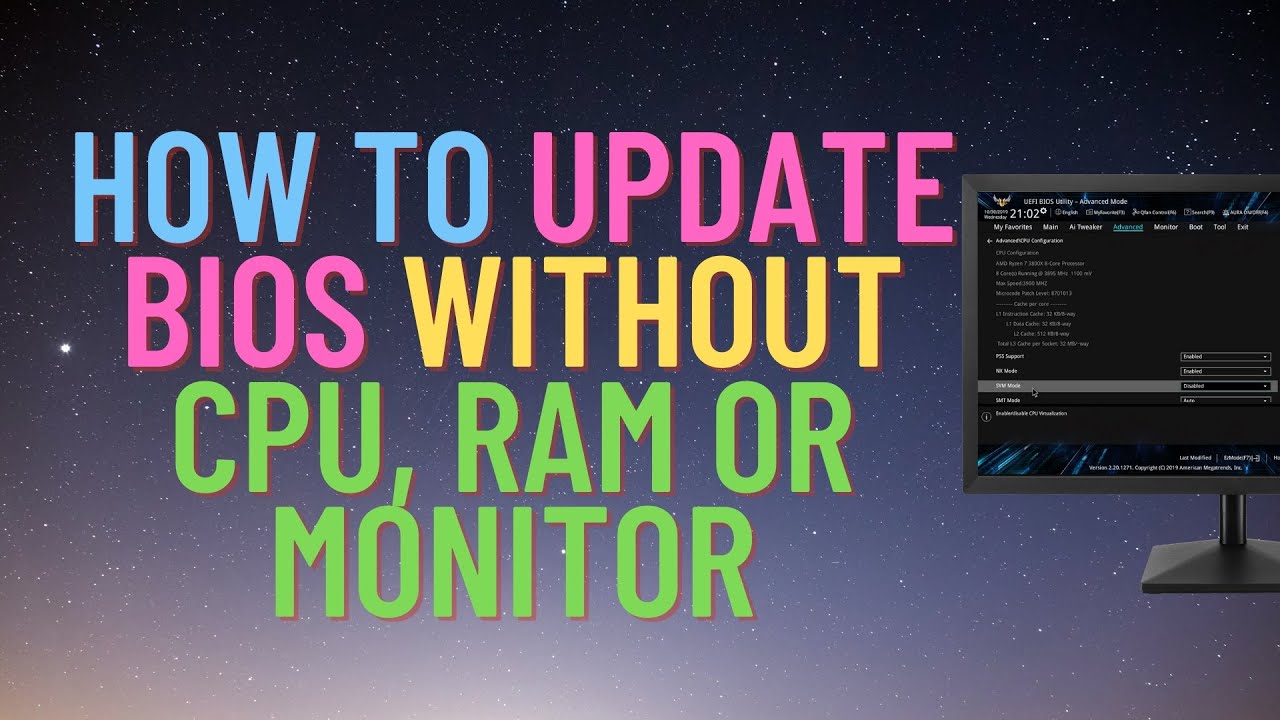
How to Update BIOS Without CPU
►►►SUBSCRIBE for more: https://www.youtube.com/user/Britec09?sub_confirmation=1
Update your BIOS without even needing a CPU? So you got a new motherboard and want to flash/update the bios but don't have CPU? well you can update bios without CPU, RAM or Monitor by using Q Flash Plus. I be using Gigabyte motherboar...
elfin warren
Highly doubt it has it
elfin warren
that won't work don unless the board has Flashback
elfin warren
Nah, it won't work
pale mist
Darn
elfin warren
Onnly solution is to find an old AMD CPU to flash the BIOS with
hollow thorn
(Microcenter one place w flashing service)
elfin warren
Or return the board and get one with Flashback
pale mist
You could give the board to me
elfin warren
Yeah, if they got it from Microcenter it may already be updated
pale mist

elfin warren
They do that
hollow thorn
Usually it's board&chip deals, but if they bought separately, they could return
elfin warren
Ye
hollow thorn
@elfin warren I mean I think they offer a flashing service if you take the board in and they flash it
elfin warren
Ye
if they need a white one with Flashback, https://www.newegg.com/asus-rog-strix-b550-a-gaming/p/N82E16813119349?Description=B550&cm_re=B550-_-13-119-349-_-Product
@topaz wing
deft inlet
elfin warren
if they need a white one with Flashback, https://www.newegg.com/asus-rog-strix-b...
how is the vrm
deft inlet
5800 is fine ?
hollow thorn
just use mobo sheet and check it :P
elfin warren
Yeah, 5800 be just fine
Honestly, most VRM's are just fine unless you're pushing heavy overclocks
hollow thorn
vrms too overhyped
it's like anything above 8 stages of any decent mosfets will carry you through most OCs
unless ln2
limber dragon
even 8 stages can be overkill if the vrm and bios is designed right
hollow thorn
Yea, or efficient mosfets
limber dragon
more stages can help keep the voltage more steady, but the less current you draw (zen cpus), the easier it is on vrms
hollow thorn
Yea that could become a factor, instead of like 70a or even 90a stages
limber dragon
like, the whole point of high amp stages is so that you can run less of them
hollow thorn
like it'll allow you to use less stages
or push more current through the same number of stages
limber dragon
you have the efficiency curve of all the mosfets, and say they're most efficient at 80% load
if your cpu pulls 200A, you'd be better off running a lot of low amp stages than high amp stages
hollow thorn
hm okay
limber dragon
too lazy to do the math, but you produce X watts per stage just turning the mosfets on, so if you're only at like 10% max load, you're wasting power
well designed vrms turn off stages while idle
hollow thorn
Fair enough, I always thought of mosfets as x amps per, as a max value, and it'll always be the same efficiency
limber dragon
I want to say something like z490 godlike turns off stages, but z490 unify doesnt
pale mist
Z490 kingpin
elfin warren
I mean, it's not like the MOSFETS send out power though. Electricity is a pull, not a push
Takes very little juice to keep the gate open
limber dragon
at idle, you dont really care about voltage regulation, so you dont need all 16 phases going
hollow thorn
I mean, at the simplest, VRMs are just a gate
elfin warren
yes, electronic relay
hollow thorn
so I think of them as mostly static, not exactly things that leak power
pale mist
I have had some big vrm problems in the past but unless you are doing extreme OCs just any z490 will do
Best oc z490 def the kingpin tho
hollow thorn
@limber dragon Oh yea, got a question about doublers, it seems when used correctly with a dedicated doubler, they're basically the same virtual stages as true stages, but what about the layouts without dedicated doubler? Forgot the naming scheme, but parallel topology or something...
hollow thorn
this stuff
limber dragon
gimme a sec to draw it out
hollow thorn
alright, thanks
limber dragon
its just this
to go no doublers, you need your vrm controller to have 2x the outputs
with doublers, controller sends a single signal to the doubler, doubler duplicates it, then sends it to phases
no doubler, controller just sends a signal out
with the twinning, you can have it send the same signal to multiple phases
the more outputs from the controller, the better regulation you get (in theory)
hollow thorn
So, no doubler is better..? or do you mean more controllers giving outputs
limber dragon
doublers do a good job of faking outputs, while twinning more just gives high phase count with meh regulation
hollow thorn
hm, so no doubler is actually better..?
limber dragon
if you want 16 phase vrm:
no double, no twinning = #1
doubler = #2
twinning = #3
hollow thorn
oh wait read that wrong
limber dragon
but a 16 phase controller is $$$$$$$$$
hollow thorn
so does twinning act like pwm splitter and copy commands to one down to the other? (While doubler might help regulate both)
basically regulation wise a 8 phase true 16 phase virtual VRM, you can actually only control the 8 phases, the rest just copies the output?
limber dragon
doubler can help give better regulation since the doubler has some logic behind it to make sure both phases on it are equal
https://www.youtube.com/watch?v=bLO-vYjJN-I there's the lecture behind it
Buildzoid analyzes the ASUS Maximus XI Hero VRM to talk about the "twin-8 phase" design and what it really means.
Ad: Get the NZXT H500 case on Amazon (http://geni.us/eO2eAht) or NZXT's store (http://geni.us/Aa3lOD)
Buildzoid explains the VRM design on the ASUS Z390 Maximus XI Hero to talk about whether it's actually bad, why ASUS went this ro...
limber dragon
okay, that clarified some bits for me
twin: better transient response, hard on input filtering components
double: better voltage ripple, much less stressful on input filtering
 dawn elk
Does anyone have any ideas about which memory would perform better on the 5800x? Team T-FORCE VULCAN Z (2x16) 3600, 18-22-22-42 or Team T-Force Delta (2x16) 3200, 16-18-18-38.
limber dragon
3600 kit will
ember marten
3600 kit is probably better but I'd recommend getting a Crucial kit at 3600 C16