#cpus-mobo-and-memory
1 messages · Page 171 of 1
 naive pendant
No it doesn't, all fans are running, and rgb is on. It just does not boot before...
naive pendant
naive pendant
No it doesn't, all fans are running, and rgb is on. It just does not boot before...
uh...no image then?
mostly likely a ram/gpu issue
naive pendant
naive pendant
uh...no image then?
Yea im not getting any signal
have you checked your hdmi cable?
I am currently using dp
could also be dusty ram aswell, how long you had that build?
naive pendant
naive pendant
could also be dusty ram aswell, how long you had that build?
Built it at the end of august of last year
huh...
does your gpu fans work tho?
naive pendant
naive pendant
does your gpu fans work tho?
Yea their spinning
no need to ping on every message tho
My bad
as far my troubleshooting knowledge go...could be a ram issue
if this started out of nowhere
could also be a cable issue but eh
Im gonna try using hdmi, instead of dp see if that affects anything
What mobo do you have?
b450 tomahawk max
Oh, I think the b550 ones (or atleast some) can boot without a cpu
naive pendant
naive pendant
Oh, I think the b550 ones (or atleast some) can boot without a cpu
what? a mobo needs cpu to boot
I built mine around that time too and nothing like that has ever happened
maybe it was memory, i forgot
yep my bad
wow ok I've been out of the loop for a while
anyways you should take Kad's advice, probably more knowledgable
maybe
i used to have this issue
it was just a dusty ram that need some cleaning but this issue varies tho
the gpu die could have died
Any recommendations for gaming apus (cpus with intergerated grapphics)? am4 slot budget of 200$
 elfin warren
3400g
naive pendant
@elfin warren is this one good? its used but im pretty sure thats okay https://www.amazon.com/gp/product/B079D8FD28/ref=ewc_pr_img_1?smid=A1RURWZPIFH529&psc=1
elfin warren
You know rules
 ruby laurel
im saying it as a joke
elfin warren
-_-
ruby laurel
vintage do u think i seriously attempt to sell anything here
elfin warren
yes
ruby laurel
u are mostly wrong
only things that are legit for sale are my rtx 6000s
which literally no one here will buy
ever
so

@pale mist to answer though, they rly arent worth it
most of the uses for them are for power slurping 4u servers
 pale mist
yea but its hard to argue with 12 cores at 3.6 boost

aliexpress.com
Smarter Shopping, Better Living! Aliexpress.com
would this work? the listing says it needs a 2011 r2 but idk
ruby laurel
which e7
 mellow turtle
Hello people, i was wondering if anybody would be able to tell me which motherboard between: Asus Prime B450M-A and MSI B450M PRO-M2 MAX would fit better with my AMD Ryzen 7 2700X
I am doing a budget build by the way so if you know any mobos that fit better than this that are within my budget i would appreciate it.
elfin warren
I prefer ASUS over MSI, they tend to use higher quality components. Plus their BIOS menu is more clear and easier to find options
mellow turtle
Do you think i’ll have to update the BIOS though? i read somewhere that i would need to for this CPU, sorry if these questions seem dumb, im sort of new to this
elfin warren
YW
mellow turtle
wait actually one last question, since this mobo is a lot cheaper and its got a extra slot for a certain something, would it work fine if i got the Gigabyte B450M DS3H?
elfin warren
The Asus board can handle faster memory for future upgrades
mellow turtle
i dont think ill ever need faster memory though, 2x 16 gig ram sticks at 2666hz is okay for now i think, i mean im going to probably get 4 of them instead in the future rather than only 2 but it gets the job done i think
elfin warren
I mean, if you upgrade the CPU, faster memory will be needed so, up to you. Also Pinnacle Ridge CPU's do weird things with 4 sticks of ram
SOme boards slow the ram down when all 4 slots are filled with those
mellow turtle
i thought the only requirement for it to function properly would be for it to be identical right? Or does instability occur when you fill the slots
but baxk to the original question, there wont be ant problems with the Gigabyte B450M DS3H?
elfin warren
Upgrade path is poor but.....ok
mellow turtle
thats all i wanted to know, thanks and have a good day or night
 vernal apex
Recently over Christmas I got a new ram kit exact same as my old one T-Force VulcanZ 3000mhz kit (1.35v, 16/18/18/38). I threw it in my system expecting everything to work as intended and well it didnt. The new ram and old ram wouldn't even post when XMP was turned on and set to 2933/3000mhz. Ended up taking out the new ram to turn off XMP to at least get into the BIOS with the new ram. System was working fine at 2400mhz so slowly have gotten it from 2400 -> 2666 -> 2800. Seems to be running stable here at 2800mhz but again wierd that it can't go higher. Any reason this might be? Running Ryzen so idealy want this at the 2933/3000 speed due to the performance difference with Ryzen at thoes speeds.
vernal apex
Ok so it wouldnt have to do with while in the BIOS the memory saying one is manufactured by Samsung and the other by a different company (can't think of it now)
Or at least most likley
vernal apex
Ok so at the moment going left to right I have New Ram/Old ram/New Ram/Old Ram. Would it be a good idea to take the new ram and old ram and run them in "single channel" right next to each other while having all 4 sticks in. Only just got the sticks into the system today so haven't had much time to mess around with placements of the sticks
 gleaming comet
I got an Alienware Aurora R9 with a intel i7 9700 3.00 Ghz CPU, but looking in the built in hardware monitoring software I can see that the CPU is often running at like 3.5-4.2 ghz even with all overclocking settings off. My computer is running cool and this is when no games are even on. Is this normal? I mean I know it probably won't effect me, but I just noticed it was strange that it looks like my CPU is constantly overclocked even if it's running cool (Like 30 C) with overclocking off
naive pendant
gleaming comet
I got an Alienware Aurora R9 with a intel i7 9700 3.00 Ghz CPU, but looking in t...
9700 can turbo to 4.7ghz
so yeah thats fine lol
and you shouldn't worry about the clocks that much.
 trim mauve
anyone know how to see your chipset driver
my pc is a little slower than usual, and when i launch overwatch its really laggy for like 2 minutes before its fine. Every other game is fine though. I figured its prolly cpu
idk though, im stumped tbh
ruby laurel
trim mauve
my pc is a little slower than usual, and when i launch overwatch its really lagg...
my install does this too
think its just game sucking
trim mauve
Maybe
It never did it before
Imma try reinstalling game to see if it fixes
It started yesterday
 drifting lantern
Can someone help me? My bios doesn't work at all
Well, I can enter it, but that's it
 river ledge
i am here to say intel is better then amd and always will be
river ledge
 deft inlet
right now its not
deft inlet
right now its not
yea but 11th and 12th gen looks like its gonna knock it out of the park
intel is suppose to go to 7nm 12th gen
deft inlet
i know
but AMD has something coming too
i will decide in 4 years
which side i will go for
 frigid vapor
Can someone sum up the 11900k leaks for me pls
 coarse gate
which is better ryzen 9 3900x or intel i9 9900k
 limber dragon
depends on what you're doing
coarse gate
gaming
limber dragon
9900k
limber dragon
no and no lmao
csgo is the only game where zen2 is marginally ahead of a stock 9900k
 quaint current
uh
limber dragon
what drugs are you on and where can I get them?
quaint current
usually for amd you just put pbo on
 versed geyser
Y’all so My friend and I are planning on using the board I had on my original build. (Long story short motherboard was acting up. Upgraded to z490e and i7 10700k). The motherboard is for the i7 7700k and My friend believes he fixed the issue which was a bent pin. If it doesn’t work anyone know of a decent board that’s available and not over $200? I’ve already tried searching but I could just not be good at searching
Typically when I search for the lga 1511 z270 motherboards There’s either none or they’re super expensive or I just get 8th and 9th gen results
limber dragon
z170 with a bios update or z270 will work
versed geyser
limber dragon
z170 with a bios update or z270 will work
Okay thank you I’ll have to do some more searching. I’m not 100% in need of a board just yet fortunately but I just wanna be prepared for if the motherboard turns out to be a dud and I then have to order a board
 stone vessel
i have a ryzen 7 2700x with a 2070 worth upgrading my cpu?
naive pendant
nah
limber dragon
depends on resolution that you game at
frigid vapor
5950x or 5900x for gaming?
stone vessel
1080p @limber dragon
 hollow thorn
5950x won't offer much more performance, if any, in gaming than 5900x.
limber dragon
stone vessel
1080p <@!193597009360453633>
even just a 3600/x would be better than a 2700x at gaming
frigid vapor
If the $300 extra was like not a problem, would 5950 be better
Btw thx for feedback!
stone vessel
@limber dragon how many extra frames do you think i would get
limber dragon
depends on what each clocked at, but the games I played, I went from being cpu bound to gpu bound at 1440p with a 5700xt
elfin warren
If you want the 5950, get the 5950. The performance increase in games is negligible.
limber dragon
that's 4.3 all core 2700x vs stock 3900xt
stone vessel
i have my r7 2700x clocked at 4.2 and i only play 1080 p games like gta 5 cod valorant and csgo
limber dragon
then you'll see more improvement than what I saw
my timespy scores went up 20%, but I didnt before/after check game benchmarks
limber dragon
depends on the games you play if they use more than 12 threads or not
limber dragon
no idea
 charred venture
you can look up youtube bunchmarks
 wispy flint
5900x or 5600x for steaming, video editing and gaming? pairing it with the 3080
wispy flint
ok thanks
 lilac niche
elfin warren
lilac niche
elfin warren
No
 peak abyss
any idea when 5000 series amd cpus might be back in stock? im debating if i want to keep waiting or just buy a 3000 series
 solid shuttle
i have a 3700x in a asus tuf x570 gaming plus wifi, and the LED is solid red, what should i do
nevermind
 icy field
peak abyss
any idea when 5000 series amd cpus might be back in stock? im debating if i want...
icy field
peak abyss
any idea when 5000 series amd cpus might be back in stock? im debating if i want...
if you live near a Microcenter, they regularly restock. id check there a lot
peak abyss
@icy field unfortunately i don't
icy field
ah sad
deft inlet
My micocenter is packed every day
 hazy umbra
ruby laurel
hazy umbra
ruby laurel
in the m.2 slot?
 vital field
theyll normally be in these areas depending on your motherboard assuming your motherboard has them in the first place
not all motherboards have covers either so it can be exposed
vital field
you have to be at least level 3
hazy umbra
Ooh
So just unscrew
That screw?
Thanks a lot I plan on buyingn
It in a Day or 2
vital field
yes, you would unscrew that and take the cover off and install the m.2 in there
hazy umbra
Thank you for the help
deft inlet
Ryzen what?
 vague lotus
Ryzen 2 CPU he said he has
vague lotus
Ryzen 2 that's all he said
 serene stump
...
vague lotus
His exact words, ryzen 2, he said that's what showed up after he went to properties for "my computer"
"It is AMD Ryzen 2
I am windows 10"
 livid sparrow
I assume that means a Ryzen 2000 series processor, but regardless, any and all Ryzens should run Windows 10 just fine
In fact, you'd have a hard time finding one that has problems
 mental jungle
Anyone here had issues with the asrock b550m steel legends? Spent every day I have off the last 3 weeks trying to figure out why it won't post, cpu and dram code lights are on. Done everything I can think of to fix it
Tag me if replying so I don't miss it
deft inlet
🍞
 tall fjord
any updates on Rocketlake?
mental jungle
@elfin warren no its a 3600 so shouldn't need a bios update
elfin warren
Nope, shouldn't
CPU 8 pin power plugged in?
NOT the PCI-E cable there?
Could be ded CPU or bent pin when you installed too
deft inlet
mmm
 scarlet basin
@deft inlet this may sound stupid but did you put the cpu in the socket in the right orientation?
ruby laurel
scarlet basin
<@!270634578698436618> this may sound stupid but did you put the cpu in the sock...
if they didnt theyd be having more problems 
scarlet basin
true lmao
 fallen lynx
3rd gen Epyc, yay
 tough relic
Is a noctua d9l a good cooler for a i5 8400?
Im getting a 3070 so i need max boost clock speed to aviod a big bottleneck
river ledge
whats a good temp for vrms?
mental jungle
I already checked the cpu and all the pins were good. It has the correct power, i have removed literally all non essential things from the board and it still giving me issues
elfin warren
new or used CPU?
elfin warren
Without another CPU to test, it could be either board OR CPU to be honest
If I had my druthers, I'd suspect the motherboard
mental jungle
Yeah thats what I'm thinking since a borked ryzen is pretty rare from what I have seen
elfin warren
Given that the CPU AND DRAM lights are on, I'd say so
tough relic
fallen lynx
92mm fan
how bout a be quite dark rock slim?
its 120 mm but has lower rpm
and high db
oh that link actually is a good price.
thx
river ledge
His is hot really hot https://youtu.be/ZS9iRGOSLtg

Welcome to the new Tech News Network, a channel dedicated to all tech news, all the time!
Think of this as your go-to place to find out what's happening in the world of technology, from computers to cell phones to cars to robots and everything in-between! This... is TNN!
#technewsnetwork #rocketlake #i7-11700K
— Sources —
https://www.techpow...
elfin warren
If Intel did the tests using their slower 3200 mhz RAM with Ryzen as well as the 11000 series, of course it will be slower. There are no details though which is kinda sus. I want to see real reviewers tests and not Intels.
river ledge
river ledge
His is hot really hot https://youtu.be/ZS9iRGOSLtg
I just found out from the video that amd went bankrupt bc intel stopped funding them
 cinder sphinx
Anyone know if there's a motherboard that can pair with i7-6700 non k and 64gb 3600mhz ram?
river ledge
cinder sphinx
Anyone know if there's a motherboard that can pair with i7-6700 non k and 64gb 3...
go on pcpp and it will tell u if it can
 mild jackal
@limber dragon Thoughts on https://www.amazon.com/gp/offer-listing/B083TRXZ98?tag=ns0ec-20 ? Friend's in the market for ram
(simp ie)
limber dragon
is good
I daily the rgb, does 3800 14-17-8-11-tras 1.5v
imo hope you get dr reve
mild jackal
Instead of the 16gbit rev b?
limber dragon
the reve in them is 💦 reve, and interleaving helps in a lot of games
clock for clock, dual rank is better than single rank
https://www.youtube.com/watch?v=-UkGu6A-6sQ what this video talks about without actually saying it

This benchmark started as an AMD Ryzen 5000 memory timings and frequency benchmark (like of 3600 vs. 3200, 3800, with FCLK changes), but morphed into a 2x8GB vs. 4x8GB benchmark.
Sponsor: EVGA XR1 Capture Card on Amazon (https://geni.us/3IMrqPi)
Watch our AMD R5 5600X CPU review: https://www.youtube.com/watch?v=01EhbmJAW-k
Watch our AMD R9 5950...
river ledge
whats a good test to test ram stability ?
limber dragon
@mild jackal primaries and secondaries should be copy/paste
limber dragon
river ledge
whats a good test to test ram stability ?
occt mem test, sse and avx
mild jackal
@heady umbra Here ya go
limber dragon
trcdrd might need to be 18 if they end up using older sticks
mild jackal
He'll run it at xmp, if we're lucky 🥜
limber dragon
xmp 
 last kelp
Hi everyone: Would this RAM: https://www.newegg.com/g-skill-8gb-260-pin-ddr4-so-dimm/p/N82E16820232760?Item=N82E16820232760&quicklink=true be compatible to install and upgrade on the MSI Laptop Modern 15 A10M-242? Just want to make sure there is no issue installing a new 8GB Ram stick along with the pre-installed 8GB stick that comes with the laptop for a total of 16GB of RAM
fallen lynx
cinder sphinx
Anyone know if there's a motherboard that can pair with i7-6700 non k and 64gb 3...
Asus z170-a
I have one right now with 32GB and two RAM slots available
 heady umbra
@mild jackal what do i go
 normal iron
Is there such thing as a gen 1 USB front io extension cable? My mobo/case combo, the cable attached to the front io is too short to reach the header on the mobo, and the only things I can find are gen 1 and 2 conversion cable, unless those would work as well?
Cause itd be nice to have the 2 extra USB ports on the front io
mild jackal
@heady umbra buy this #cpus-mobo-and-memory message
heady umbra
Maybe
But ripjaws aren’t bad either anyways
Plus they are cheaper at higher speeds.
 ancient hatch
How universal is laptop RAM? Trying to upgrade ASUS TUF Gaming FX705DT with a new 8GB stick
(DDR4@2400MHZ)
 main pulsar
ram is ram
as long as its DDR4 ram in DDR4 slot, it works almost 100% of the time
are you looking to add an additional 8gb sodimm?
if so, you can run CPU-Z, get the model number of your current sodimm, paste it into ebay, and get an identical one
ancient hatch
I'm not familiar with the term sodimm so I'm not sure as to the answer to that one
But I can probably install CPU-Z
(It's my roommate's laptop but I'm sure he'll be happy to download it)
ancient hatch
So it's probably important to know
main pulsar
yeah, you need a sodimm memory module
main pulsar
bingo
elfin warren
DDR4-1600 C17 ram
although 1600 seems low
Please go to SPD tab
In the box in the upper left, choose a drop down until information appears
ancient hatch
Thank you, will try that now
elfin warren
You mean 4 watts?
ancient hatch
So would it actually be a good idea to go get an identical stick to double up? Or would it be a better investment to buy something that has a better clock speed
elfin warren
Yes
ancient hatch
Not sure how much of an impact you get from having pairs of identical ram, if the laptop mobo even notices
elfin warren
You can run a different brand but sometimes they don't play nice together
ancient hatch
Gotcha, so the best bet would be a SK Hynix at 2400MHZ
Since that's the max the laptop supports
ancient hatch
That's the same part number ye
Wonderful
So it's not worth risking having a different stick to get a higher clock rate? Cause the product page says 2666MHZ (which is above what the laptop says it can handle) but CPU-Z says it's running at 1333
Can it only half the speed when it's too high?
elfin warren
The system will always default to the slowest speed rating
If you want to increase the speed, the pair must be matched
ancient hatch
Ahh
elfin warren
1333 is the actualy frequency, due to DDR, 2666 is the "real speed"
ancient hatch
I was thrown off by CPUZ saying "2666(1333MHZ)"
elfin warren
Yep
elfin warren
YW
Proper terminology is: 2666 is the effective speed
1333 is the actual frequency
I couldn't think of the word effective lol
 fickle iris
Yeah DDR means Double Data Rate so when you see 1333mhz its 2666mhz
ancient hatch
That's very handy to know
Does the 4 indicate anything other than just hardware generation?
I know DDR4 is better than DDR3
But is there any inherent meaning in those numbers other than "4 comes after 3"
river ledge
I play around with 16 and 18 right to see if it’s stable then move on to 36
elfin warren
16, then 18, then 36
river ledge
Ok thx
 autumn fossil
r5 3600 137 on walmart btw
river ledge
Actually
autumn fossil
yes
fickle iris
@river ledge What ram kit is this
river ledge
That’s a steal
river ledge
fickle iris
<@!671032609517862922> What ram kit is this
Corsair vengeance
autumn fossil
holy crap thats good
river ledge
3200 cl16
fickle iris
LPX?
river ledge
fickle iris
LPX?
No
fickle iris
yep
river ledge
The rgb ones
fickle iris
river ledge
The rgb ones
Ah okay yeah never tried tuning them
elfin warren
probs Micron or Hynix but not sure what die
fickle iris
Ironic thing is early corsair lpx had b-die just low binned ones
river ledge
So is it still possible to tune them
elfin warren
i've never been a fan of their ram TBH
main pulsar
had to dump em somewhere
river ledge
It’s ok the guys at Corsair knows that rgb = performance
Ok no more timings I blue screened time for manual reset
fickle iris
Will be at $75 for the 3600 mhz kit
elfin warren
Yeah, no stock though
fickle iris
shame
elfin warren
Next expected stock is February or March
fickle iris
bruh
river ledge
I’m not buying Corsair for ddr5 I guess
fickle iris
No idea yet
hard to say
Corsair ddr3 wasn't too bad tbh
Just the ddr4 is pretty bad imo
river ledge
It’s bc the guys at Corsair thinks rgb = performance
@fickle iris could u tune your ram?
fickle iris
Yeah my ballistix is tuned
river ledge
How much
fickle iris
I got it running 14 - 14 - 14 - 34 at 3600mhz
fickle iris
Out of stock im afraid
river ledge
Do u know if dominators are any good
fickle iris
No they overpriced to hell
river ledge
Do they also have bad dies
fickle iris
Can't remember the exact dies
river ledge
Overpriced
elfin warren
Tariffs hit, $138 for 16 GB kit
river ledge
Ewww
fickle iris
Damn
river ledge
Wait no they just a 100$
elfin warren
Best ram there is the Gskill and it's poopy Hynix dies
river ledge
For 3600
river ledge
elfin warren
Best ram there is the Gskill and it's poopy Hynix dies
Wait so gskill skill is also bad for tuning
livid sparrow
Everyone knows Team Group ram is the superior ram 
elfin warren
I think the Royals are B-die or Micron E, can't remember
fickle iris
Royals are B-die
river ledge
U telling me ballistic 3600mhz was at 50$ https://www.amazon.com/Crucial-Ballistix-Desktop-Gaming-BL2K8G36C16U4RL/dp/B08FX2H3YJ/ref=asc_df_B083VMSWWJ/?tag=hyprod-20&linkCode=df0&hvadid=459623382939&hvpos=&hvnetw=g&hvrand=2189938460010058270&hvpone=&hvptwo=&hvqmt=&hvdev=t&hvdvcmdl=&hvlocint=&hvlocphy=9028159&hvtargid=pla-884221823645&th=1
fickle iris
But you pay for it
river ledge
river ledge
U telling me ballistic 3600mhz was at 50$ https://www.amazon.com/Crucial-Ballist...
Why is this 50$ then
Was it a mistake
elfin warren
no, 1/2 a 16 GB kit
river ledge
Oh just a 8gb stick
elfin warren
add the two together it's $85 lol
elfin warren
It was cheap and it's good stuff too
river ledge
Yea I’ll just wait a couple years for ddr5
elfin warren
I'm not upgrading my 3700x until AM5
fickle iris
same with my 3600
river ledge
U mean intel 12th gen @elfin warren
fickle iris
Maybe depends what's better
elfin warren
Yup
river ledge
Yea I’ll save up now so I can do a custom loop then
fickle iris
Intel should be on 10nm by then so will be interesting
elfin warren
I was here when AMD was king back when the Athlon 64 X2 took the crown from Intel
I'll get whatevers faster next time around
had Intel for years after that
fickle iris
I sadly cheaped out once and went for bulldozer once
elfin warren
OOF
fickle iris
i had a 2500k for ages before changing to my 3600
elfin warren
My wife is still running her 4590. Doesn't want an upgrade. Got a new laptop instead, 4500u
river ledge
She didn’t upgrade bc she knew intel was good
 errant knoll
Hey guys i have a question what is the best ssd for u, kingston a2000(1tb) or wd blue sn550(1tb) i cant decide what to pick 😓
river ledge
ewww its said 90 on pcpp https://www.bhphotovideo.com/c/product/1548861-REG/crucial_bl2k8g36c16u4bl_ballistix_rgb_16gb_8x2_3600.html
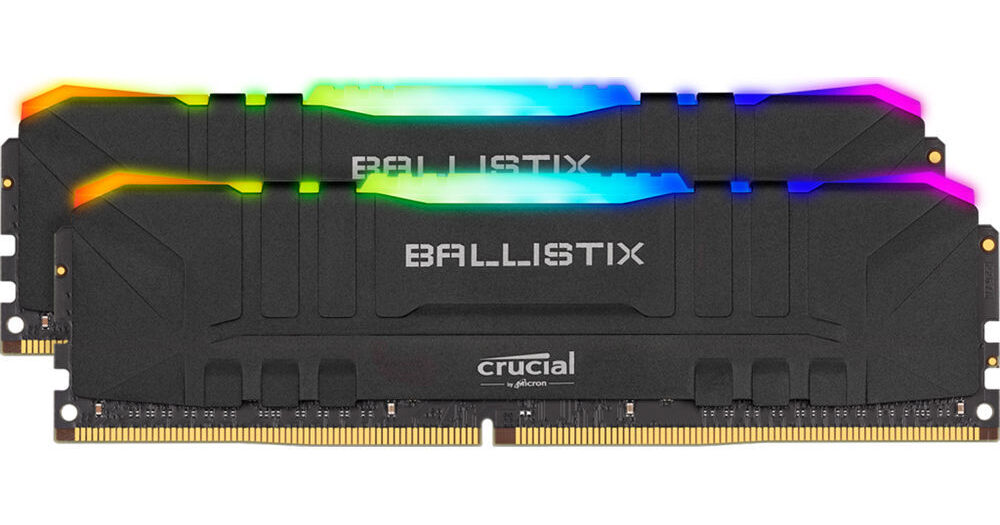
Buy Crucial 16GB Ballistix RGB DDR4 3600 MHz UDIMM Gaming Desktop Memory Kit (2 x 8GB, Black) featuring 16GB (2 x 8GB) Capacity, 3600 MHz Clock Speed, PC4-28800, 288-Pin UDIMM, 1.35V, 16-18-18-38 Timings, Unbuffered, Non-ECC, Low Profile, Customizable RGB Lighting, XMP 2.0 Support. Review Crucial RGB
errant knoll
Oh.. ok thank u!! @fickle iris
river ledge
i remember these things were like 70
fickle iris
Yeah on black friday sales
elfin warren
Last I checked
river ledge
ewwww 200$ for 32gb
elfin warren
If you went to the actual B&H site, it wasn't in stock lol
Backordered until Feb I think
PCPP lies
fickle iris
yep
 timid sand
how do you fix cpu load 100% and gpu load 0% while playing 1650 i39100f
elfin warren
No need to spam it everywhere
 midnight pollen
but is there loss in performance or is it just a misreading
elfin warren
They're in graphics card
Apparently uninstalled one driver and installed another
I think something borked
midnight pollen
ah
 loud sinew
if anyone would like to help it would be appreciated , basically I started using ISLC to run most my games with, and when I boot it up it only says I have 8 gb of ram when I have 16 gb, if I look in this pc it states I have 16 gigs of ram, booting into my advanced setting also says I have 16 gigs
The only thing that also says only 8 gb of ram is my bios settings
But if I go to the ram slots and what take place in them it still acknowledges that both slots are taken up by 2x8 gb ram
Just on the main page of my bios screen it says I have 8 gigs of ram
Task manager also says that I only use 8 gigs of ram with it but it also says I have 16, just 8 are being used
 blissful silo
When I try to change my ram speed in bios it won't let me boot up my computer after, why is that?
fickle iris
What's the ram motherboard and cpu?
livid sparrow
Ech, I set the cl to 15 instead of 16 when I was adjusting my ram settings and now I've got Critical Process Died blue screens
 hardy moon
@subtle kite come here
 subtle kite
I’m here
subtle kite
Im planning of getting AMD Ryzen 5 3600 6-Core,
I alright have ID-COOLING PINKFLOW 240 CPU Water Cooler
hardy moon
Ok then are you trying to do an ultra budget or are you willing to spend more for aesthetics or features
Also do you need wifi
@subtle kite
hardy moon
What’s your budget for the motherboard
subtle kite
Like 304
subtle kite
$304.34
hardy moon
US dollars?
subtle kite
Yes US
My pc is darkFlash Micro ATX Mini ITX Tower MicroATX Computer Case DLM22
Is that good for gaming and livestream @Mr111
hollow thorn
you already own the case?
subtle kite
Yes
hollow thorn
rip
subtle kite
🥺
subtle kite
I have 3 fans and a cooler
subtle kite
That’s for gaming and livestream
hollow thorn
mobo doesn't really affect that
hollow thorn
the best you can afford from the current generation
subtle kite
Ok
 rotund meteor
Does the sound card on a motherboard matter too much?
is it worth buying a more expensive motherboard for it?
 hot harbor
^^^^^I've been wondering what the answer to this is for a long time
ruby laurel
not when u can get an external dac
 nova hornet
I feel like the only real difference in the audio capabilities of most motherboards rn is what outputs they have
like do you need spdif out or not
ruby laurel
nova hornet
I feel like the only real difference in the audio capabilities of most motherboa...
nah some have epic sound cards
nova hornet
guess I'm not looking at the right mobos lol
ruby laurel
nova hornet
guess I'm not looking at the right mobos lol
problem is its like the $700 ones
at that point why bother
nova hornet
loooool u right
nova hornet
my problem with motherboards is none of them have enough usb ports
but I'm also silly and don't like using hubs
ruby laurel
how many usbs do you need?
nova hornet
right now I'm using 9, so I think my ideal mobo would have 10 lol
ruby laurel
for what lmfao
nova hornet
actually some of this stuff is redundant and some of it really doesn't demand a rear port
8 would be good, I think 6 on the back is common
ruby laurel
im just wondering why ur using so many
nova hornet
kb, mouse, mic, cam, stream deck, headset
ruby laurel
ahhh icic
nova hornet
a second headset and an external hd
ruby laurel
why not use a pcie card to add more
ruby laurel
or just use a hub tbh
nova hornet
threw in a lil rosewill usb card and it works
ruby laurel
nothing except for the hdd needs a full usb3 link
and even the hdd doesnt need it cause it maxes at 200mb/s
nova hornet
u right
naive pendant
which CPU would give more performance with the 3060 ti on 1080p 144hz a ryzen 7 2700 or a ryzen 5 3600? (i have the R7 2700 non-x)
naive pendant
naive pendant
which CPU would give more performance with the 3060 ti on 1080p 144hz a ryzen 7 ...
Like if you upgraded?
DOn't upgrade from a 2700
ok
Yeah it’s about the same performance so i can keep the cpu but the mobo and the gpu I am changing out
 fresh river
3600 would be better perf for gaming
multicore 2700 would still win
but single core/gaming 3600
naive pendant
fresh river
3600 would be better perf for gaming
by like 3 fps
naive pendant
i usually see like a 10 fps difference at max
2700 comes with a better stock cooler
But its a 2700 so you would OC
to get to 2700x
fresh river
well thats cause its a 700 instead of 600
naive pendant
ye but im saying u could OC more potentially
and it has a higher safe voltage limit
blissful silo
fickle iris
What's the ram motherboard and cpu?
TridentZ G skill, ASRock B450M Pro4, Ryzen 5 2600
rotund meteor
ruby laurel
not when u can get an external dac
so should it not matter too much? because ive seen stuff saying B550-f wifi has a premium soundcard although idk about that, otherwise I'll probably go for b550 auros elite ax v2 and save a few bucks
i know nothing about audio
ruby laurel
rotund meteor
i know nothing about audio
same lol im the storage person
rotund meteor
ah
rotund meteor
thanks
ruby laurel
:))
river ledge

 haughty cradle
Alright, so I'm having issues figuring out what newer processors, if any, would be compatible w/ my motherboard. Model - GA-78LMT-USB3 R2. Anyone have any advice as to what newer processors I'd be able to use, if I'm able too?
river ledge
haughty cradle
Alright, so I'm having issues figuring out what newer processors, if any, would ...
if its this one u got no cpu upgrades man
haughty cradle
So before upgrading anything you think it would be a good idea just too invest in a new mobo?
elfin warren
That's AM3.
river ledge
id recommend z490 or wait for z590 or b550 x570 b450 maybe for amd
i dont think b450 can support ryzen 5000 tho
 marble hare
so i had a corsair cx600m in my pc, and i just swapped to an rm750x, when i booted my pc this light came on
on my mobo next to my ram
there was 2 lights but one went off
river ledge
read what it says
marble hare
and also my vrm temps were quite high
river ledge
those are error leds
haughty cradle
Thanks all, appreciate the help!
river ledge
look up what it means
marble hare
i believe that’s the vrm temp monitor at 57
it eventually dropped down to about 39- 41
elfin warren
Ah, if it's just a VRM readout, which error LED is on?
marble hare
i can’t really tell which error led it is at a glance : (
i’m tryna find it in the manual rn
elfin warren
Grab a flashlight then, need to know exactly which one to tell you where to go
On the other hand, I would double check ALL of your cnnections since you just replaced the PSU
Either something is plugged in the wrong spot, or not plugged in all the way
 keen coral
I have a question. When plugging in a new cpu cooler and upon turning it on is there supposed to be a slight hissing sound and a burning smell?
No fans turn on but there still is a light on my mobo
It’s a asus b250m a
Please help.
elfin warren
No, there should not be a hissing smell
Did you plug the cooler into the CPU_FAN header?
and what cooler?
naive pendant
keen coral
No fans turn on but there still is a light on my mobo
looks like PSU went off
or one of the components went boom
elfin warren
What video?
marble hare
sorry it’s so slow but it looks like cpu lights up for a sec then vga for a while then boot briefly 🤔
keen coral
It is an old cyber power prebuilt... so defiantly not out of the question
It’s got a rx 580 if that’s what ur asking for
elfin warren
What video did you watch about the cooler?
keen coral
Oahhhhh
Lol
Uh it’s one from the company
I’ll see if I can link u the vid

This short video shows how to install ID-COOLING SE-225-XT BLACK on AMD AM4 platform.
elfin warren
Uh oh. The screws that hold the actual cooler down, did you tighten them all the way??
elfin warren
@y@marble hare is that before or after CMOS reset? It stayed on teh VGA light for quite a while, should have been quick. Check GPU power connectors, reseat card in slot and reset CMOS if that doesn't wok
In this picture
The screws that hold the cooler on would be on the left and right, correct?
See that line of silver cylinders to the left of the CPU socket? Is a mounting screw directly over those??
@keen coral
 magic cedar
wait what
magic cedar
a capcitator broke?
elfin warren
The mounting screw punctured one of hte caps
keen coral
elfin warren
That's the hissing/burning smell
magic cedar
f
elfin warren
Direct Heatpipe contact
 wind karma
probably heat pipes
elfin warren
yes
keen coral
It’s heat pipes
elfin warren
I'm thinking the mounting screw was touching one of those chokes
And possibly shorting it but IDK
magic cedar
did he have metal to metal
elfin warren
Those square blocks are right under the mounting screw
keen coral
Well I have found the smell
elfin warren
and?
keen coral
It stinks
magic cedar
where is it from
elfin warren
Yeah
keen coral
I’ll send a picture
I think if I’m right it’s the cpu header
I think that’s the word
That thing that hooks to the top left of the mobo
Ig I really messed this up
keen coral
Mhm
elfin warren
Take it apart, is it melted?
keen coral
I’ll see
marble hare
reseated my gpu and got the connectors all solid gonna boot and see if it’s good if not i’ll try out cmos
keen coral
It looks fine but there is one bit that might have melted
elfin warren
I'll bet what happened is the mounting screw hit one of the chokes/VRM and shorted it
I would recommend NOT using that cooler
And putting the original one back on
and see if it works
elfin warren
Yeah that got a bit toasty
keen coral
Hm
elfin warren
That cooler isn't a good fit for that board
With parts directly under the mounting screw
What cooler did you have before?
Why the change?
keen coral
The stock Intel
elfin warren
Well, put it back on
keen coral
That’s the thing
elfin warren
I'd save that cooler for another motherboard
keen coral
The stock Intel cooler worked but it won’t go back into the board
That’s why I got a new one
elfin warren
Are you sure the black pins are oriented the right way?
They can be a PITA
You put the cooler on the board and then turn the black pins
I'm sorry but that cooler you have needs to be returned or saved for another motherboard
OH, maybe not
Looks like they just push in
been a long time since I've used INtel
keen coral
I can’t seem to put the cooler back on
keen coral
No
elfin warren
That needs to go lol
keen coral
Oh no I took the one from the new cooler off
elfin warren
The pins for the cooler go in the holes the black plate is in
elfin warren
And it won't just push on? have you tried rotating the black lugs the other way to see if you can push it on right?
marble hare
cleared cmos can’t remember how to set my ram to 3600mhz again
keen coral
But even if I get it on it still won’t work
Bc none of it works right now bc of the cpu cord thing
keen coral
And the hissing though
elfin warren
I know but put it back together to see if it's really ded or just smelly
Because it might be fine with the stock cooler, or it might be ded. Don't know until you try 🙂
marble hare
okay so reset cmos and put my ram back to 3600 cl16
keen coral
Well I plugged the stock cooler in and it didn’t work
marble hare
the lights are still coming on but the one that was persisting is no longer coming on
keen coral
@elfin warren
elfin warren
Yikes
At this point, I think either the motherboard or CPU is cooked but don't know which
Might be power supply too
marble hare
i honestly can’t tell if it’s normal or not i don’t remember if the lights used to come on at all before or not
elfin warren
Going to be hard to test without spare parts
marble hare
elfin warren
All of the lights should come on and go off as things are tested
marble hare
oh okay so it’s only if that single light persists way after boot that it’s a problem
elfin warren
Nope
marble hare
hm my gpu is on 30% doing absolutely nothing
none of the info is coming up either at the bottom
ruby laurel
marble hare
thats the encoder doing something
elfin warren
ye
 marble hare
hey man im an idiot
fresh river
are you watching yt or something
ruby laurel
no live wallpaper?
fresh river
someones stream or camera on?
marble hare
nah none
fresh river
hmm
ruby laurel
fresh river
someones stream or camera on?
kinda dumb to ask questions when they can just do this
marble hare
marble hare
i turned off hardware acceleration a while ago
fresh river
well that explains it
ruby laurel
dw abt it
marble hare
ohhh
ruby laurel
its just recording everything on screen and encoding it for u
river ledge
naive pendant
river ledge
https://strawpoll.com/vqprww5rf
no.
river ledge
is z590 meant for 11th gen or 12th gen?
 main pulsar
river ledge
is z590 meant for 11th gen or 12th gen?
main pulsar
river ledge
is z590 meant for 11th gen or 12th gen?
11th
as far as i know, z490 and z590 are identical
although, z590 boards prolly have guarenteed pcie 4.0 support
whereas with z490 its gonna be on a per board basis
hollow thorn
don't think we know if z490, chipset wise, will allow for pcie 4.0
main pulsar
the chipset itself is totally 3.0 only
river ledge
i thought some z490 have pcie 4.0 but not activated
hollow thorn
ya
main pulsar
as for the motherboard traces, lanes coming right off the cpu could be 4.0
hollow thorn
well now that I think about it
mobo wouldn't really care about chipset pcie
it'll be like b550
main pulsar
yeah, but not all z490 boards may be capable of 4.0
river ledge
this mobo so shrexy
main pulsar
from a trace layout and quality perspective
deft inlet
dang
hollow thorn
weird dark
river ledge
i think it looks shrexy
deft inlet
the vrms are so small
river ledge
deft inlet
the vrms are so small
wdym it has that big copper thing and that pipe running though it
deft inlet
lol
deft inlet
you have it ?
river ledge
bc those headers aint gonna get plugged into the mobo
look at how the usb 2.0 is placed
deft inlet
i am still new to computers
river ledge
hollow thorn
there's no extra 8 pin for multi gpu
wdym by extra 8 pin?
hollow thorn
@river ledge meant to say 6 pin, but like on mainly HEDT boards like the x299 dark, fitting in like 4 graphics cards means the 24pin isn't enough to give each card enough power through the pcie slots, so it needs extra power
river ledge
oh ok
it only has 2 of the big pcie slots tho
is that even on the standard psu tho
hollow thorn
it was a joke
 stiff rapids
best mobo under $140? white or black doesn’t matter and no wifi
 ember marten
socket?
stiff rapids
never mind
ima just go with this https://pcpartpicker.com/product/7gxbt6/msi-b550-a-pro-atx-am4-motherboard-b550-a-pro
river ledge
stiff rapids
 void jolt
Idk lol
limber dragon
lets the cache idle down when at idle
cinder sphinx
Is r5 3600 a good pair with gtx1070? Will this pair bottlenecking each other? Have a 1440p monitor. Also because pre-ordered r9 5900x and rtx3080 waited for too long and doesn't seem to be coming, cancelled the order. Also have already bought a x570 mobo, aio and new rams. Should I buy r5 3600 while waiting for new cpu and gpu stock to stabilize?
limber dragon
what's the issue?
 muted island
Two screws are stuck under my mobo
limber dragon
cant hold the standoff while you unscrew the screw?
muted island
Lemee try
limber dragon

muted island
Can’t do it
muted island
main pulsar
vice grips are 
pale mist
I smell MSI boards
 dark furnace
does anyone have an idea on what happens if you press the flash bios button with an empty usb drive
fresh river
nothing
dark furnace
right so with that context is it safe to check if the motherboard is working by plugging in an empty usb drive and pressing the flash button
limber dragon
its safe in that nothing will happen
 steady lagoon
I have some question about my build. I want to make sure I am connecting everything correctly
limber dragon
if you have to force it, its probably not the right connector
steady lagoon
to the mother board I cant upload photos here ? Im on the webdiscord. Should I be on the desktop discord ?
 mild sun
5600x is worth to buy for gaming only ?
 strange mesa
mild sun
5600x is worth to buy for gaming only ?
strange mesa
mild sun
5600x is worth to buy for gaming only ?
Yes, more cores (which is what the higher 5000 series CPU’s have) only really benefit to multitasking even though the 5600x can multitask with a breeze. And 6 cores is more than enough, especially if it’s only for gaming, it’ll last you a long time. Just make sure to get a reasonable cooler if your looking to game frequently.
Question about the Asus TUF x570-PLUS. In order for 5000 series CPU’s to be able to boot with this mother board, bios version 2607 and up must be installed. Does anyone know what bios version this mobo comes with preinstalled? Thx
 safe imp
Any news for 5950x?
naive pendant
strange mesa
Question about the Asus TUF x570-PLUS. In order for 5000 series CPU’s to be able...
Its just RNG if you got one produced after 5000 series or before
Its x570
Probably has a flash bios anyways
strange mesa
naive pendant
Its just RNG if you got one produced after 5000 series or before
That’s so stupid lol
strange mesa
naive pendant
Probably has a flash bios anyways
X570-plus doesn’t have flashback
naive pendant
strange mesa
X570-plus doesn’t have flashback
oof
strange mesa
On new egg it’s says this:
BIOS update might require for AMD Zen 3 Ryzen 5000 series CPU
AMD AM4 socket: Ready for 2nd and 3rd Gen AMD Ryzen processors to maximize connectivity and speed with up to two M.2 Drives, USB 3.2 Gen2 and AMD StoreMI
When they say that it is ready for the 3rd gen processors, are they talking about the bios or just the cpu slot?
naive pendant
bios
though as mando said, it might have bios to support only 3rd and 5th gen
not the 2nd
livid sparrow
@strange mesa All 500 series chipsets (A520, B550, X570) support Zen 3, the bios update bit means that, depending on when your specific motherboard was made, it may or may not need an update to fully work with the new 5000 series cpus. As it says, the socket is capable of using any desktop Ryzen cpu of series 3000 ( or series 4000G apus) and up
 azure zephyr
elp help help hlep should i go cl16 or cl18
river ledge
Oh yea pc Jesus is looking at intel https://youtu.be/RAszO2JEP-U

Intel's CES 2021 news included the resignation of CEO Bob Swan, shortly following Intel's i9-11900K announcement and new chipset series. We'll compare Z590, B560, H570, Z490, B460, and more.
Sponsor: be quiet! Pure Base 500DX (on Amazon https://geni.us/fIdH46k)
Other than Intel's CEO resigning, the main thing we're talking about in this is chip...
river ledge
azure zephyr
elp help help hlep should i go cl16 or cl18
cl 16
fallen lynx
^^if its not much more expensive than CL18. the real world difference isn't significant
fresh river
naive pendant
i dont think it should matter
I stared at it for 3 minutes thinking it had 3 dimm slots
 fresh plinth
blissful silo
fickle iris
What ram speed are you trying to hit
fresh plinth
blissful silo
fickle iris
What ram speed are you trying to hit
I'm stuck at 2133 but I need to get to 3200
fickle iris
On what motherboard and with what cpu
blissful silo
ASRock B450M pro4, Ryzen 5 2600
fickle iris
Just enable xmp in the bios then
blissful silo
I did, but when I try to save changes and boot back to windows, it shows no signal
fickle iris
Could be the motherboard then not allowing it asrock boards have had some problems in the past with memory
blissful silo
The only way I can really boot it back up, is if I reset the motherboard battery chip
And then that just resets my ram speed also
fickle iris
Yeah clear the cmos
fresh river
blissful silo
I'm stuck at 2133 but I need to get to 3200
can you get to 2933?
fickle iris
Yeah there might be a second xmp profile
fresh river
Hmm thats past the recommended which is nbd, but the mobo couldbe an issue
blissful silo
Idk i can try 2933
fickle iris
Try 2933
blissful silo
Ok
fickle iris
Unfortunately as rock pro 4 isn't the best for memory if I remember right
blissful silo
Dam. That sucks
blissful silo
Yea its not showing no signal
fickle iris
Gonna have to Google the problem and see if there are any workarounds or suggestions
blissful silo
Yea I am
blissful silo
Everything is brand new
magic cedar
are there debug lights on
blissful silo
My mobo doesn't have those
blissful silo
My pc works, like I can play games and everything, just after I try to set ram speed, im stuck with my computer not starting up
fresh river
Hmm do you have your old kit of ram?
blissful silo
No this is my first ever pc build
blissful silo
ASRock B450M pro4
fresh river
Gimmie one minute
blissful silo
And yes its dual channel
fresh river
is the ram in slots 2 and 4?
blissful silo
Yes
fresh river
take out the stick in slot 4
and try running it at 3200
test each stick individually at 3200 in slot 2
blissful silo
Ok hold on
fresh river
Alight take your time, @ me when you're done
blissful silo
@fresh river ok I set the ram stick in slot 2 to 3200 and it boot up
@fresh river ok I did
Set each ram stick individually to 3200
blissful silo
Yes it saved and booted to windows
blissful silo
Yes