#cpus-mobo-and-memory
1 messages · Page 165 of 1
 naive pendant
im trying to decide to go ryzen or intel
my spending limit is prob about 500$ maybe a small bit more
i have enough storage/psu is 650w 80+gold
i was thinking about getting a gtx 1650 with either ryzen or intel but not sure if theres any deals anyone found that are available still that arent soldout
 hollow thorn
@naive pendant you have 3 options, Good CPU+mobo+ram, Good GPU, or a slight CPU+mobo+ram+gpu upgrade
naive pendant
So this is currently have in mind from just browsing
i5 9600k 16gig ram 3600mhx and a msi b365 mobo
 gritty patio
You wouldn't need 3600mhz imo
gritty patio
^^*
hollow thorn
Non-Z Intel mobos limit ram freq
gritty patio
Where you finding the 9600k?
naive pendant
amazon
gritty patio
Rip
hollow thorn
Then I suggest ditch that, and go 10400+b460+2x8gb 3200c16 ram for likely less $
gritty patio
If you want Intel that is
hollow thorn
3600 price been wack so imo 10400 is a better option
hollow thorn
@gritty patio it was nice when it was below msrp at closer to 160
naive pendant
hmm will the gtx 1050 be alright
naive pendant
semi why i wanted to get 1650 atleast
lol yeah but 500 ish limit on $
is 76$ good for the ram or nah
hollow thorn
This plus a 1650 super
https://pcpartpicker.com/list/FLFtPn
naive pendant
yeah i got that on my cart its 310 on amazon
then the 1650 would be what like 200$ so thats my limit
hollow thorn
It's msrp is like 170$, but stock has been weird
naive pendant
unless i just get a super and see if i can do it
naive pendant
yea i seen a msi aero 1650 for 175 or something yesterday
or something
then supers are like 230
which are a rip
but umm if i was to choose ryzen
hollow thorn
1660 super msrp is like 240$
gritty patio
Yeah 3600 rn is too much
naive pendant
hmm alright
hollow thorn
Like when 3600 is 160$, it's good
But at 200$, it can't compete with a 10400 that's 155$
naive pendant
hmm now is it a good time or should i wait till the new year to get it
naive pendant
hmm
gritty patio
I'd rather do that
naive pendant
im pretty sure this current pc wont make it till then lol
gritty patio
Sad
naive pendant
i think thats tmrw or something
naive pendant
yeah
gritty patio
What do you play lmao
naive pendant
currently playing ark,BDO,uhhh looking into cold war and maybe cyberpunk after they fix more bugs
hollow thorn
Bdo man
hollow thorn
Cold war and cyberpunk are going to be very hard to run
naive pendant
yea till the optimize more
hollow thorn
I wouldn't bet on those two running well unless you have at least a 2070s/5700xt
gritty patio
Hardly tho
naive pendant
hm i think the main thing is ark rn
hollow thorn
I mean, when do they ever optimise, don't remember MW running any better lol
gritty patio
Ark
naive pendant
ik lol
naive pendant
xD im a admin for a server soo kinda cant rn lol
hollow thorn
Like the only way to be able to run CW/CP well for you would be to use the entire budget on a 3070 tbh
gritty patio
^^^
naive pendant
hm
gritty patio
I was thinking that cause your i5 would be a bottleneck
gritty patio
But the biggest bottleneck you have rn is your gpu
hollow thorn
Once you spoil yourself with good fps you can never go back xd
gritty patio
^^
hollow thorn
5600x
hollow thorn
If anything, resale value >:D
gritty patio
But yes if you're just gaming
hollow thorn
There are some cases where 3700x can be better
naive pendant
I could pay 150 more for 5800x that would be painful
hollow thorn
But 5600x better for gaming
naive pendant
Plus I feel like 5800x is bad bargain compared to 5900x
hollow thorn
5800x pricing is just wak
naive pendant
So 5600x safest bet?
gritty patio
Yes
naive pendant
Ik ppl make a big deal of only 6 cores + how future proof 6 cores is vs 8 and 10
gritty patio
You won't live long enough to see even 4 cores get utilized if you're just gaming
 leaden sleet
gritty patio
You won't live long enough to see even 4 cores get utilized if you're just gamin...
leaden sleet
gritty patio
You won't live long enough to see even 4 cores get utilized if you're just gamin...
Yep
naive pendant
What about gaming with chrome tabs, discord, Spotify open in background
Idk too much about cpu utilization so I might still be fine with 6
I also hope to do video editing + rendering though
 warm path
Yes, I told you I completed my upgrade successfully. The upgrade was from a Pentium G3220T to an Intel Core i7-4790S. The temperatures are doing fine and I ran a test on Prime95 and max temperature with AVX disabled is 74C. The i7 also ran cooler than the Pentium at idle.
Temperatures are in the 50s while gaming.
naive pendant
My i9 registers as an i7-7900X in Bios
just went from i5 9400f to i5 9600k and 20gb ram to 32gb and got a liquid cooler
naive pendant
Pre production yayyyyy...
 ruby laurel
woooo yea babey
ruby laurel
that is unfortunate
guess u gotta send the combo to me 
doesnt boot from nvme maybe?
using latest bios?
naive pendant
It came optimized for tenth gen but I'm using a seventh gen processor, and I'm using an hdd ssd for storage and booting
ruby laurel
but is the ssd nvme?
ruby laurel
huh
 lone ridge
warm path
naive pendant
My i9 registers as an i7-7900X in Bios
lone ridge
warm path
naive pendant
My i9 registers as an i7-7900X in Bios
Do you have latest bios?
 carmine merlin
so if i have a ryzen 2700 with an aio cooler can i overclock it with no problem, never done overclocking before and watching youtube ._.
ruby laurel
 subtle thunder
why is my memory stuck at 50 percent when theirs nothing using it
subtle thunder
why is my memory stuck at 50 percent when theirs nothing using it
because theres no point having memory if it doesnt get used
windows will expand its usage to fit the amount of ram you give it
 sharp temple
hey, I just installed a 16gb stick of ram into my hp pavilion 16.1 (16-a0xxx), and the computer is running incredibly slower than it used to
ruby laurel
hp
sharp temple
bruh
the system used to have two 4gb 2933 mHz, and i replaced one of them for a 16 gb 2666 mHz stick
sharp temple
what should I do? remove the other stick and let the 16 gb stick run alone?
sharp temple
i cant find 2933 tho
I initially searched everywhere for 2933 and i cant find it at all
sharp temple
my computer only supports max of 2933 tho, so i cant go for 3000
sharp temple
well, I have a 2666 stick rn, and its slowing my system down a ton
if I just returned the stick of ram that I have and put a 8gb stick of 2933 in, putting my total memory to 12 gb, but with upgrading in the future in mind, would that work?
naive pendant
don't mix and match
i had 3 sticks one time and when i took the random one out my perf increased 40%
especially because i couldn't XMP
sharp temple
hmm ok, so If i were to take out the other 4gb stick and let the system run on the singular 16 gb stick would it run faster?
 cobalt meteor
Tbh I never had a problem mixing and matching ram, as long as they have the same capacity
sharp temple
ah, then thats my problem. i guess ill just send the stick back and save up for two 2933 8gb sticks
cobalt meteor
And getting the faster ram clocked down to the other ram's speed
carmine merlin
so i overclocked my ryzen 7 2700 to 1.3v and 4.025 and my temps go to 35-40c underload, im wondering if i should go higher
 sour musk
how much faster is the 1070 over the rx 570?
in 1080p
 compact sun
anybody on that can help me set up xpg 4100 memory for my crosshair vII?
ruby laurel
cobalt meteor
Tbh I never had a problem mixing and matching ram, as long as they have the same...
same capacity and speed
cobalt meteor
Even if the speed are different I still don't really have a problem
ruby laurel
as long as ur ok with being stuck with the slowest stick
 tidal cairn
Does someone know how good is the AMD Ryzen 3 3200G
 main pulsar
its a solid chip for 1080p60 gaming
really cheap, no dGPU needed
i would say the 3400g is the better option, because you get the vega 11 instead of the vega 8
definitely worth the extra 20-40 dollars
tidal cairn
I just went on some sites with pre builds and saw that cpu, i made a list of components for a pc and i put a ryzen 3 3100 for that
main pulsar
3100 and 3300x are really hard to get ahold of
are you planning on getting a dedicated gpu?
tidal cairn
Yeah, i am on quite a budget so i was planning to get a gtx 1660
main pulsar
you cant really get those anymore
tidal cairn
😢
main pulsar
unless you wanted to pay double what its actually worth
ruby laurel
imo for dgpu low end intel isnt too bad
main pulsar
vega 11 smashes the 630 tho
tidal cairn
Well i live un Europe, and so far what i've seen they aren't that hard to come by
main pulsar
vega 11 still isnt all that great
ive heard availability is better in other countries outside the us
where in europe?
tidal cairn
Austria
ruby laurel
main pulsar
vega 11 smashes the 630 tho
thats why i said dgpu
main pulsar
ruby laurel
thats why i said dgpu
yeah im just stupid sometimes
main pulsar
tidal cairn
Austria
when you order things online, what retailers do you usually use?
tidal cairn
main pulsar
and whats your budget?
 vernal apex
I got an AsRock B450 Fatal1ty gaming K4. Looking at it its got two silver things to the top and left of the CPU socket. Seems like they can be removes can they? Looking to install an AIO but cant fit it unless i remove the top one.
main pulsar
i would suggest this cpu, but im not sure about pricing of other things in your area
compact sun
anybody on that can help me set up xpg 4100 memory for my crosshair viii?
main pulsar
@tidal cairn i can help you later tonight maybe, im busy now
tidal cairn
main pulsar
i would suggest this cpu, but im not sure about pricing of other things in your ...
I wanted that cpu as well but i go over the budget
tidal cairn
main pulsar
<@!334682645495545858> i can help you later tonight maybe, im busy now
Sure man no prob, thanks either way👌😊😊
naive pendant
update: im on the pc and it works 🥳
 pulsar hill
https://www.amazon.com/dp/B08CMMWFLK/ref=cm_sw_r_cp_apa_fabc_xRL5FbVDQ5GN7
Are these any good
A ram stick of mine died awhile back and I was running on ram too slow anyways. So I'm looking for a whole ass ram upgrade.
ruby laurel
pulsar hill
https://www.amazon.com/dp/B08CMMWFLK/ref=cm_sw_r_cp_apa_fabc_xRL5FbVDQ5GN7
Are ...
never heard of them
pulsar hill
Neither have I
ruby laurel
i mean worst case it dies and u rma
ive at least heard of SP
and it has rave reviews
hollow thorn
@calm lichen Look for the kit here
https://benzhaomin.github.io/bdiefinder/
Find Samsung B-Die DDR 4 memory kits on Amazon, Newegg and many more.
 gloomy spear
Can anyone help me with my pc not booting due to my cpu
I have a Ryzen 5 5600x on a b550 msi mobo and everything is turning on when I boot it up but there's a light saying the cpu is not showing or isnt working properly and there is no output on screen
 strong aspen
Check the wires
 split trout
I just built this computer and turned it on for the first time and it says to press del or f2 to go to the uefi bios, but when I press those keys it does not do anything so I am stuck on that screen. Can someone help me?
naive pendant
I do workstation stuff on my computer, but it really isn't too heavy, and I play video games (tarkov, apex). Is it worth it to wait for a 5600x to be back in stock to upgrade, or should I just buy a 3800x as it is going for $320 at microcenter right now?
ruby laurel
naive pendant
I do workstation stuff on my computer, but it really isn't too heavy, and I play...
depends how bad u think you need the upgrade
naive pendant
I really want to upgrade, current processor (5 2600) has been giving me problems
 tall thicket
Merry Christmas! Can anybody on the chat help me with my memory frequency? Has corsair vengeance 32 GB DDR4 4000
running on an AMD 3800 XT
The memory is keep running at 2133 default frequency even after setup the XMP and change the dram voltage to 1.35V
hollow thorn
@tall thicket Merry Christmas to you too, I'm guessing the Infinity fabric isn't liking running 1:1 with 2000mhz, can you try doing 3800mhz?
(Manually setting frequency, not xmp)
tall thicket
@hollow thorn thanks! The frequency is not changing as using 1.2 V vs using 1.35 V
hollow thorn
Oh and another thing, how are you checking frequency?
tall thicket
I checked it in bios. it shows 2133 Mhz for both chips
hollow thorn
Because Task manager and some other software are not very trustworthy
Bios is good, alright
What motherboard is it?
tall thicket
Also right now in iCUE it is showing 1064 mhz now with 15-15-15-36 with 2T instead of 18-22-22-42
motherboard is gigabyte x570 elite
hollow thorn
Sounds like JEDEC defaults
tall thicket
still a newbee here, cuz this is the first time i switch to ryzen...
hollow thorn
Alright, in bios, let's try setting things manually, with XMP off, frequency to 3800mhz, and voltage at 1.35v
My guess is the infinity fabric is trying to run 1:1 with the true ram frequency, as default, and Infinity fabric on 3rd gen Ryzen doesn't usually go past 1900mhz
tall thicket
Also I tried to use DRAM calculator to do some tweaks but cannot locate the PCB revision
tall thicket
hollow thorn
My guess is the infinity fabric is trying to run 1:1 with the true ram frequency...
I will do that and update in here
hollow thorn
Typhoon burner should give you that
(1900mhz -> 3800MT/s and that's why you should try 3800mhz in the bios to see)
tall thicket
how to specifically set frequency to 3800 MHz
I can only see the DRAM voltage DDRVPP Voltage and DRAM termination. And in advanced setting it’s all timing control
hollow thorn
Hm
Not very familiar with Gigabyte bios, but take a look around, it's usually not buried deep in a submenu
hollow thorn
Go ahead
tall thicket
@hollow thorn cool thank you very much it’s solved I think. It’s called system memory multiplier. I changed it to 38.00 and now it runs at 3800 MHz.
 frozen heron
K so I got a crosshair vlll hero
hollow thorn
Oh interesting
frozen heron
And what’s the difference between the dark one and normal version
hollow thorn
Never heard of it being called that lol @tall thicket
@frozen heron Slightly better VRMs and guaranteed Ryzen 5000 series support iirc
frozen heron
I got a 3900xt
leaden sleet
Still thinking between 5600x or 7300x
frozen heron
So shouldn’t be as big of a deal right
tall thicket
hollow thorn
Never heard of it being called that lol <@!184463181630930944>
Lol idk but now it seems running on 3800. Now maybe another slightly skewed question. I’m running on a 3000 series Ryzen 7. My ram can go as high as 4000. But I know the zen 2 probably runs better with 3600 MHz. How should my timing be set up? The manufacture has 18-22-22-42. Should I follow that or change to a different value if I downgrade from 4000 to 3600?
The default was 15-15-15-36
hollow thorn
Alright, here's the thing, remember what I talked about Infinity Fabric speed being 1:1 with ram freq? That's the reason for the performance gain from 3200mhz to 3600mhz (Infinity Fabric clock going from 1600mhz to 1800mhz), and why 3600mhz is preferred, and what people call the sweet spot.
tall thicket
Yes
hollow thorn
and since Infinity Fabric clock max out at around 1900mhz usually, that's usually where you could get the most performance.
@tall thicket Alright, do you have CPUz?
tall thicket
I’ll download one
leaden sleet
hollow thorn
<@!736424384797081669> 7300x..?
Sorry 3700X
hollow thorn

CPU-Z is a freeware that gathers information on some of the main devices of your system :
			Processor name and number, codename, process, package, cache levels.
			Mainboard and chipset.
			Memory type, size, timings, and module specifications (SPD).
			Real time measurement of each core's internal frequency, memory frequency.

		T...
@leaden sleet depends on what you plan on doing, gaming, 5600x for sure, something more like editing, 3700x.
tall thicket
hollow thorn
<@!184463181630930944> Alright, do you have CPUz?
Yes I got one and opened it
hollow thorn
Can you go to the Memory tab?
leaden sleet
hollow thorn
<@!736424384797081669> depends on what you plan on doing, gaming, 5600x for sure...
I got 3060ti and planing also streaming but maybe with nvenc
tall thicket
Yes
hollow thorn
Can you take a screenshot and DM me?
ruby laurel
leaden sleet
I got 3060ti and planing also streaming but maybe with nvenc
if you dont use nvenc youre doing it wrong
leaden sleet
ruby laurel
if you dont use nvenc youre doing it wrong
But with nvenc and 5600x it's ok for some years?
ruby laurel
leaden sleet
But with nvenc and 5600x it's ok for some years?
of course
gloomy spear
Hey can y'all help me with my cpu not letting my pc show any video
naive pendant
whats a good stress test/benchmark for cpus
 devout mothBOT
 Chinese Takeout#2113 has been warned
Reason: Bad word usage
gloomy spear
Dang
 unkempt sandal
any ideas as to when the ryzen 7 5800x will be back in stock
 potent dew
So for some reason bluetooth stopped working on my PC (mobo is B450 Aorus Elite rev. 1.x), I'm 99% sure I used it before with my controller and my phone, any ideas?
It doesn't show up anywhere in device manager even when scanning for legacy devices, unless it doesn't have bluetooth in it's name
Unless I've only ever used my controller with the connection that it uses on Xbox
potent dew
It actually seems like it doesn't have it based off of the Gigabyte website, Amazon says otherwise, though. Listing is probably wrong.
 elfin warren
Only the WiFi models have bluetooth
warm path
@ruby laurel hahahahah, I completed the upgrade successfully wi to out ripping a ribbon cable.
warm path
gloomy spear
Ok how do I fix my cpu
What happened?
 river ledge
Bruh this guy on tiktok said not to touch the pins on his cpu or it might break and he just bricked his cpu smh. And this isn’t one of these ones when they make a joke he actually broke it without knowing.
elfin warren
Never touch the underside of the CPU
There's capacitors where his finger is that you can knock off too lol
river ledge
Yea he probably broke it
 tranquil silo
idiot lol
 merry lake
damn
carmine merlin
so im overclocking my ryzen 7 2700 to 4.025 with 1.3v
[11:20 PM]
and everytime i restart it keeps going back default
[11:20 PM]
._.
 vagrant cosmos
So when you overclock a cpu, you are using it’s full potential? Is there any downside to that?
I’m worried if i overclock, it can over heat.
 pearl zealot
Heat and power and stability
sour musk
omg
pearl zealot
Typically your cpu runs pretty stable at it's base settings. You can increase the frequency a bit, it will be doing more work. Increase it too much and the power you're giving it won't be enough, it won't be stable. You'll have to raise the voltage to give it enough juice to run at the speed you set.
This takes more power and generates more heat
carmine merlin
what else am i supposed to do
carmine merlin
i turned it on bios it didnt seem to do anything
elfin warren
Cinebench R20
pearl zealot
Also prime 95, and really any common benchmark with a cpu specific section
carmine merlin
whats the official website for cinebench
tons of bootleg virus when i look it up T_T
found it microsoft store
elfin warren
WTF browser you using? First link is good. Maxon.net
Or Techspot
First two links from Google are perfect
 candid juniper
I have a core i3 9100 f what should I upgrade too ?
elfin warren
kk
candid juniper
Any recommendations?
elfin warren
Looking
candid juniper
Oh thanks
elfin warren
I mean, you could put like a i7 9700 in there.
But I wouldn't go any more than that
candid juniper
Ight thanks
river ledge
naive pendant
Surprised to see people scalping motherboards lol
Specially the white mobo s
 burnt finch
What’s a good deal for 32 gb of ram
elfin warren
$150+ for the good stuff
burnt finch
Okay what about 64 gb what would be a good deal there
elfin warren
$300-$400
burnt finch
Jeez okay thanks for the help
river ledge
Well some 32gb g skill ram was 128usd yesterday idk bout today tho. It was 3200 mhz cl16 or cl18 I don’t remember @burnt finch
 hidden rampart
elfin warren
$150+ for the good stuff
hidden rampart
elfin warren
$150+ for the good stuff
not really
135 should get you a real good kit
 noble geode
Is this psu good?
Montech Gamma II Power Supply 750W 80+ Gold Certified PSU, LLC+DC to DC Technology, Full Japanese Capacitors, 120mm Silent Fan, Flat Cables https://www.amazon.com/dp/B084QD3PNZ/ref=cm_sw_r_cp_api_glc_fabc_uDV5FbFBCVZVV
Or is a 650w enough
 serene creek
can i find any ryzen cpus in stock rn for my friend for like $150
worth it too
not overpriced
naive pendant
does he already have the motherboard
 faint ferry
Anyone know the fps difference between 3600 CL16 and CL 18? I want the Corsair Vengeance CL18 for the looks and since it's 20 bucks cheaper but the G.skill CL 16 is 20 bucks more.
hidden rampart
noble geode
Montech Gamma II Power Supply 750W 80+ Gold Certified PSU, LLC+DC to DC Technolo...
no and let's take it to #cases-psu-and-cooling
 floral jetty
faint ferry
Anyone know the fps difference between 3600 CL16 and CL 18? I want the Corsair V...
floral jetty
faint ferry
Anyone know the fps difference between 3600 CL16 and CL 18? I want the Corsair V...
You can find videos, it's a withing margin of error difference, like 1%
Ah well, if theyre at the same speed it's more like 3-4%, up to you if that's worth jt
naive pendant
@faint ferry one is 20 dollars cheaper and the other one is 20 dollars more expensive. When actually playing games you won’t notice a difference between cl 16 and cl18, as it’ll likely only show itself in an FPS diff of like 10 at the most. Get whatever fits your budget and if you save money then put it somewhere else like storage or gpu
gloomy spear
warm path
What happened?
Idk at all I think it's my motherboard since I have a 5000 series amd and I need to update it but idk how
naive pendant
faint ferry
Anyone know the fps difference between 3600 CL16 and CL 18? I want the Corsair V...
1% difference
just buy cl18
elfin warren
1%?
XD
Funny guy, can be 10% depending on CPU and games. gamers nexus did tests, some games improved 10+ FPS with 3600 CL16 over 3866 CL18
 lilac raptor
Hey. So, curious question. I had made a purchase under the assumption I was buying a Asus Crosshair VIII Dark Hero, as the pictures and search suggested, but ended up receiving a Hero instead. Is there any major differences in the two that perhaps a spec sheet doesn't list and are the differences big enough to contest the order? I wanted the Dark Hero, but can't see massive differences and if there isn't anything major, don't want to argue to purchase since it still wasn't a bad price.
It was horribly false advertised, but, I can live with it if it changes nothing that matters. Ports I wanted all seem to be still be there too.
elfin warren
I mean, if the listing stated Dark Hero and you got a regular HERO, I'd contest it simply on the grounds that you didn't get what you paid for
lilac raptor
Thought about it, but I got it for less than the Hero is normally priced at, whereas the Dark Hero itself retails even higher.
elfin warren
There are slight differences in the power VRM's and BIOs but nothing majoy
lilac raptor
Hm. Never thought about that.
ruby laurel
lilac raptor
Thought about it, but I got it for less than the Hero is normally priced at, whe...
still complain
worst case they ask for it back and u say no

elfin warren
And a passive HS on the chipset instead of a fan
ruby laurel
elfin warren
And a passive HS on the chipset instead of a fan
thats a bonus imo
elfin warren
Both are great, both will work well with even 5950x, etc
Lol
My GPU sits literally right on top of my chipset fan
New case has a vert mount GPU 😉
ruby laurel
fam kills self and you need to disable it unless u want a crunchy sounding motherboard
elfin warren
 lilac raptor
Alright. Thank you for the advice.
 stray dragon
I was gonna talk, you seem to have been talking about this just now. I accidentally bought a hero instead of a dark hero. It is at the courier service that I use in Miami I don’t know what I should do. The dark hero is only like 20 bucks more expensive, which is not so steep for better performance for zen3 CPUs.
elfin warren
It doesn't really offer better performance TBH
It's all about looks and the chipset fan vs none
Unless you'll be Extreme overclocking, IE LN2, don't worry about it
warm path
gloomy spear
Idk at all I think it's my motherboard since I have a 5000 series amd and I need...
Hm ok, buy a cheap cpu that is supported then flash latest bios. There it should work
gloomy spear
Ok
pearl zealot
Unless your mobo has qflash or flashback or whatever
Some mobos can update using a usb without a cpu
 rigid sluice
i am angry now i bought a ducking core 2 quad in hopes of putting it in a XPS 400 to turn into a NAS
While yes the Q6600 is compatible with the chipset those dell duckers made the bios not ducking compatible im ticked off af now
well since im restricted to a Pentium D now might as well overclock it or something by putting a piece of tape on it
ruby laurel

rigid sluice
ok you will a 2.8GHZ pentium D work for nas box
ruby laurel
Yeah
 long geyser
Depends what you use the NAS for. If it's purely storage I'd guess it'd be fine. If you start doing some server stuff then it might be an issue
rigid sluice
i only need it to act like a additional storage device
as long as it can force 100MB/s of data to the network im fine
burnt finch
whats a good matx mobo for a good price?
rigid sluice
theres lots of micro atx boards out there
elfin warren
CPU?
rigid sluice
we need to know what cpu you want
burnt finch
ryzen 5 3600
elfin warren
Anything B550 TBH
burnt finch
okay thanks
ruby laurel
long geyser
Depends what you use the NAS for. If it's purely storage I'd guess it'd be fine....
Yeah for just serving files u can use whatever, i knew a guy who still used a pentium 3 for his nas
For any kind of containers or vms or anything like that
You just want cores
The speed of those cores doesnt rly matter 90% of the time
rigid sluice
is it wierd that when ever im working with LGA proccessors since i dont have socket covers laying around i will just use a random celeron or whatever i can find as a socket protector? just put a random cpu in it so the socket isnt exposed?
rigid sluice
shush
ruby laurel
I literally snapped a 775 board in half a bit ago
rigid sluice
wow
rigid sluice
of course you did
ruby laurel
The big brain technique
rigid sluice
this dell is heavy af since its loaded with drives
i feel bad for the people who have to install servers loaded with drivess
rigid sluice
now im just thinking about that one LTT episode where they carried a server with like 100 drives in it up a flight of stairs by hand
ruby laurel
Its cause the entire ltt staff are idiots
rigid sluice
i just started this drive loaded xps 400 for the first tine
time
and like so many drive spinning up in it at once
ruby laurel
Nyoom
rigid sluice
feels like a gyroscope since this thing feels like its fighting you if you try to lean it even a little
ruby laurel
Dont lean it
rigid sluice
i know it just feels wierd
im now using a broken monitor to install linux on this thing yes i will install the nas os later but this is just for testing the drives
ruby laurel
Ur so weird and do stuff so sub-optimally
rigid sluice
i know but i also dont have a deep knowledge base of these things
ruby laurel
Thats why u listen to ppl like me
rigid sluice
well these are sketchy drives so i do need to stress test them
oop
i just got a error
SYSTEM HALTED
ruby laurel
rigid sluice
i really wanna get like a 128GB USB drive and just make one of those multi os install USBs
so i dont constantly have to reimage a usb
ruby laurel
Thats what i did
Now i just make my own usbs
I have one with like
Almosy every msdn windows image
rigid sluice
ok crazy enterprise person
which would be better
the dedicated nas os which i have never used before
or linux which i already know how to use
will one have better performance then the other? or somethin?
 rigid sluice
ok then linux it is
ruby laurel
Either option is linux but using the distro customized to serving up files is the less smooth brain approach
But ive stopped caring
rigid sluice
wtf im trying to install linux
but it keeps saying
SYSTEM HALTED INVALID ELF FILE
whatever the duck that means
rigid sluice
well i cant use the NAS os since my ram wont be here for another week
Peppermint linux
rigid sluice
shush you im not a command line guru
ruby laurel
Become one
rigid sluice
ill use the NAS os when the rest of the stuff gets here
ruby laurel
rigid sluice
i just wanna make sure these drives that are here work
ruby laurel
Enjoy
 dusty cliff
Anyone know if using used ram from a prebuilt on a custom computer causes any issues?
Someone locally is selling a 32gb kit pretty cheap, he just says it uses a dell xmp profile that doesn't work with other sticks
elfin warren
Yeah best to stay away then
elfin warren
Because you ll be limited to thebslowest speeds and timing.
ruby laurel
Oem ram is good in some cases
dusty cliff
The freq is 3200MHz. I can't find anything about timings
elfin warren
If you have 3600 now, dont.
ruby laurel
Not for gaming tho
elfin warren
For ryzen 5000 you want 3600 cl 16
ruby laurel
Yeah lol
dusty cliff
can't find it on dell's website
hollow thorn
What's the model
elfin warren
$80
dusty cliff
Kingston XN205T-HYD2
ruby laurel
hollow thorn
There are weird OEM kits with like 3200mhz cl22
Cause they can use the worst bins and advertise as 3200mhz eam
dusty cliff
He's selling it for $120. It's 2x16
dusty cliff
The postings been up for 3 months so I can probably haggle him haha
hollow thorn
hm
dusty cliff
I just don't know about timings. And if they're boo boo i don't want it
hollow thorn
You can get a normal 3200c16 kit for close to 100$ new
dusty cliff
3200 vs 3600 isn't that big of a dif based on some benchmark videos I watched. I need the extra memory though
hollow thorn

Buy PNY Technologies 32GB XLR8 Gaming 3200 MHz Desktop Memory Kit (2 x 16GB) featuring 32GB (2 x 16GB) Capacity, 3200 MHz Clock Speed, PC4-25600, 288-Pin DIMM, 1.35V, CL16 CAS Latency, XMP 2.0 Support, Dual-Channel Design, Integrated Heat Spreaders. Review PNY Technologies XLR8
back-ordered but you see the price
dusty cliff
wtf. I thought 32gb kits were usually closer to $200. Why's that one so cheap
hollow thorn
The Aegis kit was 100$ on sale a bit ago
https://www.newegg.com/g-skill-32gb-288-pin-ddr4-sdram/p/N82E16820232885
used to be ~115$ not on sale
@dusty cliff 4x8gb kits tend to be more expensive than 2x16gb kits
like 4x8gb 3600c16 kits are more like 200$
2x16gb 3600c16 kits are like 150$
and 2x16gb 3200c16 kits are more like 100$
hollow thorn
switches?
dusty cliff
Aren't browns pretty similar to blues without the sound
 upper aspen
Is 32 gb still overkill these days?
elfin warren
Mostly
naive pendant
hey guys, I need some help with my cpu performance
so I have an intel i7 tenth gen CPU and I play team fortress 2 pretty much daily, and typically I fluctuate from around 4.2GHz-4.7GHz and I never have framerate issues. But just today and yesterday I started noticing that whenever the game is open my clock speed drops significantly to around 3GHz and I notice a lot of dropped frames. Is there any cause for this and can I do anything about it?
elfin warren
Which CPU?
Intel is famous for Single Core high clocks but all core loads drop frequency
elfin warren
Yeah, all core Turbo speed is less than Single Core turbo
That's why
no, don't do that!
 eager patio
Hi I'm trying to upgrade my old computer to be able to play WoW Classic. I'm trying to find a cheap CPU that will do a decent job of it. Blizzard recommends for Intel i7 7600K/6700K/ 4790K. All of the ones I find have the Video on the chip and I'm planning on buying a Video card so I don't need the video on the chip. Is there a big price difference if i can find one with out the video on the CPU?
elfin warren
It's just the way the processor works. It's fine. It's also a mobile processor
naive pendant
so what would I do to fix this? It's only the past few days where i've had this
hollow thorn
@eager patio The chip having an iGPU doesn't affect performance
All Intel chips with the F ending (9900kf, 10900kf, etc) don't have an iGPU, if you really need it.
elfin warren
I mean, you can disable the Multicore rendering but it will probably be a performance hit. Multicore > single core
elfin warren
"Stepping down to the next model, the i7-10510U, you'll get higher speeds (1.1GHz base; 4.9GHz single-core Turbo; 4.3GHz all-core Turbo) but only four cores and eight threads."
naive pendant
the drop normally would never happen when I open the game
hollow thorn
@naive pendant Track temps
naive pendant

 hollow thorn
I have a feeling it's throttling
elfin warren
Nope
"Stepping down to the next model, the i7-10510U, you'll get higher speeds (1.1GHz base; 4.9GHz single-core Turbo; 4.3GHz all-core Turbo) but only four cores and eight threads."
naive pendant
I think my temps are fine
elfin warren
It's working the way it's supposed to
hollow thorn
hm?
elfin warren
That processor
"Stepping down to the next model, the i7-10510U, you'll get higher speeds (1.1GHz base; 4.9GHz single-core Turbo; 4.3GHz all-core Turbo) but only four cores and eight threads."
naive pendant
but why did it never do that before
all core turbo being 4.3GHz is more than what i'm seeing with tf2
it's dropping down as low as 2.5GHz occasionally
hollow thorn
@elfin warren I forgot, do they do the TVB thing on their 10th gen mobile chips?
elfin warren
Ye. Single core clock higher than Multi core clock
BUt if it's 2.5 ghz, that's not great either.
I mean, that graph doesn't have a number
But looks like around 3.75-4.0 ghz
Where it dops
elfin warren
Could be a lot of things but maybe heat
Playing in a new location maybe? On your lap instead of a desk?
naive pendant
nope I usually run below 80 degrees
or just reaching it
and I use a desk with an elevated cooling pad
hollow thorn
I kind of want to suggest slapping it with p95 smallfft
naive pendant
whats smallfft
hollow thorn
Stress test
elfin warren
heat maker
hollow thorn
no that's called furmark @elfin warren
elfin warren
My 3700x disagrees with you
naive pendant
ok how do I stress test
elfin warren
Need to see what your temps are under load
I think that 55c is just with a couple things open
hollow thorn
@elfin warren even with my 180w spikes on my CPU from p95, furmark draws more power >:P
elfin warren
And if that's idle temp, 55C is a touch warm
My 3700x gets really angry with smallfft
naive pendant
it's a laptop lol can't expect low temps
elfin warren
Ye, I'd guess a year or less
elfin warren
That 55C, is that with nothing but Discord open?
naive pendant
no
elfin warren
maybe a browser?
hollow thorn
and that's basically idle
naive pendant
if it's useful I can give you my laptop model
ruby laurel
why do u have cam on your laptop
naive pendant
wdym
naive pendant
temperature and clock speed readings
elfin warren
Gross
ruby laurel
literally just task manager reskin
elfin warren
HWINFO
ruby laurel
hwinfo
elfin warren
Get rid of CAM
naive pendant
what is hwinfo
elfin warren
Temp readins
Better than NZXT cam
NZXT cam is not very accurate
Willing to bet you'll get different readings with proper software. Mebbe not though but worth a check
naive pendant
fosshub download?
elfin warren

Start to analyze your hardware right now! HWiNFO has available as an Installer and Portable version for Windows (32/64-bit) and Portable version for DOS.
ruby laurel
elfin warren
NZXT cam is not very accurate
plus cam is also heavy as hell
fosshub cute
do that
naive pendant
second option?
elfin warren
Check the bottom box
ruby laurel
naive pendant
WOW OKAY
update ur windows hoe
naive pendant
wdym
hollow thorn
you could just run sensors only yaknow xD
naive pendant
i'm on windows 10
naive pendant
wha
hollow thorn
1909 is prob a year ago..?
elfin warren
Probs drivers need updating too
ruby laurel
september 2019
naive pendant
 fix my computer
ruby laurel
hollow thorn
1909 is prob a year ago..?
it goes year month
elfin warren
ez pz
ruby laurel
for builds
naive pendant
wha
hollow thorn
lol
elfin warren
Check for updates manually
naive pendant
this?
ruby laurel
yes
naive pendant
20H2
naive pendant
okay i'll open discord on my phone now see you in a few minutes
hollow thorn
Oh yea I was hearing about some weird chkdsk issues with I think 20h2 tho
ruby laurel
fixed iirc
elfin warren
Mmm, I haven't had any issues
hollow thorn
I'm gonna stay on 2004 for now
naive pendant
what difference will updating make
elfin warren
Drivers, temps, maybe speeds
 trim harbor
One message removed from a suspended account.
One message removed from a suspended account.
naive pendant
Are there any matx boards for the 1151 socket that are ~150 usd
 deft inlet
i am trying to find a motherboards for a ryzen 5800 or a 5600 which motherboard do you think would be the best all around 100-170
 severe walrus
Is this motherboard overkill for my internet speed?
17 ping 50 Mbps download spd and 8 mbs upload speed
hollow thorn
10400f imo
 pale mist
I would go for 9600k personally
severe walrus
@hollow thorn I'm planning on using Ethernet
hollow thorn
@severe walrus Well the motherboard wouldn't really matter for you internet speed, but I'd prob get a cheaper motherboard anyways because that just seems overpriced lel
severe walrus
It was on sale for 210$ recently and I'm trying to see if it might be 180$ on amazon but i'm also looking at this mobo
pale mist
@mental bronze the 9600k is better performance sheer number wise and used boards are cheaper
and there is OC
severe walrus
are they both the same thing since once is B550-A and the other is B550-F @hollow thorn
hollow thorn
Pure numbers wise, @pale mist 10400f is better performance multithreaded
mostly from the SMT
pale mist
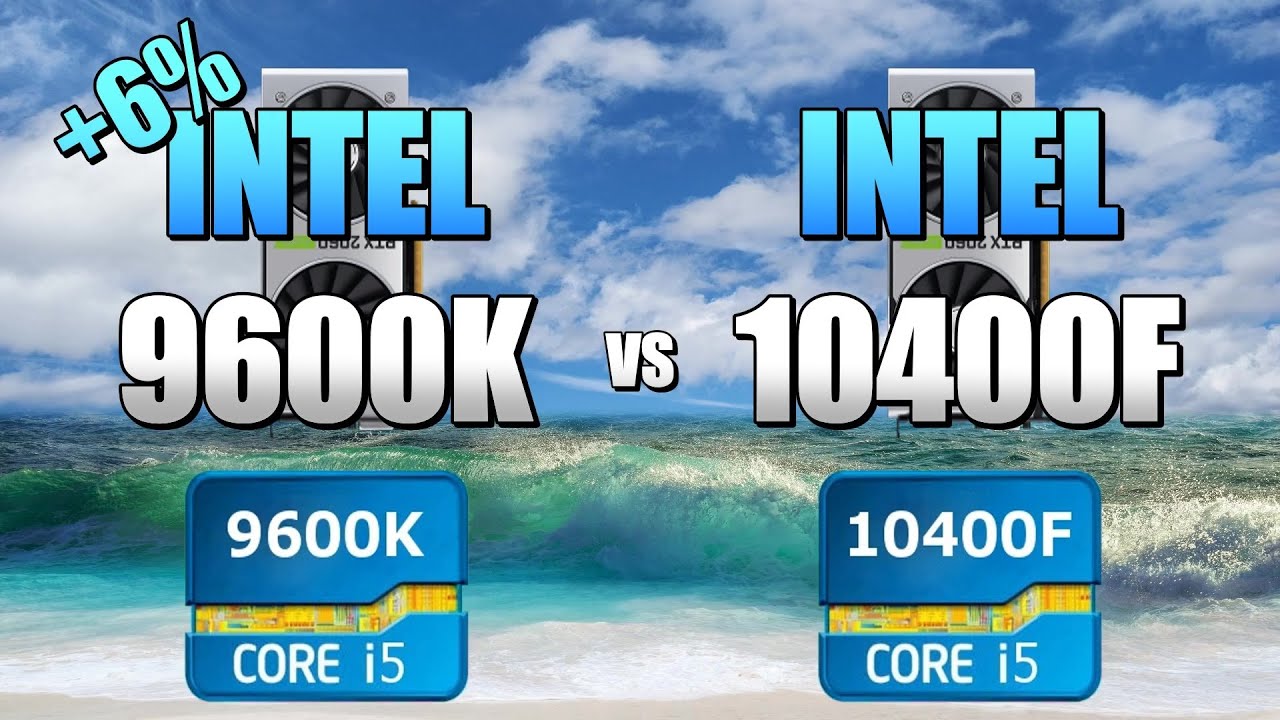
00:10 CSGO 01:30 Fortnite 02:50 PUBG 04:10 GTAV 05:30 Overwatch
Compare EFps: https://www.userbenchmark.com/EFps/,,10400F,_,,9600K,_CSGO,2060S,,#
https://www.userbenchmark.com/UserRun/20013701
CPU: Intel Core i5-9600K - 107.1%
GPU: Nvidia RTX 2060S (Super) - 106.3%
SSD: Adata XPG SX8200 Pro NVMe PCIe M.2 256GB - 266.4%
RAM: Corsair...
I found this
hollow thorn
@severe walrus it's weird, Asus has weird naming, I'll check it
pale mist
he is only doing gameing/streaming
hollow thorn
@pale mist When I say pure numbers I mean pure numbers >:D
multithread nice to have as time moves on
as Naed had said before, you don't want to be far behind Console hardware, and console is now on 8c16t chips
pale mist
well yes, but that isnt a real-world indication for gaming performance
hollow thorn
But yes, 9600k better for gaming atm
deft inlet
GIGABYTE B550 AORUS PRO or ASRock B550 EXTREME4 or MSI MAG B550M
pale mist
you should maybe consider an x570 board over a high end b550 also
hollow thorn
@severe walrus alright looks like the exact same board except for looks
b550-f and b550-a
severe walrus
Okay thanks man!
I'm going for a white build but both boards look awesome and thats why I was thinking bout getting one of them but was wondering if the ethernet speed even mattered to me since it looks like the board has issues with the 2.5gb lan
 mental bronze
Wait so if I wanted to use a capture card in my computer (say, an Elgato HD60 S) then I wouldn’t be able to use it because the 10400F has no IGPU?
I read a review on PCPP that says “I hadn’t realized the F meant the HDMI ports in the motherboard would be useless even when the GPU was plugged in. I half knew, but I wouldn’t mind paying an extra 20£ for the non-F version.” Does this mean that if I plug an external capture card into my mobo, it won’t work?
 fallen lynx
the capture card should have its own inputs
deft inlet
@hollow thorn my budget is 100-180
hollow thorn
usd?
deft inlet
yea
hollow thorn
B550 aorus elite ax
dunno if you need wifi or not
it has it
Got bios flashback, good vrms, good io, good sound chip, usb 3.1 front io
deft inlet
deft inlet
i don't need WiFi
@hollow thorn
 timid stratus
@hollow thorn i have a 5600x and a 3080 build but idk what ram to get its either garbage or like 400 bucks
do u have any ideas?
hollow thorn
basically back ordered:
https://www.bhphotovideo.com/c/product/1548834-REG/crucial_bl2k8g36c16u4b_ballistix_16gb_8x2_3600_mhz.html

Buy Crucial 16GB Ballistix DDR4 3600 MHz UDIMM Gaming Desktop Memory Kit (2 x 8GB, Black) featuring 16GB (2 x 8GB) Capacity, 3600 MHz Clock Speed, PC4-28800, 288-Pin UDIMM, 1.35V, 16-18-18-38 Timings, Unbuffered, Non-ECC, Low Profile, XMP 2.0 Support. Review Crucial Ballistix
or a bit overpriced:
https://www.newegg.com/g-skill-16gb-288-pin-ddr4-sdram/p/N82E16820232880
 azure pulsar
a first word latency of 10 is decent right
i was going to go with 8.89 but prices went up so i had to settle for 10
hollow thorn
what
timid stratus
@hollow thorn r the timing good enough of the newegg one
timid stratus
it doesnt even manner ram difference is just like 5-10 fps
for hundreds of bucks in price
so like whatevs at this point
 vivid pewter
is there a difference between the ballistix and ripjaws above other than price?
vivid pewter
what does a better die do? Is it for overclocking or stability?
hollow thorn
Better overclocking headroom
 somber badger
Curious why this is, my PC when starting after it is shut down will have a white light on the VRAM light, if i restart it goes off. The computer is working just fine though. Why does this happen??
Motherboard is Asus b550 plus
sour musk
can you oc on a ASRock B365M Phantom Gaming 4
 woven fable
deft inlet
<@!278694081440251905>
woven fable
deft inlet
<@!278694081440251905>
buenos dias
deft inlet
?
 ornate drum
Hey folks, I got a new set of Corsair Vengeance RAM Model number CMK32GX4M4C3000C15 ver. 5.32. I removed all of my exiting RAM and tried many variations of placements of the new RAM to verify if I had a motherboard issue or an issue with the RAM. Variations were as follows Slots: A1,B1,C1,D1 then A1,B1 then just slot A1 with all four sticks one at a time. All attempts to boot failed to post. Is there a compatibility issue with this model of RAM? To verify it isn't my motherboard I put back my existing RAM and the computer has no issues. The QVL list specifies Model CMK32GX4M4C3000C15 Ver. 5.30. So my only guess is that Ver. 5.32 is incompatible. Any Suggestions?
hollow thorn
What motherboard
ornate drum
ASrock X99 Extreme4
hollow thorn
My only thought is do you have any way of testing the Corsair kit to see if it works? I would assume it'd at least boot with 1 stick...
ornate drum
Tested them all one by one and none of them will post its either their all dead or their incompatible in some way
hollow thorn
It would be very weird that a different version of the same model of ram sticks is just completely incompatible
ornate drum
i would bring them to my buddys to test on his rig but its COVID
hollow thorn
fair
ornate drum
So i checked my cpu "Intel I7 5820k" and apparently its only compatible with 2133Mhs. Both my old and new ram are base 3000Mhs but i checked my Bios and my old RAM has been Underclocked at 2133 the whole time. Is it possible that the new ram just cannot be underclocked at that speed?
 graceful elm
Bro my motherboard won't post and it's just giving the dram debug error
What the balls
Asus tuff gaming x570 plus
elfin warren
What ram is it?
graceful elm
Pc part picker showed no problems
Also people on here have seen my part list and there was nothing wrong
elfin warren
4400 MHZ?
graceful elm
Yes
graceful elm
Yes
graceful elm
Yes
elfin warren
One stick?
graceful elm
Yes
elfin warren
Any other RAM to test?
graceful elm
No
graceful elm
Just one stick in a2
elfin warren
Try other slots. Try a B slot
If it works, good chance the A channel is dead
Either CPU or motherboard
 wispy berry
anyone here own a b550 strix
elfin warren
B1?
graceful elm
No work
elfin warren
Hmmm
At this point, it's either CPU or RAM
I'd suggest removing the CPU and checking for bent pins
If no bent pins, might be the ram
Borrow some from a friend to test if possible?
graceful elm
I'm the unluckiest man alive
elfin warren
Well, DDR4 4400 ram is relatively new
I'm honestly surprised people told you to buy it
If you can get a slower speed stick to work, highly recommend updating the BIOS since the newest one contains RAM compatibility improvements
wait
Is this a 5800X you're trying to use in the motherboard??
graceful elm
Yes
graceful elm
Don't say it
graceful elm
I was told it might have came updated
elfin warren
No
 stable wedge
probably not
elfin warren
5800x way too new for that
mobos BIOS is at least a couple months old due to the supply chain
Figure 3-6 months behind
to be safe
graceful elm
This is straight doo doo balls
elfin warren
I'm sorry I wasn't around when all this went down 😦
stable wedge
shouldn't be hard to update
elfin warren
It is ass. I'm sorry.
graceful elm
What's the cheapest one that will work
elfin warren
Borrow one from a friend?
graceful elm
My friends are all asses
elfin warren
That sucks
stable wedge
lol well make new ones
graceful elm
They aren't taking apart their computers for me
elfin warren
I mean, if you message AMD they'll send you a kit but IDK how long it will take to get
They basically send you a processor to use and you send it back
At the very bottom of the page
graceful elm
I've looked into that
elfin warren
I wish people wouldn't assume and would give better advice 😦
If it were me, I'd try and find a cheap 1st gen ryzen second hand to use for this
OfferUp, FB Marketplace, Craigslist or something
graceful elm
Wait so what cpu should I try to get
elfin warren
Like a 1600 or 1700 Ryzen
SOmething super cheap
The cheapest ERyzen you can find lol
stable wedge
i'm not sure 1st gen will work in the x570 chipset?
graceful elm
Doesn't it need to be a 3000 series
elfin warren
NO
Sorry, no
Everything out of stock too on Newegg
Hence I'd try the second hand market or maybe even Ebay
stable wedge
It would need to be a 2nd gen or 3rd gen AMD
graceful elm
Yeah
graceful elm
I looked at compatibility and the earliest ones were 2000 series
elfin warren
I know. I'm telling you it will work despite not being listed
stable wedge
elfin warren
Sigh
stable wedge
lol it may work... but he's saying its unsupported 😉
elfin warren
I'm saying, it'll work. So if you find a cheap one, snag it lol
stable wedge
Take his word for it. I can't say I've done it. I've got a 3rd gen in mine right now. Waiting to bump up on the 5800x
stable wedge
I went with the 3800xt right now
elfin warren
Good unit
stable wedge
yeah just got a 3080 last week
elfin warren
Ah, nice!
Honestly, probably Ok with the 3800 but the 5800 sure won't hurt!
I'll probably snag a 5900 when things calm down
stable wedge
yeah I agree with that. I've heard that anything above 5800x is more for video rendering and such. Kind of overkill for the gaming
stable wedge
yeah cause I was debating on the samehting
naive pendant
Thoughts on MSI B450M Bazooka Max WiFi ?
naive pendant
@elfin warren
elfin warren
What processor?
naive pendant
elfin warren
What processor?
3100
elfin warren
Ye, that'll be fine
ruby laurel
elfin warren
Not going for a new proc though, waiting on my turn for a 3070
did u do the evga thing
elfin warren
Well, funny story
I realized the email I signed up with wasn't the one on my account -_-
Just a week ago
ruby laurel
elfin warren
Ye
So, I'm watching stores online lol
I'm sitting on $150 worth of gift cards to throw at one I've been hanging on to lol
naive pendant
elfin warren
Ye, that'll be fine
How good is the board itself though
elfin warren
I mean, as long as it has the ports and accessories you need, a motherboard doesn't really do much else
If you were putting in a high end AMD CPU, I'd be a bit concerned with the VRM but don't get too hung up on motherboards
Ram speeds are good
2 PCI-E reinforced slots
1 M.2 slot
Should be enough for everyone TBH
naive pendant
👍🏻