#cpus-mobo-and-memory
1 messages · Page 126 of 1
 mellow summit
I'll be using it for streaming and gaming only
 hollow thorn
@sterile sphinx you're not going to be able to support high frequency ram because of that motherboard
 gritty meadow
@mellow summit you technically have what you need.
 sterile sphinx
ya thats wut i thought
hollow thorn
Intel on non-z motherboards lock ram to 2666mhz :(
sterile sphinx
okee
hollow thorn
(and 2933mhz on i7/i9 on lga1200 aparently)
sterile sphinx
hmm okay thanks
hollow thorn
But at that point might as well get a Z mobo xD
gritty meadow
@mellow summit any overclocking?
sterile sphinx
do you have a preference? @hollow thorn
sterile sphinx
mobo
hollow thorn
what CPU
sterile sphinx
Intel Core i7-9700F
hollow thorn
It's likely not worth buying a new z series mobo just for higher speed ram lol
sterile sphinx
ya my build is kinda bad lol
hollow thorn
it's kinda sad, on a F CPU you can't OC either so that's less value for the Z mobo
sterile sphinx
hmm
mellow summit
@gritty meadow What do you mean by have what I need?
mellow summit
Overclocking the memory?
gritty meadow
overclocking in general
gritty meadow
well, you can take either mainboard for that @mellow summit
mellow summit
Is there really any difference between the two though? For $85, if there really isn't anything major, then I'll go with the cheaper option
mellow summit
@gritty meadow
gritty meadow
there are, but .... yeah. just go with the cheaper one.
 burnt finch
is the ryzen 5 3600 good
and is the stock cooler good enough
also if I have 16 gb of ram can I upgrade jsut the ram without upgrading anything else or will it mess things up?
 charred venture
yes, yes, and yes
burnt finch
awesome
 ebon nimbus
Hey can anyone who knows gpus and CPUs dm me I have a question that I’m not sure of
 quaint current
 drowsy nymph
@ebon nimbus No need to DM just ping me here with your question.
 azure wharf
guys 3200 cl16 or 3600 cl18
hollow thorn
For Intel or AMD
azure wharf
AMD
hollow thorn
3600c18 on 3000 series CPUs
hollow thorn
No
drowsy nymph
@azure wharf Stop it. Lol
drowsy nymph
For a serious anwser @ebon nimbus it really all depends on the game but for the most part the 8600 should be fine.
It also depends on the res.
At 1080P it might be a small bottleneck, but at 1440P & 4K it shouldn't be a bottleneck at all.
azure wharf
i would think it would bottleneck
drowsy nymph
No
burnt finch
really?
azure wharf
i thought it would
burnt finch
yeah me too
drowsy nymph
It's a 6 core processor that boosts up to 4.3.
Oh he has K model.
That's even better.
Like I said at 1080P it will be small bottleneck but at 1440P & 4K it's not gonna be a problem.
azure wharf
well ok
burnt finch
does anyone know of cheap 32 gb ram?
burnt finch
AMD
azure wharf
ok
Corsair Vengeance LPX 32 GB (2 x 16 GB) DDR4-3600 CL18 Memory
$115 or for $140 you can get ripjaws CL16 3600
burnt finch
okay thanks
azure wharf
no prob
 loud spindle
can someone recommend me a good mobo with wifi for the am4 platform
azure wharf
yes
budget?
whats the budget?
ok
you wont respond
Gigabyte B550 AORUS PRO AC ATX AM4 Motherboard
 long geyser
b550 Phantom Gaming 4 non AC + 9560 wireless NiC + Dual band antenna kit
loud spindle
oh sorry @azure wharf i wasnt paying attention but the budgets under 300
 deep vigil
what cpu?
deep vigil
Taken do what cpu are you thinking about getting
You don't have to spend all 300 to get a good mobo
loud spindle
i have a ryzen 5 3600
deep vigil
lmao ok
azure wharf
oof
deep vigil
no need for a good mobo then
deep vigil
Have you bought the cpu yet?
 uncut hull
Asus PRIME X570-PRO ATX AM4 Motherboard
Does this mobo have a usb - c header?
deep vigil
if not a cheaper option would be a b550 pro vdh wifi from msi
uncut hull
i mean its for my Front panel on my case
loud spindle
i have a 2060 super fe
azure wharf
ok
i still stand by my original choice
Gigabyte B550 AORUS PRO AC ATX AM4 Motherboard
great board
loud spindle
okay im gonna check it out
loud spindle
im looking for one with wifi
deep vigil
I would say go for a budget option like the b550 pro vdh wifi
deep vigil
yes but it is 190 dollars lmao
azure wharf
and a decent bios
deep vigil
for a chip that cost 200
azure wharf
no
deep vigil
oh 1890
azure wharf
its only $170
deep vigil
180
azure wharf
yes
deep vigil
decent but many don't need x570
azure wharf
yeah
uncut hull
tru
loud spindle
no im mainly just gaming
deep vigil
There is no reason to get an expensive motherboard if you don't need it
I would say a b550 pro vdh wifi would be good
 spare kelp
ASRock B550 STEEL LEGEND AM4 AMD B550 SATA 6Gb/s ATX AMD Motherboard
spare kelp
Ye
spare kelp
What cpu are you getting
deep vigil
good board, but why do you need an expensive mobo?
spare kelp
Or have you not decided?
uncut hull
me?
spare kelp
Yeah
hollow thorn
Mattee
hollow thorn
Why do you need a 190$ mobo and not a 110$ mobo
loud spindle
im gonna get that mobo
azure wharf
oooooooooooooooooooooooooooooof
uncut hull
and for aesthetics
spare kelp
Im guessing rgb is a big thing for you
 heady root
even for aesthetics i couldn't justify spending that much
uncut hull
i just turn it white lol
heady root
maybe 150
uncut hull
Just want a white mobo to match lul
azure wharf
ima spend $900 on a asus mobo
spare kelp
bet
long geyser
@hollow thorn because bad SPU is why
ha
also, stock NiC is pretty meh
not surprising for the cheapest AC board
hollow thorn
Hei, 90% of the people asking for a build has a usb headset
long geyser
but that's why I usually go barebones M2 E board and buy NiC separately
hollow thorn
Well it works, not like they're going to notice that much of a difference
long geyser
also idk about usb headset thing. Most people I know personally (whether tech enthusiast or not) use analog
hollow thorn
I don't know a single person irl that uses analog
long geyser
idk, $20 more and you get a fair bit, I'd say it's worth it
long geyser
pg4 with proper pricing + NiC + antennas would be $20 more or so
ebon nimbus
@drowsy nymph even if it’s just a small bottleneck isn’t it still really dangerous for the cpu
long geyser
actually wait, more like $26 more
hollow thorn
Pro vdh is 110$, iirc pg4 120$? And say 15$ for antennas
long geyser
proper pricing is $115 for non AC and $225 for AC
$13 NiC and $8 antennas last I checked
hollow thorn
Link?
long geyser
which albeit was a month ago
hollow thorn
Check plz I'm curious
drowsy nymph

long geyser
@hollow thorn
NiC: https://www.amazon.com/Intel-Wireless-AC-9560-2230-Gigabit/dp/B07G42J6KQ/ref=sr_1_2?dchild=1
Antenna: https://www.amazon.com/dp/B07P8CKGZM?psc=1&th=1&linkCode=gs2&tag=pcp0f-20
amazon has proper mobo price (tho out of stock): https://pcpartpicker.com/product/4mjNnQ/asrock-b550-phantom-gaming-4-atx-am4-motherboard-b550-phantom-gaming-4
wait wrong antenna kit (fixed now)
 spice depot
Which is better? i5-10600k or i7-9700k. I know the i5 has better clock speed but less cores, so what matters more?
long geyser
depends on task
spice depot
Gaming
hollow thorn
Aight
long geyser
@spice depot If gaming, they'll be rather close to equal when OCed
spice depot
Thanks
long geyser
@misty obsidian memory stability and lifespan is fine even at the high end. Just dont go zero airflow case config or something. Tho do note that the CPU IMC may not work well with high freq
spare kelp
yeah
long geyser
My guess is that they are perfectly fine, the IMC is just bad for whoever is using them
that seems more common at the high end
tho I cant say cuz I dont have experience with those kits
hollow thorn
because intel
:P
Intel considers running your ram at anything but Jedec defaults to be OCing
gritty meadow
technically any ram speed (on both platforms) outside of JEDEC numbers is overclocking.
 bright turret
would the 3700x be bottlenecking the 3080?
gritty meadow
explain to me what you think bottlenecking means
 naive pendant
look up a bottle neck calculator
hollow thorn
@naive pendant no
naive pendant
it will be less than 5% most likely
bright turret
Hmm a older cpu with a higher end gpu?
naive pendant
good idea
hollow thorn
You should take a look at what Naed is going to say too.
naive pendant
yes sir
gritty meadow
@naive pendant jokes like that belong in #general-chat
@bright turret and how would that matter for you? in the context you are asking about?
bright turret
I would like to know if it would be bottle necking it.
gritty meadow
i ask because the word/term "bottlenecking" is misused a LOT
hollow thorn
First, what exact situation were you trying to ask about?
bright turret
3700x with a 3080 would the fps be dragged down than having a higher cpu so it could boost the fps.
naive pendant
it depends on the game
drowsy nymph
No it can't harm the CPU.
gritty meadow
the question you are asking is too broad to actually answer it
hollow thorn
So are you asking about gaming?
gritty meadow
@drowsy nymph your comment is lacking context. Elaborate.
bright turret
@hollow thorn yes
gritty meadow
@bright turret the following is NOT me trying to avoid answering. But simply me trying to enable you to ask the question you think you are asking

Intel's i5-10600K is one of the best gaming CPUs right now, embattled vs. the R5 3600 & R3 3300X, so we need to look at when the i5-10600K bottlenecks GPUs and the best GPU for the 10600K.
Sponsor: be quiet! Pure Base 500DX (on Amazon https://geni.us/fIdH46k)
Watch our AMD Ry...
have a watch there
bright turret
ohhh okey thanks
gritty meadow
specifically the different cases of "how/why"
hollow thorn
(As usual, 1.25x/1.5x speed for GN if you don't have the time)
naive pendant
A 10700k won't bottleneck a 3080 right?
burnt finch
no
 lament jewel
can anyone help me with a pc problem that could possibly involve memory?
gritty meadow
if you dont post your actual problem, people cannot help you.
lament jewel
PC has continual freezes, seems to run on intervals. can be timed
Happened ever since I downloaded the recent season 5 update for call of duty. when I ran it after the update, the game started bugging out horrendously and went corrupt. turns out it was the whole pc doing it, and its been doing it ever since.
ive uninstalled MW, uninstalled blizzard, used memtest to check RAM. uninstalled drivers with DDU, re installed. nothing seems to work
recent changed have been made, i have updated BIOS on my asROCK b450m HDV. ive also switched the GPU from a 1660 super to 2070.
the only other thing I can think of is, the issue lies in faulty VRAM from the new card. or, its software originating, and a fresh install of windows will do the trick. only problem is, I used macrium reflect to clone to an old disk drive, and still had the same issue.
Ive looked up GPU issues and most people have artifacting and other random things pop up on the screen. I dont have any of that, computer just randomly freezes over and over. when I click on something, opening something, and when im playing games
hollow thorn
Try the sfc /scannow pinned stuff in #windows-ios
To check if windows is messed up
Because cloning a drive doesn't help if anything is corrupted.
lament jewel
Windows Resource Protection did not find any integrity violations is what it says
long geyser
@lament jewel have a USB drive? Install a bootable Linux on it and test the PC a little bit.
"burn" the ISO to the USB drive with the program from: https://www.pendrivelinux.com
Can use any Linux distro ISO. Just use Ubuntu or something
As for another windows CMD fix thing run this:
sfc /scannow && dism /online /cleanup-image /restorehealth
lament jewel
dism commands just give error code 87. i can install a safe boot on a USB? i have a 30gb one i used for memtest86 recently
long geyser
I dont think you can install a "safe boot" (do you mean portable Windows?) on a 30gb USB drive. Tho you can install the Recovery tools thing on it as that only needs 8gb iirc
spice depot
How much is the difference between 2(16gb) RAM and 4(8gb) RAM?
gritty meadow
@spice depot price and inconvenience when you want to upgrade in the future
spice depot
Which one is the best to buy then?
gritty meadow
answer this question: IF you buy 4 * 8
and want to upgrade to more than 32 gigs of ram in a year or two
what is going to happen?
spice depot
If im not planning on upgrading, is there a difference in speed?
gritty meadow
no
 smoky stirrup
Is there a major difference between the msi b550 a pro and the msi b550 gaming plus? The gaming plus is only $10 is it worth paying 10 more?
drowsy nymph
Nope
At 1080P maybe
1440P-4K-8K no.
1080P is so CPU dependent.
Even my 10900K would hold back the 3080 somewhat at 1080P.
 potent dew
The 3000 cards aren't going to get bottlenecked by your CPU
The double performance was only in ray-tracing iirc
quaint current
yes fully ray traced games aka minecraft and quake 2
naive pendant
would i bottleneck with a ryzen 5 3600x
@azure wharf obviously no
 signal sorrel
Yo guys
Got a cpu question
Ignoring price, would y’all go for Ryzen 7 1800x or a Ryzen 5 3600/3600x? (Most likely 3600)
If it makes a difference would be paired with a rx 5700 xt
 fallen lynx
3600
signal sorrel
How much better would the 3600 be? If the 1800x was cheaper as well....
Would there be noticeable FPS differences/speeds in different tasks
naive pendant
@naive pendant
Is your pc on your desk? Is your gpu fully plugged? Like it doesn't move or anything? Same with you cpu cooler by Chance?
@half reef yes my pc is on my desk
hollow thorn
@signal sorrel much better. Ryzen 1st to 3rd gen had a pretty big difference in terms of single core perf
signal sorrel
So even if the 1800x was much cheaper u would still go with the 3600? @hollow thorn
hollow thorn
Like 20$ usd vs 200$ usd, I mean that just saves tons of money
What's overall budget?
Usually that's a pretty decent gpu upgrade
signal sorrel
1000
hollow thorn
Oh yea used GPU market is prob going to be good for you
Well there were issues with first gen ryzen that make them not the greatest tor reccomend
signal sorrel
Was thinking but just wanted to make sure it won’t like negatively effect performance too much
hollow thorn
Like memory support is all wacky
signal sorrel
Oh interesting
hollow thorn
It will negatively affect performance a lot
But 20$ cpu is hard to say no to
I mean, hell, you could buy the 20$ 1800x and a 180$ 3600, then resell the 1800x for profit
I bet people will pay at least like 60$ for a 1800x
20$ sounds really low
signal sorrel
Okay thanks so much for ur help!
hollow thorn
Conclusion is, 1st gen Ryzen is relatively pretty bad.
signal sorrel
Okay
hollow thorn
But if saving that 150$ gets you much better other stuff, you can do that.
signal sorrel
Alright we’ll see then. thanks so much!
 half reef
@half reef yes my pc is on my desk
@naive pendant
Id say it sounds like theres an issue with wiring. That would be my guess as to why it would shut off if you were frustrated at your desk. Especially if it just shuts off with no blue screen
 jade coral
heyo guys im thinking of adding a bit of rgb on my build, any good 16 to 32 gig ram kits that you guys recommend with rgb?
jade coral
what about corsair dominator
and also neo has white on it and nothing else in my build is white
id prefer black and rgb
jade coral
ah ok
hollow thorn
lemme find my pic
jade coral
oh nice
 neat estuary
But why didnt you leave the fans turned so the cables come out the rear? I guess it would be harder but not impossible if you mounted it after you put the motherboard in\
smoky stirrup
What are good b550 board for about $130?
Also i have a ryzen 5 3600x and an atx case. But a kicroATX board is fine, but if i went mATX would I be losing features?
neat estuary
@smoky stirrup
At your price range dont expect any high end features.. Feel lucky you get what you can get
drowsy nymph
That's a nice D15.
neat estuary
Ya. One going in my bro’s 3900xt build.
hollow thorn
I like it
gritty meadow
@neat estuary i see you shifted the right towers fan up a bit, make certain you have side panel clearance with that
neat estuary
I think im stopped by the ram.. ill double check it
neat estuary
ill shift it to the otherside if i have too
gritty meadow
aye aye
 loud escarp
I think my ryzen 5 3600 is janky
naive pendant
how come xd
loud escarp
I know for a fact I didnt win with the silicon as I cant get past 4.1GHz
naive pendant
awww
loud escarp
I dont know if my voltage is enough to go past tho thats what im having trouble with
Idk if i should push more or not
naive pendant
yeah im not an overclocking god but more voltage would get you there but you dont want to bust the homie or anything
loud escarp
Exactly so idk lol
naive pendant
if you got the overclocking channel someone can prolly help
loud escarp
I am now
naive pendant
ahh ok
 blazing grail
i got this ram (https://www.gskill.com/product/165/168/1536218185/F4-3200C16D-16GTZKW-Overview) for my ryzen 7 1700x and b450 aorus m motherboard and it causes crashes to my pc :(( dont know whats the problem, let me know if u know what im doing wrong.. i have 2 (2x8 kits) soooo

G.SKILL International Enterprise Co., Ltd.
G.SKILL
 modern tundra
do u know what the error message is?
and does it crash while you are using it? or does it just not even boot up, and can you get to bios and does it detect the ram in bios?
blazing grail
@modern tundra it was different error everytime and some are repeating i cant remember what it was, but if i do ill let u know. It crash when im using it earlier i was playing apex and midgame my pc craah. I went to bios and it detect all 4 ram
neat estuary
Try 2 ram sticks. It’s often difficult to hit XMP on 4. But you are running a low XMP. Could be bad kit.
 grand tartan
Is the ryzen 5 3600 and b450 still a good cpu-mobo combo. Im planning to build my first gaming pc.
neat estuary
ya its ok. Just make sure you get a B450 MAX
hollow thorn
@neat estuary do remember B450 max does not equal B550. B550 gives PCIe 4.0 support and some other extra stuff for around the same price.
Only reason to go b450 at all is really budget.
neat estuary
Tbh after the reviews came out on the the 3080 i think gen 4 is a joke and will not be utilized for years. IF OPs budget allows for about a 130$ board then im in full agreement tho
gritty meadow
b550 goes below 130 thou
and it is not about the 4.0 support for me
its about the guaranteed zen 3 support.
neat estuary
I think they are trash. personal opinion tho
hollow thorn
Yea that's why I said the "some other extra stuff" Because who knows if AMD will do the zen 3 on b450 thing
gritty meadow
just because its a budget build does not mean you have to avoid looking ahead.
they will do their part @hollow thorn the BIG question is when/how/where the mainboard manufacturers are going to handle the bios updates
hollow thorn
I wouldn't be too surprised if it was only available with bootlegging on the manufacturers' end
long geyser
well, one of the manufactures said it'd be a perma switch for most b450 boards to accept Zen3 CPUs
gritty meadow
saying it VS actually doing it
 kind phoenix
Is 32gb of ram overkill for Lightroom and photoshop? I don’t do videos, just photos
gritty meadow
personally i would say no
kind phoenix
My laptop has 16gb and that’s what I run it with right now, wasn’t sure how it acted on 32, whether it’d be worth the investment for the extra 16
gritty meadow
well
if you are okay with how it performs now
then leave it be
it is quite unlikely to be a "magical" improvement
kind phoenix
I’m building my first desktop and I’m looking over ram atm so It’s just whether to just get 16 or go to 32
gritty meadow
32 for desktop
imo, nothing else makes much sense IF you are not on a tight budget
kind phoenix
Yeah I got room in the budget to go to 32. Just wasn’t gonna go with it if it was overkill and unnecessary lol
gritty meadow
consider it a investment in the future that you will have a bit of benefit from "right now"
does that make sense @kind phoenix ?
kind phoenix
Yeah I gotchu. Thanks!
gritty meadow
you are very welcome :)
 umbral fog
@gritty meadow you think that walmart deal in the tech deals i posted is decent?
really agonizing over whether or not to pick it up because zen 3 announcement
but I'm also afraid I'll get 3080d because ryzen is super popular now
gritty meadow
@umbral fog link me the post
gritty meadow
@umbral fog linking the post = https://discordapp.com/channels/500085440221806603/500101047612604427/756526674962809033
:)
that is not much of a sale on the 3700x
umbral fog
minus the usbs its roughly 250
its just because its not newegg that i actually have tax
gritty meadow
the usb sticks have zero value
umbral fog
since i live in a non tax state for wegg
gritty meadow
none of that matters for me in the valuation of the offer
i dont find it to be enough of a offer that i would care
umbral fog
its just this fear of the despair those poor guys aiming for the 3080 have
umbral fog
i know its pretty irrational
but i've been waiting 2 years for an upgrade
and i've been stuck on a laptop
umbral fog
which works, its just i'm tired of having a jet engine next to me
well its taken the 2 years to save the money, i wanna build something that'll last a while
its just i'm super build itchy and paranoid
gritty meadow
i had not noticed.
umbral fog
lol
yeah it doesn't help that i like looking at deals when i'm not working on something
gritty meadow
as i said, go dig a hole in the garden
looking at "deals" is not going to help you any
naive pendant
Also going from a laptop
I'm anxious about it but the performance jump will be wild
umbral fog
@gritty meadow i mean i'm not really looking at deals to buy all the time, i just like looking at parts
kinda like how some people enjoy making ridiculous parts lists
umbral fog
i mean i have school work to kill my soul
naive pendant
Hey guys. Looking for someone that sells large amounts of Asus ROG crosshair VII Hero (Wifi) AM4 AMD X470 Sata 6GB USB 3.1 ATX AMD Motherboard. Can someone help me?
hollow thorn
That's likely not going to happen
@naive pendant there's little reason for anyone to hold onto and sell large amount of x470 boards today.
gritty meadow
contact the local importer of Asus products in your country @naive pendant
hollow thorn
(I'm focusing on the "someone" part of the question, which is EXTREMELY unlikely, a brand warehouse or something similar could have some though.)
gritty meadow
which again, is known by the importer
hollow thorn
But they said in DMs they needed some in HK, you got any ideas?
gritty meadow
importer as i said
hollow thorn
What do you mean by the "importer" in this situation?
gritty meadow
generally, there are companies that import a given brand "line" to a country
Just contact AMD and ask them who is the importer for HK
hollow thorn
I gotta check but isn't Asus based in Taiwan?
gritty meadow
its standard procedure really
hollow thorn
or was that MSI
hollow thorn
Right.
gritty meadow
unless we are talking frankly bonkers numbers
and even then... not likely
especially not for old stock like that
hollow thorn
Yea something like 20 boards isn't gonna have Asus directly working with you
hollow thorn
Unless you're a big enough SI you're prob not going to get anything directly from manufacturer
gritty meadow
keep in mind IF you wanted 10k CUSTOM designed, they are 100% willing to work with you
but that is completely different
hollow thorn
of course, but you'll be spending tens of millions at that point.
gritty meadow
not going to be cheap, that is very correct :)
 warped scroll
What’s the cheapest/lowest end 1151 intel cpu? I’m just looking for something to update bios with. Like so a B150 can support a 7th gen cpu. I mean I know they can support them just don’t they need a bios update?
TLDR I want a super low end cheap 1151 v1 cpu to update bios on 6th gen motherboards with
 main pulsar
there are pentiums and celerons that will work
lemme find one
15 bux
@warped scroll
wait wtf
warped scroll
thats 1150?
main pulsar
yea it is
stupid ebay filters

eBay
You're buying 1 G3900 CPU 6th, works great!
ok, this is the cheapest skylake 1151 chip i could find on ebay
 mild apex
@gritty meadow hey naed, I was wondering if I can use standoffs from an old motherboard on my new mobo for my build
Sorry to bother ya
gritty meadow
so, as long as you place them the right place
gritty meadow
standoffs are just standoffs
mild apex
Mk
gritty meadow
there is nothing special about them in consumer cases
mild apex
Thanks :D
 copper badge
Looking for a board reccomendation for a 3070/3600 system, willing to spend up to 200
Would prefer that it came with wireless networking
But I can buy a separate card
main pulsar
 scarlet basin
Can I plug Corsair ml120s into the fan splitter on my aorus aio?
main pulsar
now that is a question for google, because for me to answer that would require me to google it
and literally any one here would have to google such a specific question
scarlet basin
We'll see here's the thing
gritty meadow
it would work in theory
gritty meadow
but the problem is IF the fans are pulling to spec or not
gritty meadow
read your manual
the triangle mark on the connectors from the case = the positive pin
scarlet basin
Kk
 vocal spire
Motherboards for an i5 9600k build?
 proud pier
@vocal spire most motherboards listed on pcpartpicker after you select the i5 9600k will work
vocal spire
@proud pier Thanks anything you might recommend when it comes to upgrading?
proud pier
wdym upgrading
define upgrading please
if you want to add things into pcie slots or add more m.2 drives or have overclock i would go for an atx board
@vocal spire
vocal spire
@proud pier Sorry I mean if I was to want to upgrade my cpu and other stuff in the future
Does that make sense?
proud pier
most z-390 boards will work for intel 9th gen products i believe @vocal spire
if you are going to upgrade to a 10th gen chip from intel you will have to get a z490 board
and if you are going to upgrade to AMD you will have to get a completely different motherboard as the socket is different
 hoary cedar
I have a i7-7700 and a 1660S, which I'd like to upgrade to a 3070 whenever that releases in october
As part of this upgrade, I think it might be helpful to upgrade my MSI B250 PC MATE mobo. Any recommendations?
I need gigabit ethernet, decent USB connectors for VR, and an RGB header (the last two of which my current mobo does not have).
 neat glacier
@hoary cedar any mobo (with rgb header) is fine. a lot have gigabit. it's the case that you're looking for, with front usb 3.0, if you need more than the standard of 2-3 usb 3.0 connectors
hoary cedar
I'm happy with my Meshify C for now. It's really nice.
So should I just go for the cheapest mobo I can find? Quite tight on budget >.<
naive pendant
I would look at buildzoid's videos on youtube, he breaks down best motherboards for each price bracket
There are definitely some that are good value and others you want to avoid
gritty meadow
@naive pendant do remember that buildzoid is fairly laser focused on OC potential
naive pendant
Yeah
But I guess if you can afford what he picks you cant go wrong
gritty meadow
if you care about something else on your boards? you can very much go wrong with his picks
case in point being something like the b450 tomahawks
hollow thorn
Yep
Buildzoid does mention io and other mobo features for overview, but beyond that he's all about OC potential
hoary cedar
decent sound output (SPDIF?) is pretty important to me
 gilded fog
What is the fastest processor I can get without having to deal with an AIO?
gritty meadow
@gilded fog for what workload?
gilded fog
premiere pro.
hollow thorn
3990x :D
@gilded fog there are no consumer processors that NEED an AIO :P
Air coolers can do quite well
gritty meadow
https://www.pugetsystems.com/labs/articles/Premiere-Pro-CPU-performance-Intel-Core-10th-Gen-vs-AMD-Ryzen-3rd-Gen-1763/ <- have a look there @gilded fog
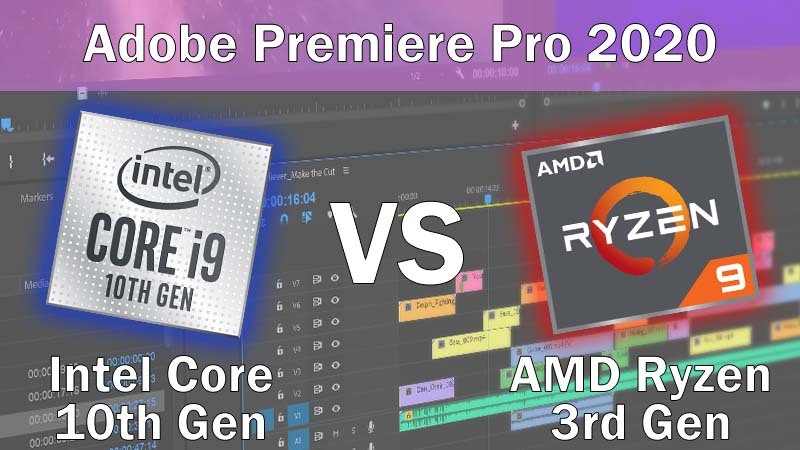
Puget Systems
When AMD released their Ryzen 3rd Gen CPUs in 2019, they were able to match (or beat) Intel at most price points. Will Intel's new 10th Gen lineup allow them to take back the Premiere Pro performance crown?
gilded fog
yes. But @scarlet basin is on my tail about getting an AIO. I'd much rather have an air cooler.
gritty meadow
they are generally respected for their numbers on productivity software
@gilded fog you can safely tell @scarlet basin that he does not know what he is talking about then
hollow thorn
Well tell them to get off your tail
gilded fog
hahah!
gilded fog
@gritty meadow long evolutionary story! 😉
gritty meadow
fair enough
do keep in mind thou @gilded fog just because something is the "best" at something. That does NOT make it the best cpu for you automatically
hollow thorn
Let me just grab some GN testing on TR stuff
gilded fog
of course! I'm doing premiere pro and some standard coding stuff - I'm not folidng proteins.
gritty meadow
that is a VERY important distinction to make
fairly good chance you would be happy with something a fair deal further down the product stack
hollow thorn
Noctua NH-U14 TR4 is an air cooler that is made for threadripper chips.
And Kraken X62 is an AIO that isn't made for TR chips :D
gilded fog
I was looking at the link from puget.
Let me do it this way -- can I get away with air cooling with a 3900x or a 3950x?
hollow thorn
Yes
easily
a lot of people do
It's not just "getting away with", it's having similar temps with a good air cooler and an average AIO.
as in, 3c difference kind of thing.
gilded fog
ok, the cooling stuff is above my pay grade. I usually buy stock machines.
gritty meadow
its basically a question of: Does it cool it "enough" yes/no
gilded fog
gotcha. ty.
gritty meadow
yes, sure, you can run around like a chicken clucking about the 1c difference... but it wont make a lick of difference for you in your workflow
gilded fog
OK great.
hollow thorn
AIOs are all fancy and say they cool sooo much better, but it's marginal differences to the average consumer.
gilded fog
ok. so then can you guys recommend a fan to go with a 3950x or 3900x?
hollow thorn
Do you care about looks, and <100$ is what you're looking for correct?
NH-U12s : https://www.amazon.com/dp/B00C9EYVGY
NH-U14s : https://www.amazon.com/dp/B00C9FLSLY
NH-D15s : https://www.amazon.com/dp/B00XUVGLEU
@gilded fog Basically, any of these can cool a 3900x/3950x just fine, the higher you go, the slightly better cooling performance. Noctua is one of the, if not the best company for air coolers imo.
gilded fog
don't care about looks at all. And more than $100 is fine. Cooler that does the best job is the most important thing. Thank you
gritty meadow
d15 then
well, check both the d15 and the d15s for mainboard comp
and ram clearance
hollow thorn
Yea can you tell us the case, motherboard, and ram?
All of them are pretty tall, and D15 can interfere with ram.
gilded fog
not there yet 🙂 Was trying to figure out processor and cooler first.
But open to recommendations. Budget is not an issue for the build.
hollow thorn
You want a full build?
gilded fog
not really.
gritty meadow
https://pcpartpicker.com/list/Mq2vdm <- too late!
hollow thorn
haha
gritty meadow
keep in mind, that is a old list
gritty meadow
it is being used by a person from this channel that does video stuff
gilded fog
will be running an rtx 2070
gilded fog
of course! much appreciated.
gritty meadow
before he recommends too much
hollow thorn
:(
gritty meadow
when do you plan to build?
gilded fog
3 weeks or so
gritty meadow
recommend away @hollow thorn
hollow thorn
I was about to say, are you willing to work around with the used market?
gilded fog
nah. I'll buy it all new. not a problem.
hollow thorn
Because people panic selling RTX20xx series in anticipation of RTX30xx GPUs are making the used market pretty attractive
gilded fog
ahhhh. ok that's a thought, too.
gritty meadow
also, 3070 is a thing
gilded fog
not doing crazy 4K so that's why 2070 was ok.
hollow thorn
3070 stock is going to die :(
gritty meadow
paying current price for that performance makes no logical sense
hollow thorn
Anyways, example 2070 super at 430$ buy now
https://www.ebay.com/itm/PNY-GeForce-RTX-2070-Super-8GB-XLR8-Gaming-Overclocked-Edition-Graphics-Card/154070017802

eBay
Bought 12/12/2019 on Amazon. Still under warranty.
gritty meadow
the following is not directly relevant for you stpatrick.
@hollow thorn IF the 3080 is being pushed as hard as i think it is. Then that tells us a number of things about yields/performance-targets. Which could mean they have plenty of chips for use in 3070
so, lets wait on calling doom and gloom on 3070 launch just yet
hollow thorn
Plenty is still worrying with the current situation... Of course we should still keep an open mind.
gritty meadow
people are enjoying their "lets be a lemming"-time
gilded fog
so what's a good board without all the rgb and temp contrls bells and whistles?
hollow thorn
something like this works just fine
https://pcpartpicker.com/list/r4YKFG
Storage is completely up to you on what you need
gilded fog
awesome. Thanks again.
hollow thorn
And if you really don't feel like going into the used market, a new 2060 super works too.
You're welcome.
gritty meadow
but, do keep a very close eye on the 3070
because depending on a bunch of factors
it might be relevant
hollow thorn
Mhm, wait for launch day of 3070 just in case
gilded fog
well I can bulid it all and use my old video card and then pop in a new one.
gritty meadow
it might also be that we are going to be praising the new amd cpus to the heavens
(those are coming up in 2 weeks time)
hollow thorn
we'll have announcement of that in 2 weeks
gritty meadow
generally, its just a good fall/winter this year (for tech)
hollow thorn
Yea, and as always, come back right before you're buying the parts so we can make adjustments :)
gilded fog
thanks, everyone!
gritty meadow
best of luck :) and you are very welcome
warped scroll
Hey guys what’s a good motherboard for overclocking a 3700X. $250ish or less
neat estuary
@warped scroll B550 Aorus Master
Its seriously overkill tho.. But its the best B550
umbral fog
i mean even the rog b550 with wifi is under 210
neat estuary
Im starting to really like this board. I havent built with it yet. Their are a few diffrent versions but they just change colors. For 200$ a Type C header and a Post Code really appeals to me. It does have some trade offs. I hate the few USB ports in the back. But next time i get a customer that wants to try to maintain a budget ill try it
naive pendant
so if my h55m ud2h says it only support i3 and i5 but on cpu upgrade it says it can support i7, does that mean all i need to do is upgrade to the latest bios to support it?
gritty meadow
@naive pendant check your mainboard manufacturers page
they have a section that covers what bios supports what cpu
 solar stratus
Anyone know when 4000 series ryzen chips come out?
heady root
being announced on the 8th so
neat estuary
They will be announced on Oct 8th... no idea when in stores
solar stratus
That's ok, I'm building next summer
heady root
should be out by then
 faint ferry
What socket does 9900k take? 1151 or 1151 (300 Series)
 grim fox
hollow thorn
grim fox
hollow thorn
@faint ferry LGA1151 is still the socket
1151 and 1151 (300 series chipset) are the same socket
Just that 9900k is only compatible with 300 series chipset
Because Intel
 split copper
Intol
 peak sail
hiddy ho
anyone find a way to fix the asus x570 tuf gaming wifi dram clock speed issues yet?
neat estuary
💩
peak sail
@hollow thorn what was that again, I was busy assembling another pc?
a MSI 970 Gaming Pro Carbon looking for a home
@hollow thorn so what you are saying is that the x570 wifi post info is bugged and the DOCP/XMP actually works?
@hollow thorn Or you are suggesting I manually tune the Ram settings and risk another corrupted boot file from the resulting crashes?
peak sail
lol I just cleaned a old vga's dvi slot out with a toothbrush....
hollow thorn
@peak sail this is how my 3600mhz cl16 ram looks.
That was after when I tweaked it
But you get the point
if it says dram frequency 1800mhz, it's running at 3600mhz ddr
 wary crypt
does any one know any solid r5 3600 cpu 3200-3600 mhz ram + motherboard + fan deals?
hollow thorn
Microcenter usually has cpu+mobo+ram deals
umbral fog
guys what do you think about this
tbh thats the price of pretty much the new r7 and a real nice b550
 lunar dust
Hey guys, Whats a good motherboard under the 300$ mark that supports 3600MHz memory? Using a Ryzen 7 3700x
faint ferry
Most am4 motherboards support 3600 but you gotta oc. Most am4 motherboards come with 3200 standard.
neat estuary
If you want the Best B550 you get the Gigabyte Aorus Master. Otherwise their are some 300$ x570 options.. But seriously man.. you would be more then fine spending 160$
lunar dust
fair enough... What does it mean I have to overclock? Just go into Motherboard bios and specify the xmp profile?
 cunning pumice
Yeah
lunar dust
Which one do you guys think is better: https://www.newegg.ca/msi-mpg-x570-gaming-plus/p/N82E16813144262?Item=N82E16813144262 or https://www.newegg.ca/asus-tuf-gaming-b550-plus/p/N82E16813119313?Item=N82E16813119313
Essentially I want to create a machine running the Ryzen 7 3700x, with a RTX 3800. Motherboard doesnt need wifi, but does need an optical audio out
neat estuary
Both are roughly equal. You could also consider the b550 Tomahawk. Thats a very solid choice. @lunar dust
lunar dust
Should i be getting X570 for PCIE4 NVME?
hollow thorn
What about b550 gaming x :p
@lunar dust First, B550 has PCIe 4.0 on first x16 slot and first m.2 slot, second, very few people can actually take advantage of PCIe 4.0 storage
B550 pg4 also an option
https://www.vuugo.com/asrock-motherboards-B550-PHANTOM-GAMING-4.html
lunar dust
Perfect, so if I use this https://www.newegg.ca/corsair-force-mp600-1tb/p/N82E16820236548?Item=N82E16820236548 with any B550, i should be good?
hollow thorn
Why do you need PCIe 4.0 storage?
Because very few people have workloads that can take advantage of it
Because paying a hundred cad more for 1 second faster load time does not make much sense to me.
lunar dust
@hollow thorn The motherboard u linked doesnt have an Optical audio output, which I need for my speakers.
My reasoning is pretty bad, but I just wanted the fastest ssd to load the OS on and a couple of games
hollow thorn
Yea something like a mp600 makes no sense for you.
It's better to just grab a PCIe 3.0 ssd for cheaper and near inconceivable differences in most cases.
lunar dust
Where do you think it might be better to use that money on? IE, the money i save on the ssd put somewhere else on the pc
Thanks for everyones help so far btw! it's really appreciated
hollow thorn
Can you send a part list?
hollow thorn
Uhm
lunar dust
ignore the motherboard and stuff ofcourse, need to update with your guy's advice
hollow thorn
Might be better to use ca.pcpartpicker.com
Since it makes things easier to share and look at, and shows prices at different retailers
hollow thorn
@lunar dust try using ca.pcpartpicker.com for canadian pricing.
lunar dust
Yeah i can just swap the thing on the top to canada for the pricing
hollow thorn
Ya
cunning pumice
Why expensive B550?
lunar dust
Motherboard is what i'm not sure about, so i just put one in there for price
cunning pumice
Hmm you could find one for like ~$180
lunar dust
Yeah i just dont want to bottle neck the system in any way, which one do you recommend? it needs to have optical out, is the only requirement
gritty meadow
remember, cananda.
cunning pumice
Yea
hollow thorn
I assume mag272cqr was the monitor you were looking at?
lunar dust
Monitor availability is rough on the partpicker site
i was actually lookign at this monitor just for pricing:
its not on newegg either, but essentially want to run a 140HZ+ 1MS 27Inch monitor
hollow thorn
Fair enough
Peripheral availability can be rough on pcpartpicker, but it has a good amount.
gritty meadow
just a minor comment: CL16
hollow thorn
Yep
That's a temp revised list
Meshify C isn't compatible with the strix 3080, strix is too long, so changed case from the org Newegg list
neat estuary
That is a good list.
gritty meadow
(side question, how long is the strix? )
hollow thorn
Cpu cooler is kinda placeholder, you can grab an aio if you really want to
Pcpp said it was like 10mm too long, on mobile, lemme see.
318.5mm according to pcpp
gritty meadow
aye, that is too long
neat estuary
500dx
gritty meadow
315 with front fan mount is the clearance in the meshify C
neat estuary
Best 100$ case
hollow thorn
Td500 mesh > 500dx :p
gritty meadow
also, canada @neat estuary
neat estuary
Neva!!!!
lunar dust
I wanted a white case and wanted to like a "black and white" build with white cable extensions
neat estuary
500dx in white 😊
lunar dust
and i did want to use a liquid cooler
neat estuary
Artic Liquid Freezer
hollow thorn
Yea there's a while td 500 mesh
And liquid freezer cad pricing looks weird to me
200cad for 280mm...
neat estuary
240 is 100$ on Amazon US atm
hollow thorn
Exactly
Cad pricing is really off so I'm looking at others
@gritty meadow do you remember if ml360r is good?
gritty meadow
its in the okay range @hollow thorn
lunar dust
With that case, in white, do you think I top mount the 240mm Liquid cooler uptop, and then still buy a fan for the back?
hollow thorn
Can't have the "god tier" freezer ii soo
Btw, one upside to having a td500 mesh is up to 360mm top mount :)
240mm freezer ii as a placeholder for now
https://ca.pcpartpicker.com/list/qQfqYH
lunar dust
Nice, why is that cooler a placeholder, its not that good?
hollow thorn
It's an amazing cooler
But the case supports up to 360mm top
And go big or go home amirite
neat estuary
That cooler literally beats 50% of 360s
lunar dust
lol, I feel like im going to have so much empty space near the front of the case
hollow thorn
In performance
lunar dust
the case seems so big haha
hollow thorn
It ain't no o11 xl
long geyser
No AsRock PG4?
hollow thorn
Pg4 pricing is off on pcpp
And also they wanted optical audio out, can't check easily on mobile
lunar dust
https://www.memoryexpress.com/Products/MX80315 the 360mm variant is only 20$more so can get that
hollow thorn
Out of stock?
long geyser
PG4 has no optical
lunar dust
you guys think I need a fan in the back still?
hollow thorn
Nah
With 3 included fans on the front and the 3 fans on the aio, you should be set.
long geyser
@hollow thorn sale price on ROG-A board
https://ca.pcpartpicker.com/product/y96qqs/asus-rog-strix-b550-a-gaming-atx-am4-motherboard-rog-strix-b550-a-gaming
has optical
hollow thorn
Kk slap it in list then ty
neat estuary
That is a good choice
lunar dust
that ones better then the Tomahawk? extra benefit is its white 😄
neat estuary
Id say they are about equal.. The Tomahawk has a type C front header i think.. but its just gene one
 prime echo
How much would a 1 year old, used i7-9700K sell for? 
long geyser
@lunar dust any reason for Strix GPU?
I only see it as a waste of money given how good the Asus TUF is in comparison to price
Small edits to list: mobo, storage, and PSU
https://ca.pcpartpicker.com/list/BvvPb8
lunar dust
STRIX GPU is just a placeholder, ill take the first 3080 i can get
prime echo
Im going for a TUF 3080 if I cna ever get my hands on one :P
Gonna eventually get a matching Motherboard in the long run to
lunar dust
Nice
alright this is the updated list, is that ADATA SSD better then the previous one I had?
And is the Enermax Powersupply good, ive never heard of em before
hollow thorn
It's a bit worse but still good
Enermax revolution D.F. is a great psu
the brand itself is meh
but the model is good
lunar dust
can you guys recomend a different powersupply? that one is 210.00$ with shipping from newegg
is this good?
long geyser
@lunar dust Canada Computers near you? DF is in CC too
lunar dust
@long geyser nope Theres no canada computers in my area
Memory Express is the only real PC part retailer in my area, that and Best buy
long geyser
Shipping is $5 for me in CC. Tho I do have a CC near me so probs could mean super cheap shipping.
ME and BB dont have that PSU
neat estuary
The Super Flower Leadex 3 650/750w on Newegg if you can get one are top notch
long geyser
If not you have 650w RM. 650w is quite fine for you btw
https://ca.pcpartpicker.com/product/WxL48d/corsair-rm-2019-650-w-80-gold-certified-fully-modular-atx-power-supply-cp-9020194-na
lunar dust
for a 3080?
I originally had a 750W PSU selected on my list, but on your list you added the 850
hollow thorn
pretty sure hei adding 850w was just because it was in stock
650w/750w works fine in your case.
550w if you're stretching
peak sail
eww Corsair....
hollow thorn
What's wrong with corsair?
peak sail
I buried one cpu cooler and two new psu
peak sail
buried, i just didn't repeat the mistake of not taking in store warrenties
gritty meadow
@peak sail have we not confirmed that your problems are mainly related to you not understanding what is being shown on your screen already?
peak sail
that rx bellied up in a day and was replaced by a egva thats been running almost three years now
 peak sail
@gritty meadow don't know you, don't care...
hollow thorn
I'll make you a bet that a Corsair RMx will last you longer than an EVGA N1
charred venture
bruh
hollow thorn
it's just about the quality of the PSUs themselves
not individual unit defects or brand recognition or warranty or anything
peak sail
Egva is a best buy purchased 850 watt modular psu
gritty meadow
dont bother @hollow thorn
quaint current

hollow thorn
Well Naed, I want some good entertainment before I need to start doing a boring chapter guide :P
gritty meadow
its a waste of time. He is shown multiple times that he does not read what is being said.
peak sail
oddly i have an even older ApexGaming 850 modular I got off of newegg over three years ago
lunar dust
gritty meadow
Prime example being the 3600 ram "issue"
lunar dust
so that PSU should be good?
hollow thorn
Yea RM750 is fine
peak sail
@gritty meadow Nope it's just bad advice i ignore
cunning pumice
Isn’t RM Worse than RMx?
charred venture
@peak sail u are the king of bad advice
quaint current
the x stands for xtra cool
hollow thorn
It is
gritty meadow
You not understanding what is on your screen is not bad advice, its you tripping yourself. But, we cannot prevent you from doing that.
hollow thorn
RMx has jap caps, RM doesn't, and some other slight altercations, but RM is still a solid PSU overall.
peak sail
now i did purchase the kid the Corsair gaming headset, mouse, and keyboard which are great on icue software
hollow thorn
oh god
gritty meadow
what we can do however, is make it clear that advice you give SHOULD be taken with a LARGE helping of salt
hollow thorn
there's a lot of people that would like to take a dump on icue
naive pendant
^
peak sail
i been building for over 20 years, I only question whats new or bizarre
gritty meadow
There is a group of users that i feel very sorry for then.
peak sail
I owned a atari 400 with 48k and a tape drive
quaint current
cool
main pulsar
ooo
hollow thorn
To give some context, Naed might just have more experience.
gritty meadow
past "deeds" do not tell anyone anything about the quality of what you are saying "now"
quaint current
just cause u have more years doesnt mean u know more than somebody 
peak sail
that was pre ibm clone era, just finished eight desktops for the kids to game/study on
gritty meadow
Very much agreed @quaint current.
naive pendant
Same
peak sail
two amd 970 with fx 8350 cpus, gtx 1060 6gb, two dell 7020 convisions, 1 i7 4790k on a z97 all gtx 1060 gpus
quaint current
good for u
gritty meadow
and the relevance of that is?
peak sail
2 b450 with gtx 1660 supers, 16gb ddr4, and my own x570
nm all the crap I built prior to your diapers
quaint current
this has literally no relevance
peak sail
with that out of the way my newegg account is equally as old
gritty meadow
i find it fascinating that you seriously seem to think that age has any relevance in this
peak sail
taking a break brb
peak sail
smoke break, i don't feel link drinking coffee
naive pendant
ok...................
quaint current
@naive pendant people think that being in a field longer automatically means they know more, even tho some people have been in the field for less time and know more, more years≠more knowledge
quaint current
lol thats not really pin worthy but thanks ig
peak sail
Sorry for ignoring youth, I was looking up two gpu support brackets to sure up the two dell 7020 conversions I gave the kids
charred venture
whenever i buy something and it smells like smoke its usually a bad sign
hollow thorn
Don't assume everyone here is younger than you.
gritty meadow
you are cracking me up @peak sail
quaint current
anyway have fun with this yall im out
peak sail
like taiwanese ram, i saw that smoke before
I apologize in advance, I just get the feeling I am conversing with a uninformed sales rep sometimes
quaint current
quite the opposite :)
peak sail
the dells where a pretty good buy i5 4590, 1 tb hd, win 10 64 bit.
tossed their micro atx into two diypc cases, ring fans, and two aging gtx 1060's and they kids are happy
except for the gpu sag on the micro atx case
naive pendant
if your gonna talk about builds and specs talk there
talk cpus mobos and memory here
peak sail
Just expressing know how..
naive pendant
not here
peak sail
this channel is cpus/mobo/and memory correct..
gritty meadow
the above is not "know how". its just info.
it has no problem attached to it
hence, belongs in #general-chat really.
peak sail
my problem is the asus x570 tuf gaming wifi naturally, but people say it's np
naive pendant
this channel is cpus/mobo/and memory correct..
@peak sail your talking about full specs not just about cpus and mobo and memory
gritty meadow
is there any particular reason for the PM you sent me @peak sail ?
hollow thorn
This is just kinda really off topic by this point
peak sail
small talk
gritty meadow
i am going to share it here.
naive pendant
yes pls
gritty meadow
naive pendant
lets see what was sent
gritty meadow
@naive pendant pull your "greed" back please.
naive pendant
ok
hollow thorn
wut
peak sail
so then does anyone know why this mobo is unable to post the correct speeds on any sofeware including cpuz, userbenchmark, etc
gritty meadow
it IS posting the right info
hollow thorn
oh does it now
gritty meadow
as you have been told and shown
peak sail
sorry i'm not wreaking my system boot file to tweak the settings
charred venture
ok but what is that dm tho
peak sail
and the docp/xmp has no impact on the readf values
gritty meadow
@peak sail you might think that i have a problem with you as a person. I dont. I personally dont care one bit about you. What i care about is false info being spread around. And people ignoring when they are given the answer to the question they are asking. And then promptly ignoring that.
peak sail
not just me, even on asus forurms
you guys are the only group that seems to be ignoring it
peak sail
looks like i'll be waiting for a bios update to correct the issue
gritty meadow
that is YOUR system right?
peak sail
yup
hollow thorn
Do you know how to read that information? If so, can you tell us what you see?
gritty meadow
now, i am going to make a markup on that screenshot
peak sail
i know it mistakes ddr4 3600 for 2400
gritty meadow
peak sail
the values are multipled
gritty meadow
please tell me what it says right there
hollow thorn
I just want to know what you think it says, and what you think it should be.
hollow thorn
"id as this"? Explain
peak sail
3600 called 2400
gritty meadow
so, you are just going to ignore the question?
peak sail
I recognize the multiplier, and time for another break
xmp speed is as stated, which a x2 multiplier for dual channel 1798
peak sail
its the max bandwidth id i have issues with, or maybe this is just a ddr4 thing
never seen that in a stick of ddr3
hollow thorn
Max bandwidth is just jedec defaults
peak sail
more or less
gritty meadow
elaborate
because you are not making any logical sense to be honest.
Your system is showing that it IS running what you wanted it to
peak sail
dimm id is 2400 when it should be 3600