#cpus-mobo-and-memory
1 messages · Page 58 of 1
 wind karma
 grizzled bloom
Have you tried another M.2 slot? Also still try without the sata drives just in case
wind karma
Only 1 slot on the board. I'll crack er open and reseat the nvme drive + unplug the sata ones
wind karma
grizzled bloom
Have you tried another M.2 slot? Also still try without the sata drives just in ...
Okayyy so I did this ^ and it did boot straight to windows but it was making like a whining sound
grizzled bloom
Hmm. What's whining, if you can tell
A fan maybe? That would be normal after an update since it resets your fan profiles
wind karma
Not sure, sounded more like coil whine than fan noise. I turned it off but I'll boot again and try to listen for where it's coming from
It's much much quieter
Pretty high pitched
Ok well that was weird but windows boots now
With the data drives plugged in as well
Thx for the help
grizzled bloom
Guess the bios just needed to recognize the drives individually or something
Weird but it works
wind karma
Yayyy cpu is no longer stuck at 3.399ghz
 fair dune
Could someone recommend an upgrade from my current mobo? I'm planing to stay in AM4
I currently have a Asus TUF Gaming B550M.
 meager elbow
why would you need to upgrade a b550m
to another am4 board
there's literally no point
if you're gonna upgrade your mobo, then you should be going to am5
grizzled bloom
Upgrading your motherboard will get you exactly zero fps increase unless your current one is just broken
meager elbow
in that case you'd get a infinite % performance increase
fair dune
grizzled bloom
Upgrading your motherboard will get you exactly zero fps increase unless your cu...
It is broken. Whenever I boot up I get the light for a motherboard error. I've tried everything and all signs point to damage with the main PCIe 4.0 x16 slot.
fair dune
grizzled bloom
I assume that means you've tried using the bottom slot already
Yes I have.
fair dune
I guess what I'm asking is what's a good replacement for my old one
 dull flint
I would sell your old cpu
Doesn't matter what it is
Buy a new cpu and motherboard
Since the bottom of the barrel 7500F is some $120 and offers a near 5700X3D experience then investing in a new motherboard anyway, you can knock that part of the budget out
Then you just need an $80 kit of DDR5
Pretty easy changeover
You should be net, some 170 usd before you factor in the money you get back for the old parts
Unless you have something like a 5950X already and 128gb DDR4 then it's kinda worth the uptick
fair dune
dull flint
I would sell your old cpu
Thanks for the advice!
 olive drift
9800x3d and a B650 mobo
Or
9800x3d and a X870 mobo?
 burnt spear
olive drift
9800x3d and a B650 mobo
Or
9800x3d and a X870 mobo?
burnt spear
olive drift
9800x3d and a B650 mobo
Or
9800x3d and a X870 mobo?
B650m hdv, b650m pro rs, b650 eagle ax, or b650e riptide wifi
Riptide i think is oos right now though
 tender sleet
There is still some here and there but harder to find
It's a really good board tho
S-tier value
grizzled bloom
Make sure the B650 has flashback and it's just as good for gaming as a $1000 X870E board
 dusty cipher
Built in wifi 7 is nice on the x870 boards if you need it
grizzled bloom
Or spend $20 on a wifi 7 card if you really want that and save $100
burnt spear
Or spend that $100 on whatever you need to do to get ethernet set up
 woeful zinc

all these are tray type cpus, i have a decent budget cooler, forgot the name but you guys know it, i plan on boosting them
i play games casually and i'm a video editor, not so much on vfx but yeah
Current build is:
R5 2400g
RX 6600xt
Fury beast 2x16gb 3200mhz
MSI B450m pro max II
MSI MAG A650w psu
so which cpu should I get for my mobo and current build??
dull flint
5600
Or if you can find 5500
That
Used 3600 also works
All pretty similar overall
woeful zinc
I was thinking r5 5600/x variants
or r7 5700x
dull flint
X is pointless
It's just a letter
They perform the same when using the same bios settings
Like 1% difference at best
woeful zinc
yeahh i thought so as well
will it be worth to get a ryzen 7 though? considering editor blah blah
dull flint
Looking at the prices, 5700x doesn't look too bad, just don't use pbo
woeful zinc
please enlighten me
dull flint
The board iirc is not a strong one
Over 65w is sketch
Although 70 for a 5600 is not bad
woeful zinc
defo not yeah
dull flint
I think that's the best there but used/new 3600/5500 might be a lot cheaper
Either of those for like, 58-ish, better pick
woeful zinc
sure let me find those locally
woeful zinc
dull flint
I'm about to sleep man
yeah nah the spreadsheet is the best i can do
regardless thanks for reassuring on the non x variant, might just get that
can prolly take 5 bucks off it too if i ask the seller
dull flint
Np
 wise adder
which is better a 14900 or 14900kf?
meager elbow
Technically the 14900kf, but if this is a new build, you should probably get a 9800x3d for gaming on the high end
 glacial comet
Any tips for looking into motherboards under $300 for a first time build?
burnt spear
glacial comet
Any tips for looking into motherboards under $300 for a first time build?
I wouldnt set a budget for each specific part, id set a budget for the whole pc and start from there
How much do you want to spend and what country are you ordering in?
glacial comet
burnt spear
I wouldnt set a budget for each specific part, id set a budget for the whole pc ...
You're not wrong, kinda restarting on what I did have set before. Maybe $1500, not too sure. Can be flexible if need be. In the US
burnt spear
Mind if I ask a few questions and get a general idea for you?
glacial comet
Yeah
burnt spear
Do you need wifi, or do you have ethernet?
Any aesthetic or size preference?
What's the pc being used for?
Do you need a monitor? If not, what monitor do you have?
Prob some I'm forgetting but that'll be enough
Oh, do you have a microcenter nearby by chance?
Side note, if you want an nvidia gpu id order one of these rn
https://www.zotacstore.com/us/zt-d40810q-10p-o
https://www.zotacstore.com/us/zt-d40710j-10p-o
2 years warranty (shipped in generic box with no accessories)
2 years warranty (shipped in generic box with no accessories)
Very good prices and stock won't last
Oh the 4080 is alr oos
glacial comet
I do have 2 microcenters far from me
burnt spear
If you'd rather not make the trip you don't need to
$1500 is plenty to work with, mc just has some good bundles
Specifically the $400 7600x3d mobo and ram bundle
glacial comet
From what I've heard they are helpful
burnt spear
How far is it if you don't mind me asking?
glacial comet
I don't understan that though
burnt spear
What don't you understand?
burnt spear
burnt spear
Specifically the $400 7600x3d mobo and ram bundle
This?
glacial comet
Yeah
burnt spear
Oh, it's a cpu motherboard and ram bundle for $400 at microcenter
But again if you don't feel like driving that far it's not necessary, just an option
glacial comet
7600x3d like the type of cpu, memory?
burnt spear
Thats a cpu
It's a 7600x with extra l3 cache, which means it's about 15% better in games
Motherboard is a b650 tuf wifi, and the ram is a g.skill 6000mhz cl32 kit
Here, take a look at this
https://pcpartpicker.com/list/xXnbXR
Part List - AMD Ryzen 5 7600X, Radeon RX 7900 XT, Montech AIR 903 MAX ATX Mid Tower
Ssd is free with the cpu on newegg atm
glacial comet
Oh it was for amd
burnt spear
glacial comet
Oh it was for amd
You can swap to that 4070 ti open box for $550
But id order it right now, they go out of stock fast
burnt spear
burnt spear
Side note, if you want an nvidia gpu id order one of these rn
https://www.zotac...
.
dull flint
Yet another strike to the "I'm never touching Corsair ram" train

 cyan raft
dull flint
Yet another strike to the "I'm never touching Corsair ram" train
cyan raft
dull flint
Yet another strike to the "I'm never touching Corsair ram" train
Nah that's amazing, always wanted some self delidding ram
glacial comet
yo @dull flint I awaited too long again and now you there no more https://pcpartpicker.com/product/HcWJ7P/msi-spatium-m482-eco-pack-2-tb-m2-2280-pcie-40-x4-nvme-solid-state-drive-m482-nvme-m2-2tb-bulk

MSI SPATIUM M482 Eco-Pack 2 TB M.2-2280 PCIe 4.0 X4 NVME Solid State Drive (M482-NVMe-M2-2TB-Bulk)
got any other suggestions?

dull flint
Gotta go but trust
https://pcpartpicker.com/product/2VJgXL/teamgroup-mp44l-2-tb-m2-2280-pcie-40-x4-nvme-solid-state-drive-tm8fpk002t0c101

TEAMGROUP MP44L 2 TB M.2-2280 PCIe 4.0 X4 NVME Solid State Drive (TM8FPK002T0C101)
glacial comet
All I can do is trust ya, know more than I do, and thanks for always being helpfull

burnt spear
glacial comet
All I can do is trust ya, know more than I do, and thanks for always being helpf...
Felix is def worth trusting, he's one of the most knowledgeable people in the server
And i also agree with 98% of his suggestions for what it's worth
grizzled bloom
Opinions are backed by facts and numbers usually too, which I can respect
dull flint
Guys I'm blushing
meager elbow
i just consult the source of i made it the hell up
did you know that the shell of walnuts are almost as dense as titanium
that is why walnut shells are used as an abrasive
 ivory plinth
burnt spear
Oh, it's a cpu motherboard and ram bundle for $400 at microcenter
ivory plinth
burnt spear
Oh, it's a cpu motherboard and ram bundle for $400 at microcenter
I’m considering getting that, just not super enthused about an Asus board
 shadow blade
Im looking to upgrade my current cpu (i3-9100f), and i wanted to see if there's any second hand deals anyone knows about that i could get, or even good deals on brand new cpus. I'm not looking to go too overboard. Mostly just do games like apex, ow, and other comptetive types with occasional isngle player games. Feels like my current one's outdated so looking for new options
grizzled bloom
12400 is a solid upgrade for you. You can technically reuse your current DDR4 with it too but if you want to leave an upgrade option for yourself later I'd recommend getting a DDR5 setup.
shadow blade
alright then i'll take a look thanks!
dull flint
shadow blade
alright then i'll take a look thanks!
Usually 12400f + ASRock b660m pro rs ddr4 is cheap af
Or if you want to drop into ddr5, 12600KF + b760m PG riptide wifi is a solid step up from that
13600KF/14600KF (Or K) would bring you up to par with current gen as well
Best prices for all that is amazon
Or Newegg for 12400f
burnt spear
7500f off ali express at $130 and b650m hdv at $100 is nice, or 7600 at $180. 13600kf is a bit better, but you could drop a 9800x3d into the b650 down the line
which is what 25% better than the 13600kf in games?
grizzled bloom
It's time for the beatdown of the year
https://www.youtube.com/watch?v=EKb8syfv5cc


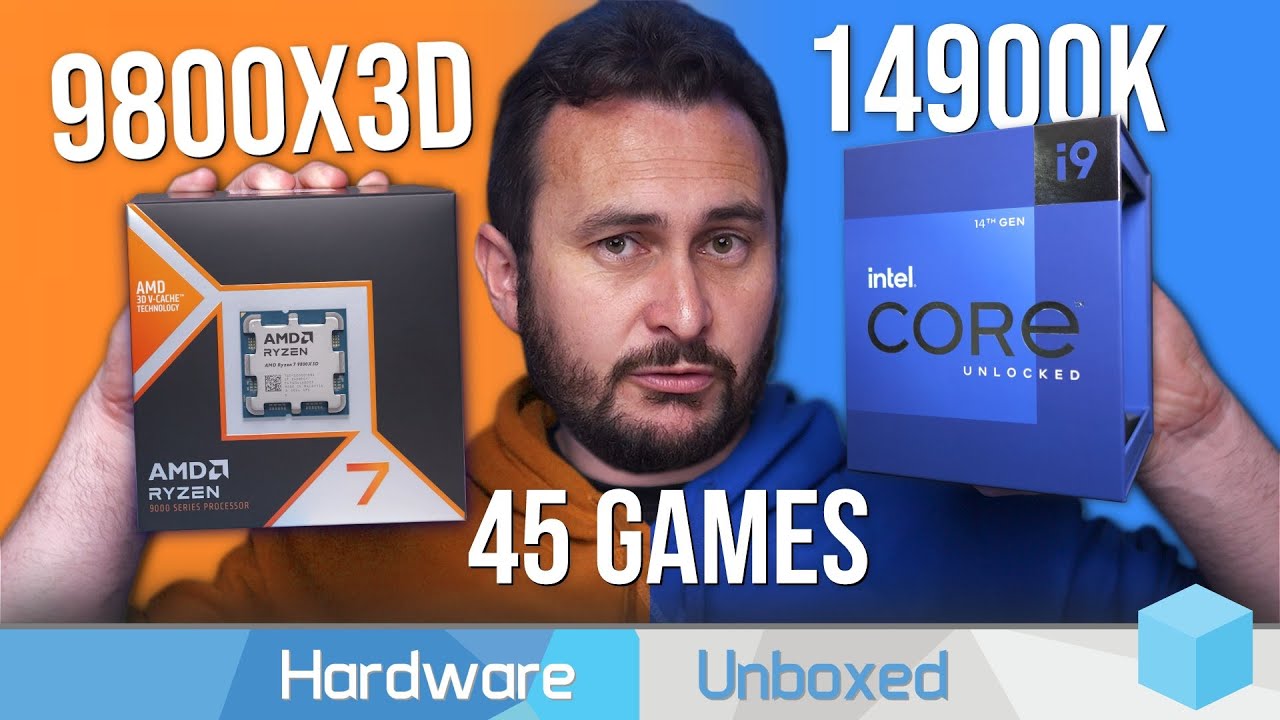
Thermal Grizzly: https://www.thermal-grizzly.com/en/kryosheet/s-tg-ks
Support us on Patreon: https://www.patreon.com/hardwareunboxed
YT Membership: https://www.youtube.com/channel/UCI8iQa1hv7oV_Z8D35vVuSg/join
Buy relevant products from Amazon, Newegg and others below:
AMD Ryzen 7 9800X3D: https://geni.us/a44Ec
AMD Ryzen 5 9600X: https://geni....
dull flint
285K is 14900K minus 2.85%
Wait
2 8 5

Man 25% boost with 9800X3D
Dark days for Intel
grizzled bloom
Most of the games where there was little difference between them were due to either an engine limit or GPU bottleneck, so you can effectively say it's always better as long as there's no additional factors like those.
Side note, finding games that bottleneck the 4090 at 1080p is wild
dull flint
grizzled bloom
Side note, finding games that bottleneck the 4090 at 1080p is wild
Don't have to look very hard
grizzled bloom
Just the fact that it's a thing that can happen is crazy to me
dull flint
I've been saying it for a while now 
 distant gulch
dull flint
Dark days for Intel
distant gulch
dull flint
Dark days for Intel
Dark days for intel, i believe a brighter future if intel tries to fight back
Otherwise its a dark future for the cpu market
 sudden creek
Anything interesting lately about CPUs?
distant gulch
Intel is kinda bummed out rn on their cpus and is releasing a supposed great gpu lineup
 rapid thunder
@distant gulch
I'm also interested in a Ryzen series X3D CPU, but I'm not sure which to get and prices at various retailers seem all over the place.
I have seen the Ryzen 7 7800X3D in the $470 range from a couple different retailers.
AMD is directly selling the Ryzen 9 7900X3D for about $490.
I'm not sure to what extent the 9 has superior performance to the 7, and my primary use case is video games, but for only $20 more if there's a substantial difference I am tempted. Thoughts?
distant gulch
rapid thunder
<@721052260607459400>
I'm also interested in a Ryzen series X3D CPU, but I'm n...
save yourself and hold onto your money right now, a lot of scalping and horrible pricing is happening rn until the scalpers get bored of their playthings
the 7900x3d actually performs worse in games
the higher core count doesnt help and the cooling is just more difficult, great for productivity and software that benefits from more cores versus core perf
and 9000 series only really matters at the top for perf, 9600x for example is about the same perf as 7600x
rapid thunder
Oh. Good to know.
distant gulch
X3D does make a difference but it really isnt worth the money it costs rn
rapid thunder
MSRP for the 7 7800X3D was around $450 I believe (I can't seem to find it on the AMD website), and like you alluded to before I am a little concerned about U.S. tariffs that may be adopted in January.
A $20 bump for acquisition security is something I may be willing to eat.
distant gulch
id grab a 7700/x for 250 WAY before i grabbed a 7800X3D personally, that money is better spent on a larger gpu
in 1080 perf (the only place it even matters) its not even that big of a jump for 7800X3D to 7600 in games
and in 1440p or especially 4k cpu upgrades for games is minimal
and you def shouldnt be playing 1080p on a 7900xt
rapid thunder
I only play 1080p/60FPS right now, but a monitor upgrade is another thing I am planning in the future. I'm basically looking to do a full system rebuild first then get a new monitor to take advantage of it.
burnt spear
id highly suggest the 7600 for you then
distant gulch
great value for about 200 rn
would do so much more for your experience
a good monitor means way more
rapid thunder
burnt spear
id highly suggest the 7600 for you then
GPU or CPU?
rapid thunder
Only ordered my case so far. May order that 7900XT soon as Balou said $632 is a great deal and the prices are unlikely to drop much further in the near future.
burnt spear
that's a good choice. make sure the gpu fits
distant gulch
pcpartpicker my beloved
rapid thunder
Part of why I am erring on the side of X3D is because I want to future proof the system. I prefer to space out upgrades. My current rig was built in 2021 and features a Ryzen 7 3700X and RTX 2070 Super.
burnt spear
with a 7600, you can just drop an x3d cpu in down the line
distant gulch
just get whats worth the money now
burnt spear
x3d is too expensive atm to be anywhere near worth it
rapid thunder
Do you expect current gen X3D will drop substantially in the next two years?
burnt spear
rapid thunder
Do you expect current gen X3D will drop substantially in the next two years?
yes
distant gulch
rapid thunder
Do you expect current gen X3D will drop substantially in the next two years?
i guarantee you will never need to worry about that in your cpus lifespan
7600 will do way more than enough for gaming for a minute
overspending on your cpu is an easy mistake to make
rapid thunder
Do Ryzen 7 chips have an edge in emulation versus Ryzen 5?
I do also emulate.
Some emulators rely more on CPU than GPU
distant gulch
most id recommend is the 7700 but i wouldnt recommend it for emulation purely no
plus i doubt most emulation games will even get to the point the cpu matters
distant gulch
^
rapid thunder
Negative.
distant gulch
youre overthinking the cpu
rapid thunder
Chimera Mk. 3.0 - AMD Ryzen 7 7800X3D, Radeon RX 7900 XT, Phanteks Enthoo Pro ATX Full Tower
This is the current draft build, but may adopt your CPU suggestions.
distant gulch
if you really want to get more bang for your buck just grab a 7700 and a 7900xtx
but id recommend saving that 200 on the xtx and grab a monitor
burnt spear
rapid thunder
https://pcpartpicker.com/user/ThelVadam4321/saved/YDsWrH
id do the plat psu in my list, and the ram too
corsair ram is not an issue you wanna deal with
distant gulch
corsair ram is rough lmao
rapid thunder
So 7700 and 7900xt and put the surplus toward the monitor upgrade?
burnt spear
rapid thunder
So 7700 and 7900xt and put the surplus toward the monitor upgrade?
yeah ill grab some options
rapid thunder
distant gulch
7700 is still 8 core
Is that a Ryzen 7 or 5?
distant gulch
i forget where that one miniled
burnt spear
7
distant gulch
7 but those numbers mean close to nothing
rapid thunder
What about 7700 vs 7700x?
distant gulch
its the 7700 part that matters
distant gulch
rapid thunder
What about 7700 vs 7700x?
only recommend x if you care about overclocking
but id stick to 7700 for savings
burnt spear
Part List
distant gulch
also why a noctua cooler?
rapid thunder
The extra clock speed from the factory doesn't do much?
burnt spear
three monitor choices
distant gulch
rapid thunder
The extra clock speed from the factory doesn't do much?
not really
burnt spear
also please don't spend $150 on an air cooler
rapid thunder
distant gulch
also why a noctua cooler?
Noise.
burnt spear
a thermalright phantom spirit is identical
distant gulch
burnt spear
also please don't spend $150 on an air cooler
what i was fixing to ask
distant gulch
rapid thunder
Noise.
150 is not worth noise LMAO 30 bucks on a thermalright will do the same
plus your other parts will probably even out the noise regardless
burnt spear
Part List - AMD Ryzen 7 7700, Radeon RX 7900 XT, Phanteks Enthoo Pro ATX Full Tower
sudden creek
rapid thunder
<@721052260607459400>
I'm also interested in a Ryzen series X3D CPU, but I'm n...
Don't get the 7900x3D for gaming.
distant gulch
burnt spear
https://pcpartpicker.com/list/Lr6HBq
really great build
distant gulch
sudden creek
Don't get the 7900x3D for gaming.
lol dw already clarified that
rapid thunder
Standby, I'm going through the parts lists.
What's wrong with Corsair memory or PSUs?
distant gulch
psus are fine
burnt spear
their psus are fine just expensive atm
the ram they have quality control issues with
distant gulch
yup a lot of corsair ram from what i understand come DOA
sudden creek
Unless you do anything that can actually benefit from extra cores I wouldn't deal with pain of the 7900x3D/7950x3D.
distant gulch
theyre just gamin
sudden creek
distant gulch
lol dw already clarified that
Ahh just read through the chat.
distant gulch
sudden creek
Ahh just read through the chat.
np
sudden creek
Take it from me lmfao.
distant gulch
loll
sudden creek
I know the pain of the dual CCD.
rapid thunder
Chimera Mk. 3.0 - AMD Ryzen 7 7800X3D, Radeon RX 7900 XT, Phanteks Enthoo Pro ATX Full Tower
Here's the adjusted parts list.
sudden creek
Great if you know how to properly set it up for each app but otherwise it can get annoying at times.
distant gulch
only place id benefit from more cores is premiere pro, blender surprisingly isnt really affected by it
stronger single cores get overlooked
rapid thunder
Unless you all vouch strongly for the Super Flower, I lean towards the Corsair PSU from experience.
distant gulch
rapid thunder
Unless you all vouch strongly for the Super Flower, I lean towards the Corsair P...
dont worry about brands
distant gulch
most tech brands will have crappy products and good ones
just get the individual products that are good
id just grab the flower
rapid thunder
Alright. Super Flower it is then.
sudden creek
I use my system for Blender, Video Editing/Recording in Premiere, and Gaming. Not as much anymore but I used to allocate 4 of my FREQ cores to run Ark and Minecraft servers.
burnt spear
i remember there being something about the kingspec xg7000, @dull flint do you know abt it?
rapid thunder
distant gulch
sudden creek
I use my system for Blender, Video Editing/Recording in Premiere, and Gaming. N...
7700 will do great for video editing, honestly the only reason i wish i grabbed a 7700 instead of a 7600x
rapid thunder
This is a monitor I was considering, but I may opt for one of your suggestions as they were much cheaper.
Main reason I was considering this one is because I'm a bit of a framerate junkie.
distant gulch
wouldnt recommend 4k
rapid thunder
I will prioritize frames above resolution typically.
I think you have to run this one below 4k to get the full refresh rate.
distant gulch
did bacca link the miniled?
there was one going for 180 last i checked dunno if that ones still going
rapid thunder
Now I'm trying to decide how many dollars higher refresh rates are worth to me.
distant gulch
anything above 120 doesnt really matter
burnt spear
the OLED isn't just higher refresh rate
burnt spear
just overall much smoother and faster
distant gulch
i want an oled but the miniled is just a million times better value lol
plus burn in exists
dull flint
burnt spear
i remember there being something about the kingspec xg7000, <@101107951401455616...
Normal one is alright, pro is op
distant gulch
the benefit of the OLED is perfect blacks and amazing visuals
mini led has very good blacks too tho
its hard to describe the differences honestly
versus seeing it in person
rapid thunder
I'm playing on a 1080p/60hrz BENQ LCD right now so virtually anything is an upgrade.
rapid thunder
distant gulch
anything above 120 doesnt really matter
I used to hear that about 60 FPS too.
What're the pros and cons of mini LED versus OLED?
Are they even that different? I presume both are LED based technology
distant gulch
technically thats true that the human eye cant see past about 60 fps, but 60fps feels chuggier by comparison (not bad by any means tho)
distant gulch
rapid thunder
Are they even that different? I presume both are LED based technology
actually mini is LCD, its a VA panel
which is why they dont have perfect blacks
oled is its own technology
oled indivdually turns on and off LEDS
mini LED still has a backlight
rapid thunder
Oh. I assumed all LEDs inidividually powered the pixels since LED is a light emitting diode. I figured only non-light emitting pixels required a backlight.
distant gulch
OLED suffers from burn-in after years of use due to how intensive the energy output is on the individual LEDS, if burn in didnt exist theyd have literally no weaknesses except for maybe price
rapid thunder
distant gulch
technically thats true that the human eye cant see past about 60 fps, but 60fps ...
I flat out don't believe that. I very much can see the difference. The human eye doesn't really have a framerate based on what research I did on the matter years ago. We also forget the human brain is a vastly more powerful processing device than any piece of silicon we've yet made. It's less about the eye itself and more about the brain.
distant gulch
rapid thunder
I flat out don't believe that. I very much can see the difference. The human eye...
that was my point, technically you cant see past 60fps but you absolutely will notice the difference between a 60fps 120fps and 240fps display
rapid thunder
So you'd recommend the Acer Nitro? I have never seen mini-LED.
distant gulch
rapid thunder
So you'd recommend the Acer Nitro? I have never seen mini-LED.
its very worth it, trust me
plus it doesnt suffer burn in
rapid thunder
It's a much better price proposition than the OLEDs I was looking at including the really high refresh rate one.
distant gulch
for the price its almost impossible to contend for 1440p gaming imo
rapid thunder
But I also tend to keep my monitor far longer than any other part of my rig.
So no burn-in is a plus
Does anyone make a mini-LED that goes higher in refresh rate?
distant gulch
keeping your monitor on is fine, youd just need to do power cycling, the real issue would be having for example google open for 8 hours straight on the same tabs
and this only really matters after years of use
distant gulch
rapid thunder
Does anyone make a mini-LED that goes higher in refresh rate?
like i said earlier past 120-180 isnt really worth the money
also 240hz miniled is almost impossible to find
170 is MORE than enough
rapid thunder
distant gulch
keeping your monitor on is fine, youd just need to do power cycling, the real is...
I'm surprised fish screen savers haven't made a come back
rapid thunder

Thermalrlght Phantom Spirit 120 CPU Air Cooler, 7 Heat pipes CPU Cooler,Dual 120mm TL-C12B V2 PWM Fan, AGHP 4.0 Technilogy,S-FDB Bearing,For AMD AM4 AM5/Intel 1700/1150/1151/1200/2011,PC Cooler(PS120)
Is this the correct cooler?
The Part Picker link for it dropped the actual retail link
rapid thunder
Chimera Mk. 3.0 - AMD Ryzen 7 7700, Radeon RX 7900 XT, Phanteks Enthoo Pro ATX Full Tower
Alright, I think this is the finalized build.
distant gulch
either its a good price and sucks or for noctuas case great perf but stupid price
i would unironically trade my build for that lol
rapid thunder
distant gulch
either its a good price and sucks or for noctuas case great perf but stupid pric...
I take it your thermals are excellent with the Thermalright?
distant gulch
id prioritize getting the gpu under your belt first with gpu prices being the way they are
rapid thunder
distant gulch
id prioritize getting the gpu under your belt first with gpu prices being the wa...
Right
distant gulch
rapid thunder
I take it your thermals are excellent with the Thermalright?
my cpu under max load has never went over 75c
95 is the safe maximum
rapid thunder
What're your opinions on getting 120mm Noctuas for case fans?
distant gulch
dont worry about noctua 😭
i love the way they look but they arent worth it
lemme find a good thermalright for your case size
rapid thunder
The noise reduction and airflow isn't meaningfully different than common-or-garden Cooler Master fans?
distant gulch
rapid thunder
The noise reduction and airflow isn't meaningfully different than common-or-gard...
not really no
cooler master is fine too
rapid thunder
I was probably going to use more 120mm fans unless going bigger had some benefit I wasn't aware of.
distant gulch
i use 120mm
if your case can support larger sizes itd be better yeah
but that depends on your case
rapid thunder

Phanteks Enthoo Pro ATX Full Tower Case (PH-ES614PC_BK)
It was one of the only cases I could find with optical drive bays (yes, I still use those), USB-C, and an option for no glass panels.
distant gulch
hm weird cooling design for sure but phanteks is great
looks like you can do 140mm
does it come with fans?
oop
 rapid thunder
Might get a couple more 140s to add to it
distant gulch
yeah id change out the 200mm for 140s
rapid thunder
Two 140s over one 200?
distant gulch
yurp
would offer better cooling
id actually do that and put the 200mm fan on the top as an exhaust
any extra fans could be intakes on the bottom as well, but that depends on gpu clearance
rapid thunder
I usually do front intake and rear/top exhaust configurations.
distant gulch
thats good
rapid thunder
I think my current build has 2 intake and 3 exhaust
distant gulch
its actually better to have more intakes for natural airflow
rapid thunder
Which probably means it sucks in more dust
distant gulch
rapid thunder
Which probably means it sucks in more dust
yup
rapid thunder
Honestly, I threw the last fan in there because I had nowhere else to put it and didn't want to lose or break it.
distant gulch
fair enough
it doesnt hurt it technically
id honestly probably just recycle those fans tbh
what size are they?
140mm isnt too big of a diff between 120mm
rapid thunder
Current build has five 120mm fans.
distant gulch
yeah just use those lmao
rapid thunder
But I do intend to repurpose it in some way. I don't plan to get rid of all the hardware.
distant gulch
ah i see
rapid thunder
Hence wanting new fans for the new rig
distant gulch
then id just buy some more 140mm
rapid thunder
Chimera Mk. 3.0 - AMD Ryzen 7 7700, Radeon RX 7900 XT, Phanteks Enthoo Pro ATX Full Tower
Alright then, that's the final build.
Thank you very much for your help.
This has been most enlightening.
This server is genuinely the best place I've found for build advice.
distant gulch

ARCTIC offers innovative solutions incessantly - changing impossible user requirements into new. Always focused on our customers, ARCTIC is devoted to deliver excellence through a strong dedication and a high sense of commitment. In light of the ever-changing consumer landscapes, we aspire to con...
distant gulch
rapid thunder
This server is genuinely the best place I've found for build advice.
its the only computer server i talk on, the people here are insane lol
rapid thunder
Nevermind, I'm taking THOSE fans instead.
distant gulch
where ive learned a lot of my computer knowledge
rapid thunder
More fans for less money
distant gulch
yeah those things are beasts
burnt spear
Back when I joined this server end of 2020 I barely knew what a GPU was
burnt spear
This server is super educational and friendly most of the time. Most of the people that taught me a lot of what I knew and were active in these help channels when I first joined are gone or not very active anymore
Pato is one of our mods, and he taught me a lot of what I know about making lists like these, felix more recently
rapid thunder
I believe it was you Bacca who assisted me with designing a build for my sister. The parts for that one are in the mail right now (Black Friday purchases)
distant gulch
Ive only been on this server for a year now
I will say tho im still not crazy over newegg lol
Theyve done some stuff im not super fond of
burnt spear
I don't feel very strongly about newegg as a company one way or the other
They've definitely made some business decisions I'm not a fan of
Like their refurb/open box issues a while back
distant gulch
Thats what i like about this server tho, there isnt really any bias
Just plain good tech advice
burnt spear
burnt spear
This server is super educational and friendly most of the time. Most of the peop...
The people I was talking about are a big reason for that
Pato, rawr, Escanor, sips (orange mushroom,) fal, felix, foxy, plenty of others helped to foster a friendly environment
distant gulch
Foxy fal and felix are the most active out of those from what ive seen
And bacca ofc
burnt spear
Wdym I'm never here
burnt spear
(I'm chronically online please help)
sudden creek
distant gulch
https://www.amazon.com/ARCTIC-P14-Value-Pack-Pressure-optimised/dp/B07HCKWF2X
70-100% speed running nearly 24/7 these should last about 2-3 years before you need to replace them due to worn out bearings.
meager elbow
distant gulch
I will say tho im still not crazy over newegg lol
i dont really think anyone here is lmfao
i have never met anyone that went "i must buy everything from newegg because i love newegg" 💀
sudden creek
Hahaha that will be a memorable one when we see it.
meager elbow
lmao
distant gulch
sudden creek
70-100% speed running nearly 24/7 these should last about 2-3 years before you n...
I wanna grab some myself lol
Just to test them
 delicate iris
Was wondering what Zen3 Ryzen processor you all would recommend for pairing with a 7900xt gpu that costs under 300 dollars. Having really bad issues with system hitching with my old R9 3900XT and thought maybe a newer CPU might fix it.
burnt spear
delicate iris
Was wondering what Zen3 Ryzen processor you all would recommend for pairing with...
5700x3d for sure
Assuming you're mainly gaming anyways
distant gulch
Is anyone even buying any 9000 gen cpus besides 9800X3D and what not?
I dont see anyone getting 9600 or 9700
rapid thunder
@distant gulch I just realized that Acer monitor you recommended has a 2 m/s response time. My current monitor has a 1 m/s response time. Does that 1 m/s difference present as noticeable ghosting or other artifacts?
distant gulch
rapid thunder
<@721052260607459400> I just realized that Acer monitor you recommended has a 2 ...
You would need to be an alien to notice it
Most systems have a lot more delay than that just excluding the monitor alltogether
You dont realize how small a millisecond is lol
Can you count to a thousand in one second?
Thats the only time itd matter
rapid thunder
Fair enough.
rapid thunder
With DDR5 memory, is mega transfers per second synonymous with megahertz per second?
distant gulch
rapid thunder
With DDR5 memory, is mega transfers per second synonymous with megahertz per sec...
They go hand in hand, but no
If something says its 3200mhz its probably 3200 mt/s (aka mb/s) but technically 3200 mega transfers a second is 1600 mhz
Mhz is just the clock speed
Actually i believe thats what the ddr stands for, double something something
Forgot the exact acronym tho
distant gulch
i assume you looked that up lol, but yeah
speaking of, google is a great resources for these types of questions, dont just look at one source tho
meager elbow
dance dance revolution
rapid thunder
distant gulch
i assume you looked that up lol, but yeah
Actually no.
meager elbow
do you got some of that dance dance revolution in your pc
rapid thunder
But now I might just to confirm if I'm right.
distant gulch
meager elbow
dance dance revolution
fr
meager elbow
also you are right
double data rate
dual inline memory module
registered dual inline memory module
uhhhh what else
distant gulch
grabs dictionary
meager elbow
lmao
rapid thunder
Well, I am second guessing this memory set and am considering paying a little more for something with higher MT/s and tighter timings hence my query.
I've purchased most of the rest of my build, but the cooler has had three different links or so expire from people buying them out before I get around to it.

Silicon Power Value Gaming 32 GB (2 x 16 GB) DDR5-6000 CL30 Memory (SP032GXLWU60AFDEAE)
Or with DDR5 and current gen Ryzen are timings and speeds not as relevant to performance? I remember they were a number of years ago.
Eh, I might just buy this anyway. The reviews seem promising and it looks like some have had success tuning it up a little. I might be over thinking things again.
distant gulch
youre nitpicking the less important parts
 hollow thorn
6000c30 is going to be good enough in general, it'll be hynix and good enough for OCing if you need it
hollow thorn
On average stable without tweaking on current gen Ryzen is around 6400 iirc
distant gulch
its literally the same ram kit
i can promise you ive had zero ram bottlenecks LMAO
burnt spear
rapid thunder
Well, I am second guessing this memory set and am considering paying a little mo...
There isnt really much better than this. What cpu are you using?
Oh thats alr answered mb
rapid thunder
I looked at a couple other sets and concluded that the above set was perfectly reasonable especially at its price point relative to others. And one reviewer claimed to have it stable at 6200 MT/s so I may even try that.
distant gulch
There really isnt much of a point overclocking ram at these specs imo
Thats just me tho
rapid thunder
Noted.
burnt spear
rapid thunder
I looked at a couple other sets and concluded that the above set was perfectly r...
Any 5600+ cl32 or lower kit is gauranteed Hynix A or M die
Meaning any A die kit can do the same speed timings as eachother with some changes in bios
Same with M die
rapid thunder
distant gulch
https://pcpartpicker.com/user/RedPanda560/saved/#view=cxYTrH
I noticed your monitor in this list is not a mini-LED. How do you like it?
distant gulch
I wish i had a miniled instead, my parents have a miniled tv and it looks amazing
This one is still more than servicable tho
I bought it like a year ago, a bit before miniled became affordable
It was rough timing 🥹
rapid thunder
So IPS is basically just LCD and mini-LED is some sort of middle ground between LCD and OLED?
distant gulch
OLED is very seperate
Mini led is closer related to ips
But its a va panel
So thats what its closest related to
In terms of quality tho its closer to oled
Most of the benefits of oled, a lot less of the negatives of ips
rapid thunder
Huh. So a generally very positive trade off. You said earlier that until OLED comes down in price, mini-LED is generally the superior bang for buck choice right?
distant gulch
Absolutely
And thats if oled comes down in price even remotely anytime soon
And even then oled needs to solve burn in before its the no brainer option
 hollow jolt
distant gulch
hollow jolt
distant gulch
Yeah oled perfect blacks are just 🙏🙏
I have an oled screen on my phone
Boy do i wish it was on my monitor
rapid thunder
I also wish I had a decent CRT as an additional monitor. Like optical drives I just think they're neat.
distant gulch
If that floats your boat
rapid thunder
Have yet to track one down yet.
distant gulch
Ive seen some nice retro builds with like a hybrid mix
rapid thunder
I largely want it to play older games on for the nostalgic feeling, but I think it might be neat to play the odd modern game on it if I could get the aspect ratios to work.
distant gulch

Meet the 8BitDo Mechanical Keyboard. Packed with programmable keys and an intuitive control panel. Compatible with Windows and Android.
I want this board so badly
Thats the only retro thing i really want on my desk
rapid thunder
Is it a famicom inspired keyboard or is it a reproduction of some older keyboard?
rapid thunder
I can appreciate that.
wise adder
i just got some 4x16gb 6400 ram and threw it in my pc. this is my first time changing ram and im not sure what to do. ive looked online but im a bit confused with what it should be running at. it says in task manager its running at 3200 mt/s and my bios is saying 4000 mhz. did i do something wrong
burnt spear
wise adder
i just got some 4x16gb 6400 ram and threw it in my pc. this is my first time cha...
Ddr5 does not like 4 sticks of ram
wise adder
oh
burnt spear
Take two out and make sure you enabled expo in bios
burnt spear
Most mobos require you to use the second and fourth slot for the ram
It's just too hard on the cpu/mobo to run at high speeds
wise adder
what if i throw more money at my pc and get a 14900kf
burnt spear
No
wise adder
oh
burnt spear
Not how ram works
wise adder
new mobo?
burnt spear
New ram
But if you're gaming 64gb is unnecessary

Silicon Power XPOWER Zenith Gaming 64 GB (2 x 32 GB) DDR5-6000 CL30 Memory (SP064GXLWU60AFDE)
burnt spear
Expo is the name for it on amd, It's XMP on intel
wise adder
ah
burnt spear
It's enabling the ram to run at its rated speed in bios
wise adder
i see
burnt spear
What mobo and cpu do you have?
wise adder
why no
burnt spear
If your video editing is intense enough it might make sense
But you want an IGPU for that
Video editing loves intels igpu for quick sync
wise adder
i always just throw it at my 3080
burnt spear
Quick sync is faster
wise adder
ive never tried using integrated graphics
burnt spear

Intel Core i7-14700K 3.4 GHz 20-Core Processor (BX8071514700K)

Intel Core i9-14900K 3.2 GHz 24-Core Processor (BX8071514900K)
burnt spear
wise adder
or what should i run it at
Sorry stepped away
First off, make sure you update bios
burnt spear
Intel cpus, specifically 13th/14th had an issue with z boards where they were pulling too much voltage and dying or damaging themselves
It's been fixed, but only with new bios
There will be a tutorial on your mobo manufacturers website
burnt spear
You gotta do it before swapping cpu tho
You'll need new bios to support a new cpu anyways
If your current bios version is old enough, you might need to swap to an oldish version that's still newer and then update to the newest one (I'm very tired sorry for my bad wording)
burnt spear
Oh you should be fine
wise adder
okay good
burnt spear
That might even be new enough to support 14th gen
wise adder
how would i find out if it does?
burnt spear
Wait
No def update bios
The patch for voltage issue was released in August
And the final patch was i think October, so you'd def want to use a newer version
wise adder
so id be good with an october version?
burnt spear
Yeah, of this year
wise adder
okay
dull flint
wise adder
what if i throw more money at my pc and get a 14900kf
2 ram sticks vs 4 ram sticks on DDR5 has a tremendous amount of better signal integrity so it's much more likely to run at the rated speed.
4 sticks on DDR5 will often end this way with unstable/slower ram. It's just a fact of life
wise adder
@burnt spear unlink ram voltage and add .2
 burnt spear
The question is is it stable
If you have random issues and blue screens soon you know why
wise adder
we will see
dull flint
.2
Truly curious about that one but anyway
Lol
Hopefully it's not a hot die cos some cook over 1.4v on ddr5
Meaning you'd need a fan over the ram
@wise adder
grizzled bloom
60 on ram is like 100 on cpu
It gets unstable much faster than other components, especially if you're unlucky and got a sensitive die
dull flint
And ram will die a quiet death
meager elbow
quiet but you'll see signs
grizzled bloom
Large blue ones
meager elbow
just like a silent fart
quiet but deadly
wise adder
not yet. i’ve been playing minecraft with shaders and max render distance to see what it gets up to and it’s hanging around 100 +-2
using 22 gb
dull flint
At 100 is dodgy lmao
Ddr5 is rated for 95C
Too hot
Let alone overvolt that's just too hot
You must have m die
Or maybe s16b
You need to dial it back big time
grizzled bloom
I got M die and I don't let it go above 45
grizzled bloom
True enough
dull flint
I showed this to sips once
My b die ran at 80
He couldn't believe it
But I ran looser timings
Trfc loose let me go that high
meager elbow
wise adder
not yet. i’ve been playing minecraft with shaders and max render distance to see...
that is hot
dull flint
@wise adder dial back that ram lad lmao
Better yet return 2 of the sticks if you don't do anything like 4K+ video rendering or server-based/modelling-based work
32gb should be enough and should run stock
This isn't a negotiation btw this is a warning ☠️
wise adder
does it help if that’s 100 f😃
 grizzled bloom
Computers run on celsius and start counting at zero, two important things lol
wise adder
i don’t think i would ever see something in my computer reach close to 70c unless i turned my fans off
meager elbow
wise adder
i’ll keep that in mind lmao
lmfao yeah everybody uses celsius for computing
that's the one time everyone agrees on using one measurement
dull flint
Cos diagnosis would be hell if we didn't use one or the other
meager elbow
well, there's also electricity, which also is using volts universally
is there even a different measurement of electricity used for electricity
meager elbow
good
who knows what would happen on electrician forums if there were competing standards

wise adder
freedom units 🦅🦅🦅🔥🔥🔥🇺🇸🇺🇸🇺🇸🇺🇸
 molten maple
Can the MSI Pro B650M do bifurcation? I just bought a m.2 expansion card, and put 2 cards in, it's only seeing one. Not sure if this is something i turn on in the bios, or it turns on, by default.
dull flint
It cannot
molten maple
Well, crap. lol
molten maple
Damn. Ok. So I pretty much need to figure out a different setup.
dull flint
I've combed the whole list, it's annoying but true
What you could do
Get an nvme enclosure
You can use them for pcie but they'll be 1x data rate likely
meager elbow
wish it was a more standard feature
molten maple
I got these to replace my last 2TB SATA drive. That way all I got is m.2,s and SSD drives.
dull flint
Understandable but yeah, suggesting low cost ideas here lol
Enclosures could address the issue
meager elbow
or if you for whatever reason have another pcie slot open, maybe you can get another pcie to m.2 adapter lmao
molten maple
Could you send a link to what you mean by enclosures?
dull flint
All kinds literally
molten maple
This thing as 2 PCI slots, lol.
dull flint
Pcie m.2 enclosure
meager elbow
oh it's only a matx board with 3 pcie slots and probably one that is blocked by the gpu lmao
dull flint
SATA m.2 enclosure
meager elbow
rip
dull flint
Usb-c m.2 enclosure
molten maple
Ah, external.
molten maple
I am avoiding external as much as i can.
dull flint
Alr
molten maple
I think i'll just sacrifise one of my 512gb m.2's and put the other 2TB in its place.
dull flint
As far as actual suggestions there's not anything in particular I'd suggest as long as the pcie spec isn't terrible
I see
molten maple
Im not prepared to buy a $500+ mobo yet 😛
meager elbow
ah
dull flint
Maybe slip that 512gb into another system
You can also run network drives off normal PC's
 dull flint
Like mini NAS
molten maple
I'll give it to a buddy that's been needing an m.2 for his boot drive.
dull flint
There you go
molten maple
yes
meager elbow
☠️
dull flint
molten maple
I'll give it to a buddy that's been needing an m.2 for his boot drive.
Slip some faked up plans about attacking the government on there and see if he asks about it
molten maple
He just got new parts on black friday....and he just needs an SSD now to complete a functional upgrade.
dull flint
Nothing like the element of surprise in a good friendship
meager elbow
lmao
molten maple
lol
meager elbow
 molten maple
You laugh but this is something we would do regardless.
dull flint
molten maple
You laugh but this is something we would do regardless.
Nothing like bonding over attacking the government then I suppose 😂😂
dull flint
Uhhhh
I'm gonna say that's a risky one
They are labelled though
You should notice on the sticker
molten maple
yeah, but i dont remember whats what....
i think my boot drive is a 256gb so...that might make it easy
dull flint
I wouldn't recommend hot swapping m.2 around
molten maple
Not gunna. Lol
molten maple
I've gotta take my gpu out to get to them anyway.
 molten maple
Out with this ancient 1080....
So random other question...is there any free software that will let me...ghost my C drive to another? I think I'd rather keep the 512gb as my C drive...
molten maple
Hold up...I just removed a cover and found something...
dull flint
Is it the hidden temple
 molten maple
Yeah...I think my 254gb c drive is an ssd
dull flint
So uh
Fun fact btw
That new slot
That's your fastest slot
That's wired directly to cpu lmao
meager elbow
molten maple
Is that 2.... m.2 slots i see...
i was going to mention that mobo had 2 m.2 slots before, but then i saw you say that you were going to give a drive to a friend... and i assumed that you were using both 💀
meager elbow
FOUR
ok i only looked at the image and saw 2, i guess there were 2 more in the back
lmao
dull flint
💀
 dull flint
2
meager elbow
it always feels weird to me to see motherboards without vga out
molten maple
Ok. So that means I've got a ssd as my c drive.
So I wana use this WD Black 500gb as my C drive...which means I need to image the pc ssd with that software you mentioned.
meager elbow
you could also use clonezilla my beloved
 meager elbow
wd
molten maple
Crucial worse?
meager elbow
p1 specifically
molten maple
I think I pulled that from a laptop at work..
Which one do I need for the cloning?

I assume none..as thats just extra stuff
meager elbow
i think you only need the... cough first option
molten maple
oops
meager elbow
that is an acronym indeed lmao
molten maple
clone in progress....
Not gunna lie this software is kida nice.
wait..it cloned it and partitioned it...
grizzled bloom
Yeah I think the default settings for the clone job are to copy all partitions and then extend the main data partition to fill any empty space, like when migrating to a larger drive.
molten maple
I redid it, this time told it to use all of it, and it worked perfect.
100% SATA drive free now....
grizzled bloom
That just means you have a spare sata drive to put your games on now
molten maple
i bought 2 2TB m.2 drives to replace my 1 2tb SATA drive
i should be set for a while!
grizzled bloom
I give it a few months lol
molten maple
im really picky with my games.
grizzled bloom
JK that's a good bit of space
molten maple
i've got a total of 6TB for videogames now.
grizzled bloom
You could start ripping DVDs and running a Plex server to fill that out
molten maple
yeah i rememeber doing that a long time ago
 fast moth
why is marvel rivals using 100% of my cpu and also it has been constantly crashing for some reason when im playing
wind karma
fast moth
why is marvel rivals using 100% of my cpu and also it has been constantly crashi...
getting any errors on crash?
fast moth
wind karma
getting any errors on crash?
screen frozen, so i just usually just restarst the whole pc
wind karma
I had a crash like that last night actually. Not sure what caused it. But I played for 4 hours or so and only had the 1
fast moth
wind karma
I had a crash like that last night actually. Not sure what caused it. But I play...
played 2 game only
have been getting crashes often and i never had a problem with my amd setup before
never going intel nvidia again, sticking to amd
wind karma
if you swapped brands make sure you get rid of the old drivers and install new ones
?ddu
 silk jungleBOT
DDU (Display Driver Uninstaller) Guide by Pato
https://github.com/NeweggTechie/Graphics-cards/wiki/How-to-use-DDU

GitHub
Contribute to NeweggTechie/Graphics-cards development by creating an account on GitHub.
wind karma
Not sure what the process is for cpus
Also I would not base your experience on certain hardware off of a single game that was just released
fast moth
wind karma
if you swapped brands make sure you get rid of the old drivers and install new o...
yeah built a new pc
also now my refresh rate option is gone after i updated gpu
WTF
wind karma
fresh windows install and everything? if you copied over or moved an old ssd you will have the old drivers
fast moth
wind karma
fresh windows install and everything? if you copied over or moved an old ssd you...
new ssd
everything new
fast moth
wind karma
any other games crashing or only rivals
sometimes league as well but moslty the demanding ones
wind karma
other than drivers not sure what to say
fast moth
wind karma
other than drivers not sure what to say
idk either
ill see if it crashes again
i downloaded new ones and updated everything
 burnt spear
Question
How truly bad is a low end a320 with a 5600/x
My friend with a 3400g/5700xt was going to upgrade to am5, but budget issues
5600x is $85 at microcenter so we're either considering buying a used mobo, or reusing the a320
grizzled bloom
The only way it could be bad is if there's no heatsink on the VRM at all
burnt spear
Yeah...
One sec
https://pcpartpicker.com/product/sL7v6h/gigabyte-ga-a320m-s2h-micro-atx-am4-motherboard-ga-a320m-s2h

Gigabyte GA-A320M-S2H Micro ATX AM4 Motherboard (GA-A320M-S2H)
Wait
Nvm
I forgot that doesn't even support 5000 series
grizzled bloom
Doesn't it? It says it does on the product page
burnt spear
Oh that's cool
grizzled bloom
 burnt spear
Do you think it's worth saving the money on the mobo for a platform upgrade later, or worth getting something for $50 or so used?
grizzled bloom
grizzled bloom
CPU support list
burnt spear
Perfect
When i googled the other day it said it didn't support 5000 series, must've been an old source I looked at
grizzled bloom
As long as it's F55 updated it's good. There was a time where AMD refused to support 5000 on A320 but Asrock flipped a big middle finger at them and did it anyway and started a whole thing where AMD changed their minds
grizzled bloom
burnt spear
Do you think it's worth saving the money on the mobo for a platform upgrade late...
The 5600X will game about 15% better than the 3600X, which is still better than the 3400G, so it's a decent upgrade still
3400G is Zen+ iirc
Yeah it is
I went from a slightly better than that 2700 to a 5800X and saw a HUGE performance gain in CPU limited titles (mostly MMOs at the time)
burnt spear
Yeah 3400g is very dissapointing cpu wise
burnt spear
grizzled bloom
As long as it's F55 updated it's good. There was a time where AMD refused to sup...
Probably a good idea to get a fan for the vrms?
I do have a dual tower cooler i can throw in there, so there's plenty of airflow by the cpu
grizzled bloom
It only uses 74W so I think it'll probably be fine, but if not you can get those stick on heatsinks for $2
burnt spear
Wait it might be this one
https://pcpartpicker.com/product/dqcMnQ/gigabyte-ga-a320m-hd2-atx-am4-motherboard-ga-a320m-hd2

Gigabyte GA-A320M-HD2 Micro ATX AM4 Motherboard (GA-A320M-HD2)
Bc iirc their build doesn't have an nvme slot
Ill ask them, one sec
grizzled bloom
Still supports 5600X as of BIOS 51g
burnt spear
grizzled bloom
Still supports 5600X as of BIOS 51g

Easycargo 30pcs Small Mini Heatsink Kit, Mini Cooler Heat Sink for Cooling VRM Stepper Driver MOSFET VRam Regulators (8.8mmx8.8mmx5mm)
grizzled bloom
Reviews say they don't stick well
sudden creek
So I wanted to check my system latency and I noticed, at some point it spiked to 470ms that seems very high. During gaming when I was playing Fortnite I felt frequent stutters. I noticed that Fortnite was using all of my cores on both CCD0 and CCD1 and refuses to let me set it to use only CCD1 (X3D) using Process Lasso
 dull flint
sudden creek
So I wanted to check my system latency and I noticed, at some point it spiked to...
dull flint
sudden creek
So I wanted to check my system latency and I noticed, at some point it spiked to...
Anti-cheat sucks for 79X0X3D
So yeah, the answer is what Fal said
It won't let you assign cores
So you need to turn them off
Which means btw making a separate profile for the second CCD off from scratch in bios
grizzled bloom
Not necessarily, you can save the current profile 1, edit it, and save the edit as profile 2
Unless you're running at the edge of stability on the memory that shouldn't be a problem
dull flint
grizzled bloom
Not necessarily, you can save the current profile 1, edit it, and save the edit ...
I tried this on my board, didn't work
Maybe it's different for others then ig
grizzled bloom
Guess it's a YMMV thing, it works on mine
 grizzled bloom
assus
meager elbow
A sus
wind karma
grizzled bloom
The only way it could be bad is if there's no heatsink on the VRM at all
fwiw I just put a 5700x3d in an a520 board with no heatsinks and it seems ok even with just the cpu tower fan and exhaust fan moving air over the vrms
grizzled bloom
Ok but does that A520 board have only 4 CPU power phases
Because those A320s did
Although the 5700X3D does draw more power, up to 117W
wind karma
Not sure. It's a pretty bottom of the barrel a520
grizzled bloom
Which one? I'll check
wind karma
grizzled bloom
Although the 5700X3D does draw more power, up to 117W
Yeah mine was sitting around 85W sustained in cinebench multicore
dull flint
wind karma
fwiw I just put a 5700x3d in an a520 board with no heatsinks and it seems ok eve...
65W processor so yes
grizzled bloom
Cinebench isn't great for showing peak consumption, p95 would do that. Cinebench is more like what you'd expect during gaming.
dull flint
Stock tdp is 65W PPT which is 90 max in real consumption
A fan over a decent enough vrm would handle that
 wind karma
105w tdp pretty sure
wind karma
Yeah they were talking 5600x earlier which is 65 I think
grizzled bloom
We go back and forth a lot, it can be confusing
wind karma
grizzled bloom
Which one? I'll check

ASUS eShop USA
AMD AM4 socket: Ready for Ryzen™ 5000 Series/ 4000 G-Series/ 3000 Series Desktop Processors
ASUS-exclusive self-recovering BIOS technology for automatic system BIOS recovery from a verified backup
ASUS LPC debug header for more efficient troubleshooting
Supports SMBUS header that connects to a DASH LAN for remote IT management
Innovative moistu...
grizzled bloom
Yeah looks like 4 stages
dull flint
4 doubled +1+1
Or +2
Yeah
Fan over that could work
I'd definitely want a heatsink though, it'd be really hot
wind karma
Not sure if hwinfo is accurate for mobo temps but the highest out of the sensor readings was like 80C I think
grizzled bloom
So yeah that A320 has a similar layout so it'll most likely be fine with a 5600X
grizzled bloom
wind karma
Not sure if hwinfo is accurate for mobo temps but the highest out of the sensor ...
It's as accurate as the sensor is
 grizzled bloom

wind karma
I have a fan installed for a bit more airflow over the vrms, just gotta rewire it cause it's on a header linked to gpu temps rn
grizzled bloom
Wait how did you get a header to be linked to the GPU at all
The bios shouldn't recognize a PCIe temp sensor
Unless you did it through software
wind karma
Yeah argus monitor
The fan was originally by my gpu so it's chained with a couple other fans that were intaking under the gpu
Gotta plug it into the chain that's controlled by cpu temps
grizzled bloom
Too bad you don't have more headers so you can link it directly to VRM temp sensor
wind karma
In theory I think I could daisy chain the cpu fans to the cpu cooler and free up a header
grizzled bloom
That'll throw off your tach reading
Since most of the time a CPU fan is higher rpm than case fans
Which isn't a huge issue but I personally prefer to have accurate RPM readout
sudden creek
grizzled bloom
You can always disable the non X3D CCD
Well that's frustrating.
But do you think the high frame time was due to the latency caused by dual CCD?
grizzled bloom
Dual CCD stutter is a well documented issue
That's why it's supposed to park one CCD when gaming, but some games don't allow that
sudden creek
I am honestly shocked that Fortnite hasn't told the game to avoid using the other CCD especially in ranked matches.
 trail ore
hey guys idk if this is the right place to ask but i recently built a pc with a friend and he keeps getting a DRAM light on his mb, we've changed the ram and it doesn't stop, we tried it all: BIOS reset, changing the ram kit, reseating cpu and nothing worked
grizzled bloom
trail ore
hey guys idk if this is the right place to ask but i recently built a pc with a ...
What CPU and motherboard? This happens a lot when the BIOS needs to be updated
Oh I see you also asked in #building-and-recc-chat
trail ore
grizzled bloom
What CPU and motherboard? This happens a lot when the BIOS needs to be updated
it's a Gigabyte B650 gaming x ax v2 with a R5 7600
grizzled bloom
Ok that's supported by all versions so it's not that
But a BIOS update can help sometimes
 serene forum
ASRock A520M-HDV AM4 AMD A520 SATA 6Gb/s Micro ATX AMD Motherboard paired with AMD Wraith Stealth Socket AM4 4-Pin Connector CPU Cooler why cant the cpu fan reach the mutherbord
idk what to do
I might deserve a reward for being this stupid
grizzled bloom
It was upside down right
serene forum
grizzled bloom
It was upside down right
Even stupider bro
You won't believe what I did
grizzled bloom
Twist tie still holding the slack?
serene forum
grizzled bloom
Oof. Well, live and learn.
sudden creek
Is there a way for me to measure how many watts my computer uses in a hour?
I am trying to figure out how much I pay for in electricity for my computer if I left it running 24/7 for a month (I use it as a server in the background) under light-heavy load.
grizzled bloom
sudden creek
Is there a way for me to measure how many watts my computer uses in a hour?
kill-a-watt
wind karma
if you just need an estimate you could use monitoring software and math
grizzled bloom
That would only get you the power after it's been converted in a lossy way a few times
The power supply alone could be running at 70% efficiency at the load level they plan to use it at
wind karma
could factor that in if needed
grizzled bloom
You would need to know the exact efficiency and load % to do that
At low load it could be as low as 50% efficiency and still fall in the 80+ spec
wind karma
more estimates then
or lookups
(general)

(specific)

or you could buy a kill-a-watt
grizzled bloom
They're like $40
But they are useful for finding what appliances and such have the most vampire drain when inactive
wind karma
now factor in the heat produced and corresponding load taken off your usual house heating method for the true cost
 cerulean wadi
3080 w/o UV = no heater needed in my room, haha
grizzled bloom
Literally how I heated my main living area last night. Protein folding.
sudden creek
grizzled bloom
At low load it could be as low as 50% efficiency and still fall in the 80+ spec
Really??
sudden creek
wind karma
or you could buy a kill-a-watt
Gotcha I will definitely buy one. So those will record the power consumption by the whole system right?
wind karma
yeah pretty sure it plugs into the wall outlet and then you plug the PC/PSu power cable into it
grizzled bloom
sudden creek
Really??
Yeah, because idle load isn't something that 80+ even measures
wind karma
from the charts I found it seems like 80+ means it has a minimum of 80% efficiency?
well I guess th rm850x does dip below 80% but only when load is really low
like under 25W
sudden creek
Load with a server is typically the server + chrome + discord + email + razer/rgb stuff
grizzled bloom
The RMx is an example of an excellent power supply in almost every regard
wind karma
ah
wind karma
wind karma
20%, 50%, and 100% I assume?
grizzled bloom
Yep
If you look at something that's 80+ white or bronze then it can dip pretty low
 fresh arrow
veryyyy quick question, anyone know if the i5 10400f stock cooler work on a i5 12600k? or if the i5 12600k Comes with a stock cooler at all?
fresh arrow
sadge
 slim olive
You can buy good tower coolers for cheap
grizzled bloom
$15 for some thermalright single tower will do fine
 scenic solar
the left usb port on my corsair 465x case has started to give me some problems. it now rarely works when I connect storage devices and other things. it seems to power then properly but no data connection... what could it be?
dull flint
Dying data cables are a dime a dozen problem
Genuinely try wiggling or moving the cable around a bit
For the header inside
If that doesn't work...rip
Cleaning out the plug also a thing but I reckon you might have tried both these things
scenic solar
it looks fairly clean, occasionally it gets a but dusty but I clean it every onec in a while.

one thing I can't stop noticing is that my usb to sata adapter + 12v psu (for 3.5" drives) sparks slightly between the two ground connections on the usbs. is that normal and could it be harmful in any way?
I guess it's just cuz the adapter psu is not grounded and any excess power is fed to that ground line
it works fine on any other port or pc so I guess it's not a problem at all