#cpus-mobo-and-memory
1 messages · Page 45 of 1
 dull flint
 vital rampart
dull flint
is it old?
vital rampart
dull flint
is it old?
i think so since it was my dads
dull flint
alr let's consider it with a new psu then
no point risking it
not a lot of good options for white in this price class but I'm trying
vital rampart
dull flint
no point risking it
damn am5 motherboards are expensive
dull flint
I think I will end up with something way better if I ignored the colour ngl
vital rampart
does it really need to have a new psu i mean this one is still doing fine
dull flint
if you can tell me what it is then I could say whether it's worth keeping
some psu's are great, some are literally explosive and will take all hardware with it/cause a house fire
without knowing what it is I can only assume the worst case like if it was a thermaltake white or something equally bad
0 protections, completely explodes at excess
vital rampart
well i think mine is on the better side since it is still doing fine rn after years
dull flint
like I said I can't really say with those parts
if you have a power spike then a good psu would protect you from it
similarly if there's a short
I only suggested a $50 one, it can't be that bad for a 750 budget
vital rampart
dull flint
if you have a power spike then a good psu would protect you from it
i never had nether a power spike or short with my psu
dull flint
*yet
vital rampart
yeah
dull flint
never say never
and you have parts that only use some 130W of a total 650
with peaks up to maybe 200
 grizzled bloom
It's better to have the modern protections and not need it than to need it and not have it
dull flint
you are not pushing this psu
like I said, if you can tell me the exact model, I could tell you if it's a keeper or a literal improvised explosive
otherwise I'd assume the worst
grizzled bloom
If the power supply is as old as the CPU that's a safe assumption. A 3080 would pop an older unit like a tomato.
dull flint
best case scenario I'd suggest is this
Part List - AMD Ryzen 5 5600, Radeon RX 6800 XT, Deepcool CC560 ATX Mid Tower
which compared to my following list
is like a 30%-ish improvement in fps
Part List - Intel Core i5-12400F, GeForce RTX 4060, Deepcool CC560 ATX Mid Tower
this is as best as I could find for all white at this price
actually
this is marginally better
Part List - Intel Core i5-12400F, Radeon RX 7600, Deepcool CC560 ATX Mid Tower
even then still gross
this would be ideal rn
Part List - Intel Core i5-12400F, Radeon RX 6700 XT, Deepcool CC560 ATX Mid Tower
this last one
assuming the psu bad
would be best
it'd look the best in the case and would run basically anything 1080p capped out
tho the 1st of the 4 would handily do 1440p
the 4th one is like, 15%?-ish? off of the first one
the 2nd and 3rd should be a clear 30% slower or more
vital rampart
ok i will look in these
my friend said the ryzen 7 5800x is much better than the i5 12400f is that correct?
dull flint
not when the 12400f has ddr5
ddr5 is a good 15% jump in performance
5800x also needs a beefy as hell cooler
not worth it
grizzled bloom
That's more like 5-10% on the 12400, it's 15% on the 12600k/13400+
dull flint
5700x exists, and at that point you'd may as well, again get 7600
ryzen 7600 is just a better 5800x
especially when we talk, buying a new motherboard and ram
you get longer lasting ram, longer lasting motherboard
that takes future upgrades
5800x is on a dead end platform with legacy ram
vital rampart
ok but will the i5 12400f by pure perforence also perform better?
dull flint
however if we factor in gaming performance here, investing in am5 just isn't worth it at your price bracket
yes
9 times of 10 yes
it'll never be perfect for many reasons, 8 core games being one, amd favourited titles another
similarly, intel favourited titles will never lose either
vital rampart
i mainly play fortnite cs2 and some other story games
dull flint
just is how it is with computers
fortnite and cs2 would run with 0 issues on this system
fortnite you'd be looking at like, way over 350 fps in performance mode
vital rampart
ok
dull flint
CS2 like cs:go runs on a toaster, albeit an upgraded toaster, a toaster nonetheless
you'd have no issue running really high settings on a 6700xt
I have a friend who dailies one at 1080p
vital rampart
dull flint
you'd have no issue running really high settings on a 6700xt
ik the 6700xt is better than 4060 but the thing is 4060 has a white version.... and most of the games i play favour nvidia and i like the software more so i am prob gonna get that
dull flint
software between the two is the same now
if you said to me you were doing workstation tasks, I'd be swayed a bit more to nvidia
but games wise you'd taking a pretty big loss there going 4060
vital rampart
dull flint
software between the two is the same now
does amd now have the digital vibrance option
grizzled bloom
Nvidia control panel hasn't been updated since 2003
dull flint
vital rampart
does amd now have the digital vibrance option
why do you need this
vital rampart
dull flint
why do you need this
i like the colors alot better without it it looks to gray for me
dull flint
yes it does
amd has it

you may not even need it anymore with a better monitor tho
vital rampart
oh nice but it doesnt have a white version tho and i am to scared to paint it myself
dull flint
not at a reasonable price no
white colours always have a tax
it's just a thing companies like to do
vital rampart
dull flint
white colours always have a tax
racismt
dull flint
costs nothing extra
but they still charge it anyway
gets worse at the higher end
what may be like, a tenner or so on the low end
can be hundreds on the high end
grizzled bloom
dull flint
costs nothing extra
Technically it does cost them extra because white doesn't sell as well as black, so it's cheaper to mass produce black than it is to produce white. Economy of scale and all that.
But it doesn't cost them nearly as much as it costs us extra.
dull flint
it's pennies
grizzled bloom
10 cents multiplied by 1,000 GPUs is $100 they have to pay extra, so naturally every single person that buys a white GPU has to cover that extra $100.


 raven mantle
so i just installed new ram
and it boots up normally but if i try to enable xmp it doesnt boot up anymore
 burnt spear
What cpu, mobo, and ram
And what slots are the ram in, 1 and 3 or 2 and 4, if you have a 4 slot board
burnt spear
Ah 2600x won't handle 3600mhz
Especially all 4 sticks
Try enabling xmp but setting it to 3000mhz
grizzled bloom
5600 can probably do 3600 on 4 sticks. My 5800X does.
burnt spear
raven mantle
but after i install the 5600 would it be able run the 3600mhz
Likely yeah
dull flint
raven mantle
2600x , b450 , Ripjaws V 3600mhz 2 kits of 2x8
When did you buy the second kit
raven mantle
a week ago
 cursive epoch
5600 probably can run 3600 on 4 sticks
dull flint
raven mantle
a week ago
could also be mixed chips
nay I'd say that's the bigger reason it couldn't do it tbh
raven mantle
pc works now th ram is set to liek 2400 mhz thhough
dull flint
yes cos it's running a jedec spec
raven mantle
what is that
dull flint
basically the name for "stock"
parameters given to ram to define a minimum spec to run at
even if you buy exactly the same ram, there's very little guarantee that what's underneath is the same
as companies change suppliers a lot
unless you buy 4 sticks all at once there is always a chance of mixing sticks
I could confirm this if you take out all 4 sticks and send a pic of the stickers on the back of them
normally if you want 32gb you should just get a 2x16 kit and sell your old 2x8, it removes any chance of poor compatibility from 2 different manufacturers/dies
it works out cheaper that way overall as well by a fair bit
raven mantle
i see
dull flint
hey I could be wrong
wouldn't know until you sent the sticks in question
it's worth checking this anyway as you could very well end up buying a new cpu and you have the same issue
 sudden creek
Is there any benefit in leaving the iGPU on my 7950x3D on for work apps like with Intel?
dull flint
Nothing like quick sync no
sudden creek
Using mostly Blender and Adobe PS, AE
sudden creek
Gotcha.
 forest grove
Just put together a new build using the ASROCK z790 nova wifi motherboard. I am running the gskill 48gb x 2 memory kit that is 6400mhz. I cannot get the memory to run above 3600 even if i set the dram speed in the bios. Anyone have any ideas?
dull flint
96gb?
forest grove
dull flint
96gb?
yes
dull flint
What's ur cpu
forest grove
14900k
dull flint
What slots are they in
forest grove
1 and 3
dull flint
Mhm
forest grove
the board takes FOREVER to boot, even with Ultra Fast Boot enabled in the bios. Any idea what else I can try to change? Makes no difference if ultra fast boot is enabled or disabled. It's like it's going through a self check before starting to post
dull flint
96gb do be a long time to reach post
Normal
Once it trains properly it shouldn't do it every time
forest grove
okay, good to know, thanks
sudden creek
forest grove
the board takes FOREVER to boot, even with Ultra Fast Boot enabled in the bios. ...
I know your pain. I run 2x32.
As you boot (using same speed/timings) it will overtime boot a bit faster.
dull flint
AMD different
It has long post for tuning
And if you leave memory context restore on then yes it boots faster once you don't touch it
sudden creek
Ahh okay.
sudden creek
I will double check but I think I have it off.
forest grove
It is now running at 6400mhz in slot 2 and slot 4,
now just 1 issue with the NZXT CAM software
my RGB & Fan Controller V2 shows I have three fans connected
Fan connector 1
Fan connector 2
Fan connector 3
all three fans are physically running/spinning
but in the NZXT CAM software it shows
fan connect 1 - 0 rpm
fan connect 2 - 0 rpm
fan connect 3 - 872 rpm
 long geyser
sudden creek
Is there any benefit in leaving the iGPU on my 7950x3D on for work apps like wit...
long geyser
sudden creek
Is there any benefit in leaving the iGPU on my 7950x3D on for work apps like wit...
Doesnt even need to be a complete QSV specific thing tbh. Idk if you need it, but to give an example of what I mean, Adobe Premiere works best with QSV as decode and NVENC as encode (or vice versa, cant reallly remember). I think AE can be the same, but Im not sure.
sudden creek
long geyser
Doesnt even need to be a complete QSV specific thing tbh. Idk if you need it, bu...
So I should leave my iGPU on?
sudden creek
forest grove
my RGB & Fan Controller V2 shows I have three fans connected
Fan connector 1
Fa...
that's finnicky.
long geyser
sudden creek
So I should leave my iGPU on?
AE seems to be the only thing you use that might benefit from it. Worth checking if you can set separate encode/decode devices and benchmark it. On premiere it was like 18% faster doing multiple devices for encode/decode.
sudden creek
long geyser
AE seems to be the only thing you use that *might* benefit from it. Worth checki...
Gotcha, thanks for the heads up.
 plain vortex
Hello, I just upgraded my ram to 32gb (2x16gb cas16 3600mhz) and have docp set up in bios which appears as the correct timings on my kit like in this screenshot.

but when I see on the memory tab it has higher timings..

Is this normal, or do I have something set up incorrectly?
I have a r5 5600x that I'll probably replace with a 5700x3d when that comes out on a asus Strix B550-F wifi
plain vortex
Im sorry, I meant the cas latency
plain vortex
plain vortex
Hello, I just upgraded my ram to 32gb (2x16gb cas16 3600mhz) and have docp set u...
shouldn't it be like this?
plain vortex
cursive epoch
just a 3600c18 kit
its a cas 16 kit
cursive epoch
xmp is like that
it depends on bios
auto timings
some boards has particularly trash xmp
plain vortex
plain vortex
its a cas 16 kit

G.Skill Ripjaws V 32 GB (2 x 16 GB) DDR4-3600 CL16 Memory (F4-3600C16D-32GVKC)
This is my kit
plain vortex
cursive epoch
some boards has particularly trash xmp
Hmm, should I be able to manually apply the correct cas timings?

 cursive epoch
i would turn off xmp and set to manual
 cursive epoch
you should probably go to advanced tab
 plain vortex
cursive epoch
you should probably go to advanced tab
plain vortex
cursive epoch
you should probably go to advanced tab
Should I just add 16-19-19-39 to the first 4 values?
cursive epoch
wait, follow the ones from cpu-z
plain vortex
plain vortex
Hello, I just upgraded my ram to 32gb (2x16gb cas16 3600mhz) and have docp set u...
Which ones should I follow?
There's 4 different sets
The 1801 right?
cursive epoch
i honestly have no clue rn
leave xmp on for now, head to #overclocking and ask the more knowledgeable peeps
plain vortex
Ah okay, so I shouldn't boot it like this right? Lol
 plain vortex
Will jump over OC thanks
 analog dune
Anyone know a good set of 32gb of ram 3600 ? I was looking at the Corsair vengeance and the G skill tridentz
dull flint
analog dune
Anyone know a good set of 32gb of ram 3600 ? I was looking at the Corsair venge...
What ram have you got rn
analog dune
dull flint
What ram have you got rn
ballistix 16gb 3600 2 stick
dull flint
@analog dune cpu?
analog dune
dull flint
<@420224706357100556> cpu?
Ryzen 7 3700x
dull flint
analog dune
Ryzen 7 3700x

OLOy MD4U1636181CHKDA 32 GB (2 x 16 GB) DDR4-3600 CL18 Memory (MD4U1636181CHKDA)
analog dune
dull flint
https://pcpartpicker.com/product/KV4BD3/oloy-32-gb-2-x-16-gb-ddr4-3600-memory-md...
Thanks I’ll look into it
 polar moth
Opinions on T-force vulcan 32gb set
I'm helping my cousin get the few parts needed to complete the build

 cerulean wadi
That's plenty adequate. Might be some slightly better deals around even.
burnt spear
polar moth
I'm helping my cousin get the few parts needed to complete the build
What do they have alr?
And here grab this, $5 cheaper for same thing
https://pcpartpicker.com/product/B8QcCJ/silicon-power-gaming-32-gb-2-x-16-gb-ddr4-3200-cl16-memory-sp032gxlzu320bdaj7

Silicon Power GAMING 32 GB (2 x 16 GB) DDR4-3200 CL16 Memory (SP032GXLZU320BDAJ7)
polar moth
Thanks so much
polar moth
burnt spear
What do they have alr?
I donated my leftover pc components to them
So uh off my head
I5-10400
3060ti or rtx 2060 ko (evga)
Thermal lake I forgot how much watts it is
Asus tuf b560M plus
burnt spear
Check the model of that psu
If its the Thermaltake smart it's known for catching fire and or killing systems
So needs case, ssd, and ram?
Part List - Phanteks Eclipse G300A (1 Fan) ATX Mid Tower
Imo
https://pcpartpicker.com/product/x4hv6h/thermaltake-toughpower-gf1-tt-premium-750-w-80-gold-certified-fully-modular-atx-power-supply-ps-tpd-0750fnfagu-p if it is the Thermaltake smart white, I'd do either this or apevia Prestige 600w for $52

Thermaltake Toughpower GF1 - TT Premium 750 W 80+ Gold Certified Fully Modular ATX Power Supply (PS-TPD-0750FNFAGU-P)
polar moth
burnt spear
If its the Thermaltake smart it's known for catching fire and or killing systems
The issue is they’re in another country Guatemala
I’ll get a exact psu name when my cousin sends me the info
burnt spear
polar moth
The issue is they’re in another country Guatemala
Ahh alr
polar moth
burnt spear
If its the Thermaltake smart it's known for catching fire and or killing systems
 grizzled bloom
That might be the C tier one
polar moth

 burnt spear
polar moth
burnt spear
polar moth
Idt it's on the tier list
It doesnt have any other letters/numbers anywhere, like bm2, gx1, anything like that?
It's at least not the fire hazard one, I think it's fine, but psus tend to not be something you want to be uncertain on
burnt spear
Well the rating doesn't really mean much
There's gold rated psus that are known for catching fire, like the pgm
Just the Thermaltake smart white is the one widely known for killing pcs, so it not being white separates it from the fire hazard
But it could still be bad, I'm trying to find out
It just isn't on the tier list, from what I can tell. I'm on mobile so I can't really search it easily
polar moth
Well crap
polar moth
polar moth
And it’s strongly suggested to replace this one?
burnt spear
 grizzled bloom
polar moth
The gold 80 psu at least comforts
grizzled bloom
polar moth
The gold 80 psu at least comforts
 burnt spear
Yeah the one you sent him is good
Well
Not good, but its much better than that other one
C tier is ok, fine for a 2060 or 3060 ti
grizzled bloom
grizzled bloom
https://tenor.com/view/gigabyte-psu-explodes-gamers-nexus-power-supply-gif-23202...
This was a gold rated unit, literal exploods under load
polar moth
Is that seasonic
polar moth
Damn
burnt spear
burnt spear
https://pcpartpicker.com/list/3xtvN6
As for the other parts he needs
It might be cheaper to find a case locally than to ship one from the US
Just smthn with a mesh front that will fit everything
If its not much cheaper than shipping the g300a then the g300a is pretty nice
It might also be cheaper to ship a smaller case, lmk if you want some links
polar moth
Many thanks
Will do
Might happen next year when there will be big box to put things together and send to them down there
 ruby basin
Cant enable xmp for my new ddr5 6000mhz which is not cool. Help plz
Edit: it works without it

Msi B660m
I7 12700f
 vast meadow
ruby basin
Cant enable xmp for my new ddr5 6000mhz which is not cool. Help plz
Edit: it wo...
vast meadow
ruby basin
Cant enable xmp for my new ddr5 6000mhz which is not cool. Help plz
Edit: it wo...
Is your ram in slots 2 and 4 if you count from left to right
vast meadow
ruby basin
yeh
Try clear cmos and re enable xmp
 limber dragon
also make sure they're in 100% of the way, I've seen marginally plugged in sticks work at jedec, but not xmp
 ancient vault
Is 32gb really necessary or even beneficial for a gaming laptop? This isn't really a question for me, I'm asking on behalf of a friend. He's comparing 2 laptops atm, both have the same 17-13650HX CPU, but one has an RTX 4050 with 32gb of RAM and the other has a 4060 (not Ti) with 16gb of RAM
He mainly plays MMOs (FFXIV & WoW mainly) but plays other stuff too.
Also both laptops have DDR5 RAM but I couldn't find the speed listed on one of them
grizzled bloom
The GPU will be more beneficial than extra RAM, but there are some games that will have problems running on 16GB. None of those esports type games or mmo though
burnt spear
^^ very much seconded, though which model laptops?
Some models, specifically all of MSIs lineup (and some others) have very low wattage gpus
So their 4060 is barely better than some 4050s
ancient vault
One that he found was this Lenovo that I was kinda iffy on, but it's on sale at the store he's at for $1300
I immediately thought he could probably find a better deal than that online and the 4050 is pretty meh, so I did a quick and dirty search and found this

Raise your game and carry your squad with the new ROG Strix G16, a powerful gaming laptop that features Windows 11, a 13th Gen Intel Core processor, and an NVIDIA GeForce RTX 40 Series Laptop GPU. With DDR5-4800MHz memory and PCIe 4x4, this laptop is designed to provide lightning-fast performance...
Both end up at basically the same price.
burnt spear
ancient vault
One that he found was this Lenovo that I was kinda iffy on, but it's on sale at ...
1300 for either a 4050 or 4060 laptop is kinda dismal
ancient vault
That's what I was thinking but I haven't looked at gaming laptops in 5yrs
burnt spear
Ima link a few more
ancient vault
Oh that looks WAY better
grizzled bloom
That link tho

Eluktronics RP-15 G2 Gaming Laptop | AMD Ryzen 7 7840HS Octa-Core CPU | NVIDIA GeForce RTX 4070 GPU | 15.6" QHD 165Hz Display | 1TB PCIe Gen 4 SSD | 16GB DDR5 RAM | Wi-Fi 6E | RGB Backlit Keyboard
burnt spear
Yeah sorry
grizzled bloom
FIFY
ancient vault
Amazon links are so beautiful
grizzled bloom
lol
burnt spear

eBay
Lenovo Legion 5 15.6" WQHD 165Hz Gaming Laptop AMD Ryzen 7 7735HS 16GB RAM 512GB SSD NVIDIA GeForce RTX 4060 8GB Storm Grey. Processor Model 7735HS. Powerful Performance Experience exceptional computing with the AMD Ryzen 7 7735H CPU, providing impressive processing power for seamless multitasking, content creation, and gaming.
ancient vault
Ok thank you! I just finished looking at all of those and sent them to him. That Asus one is crazy nice, and that Lenovo one is an insane deal
Ok he's going for the best buy one with the 4070 lol (I would too)
Thanks for the help, yall rock 
burnt spear
Mobile 4070 isn't a huge amount better than mobile 4060, value wise the one on ebay is best
But they're all good deals
ancient vault
I'll let him know that 
Between those two, are either CPU notably stronger than the other? I've never heard of either of those specific models
burnt spear
if just gaming, the cpu won't matter too much with these gpus
ancient vault
The main games he plays are pretty CPU intensive (MMOs with large player instances) so it's def a factor
burnt spear
if hes doing workstation tasks, the 7940hs will be very useful
ahh alr, I'd look up some comparisons in those games between those cpus
ancient vault
Ok I'll give that a try
burnt spear
that's one of the few cases in games multi core might be a factor
grizzled bloom
In my experience, MMOs don't use more than 2 cores. Most of the processing is done server side, so it's usually one thread for rendering and one for audio etc.
burnt spear
ahh alr
 tawny frigate
I keep having wifi trouble on my new rig. All other devices on the network work fine. I either get stuck on connecting, can’t connect to this network, or sometimes stay connected but speed slows to a crawl.
I’ve tried resetting dns stuff in command prompt, updating mobo, disabling/enabling network adapter…
If I restart my PC, it works fine for 30 minutes or so before I have issues
 tawny frigate
I still get errors when trying to connect to different networks as well.
Not sure what else to try
I feel like it’s my Mobo
And please don’t roast me about wifi on high end gaming pc, making do in Airbnb lol
 tawny frigate
grizzled bloom
https://tenor.com/view/oh-geez-rick-and-morty-morty-this-is-awkward-awkward-gif-...
tawny frigate
grizzled bloom
https://tenor.com/view/oh-geez-rick-and-morty-morty-this-is-awkward-awkward-gif-...
It’s normally full bars, just part of the bug I think
 frosty depot
grizzled bloom
In my experience, MMOs don't use more than 2 cores. Most of the processing is do...
frosty depot
grizzled bloom
In my experience, MMOs don't use more than 2 cores. Most of the processing is do...
2 of the major MMOs use at least 4 cores and sometimes up to 6. That being said, it only maxes out 1 core, but 4+ cores is def preferred for a good experience.
Idk about other MMOs as I only play WoW and FF14
frosty depot
tawny frigate
I keep having wifi trouble on my new rig. All other devices on the network work ...
Have you installed the WiFi drivers for your new PC?
tawny frigate
frosty depot
Have you installed the WiFi drivers for your new PC?
Yea, I was actually using wifi without issues since I built the PC in October. It’s only the last week or so that I’ve been experiencing any connectivity issues.
frosty depot
tawny frigate
Yea, I was actually using wifi without issues since I built the PC in October. I...
How long have you been using that network?
tawny frigate
About 10 days
I use my work laptop 9-5 on the same network, same physical location. No issues
frosty depot
But the PC has never worked fine on it in that 10 days?
tawny frigate
I’ve had spotty connectivity here and there but it’s gotten progressively worse
frosty depot
Reposition your PC attenae
tawny frigate
From slow speeds to not being able to connect at all
I’ve tried that
There’s two
I went and grabbed a 50ft Ethernet cable. That works
Might have to buy a usb wifi thing for the times I need wifi
Don’t really wanna swap out my mobo lol
frosty depot
tawny frigate
I’ve tried that
Have you tried disconnecting the antennae and reconnecting them? Is there possibly a USB dongle plugged in that could be interfering? I know that when I had my razor mouse dongle plugged into the back of my PC it would mess with my connectivity so bad. Once I move it to the front panel, all my issues went away.
tawny frigate
frosty depot
Have you tried disconnecting the antennae and reconnecting them? Is there possib...
I’ll try detaching and reattaching antennas.
No dongles.
 brisk inlet
My bluetooth option just completely dissapeared, I just updated my Bios recently, Ive already tried reinstalling intel bluetooth drivers, and restarting the bluetooth service. Also, in device manager there isnt an option for bluetooth even after device manager
 glossy wave
Overview
Operating system: Microsoft Windows 11 Home
Processor: Intel(R) Core(TM) i7-5820K CPU @ 3.30GHz 6/12
Motherboard: ASUSTeK COMPUTER INC. X99-DELUXE
RAM: Ballistix Sport DDR4 2400 C16 4x4GB 16 GB
Hard disk1: Generic MassStorageClass USB Device (238.3 GB/Removable Media)
Hard disk2: PNY CS2140 500GB SSD (465.8 GB/Fixed hard disk media)
Graphics card1: NVIDIA GeForce GTX 970 (4 GB)
 amber canopy
i approve of the platform
glossy wave
I want to maximize performance with this build, can anyone let me know what to upgrade
amber canopy
are you 100% against buying a new motherboard and CPU? @glossy wave
and cooler probably
glossy wave
I dont need a new cooler
umm, well honestly Im looking to really just budget upgrade, wondering if there are any deals going around
Memory/Graphics card/ cpu
Those 3 i can change n/p
 glad meteor
Hi
Please let me know if the ASUS Pro WS WRX80E-SAGE SE WIFI II AMD WRX80 Ryzen Threadripper PRO extended-ATX will fit in Phanteks Enthoo Pro 2 Server Edition ?
glad meteor
This RAM Samsung M393A8G40AB2-CWE 64GB DDR4-3200 PC4-25600 is comaptible with the ASUS Pro WS WRX80E-SAGE SE WIFI II AMD WRX80 Ryzen Threadripper PRO and AMD Ryzen Threadripper PRO 5955WX ?
dull flint
Ok we don't need to type all the names out lol
I'll look rq
Yep
As long as it's ddr4 it should work
 tender sleet
A WRX80E user in the wild?
glad meteor
Ok, thanks!
dull flint
glad meteor
Ok, thanks!
Np, these things are found on the specifications section on the motherboard website
dull flint

TechSpot
Application Optimization (APO) is a new technology Intel introduced with its latest desktop CPUs that can boost gaming frame rates "for free." When enabled, the APO-supported games...


Finally some discrepancy disclosed for APO here
So it's not quite the same as process lasso, in that it "disables" e cores
But very much similar in that it allocates games exclusively to p cores
glossy wave
Overview
Operating system: Microsoft Windows 11 Home
Processor: Intel(R) Core(TM) i7-5820K CPU @ 3.30GHz 6/12
Motherboard: ASUSTeK COMPUTER INC. X99-DELUXE
RAM: Ballistix Sport DDR4 2400 C16 4x4GB 16 GB
Hard disk1: PNY CS2140 500GB SSD (465.8 GB/Fixed hard disk media)
Graphics card1: NVIDIA GeForce GTX 970 (4 GB)
Anyone reccomend budget upgrades?
grizzled bloom
Interesting choice of words, "backported" which implies it wasn't designed to run on older gens. Even though 14th is just 13th with a new coat of paint.
grizzled bloom
glossy wave
Anyone reccomend budget upgrades?
What kind of budget?
And what games do you play?
I'm guessing 1080p

 split copper
 amber canopy

sudden creek
Have a odd question, does a cpu like my 7950x3D work well for game servers like heavily modded ARK or Minecraft ones cause of all the entities?
split copper
It's gotta be plenty for Minecraft at least lol
grizzled bloom
It would make a great home server CPU. I'd recommend using process lasso to bind the server threads to the standard (non 3D) cores.
sudden creek
grizzled bloom
It would make a great home server CPU. I'd recommend using process lasso to bind...
Gotcha, and reuse the X3D for the minecraft servers? Wondering cause I will likely upgrade once 8000x3D is released
grizzled bloom
8000X3D isn't in the plans so far as we know.
The 3D cores are mostly just good for gaming, so save those for your games. The game servers usually prefer the higher clocked regular cores.
long geyser
sudden creek
Have a odd question, does a cpu like my 7950x3D work well for game servers like ...
For MC, get them forge/fabric optimization mods. Helps a lot.
Do note that most modpacks, such as AllTheMods, rarely include all the good optimization mods.
Consider looking at this list for mods to get. Worth looking at both the fabric and forge listings cuz some listings are missing. For example in the 1.20 list there is a listing for Fabric ServerCore but no Forge ServerCore despite the fact it exists. Or another example, Forge ports of Fabric optimization mods such as Canary which is a Forge port of Fabric Lithium. For newer versions of MC, you mainly want to use the Fabric list as reference and try to find if there are Forge counterparts (if running a Forge server, run a Fabric one if possible as it's more ideal).
https://github.com/TheUsefulLists/UsefulMods
sudden creek
long geyser
Do note that most modpacks, such as AllTheMods, rarely include all the good opti...
Aight thanks.
sudden creek
grizzled bloom
It would make a great home server CPU. I'd recommend using process lasso to bind...
If I use Project Lasso to bind cores does it force other apps not to use for cores? Just curious. I am thinking of using two cords to setup a Windows MC server on my PC for me and my friends to play on.
grizzled bloom
No process lasso just makes the programs you choose use the cores you tell it to use. It doesn't lock the cores from other programs.
sudden creek
Ahh gotcha.
So if I am doing work I don't need to worry about it not being able to use all cores unless I set it to only use certain ones?
grizzled bloom
Right
dull flint
sudden creek
If I use Project Lasso to bind cores does it force other apps not to use for cor...
You bind programs to cores with it
Tho I've found more or less on 7950X3D that you don't really need it I think, save for maybe the odd game I haven't encountered yet
Current intel definitely benefits from it tho
sudden creek
dull flint
Tho I've found more or less on 7950X3D that you don't really need it I think, sa...
Agreed, I just wanna know how so I can bind a MC server or two to certain cores.
Games typically don't use more then like 4 cores tops right? Wondering cause I will probably bind two X3D cores for a server assuming that's doable so it doesn't affect my work apps as much.
dull flint
sudden creek
Games typically don't use more then like 4 cores tops right? Wondering cause I ...
6 to 8 is ideal
sudden creek
I see.
vast meadow
sudden creek
Games typically don't use more then like 4 cores tops right? Wondering cause I ...
Games usually use about 2-6 ye, servers... Not so much
Depends how many ppl you want on the server but you're easily looking at 6+ cores depending on the size of the server the more the more users you can handle
Also i don't think x3d helps Minecraft servers but i may be wrong
sudden creek
vast meadow
Depends how many ppl you want on the server but you're easily looking at 6+ core...
I found out apparently MC servers use at most 2-3 cores and that Ark the other game I was considering having running in the background can realistically only use one...
 hard leaf
yeah game servers only use 1-2 cores most of the time
glossy wave
@grizzled bloomHonestly Im thinking all I need is a video card.
I would like to get one with like all the goodies like raytracing ETC.
grizzled bloom
Ray tracing is over-hyped. I rarely enable it even though I have a 3080 ti. It's just poorly executed in most games, and the ones it isn't you need a 4090 and top tier CPU to run it with path tracing.
"Oh look, that shiny object is slightly shinier, wow that totally changed things!"
grizzled bloom
vast meadow
Also i don't think x3d helps Minecraft servers but i may be wrong
It doesn't, you're correct. He wants it on the X3D cores because he's also using the CPU for work, so leaving the non-3D CCD available is a better option.
vast meadow
Ah fair enough
sudden creek
I am very concerned. Last day or so my PC has been rebooting itself a few times a day. I've reset my pc back to stock settings by clearing cmos then enabling XMP and it's still happening.
sudden creek
Lowered settings back to XMP then upped voltage a bit over XMP and so far no more crashes. Could I be experiencing degration?
 devout kelp
Is having 91% usage of ram memory normal to have while playing valorant and watching yt on chrome?
burnt spear
devout kelp
Is having 91% usage of ram memory normal to have while playing valorant and watc...
How much ram do you have
16gb you shouldn't see that high ram usage, you prolly have bloatware/background tasks running if so
32gb something is wrong
devout kelp
16 gb
burnt spear
It is fairly cheap to upgrade to 32gb though, and beneficial at times
devout kelp
hmmm
should I upgrade to 32gb or just get better 16gb?
i don't remember the detail but the xmp timing for my ram is like 16-19-19
which is one of the worse ones?
burnt spear
32gb any day of the week, getting better ddr4 is kinda silly atp
burnt spear
devout kelp
which is one of the worse ones?
Nah
Is it 3200mhz or 3600mhz
And what cpu do you have
burnt spear
OLOy MD4U1636181CHKDA 32 GB (2 x 16 GB) DDR4-3600 CL18 Memory (MD4U1636181CHKDA)
Otherwise buy used
devout kelp
oh wow thats quite cheap
burnt spear
There's a good few g.skill ones

G.Skill Ripjaws V 16 GB (2 x 8 GB) DDR4-3600 CL16 Memory (F4-3600C16D-16GVKC)
burnt spear
Yeah just replace
 gusty oar
Can anyone tell me the consequences of the following:
I am installing ram on my MEG Z690 Unify Board and it has 4 ram slots with dual channel. It says i need to fill slot 2 and 4 first. When i do this it will not boot and gives me a memory LED readout error. So i moved them to slot 1 and 3 and it boots fine but comes up with a warning that I need to move them to a new slot.
Is the performance loss enough to warrant an RMA and a teardown of the whole system to replace or would it be minimal?
grizzled bloom
Try with only one stick in either slot 2 or slot 4 and see if it boots. Then try the other slot with the same stick. That'll help you narrow down whether it's the stick or the slot.
burnt spear
gusty oar
Can anyone tell me the consequences of the following:
I am installing ram on my...
What fal said, and if it is faulty yeah. Wrong slots means you won't even be able to run xmp, at least from what I've experienced.
grizzled bloom
Generally yeah I've had the same experience
I might be able to run 4400 in slots 2 and 4 but only 3600 in slots 1 and 3
Very few exceptions exist, and those would be T-topology boards. Most are daisy chain and electrically speaking the end of the chain is the most reliable.
gusty oar
I did try single sticks in both 2 and 4 and the same sticks work in slot 1 and 3. So looks like im doing an RMA cause until you mentioned not being able to XMP i totally forgot i got that error along with the move slots message
Brings me great sadness cause it was looking good 😦
burnt spear
gusty oar
Brings me great sadness cause it was looking good 😦
Sorry to hear man. What mobo was it again?
There might be some other options around the same price that'd get to you faster than returning/rmaing
gusty oar
MSI MEG Z690 Unify
burnt spear
gusty oar
MSI MEG Z690 Unify
How much did it cost?
gusty oar
$250 ish
burnt spear
Ah alr, few min
burnt spear
https://pcpartpicker.com/product/T2H7YJ/gigabyte-z790-aorus-elite-ax-atx-lga1700-motherboard-z790-aorus-elite-ax
https://pcpartpicker.com/product/8ncG3C/gigabyte-z790-ud-ac-atx-lga1700-motherboard-z790-ud-ac
https://pcpartpicker.com/product/mYnypg/gigabyte-z790-gaming-x-ax-atx-lga1700-motherboard-z790-gaming-x-ax
https://pcpartpicker.com/product/HP9wrH/asrock-z790-riptide-wifi-atx-lga1700-motherboard-z790-riptide-wifi
https://pcpartpicker.com/product/nYfxFT/msi-z790-gaming-plus-wifi-atx-lga1700-motherboard-z790-gaming-plus-wifi

Gigabyte Z790 AORUS ELITE AX ATX LGA1700 Motherboard (Z790 AORUS ELITE AX)

Gigabyte Z790 UD AC ATX LGA1700 Motherboard (Z790 UD AC)

Gigabyte Z790 GAMING X AX ATX LGA1700 Motherboard (Z790 GAMING X AX)

ASRock Z790 Riptide WiFi ATX LGA1700 Motherboard (Z790 Riptide WiFi)

MSI Z790 GAMING PLUS WIFI ATX LGA1700 Motherboard (Z790 GAMING PLUS WIFI)
Sorry link spam, but all good options
Also better motherboards
Z790 can ram tune a LOT better than z690, and overall tend to be built a little bit better
My choice among those would be riptide wifi or gaming elite ax
And if you're not cpu ocing or planning to use 3+ m.2s there's also a lot of good b760 options
Tomahawk wifi, gaming x ax, steel legend wifi, pro rs, pg riptide
gusty oar
okay that helps cause Z790 is the most current chipset for 1700 right
vast meadow
Ye
dull flint
gusty oar
Can anyone tell me the consequences of the following:
I am installing ram on my...
Painful. Sounds like a dead slot. Also yeah the other suggestions bacca had there would be better, unless you're looking for manual memory overclocking
gusty oar
Honestly i have not done any overclocking havent felt confident enough to try it but i might start
dull flint
Or look for a used z690 unify x instead
The vanilla unify is just meh
But the X with the 2 slots is great
If you're vying for that aesthetic you could flip the non-x one after rma and get a used x
Having used it myself it's a really good board for daily
I would honestly say the z690 u-x is comparable to a lot of current gen mobos
It didn't age perfectly but did very well for itself
gusty oar
I think im gonna go with the MSI Z790 GAMING PLUS WIFI
i tend to like MSI had them on my last build for 13+ years
dull flint
Nothing wrong with that
My only little grip with msi is they have slow fan ramping in the bios, but otherwise it's good ye
burnt spear
dull flint
My only little grip with msi is they have slow fan ramping in the bios, but othe...
I just dislike the bios layout
Genuinely I liked asrock bios better
dull flint
I feel ya
gusty oar
Asrock is ASUS budget brand right
dull flint
Although considering how often I'd use it? Not a big deal for me
dull flint
gusty oar
Asrock is ASUS budget brand right
Was
Nowadays not really
Still mostly budget but they do it quite well
Arguably better than asus in a lot of situations
burnt spear
gusty oar
Asrock is ASUS budget brand right
Like felix said not really, asus honestly has fallen off as of late
There's no reason for the premium to their gpus, mobos, psus, cases, coolers, pretty much anything
They rarely have well priced psus, once in a blue moon a sale will pop up and something will be decent priced
dull flint
There's like, a handful of things that pop up here and there
burnt spear
They have some solid laptops
burnt spear
But generally I would stay away from asus. Not necessarily quality, theyre just terrible value. Other companies have caught up in terms of quality, all asus has going for them is their name
limber dragon
and the LM that dries up in a year and you need to re-LM it or suffer from thermal throttling with 100% fan speed
dull flint
If you get an LM one yes
 shy knoll
Didn' I see one of you say that Asrock's Lightning Gaming™️ usb ports are just usb 2.0?
grizzled bloom
Depends on the motherboard, but those kinds of ports are typically designed for the mouse and keyboard which don't need more than USB 2.0, plus that has the best latency.
cerulean wadi
Yay, marketing. 2.0 "Lightning". 
dull flint
Love how it's Lightning gaming™️ and not Lightning™️
Cos one's almost an intel patent breach

shy knoll
Oh hold on, the specs list those as usb 3.2 gen 1
- 4 x USB 3.2 Gen1 Type-A Ports (USB32_56 are Lightning Gaming Ports.)```They're just usb lol
tender sleet
I believe it's some software optimization thing to make sure those USB ports get priority on data transfers (IIRC)
shy knoll
Yes, but is it USB 2.0 or USB 3.x?
 restive thicket
Shot in the dark but anyone here that is a user of EVGA Z690 or X570 motherboards? I want to know if their Z690 and x570 boards come with a Wifi AX (Wifi 6E) module from the factory.
burnt spear
restive thicket
Shot in the dark but anyone here that is a user of EVGA Z690 or X570 motherboard...
I've got a z690
And it depends on the exact board
Some do and some don't
Some come with wifi but older than 6e
Why are you asking?
restive thicket
burnt spear
Why are you asking?
Well because I am doing a "his and hers" setup.... already have a x570 dark and about to get my hands on a z690 dark for the other setup. And since new home, new hardware, and likely new(ish) networking equipment I wanted to know if I had to make a plan to get wifi module upgrades so that the Wifi 6e mesh networking hardware can be fully leveraged
cursive epoch
i believe all dark boards have wifi tho
restive thicket
My brother is a bit of an EVGA enjoyer... not full on Fanatic but he does like and trust the brandname and has some nostalga to it.
burnt spear
I mean brand is kinda irrelevant but I kind of understand? Evga products just aren't well priced most of the time recently
cursive epoch
yep it has wifi 6e/bt 5.2
restive thicket
Yeah I know. But my brother was kinda jealous when I got a Z690 Kingpin board for my dad's Watercooled borg cube build. So at least he'll get the same motherboard I got for his dad to make up for that.
burnt spear
So evga dark?
restive thicket
Yeah... I only ever bought the Darks
I have a factory sealed x570 Dark right now that is going in his wife's future pc.
burnt spear
Only other evga products I can think of that are decent are evga CLC and some of their psus
And obviously gpus but non current gen
And clc needs new fans, comes with loud ass ones
grizzled bloom
CLC is good but loud, I don't normally recommend unless it's on a steep sale and you replace the fans
grizzled bloom
Remember when it was $60 for the 360mm? Good times, even after buying a few P12 fans you still end up cheaper than most 240mm
dull flint
restive thicket
Shot in the dark but anyone here that is a user of EVGA Z690 or X570 motherboard...
If you're going for z690 I'd take the chance on z790, a fair bit better for memory oc from what I know
Since that's the core of the dark's purpose
Figured it's worth mentioning lol
restive thicket
grizzled bloom
CLC is good but loud, I don't normally recommend unless it's on a steep sale and...
What about the CLCx with the RGB ring ones?
sudden creek
If everything is running stock (XMP) and I still experience crashes now and then completely randomly is it safe to assume my windows likely got corrupted during the period where I was overclocking?
Symptoms right before crashing are:
- Audio still playing
- Screen frozen
- Sudden restart
sudden creek
Weird, now I am confused. Looked online and it seems I am not the only one experiencing hard crashes with Curseforge.
Gonna try running my pc without using curseforge for a few days at stock settings to see if any crashs occur.
 scenic solar
I dont understand if this is just missing the plastic housing for the cpu or the pins too, can it be repaired? Or is it at least worth it
 dull flint
What in the world
scenic solar
But do you think the pins have been... obliterated? Destroyed? Eliminated?
Cuz to me it seems like just the bottom contacts
scenic solar
Not even worth the 40 bucks, im already getting some much cheaper lga 1151 to repair
*try to repair
Got a 4€ asrock h310 to test
scenic solar
https://youtu.be/Tal1Isw-HUQ?si=gwbvBR5UoV6csQJC
Nwr did a socket replacement but it's quite complicated if you don't have the adequate tools, and that's my case
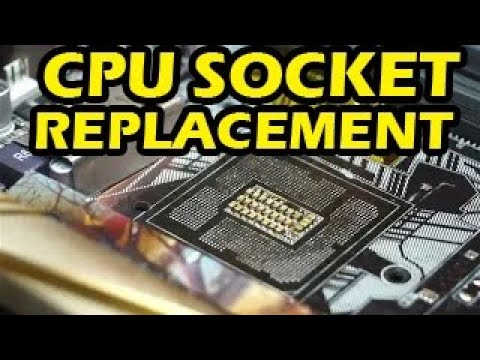
For repair, please contact me on discord https://discord.gg/DyKfG8scg
Or email me at tony@northwestrepair.com (ignore automatic reply)
Also my thingiverse page https://www.thingiverse.com/tonycstech/designs
Resources and much more are available on Discord.
#gami...
Is this more likely to be repaired by just bending the pins back?
 dull flint
Hard mode
scenic solar
Why?
Never had this problem on a socket so im not sure how hard it is to get them back right
dull flint
Bending back a pin itself isn't the hard part
It's bending it back while avoiding bending others
And there's no guarantee it doesn't snap either
It's soft gold foil after all
scenic solar
Ok, ill try my best (since i just bought it for 20€), do you recommend anything to bend them other instead of a toothpick?
scenic solar
Found another, z270e gaming wifi, bent pins. Worth 20 bucks?
scenic solar
@dull flint
dull flint
Depends on how many and where on the board they are
 cyan raft
scenic solar
I dont understand if this is just missing the plastic housing for the cpu or the...
cyan raft
scenic solar
I dont understand if this is just missing the plastic housing for the cpu or the...
The pins are part of the plastic that’s just soldered onto those pads
It’s a difficult fix for someone who has the equipment and experience to do it
Impossible for the average person
That being said, send me a link to it, imma buy it
scenic solar
dull flint
Depends on how many and where on the board they are
Id say about 20 pins, two different spots
I can try, I'll do my best and if i cant save it I'll just resell it as broken or keep it for future repair attempt
scenic solar
cyan raft
The pins are part of the plastic that’s just soldered onto those pads
I did notice that from nwr video, i barely have some basic soldering skills, i cannot do that by myself & with the current tools
scenic solar
cyan raft
That being said, ~~send me a link to it, imma buy it~~
You're probably getting a hundred dollar shipping if youre in the us but ill send you the link anyways
I did not save the item, ill have to find it again, just a sec
What. Is. This.
 scenic solar
cyan raft
That being said, ~~send me a link to it, imma buy it~~
scenic solar
cyan raft
That being said, ~~send me a link to it, imma buy it~~
It was an auction, i think it ended...
Yeah, got sold
Meanwhile i got €50 in broken motherboards +40 shipping 
cyan raft
Rip
scenic solar
Added another one, 71.50 for the items and exactly 50 euros for shipping
Yikes
sudden creek
Anyone know a good in depth video on how to use Process Lasso?
sudden creek
How come it seems I can't set CPU affinity for Modern Warfare?
 frosty pulsar
scenic solar
What. Is. This.
frosty pulsar
scenic solar
What. Is. This.
DIY mobo
tender sleet
https://ipon.hu/shop/termek/gskill-32gb-ripjaws-s5-ddr5-6000mhz-cl32-kit-f5-6000j3238f16gx2-rs5k/2101772
SKU is F5-6000J3238F16GX2-RS5K
DDR5-6000 CL32-38-38-96 1.35V XMP profile
It should be Hynix right?

iPon Computer
Nézd meg az iPon szédületes Memória kínálatát! 2 darab G.SKILL, összesen 32GB DDR5 6000Mhz memória CL32 késleltetéssel.
https://ipon.hu/shop/termek/gskill-32gb-flare-x5-ddr5-6000mhz-cl32-kit-f5-6000j3238f16gx2-fx5/2078139
This one is F5-6000J3238F16GX2-FX5
DDR5-6000 CL32-38-38-96 1.35V EXPO profile

iPon Computer
Nézd meg az iPon szédületes Memória kínálatát! 2 darab G.SKILL, összesen 32GB DDR5 6000Mhz memória CL32 késleltetéssel.
seems to be about the same save for the name and the profile name (though seems like EXPO is guaranteed to work with Ryzen 7000)
grizzled bloom
EXPO also means it has additional timings set to improve AMD performance
grizzled bloom
tender sleet
https://ipon.hu/shop/termek/gskill-32gb-ripjaws-s5-ddr5-6000mhz-cl32-kit-f5-6000...
Should be hynix yes, but there is a small chance of it being Samsung. Much more likely Hynix since it's not straight timings like 36-36-36.
grizzled bloom
They should be good for a long while too, since you can just overclock them when we start to get better memory controllers. They should be able to get to 6400 or better at 1.35v and easily 7200+ at 1.45v

 burnt spear
tender sleet
https://ipon.hu/shop/termek/gskill-32gb-ripjaws-s5-ddr5-6000mhz-cl32-kit-f5-6000...
burnt spear
tender sleet
https://ipon.hu/shop/termek/gskill-32gb-ripjaws-s5-ddr5-6000mhz-cl32-kit-f5-6000...
It has to be yeah
Oh falcie already answered mb
tender sleet
issokay Bacca
tender sleet
grizzled bloom
<:owofinger:964596243231801385>
Hol'up
Measurable performance gains with faster memory on Ryzen? What sorcery is this???
grizzled bloom
It's monolithic like the previous APUs so it can run memory much faster, plus the integrated GPU often benefits from having faster memory even if it's desync UCLK mode.
tender sleet
neat
also
Damn now I wanna get one of those Waterboxes that Singularity makes
it'd solve my temp issues...
two 240 rads would probably cool anything that isn't a 13900K/14900K
grizzled bloom
Custom loops like that could cool the top end chips like those
It's often the CPU block that's a major bottleneck there, so getting a good one helps a lot.
tender sleet
I mean 14900K+4090 might overpower the two 240s
grizzled bloom
During 4k gaming the GPU will be loaded and the CPU snoozing at 10-15% or so. 1440p the 4090 usually can't stretch it's legs and the CPU load goes up. 1080p the GPU probably isn't going above 150W at most.
tender sleet
so basically the two 240s should be enough for pretty much any gaming PC you can build today
grizzled bloom
Generally speaking yes
Unless you want to get into overclocking and the CPU suddenly is pulling 600W while the GPU is at 800W
tender sleet
nice
dull flint
How is it that hub didn't even bother to test it against zen 4
Wtf
Yes the igpu is good but that's not the only burning question
grizzled bloom
Do you mean CPU only performance? That wasn't the focus of this review, they had plenty else to talk about. I'm sure we'll see a follow up on CPU performance but we can assume it's a little below the 7700X due to the reduced cache.
What would be insane is if they released an 8700G3D. It's not possible because of the monolithic design but still, that would be epic.
grizzled bloom
Soon™️
dull flint
Reeeee
amber canopy
scenic solar
I dont understand if this is just missing the plastic housing for the cpu or the...
the whole socket is gone
looks like they screwed up the BGA too
grizzled bloom
Yep it's hard to tell from the blur but it could be ripped down to the copper
Probably a failed repair attempt swapping the socket
cursive epoch
dull flint
I wanted to see cpu perf
it's pretty much a 7940h tho
that's a comparison you can use i suppose
but laptop ram
dull flint
cursive epoch
it's pretty much a 7940h tho
A 16 core?
dull flint
Is 7940 a 8 core????
cursive epoch
yes
cursive epoch
7945hx is the 16c one
cursive epoch
not 40h
dull flint
BRUH
cursive epoch
it's essentially a 7840h lmao
 cursive epoch
no it's just segmentation
grizzled bloom
Intel is no better tbf, Core Ultra 5 130 (raptor lake) and Core Ultra 5 135 (meteor lake)
dull flint
That's absolutely stupid
 dull flint
You could have a 7940 and 7945 laptop side by side and one has DOUBLE THE CORES
dull flint
AMD really did the "hold my beer" on intel
dull flint
grizzled bloom
Intel is no better tbf, Core Ultra 5 130 (raptor lake) and Core Ultra 5 135 (met...
Idk if I want to know
grizzled bloom
cursive epoch
7940hs in the tufs are just stupid
35W 🤡
cursive epoch
hey 35w is fine, but it's NOT a ryzen 9 i agree
dull flint
The 8 core ryzen mobiles are great but that name is disgusting
grizzled bloom
35W "Ryzen 9" is just so cursed
dull flint
That should not exist
cursive epoch
besides my hs actually runs above 35w if it wants
then again mine is 7735
aka 6800u
cursive epoch
ye
cursive epoch
the 0 in 40 is disgusting
btw 7730u is zen 3
not 3+ like 7735hs
and is on vega igp
dull flint
Wtf
dull flint
The 5 is the most dangerous number
cursive epoch
the 5 is the number you need to have
ancient vault
So I feel like I'm going insane
My mobo (Aorus Elite AX B550M) seems to have a pre-installed IO shield that doesn't seem to be removable
But

The holes in my mobo need to be a tiny bit more to the left for the screws to be able to align with the standoffs
And I have no idea what to do lol
It doesn't have screws and doesn't seem to be removable
Any help would be appreciated, I'm stumped
cerulean wadi
It's not removeable. I partly put in a screw to maybe top right or bottom right mobo hole, then "lever" over rest of mobo and get a screw in opposite corner of previous one. hope that makes some sense.
grizzled bloom
ancient vault
The holes in my mobo need to be a tiny bit more to the left for the screws to be...
Partially screw in a few of the screws to hold things in place, then try to get one in that hole by shifting the board slightly. Again, partially tighten. Once you have all the screws in place you can tighten down.
ancient vault
They all just seem too misaligned to screw in at all, but I'll try
grizzled bloom
I've often thought that and done the above technique and been pleasantly surprised.
Just a little shimmy does the trick when it's that close
ancient vault
Ok you're so right, I got one half screwed in
Thank you this is my first time building in like 8 years so I'm so out of touch lol
grizzled bloom
That's what we're here for, happy to help
ancient vault
So I got the one screw in
But I'm really struggling to get any kf the other ones in
cerulean wadi
If you do my idea partly and 1 corner screw doesn't work (maybe top), then swap it to the bottom right corner and see if io shield and such can get in better that way. I've just done it this way because generally pushing in a single "corner" instead of a whole side seemed easier.
ancient vault
Hm ok I'll try that
ancient vault
cerulean wadi
If you do my idea partly and 1 corner screw doesn't work (maybe top), then swap ...
Ok this worked, yay 
Thank you
grizzled bloom
These are things not normally covered in build videos that you just learn by doing
ancient vault
Yeah I remember running into several problems with my first build that I wasn't ready for too lol
Ok so another question

Why does the top PCIE slot have metal on the outside?
I'm assuming that stays there?
I've just never seen that before lol so I wanna make sure before I slap my GPU in
cerulean wadi
metal reinforcement basically specifically for gpu weight.
ancient vault
Oop I literally forgot I asked until just now, but interesting!
 olive totem
can someone explain the differences between the x and non x varients? all I know about my 7600 is that it draws less power and im assuming less performance?
 burnt spear
X has much higher wattage at stock mainly
Very small performance difference
Non x also has stock cooler I think, I know 7600 and 7700 do
dull flint
Yep
You can enable eco mode on the X variant to make a similar tdp but you don't get the included cooler. They're otherwise virtually the same
shy knoll
Oh, when did this channel become three components?
grizzled bloom
 shy knoll
Am I blind?
 shy knoll
Alright, what do I need to know about cleaning off thermal paste? I did it once before, but I wasted about 40 q-tips
burnt spear
shy knoll
Alright, what do I need to know about cleaning off thermal paste? I did it once ...
I would recommend a cotton ball
Or cotton swab
shy knoll
Can I scrape off the bulk first and then go at it with cotton?
burnt spear
Wdym scrape
shy knoll
Oh, right. This tool that came with my thermal paste is for spreading, not scraping
long geyser
I mean yes you can shovel/scrape the bulk of it first, just beware that warranty terms generally note that scrapped IHSes will void warranty. So be careful when using metal tools.
burnt spear
Prolly yeah
dull flint
shy knoll
Alright, what do I need to know about cleaning off thermal paste? I did it once ...
Paper towel but make sure there's no paper left behind
Hell toilet paper works if you're desperate
shy knoll
What do I do about bios updates for gen 14 intel boards?
Would there be a problem like that with this board?
https://pcpartpicker.com/product/HP9wrH/asrock-z790-riptide-wifi-atx-lga1700-motherboard-z790-riptide-wifi
ASRock Z790 Riptide WiFi ATX LGA1700 Motherboard (Z790 Riptide WiFi)
burnt spear
shy knoll
Would there be a problem like that with this board?
https://pcpartpicker.com/pro...
It's a toss up
shy knoll
Oof. Well then, how can I make sure the bios is updated before I boot?
burnt spear
shy knoll
Oof. Well then, how can I make sure the bios is updated before I boot?
I mean if you try to turn it on without knowing it's not an issue
Just assemble the pc and see if it boots
If it does you're good
If not, you're not
sudden creek
Does anyone know of COD MW3/Warzone prefers cache or frequency?
burnt spear
sudden creek
Does anyone know of COD MW3/Warzone prefers cache or frequency?
Yes
Iirc it likes intel 13th/14th gen (cores) and amd gpus, but don't quote me on the first part
dull flint
sudden creek
Does anyone know of COD MW3/Warzone prefers cache or frequency?
Use process lasso to flip between one ccd and the other
You can test it yourself
sudden creek
doing that atm.
sudden creek
burnt spear
Yes
Does seem to be the case so far.
Does the particular thread on each core make a difference?
My experience while fps is similar, does seem smoother. Will test with the other CCD now just to confirm
dull flint
sudden creek
Does the particular thread on each core make a difference?
no, just traffic free
sudden creek
Like is one thread on a core faster than the other?
sudden creek
dull flint
no, just traffic free
Traffic free meaning the core's usage?
dull flint
mhm
dull flint
sudden creek
Like is one thread on a core faster than the other?
no
it can be with silicon lottery
but meaningfully on x3d, no
differences would be fractions of a percent unless the core was complete garbage
sudden creek
gotcha
olive totem
what is zen 5
I know its upcoming amd cpus
so is am5 zen 4 and am4 zen 3?
supposedly zen 5 is coming later this year

 cursive epoch
8800x3d 
grizzled bloom
olive totem
so what will the naming scheme be for zen 5
From what I've heard recently they could be skipping 8000 like they did with 4000, going straight to 9000. X3D chips have been rumored but 
cursive epoch
lol
grizzled bloom
That would also explain no gtx 800 series on nvidia
dull flint
or zenfone 8 iirc
I think? 4 is the same
they skipped rog phone 4 iirc
no I'm completely wrong wtf

LOL
grizzled bloom
🙃
 dull flint
grizzled bloom
From what I've heard recently they could be skipping 8000 like they did with 400...
dull flint
grizzled bloom
From what I've heard recently they could be skipping 8000 like they did with 400...
ryzen 8000 apu's????

grizzled bloom
Yeah it's probably just the same deal as 4000 series, where they launch APUs and some mid-gen refresh chips and then 9000 is the next full launch
olive totem
grizzled bloom
From what I've heard recently they could be skipping 8000 like they did with 400...
is that because of the 8700g or whatever came out recently that is basically worthless
grizzled bloom
I wouldn't call it worthless at all
It's the best iGPU on the market right now
So perfect for SFF builds without a dGPU to run a media server or emulation box for TV
grizzled bloom
12100+6600 is cheaper than 8700G I know but that takes more space and power
cursive epoch
and laptops still sold in 4000 series ryzens too
i would love 8600g with 780m tbh
but amd won't grant us that
grizzled bloom
Imagine APU with 3D vcache
cursive epoch
that would need an entire new socket
wider cpus
can't have all in one with current socket
it's either meh cpu (relatively) and good igpu
or good cpu, bad igpu
grizzled bloom
That's the point of the 3D cache though, it's stacked on top of the die
grizzled bloom
Is the GPU stacked on top of the die too?
The IHS is thick, shave that sucker down lol
dull flint
rdna 3 has space left for x3d stacking
iirc that was an entire plan that never happened
maybe left for rdna 4 to do?
long geyser
grizzled bloom
That's the point of the 3D cache though, it's stacked on top of the die
With current arch I dont think iGPUs would even have access to vcache tho. I think I remember hearing smth like that before.
grizzled bloom
The point here would be to compensate for halving the L3 to make room for the iGPU
You'd end up with an "almost no compromises" CPU with that layout. Just the slightly reduced clocks and CPU core overclocking lockout.
dull flint
doesn't current x3d have an igpu?
I'd check myself but cbf
yes it does
720m or 710m
so they could probably do a 12cu variant just that i/o die would be massive af
grizzled bloom
The problem is the APUs are monolithic
long geyser
dull flint
so they could probably do a 12cu variant just that i/o die would be massive af
Or do what rumors "promised" when we first heard about 7000 series (I think) coming with iGPUs, which is iGPU CCD.
grizzled bloom
Next gen is supposed to have more scalable chips with more things that can connect to the IO die so maybe next set of procedures
sudden creek
Please help.... I've done a fresh install of Windows 11 and I've been running XMP yet I am still experiencing occasional random crashes.
Symptons are:
- Frozen screen
- audio still plays
- Usually have control over the audio during the freeze
Could the CPU's voltage be dropping to low?
grizzled bloom
If that was the case you'd get blue screens, not freezes
Do you have vSoC control on X3D? I think it was just the core voltage that was locked right?
grizzled bloom
Ok, set that to 1.25v and see if that helps. Sometimes you also need to bump the memory voltage a step or two.
sudden creek
Alright. I had actually just set it to 1.25v before sending a msg so we'll see on that and should I bump my dram voltage from 1.35 to 1.42?
grizzled bloom
1.37v dram at most for xmp
sudden creek
gotcha. glad I asked.
Mind if I ask what the VDDIO voltage is?
also brb gonna apply the dram voltage change
grizzled bloom
Should be related to the IO die
sudden creek
How voltage sensitive is that?
Because my board by default sets CPU VDDIO voltage = to DRAM voltage.
grizzled bloom
It's usually fine at default
sudden creek
Wondering cause when I did the OC at 1.6v that also upped VDDIO to 1.6v
Would that have anything to do with the sudden crashes?
limber dragon
what is your xmp speed though
sudden creek
limber dragon
what is your xmp speed though
6000c32
My pc just crashed again....
upped vSOC voltage to 1.28 and Dram to 1.4v hopefully that helps?
grizzled bloom
Just be aware that a vsoc of 1.4v+ is attributed as being the cause of CPUs violently exploding
sudden creek
My board doesn't let me set soc past 1.3v
grizzled bloom
Good lol
sudden creek
Any idea as to what else might be causing the crashes?
dull flint
#JustAGESAthings
 marble bough
I 'm looking to upgrade by setup from a build I did 10 years ago. The thing is I use 5 of my existing 7 PCI-E slots in my MSI Z97 Gaming 7 board at present. I am looking at https://www.newegg.com/p/N82E16813162027?Item=N82E16813162027 . It has 5 PCI-E slots, which suit my needs since the GPU slot doesn't cover an empty one. I just purchased the Core i9-12900 from Newegg that will fit this board. My question is about ram. Some say their memory won't work well with this. I want to load it up to 128GB. I create content, so I'm not a gamer. Newegg used to be able to assist in recommendations, but I guess they let their PC experts go. Does anyone have experience with this motherboard that could offer suggestions ?
dull flint
@marble bough ddr5 hates high density 4 stick configs
There's only like
2 boards I'd say would have somewhat of a chance
Z790 formula and z690/790 classified
marble bough
dull flint
<@1202754303291424809> ddr5 hates high density 4 stick configs
I have searched for Z790 boards, but most have 2 or 3 PCIE slots max. I appreciate the advice. I will stay with DDR4, but I have to get current. My system is fast for about 4 years ago, but I do a lot of video editing.
dull flint
Oh it's ddr4
Sorry I just saw the link
Mb
When I hear 128gb not working on a new cpu, I assume ddr5
128 should work
But question is what is the xmp of the ram
And what have you tried so far
marble bough
dull flint
Mb
I still have the MB in my shopping cart, but want to make sure that I choose wisely
marble bough
dull flint
And what have you tried so far
for the memory. I just saw a couple of reviews of severa l different MBs having issues past 2 sticks
sudden creek
dull flint
#JustAGESAthings
.... please tell me you're not serious?
limber dragon
dual rank ddr5 do be like that sometimes
marble bough
sudden creek
.... please tell me you're not serious?
Trying to get help on Newegg isn't like it used to be. I used to build PCs for more than 26 years, but now things are sticky. Many configs don/t work with all ram
dull flint
sudden creek
.... please tell me you're not serious?
Reddit
Explore this post and more from the Amd community
Try this
dull flint
marble bough
for the memory. I just saw a couple of reviews of severa l different MBs having...
Oh then I wouldn't stress a lot
Send me what you had in mind for the build
I'll take a look and verify it (to the best I can)
marble bough
dull flint
Oh then I wouldn't stress a lot
I already have a Corsair HX1500i power supply (still in the box). I am looking into a RTX 4080 Super. I currently have a GTX 1080TI sc, running on my i7-4970K with 32GB Corsair Vengeance and an HX1200 PSU. I was looking at that MB because I have capture cards, extra SATA controllers. PC right now has 23 SSDs (I'm an organization nut).
dull flint
Do you have a list
marble bough
Not at the moment. Just needing ideas for a stable build to replace my current one.
dull flint
Ok
Choose Your Parts
Send me a list in there what you have rn plugged in
Then send me
Budget
What the pc is being used for
What you have plugged in to the pc
marble bough
Mainly Video Editing and compositing
marble bough
I have 27 usB ports, all filled. Budget is just under 2K. Most of the system will stay as it is (case, drives, Noctua cooler, fans, etc.)
but the budget is just for the GPU (4080 Super, Ram, and MB)
I have a few Atem switchers, a few NAS builds, 14 monitors across 4 computers, video production equipment all over the place.
 sudden creek
dull flint
https://www.reddit.com/r/Amd/comments/xz0juq/one_potential_not_ftpm_stutter_fix_...
sudden creek
dull flint
https://www.reddit.com/r/Amd/comments/xz0juq/one_potential_not_ftpm_stutter_fix_...
will try that
dull flint
No modern board to my knowledge has anywhere near 27 ports
Is this what all those pcie slots are needed for??
And what noctua cooler are we talking about
burnt spear
dull flint
No modern board to my knowledge has anywhere near 27 ports
I'd just include some usb hubs in the list lol
Also wait
dull flint
burnt spear
I'd just include some usb hubs in the list lol
That's what will happen with a 2k budget yes
burnt spear
23 ssds
dull flint
LOL
marble bough
No. They are for the SATA controllers. I don't care for m2, just for maintenance purposes. I already have the USB hubs to replace the lost USB controllers.
burnt spear
Are any of said USBs external ssds?
dull flint
How many tb is in these ssds
marble bough
I used to own a magazine and do celebrity interviews. 7 of them are just pictures of me with celebrities, video performances, . Almost all of them are 4TB internals.
Noctua D15
burnt spear
Would you want some 14tb hdds in the list? I saw some for $115 the other day
Ye here we go
https://serverpartdeals.com/products/toshiba-mg-series-mg07aca14te-14tb-7-2k-rpm-sata-6gb-s-512e-3-5-refurbished-hdd

ServerPartDeals.com
Find Toshiba MG Series 14TB SATA 3.5" HDD MG07ACA14TE at lowest price with free fast shipping. Enjoy bulk quantity discounts and excellent customer service. Shop now!
marble bough
I have quite a few HDDs in the Nas systems for backup.
that's not a bad deal though.
marble bough
yes
marble bough
It was $320