#cpus-mobo-and-memory
1 messages · Page 38 of 1
 scenic solar
 grizzled bloom
Open the program, click load profile
Select the profile from the file picker
The program closes, open it again
From then on it'll default to the profile you pick
And it starts automatically, takes a few hours to run
scenic solar
uhmmm
 grizzled bloom
I thought you were talking about tm5 still lol
scenic solar
oh lol
grizzled bloom
memory 92 and start
 vast meadow
Fab 🙃
grizzled bloom
That'll crash windows
scenic solar
ok, 92 and just run
grizzled bloom
The default is a 30 minute test, which is fine for finding if it's immediately unstable
scenic solar
the app crashed, i'll change the timings later ig
grizzled bloom
Set the memory usage down a bit, maybe 90
scenic solar
K
grizzled bloom
If/when you want to move to more tuning, you can follow along this. You have "S8C" and probably want to just use the "safe" timings. https://github.com/integralfx/MemTestHelper/blob/oc-guide/DDR4 OC Guide.md#tightening-timings

GitHub
C# WPF to automate HCI MemTest. Contribute to integralfx/MemTestHelper development by creating an account on GitHub.
scenic solar
grizzled bloom
Set the memory usage down a bit, maybe 90
currently testing. how much do i let it run for?
also (if you have time) could you answer the latest question i posted in #windows-ios about the ftp server? should be a few messages up
grizzled bloom
An hour should be good but I'm busy right now, I'll look in a bit
scenic solar
ok, thanks anyways. for the overclock too, running for about 10 mins no errors atm
scenic solar
What about trying 3800mhz, is it worth it with c-die? Or would it likely be an unstable clock even with high latency & voltages?
Probably just better using the "safe" timings as you told me
vast meadow
scenic solar
What about trying 3800mhz, is it worth it with c-die? Or would it likely be an u...
not gonna post on c die
or at least unstable
scenic solar
okk, is occt stability test like a loop or is it more like prime95 that does a lot of different cycles? because i ran it 30mins, is it ok to run it again 30mins, or does it have to be continuous 1hr?
vast meadow
scenic solar
okk, is occt stability test like a loop or is it more like prime95 that does a l...
occt is limited to 1hr for the free version anyway
continous
because heat up etc
scenic solar
ok so i just run a continuous hour now
vast meadow
yeah
scenic solar
hope no errors come out
vast meadow
id reccomend running something like furmark on the gpu to add extra heat to your ram to push the heat to worse case scenario
scenic solar
46C on both dimms right now, ill try to add some load on the gpu
scenic solar
mmmh yeah?
vast meadow
vast meadow
your dimms have temp sensors?
not super common
scenic solar
vast meadow
also thats pretty hot for ram
oh really
vast meadow
nice to have
vast meadow
scenic solar
oh really
it depends on the die but yeah, wouldnt be too suprised if it errors
scenic solar
oh lord my gpu curve is going crazy
super loud
dimms going past 50C
56C now
no errors
if i get no errors do i jump to memtest5?
scenic solar
scenic solar
56C now
they dont go past this
vast meadow
scenic solar
if i get no errors do i jump to memtest5?
ye
scenic solar
btw dram voltage sensor (in hwinfo) reports 1.336v while stress testing the ram
vast meadow
Probably voltage loss
scenic solar
if memtest5 is more aggressive on the ram stability test can't i use just that? or is it still recommended to run both? also falcie said to run it for some hours, i'll do it tomorrow since i have to check on it when it's running
scenic solar
vast meadow
Probably voltage loss
i mean shouldnt that be a normal voltage?
vast meadow
scenic solar
if memtest5 is more aggressive on the ram stability test can't i use just that? ...
I have tm5 first personally in my experience it's better at picking out errors
Yeah depending on speed and ram amount, it'll take a few hours
scenic solar
I'll just do it tomorrow when i've got some time
occt done, no errors
ill tweak my gpu curve
btw the dimms never went past 57C, also that's a very unrealistic temperature load, they'll never run that hot unless i'm pushing them with 2v
 vast meadow
scenic solar
you mean load config?
vast meadow
scenic solar
you mean load config?
Ye
vast meadow
scenic solar
then what? what config do i have to load?
Extreme anta77
vast meadow
scenic solar
where are the configs located?
Should auto bring you to the folder you launched it from
scenic solar
oh okk, found it. i made a desktop shortcut thats why it did not open the folder where the program is
no errors yet, very promising. but i'll find out tomorrow if it's 100% stable.
good night
scenic solar
Back and testing the ram oc, testmem5 running for over one hour no errors. How much should I still run it for?
If it is going to be stable do I change only the first secondary timings to the safe ones I find on the GitHub guide (tRRDS, tRRDL & tFAW)?
Or do I change the other ones too?
scenic solar
grizzled bloom
If/when you want to move to more tuning, you can follow along this. You have "S8...
this one
etc


do these ^ help with performace a bit? or would it be pointless to change them?
 dull flint
Make sure it's displaying anta777 in the testmem5 app
scenic solar
it is
dull flint
(It will say it and show like, 12+ tests in a cycle)
scenic solar
15 tests, it currently ran 3 cycles
dull flint
Yep that's better
Just making sure cos TM5 is super annoying to get the config running
And the basic test is blegh
scenic solar
okkkkk
what about the secondary timings?
the ones in the photos
is it worth changing them? or would it only require more stability testing and likely be unstable?
dull flint
Secondaries and tertiaries are where you get most of the speed
scenic solar
ok so all of the ones in the picture (secondaries) are worth testing...? with "speed" what do you mean? like a 1% increase in total bandwidth? more? less? any noticeable difference in game (lets say like stutters or 1% lows)?
dull flint
Ram is such a fickle thing I'm sorry I don't really have the patience to go through the specifics of it
You're using integrals guide and you're testing safe numbers
You should be able to just set most of all of them to the safe numbers then stability test
People like to be thorough of one by one changes but it takes a lifetime, I do multiples of them at once
scenic solar
oh i tought it was like a continuous test

perfect, so this one is stable as expected
now ill try all the safe timings
scenic solar
set all the safe timings listed on the guide, posted, already running testmem anta777 with no errors
Screen went black and pc restarted, maybe it's not stable
Or maybe I'm just unlucky and there was a power outage for a second
Which happens more than you'd expect
pheraps just because i opened furmark while the test was running
Nope... The oc is unstable
Opened it without anything running and crashed anyways
Now it sent me back into bios
@dull flint do you know what values I should be changing to make the oc stable?
I also don't think that adjusting voltage is the best option here since it's already running 1.35-.4v
dull flint
Dial back what you changed then change less
Hone in on it, there's no secret trick unless you yourself know the die from experience
scenic solar
Can I like try setting only half of the values and the other ones set to default?
So I can maybe exclude which one/ones are the cause of the crashes (I mean setting only like tRRDS, tRRDL, tFAW, tWR and tRTP to the "safe" values and the other tertiary/secondary timings to default)
grizzled bloom
scenic solar
<@101107951401455616> do you know what values I should be changing to make the o...
This is why the guide says to do a few timings at a time, so you know which one made it unstable.
Start with a few voltage changes.
Vsoc 1.1v
Dram 1.36v (it'll droop under load as you've seen)
VDDP 1v
VDDG 0.95v
dull flint
I mean yeah, you can do chunks, or do a lot, either way proper logging really helps
I take the lazy way out and snap pictures of my bios between changes
grizzled bloom
I save profiles to a USB every few changes
grizzled bloom
The mushroom sheet of 13th gen pain
dull flint
You should see ggoods sheets
scenic solar
dull flint
Some people keep excel sheets
Sounds like something I'd do
scenic solar
grizzled bloom
This is why the guide says to do a few timings at a time, so you know which one ...
Do I keep these voltages as permanent through the overclocking to see if they make the current profile stable?
scenic solar
scenic solar
etc
Current profile is the one that has all these values changed
grizzled bloom
Those are generally good voltages for ryzen 3000/5000 memory overclocking
scenic solar
Ok, but could they make the profile (that currently crashes) stable?
grizzled bloom
Some CPUs might need a hair more or less voltage depending on binning.
Yes they could stabilize your oc.
scenic solar
Ok, I'll keep the values that currently crash under load and see if voltage changes help
scenic solar
grizzled bloom
This is why the guide says to do a few timings at a time, so you know which one ...
Can't find "vsoc", only have "CPU NB/SoC Voltage". Is that the one?
grizzled bloom
Yes
scenic solar
K
Currently on auto, do I set override mode right?
Same for the other ones I guess

The voltages are all default atm, (or they're the default ones for mem try it)
grizzled bloom
Yes it's override mode you want
When you go to undervolt the CPU you can use offset mode for the core voltage
scenic solar
grizzled bloom
When you go to undervolt the CPU you can use offset mode for the core voltage
I'm not going to do that right now since it's something that takes a lot of time, also vddg voltage control opens up some other stuff, what do I change?
 grizzled bloom
Both VDDG ones to 0.95v
scenic solar
currently looks like this if you need any other info
 grizzled bloom
Looks good so far, if it's still crashing windows then you'll want to loosen some timings, if it's just crashing the test or erroring then we can adjust resistances
scenic solar
I also noticed furmark makes my speakers go like bzzzz but i dont know if this is releated to the overclock
i dont think it was there before
grizzled bloom
That's power related, usually noise on the ground
When you use a lot of power (like furmark) it can make a lot of ground noise
scenic solar
no msaa on furmark makes the sound, 8x msaa doesn't
scenic solar
grizzled bloom
When you use a lot of power (like furmark) it can make a lot of ground noise
i never noticed that noise before the overclock
or at least not before the last overclock (the unstable one)
@grizzled bloom now it's running without crashing. are those voltages safe even if i was using the stock xmp profile with 3200c16-18-18-36 or something?
 scenic solar
idk the speaker noise its kinda sus, i dont remember hearing it before. but i guess it wont be a problem if it doeant occurr during games/videos
scenic solar
grizzled bloom
It's basically the same as I'm running now too
do you also have c-die?
grizzled bloom
B die but those voltage apply to the memory controller, not the memory
scenic solar
so those should basically all be the same for certain ryzen cpus?
grizzled bloom
Yes it's a safe point for all 3000/5000 models
It's pretty rare that someone has a bad enough memory controller that they need, say, 1.1v VDDP
scenic solar
ok, thanks for all the info... if this current ram oc is going to be stable should i even try to go lower with some timings or will it likely be unstable?
dont want to deal with very long testing process
grizzled bloom
You probably won't get too much lower with c die, and it won't make a huge difference anyway
 sudden creek
Though it never hurts to try.
scenic solar
so basically the safe values i'm using are already the sweetspot for my cdie
grizzled bloom
Yep
scenic solar
sudden creek
Though it never hurts to try.
nah, it hurts
grizzled bloom
 sudden creek
Lmao I must've gotten a BSOD at least 200 times during my oc process.
scenic solar
@grizzled bloom out of the voltages you made me set which one is likely to have stabilized the overclock?
grizzled bloom
I'd say most likely is both the VDDG and VDDP
 grizzled bloom
Nice, glad it was that easy
grizzled bloom
scenic solar
can c-die do like 3600c17?
Usually no and especially not on AMD because AMD hates odd CAS
grizzled bloom
scenic solar
or maybe 3800?
Not a chance
scenic solar
oh okk, then it'll stay like this forever hehe
i've seen some people achieve 3800mts but not sure if it was on c-die
good good
thanks pal
grizzled bloom
Happy to help
scenic solar
i'll run occt just to be 100% sure it's perfectly stable
scenic solar
I can confirm it is stable
I can make the excel sheet now 😈
 fleet obsidian
What would be a good mobo for a 7800x3d, something on the cheaper side.
dull flint
A620m pro rs wifi
fleet obsidian
Thought on this? When upgrading to an AM5 mobo is there anything in particular I wanna look for in the mobo?
Nvm that’s AM4
 potent dew
There are some unused thermal pads under the large M.2 shield on my B650 Aorus Elite AX, should I just leave them be?
Haven't taken the cover off of the pads
grizzled bloom
Yeah just leave them
 naive pendant
On a scale of above average to below average for in game temperature on a 13600K, how well does 36-40 degrees rate?
 burnt spear
Above average
dull flint
fleet obsidian
Thought on this? When upgrading to an AM5 mobo is there anything in particular I...
95% of AM5 boards are basically all competent in running even the strongest cpus, just a question of whether you are comfortable with the number of usb's on the back imo
You got the cheapest of the cheap a620's with nothing on them whatsoever (different to the pro rs I recommended)
And the asus primes
Those are complete avoids
Everything else is extremely competent
Things like pcie 5 or gen 5 nvme's have no relevance whatsoever in the current gen
So really you don't need to spend up at all unless you have a really, really specific need
dull flint
fleet obsidian
What’s so bad about the ASUS boards lol
Prime bar their x670's have terrible heatsink designs
Pch temps are through the roof and cause serious throttling
It's basically so bad that it sits bottom of my list pretty much. Only the 65/88W cpus seem to be ok with it and that is a significant achievement considering just how low of a bar they hit relative to every other AM5 motherboard
There are also prime revisions as well which may or may not be just as problematic
fleet obsidian
Oh damn
Hopefully they’ll have some deals on in Black Friday
Still haven’t got my gpu lol can’t decide what to get
dull flint
With a 7800x3d? Make it a good one lmao
People will be askin why you didn't throw more money at the gpu if you don't 💀💀
 tender sleet
dull flint
It's basically so bad that it sits bottom of my list pretty much. Only the 65/88...
tender sleet
dull flint
It's basically so bad that it sits bottom of my list pretty much. Only the 65/88...
remember the Prime B650 Benchmark Edition™️ is actually alright
(I will never stop using that phrase because it's such a meme)
dull flint
Ye it's a prime revision
scenic solar
@dull flint i think i'm starting to become ggood
 tender sleet
 cursive epoch
and that one is rare af
cursive epoch
and that one is rare af
Wait really? I thought it replaced the first edition
 amber canopy
scenic solar
<@101107951401455616> i think i'm starting to become ggood
amber canopy
scenic solar
<@101107951401455616> i think i'm starting to become ggood
WHAT ARE YOU DOING
DONJT GO DOW NTHAT PATH
tender sleet
Intel 13th gen loves frequency with DDR5 right?
burnt spear
Yes, to a certain extent
grizzled bloom
It becomes randomly unstable around 7000-7400 depending on your memory controller. It's the most random instability too, you can run a stress test for 24 hours and be fine but a 72 hour test you get 5 errors at the 52 hour mark, but no others.
That can translate to it randomly restarting the computer, with or without blue screens, when idle or under load
@tender sleet
potent dew
I set my 7700X to eco mode in Ryzen Master, but it's hitting 80C in Battlefront II
Cooler is this. Is that enough or something?
https://pcpartpicker.com/product/Zr8bt6/id-cooling-se-214-xt-682-cfm-cpu-cooler-se-214-xt-argb

ID-COOLING SE-214-XT 68.2 CFM CPU Cooler (SE-214-XT ARGB)
Seems like it's drawing a lot of power for idling, though
grizzled bloom
Either you have background tasks running or it's a bad mount
potent dew
Installing a game on Steam, I don't think that would cause that
potent dew
 grizzled bloom
Remember it's not just downloading, it's extracting and installing also at the same time
potent dew
~600 mbps
potent dew
grizzled bloom
Remember it's not just downloading, it's extracting and installing also at the s...
I don't think it should be running at 70C because it's installing a game
grizzled bloom
I've seen steam use 100% of my 5800X
And that was downloading about the same speed as you
potent dew
Never saw that happen with my 2700X
grizzled bloom
Some games are harder to do than others
grizzled bloom
What rpm is the fan at
potent dew
1250 now
grizzled bloom
And that's a 1500 rpm fan so it's working hard
potent dew
temp is still a little over 50C
grizzled bloom
I should also note that with ryzen 7000, having it below 90C is in itself a win.
Even running at 90C you probably wouldn't lose any performance unless the cooler is woefully inadequate, that's the way it's designed.
potent dew
I'll see what happens when it's done installing
Is there some easy way to tell if it's not mounted right other than high temps?
grizzled bloom
Ryzen 7000 runs hot because of the thick IHS.
Can't tell without taking off the cooler
You'd see one side has more paste than the other
But again, 80C is perfectly acceptable. Even 90C would be.
potent dew
Even in eco?
grizzled bloom
Yeah, that doesn't change the thick IHS problem
potent dew
Alright done installing
Fan is at a little over 1000 RPMs
45C
Okay apparently 44-46C is normal for idle
grizzled bloom
Idle in the 40s is normal
potent dew
I guess the 2700X just ran a lot cooler
grizzled bloom
Yeah the IHS wasn't as thick
 grizzled bloom
DRP4 is way overkill for that CPU. The cooling bottleneck would not be the cooler, it runs like that on any air cooler.
tender sleet
grizzled bloom
It becomes randomly unstable around 7000-7400 depending on your memory controlle...
Wow ain't that a bummer...
grizzled bloom
It's funny how AMD is now more stable running at 8000 than intel is
tender sleet
potent dew
Oh boy my 7600X idles at 75 degrees without eco mode
In that same cooler
tender sleet
grizzled bloom
It's funny how AMD is now more stable running at 8000 than intel is
AMD definitely making advancements to accepth higher speed memory
But is there any point to doing so?
Like you'd probably not gain anything from it
Cuz infinity fabric
grizzled bloom
It's the same as 5000 really. You could run DDR4 at 5400, but you'll get mostly the same scores as 3800 with synced fclk.
Infinity fabric is totally separate on 7000 btw, now it's uclk that syncs
grizzled bloom
Yep same deal different name
tender sleet
Anyhow
7200 on Intel possible at least?
grizzled bloom
Probably
tender sleet
Sounds good
grizzled bloom
If you want more info here's an hour long rant https://youtu.be/5R8en_FtA80?si=7dVcQ7sdpDUNBdXE

My Patreon: https://www.patreon.com/buildzoid
Teespring: https://teespring.com/stores/actually-hardcore-overclocking
Bandcamp: https://machineforscreams.bandcamp.com/music
Twitch: https://www.twitch.tv/buildzoid
Twitter: https://twitter.com/Buildzoid1
Facebook: https://www.facebook.com/actuallyhardcoreoverclocking
#overclocking #ddr5 #intel
tender sleet
TBF if you spend 13900KS+4090 money
You probably want to get every shred of performance
tender sleet
It's fairly normal
cursive epoch
not really
most buyers of high end gaming parts doesn't even know what xmp is
or nor do they care about ocing
tender sleet
potent dew
tf
Just having HWInfo open to check temps
With no extra background tasks
Imhovering between 58 and 73 degrees
tender sleet
cursive epoch
most buyers of high end gaming parts doesn't even know what xmp is
Wow that's
Depressing
cursive epoch
ya lol
it's like a few percent that knows and wants to tune them to maximum perf
and they take a long time to achieve that tbf, such is the truth of ram tuning
dull flint
potent dew
not the best mount I don't think
but then again, even in games those cpus get a little toasty so who knows
potent dew
I was running Battlefront II and installing Starfield
 zealous pond
I need suggestions in terms of new RAM. Specifically DDR5 RAM
zealous pond
AMD Ryzen 5 7600 3.8 GHz 6-Core Processor
Gigabyte B650 GAMING X AX ATX AM5 Motherboard
Budget...Idk
zealous pond
I'll consider it
dull flint
Cheapest decent kit for plug and play for a while now
Next decent iirc is ripjaws s5 5600 cl30's for something like $94
zealous pond
I see
burnt spear
This is also good https://pcpartpicker.com/product/x4VmP6/gskill-ripjaws-s5-32-gb-2-x-16-gb-ddr5-6000-cl30-memory-f5-6000j3040f16gx2-rs5k

G.Skill Ripjaws S5 32 GB (2 x 16 GB) DDR5-6000 CL30 Memory (F5-6000J3040F16GX2-RS5K)
zealous pond
I'll go with the T-Force RAM
 light pollen
not sure if this is the right channel but I would very much appreciate some input on a new motherboard! mine took a dump so I need another AM4 ATX mobo with preferably the B550 chipset
or if anyone could recommend a brand (not gigabyte) thats decently reliable that would be awesome too
burnt spear
light pollen
not sure if this is the right channel but I would very much appreciate some inpu...
Do you need the extra pcie lanes from x570s?
What cpu do you have, how many m.2s do you have, and what do you use the pc for?
Also what country and how much do you want to spend
Second also, as a side note, brand isn't really what matters
light pollen
burnt spear
Do you need the extra pcie lanes from x570s?
Sorry I meant B550 lol
burnt spear
Model matters much more
light pollen
fair
light pollen
burnt spear
What cpu do you have, how many m.2s do you have, and what do you use the pc for?
I have a ryzen 9 3900xt, one 1tb m.2, and mainly gaming but some other modding stuff as well
and im in the US
burnt spear
Budget?
light pollen
no clue
burnt spear
There's mobos as cheap as $85 that will do the job fine
light pollen
just prospecting rn
burnt spear
Oh sorry last question, do you need wifi?
light pollen
nope, i use ethernet
light pollen
im prolly willing to drop somewhere around $200
im also probably gonna wait until a sale
also also thanks!
burnt spear
This is up there with some of the best am4 mobos, very much overkill for your cpu though https://pcpartpicker.com/product/ZPDkcf/asrock-b550-pg-velocita-atx-am4-motherboard-b550-pg-velocita
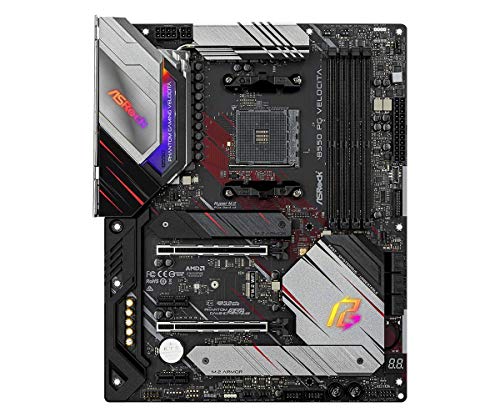
ASRock B550 PG Velocita ATX AM4 Motherboard (B550 PG Velocita)
I know you said no gigabyte, but this would be a good cheaper option https://pcpartpicker.com/product/Kb6qqs/gigabyte-b550m-aorus-elite-micro-atx-am4-motherboard-b550m-aorus-elite

Gigabyte B550M AORUS ELITE Micro ATX AM4 Motherboard (B550M AORUS ELITE)
burnt spear
lol
light pollen
also idk ive had 2 gigabyte boards and theyve both died
maybe im just cursed or im doing something horrible to them
burnt spear
Nah over $150 is silly on a mobo other than z790s and x670s, even then it's very niche use cases where it's justifiable
light pollen
yeah id assume thats for rendering whole movies
burnt spear
Mobo doesn't really affect cpu performance beyond a certain point, as long as the VRMs are good enough mobo doesn't matter
Put a 13900k on a $200 z790 vs a $600 one and you'll see a tiny difference, if any, unless you're overclocking
burnt spear
Happy to!
light pollen
this is a shot in the dark but you wouldnt know how to fix a whea uncontrollable error would you?
burnt spear
That sounds like more likely a ram issue than mobo
Though could be mobos memory lanes or something along those lines
Does the pc turn on at all?
light pollen
oh trust me i got it narrowed down
i spent all day yesterday with a microsoft tech support guy and he actually helped me quite a bit cuz i was actually competent lol
burnt spear
Ah alright then probably not, unless you haven't tried a bios update
light pollen
thats def up to date
dude had me download windows debugger and open a crash dump to find something
burnt spear
Then just a list of things to check first in case anything was missed, if that's ok;
Single ram stick
Disabling xmp
Mem stress test
light pollen
oh yeah fs
a stress test is a good idea but i was having a bunch of memory problems so i cleaned everything and tested each stick
i had a bad one
burnt spear
If it is the mobo though (sounds like it is) it doesn't seem fixable, aside from an RMA
burnt spear
Though I guess could also be cpu?
If it just randomly started though I'd say most likely mobo
light pollen
the microsoft guy didnt mention that, we got the exact error that's happening and its an NDIS error
burnt spear
Has the pc been working for a while before this?
light pollen
which if i remember correctly means network driver interface specified
burnt spear
Or was it recently built and has had them
light pollen
oh i built this thing like 5 years ago
and i stg it has never not had something going on with it
burnt spear
Yeah then I doubt it's the cpu unless you've taken it out recently and could've bent some pins
light pollen
I did to wipe the thermal paste off but im pretty damn gentle with it
and even if i did bend a pin i can bend them back
burnt spear
I'd check the pins then, just to be safe, but thats the last idea I have
light pollen
if they arent snapped at the base
I really dont think it is but if it comes down to it ill check, I always make sure i see straight rows of pins before i seat it in
I have an A/IO and its really annoying to take on and off lol
burnt spear
I feel that one lol, same here
Someone else might come by and have another idea, I definitely don't know everything so I could be missing something
light pollen
ye nobody knows everything, either way I appreciate it!
grizzled bloom
light pollen
this is a shot in the dark but you wouldnt know how to fix a whea uncontrollable...
If you're getting blue screens you can run whocrashed and it'll tell you more about what happened when it crashed. It can help name drivers and such that are involved in the crashes. Base system files being named usually means bad hardware or a bad install.
light pollen
grizzled bloom
If you're getting blue screens you can run whocrashed and it'll tell you more ab...
the tech support guy i was talking to had me go through windows debugger and pick apart the crash log, we got it narrowed down, thanks tho!
naive pendant
What's the major difference between Intel i9 series and Intel Xeon series I already googled but that didn't help
naive pendant
Thank you
naive pendant
O.C. enthusiasts need unlocked CPU
cursive epoch
you could easily get the same experience with just an i5
yeah, and there's unlocked i5's aswell
cursive epoch
though the i9 obviously overclocks the best on average
for a bit there were even unlocked i3's
 naive pendant
By the way do you really need a 6400 clock speed memory
cursive epoch
ddr5?
not really, no
just 6000 is decent enough without spending so much cash
as long as cas latency isn't crazy high
naive pendant
Well somehow the PC builder tool on Newegg is recommending that on enthusiast build
cursive epoch
that's just a lot of crap
don't listen to what vendors or stores say, they just want to sell you products
burnt spear
naive pendant
Well somehow the PC builder tool on Newegg is recommending that on enthusiast bu...
What's your budget and use case
For the whole build
Also if you're gaming, 7000 series x3d line slaps around the 13900k
naive pendant
My use case is streaming Steam gaming and real time intensive processing such as 3D graphics
I can roughly earn $4000-5000 pre tax before taxes per month from paid undergraduate coop job so I can pay the entire build in 3 months
burnt spear
Are you buying right now or in three months?
naive pendant
My coop work term starts next year January at earliest
burnt spear
Then I'd wait a bit before making a list, prices change daily let alone in a couple months
But if you come back when you're ready I'd be happy to help you put something together, or one of the other people here could do the same
naive pendant
My peeble low rank doesn't allow me to post images or links unfortunately :(
grizzled bloom
By the time january rolls around we'll have "next gen" Intel CPUs shaking up the market. Possibly AMD ones as well.
tender sleet
Oh yeah 14th gen is coming soon
I wonder if the 14900K will reach over 6Ghz boosts
And whether it'll suck up 450 watts out of the box 😄
grizzled bloom
Power efficiency is supposed to be better. It'll also help if motherboard vendors would stop setting unlimited power out of the box.
burnt spear
Yeah like how my z690 a pro was feeding my 13600k 315w out of the box
sudden creek
Damn that's a lot of wattage.
 compact zenith
Aorus z690 and a lot of other of their mother boards have this annoying problem, where if the PC is booted with monitor off, it gives the five beep CPU failier, and drops you right into BIOS. If you shut the emblem off, it will boot into OS which is great for when your not around, and windows forces an update. But being woken up 2am with the beeping during updates is maddening. Anyone know a fix for this?
Searching Google only shows massive complaints and not to worry, just leave monitor on when booting. Doesnt help when updates happen and monitor has gone to sleep.
vast meadow
Just turn off your pc?
sudden creek
DEAR G0D after effects uses so much ram.
Started doing videos again and it's sucking up around 20gigs or more.
compact zenith
Lol, no. It runs several servers. I at least have it where it boots back up without going into BIOS when the beeping happens, by disabling the Gigabyte emblem. I'd pull the speaker, but that would be bad since Im not always looking at the motherboards error led, and wouldn't want to risk not seeing a real problem should it occur, like a mouse getting into my wife's CPU fan long ago 😂
compact zenith
sudden creek
DEAR G0D after effects uses so much ram.
It gets worse. It's sad to see a promising game fail, because the developer refuses to allow a game to work on higher end systems, and wastes valuable time and resources to include the lower systems that half the time, don't work anyways and get refunded.
sudden creek
Are we talking about the same thing?
sudden creek
What 2x32gb DDR5 sticks guarantee Hynix ICs?
burnt spear

G.Skill Ripjaws S5 64 GB (2 x 32 GB) DDR5-5600 CL28 Memory (F5-5600J2834F32GX2-RS5K)
zealous pond
What is a good budget AM5 MB that has at least two M.2 slots and allows me to connect five fans daisy chain or otherwise?
grizzled bloom
Well every single header should allow you to daisy chain at least 5 fans, unless each fan uses more than 0.2A and the header is only rated at 1A.
If you got low power fans like arctic p12 you can safely chain 9
zealous pond
Did not realize that
I have 3 fractal fans that came with my case. Some Arctic fan thing and I think I have another fractal fan that was from a shop
grizzled bloom
Probably fine, most standard fans don't come near 0.2A
zealous pond
Even on max?
grizzled bloom
That's usually super high rpm stuff that gets that high, like 3300 rpm+ on a 120mm
Most fans are closer to 1500-1800
zealous pond
I see
grizzled bloom
It says how much power each fan uses on max on the fan label
grizzled bloom
This is probably what I'd go for on a board right now https://pcpartpicker.com/product/Dq4Zxr/asrock-b650m-hdvm2-micro-atx-am5-motherboard-b650m-hdvm2

ASRock B650M-HDV/M.2 Micro ATX AM5 Motherboard (B650M-HDV/M.2)
There's cheaper, but they don't have heatsinks on VRM. There's a wifi A620 option that's the same price with heatsinks, and doesn't allow cpu overclocking.
zealous pond
Ah. Also I see one of my fans has 0.30A
grizzled bloom
Worst case you use 2 headers
zealous pond
Mhm
grizzled bloom
On this board it has 2A headers
 zealous pond
It seems like I would have to daisy chain 3 fans to one header
grizzled bloom
With 2A headers and 5 fans, each fan would need to draw more than 0.4A
zealous pond
And that means?
grizzled bloom
You can chain your 5 fans just fine, any way you like
zealous pond
Neat. I would need more cables but that's another story
Although if I were to buy any what would they be called?
grizzled bloom
pc fan splitters?
zealous pond
I could go with that
grizzled bloom
You could also do a simple unpowered hub https://www.amazon.com/ThreeBulls-Cooling-Splitter-Adapter-Computer/dp/B07M5P7VHG

Specification: Product Name: 1 to 5 Black Sleeved PWM fan Extension Cable Connector Type: 4 pin Length: 27cm/10.6inch Function: help protect your PC from overheating. The cable is one 4-pin female connector to 4-pin male connector, suits for CPU and PC 4-Pin / 3-Pincase fan. Package Content: 1 Pa...
zealous pond
Noted
dull flint
Should be fine
scenic solar
scenic solar
<@101107951401455616> i think i'm starting to become ggood
The last ovrclock I tried isn't completely stable. It gives some freezing issues sometimes, noticed them especially in chrome (most of the time when watching yt) and when shutting down the pc. What I changed is all the timings and voltages on the last row. What could solve this instability? Lowering timers? Or higher voltage?
The 2nd overclock where all voltages are the stock ones is almost equivalent to the last one (last one has very little more tension on almost all voltage settings) but that little managed to make it (almost) 100% stable. I guess a few mV more could help... maybe?
 stark violet
grizzled bloom
Power efficiency is supposed to be better. It'll also help if motherboard vendor...
stark violet
grizzled bloom
Power efficiency is supposed to be better. It'll also help if motherboard vendor...
Sure hope so because rn 
zealous pond
grizzled bloom
With 2A headers and 5 fans, each fan would need to draw more than 0.4A
Finally checked and the total amperage is .98
potent dew
Is there any way to tell which GPU my motherboard thinks has an issue?
dGPU seems perfectly fine
Well I updated my NVIDIA drivers and it needed to restart and now the light is gone
 cerulean wadi
Vga debug led is generally the Dgpu, & it can be lit for various reasons incl a cable issue.
 mystic inlet
For DDR4 going to upgrade from 32GB to 128GB . Does speed 3200 to 4000 make a noticeable difference for having a ton of webpages open, using word, zoom, not for gaming. Passing the old build off to the wife for her tutoring and running classes. I see she's maxing her laptop memory and cpu usage out almost and wanting to make sure she will not get close to that with this pc. ( while I build a new one for myself LOL)
burnt spear
mystic inlet
For DDR4 going to upgrade from 32GB to 128GB . Does speed 3200 to 4000 make a no...
what cpu are you using
also 128gb is absolutely pintless for that use case
mystic inlet
burnt spear
what cpu are you using
Old I9 9900k but her's is like a I7 with 4 cores vs my 8 so that should be a big imporvement for her
dull flint
The odds of you comfortably running 4000 and not 3200 max are also not very high to basically impossible anyway
burnt spear
you can get 64gb 3200-3600 for $100
mystic inlet
I haven't tested out what it would look like foir her on my PC to see how much memory she would use, just seen what hers looks like. she literary keeps hundreds of webpages open it's insane
dull flint
Well an old 4 core i7 prolly has a 16gb ram layout at best
So to me 32gb is already a huge leap
I think you'd be better off just trying 32gb to see how ok it is
 long geyser
It's worth noting that browsers usually unload tabs that arent in use. Esp when there are lots of tabs requesting memory allocation
mystic inlet
Thank you, will test with this set up see if it goes over 50% can upgrade
dull flint
Mmm
I'd think about upgrading if it goes over 80%
I mean most all in one business pc's ship with 8
mystic inlet
Not sure if it's just the open tabs or what ever else she's running as well, she never closes anything and never updates unless I do it. She drives me crazy when I see what she does with the pc
dull flint
8 is typical for her kind of usage
mystic inlet
I am pretty suire she has 8GB and under 3200 I would say.
dull flint
64gb and a 9900k would be like, supercharged all in one lmfao
mystic inlet
Might be 16
dull flint
Yeah it'll be 8 or 16 most likely
burnt spear
yeah nah 32gb is plenty from 8gb
long geyser
Proly at 8 rn. Almost all office laptops come with 8.
mystic inlet
She makes me want to cry for the missue she's about to do to this PC even older, has a rx 6900xt and not a part that's not argb including strimers and coolmast covers for both aio's. Her first comment was can you turn all that off?
long geyser
RGB can be pretty easily be distracting. Esp if it's on the garbage default animations like rainbow RGB puke which changes colors very quickly.
mystic inlet
I use single rgb and music mode when not in a patteren, makes it look like a techno light show in the club when running so yes distracting, offered to just make it one color but she wants it black.
dull flint
I'm much the same 💀
I don't like lots of lights
Maybe one or two but white or off and I'm happy
potent dew
cerulean wadi
Vga debug led is generally the Dgpu, & it can be lit for various reasons incl a ...
It was fine after the driver update and restart, connections all seem fine
 hallow ember
i play tarkov, rust, gta, rust on high settings. i have the ssd, psu, ram, gpu, case but im missing the mobo, cpu and cooler. what should i get https://ca.pcpartpicker.com/list/Pbz4dH
Part List - AMD Ryzen 7 5800X3D, Radeon RX 6800 XT, Corsair 4000D Airflow ATX Mid Tower
 split copper
The mobo, cpu, and cooler
naive pendant
why does NewEgg only offer 8000MHz speed memory while 10000+ MHz capable ones currently exists
cursive epoch
no point in selling them
good luck getting above 6400 running stable in most cases
current hardware we have aren't capable of running such high speeds as of current sadly
unless you get very lucky somehow, like oc records
because really, 8000 wouldn't even boot in most boards and cpus, cuz you have to win silicon lottery big time and spend time trying just to get it to boot

 misty belfry
i've got a Ryzen 5 7600X, current build has an i5 11400. is it worth building around the 7600X? I also have a case and a power supply that work, so that reduces build cost
last i tried building with that 7600X, i screwed up in buying memory and got some incompatible DDR5. (incompatible with motherboard)
dull flint
Incompatible ddr5?
Unless these were like, Zeta sticks for servers I didn't know such a thing exists
 violet helm
i do not believe you can use ddr5 with an i5
dull flint
The 7600x needs a new motherboard and ddr5 if you want to use it, but should pop right into your current system just fine (provided you have an amd cooler)
dull flint
violet helm
i do not believe you can use ddr5 with an i5
You can, just not this one
dull flint
Yeah the board dictates the use not the cpu
dull flint
What ddr5 did you buy? I'm curious
cursive epoch
which kit did you get?
dull flint
Yeah we're both curious lol
Cos as long as it was a standard kit it would absolutely work
misty belfry
it was a standard kit, i know that
dull flint
Who told you it was incompatible?
misty belfry
the system not booting
dull flint
That would be something else lol
misty belfry
a friend said i likely had some incompatible RAM
dull flint
All ram runs to jedec 4800-5600
So when you first turn on the pc it's 100% compatible
cursive epoch
^
dull flint
So it won't be incompatible
misty belfry
well, something went wrong
misty belfry
i wasn't able to return the CPU itself because i tried to RMA other items
and my CPU was out of return period by then
dull flint
You can rma cpu via amd
misty belfry
it's been a long time since i bought it though
dull flint
I believe they don't require you to go via your store
misty belfry
i bought it in like january or something
misty belfry
i also don't have the packaging because i wasn't aware AMD accepted RMAs themselves
dull flint
Warranties for items come with a standard 1 year
dull flint
misty belfry
i also don't have the packaging because i wasn't aware AMD accepted RMAs themsel...
Hmm, I'm not privy on the details but you could honestly send them in a bubble wrapped letter
So that's amd's call if they want the box or not
The serial on your cpu is your warranty though
misty belfry
i'll call AMD soon
dull flint
I'd consider it even now, provided you remember everything you did yeah
misty belfry
and talk to them about it
dull flint
Yeah for sure
misty belfry
i'd like to replace the CPU if i can definitely
dull flint
It's rare a cpu fails? But during the earlier days of am5
misty belfry
just to rule it out
dull flint
They had a lot
misty belfry
oh it was the earliest days of AM5
dull flint
Yeah it was
misty belfry
when only the X series were available
dull flint
So it's not out of the question
They fixed it with a bios update
Basically they were pumping way too much voltage into a rail called the vSOC
And it would kill the igpu
misty belfry
oh the X series don't have iGPU
misty belfry
the 7xxx series?
misty belfry
well, i have a working GPU anyway
misty belfry
so i don't want to use the iGPU
misty belfry
will it fail the entire CPU?
dull flint
Some as early as when you first turn on the pc
In those scenarios yes. Did it happen to you? I can't know without a lot of context
If you replaced everything else tho it would be worth trying to warranty the cpu imo
misty belfry
i'll give it a shot.
dull flint

But yeah for your rig
assuming everything is fine
You'll want an am4/am5 cooler
Am5 motherboard
misty belfry
yes
dull flint
A good kit of ddr5
misty belfry
i understand the basics
dull flint
Oh just making sure sorry
misty belfry
not sure my DDR5 was super great
dull flint
Well it should just go in without any issues
misty belfry
but i'll grab corsair vengeance next time because that's what i do
misty belfry
what's wrong with it
it's worked flawlessly for years for me
i've always bought vengeance LPX
dull flint
Well, my bias is showing a bit, but vengeance ddr4 has by far some of the highest rate of failure of any ddr4
Is there the same issue with ddr5? Not really, but it's expensive af for no benefit
We recommend teamgroup around here a lot for ddr5, or g.skill. they sell better kits for cheaper prices
misty belfry
gotta buy TACTICOOL RAM kits
dull flint
Tacticool?
dull flint
Teamgroup is nice
misty belfry
but never on g.skill, had so many problems in the past i don't want to touch it
dull flint
Fair enough
I have had a few g.skill and teamgroup kits now
Can vouch for them being good on ddr5
Teamgroup often sells the best stuff in their cheapest kits anyway
So you buy like
32gb for 85$
You get sticks that can do 8000+
And very well at that
They won't be listed as 8000 sticks but they can run that with overclocking
Very very nice stuff
Feel free to ask in here sometime, we'll point you to a good kit, just make sure we know you don't want g.skill
dull flint
Lol
Ima be honest, yes those are amazing
Those are A die 5600 sticks
With heatsinks those will do 8000+
But
I have a much simpler kit in mind
Brb
misty belfry
overclocking? never
dull flint
It comes with heatsinks and an xmp, so you just turn them on and go
misty belfry
i see
dull flint
No complexity to it
misty belfry
well that's better yes
nothing should require a lot of faffing around to be set up properly
RAM should be plug and play
dull flint
Were it me picking? I'd actually take what you had, but cos I have the means to make them run stupid fast
These however are simple
I've honestly lost count how many people I've recommended these and they've walked away without issues
They ship with hynix which is universally compatible with amd and intel
There isn't a board that can't (or rather, shouldn't) run with it
misty belfry
https://www.newegg.com/asus-tuf-gaming-a620m-plus-wifi/p/N82E16813119647?Item=N82E16813119647 ? is this a waste of $150 or is it reasonably priced? it doesn't seem to have a lot of advantages except that it looks well built
dull flint
misty belfry
overclocking? never
Seems like you don't mind
misty belfry
i don't overclock so it's fine
dull flint
misty belfry
yes
dull flint
Right? Lol
misty belfry
it's too much faff.
dull flint
You should also look at
Asrock a620m pro rs wifi
125$ instead
But just as good
The catch is it's very white not black
If you were after black for colour
misty belfry
oh my case is a total blackout fractal pop mini
there's not even a window
i prefer sound isolation
no noise is good noise
misty belfry
for internal parts? doesn't matter, no
misty belfry
i found that already
dull flint
No worries
misty belfry
$25 less and it looks just as well built
misty belfry
i've got a 7600X, but it's nice to know for the future if i want one of those new 3D cache CPUs later on
misty belfry
yeah air coolers are cheap
dull flint
100% that's the beauty of ryzen
So air cooler like a thermalright 120 SE
Or deepcool
Single tower
Or id cooling se 214xt
If you don't care the fan has rgb (don't use rgb is an option)
Then everything should just translate directly from the 11400 in the build no issues
dull flint
We can go cheaper

Thermalright Assassin X 120 Refined SE 66.17 CFM CPU Cooler (AX120 SE-D3)

Thermalright Assassin X Refined SE 66.17 CFM CPU Cooler (AX120SE WHITE)
So last two questions
What psu and gpu have you got?
Just making sure that the slight power uptick is ok
misty belfry
oh, i have an RM750 i bought refurb from newegg
it's the same one i was building with
dull flint
Oh then you're sweet
misty belfry
i kept it
misty belfry
dual 3090 isn't ever in my sights
this is going to be a pretty modest PC
and that's fine
dull flint
misty belfry
dual 3090 isn't ever in my sights
Oh yeah, it won't even plug into this new mobo
misty belfry
one GPU is enough
dull flint
Def
misty belfry
probably one of those 12GB 3060s (that's the price range i'm at, regardless of whether there are better things)
i like that they have the 12GB
misty belfry
yeah used would be cheaper
dull flint
If you went new then I would consider a 6700xt instead ya know
misty belfry
6700XT hmm
dull flint
Basically same price, same vram and faster
dull flint
Nah they're like 300
misty belfry
$300 is where i'm at so that's good
dull flint
Sweet one sec
misty belfry
i would buy the GPU later, because the system itself will weigh enough on me financially
dull flint
320 I was slightly off
https://pcpartpicker.com/product/xf92FT/sapphire-radeon-rx-6700-xt-12-gb-pulse-video-card-11306-02-20g

Sapphire PULSE Radeon RX 6700 XT 12 GB Video Card (11306-02-20G)
They were 310 a couple days ago tho
Hope this all helps mate, ima head out now
Good luck with the cpu
Ping us if you need help
misty belfry
it's appreciated
 patent rampart
Hey guys, I am looking into upgrading my PC setup now that I am in college, in reality I don't really need an upgrade because I already have a beefy PC (R9 5900X, 64 GB of ram as a reference) I am upgrading to the parts in the image, my question is, would you guys suggest anything else for my upgrade? My current parts will be for upgrading my home server when I get the new parts. I do a lot of programming, and my college course will focus on game development, I already have a 3080 10GB so I am not worried about my gpu at the moment. Sorry for the wall of text 🤣
 burnt spear
patent rampart
Hey guys, I am looking into upgrading my PC setup now that I am in college, in r...
burnt spear
patent rampart
Hey guys, I am looking into upgrading my PC setup now that I am in college, in r...
I'd get a diff mobo and ram
Also that's pretty expensive for a 7900x I'm pretty sure
Yeah thats the price of a 7950x
patent rampart
This is also Canadian, should mention
burnt spear
Better performance and over $300 cheaper https://pcpartpicker.com/list/dpG3yg
Part List - AMD Ryzen 9 7950X
Ohhh
Canadian
One sec
Part List - AMD Ryzen 9 7900
Or this is still cheaper than the initial parts you were going to buy https://ca.pcpartpicker.com/list/TrV3yg
Part List - AMD Ryzen 9 7950X
burnt spear
Corsair has some of the worst customer service and the only actually good products they have are cases and psus
patent rampart
Really? Didn't know that, then again I've never had to deal with their customer service
burnt spear
Yeah and corsair almost always overprices their products while having worse quality than where it should be priced at
Like their aios
patent rampart
Gskill basically ignored my rma requests, and my buddy was waiting for months for them to send out ram when he got a defective kit
burnt spear
Their ddr4 is some of the worst ddr4 you can buy, due to their quality control issues
Their ddr5 is better but still not great
There's some other options for ram but they'd be a bit more expensive
Possibly a bit better though
Actually not really, every kit that's more expensive is either bad or g.skill
patent rampart
I see, so I guess you suggest I go with what you have on the part picker list?
I was gonna stick to gigabyte because I have been loving the motherboard I bought for my 5900X and figured they would still be good to go with
burnt spear
Brand doesn't really matter for the most part, ex corsair ram can be worth it just depends on price
patent rampart
I see, thanks for your help, I really appreciate
burnt spear
Few exceptions ofc, like aresgame and gamesmax
There are also some cheaper mobo options
Asrock b650m pro rs would work great and is $140
patent rampart
I mean, I am worried about the amount of drives I can hook up though, I have way too many, and my previous Asus board for example, could hook up all my drives without me using a PCI e to SATA adapter because I had 2 m.2 drives installed
Which is why I picked up a x570 board a whole ago to fix that problem
 spice sluice
Is team group memory decent? I'm looking for a 32 gig kit for my 5600x/b550
Cheaper is better 
split copper
Just put some cardboard strips into the ram slots and pretend it's really big
burnt spear
patent rampart
I mean, I am worried about the amount of drives I can hook up though, I have way...
Ah sorry I was driving and just saw this
One sec
patent rampart
No worries
burnt spear
This has 4 m.2s and 4 satas, as one option https://ca.pcpartpicker.com/product/zFzhP6/asrock-b650-pro-rs-atx-am5-motherboard-b650-pro-rs

ASRock B650 PRO RS ATX AM5 Motherboard (B650 PRO RS)
And same here https://ca.pcpartpicker.com/product/jN3gXL/asrock-b650-pg-lightning-atx-am5-motherboard-b650-pg-lightning

ASRock B650 PG LIGHTNING ATX AM5 Motherboard (B650 PG LIGHTNING)
patent rampart
But, if I hook up some m.2 drives, will it limit the amount of SATA ports I can use?
burnt spear
But this might be worth it for you, due to the extra pcie lanes https://ca.pcpartpicker.com/product/jJhFf7/msi-pro-x670-p-wifi-atx-am5-motherboard-pro-x670-p-wifi

MSI PRO X670-P WIFI ATX AM5 Motherboard (PRO X670-P WIFI)
I'm not completely sure, but that x670 would let you have more m.2s than any b650 due to the extra pcie lanes the chipset has
patent rampart
I might look around and see about x670 boards, cause usb is also something that is important to me
Thanks for the help though, I really appreciate it
burnt spear
Main two x670s I'd recc are that msi one and this https://ca.pcpartpicker.com/product/42hFf7/asrock-x670e-pg-lightning-atx-am5-motherboard-x670e-pg-lightning

ASRock X670E PG Lightning ATX AM5 Motherboard (X670E PG Lightning)
But yeah I'd take a look around and see what fits your requirements best
You know your needs better than anyone else
spice sluice
split copper
Just put some cardboard strips into the ram slots and pretend it's really big
I tried but then somehow it wouldn't boot 
 winter robin
Hi friends, I'm pretty new to building pcs, and I'm wondering AMD or Intel? I have read many different opinions online, but which is truly the better cpu?
grizzled bloom
They're pretty even overall, but the current top dog for gaming is the 7800X3D
It's a good $200 less than the 13900k and matches or beats it in most games.
winter robin
grizzled bloom
They're pretty even overall, but the current top dog for gaming is the 7800X3D
Do you possibly know a good motherboard compatible with said processor?
grizzled bloom
It's really low power and low heat so any AM5 board will do. If you want upgradeability get one with a VRM heatsink.
What do you specifically need from the motherboard?
winter robin
grizzled bloom
What do you specifically need from the motherboard?
Upgradeability is a must-have, I will mostly be "Streaming" games, most like photo and video editing, and music recording. I need a capable machine that will be versatile in many situations.
I donated my last machine to a friend, and have moved to a ROG Zephyrus laptop for now, but i need a little more versatility and power.
grizzled bloom
Ok so you probably want a board with multiple M.2 slots so you can add more SSDs as needed.
What about wifi?
winter robin
most likely will need wifi until i can get a good wired connection to my workstation.
grizzled bloom
Full ATX or would micro ATX be fine?
If you're streaming probably full ATX so you can add a capture card
winter robin
Well, im in between wanting a small form factor, but i really do not want to compromise my ability to add more hardware if needed. so i would say full ATX
grizzled bloom
Ok so here's the two options for you to look at. One is micro and the other full atx. The A620 and B650 are functionally the same, just the A620 doesn't let you overclock the CPU, which you can't do on X3D chips anyway. https://pcpartpicker.com/products/compare/YZgFf7,kvWJ7P/
Gigabyte B650 GAMING X AX ATX AM5 Motherboard vs. ASRock A620M Pro RS WiFi Micro ATX AM5 Motherboard
winter robin
Thank you, I've only ever built one pc, which was probably 3-4 years ago. there are many things I wish I had known then!
furthermore, is it better to get a AIO liquid CPU cooler than to just have a cooler fan?
grizzled bloom
The 7800X3D is a very cool running processor. It performs the same on a $25 air cooler as it does on a 420mm AIO.
winter robin
Thank you, your information has been very helpful.
grizzled bloom
Happy to help. If you have any more questions we're happy to help.
burnt spear
winter robin
Thank you, I've only ever built one pc, which was probably 3-4 years ago. there ...
Hey, if you'd prefer I (as well as a number of other people here) could make you a full list for your budget that would suit your needs
 rancid bison
I'm trying to build my first PC and I got an aorus x670 elite ax, after plugging in everything the VGA light turns on. I've tried reseating the RAM and the GPU, i've changed the GPU cable and i've even removed the GPU but it's still on. What could be the issue here?
amber canopy
grizzled bloom
The 7800X3D is a very cool running processor. It performs the same on a $25 air ...
same
burnt spear
So I need screws for an m.2 ssd and an m.2 wifi card, theyre standardized right? I can just order some off amazon and they'll work?
In the name it says asus but I don't see why that would matter
tender sleet
If the screw base, thread pitch and length matches it should work
@burnt spear hell my secondary HDD is literally mounted with scavenged machine screws from an old washing machine using washers to account for excess length
burnt spear
tender sleet
If the screw base, thread pitch and length matches it should work
I've no idea how to know if they do
burnt spear
I thought so but I just wanted a second opinion first, in case I was being stupid
tender sleet
M2x3mm
burnt spear
With how easy it is to lose those screws it'd be stupid to not make them standard
tender sleet
That's the broad standard for M.2 mounting screws
burnt spear
What about the standoffs for the m.2 screws?
If you know, if not I can find out myself
 burnt spear
Dope thanks
tender sleet
You night not even need the standoff in some cases
burnt spear
Went to put in a second m.2 earlier and realized I had neither the standoffs or screws lol
tender sleet
Depends on the mobo/PCIE card you use
tender sleet
burnt spear
Went to put in a second m.2 earlier and realized I had neither the standoffs or ...
Yeah it absolutely should work
If not
I guess call the manufacturer and ask if they can send you one
burnt spear
Perfect thank you for the help
tender sleet
But I doubt you'll need to
tender sleet
burnt spear
Perfect thank you for the help
NBD man
tender sleet
Makes sense
You can always call the OG manufacturer
If all else fails
They stock them by the palletful after all
 oak sand
Anything specific you need to do when upgrading CPU? Same platform just higher tier
 hollow thorn
Shouldn't need to do anything as long as bios supports it
amber canopy
oak sand
Anything specific you need to do when upgrading CPU? Same platform just higher t...
what are you upgrading from/to and what mobo are you using
oak sand
amber canopy
what are you upgrading from/to and what mobo are you using
7700->7800X3D, B650 Aorus Elite Ax
Newest drivers
Pro ax, not elite
amber canopy
yea youre fine
 eternal helm
@grizzled bloom this look good for a g14?
https://www.newegg.com/team-16gb-262-pin-ddr5-so-dimm/p/N82E16820331855?
i have 16gb soldered in and a free slot
running at 4800
grizzled bloom
Good enough, if it's running at jedec anyway then it's fine
eternal helm
sweet
https://www.newegg.com/xpg-2tb-gammix-s70/p/N82E16820246056?Item=N82E16820246056 $95 for a s70 blade 2tb worth it ya think?
grizzled bloom
Not on a laptop no
eternal helm
what would you get in the 2tb range?
i want something fast enough for file transfer but good value and good efficiency
grizzled bloom

TEAMGROUP MP33 2 TB M.2-2280 PCIe 3.0 X4 NVME Solid State Drive (TM8FP6002T0C101)
Good old standby
eternal helm
got it, thanks
grizzled bloom
If you must get 4.0 https://pcpartpicker.com/product/2VJgXL/teamgroup-mp44l-2-tb-m2-2280-pcie-40-x4-nvme-solid-state-drive-tm8fpk002t0c101

TEAMGROUP MP44L 2 TB M.2-2280 PCIe 4.0 X4 NVME Solid State Drive (TM8FPK002T0C101)
scenic solar
Need an answer asap:
Hp 820 g1 mt (hp old office pc) currently has i3 4160, does it support i7 4770?
dull flint
Presumption is both 4th gen socket so yes? But mobo quality might not be up to scratch to do so, nor bios mightn't be compatible
Older tech I know very little about, someone might be able to give a better answer
cursive epoch
with oem pcs
i'd check official support list from hp
these things often has support list available
split copper
I feel like a 4770 should be compatible with older 4th gen boards out of the box
cursive epoch
820 g1? results keeps showing laptop
split copper
Isn't it pre refresh
split copper
cursive epoch
820 g1? results keeps showing laptop
Lotta oem desktops will have that dynamic lol
scenic solar
cursive epoch
820 g1? results keeps showing laptop
Exactly
split copper
Best way to find out is to see the product ID sticker
cursive epoch
should support 4770 tho
scenic solar
Oh
I mistyped
Hp 280 g1 mt
Yeah
Likely supports
Saw one on Amazon selling with a 4770
scenic solar
scenic solar
Oh
I mistyped
Hp 280 g1 mt
They could have written it smaller on the sticker :|
split copper
Microscope
scenic solar
trying to get a 4770 for a test bench pc but ebay auctions are crazy, last 2 seconds and the price just doubles lol
split copper
Why not just get an e3-1270 v3
Don't even bother with auctions on an i7 chip when you can get the e3 for half the value of its i7 counterpart
scenic solar
They're basically same price as the i7 4770 if I consider shipping
oak sand
Going from a 7700X to 7800X3D, is reinstalling windows recommended?
Guy at micro center told me to but unsure.
grizzled bloom
Yes actually, there was a major bug that I'm not sure ever got fixed that killed your performance if you swapped CPUs
oak sand
Would I be fine installing the 7800X3D, then reinstalling windows?
grizzled bloom
Yes
oak sand
I remember when I upgraded 10->11 the chipset drivers were acting weird and I was told I’d need to reinstall
Will do that though
Micro center guy ftw!!
grizzled bloom
Yeah good advice on his part
oak sand
And I’ve never really understood, do I wanna reinstall through USB or can I do their like download through the internet built into windows?
grizzled bloom
Either should work
oak sand
grizzled bloom
Either should work
And would I be fine doing the “keep my files” thing?
grizzled bloom
yes
oak sand
Going from my 7700X > 7800X3D, I have some problems. I reinstalled windows chipset drivers etc and all was working well. I started to work on my OC just to see what I could get and I used ryzen master to set PBO. I set all cores to like, -25 I think and clicked the verify button and it said successfully validated. On restart, fans are going high speed, lights turn on, DRAM and CPU light keep flashing back and forth then eventually turning off with no display for 10-15 minutes then shutting off entirely. It turned back on after like 2 hours, booted into the loading screen of windows, I looked away for like 5 seconds and it was off.
oak sand
oak sand
Going from my 7700X > 7800X3D, I have some problems. I reinstalled windows chips...
I did tweak the ram a bit on the second wakeup. Is the 7800X3D worse at ram OC/PBO or somethin? Seems like it doesn't wanna
grizzled bloom
You could just be unlucky with the memory controller
RAM doesn't make a lot of difference on X3D because of the extra cache so you might as well just run XMP
oak sand
Yeah I just put on the same stuff from my old CPU, and lowered PBO to like -15 this time
But I might just run XMP and leave PBO alone
Once it gets back up again
dull flint
I mean if you set pbo immediately? Nothing's broken
There have been amd software glitches that let you bypass oc locks but I don't think it applies to ryzen master
I would uh
Cmos reset
With the pc off
Come back and redo your bios
oak sand
Yeahh I did that a few times and it eventually worked so will just do that again
grizzled bloom
dull flint
<@330030025799761921> cpu oc is locked on 7800x3d
It lets you use PBO to undervolt now, just not add boost
dull flint
Hm ok
oak sand
Oh I tried to add boost 😭
dull flint
I mean I really wouldn't bother either way tho
grizzled bloom
Oh yeah there's no way you'd do -25 all core with +200 anyway
dull flint
Heh, on regular zen 4 you can
It's goofy, the curve is almost like too small to catch most silicon limits
Have to use voltage offset to go deeper
dull flint
oak sand
Oh I tried to add boost 😭
You should be able to get 6200 pretty easily on the ram though
Depending on the capacity and leaving vsoc at 1.3V
CL30, CL28 with a proper tune on 32gb? Use buildzoid easy timings to do it
Then do like a day of ram stress testing
oak sand
dull flint
CL30, CL28 with a proper tune on 32gb? Use buildzoid easy timings to do it
Funnily enough that's what I tried to do
Although the -20 with +200 mightve done it
dull flint
Yes run stock cpu
I mean honestly I'd just run it stock period
Then tune ram
You'll get pennies out of multicore by undervolting but multicore isn't really why you buy an x3d chip
So you're hedging stability for most of nothing lol
And that can come back to bite you later if you find a particularly hard game to run
Starts crashing and you have to redo it all again
Much easier for daily to be very much on the conservative side of things
oak sand
Figured out how to insta-reset it at least
Just gonna do buildzoid easy timings and leave CPU alone lol
dull flint
Ye
You'd play with cpu if you had a motherboard with ECLK (very few *do and all are expensive, never worth it)
ECLK is the way for X3D
oak sand
Yeah they're all like 400+ from what I saw
Seems like it was PBO, running fine now with just the ram
oak sand
Damn my 3dmark scores are way lower.
I expected CPU score to go down but not GPU
dull flint
oak sand
Damn my 3dmark scores are way lower.
I expected CPU score to go down but not GP...
If it's a LOT lower it could be 22H2 Win 11 or something's not quite right
Like you changed all the settings for overclocking and didn't test for stability, for example
oak sand
dull flint
If it's a LOT lower it could be 22H2 Win 11 or something's not quite right
I moved back to win 10, but GPU went from like 33-34 to 30.8
dull flint
That sounds like stability
oak sand
and a few games have high fps but still look stuttery?? Just deleted and reinstalling them
dull flint
Did you stress test at all before you overclocked
dull flint
Hm
oak sand
GPU is the same as before
dull flint
How far into your install are you
Also 34K? On an XT?
That's XTX numbers
You sure it was 34K?
oak sand
Graphics score of 34k on an XTX
oak sand
That’s what I got, I don’t have an XT
oak sand
Nah I used to have one just upgraded
 oak sand
XTX was like 30.8k last run
oak sand
dull flint
Man's goin ham
Micro center 30 day trade in is too tempting
oak sand
Idk, I might try to do more tomorrow. Even if I had like a 7700X max oc golden chip I feel like a 7800X3D should still be somewhat better
dull flint
I'm tempted to say try again but with win10 only this time
oak sand
I’m on win10 😭