#cpus-mobo-and-memory
1 messages · Page 34 of 1
 dapper oriole

 cursive epoch
Anyway on another note
I have a list of parts for your new pc
Everything but ssd and case since you already have them
cursive epoch
Ryzen 5 7600
ID-Cooling SE-214-XT White Air Cooler
Gigabyte Gaming OC RX 6750XT
Asrock B450M Steel Legend (tell the shop to update bios first)
16GB Team Group T-Create Expert 3600mhz 2x8GB
Super Flower Leadex III White 650W
dapper oriole
but haven't tried the battery yet since i cannot remove it
cursive epoch
Comes to 45,146 pesos
cursive epoch
dapper oriole
but haven't tried the battery yet since i cannot remove it
There's a small metal tab on the left
You have to release the battery with that
dapper oriole
cursive epoch
Comes to 45,146 pesos
s have 59,000 budget for that feel free to upgrade some parts
dapper oriole
cursive epoch
You have to release the battery with that
i did but won't come off lol
cursive epoch
I could add gpu but it depends on your monitor and if you want faster gpu or not
Tho if you don't mind black psu with black cables
I can make it cheaper
cursive epoch
46k pesos with the psu in it
The seasonic you wanted
Still wiggle room for a gpu
dapper oriole
i removed the battery
i was so dumb lol
i tried removing it with my finger after i pulled the lin
pin
that why i can't remove it lol
cursive epoch
Now you should wait for 10 mins
Then put it back on
...what
6900XT the price of 3070???
It will get expensive though since this one is liquid cooled
Needs a custom loop
Dammit why wasn't it air cooled
@dapper oriole Alright here's your option, go with the leadex iii white if you want a 4070, which performs like a 3080
Or stick with 6750XT with 4060ti perf, which is also 3060ti
Or third option, go black on psu
dapper oriole
cursive epoch
<@736230173057220679> Alright here's your option, go with the leadex iii white i...
okay
cursive epoch
dapper oriole
the battery think not working
aw welp, the cleaning probably shorted something, or dust got in some odd spots
dapper oriole
like actually
i just cleaned the cobwebs
didn't unplugged anything
then added the fan
cursive epoch
Try hooking monitor to the board instead
dapper oriole
don't have cable for that
cursive epoch
Ah rip
dapper oriole
motherboard is a h110
cursive epoch
I'm stuck with this weird issue lol
dapper oriole
lol
cursive epoch
I always took a soft brush to a pc that I used to have
It never refused to work after that
dapper oriole
I thin my gpu is the problem lol
not displaying anything
but idk how to check if its okay
dapper oriole
how
or maybe when i was installing the fan some adhesive went to the pc component?
don't ask why i used adhesive lol
dapper oriole
cant screw them in bcs case only supports 80mm
cursive epoch
Well if it's like that the board is probably gone lol

Corsair
Have a new GPU for your Vengeance Gaming PC? We can help walk you through replacing your old GPU.
Before replacing your GPU...
Before you begin to replace your GPU, make sure you do the followi...
dapper oriole
but the board still gives power to my mic?
cursive epoch
As helpful of a guide I can find
I mean a board can refuse to boot but power on
I killed mine like that once
Scratched a trace on the pcb and it spelled the end of that board
dapper oriole
how do i tell this to my little brother 🥲
dapper oriole
I'll try lol
cursive epoch
So for your new upcoming pc, you're okay with going a lil overbudget, right?
It's the white fee 
dapper oriole
yeah 😂
 cursive epoch
funny how the one with CPU and cooler is cheapest
idk about your market much but find the cheapest working ones
cpu and cooler included or not
they all will work the same
cursive epoch
maybe try removing the glue somehow
depending on the type of glue
but if it's hot glue that's not gonna be fixed
dapper oriole
888 adhesive
but i don't know if it spilled
nit sure yet
how do i revive my motherboard
cursive epoch
ah that's hot glue
no dice
you can try acetone but only dip something like a toothpick in it
because it's a strong solution
isopropyl alcohol might work too i believe
dapper oriole
i checked no signs of hot glue
cursive epoch
the adhesive is made of a solution that hot glue is made from
do you recall where the glue dripped on?


 tidal hound
What currency is that
dapper oriole
cursive epoch
do you recall where the glue dripped on?
so i glued the fan to the side panel the one that pops of after that i instantly put it back like the cover
cursive epoch
also
dapper oriole
tidal hound
What currency is that
pesos
tidal hound
Oh dope I didn’t recognize the symbol, sorry lol
cursive epoch
for the 7600 to work
dapper oriole
cursive epoch
Ryzen 5 7600
ID-Cooling SE-214-XT White Air Cooler
Gigabyte Gaming OC RX 6750XT
...
.
cursive epoch
your budget can't fit am5 parts in there
dapper oriole
i just copied yours
cursive epoch
oops
dapper oriole
lol
cursive epoch
i meant 5600
dapper oriole
oh lol
tidal hound
What’s ur budget?
cursive epoch
there's no white gpus that's also worth getting for your budget ngl
truth to be told
dapper oriole
difference between the 5 5600x and non x?
 burnt spear
About 2% performance difference
dapper oriole
2k difference pesos
burnt spear
So nothing
tidal hound
Takes more power and is hotter i assume too right?
tidal hound
I learned something g with the 7700 B)
cursive epoch
always buy non-x unless the x is cheaper
it usually happens cuz the x comes out first
product cycle pricing
dapper oriole
oh nvm they are the same price mistaken it for the 5500
i mean 500 pesos difference
tidal hound
cursive epoch
product cycle pricing <:kekw:741678350791081994>
The gpu I want is hovering around like $300 but it came out at $919 💀
Less than two years ago
Maybe not less than but around
cursive epoch
dapper oriole
oh nvm they are the same price mistaken it for the 5500
anyway all white build is possible but you're looking at overall worse gaming experience
dapper oriole
oh
tidal hound
Worth for the aesthetic
tidal hound
Black and white builds look fire sometimes, gotta have some accents though
cursive epoch
it's not gonna be clashing too too much as long as the gpu is black and clean looking
dapper oriole
and also here @cursive epoch direct link fo the pc builder
AMD PC build step by step PC parts picker base in the Philippines pricing and availability of computer parts and accessories. Build your own PC with wide array of options.
dapper oriole
np
cursive epoch
AMD PC build step by step PC parts picker base in the Philippines pricing and availability of computer parts and accessories. Build your own PC with wide array of options.
So this is what I'll do
If you really want an aio I can slap one on, tho I can't guarantee of its quality since the cheaper options are unknown, aka has no solid reviews


 dapper oriole
what gpu should i pair with it?
cursive epoch
erm, well 6700xt maybe?
wait nah you can still fit the 6750xt in
and still have money left
okay you actually did better lol
except gpu
and no ssd yeah
dapper oriole
okay wait
cursive epoch
AMD PC build step by step PC parts picker base in the Philippines pricing and availability of computer parts and accessories. Build your own PC with wide array of options.
61555
with 7600 and a620 board
dapper oriole
i want some aesthetics
dapper oriole
AMD PC build step by step PC parts picker base in the Philippines pricing and availability of computer parts and accessories. Build your own PC with wide array of options.
check this bro @cursive epoch


 dapper oriole
AMD PC build step by step PC parts picker base in the Philippines pricing and availability of computer parts and accessories. Build your own PC with wide array of options.
 warm adder
Not sure if this is the correct channel for this as I didn’t see one the specified wifi cards.
I’m looking for some info on brands to stay away from and ones I should look into. Please @ me if you have any tips as I am not here much. Thank you!
 vast meadow
Just get something with an intel ax chip tbh
 grizzled bloom
warm adder
Not sure if this is the correct channel for this as I didn’t see one the specifi...
grizzled bloom
warm adder
Not sure if this is the correct channel for this as I didn’t see one the specifi...
Like pato said, something with an Intel AX200+ chip. They're more or less all the same, use the same drivers and everything.
Ones with heatsinks are generally not required unless you're thrashing the chip doing P2P connections
 grizzled bloom
That's because the bios menu has been largely unchanged for a long time
 ashen pulsar
I wouldnt mind an OS that had the same sort of aesthetic
warm adder
grizzled bloom
Like pato said, something with an Intel AX200+ chip. They're more or less all th...
Thank you both!


 split vigil
moments before disaster..

there’s bent pins in the bottom left, bottom right is just angling, and thermal paste got onto it.. cleared it out most of it though.
dapper oriole
ryzen 7 5700x and 5800x whats the difference?
main use for gaming
and streaming
my pc now fix @grizzled bloom @cursive epoch lol
tried reinstalling the gpu
cursive epoch
dapper oriole
ryzen 7 5700x and 5800x whats the difference?
zero difference too lol
they're just a sight clock speed bump
which you can really reach anyway with pbo
also nice, that's okay then
your lil bro is gonna have a pc to game on lol
 cursive epoch
I mean, I guided you through getting what you want, so my opinions can only say so much here lel
 pallid thicket
What’s the best AMD CPU to pair with a 3080ti right now to unlock its full potential?
cursive epoch
7800X3D
best cpu for gaming in this time, but pricey though
you'll need at least like $600 for cpu, mobo and ram
pallid thicket
Thanks! After all that, you think that’s a significant upgrade from a 5600x with 32gb 3600 ram?
cursive epoch
it is
what's your existing cooler btw?
you might need or not need new cooler if it's not good enough for the cpu
Part List - AMD Ryzen 7 7800X3D
i've just put together something quick, not including cooler yet
cursive epoch
pallid thicket
Should be fine?
Should be if it's at least 240mm
Do ask nzxt for am5 brackets if needed
 cerulean wadi
Btw there's 5600X3D for $200ish & it's mainly a 6core 5800x3d. I would try that 1st since it's like $70ish net cost when current cpu sells. Idk, I just lean more towards better bang for buck.
cursive epoch
bleh
not worth it when 5800x3d does exist for 277 rn
personally i'd hop to am5 and not worry at all about the cpu perf
 wind mural
AM4 is a good option if you have a motherboard or 32gb ram already
 dreamy vortex
Yo guys I’m looking to get a new cpu. I could get a 5600x or a 5700x and my mobo is a b450m vdh pro max. With a 5600xt gpu and a 600 watt psu. What should I get
burnt spear
dreamy vortex
Yo guys I’m looking to get a new cpu. I could get a 5600x or a 5700x and my mobo...
5600 non x
dreamy vortex
Ima need to do a bios update too correct? @burnt spear
burnt spear
Yes
dreamy vortex
burnt spear
Yes
Ight thx bro
tidal hound
D:


Uhhh
Advice?
I’m gonna try and re seat I suppose

Still displaying dram and cpu issue :(
I’ve checked both sticks of ram and the cpu for debris and defects, everything looks normal and I know everything has compatibility
Also have tried each stick individually and it does not clear, I’ve also taken out and replaced the cmos battery
Both cpu power connectors are seated properly too
I’ve seen online this may be a bios update issue, gonna troubleshoot that tmr after I go out and get a thumb drive cause I don’t have one open rn lol, will keep posted I guess
 lyric turret
Just bought a new amd cpu for cod
lyric turret
mhm
vast meadow
 glossy apex
cod?
glossy apex
cod?
Have to say warzone is incredibly fun although heavily cpu limited usually
Fun fact, I've a 13600k (ddr4) and 3060ti, play at 1440p dlss, so effectively 720p but my fps is the same if i limit my card to 50% power in afterburner, which is kind of expected but the funny thing is it'll still use like 220w if i don't limit it
 vast meadow
 hard leaf
im pretty fine as well at 150-180fps on 1440p
hard leaf
im pretty fine as well at 150-180fps on 1440p
In warzone? What cpu do you have
hard leaf
oh wow, been a while since i ran wz
my numbers were from s3, seems like s4 is more intensive or my drivers are way too outdated, now im pumping 140 on the benchmark... thats probalby 120 in game
hard leaf
vast meadow
In warzone? What cpu do you have

😦
or... maybe i got confused with dlss, thats 185 fps but its 66% (1712x960)
still i have old drivers 😛
hard leaf

G.Skill Ripjaws V 32 GB (2 x 16 GB) DDR4-3600 CL16 Memory (F4-3600C16D-32GVKC)
were a bit more expensive last year e_e
vast meadow
Yeah it's kinda hard to tell without taking off the heatspreaders afaik but you deff could have dual rank
I have a higher potential but i haven't had much time to tune in an oc
hard leaf
yeah, after all you have ballistonks
tried to get my hands on a pair but too expensive for my budget at the time
welp im not that far behind, i had may 30th drivers, just 2 months behind
updated for diablo
 past rain
If I go from a i5 8400 to a i9 9900k will I c a difference in performance
cursive epoch
you will, but it depends on the price
if it's not worth it i would save up more for another platform
grizzled bloom
For the price of a 9900K you can get a B660 motherboard and a 12400 that'll completely demolish the 9900K
past rain
@grizzled bloom ok 👍
 bold hedge
Anyone know a good MB for 7th gen intel core i5-74000 processor?
ATX preferably
For under $150 is possible
burnt spear
bold hedge
Anyone know a good MB for 7th gen intel core i5-74000 processor?
Are you in the US?
And did you buy that cpu new?
vast meadow
You'd be better off selling the 7400, and buying like a b660 and 12100 unless you get a very cheap one
bold hedge
It's for a friend and we're trying to upgrade his PC without having to buy an entirely new PC essentially
His motherboard is really outdated so we are trying to get him a better one
bold hedge
burnt spear
Are you in the US?
I'm in the US
bold hedge
vast meadow
You'd be better off selling the 7400, and buying like a b660 and 12100 unless yo...
What's wrong with the current CPU?
vast meadow
bold hedge
What's wrong with the current CPU?
Just slow, I'd imagine you could probably get 40$ for it give or take and get a used 12100(f) and motherboard for that price, it's just a far better cpu
vast meadow
bold hedge
His motherboard is really outdated so we are trying to get him a better one
Upgrading motherboards is pointless without upgrading to a new platform tbh
grizzled bloom
A good general rule for CPUs is to upgrade them every 5-6 years. The 7400 is 6 1/2 years old, and a low end chip from that time to boot.
burnt spear
bold hedge
What's wrong with the current CPU?
Can get 12100f for $80 new and b660 for $75-90
The 7400 is outdated and not worth buying a motherboard for, if jt works on the current motherboard just leave it as is till upgrading cpu
grizzled bloom
^
Plus if you upgrade to 12th gen like that you can reuse your DDR4 memory
burnt spear
5600 + b550 also an option for not much more
Part List - Intel Core i3-12100F
5600 is up to $144, no longer worth over 12400f
burnt spear
12100f beats 7700k across the board btw, for reference of how it is
 amber canopy
funnyboard
 bold hedge
Damn I had no clue it was that bad lol
What would I search on PC part picker in terms of the CPU and motherboard? I'm kinda dumb when it comes to the specifics and how many there are
cerulean wadi
Pcpartpicker is mainly for new stuff. Gotta go ebay, facebook marketplace & such.
bold hedge
B550 is a solid option for motherboards but that's for AMD only right?
I mean new parts is what I planned on getting
Ive had way too many problems with used parts
cerulean wadi
Am4 cpus have the pins. Intel cpu doesn't so they're a bit more durable (non issue if going new). 5600 is around 12400 performance btw so mainly about which combo can be found cheaper.
bold hedge
I prefer AMD over Intel and my friend has no real preference. I was looking into a Ryzen 5 5500 for $130
cerulean wadi
$94 on newegg & the 5600 is $140ish lately it seems. https://pcpartpicker.com/product/PgcG3C/amd-ryzen-5-5600-36-ghz-6-core-processor-100-100000927box

AMD Ryzen 5 5600 3.5 GHz 6-Core Processor (100-100000927BOX)
bold hedge
What motherboard would you recommend pairing with it?
The original plan was to upgrade my friends GPU as well but honestly we're probably just going to upgrade his CPU and motherboard first since I think he has a 1660 GPU
He should be able to ride out the 1660 for a while right?
cerulean wadi
Well 5600 or similar definitely wouldn't hold back a gpu like the 7400 might. "1%" low fps numbers at least will be nice. I'm not too smart on AMD stuff but here's a quick $120ish example perhaps
https://pcpartpicker.com/product/KxFbt6/gigabyte-b550-gaming-x-v2-atx-am4-motherboard-b550-gaming-x-v2
bold hedge
Okay he actually has a 1060
He should be good to continue using that if we just upgraded his CPU right?
cerulean wadi
Oh sure. most games should still feel a bit smoother overall even w/ same gfx settings. EDIT for psu question in other challen: Yes RM750 would be good even for something like 3090 + 13600K, for example.
bold hedge
He doesn't do any heavy gaming so it should be fine
tidal hound
tidal hound
I’ve seen online this may be a bios update issue, gonna troubleshoot that tmr af...
Flashing bios now, may Stuart save my soul

 split copper
You killed him 
tidal hound
No more ram or cpu error tho!!
Boot error now tho 
Idk what that means but time to research
Also no display from the mobo

 tidal hound
ye 7700 does
see #storage-devices for where im at rn
would the boot issue cause it not to display?
 dull flint
AM5 takes a long time to train, a few minutes
I'm guessing you waited a good 5 or so but just in case ima say it here lol
 tidal hound
Yippee
 shy wyvern
I noticed going to ddr5 makes games feel so much smoother but my averages are the same
Stuttering is massively reduced going from ddr4 to ddr5
 hexed solar
,Seeking an ITX Workstation Motherboard Suggestion
In the world of CAD/3D/Bim/Rendering workstation. Generally workstation motherboards offer full support of ECC Registered Ram. Well in the world of Intel (I's 5/7/9) and AMD Ryzen 9 XXXXX Intel/AMD will support ECC, but the motherboards are ECC, but unbuffed (non-registered). For me this is an important element to what I do.
I am looking for a Excellant ITX motherboard. I will offer the best and fastest ram I can purcahse, to help support since the ram is non-ecc.
Does anyone have this kind of use in an ITX motherboard?
vast meadow
hexed solar
,Seeking an ITX Workstation Motherboard Suggestion
In the world of CAD/3D/Bim/...
What you're saying sounds a bit counteractive, generally you can get amd boards working with ecc memory but they're usually a lot slower than what you can buy with regular kits. As far as i know intel doesn't support ecc on their consumer platforms at all, so do you want ecc or not?
hexed solar
vast meadow
What you're saying sounds a bit counteractive, generally you can get amd boards ...
I do understand, to get ECC out the gate, I need Threadripper Pro, Xeon, or Eypc processors.
I am trying to see if I went with, the fastest Intel I series or AMD 7 series chip right now, with the fastest memory.
What motherboard would you suggest in the ITX formate.
Xeon and Epyc both have ITX motherbards, but Threadripper Pro does not. Do that kind of formate comes with a respectful premium.
So I am trying to see if I went with the reguaal Intel and AMD I creat a solid system without ECC and goign with the best products.
vast meadow
Okay sure, what country are you in? Yes you can create a very good system without ecc
hexed solar
United States
hexed solar
vast meadow
Okay sure, what country are you in? Yes you can create a very good system withou...
I have always used systems with ECC, and found them to be rather steardy, when the ram is really loaded down. Now a system is a systems, and a computer is a computer, but since I have invested in ECC in the past over the comptuers without ECC - I had less computer issues.
vast meadow
I see, well usually people have very little issues with regular ram, you can always just run the ram at slower speeds, also you can set up a script to run sfc and dism(windows built in checks for corruption)
Is there any other features you need by the way?
If not, I'd get this motherboard
https://pcpartpicker.com/product/WC6NnQ/gigabyte-b760i-aorus-pro-mini-itx-lga1700-motherboard-b760i-aorus-pro

Gigabyte B760I AORUS PRO Mini ITX LGA1700 Motherboard (B760I AORUS PRO)
hexed solar
vast meadow
I see, well usually people have very little issues with regular ram, you can alw...
Ok so my research pointed me in that same direction. Except it was the Z790 model - https://www.gigabyte.com/Motherboard/Z790I-AORUS-ULTRA-rev-10#kf+
gainbylosegainWhat will I gaine or losse with going i with the Z760 chipset over the Z790 chipset?
vast meadow
hexed solar
gainbylosegainWhat will I gaine or losse with going i with the Z760 chipset over...
The only difference is a tiny bit more pcie lanes (which won't matter because the board is too small to use all those lanes) and the ability to overclock the cpu
hexed solar
Right now comparing the two via the Gigabuyte webset, and the 7790 handles DDR% ram, and the Z760 handles DDR4 ram.
vast meadow
And since you're worried about stability a lot, overclocking your cpu would not be recommended
hexed solar
vast meadow
And since you're worried about stability a lot, overclocking your cpu would not ...
Overclocking is not my concern, but I will let the natural speed of the CPU/ram, go for there best.
vast meadow
hexed solar
Right now comparing the two via the Gigabuyte webset, and the 7790 handles DDR% ...
So there's usually 2 models of the boards, one with ddr4, one with ddr5, the one i linked is ddr5, since it's so cheap nowadays and gives a decent performance improvement, plus it does kind of have ecc like capability with a not as good error correction chip but more than any regular ddr4 or less chip had
vast meadow
dull flint
Try W790
Doubt there's any itx w790s
hexed solar
dull flint
Try W790
The W790 is the Xeon Chipset - right?
dull flint
I doubt too, but if ecc is a must, there's gotta be a compromise
dull flint
hexed solar
The W790 is the Xeon Chipset - right?
Afaik it's lga1700 with important server related features like ecc
vast meadow
It's just CAD etc so it's not really ecc dependant
vast meadow
Fair enough
dull flint
But to have the whole quadfecta...I doubt you'll find the match made in heaven
Me personally, I use a 13900KS system with 64gb ddr5
It's not true ecc, just on-die
But it's been pretty stable for work
13th gen is also super quick in cad
vast meadow
dull flint
It's not true ecc, just on-die
But it's better than nothing and a hell of a lot cheaper
hexed solar
dull flint
But it's been pretty stable for work
What kind of works are you into?
dull flint
I do engineering mate
I'm working up to full time
I mean if you're asking specifics...I go all over the shop
Engine parts, rotors, small manufacturing pieces
Basic bits mainly
If you wanted to approach this with an unlimited budget the sky is honestly the limit but sacrificing some features would get you either the compute measures or form factor you'd want
Like you could double down instead on basic speed ddr5 and just run it conservatively
Would be a bit wiser to budget, but no true ecc
But you could def run itx like that
Like a 4090 Ventus and a Unify I
Or B760i edge
Or instead go full tower or ATX and use a w680** board
I would def lean towards intel here tho, otherwise threadripper with an ecc board, maybe xeon (not as great value for money tho)
Ah oops
W790 is definitely not lga1700
💀
What's the board I was thinking of then?
Ah it's w680
Mb @hexed solar I had W680 and W790 mixed up
W790 is like, new gen Xeon lmao
hexed solar
dull flint
Ah it's w680
ITs cool. The Asrock Rack ha a new M-ATX motherborad coming out feating the w3400 format, W790D8UD-1L1N2T/BCM - https://www.asrockrack.com/general/productdetail.asp?Model=W790D8UD-1L1N2T/BCM#Specifications
This is perfect in all directions. But this board will not come out for almost another year for sure. Testing just on the board will start in the middle of August.
So I would need some real patieance with that one for sure, and build everything else and get the last items after it comes out.
So right now I want to see if IITX can offer me what I would want.
@dull flint @vast meadow Thank you so much!!!
dull flint
All good. If you wanted something today* and itx for now I'd do a 4800 ddr5 b760i 13600k rig
Or 5600 c46 jedec stuff
Run that with say, 7900 XT or XTX (or a 4090 ventus depending on what apps you need, amd is better for cad tho) in say a jonsbo d31 or something smaller
Idk if you have a specific aesthetic for itx ur after @hexed solar but depending on the card you could get away with fairly small cases
See if I can make a list rq
vast meadow
hexed solar
<@101107951401455616> <@191276897227898880> Thank you so much!!!
No problem
dull flint
Part List - Intel Core i5-13600KF, Radeon RX 7900 XTX, Cooler Master MasterBox NR200 Mini ITX Desktop
Example
Just shy of 2K
hexed solar
dull flint
https://pcpartpicker.com/list/NRt2Q6
Thank you so much! I now have my work cut out for me! Have a great day
dull flint
All good mate
 cyan raft
dull flint
I do engineering mate
cyan raft
dull flint
I do engineering mate
Oh damn, I never realized you also are an engineer
vast meadow
hexed solar
Thank you so much! I now have my work cut out for me! Have a great day
By the way if you don't care about the colour matching, you can get the black version of the power supply for 25 less
https://pcpartpicker.com/product/Q36qqs/cooler-master-v850-sfx-gold-850-w-80-gold-certified-fully-modular-sfx-power-supply-mpy-8501-sfhagv-us

Cooler Master V850 SFX GOLD 850 W 80+ Gold Certified Fully Modular SFX Power Supply (MPY-8501-SFHAGV-US)
 frosty depot
Is a 12100 good enough for twitch streaming while gaming?
vast meadow
Depends on the gpu being used tbh ye
frosty depot
burnt spear
But also depends on what you're streaming
guy just wants to stream valorant and siege
frosty depot
vast meadow
Depends on the gpu being used tbh ye
6600
vast meadow
Ah yeah 12100 will do fine then
As long as they use the gpu encoder
Cpu encoding would not be fun
frosty depot
Alright, looks like I'm gonna need to learn this stuff in order to help him.
He didn't tell me that he was wanting to stream when we were talking about building him a PC for gaming.
vast meadow
As long as you have a 20 nv or 6k amd gpu it's basically the same
And obs is really easy to setup
frosty depot
awright
burnt spear
frosty depot
He didn't tell me that he was wanting to stream when we were talking about build...
What's the budget for the tower?
12400f 6650xt doable in$600
frosty depot
burnt spear
What's the budget for the tower?
I already built and sold it to him.
although it was a 12100/6600 for $1k xD
But all parts were brand new and didn't go with cheapest of cheap.
burnt spear
Ahh alright
1k for that's insane lol, this is $650 https://pcpartpicker.com/list/psChDq
Part List - Intel Core i5-12400F, Radeon RX 6650 XT, Fractal Design Focus 2 RGB ATX Mid Tower
frosty depot
burnt spear
1k for that's insane lol, this is $650 https://pcpartpicker.com/list/psChDq
yeah, but good 32gb ddr4 / good good NVME / 4000D ariflow case / good quality fans / and an msi z690 so he has a little upgrade path.
burnt spear
Ahh
frosty depot
burnt spear
Ahh
Total cost was only $740, but I charged a fee for my time and knowledge in building the PC, then I charged a fee for fine tuning (RAM/GPU OC / debloat / optimal windows settings). He gladly paid me $1k and the dude has been sending me messages/videos all day every day with how pleased he is.
Part List - Intel Core i3-12100F, Radeon RX 6600, Corsair 4000D Airflow ATX Mid Tower
@burnt spear sorry, forgot link
cyan raft
Bruh that ram is so overpriced
vast meadow
cyan raft
Bruh that ram is so overpriced
I'd say they already had it, it's not even that overpriced that kit now would cost like ~50
If it was a 16gb kit yeah but 60 for 32gb isn't far off the cheapest currently
cyan raft
Couldn’t you get silicon power kits for like $30 for 32Gb?
Not sure now but you used to be able to
amber canopy
used ram > new
vast meadow
cyan raft
Couldn’t you get silicon power kits for like $30 for 32Gb?
thats for 16gb, it never got that low
 scenic solar
Found a b450 aorus elite for 20€, in the description it says non working because of bios problems (was likely bricked), would it make sense to get it and somehow try to repair it?
I know there are some tools that like connect to the bios chip and are often used to restore precise bios versions or install custom ones.
I don't know where the chip is on this mb but if it is possible I could try soldering a new one if those can be bought somewhere like off AliExpress
 long geyser
Bit more questionable with GB. They typically have a multi BIOS chip setup, one is read only with a non updating BIOS version and other is read/write that gets used for boot. If POST fails a few times, main BIOS gets overwritten with backup BIOS.
Still possible for corrupt BIOS (bad data on backup or either chip is dead), but not as likely. Also mb may not have the feature (didn't look it up), but I really doubt that. Been a GB feature for some time now.
 steady rain
Couple questions, is xmp worth turning on, if so, why? Second question is it normal to have about a gigabyte of my ram to be hardware reserved
grizzled bloom
Yes turn on XMP so your memory runs at the speed it was meant to run at, instead of super slow jedec speed.
Reserved memory is totally normal.
vast meadow
steady rain
Couple questions, is xmp worth turning on, if so, why? Second question is it nor...
You'll see a big performance increase with it on
ashen pulsar
my gpu blocks two of them

but what might be worth putting in these slots?
this motherboard might make a good server computer board thinking ahead
vast meadow
You can put networking cards (for better wifi/ethernet) although the chances are you don't even have gigabyte internet at home, can use it to add more storage, not many other uses
steady rain
vast meadow
You'll see a big performance increase with it on
Performance as in fps?
vast meadow
steady rain
Performance as in fps?
Yes in fps, especially in 1% lows (less and less drastic fps drops) but also just the speed of the system overall
steady rain
Oh awesome
ashen pulsar
vast meadow
You can put networking cards (for better wifi/ethernet) although the chances are...
yeah the one use I have is perhaps a capture card
 drowsy nymph
ashen pulsar
drowsy nymph
ashen pulsar
SLI
3X GPU use them for F@H for the official unofficial Newegg F@H team
ashen pulsar
the slots are only x1 tho
 amber lantern
anyone else have gskill ram and when trying to use the rgb software it just says DRAM and not sync and will not allow u to change the rgb on them?
cursive epoch
try openrgb
grizzled bloom
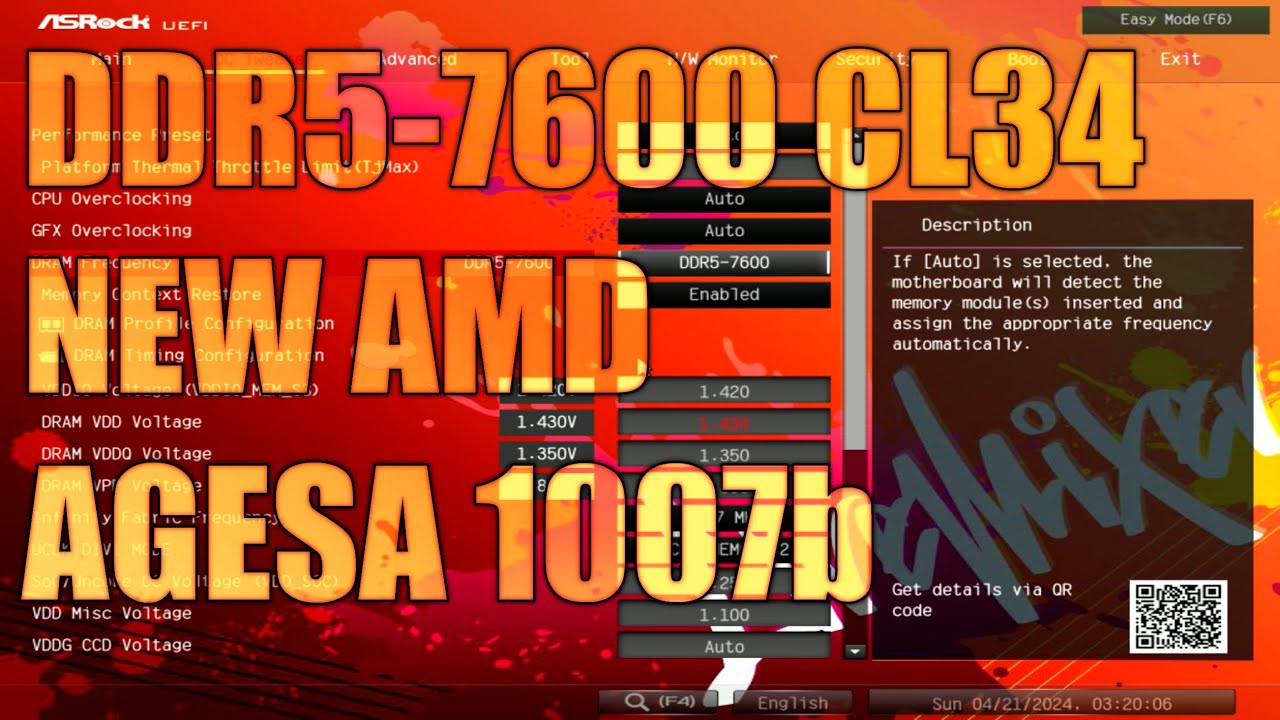
Been waiting for this one. Let's see how much it really does. https://youtu.be/XT_Km8UzZvY
My Patreon: https://www.patreon.com/buildzoid
Teespring: https://teespring.com/stores/actually-hardcore-overclocking
Bandcamp: https://machineforscreams.bandcamp.com/music
Twitch: https://www.twitch.tv/buildzoid
Twitter: https://twitter.com/Buildzoid1
Facebook: https://www.facebook.com/actuallyhardcoreoverclocking
#overclocking #ddr5 #amd #ryz...

 upper aspen
grizzled bloom
Been waiting for this one. Let's see how much it really does. https://youtu.be/X...
upper aspen
grizzled bloom
Been waiting for this one. Let's see how much it really does. https://youtu.be/X...
inst 6000mhz ideal for am5?
grizzled bloom
Yes but no
This video is regarding a new bios version that allows much faster memory
Specifically it allows 2:1 uclk:mclk
upper aspen
oh ya for sure I feel u on that uclk mclk
im gonna do some ram oc next week kinda hype but also scared lolz
grizzled bloom
Here's what we've been waiting for, raw data with timings. This might change if you're lucky and are able to run 8000 stable, but BZ only got 7600.
 frosty depot
grizzled bloom
Here's what we've been waiting for, raw data with timings. This might change if ...
frosty depot
grizzled bloom
Here's what we've been waiting for, raw data with timings. This might change if ...
Do you have one for intel 13700k?
I'm currently running xmp 5600, but it's hynix so I know it can run much higher.
grizzled bloom
Not in this vid, Intel behaves completely different
frosty depot
😦
upper aspen
waits whats a good test to see if one ram oc performs better than another? Cinebench?
grizzled bloom
Ycruncher and pyprime
Ycruncher likes bandwidth, pyprime likes latency
Cinebench likes CPU clock speed and isn't memory sensitive as much
dull flint
grizzled bloom
Here's what we've been waiting for, raw data with timings. This might change if ...
Jfc that difference is REALLY small for being decoupled
grizzled bloom
Yep. And it'll be even smaller if you can stabilize higher. I've seen some people getting 8400 stable.
dull flint
So is the left chart, what freq is it
grizzled bloom
BZ only got 7600 on his "budget" boards
grizzled bloom
dull flint
So is the left chart, what freq is it
6200 on the left
dull flint
Oh wait 6200
God damn
So 8400 vs 6400 synced, new AMD meta
Cos one guy and his team decided to fill their spare time up toying with the new agesa
Lmfao
grizzled bloom
I think said team got tired of people comparing RAM speeds to Intel and finally they said "F it we can do it too, just watch"
 marble knot
could i put a 3900x in a b450 aorus elite v2? idk how much power it can take
grizzled bloom
That is a D tier VRM board, it can handle the 3900X at stock settings with some airflow over the VRM
It should do 100A with only a little airflow, like the passive airflow you get from an air cooler
burnt spear
If you already own the two, it's fine
If not and you're buying used and it's a good deal, also fine
If buying new hell no to both of them
cyan raft
If a buyer buys me food, instant discount
burnt spear
grizzled bloom
Mmm food deal
I read this last night and was so confused, just came back to it and just got what was wrong lmao
marble knot
grizzled bloom
That is a D tier VRM board, it can handle the 3900X at stock settings with some ...
ok, ive got a lot of fans and my vrms are at like 60c while playing games
 cursive epoch
that's with 3600?
3900x takes a lot more power
if you're gaming though the upgrade to 5600 would be cheaper choice
vast meadow
Eh 1 gen 1 tier upgrade isn't worth it
I'd go at least to 5600x3d or 5700x
Or wait dor next gen stuff
burnt spear
im assuming they already own the 3900x so no point in going to 5600 like patos saying
vast meadow
burnt spear
im assuming they already own the 3900x so no point in going to 5600 like patos s...
Well there name says 3600
burnt spear
oh you're right, they were asking about 3900x so i was confused
I would definitely not buy a 3900x then, it has near identical performance in gaming to the 3600
within 5%
5600 would be an ok upgrade but not super worth it, unless you got one used on a decent deal. otherwise I'd only really consider 5600x3d/5800x3d
amber canopy
something seems.... off
 hard leaf
yeah its dirty... and you only have 2 ram slots


 limber dragon
"better overclocking with half the ram slots"
frosty depot
 tender turtle
can someon help
tender turtle
can someon help
We don't know.
tender turtle
:((((((((((((((((((((((
frosty depot
Maybe if you enlightened us with the issue you are having, we might possibly could help you.
tender turtle
okok
so
I wanna upgrade my pc
i have a ryzen 5 3600 and 1070
and i wanna get a ryzen 7 5700x and rx 6700xt
but idkk if thats gooooooooood
grizzled bloom
Are you near a microcenter?
grizzled bloom
5600X3D
tender turtle
get that one?
grizzled bloom
Yep
tender turtle
why
grizzled bloom
It's as good as the newer generation 7600X, so it's like a free generational upgrade
So yes it's a lot faster than the 5700X
tender turtle
ooooooooooooooooooooooooooooooooo
will it go good with my mobo tho?
i have a asrock b450m steel legend
grizzled bloom
It's a very low power CPU, as long as you update the motherboard bios it'll be perfect
tender turtle
how do you
do that😭 😐
noo its ok actualy
ill watch a linus video
tysmmmmmmm
<3
grizzled bloom
Latest bios https://download.asrock.com/BIOS/AM4/B450M Steel Legend(8.01)ROM.zip
Asrock instructions https://www.asrock.com/support/BIOSIG.asp?cat=BIOS10
grizzled bloom
Happy to help 👍
 spiral fulcrum
so I have 2 options their price is close, both have the same specs, strix g17/18, rtx 4080 qhd 240 hz screen etc
17 inches 7945hx
18 inches 13980hx
which one should I get
I want a bigger screen but I'm not sure which cpu here is the better
price difference is very little but 18 is more expensive
grizzled bloom
spiral fulcrum
so I have 2 options their price is close, both have the same specs, strix g17/18...
The 7945 is more power efficient and better at all core workloads.
The 13980 is better at lightly threaded things, like gaming.
spiral fulcrum
how better r we talking abt btw
power efficiency matters to me but I also want a bigger screen I'm not sure rn
I'll use it mainly for game development (and also gaming u know) and video editing btw
grizzled bloom
spiral fulcrum
how better r we talking abt btw
It's not a huge difference https://nanoreview.net/en/cpu-compare/intel-core-i9-13980hx-vs-amd-ryzen-9-7945hx
NanoReview.net
We compared Intel Core i9 13980HX (2.2 GHz) against AMD Ryzen 9 7945HX (2.5 GHz) in games and benchmarks. Find out which CPU has better performance.
spiral fulcrum
what abt temps?
grizzled bloom
That's more up to the cooling solution in the laptop
spiral fulcrum
well both r in the same laptop
grizzled bloom
And I recall being told that the cooling in that model was good too
dull flint
Iirc the 13980hx is just a 13900k in a laptop
And likes to draw whatever power you give it
Meanwhile the 7945hx is also just basically an eco mode 7950x afaik
And has a much lower tdp
If you asked me which of the two to pick price aside I'd go zen 4 for battery life just being several degrees better
spiral fulcrum
ok thanks 👍
 mild jackal
ARM 💪
vast meadow
mild jackal
ARM 💪
LEG 🦵
 manic plinth
What mother board yall using to overclock ddr5?
I'm lookin to grab something that'll hit 8000 if my MC allows it
cyan raft
Apex or bust
manic plinth
Understood
dull flint
Ur not spoiled for choice and 8000+ isn't easy
Not something I'd guarantee buying an 8000 DDR5 kit will just turn on and work with these boards either
manic plinth
dull flint
Apex, kingpin or msi itx
What's the MSI one?
dull flint
Z690i unify/Z790i edge
manic plinth
Whys it so cheap in comparison to the others? Obviously I know mo money mo better isn't true.
dull flint
I don't have an answer to that question 💀
I will say tho, those boards are still expensive itx boards
manic plinth
Bruh
dull flint
Relatively speaking you're still throwing hundreds extra for a few percent
dull flint
Yes
And normally we recommend boards under 150 around here
Because you get the 95%+ experience for those prices
manic plinth
Can't run anything more than like 6000 on a prime a mobo
dull flint
Z690 ye?
manic plinth
790
manic plinth
Idk if it's the mobo or my MC
cyan raft
Probably both
dull flint
I'd expect more out of a 790 prime
Unless you're doing something weird
Like 4 sticks of ram
manic plinth
2 sticks
cyan raft
Even with a 💩 level board, I’d expect more than 6000
dull flint
Could be voltage settings
manic plinth
Elaborate
cyan raft
Every voltage has a sweet spot
manic plinth
Why cant this be like b die
dull flint
Ddr4 you could just yeet voltages a lot of the time and get away with more stability
Ddr5 is...
It's more like a Rubik's cube
More ≠ better a lot of the time
It likes sweet spots
manic plinth
I'll mess around with it later. Just annoying I can't do at least 7000 without prime 95 dying or pc flat out crashing
dull flint
Sometimes the difference of 0.01V can mean the difference between no post and 3000% stable
manic plinth
I'd suck toes for 7200
cyan raft
I’m on a Z790 Aorus Master so it’s really damn difficult
dull flint
If you have anything 7000+, you're spending hundreds on a new board for maybe a couple %
cyan raft
And the same mobo can have wildly different outcomes
dull flint
So not worth pursuing
dull flint
I'm lucky where I live to get 2 days
manic plinth
I'm spoiled IG
manic plinth
#firstworldprobs
Dead ass wish I could just pay someone to OC my stuff
Too lazy and annoyed at this point
Y cruncher vst kills everything good I've ever had
cyan raft
!ask
tender turtle
o
cyan raft
Aww that’s not a command anymore 
cyan raft
Ask the damn question, don’t just say HELPPPLSS
 grizzled bloom
tender turtle
what this mean
grizzled bloom
tender turtle
what this mean
If you don't use bitlocker or you don't know what that is, press Y.
If you use bitlocker, press N to disable TPM and you'll need to use your recovery key.
 naive pendant
old pc, only powers when just mobo is plugged in, if i plug anything else other than mobo in it doesnt power. any ideas?
grizzled bloom
Bad power supply perhaps
 silk jungleBOT
Don't ask to ask, just ask!
cyan raft
Meh, it ain’t the same
 frosty depot
 wind karma
It should link to the site as well
wind karma
It should link to the site as well
Ah yeah, I was thinking it looked funky.
mild jackal
I thought we included that in the macro
Guess not
hmm

idk who added this
?forks
silk jungleBOT
 mild jackal
?ask
silk jungleBOT
Don't ask to ask, just ask!
mild jackal
@wind karma Fixed
grizzled bloom
mild jackal
hmm
(Oh no, forks found my endgame plan! Calm down, maybe he didn't find the script that triggers when that command is executed...)
silk jungleBOT
Don't ask to ask, just ask!
dull flint
no. It's specifically designed not to be
they jumble everything up and change where the key in the slot is (The little divot on the bottom of the ram stick) to be different so it physically won't fit
Sadge
wind karma
silk jungle
Don't ask to ask, just ask!
https://dontasktoask.com/
Bot broken? Or deleted messages?
 steady wigeon
My friend ordered a Gigabyte B550m and I wanted to know if it was a decent mobo before his return window expires
grizzled bloom
It's fine for most people
frosty depot
wind karma
Bot broken? Or deleted messages?
Bot went haywire. Had to throw out it's own command 1 last time before it deded.
 agile gulch
hello I got pretty much most things sorted out I just need help picking out a new motherboard because all my friends have said it’s a faulty mobo since the computer turns on but no the gpu, cpu or anything else. My budget is under $200 CAD please dm me because I do have some in mind I’m just not sure if it would work with what I got.
grizzled bloom
agile gulch
hello I got pretty much most things sorted out I just need help picking out a ne...
We typically prefer to keep conversations here for 2 reasons: Someone might have additional input or an idea someone else didn't think of, and this way others can look at the conversation and maybe it'll help someone later.
As far as the parts are concerned, start with what you have. It might be as simple as you need a BIOS update.
agile gulch
grizzled bloom
We typically prefer to keep conversations here for 2 reasons: Someone might have...
Not even my monitors turn on tho and sorry i apologize for that
grizzled bloom
Right, if the board needs a bios update you might be able to do it without turning it on at all depending on the model motherboard and CPU you have
And this would be a classic symptom of an incompatible bios, especially if there's a light near the 24 pin plug that stays on next to the "CPU" or "RAM" label
agile gulch
grizzled bloom
Right, if the board needs a bios update you might be able to do it without turni...
I have a Msi b550m pro vdh and amd Ryzon 5 5600 how do i do Bios Upgrade without turning it on?
The light next to the cup and ram does turn on
grizzled bloom
With the 5600 non-X it does definitely need a BIOS update
Luckily you have a model of motherboard with flashback, so it's nice and easy
agile gulch
Okay sounds good but I still don’t know how to run a bios upgrade if my Monitors don’t turn on too
grizzled bloom
agile gulch
Okay sounds good but I still don’t know how to run a bios upgrade if my Monitors...
If the monitor doesn't detect a signal it won't turn on, this is normal. You won't be turning it on anyway.
agile gulch
grizzled bloom
If the monitor doesn't detect a signal it won't turn on, this is normal. You won...
Oh okay how do i do a bios upgrade?
grizzled bloom
Download this and extract it to a FAT32 format USB drive https://download.msi.com/bos_exe/mb/7C95v2G.zip
Plug the USB drive into the USB port that's right here

Whoops I forgot a step
Here

Page 45 in your manual for reference
agile gulch
oh I see i would need another computer of some sort tho to fix it?
Because I’m not sure how to download without a computer
grizzled bloom
Yeah to download, extract, and rename the bios file
agile gulch
Oh okay
grizzled bloom
You can do it on an android phone if you have the adapter to plug a USB drive in
Or iphone for that matter
agile gulch
Ah i don’t have habe a usb drive for my phone but its okay i can possibly ask my sister to download on her computer
grizzled bloom
That would be perfect
agile gulch
Okay and if everything doesn’t go that way it is expected would I have to go get another motherboard?
grizzled bloom
I'm 99% sure this will fix it, if it comes to that 1% we'll address it then
Sometimes the flash takes a couple of tries, and I've seen some boards dislike certain USB drives, but it usually ends up working
grizzled bloom
Happy to help
 violet helm
best ddr4 with rgb?
grizzled bloom
In what budget? Because I can recommend a kit for $300 right now
dull flint
Could also recommend a kit for under 60 as well
grizzled bloom
A single stick would be $23 also
 violet helm
grizzled bloom
In what budget? Because I can recommend a kit for $300 right now
violet helm
grizzled bloom
In what budget? Because I can recommend a kit for $300 right now
ok uhhhhh
like
$150 max for 64gb?
idek
im not sure
nothing crazy please
lol
just good ram that like
you would use
grizzled bloom
Do you need 64GB? Because that is the point where you trade capacity for speed, and it gets slower
grizzled bloom
If anything just overclock what you have then, yeah
dull flint
violet helm
$150 max for 64gb?
Iirc the g.skill ripjaws 3200 kit
violet helm
3200
dull flint
Is the kit
dull flint
Yes but 64gb is harder to run at higher frequencies
grizzled bloom
You can still overclock it just not as much as a better kit depending on the die used https://github.com/integralfx/MemTestHelper/blob/oc-guide/DDR4 OC Guide.md

GitHub
C# WPF to automate HCI MemTest. Contribute to integralfx/MemTestHelper development by creating an account on GitHub.
violet helm
falcie can u help me in #storage-devices
dull flint
violet helm
well then ill just keep my 32gb of corsair ram
Oh I missed this part mb
violet helm
if you know abt that stuff
 untold snow
So it’s been more than 12yrs since I built a rig… Intel had a slight edge back then for processors but AMD was a much better price. I need a new rig since my Windows7 is running into compatibility issues with my school website. My old setup still runs but I would like to update things a bit. What am I looking for CPU and Mobo wise for mostly word processing with a smattering of content creation. Working with an ATX tower w/ 750w PSU. Still useful at that age?
grizzled bloom
You can upgrade your windows 7 to 10 for free
Other than that pretty much everything is different. You could reuse things like the case and fans, maybe cooler, but I don't advise that you do so.
untold snow
Why would the case matter? I’m not interested in lighting or colors, or really even having the tower visible at all.
grizzled bloom
Mostly for cable management and airflow reasons
Older style cases have the drive cages in front blocking the airflow, and they usually didn't let you run as many cables hidden behind the motherboard
Those drive cages would also block you from installing the more recent large GPUs too
untold snow
Lol stock fan on an i3-2350 CPU. No cooler to speak of, other than the whole thing being right beside the AC vent. Vid card shows compatibility issues but I don’t really have time for much gaming, so no need for discreet GPU anymore.
grizzled bloom
In that case if you don't need a discrete GPU, you can get a Ryzen 7600, DDR5 memory, and a motherboard and call it good
Ryzen over Intel because the integrated GPU is a lot better
untold snow
Word
mild jackal
If it's a pure email/facebook machine, am5 igpu is fine, 1440p youtube + discord, not so much
That said, you can spend $30 on an ebay card and not have that problem
untold snow
Would like to use it for 4k video streaming, since it’s also my tv
grizzled bloom
Mmm, Arc A380 then?
mild jackal
If you've got the budget, and want power for whatever encoding/decoding you might need in the future, that $220 a750 is a good choice.
grizzled bloom
A750 is a great 4k plex card if you're doing the transcoding on site
mild jackal
Maybe there's a similar deal on the a380
grizzled bloom
A380 is $120 and you get AV1
untold snow
Word processing, minor programming, some 3D modeling and texturing workloads for building design.
mild jackal
yeah - unless you're really budget limited, I wouln't go with am5 igpu, though, you always have the option to upgrade
I used to daily 7950x igpu, it really struggled with youtube + discord + chrome
Stutter, general pain
grizzled bloom
CAD tends to use the CPU more than the GPU so it would still be a good idea to get a 7600 or an Intel 13500
mild jackal
yeah, you'll probably want the best single thread performance you can justify. What cad program?
Freecad/solidworks/fusion all love single thread performance, you'll be well off on any am5/current intel
untold snow
I don’t do industry work yet. That’s what the skoolin’ is fer. I use Blender to model my 3D stuff and Gimp for 2D
mild jackal
Would your blender use case benefit from a nvidia card?
grizzled bloom
Blender can use either GPU or CPU but GPU tends to be faster
grizzled bloom
Yes it's better in every way
untold snow
Twice the price
mild jackal
It's not twice as fast, but it's faster
grizzled bloom
The 5600g is just a 3600X with integrated graphics and no PCIe 4.0
The 7700 is twice as fast as the 3600X in blender
mild jackal
grizzled bloom
The 5600g is just a 3600X with integrated graphics and no PCIe 4.0
kinda, half the cache
Also monolithic, no i/o die etc
 untold snow
So actually looks like a good midrange choice
grizzled bloom
untold snow
So actually looks like a good midrange choice
Ok if that's the route you're looking at, here's what that looks like price-wise: https://pcpartpicker.com/list/FGFNn6
Part List - AMD Ryzen 7 7700, Arc A380
burnt spear
Multi core loads would get that cpu pretty hot, would likely thermal throttle on stock cooler I think
Correct me if I'm wrong please I could be completely off
grizzled bloom
You can run the 7800X3D on the stock cooler without throttling I know that much
burnt spear
In gaming yeah I think so, but multi core the 7700 gets fairly hot
Though I forget exactly why I think am5 is very limited by thermal transfer
grizzled bloom
The thick IHS
burnt spear
So maybe it won't make a big difference in actuality
Idk, I guess can always upgrade cooler down the line if it ends up being needed
grizzled bloom
 burnt spear
Do yk if r23 is multi core version?
burnt spear
No I mean in that comparison
It might be the single core test for the Temps in that comparison
Idk, I say go with your list for now, if it ends up having Temps issue just grab a pa120 se or thermalright frozen notte 240 down the line
grizzled bloom
Yeah it's easy to upgrade the cooler if needed. I doubt it'll be needed.
The 7700 is only a 65W processor after all
untold snow
Thanky kindly. Will look at those for sure. Any firm reason for that particular Mobo?
grizzled bloom
The board has wifi included, as well as lots of M.2 slots to expand your storage later
I figure wifi is important at the dorms
Cheaper boards in general also don't have as good cooling on the power delivery
untold snow
Ah. I was looking at a bit higher end. Not on a campus but it will be a while before I can afford to rewire my house for ethernet in every room, so wifi is nice. Current usb adapter isn’t spectacular
grizzled bloom
There's no point going higher end tbh, there's no extra features you'll be using or anything
burnt spear
Seconded, that board is the board I most often recc for am5, aside from pretty high end builds, like $1600+
Even that's pushing it, probably closer to 2k
Aside from if b650m pro rs wifi is on sale at $125
Could potentially do this but not really any point, experience wise there won't really be a difference unless you carry it over with a new am5 cpu in two generations, in one it would be the same experience too likely https://pcpartpicker.com/product/cRQcCJ/msi-pro-b650m-a-wifi-micro-atx-am5-motherboard-pro-b650m-a-wifi

MSI PRO B650M-A WIFI Micro ATX AM5 Motherboard (PRO B650M-A WIFI)
I worded that terribly I hope it made sense
untold snow
Wow, looks as good as the ASUS B650E I was looking at for less than half the cost
burnt spear
A lot of boards that are over $200 are mostly marketing and have a few very niche features that brands overcharge for
Or are just stupidly priced
untold snow
Indeed. Prices seem to be all over compared to when I last shopped
 cedar kindle
currently running a ryzen 9 3900X with a 3080. The next upgrade is probably my CPU, is it worth going AM5 and upgrading mobo and RAM or stick with AM4?
grizzled bloom
The performance between, say, a 7600 and the 5800X3D, will be very similar. The biggest change there would be the option to upgrade the platform more later.
cedar kindle
that what I was thinking, if I want to upgrade my GPU to the 40 series at some point and go the 5800x3d route now, would it still be a good combo?
grizzled bloom
Up to about the 4070 ti / 7900 XT you'd be perfectly fine on the X3D
Any higher and you'll actually want a higher tier CPU to keep up, even at 1440p
cedar kindle
ahh, I forgot to mention I'm currently running two 4k monitors one for gaming one for discord and stuff
grizzled bloom
Ok at 4k the X3D should be ok but it'll depend on the game
cedar kindle
I guess it's that debate of go for an upgrade now for short term gains or save up a bit and go for the long term ones
grizzled bloom
Yep
It's not made any easier by how close in performance the 7600/7700 are to the 5800X3D
cedar kindle
that's what my fear was lol

 orchid raft
Gotcha thank you
It’s just a budget build for my friend and this is the first time I’ve seen that
dull flint
Yeah it's just extra power
You shouldn't ever need that unless this was like some crazy overvolted cpu or a 13900k
If neither of these apply to you (budget so they don't) then ur good lol
grizzled bloom
A single 4+4 cable is specced to handle at least 336W so yeah, at stock settings a 13900K is really the only thing that'll pull that and even then it's only in certain conditions.
mild jackal
In practice, I think it's the plug/mobo connector pins that are the weak point.
 maiden anvil
I currently have 16gb of xpg ddr4 3200 ram. Doesn't run at 3200 unfortunately lol. My goal is to upgrade to 32 or possibly higher. Should I get rid of low performing 16gb and buy a fresh kit of 32 or higher? Current specs ryzen 3600 , 16gb ddr4 3200 ram, 3060ti, asus b550 prime plus mobo, 2TB ssd etc.. Thanks in advance
vast meadow
maiden anvil
I currently have 16gb of xpg ddr4 3200 ram. Doesn't run at 3200 unfortunately lo...
yep easiest thing is to just buy a 2x16gb kit they go for like 50$ now anyway
amber canopy
https://www.ebay.com/itm/134680329020?mkcid=16&mkevt=1&mkrid=711-127632-2357-0&ssspo=GIvhZ9O4Rde&sssrc=4429486&ssuid=_7_DT4njQKy&var=&widget_ver=artemis&media=COPY not gonna be super competitive but there may be a couple decent sticks in here. Though they may all be ST 6 layer PCBs so in that case they'd suck balls
@royal elk

eBay
Find many great new & used options and get the best deals for Lot of 6 12GB Kit G.SKILL PC3-12800 F3-12800CL9T-6GBPI DDR3 Desktop Memory RAM at the best online prices at eBay! Free shipping for many products!
 royal elk
Hmm
amber canopy
But yea it's a decent price
maiden anvil
vast meadow
yep easiest thing is to just buy a 2x16gb kit they go for like 50$ now anyway
That's what I'm looking into. Corsair is $79 for 32gb 3600 ddr4 they have non RGB $60 ish
grizzled bloom
Corsair DDR4 is really bad, it often can't hit it's rated speed
vast meadow
maiden anvil
That's what I'm looking into. Corsair is $79 for 32gb 3600 ddr4 they have non RG...
When it comes to ram brand doesn't matter so get whatever is cheapest for the speed, id recommend sorting my low to high and using the filters on this website, assuming you're in the US, if not you can change country on the website
https://pcpartpicker.com/products/memory/
Choose Memory
burnt spear
32gb 3200c16 is $48 from silicon power
If you've an amd 3000/5000 series cpu 3600c18 is worth it around $52-55 from oloy or teamgroup
burnt spear
Ah ty, missed that
maiden anvil
Thank you everyone
amber canopy
grizzled bloom
Corsair DDR4 is really bad, it often can't hit it's rated speed
I have a stick that spits out errors at jedec 2133

maiden anvil
vast meadow
When it comes to ram brand doesn't matter so get whatever is cheapest for the sp...
My pc knowlege is limited so forgive an easy question. Can I ask why the brand doesn't matter much in this situation? Is it like everything else where there's only a handful of manufacturers and they get different labels/brands?
grizzled bloom
At relatively low speeds like 3600 you don't need to worry about quality as much. Especially if you aren't going to overclock.
You can get a $150 kit of Trident z royals that might be great build quality, but are functionally identical to kits almost 1/3 the price
maiden anvil
grizzled bloom
You can get a $150 kit of Trident z royals that might be great build quality, bu...
I just want something better than the XPG that I have currently. If it says 3600 id like to reliably run the memory at that speed. Oloy and TeamGroup was mentioned earlier are those on the Asus approved list for my b550 prime plus MOBO?
long geyser
maiden anvil
My pc knowlege is limited so forgive an easy question. Can I ask why the brand d...
Mainly cuz a lot of the time you should be going by the rule of  . Brand does not guarantee product quality. It typically only guarantees a set level of product availability and customer support quality for your region.
Lastly the point that Fal'cie mentioned, RAM quality rarely matters if you arent tuning it. There is typically a min bar of quality you should go for (like 3200MT/s - 3600MT/s DDR4 freq), but most other factors dont really help the average person. Quality RAM performance only really comes from manual tuning which the average person wont do. Thus the average person shouldnt worry too much about RAM quality. Usually they should just go for cheapest GB/$ that they can afford.
grizzled bloom
maiden anvil
I can't the 3200 ddr4 xpg to run at 3200 without crashing. Runs ok at 2666
Are you enabling XMP or just changing the frequency?
maiden anvil
I have docp going
 eternal helm
maiden anvil
I can't the 3200 ddr4 xpg to run at 3200 without crashing. Runs ok at 2666
eternal helm
maiden anvil
I can't the 3200 ddr4 xpg to run at 3200 without crashing. Runs ok at 2666
What slots is the ram in?
maiden anvil
2 and 4
I can get it to run for a little bit at 3200. I'm wondering if there's any other possible issues contributing to the shutdowns besides the memory
frosty depot
maiden anvil
I can get it to run for a little bit at 3200. I'm wondering if there's any other...
What does windows event viewer say around the time of the crashes?
Have you tried checking crash dumps with WhoCrashed?
manic plinth
does anyone else have the z790 kingpin?
cyan raft
 proper sinew
Whats ok ddr5 model?
proper sinew
Whats ok ddr5 model?
You feel like manually tuning it?
manic plinth
why is my mobo Blowing up my ram
 proper sinew
What to get instead of 3200 cl16 ddr4
proper sinew
cyan raft
You feel like manually tuning it?
No, idk whats that
cyan raft
Like manually setting timings and that instead of XMP
proper sinew
No
grizzled bloom
proper sinew
What to get instead of 3200 cl16 ddr4
Here's a few options https://pcpartpicker.com/products/compare/nvjNnQ,KV4BD3,P7RYcf,mWGhP6/
G.Skill Ripjaws V 32 GB (2 x 16 GB) DDR4-3600 CL18 Memory vs. OLOy MD4U1636181CHKDA 32 GB (2 x 16 GB) DDR4-3600 CL18 Memory vs. TEAMGROUP T-Force Delta RGB 32 GB (2 x 16 GB) DDR4-3600 CL18 Memory vs. Neo Forza FAYE 32 GB (2 x 16 GB) DDR4-3600 CL18 Memory
Functionally they'll be identical
proper sinew
Bosnia, but you wont find it
proper sinew
grizzled bloom
And yes it is, but also costs more
Ok if im looking for ddr5 what mhz and cl should i look for
grizzled bloom
proper sinew
Ok if im looking for ddr5 what mhz and cl should i look for
What processor?
cyan raft
Also intel or AMD?
proper sinew
13400f
grizzled bloom
5600 c36 will work fine