#cpus-mobo-and-memory
1 messages · Page 26 of 1
 cursive epoch
 leaden hinge
750 watt coolermaster
80+
My friend had some spare parts thats why i have a 750 watt psu
cursive epoch
There's lots of different stuff from that brand with those specs, but okay. That sounds doable for something with 6700xt
Ram isn't really optimal, but it's doable with newer stuff
leaden hinge
cursive epoch
There's lots of different stuff from that brand with those specs, but okay. That...
I don’t know the specifics sorry
cursive epoch
It's okay, should still be fine
leaden hinge
What lower budget cpu would you recommend?
cursive epoch
I'd do this: https://pcpartpicker.com/list/JnYB4s
Part List - Intel Core i5-12400F, Radeon RX 6750 XT
If you worry about cooling on stock cooler, you can grab something like se 214xt from id cooling
leaden hinge
cursive epoch
I'd do this: https://pcpartpicker.com/list/JnYB4s
I have a ml240l from coolermaster so I think that’ll do the job. Also do you think its worth the few months wait for 12400f instead of 5600x?
cursive epoch
For one the stuff I picked for you are all cheaper compared to cpu+board choice you had
So nah, you don't gotta wait
leaden hinge
Oh never mind then, I had 2 cpus in my cart.
cursive epoch
Wait so you're in eu?
leaden hinge
Yeah i’m dutch
leaden hinge
No problem
cursive epoch
Netherlands I'm guessing?
leaden hinge
Yeah
cursive epoch
I need the country to set the right pcpp
Alright
Gimme a sec again, gotta readjust to different regions
leaden hinge
cursive epoch
I need the country to set the right pcpp
You can do that????
cursive epoch
Yeah lol
pcpp supports many different countries
Part List - AMD Ryzen 5 5600, Radeon RX 6700 XT
Alright this is more like it
12400f is more expensive in your region, so I switched back to amd
5600 is the same cpu as 5600x
Only difference is minor clock speed bump, which equates to less than 1% increase
Make sure the AIO you have, the ML240 has AM4 brackets tho
I'm certain it should, since AM4 has been out for a long long time
leaden hinge
Okay thanks a lot
leaden hinge
cursive epoch
5600 is the same cpu as 5600x
Is there a big performance gap between the 12400f and 5600?
cursive epoch
Not really, no
 next thistle
Hi! I'm not sure, why some Ram got the big heatsink? Any advantages? i'm NOT into overcloking...
These sticks are in special... they are good or should I spend more for one with a bigger heatsink?
https://www.bestbuy.ca/fr-ca/produit/memoire-ddr4-32-go-2-x-16-go-3600-mhz-vengeance-lpx-de-corsair-pour-ordinateur-de-bureau-cmk32gx4m2d3600c18/16204874
cursive epoch
I would go with anything not corsair
But unless that's the cheapest ram you can find within 3600mhz speed
Heatsink is there to help cool ram, but they're also heavily stylized
Ram without heatsink doesn't exist on such speeds anyway, since they're pretty much all crappy jedec spec
next thistle
vengeance LPX seem to get a small heatskink... any problem or should I spend more? I want to got with a I7-13700k
next thistle
Also I'm affraid on Ram clearance, that's why I don't want those huge heatsink
And why do you DON'T like Corsair? I but i Patriot Viper once for my girlfriend computer and it was defective... any recommandation, @cursive epoch ?
cursive epoch
Corsair is way more likely to give you defective kit than patriot or any other brands lol
Your experience was simply unlucky
next thistle
@cursive epoch I'm affraid to ask you what is your opinion on Corsair PSU 😂😂😂
cursive epoch
Corsair psus are decent, most of em
It depends on model
I don't hate brands, I just hate certain product lines that are genuinely crappy
next thistle
Yeah, it's like cars... the best cars company may make the worst SUV 🤪
 vast meadow
next thistle
<@214044000556941312> I'm affraid to ask you what is your opinion on Corsair PSU...
vast meadow
next thistle
<@214044000556941312> I'm affraid to ask you what is your opinion on Corsair PSU...
Model>brand
RM and hx series are brilliant
Cv is ehhhhh
 sudden creek
Heard Ryzen may be adopting a hybrid core system. Anyone have any extra info on that perhaps?
 stark violet
i think mlid was saying something about little phoenix
sudden creek
Gotcha.
 grizzled bloom
Still very early leaks on that, nothing I'd pay attention to. It's probably more of a "they might be considering it or testing it" phase right now.
sudden creek
I am looking for motherboards for the R7 5700g cpu I got and I was wondering if I'd need Bios flashback if I went with a B450M board? Preferably I'd like to stay sub-100$ for this upgrade. I'm in Mexico, also the board needs to have at least 2 M.2 slots for my storage drives. Thanks in advance!
grizzled bloom
Yes you'd want flashback even for a B550, since that's one of the newest AM4 chips
sudden creek
got it.
Just to double check, the R7-5700g is an upgrade over my current I7-10700f yes?
grizzled bloom
It's about a 10-12% increase in single core and 30% in multi core
sudden creek
Oh okay, and I can OC it unlike my 10700f correct?
grizzled bloom
Yes every AM4 chip can be overclocked with the sole exception of the 5800X3D
sudden creek
I'm struggling to find Mobos within $100 that have Flashback & 2x M.2.
Any ideas?
The product can''t be outside of MX because of damn import fees.
grizzled bloom
I'm checking ebay, there's a few that are around $100 even with shipping/fees
Just need one with flashback
Good old VPN gets me local prices
cursive epoch
It's fairly easy
Must have very high ratings with high review count
At least 100+
grizzled bloom
I won't recommend a bad one don't worry 😉
sudden creek
Thanks, the only real requirements are:
$100 budget preferably less, 2x 3.0 M.2 Slots, and Bios Flash.
Thanks for helpings me out!
grizzled bloom
sudden creek
Thanks, the only real requirements are:
$100 budget preferably less, 2x 3.0 M.2 ...
One option would be to roll the dice on an untested or potentially fixable motherboard. This one might be a case of the person not knowing how to flash bios for newer processors. It's highly unlikely there's damage that would keep it from posting otherwise. https://www.ebay.com/itm/364195741242

eBay
Find many great new & used options and get the best deals for FAULTY MSI B450 GAMING PRO CARBON MAX AM4 Motherboard AMD Ryzen at the best online prices at eBay! Free shipping for many products!
sudden creek
grizzled bloom
One option would be to roll the dice on an untested or potentially fixable mothe...
What's the cheapest option that I know would work?
grizzled bloom
Everything under 2k pesos ($110 US) including shipping either only has one M.2 slot or doesn't have flashback
sudden creek
What would happen without flash back?
If it's being shipped within MX I am willing to pay the delivery fees. Or if you could check Amazon com.mx I'd appreciate It as I get free deliveries on Amazon.
vast meadow
This was really interesting 
https://youtu.be/RYf2ykaUlvc

Get a 15-day free trial for unlimited backup at https://www.backblaze.com/landing/podcast-ltt.html
Experience fast and seamless remote access using AnyDesk: http://lmg.gg/AnyDesk
CPUs, GPUs, laptops, Macs- everything has a failure rate. Our AMD Ryzen 7950X3D was the victim of the silicon lottery. But there’s more to the story than mere benchma...
vast meadow
sudden creek
What would happen without flash back?
With b450 if it doesn't guarantee out of the box compatibility with 4000/5000 cpus, flashback means you can update the bios without an older cpu (3000 or less in this case)
sudden creek
Gotcha.
 cyan raft
How common is it to find broken motherboards with blown components on eBay?
sudden creek
Is Q-Flash the same as Bios Flash?
vast meadow
Ye
sudden creek
Ahh good to know.
grizzled bloom
vast meadow
With b450 if it doesn't guarantee out of the box compatibility with 4000/5000 cp...
B450 doesn't even guarantee 3000 series compatibility, but it's pretty likely it would work. 400 chipsets launched with 2000 series but were in production until a little after 500 chipsets and 3000 series launched.
vast meadow
eh basically all of them are tbf
grizzled bloom
Most have been updated at least that far by now yes but there's still that risk
sudden creek
Found a gigabyte ds3h board with Q-Flash and 2 M.2.
$110 with free delivery.
And no importa thankfully.
grizzled bloom
sudden creek
Found a gigabyte ds3h board with Q-Flash and 2 M.2.
The B450M? That doesn't have flashback. Gigabyte is misleading with the Q-flash name, Q-flash plus is the bios flash button. It's also only got one M.2 slot.
sudden creek
grizzled bloom
The B450M? That doesn't have flashback. Gigabyte is misleading with the Q-flash ...
B550M

Compatible con procesadores AMD Ryzen de 3ª generación de doble canal ECC/ no ECC sin búfer DDR4, 4 di mm 53 fases solución VRM digital pura con MOSFET de bajo RDS on Ultra Durable PCIe 4. 0 Ready x16 Ranura Dual Ultra-Fast NVMe PCIe 4. 0/3. 0 M. 2 conectores Capacitores de audio de alta calidad ...
Was cheaper then the B450 alternatives I found that had Bios Flash and at least two M.2 slots.
grizzled bloom
Still no flash button
sudden creek
It's in the bottom right corner isn't it?

 grizzled bloom
Looked like a reset button and the spec sheet didn't say "plus"
cursive epoch
huh
that's an unusual placement
but yeah it is
you can flash bios without a cpu
sudden creek
Just to make sure I understand, so with this I can indeed flash the bios without the need of an older generation of cpu correct?
grizzled bloom
Yes
sudden creek
Great!
Will order the board next week probably then.
Hold up, just occured to me. Do you guys think there's enough clearance on this board for my LT720? If not I have my EVGA CLC 240mm as a backup.
grizzled bloom
The board doesn't usually interfere, that's up to the case
sudden creek
Oh okay, not concerned about my case since I am using the Fractal Torrent.
grizzled bloom
Yep that'll fit nicely
sudden creek
Hmm, since the CPU doesn't have pcie 4.0 lanes what would happen if I paired it with a RTX 4090?
grizzled bloom
Nothing would happen
sudden creek
The 4090 won't be bottlenecked?
grizzled bloom
As long as the GPU still runs in x16 mode you won't lose any performance
sudden creek
Gotcha, good to know.
 dusk vessel
any recommends for 32gb ram ?
vast meadow
dusk vessel
any recommends for 32gb ram ?
Depends on country and with what cpu/motherboard (if it's ddr4 or ddr5)
dusk vessel
is there a huge different between 3200/3600
sudden creek
dusk vessel
is there a huge different between 3200/3600
not really, 3600 would be slightly faster but it won't make like a 40fps difference.
Maybe 5-10.
 swift coyote
anyone know a 230$ pc build😅
if so please dm me!!
vast meadow
sudden creek
Maybe 5-10.
More like maybe 1-2
 eternal helm
And thats if your CPU can even run that in g1/fclk 1:1
 magic oxide
https://pcpartpicker.com/products/compare/GVKKHx,qBBG3C,wXxRsY/
Need help deciding on what kit to go with.
Corsair Dominator Platinum RGB 32 GB (2 x 16 GB) DDR5-6600 CL32 Memory vs. Corsair Dominator Platinum RGB 32 GB (2 x 16 GB) DDR5-6200 CL36 Memory vs. Corsair Dominator Platinum RGB 32 GB (2 x 16 GB) DDR5-6000 CL30 Memory
grizzled bloom
magic oxide
https://pcpartpicker.com/products/compare/GVKKHx,qBBG3C,wXxRsY/
Need help decidi...
For what CPU?
magic oxide
grizzled bloom
For what CPU?
Intel Core i9-13900K 3 GHz 24-Core Processor most likely. Since the KS seems overpriced for its performance benefit
grizzled bloom
The 6600 would be best, second best is the 6000
And I agree the KS isn't worth the money for a small factory overclock
magic oxide
Ok yeah I thought so. Cool thanks
magic oxide
grizzled bloom
The 6600 would be best, second best is the 6000
I'm considering the N7 Z790 mobo. Any idea of I should even consider going for faster ram? Or even actually going lower?
grizzled bloom
The 6600 memory on there looks like a good hynix memory so if you wanted you could get it over 7000 pretty easily
Any more than that requires a bit of skill and luck
 dull flint
magic oxide
I'm considering the N7 Z790 mobo. Any idea of I should even consider going for f...
dull flint
magic oxide
I'm considering the N7 Z790 mobo. Any idea of I should even consider going for f...
Hey man, not to sound like a real Debbie downer, but NZXT boards are Asrock derivatives, and Asrock has had a terrible time with RAM optimisation for 12th/13th gen.
I wouldn't hold expectations frankly of any half decent XMP working out of the box.
That and, those dominator kits are like double the price of similar speed kits but Corsair have also locked the controllers on them, so you're limited to even less than reasonable voltages in the event you need more voltage to stabilise the kit or even try overclocking
For memory I'd consider one of these two:
https://pcpartpicker.com/product/x4VmP6/gskill-ripjaws-s5-32-gb-2-x-16-gb-ddr5-6000-cl30-memory-f5-6000j3040f16gx2-rs5k
https://pcpartpicker.com/product/hCWzK8/gskill-trident-z5-rgb-32-gb-2-x-16-gb-ddr5-6600-cl34-memory-f5-6600j3440g16gx2-tz5rk

G.Skill Ripjaws S5 32 GB (2 x 16 GB) DDR5-6000 CL30 Memory (F5-6000J3040F16GX2-RS5K)

G.Skill Trident Z5 RGB 32 GB (2 x 16 GB) DDR5-6600 CL34 Memory (F5-6600J3440G16GX2-TZ5RK)
For mobo I'd consider one of these two:
https://pcpartpicker.com/product/mYnypg/gigabyte-z790-gaming-x-ax-atx-lga1700-motherboard-z790-gaming-x-ax
https://pcpartpicker.com/product/JLjBD3/msi-mpg-z690-force-wifi-atx-lga1700-motherboard-mpg-z690-force-wifi

Gigabyte Z790 GAMING X AX ATX LGA1700 Motherboard (Z790 GAMING X AX)

MSI MPG Z690 FORCE WIFI ATX LGA1700 Motherboard (MPG Z690 FORCE WIFI)
You'll have a far better experience with these and you'll save a huge chunk of money which you can either pocket or instead put into the GPU for big gains

 mild jackal
grizzled bloom
And I agree the KS isn't worth the money for a small factory overclock
mild jackal
grizzled bloom
And I agree the KS isn't worth the money for a small factory overclock
It's very much higher bin, but up to the user if 1-200mhz or w/e is worth it
grizzled bloom
Binning doesn't matter for the average user, or 99.9% of people in general really
mild jackal
Doesn't it run faster stock?
grizzled bloom
Yes but not anything an average chip couldn't do easily
dull flint
I mean, it depends how lucky you are
If you want to try the silicon luck go with a KF, those aren't in the KS binning pool
grizzled bloom
Yes I said "average" for a reason. Exceptionally unlucky people might not get it past stock.
dull flint
I was referring to the KS perf lol
Most K's and KF's should manage decent OC out of the box, 13th gen i9's I've seen just about all of them have good potential
That said, KS is definitely a guarantee
grizzled bloom
It's not really worth $150 (26% more money) for 3% more performance in very specific scenarios anyway
dull flint
Oh definitely, I agree
I was trying to type that out but couldn't make words 
KS are for those who can actually leverage that scaling for OC imo
Would even call myself unworthy of my own one lol
grizzled bloom
Me too, I have no need or want for the extra binning
mild jackal
grizzled bloom
Yes but not anything an average chip couldn't do easily
Sure, but you can't compare overclocked k to stock s - in either scenario the ks is some mhz faster and yeah, likely low single digit % faster in realized fps.
Just comes down to your overall pc budget. At $6k, might as well get the usda prime grass fed
that said, my ks has an absolute potato imc, won't run 7600 xmp, need to manually lower sa. My k will do 8400c34 no problem
magic oxide
dull flint
For mobo I'd consider one of these two:
https://pcpartpicker.com/product/mYnypg/...
I see. Thing with the mobo is that I need it to fit in these constraints and unless if I get a network card but I haven't looked into them
https://pcpartpicker.com/products/motherboard/#s=40&f=2&D=68719476736,2199023255552&mt=ddr5&N=4,16&h=1,8&c0=1x10000-1x2500,1x10000,2x2500,1x2500-1x1000,1x2500&V=9000&Q=1,2&S=1,4&X=0,35000
Is the board really that bad of a choice?
Choose A Motherboard
 cunning warren
I need some serious assistance. I just installed a new CPU, motherboard, cooler, ram and PSU. I was able to launch windows and see everything all my parts seemingly working with good temps. However I am constantly blue screening and getting all kinds of different errors. I’ve tried updating some drivers and just factory reset my pc and nothing is making a difference if anyone knows what I can do please let me know I’m in desperate need of assistance
dusk vessel
is 64gb of RAM overkill ?
for gaming/streaming
cursive epoch
cunning warren
I need some serious assistance. I just installed a new CPU, motherboard, cooler,...
What is the bsod error code that you get the most often?
cunning warren
cursive epoch
What is the bsod error code that you get the most often?
Kernel_Security_Check_Failure appears to be the most common
cursive epoch
dusk vessel
is 64gb of RAM overkill ?
for gaming/streaming
Yes, it is overkill for those tasks
32 is enough
Hm, well that sounds like corrupted windows install to me
dusk vessel
thanks !
cunning warren
cursive epoch
Hm, well that sounds like corrupted windows install to me
I just reinstalled windows lol
It shouldn’t be
cursive epoch
Hmn
Gimme a moment, I'm busy rn
I'll try to help
Well, it seems to be corrupted windows still
I would try again with another boot media created again
!bat
hm
welp the command doesn't work
Look into this
cunning warren
cursive epoch
I would try again with another boot media created again
I do have a windows boot usb drive setup if that’s what u mean
I’m just not quite sure how to use it
cursive epoch
Yeah, you have to make it again
It sounds like something got corrupted in it
But first run sfc /scannow in cmd
grizzled bloom
cursive epoch
32 is enough
48GB new meta for multi taskers?
cursive epoch
harder to run tho
 silk jungleBOT
Link to a general windows fixes and scans by Risen
https://github.com/Ryzen5950XT/Windows-stuff/releases/download/Windows-utilities-and-fixes-batch-file/Win.Utils.Fixes.Latest.launcher.bat
cunning warren
cursive epoch
It sounds like something got corrupted in it
No I wouldn’t need to make it again I don’t think when I just reset my pc I didn’t use the boot drive I just reset it from my existing windows so maybe ur right
cursive epoch
ohhh
then use the usb
you simply have to plug it into your pc
and turn the pc on normally
or get into bios and select the usb drive as boot
cunning warren
Ok let me try to figure it out
So in my bios I select it as the boot?
I just gotta figure out how to do that
cunning warren
I know how to get to bios just not the rest
Should I plug the usb in before I turn on the pc? Or once I’m in the bios
cunning warren
@cursive epoch

I’m getting this wonderful error when trying to boot from the windows drive
Any clue
cunning warren
My current version of windows or the boot drive?
cunning warren
I just installed the boot drive today so that kinda makes no sense lmao
cursive epoch
Hmm
Well then try to boot into the usb drive again
It sounds like you tried to boot into os that's already installed
grizzled bloom
If you reinstall from a USB and it still has issues you might have a drive issue
cunning warren
Ya it’s just giving me that same error message that I sent
grizzled bloom
I also recommend disabling XMP if you enabled it before you install
cursive epoch
Could be drive issue
cunning warren
grizzled bloom
I also recommend disabling XMP if you enabled it before you install
Not sure what xmp is
cursive epoch
xmp is memory overclock profile
grizzled bloom
It's in bios. If you didn't touch it it's probably off.
cunning warren
Ya I didn’t touch anything when I first launched the pc today just checked temps and that was it
Idk what to do man
I’ve gotten an assortment of blue screens and I’ve reinstalled windows
I can’t reinstall from the usb for whatever reason
Like idk
cunning warren
Asus prime B650 plus
cunning warren
grizzled bloom
You have the USB installer created already?
I installed a new cpu motherboard ram and psu and cooler into my existing pc
I wasn’t planning on reinstalling windows just using my old drives with windows on them
cursive epoch
Well then
cunning warren
When I first launched my pc after having installed everything new is when I was getting issues trying to launch a game
cunning warren
But the windows boot drive was installed about an hour before I started putting in new parts
grizzled bloom
Platform changes can have issues like this, especially if you had Intel before
cursive epoch
^
cunning warren
grizzled bloom
Platform changes can have issues like this, especially if you had Intel before
Nah I didn’t that’s the thing
Just upgrading frkm a R7 3700x to an R7 7700x
grizzled bloom
You still did a platform change, from AM4 to AM5 and DDR4 to DDR5
cursive epoch
Can you thoroughly explain what you did?
cunning warren
grizzled bloom
You still did a platform change, from AM4 to AM5 and DDR4 to DDR5
Ya true enough
cursive epoch
I believe you will need to make a usb install media again if it refuses to work
cunning warren
cursive epoch
I believe you will need to make a usb install media again if it refuses to work
I could try but I’m not sure it’s the install media that’s the problem the install usb should be fine considering I just did it earlier today before I took apart my pc
cursive epoch
Doesn't hurt to try again
cunning warren
I suppose I’ll have to try it when I wake up then cuz I’m gonna have to borrow my brothers laptop to do it
cursive epoch
I had this happen to me so many times
It's annoying when I felt sure I did everything right, but the media was still corrupted
cunning warren
Ya I’m pissed lmao
I’ll have to look at it when I wake up right now I need to sleep and clear my head
cursive epoch
Good luck, I hope your problem gets solved soon
dull flint
magic oxide
I see. Thing with the mobo is that I need it to fit in these constraints and unl...
The second motherboard I listed fits all those constraints you put, and runs a fair bit cheaper. I think they also have a black version (edge?) if you wanted white or black.
And yes. The N7 is otherwise kind of ok, but considering you're trying to put really fast ram in, I wouldn't expect more than 5600. There are exceptions to every rule of course but I would kind of avoid it for anything higher
The *force has 2.5G and wifi 6E as well as 6 3.2 gen 2 usb ports, one of them is usb c
It also has a bios flash, so you should have no trouble running a 13900K(F) in it
magic oxide
dull flint
The *force has 2.5G and wifi 6E as well as 6 3.2 gen 2 usb ports, one of them is...
oh yeah, couldnt see that from the pcpart picker page
dull flint
magic oxide
oh yeah, couldnt see that from the pcpart picker page
It's all good man
happy to help
 summer acorn
Debating whether to upgrade to a 13600k or a 12900k. They're $50 apart in price and I probably will upgrade my mobo as well
grizzled bloom
For gaming? 13600k. It matches or beats the 12900k in fps at a lower power.
dull flint
13600K easily


 burnt spear
What are the Temps underload
dull flint
Can you feel the pump running
A pump like that you should def be able to notice if it's vibrating or not


 quartz zinc
Zen 4 cpus r weird
sudden creek
I'm considering turning my leftover I7-10700f into a server, you guys think it'll perform alright? Thinking of hosting 2-3 Modded Minecraft servers on it.
grizzled bloom
Yea that'll make a great server
magic oxide
Is LGA1800 set to release anytime soon and if so does anyone know if 690 or 790 mobo will support?
stark violet
🤔
cursive epoch
magic oxide
Is LGA1800 set to release anytime soon and if so does anyone know if 690 or 790 ...
No, they're all LGA1700
Therefore the cpus won't even physically fit
And release date is very uncertain, plus we're not even sure if they're going be a refresh to raptor lake
So it could be on 1700 or 1800
cursive epoch
i think it's gonna be another refresh
grizzled bloom
dull flint
I don't even think it's 1800
Correct LGA 1851
dull flint
Ya
magic oxide
gotcha
grizzled bloom
14th gen being a refreshed 13th gen is actually on the table but the socket will change no matter what. Intel is having a ton of trouble with their new chiplet tile design and delays are expected. Early estimates for launch are Q1 next year.
grizzled bloom
That's only if meteor lake has more issues than it currently has already
dull flint
cursive epoch
Refresh but new socket
Not really new. See >>> 14nm+++++
cursive epoch
ik it's not a new thing
but yeah, i guess it's becoming a trend with intel at this point
something new comes out (finally) and the other thing keeps getting delayed cuz they got problems
grizzled bloom
Considering 13th gen is a refreshed 12th gen with more cache Intel seems to be keeping the trend
(and a couple more e-cores)
grizzled bloom
Yes definitely, mobile CPUs have come a long way
It's almost like running the desktop chip at a lower power limit now
grizzled bloom
AMD is guilty of their own issues but at least they're still innovating
 burnt spear
stark violet
Intel is not amd what more could we expect 🤷♂️
burnt spear
stark violet
Intel is not amd what more could we expect 🤷♂️
Lmao
sudden creek
dull flint
Or 512 e cores
what would that even be used for.......
 spiral fulcrum
will my 3800x bottleneck a rtx 4080
 royal elk
Yea it likely will but shouldn't be a huge deal
spiral fulcrum
a little bit of bottleneck is ok I couldn't find any tests tho
royal elk
You could always pop in a 5800x3d later down the road.
spiral fulcrum
yes thats in my plans
or 4k monitor but idk 4k is kind of expensive to have when it comes to gaming
the card will age much faster not about degrading but I'll need more recent gpus
spiral fulcrum
oh yes dsr as well
royal elk
But like I said it's prob fine
spiral fulcrum
ok thanks
 royal elk
sexy

 amber canopy
@royal elk when's that ud5 arrive
royal elk
amber canopy
<@852241324886720583> when's that ud5 arrive
tmr
amber canopy
Cool
I'll surf through my ddr3 and see what might be fun for you to bench
@royal elk how many different types of ICs are you interested in overclocking
royal elk
amber canopy
I'll surf through my ddr3 and see what might be fun for you to bench
less go
royal elk
amber canopy
<@852241324886720583> how many different types of ICs are you interested in over...
2gbit rev D and 1gbit x-series
is what I saw was decent for this plat
amber canopy
Neat, I have some spare PSC I'll send you
amber canopy
And that ddie once I bin them
Or did you just want one or the other instead of trying both
royal elk
oh either way prob better to start at with one for now tho
 amber canopy
Good :)
 gaunt ridge
having trouble deciding what Ryzen 5 cpu I should get, I'm aiming for budget ofc. I've been looking at the 4500 and the 5500 but I've heard mixed views on both. My GPU is a Aorus 3060 Elite OC. Any recommendations would be appreciated
grizzled bloom
5600 would be your best bet
4500 is a rebranded 3500X
5500 is a 3600 with extra steps
burnt spear
^
gaunt ridge
thats what i've been told, sounds like a good option then
any aio recommendations at are budget?
grizzled bloom
gaunt ridge
any aio recommendations at are budget?
The 5600 doesn't really need one, it's more than happy on a $35 air cooler
gaunt ridge
grizzled bloom
The 5600 doesn't really need one, it's more than happy on a $35 air cooler
no no, it does in my case. I am going mini itx and the way my case is a air cooler wont work (not that it wont fit, my gpu will mount Infront of my mobo so all the air the cooler would get would just be hot air from the card
dull flint
Castle is cheap but has an insanely tall block
If it fits tho it would be a good pick
Usually itx builders favour the ek basic
They also like using the msi coreliquid but I'm not a fan of that one considering their recall didn't cover all defective aio's
grizzled bloom
Or for a non-rgb option there's the tried and true lf2
But that has a thicker radiator so you'd have to check the fitment
dull flint
And also the tubes are straight up from the block as well as stiff
Another case of not always fitting
burnt spear
dull flint
And also the tubes are straight up from the block as well as stiff
Yeah I think this causes issues with most itx builds
dull flint
EK needs another basic AIO. Them discontinuing the first gen basic was really disappointing
It was the go to for itx aio's
 ionic jetty
A MB of my friends has a second slot that looks like an m.2 slot but says cnvi_1 on it. What is that spot and can it take a ssd drive??
cursive epoch
ionic jetty
A MB of my friends has a second slot that looks like an m.2 slot but says cnvi_1...
cnvi slot is for wifi cards, so no
grizzled bloom
It's only for WiFi yep. Nothing else.
M.2 E key specifically
NVMe drives are M key, SATA are B key, so they physically will not fit
ionic jetty
I thought so, thx
 tribal haven
 naive pendant
whats the cheapest good itx am4 mobo?
grizzled bloom
Do you have any specific needs like multiple M.2 slots or wifi?
naive pendant
grizzled bloom
Do you have any specific needs like multiple M.2 slots or wifi?
Wifi would be nice
I only need 1 m.2 slot
grizzled bloom
naive pendant
Wifi would be nice
ITX is always more expensive, especially the ones that have heatsinks on VRMs to handle higher end CPUs.
A quick check gets me this https://www.amazon.com/dp/B089VRZ6JX

Phantom Gaming Is Designed By Gamers And For Gamers! Underneath Its Relentless Appearance Lie Plentiful Gaming Oriented Features And Excellent Gaming Capabilities. It’S All About Bringing A New Gaming Experience To Gamers! Operating System Microsoft Windows 10 64-Bit.
naive pendant
holy moly I was not expecting 180$
I was expecting 60 💀
Maybe I'll ITX another day 💀
thanks tho
burnt spear
naive pendant
thanks tho
if you're getting a 5600 this would do the job https://pcpartpicker.com/product/G6VG3C/asrock-b550m-itxac-mini-itx-am4-motherboard-b550m-itxac

ASRock B550M-ITX/ac Mini ITX AM4 Motherboard (B550M-ITX/ac)
naive pendant
still way over what I can expect to afford I didn't think the premium was that high
grizzled bloom
You can always try to find a used board. AM4 boards don't have pins in the socket so you don't need to worry as much about damage.
Even the used ones are a little over $100 though
burnt spear
$60 you won't find any b550 for
not new anyways
you'd be hard pressed to find a decent one used for $60
I think I'd sell my mitx b550 for like $40, and that's a bottom of the barrel one with issues
vast meadow
naive pendant
I was expecting 60 💀
You can't even get a good motherboard for 60 that's regular sized, 60$ is gonna get you bottom barrel a520 matx motherboards
Actually it's 70$ now and that's not including wifi
naive pendant
burnt spear
$60 you won't find any b550 for
b450?
I was thinking b450
since my current mobo is
vast meadow
The cheapest new board you can get is a budget af a520 micro atx for 70$
Without wifi
naive pendant
I see
maybe I should just stick to matx then cause it's looks like it's a pipe dream away 💀
vast meadow
Using new parts switching to itx you're looking at at least 110$ for motherboard and ~80$ case
And you'd wanna use a case that accepts atx psus (most good ones imo do anyway) like the nr200 and ssupd meshilicious and p200a
 mellow hatch
hey guys does pc4 matter for motherboard ram combatability or is it only the requency that matters?
burnt spear
mellow hatch
hey guys does pc4 matter for motherboard ram combatability or is it only the req...
what
 rare agate
If I update my motherboards bios and pc turns of what do I do
mellow hatch
burnt spear
what
ram has two ratings, the pc4 and the frequency..
vast meadow
Nope, what matters is the capacity, frequency, latency (cl) and the ddr generation most importantly
grizzled bloom
r/confidentlyincorrect bait?
grizzled bloom
mellow hatch
ram has two ratings, the pc4 and the frequency..
The "PC4" is directly related to the frequency. For example PC4-25600 is DDR4-3200. It's 2 ways to say the same thing, the second is just easier to read and market.
Also PC4 is only for DDR4, PC3 is DDR3, etc.
mellow hatch
grizzled bloom
The "PC4" is directly related to the frequency. For example PC4-25600 is DDR4-32...
thanks that's what i was reading online, the information wasn't the easiest to find. and I wasn't sure if all 3200 mhz frequency ram was always pc4 25600. thanks
vast meadow
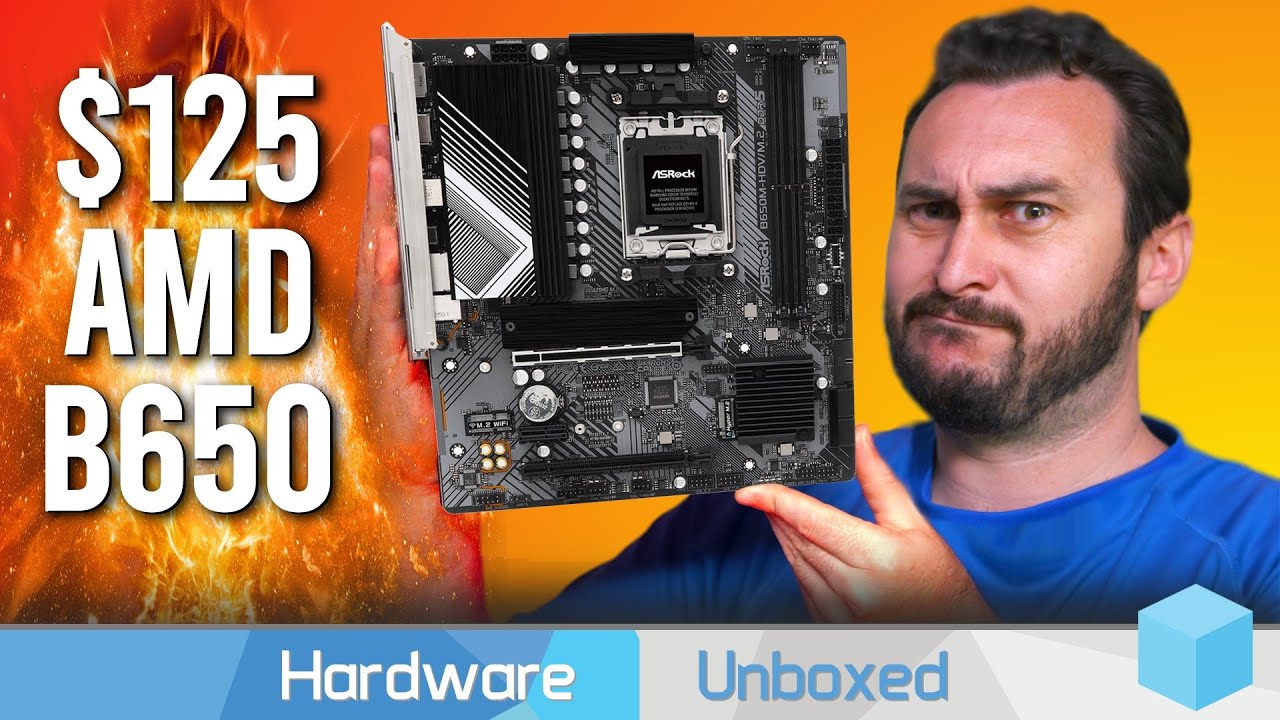
Woah actually good hdv board :o
https://youtu.be/ekeTA1rds1s
Thermal Grizzly: https://www.thermal-grizzly.com/produkte/522-cpu-contact-frame-for-12th-gen-intel-by-der8auer
Support us on Patreon: https://www.patreon.com/hardwareunboxed
Join us on Floatplane: https://www.floatplane.com/channel/HardwareUnboxed
Buy relevant products from Amazon, Newegg and others below:
Ryzen 9 7950X - https://geni.us/lTmCs...
Chadrock moment
next thistle
Rog strix b760-f? Or something else? I need at least two M2 slots and stability...
I feel it's expensive? Or I'm cheap? 😅
vast meadow
next thistle
Rog strix b760-f? Or something else? I need at least two M2 slots and stability...
Strix boards are notoriously overpriced for no good reason, what cpu are you using and ddr4 or ddr5, do you need wifi, what country?
next thistle
I7-13700k, DDR5 (not chosen yet 😅), Wi-Fi not required, in Canada!
Thanks
For now I know the psu, the case and the cpu cooler...
And cpu of course
 near dirge
Hey, quick question do any of yall know if this cpu would work with this mobo without flashing or updating the bios: AMD Ryzen 5 4500 3.6 GHz 6-Core Processor and Asus Prime B450M-A II Micro ATX AM4 Motherboard.
grizzled bloom
Possibly. The 400 series chipsets launched with the 2000 series chips so it'll depend on the manufacture date.
near dirge
grizzled bloom
Possibly. The 400 series chipsets launched with the 2000 series chips so it'll d...
Oh ok thankls for that. Do you know any good mobos under 120 that would have up to date bios that doesnt require updating the bios for either 4000 or 5000 series cpus and has built in wifi?
grizzled bloom
near dirge
Oh ok thankls for that. Do you know any good mobos under 120 that would have up ...
That board you asked about has a bios flash button that makes it easy to update without needing a working CPU so you're covered even if it does need an update
vast meadow
next thistle
I7-13700k, DDR5 (not chosen yet 😅), Wi-Fi not required, in Canada!
Ik you don't need wifi but this board has it and it'd be the one I'd recommend anyway
https://ca.pcpartpicker.com/product/8ncG3C/gigabyte-z790-ud-ac-atx-lga1700-motherboard-z790-ud-ac

Gigabyte Z790 UD AC ATX LGA1700 Motherboard (Z790 UD AC)
next thistle
vast meadow
Ik you don't need wifi but this board has it and it'd be the one I'd recommend a...
thanks
vast meadow
You're welcome
vast meadow
Damm worst cpu ever 😤 /s
 sudden creek

TEAMGROUP T-CREATE EXPERT Overclocking 10L DDR5 64GB Kit (2 x 32GB) 6400MHz (PC5-51200) CL34 Módulo de memoria de computadora Ram - CTCED564G6400HC34BDC01
royal elk
vast meadow
Damm worst cpu ever 😤 /s
If you're playing counters strike at 1080p medium on a 4090 there's a bigger issue than your cpu💀💀💀
vast meadow
sudden creek
Is this ram kit good? https://www.amazon.com.mx/TEAMGROUP-T-Create-Overclocking...
Not sure how it's priced to it's competitors but 6400 c34 is nice
vast meadow
royal elk
If you're playing counters strike at 1080p medium on a 4090 there's a bigger iss...
 royal elk
vast meadow
https://tenor.com/view/sarcasm-sarcasm-sign-bbt-big-bang-theory-gif-24360926
royal elk
vast meadow
https://tenor.com/view/sarcasm-sarcasm-sign-bbt-big-bang-theory-gif-24360926
I saw lol
Just a stupid test to me
stark violet
by that logic we dont need good cpus at all 🤷♂️
royal elk
What?
stark violet
its a cpu test what other way are they supposed to test
sudden creek
vast meadow
Not sure how it's priced to it's competitors but 6400 c34 is nice
Heatsink is my concern.
Is it as good as the fury Beast non RGB?
vast meadow
sudden creek
Heatsink is my concern.
Afaik the only bad heatsinks are trident z ones so i wouldn't worry
sudden creek
Gotcha. Was concerned since it's for workstation use.
vast meadow
royal elk
Just a stupid test to me
It's to show the biggest gap in perf possible
royal elk
Fair enough its more so the people who look at it and think their cpu is bad and causing a "bottleneck" just cause they don't have as great of performance at 1080p (not talking about you btw lmao)
 sudden creek
Will it be as simple as plug and play? Besides flashing bios that is.
near dirge
grizzled bloom
That board you asked about has a bios flash button that makes it easy to update ...
In this case would the only way to find the BIOS version number be after making the pc or what
 grizzled bloom
near dirge
In this case would the only way to find the BIOS version number be after making ...
grizzled bloom
near dirge
In this case would the only way to find the BIOS version number be after making ...
Some brands will put a sticker on the box that says the factory bios version
near dirge
ok thanks
 dull sluice
if i wanna update my cpu ryzen 5 5600x, any suggestions, that'll work on my mb MSI 470x gaming plus, I updated the BiOS to be able to use the 5600x already.
stark violet
5800x3d really the only cpu on that socket which has a substantial lead over the 5600x
sudden creek
I am about to start switching my mobo/cpu and I wanted to double check, do I need a USB stick to do a fresh install of windows?
vast meadow
dull sluice
if i wanna update my cpu ryzen 5 5600x, any suggestions, that'll work on my mb M...
If you're gaming, not much worth upgrading without changing platforms and honestly then still not worth it, what gpu do you have? You'd probably be better off upgrading that instead
vast meadow
sudden creek
I am about to start switching my mobo/cpu and I wanted to double check, do I nee...
Yes unless the drive already has windows on it
sudden creek
My drive already has windows.
mild jackal
Win 10 just works fine most of the time moved from one system to another
sudden creek
Do I do that after I put the drive into the new mobo?
mild jackal
If not, then install clean
sudden creek
First time doing this 😓.
So it should boot just fine after I move it to the new mobo/cpu?
vast meadow
mild jackal
Win 10 just works fine most of the time moved from one system to another
Usually ™️
sudden creek
In the situation that it doesn't boot up normally, what should I do?
vast meadow
sudden creek
Do I do that after I put the drive into the new mobo?
Yeah after so that windows won't auto grab the old chipset drivers
mild jackal
It'll almost certainly boot up, just a possibility that whatever chipset/other drivers on the install don't play well with the new hardware
vast meadow
sudden creek
In the situation that it doesn't boot up normally, what should I do?
Ryzen 5000 cpu?
Bios flash
sudden creek
R7 5700g
vast meadow
If it doesn't boot, obvs check power and front panel headers
Then bios flash if still nothing
And check everything is plugged in fully
sudden creek
Alright, one last thing before I swap the CPU, Mobo, and case. The triangle on the cou faces the triangle on the Mobo correct?
vast meadow
Ye
dull sluice
vast meadow
If you're gaming, not much worth upgrading without changing platforms and honest...
6600 xt, upgrading to 6750 or 6800 xts.
vast meadow
dull sluice
6600 xt, upgrading to 6750 or 6800 xts.
I'd spend that extra money on jumping up to a 6950xt or higher tbh, also if you haven't go 32gb ram that'd be a nice upgrade from 16
dull sluice
i have 32gb ram, actually thinking of going higher just cause atm.
id have to look into a new psu for a 6950xt, if thats the case.
vast meadow
dull sluice
i have 32gb ram, actually thinking of going higher just cause atm.
If you're not doing production stuff there's no point tbh
What psu do you have?
vast meadow
Ah okay, what software do you use?
dull sluice
Camtasia
vast meadow
I've never heard of that one before do you know if it's gpu accelerated?
Might be worth upgrading the gpu just for that, and I'd check out to see if it prefers Nvidia or amd cards first, also maybe consider waiting for the 4070 launch
dull sluice
Not a fan of Nvidia cards.
vast meadow
Yeah but your editing software might be
cursive epoch
editing sw's often prefer nvidia
vast meadow
There's no real difference once it's in your system
Most of them do anyway I've never heard of camtaisia so idk
dull sluice
Never really noticed, havent had any issues w/ it
cursive epoch
no issues doesn't mean it'll be the best, just to add
vast meadow
I usually wouldn't recommend Nvidia but in cases like this usually nv's just better at production
cursive epoch
if you don't wanna mess with psu 4070 sounds logical
 marsh walrus
good morning yall
im wanting to bld a computer for my aunt sompel word prssing light gaiming as well as internet she loves wathing stuff on pecock and tubi
any ideas
burnt spear
marsh walrus
im wanting to bld a computer for my aunt sompel word prssing light gaiming as w...
I'm sorry, what?
royal elk
burnt spear
I'm sorry, what?
For Microsoft Word, light gaming, browsing the web aswell as streaming shows.
 scenic solar
recommended ram stress test program?
naive pendant
scenic solar
recommended ram stress test program?
Testmem5, anta555 extreme profile
hit it with multiple different tests tho. y-cruncher is also good for example
scenic solar
is aida 64 extreme ram+cache benchmark also a stress test or just a performance test?
vast meadow
scenic solar
is aida 64 extreme ram+cache benchmark also a stress test or just a performance ...
No
amber canopy
ddr I I I
 grizzled bloom
<<<<
amber canopy
Have that 2600C10 2R ddie arriving as well as my 2250C9 bin PSC
sudden creek
Out of curiosity what might be the potential value of a used I7-10700f if i were to sell it?
cursive epoch
about 100-150
sudden creek
Ooof, yeah I think I'd rather just hold onto the CPU and reuse it for a PC to give to my brother at that pricing.
near dirge
wouldn't these 2 go together without updating the bios
 vast meadow
yes but you shouldnt buy them new, hardly anymore money will get you a 5600 and a board where you wont have to update bios, or probably not, and you can do it without needing a compatible cpu anyway
near dirge
vast meadow
yes but you shouldnt buy them new, hardly anymore money will get you a 5600 and ...
i mean i saw this and thought it was a good deal. I am trying to build a really budget build like under 600 usd with ok specs. What do you think?
 vast meadow
oh okay thats really good
near dirge
vast meadow
yes but you shouldnt buy them new, hardly anymore money will get you a 5600 and ...
does that mobo even run 3200 MHz ram
dull flint
Yes
near dirge
ok
near dirge
dull flint
Yes
does the O.C. just mean enable XMP or what
 cursive epoch
yes
 real heron
near dirge
i mean i saw this and thought it was a good deal. I am trying to build a really ...
real heron
near dirge
i mean i saw this and thought it was a good deal. I am trying to build a really ...
Have you been to a microcenter before how do ask about the days
sudden creek
I am looking into upgrading my ram, the motherboard is B550M DS3H.
Should I get 4x8gb or 2x16gb ram sticks and what speed should I go for? R7-5700g is the cpu it's being paired with.
grizzled bloom
2x16 and 4000c18
grizzled bloom
sudden creek
I am looking into upgrading my ram, the motherboard is B550M DS3H.
Should I get ...

G.Skill Ripjaws V 32 GB (2 x 16 GB) DDR4-4000 CL18 Memory (F4-4000C18D-32GVK)
sudden creek
@grizzled bloom, are these good? They're the cheapest I can find on amazon.com.mx at those speeds without paying import fees.
https://www.amazon.com.mx/G-Skill-Trident-3600MHz-PC4-28800-Channel/dp/B07WTSMHSY/ref=sr_1_6?__mk_es_MX=ÅMÅŽÕÑ&crid=1XD3BA2FGQEFW&keywords=ddr4+4000+cl18+2x16gb&qid=1680902998&sprefix=ddr4+4000cl18+2x16gb%2Caps%2C129&sr=8-6&ufe=app_do%3Aamzn1.fos.66c34496-0d28-4d73-a0a1-97a8d87ec0b2

Kit de 32 GB G.Skill DDR4, Trident Z Neo diseñado específicamente para la última serie AMD Ryzen 3000, X570. 3600MHz, PC4-28800, CL18 (18-22-22-42) a 1.35V. Con disipadores térmicos Trident Z Neo RGB, 2 módulos de 16 GB.
vast meadow
those would be fine, honestly 3200mhz cl16 or 3600mhz cl18 will be fine
sudden creek
just realized they're 3600mhz.
sudden creek
vast meadow
those would be fine, honestly 3200mhz cl16 or 3600mhz cl18 will be fine
what's the perf difference between those and 4000cl18? Wondering because I plan to reuse this ram in the future once I upgrade again for server use.
grizzled bloom
There's these https://www.amazon.com.mx/Mushkin-Redline-Lumina-escritorio-MLA4C400JNNM16GX2/dp/B08XYVP98Q

Ya sea que rompas tus propios discos o estés construyendo un equipo de juego de ensueño, puedes contar con el rendimiento y la fiabilidad de los módulos Mushkin REDLINE Lumina RGB. Ningún módulo de memoria de su clase ofrece más rendimiento. Diseñado para construcciones de sistemas de clase mundi...
It is a noticeable difference on the 5700g
Normal zen 3 you don't want to go above 3600 (3800 OC) but the monolithic G chips can do a lot higher
sudden creek
grizzled bloom
Normal zen 3 you don't want to go above 3600 (3800 OC) but the monolithic G chip...
Interesting.
Gotcha, well I will keep that ram in the cart and probably buy it next week. Thanks for helping me out.
You think the B550M DS3H can handle 4 of those sticks?
grizzled bloom
It could probably with a little tweaking
sudden creek
what do you mean by tweaking?
grizzled bloom
You'll need to change some voltages and resistances etc
sudden creek
got it.
grizzled bloom
That goes for 4 sticks on AM4 in general
sudden creek
So it's a topic for the future then.
vast meadow
sudden creek
what's the perf difference between those and 4000cl18? Wondering because I plan...
nothing i wouldnt send more than 10-15$ extra on
grizzled bloom
vast meadow
nothing i wouldnt send more than 10-15$ extra on
There is a difference though

Especially for the iGPU
Timings don't matter as much as frequency on those chips too
fclk synced at 2200 be like
vast meadow
grizzled bloom
There is a difference though
Sure if gaming on the igpu but still stand by my statement even for gaming the diff isn't that much more
sudden creek
vast meadow
Sure if gaming on the igpu but still stand by my statement even for gaming the d...
what about workstation use?
Ex: Video Editing, Blender, and future use for game servers.
sudden creek
The R7-5700g is faster then the I7-10700f correct?
near dirge
real heron
Have you been to a microcenter before how do ask about the days
im not sure what u r asking, i usually go there only for getting 3d printer filament
dull flint
sudden creek
The R7-5700g is faster then the I7-10700f correct?
No I'm fairly sure it's not
grizzled bloom
sudden creek
The R7-5700g is faster then the I7-10700f correct?
It is slightly better yes
Well, it depends on the game ofc but it's very close
grizzled bloom
It's within margin of error in a lot of stuff
stark violet
 grizzled bloom
That was back when hub was using different memory on amd and intel wasn't it?
stark violet
does it matter when you put a d gpu on tho
grizzled bloom
Yes, infinity fabric clock has a huge effect on core to core latency
And the 5700g can sync fclk up to 2200 or higher
(meaning 4400+)
stark violet
still out of the box xmp numbers matter more for a buying decision imo
grizzled bloom
There's about a 10% performance difference between 3200 and 4000 and this was back when they were using 3200 memory on AMD and 4000 on Intel
real heron
near dirge
im not sure what u r asking, i usually go there only for getting 3d printer fila...
Yea worded that wrong I went to microcenter today for the first time
sudden creek
grizzled bloom
It is slightly better yes
Okay just wanted to double check because I couldn't tell if I really gained more perf or not though it did seem I got an extra 15 or so frames Fortnite.
vast meadow
sudden creek
Ex: Video Editing, Blender, and future use for game servers.
Idk if there's much testing on it but my guess would be no
sudden creek
Found out why my game felt more choppy than usual even though the CPU is a bit faster.
My monitor got reset back to 60hz 🤢
 frosty depot
sudden creek
My monitor got reset back to 60hz 🤢
frosty depot
sudden creek
My monitor got reset back to 60hz 🤢
I dislike when this happens.
sudden creek
It was driving me crazy thinking "Did I just spend 2 days upgrading my system to find out I downgraded it.....".
glad I figured that out.
amber canopy
They arrived 
 amber canopy
no thats a normal dimm, its tall because thats just the design of the heatspreader
royal elk
summer acorn
Why is it so tall

 river tapir
Alright im back with probably another dumb question. My ram came with a fan to add on top of them. Do I need to use it? If so I need to completely redo my computer as my CPU cooler blocks it
dull flint
@river tapir what ram
river tapir
dull flint
<@272614384818454528> what ram
Corsair Vengeance LPX 2x16gb 4000MHz
river tapir
Awesome. Wanted to make sure because online was back and forth on whether it was needed or not
dull flint
It's only in the case where you were pushing some ridiculous XMP voltage like 1.6V
river tapir
Ok good to know figured it seemed excessive but that just seems to be how modern PCs are lol
dull sluice
lookin for a good wifi, msi motherboard, ryzen series, suggestions?
was lookin at MSI MAG B550 Tomahawk MAX, but I'd assume Id have to update bios to support Ryzen 5600x or Ryzen 7's?
vast meadow
You shouldn't have to and you can get a way cheaper motherboard something around the 120$ price range range would be enough for a 5700x, also if you where to go r5 get a 5600 instead, basically the same for like $30+ less
dull sluice
But if I wanna update to a better cpu, per say, ryzen 7 5800x 3d, etc. I'd need a board that can support that, which im pretty sure my current one cannot.
 hollow thorn
Why not go am5 and have the option of 7700x and 7700x3d
vast meadow
dull sluice
But if I wanna update to a better cpu, per say, ryzen 7 5800x 3d, etc. I'd need ...
going from ryzen 5000 to 5800x3d isnt worth it tbh
dull sluice
Your saying ryzen 5 5600x —-> ryzen 7 3dx isn’t worth?
 main pulsar
not worth it
dull sluice
I see, so I’d have to buy a new motherboard than, pretty sure this one is handling all it can.
vast meadow
Usually minimum worth upgrading on the same platform is 2 gens or 1 gen 3-5/7 tier cpu
burnt spear
Highly depends on game
I noticed a huge difference with just a 3060 ti going from 3600 to 13600k in wz2
 grizzled bloom
That's just the official support without overclocking
(XMP is overclocking for this purpose)
It would only matter on boards that don't allow memory overclocking like Intel B460
 grizzled bloom
Yes
real heron
no
grizzled bloom
No what?
real heron
no why does it still say im new here
grizzled bloom
Well you did just join 5 days ago
 hard leaf

dull flint
dull sluice
I see, so I’d have to buy a new motherboard than, pretty sure this one is handli...
What mobo?
 wintry scarab
summer acorn
Why is it so tall
wintry scarab
summer acorn
Why is it so tall
Old ram
summer acorn
Fair enough
 misty belfry
$250 for octacore i7 11700 (K doesn't suit my needs and uses way more power) worth it upgrading from an i5-11400?
eternal helm
Probably not
misty belfry
part of the workload is CPU video encoding
misty belfry
i9 11900 more worth it? it costs $350ish on amazon.
since as i can tell the only difference with the i9/i7 is a bit of clock speed
i don't know if that's exactly the right route to go, given that the i7 is so close to it
eternal helm
11900 def isn't worth
I'd look towards the 13th gen for the nice boost it'll give
Yeah it'll require a board upgrade at minimum, but if it fits into your budget it'd be worth
misty belfry
i'll get a DDR4 board because i already have DDR4 and DDR5 is weird
grizzled bloom
WARNING:
MSI driver source code has been stolen and there is a potential of officially signed drivers downloaded from third party sites (anything not msi.com) being compromised. Only download MSI drivers directly from MSI.
grizzled bloom
grizzled bloom
WARNING:
MSI driver source code has been stolen and there is a potential of offi...
 tranquil wolf
looking to possibly move up from a 12700k to a 13th gen CPU, any recommendations for 13600k or 13700k? also for ATX mobo using DDR5 to go with it?
dull flint
tranquil wolf
looking to possibly move up from a 12700k to a 13th gen CPU, any recommendations...
What's the reason for upgrading?
grizzled bloom
Are you just gaming? It's not worth upgrading for that
dull flint
Yeah not worth it really
grizzled bloom
Especially if you're above 1080p low
At 1080p low where you can see the differences you're looking at going from 166 to 184 fps
grizzled bloom
At 1440p you're more likely to get no increase at all
grizzled bloom
dull flint
Sir any 12700k build at 1080p is cursed
CPU reviews do 1080p, I'm just pointing out why
dull flint
I was confusion
tranquil wolf
currently gaming at 27" w/ 1440 and 165Hz, but I also use the system for remote work
just thought the CPU boost and going from DDR4 to DDR5 might help a lil w/ both
dull flint
What work do you do
grizzled bloom
If your work includes an all core load then some extra threads from more e-cores could help
AMD is still the rendering king though
tranquil wolf
work is a lil of everything: noc monitoring, tech support, fiber access, IPTV/VOIP services... my concern is having a cpl dozen programs, apps, windows open but some of that is also reliant on the remote machines which i have no control over those specs lol
just have a lil $$ coming and thought i would get some input, but if you guys say no reason to move up then i will put that back for now
grizzled bloom
None of that would use even half your cores
So yeah no real point upgrading, unless you really want to burn some money
tranquil wolf
yeah i would rather not waste the money, thanks for the info
stark violet
people can want a high fps experience
1440p still takes more then half the fps away
stark violet
still with the gpus majority have cant expect everyone to do 1440p
its too heavy for what is is
grizzled bloom
Which doesn't apply in this case so it wasn't considered
 oak sand
Anyone who has experience on AM5- how big of a difference does B650 vs X670 vs X670E make? I can't find any reasonable comparisons besides pcie slots and etc
But from what I can tell it's mostly just fancy extra features
cursive epoch
Yeah it's mostly fancy stuff
dull flint
Basically nothing performance-wise
Pcie 5 on the pcie slot?
About it
No gpus can leverage pcie 5 yet
oak sand
Yeah that's what I saw, more like pcie lanes or somethin but it seemed like mostly fancy doodahs
dull flint
Pretty much ye
cursive epoch
I would go as far as saying a620 is even fine, if you don't go above something like 7800x3d
But a series has lacking i/o
And generally not as many ssd slots
oak sand
Thats what I figured. Overclocking is kinda limited either way from what I can tell
So the whole "ENTHUSIAST OVERCLOCKING!!!" seems like marketing
oak sand
"extreme vrm cooling"
58c vs 54c
sudden creek
It's mostly all just buzz word bing go.
amber canopy
oak sand
"extreme vrm cooling"
58c vs 54c

sudden creek
oak sand
"extreme vrm cooling"
58c vs 54c
Just douse some Ln2 on it. Problem solved, now you got -40c vrms.
oak sand
sudden creek
Just douse some Ln2 on it. Problem solved, now you got -40c vrms.
And 0 ghz CPU 😢
 stray raptor
Anyone know how to get the Optical Audio to play the same Audio Stream as a Subwoofer that is plugged into the onboard audio???
grizzled bloom
AMD Zen 5 is looking spicy. An engineering sample of dual 64 core zen 5 (128c/256t) almost beat the world record of cinebench r23. The engineering sample being air cooled, while the WR is LN2.
With a bit of math using that ~123,000 score and clock speeds that could mean as much as a 20% IPC gain, with early silicon. 🌶️
amber canopy
the forbidden gdie

 amber canopy
😦
dull flint
I had hope for a minute
You were talking about ddr4
I have returned to my apathetic mood

amber canopy
 vast meadow
Why in the world would you need mor d3
amber canopy
binning
the ddr3 i ordered earlier is 3100C12 1R H4M
pretty high bin mfr, should be interesting
next thistle
Hi! I just see that I forgot to get a thermal past!
Any recommendations for a good one? It's for an I5-13600k and a Deepcool AK620.
Thanks
burnt spear
next thistle
Hi! I just see that I forgot to get a thermal past!
Any recommendations for a go...
Ak620 comes with some
next thistle
burnt spear
Ak620 comes with some
Ok cool! Thanks
 celest ginkgo
How is everyone doing today!
So I’m planning to upgrade to 13th Gen sometime in the future.
I’m currently on 10th, 10700kf, and my MoBo is a z490 MSI gaming edge wifi. I’ve had honestly a pretty awesome experience, and I feel like I matched the two pretty well. I don’t have a whole bunch of features I don’t need or don’t use nor do I not have enough.
I haven’t done too much reading up on Z790 and I just want some suggestions on a MoBo that would be good to pair with the 13700kf.
Looking at the Z790 Edge wifi from MSI.
 dim cloak
If you do don't forget to keep in mind the DDR4 and DDR5 variants and usually the board will either have D4 or DDR4 in the name
spiral fulcrum
btw I bought them some days ago and they just arrived, xmp latencies seemed a bit high and rn I'm trying to optimize them at 1.4v managed to get the latency down from 72 ns to 68.2, still using ryzen 7 3800x as of rn
sudden creek
Anyone have a guess as to how my R7-5700G for a split moment hit 5.065ghz?
Not using custom bios.
cursive epoch
PBO
sudden creek
In one of the benches the CPU hit 5.415ghz.
cursive epoch
Yeah PBO will boost as high as it can when situation allows
Only for a brief moment it can hit that high that is
sudden creek
Unfortunately so.
Though I am getting a consistent 4.8ghz all core.
So that's sweet.
Currently benching my GPU over and over again. I am so close to getting a stable clock that also gets me past the 14k score in 3Dmark.
Currently at 13,988pts.
 vivid lynx
I'm struggling to choice a cpu either the 5800x3d or the 5900x both the same price atm
dull flint
vivid lynx
I'm struggling to choice a cpu either the 5800x3d or the 5900x both the same pri...
What's the pc for
vivid lynx
Mostly gaming, hopefully at 1440p soon as gunna be getting either a 6800xt or 6900xt so don't wanna bottleneck
dull flint
vivid lynx
Mostly gaming, hopefully at 1440p soon as gunna be getting either a 6800xt or 69...
5800X3D
there's a 6950XT Asrock going for like $610 rn
what psu have you got?
dull flint
ah no, that's usd
check 6800, 6800XT, 6900XT and 6950XT prices tho
all 4 should pretty much work with your system
as long as it's a good 750W
like a corsair RMx or MSI AG or SuperFlower Leadex III
vivid lynx
dull flint
as long as it's a *good* 750W
It's sesonic one so yeah pretty good, gold standard and that
dull flint
vivid lynx
It's sesonic one so yeah pretty good, gold standard and that
can you give us the exact model
not all sseasonics are born amazing
vivid lynx
vast meadow
What's the budget for cards
Probably like £600-£700
vivid lynx
dull flint
can you give us the exact model
Seasonic Focus GX 750W 80 Plus Gold Fully Modular PSU
dull flint
ok that one is certified amazing
But glad I checked
yeah cheapest best card you can afford
they'll all work
vivid lynx
Even 6950xt, obviously not 7000 series
dull flint
nah 7000 series will work
7900XT can indeed work
7900 XTX? yeah, reference cards will
@vivid lynx how much ram have you got
also what case
vivid lynx
32gb 3600mhz and lian li lancool 2 performance
dull flint
https://uk.pcpartpicker.com/product/ts7G3C/asrock-radeon-rx-6950-xt-16-gb-oc-formula-video-card-rx6950xt-ocf-16g
or
https://uk.pcpartpicker.com/product/gbXV3C/asrock-phantom-gaming-oc-radeon-rx-6950-xt-16-gb-video-card-rx6950xt-pg-16go
or
https://uk.pcpartpicker.com/product/7dNxFT/xfx-speedster-merc-310-radeon-rx-7900-xt-20-gb-video-card-rx-79tmercu9

ASRock OC Formula Radeon RX 6950 XT 16 GB Video Card (RX6950XT OCF 16G)

ASRock Phantom Gaming OC Radeon RX 6950 XT 16 GB Video Card (RX6950XT PG 16GO)

XFX Speedster MERC 310 Radeon RX 7900 XT 20 GB Video Card (RX-79TMERCU9)
if I were to pick, OCF
If I could stretch? RDNA 3
want to save on it? Phantom gaming
pick your poison
vivid lynx
Have to see if I can stretch thr budget 😅 I like them all 😅
dull flint
OC formula is the best 6950XT
the phantom gaming is still a 6950XT so still great
the merc 7900XT gives you a tier up and imo a better AMD experience
cos newer drivers
vivid lynx
Tough choices, do play some heavy games
dull flint
imo 7900xt is like, peak 1440p and the best gpu you can ever pair with zen 3 (and 5800x3d)
any higher and you start seeing bottlenecks
so wasted money
vivid lynx
Good to know
dull flint
vivid lynx
Good to know
what monitor are you running for 1440p?
144/165/240hz are all good in this situation
vivid lynx
I haven't decided on them either yet 😅😅
 vast meadow
@vivid lynx btw i wouldn't buy from newegg uk I've heard that the shipping estimates don't include import tax, or I'd at least look into it before buying something from newegg in the uk as they ship a lot of stuff over from the us instead of having local places
I'd go with this if you don't mind bstock
https://www.overclockers.co.uk/-b-grade-gigabyte-32-m32q-2560x1440-ssips-165hz-0.8ms-freesync-led-backlit-widescreen-gaming-mon-bg-5d2-gi.html
If you wanted 27"
https://uk.pcpartpicker.com/product/JPrYcf/gigabyte-g27q-270-2560x1440-144-hz-monitor-g27q
If you don't like b stock and want 32"
https://uk.pcpartpicker.com/product/HYZ9TW/hp-x32-315-2560x1440-165-hz-monitor-2v7v2aaaba

Gigabyte G27Q 27.0" 2560 x 1440 144 Hz Monitor (G27Q)

HP X32 31.5" 2560 x 1440 165 Hz Monitor (2V7V2AA#ABA)
vivid lynx
vast meadow
<@480755809727414292> btw i wouldn't buy from newegg uk I've heard that the ship...
Oh no yeah I go with scan or overclockers uk
vast meadow
Box and ccl and the others on pc part picker are fine I'd just be weary of newegg since it's not actually in the uk usually
Actually that's also shipping from the US
https://uk.pcpartpicker.com/product/kFRYcf/amd-radeon-rx-6950-xt-16-gb-video-card-100-438416
Or this if you don't mind going a tiny bit over budget
https://uk.pcpartpicker.com/product/ZHFbt6/powercolor-radeon-rx-6950-xt-16-gb-red-devil-oc-video-card-axrx-6950xt-16gbd6-3dheoc

AMD Radeon RX 6950 XT Radeon RX 6950 XT 16 GB Video Card (100-438416)

PowerColor Red Devil OC Radeon RX 6950 XT 16 GB Video Card (AXRX 6950XT 16GBD6-3DHE/OC)
vivid lynx
Yeah fair enough, that gigabyte monitor looks nice
vast meadow
Both the gigabytes and the hp are great yeah
Also imo on the cpu upgrade, I'd just wait for next gen cpus and upgrade to them or something unless you need the extra cpu power
vivid lynx
Won't it bottleneck anything higher, I don't wanna change mobos really not long had it
vast meadow
vivid lynx
Won't it bottleneck anything higher, I don't wanna change mobos really not long ...
It depends on what you play what settings etc
vast meadow
But remember bottlenecking not exactly bad
vivid lynx
vast meadow
It depends on what you play what settings etc
Alot of escape from tarkov and some star citizen mostly
vast meadow
vivid lynx
Alot of escape from tarkov and some star citizen mostly
I'm not sure on those games tbh but imo it's not worth the £300 or so for the uplift then trying to find someone to buy a 3900 (probably not gonna be able to sell for that much) also if you happen to actually need multicore perf x3d chips aren't where it's at compared to regular chips
oak sand
How does one decide what to set their CPU PPT, TDC, and EDC limit?
sudden creek
what's the name of intel's version of PBO?
cursive epoch
It's TAU I think
 cerulean wadi
tau is the time in seconds of the boosting. Intel's PBO is just pretty much called Turbo Boost or such afaik, lol. https://www.intel.com/content/www/us/en/gaming/resources/turbo-boost.html (sort of an "old" page, but has some info) --- From around when 10th gen was out, but this has some neat info too: https://www.extremetech.com/computing/311414-intel-shares-pl1-pl2-and-tau-values-on-10th-generation-cpus
cursive epoch
PBO is ocing tho
Turbo boost isn't, it's running within official range
And I guess Intel lacks pbo tech
cerulean wadi
Intel doesn't (feel) we need pbo-like stuff perhaps, haha. I messed up thinking PBO was so like Intel's turbo.
cursive epoch
I want Intel to do something like pbo honestly
dull flint
idk if you can even call it tech
ig?
PBO is just like TVB/turbo just a bit smarter
resultant behaviours are very similar
cursive epoch
Fair nuff
sudden creek
Would Static OC harm my cpu if I'm still running at an undervolt?
grizzled bloom
For a static OC you'd be setting a static voltage anyway, your CO settings are ignored because no boosting
cursive epoch
depends on the voltage
sudden creek
Hmmm, so long as I don't give it much voltage would a static OC be bad for the CPU?
grizzled bloom
The steps for that are basically set the highest voltage you're comfortable with, set the core multiplier up until you get errors, then lower voltage until it errors
cursive epoch
Ryzen cpus degrades even at 1.35v under load so
grizzled bloom
There's some debate around that, some say 5000 series is more robust than that others say never will I ever above 1.2v
cursive epoch
I would keep it safe and not touch above 1.2
grizzled bloom
I don't care much about degrading so I would run 1.3v anyway, 1.25v playing it safer
sudden creek
Gotcha, what voltage am I currently running at with -28 offset?
cursive epoch
PBO is auto oc, so it chooses any voltage the situation allows
grizzled bloom
Look at hwinfo under cinebench load, every chip is running a different voltage
cursive epoch
^
sudden creek
Aight, give me a sec and I will test. I am debating if I should switch to static OC for better all core loads.
grizzled bloom
No reason not to save a profile for both CO and manual settings depending on what you're doing
sudden creek
True.
grizzled bloom
You can also theoretically simplify it by using ryzen master to set things instead of going to bios every time but once you find settings that work make sure to set it in bios for stability
sudden creek
Will probably do that tbh.
CO: games, browsing etc
Manual: blender, benches
Would r23 of cinebench work?
Also should I do multicore or single core.
grizzled bloom
Yep as long as it's an all core load
You can use your load voltage there as a starting point for your OC if you wanted too
sudden creek
I only need sensors right?
sudden creek
Gotcha.
Starting all core now
Oh also I got 14,586 last run on r23 from the 12,100 some pts I had earlier this week.
grizzled bloom
very nice
sudden creek
Ngl feels good beating my competition who had an identical system.
grizzled bloom
Yes it does lol
sudden creek
5m into r23 it seems my cores like to stay around 1.2-1.24v
grizzled bloom
Sounds about right
sudden creek
With an average all core boost of about 4.6Ghz and regular spikes up to 4.8Ghz.
So I should start with a voltage of 1.24?
grizzled bloom
Yep that would be good
See if you can get a multiplier of 47 working to get a steady 4.7GHz
sudden creek
Aight, I am gonna let this cinebench run finish to figure out which core disliked -30 offset then I will try that.
How do I save a profile in bios?
grizzled bloom
It'll be under the save end exit menu
sudden creek
K.
grizzled bloom
You'll be able to rename it too for quick access, and save it to a USB if you want to back it up
sudden creek
Oh yeah so far 6/8 cores seem to work fine with a -30 offset, that considered good?
sudden creek
grizzled bloom
You'll be able to rename it too for quick access, and save it to a USB if you wa...
Neat.
grizzled bloom
I'm not 100% sure how an average 5700g performs but that's sounding very good to me
sudden creek
I wonder what r23 score I will get with an steady 4.7ghz.
grizzled bloom
Wow you're only behind my best r23 score by about 2000 points, and that's set at 4.9GHz.
And you haven't even done your static OC yet.
sudden creek
grizzled bloom
Wow you're only behind my best r23 score by about 2000 points, and that's set at...
5800x correct?
grizzled bloom
Yes which makes it even more impressive you're that close
I don't expect you to beat it, that was also at 1.45v 
grizzled bloom
Hey if I kill it it's an excuse to my wife to upgrade 
sudden creek
Lmao.
Anyways, what's the name of the setting I should change to make it a static OC?
grizzled bloom
You were on MSI right?
sudden creek
Yeah.
grizzled bloom
Core multiplier on the main OC page
sudden creek
I see Manual CPU OC.
grizzled bloom
Then scroll down to core voltage, tell it override mode, 1.24v
sudden creek
Gives me an option for frequency and voltage.
grizzled bloom
That should work
sudden creek
There's also CPU clock ratio.
grizzled bloom
There's about 3 different interfaces actively used by MSI right now so it's hard to tell which you have
sudden creek
Turn off PBO?
grizzled bloom
Nah it'll just get ignored
sudden creek
Should I use the manual OC in advanced OC settings or the one in Tweaker called clock ratio?
grizzled bloom
At the very top left, what click bios version does it say?
sudden creek
Bios version FB,obo B550M DS3H.
It was in system info.
I am on v1.4 of the board according to someone else the other day.
grizzled bloom
Oh wait ds3h? That's a gigabyte
grizzled bloom
That explains the difference lol
sudden creek
When you said MSI I thought you said gigglebit.
grizzled bloom
Anyway try CPU ratio 47 and core voltage override 1.24v
sudden creek
Noticed it gives me an option up to like 68.
Does that mean theoretically I can do beyond 4.8ghz with static?
grizzled bloom
And it might go pretty close to that, under LN2 cooling
sudden creek
👀
Will be remembering that for another day.
When this chip becomes expendable to me I might attempt Ln2 on it if that's the case.
47 set.
What is the name of the thing I need to change for voltage?
grizzled bloom
CPU Core Voltage
sudden creek
CPU Vcore voltage by any chance?
grizzled bloom
Yeah that sounds right
grizzled bloom
Stick to the main menu for now
 grizzled bloom
Things get weird when you start setting the advanced options and the main options at the same time
grizzled bloom
yes
sudden creek
Setting to 1.244 as that's the closest option.
Save and try running cinebench sum it up?
grizzled bloom
Yes
If it's not stable then you can try load line calibration to get the voltage more steady
sudden creek
What's that?
Uhhh, all I am seeing is a frozen screen of the bios after it tried loading in.
Shutdown and boot the PC?
grizzled bloom
There's a small amount of voltage drop (vdroop) under load. Higher levels of LLC will stabilize the voltage closer to the set voltage.
sudden creek
grizzled bloom
There's a small amount of voltage drop (vdroop) under load. Higher levels of LLC...
Gotcha.
grizzled bloom
You can set one of 3 things here, LLC level 4, higher core voltage, or lower your clock multiplier to 46.5
sudden creek
What should I do about the frozen screen, is it safe to shutdown the PC then boot it?
grizzled bloom
Yeah just shut it off and go back to bios
sudden creek
Will start with LLC.
Where does one usually find that?
And I guess I will up the voltage to 1.26v that seems good?
grizzled bloom
One or the other, so you know which worked
grizzled bloom
That's usually under power settings
sudden creek
Any other names it might go by?
grizzled bloom
It would be CPU Load Line Calibration, I'm not sure under what submenu for gigabyte
sudden creek
CPU Vcore Loadline calibration?
grizzled bloom
Yeah MSI calls it Digitall power configuration lol
sudden creek
 grizzled bloom
Medium
grizzled bloom
System on Chip
sudden creek
Blue screen....
grizzled bloom
Ok you can bump voltage a tad then
grizzled bloom
1.26 probably\
sudden creek
1.262v set