#cpus-mobo-and-memory
1 messages · Page 25 of 1
 obtuse forge
 radiant iron
Anyone know why a pc would be freezing can still move mouse around no issue but nothing at all will respond for a minute then be alright and repeats
 grizzled bloom
radiant iron
Anyone know why a pc would be freezing can still move mouse around no issue but ...
grizzled bloom
radiant iron
Anyone know why a pc would be freezing can still move mouse around no issue but ...
Could be any one of a hundred things. Low memory, busy cpu, virus, bloatware...
Try logging hardware stats with hwinfo and see if anything looks weird, like full memory or 100% cpu/gpu usage.
radiant iron
grizzled bloom
Could be any one of a hundred things. Low memory, busy cpu, virus, bloatware...
...
i think it seems to happen far more often when in discord voice chats
tho instead of freezing just discord its everything
grizzled bloom
Try disabling hardware acceleration in discord
radiant iron
would that matter if u had decent specs?
grizzled bloom
Specs don't really matter, discord breaks things all the time
 silk jungleBOT
DDU (Display Driver Uninstaller) Guide by Pato
https://github.com/NeweggTechie/Graphics-cards/wiki/How-to-use-DDU

GitHub
Contribute to NeweggTechie/Graphics-cards development by creating an account on GitHub.

 vast meadow
Noice
 burnt spear
I'd throw that in tech deals
 amber canopy
Some nice dual rank s8b 
amber canopy
Nah
amber canopy
Nah
 dull flint
Gonna buy you with all my crypto
 compact zenith
Karma at its best. Kid sells his used motherboard on eBay to raise cash for a better system. Buyer knowing it's a kid, using his dad's account, swaps out his motherboard for the kids, thinking it was bad, when in fact their power supply was bad. Guy sends his motherboard to kid and contacts eBay to report the kid using his dad's account, which guarantees he gets his money back. Only problem, the guy doing the swap, forgot to take the CPU, ram, and several NVME out. Kids dad gets involved and verifys the serial number on board matches the guys info, so after contacting eBay with the info, the adult who did the swap, doesn't get his money back and kid gets to keep both the money, and loaded motherboard.
I used to do retail long ago. Lost count at how many times people pulled a scene at returns because they'd swap older items out, like faucets and tools, and try saying they bought it that way, for loss prevention to confront them that it's strange how this older item is registered to them, which is why many stores require ID on returns without receipts. Keeps them from going to other stores, and sometimes verify that their return obviously had correct item in the box in the first place. As Sheriff Grady says a lot, I love stupid criminals heh.
I watch a lot of his posts. A funny one a few years back, theif steals from ATMs, doesn't care camera recorded his face, then posts his haul on Facebook.
compact zenith
dull flint
Gonna buy you with all my crypto
Crypto currency. Forgot the guys name who threw out his hard drive accidentally, and found out his small investment is worth millions. Murphy's law, hell probably go and move one day, and find that drive actually under his bed, and realize his millions have by then dropped to pennies. Me, I'd never invest into something that has no backing. Hard enough these days investing in things that do have backing.
The worst mistake I ever did was to toss a winning $100 bingo scratcher. It used to be that when you scratched the entire ticket, three letters around the game board would spell out a winning ticket. Like Ten=$10, FTY=$50, or HUN=$100. Bought one and let me kids scratch a few, so when they messed up, I scratched entire card, saw no letters, tossed it in trash. Guy behind me fishes it out, asks cashier to scan it, and find out it's a $100 winner. Found out that day, that they don't print those letters on scratchers anymore. My kids wouldn't let me live it down for weeks lol.
obtuse forge
Does a320 support sata m.2 ssd? I just have one on the shelf
 cursive epoch
Depends on which exact board it is
obtuse forge
cursive epoch
Depends on which exact board it is
Asia prime a320m-a
cursive epoch
that one has a slot
not sure if it works with sata
seems it supports both nvme and sata
 obtuse forge
Guess I have to try
amber canopy
Picked up some free ddr3 goodies from my workplace  @stiff kraken @dull flint

 stiff kraken
are you gonna oc them
stiff kraken
oc them.
amber canopy
stiff kraken
oc them.
waste of time
amber canopy
I dont find mem OC THAT fun, im not sadistic
amber canopy
stiff kraken
one of them will secretly do 3200 6-7-6
🥴
amber canopy

stiff kraken
will literally complete superpi in negative time
in fact it doesn’t even take voltage, it’s grass fed ram
 sudden creek
Lmao.
amber canopy

 iron nacelle
"GET MORE"
grizzled bloom
@untold zinc No selling in this server
 untold zinc
my bad
amber canopy
leaked ddr7 IC
 amber canopy
been there done that
 split copper
Suck on it
Stick it up your nose
Pull it out and put it in your ear
Repeat process 10x or until success

 amber canopy
gus
split copper
What he will next
 amber canopy

Support me on Patreon:
https://www.patreon.com/der8auer
Music / Credits:
Outro:
Dylan Sitts feat. HDBeenDope - For The Record (Dylan Sitts Remix)
Paid content in this video:
- Intel paid for my flight. Content itself is not pa...
sudden creek
7950x3D vs 7950x which is better for which use case?
Modeling, Rendering vs Gaming.
sudden creek
dull flint
I mean 7950x3d is pretty good considering
What about for workstation? 7950x3D vs 13900K?
If they are pretty close to each other then I will go with AMD so I can stay on AM5 for 3 gens without needing to swap Mobo everytime.
dull flint
I'd say 13900k is better for workstation unless your big grab is compression
Encoding and rendering, quick sync is really hard to ignore
13900k is much better for other stuff like cad too
Versus amd which likes compression decompression
Between the two in gaming the difference is single digits at most
sudden creek
How big is the difference in blender?
Because I'd prefer not needing to buy a new cpu + Mobo when I upgrade each generation.
grizzled bloom
sudden creek
How big is the difference in blender?

13900k is pretty close to the 7950X but at quite a bit more power draw than the 7950X3D, if that's a concern for you
 sudden creek
Seems I am sticking to AMD this time around at least until after meteor lake because that seems to be a mess.
dull flint
For CAD I like the 13900K as it's just outright faster
Intel stonk
I mean you brought up modelling lol
sudden creek
I've been getting into Blender more lately. Not a lot into cad though.
dull flint
I mean if that's not a worry then sure
sudden creek
What's perf difference between 7950x3D and 7950x in games?
grizzled bloom
14th gen is looking like a big turd sandwich from what I've heard, like no i9 and the top would be 14700k with 6p8e
sudden creek
15%?
dull flint
15%-ish
grizzled bloom
sudden creek
What's perf difference between 7950x3D and 7950x in games?
It depends on the game
Some games, 0
Others, 20%
Still others, -5%
sudden creek
grizzled bloom
It depends on the game
Halo, Fortnite, COD, Minecraft, MMORPGs (eg: Destiny 2).
grizzled bloom
MMOs will like it for the cache, they're heavily single thread bound in general
I haven't looked into the others, let me check
Warzone looks like about 20% boost
With 50% better lows, interesting
 sudden creek
Interesting.
grizzled bloom
DOOM is no change at all
That game is really well optimized already
Hogwarts

Fortnite looks broken right now, the performance is SO much worse on the 7950X3D
You'd want to set the "prefer frequency" option in bios until they fix that
sudden creek
Wait rally?
grizzled bloom
The averages are about the same but the lows are abysmal, by about half
grizzled bloom
Yeah that should. It tells it to use the regular cores on the second CCD instead of the vcache CCD
grizzled bloom
g'night
sudden creek
How are the Corsair Dominator Platinum ram sticks compared to the Flare X5 ram sticks for workstation use?
Also would a DDR4 heatsink fit on a DDR5 stick? Like the aluminium one from Ezdiy-Fab.
vast meadow
Ram manufacturer doesn't matter if you're not overclocking
 spiral fulcrum
Corsair Vengeance Rgb Pro 32Gb 2X16Gb Ddr4 3600 Pc4-28800 C18
is this good for DDR4
I'm switching from my XPG D60G's bc I need more RAM capacity
I couldn't find the memory chips of those corsair RAMs if anyone knows what their chips are it'd be helpful
burnt spear
spiral fulcrum
Corsair Vengeance Rgb Pro 32Gb 2X16Gb Ddr4 3600 Pc4-28800 C18
Depends on price
You can get an identical kit for $70 from teamgroup or oloy
spiral fulcrum
burnt spear
Depends on price
its very cheap on amazon.de
can u suggest something better from amazon.de if its not good for the price
I don't have a budget limit but I also don't want to pay a lot for a DDR4 RAM
I want something which won't be a downgrade from my hynix-c die 3600 mhz cl16
burnt spear
spiral fulcrum
I want something which won't be a downgrade from my hynix-c die 3600 mhz cl16
Just get the cheapest 3600c16 kit then
Brand is irrelevant
Also cl18 is a downgrade from cl16
Lower cl is better
As cl=latency
spiral fulcrum
I will still overclock the ram I get so wouldn't the chip matter?
I do game dev and latency optimizations made a lot of difference for me
burnt spear
If you're lucky and there's a sale on a 3200c14 kit like there was on amazon US recently, you could get cheap B die
If you're big into ram tuning, it might be worth investing in Rev E or B die
burnt spear
I know tridentz has a variant for B die but I don't remember how to tell it apart, I don't know a ton about specific models. One sec, I'll find you someone who does who's online
@vast meadow you around?
I'd take a look but I'm walking into work in about 30 seconds
spiral fulcrum
burnt spear
I know tridentz has a variant for B die but I don't remember how to tell it apar...
yeah I've heard that theres something like "fake B-die" if that info is still recent
spiral fulcrum
burnt spear
I'd take a look but I'm walking into work in about 30 seconds
its ok thanks for helping nonetheless
burnt spear
If you see a kit that's 1.5v jedec with 3200c14 timings, that could be considered "fake" b die
burnt spear
Since it looks like B die purely on speed and timings, but way too much voltage to be b die, unless manufacturer just doesn't know what they're doing and fed voltage without increasing speed or lowering timings
Kk I gotta run, if I have a chance I'll check back and see if anyone helped you
If not I'll take a look around
spiral fulcrum
ok thanks for your time
grizzled bloom
sudden creek
Also would a DDR4 heatsink fit on a DDR5 stick? Like the aluminium one from Ezd...
No, because DDR5 has extra components that need to be cooled like the PMIC.
I guess if you take off the stock pads and put your own that could work, but at that point you're spending more.
vast meadow
burnt spear
<@191276897227898880> you around?
was going on?
sudden creek
grizzled bloom
No, because DDR5 has extra components that need to be cooled like the PMIC.
I g...
Ahh I see. Already talked to what's his name with the yellow username and techie role. Decided to go with the Fury Beast non RGB ram.
burnt spear
vast meadow
was going on?
Questions about d4, they oc and low latency is good for what they do
grizzled bloom
spiral fulcrum
yeah I've heard that theres something like "fake B-die" if that info is still re...
Here's an example of what not to get. It's 3200 c14 so it could look like B-die at first glance, but the full timings give it away. 14-18-18 could be B-die but probably something else. If you're looking for B-die the dead giveaway is straight timings, like 3200 14-14-14 or 4000 16-16-16.
https://pcpartpicker.com/product/wBkWGX/mushkin-redline-lumina-16-gb-2-x-8-gb-ddr4-3200-cl14-memory-mla4c320ejjp8gx2

Mushkin Redline Lumina 16 GB (2 x 8 GB) DDR4-3200 CL14 Memory (MLA4C320EJJP8GX2)
spiral fulcrum
I couldn't find any good cl 14-14-14 RAMs and I'll use with ryzen 7 3800x so 4000 mhz doesn't make a lot of sense
I don't think that my cpu can do 2000 MHz IF
so should I just go with a regular kit?
burnt spear
Falcie is one of the people here I trust when it comes to ram, they're very knowledgeable
grizzled bloom
2000 IF is hard even for 5000 series (except certain ones)
Sweet spot for price/performance is 3600c16 ofc but if you're overclocking you can get b-die for a good price right now.
16gb or 32gb?
grizzled bloom
Stay with me on this one... HP RAM
https://pcpartpicker.com/product/9gxRsY/hp-v10-rgb-32-gb-2-x-16-gb-ddr4-3200-cl14-memory-48u45aaabc
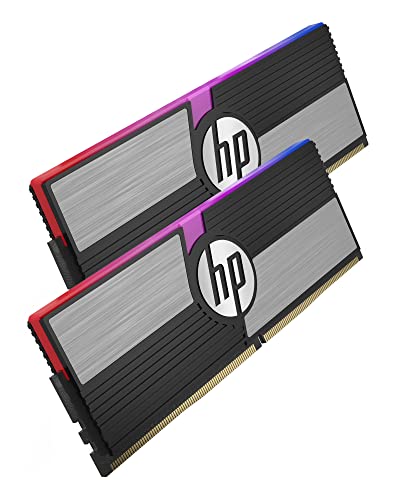
HP V10 RGB 32 GB (2 x 16 GB) DDR4-3200 CL14 Memory (48U45AA#ABC)
spiral fulcrum
does this have any europe listings?
grizzled bloom
Ah, what part of EU?
spiral fulcrum
germany is fine
I'll have to import the ram anyways
bc amazon US has really high fees especially shipping
grizzled bloom
Amazon.de has this
https://de.pcpartpicker.com/product/BZwqqs/gskill-ripjaws-v-series-32-gb-2-x-16-gb-ddr4-3200-cl14-memory-f4-3200c14d-32gvk
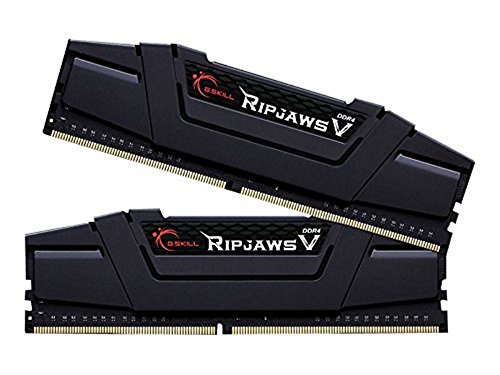
G.Skill Ripjaws V 32 GB (2 x 16 GB) DDR4-3200 CL14 Memory (F4-3200C14D-32GVK)
spiral fulcrum
ok a sec
no stocks afaik
yeah
either I can't find them or there's a shortage of these types of rams
grizzled bloom
It says there's 6 in stock for me when I VPN to Berlin
spiral fulcrum
it says no stock for me even when I change amazon's store location
strange
ohh thats probably the ones which will ship to my country
I can still get this one tho I think
ok I'll look for this one
grizzled bloom
Does this site ship to your country? https://www.alternate.de/G-Skill/DIMM-32-GB-DDR4-3200-Kit-Arbeitsspeicher/html/product/1260888

ALTERNATE
Das G.Skill F4-3200C14D-32GVK ist ein Dual-Channel-Kit aus zwei 16-GB-DDR4-3200-Speichermodulen (PC4-25600) aus der Ripjaws V Serie. Die Gesamtkapa...
spiral fulcrum
no sadly, I have friends in germany tho I can get these with them
I live in Turkey all of these rams have no stock in my local sellers
I'll see if I can get one of those with them
or maybe I can just get the corsair vengeance rgb pros
these rams are obv way better but I don't know if they are worth the extra and the effort for ddr4 rn
grizzled bloom
How does this price look? https://tr.pcpartpicker.com/mr/neweggtr/WtjWGX
spiral fulcrum
hm I can get this actually
but its 2x the price of vengeance rgb pros do u think that it's worth the extra overclock?
I can spare money for it if it is
grizzled bloom
On AM4 yes it's worth it in my opinion
spiral fulcrum
ok thanks I'm saving this link, good model as well I like the design of those tridentz rams
grizzled bloom
I got a good 20% more fps in my favorite CPU limited games going from C-die to OC B-die
spiral fulcrum
I'll probs get a 5800x3d and 4070 ti/4080 upgrade as well
so it should be more worth it?
grizzled bloom
Actually on the 5800X3D it really doesn't care about memory because the cache is so huge
spiral fulcrum
oh ok
grizzled bloom
3200 c16 performs about the same as 3800 c14 on that specific chip
grizzled bloom
If you plan on going for that then you can save a good chunk of money and get 3600 c16 memory instead. It'll still overclock nicely if you wanted.
spiral fulcrum
so should the vengeance rgb pros I sent at first be fine with it?
I'm saying this model a lot bc its very cheap on amazon.de rn
well its 3600 c18 but I got my 3200 mhz c16 ram to 3600 c16 so it should be fine I guess
but again I don't know what chip it uses
grizzled bloom
3600 c18 won't overclock too well, how's the price compared to this? https://tr.pcpartpicker.com/mr/neweggtr/3wbTwP
spiral fulcrum
very small difference
grizzled bloom
If it's about the same price then get the c16 I just linked
It'll be worth it long term
spiral fulcrum
oh my god the shipping tho
grizzled bloom
Never mind then
spiral fulcrum
can we get this shipping fee removed with multiple items?
maybe if I buy something with this?
grizzled bloom
5800X3D is quite happy with 3600 c18
I know that's a trick on Amazon but I don't think it works on Newegg
spiral fulcrum
that's sad, well I might be able to find this ram on amazon a sec
yes this is on amazon.de great
with a good price
so I'll buy this if its all fine
grizzled bloom
The c16 one right? Yep you'll be happy with that one before and after your CPU upgrade.
spiral fulcrum
yes c16
exactly same model number
ok once I get this I will do my best overclock on this
thanks a lot
grizzled bloom
Happy to help
 honest topaz
Is 1 stick of 8gb of ram enough?
I had 2 sticks but got no signal with 2 in at once
honest topaz
It’s not enough to play games/ do work or anything like that on
honest topaz
If I put the other stick in it gives me no signal should I try putting it in a different spot on the motherboard?
grizzled bloom
You'll want to have the sticks in the second and fourth slots, the one closest to the CPU being first
honest topaz
I had them in those spots but I got no signal but when 8 took the 4th one out it works
But there’s only 8gb of ram now so I can’t rlly do anything
Could I put them in the 1st and 3rd?
Or 2nd and 3rd
grizzled bloom
You can try switching the second and fourth
honest topaz
Ok
grizzled bloom
If it's not working in 2 and 4 then it won't work in 1 and 3 (unless there's physical damage to slot 4), and especially not 2 and 3
honest topaz
grizzled bloom
If it's not working in 2 and 4 then it won't work in 1 and 3 (unless there's phy...
I took the both ram sticks out of 2 and 4 and can’t fit them into any slot now
1 side locks and the other side of the stick goes up
grizzled bloom
Make sure they're in the slot right, it sounds like it's upside down
honest topaz
grizzled bloom
Make sure they're in the slot right, it sounds like it's upside down
Wdym in the slot right
 honest topaz
It does
I can get one side locked on but the other side goes up a little bit and won’t go down far enough for it to get locked in aswell
Any other solutions?
split copper
Push down on both ends of the stick
grizzled bloom
Firmly
honest topaz
Igh
split copper
I usually slot the stick in on one end and then lock it in place, to work on the other end next
honest topaz
It worked for 1 stick 🙏
split copper
Perfect
Now it will work for the next :)
So long as the slots aren't clogged with dead leaves or regrets
honest topaz
I put all the ram in and it’s locked but now the pc won’t turn on @split copper @grizzled bloom
grizzled bloom
Try without the one you know is good
honest topaz
grizzled bloom
Try without the one you know is good
Still doesn’t turn on
With either one of them
grizzled bloom
Clear your CMOS, and if that doesn't help then remount your CPU cooler. Sometimes over-tightening that can cause memory channels to drop out.
?cmos
silk jungleBOT
How to clear CMOS (works for AMD and Intel)
https://www.intel.com/content/www/us/en/support/articles/000025368/processors.html

Intel
Defines CMOS technology and how to clear CMOS using the jumper or battery methods.
grizzled bloom
They mean the side panel
 grizzled bloom
The one that's already open that you've been accessing the memory through
honest topaz
The front panel?
grizzled bloom
The front is where the power button is
grizzled bloom
It's already open though
honest topaz
What is?
 grizzled bloom
yes
grizzled bloom
It might be hiding under the GPU
honest topaz
Don’t see it still
grizzled bloom
What motherboard is it?
honest topaz
GIGABYTE B660M DS3H DDR4


 hollow thorn
Where is it?
 quartz zinc
Next to the ram
grizzled bloom
You have a jumper you can use instead of the battery
grizzled bloom
Labeled "CLR_CMOS"
 hollow thorn
quartz zinc
Next to the ram
hollow thorn
quartz zinc
Next to the ram
What motherboard?
 hollow thorn
oh it might be some kind of tooless chipset vrm removal thing
grizzled bloom
 honest topaz
@grizzled bloom I’m confused how I’m supposed to move it from position 1-2 to 2-3
hollow thorn
ah, looked like it was on the chipset vrm from the pic
grizzled bloom
honest topaz
<@396513761550270464> I’m confused how I’m supposed to move it from position 1-2...
You only have the 2 pins, just touch the 2 together
honest topaz
grizzled bloom
You only have the 2 pins, just touch the 2 together
What am i moving

Which 1
grizzled bloom
The ones you have circled in orange, touch them both with something metal like a flathead screwdriver (non-coated tip)
It might take a couple tries to get the clear to go through
honest topaz
So touch 1 with something medal then touch the other?
hollow thorn
Bridge the gap
grizzled bloom
Both at the same time
honest topaz
grizzled bloom
Both at the same time
Ok how do I know when to stop
grizzled bloom
Hold it there for about 10-15 seconds, longer if you want
You should get a message when you turn it on after that it's loading defaults
honest topaz
What if it doesn’t turn on
grizzled bloom
Then try again
hollow thorn
Jumping the header doesn't turn it on, it'll only tell you settings have been reset after you jump the header, and then turn it on
honest topaz
hollow thorn
Jumping the header doesn't turn it on, it'll only tell you settings have been re...
So jumping the header won’t make my pc turn on if it hasn’t been?
grizzled bloom
Right. You'll hold your metal item to those pins. 10-15 seconds later, remove it, and press the power button.
honest topaz
If it won’t make my pc turn on then why am I doing this?
grizzled bloom
It's clearing the settings to try to get it to detect the memory again
honest topaz
Ok so I should have my display port plugged into my pc and the power cable?
grizzled bloom
Yes
grizzled bloom
The power turned on and fans are spinning, but still no signal?
 grizzled bloom
That's no longer a memory issue. It would turn on even if there was no memory installed.
Check your power cables. 24 pin and 8 pin CPU.
honest topaz
8 pin is the graphics card 1 right and 24 pin is next to ram right?
grizzled bloom
8 pin CPU, top left of the board
honest topaz
It’s plugged in
Still no power
@grizzled bloom
Anything else I can do @grizzled bloom
 tidal hound
have a thinkpad e15 gen 3, looking to get an expansion on it. is an Intel 670p Series M.2 2280 1TB ssd a good fit? i know nearly nothing about laptop parts so any advice is appreciated.
cursive epoch
670p is a good pick for a laptop
dull flint
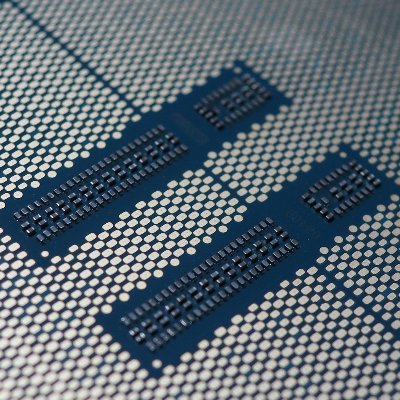



 sudden creek
what's the difference between x570 and b550 boards? Also is the R7-5700G overclockable?
vast meadow
Not much, generally x570 has more io but generally more expensive and not as good vrms as a b550
Yes all ryzen cpus are overlclockable apart from their athlon chips or something
sudden creek
Ahh I see.
vast meadow
But as with most ryzen, overclcoking is just optimising pbo good and curve optimizer (not sure if on the g series)
sudden creek
by the way, any idea why the 5700g is faster then the i7-10700f in games by about 10-15% even though they have same clock speed and cores?
vast meadow
Different architectures and instructions per clock (ipc)
Clockspeed can only be used to compare cpus in the same generation in terms of perf
sudden creek
gotcha.
 royal elk
Yea the 5700g overclocks great
sudden creek
I am thinking of using the r7-5700g for a custom laptop project in the future.
royal elk
royal elk
Yea the 5700g overclocks great
Got mine to draw 140w lol
royal elk
sudden creek
Isn't the rated tdp like 65?
Stock
Overclocking will bump that up
A significant amount
sudden creek
I never would've thought double....
vast meadow
sudden creek
Isn't the rated tdp like 65?
Power isn't even in the tdp calc on amd
sudden creek
AMD Configurable TDP (cTDP)
45-65W?
what does tdp stand for?
Total Drawable Power?
vast meadow
Overclocking generally adds a lot of power draw for not much of a perf gain tbh
Total design power iirc
sudden creek
vast meadow
Overclocking generally adds a lot of power draw for not much of a perf gain tbh
true.
vast meadow
Thermal not total*
sudden creek
Gotcha, thanks.
 stark violet
seems like the jump to 13400 is not mind blowing

 cerulean wadi
Of course, just a 12400 + Ecores and 100-200mhz higher.
grizzled bloom
cerulean wadi
Of course, just a 12400 + Ecores and 100-200mhz higher.
So a 12600k
cerulean wadi
Locked*. -- plus the locked low SA to go w/ it just like 12400 unfortunately.
grizzled bloom
Mmm good point
compact zenith
Keeping my eyes on cryptocurrency again. After that CA bank got shut down, I figure it's only a matter of time before one of those pillers takes a fall, and I'll be ready to buy another I9 build the moment prices drop again lol.
Built my kids really good systems last year, and sort of went overboard with mine. My wife didn't want one at the time, but after a few months of seeing our systems, she's changed her mind. At least the Steam Decks keeping her busy lol.
sudden creek
What's a good motherboard for a R7 5700g under $100?
vast meadow
what country?
royal elk
grizzled bloom
Something something B450
Plus you wouldn't benefit from b550 anyway cause the chip doesn't have pcie 4
And by the time its time to upgrade you might aswell change platforms
grizzled bloom
PCIe 4 but yeah
 candid mango
So my ram is being ready at 2133mhz buts it's max is 3600 can someone help me
royal elk
royal elk
The cpu does not
Therefor a bored with pcie4 will not make a difference
royal elk
candid mango
So my ram is being ready at 2133mhz buts it's max is 3600 can someone help me
Mt/s and you're gonna have to head to the bios
For a sec
candid mango
Okay let me get their one sec
candid mango
Asus rog strix
 royal elk
Ok click the drop down menu on ai overclock tuner
candid mango
Okay
royal elk
What options does it give you
candid mango
Manual, xmp1 and xmp2
candid mango
Okay
royal elk
You should be good
candid mango
Should look like this right
 royal elk
Yep
candid mango
Also thank you I tried another server for help and they just called me a idiot and not help
sudden creek
Should I get the B450M Prime board for $70 or get the B550 prime for $90?

MB ASUS PRIME B450M II AM4 ATX 4DDR4 128GB 4400 MHZ HDMI DVID DSUB SATA 6GB USB3.2GEN2 AURA SYNC PRIME B450M A II

La serie ASUS Prime está diseñada por expertos para liberar todo el potencial de la plataforma AMD Ryzen de tercera generación. Con un diseño de energía robusto, soluciones de enfriamiento integrales y opciones de ajuste inteligentes, las tarjetas madre de la serie Prime B550 brindan a los usuari...
or perhaps the DS3H priced at the middle ground?
https://www.amazon.com.mx/Gigabyte-B450M-DS3H-V2/dp/B08KWMXGQW/ref=psdc_9687880011_t3_B07VHJ34W7?th=1

B450M DS3H V2
grizzled bloom
sudden creek
Should I get the B450M Prime board for $70 or get the B550 prime for $90?
Is that for the 5700g? B450 is fine. It doesn't have PCIe 4.0 on the CPU so you can't even use the extra features from B550.
sudden creek
grizzled bloom
Is that for the 5700g? B450 is fine. It doesn't have PCIe 4.0 on the CPU so you ...
Now that I think of it yeah your right, considered the b550 for future upgradabillity for my brother but by then I can probably get like a I5-12600+mobo for like $230
Which B450 board do you think is better?
grizzled bloom
Anything with flashback, like the one you picked
It's not a high power chip so even the cheap ones with no heatsink would be ok if there's good airflow
sudden creek
i forgot to check if the DS3H had flash back.
sudden creek
grizzled bloom
It's not a high power chip so even the cheap ones with no heatsink would be ok i...
Was considering getting one of those speaker looking cases to do a fun lil M-ATX build.
grizzled bloom
DS3H doesn't but the asus does
sudden creek
Gotcha so go with the Asus B450M-Prime.
grizzled bloom
Yep
sudden creek
I will make this build once I finish my current pc. Just waiting on the 7950x3d to release and I will decide if I wanna go with 7950x or 7950x3d depending on price difference.
grizzled bloom
I assume you mean release in Mexico because it's out already, and gets about 15% better fps on average (with a few exceptions that are likely bugs from the dual CCD)
sudden creek
grizzled bloom
I assume you mean release in Mexico because it's out already, and gets about 15%...
oh it's out in the US already?
grizzled bloom
Yes, it launched the end of last month
sudden creek
By the way, anything bad about this board cus that price is tempting.

T. Madre Biostar X670E Valkyrie, Chipset AMD X670E, Socket AM5, Memoria: DDR5, Integrado: Audio HD, Wi-Fi, SATA 3.0, M.2, ATX.
Looks good too.
grizzled bloom
There's not much point in getting X670E because no one does dual GPUs these days and all it offers over X670 is a second PCIe 5.0 x16 slot (running at x8)
sudden creek
grizzled bloom
There's not much point in getting X670E because no one does dual GPUs these days...
Not even for newer gpus?
Say like an RTX 5090?
grizzled bloom
We don't know about the future
sudden creek
I plan to keep the board I buy for 2-3 years.
Oh my bad misread your msg.
Thought you said because gpus can't use pcie 5.0 currently.
grizzled bloom
I think you missed the point too, DUAL GPU is dead, you'll still get a 5.0 x16 slot on B650E
sudden creek
Doesn't X670E also offer 2 gen 5 NVMe slots?
sudden creek
oh.
But for that board, are there anything bad about it? Because that's a really good price at least to what I've found.
About 30% cheaper then most X670E and is about the same as most X670.
grizzled bloom

I'll have to check into it because Biostar in general is a really bad brand. They're the reason the (first party) 7900 XTX was overheating, they made the coolers.
B650E btw

B650E has the same number of 5.0 lanes as X670E
sudden creek
on paper so far the Valkyrie board looks very good.
 sudden creek
?
grizzled bloom
 sudden creek
that's weird, it shows it has wifi on the site.
grizzled bloom
Ignore that point then, everything else is the same
The overclocking limits in particular, and very poor results (lowest of all tested boards in class) with a 7950X are painful
sudden creek
Ahh yeah that's a no go for me then.
Which is sad because I genuinely LOVE THE AESTHETICs.
grizzled bloom
The memory support is troublesome too
sudden creek
I like clean boards that are fully covered.
One of the main reasons I liked the Kingpin boards.
just me or is there a lack of x670 boards on amazon.com.mx?
grizzled bloom
There's kind of a lack of X670 boards in general
dull flint
grizzled bloom
OOOOFFFF https://www.tomshardware.com/reviews/biostar-x670e-valkyrie-review
I don't know if you remember the biostar z690 review I posted not too long ago. Totally reminiscent of that lmao
sudden creek
the x670 I can find are like only $30 less then the x670e variants....
dull flint
Biostar is just in general lacking somehow versus the competition
dull flint
Were it me choosing Apex, find a solid b650 or b650e
grizzled bloom
B650E should get what you want, extra PCIe 5.0 M.2 slots and everything
dull flint
You get 99% of the core am5 experience and worth doing so if it's significantly cheaper
sudden creek
what would I lose on a b650e vs x670e? Because I plan to reuse this board for the like 2-3 years.
dull flint
Yeah contrary to the marketing, b550 was actually the best am4 platform
By far
B650(E) seems to be a repeat of it
grizzled bloom
Depends on the model of board. Chipset capabilities are similar.
dull flint
It's just I/O and lanes
sudden creek
What do you meant by I/O?
sudden creek
oh gotcha.
grizzled bloom
1 less possible 20Gb USB port for example
sudden creek
Need a lot of USBs so that could be problemmatic, will take a look at some b650e boards now those.
grizzled bloom
Whether it's even used or not, depends on the model
dull flint
As far as I know, avoid all but Asrock and most gigabyte for AM5
If you need a lot of usb
Look up the b650 livemixer
Unironically a decent looking board
grizzled bloom
Gigabyte is really good on AM5 because when you set XMP they set other timings as well
sudden creek
dull flint
As far as I know, avoid all but Asrock and most gigabyte for AM5
avoid any non asrock and most of gigabyte boards?
dull flint
Asrock is supposedly one of the most solid for am5
Unless you're buying some ridiculously overkill and useless board for OC, go asrock imo
Or msi pro
Or gigabyte aorus
grizzled bloom
He is buying the ridiculous extras though
sudden creek
this is dumb..... the b650e of the aorus master is more expensive then the x670e variant.
sudden creek
how?
dull flint
That's the entry level
grizzled bloom
 sudden creek
aorus master is the entry level?
grizzled bloom
sudden creek
Sorry I've had trouble reading lately. I have glaucoma.
Ok that's straight out of Due Date
Maybe Mexican border patrol will give you some pot
dull flint
Lol
Consider x670(e) if you're gonna be running like, raid 0 cards with 4x2tb gen 4 nvme's and thunderbolt cards and 10gbit lan etc
Note that you will sacrifice some gpu performance for this, it's the nature of the beast
sudden creek
grizzled bloom
Ok that's straight out of Due Date
Maybe Mexican border patrol will give you som...
CBD is legal here just not THC.
dull flint
It's just as practical to get sata ssd's/bulk storage or find a good board with some of that in the I/O already
sudden creek
dull flint
Consider x670(e) if you're gonna be running like, raid 0 cards with 4x2tb gen 4 ...
I plan to run
1x gen 3 boot drive
2x gen 4 game and storage drives
1x gen 5 work drive
dull flint
You could reasonably get that on a b650e I think
grizzled bloom
100%
grizzled bloom
Yep, it all comes down to what features of the chipset the model uses
dull flint
1 gen 4 boot
1 gen 3 game drive
1 gen 5 work drive
2 sata ssd game drives
Use the gen 3 for multiplayer games, sata ssd's for single player
It'll open up your options more and potentially run you cheaper overall
grizzled bloom
Put the game drives into a Windows storage space for basically RAID 0, that's what I do
sudden creek
gen 3 is fine for boot to me but as games a lot of games I've been playing my drive keeps having freezes when loading new areas.
grizzled bloom
Direct storage is trying to solve that but it's far from wide adoption
sudden creek
Gotcha, will keep that in mind.
..... all these b650 boards look really bad for a display piece.
grizzled bloom
All that extra metal does come at a cost
sudden creek
ooof.
honestly considering the extra price because I want my computer to also be a nice show piece.
Strength & Beauty in one.
sudden creek
Budget's flexible.
grizzled bloom
You have said everything costs more in Mexico, personally I wouldn't push the budget higher for the sake of appearances (that no one but you will see anyway)
dull flint
Personally I really like the livemixer boards, they'd look amazing in a hyte y40
Rare case where the pcb looks good without the armour lol
sudden creek
I'm using the Fractal Torrent so I am trying to find some good boards with a appearance that compliments it nicely.
sudden creek
dull flint
Personally I really like the livemixer boards, they'd look amazing in a hyte y40
is that the white board with the black spots?


 grizzled bloom
That makes me want the Sonic board and the blue Y60
sudden creek
oh never seen that.
dull flint
I have never seen 14 usb on one board like this
sudden creek
My options are limited due to MX.
dull flint
and 2.5gbit lan
And a bios switch
Like wth that's everything a normie needs
Full pcie slots further down as well for thunderbolt and raid/x670 add in card
To me this is one of the most practical am5 boards
cursive epoch
proper board with style
sudden creek
If only it had a different aesthetic.

 grizzled bloom
Oh nice a second C port
sudden creek
I want a clean like gun metal color variant so badly since I have the gray Fractal Torrent.
 long geyser
dull flint
I have never seen 14 usb on one board like this
long geyser
dull flint
I have never seen 14 usb on one board like this
Does help that 8 of them are 2.0
and none are 3.2.2x2
sudden creek
what's the difference between the X670E Tuf and Strix E-F boards?
dull flint
long geyser
Does help that 8 of them are 2.0
Yeah but for audio gear that's better than less at 3.0
dull flint
sudden creek
what's the difference between the X670E Tuf and Strix E-F boards?
I wouldn't go asus am5
Haven't heard good things
sudden creek
what's been happening?
Because the Tuf is at a really tempting price.
nice aesthetic too.
 dull flint
I've just heard that asrock and gigabyte have had the best bios' so far for AM5 by a mile
long geyser
Looks like controllers wont be hecked by too many inputs too cuz okay bit of controllers (note: thanks AssRock for being good with diagrams, unlike other companies).

ReDriver kinda sounds like some software thing or weird splitter rather then an actual controller tho
sudden creek
dull flint
I've just heard that asrock and gigabyte have had the best bios' so far for AM5 ...
Thought those have smoothed out lately?
dull flint
Not that I know of
grizzled bloom
Gigabyte is still best for memory on AM5
dull flint
I'd be perfectly happy to recommend a gigglebit board
grizzled bloom
No, not OC but XMP sets a few extra timings other boards don't so you get better performance
dull flint
Yeah gigabyte does tight expo setups
Relatively speaking
Getting a good 6000 kit working out of the box with slightly tuned ddr5 would be a heck of a free performance boost
sudden creek
grizzled bloom
No, not OC but XMP sets a few extra timings other boards don't so you get better...
gotcha.
dull flint
@sudden creek
https://a.co/d/ayLoA5P

5 años de garantía AMD AM5 Socket: Compatible con procesadores AMD Ryzen serie 7000 DDR5 Compatible: 4* SMD DIMM con AMD EXPO e Intel XMP módulo de memoria compatible con comandante diseño de energía: solución VRM digital de 16+2+1 fases con etapa de potencia de 90A, 8 capas 2X PCB de cobre Diseñ...
long geyser
long geyser
ReDriver kinda sounds like some software thing or weird splitter rather then an ...
So very likely to not be an actual controller. One random redditor mentioned it was just for signal clarity, so who knows for sure ig.
dull flint
Need more pcie slots? Bam
https://a.co/d/8VPKbmD

Con los rápidos cambios tecnológicos, Gigabyte siempre sigue las últimas tendencias y ofrece a los clientes características avanzadas y las últimas tecnologías.
dull flint
sudden creek
Aorus Elite AX vs Aorus Gaming AX
I/o easily looks better on the elite

Enchufe AM5 AM5: Compatible con procesadores AMD Ryzen serie 7000 DDR5 Compatible: 4 DIMM SMD con memoria sin búfer ECC/no ECC Diseño de potencia de comando: solución directa de 16+2+2 fases Digital VRM, 8 capas 2X de cobre PCB Diseño térmico avanzado, protección térmica M.2, armadura ultra durad...
sudden creek
we were looking at the same one just now.
oh wait the aorus elite doesn't have a pcie 5.0x16 slot?
need to go to sleep now, good night.
 scenic solar
Would 3600x to 5600x be a good upgrade? I was thinking of selling my 3600x before it gets too old and prices drop too much, is like to get some money and at least keep my pc slightly more hardware updated... What wattage and temperature difference would I get by switching to the 5600x? Will 6 cores be enough for the following years? I'd like to stay with air cooling so please don't recommend chips like the 5700x3D 5800x3D
(separate question: is it normal for an undervolted/overclocked 3700x to be able to run 4.3ghz all cores at 1.200v?)
Cuz it seems a really low voltage for that freq
cerulean wadi
1.2v sounds great for 4.3 all-core, yes. 5600(x) isn't a huge upgrade but if it was say a $50 or less net upgrade I say go for it. Longterm a 5700x could be nice too as a cooler 5800x but another $50 or so over a 5600x. Indeed few games even use more 4 cores while 8cores is of course good for various non-gpu stuff.
grizzled bloom
scenic solar
Would 3600x to 5600x be a good upgrade? I was thinking of selling my 3600x befor...
You can air cool a 5800X3D. Gaming won't be a huge heat load normally.
scenic solar
The 5600x seems like a good upgrade to me too, if I sell the 3600x for 80/90 bucks I'll probably be able to get a used 5600x for 110/120 (else they're 170 new), 5700x is still a bit too expensive and very few used ones available, so I guess I'll stick with the 5600x then, thanks
 eternal helm
Could look at used 5600 non x
You lose like 2% performance, which isnt even really noticeable, but it may be a good bit cheaper
scenic solar
Should I go for G versions of those CPUs? Will the iGpu affect the CPU someway?
Nah, just saw it has less cache so I'll either go 5600/x
Wont there be any problems buying used CPUs, right?
cerulean wadi
My cpu & gpu were used.
vast meadow
scenic solar
Would 3600x to 5600x be a good upgrade? I was thinking of selling my 3600x befor...
Honestly i wouldn't bother, I'd go 5800x3d (you'd probably need a cooler upgrade) or go 13600k
vast meadow
scenic solar
Should I go for G versions of those CPUs? Will the iGpu affect the CPU someway?
5600g is essentially a 3600 + igpu so no lol
vast meadow
scenic solar
Wont there be any problems buying used CPUs, right?
Only if the pins are bent
scenic solar
vast meadow
5600g is essentially a 3600 + igpu so no lol
I had just seen a benchmark showing it wasn't that far from the 5600 non g... But for me it's not even worth the price as it is not much cheaper than a normal 5600
Same for 5600, it sells for 110-120 used which is the same for the x version. I'll just go for the 5600x then
scenic solar
vast meadow
Honestly i wouldn't bother, I'd go 5800x3d (you'd probably need a cooler upgrade...
X3d isn't selling as used, only new ones for 300-320€ that's too much, I just want a small upgrade, don't need much more, I guess the x3d can still drop in price and will soon be selling for 200
amber canopy
Your email is also showing
split copper
Omw to send pato cool emails 
amber canopy
split copper
Omw to send pato cool emails <:stonks1:839967161845284956>
fax
scenic solar
Also I'm not switching to intel as I'd have to change my mobo
vast meadow
Yeah ffs i clicked the right picture but discord said no
amber canopy
 scenic solar
Talking abt my upgrade, i5 12400 or 12600, as well as 13th gen i5 look like a good option but the motherboard would need to be changed too
12400 not worth it as it performs the same as 5600x
vast meadow
13400/12600k is just a 5700x anyway
scenic solar
I also discovered i5 12500 is a thing 
scenic solar
vast meadow
13400/12600k is just a 5700x anyway
And also more heat = cooler upgrade = nah
vast meadow
Yeah there's a 500 every series, it has the 600 gpu but little leas clocks
scenic solar
So yeah... 5600x is my choice
vast meadow
scenic solar
And also more heat = cooler upgrade = nah
5700x can be cooled pretty easily
5800x, sweatbox, 5700x easily cool-able
scenic solar
Ik but it doesn't perform that much better in game compared to 5600x (the 5700x)
It uses an average of like 5w more
So that's not a problem, the price is, they're still selling 180 used
Still don't get why the 5700x was released 2 years after its successor
- the 5700x will be difficult to cool (using my air cooler) only when all cores are running max freq. It's still 8 cores. My cousin has a 3700x and about the same as my air cooler and the CPU manages to throttle even with 4.3ghz a.c. and a 1.2v undervolt
vast meadow
Depends if it's worth it for you i guess
 scenic solar
5700 G used is 190
So no worth it
I'm only playing games so no heavy workloads, the 5600 should already do its job just fine but for the price I'll go for the x
amber canopy
ebay has no good ddr3 rn

 candid mango
need help i dont know why Logitech does this i never did before i fully restarted my computer
 amber canopy
THEY'RE ALL BUFFERED NOOOOOOOO


 tawny frigate
32gb worth from 16gb? Avid gamer and I always have like 37 chrome tabs open.
grizzled bloom
We're definitely getting into the time where 32GB is good
I've played several games now that straight up crash with 16GB
tawny frigate
Ya i got 16gb years ago
Seems like 32gb is worth for the wiggle room
Especially with even popular AAA games seemingly having poor optimization
grizzled bloom
The issue there is they're using DLSS/FSR to make up for their lack of optimizing
It's just plain lazy programming
tawny frigate
I don’t understand the technical details
Once my new ssd gets here I’ll start ram shopping. Looks like $100 or so for 2 16gb sticks
grizzled bloom
What CPU do you have?
grizzled bloom
tawny frigate
Once my new ssd gets here I’ll start ram shopping. Looks like $100 or so for 2 1...

Render in higher resolutions. Witness realistic pictures and smooth transitions. End choppy animation and catastrophic lag. Handle complex tasks with ease. Browse unlimited tabs and multitask like a pro. Do what you love faster with confidence. Sound like a dream? The new XPOWER Gaming DDR4 makes...
It won't run at full speed since you don't have a K processor but it'll still work
And if you did end up upgrading the CPU later that memory would be good for up to about a 12400
tawny frigate
grizzled bloom
$60 https://www.amazon.com/dp/B092ZCVHS8
Hmm interesting
Seems very inexpensive
tawny frigate
grizzled bloom
And if you did end up upgrading the CPU later that memory would be good for up t...
Don’t give me any ideas lol
dull flint
Between 9900K and 12400 I would easily go 12400
split copper
Leave buying the 9900Ks to the hypothetical people who buy 9900Ks
tawny frigate
Would the 12400 work with my mobo
dull flint
Which mobo
With an 8700 mobo? No it'd need a new one
But like, for the incurred costs of a 9900K (ever so unreasonably priced for god knows why) you could get the mobo and cpu instead and you have something that's just faster
In almost every way
12400F is a godly little cpu for the price you pay
Heck amd's 5600 is too
tawny frigate
Seems weird to go from i7 to i5?
cursive epoch
a much faster 6 core at that
cerulean wadi
Note 9700K is near 10600K performance in most games, here's another perspective: 12400 hangs w/ a 10700K which is 8core/16thread. amd 3600/3700X just extra comparison. Not to mention, 12400 generally peaks around 70w & avg 40-45w in most games probably. It's the Hynix P31 of cpus almost, lol.
 tawny frigate
I’m not sure the model of my mobo
But it sounds like I’d def need a new one if I want to upgrade cpu
cerulean wadi
Yep. Say if budget was too tight to get 12400+mobo instead of a 9700k/9900k, I would just stick with the 8700 & save more. 12400 is good w/ maybe a $90 mobo. It peaks around 70w barely. 9th gen is 3-4 gen old, we're dependent on used market.

 amber canopy
split copper
https://tenor.com/view/goat-ram-punching-bag-revenge-angry-gif-15432826
amber canopy
split copper
https://tenor.com/view/goat-ram-punching-bag-revenge-angry-gif-15432826
me when the ram no ram
I ram the ram
split copper
Based

 scenic solar
wht tha heck is p die 
amber canopy
No idea, never seen anyone else talk about it before and I can't find much online
split copper
PP die
tawny frigate
Ok, about to install my new ssd. I’m comfortable doing it but wondering if there’s any settings in particular I should look out for. Or if matters how I partition it

 honest topaz
Quick question here, I was wondering how do I know if my motherboard has built in wifi and if it does how do I activate it or is it already activated or what?
hollow thorn
honest topaz
Quick question here, I was wondering how do I know if my motherboard has built i...
If it mentions wifi/ac/ax in the name, it'll have wifi, if you want to check for sure, take a look at the rear io, and look for these

Those are what you plug antennas into, basically all wifi boards will have that on rear io
For activating it, it's just there, plug in the antennas, you might need to download the wifi drivers, and then you're good
honest topaz
Ok thx
honest topaz
hollow thorn
If it mentions wifi/ac/ax in the name, it'll have wifi, if you want to check for...
It has atx in the name what does that mean?
eternal helm
It's a form factor, basically how big the board is
hollow thorn
it's the size
eternal helm
If you want wifi, sure
honest topaz
Ok 😂
eternal helm
Wouldn't reccomend the USB ones tho
honest topaz
Why not?
eternal helm
Preferably you get a decent pcie one
honest topaz
Ok
eternal helm
USB ones just aren't as powerful
If you get some generic ax200 pcie wifi card, it'll work great
Like $30 on amazon
Aslong as you have the room for the card
vast meadow
If your board has an m.2 e key slot you can get an ax200 for really cheap
https://pcpartpicker.com/product/MMjBD3/intel-ax200-80211abgnacax-m2-e-wi-fi-adapter-ax200ngwgdtk

Intel AX200 802.11a/b/g/n/ac/ax M.2 Wi-Fi Adapter (AX200.NGWG.DTK)
scenic solar
Hey Pato do you know how I could solve my intel ax200 problem I posted a few days ago in #windows-ios ?
I'd be really grateful. I've had this problem for so long and it only got worse over time
sudden creek
Does anyone here know what the bios issues I've heard people mention are on the Asus X670E Tuf? Because it's really tempting the price, looks, and specs so long as the bios issues isn't a deal breaker.
grizzled bloom
The only issues I'm aware of have been fixed. 4 sticks of memory works a little better than Intel, and memory training time was fixed ages ago.
 odd marsh
I've been thinking about upgrading my motherboard, what do I need to consider when getting an upgrade. Also my current motherboard is a MSI B450 Tomahawk MAX
burnt spear
odd marsh
I've been thinking about upgrading my motherboard, what do I need to consider wh...
That mobo is fine for even a 5800x3d
no point in upgrading
odd marsh
Ah okay
sudden creek
grizzled bloom
The only issues I'm aware of have been fixed. 4 sticks of memory works a little ...
So there would be no issues if I went with Asus?
grizzled bloom
afaik yeah
sudden creek
If so then great! I like the Tuf X670E board they have a lot plus it's a hella lot cheaper then other options with better specs.
grizzled bloom
Unless you're doing a little manual memory tuning I'd still think about a Gigabyte board, since they have the most aggressive XMP tuning that gets free performance
sudden creek
I think I will try manual tuning which should also be fun.
also, because gigabyte boards are ridiculously expensive here for similar or worse specs....
grizzled bloom
Yep it's really easy too right now, you can just copy the timings from Buildzoid on AHOC for your memory dies
sudden creek
Perfect.
Asus it is then.
Thanks for the help.
Oh yeah I think I will try tuning my DDR4 Oloy ram sticks later next week.
 eager spoke
Anyone know what DCST LUT 0 in BIOS is?
there is a DCST LUT 0 and 1, 2, 3
under cpu
grizzled bloom
eager spoke
Anyone know what DCST LUT 0 in BIOS is?
All I can tell is it relates to some sort of table array. There's very little documentation on it. Probably no reason to touch it.
eager spoke
grizzled bloom
All I can tell is it relates to some sort of table array. There's very little do...
Well thanks👍
i was thinking maybe somthing to do with load line reaction, found absolutely nothing, even checked the manual lol
eternal helm
DCST LUT is the color output of the gpu iirc
if you dont have some crazy display where colors need to be super precise, lut 0 is good
grizzled bloom
But it's under CPU overclocking settings
grizzled bloom
It's also very poorly documented lol
 eternal helm
yeah
im 99% sure its display color space transform look up table
it fits the acronym perfectly and the numbers 0 1 2 3 are somewhat expected
amber canopy
🙃
 amber canopy
11 4GB dimms
lol no
binning
well those are hck0 not bck0
why
sure i guess 🤓
i wouldnt sell it for ebay prices. cheaper.
i mean id sell cheaper
hot

currently have one going for a bath in isopropyl
dull flint

amber canopy

the haswell chip? no
why would you daily that
like actually dont

such as
such as
its fine
amber canopy
amber canopy
hot
it's just CFR 🗿
not surprising, that bin coulda been anything for the most part
amber canopy
I mean, it's decent, just not viable compared to 4gbit MFR or BFR
amber canopy
Sure Ill sell you rejects
reject doesnt necessarily mean bad btw
just whatever that isnt the best
grizzled bloom
Careful, remember no selling here. Take it to DMs before you even offer selling them.
amber canopy
grizzled bloom
Careful, remember no selling here. Take it to DMs before you even offer selling ...

 patent rampart
I have heard about servers having a setting for turning on after AC power loss, do most consumer motherboards have this feature? Google isn't really giving me a straight answer
vast meadow
I'm pretty sure I've seen it in my bios yeah
patent rampart
I haven't seen it in the bios for my motherboard in my makeshift server, might have to keep looking
Quite annoying when I am not home and the power goes out and I can't do anything til I am home
cerulean wadi
Restore (on) AC power loss is the common setting name. Which mobo? Even my z77 has it & was set to stay off for obvious reasons, power would shutoff a 2nd time soon late sometimes. UPS is great now. Already used it twice.
patent rampart
cerulean wadi
Restore (on) AC power loss is the common setting name. Which mobo? Even my z77 h...
asus prime z370 p ii, I might honestly be blind, but I haven't seen it in my bios settings
cerulean wadi
If you have it, under APM configuration. Idk which menus. Last asus I had used a pentium 4.

 severe otter
does anyone know of a motherboard, 13 gen cpu combo that will support sli, i have 3 gtx titan hydro copper
 midnight pollen
I hope the pc isn't for gaming. SLI is pretty much dead and most games have dropped support for it afaik
cerulean wadi
I sense much depreciation.
patent rampart
cerulean wadi
If you have it, under APM configuration. Idk which menus. Last asus I had used a...
Thanks, turns out I was blind lmao
cerulean wadi
Not uncommon. My name on another server:
 patent rampart
lmao thats funny, thanks again
 high lantern
I have a i5 3550p and would like to upgrade
grizzled bloom
high lantern
I have a i5 3550p and would like to upgrade
What's your budget, country, and what are you using it for?
high lantern
grizzled bloom
What's your budget, country, and what are you using it for?
America gaming like 100
high lantern
grizzled bloom
What's your budget, country, and what are you using it for?
Or should I replace the motherboard and cpu
For more
grizzled bloom
You won't get any improvement in gaming just upgrading the CPU
Well, you will, it'll just be going from 20 to 22 fps
grizzled bloom
high lantern
Or should I replace the motherboard and cpu
You could do this and jump forward 7 years https://www.ebay.com/itm/225485268449

eBay
Find many great new & used options and get the best deals for [Combo] ASUS PRIME H510M-A mATX | Intel Core i3-10105 LGA 1200 CPU | 16GB DDR4 at the best online prices at eBay! Free shipping for many products!
high lantern
grizzled bloom
You won't get any improvement in gaming just upgrading the CPU
My CPU is just slow in general
high lantern
grizzled bloom
You could do this and jump forward 7 years https://www.ebay.com/itm/225485268449
Thanks you got any others
grizzled bloom
high lantern
My CPU is just slow in general
Yes because it's 10 years old
dull flint
severe otter
does anyone know of a motherboard, 13 gen cpu combo that will support sli, i hav...
12th gen boards are the last boards to support SLI afaik
high lantern
grizzled bloom
Yes because it's 10 years old
Ya I knwo
grizzled bloom
high lantern
Thanks you got any others
That's the best deal I can find right now without looking at local places like craigslist and facebook. Everything else is older and/or more expensive.
 heavy hull
R7 2700x + gigabyte b450m h + 8g pc4 2400T UA2 11
stark violet
does not this make the ds3h the only good option being far cheaper then the rest of the stack
 hollow thorn
I'd pay attention to pro rs and gaming x ax pricing too
sudden creek
Just found out I forgot to re-enable XMP on my pc when I had reset my pc about a year ago lmao.
scenic solar
I wanted to buy a 5600x, asked the seller and he told me to wait about half a week because he had to get its new cpu first. After I waited well more than a week i asked him and at the end he said he sold it to someone else.
Happens every time, you can't trust anyone anymore
stark violet
sudden creek
Just found out I forgot to re-enable XMP on my pc when I had reset my pc about a...
I am guessing you were always gpu bound to never notice?
sudden creek
Still gained about 10-20 extra frames after enabling it.
sudden creek
I am gonna transfer my system to a new case tomorrow and I was wondering what I should do about the thermal paste on the cpu currently?
Can I just wipe off whats on it currently with a paper towel?
sudden creek
Gotcha, so no alcohol needed then?
Was wondering because I am also switching the AIO.
dull flint
alcohol would help
isopropyl
but not strictly necessary
I've done plenty repastes without
sudden creek
Yeah I am just gonna do this one simple then.
Gonna move my current system into my fractal torrent until all my pc parts arrive for the super-build.
amber canopy
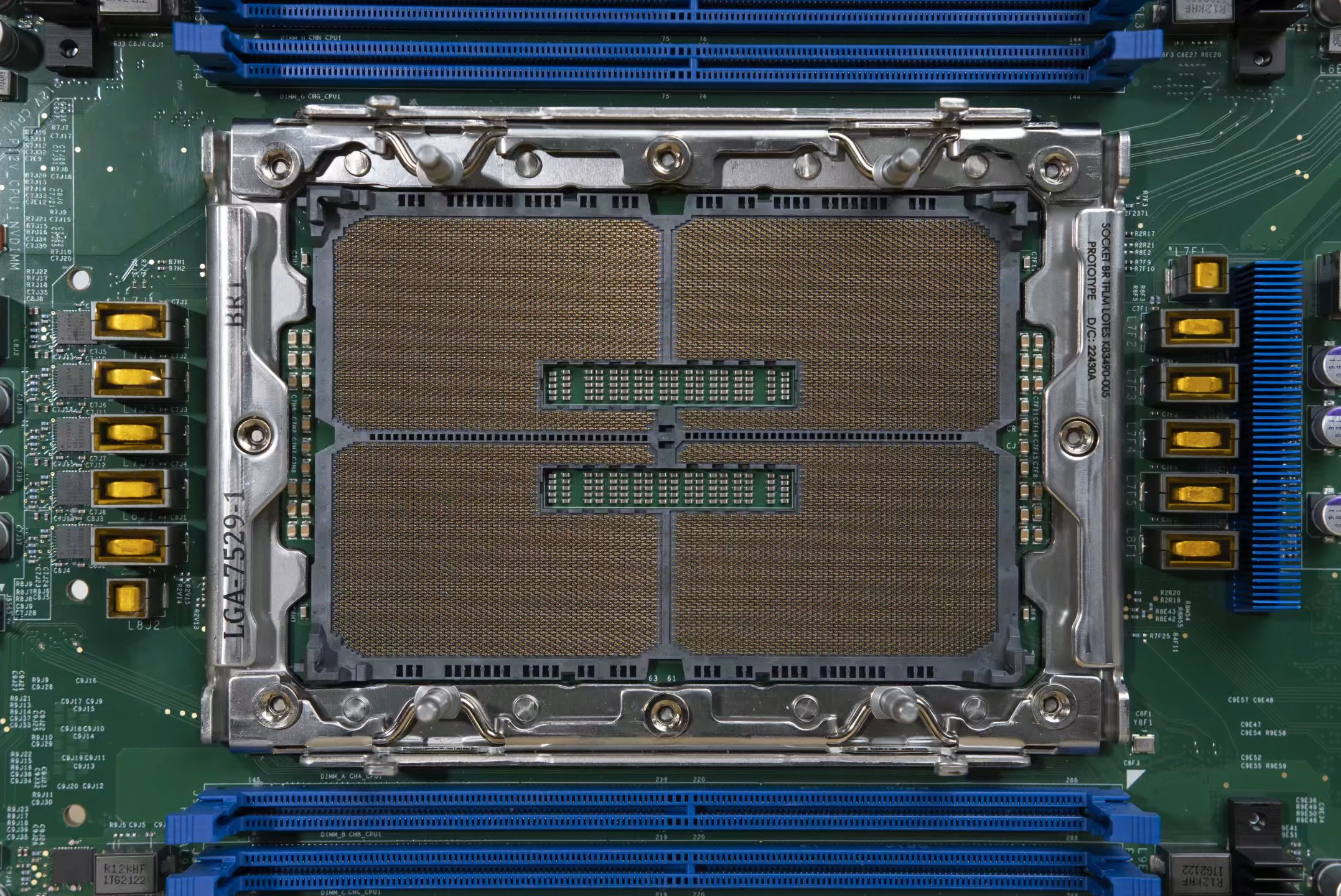
Wccftech
Intel's next-generation LGA 7529 socket which will be used by future Xeon CPUs with up to 512 cores has been pictured in insane detail.
I know what im dailying
amber canopy
amber canopy
https://wccftech.com/intel-super-massive-lga-7529-socket-pictured-ready-for-next...
@mild jackal ycruncher
 mild jackal
5 phase vrm lol
amber canopy
you can wear my vrm explosion shirt while running ycruncher on it
royal elk
amber canopy
https://wccftech.com/intel-super-massive-lga-7529-socket-pictured-ready-for-next...
512e cores
wtf
😭
 formal bolt
Just did a build and my motherboard is flashing
Cpu,cpu,vga,800T
Im also not getting any video output
Oh not 800t
Boot
formal bolt
Just resat cpu, same thing
 eternal turtle
formal bolt
Just did a build and my motherboard is flashing
eternal turtle
formal bolt
Just did a build and my motherboard is flashing
for us to do anything you need to give us your full specs
formal bolt
eternal turtle
for us to do anything you need to give us your full specs
Ryzen 5 5500
16gb 8x2 corsair vengance ram
512gb ssd
1070ti
B450 A pro max msi motherboard
Stock cooler
eternal turtle
have you flashed the bios to the latest version via the bios flashback button?
formal bolt
Where would this be located?
eternal turtle
do you have a usb flash drive?
eternal turtle
do you have a spare computer or laptop you could use?
formal bolt
Yes
eternal turtle
https://www.youtube.com/watch?v=PdKKDt3Fgfk okay, follow this guide, he said you dont have to remove any of the hardware, but if it doesnt work for you, take out your hardware, make sure you download the latest bios
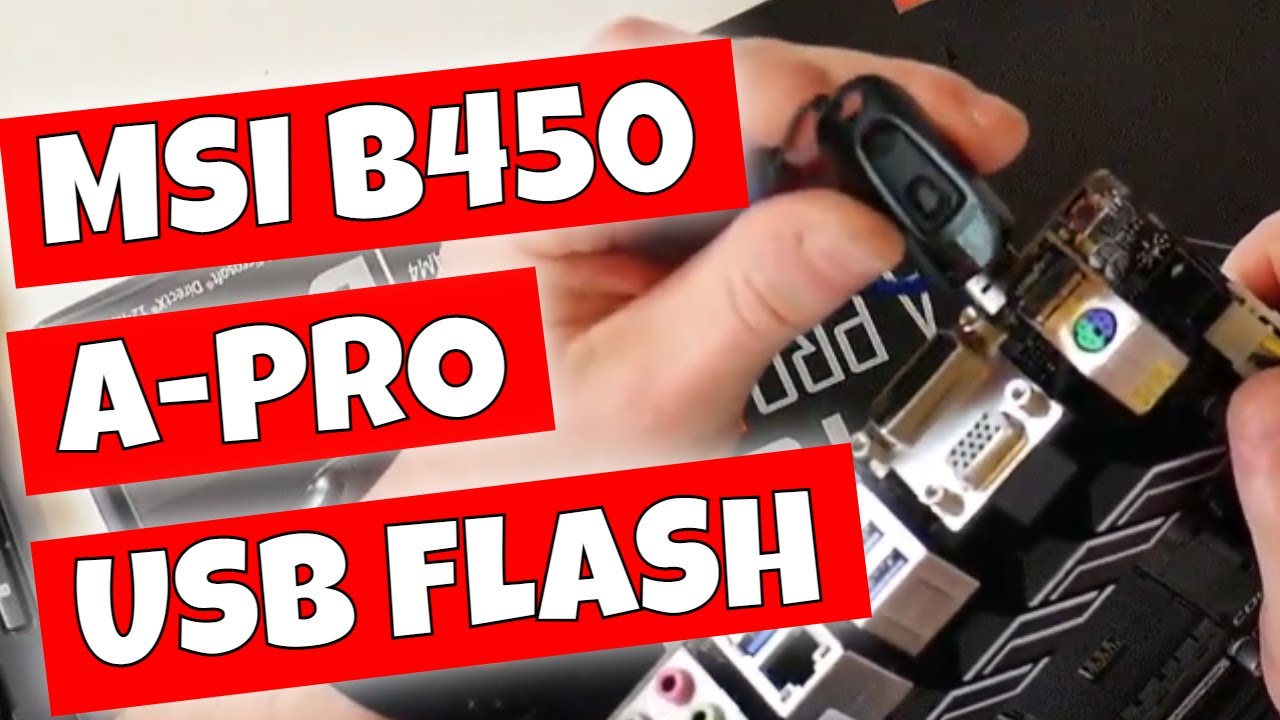
#mflash #msi #b450apromax #biosflash
MSI B450 - A Pro MAX USB BIOS Flash Guide. Using M flash without a CPU
Flashing the BIOS via a USB memory stick can be a bit scary, but with a bit of practice it becomes actually very easy to do.
Now that we have done a few of these we thought it would be a good idea to revisit a slightly older board like th...
formal bolt
Nopee
eternal turtle
how big?
formal bolt
8gb
eternal turtle
still works, cool
formal bolt
Alr so follow that tutorial?
eternal turtle
yeah, should be straight forwardfrom there, ping if you need anything
formal bolt
Ok thanks
eternal turtle
🫡
formal bolt
@eternal turtle having issues
At 10:00 in the video
His usb is flashing
Mine flashed like 4 times
Then stopped
eternal turtle
formal bolt
Mine flashed like 4 times
is your USB formatted as fat32 like his?
formal bolt
Yes
eternal turtle
ok, instead of naming the bios file MSI.rom, try leaving it as whatever the default name is in the zipfile instead
rest of the steps the same, just the name is back to the original
formal bolt
Question before i do that
He said that you should check compatability chart
For cpu
I did that one shouls i change it to whats newest
Just tried no difference
Ill do the name thing
Did that, 3 blinks like last rime
Time
And my debuglights only has BOOT on now
eternal turtle
formal bolt
Did that, 3 blinks like last rime
hm, give me a second
eternal turtle
formal bolt
And my debuglights only has BOOT on now
oh, if it only has boot, that means you should be good, do you get a display output?
formal bolt
No
eternal turtle
https://www.youtube.com/watch?v=O8MwV-3oWzY
could try this guide, then resetup the USB with the msi.rom naming

#mflash #usbflash #flashbutton #qflash #qflashplus
How to FIX USB BIOS Flash Button not working on MSI ASUS ASROCK GIGABYTE and others.
RECOMMENDED USB DRIVE
Amazon Local: https://amzn.to/3v7P0H4
Ebay UK: https://ebay.us/nRoDca
Ebay US: https://ebay.us/P9yUZs
Ebay CA: https://ebay.us/LlI9lU
Ebay AUS: https://ebay.us/THwmCj
The biggest p...
@vast meadow you know how to use bios flashback more than me probably what am i doing wrong
formal bolt
Alright ill try that
vast meadow
If usb is in fat32 format, and the bios file is in the root directory of the usb then idk
formal bolt
IT BOOTED
cerulean wadi
The rom might need to be caps btw, but idk. Example from a certain mobo
 eternal turtle
cerulean wadi
The rom might need to be caps btw, but idk. Example from a certain mobo
eternal turtle
cerulean wadi
The rom might need to be caps btw, but idk. Example from a certain mobo
18 minutes late 
cerulean wadi
Oh well. Flashback is definitely more picky. Reminds me my b660 might have a newer bios now.
grizzled bloom
Yeah flashback is super flaky. Sometimes you need to try a dozen times for it to work once, other times it hates a specific USB for unknown reasons.
eternal turtle
grizzled bloom
Yeah flashback is super flaky. Sometimes you need to try a dozen times for it to...
yeah it doesnt seem like a uhh mature feature
 near gull
Idk how to search this up, because I don't know what this mobo is called. This is nothing too urgent but I was wondering. Does this have a sort of built in or hidden drive? Because in my old computer I only see two hard drives. And even after looking at this, I can't tell where a drive would be.
 burnt spear
near gull
Idk how to search this up, because I don't know what this mobo is called. This i...
burnt spear
near gull
Idk how to search this up, because I don't know what this mobo is called. This i...
Hard drives are not on the motherboard
near gull
I know.. I'm talking about where the drive that has the boot manager is. I don't see it anywhere
 feral spruce
Has anyone encountered problems with the new GIGABYTE Aorus Master Z790 motherboard https://www.newegg.com/p/N82E16813145415?Item=N82E16813145415 simply not working. I have flashed the BIOS, removed everything but the CPU and it still will not function. It cycles the PS and the CPU LED blinks. Perhaps it is a bad 13700K chip, but that seems less likely than the MB. Thoughts anyone?
 limber dragon
near gull
Idk how to search this up, because I don't know what this mobo is called. This i...
limber dragon
near gull
Idk how to search this up, because I don't know what this mobo is called. This i...
no drive on mobo, but name is right there

D915(variants)

eBay
Find many great new & used options and get the best deals for INTEL D915GRO/D915PRO/D915GVRO MOTHERBOARD+PENTIUM4+FAN+HEATSINK+RAM COMBO at the best online prices at eBay! Free shipping for many products!
near gull
Ah, I couldn't find it when I was searching it
scenic solar
Lenovo g505: turns on but no display output anywhere, black screen. I've tried the following things to try get this problem solved: remove CMOS, swap ram, try different slots as well, remove battery, use only AC to power the laptop, try an external monitor,... When I turn it on I can hear hdd spinning, dvd bay works, can feel some heat from the cpu, fan spins but still no video output
Any othe solutions?
Could be a hardware problem maybe... I can feel some heat coming from near the usb ports but I'm not sure if it is coming from the cpu or if it is a short somewhere
grizzled bloom
It's possible that the screen or video cable is bad even though it didn't come up on the external display. BIOS and Windows login screens will default to the internal screen.
Maybe try opening/closing the screen a bit. That'll change the tension on the cable.
If Windows is definitely still installed on that drive you can also change the external display mode after a few minutes of waiting for the boot. It's usually FN+F4, and cycles through the modes.
scenic solar
Nothing at all, could be the gpu just died because I can't get video output neither on the main screen nor hdmi/vga
grizzled bloom
Without setting the display mode either in Windows or with the hotkey the external display would be blank anyway
scenic solar
I guess at least something should pop up when it is booting, maybe the Lenovo logo idk...
grizzled bloom
Not necessarily, that usually defaults to the primary display
scenic solar
Also I can't use the keyboard because the connector broke, but that is not the problem because it has always had this problem
grizzled bloom
Well it's sounding like more trouble than it's worth then
scenic solar
I could always use a separate keyboard or take some time to repair the connector but I first want it to show a picture or it'd be a waste of time
grizzled bloom
You'd need a keyboard with laptop compatible hotkeys to change the display mode
One way or another it's going to cost more than the laptop is worth to fix it
If it's the display, those are basically half the original cost of the laptop
If it's the GPU, then you have to chuck the whole mainboard
scenic solar
When I have some more time I'll figure out what is wrong with it, don't really need this laptop for anything, Ill probably leave this project for another day
amber canopy
Not enough ddr3 bro
dull flint
Is that Asus? I've had asus boards do that to me before because of armoury crate
vast meadow
Don't you just love Asus
dull flint
I wuv asuwus
vast meadow
So many wuvs that i want them to get lost
 leaden hinge
I am saving up right now to upgrade from a z390 gaming plus and i3-9100f, to an AMD Ryzen cpu and b550 AORUS ELITE V2. And I'll also update to a 6700xt later on. (I have an rx570 4gb right now). But I don't know if it's worth it to save up for about 2 months longer to upgrade to the 5800x instead of the 5600x. Which would you suggest?
Please @ me when replying I dont have notifications on.
cursive epoch
leaden hinge
I am saving up right now to upgrade from a z390 gaming plus and i3-9100f, to an ...
I wouldn't do those cpus, go Intel if the budget allows
13600K is easily faster than those cpus
leaden hinge
What cpu and motherboard would you recommend?
I’m not on a huge budget so I can’t go with newer gens i think
leaden hinge
No just upgrading my existing one
cursive epoch
Hm, then what's the rest of the specs?
And give me a rough estimate for your budget, if you don't have one set
leaden hinge
cursive epoch
Hm, then what's the rest of the specs?
I currently have an i3-9100f, 16gb of ddr4 3200mhz ram, rx570 4gb on a z390 gaming plus
I’m just looking to have a better experience in games not doing any editing or 3d modeling