#cpus-mobo-and-memory
1 messages · Page 22 of 1
 grizzled bloom
 amber canopy
Ddr3 >
 vast meadow
Yeah it's sad but tbf atm am5 is not really any competition
 vast meadow
12400f and 13400f not there tho
grizzled bloom
Different price class
grizzled bloom
That just means Intel wins the low end, the 13500 in question is comparable to the 7600X
vast meadow
grizzled bloom
Those are good for production loads sure
Even just running discord chrome etc it means that all 6p can actually focus on the game instead of say 5p on the game and 1 on the discord/chrome etc
grizzled bloom
That's been shown to be a very small impact
At least on anything with more than 4 cores
 vivid pewter
Is there a good resouce that explains the difference between all of the AM5 motherboards (b650 vs b650e vs x670 vs x670e)?
grizzled bloom

Digital Citizen
All the AMD AM5 chipsets explained: X670E vs. X670 vs. B650E vs. B650. Which motherboard, with which chipset should you buy?
The most important takeaway is this

And no you shouldn't get B650E just to be guaranteed PCIe 5.0, nothing can use that yet and it won't matter for a very long time
 hollow thorn
And this might become a thing
https://www.pcgamer.com/asrock-heard-you-like-amd-x670-mobos-so-it-turned-a-b650-into-an-x670-with-an-add-in-card/

pcgamer
Characteristically quirky from ASRock, but you wouldn't, really.
grizzled bloom
Does that have an actual secondary chipset on it? Wow, I can't picture a use case for that where you wouldn't just... buy X670
hollow thorn
It's funny though
vast meadow
If thet had a connector that wasn't pcie i would see it making sense but with it taking a pcie slot I don't see the point
grizzled bloom
Right? Not to mention then you can't use dual GPU
Which was half the reason for the second chip
hollow thorn
They're using pcie + extra connector right now
I wonder if it'll just need another extra connector, whatever that connector is
 rigid condor
I’ve got a question about ram firstly can intel 12th gen work with 4 sticks of ddr5 and secondly I can’t find the exact ram with the exact timings can I buy ram with similar timing. Mine is 36-36-36-76 and the only ones I could find is 36-36-36-96
 hard leaf
ddr5 is pretty bad with 4 sticks
grizzled bloom
rigid condor
I’ve got a question about ram firstly can intel 12th gen work with 4 sticks of d...
It can technically run 4 sticks but you'll be lucky to run the lowest jedec speed
hard leaf
stick to 2 sticks only (no pun intended)
rigid condor
I wonder if they even make dummy sticks anymore I just like the look of all 4 slots filled
 dull flint
V color makes dummy sticks iirc and they guarantee hynix kits too
 split copper
It would be fun to have some dummy sticks but they probably wouldn't make them for Patriot Viper DDR3 lol
So I guess I'll just have to settle for getting a second kit if I want that 4 stick look 😔😔
amber canopy
bought 4 of these for guess how much @dull flint @stiff kraken
 amber canopy
you think i got all 4 for $20?
 amber canopy
"ebay'd"
 dull flint
Bruv get hip
amber canopy
 dull flint
Who even talk longer these days
amber canopy
???
dull flint

amber canopy

 stiff kraken
amber canopy
bought 4 of these for guess how much <@101107951401455616> <@122901618369757184>
stiff kraken
amber canopy
bought 4 of these for guess how much <@101107951401455616> <@122901618369757184>
$40?
 stiff kraken
are these the hypers that everyone talks about for ddr3
amber canopy
no i dont waste money getting those
 frosty depot
What would be the best CPU I could put on this mobo? I mean like that the board can handle. I think it's a cheap board, but it currently has a 6500 in it and I was thinking of upping it.
https://us.msi.com/Motherboard/H110M-GAMING/Specification
Welcome to the MSI USA website. MSI designs and creates Mainboard, AIO, Graphics card, Notebook, Netbook, Tablet PC, Consumer electronics, Communication, Barebone, Server, industrial computing, Multimedia, Clean Machine and Car Infotainment.
vast meadow
Technical a 7700k it'd probably struggle a bit but iirc it's still 4 cores and will probably cost way to much money to buy
frosty depot
vast meadow
Technical a 7700k it'd probably struggle a bit but iirc it's still 4 cores and w...
I was seeing that the 7700 was only 6% better than the 6700 and is $20 - $30 cheaper on Ebay. The 6700 being $75-$80.
That would be close to 30% perf increase if went for the 6700
vast meadow
It's not much better yeah 4th-8th gen intel is kinda stagnation territory
frosty depot
yeah, just kinda figuring what I can work with what I have. My girl isn't wanting to throw a whole lot of money into her computer, so I'm just wanting to get it to where I can eek out the best perf.
vast meadow
frosty depot
That would be close to 30% perf increase if went for the 6700
In gaming ?
frosty depot
vast meadow
In gaming ?
Not sure. I'm just seeing the Passmark info.
vast meadow
They have both single and multi core btw so make sure
frosty depot
She's currently using a 580, so I figured upgrade cpu as far as I can and then get whatever gpu will fit that cpu.
vast meadow
And also the i5's and below used to not have HT whereas the i7s did so that would explain that big of a perf bump
Although even the 6500 should hold up with a 580
frosty depot
vast meadow
Although even the 6500 should hold up with a 580
it is.. ish.
but want to get a better gpu
and I think anything better is going to be bottlenecked by the 6500
Which is why get best cpu for the board I can and then find a gpu that works well with it.
I know.. funky thinking, but I have a fickle woman who dislikes spending money on anything that isn't mcdonalds xD
and no she isn't fat lol
vast meadow
frosty depot
I know.. funky thinking, but I have a fickle woman who dislikes spending money o...
No i get it i just don't think it would be worth it over the 6500, imo you'd be better off moving off that socket as the next cpu upgrade
 vivid lynx
Struggling with what ram to get for my system needs to be 3600mhz 32gb cl18 or cl16, optimised for amd. Any ideas?
 eternal helm
Any ram that says "optimised for amd" (or Intel) is just a marketing gimmick essentially
vivid lynx
Any in particular though
vast meadow
vivid lynx
Any in particular though
What country?
Cuz literally the cheapest they're all basically the same
vivid lynx
vast meadow
What country?
uk
 vivid lynx
why 😅
vast meadow
vivid lynx
uk
Would get this kit
https://uk.pcpartpicker.com/product/Y9QcCJ/kingston-fury-renegade-32-gb-2-x-16-gb-ddr4-3600-cl16-memory-kf436c16rb1k232

Kingston FURY Renegade 32 GB (2 x 16 GB) DDR4-3600 CL16 Memory (KF436C16RB1K2/32)
vast meadow
vivid lynx
why 😅
Cuz I'm Irish lol 😅 joke around here to call me British
amber canopy
Pato (british)
 dull flint
amber canopy
<@101107951401455616> <@122901618369757184> guess what lol
dull flint
amber canopy
<@101107951401455616> <@122901618369757184> guess what lol
Pato is in a sublet British land?
stiff kraken
amber canopy
<@101107951401455616> <@122901618369757184> guess what lol
this kit does 3200c10?
amber canopy
stiff kraken
this kit does 3200c10?
no? why do you ask
 stiff kraken
how is it
amber canopy
in terms of
stiff kraken
oc
amber canopy
nvm
vast meadow
dull flint
Pato is in a sublet British land?


 vivid lynx
vast meadow
Would get this kit
https://uk.pcpartpicker.com/product/Y9QcCJ/kingston-fury-rene...
vivid lynx
vast meadow
Would get this kit
https://uk.pcpartpicker.com/product/Y9QcCJ/kingston-fury-rene...
Just bought it today coming tomorrow 🙌
vast meadow
Sweet
 forest jungle
Does anyone know if there any upgrades to the Socket AM3+ FX-6300 CPU without replacing the motherboard?
split copper
You can get an FX-8xxx chip
forest jungle
@split copper Thank you, I will look into purchasing one.
vast meadow
forest jungle
Does anyone know if there any upgrades to the Socket AM3+ FX-6300 CPU without ...
Nothing worth your money
 mild jackal
Sell it all and buy something new
 burnt spear
^^
split copper
Get something a few generations newer
mild jackal
Or used
burnt spear
@forest jungle
split copper
I got an i5-4460 paired with an Asus Q87M-E board a while ago (full computer case, PSU, HDD) for a really good price
forest jungle
copy, thank you all.. I will save up and just get a new rig
vast meadow
forest jungle
copy, thank you all.. I will save up and just get a new rig
What kinda budget do you have?
forest jungle
I'm not sure for a whole rig. I have a good gpu so I dont have to worry about that.
maybe 1500 bucks
forest jungle
XFX Radeon RX-580 is the gpu
burnt spear
And what do you use the pc for?
vast meadow
forest jungle
maybe 1500 bucks
Oh then absolutely no point using your same motherboard
forest jungle
evryday stuff and gaming, pc games, some games like older ones like wow that require more cpu
burnt spear
Alright
vast meadow
If you wanted to spend that much you're probably better off just getting a whole new pc and selling your current one as is
burnt spear
Well, this is an option https://pcpartpicker.com/list/xVKMNc
Part List - Intel Core i5-13400F, GeForce RTX 4070 Ti, Phanteks Eclipse G360A ATX Mid Tower
forest jungle
I will definitely consider this and selling what I have. Thank you.
vast meadow
forest jungle
I will definitely consider this and selling what I have. Thank you.
Just an fyi on that motherboard you'll need to update the bios through flashback or as gigabyte calls it "q flash"
forest jungle
@vast meadowThanks for the tip, I will write that down to remember
burnt spear
It's fairly simple, just requires a flash drive
vast meadow
Yup but just something to note
burnt spear
Anything you'd change on the list pato?
vast meadow
I would probably change a bit one sec
burnt spear
Kk
burnt spear
forest jungle
<@191276897227898880>Thanks for the tip, I will write that down to remember
Do you have a list of the parts in your current pc?
Possibility some parts like the storage and psu could be reused
vast meadow
@forest jungle I'd probs do this instead (you could also deff go cheaper if you don't wanna spend that much)
https://pcpartpicker.com/list/KgMDH2
Part List - Intel Core i5-13400F, Radeon RX 6950 XT, Phanteks Eclipse G360A ATX Mid Tower
This is like a top of the line build
vast meadow
burnt spear
Possibility some parts like the storage and psu could be reused
Yeah could deff rip some storage from current pc if they wished probs mainly storage and maybe case
forest jungle
yeah, most everything on it is new including a 750w power supply that I switched out, I just got unlucky and bought a new old pc and now windows 11 wont install lol
forest jungle
I would have to take it apart and look at it, hang on
burnt spear
Aside from that, what case and storage do you have (just whenever you can find out, not in a rush.)
vast meadow
Could possibly reuse the psu but chances are it's not great especially in a fx6300 build
(i say this as an old fx6300 owner ) 
burnt spear
They said its a new build, just probably didn't know much about cpus when buying
vast meadow
Yeah indeed
forest jungle
it came with a horrible psu and I put this one in about a year ago, but cant remember its name
burnt spear
Do you by chance remember the brand?
forest jungle
No I will have to take it apart. Doesnt seem worth it and I dont have the old one to put back in it. So I will just move forward and buy a new one on that listy
list
burnt spear
Kk
vast meadow
forest jungle
No I will have to take it apart. Doesnt seem worth it and I dont have the old on...
You just need to take off the back panel for the case or you can search your emails for the receipt but the new list works too
 glass plover
Should I upgrade a r7 3700X?
burnt spear
What mobo do you have
The 5800x3d is as good/beats the 7600x, and might work with your current mobo
But I wouldn't recommend am5 either way
13th gen is much better value
glass plover
I think it's a x570 mobo
 cerulean wadi
vast meadow
https://tenor.com/view/theres-so-many-different-options-samus-paulicelli-66samus...
cerulean wadi
vast meadow
https://tenor.com/view/theres-so-many-different-options-samus-paulicelli-66samus...
Tech Jesus v2.0 here to me 
burnt spear
glass plover
I think it's a x570 mobo
I'd check the model
But odds are you'll be fine with a 5800x3d on it
Though you could also wait for am5 x3d
Those are expected to be very good
But that would require a new mobo and ddr5, which is around $140 for 32gb 6000c36
vast meadow
glass plover
Like r5 7600 or r7 7700x
I'd wait another gen or 2 personally
Also ryzen 7000 atm sucks cuz boards are too expensive plus you need ddr5 with them
grizzled bloom
Or wait less than a month for 7000X3D. Yeah it'll be pricy but we're expecting 7800X3D to be a gaming king, better than a 13900k.
burnt spear
My guess is 7800x3d will compete with 14700k whenever 14th gen comes out
grizzled bloom
14th gen isn't looking to good for intel tbh
hard leaf
scoring a 13th gen today is one of the best cpu purchase decisions, maybe 7000x3d will change that
grizzled bloom
From what I've seen the move to chiplets tiles on 14th gen is causing them a lot of issues. They had to seriously cut core count to keep things stable, I'm talking 8p8e 14900k if we're lucky, possibly 6p.
It's feeling like zen 1 all over again to me except Intel isn't pushing core count like AMD did to compensate.
 wind karma
burnt spear
But that would require a new mobo and ddr5, which is around $140 for 32gb 6000c3...
wind karma
burnt spear
But that would require a new mobo and ddr5, which is around $140 for 32gb 6000c3...
Yeah imo if you already have an AM4 mobo 5800x3d is the way to go
amber canopy
these might actually my most impressive DDR3 besides my gdie, and I got four of them to bin 

and i rarely buy anything kingston
cant wait for them to arrive
 nimble crystal
Hello, Im not sure if I am in the right spot. I have some questions about some items and was told to come and ask here, a plethera of people who know what they are talking about.
My sons motherboard and or CPU has gone out. He had a ASRock H470M-HVS LGA 1200 Intel H470 SATA 6Gb/s Micro ATX Intel Motherboard and my Computer guy says we need to get the same one as it will be the best chance of transfering everything over without problems and having to buy things like windows and programs again. Problem is the motherboard is backordered and keeps getting pushed back and my computer guy is kinda cheap so I dont know if he is just trying to save me money or if there is a better option and a better motherboard that I could get and not run into the issues he has stated. I dont mind spending the money if the product is good and we can still transfer what was already on there. TIA
 copper solar
nimble crystal
My sons motherboard and or CPU has gone out. He had a ASRock H470M-HVS LGA 1200 ...
copper solar
nimble crystal
My sons motherboard and or CPU has gone out. He had a ASRock H470M-HVS LGA 1200 ...
which cpu is it
nimble crystal
Intel Core i7-10700F - Core i7 10th Gen Comet Lake 8-Core 2.9 GHz LGA 1200 65W Desktop Processor - BX8070110700F
Sorry
copper solar
@nimble crystal if its just a motherboard or cpu problem you can try to replace the motherboard with either H410, H470, Z490, h510, z590, b560 motherboards
windows and programs should transfer overfine once windows re-adjusts itself and installs correct drivers via windows update. might have to check the motheboard manufacture's website for drivers since windows like to use the most stable driver instead of the most updated.
only other problem is that your windows activation key might not transfer over unless you've logged into microsoft account at least once so the key will be tied to the account
nimble crystal
Im not sure if it was ever logged into, is that something he would have done when he put the computer together the first time?
copper solar
for your reference from cheapest compatible boards.
 copper solar
nimble crystal
Im not sure if it was ever logged into, is that something he would have done whe...
copper solar
nimble crystal
Im not sure if it was ever logged into, is that something he would have done whe...
well depends on which windows he installed and how he created his account.
if he only did local account it wont be tied. but if he at least logged into microsoft with an email while using it it will usually tie
nimble crystal
if I wanted to get the best motherboard that would be compatible and wasnt worried about price, I just wanted performance and reliability, what would you recommend?
copper solar
how many sticks of ram are you using
copper solar
10700F isnt an overclocking cpu so a B560 motherboard has plenty of features, Z590 if you want to be fancy but you wont have overclocking because of 10700F
some z590 are cheaper than b560 so thats an option too
just depends on how many usb ports you want usually and memory support for fastest ram
when you want to choose
i recommend using https://pcpartpicker.com/ and clicking build and placing 10700F. filtering by chipset or whatever you need will help with research and finding one that fits you
nimble crystal
Sorry to ask, but what is overclocking? Is that desired?
copper solar
nimble crystal
Sorry to ask, but what is overclocking? Is that desired?
not required, its only for weirdos who want to push their computer to get a little bit more performance which may or may not shorten lifespan.

nimble crystal
lol gotcha
 sudden creek
copper solar
not required, its only for weirdos who want to push their computer to get a litt...
sudden creek
copper solar
not required, its only for weirdos who want to push their computer to get a litt...
Oow so we're weirdos now?
copper solar
sudden creek
Oow so we're weirdos now?
 sudden creek
copper solar
https://tenor.com/view/hayase-nagatoro-smug-nagatoro-smug-anime-smug-nagatoro-sm...
sudden creek
copper solar
https://tenor.com/view/hayase-nagatoro-smug-nagatoro-smug-anime-smug-nagatoro-sm...

xD.
nimble crystal
lol
So this would be your choice or did I grab the wrong model?
ASRock B560 Pro4 LGA 1200 Intel B560 SATA 6Gb/s ATX Intel Motherboard
And the transferring programs and windows issues wouldnt be there?
copper solar
nimble crystal
And the transferring programs and windows issues wouldnt be there?
shouldnt be as long as you use the same storage devices and if the windows activation issue i states issue may or maynot happen
copper solar
nimble crystal
ASRock B560 Pro4 LGA 1200 Intel B560 SATA 6Gb/s ATX Intel Motherboard
there are z590 boards cheaper than the board you picked.
 copper solar
ikr
nimble crystal
So forgive my not knowing but is there a performance difference between them? The ASRock Z590 PRO4 is backordered as well and puts me back in that boat
copper solar
nimble crystal
So forgive my not knowing but is there a performance difference between them? Th...
more features usually, Z > B > H
it doesnt have to be exactly asrock that you can buy
nimble crystal
this one is on stock ASRock Z590 STEEL LEGEND LGA 1200 Intel Z590 SATA 6Gb/s ATX Intel Motherboard
Oh, so being the same manufacturer doesnt have a play on transfering the info and making everything smooth when they die?
copper solar
doesnt matter
nimble crystal
so when they state gaming or extreme is it better for gaming PCs?
copper solar
nimble crystal
so when they state gaming or extreme is it better for gaming PCs?
its just words they use to make it look more appealing
10700F doesnt need anything fancy
nimble crystal
ok, one more stupid question. Does one of those water coolers work well and make a difference?
sudden creek
Do you mean an AIO?
nimble crystal
Thank you for being patient with me, I really dont know what im talking about or doing lol
copper solar
nimble crystal
ok, one more stupid question. Does one of those water coolers work well and make...
10700F is only 65W TDP so you could get away with a good air cooler.
nimble crystal
yes AIO units
sudden creek
But yeah as Theo says, you don't need a AIO.
If you get one it'd really just be for looks or possibly less noise depending on your existing air cooler.
copper solar
just have to make sure the cooler can support LGA 1200
nimble crystal
ok, sounds like I should walk away from a cooler then lol
copper solar
nimble crystal
ok, sounds like I should walk away from a cooler then lol
aio cooler yes walk away, find a nice air cooler if you want to replace your existing one
but you're going to need to buy thermal paste if you're going to use your old cooler.
nimble crystal
Are you referring to something like this? Thermaltake UX100 5V Motherboard Sync High Airflow Hydraulic Bearing ARGB Lighting CPU Cooler
copper solar
That will work but that's like bare minimum, should get something better
copper solar
All depends on your computer case too and if it will fit a typical tower cooler
copper solar
nimble crystal
what would you recommend?
What computer case is it
nimble crystal
so he had a mini but I had to switch it because of the video card. I ordered this one, I know its cheap but it should work well
Rosewill PRISM S500 ATX Mid Tower Gaming PC Computer Case, Aura Sync Compatible Dual Ring RGB LED Fans, Top Mount PSU & HDD/SSD, Tempered Glass & Steel
Unless you guys think its junk
copper solar
It works if that's what your budget wants. Says it can take 160mm tall coolers
nimble crystal
I didnt need to replace the case, I had a straight black one but since I was ordering I got the one with clear side and lights. I know, I dont know what Im doing but it looks better than a straight black case
copper solar
nimble crystal
I didnt need to replace the case, I had a straight black one but since I was ord...
True, so you're looking for a cooler with rgb in it?
nimble crystal
if possible lol
copper solar
nimble crystal
if possible lol
Ok, what motherboard did you decide to go with so I know which cooler to pick
nimble crystal
this is the one in stock in the 590 series we talked about ASRock Z590 STEEL LEGEND LGA 1200 Intel Z590 SATA 6Gb/s ATX Intel Motherboard
 nimble crystal
do you have a preference to brands?
copper solar
Yeah but they are all non rgb
wind karma
^those are all pretty good quality especially for the price
wind karma
nimble crystal
do you have a preference to brands?
I can personally reccomend the Thermalright Assassin, have one on my cpu which is 65w as well, though the others in the pic are good too
nimble crystal
Sounds good, I will get one of those. Seems a pretty cheap investment to protect other investments in the computer
just curious, you asked about compatibility. Is this one, same brand different model ID-COOLING SE-914-XT ARGB Cooler 131mm Height
Im just looking at ratings and review numbers
Hey thank you everyone that helped me figure things out
wind karma
nimble crystal
just curious, you asked about compatibility. Is this one, same brand different m...
That one looks like it has a 92mm fan instead of the normal 120
It will be shorter but the fan will need to run faster and louder to cool the cpu
nimble crystal
so that one wouldnt be a good choice?
wind karma
The 214xt would be a better option
nimble crystal
thank you, I will get that one
amber canopy
@dull flint
 amber canopy
eternal helm
amber canopy
eternal helm
Who sold you that stick?
amber canopy
ebay dude
eternal helm
Because it's kinda false advertising, I'd return lol
eternal helm
"hyperx is a division of Kingston"
Oh, how the times have changed
L false advertising
amber canopy

eternal helm
You have HP ram now
amber canopy
nah still kingston
eternal helm
Nah it's hp now
amber canopy
nah its kingston
eternal helm
Seeth
eternal helm
Cope harder
 dull flint
amber canopy
<@101107951401455616>
dull flint
amber canopy
<@101107951401455616>
This my favourite so far cos it's laughing
 dull flint

amber canopy
im going to bin and overclock your organs
dull flint
- Starts running stomach at 2.6v daily *
dull flint
- stomach starts churning 2400 CL12 *

 grizzled bloom
dull flint
* Starts running stomach at 2.6v daily *
grizzled bloom
dull flint
* Starts running stomach at 2.6v daily *
That's an undervolt, at rest the body is at around 7V and during activity it can be as high as 17V
dull flint
amber canopy
Binning reject.
- Benches faster than DDR3 anyway *
amber canopy
uh huh
dull flint
Like you would understand the speed of a stomach anyway
🇱 bozo
Billions of years of RnD
amber canopy
dull flint
The fastest transistors are clearly the human ones
amber canopy
dem neurons bro
dull flint
Highest capacity nand ≈ brain
amber canopy
true
grizzled bloom
It's estimated that the human brain has an average memory capacity around 2.5PB so we can officially make computers with higher memory capacity than us
amber canopy
grizzled bloom
It's estimated that the human brain has an average memory capacity around 2.5PB ...
i thought it was like 3 or 6
dull flint
Imagine 200 years from now and computers are so advanced we don't need to remember anything
And humanities wrinkles fall under threat

amber canopy
bruh
 iron nacelle
if the human body is so advanced, why's it run on so high voltage
must be like like 200nm
 amber canopy
who the hell calls me throwa
iron nacelle
me
amber canopy
why
iron nacelle
NO
amber canopy
guess what
I have a x99 deluxe and two 5820k's arriving tomorrow
got them for $40
amber canopy
ew
iron nacelle
bought back when they were new

 honest topaz
iron nacelle
found them
honest topaz
iron nacelle
found them
Dms
 amber canopy
iron nacelle
amber canopy
iron nacelle
please organize your things
honest topaz
iron nacelle
what
Respond to them
grizzled bloom
amber canopy
i thought it was like 3 or 6
Depends on where you measure really
amber canopy
me brain fits 50PB
grizzled bloom
 iron nacelle
amber canopy
please organize your things
iron nacelle
amber canopy
please organize your things
i really need to, this is the worst it's ever gotten
grizzled bloom
Speaking of, hey @amber canopy how many ITX X79 boards are there?
iron nacelle
my space sucks
grizzled bloom
I need to cut the size of my home server down, it's taking up most of my workspace
iron nacelle
i wana buy a soldering microscope, lab psu, hot plate and hot air station too
0 room
amber canopy
grizzled bloom
Speaking of, hey <@956440029457178625> how many ITX X79 boards are there?
like none except for a crappy chinese board or two
iron nacelle
need a big boy L desk for bench/soldering area
amber canopy
if youre gonna swap the HW in your server but need super cheap, just go x99/c612. LGA2011 is obsolete at this point
grizzled bloom
amber canopy
like none except for a crappy chinese board or two
I was afraid of that, what a about DTX?
I already have the 1650
amber canopy
grizzled bloom
I was afraid of that, what a about DTX?
I already have the 1650
crappy chinese boards only
for x79 anyway
amber canopy
idk if there are non-chinese x99 dtx boards specifically
lol
what case are you using
grizzled bloom
The stock HP Z420
grizzled bloom
In an apartment?
grizzled bloom
With kids?
grizzled bloom
I'm trying to go DOWN in size not add an entire rack
grizzled bloom
amber canopy
you have space for a z420 but not a small 24U rack or something
That's the point, I don't have room for the Z420
grizzled bloom
Well I still have my old Meshify C lying around, standard ATX could work and I'll still have a much less deep rig
amber canopy
Oh, then cant you just move the parts pretty sure the psu and board in the z420 are standard size? idk if the psu cables are long enough though
amber canopy
oh i misremembered then lol
well if you think it's worth it for your use-case to buy X99 then go for it
dull flint
iron nacelle
I love how it looks like you opened a closet and a pile of xeons fell out

dull flint
What happened to your jjk emoji
amber canopy
 amber canopy
dull flint
What happened to your jjk emoji
dull flint
amber canopy
dull flint
What happened to your jjk emoji
dull flint
Tbh I'd save them in a folder too cos I'd forget they'd exist 5 minutes later
amber canopy
haha funny haha
iron nacelle
dull flint
I love how it looks like you opened a closet and a pile of xeons fell out
other way around actually
i was emptying out my closet to make room to put hardware and sort it
and i opened it again and xeons fell INTO it
iron nacelle
amber canopy
arnt these from brutoes
 amber canopy
no those are my images
iron nacelle
oh
amber canopy
he just used them without telling me
iron nacelle
😔
amber canopy
he was torching the chip though, i just took the picture
iron nacelle
id get it red hot and throw a tower cooler ontop to see what happens
(i burn my hands)
amber canopy
lol probably not
 cedar kindle
I just got a 13600k and an Asrock z690 Extreme. It somehow set the base power to like 260w and the boost to even higher. I was getting like 109°C running a stress test
 cedar kindle
When they say extreme they really mean it lol
dull flint
Keep your limits to 100
cedar kindle
I lowered the Tj max to 100 and set the power limits to Intel specs and the stress test didn’t pass 95°C
dull flint
Ok good
Extended periods at above 100C you couldn't guarantee the chip wouldn't suffer degradation
It's probably fine but just be wary
cedar kindle
The 13600k base power is supposed to be 125w, with turbo it’s supposed to be 181w, so I have no idea why ASRock decided to make the default like 260w
 dull flint
Whatever you do just keep tjmax at 100
cedar kindle
I’m still getting the rated 5.1Mhz clock speed with lower wattage
I’m kind of glad I ran a stress while looking at temps, otherwise I may have never known
amber canopy
Apparently these 2 dimms which i bought over a month or 2 ago are on a really good PCB and i never noticed
 dull flint
IIWIWIWIWII
 bronze summit
cedar kindle
I just got a 13600k and an Asrock z690 Extreme. It somehow set the base power to...
bronze summit
cedar kindle
I just got a 13600k and an Asrock z690 Extreme. It somehow set the base power to...
Hmm hot I like it
Keep me warm
burnt spear
cedar kindle
I just got a 13600k and an Asrock z690 Extreme. It somehow set the base power to...
I had something similar
Just with 100c instead of 109 lol
And msi z690 a pro
bronze summit
My gigabyte z690 ultra mobo seems to run the 5.1ghz and 4.0ghz 24/7 but I only use around 100W-200w watts
But I do have 360 aio so it can keep cool
burnt spear
I had to limit my voltage since my mobo was feeding my 13600k too many watts
With a 280mm it now doesn't go over 80c


 grizzled bloom
bronze summit
so what is the "core clock"
grizzled bloom
bronze summit
so what is the "core clock"
That's an average of all the cores, then the arrow then reveals individual cores
 limber dragon
cedar kindle
I lowered the Tj max to 100 and set the power limits to Intel specs and the stre...
limber dragon
cedar kindle
I lowered the Tj max to 100 and set the power limits to Intel specs and the stre...
you should be leaving frequencies on auto, otherwise the motherboard will overvolt the cpu based on a voltage/frequency table
cedar kindle
limber dragon
you should be leaving frequencies on auto, otherwise the motherboard will overvo...
By frequencies I meant power; watts. I’m not sure if what I was smoking when I wrote that and put frequencies lol
ASRock was just like “if you give me the power, I’ll use the power”. I don’t think any sane person wants their 13600k to run 260W stock and default max temps of 105°C
bronze summit
cedar kindle
ASRock was just like “if you give me the power, I’ll use the power”. I don’t thi...
i do

grizzled bloom
This is why things break Kenzie
amber canopy

Wccftech
Intel's Xeon W9-3495X CPU which will be part of the upcoming Sapphire Rapids Workstation family has shown up in the Geekbench 5 database.
dull flint
wow, close to 5995WX
dull flint
I mean it's scaling to the relative performance of AMD's multicore just about, granted this is one bench
server processors have wildly different scaling iirc
vast meadow
Yeah
vast meadow
dull flint
I mean it's scaling to the relative performance of AMD's multicore just about, g...
Didn't amd announce epyc 7000 tho?
dull flint
epyc is up to 9000 now 💀
dull flint
if I put two 13900K's in tandem I have better performance

- turns setup into server *
amber canopy
🗿
amber canopy
intel 
grizzled bloom
vast meadow
Didn't amd announce epyc 7000 tho?
That's probably threadripper you're thinking of
Should be announced later this year
vast meadow
Maybe idk
amber canopy

Intel Corporation
grizzled bloom
Oh isn't that the quarterly report that said Intel was bleeding money badly in every sector?
Down 30% from last year or whatever
mild jackal
Storm peak 
amber canopy
 vast meadow
grizzled bloom
Oh isn't that the quarterly report that said Intel was bleeding money badly in e...
vast meadow
grizzled bloom
Oh isn't that the quarterly report that said Intel was bleeding money badly in e...
That's interesting considering they're only real competition is in maybe sff pcs for the low wattage 7000 series and the 5600 
grizzled bloom
It's not about competition, they're not losing money to AMD since AMD is struggling too, just not as much.
The issue with Intel is they keep spending money like 2023 is 2020 part 3
iron nacelle
arc is probably a massive massive money hole atm
grizzled bloom
Oh they already effectively canceled Arc
Battlemage will be heavily delayed due to budget cuts and that's probably it
No Celestial
dull flint
Apparently they've just eliminated a huge bottleneck regarding Arc performance that'll hit a future driver update so looking forward to seeing it improve tbh
iron nacelle
@amber canopy mr throwa, how is the x79 ud7?
1dpc board
seems like an overbuild vrm
nice lil buttons too
can grab one with a 3930k for $75 aud
amber canopy
I dont have that board
Its not particularly good. It's just overbuilt in ways that dont really make a different. speaking to the vrms specifically
R4BE >
amber canopy
iron nacelle
can grab one with a 3930k for $75 aud
buy it
amber canopy
it is a good board
just not practical
thats a great price and its a rare board
get it
Id probably buy it off you
iron nacelle
im not spicer, i dont want a SOC orange board just coz it's rare
so far all the "rArE" soc stuff ive touched has been awful
amber canopy
I appreciate the engineering and unique qualities of high-end boards like that
Thats why I bought the extreme11
also stop leaving hate comments on my insta posts
its annoying
amber canopy
ill just block you if you dont lol
iron nacelle
wtf
amber canopy
???
 agile jolt
Now that I got a higher end gpu, will a 5600 be good enough to keep up at 1440p?
I got a 6800xt
Was wondering if it's worth the upgrade at this point
burnt spear
It will keep up
burnt spear
What are you using to report usage
agile jolt
Just MSI afterburner
burnt spear
Try updating drivers
agile jolt
Pretty sure I haven't seen it go past 8% usage
burnt spear
Also I had issues using afterburner with my 6800xt
If adrenalin has anywhere to show usage try that
agile jolt
Ah
burnt spear
Also the way you know that's wrong, even if a 5600 was bottlenecking a 6800xt it wouldn't be hard enough to limit it to 10% usage lol
cerulean wadi
Use hwinfo64. 1) AB is mainly for nvidia. 2) it's not great at non-gpu info. -- 5600 also plenty for 1440p
burnt spear
Most games that are cpu focused aren't demanding anyways
agile jolt
Tbf my most played game rn is TF2 so I could use a potato with a config
burnt spear
Such as valorant and csgo
agile jolt
I see
The game I'd think would improve most is like
Hitman or a cod zombies but eh
I see the 5800x3D go down to like
$340 and think about it
cerulean wadi
Fomo
burnt spear
5800x3d hit $275 the other day
burnt spear
I'd 100% look for one used, imo $340 is kinda expensive when 7700x is $300
agile jolt
A 5800x is just $235
agile jolt

I'll wait for the 6700 to sell
I don't think I should go to the next gen yet
Was thinking 5800x3D to Max out the platform CPU wise
Will wait for a better sale
burnt spear
I'd definitely consider used
cerulean wadi
1 thought of mine is 5600 sold for $100ish could make x3d a much more reasonable swap. Sticking w/ 12400 a while. I don't even like pulling cpu to repaste.
burnt spear
You could probably find one around $250
agile jolt
Yeah
I check ebay
See a listing for a black ops 3 mini fridge
Immediately click it
Also yeah ebay listings for a 5800x3d aren't much better
eBay moment
I'll probably wait for a better sale on Amazon
 naive pendant
Ok, which should I go with:
- Asus TUF GAMING Z690-PLUS WIFI D4
- MSI MAG Z690 TOMAHAWK WIFI DDR4
- Asus PRIME Z690-P WIFI D4
- ASRock Z690 Steel Legend WiFi 6E?
Which out of the 4 that you think is better & more of value? Or is there one different that is cheaper & better?
vast meadow
depends on the pricing and other options available
hard leaf
tomahawk btw is a glorified z690 a-pro
so a-pro is better
tomahawk just some aesthetics that increase price
vast meadow
and a slightly better heatsink
 minor mesa
what the heck even is this: https://www.ebay.com/itm/175170409905
amber canopy
Oh, the mutant chips from china
They take mobile CPUs, usually 9th gen, and solder them onto LGA substrates
There's some more to the process but I forget what it is
It's cool
Also needs a bios mod to run
minor mesa
that is hilarious
iron nacelle
i heard the tomahawk had llc issues while the a pro didnt, not sure how true this is tho
 simple wigeon
agile jolt
A 5800x is just $235
simple wigeon
agile jolt
A 5800x is just $235
which nvidia graphics card goes well with this cpu at 1440p and 4k?
 cursive epoch
5800x at $235 is a bad value for new build
if you're upgrading from a 3600 or older however it's fine
if not, just get 13400f+z690 asrock pg riptide
vast meadow
Even then 5700x is cheaper, far far easier to cool
vast meadow
simple wigeon
which nvidia graphics card goes well with this cpu at 1440p and 4k?
4070 ti or above if buying new, 3080 ti or above if buying used
minor mesa
why is every single seller on amazon and ebay charging more $$$ for an i9-9900 than msrp of 12-13th gen i9s? i just don't get it.
i thought for sure i could find a 9900 for $200-$300, but nooope.
hard leaf
to scam in an "honest" way
not everyone out there is well informed about current gens
you'll be surprised at how much people made their lists using 9th gen and ryzen 3000 cpus
heck even ryzens 2000
 long geyser
Manufacturers dont really reimburse sellers for depreciation of hardware when newer hardware comes out. So price of old hardware sold as new will typically stay the same. There is also the fact that sellers are just trying to take advantage of consumers such as yourself, as a 9900 isnt worth anywhere near $200+ due to currently released hardware. Such as a new $164 12400F being a far better deal then a $200 9900 (better single threaded perf and basically same multi threaded perf).
hard leaf
also most people still thinks than an i9 beats everything, even from newer gens
long gone are the days when the i5, i7 and i9 name convention had a meaningful impact
long geyser
hard leaf
also most people still thinks than an i9 beats everything, even from newer gens
Also potentially use to CPU perf stagnation
burnt spear
long geyser
Manufacturers dont really reimburse sellers for depreciation of hardware when ne...
Also 13400f at $210, which all around beats the 9900
 midnight pollen
same people that browsed the apple store looking at i5 and i7 naming in macs
minor mesa
yeah, the only thing is 12/13th gen is mobo and ram upgrade costs as well. i know they're better than 9th gen anything in every way, just trying to be on a budget.lol
burnt spear
There are very cheap b660s and it can use ddr4 too
minor mesa
that'd be me - i5-12600... with 2133 ddr4 😂
burnt spear
3200c16 32gb kit is $65
vast meadow
hard leaf
long gone are the days when the i5, i7 and i9 name convention had a meaningful i...
Man i see it in another server im in and I'm like no why are you recommending a 12700k in 2023 or worse a 12900k 
Would not get any 12th gen chips other than the 12100f and 12400f nowadays
The 12600k makes 0 sense now
midnight pollen
yeah I mean it comes down to the position you are in. if you are getting a new pc or complete overhaul go for something newer. for someone like me where i didn't really want to spend a lot on an upgrade so I just got whatever was the best i could get in my mobo which happened to be a 9900k
minor mesa
i chose to spend most of my budget on a 6600xt and 2TB SSD..... maybe my i7-8700k will keep chugging along fine. but i am starting to feel the only 6GB RAM on the 1060
long geyser
vast meadow
Man i see it in another server im in and I'm like no why are you recommending a ...
Maybe they are getting a -$1 12700k idk
vast meadow
Yeah except the pcpp says 350$
Lol
Ofc if you where getting one for cheap sure but for new nothing above 12400f is worth it
long geyser
It is pretty whack that Intel had no 12400f replacement
vast meadow
minor mesa
i chose to spend most of my budget on a 6600xt and 2TB SSD..... maybe my i7-8700...
Yeah personally I'd hold on to the 8700k til you have maybe like 400$ or so to spend
vast meadow
long geyser
It is pretty whack that Intel had no 12400f replacement
I mean 13400f but the thing is they just dropped the pricing of 12400f over time, they have similar msrps
long geyser
I guess the same thing sorta happened with 10th to 11th gen iirc. Maybe not, I cant remember now.
minor mesa
long geyser
I guess the same thing sorta happened with 10th to 11th gen iirc. Maybe not, I c...
it did. shortly after 11th gen release, i3-10100 was under $90 at a lot of places
 mystic inlet
Anyone using gigabyte control center? Wondering if it gives you more options then fusion?
Specifically I have 3 Aorus nvme's, under fusion it shows them all as 1. Wondering if using control center would show them individually and allow rgb options for each one.
hard leaf
usually manufacturer programs are bloatware
thru and thru
msi center, armoury crate... you name it
mystic inlet
Kind of forced to use it as signal rgb doesn't work on the nvme, to get it to kind of sync with a matching color i have to use fusion
long geyser
OpenRGB typically has better support with devices due to being around for longer, being open source, not being a webapp, and having proper support for plugins to do whatever they want rather then be restricted to USB protocols. May have to find a plugin for support tho.
 scenic solar
It finally arrived 🙂
Just 45€ for 16gb 3200

Why discord keeps changing ":)" to the emoji 
 burnt spear
What ghosty said
 burnt spear
7000x3d lineup
 scenic solar
midnight pollen
There is a setting to turn that off somewhere
scenic solar
midnight pollen
There is a setting to turn that off somewhere
I NEED TO KNOW W H E R E 
vast meadow
scenic solar
I NEED TO KNOW W H E R E <:feelsweird:968900368379543553>

LetMeGoogleThat.com
For all those people that find it more convenient to bother you with their question than to google it for themselves.
amber canopy
iron nacelle
<@956440029457178625>
Yea, rage got one of those es rive's
vast meadow
yikes april
grizzled bloom
 amber canopy
9 Formula acquired

40 dollaz
i think this is the most modern motherboard i own LOL
Pretty sure this came out after the x299 OCF so yea
amber canopy
will you break it
 amber canopy
alright you can have it for the price of a X79 or X99 Extreme11
bronze summit
What the price of that
long geyser
amber canopy
9 Formula acquired
Lol, there are backless x1 PCIe but stupid frontplate stops use of anything other then x1 cards in those slots.
amber canopy
dremels are a wonderful thing
eternal helm
For sure, will say tho that cheap generic Chinese bits >>>>> Dremel official bits
 plucky ether
What would be an ideal motherboard for the 7900x3d?
grizzled bloom
"Ideal" can mean a lot of things
What exactly do you need? Full ATX? Wifi? Tons of M.2?
cursive epoch
everyone wanting x3d these days
grizzled bloom
Well yeah, if it's going to be the best you have to expect people to be willing to pay for the best
140MB+ of cache on the CPU is insane, that's more than my first PC had after I upgraded it
cursive epoch
right
people also wanted non 3d ones tho
thinking they're "the best"
but 3d ones are definitely the best, and i understand that
grizzled bloom
amber canopy
9 Formula acquired
I hope that's not what I think it is

 zinc aurora
I’m planning on upgrading to am5 and getting the AMD Ryzen 7 7700X Raphael AM5, G. Skill Flare X5 32GB DDR5-6000 Dual Channel, CPU / RAM Combo from micro center. What would be a good motherboard to pair with. In atx and I don’t need it to be wifi
Or should I go with Intel?
grizzled bloom
AMD is good right now, especially if you can snag that free ram.
One of these will be good https://pcpartpicker.com/products/compare/nGKKHx,jN3gXL,zFzhP6,CFzhP6/
Asus PRIME B650-PLUS ATX AM5 Motherboard vs. ASRock B650 PG LIGHTNING ATX AM5 Motherboard vs. ASRock B650 PRO RS ATX AM5 Motherboard vs. MSI PRO B650-P WIFI ATX AM5 Motherboard
Yes the motherboards are more expensive but the free memory offsets that cost
You can grab them in store at microcenter for the same price too it seems
zinc aurora
Awesome thank you
scenic solar
I have some 3200mhz ram but if my CPU only supports 2666 ram should I downclock it to the max cpu supported speed and try reducing latency?
scenic solar
I'm going to need some help cuz I never changed ram timings
I know there are some guides but they're usually a bit complicated and I'd like to know if changing primary timings is enough
burnt spear
scenic solar
I have some 3200mhz ram but if my CPU only supports 2666 ram should I downclock ...
No
It depends specifically on the cpu and mobo
In cases where the cpu or mobo actually doesn't support 3200mhz, it will automatically clock down
But in most scenarios it saying it supports up to 2666mhz that's purely talking about jedec
Unless you have a b460/h410 or older intel mobo, or maybe a 2000 series amd cpu (and older) 3200mhz will run
scenic solar
H310+ 9400f, both mb and CPU support max. 2666 ram
burnt spear
Then the ram will run at 2666mhz
You do not need to change anything for that to happen, unless it's a 2133 or 2333 mhz jedec kit
Someone correct me if I'm wrong, but if that's the case just enable xmp and it'll run at 2666mhz
scenic solar
Ok, I never really checked my actual ram speed in windows so I'll check now but I guess it'll be 2666 then
burnt spear
It's physically impossible for it to run at 3200mhz if the cpu and mobo don't allow it
It'll tell you in task manager under memory at the bottom right
forest jungle
vast meadow
<@277411859215417355> I'd probs do this instead (you could also deff go cheaper ...
I got all the parts in and started putting it together and the gpu will not fit any sockets and there is nowhere to install the SSD. Any suggestions?
scenic solar
How's 3200 better if i5 9400 supports max 2666 ram?

Intel i5 9400f performs better with high clock speed memory.
2666 vs 3200 mhz RAM speed test.
Test details
Room ambient Temp - 32 degrees
CPU - Intel core i5 9400f stock speed
CPU Cooler - cooler master ml120 RGB
GPU - Inno3d RTX 2070 super 8GB GDDR6
Motherboard - ...
hard leaf
you are confusing official support with maximum speed
9th gen have official support up to 2666 mt/s but you can oc past that if the mobo allows it
much like 12th/13th gen officially support up to 3200 mt/s but we are beyond that most of the time
sadly your mobo, an h310 will not allow you to past the supported speed
again, much like an h610 wont allow to run memory higher than 3200 mt/s
burnt spear
Everything ravell said
scenic solar
hard leaf
you are confusing official support with maximum speed
Yep, i noticed...
Just read it on a Reddit post
So I'm just "limited" by my h310, guess I'll try changing timings
vast meadow
forest jungle
I got all the parts in and started putting it together and the gpu will not fit ...
Have you popped the pcie clip down and unscrewed the panels out of the case?
There's a good build guide in #building-and-recc-chat pins if you need help with the small things, the ssd can be put under the white piece of metal above the pcie slot
forest jungle
vast meadow
Have you popped the pcie clip down and unscrewed the panels out of the case?
The...
Thanks I will check on that ssd placement. I have removed the screws and put gpu in position but the pins on the gpu and motherboard differ
vast meadow
forest jungle
Thanks I will check on that ssd placement. I have removed the screws and put gpu...
Should be the same, if you're looking at the right slot, would recommend checking this out https://youtu.be/BL4DCEp7blY
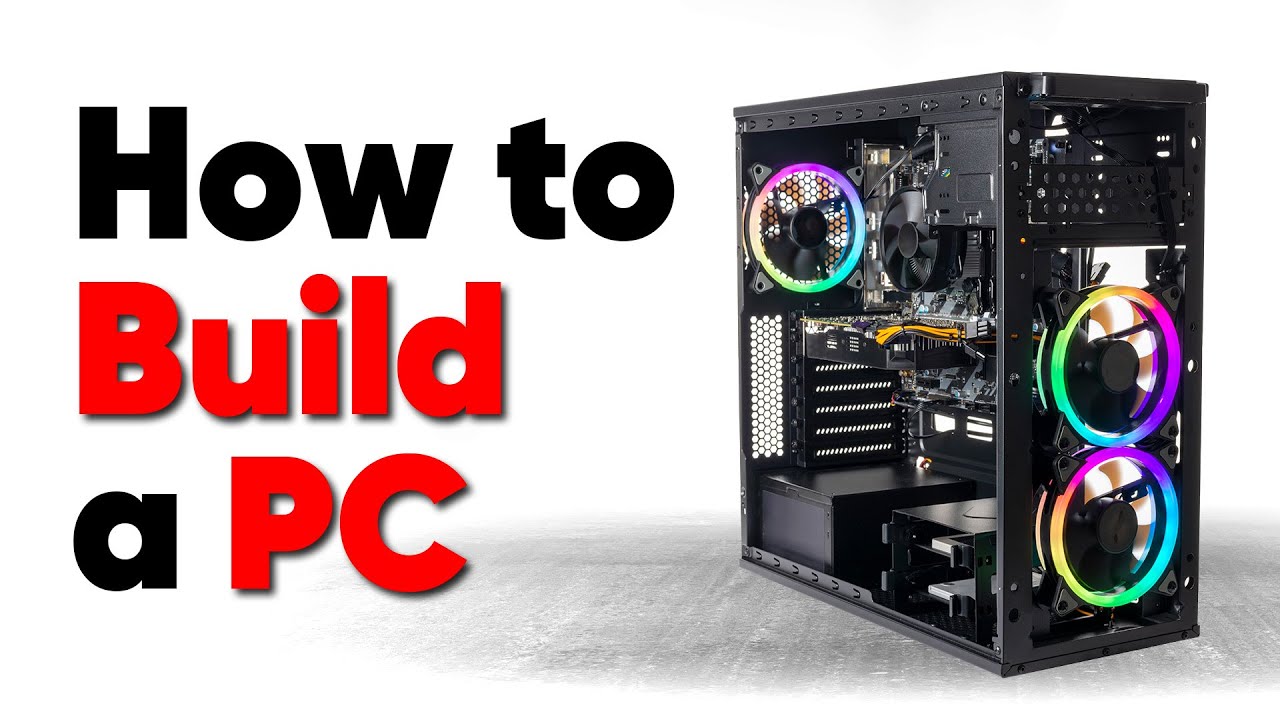
Thanks to Seasonic for sponsoring this video! Buy a Seasonic TX 1000 PSU today at https://geni.us/aryiquT
We’ve done plenty of build guides before – But now we’re taking it to the next level. Not only will you know how to build a PC, you’ll know how to build ANY PC – This is the LAST guide you’ll ever need!
Discuss on the forum: https://linust...
forest jungle
@vast meadow ty for everything, my issue with the GPS was an error on my part, it all fits
Gpu rather
vast meadow
Good to hear
 runic quarry
anyone know how i could cover my 7900x so thermal paste doesnt get in it?
grizzled bloom
runic quarry
anyone know how i could cover my 7900x so thermal paste doesnt get in it?
Thermal Grizzly AMD Ryzen 7000 CPU Guard https://a.co/d/9oLSvxO

Thermal Grizzly AMD Ryzen 7000 CPU Guard
runic quarry
have them its not efficient enough
i have liquid metal to be exact
something that completely covers it would be far more efficient
grizzled bloom
If you completely covered it then whatever is covering it would interfere with thermal transfer
runic quarry
grizzled bloom
Thermal Grizzly AMD Ryzen 7000 CPU Guard https://a.co/d/9oLSvxO
these are like Styrofoam so its not 100% accurate
grizzled bloom
Use nail polish
amber canopy
runic quarry
i have liquid metal to be exact
you shouldnt be putting enough LM for that to be a problem anyway
you spread the LM before putting on the cooler right
runic quarry
you cant really spread it ://
amber canopy
yes you can
runic quarry
how
amber canopy
an ear swab
grizzled bloom
 amber canopy
conductonaut even comes with one
runic quarry
amber canopy
conductonaut even comes with one
used them already
amber canopy
then get another one from your bathroom cabinet lol
runic quarry
runic quarry
anyone know how i could cover my 7900x so thermal paste doesnt get in it?
i was looking for a contact frame
i found it now
amber canopy
but yea the SMD placement/substrate design on zen 4 is wonky
i dont like it
intel bettar 
runic quarry
grizzled bloom
https://youtu.be/Vp-NY5x7ymg
thanks btw
vast meadow
 meager elbow
what is a good mobo pairing for the i5 13600k
meager elbow
what is a good mobo pairing for the i5 13600k
ddr4 or ddr5 country and wifi or any other requirements?
meager elbow
US, idk if they want ddr5 but i did recommend them get it, and wifi yes
i guess have one for ddr4 and 5 would be best so they can see? not too sure tbh
an additional requirement is that it is black (they are going for a black and orange theme)
grizzled bloom
DDR4 actively hurts 13600k performance by between 5-10%, often closer to 10%
And that's with b-die
meager elbow
then ddr5 only then lmao
they want both perf and aesthetics which is a hard bargain
grizzled bloom
No kidding lol
vast meadow
meager elbow
they want both perf and aesthetics *which is a hard bargain*
obvious answer  https://pcpartpicker.com/product/ggddnQ/asrock-b760m-pg-sonic-wifi-micro-atx-lga1700-motherboard-b760m-pg-sonic-wifi

ASRock B760M PG SONIC WiFi Micro ATX LGA1700 Motherboard (B760M PG SONIC WiFi)
vast meadow
in all seriousness
https://pcpartpicker.com/product/QJC48d/asrock-b760m-steel-legend-wifi-micro-atx-lga1700-motherboard-b760m-steel-legend-wifi
https://pcpartpicker.com/product/wBfnTW/gigabyte-b760m-aorus-elite-ax-micro-atx-lga1700-motherboard-b760m-aorus-elite-ax

ASRock B760M Steel Legend WiFi Micro ATX LGA1700 Motherboard (B760M Steel Legend WiFi)

Gigabyte B760M AORUS ELITE AX Micro ATX LGA1700 Motherboard (B760M AORUS ELITE AX)

Gigabyte Z790 UD AC ATX LGA1700 Motherboard (Z790 UD AC)
are the best choices imo
meager elbow
lmao thanks
meager elbow
runs games at the speed of sound
vast meadow
eggscatly
 fossil fog
Check this out on @vague haven: MSI MPG Z590 GAMING FORCE LGA 1200 Intel Z590 SATA 6Gb/s ATX Intel Motherboard https://www.newegg.com/p/N82E16813144386?Item=N82E16813144386&Source=socialshare&cm_mmc=snc-social-_-sr-_-13-144-386-_-02022023
Anyone know if this is good or not
eternal helm
For what CPU?
fossil fog
Check this out on @vague haven: Intel Core i5-11400 - Core i5 11th Gen Rocket Lake 6-Core 2.6 GHz LGA 1200 65W Intel UHD Graphics 730 Desktop Processor - BX8070811400 https://www.newegg.com/intel-core-i5-11400-core-i5-11th-gen/p/N82E16819118241?Item=N82E16819118241&Source=socialshare&cm_mmc=snc-social-_-sr-_-19-118-241-_-02022023
eternal helm
Have you already bought that?
fossil fog
eternal helm
Have you already bought that?
Just the motherboard not the cpu
fossil fog
hard leaf
12/13th gen is way superior and most of the time cheaper
I know nothing about these stuff i just decided one day to just build a pc
eternal helm
would see if you can cancel/return that board
that generation of cpu isnt great value in todays market
would look towards the direction of 12400(f)/5600 non x
fossil fog
eternal helm
would see if you can cancel/return that board
And if I can’t? what would be good to settle with i’ll try my best to refund it tho
hard leaf
try your best to return it
spending more on that platform will result in more money waste
eternal helm
if you are 100% unable to return/cancel, could go 10/11 400f for pure value, lose the igp and save some money over the 11400
fossil fog
Okay thank you
 polar gust
Is getting a x670E worth the extra money over a regular x670 chipset?
Just for gaming and streaming though
hard leaf
no
extreme variants are just a gimmick... they come with pcie 5 on both the nvme and the gpu slots
there are no gpus pcie5 ready and the nvmes that are pcie5 are just too expensive and a not needed for a gaming/streaming use
just get a regular b650
polar gust
Thought as much, thanks
hard leaf
pcie 4.0 on both gpu and nvme are more than enough for a gaming pc
and the amount of pcie lanes on a 670 chip will be largely wasted on a gaming/streaming pc
x670 chip is only worth if you need a lot of nvme slots right now (like an artist/content creator/video editor)
amber canopy
lol
 amber canopy
I love stupid branded memory like that lol
it's like SLI ram

kinda wish i took these ngl...
vast meadow
Lmao
 pliant siren
is it worth to upgrade a 3900x to a 5800X 3D? have a aorus pro-p b550
i think i can stay on it still. usually do animation stuff
burnt spear
What gpu do you have?
pliant siren
3080ti
burnt spear
If you're gaming, sure
If you're doing multi core loads, no
If you're doing both I'd just do a platform upgrade to the 7900x3d if you can afford it when it comes out
vast meadow
cursive epoch
5800x3d for 230 is tempting tho
It's 330 no?
cursive epoch
oop yeah
it is
even at 330 it's fine, unless if microcenter deal applies to 7000x3d chips
scenic solar
Good (maybe) evening everyone
I was wondering what else should I undervolt on my old Dell surface, I've already uv cpu and cache, would it be worth it to undervolt ram and iGpu? Hoping I can get better temps (as the cooler is passive and covers all of the main components) and longer battery life... Rn the cpu throttles if under 90/100% load (or about 4.5-5w), I was also thinking about cutting some holes on the backplate and adding a small fan but that'd be the complicated part.
grizzled bloom
scenic solar
Good (maybe) evening everyone
I was wondering what else should I undervolt on my...
Memory only uses between 5-10W, iGPU is pretty low power too but might be worth disabling if you have a dGPU. The most you'd save from both undervolted is about 3W.
vast meadow
scenic solar
Good (maybe) evening everyone
I was wondering what else should I undervolt on my...
if you are just concerned about battery life, setting your cpus max power on battery mode in the power plan to about 70% gave me massive power savings
if youre curious on my testing
it was p95 small fft on an i5 8250u
scenic solar
How can I limit the TDP, I used TS to undervolt but I don't know if it has an option for that
scenic solar
vast meadow
if you are just concerned about battery life, setting your cpus max power on bat...
I have no idea where that setting is or there is not
Btw if you need to know my CPU is intel m5y10c
vast meadow
scenic solar
I have no idea where that setting is or there is not
change advanced power settings
 scenic solar
Btw in p95 - small ftts CPU hits 90 in a few seconds and power gets locked to 6w as it goes above that for "too long"
scenic solar
vast meadow
change advanced power settings
I don't have that setting
vast meadow
scenic solar
I don't have that setting
then use a different power plan or create your own or if still not showing up try this https://answers.microsoft.com/en-us/windows/forum/all/why-am-i-missing-the-processor-power-management/f5e30954-1843-464e-838b-015cc21d3ebd
scenic solar
Thanks pato
I'll try as soon as I can
vast meadow
np
 proven nest
Hi! So I disassembled my PC so I could finally put in the motherboard standoffs I forgot to put in when I first built it and installed an old HDD from my old laptop.
I tried booting it up but it won't even show me the motherboard splashscreen so I could check the BIOS. I unplugged everything but my keyboard, the monitor, the USB cable that powers the monitor, and even the SATA and power for the old HDD. The thing won't post at all. I even tried reseating the RAM stick. Any other ideas?
 olive elk
hey this looks like a good deal
but why is so much less than the other ram with same spec?
anything weird with this one?
dull flint
Not the greatest price tbh
I'd shoot for about the 90-130 range if you can find it
2x16 is generally a better price
olive elk
4x8 is better perf tho no?
dull flint
Depends purely on board but 98% of the time it's worse
naive pendant
I'm thinking about going with the Intel Core i5 13400f. Does anyone currently have it? If so, is it any good, how well does it preform for you?
dull flint
Ok definitely don't go with 3600 memory then
You'll likely end up in gear 2 not gear 1 which is much slower despite the faster xmp profile
Go with basic 3200 2x16
olive elk
who are u talking too? me?
 dull flint
naive pendant
I'm thinking about going with the Intel Core i5 13400f. Does anyone currently ha...
dull flint
naive pendant
I'm thinking about going with the Intel Core i5 13400f. Does anyone currently ha...
It's good but for games barely any better than a 12400f
dull flint
Don't confine yourself to brand, play by price. The experience between the two are basically the same in a blind test
If you can afford 13400F go for it but just make sure you get a board that's compatible (B660 needs bios flash on the board)
naive pendant
Alr
dull flint
Ask us if you need help with that
Not all boards have bios flash and some use different names (e.g gigabyte calls it q flash
olive elk
dull flint
https://www.newegg.ca/g-skill-32gb-288-pin-ddr4-sdram/p/N82E16820232928
the other u sent has 20ish$ delivery fee
dull flint
vengeance is a bit cringe
a lot of kits have trouble working out of the box
not as prevalent on the 3600 bins but still noteworthy
olive elk
trident Z then?
dull flint
which cpu is this for
olive elk
i5 12k
dull flint
do you know how to tune your ram voltages?
olive elk
nope
dull flint
dull flint
You'll likely end up in gear 2 not gear 1 which is *much slower* despite the fas...
then this applies
get this kit
3200 xmp's vs 3600 xmp's are barely any difference in speed on intel
you need to get particularly good kits to get a discernible difference at xmp
olive elk
ok i just tune voltage?
dull flint
if you don't know how to do it then don't worry about it
I'd just get the 3200 kit
want a real speed difference? go ddr5
olive elk
if i get 16gb ddr5 its good enough for star citizen?
dull flint
32gb minimum for ddr5
dull flint
definitely not corsair ddr5, expensive for no reason
olive elk
u know any 32gb for same price?
dull flint
do you have the mobo yet
dull flint
what ram you have rn?
dull flint
so what ram you have rn
give the speed and capacity
I could tell you if it's worth changing lol
 olive elk
???
dull flint
beautiful ram
olive elk
its unfindable at good price now
olive elk
 dull flint
as far as perf goes, the difference between 3600 and 3200 xmp?
it's like, 1%
2%
not worth forking out extra for honestly
it makes sense if you spend a year learning how to tune it to go faster
but not in this case, not with ddr4 at EOL
grizzled bloom
Please stop dodging the filter @olive elk
dull flint
just get this kit https://www.newegg.ca/g-skill-32gb-288-pin-ddr4-sdram/p/N82E16820232091
it's likely to be something decent, ripjaws are nice
and it's free shipping for sub 100
no concerning history like with vengeance
grizzled bloom
I just had to say it too for my own records, makes it easier to search later
olive elk
and what does dual rank mean?
grizzled bloom
Chips on both sides of the stick
olive elk
makes big diff?
grizzled bloom
Not really
There's 2 ways to make 16GB sticks.
Use 8Gb chips on both sides.
Use 16Gb chips on one side.
Performance difference is not perceptible by humans
olive elk
bruh
grizzled bloom
Literally the difference between 100 and 102 FPS in a select few games
dull flint
I mean the difference between 3600 and 3200 xmp is not perceptible either
grizzled bloom
On Intel yeah
 grizzled bloom
Nah readyboost drive ftw
olive elk
true true, could u make usb key file?
grizzled bloom
Yep
olive elk
 limber dragon
grizzled bloom
There's 2 ways to make 16GB sticks.
Use 8Gb chips on both sides.
Use 16Gb chips ...
limber dragon
grizzled bloom
There's 2 ways to make 16GB sticks.
Use 8Gb chips on both sides.
Use 16Gb chips ...
give me 32Gb on half the stick 
vast meadow
dull flint
I mean the difference between 3600 and 3200 xmp is not perceptible either
Fclk go brr
grizzled bloom
limber dragon
give me 32Gb on half the stick <:Peepo_BigBrain:862897549974044682>
Or 24Gb x6 on two sticks to make a cursed 36GB computer
grizzled bloom
Make sure to increase his CPU SoC voltage too
vast meadow
dull flint
i'll fclk u in a second
Brb morphing into a super fast ccd to ccd interconnect
vast meadow
grizzled bloom
Or 24Gb x6 on two sticks to make a cursed 36GB computer
Or 24gb dimm from crucial 
Get 96gb in there
grizzled bloom
Yeah They gave Linus a set of those
 olive elk
doesnt having weird amount of ram like that is bad for performance or something?
vast meadow
grizzled bloom
Yeah They gave Linus a set of those
They seem to be coming out officially too
grizzled bloom
olive elk
doesnt having weird amount of ram like that is bad for performance or something?
Only if the channels aren't balanced
vast meadow
Only if it's 1 or 3 sticks (in a dual channel board)
grizzled bloom
Most consumer platforms are dual channel, two dimms per channel. Having a 4GB in one channel and 16GB in the other would be bad for performance too
grizzled bloom
vast meadow
They seem to be coming out officially too
Right we recently got to see the clock and timings of the Linus Edition DDR5 too, it was 5200 C40 or something
vast meadow
Although it's not as bad at least it would have 8gb of dual channel and 12 of single
vast meadow
grizzled bloom
Right we recently got to see the clock and timings of the Linus Edition DDR5 too...
5600 c46
Which is rip