#cpus-mobo-and-memory
1 messages · Page 12 of 1
 untold breach
Do you think I should wait for the 1300 or just go 1200
 rare terrace
I have a x470 mother board, and I am considering upgrading my 2700x for anything from a 5600x to a 5900x, how is the performance from the new chips on an older mother board?
 hard leaf
pretty good, you should upgrade to either a 5600 or a 5800x3d if you are on gaming
one is the cheaper most capable of the lineup and the second is the best gaming cpu even today
5900x only worth if you are into productivity needs for more cores like content creation/cad/premiere those kind of things
rare terrace
hard leaf
pretty good, you should upgrade to either a 5600 or a 5800x3d if you are on gami...
im on work station and 4k video editting
hard leaf
yeah get a 5900x then
rare terrace
but nothing too crazy like tons of effects, its pretty basic
hard leaf
you will make use of those cores
rare terrace
also wondering if I should upgrade my GPU as well, im still on a 1070
hard leaf
5800x nor the 5950x are worth the money rn
hard leaf
rare terrace
also wondering if I should upgrade my GPU as well, im still on a 1070
this heavily depends on your budget really
but for productivity most programs work well on nvidia gpus, cause cuda
rare terrace
well, im hoping to get some black friday deals for what I need
hard leaf
if you are not into gaming and you are on a cheap budget you can go 3060 with 12gb of vram, nice card for workload
if you want some gaming and have the budget then 3080 12gb
vram is one of the most important aspects for video editing
also ampere cuda 8.6 👍
rare terrace
a 3070 was the max if I can maybe get one for under $400 or something, I have heard that 5600x is no slouch on editing either
 cerulean wadi
Depends what you're doing, but it's sort of 75% of a 5700X/5800X but 2/3 the price give or take. 👍
rare terrace
cerulean wadi
Depends what you're doing, but it's sort of 75% of a 5700X/5800X but 2/3 the pri...
Will be a big upgrade from my 2700x either way, a 12 core or more would be ideal, but since im doing an end of am4 life half upgrade instead of building a whole new machine right now, idk if i should go big yet. I may end up getting a used 2000 series card and 5000 series ryzen and call it a day
cerulean wadi
The real value king is the 5600 nonX when it's $100, otherwise indeed a used 5700X/5900X or somethin could be a decent idea. 5800X3D for instance rocks, but literally double what a 5600X costs is also obviously a bit nuts overall.
hard leaf
yeah he said 4k video editing so i suggested the 5900x
and some 12gb nvidia card at least to support his workload
either 3060 or 3080
 compact zenith
It happened again today. It's definitely related to the video card as there is a delay in signal. This didn't happen till I added the spindle sata drives. I think the drives are hampering the system. I'm using minitool partition wizard which I have a lifetime subscription, as Acronis has scammed me once, and even their latest version has issues. Minitool at first refused to register because of the mother board upgrade, but like Microsoft, they saw the CPU, ram, and MB replaced and the Z390 retired so gave me no issue in moving license to new system. I'm moving the partitions over now, and removing the older drives. Due to the huge delay in booting up, I have a feeling another older hard drive is about to die, so not taking chances.
I bet if I remove the spindles, that 5 beep boot up stops
hard leaf
if you are aware that the drives are causing the issues then take them out
you dont need that many hard drives on your system
you are crippling your pc for no reason
get rid of all of those drives in your system and you will be fine
compact zenith
Your right about that. They used to be needed when I did several contractor jobs, and most of them are long completed, I just didn't weed them out because I sort of got used to using some of the utilities that I can easily transfer to the larger drives.
hard leaf
or you can use them for a nas system
compact zenith
And I procrastinate too much lol
hard leaf
buy a cheap 12100 and some cheap mobo
and set a nas
no need for expensive memory or video card
and you can use all your 10000 hard drives
without hurting the rest of your high end pcs
compact zenith
Ravel, I don't even have to do that. I can reuse the z390
hard leaf
or that
when ill upgrade my pc, this one will be converted to a nas
and i will plug all my old hard drives to it
no need to slow down my pc with that old hardware
nor use my new pc for documents as well
compact zenith
I'm just a bit surprised that they slowed the new system down. I set them up exactly the same. That's why I think something is happening to one of the drives as also they were on the system with the GameMax power supply before I did the rebuild.
hard leaf
surprised?
that was expected
those are mechanical drives
they need time to start spinning and you had 14 of them
like... ok...
compact zenith
Give me some credit lol. I did wait for the EVGA to build the new system.
They shouldn't need time. System boots off the NVME s
hard leaf
at least on the nas they will turn on once and they will be spinning for like forever
hard leaf
compact zenith
They shouldn't need time. System boots off the NVME s
the os boots from the nvme.... but the bios need to check everything to post
including the 14 hdds
compact zenith
I'll be down to 4 soon enough
I may just turn them into external hot swap.
Keep them offline until needed
compact zenith
Not really, half those drives are like 10 years old.
hard leaf
as long as they spin they can be used
but you are right, get rid of most of those
and keep only the largest and the newer
compact zenith
That's why I'm cloning them first. I hate having to repair them. Setting up the tent, running the deionizing equipment, it's a pain.
I also take a lot more precautions when destroying platters. Not to long ago, had a Karen of a customer, getting on another techs case about destroying old data. So I took the platters from his hand, in front of the woman, went to bend them just to show how easy it was. Instead, found myself bleeding all over the counter, because I learned that day that they now come in glass!
hard leaf
not only platters, you should be more careful in general
thats why personal safety equipment exists
you shouldnt risk your hands
even if they were metal, they could harm your hands
or use tools, like a hammer and some safety glasses
compact zenith
I know. I let my temper get the best of me that day.
I was irked because that tech was the best our store had, and he went out of his way for this woman, who because he was a kid, kept shooting him down. Well, not a kid. 22 abouts. That was actually the idiot whose husband put that rubber stuff in the cpu socket.
Found the drive going bad. The 8 year old 3tb. Minitool having issues forcing a partition clone.
rare terrace
hard leaf
and some 12gb nvidia card at least to support his workload
I was also thinking about a used 2080 Super or 2000 series card as well
hard leaf
as long as they are well priced, should be ok
and for video editing and such workloads try to get a card with as much vram as possible
thats why i suggested a 3060
12gb of vram plus its very cheap
use cuda 8.6
you should find one used at like 300usd so so
to me that is a better buy over a 2000 series if we are talking about video editing workload on a budget
compact zenith
Can't wait for the larger NVME to drop in price. I'd already be done with that 3tb partition. Going to take 5 hours to clone. If I didn't need the SQL tables and data, I'd just unplug and mothball it with all the others.
rare terrace
hard leaf
12gb of vram plus its very cheap
That card has more vram, but i think its only 192 frequency speed which isnt ideal, that weird 2060 super 12gb they released this year is the same, they nerfd vram frequency speed
 grizzled bloom
48GB, 96GB, and soon 192GB RDIMMs in DDR5. Interesting. https://www.servethehome.com/sk-hynix-shows-non-binary-ddr5-capacities-at-intel-innovation-2022/

At Intel Innovation 2022, SK hynix showed non-binary DDR5 capacities designed for next-generation server RDIMMs
compact zenith
Yanked the bad drive and connected the SSD in it's place. For some reason, that SSD got priority over the NVME, and booted into old image of windows 10, so shut it down and removed it to mess with later. Booted up again and found myself in the old os so looked at drive manager, to find the fury that was supposed to boot up, no drive letter assigned. Also, the 500mb partition missing that is supposed to contain the info. At some point when I connected the drives, the spindles, it moved the eifi bootloader to the spindle drive I yanked. Got to mess with diskpart later and fix it.
 main pulsar
grizzled bloom
48GB, 96GB, and soon 192GB RDIMMs in DDR5. Interesting. https://www.servethehome...
main pulsar
grizzled bloom
48GB, 96GB, and soon 192GB RDIMMs in DDR5. Interesting. https://www.servethehome...
smart, especially considering all these server chips have 8 channels nowadays
instead of being forced to pick between 512, 1tb, and 2tb of memory per cpu when fully populated, you can reasonably have total capacities in between
then again, I dont think theres much in the way of perf degradation when using 9-15 dimms
as opposed to 8 or 16
ooo if we get 512gb modules in the future we can expect 384gb modules as well
 hollow knot
What is the max gpu that a z87a can handle
 hollow thorn
Theoretically any GPU, whether or not it's a good pair with the CPU you have, that's a different issue
hollow knot
hollow thorn
Theoretically any GPU, whether or not it's a good pair with the CPU you have, th...
I have an i5 4670k 3.4 ghz and 16 gig ram. Want to get 2060 12gb pci 3.0. Run only sony pc ports and games not on xbox
hollow thorn
Why 2060 12gb...?
hollow knot
Its cheap
hollow thorn
Why not 3060 for 300$
Since 2060 12gb is the refresh I don't think you're getting it used
hollow knot
My pc wont handle a 3060 plus its mostly for god of war and uncharted
hollow thorn
hollow knot
My pc wont handle a 3060 plus its mostly for god of war and uncharted
Why won't it handle a 3060?
hard leaf
but it seems that he still thinks that his mobo wont support anything above 1070
even when i said him that i had a 3060ti on my 4770
hollow thorn
Rip
Pcie is backwards compatible
Pcie 4.0 card can run at pcie 3.0
And vice versa
 steady fable
So question…What would be the optimal memory speed to have with the Ryzen 7 5800X? 3200? 3600? 3800?
 cursive epoch
3600
Anything above that can get less perf due to desync
Try to aim for 3600c16
But c18 is fine too
cerulean wadi
Well, 3800 is optimal if Fclk is at 1900. 
cursive epoch
lol yeah, which is a lottery
steady fable
cursive epoch
Anything above that can get less perf due to desync
okay...the reason I ask is because I own two sets of RAM...I have 16GB (2x8) of crucial ballistix max DDR4-4400 that i could ramp down, and I have 64GB (2x32) of G.Skill trident z neo DDR4-3200. The G.Skill set is in the machine running XMP at the moment. Just didn't know if I would see any improvement by throwing the lesser crucial memory in...or would it be negligible.
cerulean wadi
I would pick the g.skill, and maybe.try to.OC a bit if you feel lime it. The ballistix would be good but not sure how low on CL it could really do given it's rating. (For instance some ram you can just lower that 4400 to 3600 & also lower the CL to a suitable number).
steady fable
cursive epoch
Oof, 4400
That’s good to remember…especially since I’m single rank at the moment
cerulean wadi
Ah, does MsFS like more than 16GB ram? See that's another idea of which to not pick. (Or add more ballistix and rock 4x8GB)  --- ryzen gets a small speed boost with 4dimms, if not single rank.
steady fable
Yeah it “prefers” 32GB hence why I stuck with the 64GB option.
cursive epoch
It does like 32 gigs
steady fable
cerulean wadi
Ah, does MsFS like more than 16GB ram? See that's another idea of which to not p...
That’s good to remember…especially since i am single rank at the moment
cerulean wadi
For now testing could be something like run 3600 & 1.4v or w/e that xmp is, and lower CL in between some testing (3600c16 shouldn't be a tough target, but I won't expect too much lower easily)
 obtuse forge
steady fable
So question…What would be the optimal memory speed to have with the Ryzen 7 5800...
obtuse forge
steady fable
So question…What would be the optimal memory speed to have with the Ryzen 7 5800...
Get 4000+mhz if your rich 3200mhz for lower price
Or overclock it
If your buying 4 stick better stick with 3200mhz for best compatibility
cursive epoch
5800X can't run 4000
It'll get desynced hard
And 4 stick is cringe anyway
No benefits whatsoever
Even running 4000 on Intel needs gear 2
cerulean wadi
Amd can get 5% or more performance with 4dimms. That's from tech jesus. Of course that's only if urman got another ballistix kit anyways.
cursive epoch
That's true
steady fable
cerulean wadi
Amd can get 5% or more performance with 4dimms. That's from tech jesus. Of cours...
Yeah which I may do down the road once Christmas comes ha! For now though, just trying to work with what I already own 👍🏼
 agile jolt
Is 16-18-18-36 a good memory timing?
That's what mine is stock
Dunno what it really does
cursive epoch
it's fine
agile jolt
Warzone felt like the frame times were very jittery
Was wondering if ram was the issue
 long geyser
Timings are based in clock cycles. Just knowing primary timings isnt going to help much. Assuming you're at 3200MT/s - 3600MT/s then those primary timings are okay though.
agile jolt
3200mhz yeah
 dull flint
Warzone is a very sensitive game in general
Iirc that's the game with that one map that the devs have asked for radeon drivers to fix
agile jolt
I remember someone said changing ram timing would be near the same improvement as getting a 5800X3D
Which sounded weird
But I dunno
I'm no expert
dull flint
Depends how well you do it but yeah, well tuned RAM really helps with 0.1% lows for fps
Relative to a CPU upgrade (without tuning that CPU's ram) that would be somewhat possible
agile jolt
I know next to nothing about tuning ram tbh
dull flint
It's, a rabbit hole
agile jolt
Besides my current cooler probably isn't good enough for a 5800X3D
dull flint

GitHub
C# WPF to automate HCI MemTest. Contribute to integralfx/MemTestHelper development by creating an account on GitHub.
Have a read of this, even just choosing the safe values and doing a few hours of TestMem5 would be a considerable gain
agile jolt
I see
dull flint
If you post the back of the ram with it's sticker we might even be able to identify what type of chips the ram has (gives a better idea of what limits it has for things like voltage)
dull flint
I can't remember if A series boards do/don't allow ram oc but any B or X series board you should be able to


 agile jolt
Dunno if that's good or had
cursive epoch
feed it dem volts
dull flint
B die is OP
agile jolt
I'll try lol
cursive epoch
it loves voltage
cerulean wadi
v4.31 is a good one? It's funny how it's random in some of those kits.
dull flint
Ok before you pump voltage into it, try 3666 MHz frequency to see if it posts
cursive epoch
^
dull flint
Some 4.31 can be c die
4.31 is most of the time bee ded doe
C die doesn't like more than 1.35v and hits a frequency wall at 3600MHz
agile jolt
I assume keep the memory failure thing on
 agile jolt
Lemme find it
dull flint
Right below that setting you just did
agile jolt
Enabled that
dull flint
Eh
 dull flint
If it says "Memory overclock fail" then c die for sure
If not then just go with the guide and read it carefully
agile jolt
Yup
dull flint
You may want to back your stuff up first
agile jolt
Sucks
dull flint
Ok so in all likeliness you're just frequency limited
Nah c die is still decent for subs
You'll still get measurable improvement
Back your stuff up before you start then have a read of the guide
dull flint
3600 and 1800 FCLK?
agile jolt
Is 1800 better I assume
dull flint
Ye
agile jolt
Aight
cursive epoch
probably fclk limit then
agile jolt
Do I just put it back to stock?
dull flint
Yeah put it back to stock then back your stuff up
Then read the guide
It'll do you more help that than us
Esp. cos I g2g

agile jolt
I didn't touch voltage but I assume it won't help
dull flint
Not for that test no not rly
dull flint
Ok gotta go
 finite elm
im about to fight this dude lmao.
 limber dragon
wait, Keith has 4.31 and Felix is saying dont go over 1.35?
limber dragon
dull flint
Some 4.31 can be c die
ALL 4.31 is 100% of the time bdie..... 4.32 is 100% of the time C die, that's what the naming means
dull flint
Oh I didn't know that, it said presumed C on the link in the guide sorry
limber dragon
what guide? Integral's tells you exactly what I just said
corsair's numbering is (manufacturer).(density)(revision)


 limber dragon
pretty sure that's just techpowerup being stupid
dull flint
I'm also at work so I guess these aren't SL's but still my b for getting that wrong
finite elm
limber dragon
pretty sure that's just techpowerup being stupid
Probably
limber dragon
3600c18 is a cdie xmp
finite elm
Doesn't Techpowerup always use weird ram?
limber dragon
and on top of that, techpowerup doesnt know how to ram oc. They got a kit of djr for "review" and the overclocked was literally just setting xmp
finite elm
intel did too with their benchmarks.
3200mhz for Ryzen 5000 series.
4800MHZ for 12th gen
And 5600MHZ for 13th gen in their showcase
dull flint
Again, my bad for getting it wrong. I'd take Fitz' word over the guide
I've only ever owned one kit of Corsair so I always go looking for a source for version codes 
limber dragon
https://www.techpowerup.com/review/lexar-hades-oc-rgb-ddr4-3600-2x16gb/7.html 10/10 manual tweaking

TechPowerUp
Lexar's first attempt at a brand-new line features an RGB LED light bar and high-density memory kits backed by a well-known company with a strong foundation in the flash memory market. Join me as we dive face first into this memory kit in hopes of finding gold.
dull flint
LMFAO
So I guess then the CPU not scaling the frequency at post anywhere near 3600 might be a vSOC thing then if not a possible IMC limit
limber dragon
only thing tpu seems to be good for is pcb images of gpus, and the gpu vbios database
dull flint
Or I guess 3600 C16 might be a bit tough for 1.35
limber dragon
over 3600 on a zen2/3 cpu generally needs vddgs to be set/tuned as well
since its bdie, just yeet 1.5 for imc testing
keep the ram out of the picture
dull flint
Fair enough
You can even do that on sticks that don't like anything beyond moderate voltages?
At ambient ifc
I'll take that as a yes ig
limber dragon
depends on the IC, bdie and djr are fine with voltage, reve will complain if vttddr is over like .7
 compact zenith
I took all the spindles offline. After I repaired the efi partition, it vanished again after bootup. Went to use my emergency portable NVME, to get an error that the boot is corrupt. Used media tool to install a fresh copy and it goes offline, so to me, that screams infection. Diskpart cleaning it on another PC. Then trying again. Next time around, going to add the drives after bootup and scan them.
 sterile flower
limber dragon
ALL 4.31 is 100% of the time bdie..... 4.32 is 100% of the time C die, that's wh...
sterile flower
limber dragon
ALL 4.31 is 100% of the time bdie..... 4.32 is 100% of the time C die, that's wh...
Corsair has a history of ignoring the naming on their mem, (look at micron codes). We have seen c-died ics in a 4.31 kit before, you can ask prev for more details


SAC

TechPowerUp
A new take on the popular Vengeance RGB Pro, the Corsair Vengeance RGB Pro SL has the same great aesthetics and performance, but in a lower profile for improved compatibility. Is the new Vengeance RGB Pro SL as good as its big brother?
grizzled bloom
This is also in the OC wiki


 vast meadow
lol
 hybrid grove
Is a b450 better than a x370? Or about the same? I have an extra b450 laying around and wondered if it was worth giving to a friend
Paired with ryzen 2600
grizzled bloom
Either would probably work, it depends on the model which is better. Using a 2600 board quality matters very little though.
hybrid grove
B450 aorus elite vs gigabyte x370m ds3h
grizzled bloom
Yeah the B450 would be better unless you need the X features like hardware RAID
hybrid grove
Gotcha. Appreciate it 
 rotund tiger
hi, I recently took a break from using my pc and now, after a few months, I have started using it again and my CPU is overheating. It will run like 80 degrees on idle and 90-95 on a game, its not a thermal paste issue as I checked. The pump is working because when I feel the tubes they vibrate and I can feel the heat coming out of the fans so I'm not sure why its happening. If anyone could help thatd be great. I have a 3080, 5950x and my cooler is a corsair h100x. Also, for some reason my cooler won't show up in its software and I can't read aio pump speed in bios. Thanks.
grizzled bloom
5950X is going to run at 95C pretty much no matter what you do
Especially with a 240mm AIO
It takes at least a 280mm in my experience
As for the software issues, you probably need to update one or all of the following: BIOS, software itself, drivers, and/or Windows
Corsair software is known to REALLY suck down system resources, so if you're running iCue try updating or uninstalling that too
I've literally seen it use 100% of one cpu core at "idle"
vast meadow
grizzled bloom
5950X is going to run at 95C pretty much no matter what you do
80 idle tho
grizzled bloom
iCue tho
vast meadow
lol ive never seen that bad
grizzled bloom
It's a 5950X on a 240mm AIO so any issue is going to be very exaggerated
And it really is a known and common issue https://forum.corsair.com/forums/topic/174884-extremely-high-cpu-usage-with-icue-4-any-version-number/
Corsair Community
Just to preface this, all my specs for my PC are listed in the photos attached to this post. Just recently upgraded to the latest version of iCue from 3 to 4, being that I recently got a pair of HS80 headphones and they weren't detected on the previous version. After restart the iCUE and the Cors...
finite elm
grizzled bloom
5950X is going to run at 95C pretty much no matter what you do
Mine on a 360mm radiator gets up to like 70 under load lol.
grizzled bloom
They're using corsair so I assume also iCue which is known to cause that
finite elm
I'm using a corsair 360mm aio
They need to reseat their aio for sure. as well as make sure they aren't suffocating their radiator fans with a bad case
Watch them be in like an H510 Case, non flow
agile jolt
limber dragon
wait, Keith has 4.31 and Felix is saying dont go over 1.35?
Huh
Confused rn
limber dragon
grizzled bloom
It's a 5950X on a 240mm AIO so any issue is going to be very exaggerated
5950x is a hot without dumping out heat cpu. 80c idle sounds like there's still a plastic peel on the aio
grizzled bloom
Apparently it was fine a few months ago when it was last used
limber dragon
Im getting a lot of gunked up AIOs, as opposed to failed pump aios tbh
pump is audible, but under thermal cap, one tube is a smig warmer than the other and cold rad
vs a working aio where one tube is a ton warmer than the other
 grizzled bloom
That's a C-Die stick 🪦
sterile flower
Only way to find out is delid
I got a 3200c16 b-die kit from corsair a couple weeks ago
it performed abysmally but it was b-die
agile jolt
Dunno much about messing with ram settings
sterile flower
You can also test tRFC which wont take long
agile jolt
The guide looked super long so I was gonna save it for tomorrow lol
Cause it's my day off
sterile flower
if it can boot low trfc that automatically rules out c-die
sterile flower
grizzled bloom
5950X is going to run at 95C pretty much no matter what you do
tjmax for the zen3 2ccd chips is 90c, zen 4 raised that to 95c
grizzled bloom
It's in bios, a memory overclocking option
agile jolt
Was gonna get a 5800x3d but apparently it runs really hot
grizzled bloom
ReFresh Cycle
agile jolt
And I don't trust myself to watercool or anything
agile jolt
grizzled bloom
It's in bios, a memory overclocking option
I'll look out for it
grizzled bloom
agile jolt
Was gonna get a 5800x3d but apparently it runs really hot
That would completely kill the 5950X in gaming though, it even beats the 12900k and sometimes the 13900k
sterile flower
running hot isnt bad, more of a side affect than a problem
agile jolt
Fair
I get paranoid if my cpu goes over 75 lol
Even though it can run hotter and be fine
sterile flower
Gaming wont get your temps very high, plus with x3d you want to undervolt anyway, since its a very power limited system, turning off SMT even helps
agile jolt
It stays under 60° after I got a new cooler
Yea I don't do much productive things on my pc
grizzled bloom
grizzled bloom
That would completely kill the 5950X in gaming though, it even beats the 12900k ...
Intel's own chart shows this, that little red line they want you to forget about/not notice, and this is with unfavorable settings for AMD
 agile jolt
I'll wait for a decent discount to nab one, the 5600 will be fine until then
Why is it just a hash
For the 5800x3d
agile jolt
For most tests yeah it's pretty much as good or better
While I assume being cheaper and drawing less power
And on the older mobos
grizzled bloom
Yep, and that chart is with using jedec 3200 memory on AMD vs 5600 DDR5 on 13900k
Better memory like a half decent 3600 c16 kit would raise that line even higher
That's why a lot of people are not buying 7000 series CPUs right now, they embarrassed themselves getting lower gaming performance compared to the 5800X3D so they're all waiting for 7000X3D early next year
That lineup is looking like it'll just blow everything out of the wafer, nothing else worth getting for years
agile jolt
They did too good one time
And people won't settle for less now that they KNOW amd is capable of better
 amber canopy
Or be cool and daily x99
(dont)
agile jolt
grizzled bloom
Yep, and that chart is with using jedec 3200 memory on AMD vs 5600 DDR5 on 13900...
We all know amd likes slower ram
Single channel too
grizzled bloom
Definitely, they really shine with it /s
grizzled bloom
They go way higher than that
But Ryzen likes 3600-3800 in particular so it can sync the infinity fabric, which helps the cores communicate with each other

Kingston FURY Renegade 16 GB (2 x 8 GB) DDR4-5333 CL20 Memory (KF453C20RBK2/16)
You'd probably need a few bios tweaks to get it to go that fast though
There's some boards that will do it all automatically, which is really nice for lazy people
agile jolt
I've heard after 3600 it's diminishing returns
Obviously can't say for myself tho
With my loser corsair ram
3200mhz smh
Should've bought 3600, but the corsair was cheaper cause a sale
grizzled bloom
agile jolt
I've heard after 3600 it's diminishing returns
Cost per frame gained goes up from there yes
agile jolt
Kinda like anything past a 3090 to my knowledge is kinds pointless for just gaming
That's what I've been hearing
grizzled bloom
A 3080 is too much for most people even
agile jolt
Games don't evolve fast enough to keep up with tech from what I can tell
My 6700xt feels like more then enough lol
Pretty sure that's a slightly worse 3070
grizzled bloom
Absolutely, that can do 1440p high settings high refresh pretty well
agile jolt
Between 3060ti and 3070
grizzled bloom
Yep
agile jolt
I think I dunno
3070 was too expensive for the small price jump
Performance jump*
I'm tired can't type right
grizzled bloom
6750XT is closer to the 3070
grizzled bloom
agile jolt
"Overclock the 6700xt to get a 6750xt"
Well yes but you can also argue the 6750XT can be overclocked then too lol
agile jolt
Just overclock the 3090ti to get the 4070
(And ruin your psu lol)
I haven't ever overclocked my gpu, never seen a reason too
That and I don't know how to do it well so

Work is over, time to go home and mess with my ram just to get a blue screen
sterile flower
grizzled bloom
Yep, and that chart is with using jedec 3200 memory on AMD vs 5600 DDR5 on 13900...
Intel will benefit way more from faster mem, ddr5-5600 is painfully slow
grizzled bloom
Right but that faster memory also costs $300+
While 3600 c16 32gb costs half that
 burnt spear
amber canopy
Ddr3 is still the best in my heart 😍
burnt spear
amber canopy
Ddr3 is still the best in my heart 😍
Ddr supremacy
sterile flower
grizzled bloom
Right but that faster memory also costs $300+
No, not really
its gotten a lot cheaper
agile jolt
I'll stick for ddr4 for the time being
sterile flower
A kingston ddr5-6000 kit costs $200 rn for 32gb, the 5200c40 kit I have (running OC'd at 6400c30) is now $130
vast meadow
grizzled bloom
Right but that faster memory also costs $300+
200$* for 2x16gb 6200
vast meadow
sterile flower
A kingston ddr5-6000 kit costs $200 rn for 32gb, the 5200c40 kit I have (running...
That's a real gamble that you got hynix then
sterile flower
Kingston loves hynix
vast meadow
sterile flower
Kingston loves hynix
Yeah but i don't think the 5200 is guaranteed hynix at least anymore
sterile flower
I know of at least 2 others with that kit getting hynix
If anything I think they would be more likely to have hynix these days since supply is good
I got my kit very close to launch
burnt spear
If ddr5 6000 can be had for $150 on black Friday I'll pick a kit up
obtuse forge
Thank ddr5 for bringing ddr4 price down
vast meadow
obtuse forge
Thank ddr5 for bringing ddr4 price down
Ddr4 prices where already dropping lol
Read that again lol
sterile flower
burnt spear
If ddr5 6000 can be had for $150 on black Friday I'll pick a kit up
I wouldnt get it, new ICs are just around the corner
A-die is already doing 7000+ easy on the worst boards
hollow thorn
Samsung?
sterile flower
5H16A
sterile flower
burnt spear
Can 12th run it well consistently?
Yeah, on 2dpc boards 7000+, 1dpc 7600+ and RPL should be even better
A few guys I know are getting their kits soon
burnt spear
Cool
 terse depot
I bought a fan hub a while ago and I just remembered about it and I could use some help setting it up please
burnt spear
I'll be going for rpl on black Friday, unless somehow am5 3d is already out by then
terse depot
I have a Msi b450-a pro max and I need help finding the pwm
sterile flower
z790i gaming edge is rated for 8000+ on mem
hollow thorn
sterile flower
5H16A
Don't really see any info on it, what exactly is it?
sterile flower
Thats because retail kits arent out yet

igor'sLAB
Today I have a glimpse into the near future of RAM technology for you, and as is so often the case in the computer hardware industry, it comes from China, where SK Hynix's new DDR5 memory ICs are…
vast meadow
terse depot
I have a Msi b450-a pro max and I need help finding the pwm
Plug the hub into a header that will say chasis_fan or case_fan or something and connect sata power if that's required for the hub
sterile flower
The teamgroup 7200 kit is probably the newest kit with it, or the Oloy Blades
hollow thorn
Ah alright
obtuse forge
How much is 64gb ddr4
terse depot
vast meadow
Plug the hub into a header that will say chasis_fan or case_fan or something and...
Does pump fan 1 warm?
hollow thorn
Thought it was Samsung for some reason so I was looking around Samsung's memory page
terse depot
Work
sterile flower
obtuse forge
How much is 64gb ddr4
Depends
vast meadow
terse depot
Does pump fan 1 warm?
Technically yes although it might be set for 100% and is designed for aio's
terse depot
vast meadow
Technically yes although it might be set for 100% and is designed for aio's
I dm’d you
grizzled bloom
vast meadow
200$* for 2x16gb 6200
Ok, and 3600 c16 32gb with rgb is $125, still cheaper
agile jolt
This stuff?

 grizzled bloom
Set tRFC 1/2/4 to 300
The rest will auto set to 300, on ryzen they're not separate
grizzled bloom
Set dram voltage to 1.45v
agile jolt
Where would that be
grizzled bloom
Back one menu, the main overclocking page
Once you do that restart and if it boots you have b-die, if not and it says memory overclock failed you have c-die
agile jolt
 grizzled bloom
Yep
agile jolt
Try it?
grizzled bloom
Go for it
terse depot
I have everything plugged into the hub but the fans that I plugged in the hub aren’t working
grizzled bloom
Did you plug in the hub to power? Or just the motherboard?
terse depot
Just motherboard I’m trying to figure out what the power is 😭
agile jolt
Weird, gpu just ain't giving a display
 terse depot
Where would that be in my pc
grizzled bloom
The power supply
grizzled bloom
agile jolt
Weird, gpu just ain't giving a display
Give it about 5 minutes more and if it's still not doing anything clear your cmos. You have c-die at that point.
agile jolt
Yep, nothing
That blows
Could it be the two different ram kits have different die's?
grizzled bloom
Yeah b-die should do 185ns at 1.45v no matter how bad the bin is. C die tops out around 350ns.
grizzled bloom
agile jolt
Could it be the two different ram kits have different die's?
You have 2 different kits installed?
agile jolt
Same type but yeah
grizzled bloom
Same type or came in the same package?
agile jolt
Same type, got 2 of the 16gb kits at once
grizzled bloom
Ok it is possible but unlikely that they would be different
agile jolt
It's all 4.31
grizzled bloom
Yeah that means it's either B-die or Corsair being scummy and it's C-die
agile jolt
I see
grizzled bloom
grizzled bloom
This is also in the OC wiki
See here
agile jolt
Any way I can check? Or is it just this
grizzled bloom
This is how we're checking
agile jolt
Aight
grizzled bloom
You can try 400 instead of 300 if you have 4 slots filled
C die still wouldn't be able to do that
agile jolt
Yeah 4 slots filled
grizzled bloom
So once you clear cmos, go back into bios and enable xmp, then set voltage to 1.45v and tRFC 1/2/4 to 400
agile jolt
Gotta take the gpu out to reset cmos
grizzled bloom
If it boots you have REALLY bad b-die but it's more likely it won't
No jumper or button? Oof
agile jolt
Cheap mobo
grizzled bloom
Dang, must be really cheap then because I've seen at least a jumper somewhere on most modern stuff
 sterile flower
My 4.31 b-die doesn't do good tRCD or tRFC, almost acts like c-die but I confirmed it's b-die
C-die also hates voltage so if stability isn't impacted then it definitely isn't either
grizzled bloom
It doesn't exactly hate voltage, it just stops scaling about 1.35v and might get negative scaling around 1.4v+
Pretty average as far as voltage really
Mine liked 1.38v
 grizzled bloom
So once you clear cmos, go back into bios and enable xmp, then set voltage to 1....
grizzled bloom
grizzled bloom
So once you clear cmos, go back into bios and enable xmp, then set voltage to 1....
.
agile jolt
Aight
dram voltage to 1.45
Let's see if she works now
Windows loaded up yeah
HWinfo shows everything right yea
Trfc is 400 and its using 1.45 volts
Well ot says 1.460
I swear I did 1.45
Yeah I did
And...windows freezes after a few minutes
Assume that's a bad sign
Do I just look at the guide at this point?
Ok

Got everything back to default and it's fine now
Unsure what to do besides leave it
sterile flower
grizzled bloom
Pretty average as far as voltage really
Way less tolerant than modern ics, last ic I had that didn't like more than 1.4v was M8B which is ancient
My last c-die kit would negatively scale past 1.38 set (~1.41 sensor readout)
sterile flower
agile jolt
Do I just look at the guide at this point?
The guide will be very helpful for you, just take it slow and see what you can do at xmp volts
agile jolt
grizzled bloom
Yeah that means it's either B-die or Corsair being scummy and it's C-die
now we know
ive heard this ram can be iffy
grizzled bloom
Nah not worth it
grizzled bloom
You might get a whole 5% more fps best case scenario
grizzled bloom
What you can do is try to overclock it to 3600 18-22-22-44
agile jolt
By following the guide I assume
grizzled bloom
You'll get a bit more performance from the higher fclk
agile jolt
Or do I just change those two settings
grizzled bloom
It's more than just 2 settings, more like 10
agile jolt

grizzled bloom
Oh but MSI has the memory try it function, you could use that
agile jolt
A whole 15 more fps (previous fps in game was 240)
What does that even do I haven't tried it
grizzled bloom
It tries to auto set things like timings and voltages based on what you want to try, hence the name
 grizzled bloom
The 3600 18-18-18 one is close to what we're going for, you can set the primary timings once you select it
agile jolt
Selected
grizzled bloom
agile jolt
This stuff?
Ok go into that menu again and set them in this order: 1 - 18 - 22 - 22 - 22 - 44
agile jolt
Sub timings?
grizzled bloom
Ignore them for now
Just see if the primaries are stable first
"Main timing configuration"
 grizzled bloom
Yes
agile jolt
 grizzled bloom
Yep, see if that boots and passes a short memory test
grizzled bloom
Try 3533 instead of 3600
 grizzled bloom
Just the frequency. Maybe set dram voltage to 1.37v
agile jolt
Done that
grizzled bloom
It's best to change just one thing at a time though
grizzled bloom
Yep
agile jolt
3533 and 1.37
grizzled bloom
Come to think of it you might need higher cad bus resistance since you have 4 sticks
agile jolt
so far got past the windows log in
Nvm

dunno what else to do
just sitting in bios
grizzled bloom
Set all 4 of the cad bus strength ones to 40 ohm
 agile jolt
Did that
grizzled bloom
See if it's more stable now
40 isn't ideal but that's what you have to do for 4 sticks sometimes
grizzled bloom
Oof. 3400 speed and make sure fclk is set to auto.
grizzled bloom
Ok time to override some more voltages
limber dragon
is GDM enabled?
agile jolt
Not sure what that is
grizzled bloom
Probably, it's on auto
limber dragon
I see you set 1t, but without gdm on, it may try to set it to off, making its a pita
imo leave command on auto, and set gdm on
agile jolt
Where is gdm
grizzled bloom
It was trying to set 2T that's why I said to set 1T
limber dragon
if its trying 2t, then its leaving gdm off
grizzled bloom
agile jolt
Where is gdm
Gear down mode, under the memory overclocking misc menu
limber dragon
(just for clarification, this is an amd system right?)
agile jolt
It's on auto
limber dragon
then set gdm to on
 limber dragon
you probably need to set command to auto first
grizzled bloom
Yep
 grizzled bloom
limber dragon
you probably need to set command to auto first
grizzled bloom
limber dragon
you probably need to set command to auto first
Also I should mention it's 4x8gb of presumed c-die
 limber dragon
4x8 pretty much needs gdm on
agile jolt
It's enabled
Try again?
I assume
Windows didn't immediately crash
How do I test the memory stability?

3400mhz
grizzled bloom
You can run OCCT memory test for 15 minutes or so and see if it doesn't error
That's not long enough for a full stability test but it's enough to see if anything is critically wrong
agile jolt
Makes sense

This fine?
Or do I change anything up
It's just stock settings I think

Now I wait
grizzled bloom
Defaults are fine
agile jolt
5 minutes in we're okay
10 minutes in we're good
And it passed

What do we do now
grizzled bloom
Try bringing the frequency up again to 3466 or 3533
Frequency you want as high as you can stabilize on ryzen, with a ceiling dependent on the model of CPU and luck
grizzled bloom
Which should do up to 3800 easily, so higher than your kit will run
grizzled bloom
Well that'll do 3800 also
agile jolt
Well to delay the inevitable
 midnight pollen
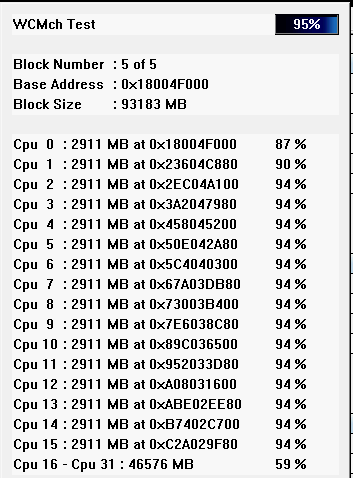
I've been sitting here testing memory for an hour now, why do memory tests take so long 😦
agile jolt
Probably just to make sure
midnight pollen
 agile jolt
I'd rather test a car's engine for longer then shorter
grizzled bloom
You have to try every possible series of commands as fast as possible to see if A: it's stable at the timings and B: it's stable even under extreme stress and weird command sequences
agile jolt
(20 tabs of chrome opening at once)
agile jolt
If 3533 works ill try 3600
grizzled bloom
Yep
agile jolt
Well survives the stress test
grizzled bloom
An example of a weird sequence of commands would be activating multiple banks and writing to some and reading others out of sequence with random pauses between
 grizzled bloom
5-10% from frequency alone thanks to infinity fabric
agile jolt
The things I do for better 1% lows (slightly inconvenience myself now for better experiences later on)
agile jolt
I will actually be surprised if I can get to 3600
So far this memory hasn't seemed to good
3533 worked
Time for 3600
Nope
Memory overclocking fail
Guessing 3533 is the cap
grizzled bloom
Entirely possible
You may be able to eek out that extra 66MHz but not worth the effort IMO
agile jolt
Should I change anything else?
grizzled bloom
You can either go 3466 or tune voltages to stabilize 3533
agile jolt
Guess just do 3466
Better then nothing
Kinda sucks I couldn't get 3600
Maybe if I spent 4 hours tinkering I could
I could probably buy some good used ram but idk
Probably not worth it?
grizzled bloom
Well there's this real b-die that's $100 with rgb https://www.ebay.com/itm/284984536758

eBay
G.SKILL TridentZ RGB 3200MHz 3200 MHz. Great condition!
New seller though so idk if it's a good deal
agile jolt
Yea
grizzled bloom
I sincerely doubt that kit came with a prebuilt lol
grizzled bloom
The one that had no clear panel to see into, totally defeating the purpose of rgb
agile jolt
Maybe if I'm lucky I can get some new ram on a good sale
Especially with ddr5 arriving
grizzled bloom
Cheapest guaranteed b-die 32gb new https://pcpartpicker.com/product/mdxRsY/gskill-ripjaws-v-32-gb-2-x-16-gb-ddr4-4000-cl17-memory-f4-4000c17d-32gvkb

G.Skill Ripjaws V 32 GB (2 x 16 GB) DDR4-4000 CL17 Memory (F4-4000C17D-32GVKB)
grizzled bloom
It can technically do 4000 but it'll be desynced on the fclk
Rarely a ryzen 5000 (non-G) can do 2000 fclk without errors
grizzled bloom
The thing with b-die is you don't buy it to run at stock speeds
burnt spear
3733 is likely with some tuning
burnt spear
grizzled bloom
The thing with b-die is you don't buy it to run at stock speeds
me sitting here with rev e at 3200c16
grizzled bloom
burnt spear
me sitting here with rev e at 3200c16
 agile jolt
Some good 3600 with b-die
burnt spear
im gonna get into ram tuning when i upgrade to rpl
amber canopy
Do you need 16GB dimms? @agile jolt
grizzled bloom
Easier than 4x8
amber canopy
if you just care about ram performance/overclocking, 8gbit bdie is better at that
burnt spear
also i got it for $90 for a 32gb crucial kit
amber canopy
wait
agile jolt
Rn I have 4x8
amber canopy
is that kit sr or dr dimms lol
grizzled bloom
The one I linked? or Bacca's?
burnt spear
im going to quote you on everything you said while giving advice
amber canopy
every redditor ever
grizzled bloom
Total anarchy
grizzled bloom
So with that 4000c17 kit what you'd want to do is overclock it to 3800c14
agile jolt
The one you sent?
grizzled bloom
Yes
amber canopy
technically underclocking 🤓
grizzled bloom
amber canopy
technically underclocking 🤓
Technically XMP is overclocking so it still applies
agile jolt
$200 jebus
amber canopy
4000 to 3800 is still underclocking 🤓
grizzled bloom
agile jolt
$200 jebus
The price to pay for the best
agile jolt
Wonder if it would be worth it is my question
Cpu is meh and gpu is also meh
I think the 1% lows will be a bit better
grizzled bloom
No it's really not worth it for the majority of people, that's well past the point of diminished returns
agile jolt
just get 3600mhz lol
grizzled bloom
Unless you're me and you like to do enthusiast benchmarking
grizzled bloom
That has little to do with it tbh
burnt spear
get 5133mhz
agile jolt
Even then I dunno if it'd be a large enough jump
burnt spear
murder your imc
grizzled bloom
I got a measurable improvement going from c-die to b-die on a 2700
tmw you have a 2700 dying at 3200c12
And 1.5v core because I can
agile jolt
Now I'm just doing ram things cause one person said "just oc you ram don't get the 5800x3d lol"
(Probably the right call)
grizzled bloom
It's probably not worth going from a 5600 to a 5800X3D anyway
Most games are GPU limited
grizzled bloom
It's looking like the new gen is one to skip anyway
burnt spear
get an 8k tn 30hz panel
grizzled bloom
It took a lot for me to even upgrade from 1080p 75hz
I'd been at that resolution for so many years
cerulean wadi
1080p is one thing, but going from 60hz to 120+, different league. I did grow up with a CRT though. 60hz is poo
agile jolt
I'll probably ride out 1440p until it's somehow absolete
After 120hz it seems to be diminishing returns
grizzled bloom
That'll be a long time
We're near the limit of the human eye
At least at a PC viewing distance
hollow thorn
million
grizzled bloom
You're thinking millihertz
hollow thorn
mhz usually megahertz
agile jolt
It's late leave it alone
hollow thorn
mhm
agile jolt
16gb of 3600mhz isn't too expensive
grizzled bloom
Yeah 3600 c16 isn't too bad right now
3600 c18 is basically equal to what you have now
agile jolt
I assume c16 is better?
grizzled bloom
Yes that refers to the CAS latency. Lower latency is better.
agile jolt
Gotcha
Will look around
Besides ram there isn't really much worth upgrading to me atm
compact zenith
The Motherboard beeping, wasn't the drives. Fresh install onto the NVME, from DVD, shows it still beeps. The drives vanishing, not virus. Swapped out my Z690 with my son's today, had no issues and my son's system which is duplicate of mine, beeped and started losing the spindle drives like they were getting disconnected. It's the Motherboard.
When the hard drives vanish, so does the USB ports.
vast meadow
grizzled bloom
Ok, and 3600 c16 32gb with rgb is $125, still cheaper
Yeah ofc but for a 12/13700k system ddr5 now makes sense cuz of the perf diff
agile jolt
There's some 3600mhz ram at best buy
It's all c18 I think
Yep it's ALL C18
3600mhz and C18
Would it be better at all then my 3444 ram or no because the timing
Not too sure

All c18 I believe
Mostly corsair which is iffy
cursive epoch
those prices kinda silly
agile jolt
Yeah
They're all 32gb kits
Except the one on the bottom
Assuming your response they're not good priced
agile jolt
Ah
$53 for 16gb of 3600mhz
Online I'm seeing people say timing for 3600 isn't the most important
cursive epoch
Yeah, it isn't very important
agile jolt
I can either upgrade my ram, or wait to see if I can do zen 4
Dunno if zen 4 is worth it atm
agile jolt
I could probably get really high end ram for that much
DDr4 wise
I think I'd rather max out ddr4 before thinking of swaping over
An eventual 5800x3D and some good ram would probably be more then enough considering the x3D gaming wise is still pretty much top dog
vast meadow
agile jolt
Would it be better at all then my 3444 ram or no because the timing
Not worth the change
agile jolt
I see
vast meadow
cursive epoch
I'm talking about bottom ones
They're all badly priced, 3200c16 is now 80$ and 3600c16 with rgb is now 115$ lol
agile jolt
My ram probably could do 3533 but I'm bad with all the settings and all that
cursive epoch
vast meadow
They're all badly priced, 3200c16 is now 80$ and 3600c16 with rgb is now 115$ lo...
but yep i agree lol
agile jolt
Besides I think we found out mine is C die
Or somethin
Wish I could push it to 3600mhz but meh
agile jolt
We had issues last night but maybe I was doing it wrong
Next week If the paycheck is good I'll get a 5800x3d if it's on sale and just bite the bullet
The ram is uh
Reading online about people OCing it
Seems iffy
See people testing it with Thaiphoon or somethin
Guess I'll try that when I get home

 oak matrix
I have a B550 Pro-A, that should be able to take an NVME storage and a PCIE Bluetooth/wifi card no problem right?
vast meadow
agile jolt
I've heard samsung is the better one to get?
nah only samsung b die, and if you where not changing any of your imc voltages that would be why you have problems
for ram oc testing i would recommend a separate windows partition cuz you could well bork the windows install all together
vast meadow
oak matrix
I have a B550 Pro-A, that should be able to take an NVME storage and a PCIE Blue...
ye
oak matrix
vast meadow
ye
Any recommendations for a wifi/Bluetooth card? My USB wifi adapter isn’t cutting it lol
agile jolt
vast meadow
nah only samsung b die, and if you where not changing any of your imc voltages t...
I think we kept the voltages near stock when testing
Maybe it's why I didn't get pas 3444
Or somethin
vast meadow
oak matrix
Any recommendations for a wifi/Bluetooth card? My USB wifi adapter isn’t cutting...
country?
oak matrix
vast meadow
country?
US
vast meadow
agile jolt
Maybe it's why I didn't get pas 3444
probably you would need to change imc voltage and a few othrs depends on cpu
agile jolt
Cpu is just a 5600
I was able to get 3553 but it was unstable
So yeah maybe voltage was an issue
vast meadow
oak matrix
US
this one looks good https://pcpartpicker.com/product/z44BD3/gigabyte-gc-wbax200-pcie-x1-80211abgnacax-wi-fi-adapter-gc-wbax200

Gigabyte GC-WBAX200 802.11a/b/g/n/ac/ax PCIe x1 Wi-Fi Adapter (GC-WBAX200)
vast meadow
agile jolt
So yeah maybe voltage was an issue
if you check there is a ddr4 oc guide in the pins of #overclocking i would check it out
oak matrix
vast meadow
this one looks good https://pcpartpicker.com/product/z44BD3/gigabyte-gc-wbax200-...
Looks perfect but I need Bluetooth too. As long as they’re standard it shouldn’t be too much of an issue?
vast meadow
oak matrix
Looks perfect but I need Bluetooth too. As long as they’re standard it shouldn’t...
it has Bluetooth too
agile jolt
vast meadow
if you check there is a ddr4 oc guide in the pins of <#610602203849162772> i wou...
I'll check when I get back home
oak matrix
vast meadow
it has Bluetooth too
Am I blind, I don’t see it on that part picker page anywhere??
agile jolt
oak matrix
Am I blind, I don’t see it on that part picker page anywhere??

Just click the thing where it says Amazon
oak matrix
agile jolt
Thank you, I’m having a mega brain crash today
agile jolt

I assume Bluetooth is just gonna be like
For controllers lol
That's pretty much the only thing I use mine for
vast meadow
Or audio
agile jolt
The one time every month I use my earbuds on my pc
This reminds me I should probably get better speakers then my garbo logitech ones
 frosty depot
Looks like I gotta do a repaste on my CPU. I rearranged my room a few days ago and I noticed some weird thermals since then. Did a Cinebench test today and its thermals instantly went to 100c and my PC Blue Screened. Kinda odd, but I'm wondering if moving the pc around might've loosened the AIO mount.
I guess it's an excuse to try out the TG thingy.
agile jolt
Slight issue


 frosty depot
Looks like I gotta do a repaste on my CPU. I rearranged my room a few days ago a...
frosty depot
frosty depot
Looks like I gotta do a repaste on my CPU. I rearranged my room a few days ago a...
yep, a repaste/remount was in order. I did put the ThermalRight thingy on it too.
frosty depot
frosty depot
temps in cinebench
 sudden creek
frosty depot
temps in cinebench
sudden creek
frosty depot
temps in cinebench
What are the max temps a CPU should be within to avoid thermal throttling?
frosty depot
sudden creek
What are the max temps a CPU should be within to avoid thermal throttling?
I believe it depends on the CPU. Safe to say, try to keep the CPU under 90c
It'll for sure start throttling at 100c for 12th gen though
sudden creek
Got it.
Was wondering because I plan to get the 13900K and I wanna OC it as much as possible within thermal limits.
How often should I repaste the CPU?
vast meadow
assuming youre not taking the cooler off like every year or so
frosty depot
vast meadow
assuming youre not taking the cooler off like every year or so
idk, for some reason I had to repaste today
and I just repasted like 2 or 3 months ago.
cerulean wadi
Normal paste doesn't go bad in a year, let alone 3 months.
vast meadow
Probs bad luck
 tranquil wolf
so for 12th Gen CPU, you guys would recommend one of the "bend correcting frames" being sold that replaces the lock mechanism?
 astral cradle
Hello everyone. Can anyone help me with finding an ASUS Thunderbolt EX3 option card that's compatible to an ASUS Z87 EXPERT motherboard?
tranquil wolf
tranquil wolf
so for 12th Gen CPU, you guys would recommend one of the "bend correcting frames...
any specific suggestions/links?
cerulean wadi
Thermalright unless the TG is somehow similar price (it's from Germany). Khelly, doesn't really matter where you get either, just don't overpay. I say the TR because it's usually under $15, the TG is often 2x that.
 tranquil wolf
cerulean wadi
Thermalright unless the TG is somehow similar price (it's from Germany). Khelly,...
tranquil wolf
cerulean wadi
Thermalright unless the TG is somehow similar price (it's from Germany). Khelly,...
got it ordered from Negg ($10), thanks for the info, guys
 heady sparrow
So I've got a problem if anyone thinks they can help my ram said I have 16 gig bios says I have 16000 mb (16gig) buttask manager says I have 8 and 16 and I can only use 8
 hard leaf
👀
cerulean wadi
Interesting. The lil graph saying 8GB is odd, idk. I'll point out how the ram is maybe ok. Edit: hardware reserved is 8GB. Cpuld be the igpu or something else I forget. 2nd pic is another issue. 


Update: 1 ram stick is probably defective. I recall that's a possible thing for the 8GB hardware reserved issue.
hollow thorn
One possibility is the startup options with limiting ram on startup
cerulean wadi
Indeed could be a bios setting also, and one unlikely solution is reinstalling gpu drivers. Replacing ram I'm pretty sure would do it, but hunting for ddr3... 
heady sparrow
Yea if I'm buying new ram I'm planning on also getting new mobo and cpu
hard leaf
plz do
ddr3 667mhz, thats quite old
too old
not to mention the 2 hard drives yikes
grizzled bloom
heady sparrow
So I've got a problem if anyone thinks they can help my ram said I have 16 gig ...
Reseat both sticks
Use an air can to blow out the slot too if you have one
cerulean wadi
I mean could get lucky and find a decent 1866 kit for $30ish, but idk & deffo try what Fal cie said.
 wary cape
how much better is the 7900x over the 5900x?
heady sparrow
Thx it still isn't working I'll probably just payment plan some new parts
tranquil wolf
heady sparrow
So I've got a problem if anyone thinks they can help my ram said I have 16 gig ...
silly question, but what version of Windows, and is it 32 or 64-bit?
grizzled bloom
tranquil wolf
silly question, but what version of Windows, and is it 32 or 64-bit?
If it was 32 bit it would be limited to 3.5gb
tranquil wolf
grizzled bloom
If it was 32 bit it would be limited to 3.5gb
wasn't sure the amount offhand, been ages since i used 32-bit in any system, just was brainstorming
grizzled bloom
Yeah fair, it's kind of obscure knowledge too
tranquil wolf
i just remember a yr or so back a friend had installed a 32bit version and was freaking out bc he went from 32GB of RAM to much lower lol
frosty depot
hard leaf
poor mounting i say
Possibly. However the 2-3 months i had normal thermals, then a few days ago I rearranged my room (scooted PC stand all over the room) and all of a sudden my thermals went way bad. So while I do think something happened to the mount, I'm not entirely sure.
frosty depot
tranquil wolf
got it ordered from Negg ($10), thanks for the info, guys
Could have gotten the one from aliexpress for like $3
tranquil wolf
frosty depot
Could have gotten the one from aliexpress for like $3
Aliexpress always takes me like 2mo to receive anything, this will be a week or so lol
frosty depot
tranquil wolf
Aliexpress always takes me like 2mo to receive anything, this will be a week or ...
Yeah, I mean it's not like dire need to get one.. myself and another person in this server both have one and we both did not see any improvement in our temps.
untold breach
https://www.asus.com/Motherboards-Components/Motherboards/ProArt/ProArt-Z690-CREATOR-WIFI/
Question regarding this mobo. I pre-ordered the 13700kf which supports ddr4/5 memory. The mobo page says ddr5 and the seemingly clueless Asus representative said the only resource he found says ddr5 as well.
Is the ddr5 ram slot keyed differently than ddr4 and it just wouldn't work?
grizzled bloom
untold breach
https://www.asus.com/Motherboards-Components/Motherboards/ProArt/ProArt-Z690-CRE...
Correct, even though both have 288 pins DDR4 memory will not fit into a DDR5 slot, and vice versa
In order to use DDR4 with the 13700kf you'd need a board that has DDR4 slots
untold breach
grizzled bloom
Correct, even though both have 288 pins DDR4 memory will not fit into a DDR5 slo...
Shoot. I was hoping to save a buck and use my older 2666 ram...
grizzled bloom
If you're looking to save a buck why even bother with a high end board like that
untold breach
grizzled bloom
If you're looking to save a buck why even bother with a high end board like that
I have 10gbe Lan and thunderbolt optical cable run in my home. This has those features built in so I wouldn't need to buy the cards separately
Leaving pcie slots open for future expansion
untold breach
grizzled bloom
If you're looking to save a buck why even bother with a high end board like that
Valid question.... 🤣
grizzled bloom
Use the savings for a 32gb kit of DDR5
Oh this one has thunderbolt too https://www.amazon.com/dp/B083NLHMG7

Intel LGA 1700 Socket: Supports 12th Gen Intel Core Series Processors DDR5 Compatible: Dual Channel Non-ECC Unbuffered DDR5 Comprehensive Thermal Design: Advanced Thermal Architecture, Enlarged Thermal Guards Next Gen Connectivity: PCIe 5.0, VisionLINK I/O , Quad NVMe PCIe 4.0 x4 M.2, SuperSpeed ...
Two of them
vast meadow
grizzled bloom
Oh this one has thunderbolt too https://www.amazon.com/dp/B083NLHMG7
Sure it's just not thunderbolt capable front header?
A lot of them that say that are
But you can get a TB card from asus off Amazon for like 80$ or something and stick it into the z690 a pro or something
But 13700k on 2666mhz would be gross at least cough up for a kit of 3600c18 for like 85$ for 32gb or something
Although personally i would be pairing a 13700k with like a 150-200$ board and this kit of ddr5
https://pcpartpicker.com/product/x7xRsY/patriot-viper-black-32-gb-2-x-16-gb-ddr5-6200-cl40-memory-pvv532g620c40k

Patriot Viper Black 32 GB (2 x 16 GB) DDR5-6200 CL40 Memory (PVV532G620C40K)
grizzled bloom
vast meadow
Sure it's just not thunderbolt capable front header?
Look at the picture of the back panel, it says thunderbolt and has the icon on two ports
vast meadow
Oh cool
compact zenith
Viper, wonder if it's the same company that makes my Tasers.
hard leaf
Viper is the series, patriot is the brand